And other neat requirements
gathering tools
“59.9% of projects fail from
  unclear, incomplete or
  improperly documented
  requirements “

  The Chaos Report
•   Traditional Pen and Paper
•   Microsoft Word
•   Flow Charts
•   etc…
Organize all your
requirements in one
place so you can
maximize your
requirements gathering
efforts
One Note Offers seamless
integration with other
Microsoft Office Tools and
it is a great place to
organize the rest of your
gathering activities

Requirements gathering with one note and livescribe

  • 1.
    And other neatrequirements gathering tools
  • 2.
    “59.9% of projectsfail from unclear, incomplete or improperly documented requirements “ The Chaos Report
  • 3.
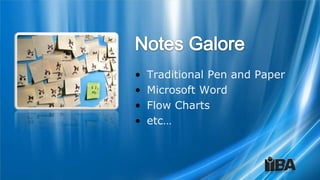
    Traditional Pen and Paper • Microsoft Word • Flow Charts • etc…
  • 4.
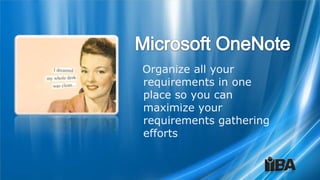
    Organize all your requirementsin one place so you can maximize your requirements gathering efforts
  • 10.
    One Note Offersseamless integration with other Microsoft Office Tools and it is a great place to organize the rest of your gathering activities

Editor's Notes

  • #2 Personal Notes:________________________________________________________________________________________________________________________________________________________________________________________________________________________________________________________________________________________________________________________________________________________________________________________________________________________________________________________________________________________________________________________________________________________________________
  • #3 Items Covered on this slide:The requirements gathering phase is the portion of the project process that has the greatest effect on the success of the project.Personal Notes:________________________________________________________________________________________________________________________________________________________________________________________________________________________________________________________________________________________________________________________________________________________________________________________________________________________________________________________________________________________________________________________________________________________________________
  • #4 Things covered in this slide:There are many ways to capture your stakeholders requirements. There is no wrong way, but the only right way for you is the one that insures the best outcome for the project through the best representation of your stakeholders requirements.Personal Notes:________________________________________________________________________________________________________________________________________________________________________________________________________________________________________________________________________________________________________________________________________________________________________________________________________________________________________________________________________________________________________________________________________________________________________
  • #5 Things covered in this slide:Microsoft One Note has been a part of the Microsoft Office Professional edition package since 2001. It was to coincide with the release of the Tablet PCYour organization most likely has existing licenses Personal Notes:________________________________________________________________________________________________________________________________________________________________________________________________________________________________________________________________________________________________________________________________________________________________________________________________________________________________________________________________________________________________________________________________________________________________________
  • #6 Things covered in this slide:Creating a NotebookCreating a SectionCreating a Section GroupCreating a notebook package for later usePersonal Notes:________________________________________________________________________________________________________________________________________________________________________________________________________________________________________________________________________________________________________________________________________________________________________________________________________________________________________________________________________________________________________________________________________________________________________
  • #7 Items covered on this slide:How to set an Outlook appointment or TaskNote taking when in the meeting with One Note Outlook integrationTablet SupportLaptop in sessionOther options…Personal Notes:________________________________________________________________________________________________________________________________________________________________________________________________________________________________________________________________________________________________________________________________________________________________________________________________________________________________________________________________________________________________________________________________________________________________________
  • #8 Items covered on this slide:Using existing tagsCreating new tagsUsing task summariesPersonal Notes:________________________________________________________________________________________________________________________________________________________________________________________________________________________________________________________________________________________________________________________________________________________________________________________________________________________________________________________________________________________________________________________________________________________________________
  • #9 Items covered on this slide:Use tags to flag problems and issues that have not been resolvedUse tag summaries to maintain a list of all issues and resolutions for various meetingsPersonal Notes:________________________________________________________________________________________________________________________________________________________________________________________________________________________________________________________________________________________________________________________________________________________________________________________________________________________________________________________________________________________________________________________________________________________________________
  • #10 Items covered on this slide:Using the search function to search entire notebookPersonal Notes:________________________________________________________________________________________________________________________________________________________________________________________________________________________________________________________________________________________________________________________________________________________________________________________________________________________________________________________________________________________________________________________________________________________________________
  • #11 Personal Notes:________________________________________________________________________________________________________________________________________________________________________________________________________________________________________________________________________________________________________________________________________________________________________________________________________________________________________________________________________________________________________________________________________________________________________