Privileged Access Management:
Remote PC Communication
Technologies for accessing and operating computers remotely
over networks.
https://bertblevins.com/
Bert Blevins
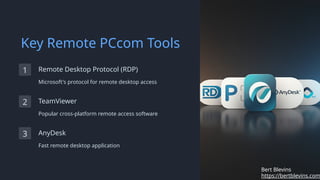
Key Remote PCcom Tools
1 Remote Desktop Protocol (RDP)
Microsoft's protocol for remote desktop access
2 TeamViewer
Popular cross-platform remote access software
3 AnyDesk
Fast remote desktop application
https://bertblevins.com
Bert Blevins
Benefits of Remote PCcom
Flexibility
Access work computers from
anywhere
Productivity
Continue working
uninterrupted while remote
IT Support
Provide technical assistance
without on-site visits
https://bertblevins.com
Bert Blevins
Security Considerations
Encrypted Connections
Protect data in transit
Multi-Factor Authentication
Add extra layer of security
Regular Updates
Keep remote access tools current
Security Settings
Configure tools properly
https://bertblevins.com
Bert Blevins
Implementing Remote PCcom
Policies
1 Develop Guidelines
Create clear remote access policies
2 Train Employees
Educate staff on secure remote protocols
3 Monitor Usage
Track and review remote access activities
4 Regular Audits
Conduct periodic security assessments
https://bertblevins.com
Bert Blevins
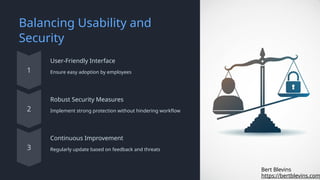
Balancing Usability and
Security
User-Friendly Interface
Ensure easy adoption by employees
Robust Security Measures
Implement strong protection without hindering workflow
Continuous Improvement
Regularly update based on feedback and threats
https://bertblevins.com
Bert Blevins

Remote PC Communication: Enabling Seamless Access and Control

  • 1.
    Privileged Access Management: RemotePC Communication Technologies for accessing and operating computers remotely over networks. https://bertblevins.com/ Bert Blevins
  • 2.
    Key Remote PCcomTools 1 Remote Desktop Protocol (RDP) Microsoft's protocol for remote desktop access 2 TeamViewer Popular cross-platform remote access software 3 AnyDesk Fast remote desktop application https://bertblevins.com Bert Blevins
  • 3.
    Benefits of RemotePCcom Flexibility Access work computers from anywhere Productivity Continue working uninterrupted while remote IT Support Provide technical assistance without on-site visits https://bertblevins.com Bert Blevins
  • 4.
    Security Considerations Encrypted Connections Protectdata in transit Multi-Factor Authentication Add extra layer of security Regular Updates Keep remote access tools current Security Settings Configure tools properly https://bertblevins.com Bert Blevins
  • 5.
    Implementing Remote PCcom Policies 1Develop Guidelines Create clear remote access policies 2 Train Employees Educate staff on secure remote protocols 3 Monitor Usage Track and review remote access activities 4 Regular Audits Conduct periodic security assessments https://bertblevins.com Bert Blevins
  • 6.
    Balancing Usability and Security User-FriendlyInterface Ensure easy adoption by employees Robust Security Measures Implement strong protection without hindering workflow Continuous Improvement Regularly update based on feedback and threats https://bertblevins.com Bert Blevins