特殊字元
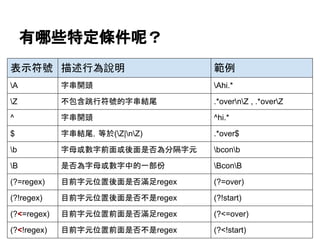
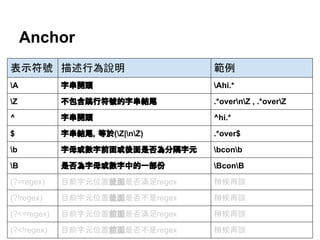
特殊字元 描述行為說明 特殊字元描述行為說明
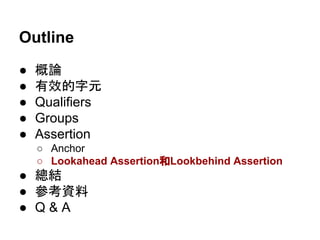
A 字串開頭 s 分隔字元
[ tnrfv]
b 字母或數字前面或後
面是否為分隔字元
(後面說明)
S 非分隔字元
[^ tnrfv]
B 是否為字母或數字中
的一部份 (後面說明)
w 字母或數字
[a-zA-Z0-9_]
d 數字
[0-9]
W 非字母也不是數字
[^a-zA-Z0-9_]
D 非數字
[^0-9]
Z 字串結尾
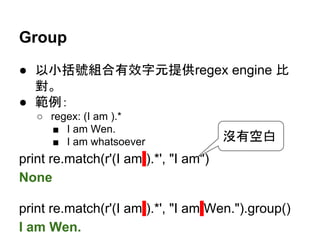
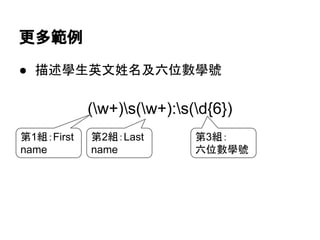
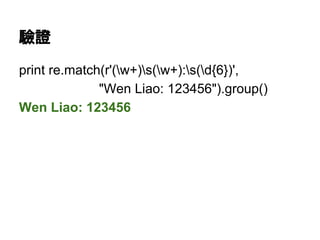
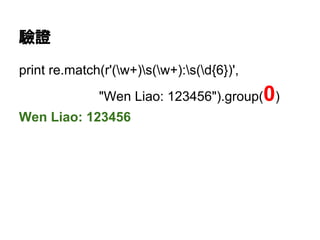
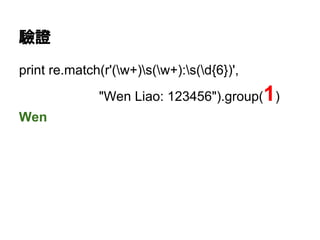
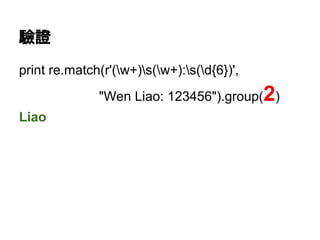
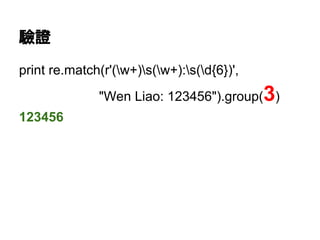
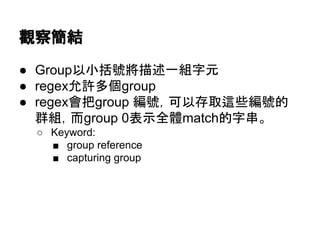
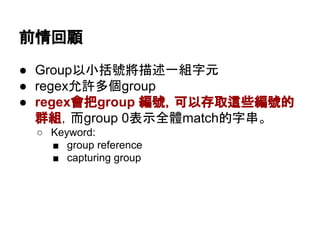
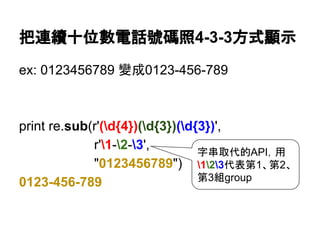
Group
● 以小括號組合有效字元提供regex engine比
對。
● 範例:
○ regex: (I am ).*
■ I am Wen.
■ I am whatsoever
print re.match(r'(I am ).*', "I am")
None
print re.match(r'(I am ).*', "I am Wen.").group()
I am Wen.
沒有空白
小結
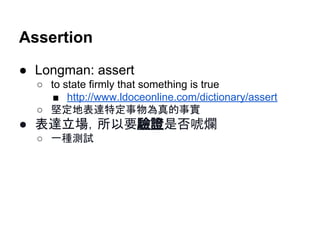
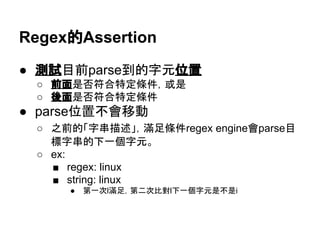
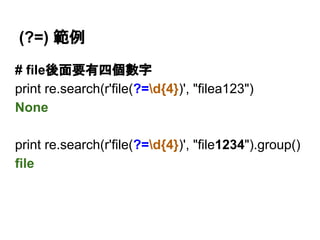
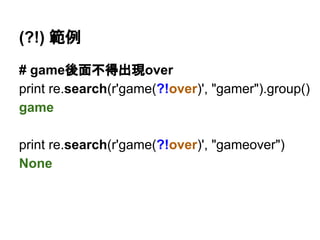
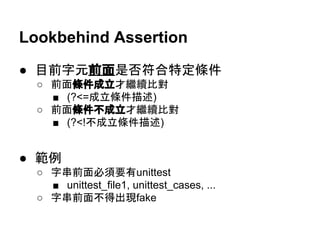
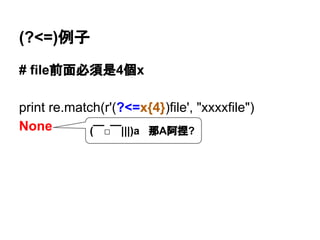
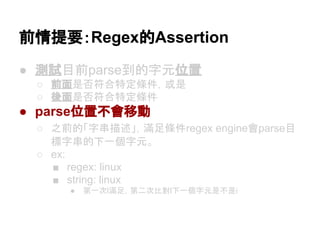
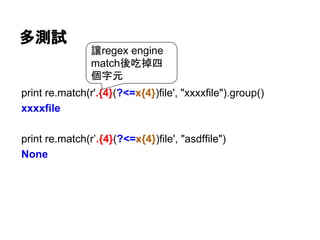
● Assert parse位置不會移動不是喊假的
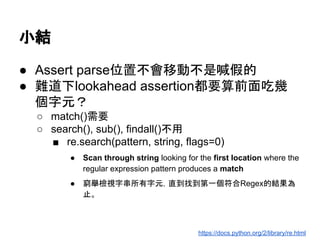
●難道下lookahead assertion都要算前面吃幾
個字元?
○ match()需要
○ search(), sub(), findall()不用
■ re.search(pattern, string, flags=0)
● Scan through string looking for the first location where the
regular expression pattern produces a match
● 窮舉檢視字串所有字元,直到找到第一個符合Regex的結果為
止。
https://docs.python.org/2/library/re.html
![Goal
● 以Python 2.7.3 Standard Library為範例簡介
Regular Expression (簡稱為re/regex)
● 範例大部分使用re.match(),少部份用re.
search(),更少部份使用re.sub()和re.findall()
○ re.search()和re.findall()是只取得符合的部份。
■ print re.search(“test”, "test_whatever").group()
test
■ print re.findall("test", "test54 test_2 test_whatever")
['test', 'test', 'test']](https://image.slidesharecdn.com/regularexpressionwithpythonstandardlibrary-140616104938-phpapp02/85/A-Brief-Introduction-to-Regular-Expression-with-Python-2-7-3-Standard-Library-3-320.jpg)
![$ ipython
Python 2.7.3 (default, Feb 27 2014, 19:58:35)
...
IPython 0.12.1 -- An enhanced Interactive
Python.
…
In [1]: import re](https://image.slidesharecdn.com/regularexpressionwithpythonstandardlibrary-140616104938-phpapp02/85/A-Brief-Introduction-to-Regular-Expression-with-Python-2-7-3-Standard-Library-17-320.jpg)
![多選一
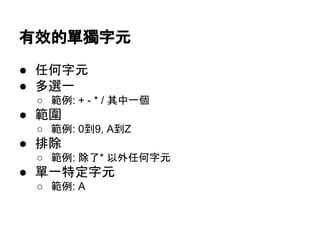
● [字元一字元二字元三...]
○ [abcdefghijklmnopqurstuvwxyz]
○ [0123456789]
○ [-+*/]
● 範例
print re.match(r'[012345789]', "0").group()
0
print re.match(r'[012345789]', "a")
None
- 有特殊意義,做為
一般字元請放第一位](https://image.slidesharecdn.com/regularexpressionwithpythonstandardlibrary-140616104938-phpapp02/85/A-Brief-Introduction-to-Regular-Expression-with-Python-2-7-3-Standard-Library-19-320.jpg)
![範圍
● [起始字元(ASCII值小)-結束字元(ASCII值大)]
○ [0-9]
○ [a-z]
○ [S-T]
● 範例
print re.match(r"[0-9]", "0").group()
0
print re.match(r"[0-9]", "a")
None](https://image.slidesharecdn.com/regularexpressionwithpythonstandardlibrary-140616104938-phpapp02/85/A-Brief-Introduction-to-Regular-Expression-with-Python-2-7-3-Standard-Library-20-320.jpg)
![不允許字元出現
● [^字元一字元二字元三]
● 範例
print re.match(r'[^012345789]', "a").group()
a
print re.match(r'[^012345789]', "0")
None](https://image.slidesharecdn.com/regularexpressionwithpythonstandardlibrary-140616104938-phpapp02/85/A-Brief-Introduction-to-Regular-Expression-with-Python-2-7-3-Standard-Library-21-320.jpg)
![特殊字元
特殊字元 描述行為說明 特殊字元 描述行為說明
A 字串開頭 s 分隔字元
[ tnrfv]
b 字母或數字前面或後
面是否為分隔字元
(後面說明)
S 非分隔字元
[^ tnrfv]
B 是否為字母或數字中
的一部份 (後面說明)
w 字母或數字
[a-zA-Z0-9_]
d 數字
[0-9]
W 非字母也不是數字
[^a-zA-Z0-9_]
D 非數字
[^0-9]
Z 字串結尾](https://image.slidesharecdn.com/regularexpressionwithpythonstandardlibrary-140616104938-phpapp02/85/A-Brief-Introduction-to-Regular-Expression-with-Python-2-7-3-Standard-Library-22-320.jpg)
![任意字元
● .
○ 不包含跳行符號
● [sS]
print re.match(r".", "n")
None
print re.match(r"[sS]", "n")
<_sre.SRE_Match object at 0x132d920>](https://image.slidesharecdn.com/regularexpressionwithpythonstandardlibrary-140616104938-phpapp02/85/A-Brief-Introduction-to-Regular-Expression-with-Python-2-7-3-Standard-Library-23-320.jpg)
![怎麼辦?
● 在qualifier後面加?告訴regex engine不要用
greedy qualifier
print re.match(r'<.*?>', "<tags>>>").group()
<tags>
● <>中間不允許出現>字元
print re.search(r'<[^>]*>', "<tags>>>").group()
<tags>](https://image.slidesharecdn.com/regularexpressionwithpythonstandardlibrary-140616104938-phpapp02/85/A-Brief-Introduction-to-Regular-Expression-with-Python-2-7-3-Standard-Library-31-320.jpg)


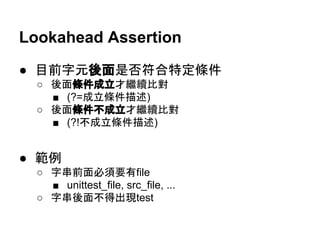
![Z和$的差別
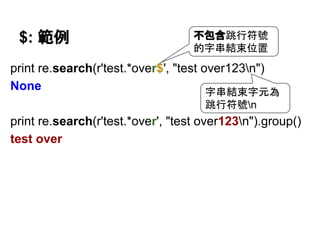
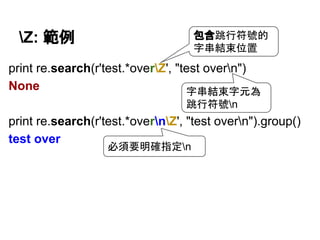
# 預設的單行模式只差在n是否算是字串結尾字元
print re.findall(r'test.*overnZ', "test overntest is overn")
['test is overn']
print re.findall(r'test.*over$', "test overntest is overn")
['test is over']](https://image.slidesharecdn.com/regularexpressionwithpythonstandardlibrary-140616104938-phpapp02/85/A-Brief-Introduction-to-Regular-Expression-with-Python-2-7-3-Standard-Library-58-320.jpg)
![Z和$的差別
# 多行模式下$還可以提供多次搜尋而Z仍然是字串結尾
print re.findall(r'(?m)test.*over$', "test overntest is overn")
['test over', 'test is over']
print re.findall(r'(?m)test.*overnZ', "test overntest is overn")
['test is overn']
多行模式,請
自行參考手冊](https://image.slidesharecdn.com/regularexpressionwithpythonstandardlibrary-140616104938-phpapp02/85/A-Brief-Introduction-to-Regular-Expression-with-Python-2-7-3-Standard-Library-59-320.jpg)
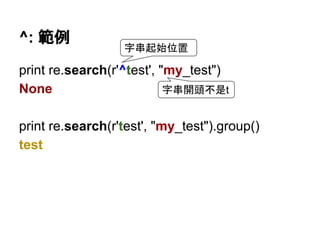
![A和^的差別
# 多行模式下^還可以提供多次搜尋而A仍然是字串開頭
print re.findall(r'(?m)^test.*', "test_1ntest_2")
['test_1', 'test_2']
print re.findall(r'(?m)Atest.*', "test_1ntest_2")
['test_1']
字串起始位置
字串起始位置
跳行符號
跳行符號
多行模式,請
自行參考手冊](https://image.slidesharecdn.com/regularexpressionwithpythonstandardlibrary-140616104938-phpapp02/85/A-Brief-Introduction-to-Regular-Expression-with-Python-2-7-3-Standard-Library-61-320.jpg)
![b範例 (b for boundary)
# 用來區別是否是一個word
print re.findall(r'btestb', "test test_whatever")
['test']
print re.findall(r'testb', "test test_whatever")
['test']
print re.findall(r'btest', "test test_whatever")
['test', 'test']](https://image.slidesharecdn.com/regularexpressionwithpythonstandardlibrary-140616104938-phpapp02/85/A-Brief-Introduction-to-Regular-Expression-with-Python-2-7-3-Standard-Library-62-320.jpg)
![B: 前面或後面不得有分隔字元
print re.findall(r'BtestB', "my_test_whatever")
['test']
print re.findall(r'Btest', "my_test")
['test']
print re.findall(r'testB', "test_whatever")
['test']](https://image.slidesharecdn.com/regularexpressionwithpythonstandardlibrary-140616104938-phpapp02/85/A-Brief-Introduction-to-Regular-Expression-with-Python-2-7-3-Standard-Library-63-320.jpg)
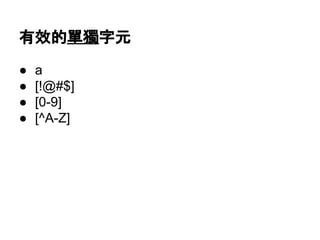
![有效的單獨字元
● a
● [!@#$]
● [0-9]
● [^A-Z]](https://image.slidesharecdn.com/regularexpressionwithpythonstandardlibrary-140616104938-phpapp02/85/A-Brief-Introduction-to-Regular-Expression-with-Python-2-7-3-Standard-Library-78-320.jpg)
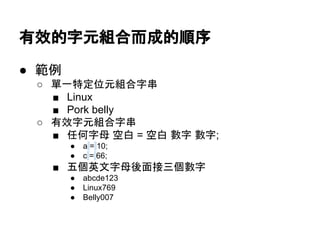
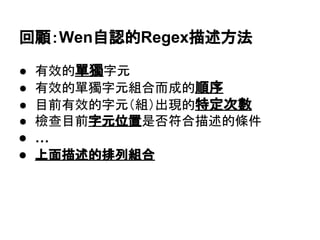
![有效的單獨字元組合而成的順序
● Linux
● 20[0-9][0-9]
○ 2000~2099
● [SRT]ing
○ Sing, Ring, Ting
● Profile-[0-9]
○ Profile-0 ~ Profile-9](https://image.slidesharecdn.com/regularexpressionwithpythonstandardlibrary-140616104938-phpapp02/85/A-Brief-Introduction-to-Regular-Expression-with-Python-2-7-3-Standard-Library-79-320.jpg)
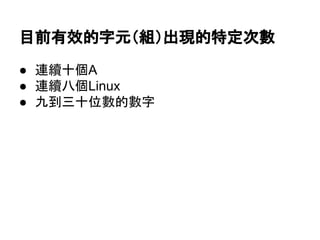
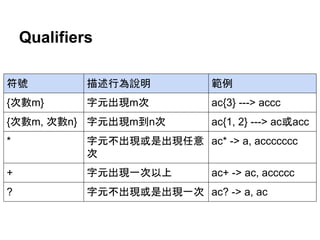
![目前有效的字元(組)出現的特定次數
● (Linux){8}
○ LinuxLinuxLinuxLinuxLinuxLinuxLinuxLinux
● .*.test.tw
○ abc.test.tw, test.test.tw
● [A-Z]d{9}
○ A123456789, Q129840030
● (d{4})-(d{2})-(d{2})
○ 2011-11-11
○ 9999-91-39](https://image.slidesharecdn.com/regularexpressionwithpythonstandardlibrary-140616104938-phpapp02/85/A-Brief-Introduction-to-Regular-Expression-with-Python-2-7-3-Standard-Library-80-320.jpg)
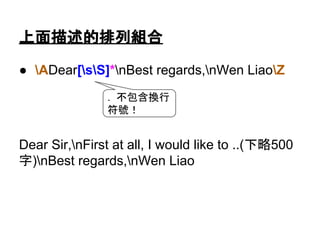
![上面描述的排列組合
● ADear[sS]*nBest regards,nWen LiaoZ
Dear Sir,nFirst at all, I would like to ..(下略500
字)nBest regards,nWen Liao
. 不包含換行
符號!](https://image.slidesharecdn.com/regularexpressionwithpythonstandardlibrary-140616104938-phpapp02/85/A-Brief-Introduction-to-Regular-Expression-with-Python-2-7-3-Standard-Library-82-320.jpg)