RDBMS-Day3 
SQL 
– Basic DDL statements 
– DML statements 
– Aggregate functions
SQL 
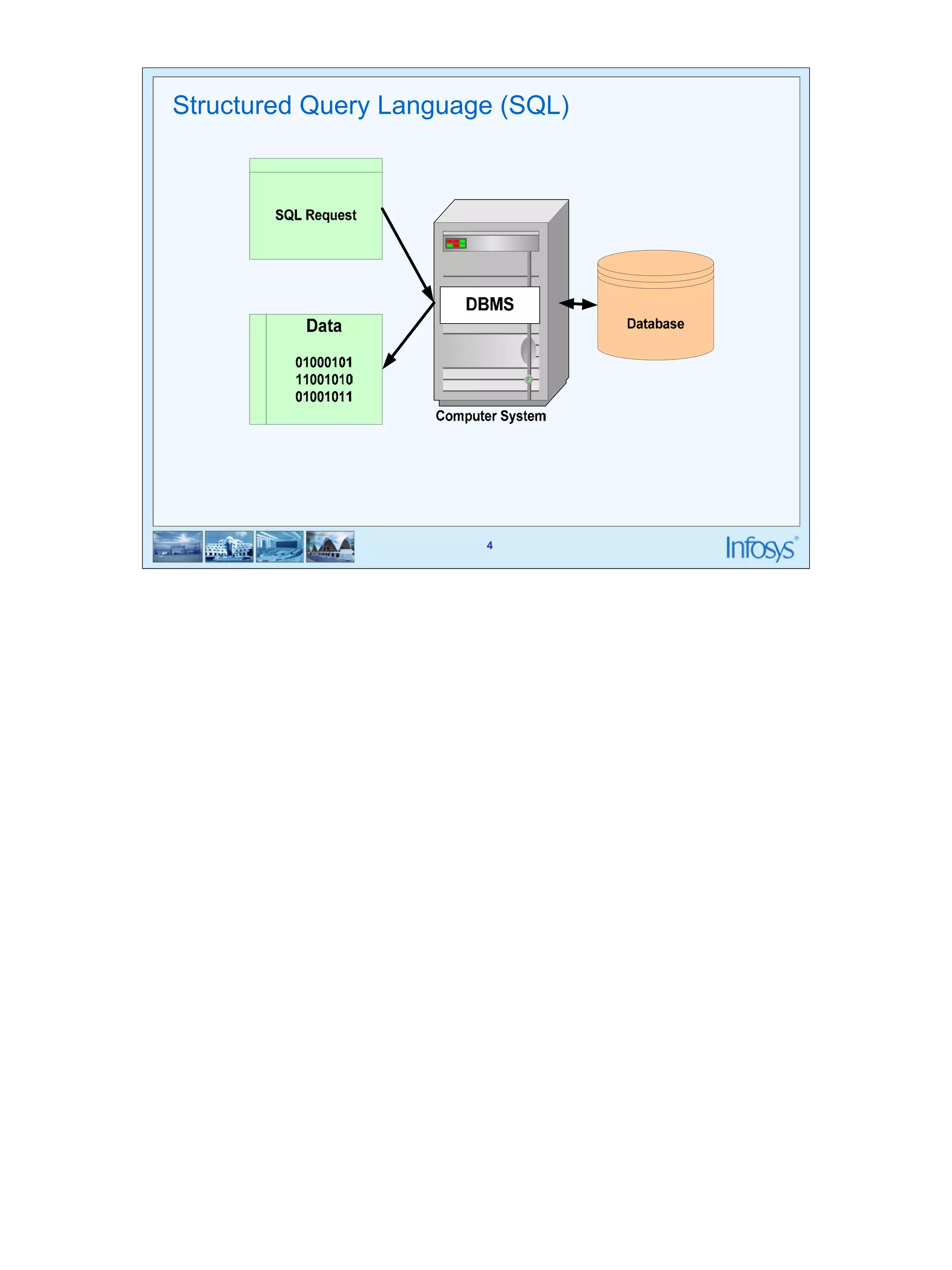
• SQL is used to make a request to retrieve data from a Database. 
• The DBMS processes the SQL request, retrieves the requested data from the 
2 
Database, and returns it. 
• This process of requesting data from a Database and receiving back the 
results is called a Database Query and hence the name Structured Query 
Language.
SQL 
• SQL is a language that all commercial RDBMS implementations understand. 
3 
• SQL is a non-procedural language 
• We would be discussing SQL with respect to oracle syntax 
You can’t write programs like the ones you would have done using C language 
You can only write questions in English like language called queries which will fetch some data rows 
from the database.
Structured Query Language (SQL) 
4
Structured Query Language (SQL) 
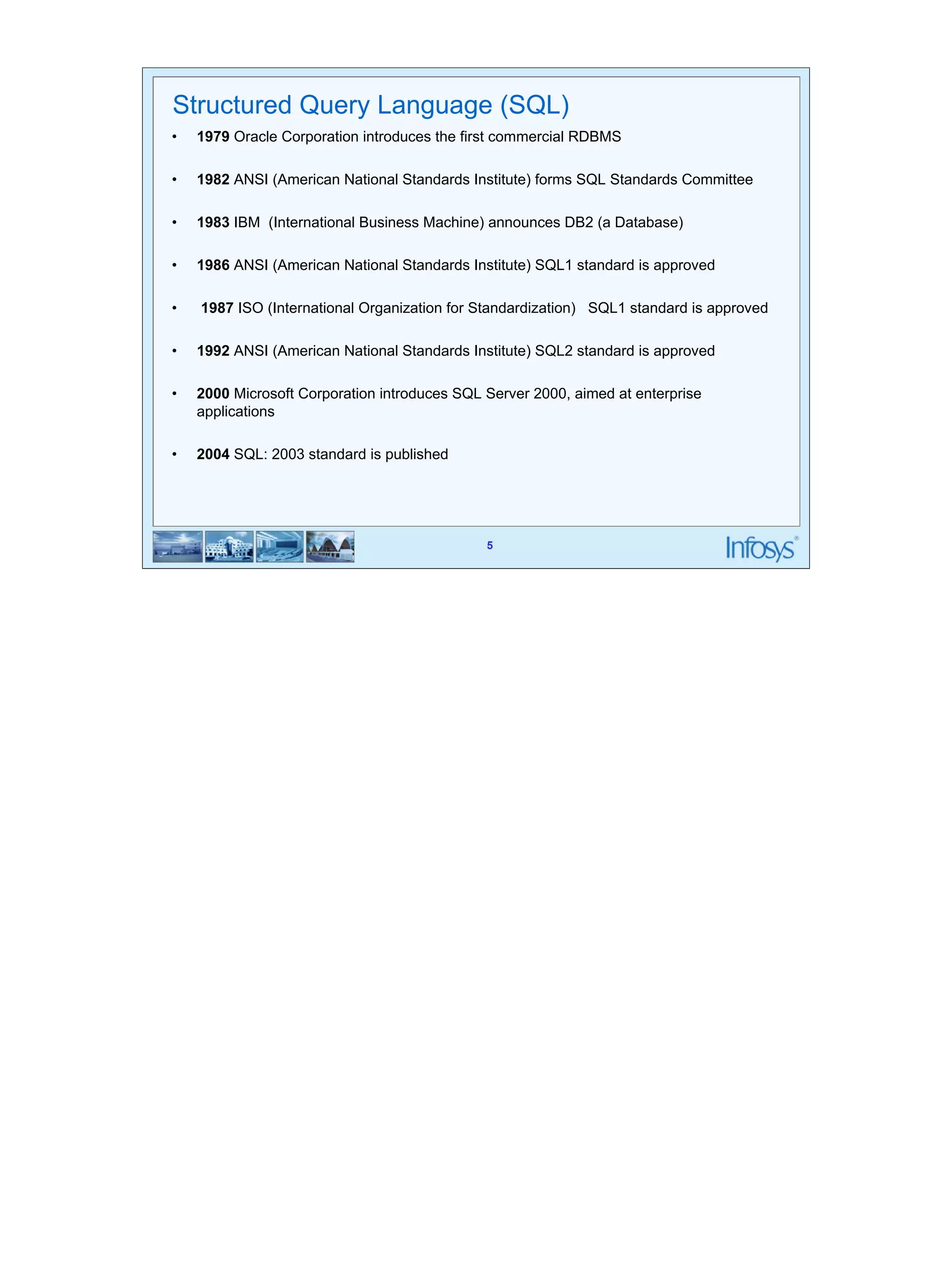
• 1979 Oracle Corporation introduces the first commercial RDBMS 
• 1982 ANSI (American National Standards Institute) forms SQL Standards Committee 
• 1983 IBM (International Business Machine) announces DB2 (a Database) 
• 1986 ANSI (American National Standards Institute) SQL1 standard is approved 
• 1987 ISO (International Organization for Standardization) SQL1 standard is approved 
• 1992 ANSI (American National Standards Institute) SQL2 standard is approved 
• 2000 Microsoft Corporation introduces SQL Server 2000, aimed at enterprise 
5 
applications 
• 2004 SQL: 2003 standard is published
6 
Statements 
• DDL (Data Definition Language) 
– Create 
– Alter 
– Drop 
– Truncate 
• DML (Data Manipulation Language) 
– Insert 
– Update 
– Delete 
– Select 
• DCL (Data Control Language) 
– Grant 
– Revoke 
– Commit 
– Rollback 
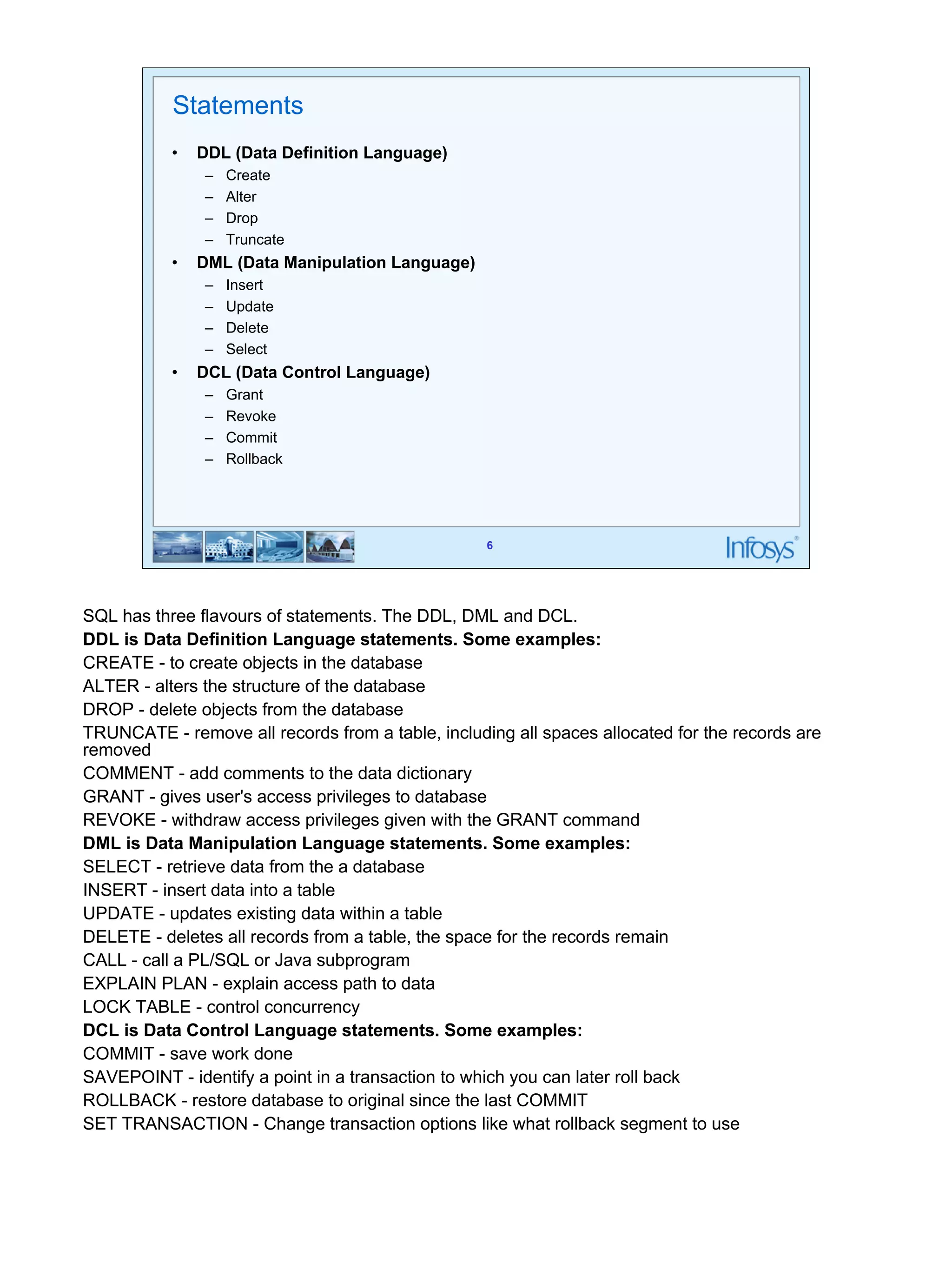
SQL has three flavours of statements. The DDL, DML and DCL. 
DDL is Data Definition Language statements. Some examples: 
CREATE - to create objects in the database 
ALTER - alters the structure of the database 
DROP - delete objects from the database 
TRUNCATE - remove all records from a table, including all spaces allocated for the records are 
removed 
COMMENT - add comments to the data dictionary 
GRANT - gives user's access privileges to database 
REVOKE - withdraw access privileges given with the GRANT command 
DML is Data Manipulation Language statements. Some examples: 
SELECT - retrieve data from the a database 
INSERT - insert data into a table 
UPDATE - updates existing data within a table 
DELETE - deletes all records from a table, the space for the records remain 
CALL - call a PL/SQL or Java subprogram 
EXPLAIN PLAN - explain access path to data 
LOCK TABLE - control concurrency 
DCL is Data Control Language statements. Some examples: 
COMMIT - save work done 
SAVEPOINT - identify a point in a transaction to which you can later roll back 
ROLLBACK - restore database to original since the last COMMIT 
SET TRANSACTION - Change transaction options like what rollback segment to use
7 
Data types 
• Number 
• Char 
• Varchar2 
• Long 
• date 
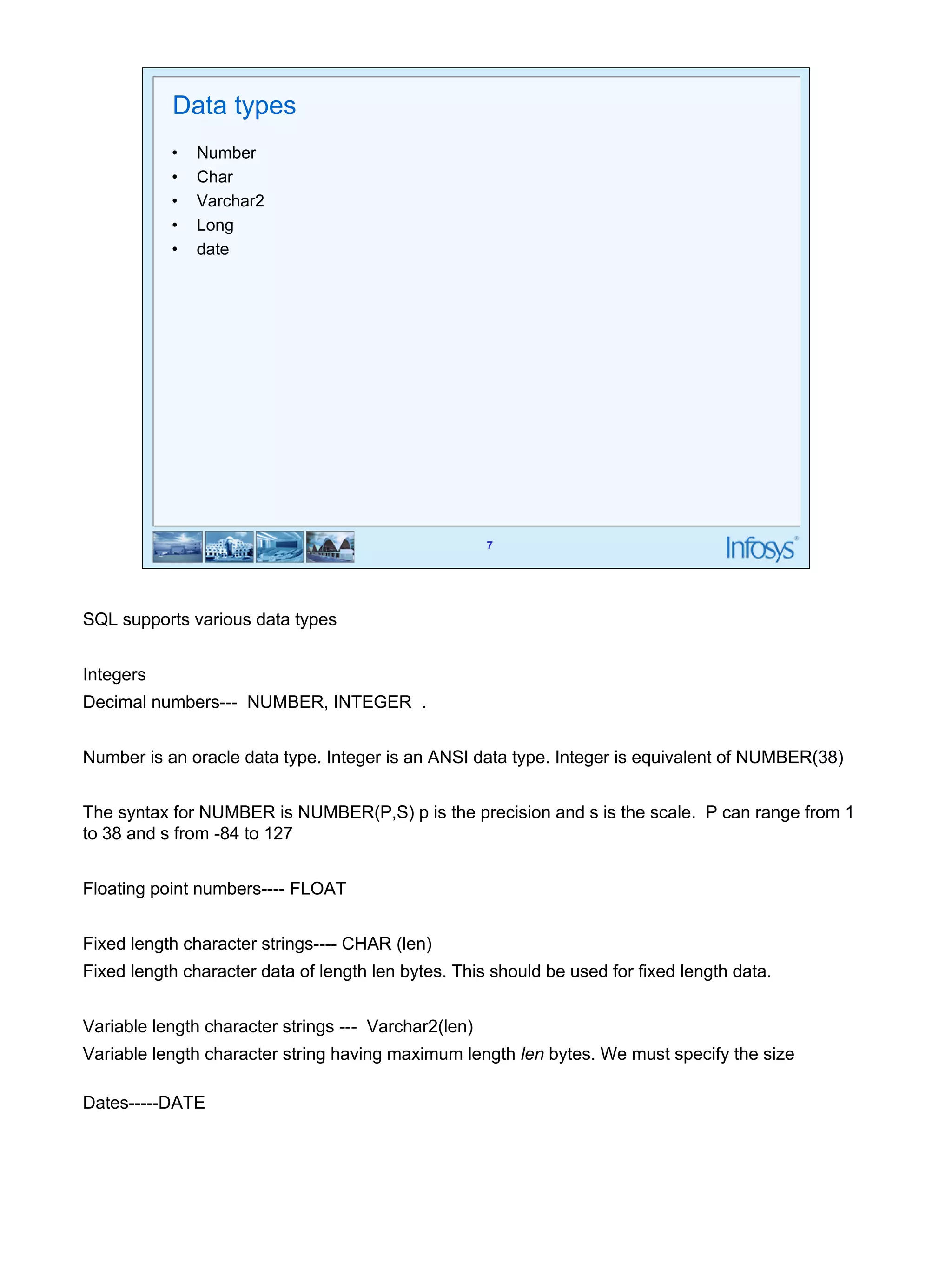
SQL supports various data types 
Integers 
Decimal numbers--- NUMBER, INTEGER . 
Number is an oracle data type. Integer is an ANSI data type. Integer is equivalent of NUMBER(38) 
The syntax for NUMBER is NUMBER(P,S) p is the precision and s is the scale. P can range from 1 
to 38 and s from -84 to 127 
Floating point numbers---- FLOAT 
Fixed length character strings---- CHAR (len) 
Fixed length character data of length len bytes. This should be used for fixed length data. 
Variable length character strings --- Varchar2(len) 
Variable length character string having maximum length len bytes. We must specify the size 
Dates-----DATE
NULL 
• Missing/unknown/inapplicable data represented as a null value 
• NULL is not a data value. It is just an indicator that the value is unknown 
8
9 
Operators 
• Arithmetic operators like +, -, *, / 
• Logical operators: AND, OR, NOT 
• Relational operators: =, <=, >=, < >, < , > 
The Arithmetic operators are used to calculate something like given in the example below: 
Select * from employee where sal * 1.1 > 1000 ; 
The logical operators are used to combine conditions like: 
Select * from employee where (sal > 1000 AND age > 25); 
The above two examples also illustrate use of relational operators
10 
SQL-Data Definition Language
11 
11 
Types Of Constraints 
• Column Level 
• Table
12 
12 
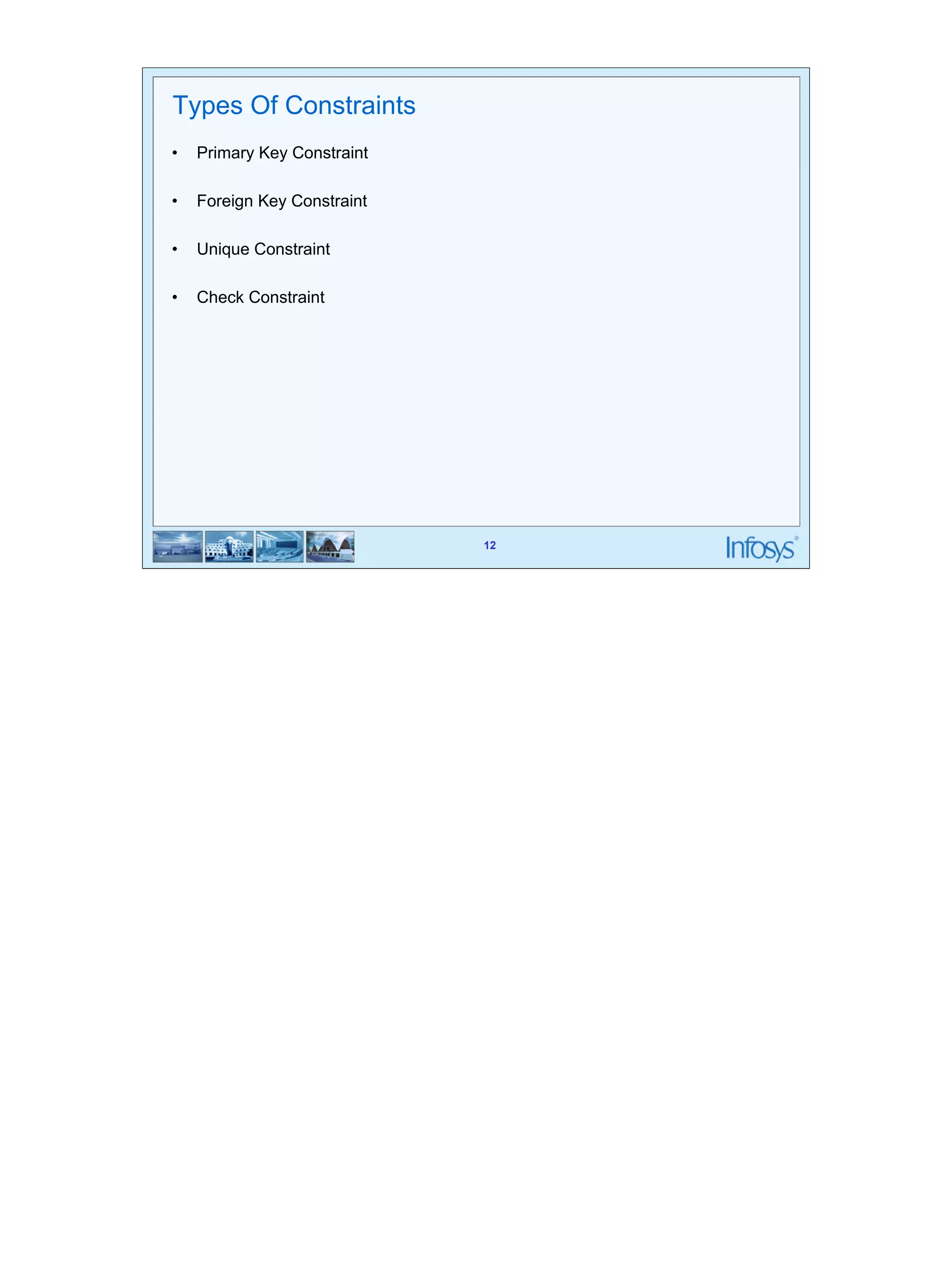
Types Of Constraints 
• Primary Key Constraint 
• Foreign Key Constraint 
• Unique Constraint 
• Check Constraint
13 
13 
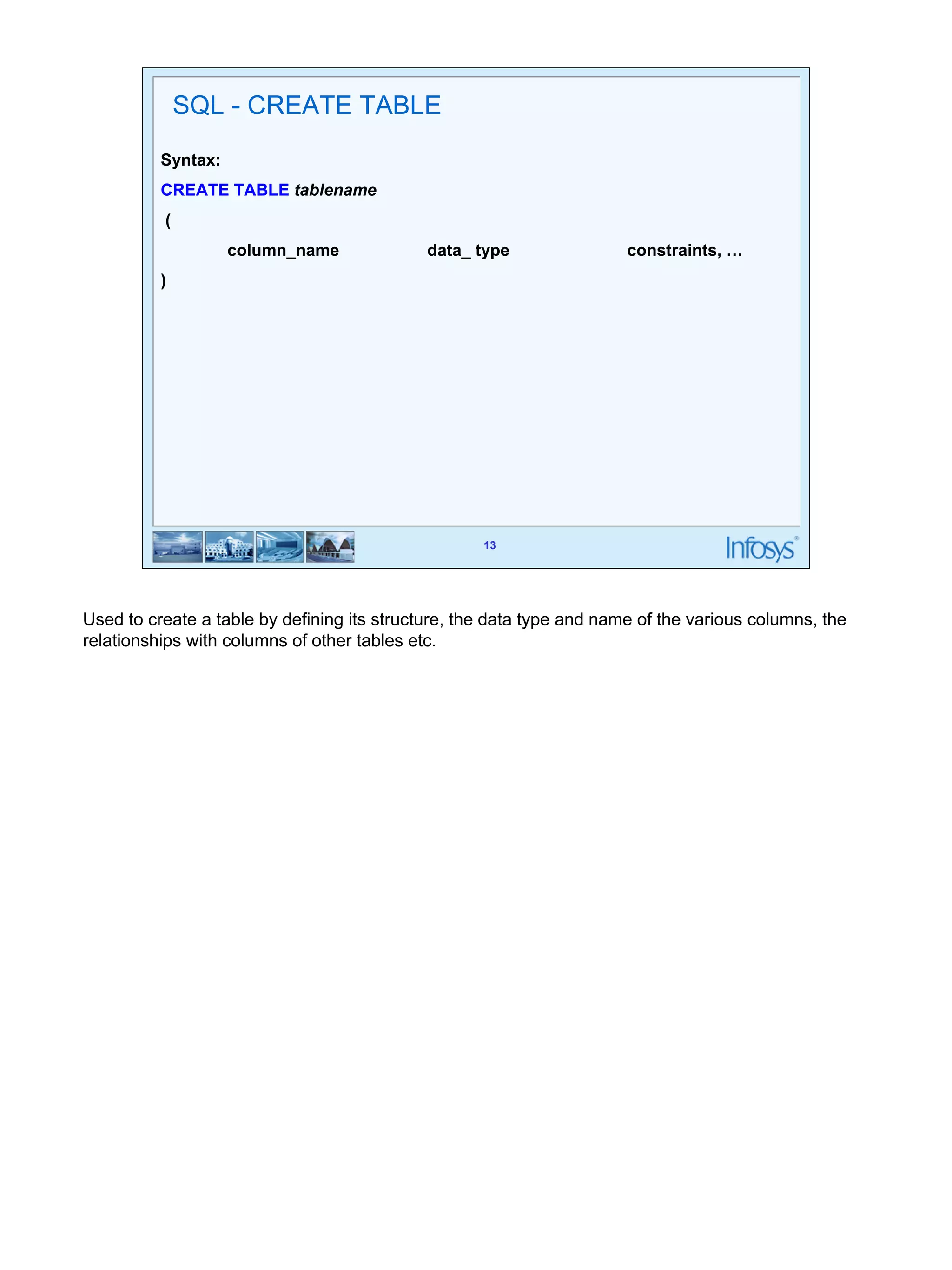
SQL - CREATE TABLE 
Syntax: 
CREATE TABLE tablename 
( 
column_name data_ type constraints, … 
) 
Used to create a table by defining its structure, the data type and name of the various columns, the 
relationships with columns of other tables etc.
14 
Create Table (Contd…) 
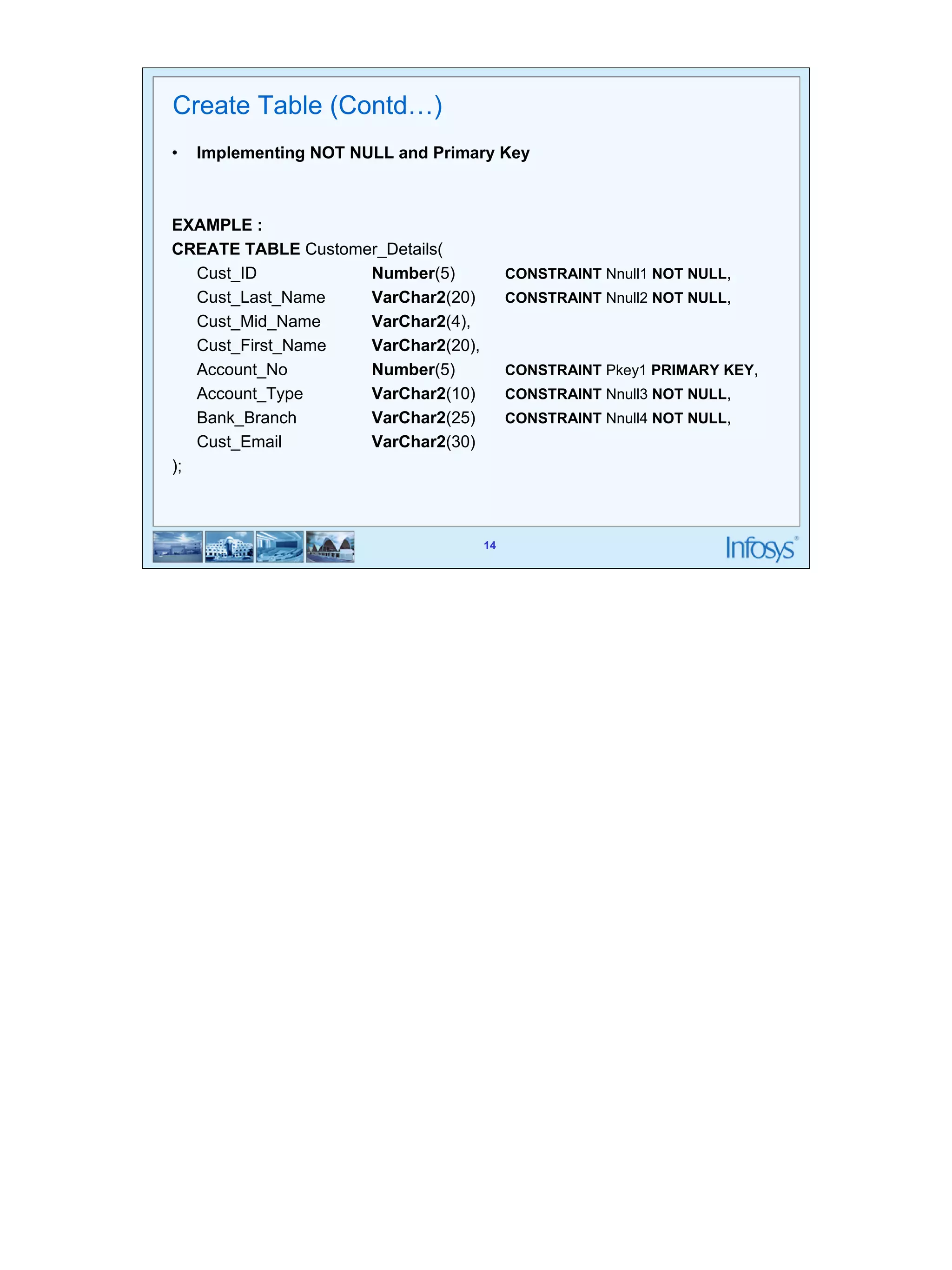
• Implementing NOT NULL and Primary Key 
14 
EXAMPLE : 
CREATE TABLE Customer_Details( 
Cust_ID Number(5) CONSTRAINT Nnull1 NOT NULL, 
Cust_Last_Name VarChar2(20) CONSTRAINT Nnull2 NOT NULL, 
Cust_Mid_Name VarChar2(4), 
Cust_First_Name VarChar2(20), 
Account_No Number(5) CONSTRAINT Pkey1 PRIMARY KEY, 
Account_Type VarChar2(10) CONSTRAINT Nnull3 NOT NULL, 
Bank_Branch VarChar2(25) CONSTRAINT Nnull4 NOT NULL, 
Cust_Email VarChar2(30) 
);
15 
Create Table (Contd…) 
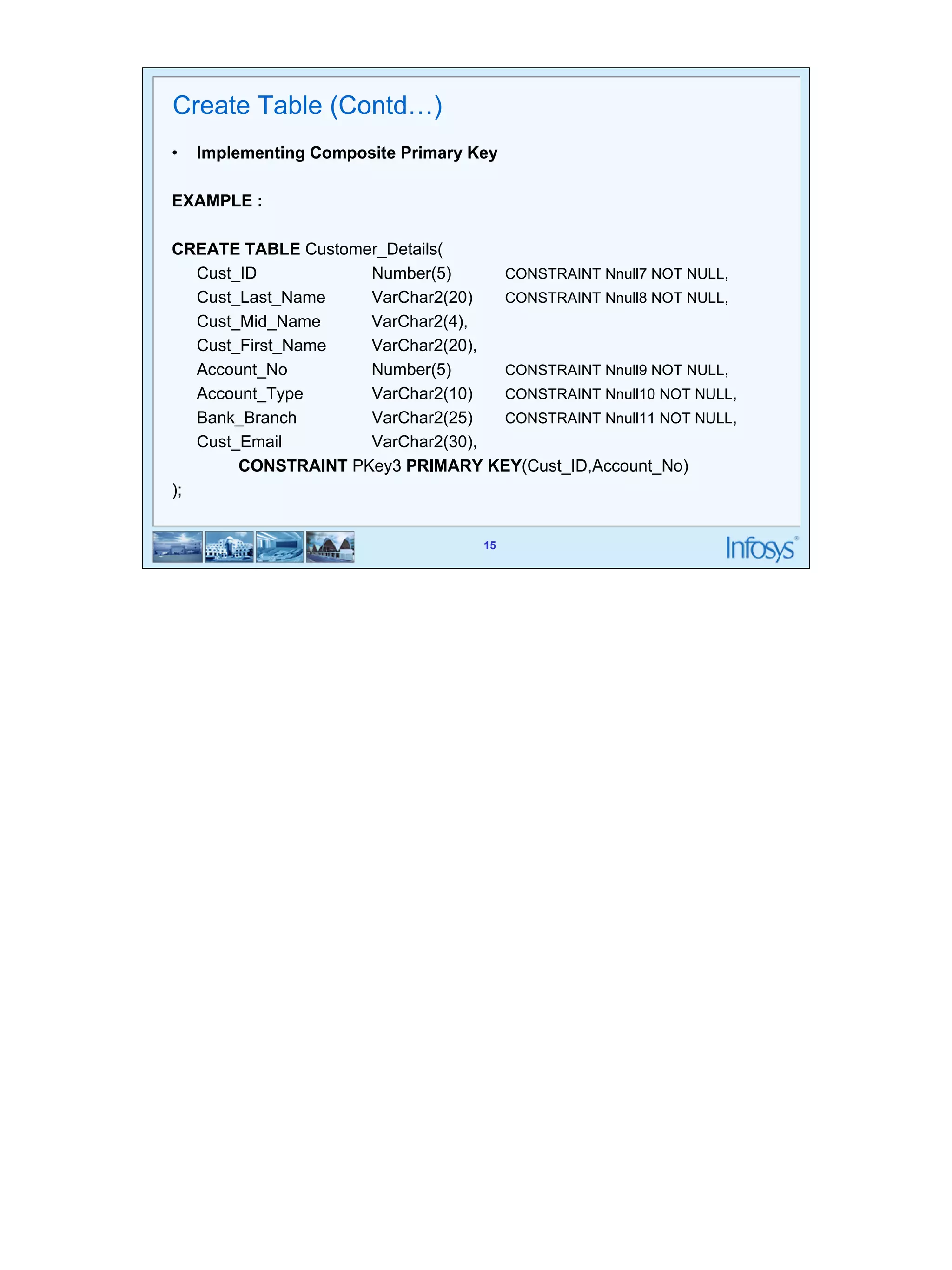
• Implementing Composite Primary Key 
15 
EXAMPLE : 
CREATE TABLE Customer_Details( 
Cust_ID Number(5) CONSTRAINT Nnull7 NOT NULL, 
Cust_Last_Name VarChar2(20) CONSTRAINT Nnull8 NOT NULL, 
Cust_Mid_Name VarChar2(4), 
Cust_First_Name VarChar2(20), 
Account_No Number(5) CONSTRAINT Nnull9 NOT NULL, 
Account_Type VarChar2(10) CONSTRAINT Nnull10 NOT NULL, 
Bank_Branch VarChar2(25) CONSTRAINT Nnull11 NOT NULL, 
Cust_Email VarChar2(30), 
CONSTRAINT PKey3 PRIMARY KEY(Cust_ID,Account_No) 
);
16 
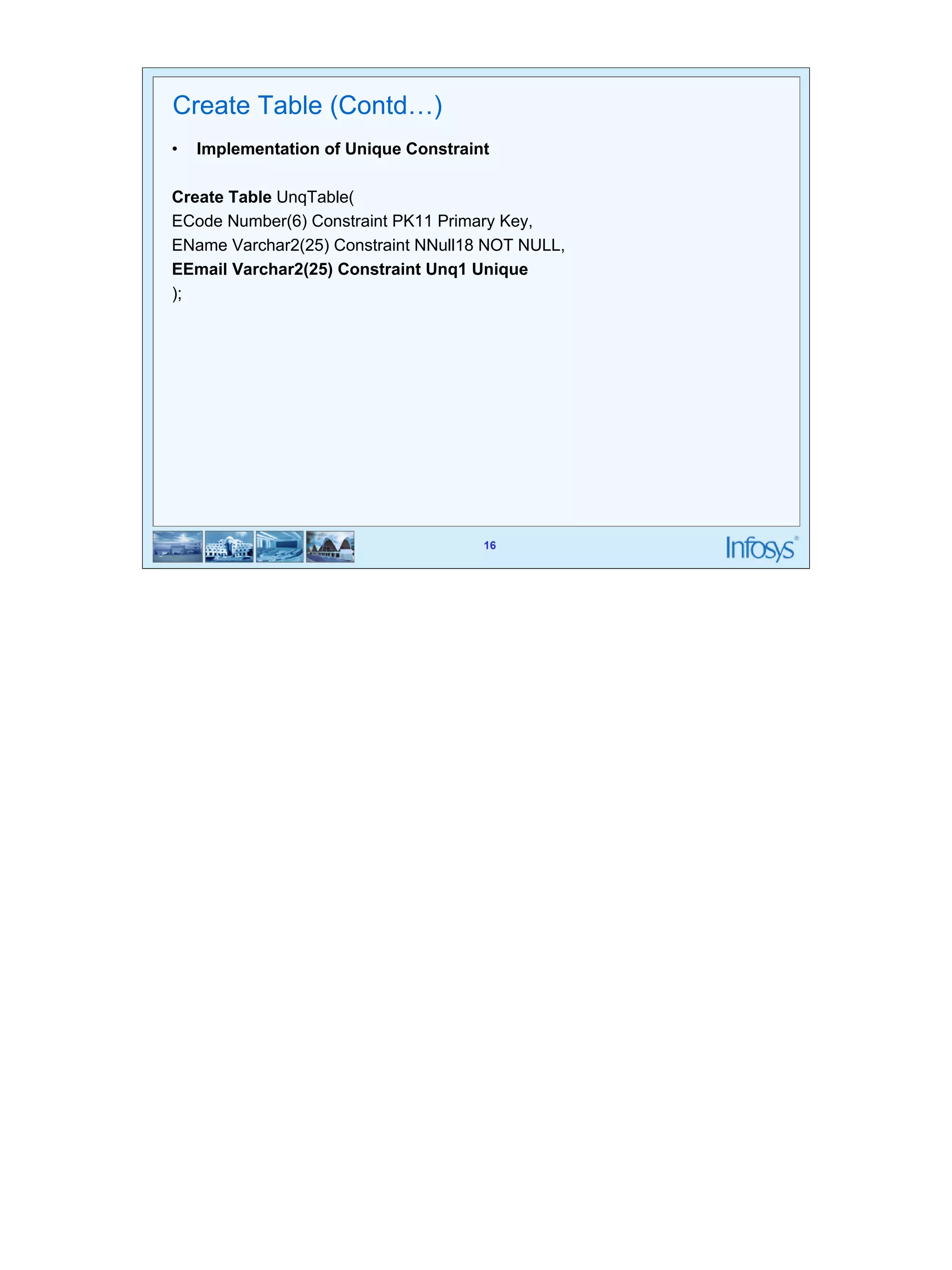
Create Table (Contd…) 
• Implementation of Unique Constraint 
Create Table UnqTable( 
ECode Number(6) Constraint PK11 Primary Key, 
EName Varchar2(25) Constraint NNull18 NOT NULL, 
EEmail Varchar2(25) Constraint Unq1 Unique 
); 
16
17 
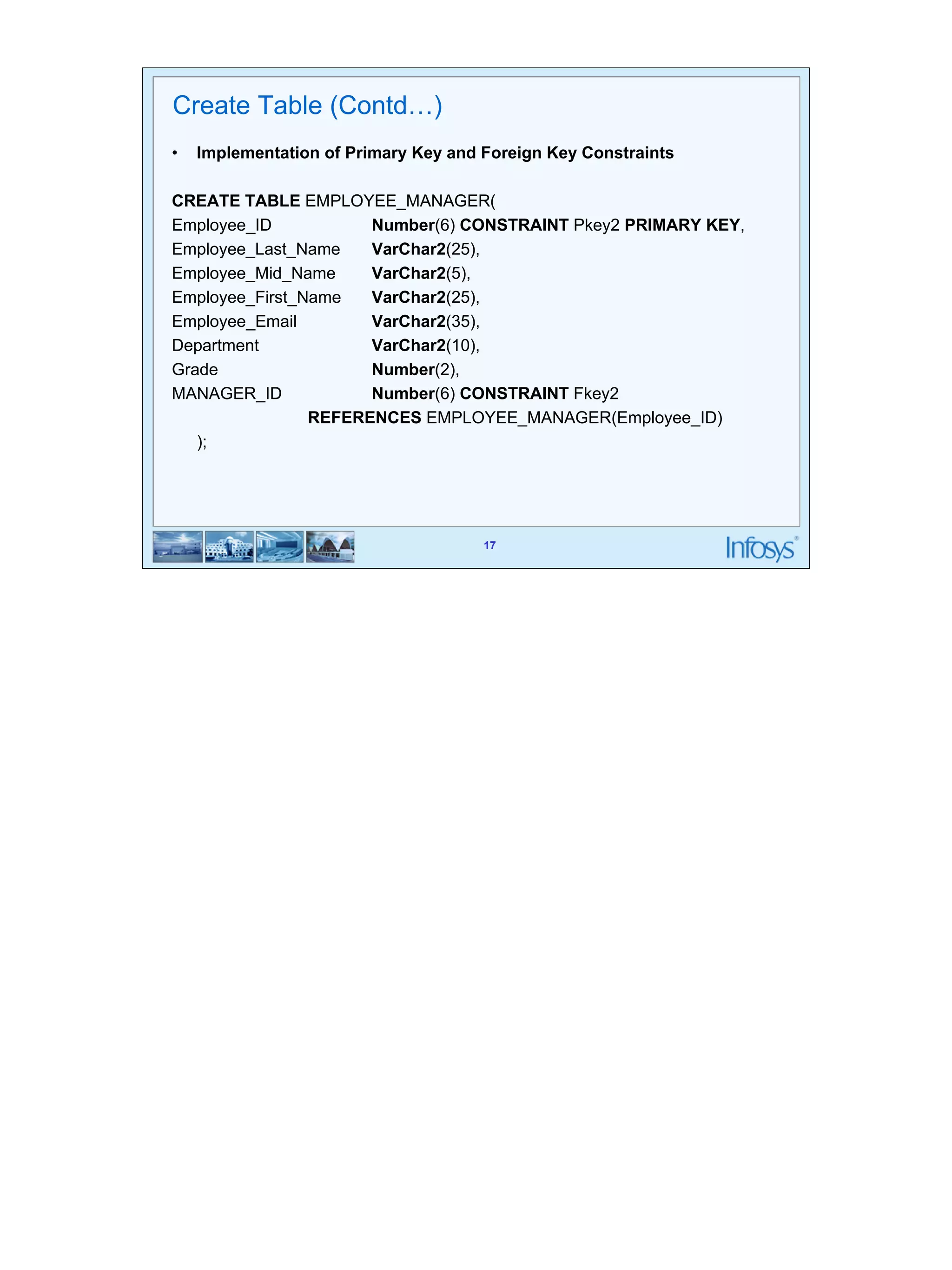
Create Table (Contd…) 
• Implementation of Primary Key and Foreign Key Constraints 
CREATE TABLE EMPLOYEE_MANAGER( 
Employee_ID Number(6) CONSTRAINT Pkey2 PRIMARY KEY, 
Employee_Last_Name VarChar2(25), 
Employee_Mid_Name VarChar2(5), 
Employee_First_Name VarChar2(25), 
Employee_Email VarChar2(35), 
Department VarChar2(10), 
Grade Number(2), 
MANAGER_ID Number(6) CONSTRAINT Fkey2 
REFERENCES EMPLOYEE_MANAGER(Employee_ID) 
17 
);
18 
18 
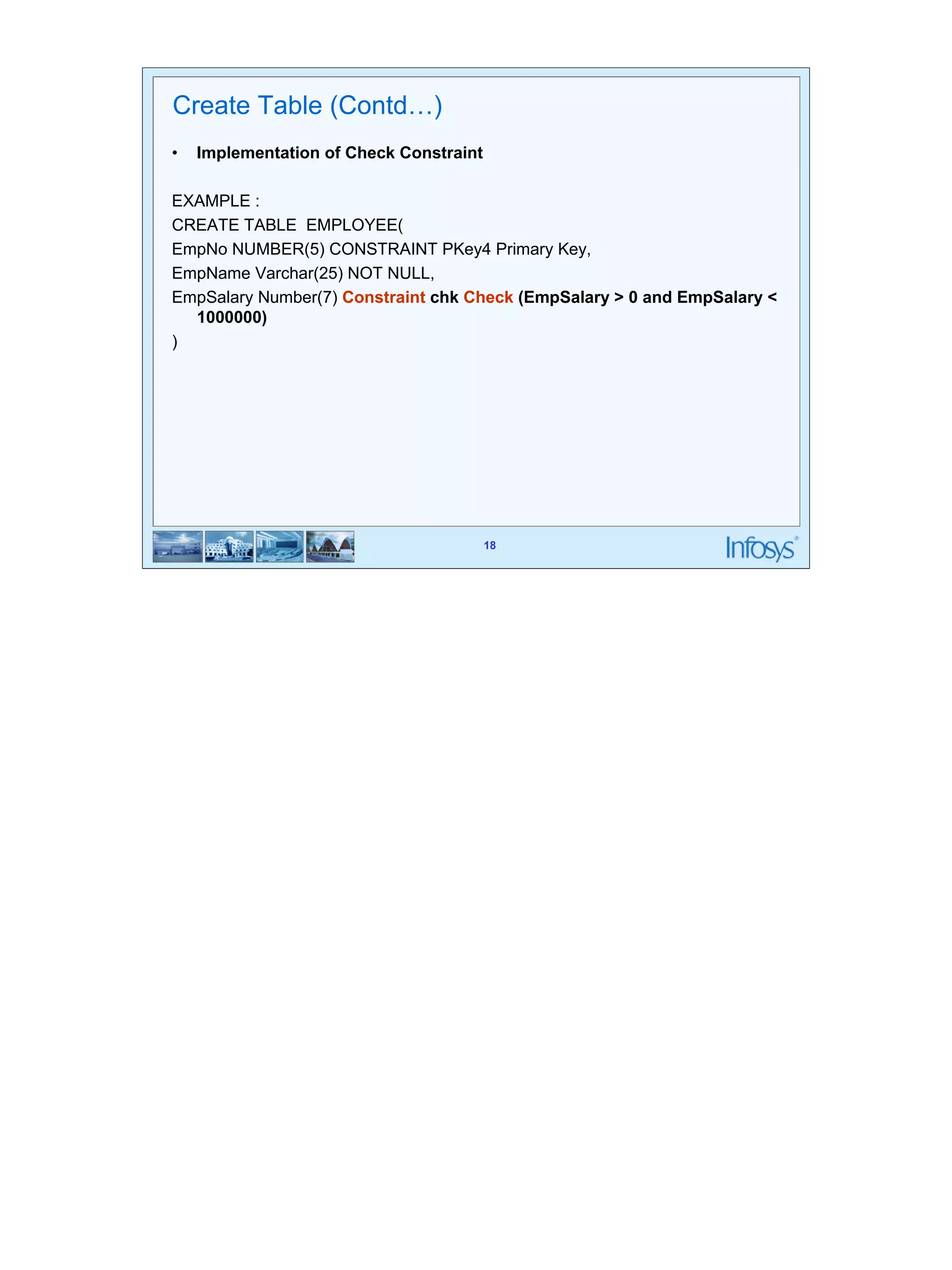
Create Table (Contd…) 
• Implementation of Check Constraint 
EXAMPLE : 
CREATE TABLE EMPLOYEE( 
EmpNo NUMBER(5) CONSTRAINT PKey4 Primary Key, 
EmpName Varchar(25) NOT NULL, 
EmpSalary Number(7) Constraint chk Check (EmpSalary > 0 and EmpSalary < 
1000000) 
)
19 
19 
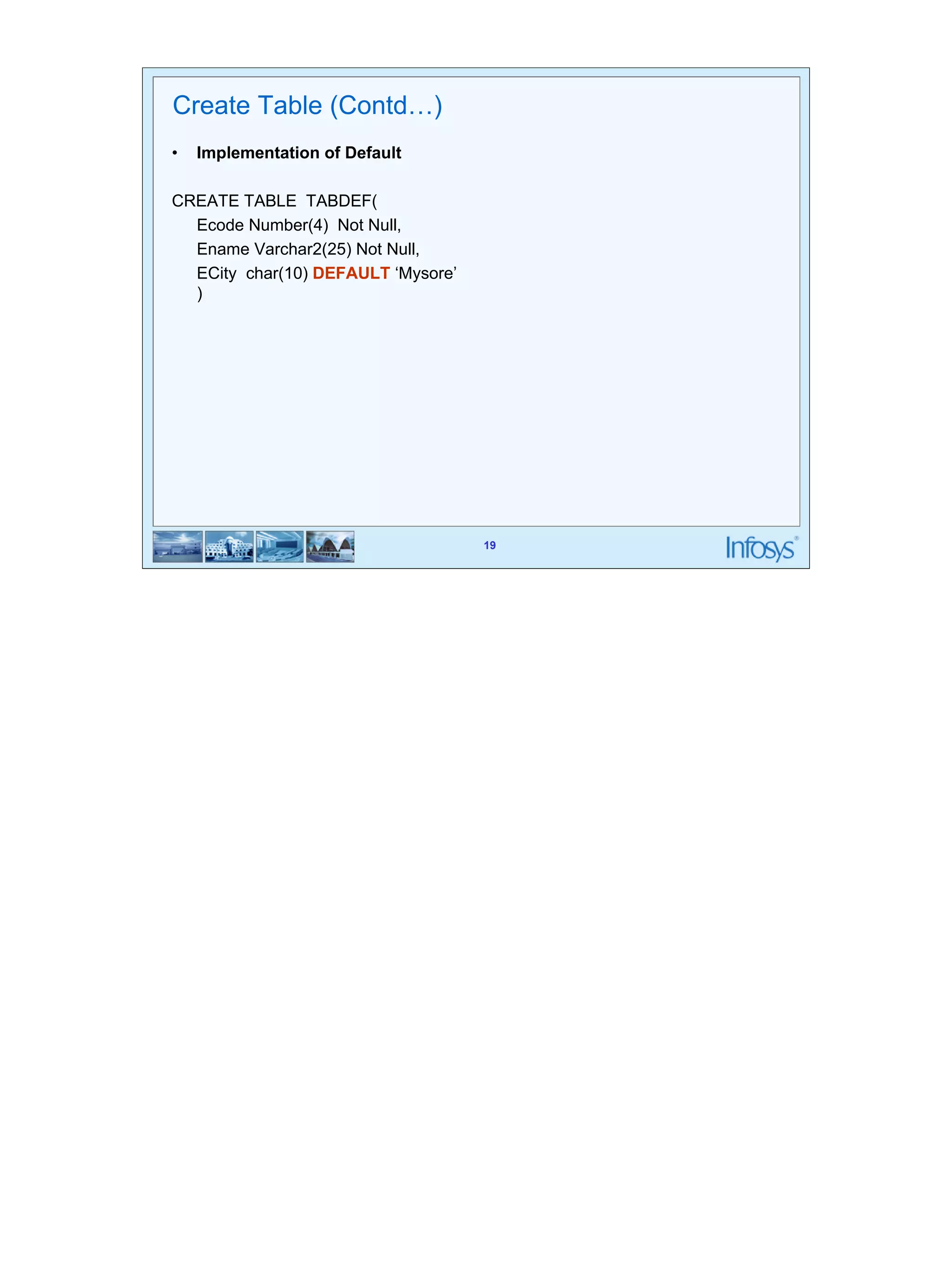
Create Table (Contd…) 
• Implementation of Default 
CREATE TABLE TABDEF( 
Ecode Number(4) Not Null, 
Ename Varchar2(25) Not Null, 
ECity char(10) DEFAULT ‘Mysore’ 
)
20 
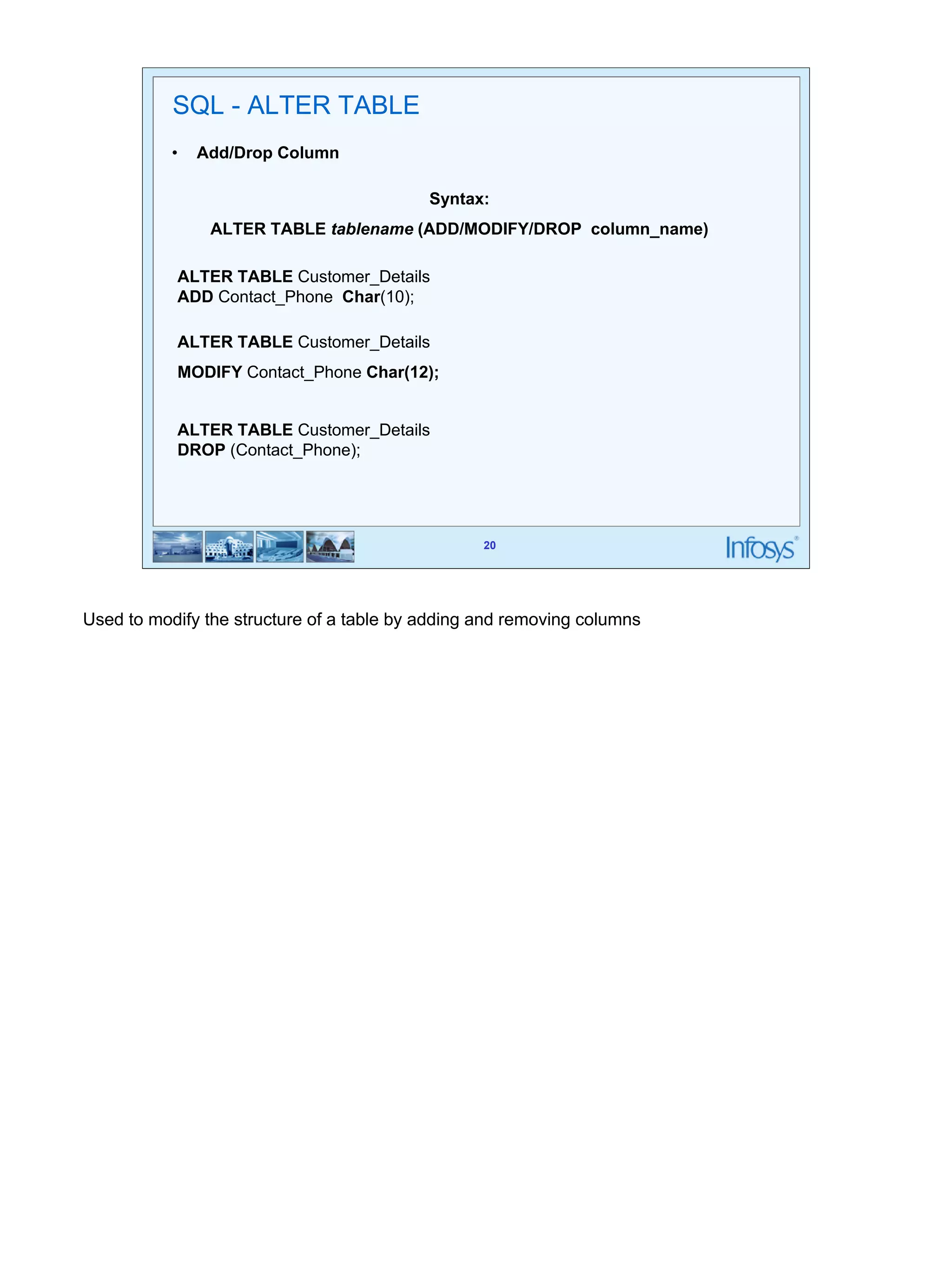
Syntax: 
ALTER TABLE tablename (ADD/MODIFY/DROP column_name) 
20 
SQL - ALTER TABLE 
• Add/Drop Column 
ALTER TABLE Customer_Details 
ADD Contact_Phone Char(10); 
ALTER TABLE Customer_Details 
MODIFY Contact_Phone Char(12); 
ALTER TABLE Customer_Details 
DROP (Contact_Phone); 
Used to modify the structure of a table by adding and removing columns
21 
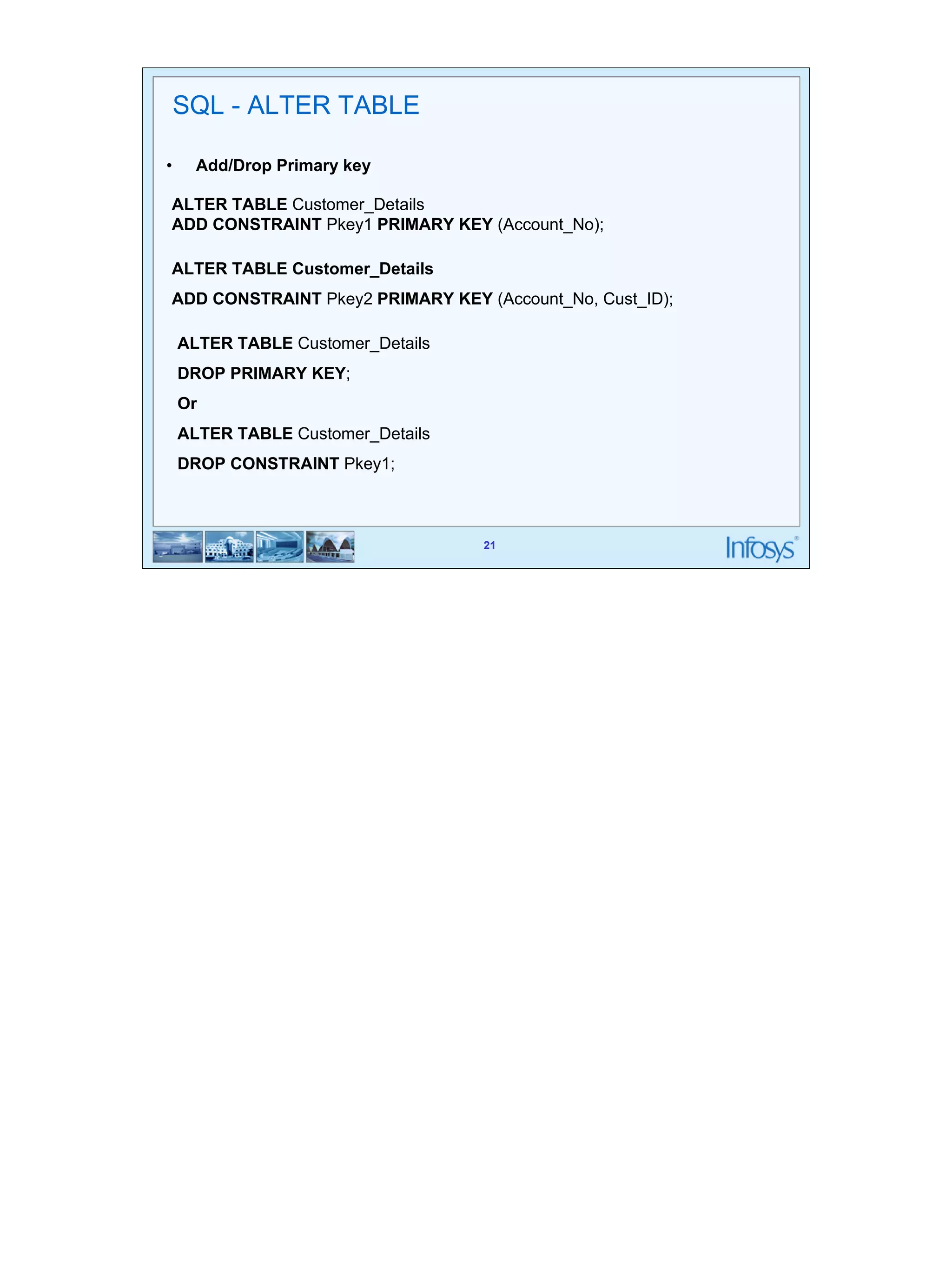
SQL - ALTER TABLE 
• Add/Drop Primary key 
ALTER TABLE Customer_Details 
ADD CONSTRAINT Pkey1 PRIMARY KEY (Account_No); 
ALTER TABLE Customer_Details 
ADD CONSTRAINT Pkey2 PRIMARY KEY (Account_No, Cust_ID); 
21 
ALTER TABLE Customer_Details 
DROP PRIMARY KEY; 
Or 
ALTER TABLE Customer_Details 
DROP CONSTRAINT Pkey1;
22 
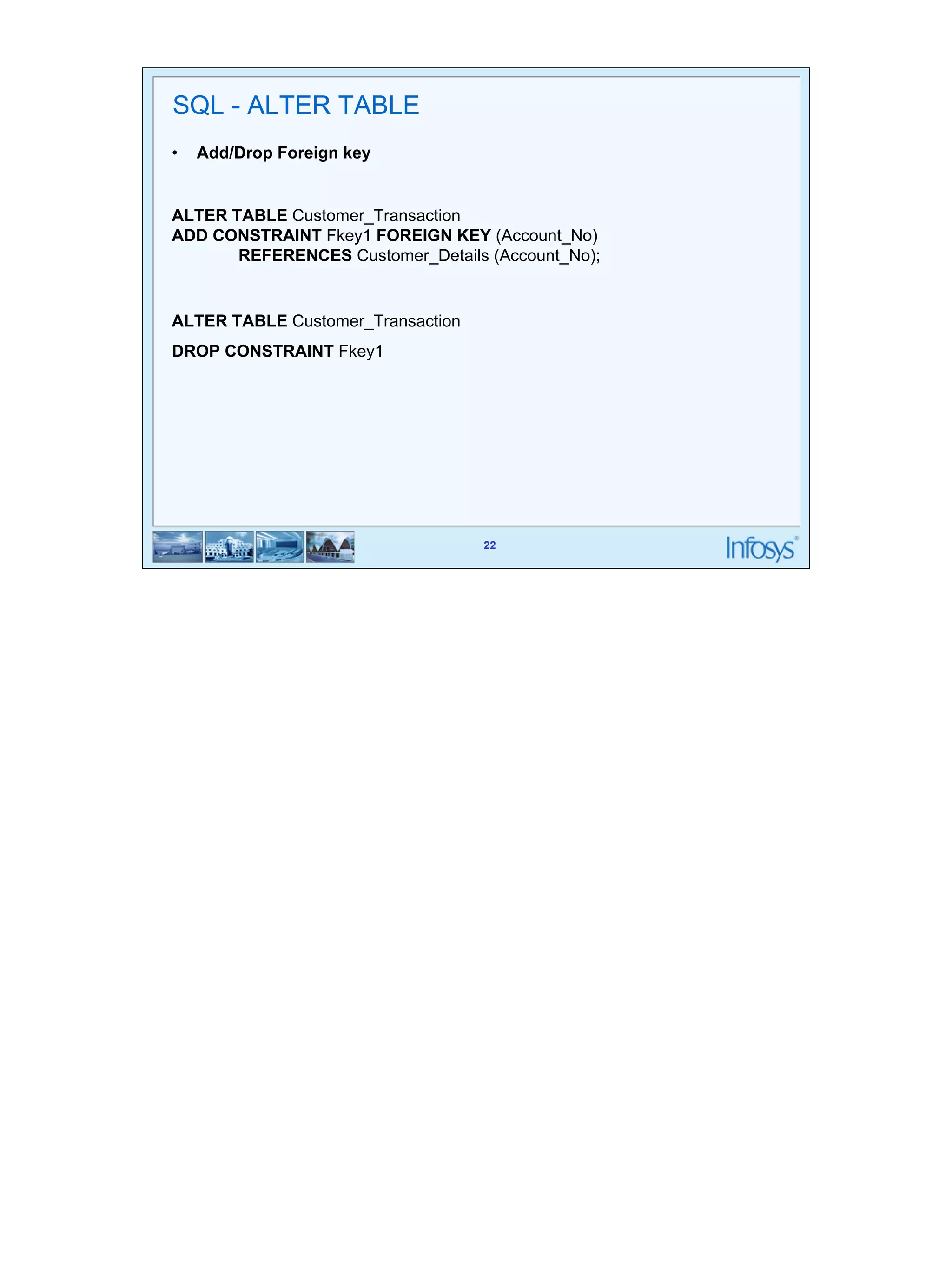
SQL - ALTER TABLE 
• Add/Drop Foreign key 
ALTER TABLE Customer_Transaction 
ADD CONSTRAINT Fkey1 FOREIGN KEY (Account_No) 
REFERENCES Customer_Details (Account_No); 
22 
ALTER TABLE Customer_Transaction 
DROP CONSTRAINT Fkey1
23 
23 
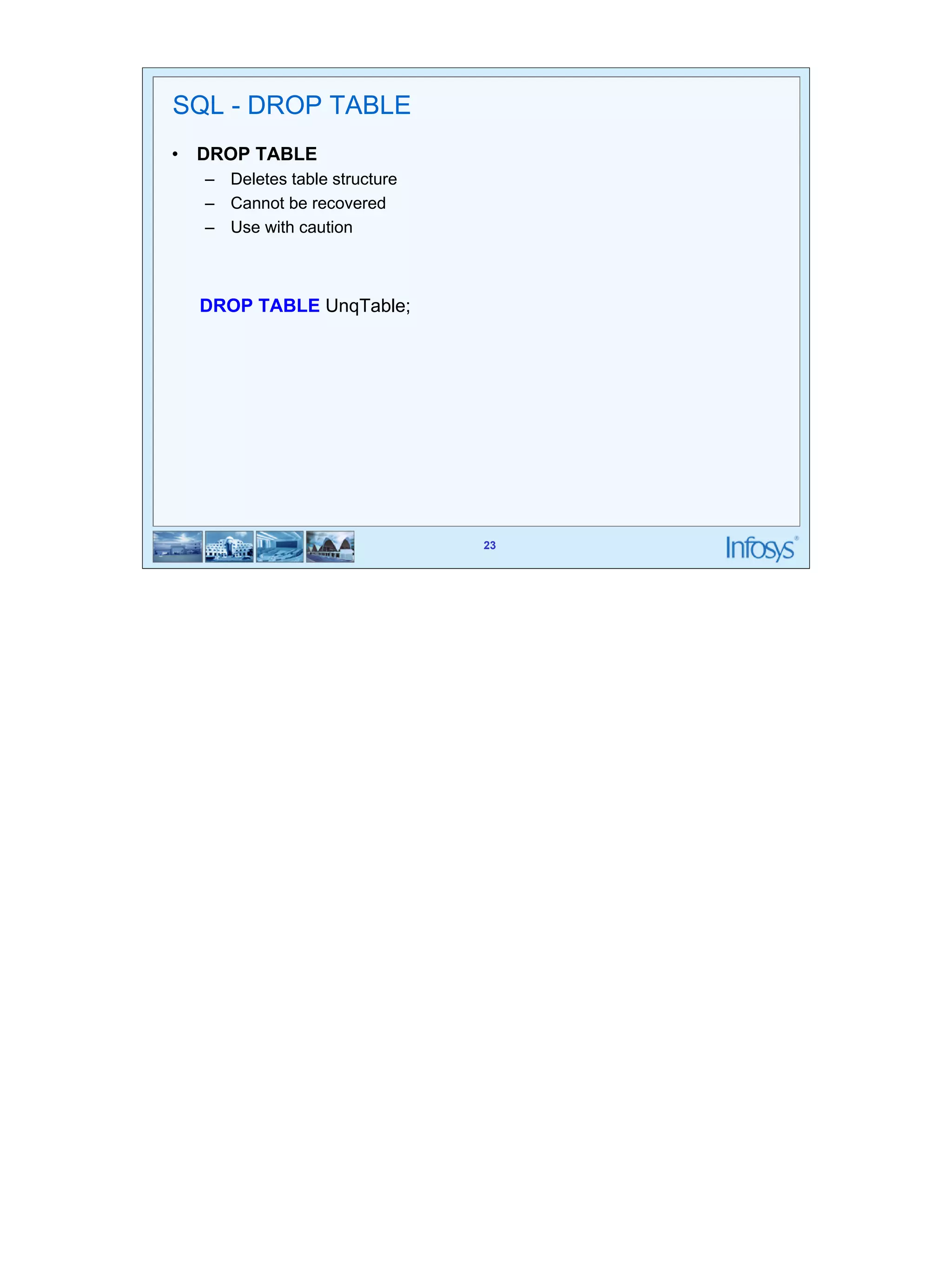
SQL - DROP TABLE 
• DROP TABLE 
– Deletes table structure 
– Cannot be recovered 
– Use with caution 
DROP TABLE UnqTable;
24 
24 
Truncate Table 
• Deleting All Rows of a table 
TRUNCATE TABLE Customer_Details
25 
Index 
• Indexing involves forming a two dimensional matrix completely 
independent of the table on which index is created. 
• Here one column will hold the sorted data of the column which is been 
25 
indexed 
• Another column called the address field identifies the location of the record 
i.e. Row ID. 
• Row Id indicates exactly where the record is stored in the table.
26 
26 
Index 
• Syntax 
• Index on a single column 
CREATE UNIQUE INDEX Cust_Idx 
ON Customer_Details (Cust_ID); 
• Index on Multiple Column 
CREATE UNIQUE INDEX ID_AccountNo_Idx 
ON Customer_Details (Cust_ID, Account_No); 
• Drop a Index 
DROP INDEX ID_AccountNo_Idx;
27 
27 
Index 
• Advantages of having an INDEX: 
– Greatly speeds the execution of SQL statements with search conditions 
that refer to the indexed column(s) 
– It is most appropriate when retrieval of data from tables are more frequent 
than inserts and updates 
• Disadvantages of having an INDEX: 
– It consumes additional disk space 
– Additional Overhead on DML Statements
28 
SQL-DML 
Here we will discuss about commands using which data from the tables would be extracted and 
updated in different ways
29 
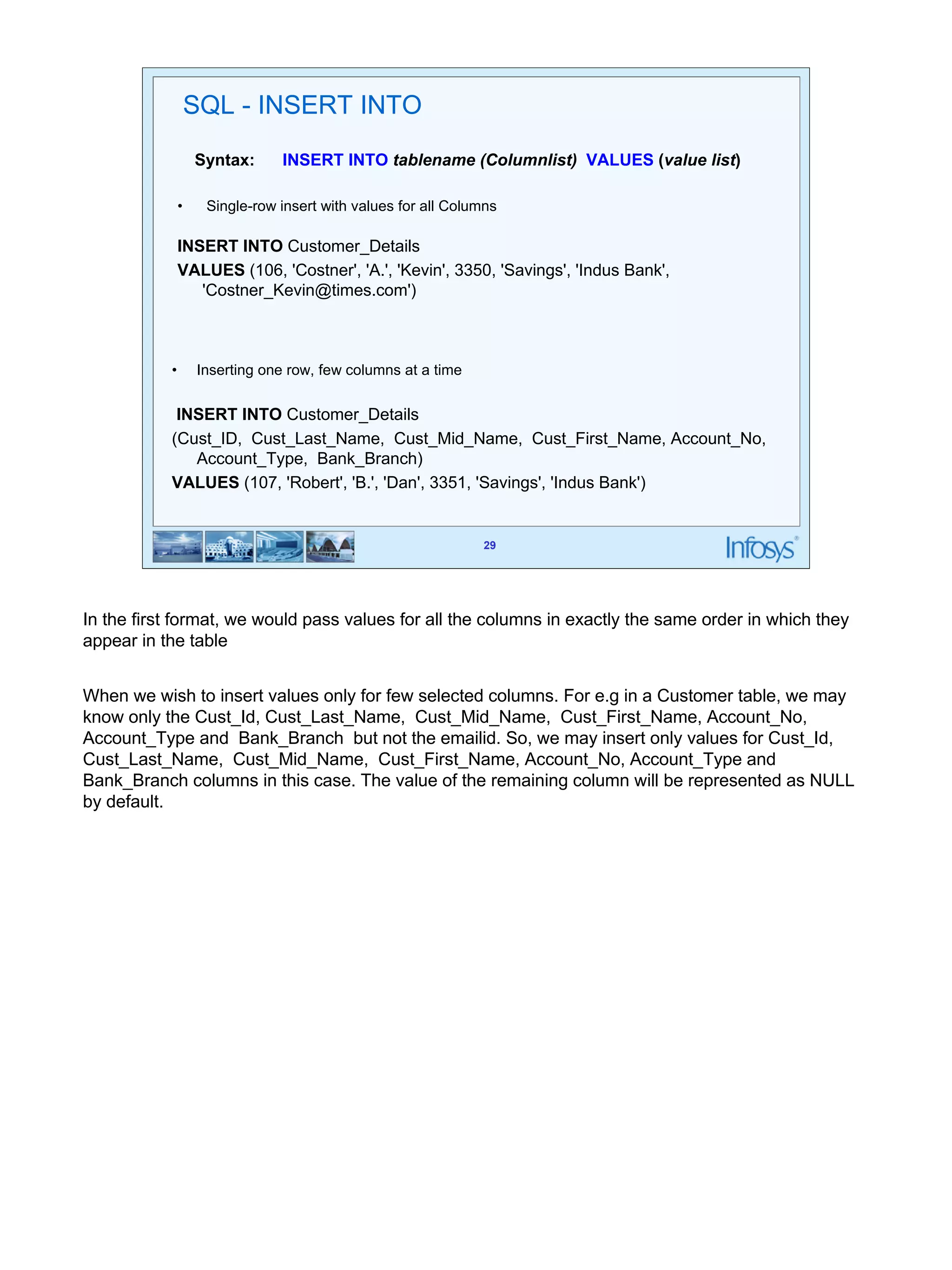
Syntax: INSERT INTO tablename (Columnlist) VALUES (value list) 
29 
SQL - INSERT INTO 
• Single-row insert with values for all Columns 
INSERT INTO Customer_Details 
VALUES (106, 'Costner', 'A.', 'Kevin', 3350, 'Savings', 'Indus Bank', 
'Costner_Kevin@times.com') 
• Inserting one row, few columns at a time 
INSERT INTO Customer_Details 
(Cust_ID, Cust_Last_Name, Cust_Mid_Name, Cust_First_Name, Account_No, 
Account_Type, Bank_Branch) 
VALUES (107, 'Robert', 'B.', 'Dan', 3351, 'Savings', 'Indus Bank') 
In the first format, we would pass values for all the columns in exactly the same order in which they 
appear in the table 
When we wish to insert values only for few selected columns. For e.g in a Customer table, we may 
know only the Cust_Id, Cust_Last_Name, Cust_Mid_Name, Cust_First_Name, Account_No, 
Account_Type and Bank_Branch but not the emailid. So, we may insert only values for Cust_Id, 
Cust_Last_Name, Cust_Mid_Name, Cust_First_Name, Account_No, Account_Type and 
Bank_Branch columns in this case. The value of the remaining column will be represented as NULL 
by default.
30 
30 
SQL - INSERT INTO 
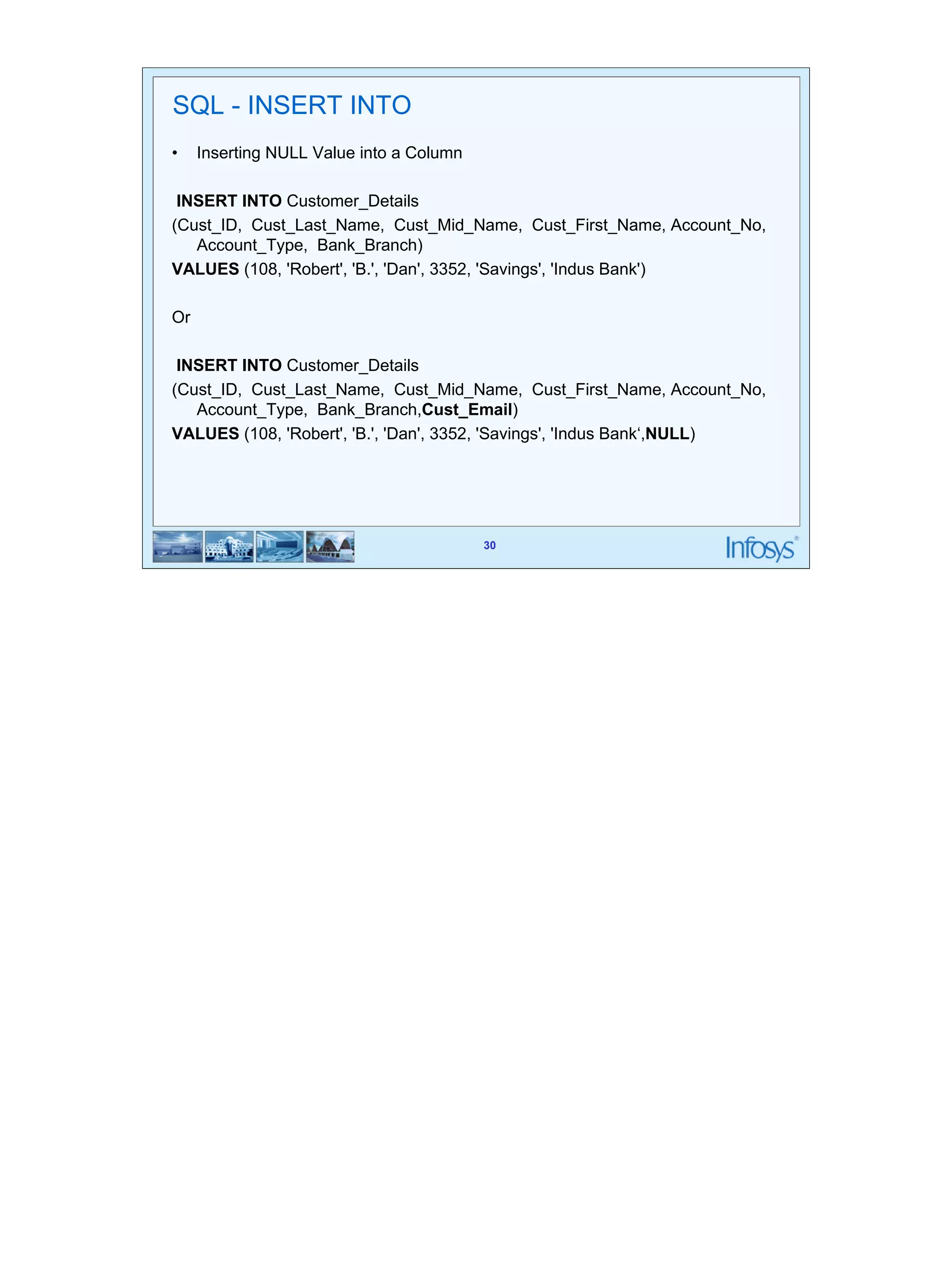
• Inserting NULL Value into a Column 
INSERT INTO Customer_Details 
(Cust_ID, Cust_Last_Name, Cust_Mid_Name, Cust_First_Name, Account_No, 
Account_Type, Bank_Branch) 
VALUES (108, 'Robert', 'B.', 'Dan', 3352, 'Savings', 'Indus Bank') 
Or 
INSERT INTO Customer_Details 
(Cust_ID, Cust_Last_Name, Cust_Mid_Name, Cust_First_Name, Account_No, 
Account_Type, Bank_Branch,Cust_Email) 
VALUES (108, 'Robert', 'B.', 'Dan', 3352, 'Savings', 'Indus Bank‘,NULL)
31 
SQL - INSERT INTO 
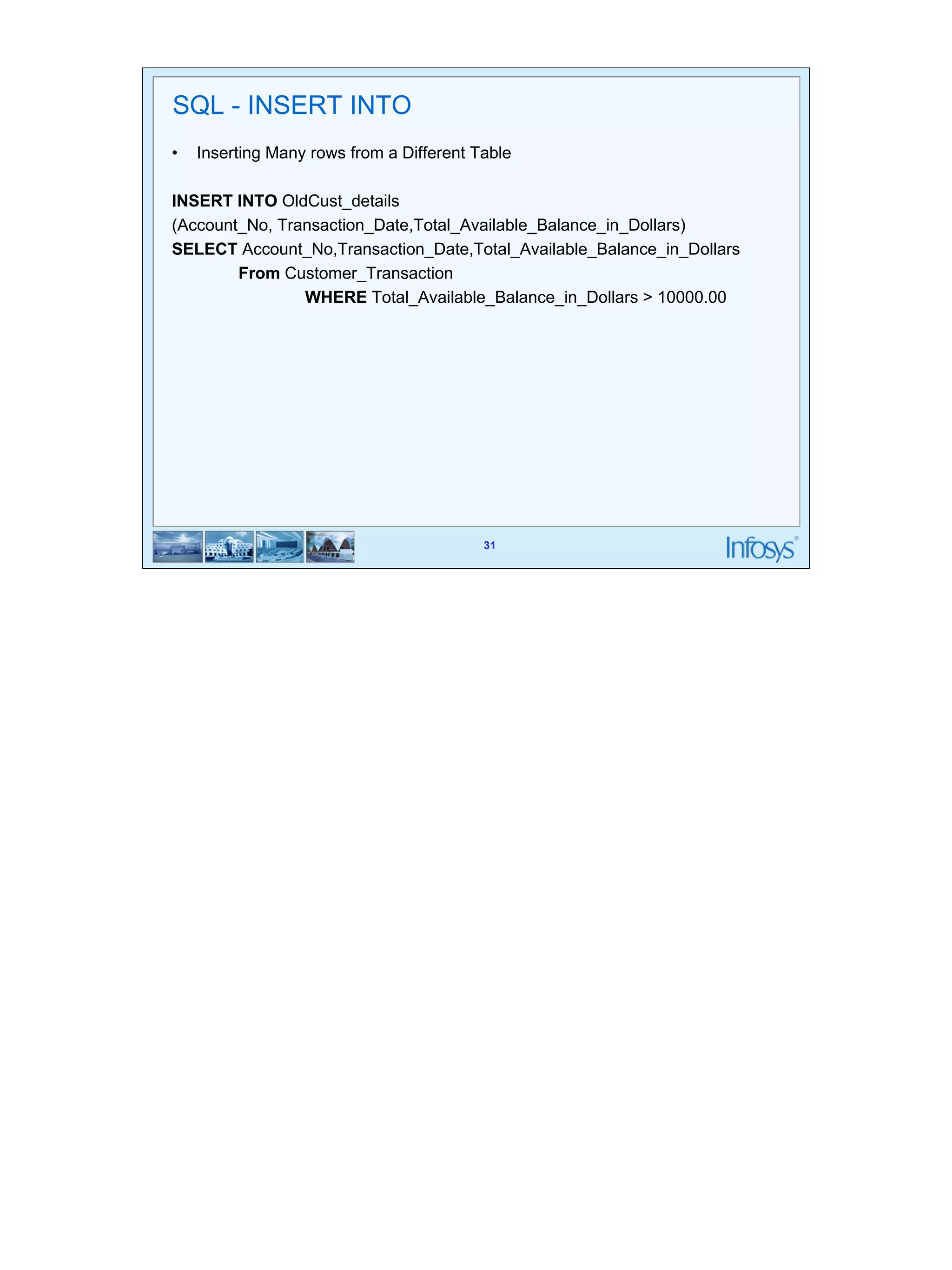
• Inserting Many rows from a Different Table 
INSERT INTO OldCust_details 
(Account_No, Transaction_Date,Total_Available_Balance_in_Dollars) 
SELECT Account_No,Transaction_Date,Total_Available_Balance_in_Dollars 
31 
From Customer_Transaction 
WHERE Total_Available_Balance_in_Dollars > 10000.00
32 
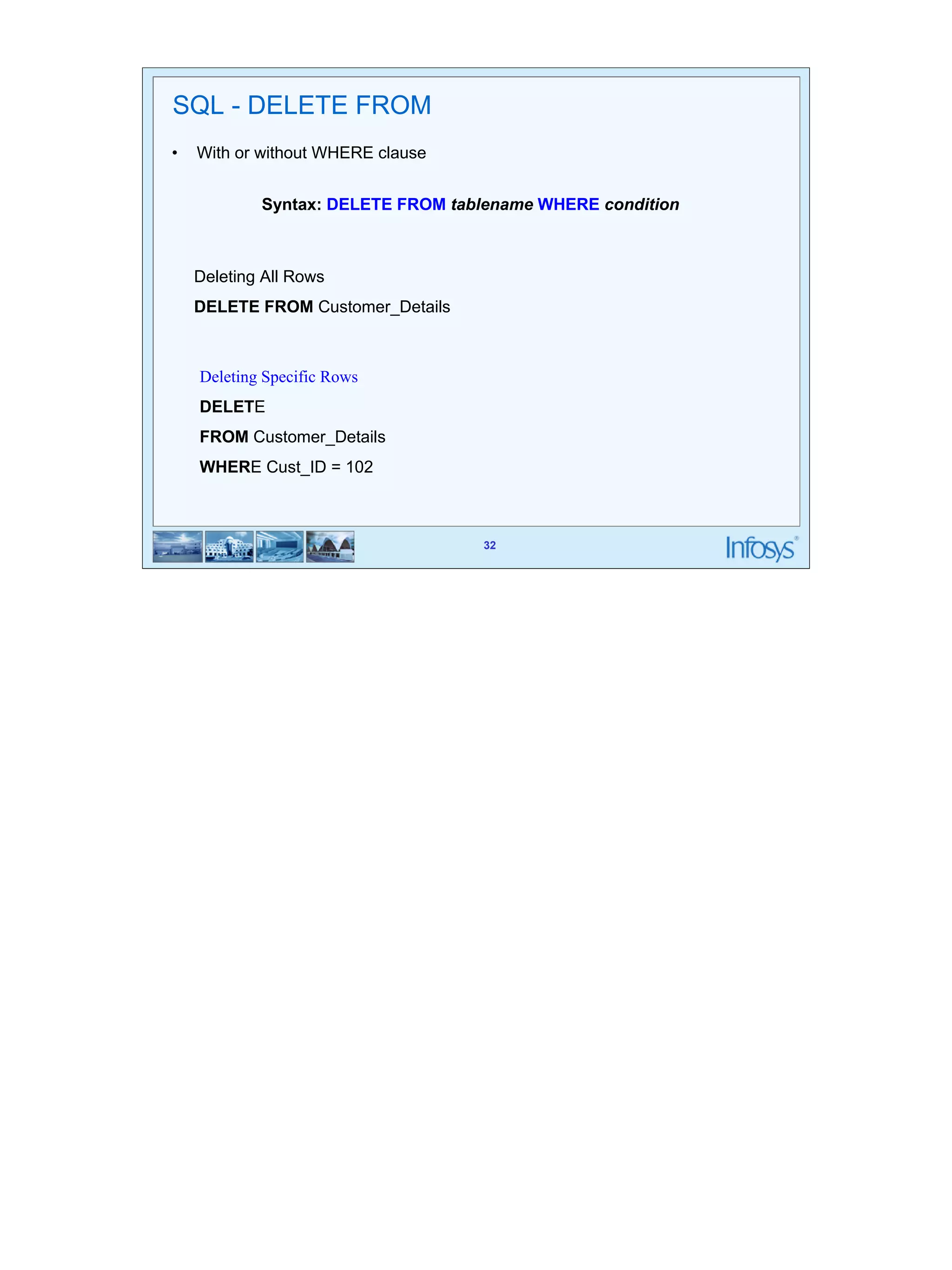
Syntax: DELETE FROM tablename WHERE condition 
32 
SQL - DELETE FROM 
• With or without WHERE clause 
Deleting All Rows 
DELETE FROM Customer_Details 
Deleting Specific Rows 
DELETE 
FROM Customer_Details 
WHERE Cust_ID = 102
33 
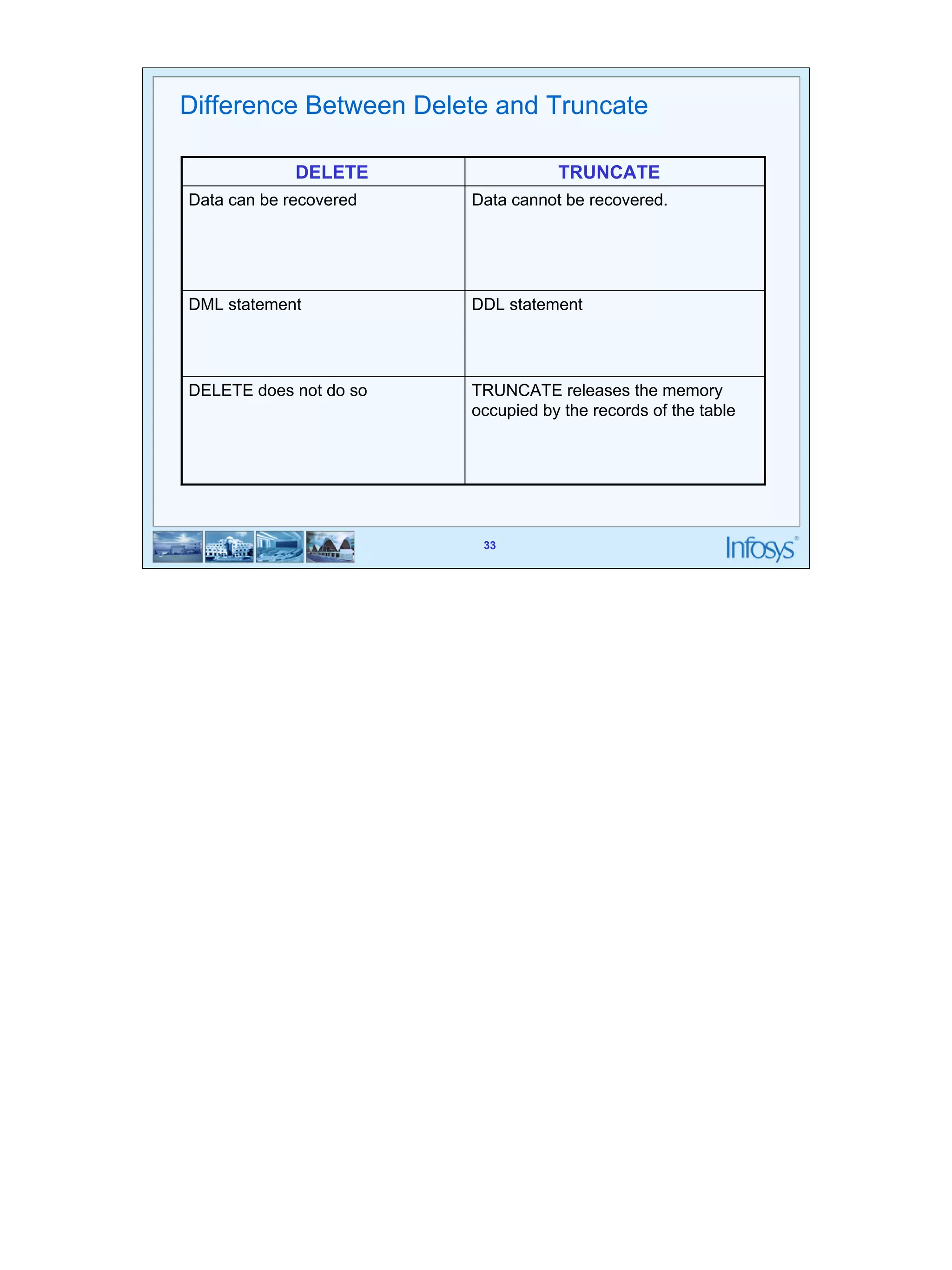
Difference Between Delete and Truncate 
DELETE TRUNCATE 
Data can be recovered Data cannot be recovered. 
DML statement DDL statement 
TRUNCATE releases the memory 
occupied by the records of the table 
33 
DELETE does not do so
34 
Syntax: 
UPDATE tablename SET column_name =value [ WHERE condition] 
34 
SQL - UPDATE 
Updating All Rows 
UPDATE Customer_Fixed_Deposit 
SET Rate_of_Interest_in_Percent = NULL; 
Updating Particular rows 
UPDATE Customer_Fixed_Deposit 
SET Rate_of_Interest_in_Percent = 7.3 
WHERE Amount_in_Dollars > 3000;
35 
35 
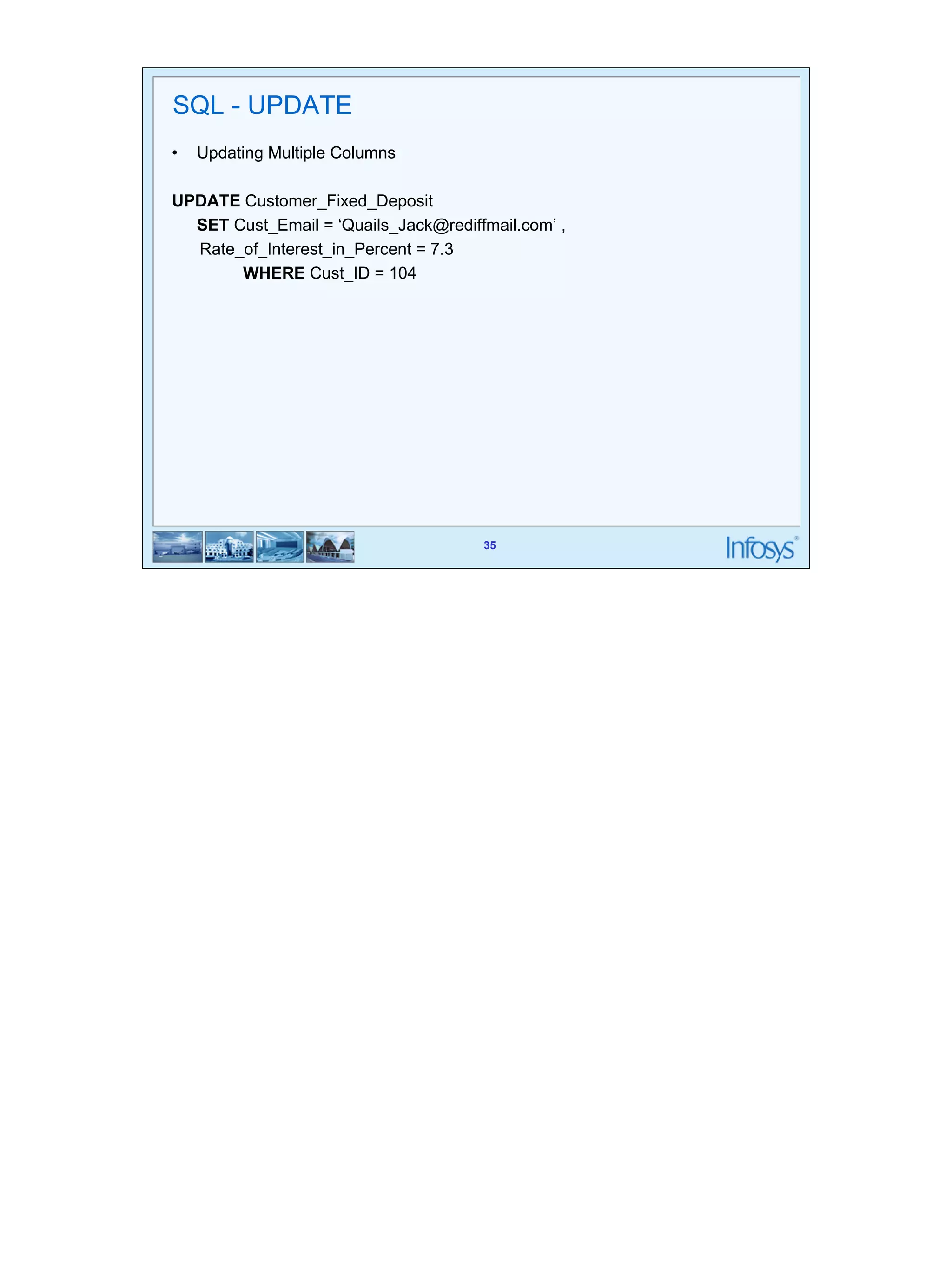
SQL - UPDATE 
• Updating Multiple Columns 
UPDATE Customer_Fixed_Deposit 
SET Cust_Email = ‘Quails_Jack@rediffmail.com’ , 
Rate_of_Interest_in_Percent = 7.3 
WHERE Cust_ID = 104
36 
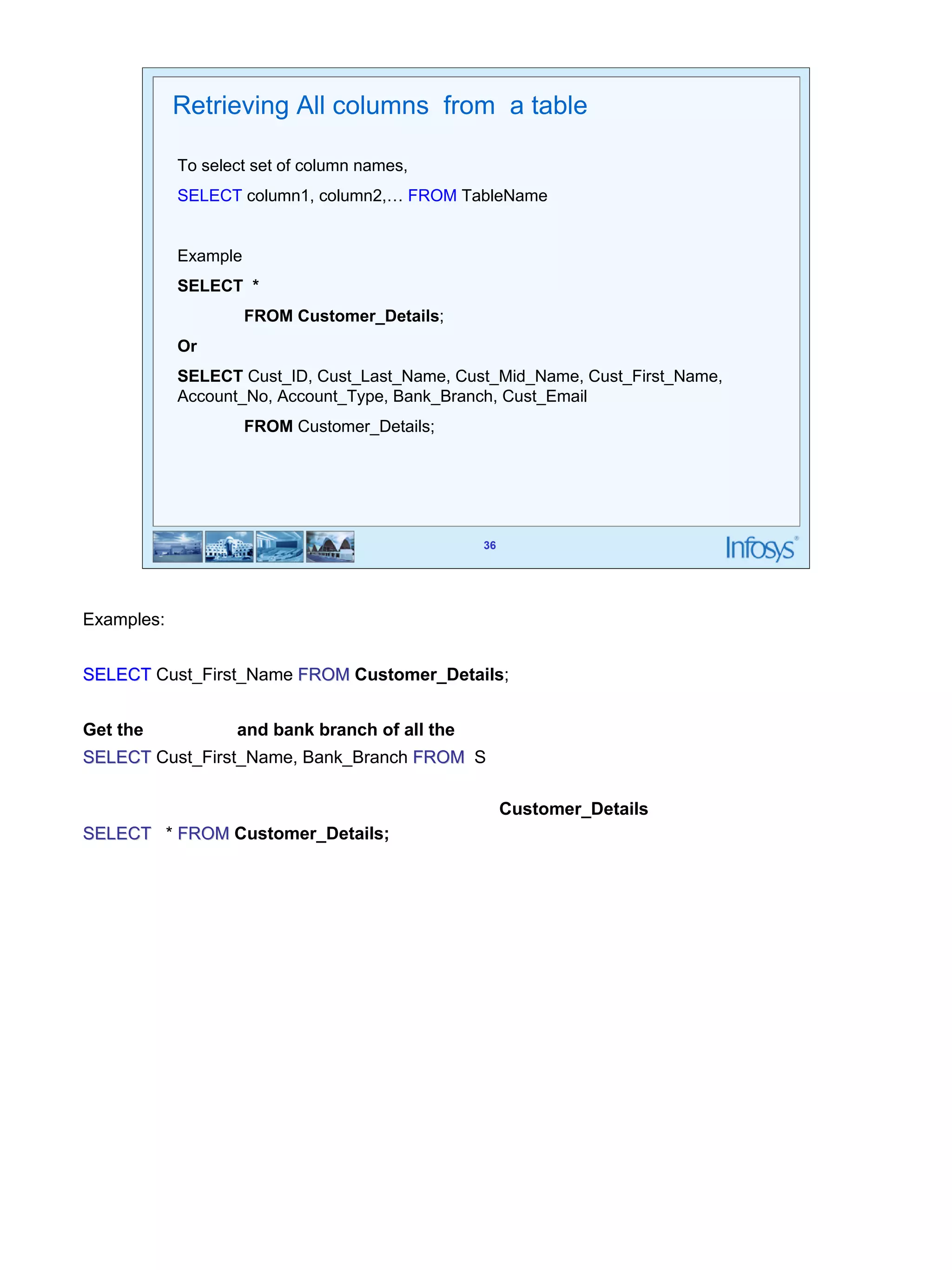
Retrieving All columns from a table 
To select set of column names, 
SELECT column1, column2,… FROM TableName 
36 
Example 
SELECT * 
FROM Customer_Details; 
Or 
SELECT Cust_ID, Cust_Last_Name, Cust_Mid_Name, Cust_First_Name, 
Account_No, Account_Type, Bank_Branch, Cust_Email 
FROM Customer_Details; 
Examples: 
Get the first name of all the customers 
SELECT Cust_First_Name FROM Customer_Details; 
Get the first name and bank branch of all the customers 
SELECT Cust_First_Name, Bank_Branch FROM S 
Get full details for all customers in Customer_Details table 
SELECT * FROM Customer_Details;
37 
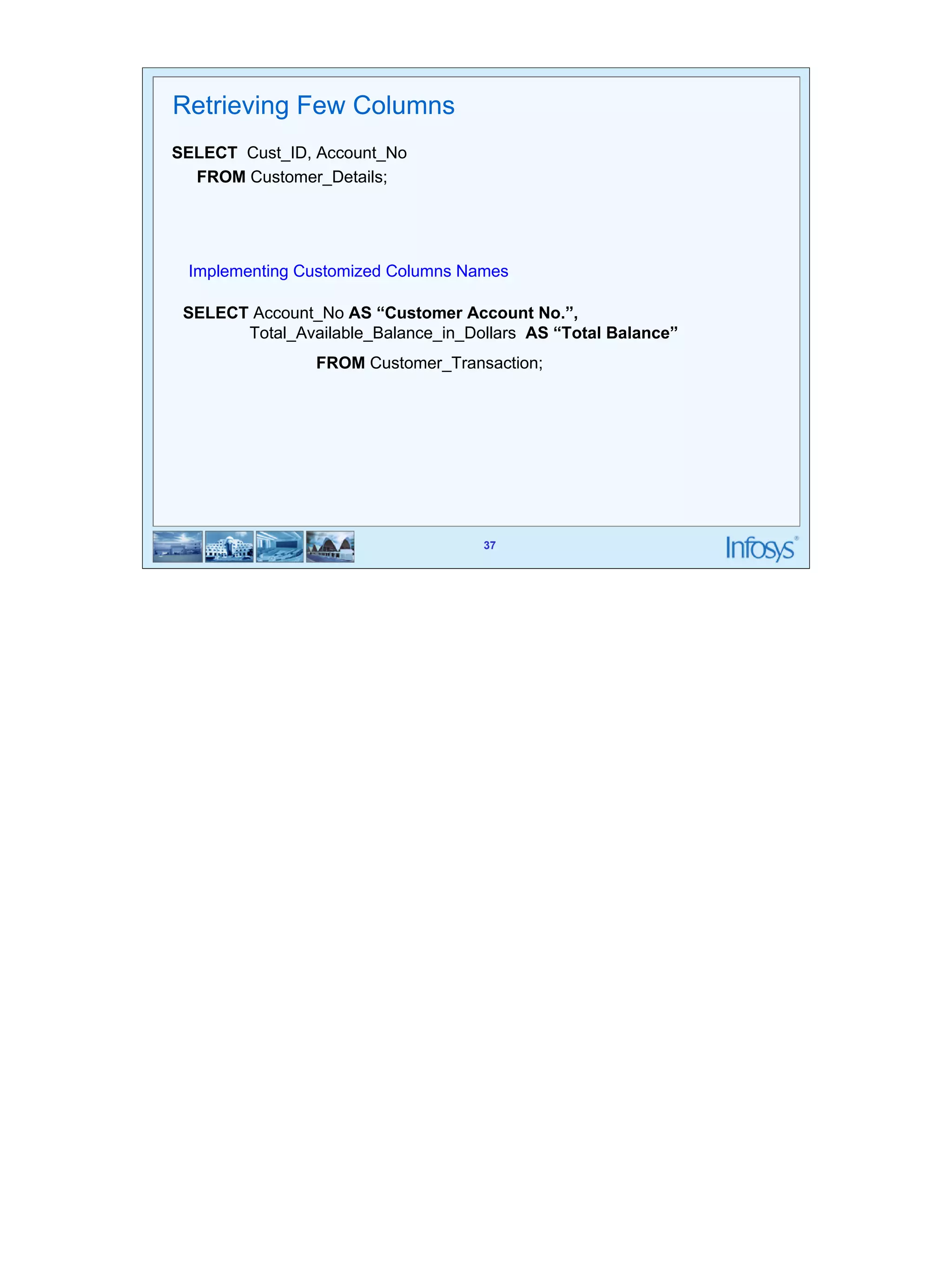
Implementing Customized Columns Names 
37 
Retrieving Few Columns 
SELECT Cust_ID, Account_No 
FROM Customer_Details; 
SELECT Account_No AS “Customer Account No.”, 
Total_Available_Balance_in_Dollars AS “Total Balance” 
FROM Customer_Transaction;
38 
38 
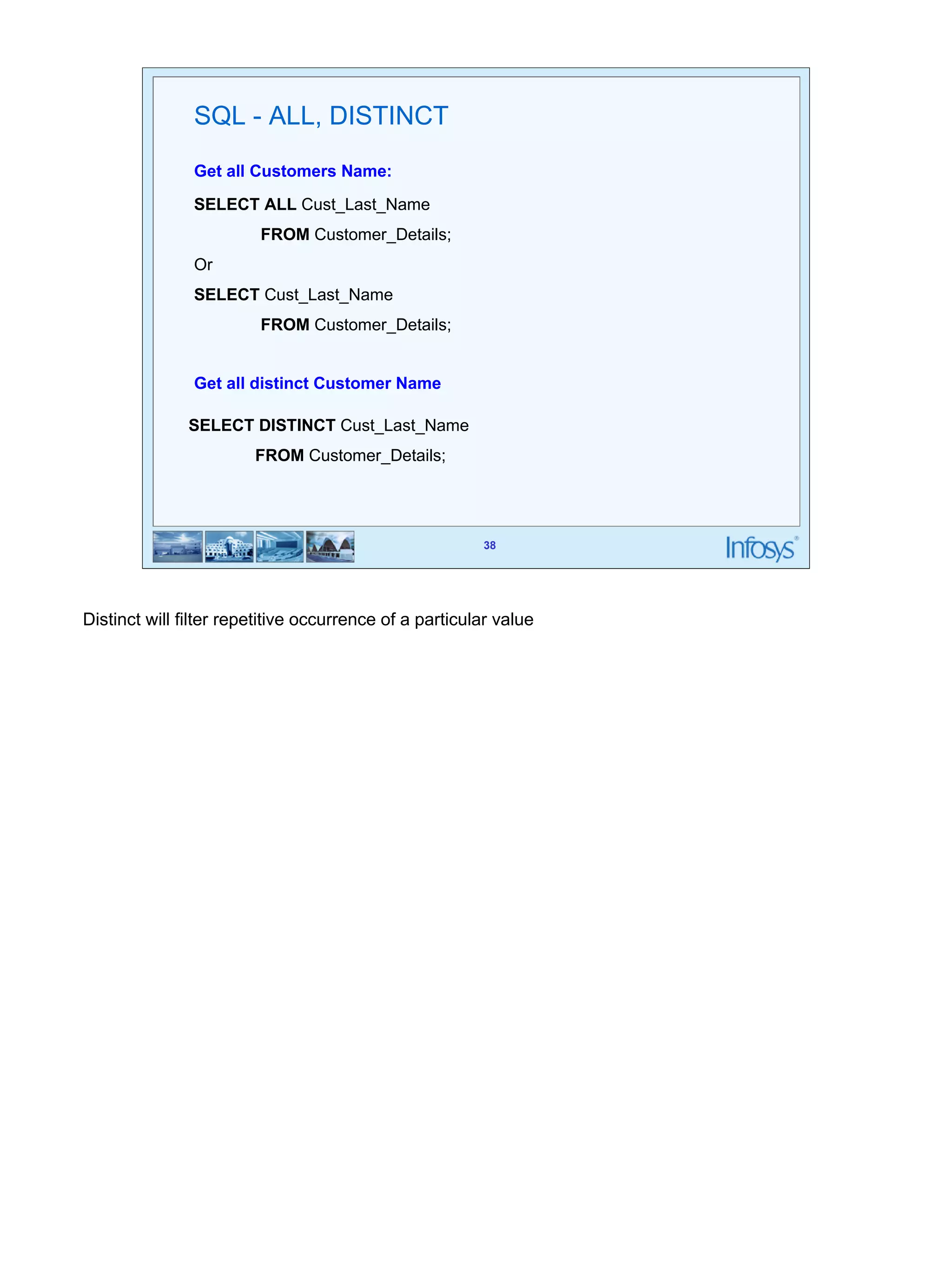
SQL - ALL, DISTINCT 
Get all Customers Name: 
SELECT ALL Cust_Last_Name 
FROM Customer_Details; 
Or 
SELECT Cust_Last_Name 
FROM Customer_Details; 
Get all distinct Customer Name 
SELECT DISTINCT Cust_Last_Name 
FROM Customer_Details; 
Distinct will filter repetitive occurrence of a particular value
39 
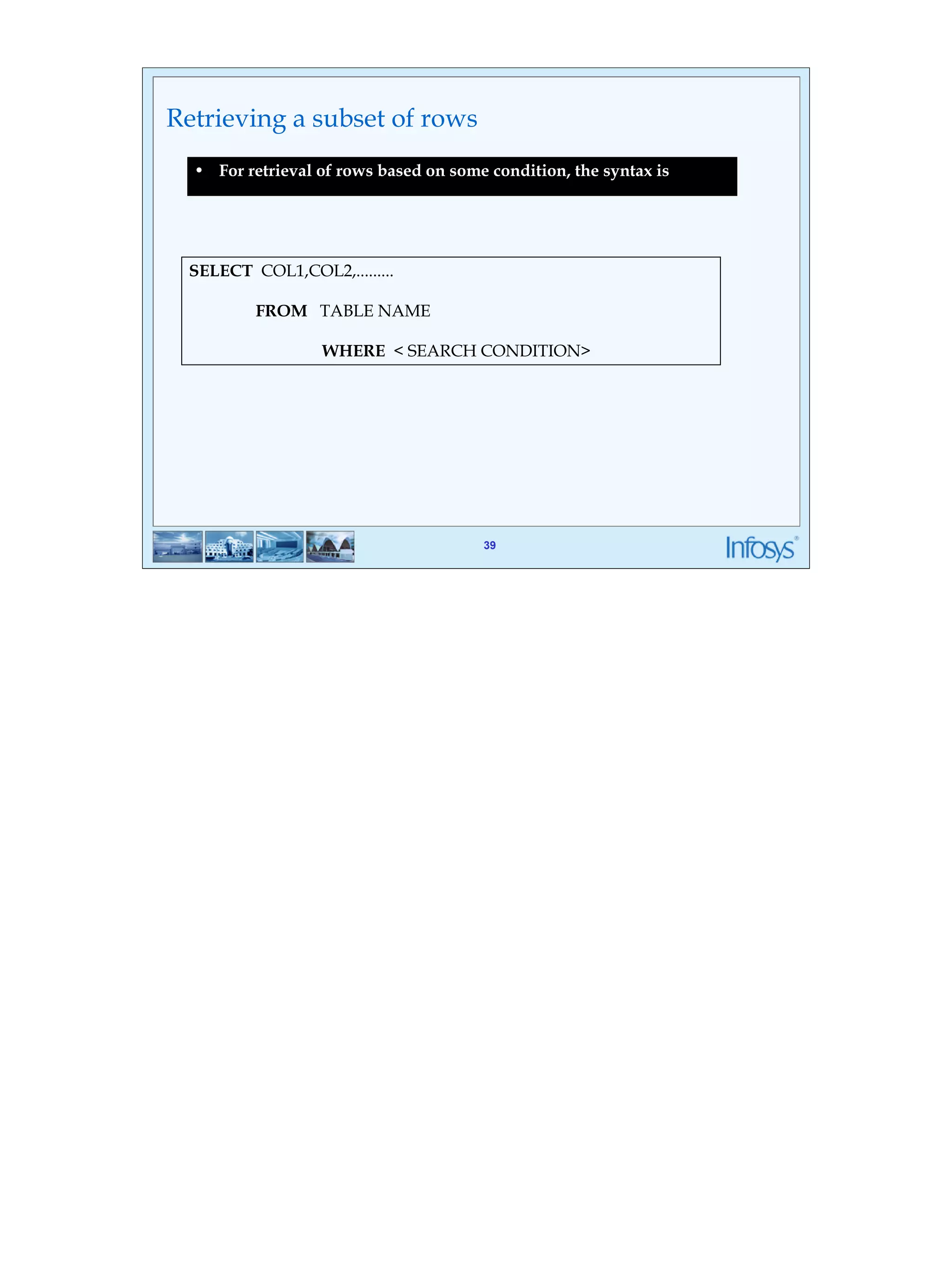
• For retrieval of rows based on some condition, the syntax is 
39 
Retrieving a subset of rows 
SELECT COL1,COL2,......... 
FROM TABLE NAME 
WHERE < SEARCH CONDITION>
40 
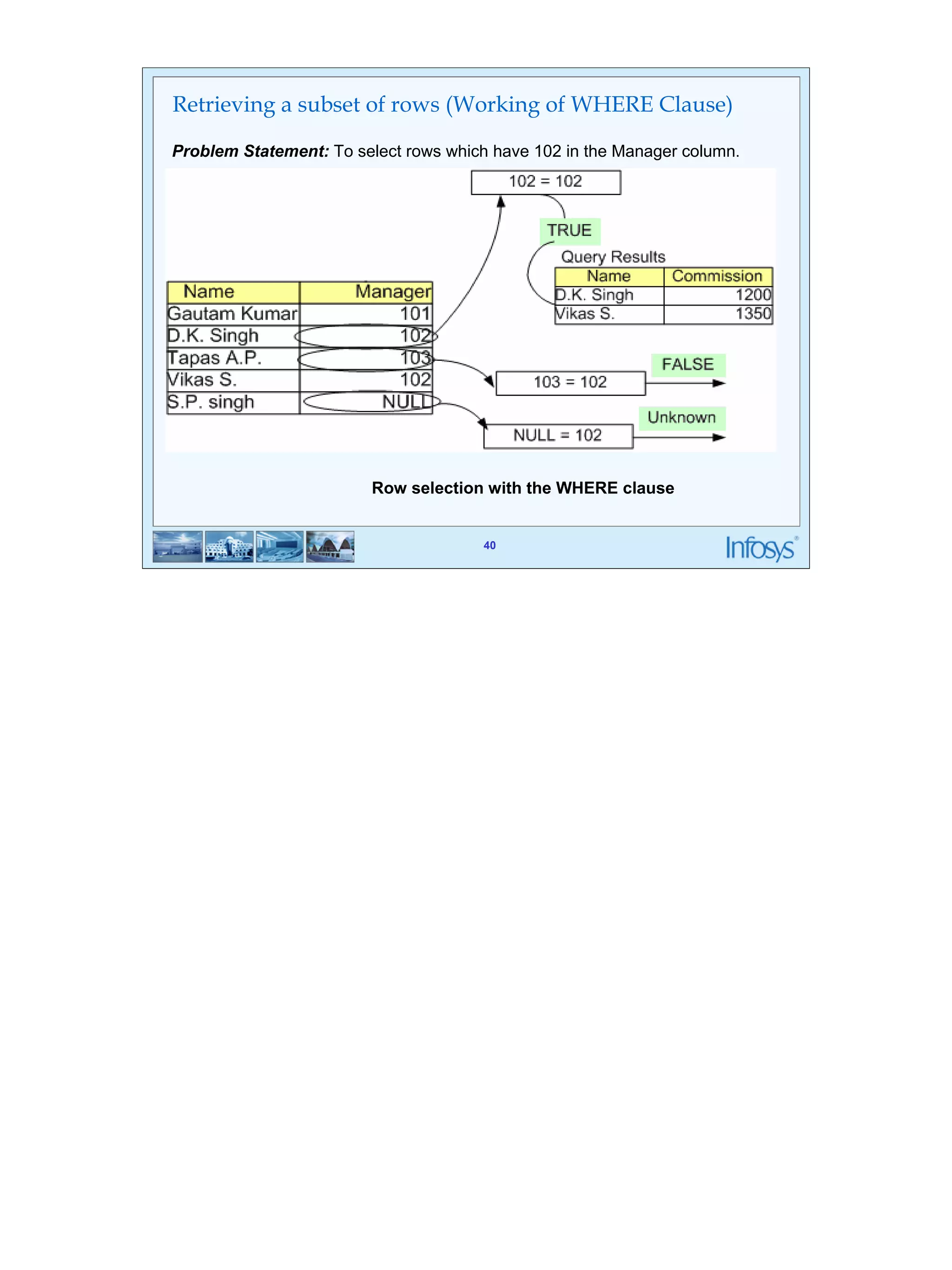
Retrieving a subset of rows (Working of WHERE Clause) 
Problem Statement: To select rows which have 102 in the Manager column. 
Row selection with the WHERE clause 
40
41 
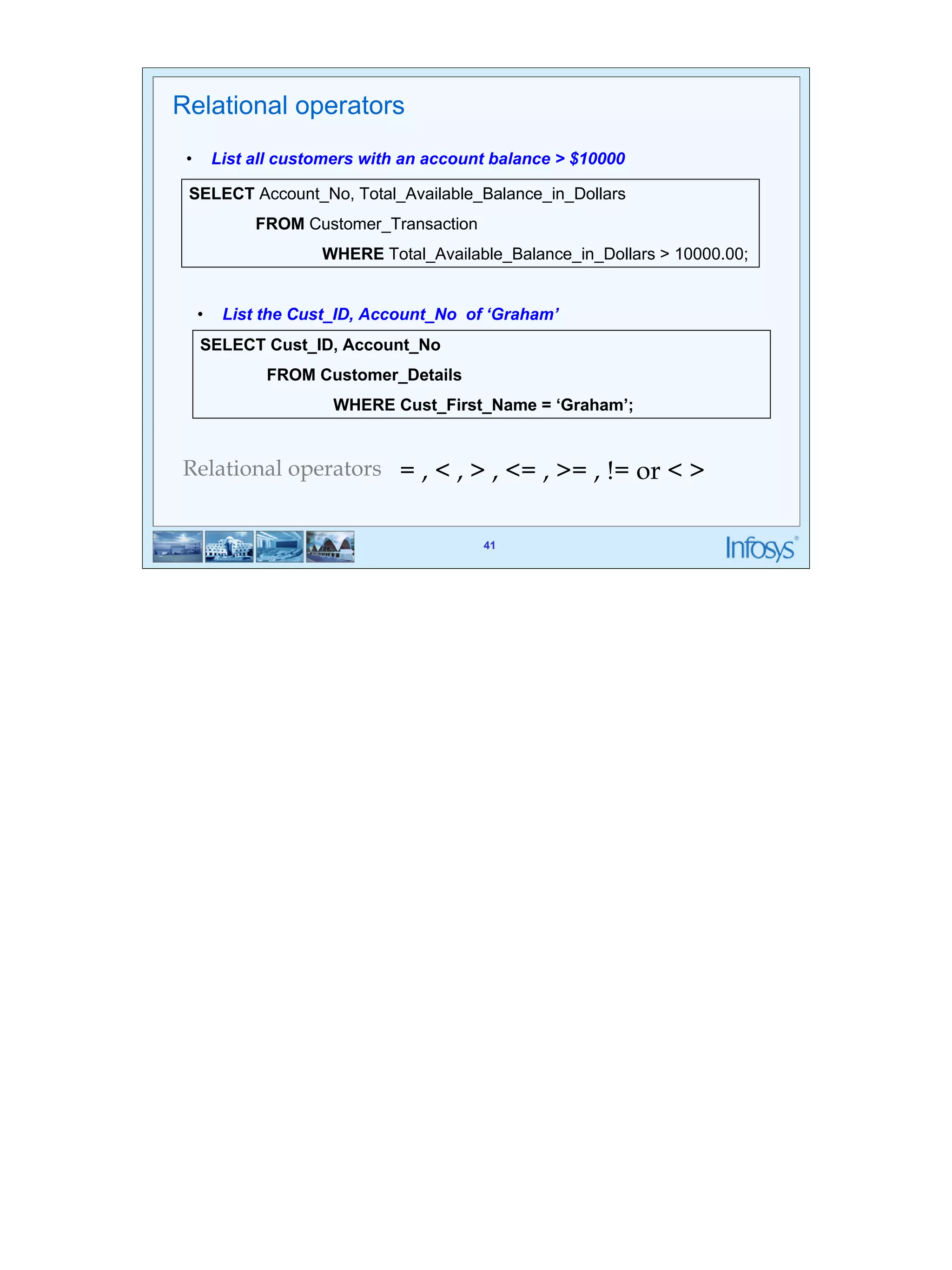
Relational operators 
• List all customers with an account balance > $10000 
SELECT Account_No, Total_Available_Balance_in_Dollars 
• List the Cust_ID, Account_No of ‘Graham’ 
WHERE Cust_First_Name = ‘Graham’; 
41 
FROM Customer_Transaction 
WHERE Total_Available_Balance_in_Dollars > 10000.00; 
SELECT Cust_ID, Account_No 
FROM Customer_Details 
Relational operators = , < , > , <= , >= , != or < >
42 
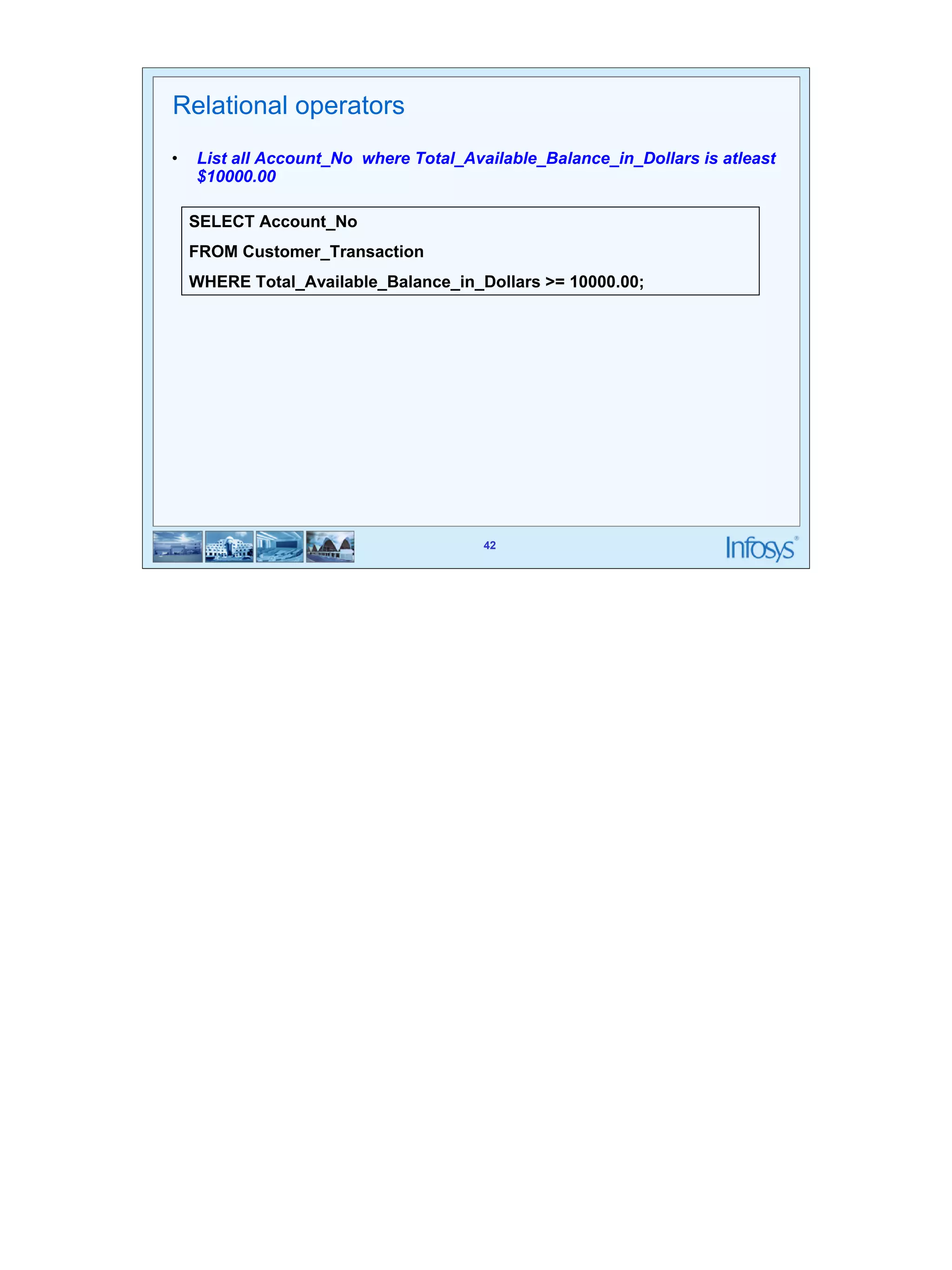
Relational operators 
• List all Account_No where Total_Available_Balance_in_Dollars is atleast 
SELECT Account_No 
FROM Customer_Transaction 
WHERE Total_Available_Balance_in_Dollars >= 10000.00; 
42 
$10000.00
43 
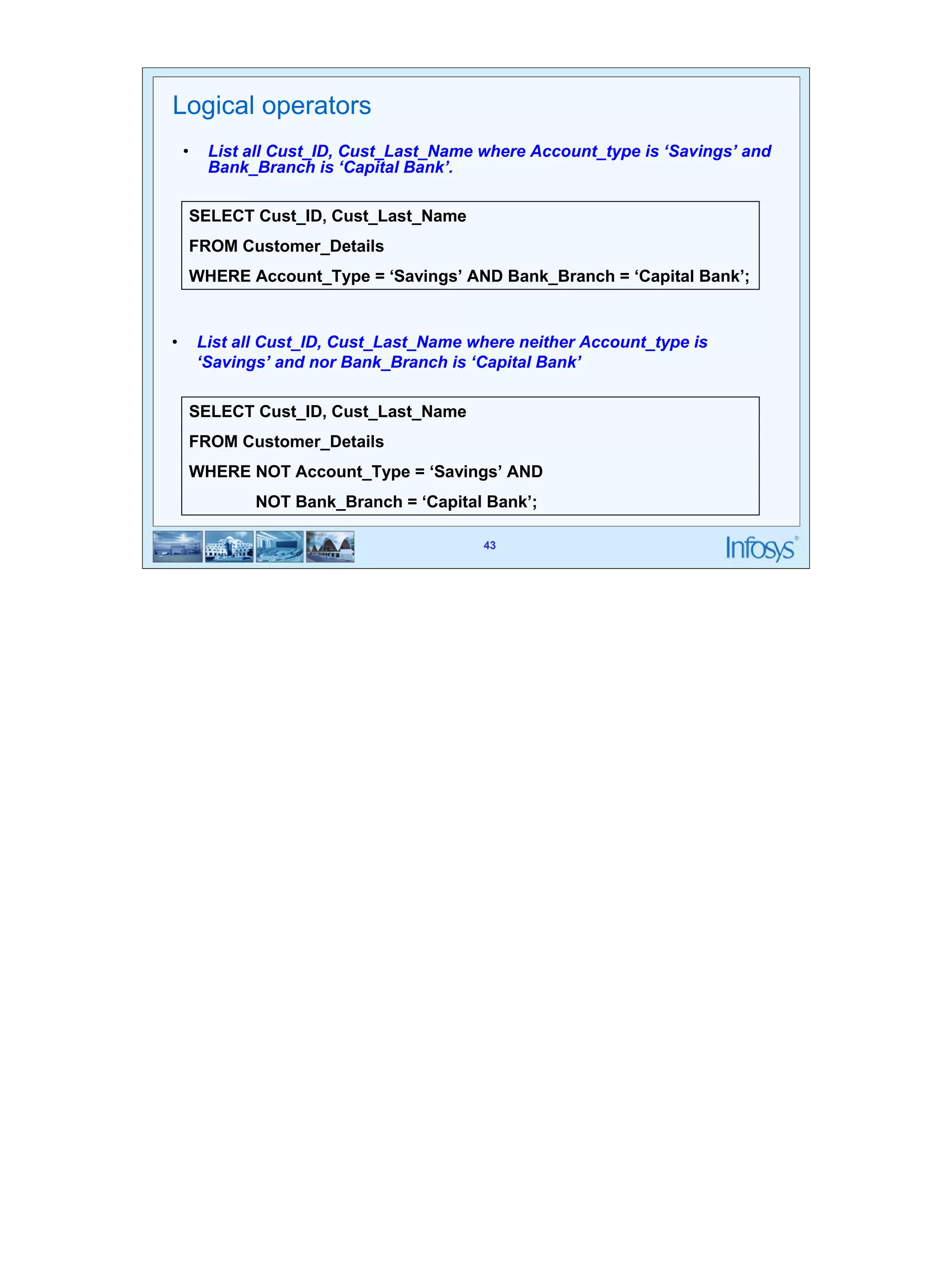
Logical operators 
• List all Cust_ID, Cust_Last_Name where Account_type is ‘Savings’ and 
SELECT Cust_ID, Cust_Last_Name 
FROM Customer_Details 
WHERE Account_Type = ‘Savings’ AND Bank_Branch = ‘Capital Bank’; 
• List all Cust_ID, Cust_Last_Name where neither Account_type is 
‘Savings’ and nor Bank_Branch is ‘Capital Bank’ 
43 
Bank_Branch is ‘Capital Bank’. 
SELECT Cust_ID, Cust_Last_Name 
FROM Customer_Details 
WHERE NOT Account_Type = ‘Savings’ AND 
NOT Bank_Branch = ‘Capital Bank’;
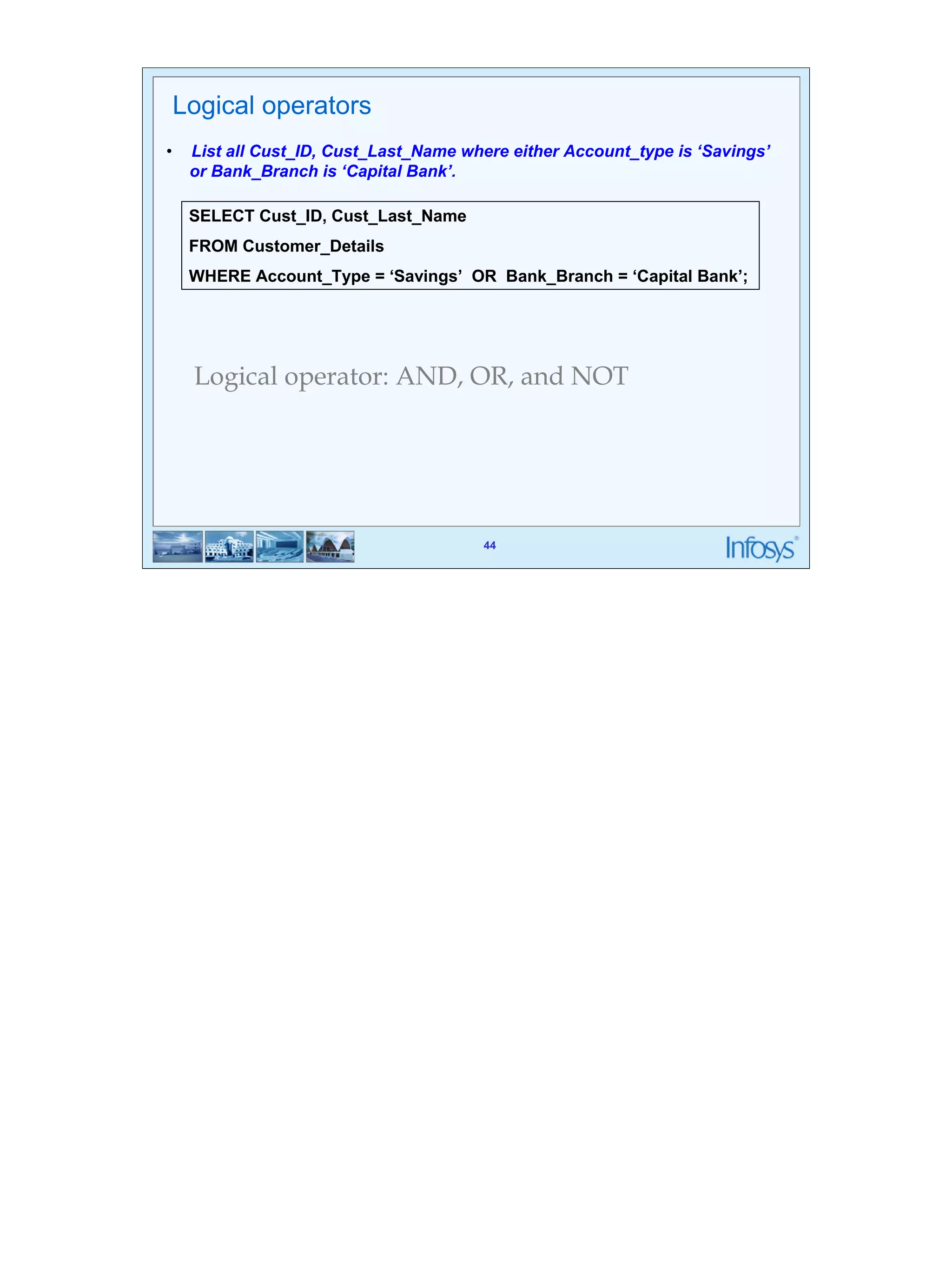
44 
Logical operators 
• List all Cust_ID, Cust_Last_Name where either Account_type is ‘Savings’ 
SELECT Cust_ID, Cust_Last_Name 
FROM Customer_Details 
WHERE Account_Type = ‘Savings’ OR Bank_Branch = ‘Capital Bank’; 
44 
or Bank_Branch is ‘Capital Bank’. 
Logical operator: AND, OR, and NOT
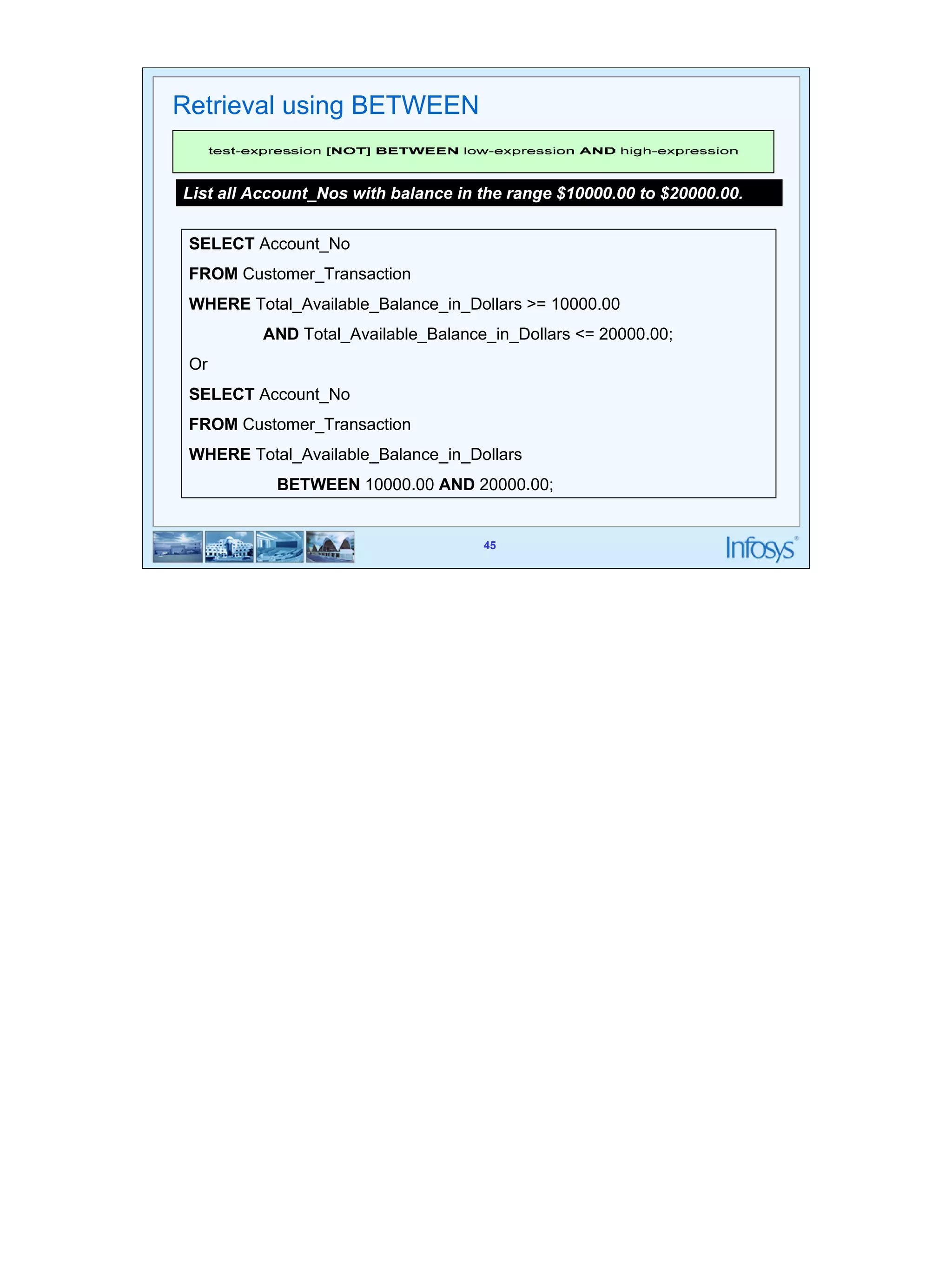
45 
List all Account_Nos with balance in the range $10000.00 to $20000.00. 
SELECT Account_No 
FROM Customer_Transaction 
WHERE Total_Available_Balance_in_Dollars >= 10000.00 
AND Total_Available_Balance_in_Dollars <= 20000.00; 
Or 
SELECT Account_No 
FROM Customer_Transaction 
WHERE Total_Available_Balance_in_Dollars 
BETWEEN 10000.00 AND 20000.00; 
45 
Retrieval using BETWEEN
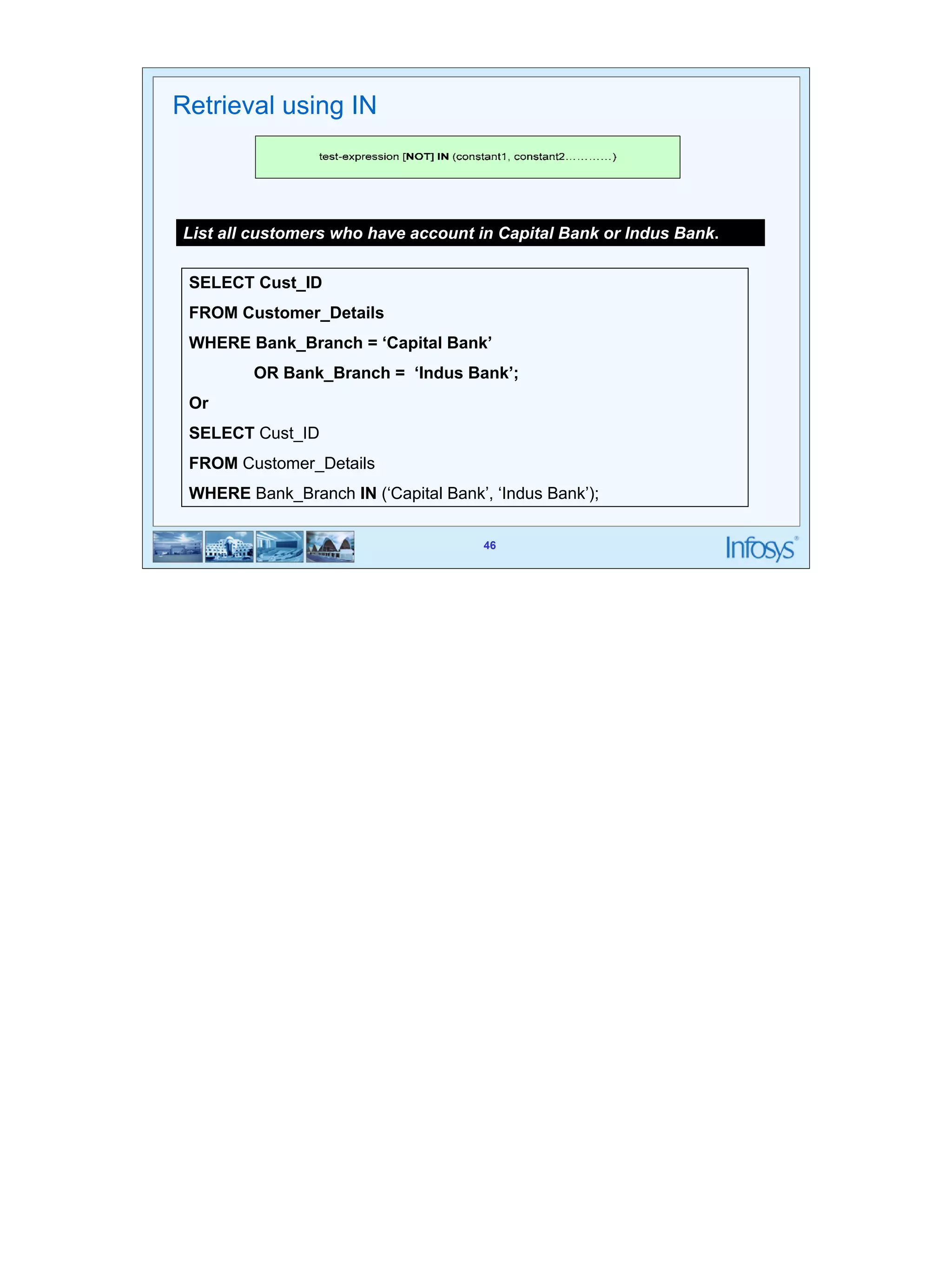
46 
List all customers who have account in Capital Bank or Indus Bank. 
SELECT Cust_ID 
FROM Customer_Details 
WHERE Bank_Branch = ‘Capital Bank’ 
OR Bank_Branch = ‘Indus Bank’; 
Or 
SELECT Cust_ID 
FROM Customer_Details 
WHERE Bank_Branch IN (‘Capital Bank’, ‘Indus Bank’); 
46 
Retrieval using IN
47 
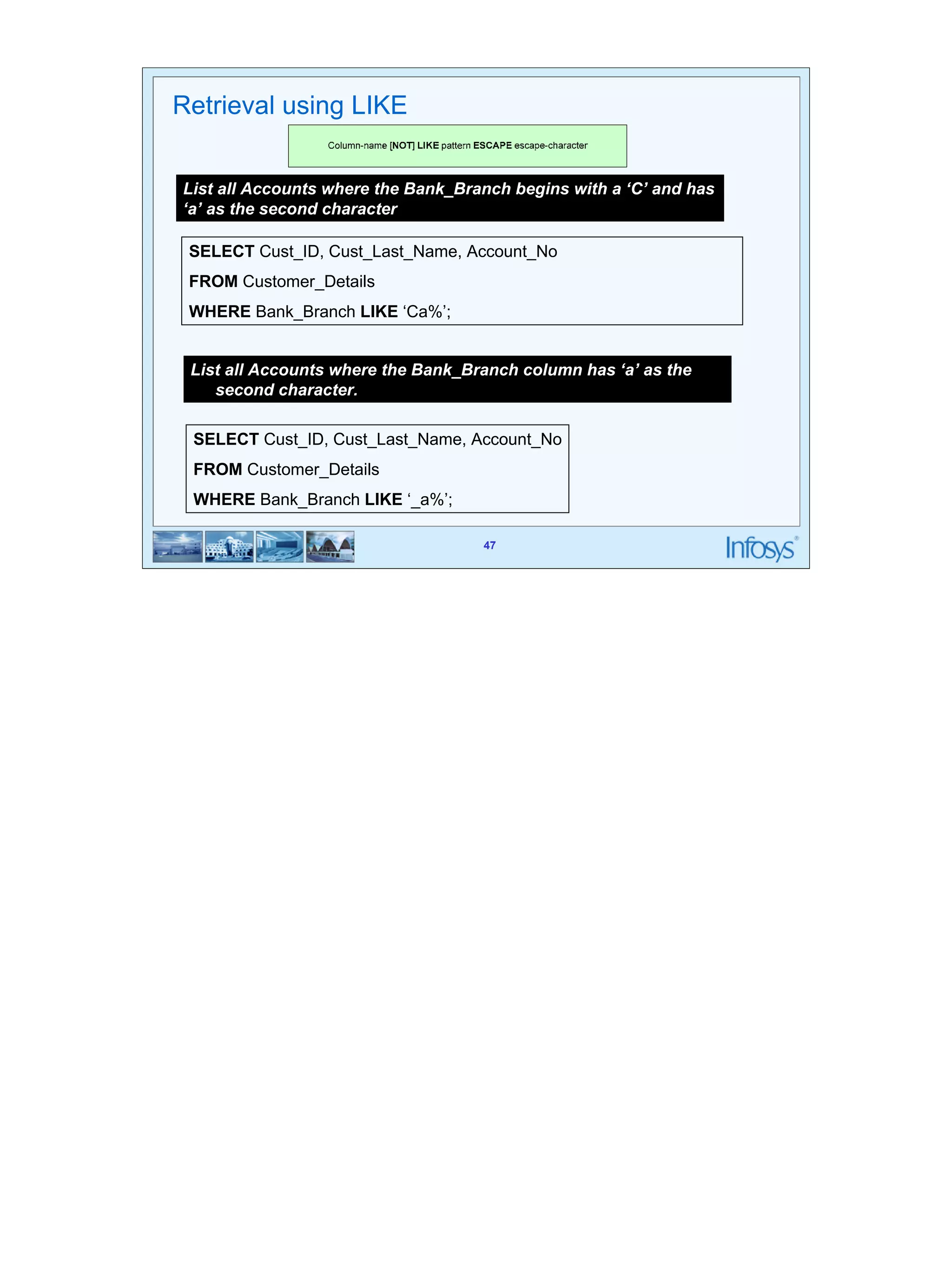
List all Accounts where the Bank_Branch begins with a ‘C’ and has 
‘a’ as the second character 
SELECT Cust_ID, Cust_Last_Name, Account_No 
FROM Customer_Details 
WHERE Bank_Branch LIKE ‘Ca%’; 
SELECT Cust_ID, Cust_Last_Name, Account_No 
FROM Customer_Details 
WHERE Bank_Branch LIKE ‘_a%’; 
47 
Retrieval using LIKE 
List all Accounts where the Bank_Branch column has ‘a’ as the 
second character.
48 
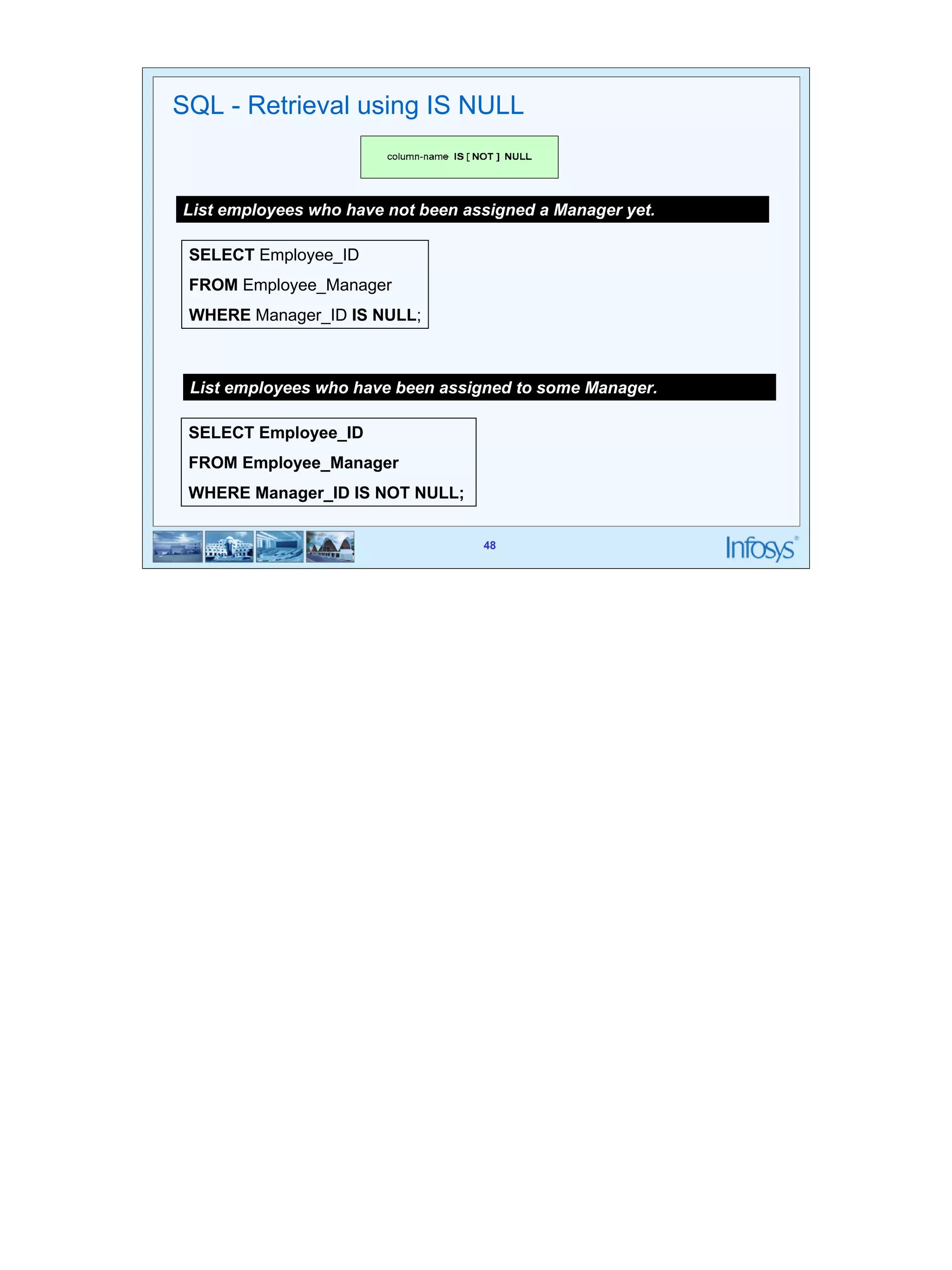
SQL - Retrieval using IS NULL 
List employees who have not been assigned a Manager yet. 
SELECT Employee_ID 
FROM Employee_Manager 
WHERE Manager_ID IS NULL; 
List employees who have been assigned to some Manager. 
SELECT Employee_ID 
FROM Employee_Manager 
WHERE Manager_ID IS NOT NULL; 
48
49 
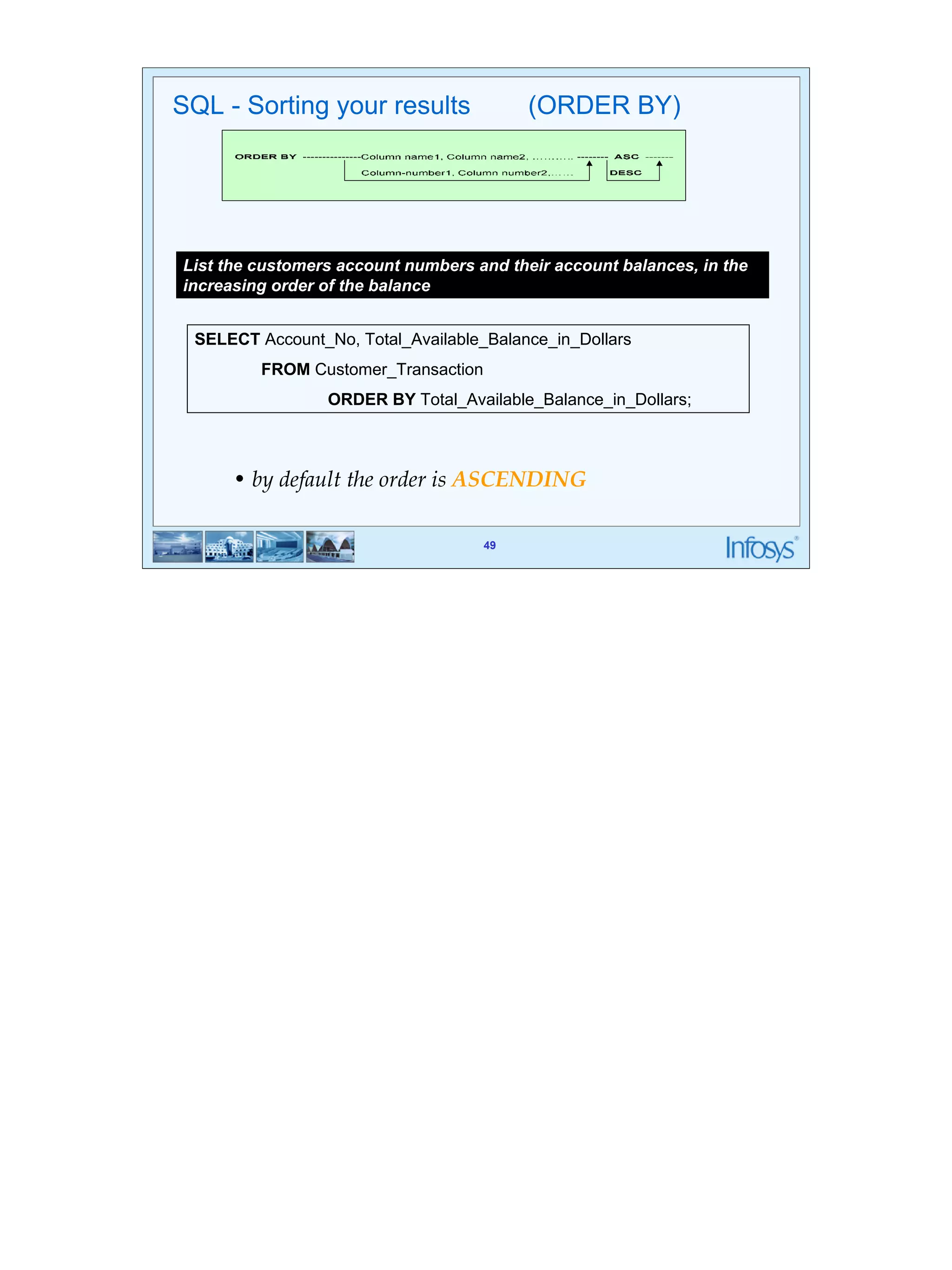
SQL - Sorting your results (ORDER BY) 
List the customers account numbers and their account balances, in the 
increasing order of the balance 
SELECT Account_No, Total_Available_Balance_in_Dollars 
49 
FROM Customer_Transaction 
ORDER BY Total_Available_Balance_in_Dollars; 
• by default the order is ASCENDING
50 
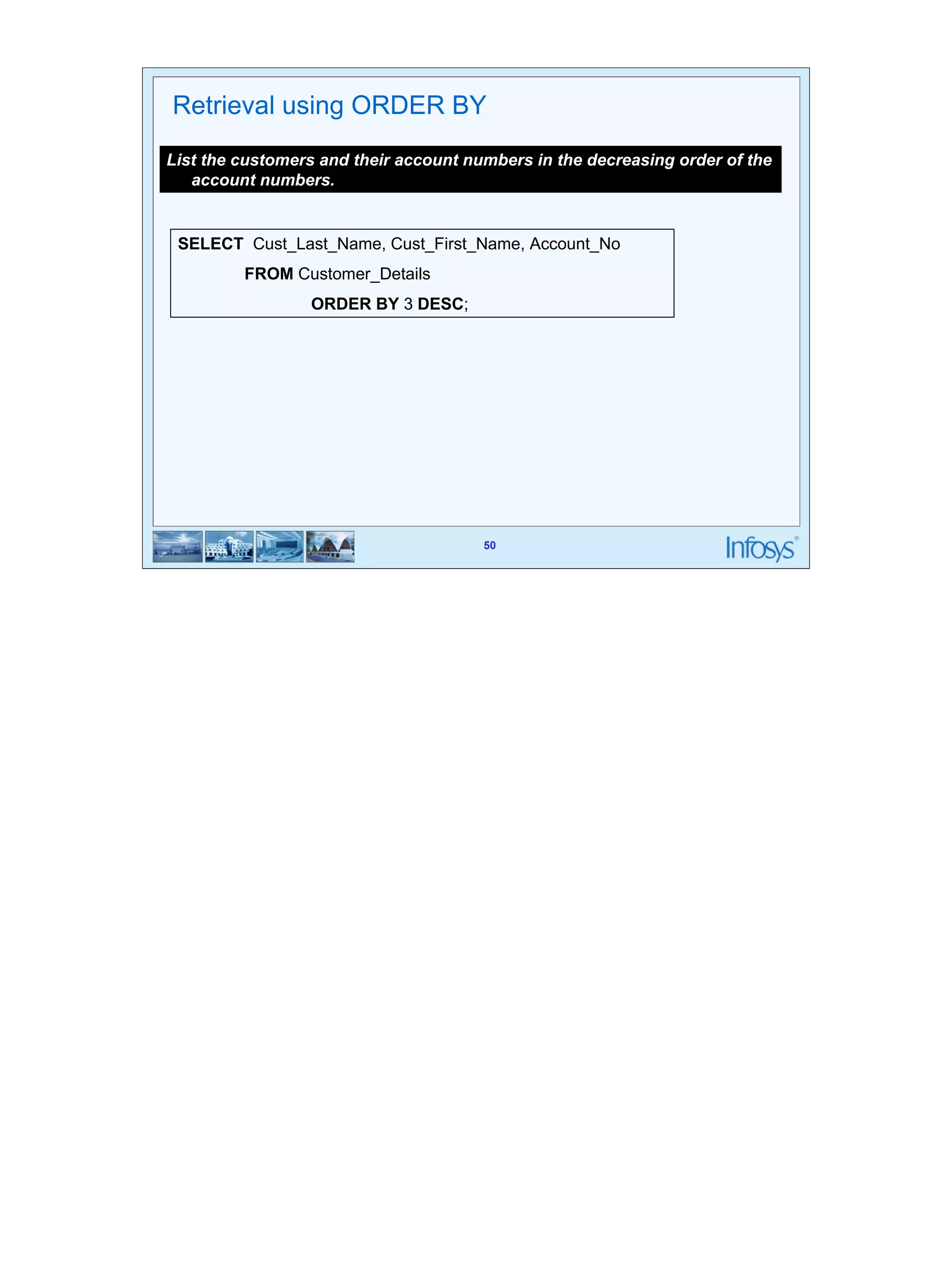
Retrieval using ORDER BY 
List the customers and their account numbers in the decreasing order of the 
50 
account numbers. 
SELECT Cust_Last_Name, Cust_First_Name, Account_No 
FROM Customer_Details 
ORDER BY 3 DESC;
51 
Retrieval using ORDER BY 
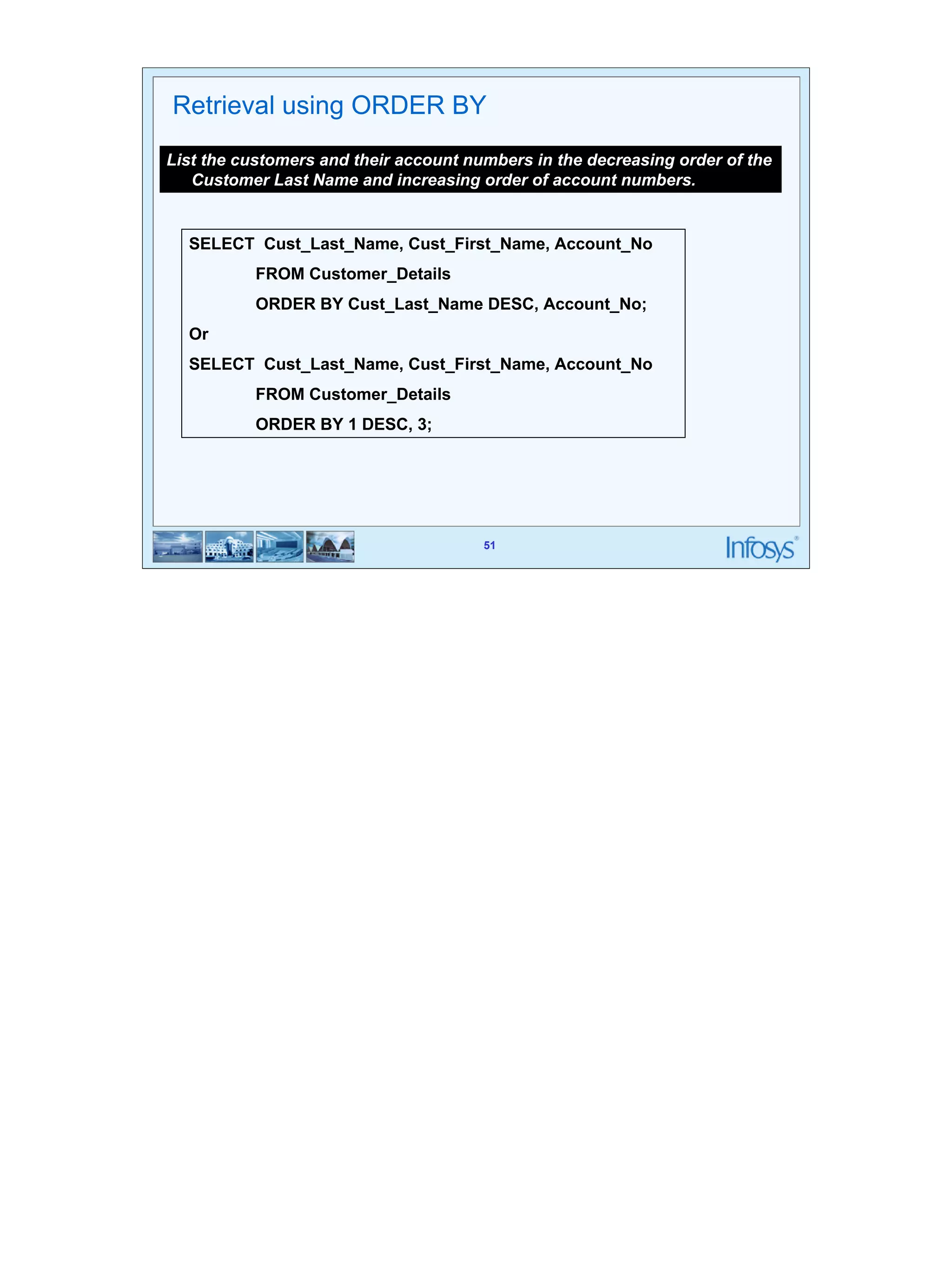
List the customers and their account numbers in the decreasing order of the 
Customer Last Name and increasing order of account numbers. 
SELECT Cust_Last_Name, Cust_First_Name, Account_No 
FROM Customer_Details 
ORDER BY Cust_Last_Name DESC, Account_No; 
Or 
SELECT Cust_Last_Name, Cust_First_Name, Account_No 
51 
FROM Customer_Details 
ORDER BY 1 DESC, 3;
52 
Aggregate Functions
53 
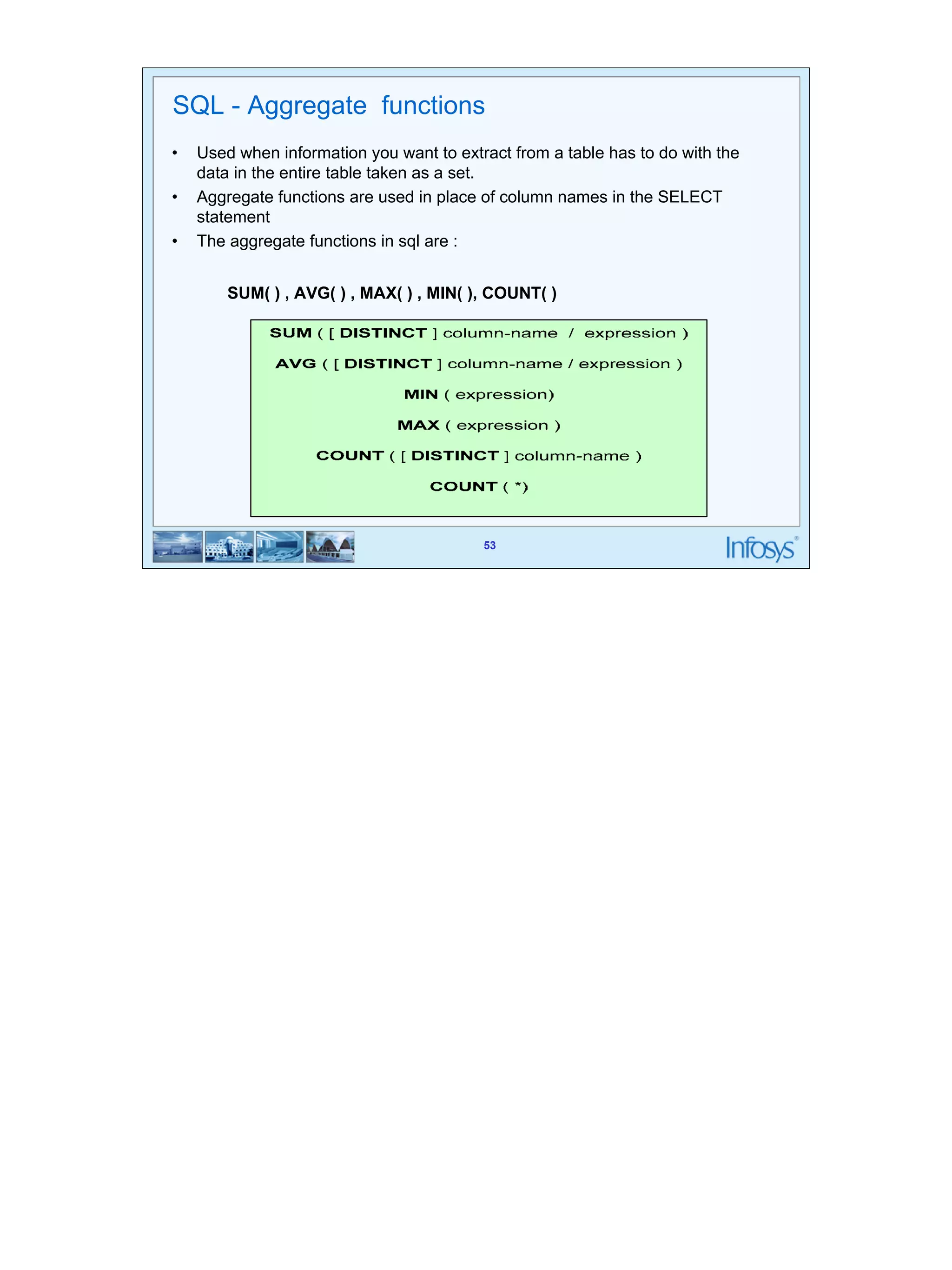
SQL - Aggregate functions 
• Used when information you want to extract from a table has to do with the 
SUM( ) , AVG( ) , MAX( ) , MIN( ), COUNT( ) 
53 
data in the entire table taken as a set. 
• Aggregate functions are used in place of column names in the SELECT 
statement 
• The aggregate functions in sql are :
54 
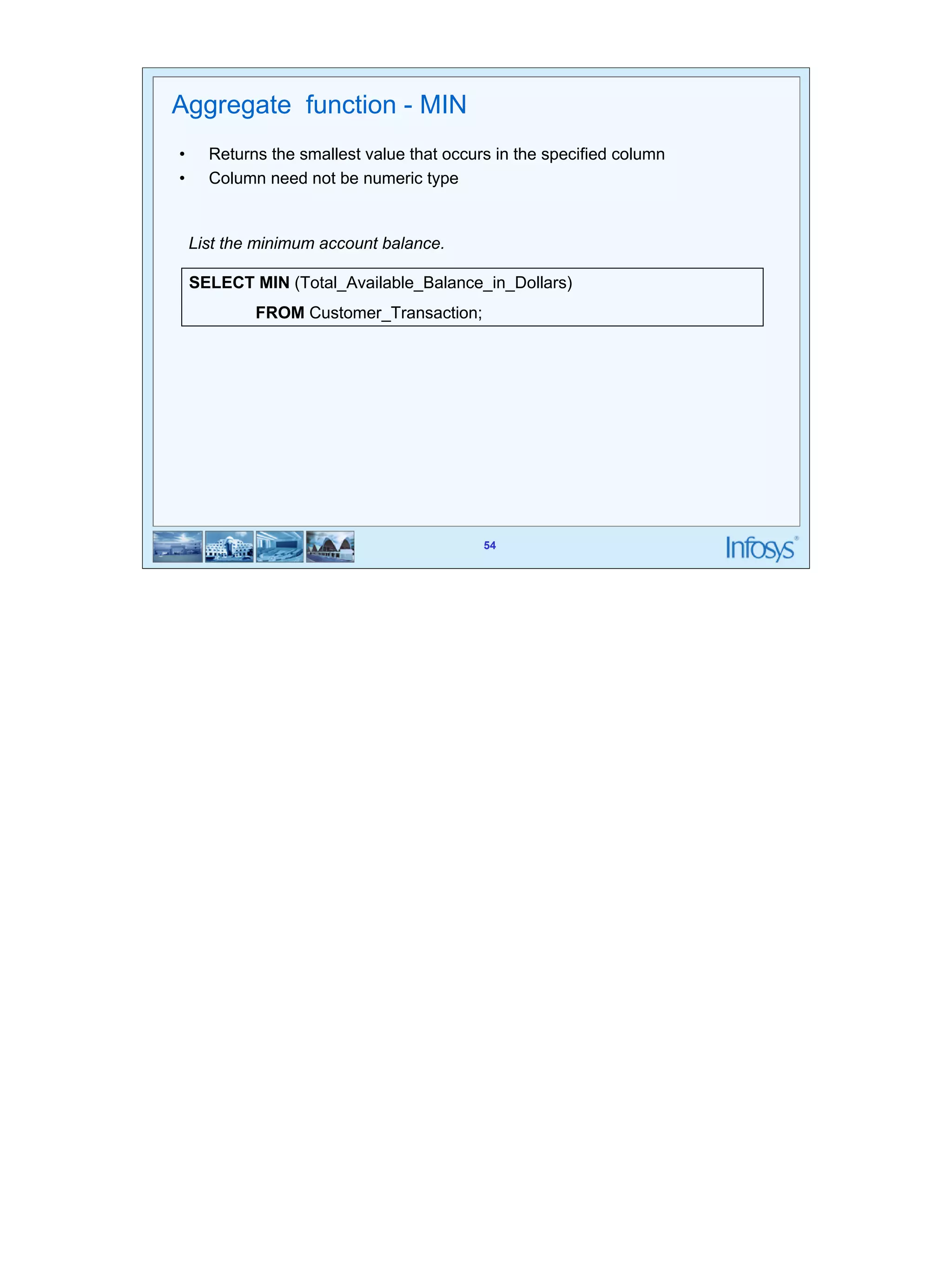
Aggregate function - MIN 
• Returns the smallest value that occurs in the specified column 
• Column need not be numeric type 
List the minimum account balance. 
SELECT MIN (Total_Available_Balance_in_Dollars) 
54 
FROM Customer_Transaction;
55 
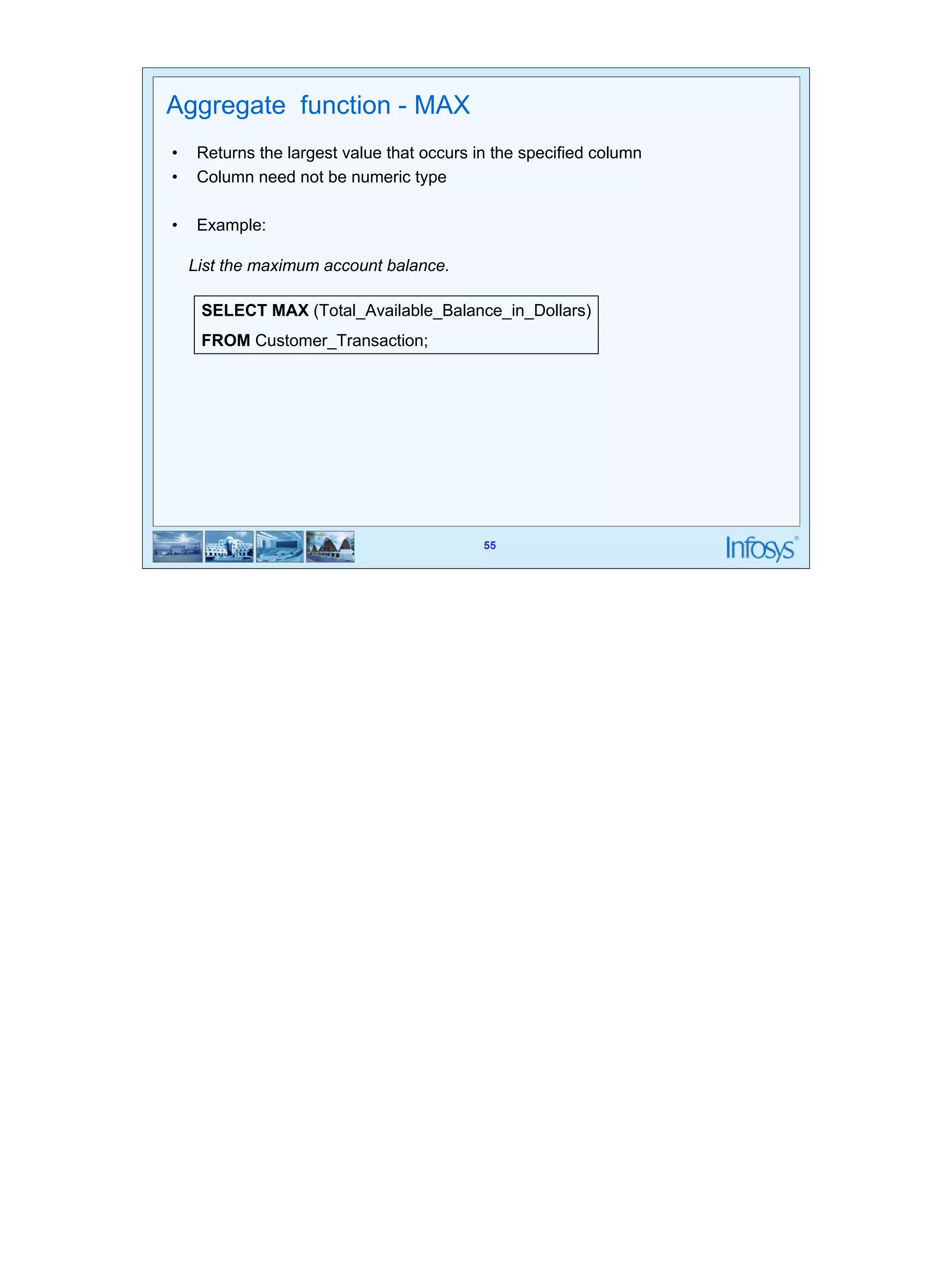
Aggregate function - MAX 
• Returns the largest value that occurs in the specified column 
• Column need not be numeric type 
List the maximum account balance. 
SELECT MAX (Total_Available_Balance_in_Dollars) 
FROM Customer_Transaction; 
55 
• Example:
56 
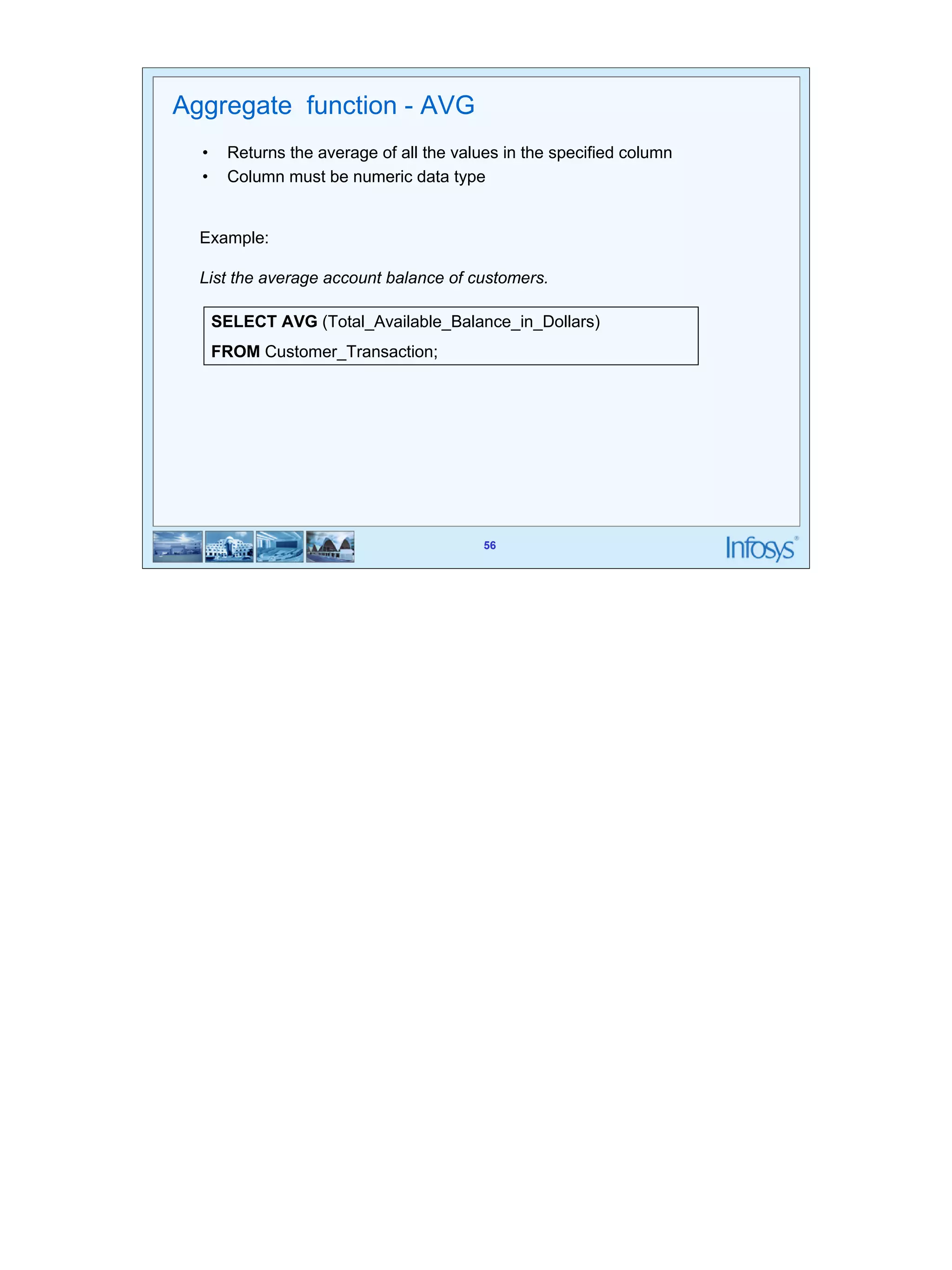
Example: 
List the average account balance of customers. 
SELECT AVG (Total_Available_Balance_in_Dollars) 
FROM Customer_Transaction; 
56 
Aggregate function - AVG 
• Returns the average of all the values in the specified column 
• Column must be numeric data type
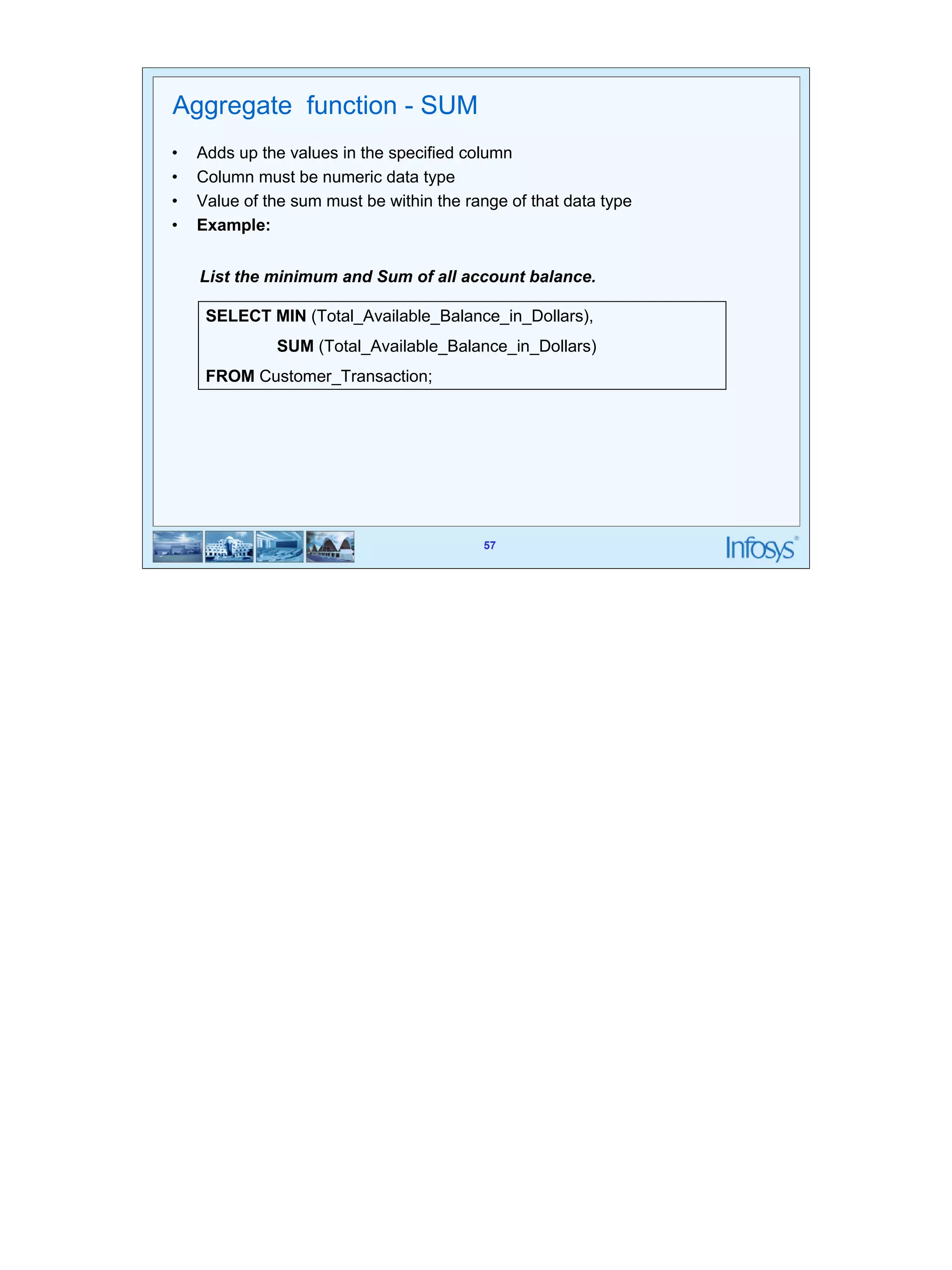
57 
Aggregate function - SUM 
• Adds up the values in the specified column 
• Column must be numeric data type 
• Value of the sum must be within the range of that data type 
• Example: 
List the minimum and Sum of all account balance. 
SELECT MIN (Total_Available_Balance_in_Dollars), 
SUM (Total_Available_Balance_in_Dollars) 
57 
FROM Customer_Transaction;
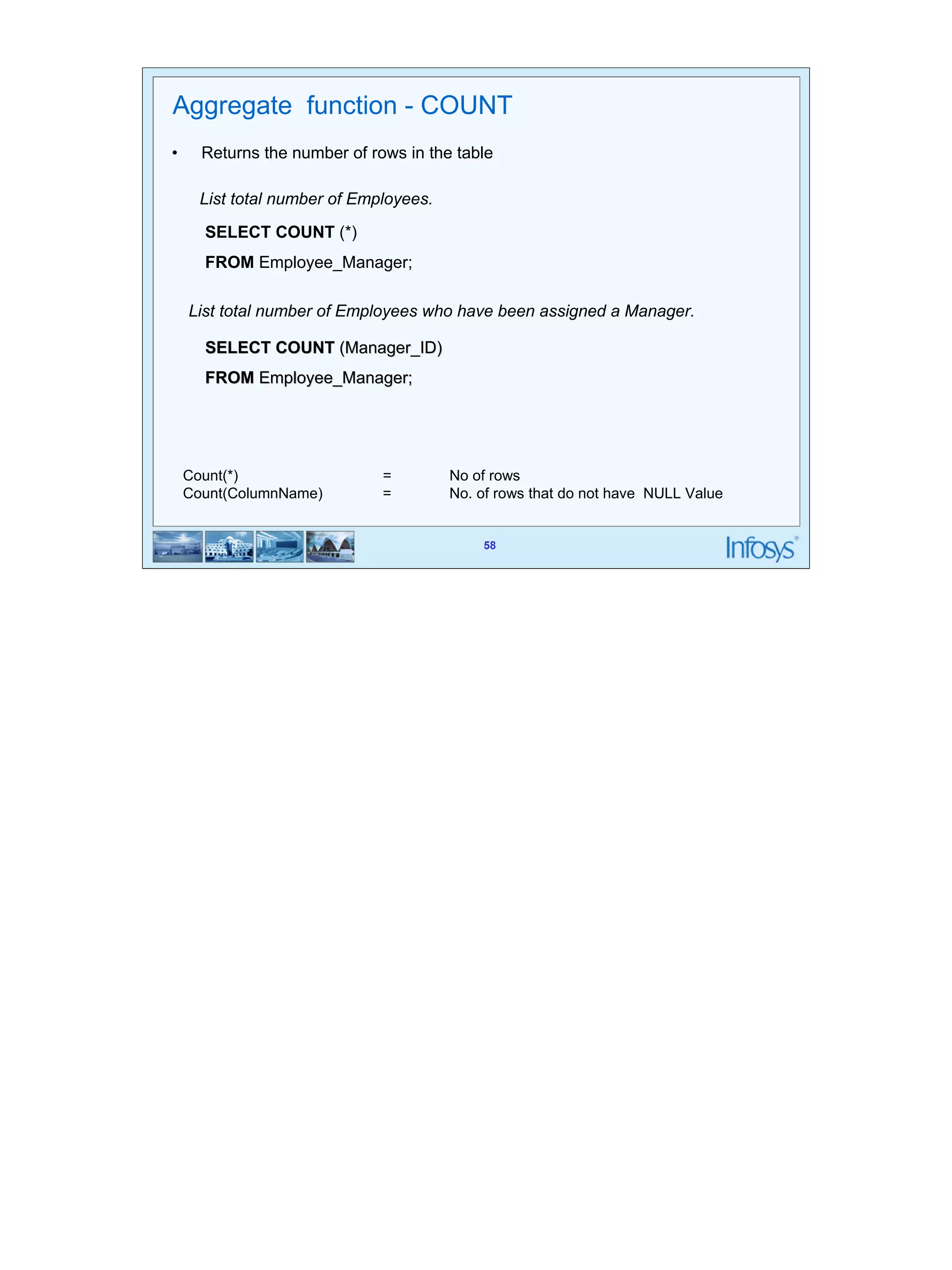
58 
Aggregate function - COUNT 
• Returns the number of rows in the table 
58 
List total number of Employees. 
SELECT COUNT (*) 
FROM Employee_Manager; 
List total number of Employees who have been assigned a Manager. 
SELECT COUNT (Manager_ID) 
FROM Employee_Manager; 
Count(*) = No of rows 
Count(ColumnName) = No. of rows that do not have NULL Value
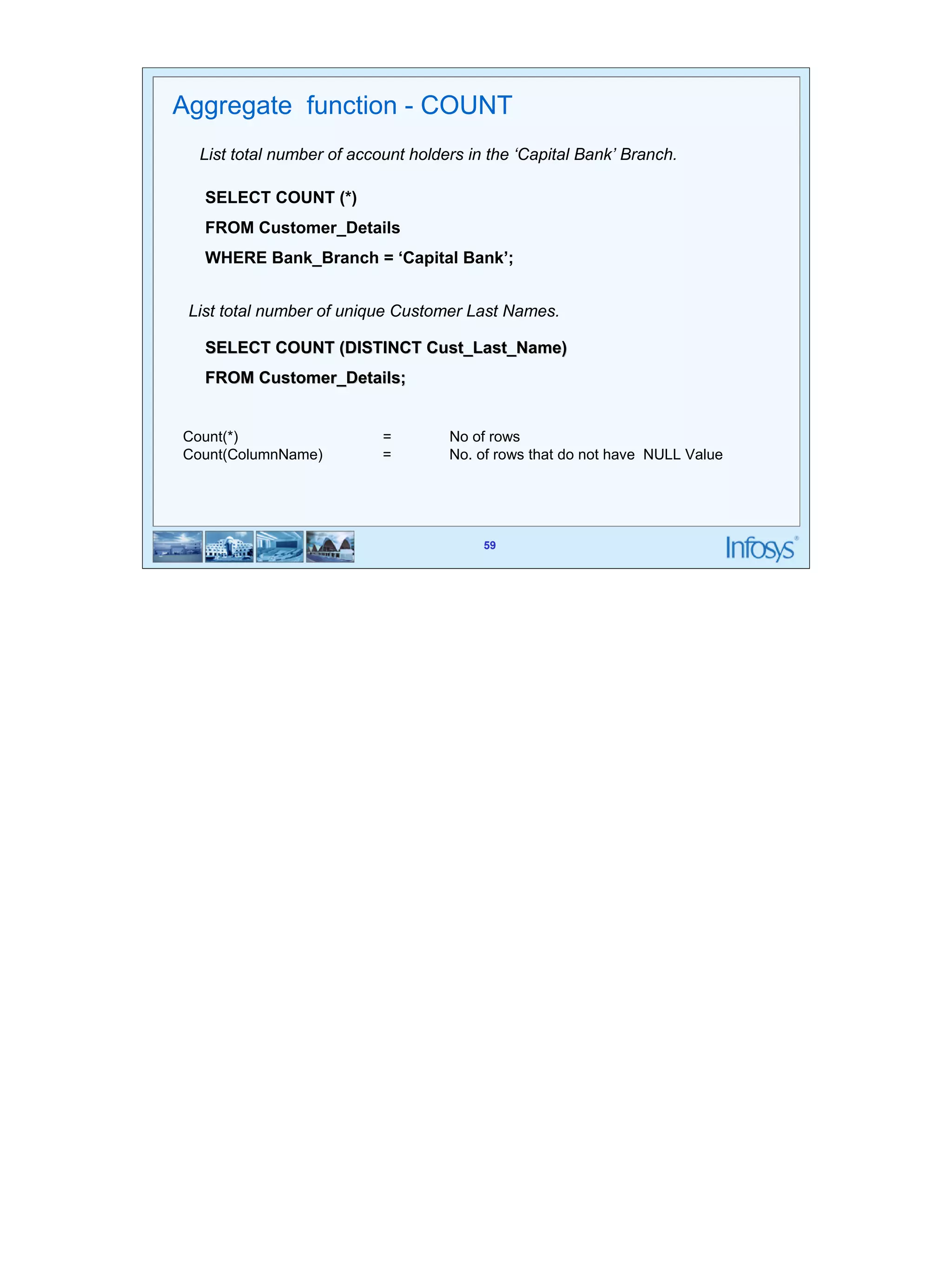
59 
Aggregate function - COUNT 
List total number of account holders in the ‘Capital Bank’ Branch. 
SELECT COUNT (*) 
FROM Customer_Details 
WHERE Bank_Branch = ‘Capital Bank’; 
List total number of unique Customer Last Names. 
SELECT COUNT (DISTINCT Cust_Last_Name) 
FROM Customer_Details; 
Count(*) = No of rows 
Count(ColumnName) = No. of rows that do not have NULL Value 
59
60 
Summary of basic DDL and DML 
• Create , Alter and Drop are the DDL commands 
• Update, Insert into, Delete from are the basic DML commands that add or 
60 
remove data from tables 
• Select statement in its various flavours is used to retrieve information from the 
table 
• Aggregate functions work on all the rows of the table taken as a group (based 
on some condition optionally)
61 
Thank You! 
61

Rdbms day3

  • 1.
    RDBMS-Day3 SQL –Basic DDL statements – DML statements – Aggregate functions
  • 2.
    SQL • SQLis used to make a request to retrieve data from a Database. • The DBMS processes the SQL request, retrieves the requested data from the 2 Database, and returns it. • This process of requesting data from a Database and receiving back the results is called a Database Query and hence the name Structured Query Language.
  • 3.
    SQL • SQLis a language that all commercial RDBMS implementations understand. 3 • SQL is a non-procedural language • We would be discussing SQL with respect to oracle syntax You can’t write programs like the ones you would have done using C language You can only write questions in English like language called queries which will fetch some data rows from the database.
  • 4.
  • 5.
    Structured Query Language(SQL) • 1979 Oracle Corporation introduces the first commercial RDBMS • 1982 ANSI (American National Standards Institute) forms SQL Standards Committee • 1983 IBM (International Business Machine) announces DB2 (a Database) • 1986 ANSI (American National Standards Institute) SQL1 standard is approved • 1987 ISO (International Organization for Standardization) SQL1 standard is approved • 1992 ANSI (American National Standards Institute) SQL2 standard is approved • 2000 Microsoft Corporation introduces SQL Server 2000, aimed at enterprise 5 applications • 2004 SQL: 2003 standard is published
  • 6.
    6 Statements •DDL (Data Definition Language) – Create – Alter – Drop – Truncate • DML (Data Manipulation Language) – Insert – Update – Delete – Select • DCL (Data Control Language) – Grant – Revoke – Commit – Rollback SQL has three flavours of statements. The DDL, DML and DCL. DDL is Data Definition Language statements. Some examples: CREATE - to create objects in the database ALTER - alters the structure of the database DROP - delete objects from the database TRUNCATE - remove all records from a table, including all spaces allocated for the records are removed COMMENT - add comments to the data dictionary GRANT - gives user's access privileges to database REVOKE - withdraw access privileges given with the GRANT command DML is Data Manipulation Language statements. Some examples: SELECT - retrieve data from the a database INSERT - insert data into a table UPDATE - updates existing data within a table DELETE - deletes all records from a table, the space for the records remain CALL - call a PL/SQL or Java subprogram EXPLAIN PLAN - explain access path to data LOCK TABLE - control concurrency DCL is Data Control Language statements. Some examples: COMMIT - save work done SAVEPOINT - identify a point in a transaction to which you can later roll back ROLLBACK - restore database to original since the last COMMIT SET TRANSACTION - Change transaction options like what rollback segment to use
  • 7.
    7 Data types • Number • Char • Varchar2 • Long • date SQL supports various data types Integers Decimal numbers--- NUMBER, INTEGER . Number is an oracle data type. Integer is an ANSI data type. Integer is equivalent of NUMBER(38) The syntax for NUMBER is NUMBER(P,S) p is the precision and s is the scale. P can range from 1 to 38 and s from -84 to 127 Floating point numbers---- FLOAT Fixed length character strings---- CHAR (len) Fixed length character data of length len bytes. This should be used for fixed length data. Variable length character strings --- Varchar2(len) Variable length character string having maximum length len bytes. We must specify the size Dates-----DATE
  • 8.
    NULL • Missing/unknown/inapplicabledata represented as a null value • NULL is not a data value. It is just an indicator that the value is unknown 8
  • 9.
    9 Operators •Arithmetic operators like +, -, *, / • Logical operators: AND, OR, NOT • Relational operators: =, <=, >=, < >, < , > The Arithmetic operators are used to calculate something like given in the example below: Select * from employee where sal * 1.1 > 1000 ; The logical operators are used to combine conditions like: Select * from employee where (sal > 1000 AND age > 25); The above two examples also illustrate use of relational operators
  • 10.
  • 11.
    11 11 TypesOf Constraints • Column Level • Table
  • 12.
    12 12 TypesOf Constraints • Primary Key Constraint • Foreign Key Constraint • Unique Constraint • Check Constraint
  • 13.
    13 13 SQL- CREATE TABLE Syntax: CREATE TABLE tablename ( column_name data_ type constraints, … ) Used to create a table by defining its structure, the data type and name of the various columns, the relationships with columns of other tables etc.
  • 14.
    14 Create Table(Contd…) • Implementing NOT NULL and Primary Key 14 EXAMPLE : CREATE TABLE Customer_Details( Cust_ID Number(5) CONSTRAINT Nnull1 NOT NULL, Cust_Last_Name VarChar2(20) CONSTRAINT Nnull2 NOT NULL, Cust_Mid_Name VarChar2(4), Cust_First_Name VarChar2(20), Account_No Number(5) CONSTRAINT Pkey1 PRIMARY KEY, Account_Type VarChar2(10) CONSTRAINT Nnull3 NOT NULL, Bank_Branch VarChar2(25) CONSTRAINT Nnull4 NOT NULL, Cust_Email VarChar2(30) );
  • 15.
    15 Create Table(Contd…) • Implementing Composite Primary Key 15 EXAMPLE : CREATE TABLE Customer_Details( Cust_ID Number(5) CONSTRAINT Nnull7 NOT NULL, Cust_Last_Name VarChar2(20) CONSTRAINT Nnull8 NOT NULL, Cust_Mid_Name VarChar2(4), Cust_First_Name VarChar2(20), Account_No Number(5) CONSTRAINT Nnull9 NOT NULL, Account_Type VarChar2(10) CONSTRAINT Nnull10 NOT NULL, Bank_Branch VarChar2(25) CONSTRAINT Nnull11 NOT NULL, Cust_Email VarChar2(30), CONSTRAINT PKey3 PRIMARY KEY(Cust_ID,Account_No) );
  • 16.
    16 Create Table(Contd…) • Implementation of Unique Constraint Create Table UnqTable( ECode Number(6) Constraint PK11 Primary Key, EName Varchar2(25) Constraint NNull18 NOT NULL, EEmail Varchar2(25) Constraint Unq1 Unique ); 16
  • 17.
    17 Create Table(Contd…) • Implementation of Primary Key and Foreign Key Constraints CREATE TABLE EMPLOYEE_MANAGER( Employee_ID Number(6) CONSTRAINT Pkey2 PRIMARY KEY, Employee_Last_Name VarChar2(25), Employee_Mid_Name VarChar2(5), Employee_First_Name VarChar2(25), Employee_Email VarChar2(35), Department VarChar2(10), Grade Number(2), MANAGER_ID Number(6) CONSTRAINT Fkey2 REFERENCES EMPLOYEE_MANAGER(Employee_ID) 17 );
  • 18.
    18 18 CreateTable (Contd…) • Implementation of Check Constraint EXAMPLE : CREATE TABLE EMPLOYEE( EmpNo NUMBER(5) CONSTRAINT PKey4 Primary Key, EmpName Varchar(25) NOT NULL, EmpSalary Number(7) Constraint chk Check (EmpSalary > 0 and EmpSalary < 1000000) )
  • 19.
    19 19 CreateTable (Contd…) • Implementation of Default CREATE TABLE TABDEF( Ecode Number(4) Not Null, Ename Varchar2(25) Not Null, ECity char(10) DEFAULT ‘Mysore’ )
  • 20.
    20 Syntax: ALTERTABLE tablename (ADD/MODIFY/DROP column_name) 20 SQL - ALTER TABLE • Add/Drop Column ALTER TABLE Customer_Details ADD Contact_Phone Char(10); ALTER TABLE Customer_Details MODIFY Contact_Phone Char(12); ALTER TABLE Customer_Details DROP (Contact_Phone); Used to modify the structure of a table by adding and removing columns
  • 21.
    21 SQL -ALTER TABLE • Add/Drop Primary key ALTER TABLE Customer_Details ADD CONSTRAINT Pkey1 PRIMARY KEY (Account_No); ALTER TABLE Customer_Details ADD CONSTRAINT Pkey2 PRIMARY KEY (Account_No, Cust_ID); 21 ALTER TABLE Customer_Details DROP PRIMARY KEY; Or ALTER TABLE Customer_Details DROP CONSTRAINT Pkey1;
  • 22.
    22 SQL -ALTER TABLE • Add/Drop Foreign key ALTER TABLE Customer_Transaction ADD CONSTRAINT Fkey1 FOREIGN KEY (Account_No) REFERENCES Customer_Details (Account_No); 22 ALTER TABLE Customer_Transaction DROP CONSTRAINT Fkey1
  • 23.
    23 23 SQL- DROP TABLE • DROP TABLE – Deletes table structure – Cannot be recovered – Use with caution DROP TABLE UnqTable;
  • 24.
    24 24 TruncateTable • Deleting All Rows of a table TRUNCATE TABLE Customer_Details
  • 25.
    25 Index •Indexing involves forming a two dimensional matrix completely independent of the table on which index is created. • Here one column will hold the sorted data of the column which is been 25 indexed • Another column called the address field identifies the location of the record i.e. Row ID. • Row Id indicates exactly where the record is stored in the table.
  • 26.
    26 26 Index • Syntax • Index on a single column CREATE UNIQUE INDEX Cust_Idx ON Customer_Details (Cust_ID); • Index on Multiple Column CREATE UNIQUE INDEX ID_AccountNo_Idx ON Customer_Details (Cust_ID, Account_No); • Drop a Index DROP INDEX ID_AccountNo_Idx;
  • 27.
    27 27 Index • Advantages of having an INDEX: – Greatly speeds the execution of SQL statements with search conditions that refer to the indexed column(s) – It is most appropriate when retrieval of data from tables are more frequent than inserts and updates • Disadvantages of having an INDEX: – It consumes additional disk space – Additional Overhead on DML Statements
  • 28.
    28 SQL-DML Herewe will discuss about commands using which data from the tables would be extracted and updated in different ways
  • 29.
    29 Syntax: INSERTINTO tablename (Columnlist) VALUES (value list) 29 SQL - INSERT INTO • Single-row insert with values for all Columns INSERT INTO Customer_Details VALUES (106, 'Costner', 'A.', 'Kevin', 3350, 'Savings', 'Indus Bank', 'Costner_Kevin@times.com') • Inserting one row, few columns at a time INSERT INTO Customer_Details (Cust_ID, Cust_Last_Name, Cust_Mid_Name, Cust_First_Name, Account_No, Account_Type, Bank_Branch) VALUES (107, 'Robert', 'B.', 'Dan', 3351, 'Savings', 'Indus Bank') In the first format, we would pass values for all the columns in exactly the same order in which they appear in the table When we wish to insert values only for few selected columns. For e.g in a Customer table, we may know only the Cust_Id, Cust_Last_Name, Cust_Mid_Name, Cust_First_Name, Account_No, Account_Type and Bank_Branch but not the emailid. So, we may insert only values for Cust_Id, Cust_Last_Name, Cust_Mid_Name, Cust_First_Name, Account_No, Account_Type and Bank_Branch columns in this case. The value of the remaining column will be represented as NULL by default.
  • 30.
    30 30 SQL- INSERT INTO • Inserting NULL Value into a Column INSERT INTO Customer_Details (Cust_ID, Cust_Last_Name, Cust_Mid_Name, Cust_First_Name, Account_No, Account_Type, Bank_Branch) VALUES (108, 'Robert', 'B.', 'Dan', 3352, 'Savings', 'Indus Bank') Or INSERT INTO Customer_Details (Cust_ID, Cust_Last_Name, Cust_Mid_Name, Cust_First_Name, Account_No, Account_Type, Bank_Branch,Cust_Email) VALUES (108, 'Robert', 'B.', 'Dan', 3352, 'Savings', 'Indus Bank‘,NULL)
  • 31.
    31 SQL -INSERT INTO • Inserting Many rows from a Different Table INSERT INTO OldCust_details (Account_No, Transaction_Date,Total_Available_Balance_in_Dollars) SELECT Account_No,Transaction_Date,Total_Available_Balance_in_Dollars 31 From Customer_Transaction WHERE Total_Available_Balance_in_Dollars > 10000.00
  • 32.
    32 Syntax: DELETEFROM tablename WHERE condition 32 SQL - DELETE FROM • With or without WHERE clause Deleting All Rows DELETE FROM Customer_Details Deleting Specific Rows DELETE FROM Customer_Details WHERE Cust_ID = 102
  • 33.
    33 Difference BetweenDelete and Truncate DELETE TRUNCATE Data can be recovered Data cannot be recovered. DML statement DDL statement TRUNCATE releases the memory occupied by the records of the table 33 DELETE does not do so
  • 34.
    34 Syntax: UPDATEtablename SET column_name =value [ WHERE condition] 34 SQL - UPDATE Updating All Rows UPDATE Customer_Fixed_Deposit SET Rate_of_Interest_in_Percent = NULL; Updating Particular rows UPDATE Customer_Fixed_Deposit SET Rate_of_Interest_in_Percent = 7.3 WHERE Amount_in_Dollars > 3000;
  • 35.
    35 35 SQL- UPDATE • Updating Multiple Columns UPDATE Customer_Fixed_Deposit SET Cust_Email = ‘Quails_Jack@rediffmail.com’ , Rate_of_Interest_in_Percent = 7.3 WHERE Cust_ID = 104
  • 36.
    36 Retrieving Allcolumns from a table To select set of column names, SELECT column1, column2,… FROM TableName 36 Example SELECT * FROM Customer_Details; Or SELECT Cust_ID, Cust_Last_Name, Cust_Mid_Name, Cust_First_Name, Account_No, Account_Type, Bank_Branch, Cust_Email FROM Customer_Details; Examples: Get the first name of all the customers SELECT Cust_First_Name FROM Customer_Details; Get the first name and bank branch of all the customers SELECT Cust_First_Name, Bank_Branch FROM S Get full details for all customers in Customer_Details table SELECT * FROM Customer_Details;
  • 37.
    37 Implementing CustomizedColumns Names 37 Retrieving Few Columns SELECT Cust_ID, Account_No FROM Customer_Details; SELECT Account_No AS “Customer Account No.”, Total_Available_Balance_in_Dollars AS “Total Balance” FROM Customer_Transaction;
  • 38.
    38 38 SQL- ALL, DISTINCT Get all Customers Name: SELECT ALL Cust_Last_Name FROM Customer_Details; Or SELECT Cust_Last_Name FROM Customer_Details; Get all distinct Customer Name SELECT DISTINCT Cust_Last_Name FROM Customer_Details; Distinct will filter repetitive occurrence of a particular value
  • 39.
    39 • Forretrieval of rows based on some condition, the syntax is 39 Retrieving a subset of rows SELECT COL1,COL2,......... FROM TABLE NAME WHERE < SEARCH CONDITION>
  • 40.
    40 Retrieving asubset of rows (Working of WHERE Clause) Problem Statement: To select rows which have 102 in the Manager column. Row selection with the WHERE clause 40
  • 41.
    41 Relational operators • List all customers with an account balance > $10000 SELECT Account_No, Total_Available_Balance_in_Dollars • List the Cust_ID, Account_No of ‘Graham’ WHERE Cust_First_Name = ‘Graham’; 41 FROM Customer_Transaction WHERE Total_Available_Balance_in_Dollars > 10000.00; SELECT Cust_ID, Account_No FROM Customer_Details Relational operators = , < , > , <= , >= , != or < >
  • 42.
    42 Relational operators • List all Account_No where Total_Available_Balance_in_Dollars is atleast SELECT Account_No FROM Customer_Transaction WHERE Total_Available_Balance_in_Dollars >= 10000.00; 42 $10000.00
  • 43.
    43 Logical operators • List all Cust_ID, Cust_Last_Name where Account_type is ‘Savings’ and SELECT Cust_ID, Cust_Last_Name FROM Customer_Details WHERE Account_Type = ‘Savings’ AND Bank_Branch = ‘Capital Bank’; • List all Cust_ID, Cust_Last_Name where neither Account_type is ‘Savings’ and nor Bank_Branch is ‘Capital Bank’ 43 Bank_Branch is ‘Capital Bank’. SELECT Cust_ID, Cust_Last_Name FROM Customer_Details WHERE NOT Account_Type = ‘Savings’ AND NOT Bank_Branch = ‘Capital Bank’;
  • 44.
    44 Logical operators • List all Cust_ID, Cust_Last_Name where either Account_type is ‘Savings’ SELECT Cust_ID, Cust_Last_Name FROM Customer_Details WHERE Account_Type = ‘Savings’ OR Bank_Branch = ‘Capital Bank’; 44 or Bank_Branch is ‘Capital Bank’. Logical operator: AND, OR, and NOT
  • 45.
    45 List allAccount_Nos with balance in the range $10000.00 to $20000.00. SELECT Account_No FROM Customer_Transaction WHERE Total_Available_Balance_in_Dollars >= 10000.00 AND Total_Available_Balance_in_Dollars <= 20000.00; Or SELECT Account_No FROM Customer_Transaction WHERE Total_Available_Balance_in_Dollars BETWEEN 10000.00 AND 20000.00; 45 Retrieval using BETWEEN
  • 46.
    46 List allcustomers who have account in Capital Bank or Indus Bank. SELECT Cust_ID FROM Customer_Details WHERE Bank_Branch = ‘Capital Bank’ OR Bank_Branch = ‘Indus Bank’; Or SELECT Cust_ID FROM Customer_Details WHERE Bank_Branch IN (‘Capital Bank’, ‘Indus Bank’); 46 Retrieval using IN
  • 47.
    47 List allAccounts where the Bank_Branch begins with a ‘C’ and has ‘a’ as the second character SELECT Cust_ID, Cust_Last_Name, Account_No FROM Customer_Details WHERE Bank_Branch LIKE ‘Ca%’; SELECT Cust_ID, Cust_Last_Name, Account_No FROM Customer_Details WHERE Bank_Branch LIKE ‘_a%’; 47 Retrieval using LIKE List all Accounts where the Bank_Branch column has ‘a’ as the second character.
  • 48.
    48 SQL -Retrieval using IS NULL List employees who have not been assigned a Manager yet. SELECT Employee_ID FROM Employee_Manager WHERE Manager_ID IS NULL; List employees who have been assigned to some Manager. SELECT Employee_ID FROM Employee_Manager WHERE Manager_ID IS NOT NULL; 48
  • 49.
    49 SQL -Sorting your results (ORDER BY) List the customers account numbers and their account balances, in the increasing order of the balance SELECT Account_No, Total_Available_Balance_in_Dollars 49 FROM Customer_Transaction ORDER BY Total_Available_Balance_in_Dollars; • by default the order is ASCENDING
  • 50.
    50 Retrieval usingORDER BY List the customers and their account numbers in the decreasing order of the 50 account numbers. SELECT Cust_Last_Name, Cust_First_Name, Account_No FROM Customer_Details ORDER BY 3 DESC;
  • 51.
    51 Retrieval usingORDER BY List the customers and their account numbers in the decreasing order of the Customer Last Name and increasing order of account numbers. SELECT Cust_Last_Name, Cust_First_Name, Account_No FROM Customer_Details ORDER BY Cust_Last_Name DESC, Account_No; Or SELECT Cust_Last_Name, Cust_First_Name, Account_No 51 FROM Customer_Details ORDER BY 1 DESC, 3;
  • 52.
  • 53.
    53 SQL -Aggregate functions • Used when information you want to extract from a table has to do with the SUM( ) , AVG( ) , MAX( ) , MIN( ), COUNT( ) 53 data in the entire table taken as a set. • Aggregate functions are used in place of column names in the SELECT statement • The aggregate functions in sql are :
  • 54.
    54 Aggregate function- MIN • Returns the smallest value that occurs in the specified column • Column need not be numeric type List the minimum account balance. SELECT MIN (Total_Available_Balance_in_Dollars) 54 FROM Customer_Transaction;
  • 55.
    55 Aggregate function- MAX • Returns the largest value that occurs in the specified column • Column need not be numeric type List the maximum account balance. SELECT MAX (Total_Available_Balance_in_Dollars) FROM Customer_Transaction; 55 • Example:
  • 56.
    56 Example: Listthe average account balance of customers. SELECT AVG (Total_Available_Balance_in_Dollars) FROM Customer_Transaction; 56 Aggregate function - AVG • Returns the average of all the values in the specified column • Column must be numeric data type
  • 57.
    57 Aggregate function- SUM • Adds up the values in the specified column • Column must be numeric data type • Value of the sum must be within the range of that data type • Example: List the minimum and Sum of all account balance. SELECT MIN (Total_Available_Balance_in_Dollars), SUM (Total_Available_Balance_in_Dollars) 57 FROM Customer_Transaction;
  • 58.
    58 Aggregate function- COUNT • Returns the number of rows in the table 58 List total number of Employees. SELECT COUNT (*) FROM Employee_Manager; List total number of Employees who have been assigned a Manager. SELECT COUNT (Manager_ID) FROM Employee_Manager; Count(*) = No of rows Count(ColumnName) = No. of rows that do not have NULL Value
  • 59.
    59 Aggregate function- COUNT List total number of account holders in the ‘Capital Bank’ Branch. SELECT COUNT (*) FROM Customer_Details WHERE Bank_Branch = ‘Capital Bank’; List total number of unique Customer Last Names. SELECT COUNT (DISTINCT Cust_Last_Name) FROM Customer_Details; Count(*) = No of rows Count(ColumnName) = No. of rows that do not have NULL Value 59
  • 60.
    60 Summary ofbasic DDL and DML • Create , Alter and Drop are the DDL commands • Update, Insert into, Delete from are the basic DML commands that add or 60 remove data from tables • Select statement in its various flavours is used to retrieve information from the table • Aggregate functions work on all the rows of the table taken as a group (based on some condition optionally)
  • 61.