Unit - II
SQL and PL/SQL
Index
• SQL: Characteristics and Advantages,
• SQL Data Types and Literals,
• DDL, DML, DCL, TCL,
• SQL Operators.
• Tables: Creating, Modifying, Deleting, Updating.
• SQL DML Queries:
• SELECT Query and clauses, Index and Sequence in SQL.
• Views: Creating, Dropping, Updating using Indexes,
• Set Operations, Predicates and Joins,
• Set membership, Tuple
• Variables, Set comparison,
• Ordering of Tuples, Aggregate Functions,
• SQL Functions,
• Nested Queries.
• PL/SQL: Concept of Stored Procedures and Functions,
• Cursors, Triggers, Assertions,
• Roles and Privileges.
SQL: Characteristics and Advantages
Characteristics
• SQL is easy to learn.
• SQL is used to access data from relational database
management systems.
• SQL can execute queries against the database.
• SQL is used to describe the data.
• SQL is used to define the data in the database and
manipulate it when needed.
• SQL is used to create and drop the database and table.
• SQL is used to create a view, stored procedure, function
in a database.
• SQL allows users to set permissions on tables,
procedures, and views.
Advantages
• High speed
Using the SQL queries, the user can quickly and efficiently retrieve a large
amount of records from a database.
• No coding needed
In the standard SQL, it is very easy to manage the database system. It
doesn't require a substantial amount of code to manage the database
system.
• Well defined standards
Long established are used by the SQL databases that are being used by
ISO and ANSI.
• Portability
SQL can be used in laptop, PCs, server and even some mobile phones.
• Interactive language
SQL is a domain language used to communicate with the database. It is
also used to receive answers to the complex questions in seconds.
• Multiple data view
Using the SQL language, the users can make different views of the
database structure.
SQL Data Types and Literals
Data types mainly classified into three
categories for every database.
• String Data types
• Numeric Data types
• Date and time Data types
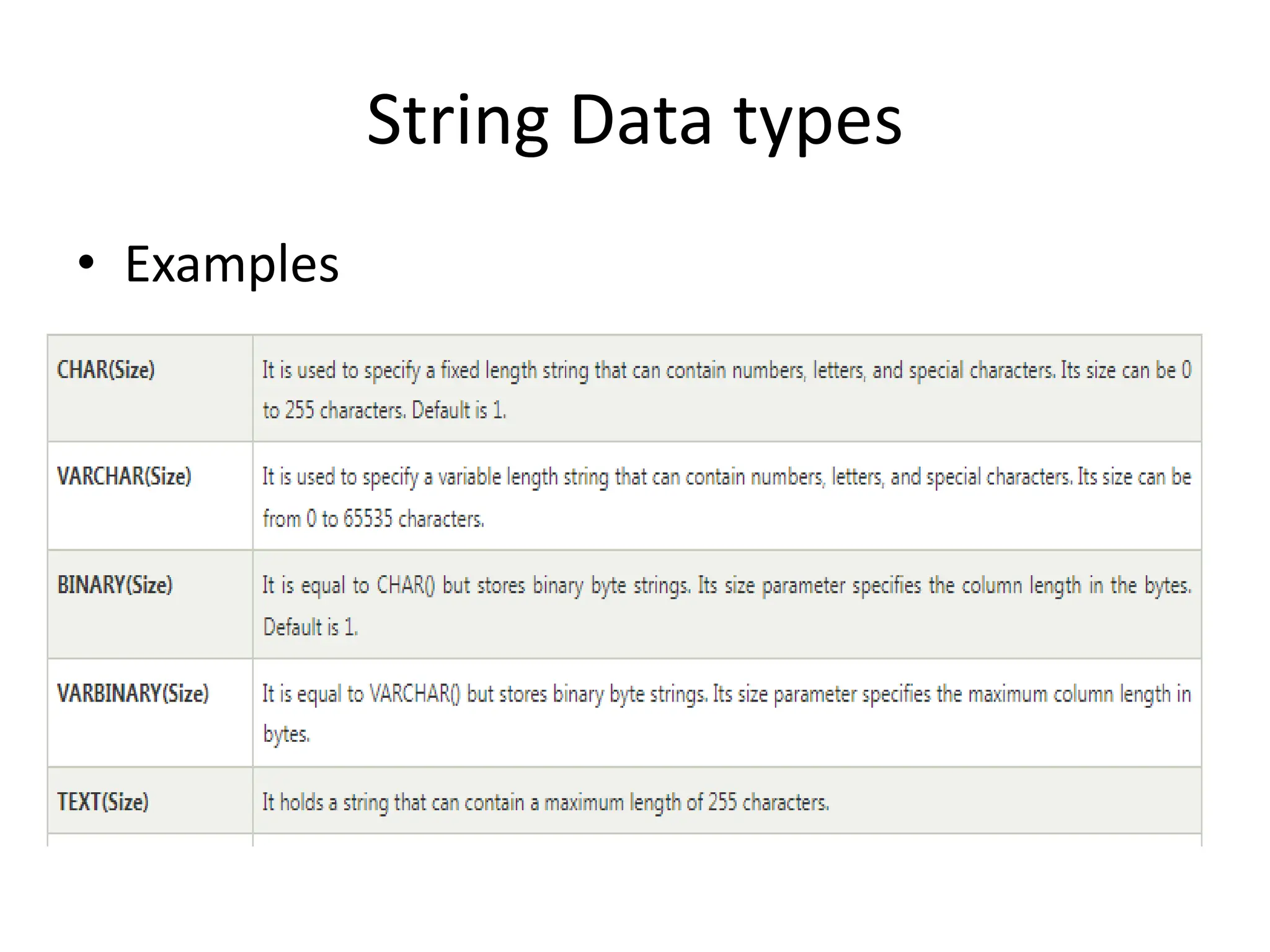
String Data types
• Examples
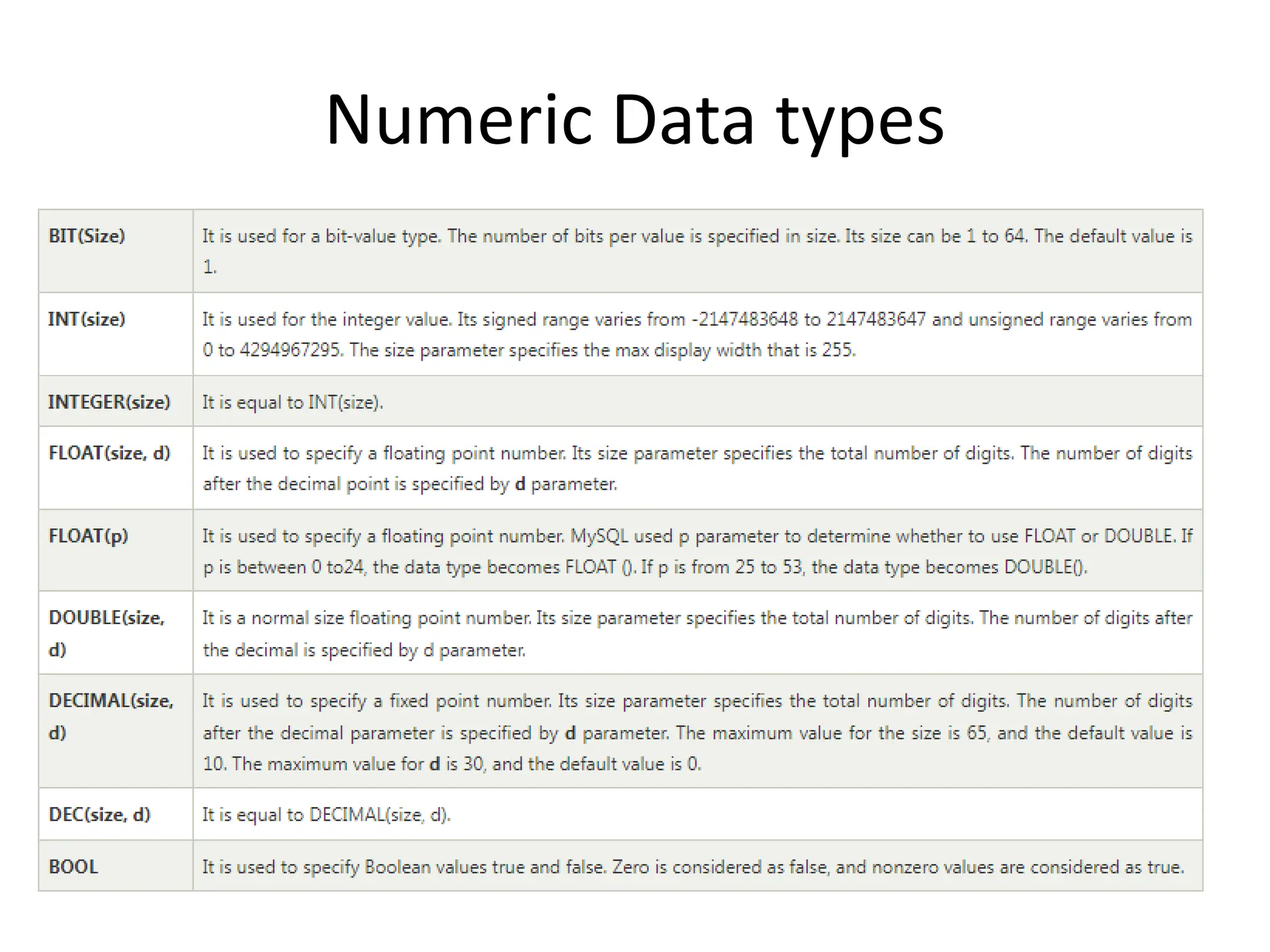
Numeric Data types
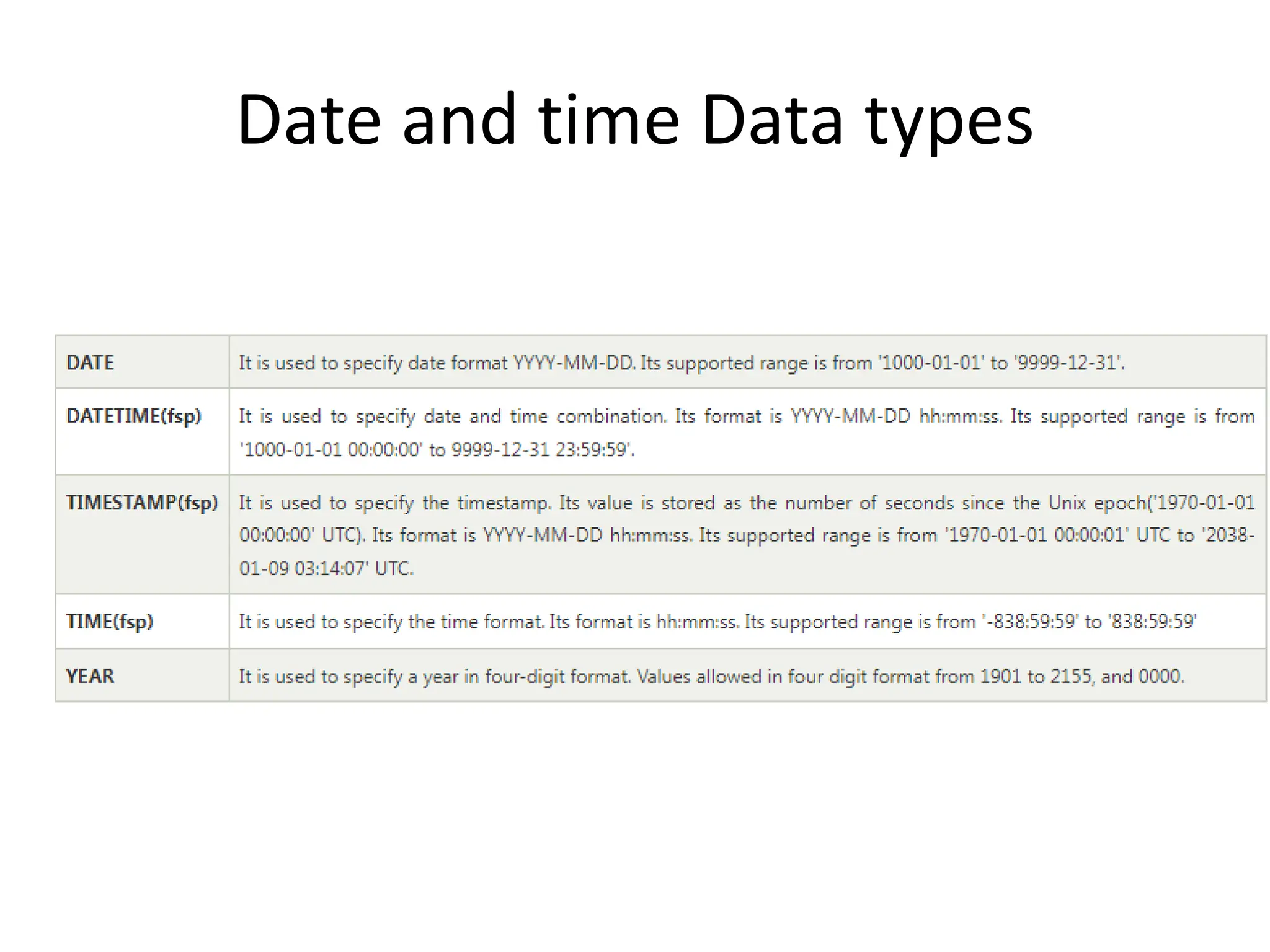
Date and time Data types
SQL Literals
• String Literals
• Numeric Literals
• Date and Time Literals
• Hexadecimal Literals
• Bit-Value Literals
• Boolean Literals
• NULL Values
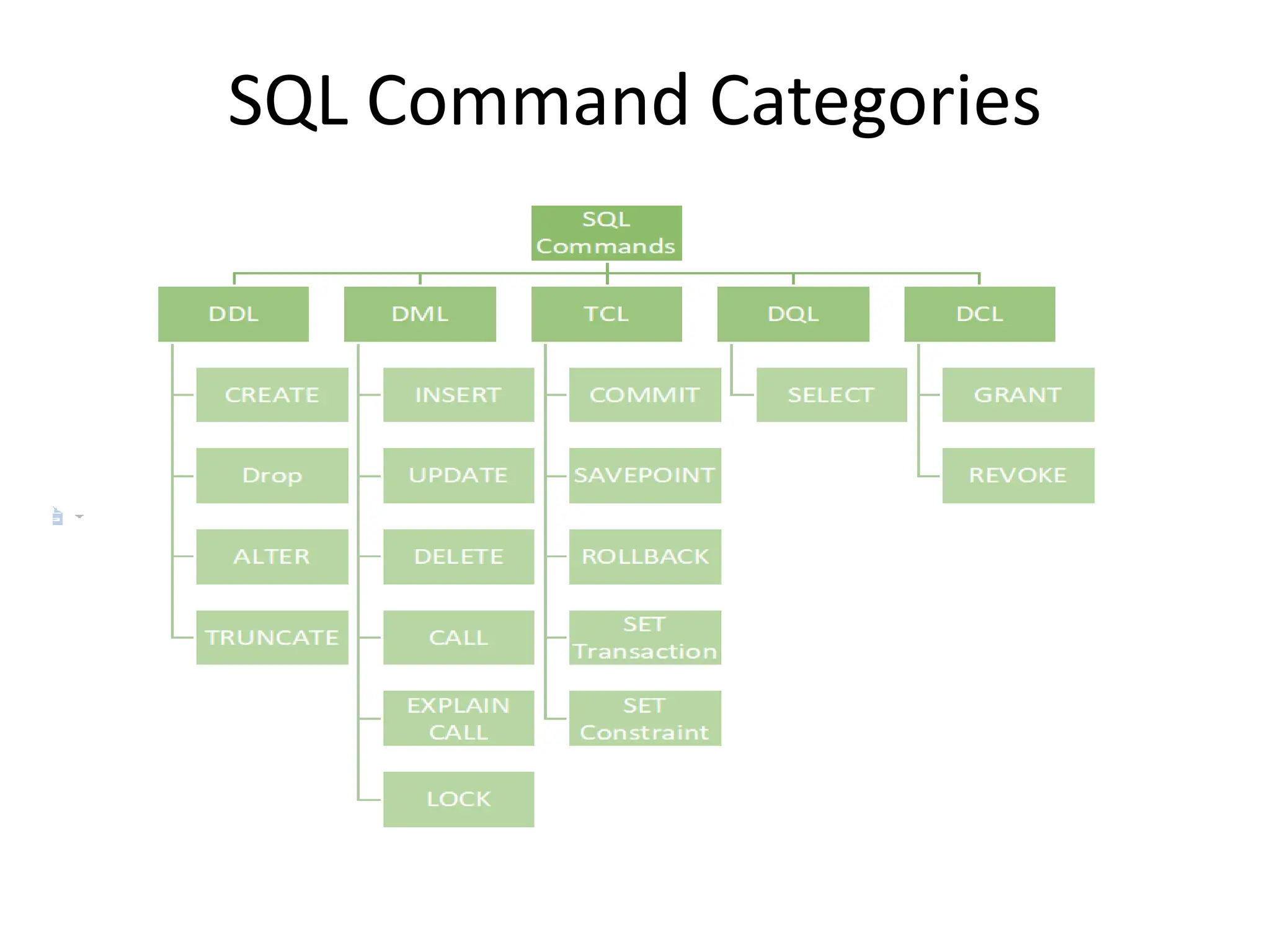
SQL Command Categories
Data Definition Language (DDL)
• DDL or Data Definition Language actually consists of the SQL
commands that can be used to define the database schema.
• It simply deals with descriptions of the database schema and
is used to create and modify the structure of database
objects in the database.
• DDL is a set of SQL commands used to create, modify, and
delete database structures but not data.
• These commands are normally not used by a general user,
who should be accessing the database via an application.
List of DDL commands
• CREATE: This command is used to create the database or its
objects (like table, index, function, views, store procedure, and
triggers).
• DROP: This command is used to delete objects from the database.
• ALTER: This is used to alter the structure of the database.
• TRUNCATE: This is used to remove all records from a table,
including all spaces allocated for the records are removed.
• COMMENT: This is used to add comments to the data dictionary.
• RENAME: This is used to rename an object existing in the
database.
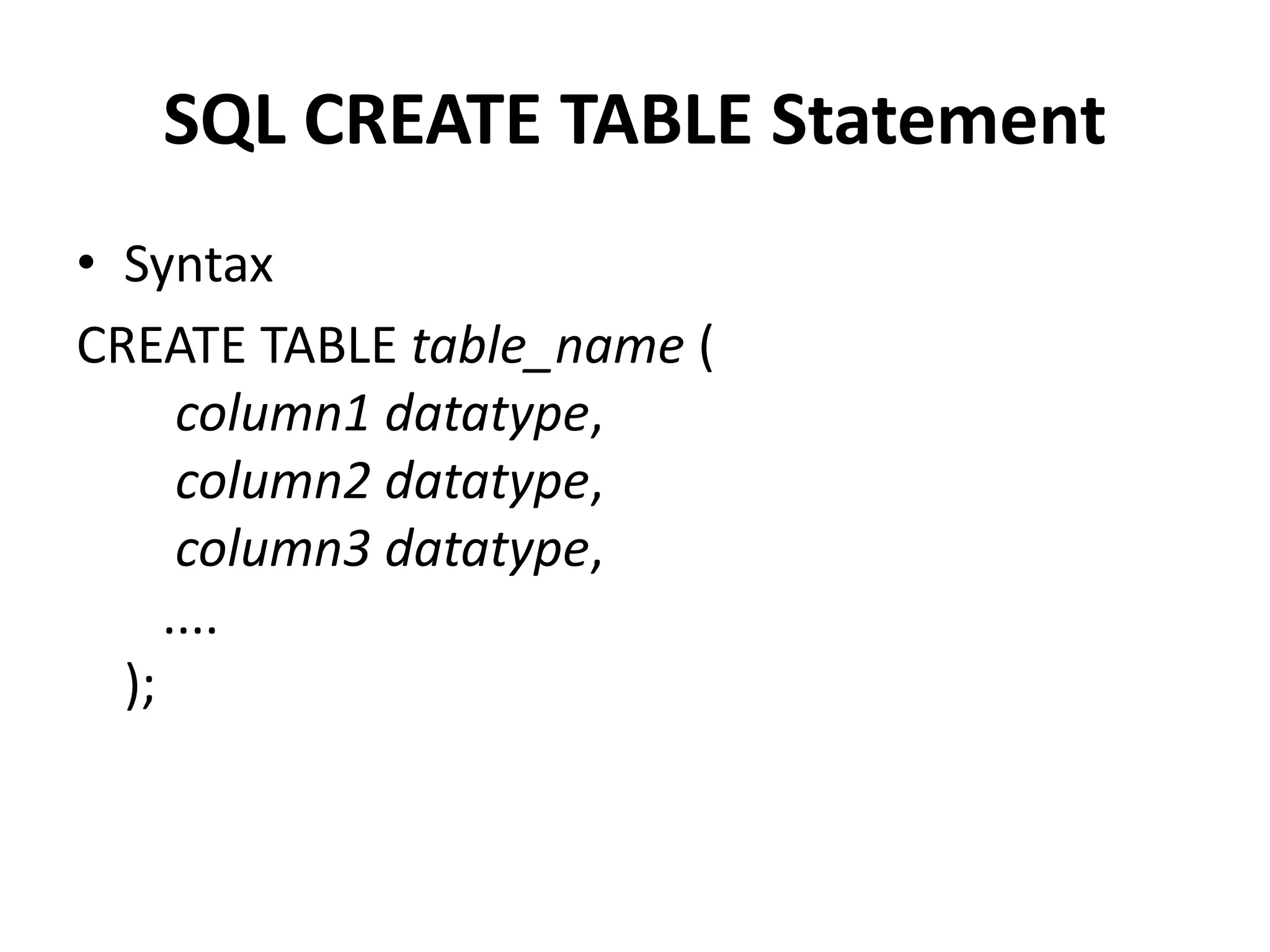
SQL CREATE TABLE Statement
• Syntax
CREATE TABLE table_name (
column1 datatype,
column2 datatype,
column3 datatype,
....
);
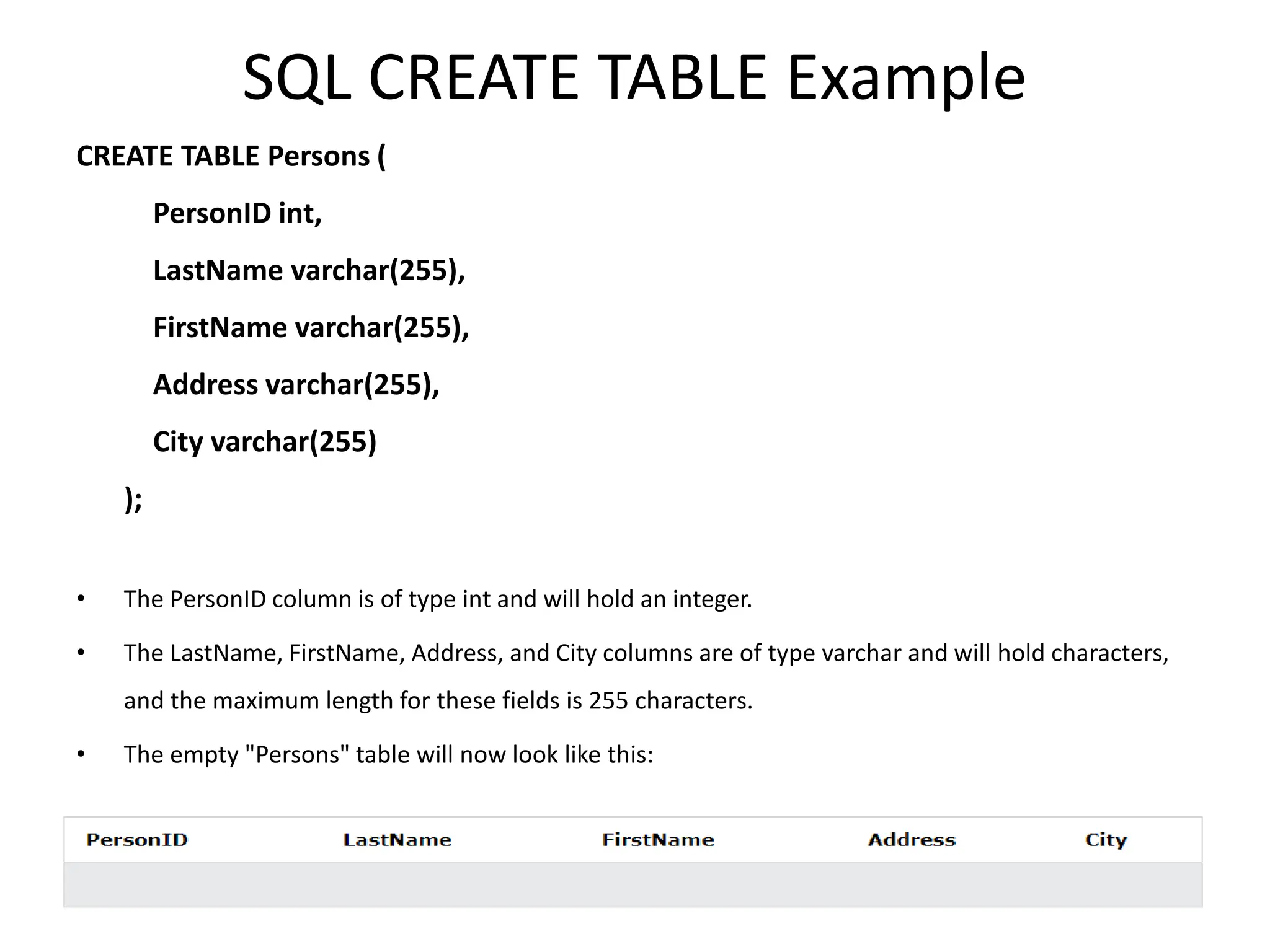
SQL CREATE TABLE Example
CREATE TABLE Persons (
PersonID int,
LastName varchar(255),
FirstName varchar(255),
Address varchar(255),
City varchar(255)
);
• The PersonID column is of type int and will hold an integer.
• The LastName, FirstName, Address, and City columns are of type varchar and will hold characters,
and the maximum length for these fields is 255 characters.
• The empty "Persons" table will now look like this:
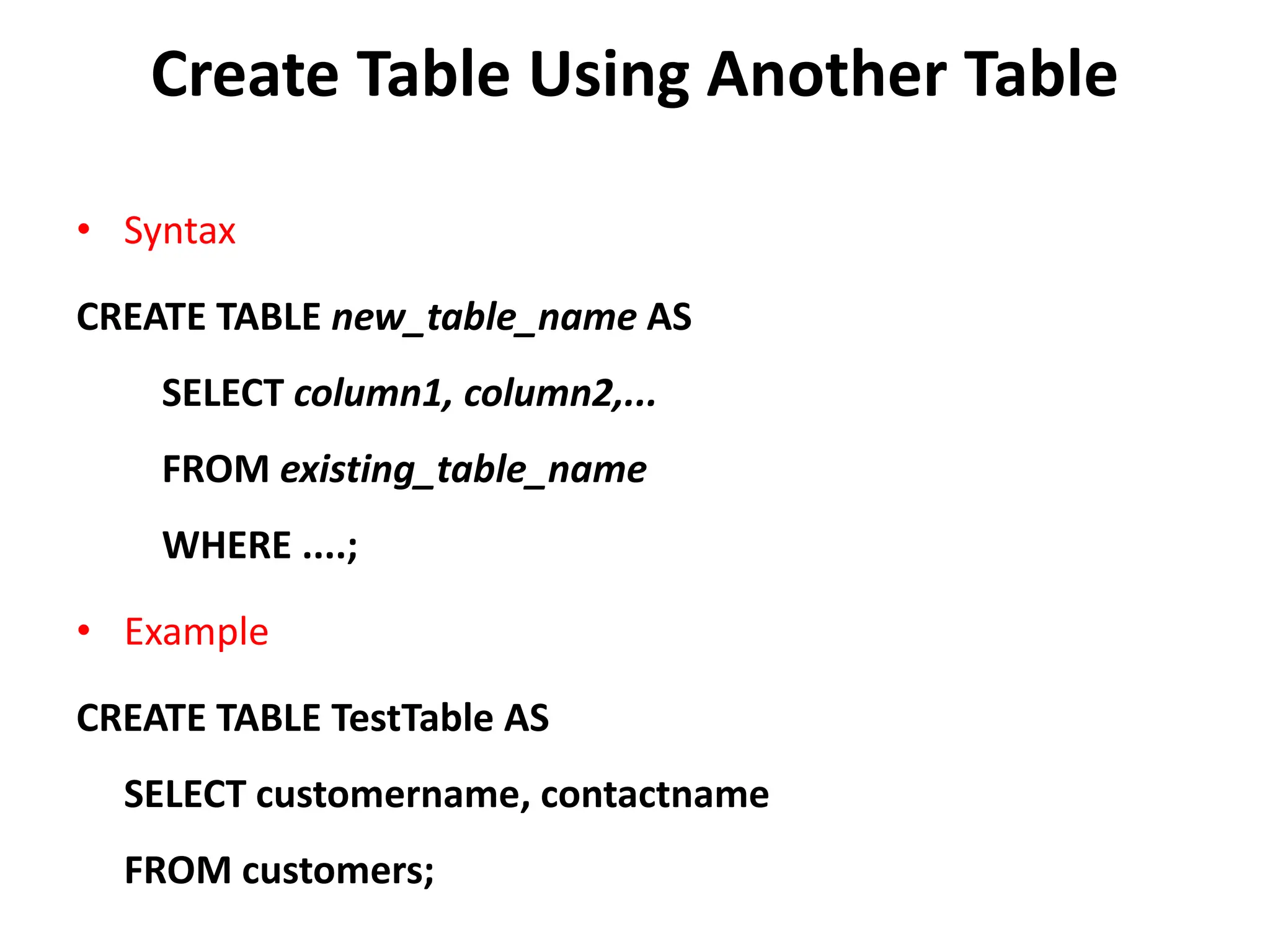
Create Table Using Another Table
• Syntax
CREATE TABLE new_table_name AS
SELECT column1, column2,...
FROM existing_table_name
WHERE ....;
• Example
CREATE TABLE TestTable AS
SELECT customername, contactname
FROM customers;
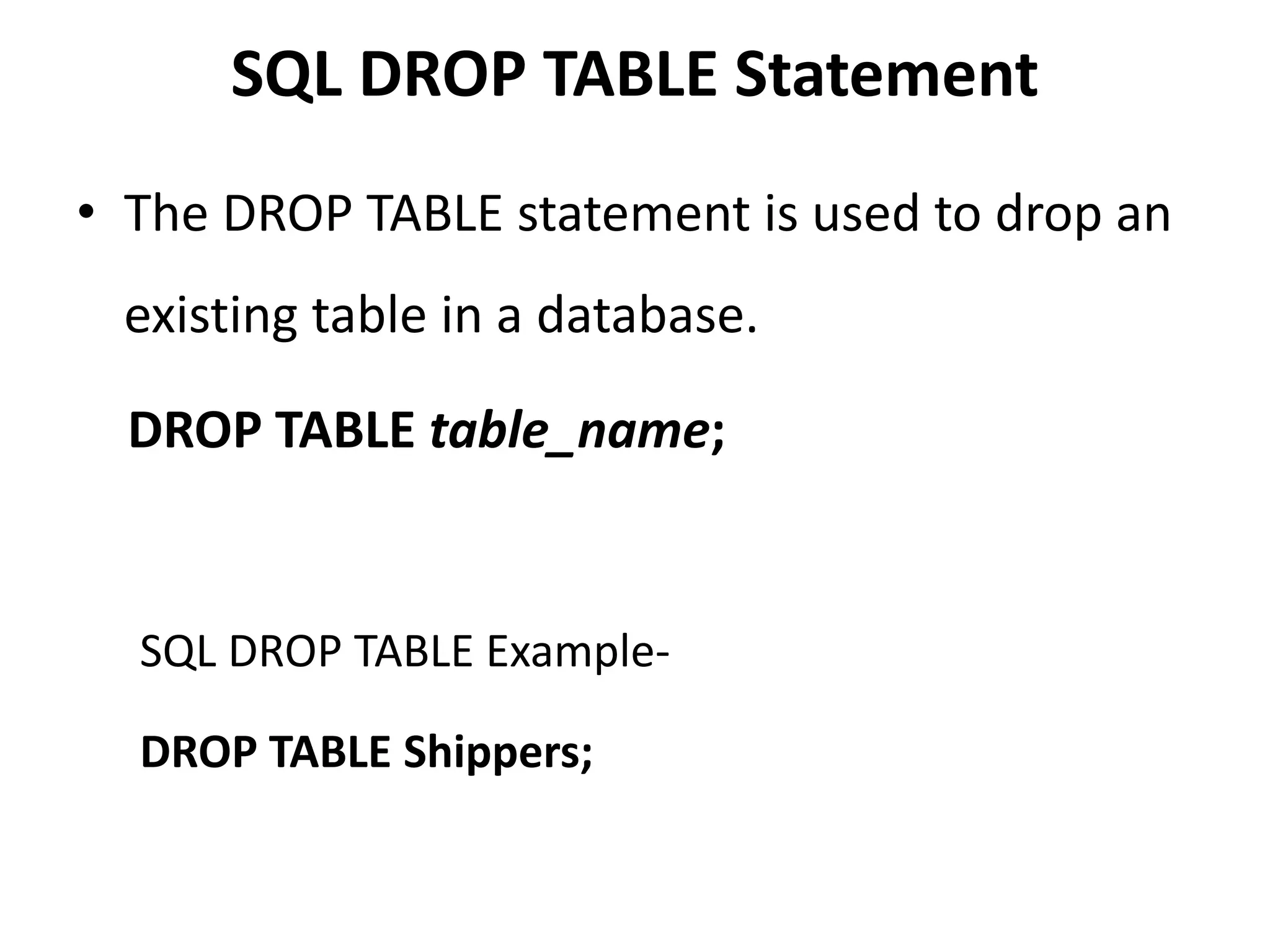
SQL DROP TABLE Statement
• The DROP TABLE statement is used to drop an
existing table in a database.
DROP TABLE table_name;
SQL DROP TABLE Example-
DROP TABLE Shippers;
SQL TRUNCATE TABLE
• The TRUNCATE TABLE statement is used to
delete the data inside a table, but not the
table itself.
Syntax:
TRUNCATE TABLE table_name;
SQL ALTER TABLE Statement
• The ALTER TABLE statement is used to add,
delete, or modify columns in an existing table.
• The ALTER TABLE statement is also used to add
and drop various constraints on an existing
table.
ALTER TABLE - ADD Column
• To add a column in a table, use the following syntax:
ALTER TABLE table_name
ADD column_name datatype;
• Example -
The following SQL adds an "Email" column to the "Customers"
table:
ALTER TABLE Customers
ADD Email varchar(255);
ALTER TABLE - DROP COLUMN
• To delete a column in a table, use the following
syntax (notice that some database systems don't
allow deleting a column):
ALTER TABLE table_name
DROP COLUMN column_name;
• The following SQL deletes the "Email" column from
the "Customers" table:
ALTER TABLE Customers DROP COLUMN Email;
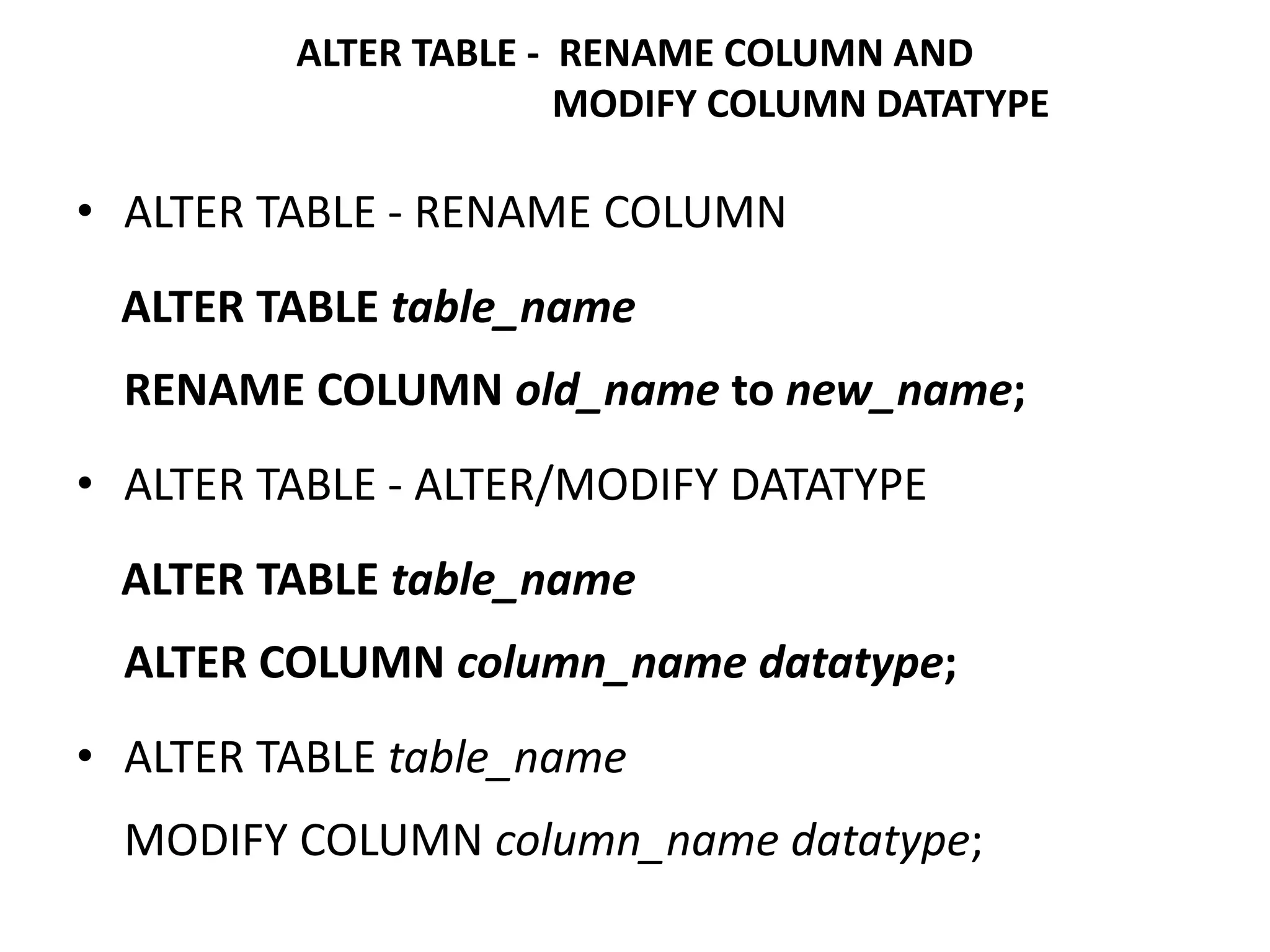
• ALTER TABLE - RENAME COLUMN
ALTER TABLE table_name
RENAME COLUMN old_name to new_name;
• ALTER TABLE - ALTER/MODIFY DATATYPE
ALTER TABLE table_name
ALTER COLUMN column_name datatype;
• ALTER TABLE table_name
MODIFY COLUMN column_name datatype;
ALTER TABLE - RENAME COLUMN AND
MODIFY COLUMN DATATYPE
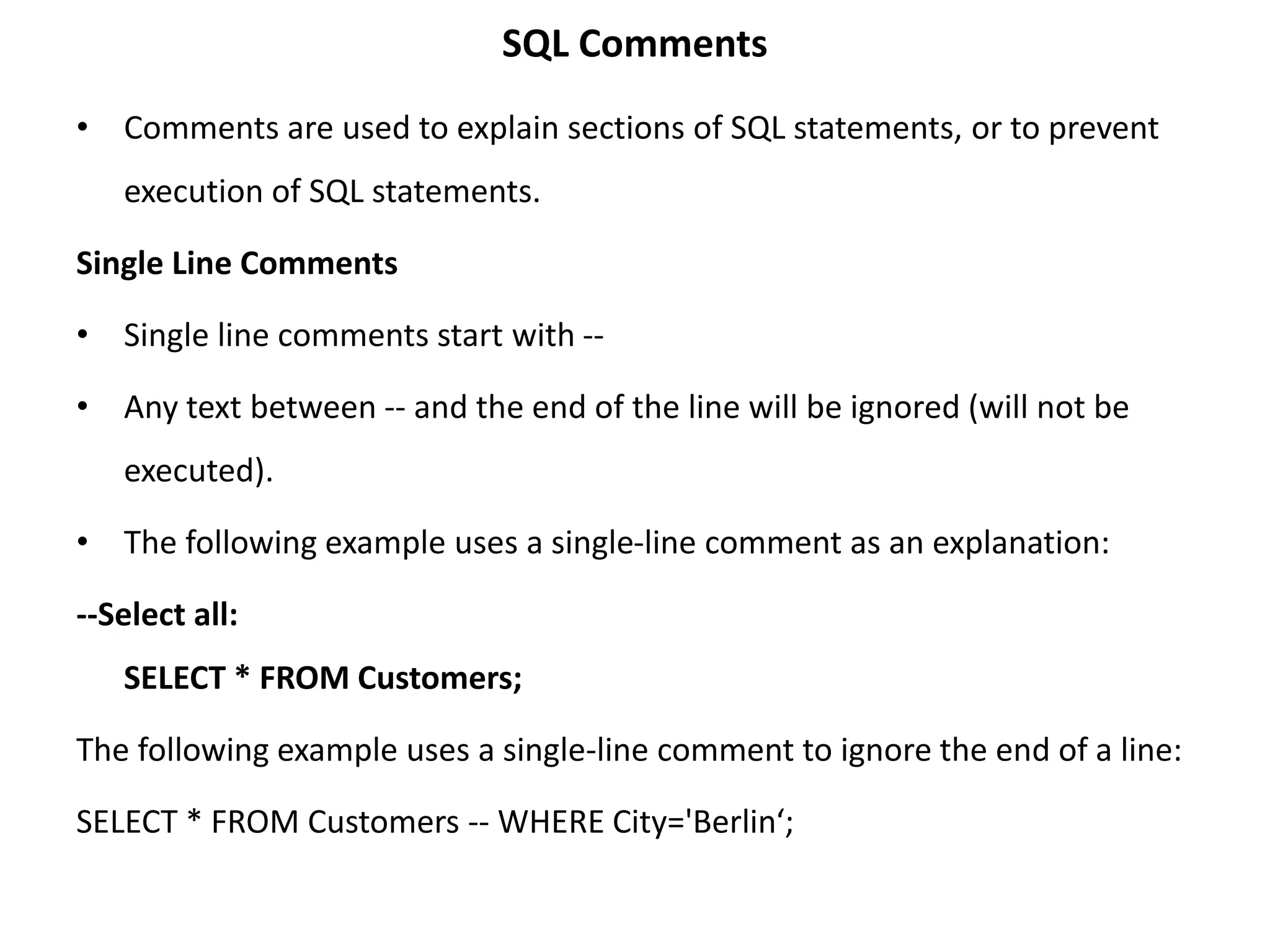
SQL Comments
• Comments are used to explain sections of SQL statements, or to prevent
execution of SQL statements.
Single Line Comments
• Single line comments start with --
• Any text between -- and the end of the line will be ignored (will not be
executed).
• The following example uses a single-line comment as an explanation:
--Select all:
SELECT * FROM Customers;
The following example uses a single-line comment to ignore the end of a line:
SELECT * FROM Customers -- WHERE City='Berlin‘;
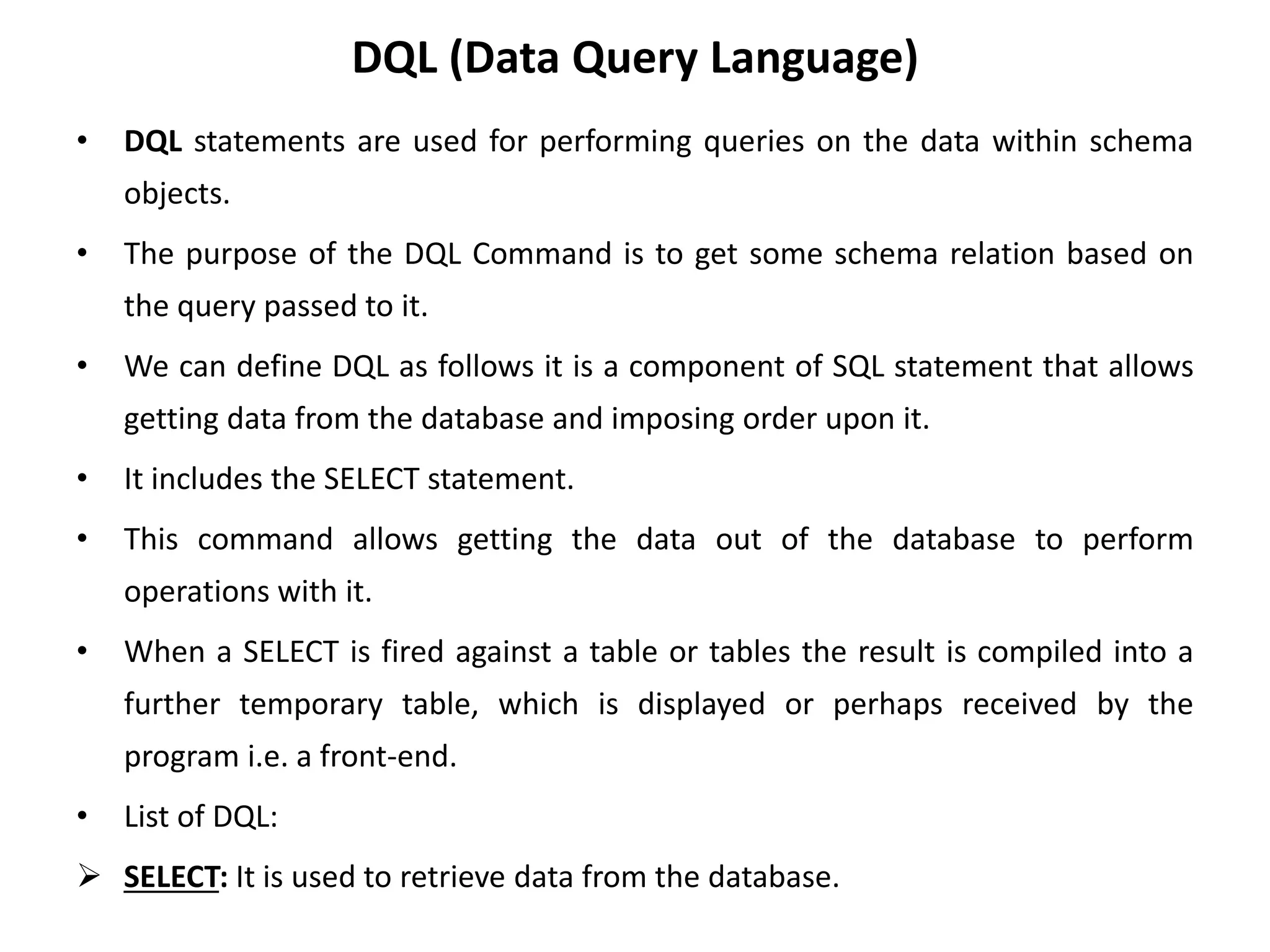
DQL (Data Query Language)
• DQL statements are used for performing queries on the data within schema
objects.
• The purpose of the DQL Command is to get some schema relation based on
the query passed to it.
• We can define DQL as follows it is a component of SQL statement that allows
getting data from the database and imposing order upon it.
• It includes the SELECT statement.
• This command allows getting the data out of the database to perform
operations with it.
• When a SELECT is fired against a table or tables the result is compiled into a
further temporary table, which is displayed or perhaps received by the
program i.e. a front-end.
• List of DQL:
 SELECT: It is used to retrieve data from the database.
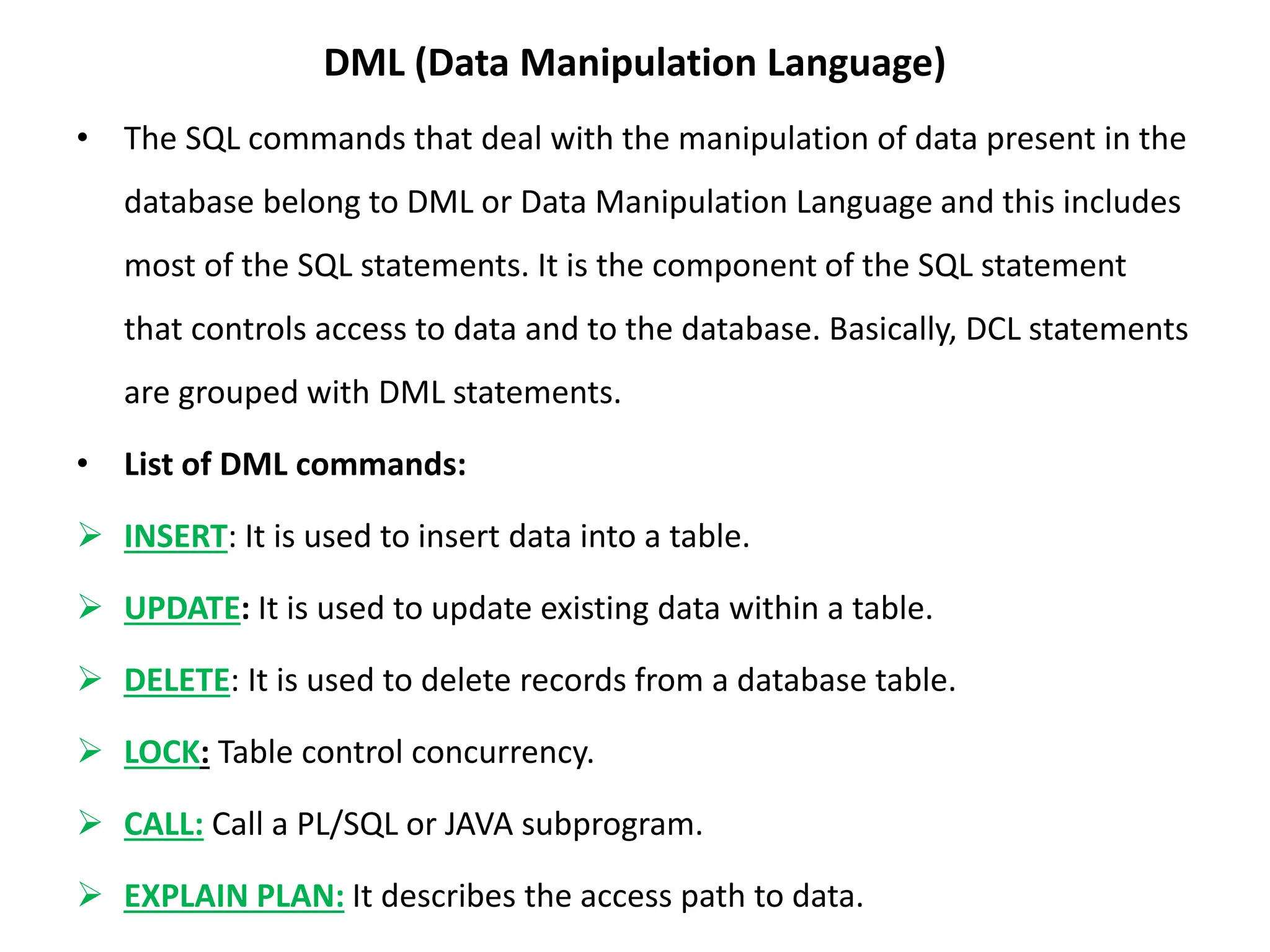
DML (Data Manipulation Language)
• The SQL commands that deal with the manipulation of data present in the
database belong to DML or Data Manipulation Language and this includes
most of the SQL statements. It is the component of the SQL statement
that controls access to data and to the database. Basically, DCL statements
are grouped with DML statements.
• List of DML commands:
 INSERT: It is used to insert data into a table.
 UPDATE: It is used to update existing data within a table.
 DELETE: It is used to delete records from a database table.
 LOCK: Table control concurrency.
 CALL: Call a PL/SQL or JAVA subprogram.
 EXPLAIN PLAN: It describes the access path to data.
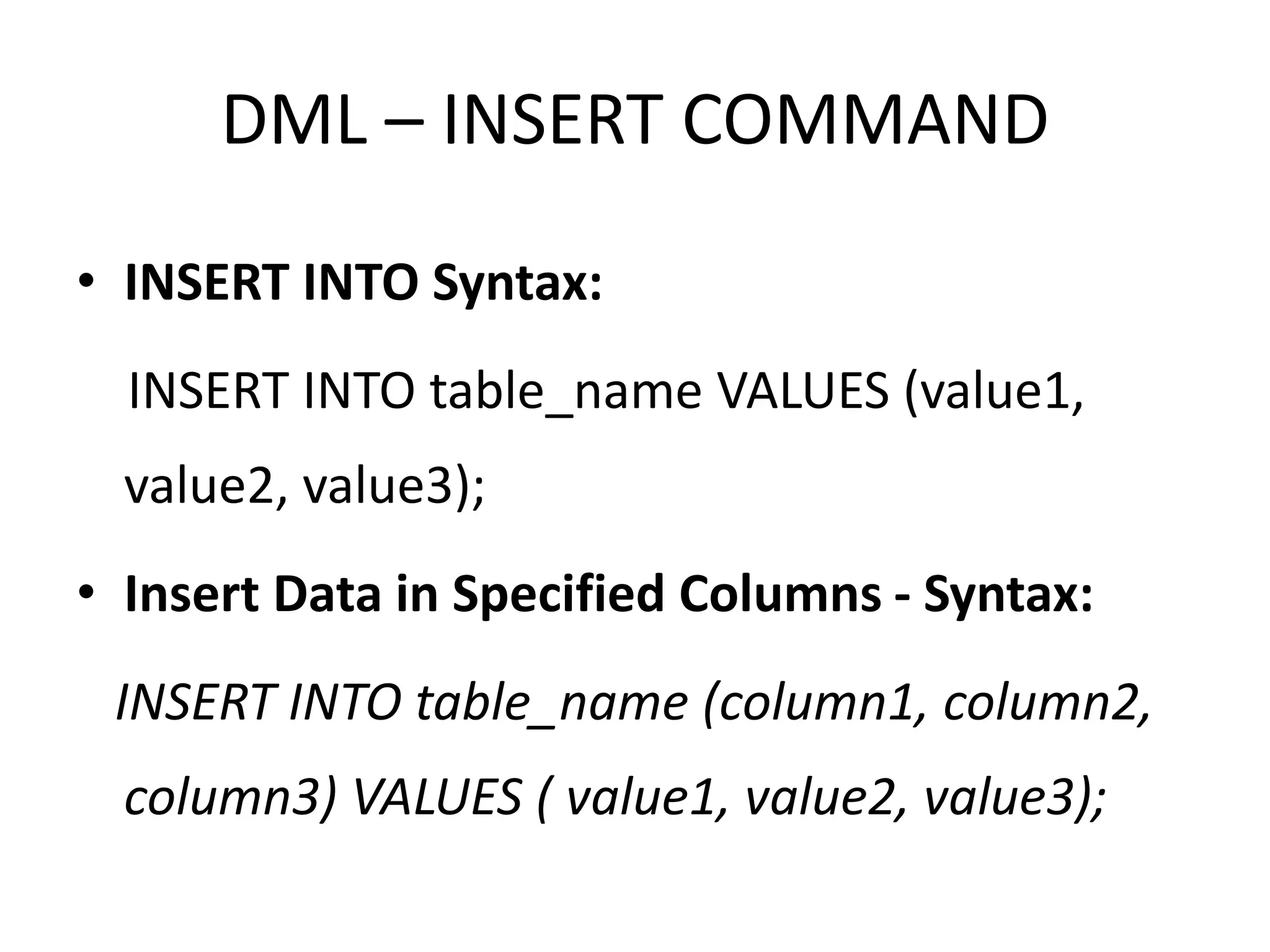
DML – INSERT COMMAND
• INSERT INTO Syntax:
INSERT INTO table_name VALUES (value1,
value2, value3);
• Insert Data in Specified Columns - Syntax:
INSERT INTO table_name (column1, column2,
column3) VALUES ( value1, value2, value3);
• Method 1 (Inserting only values) – SQL
INSERT Query
• Method 2 (Inserting values in only specified
columns) – SQL INSERT INTO Statement
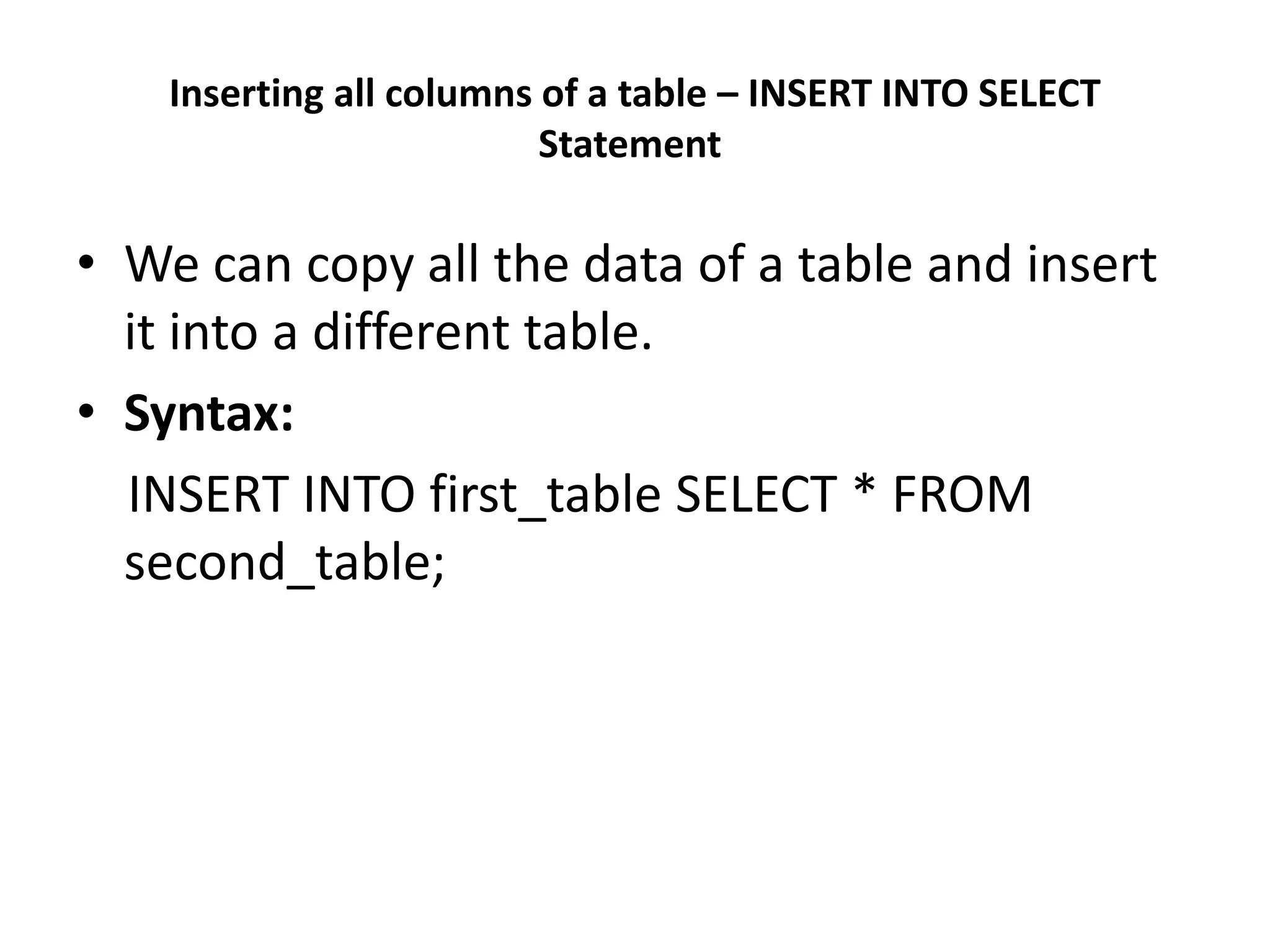
Inserting all columns of a table – INSERT INTO SELECT
Statement
• We can copy all the data of a table and insert
it into a different table.
• Syntax:
INSERT INTO first_table SELECT * FROM
second_table;
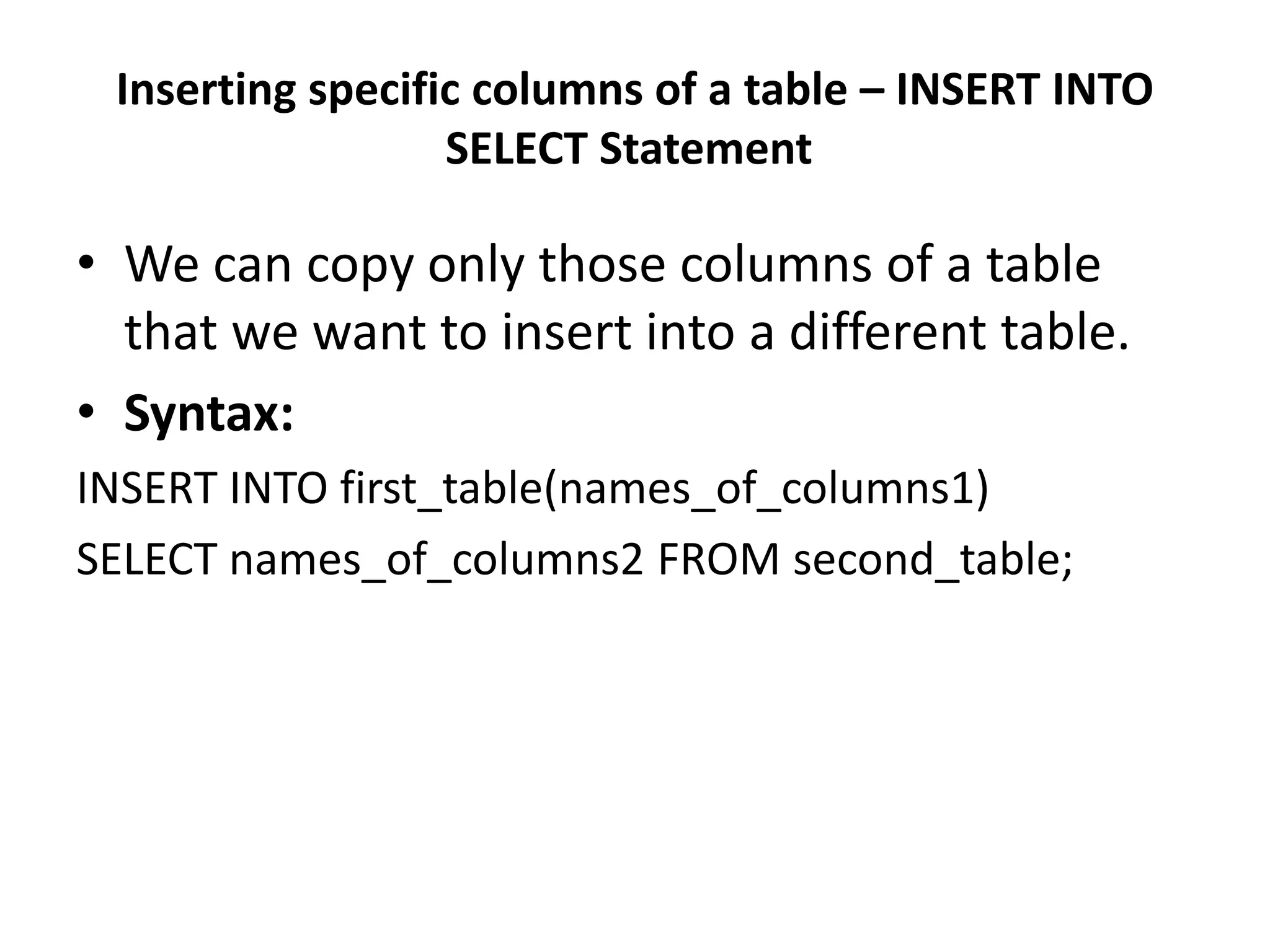
Inserting specific columns of a table – INSERT INTO
SELECT Statement
• We can copy only those columns of a table
that we want to insert into a different table.
• Syntax:
INSERT INTO first_table(names_of_columns1)
SELECT names_of_columns2 FROM second_table;
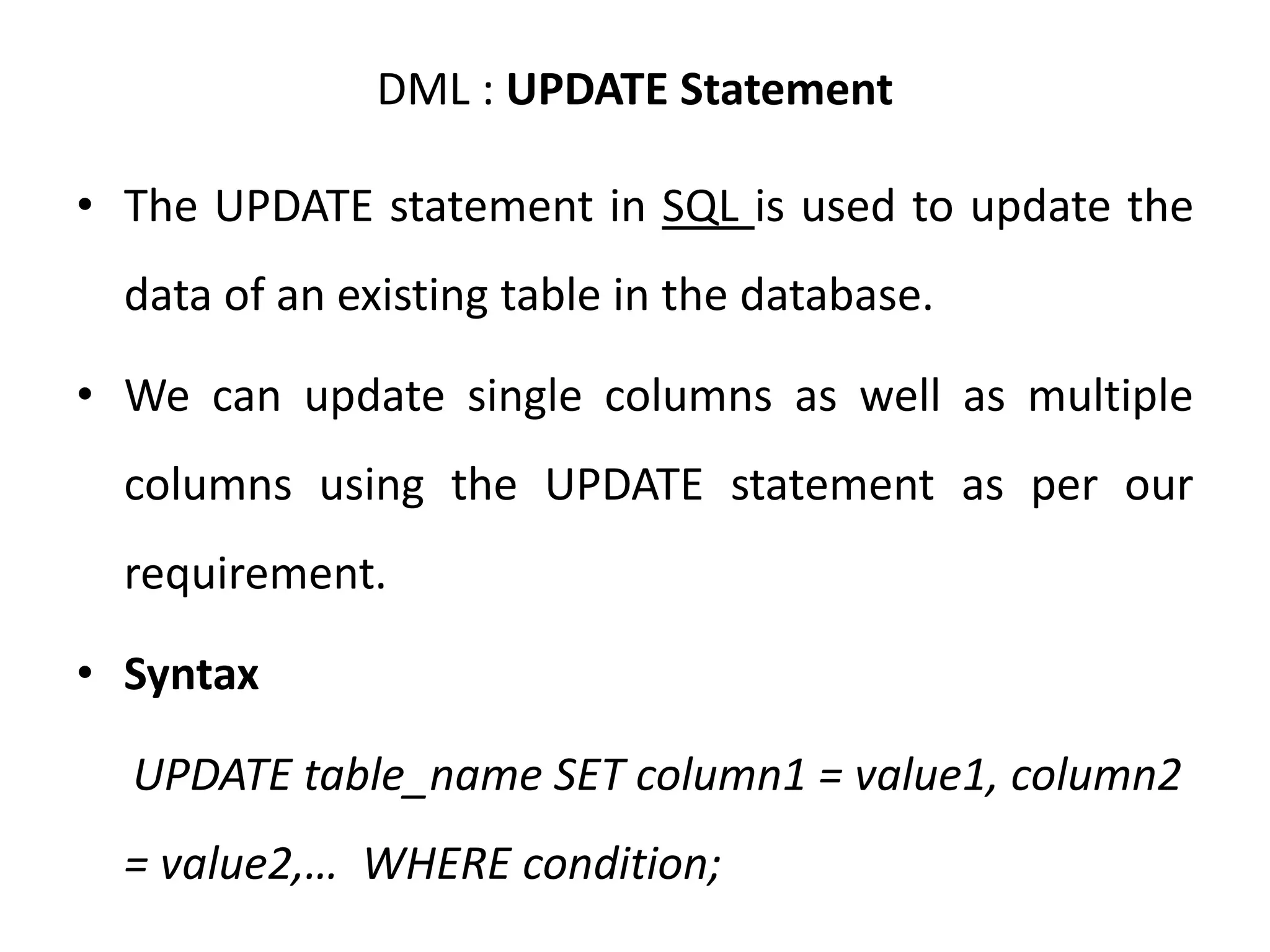
DML : UPDATE Statement
• The UPDATE statement in SQL is used to update the
data of an existing table in the database.
• We can update single columns as well as multiple
columns using the UPDATE statement as per our
requirement.
• Syntax
UPDATE table_name SET column1 = value1, column2
= value2,… WHERE condition;
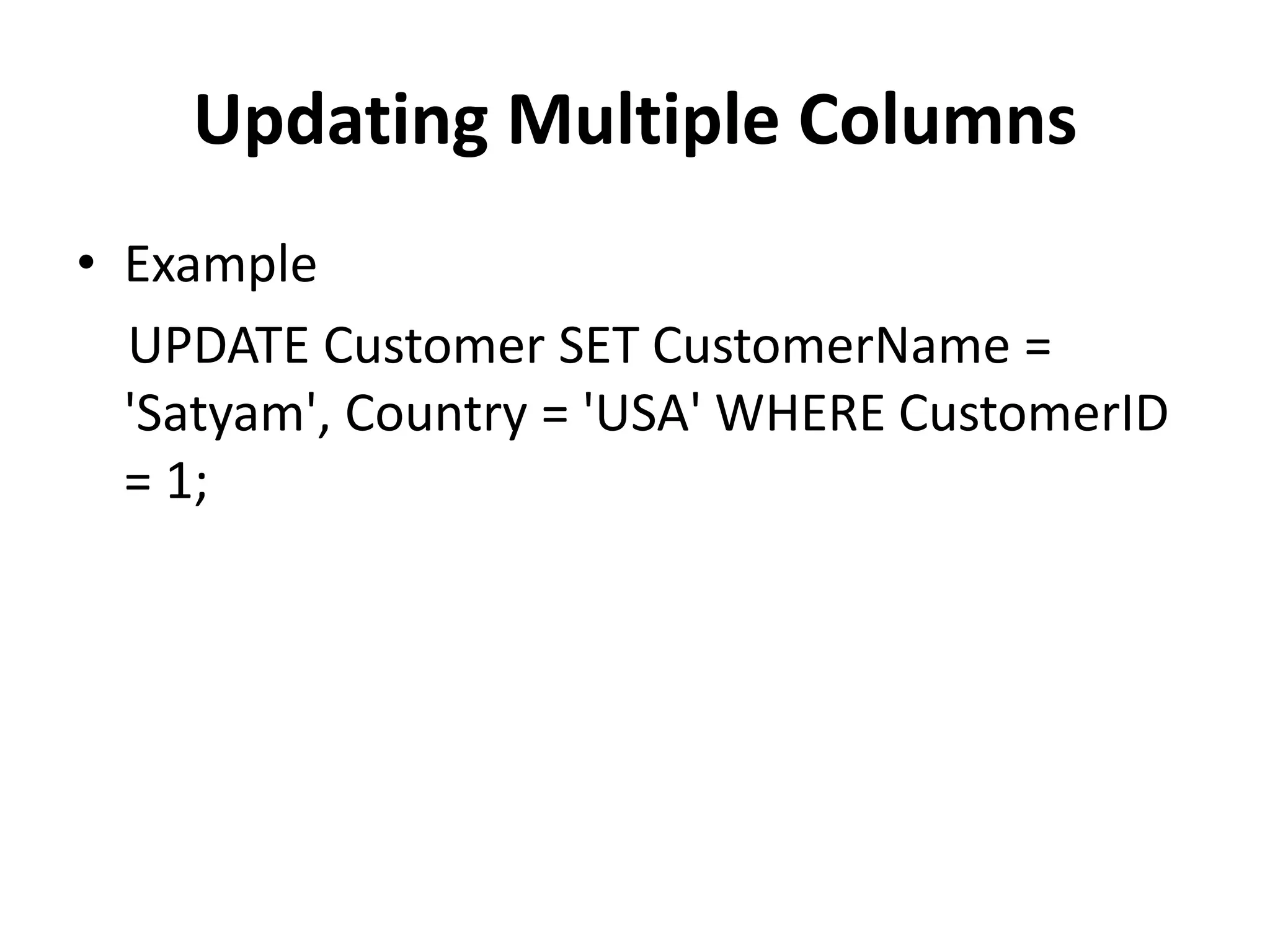
Updating Multiple Columns
• Example
UPDATE Customer SET CustomerName =
'Satyam', Country = 'USA' WHERE CustomerID
= 1;
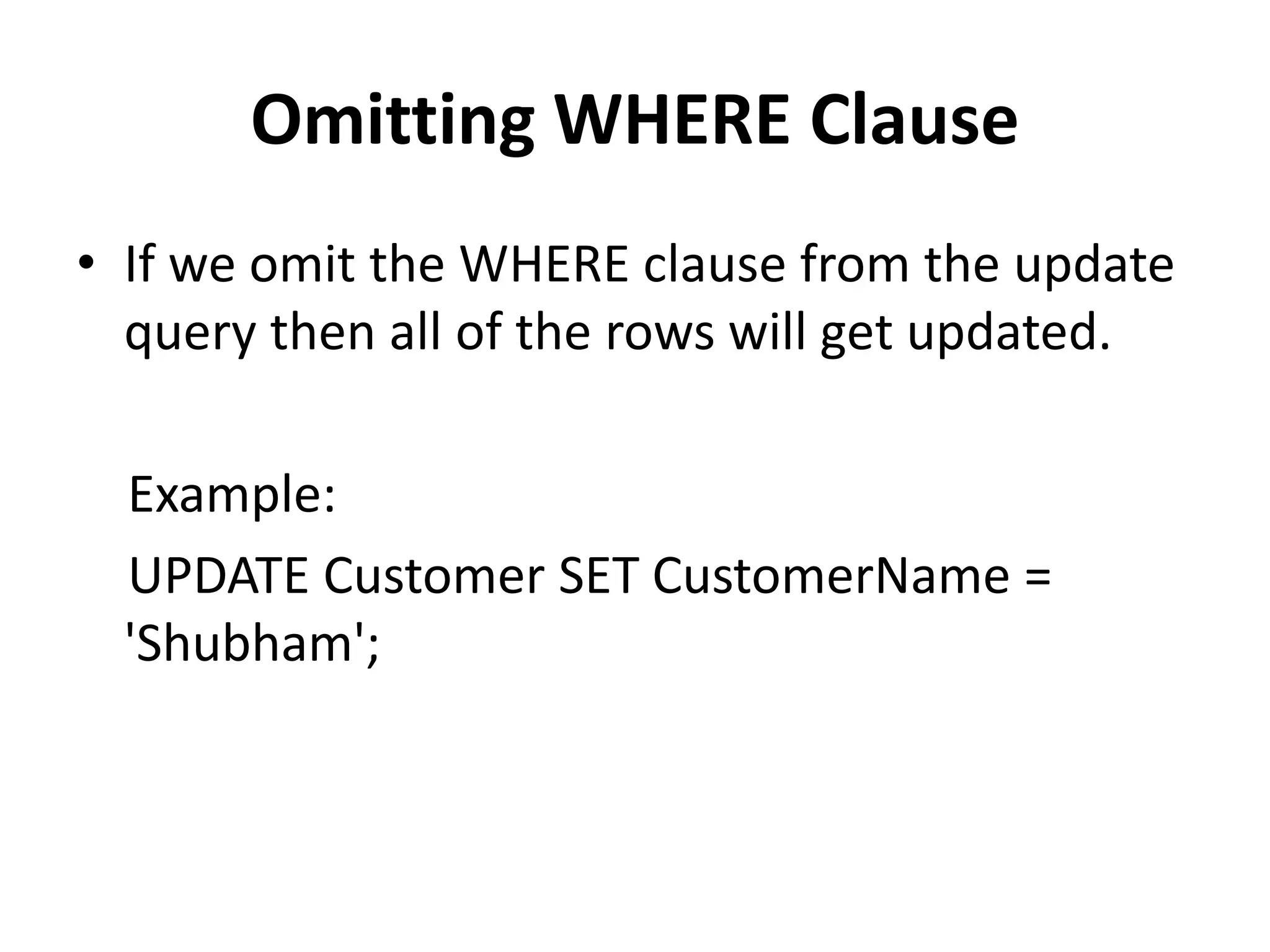
Omitting WHERE Clause
• If we omit the WHERE clause from the update
query then all of the rows will get updated.
Example:
UPDATE Customer SET CustomerName =
'Shubham';
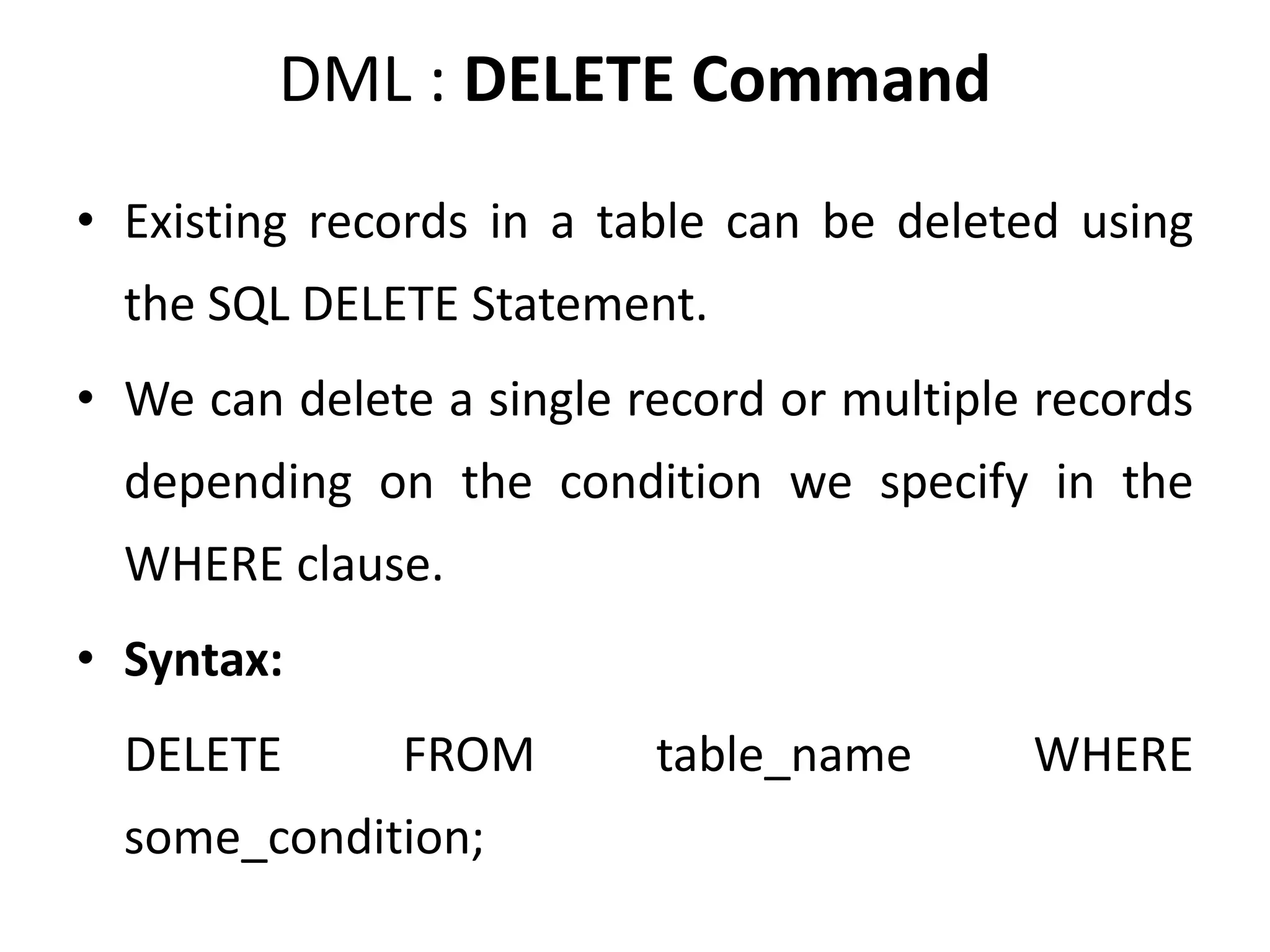
DML : DELETE Command
• Existing records in a table can be deleted using
the SQL DELETE Statement.
• We can delete a single record or multiple records
depending on the condition we specify in the
WHERE clause.
• Syntax:
DELETE FROM table_name WHERE
some_condition;
Deleting Single Record
• Example
• Delete the rows where NAME = ‘Rithvik’. This
will delete only the fourth row.
• Query:
DELETE FROM EMPLOYEE WHERE NAME = 'Rithvik';
Deleting Multiple Records
• Delete the rows from the table Employee
where the department is “Development”. This
will delete 2 rows(the first row and the
seventh row).
• Query:
DELETE FROM Employee WHERE department
= 'Development';
Delete All of the Records
• There are two queries to do this as shown below,
Query:
 DELETE FROM Employee;
Or
 DELETE * FROM Employee;
• Output:
All of the records in the table will be deleted, there are no records left
to display. The table Employee will become empty!
NOTE : DELETE is a DML (Data Manipulation Language) command hence
operation performed by DELETE can be rolled back or undone.
DML : LOCK Command
• SQL Server is a versatile database and it is the
most used Relational Database that is used
across many software industries. In this
article, let us see about the SQL Lock table in
SQL Server by taking some practical examples.
As it is meeting Atomicity(A), Consistency(C),
Isolation(I), and Durability(D) requirements it
is called a relational database. In order to
maintain ACID mechanisms, in SQL Server, a
lock is maintained.
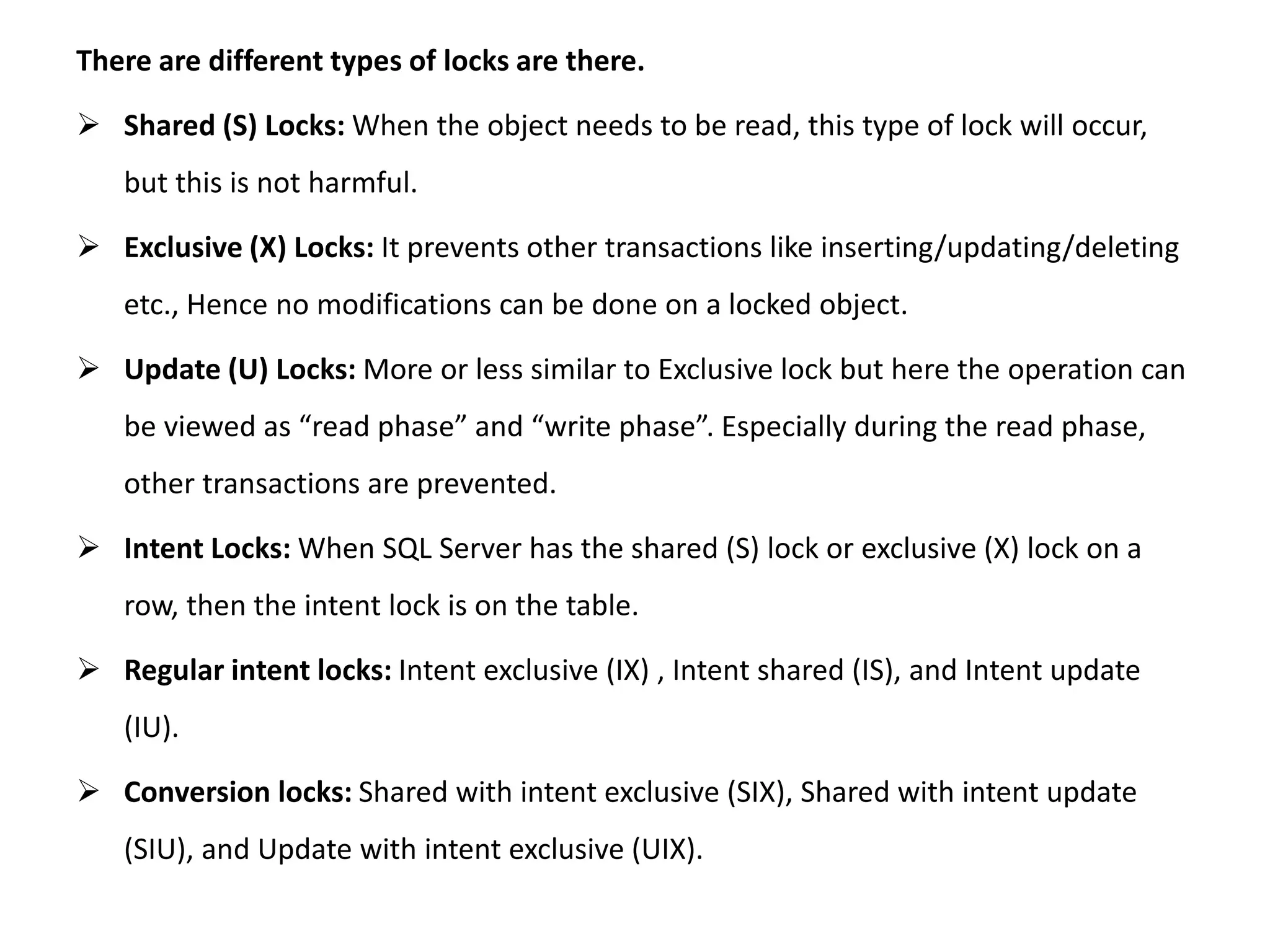
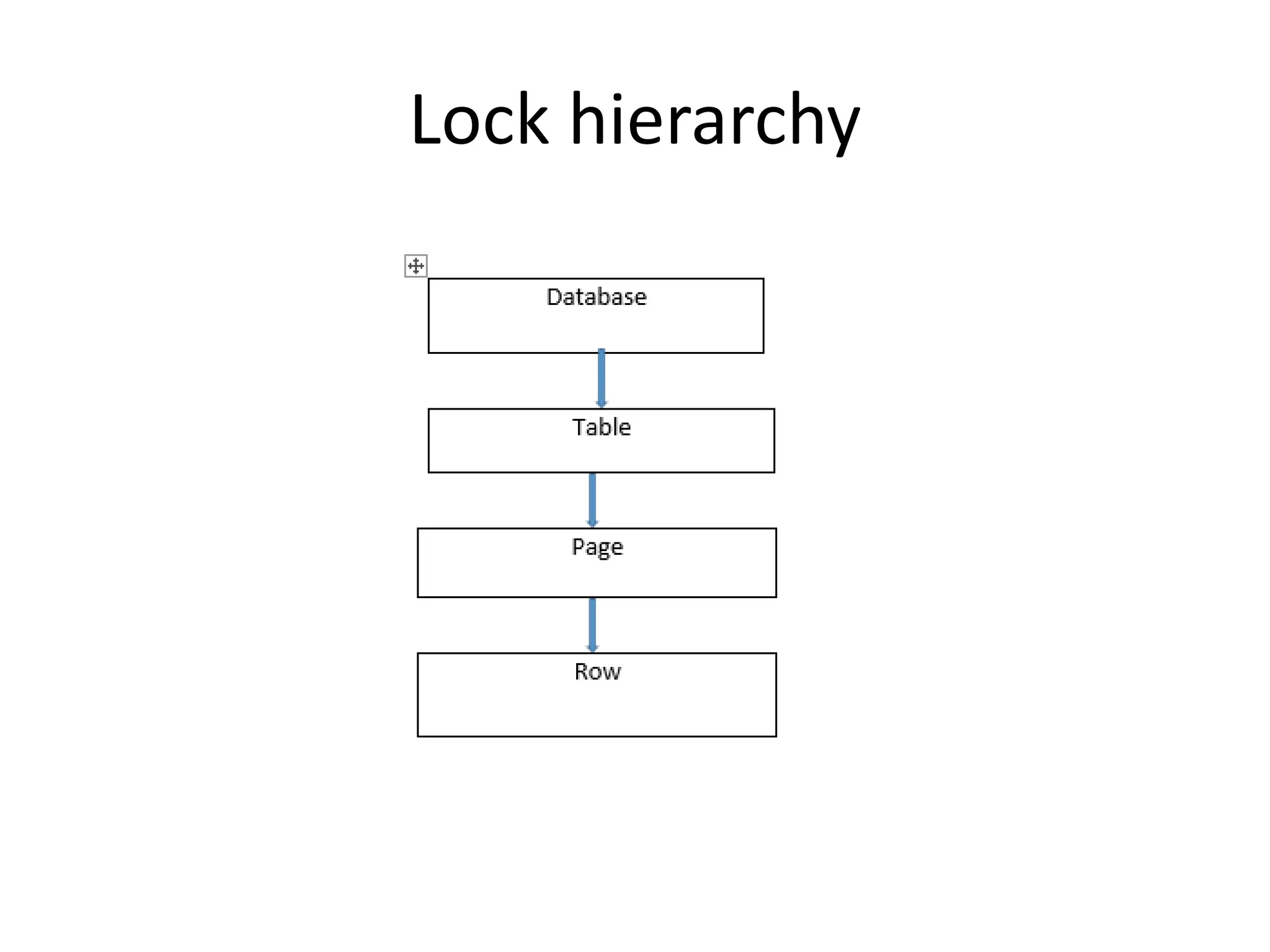
There are different types of locks are there.
 Shared (S) Locks: When the object needs to be read, this type of lock will occur,
but this is not harmful.
 Exclusive (X) Locks: It prevents other transactions like inserting/updating/deleting
etc., Hence no modifications can be done on a locked object.
 Update (U) Locks: More or less similar to Exclusive lock but here the operation can
be viewed as “read phase” and “write phase”. Especially during the read phase,
other transactions are prevented.
 Intent Locks: When SQL Server has the shared (S) lock or exclusive (X) lock on a
row, then the intent lock is on the table.
 Regular intent locks: Intent exclusive (IX) , Intent shared (IS), and Intent update
(IU).
 Conversion locks: Shared with intent exclusive (SIX), Shared with intent update
(SIU), and Update with intent exclusive (UIX).
Lock hierarchy
CALL
• A stored procedure is a pre-written SQL query
that can be called multiple times and will run
as the same.
• Like we can create a Stored procedure for
Insert, select, update in SQL database.
• We can also pass parameters to the Stored
procedures.
Using CALL
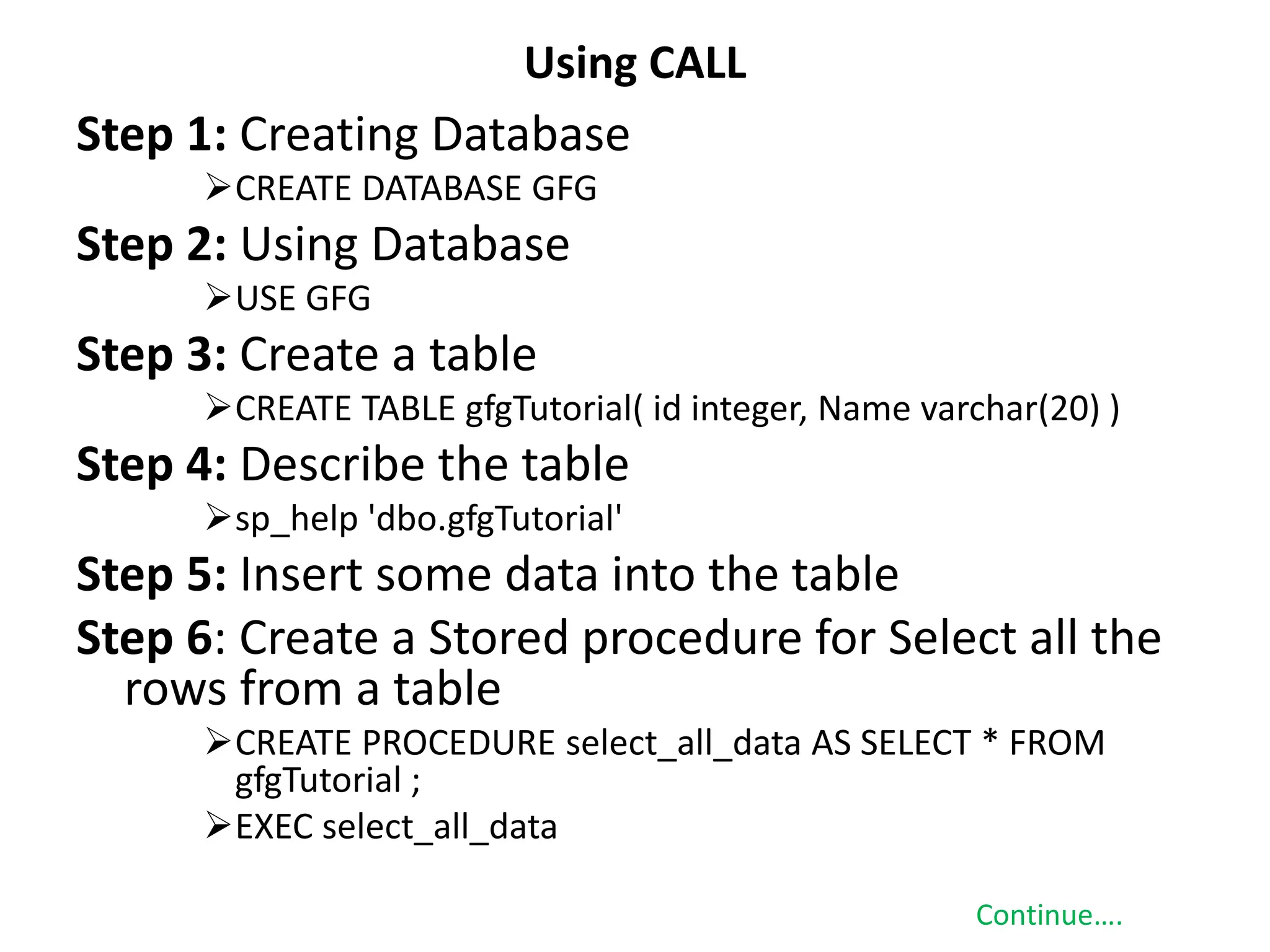
Step 1: Creating Database
CREATE DATABASE GFG
Step 2: Using Database
USE GFG
Step 3: Create a table
CREATE TABLE gfgTutorial( id integer, Name varchar(20) )
Step 4: Describe the table
sp_help 'dbo.gfgTutorial'
Step 5: Insert some data into the table
Step 6: Create a Stored procedure for Select all the
rows from a table
CREATE PROCEDURE select_all_data AS SELECT * FROM
gfgTutorial ;
EXEC select_all_data
Continue….
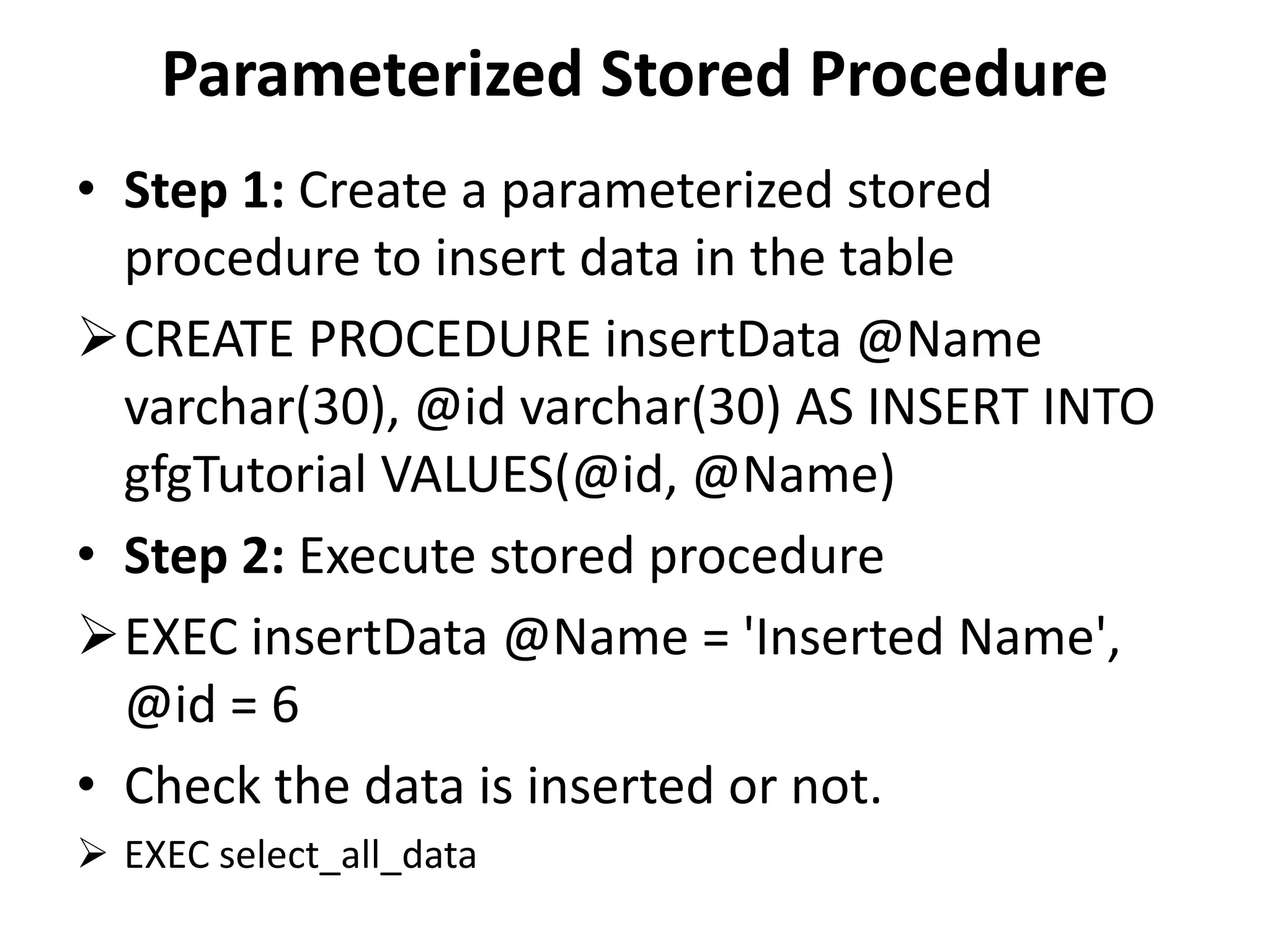
Parameterized Stored Procedure
• Step 1: Create a parameterized stored
procedure to insert data in the table
CREATE PROCEDURE insertData @Name
varchar(30), @id varchar(30) AS INSERT INTO
gfgTutorial VALUES(@id, @Name)
• Step 2: Execute stored procedure
EXEC insertData @Name = 'Inserted Name',
@id = 6
• Check the data is inserted or not.
 EXEC select_all_data
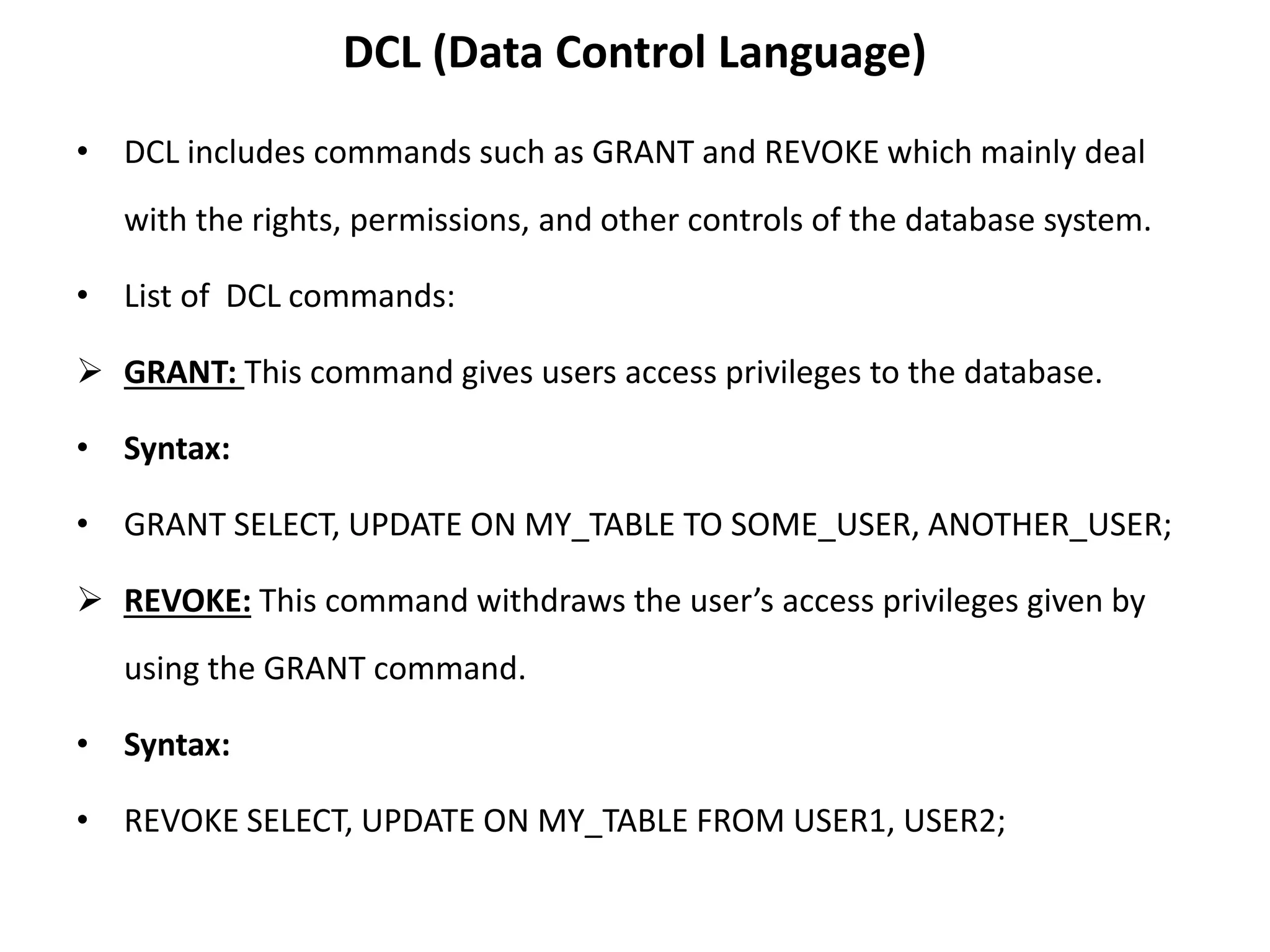
DCL (Data Control Language)
• DCL includes commands such as GRANT and REVOKE which mainly deal
with the rights, permissions, and other controls of the database system.
• List of DCL commands:
 GRANT: This command gives users access privileges to the database.
• Syntax:
• GRANT SELECT, UPDATE ON MY_TABLE TO SOME_USER, ANOTHER_USER;
 REVOKE: This command withdraws the user’s access privileges given by
using the GRANT command.
• Syntax:
• REVOKE SELECT, UPDATE ON MY_TABLE FROM USER1, USER2;
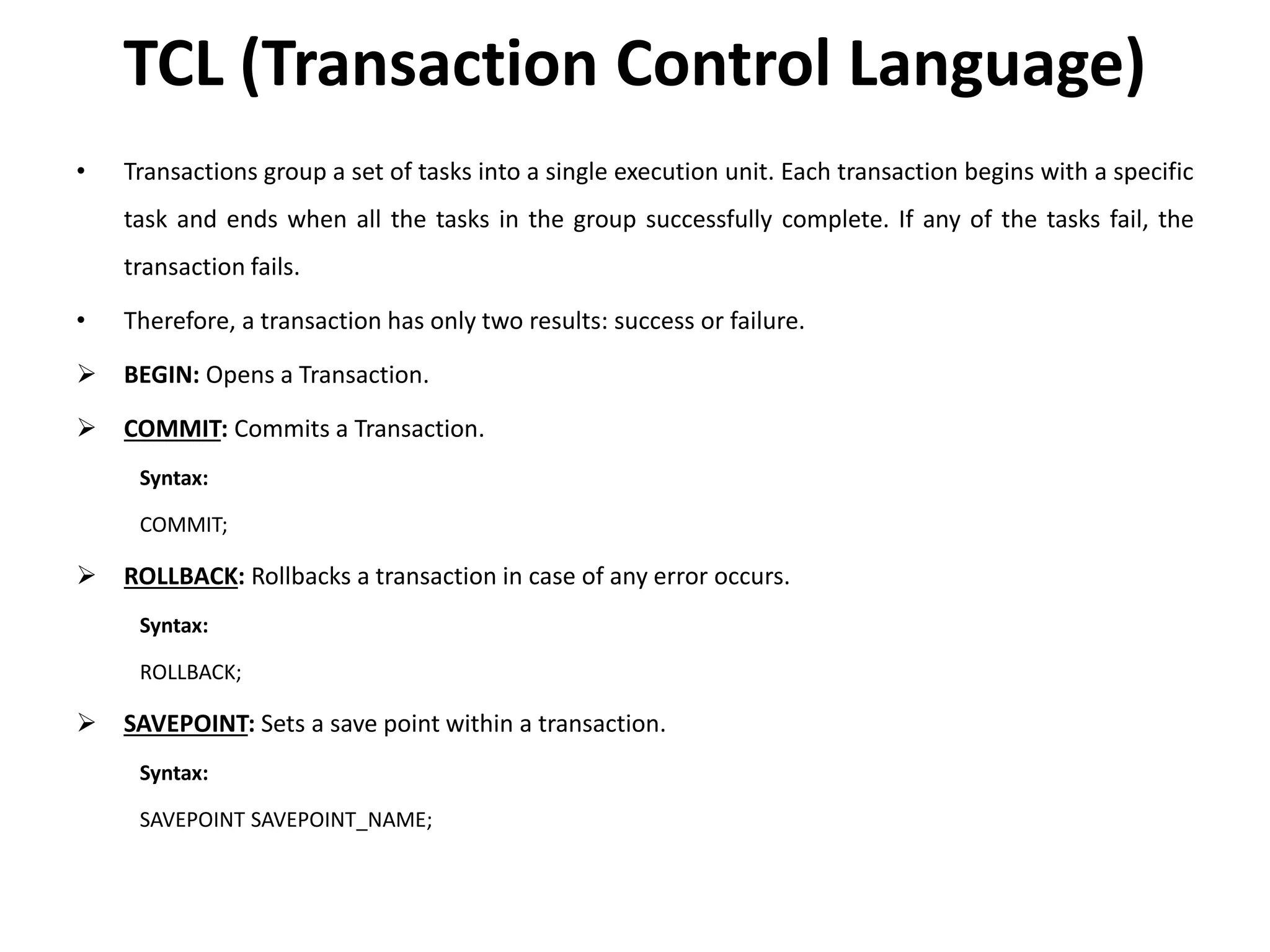
TCL (Transaction Control Language)
• Transactions group a set of tasks into a single execution unit. Each transaction begins with a specific
task and ends when all the tasks in the group successfully complete. If any of the tasks fail, the
transaction fails.
• Therefore, a transaction has only two results: success or failure.
 BEGIN: Opens a Transaction.
 COMMIT: Commits a Transaction.
Syntax:
COMMIT;
 ROLLBACK: Rollbacks a transaction in case of any error occurs.
Syntax:
ROLLBACK;
 SAVEPOINT: Sets a save point within a transaction.
Syntax:
SAVEPOINT SAVEPOINT_NAME;
SQL Operators.
• Types of SQL Operators
• Arithmetic operator
• Comparison operator
• Logical operator
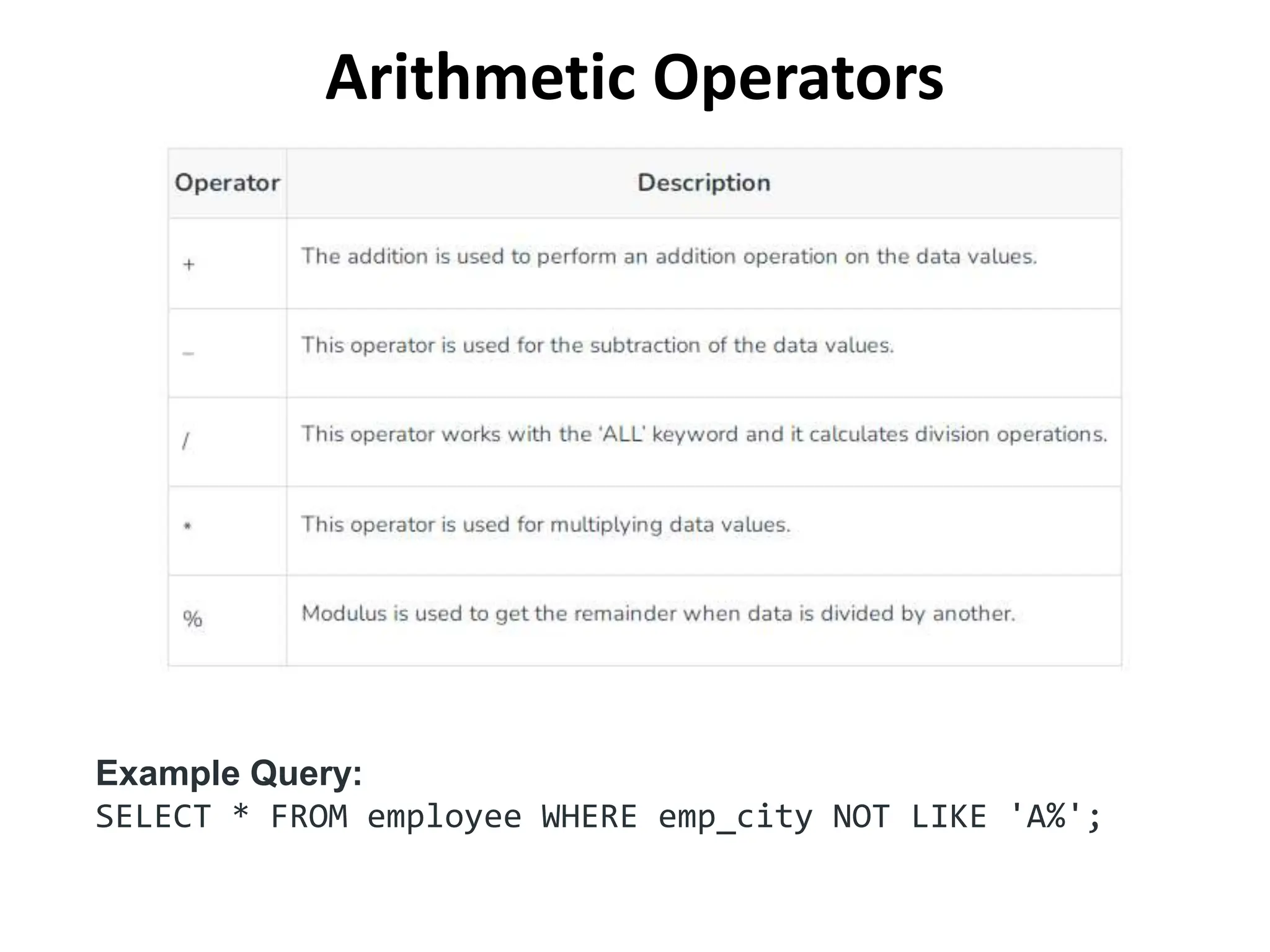
Arithmetic Operators
Example Query:
SELECT * FROM employee WHERE emp_city NOT LIKE 'A%';
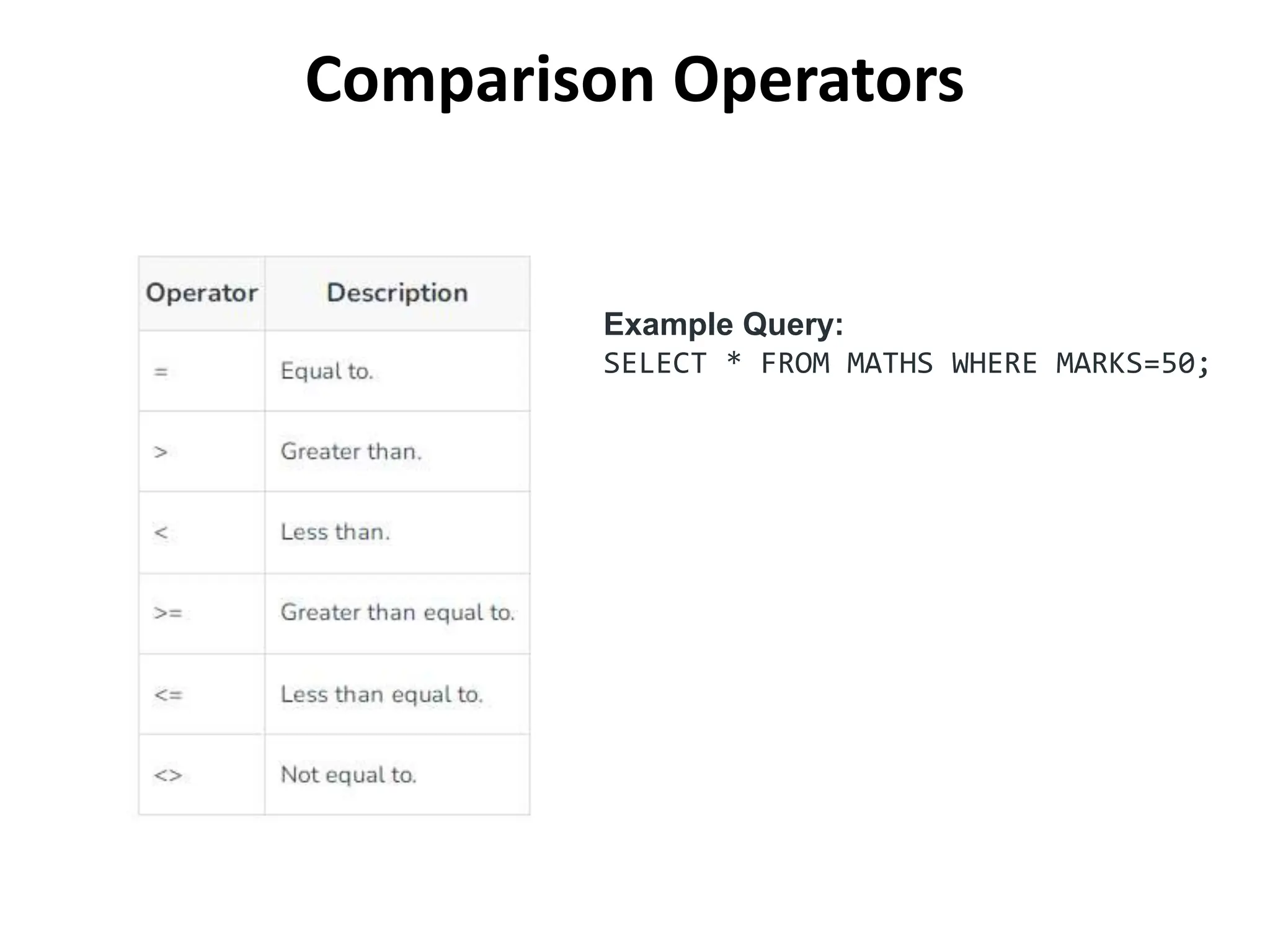
Comparison Operators
Example Query:
SELECT * FROM MATHS WHERE MARKS=50;
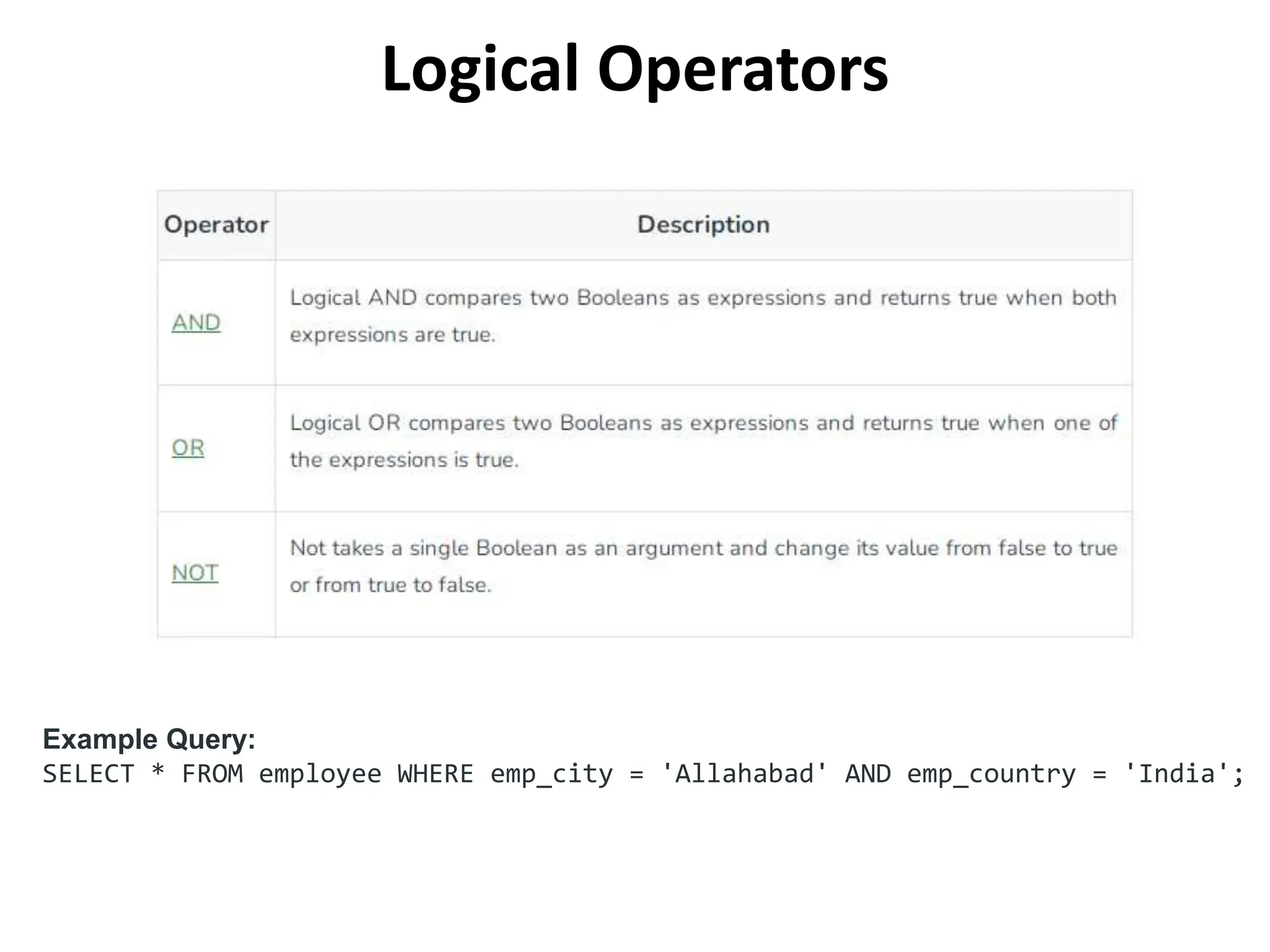
Logical Operators
Example Query:
SELECT * FROM employee WHERE emp_city = 'Allahabad' AND emp_country = 'India';
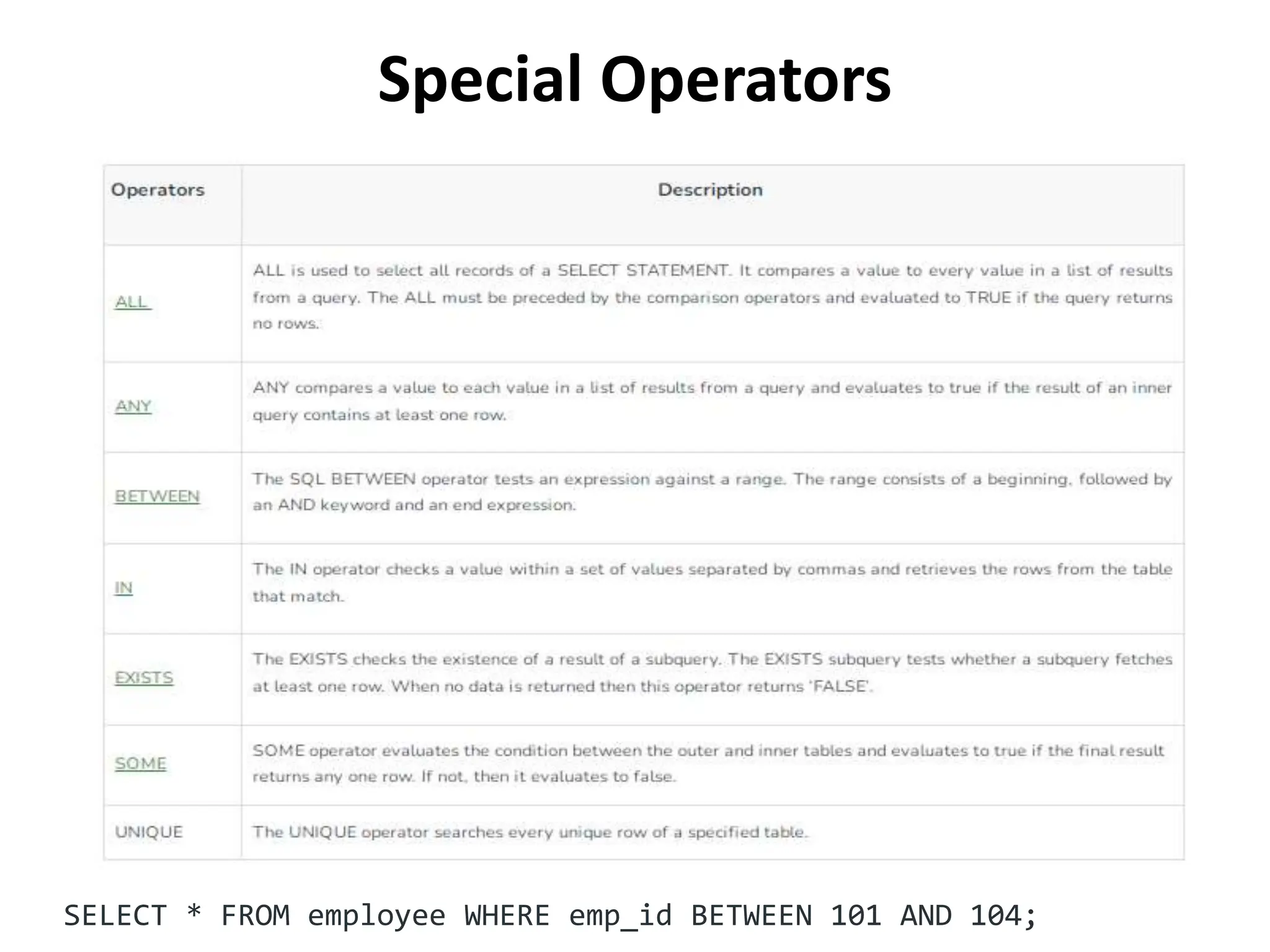
Special Operators
SELECT * FROM employee WHERE emp_id BETWEEN 101 AND 104;
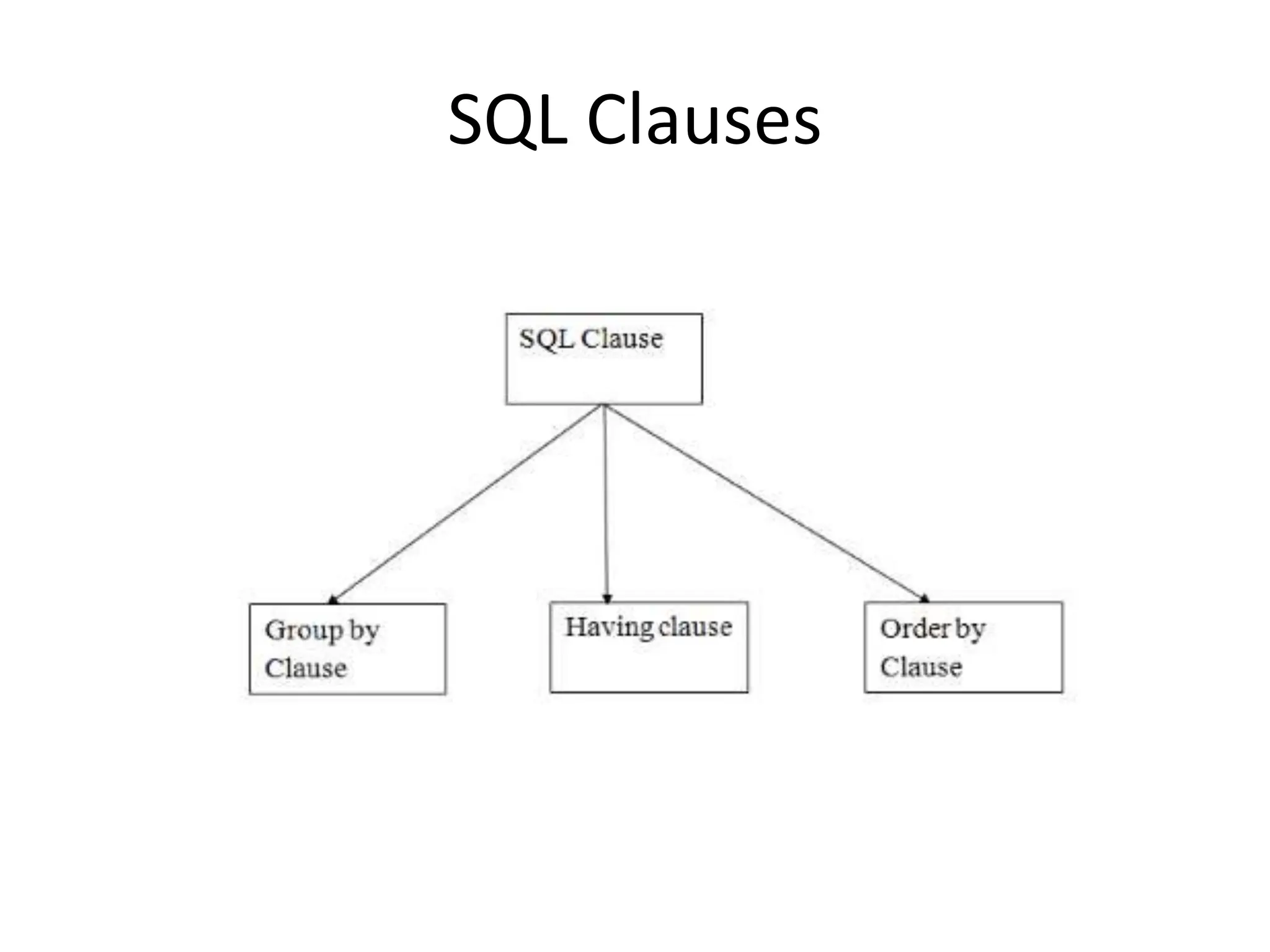
SQL Clauses
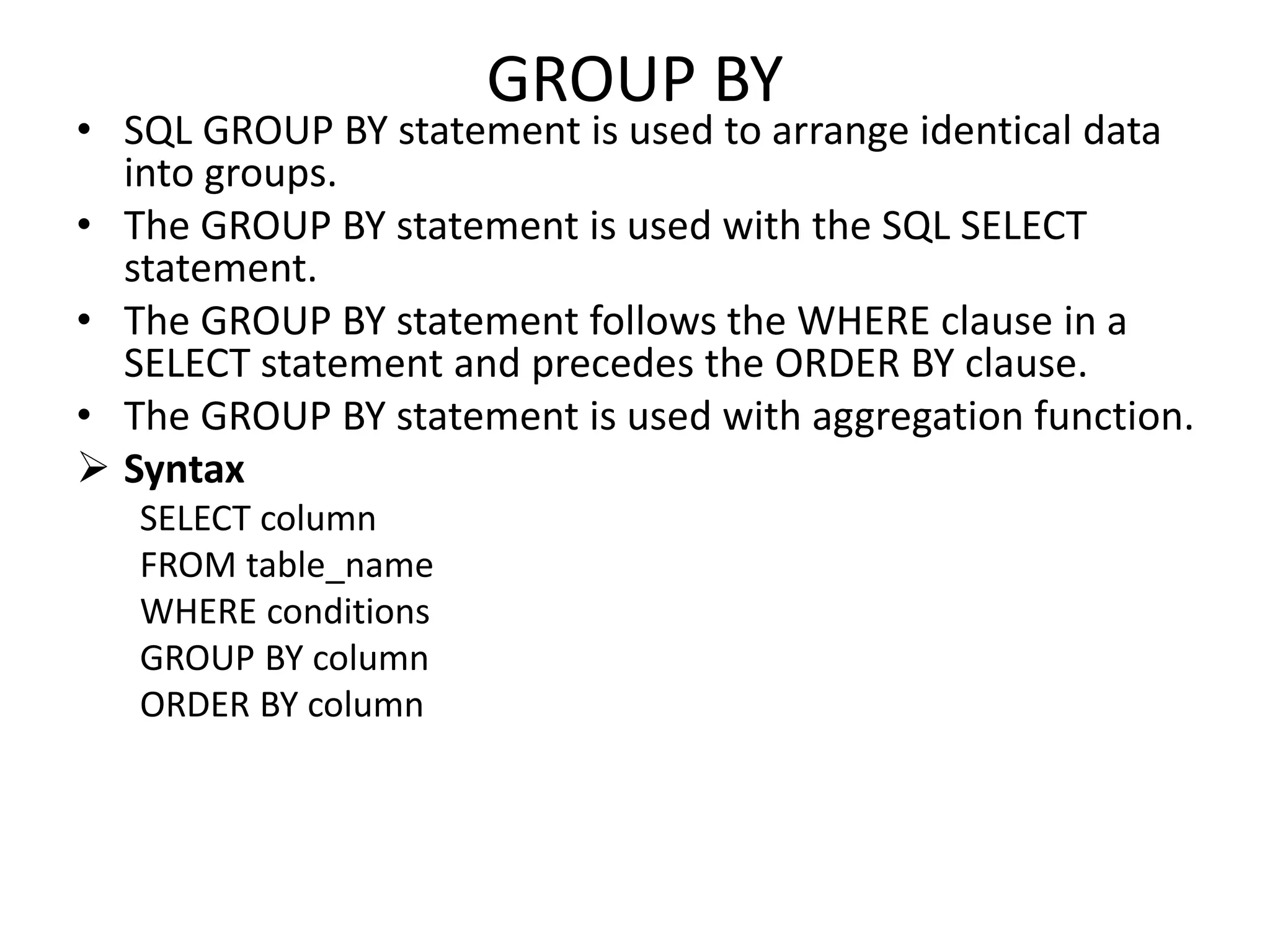
GROUP BY
• SQL GROUP BY statement is used to arrange identical data
into groups.
• The GROUP BY statement is used with the SQL SELECT
statement.
• The GROUP BY statement follows the WHERE clause in a
SELECT statement and precedes the ORDER BY clause.
• The GROUP BY statement is used with aggregation function.
 Syntax
SELECT column
FROM table_name
WHERE conditions
GROUP BY column
ORDER BY column
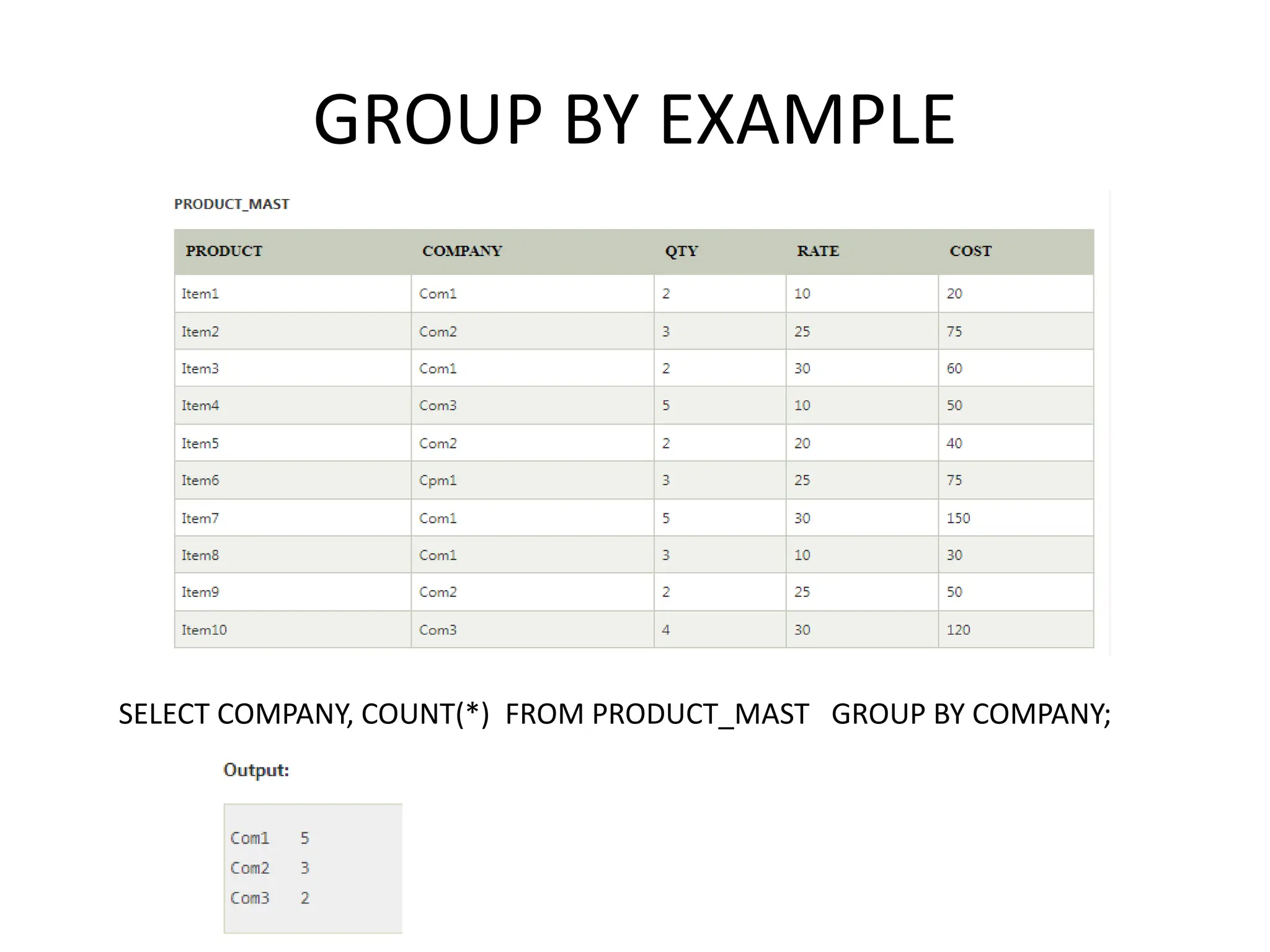
GROUP BY EXAMPLE
SELECT COMPANY, COUNT(*) FROM PRODUCT_MAST GROUP BY COMPANY;
HAVING
• HAVING clause is used to specify a search
condition for a group or an aggregate.
• Having is used in a GROUP BY clause. If you are
not using GROUP BY clause then you can use
HAVING function like a WHERE clause.
• Syntax:
SELECT column1, column2
FROM table_name
WHERE conditions
GROUP BY column1, column2
HAVING conditions
ORDER BY column1, column2;
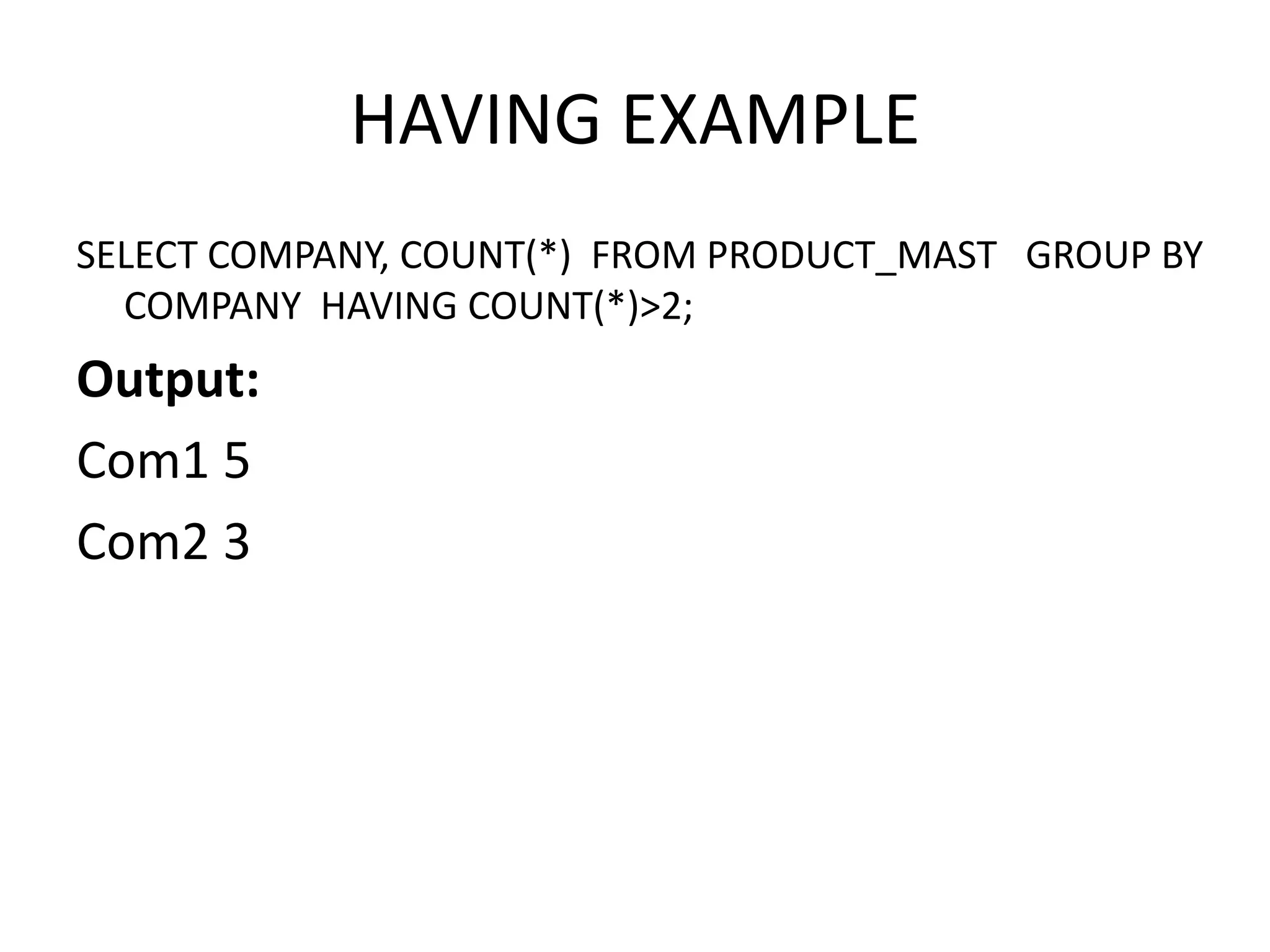
HAVING EXAMPLE
SELECT COMPANY, COUNT(*) FROM PRODUCT_MAST GROUP BY
COMPANY HAVING COUNT(*)>2;
Output:
Com1 5
Com2 3
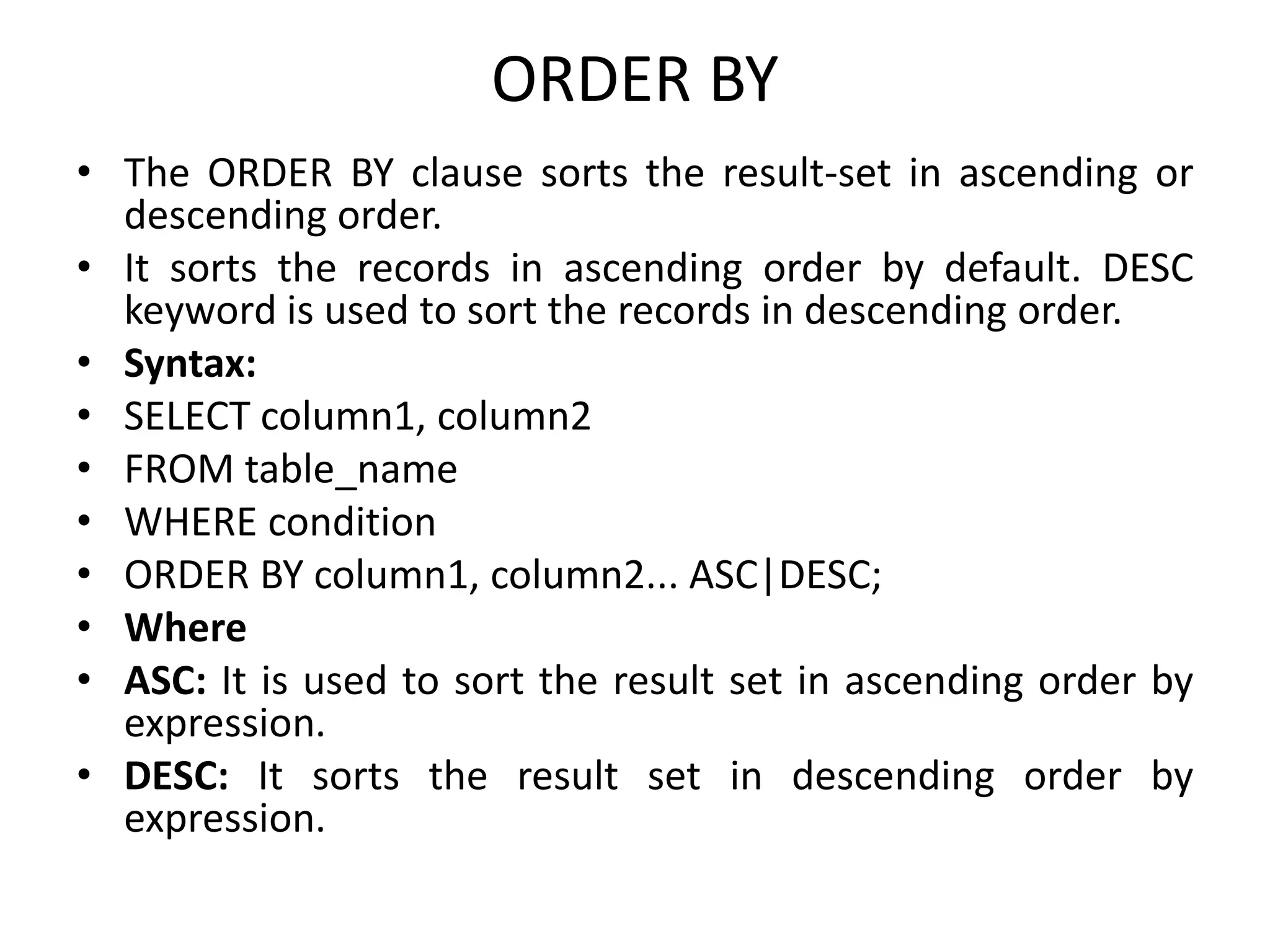
ORDER BY
• The ORDER BY clause sorts the result-set in ascending or
descending order.
• It sorts the records in ascending order by default. DESC
keyword is used to sort the records in descending order.
• Syntax:
• SELECT column1, column2
• FROM table_name
• WHERE condition
• ORDER BY column1, column2... ASC|DESC;
• Where
• ASC: It is used to sort the result set in ascending order by
expression.
• DESC: It sorts the result set in descending order by
expression.
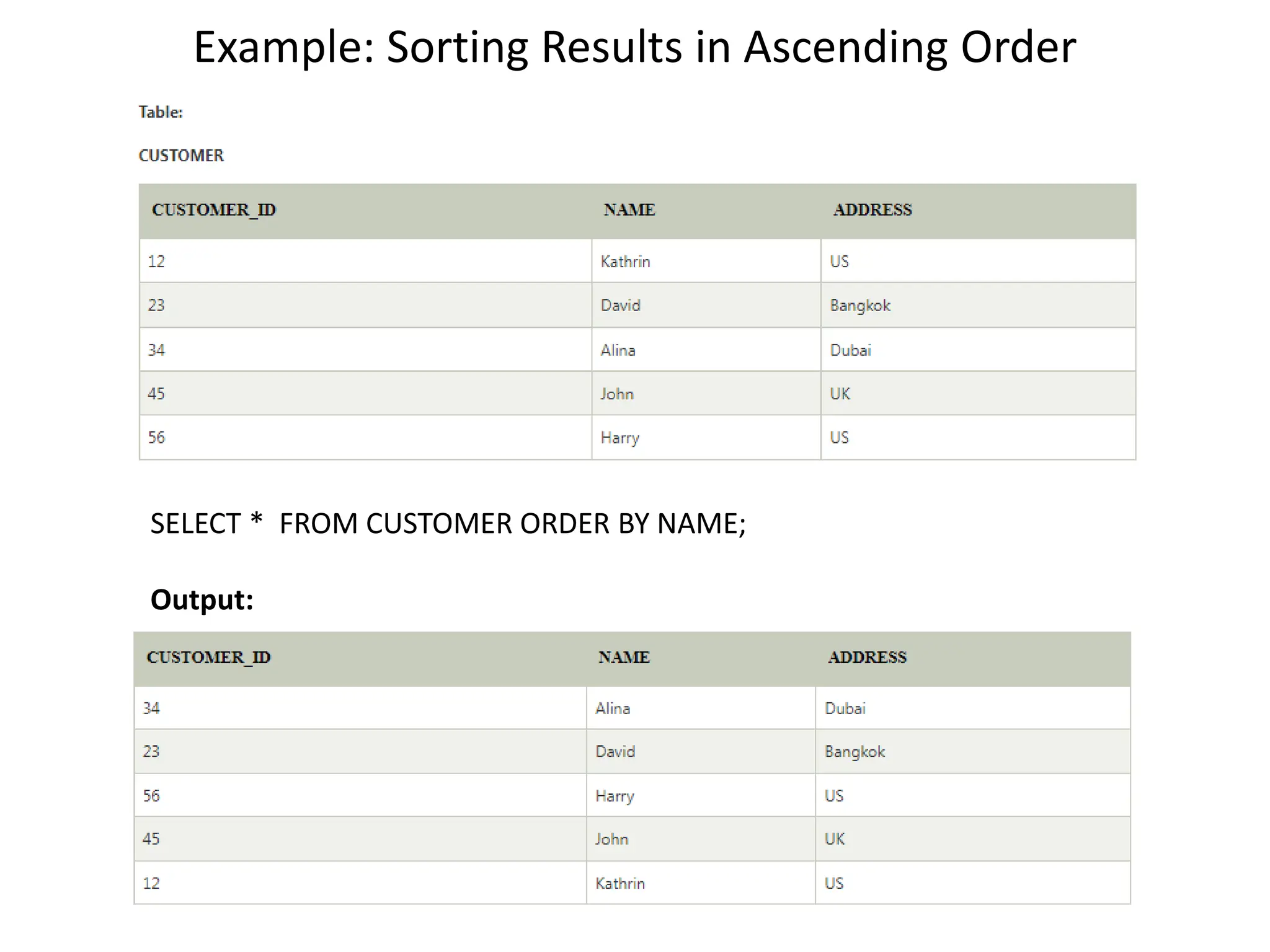
Example: Sorting Results in Ascending Order
SELECT * FROM CUSTOMER ORDER BY NAME;
Output:
Sorting Results in Descending Order
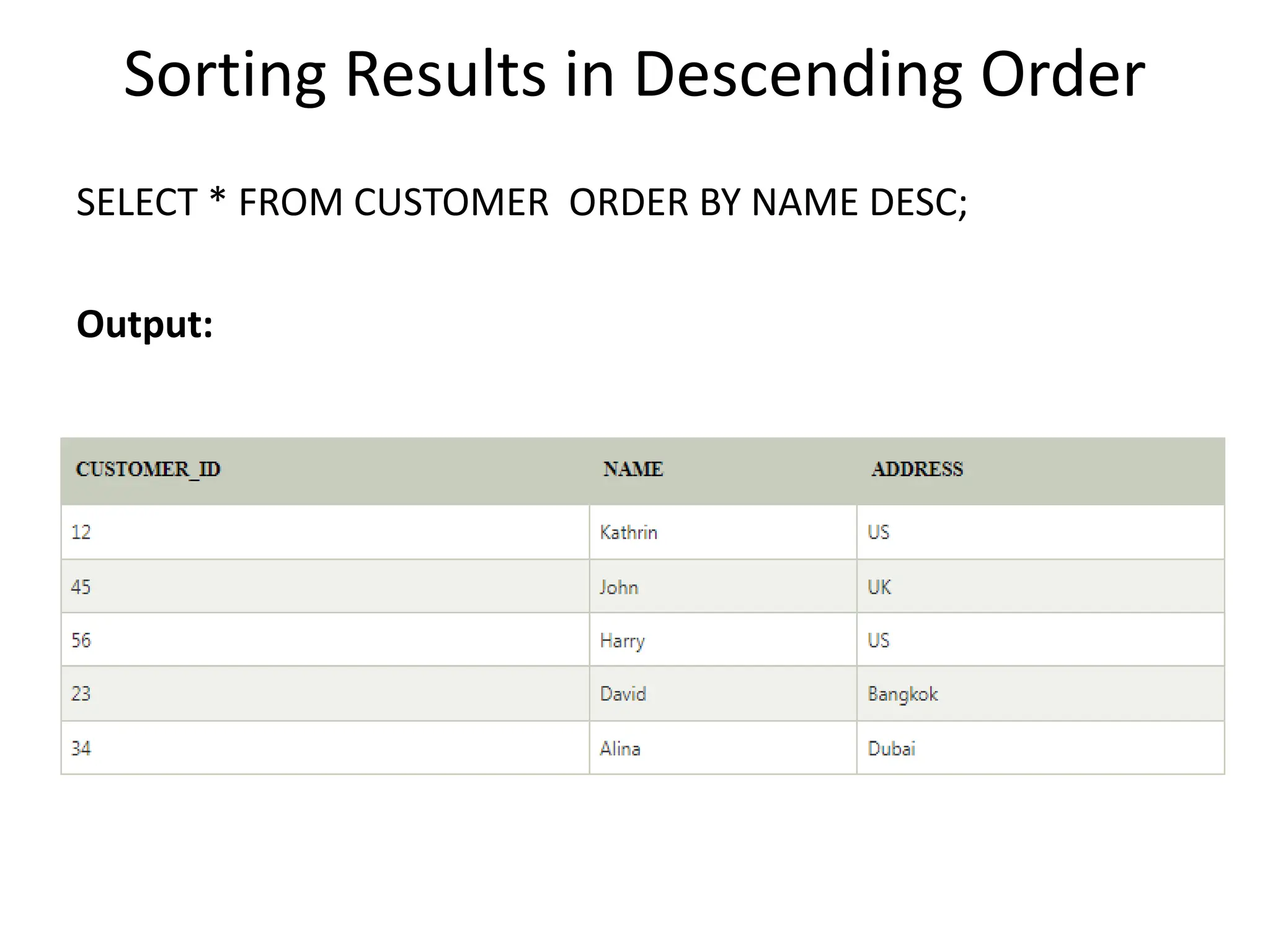
SELECT * FROM CUSTOMER ORDER BY NAME DESC;
Output:
Index in SQL
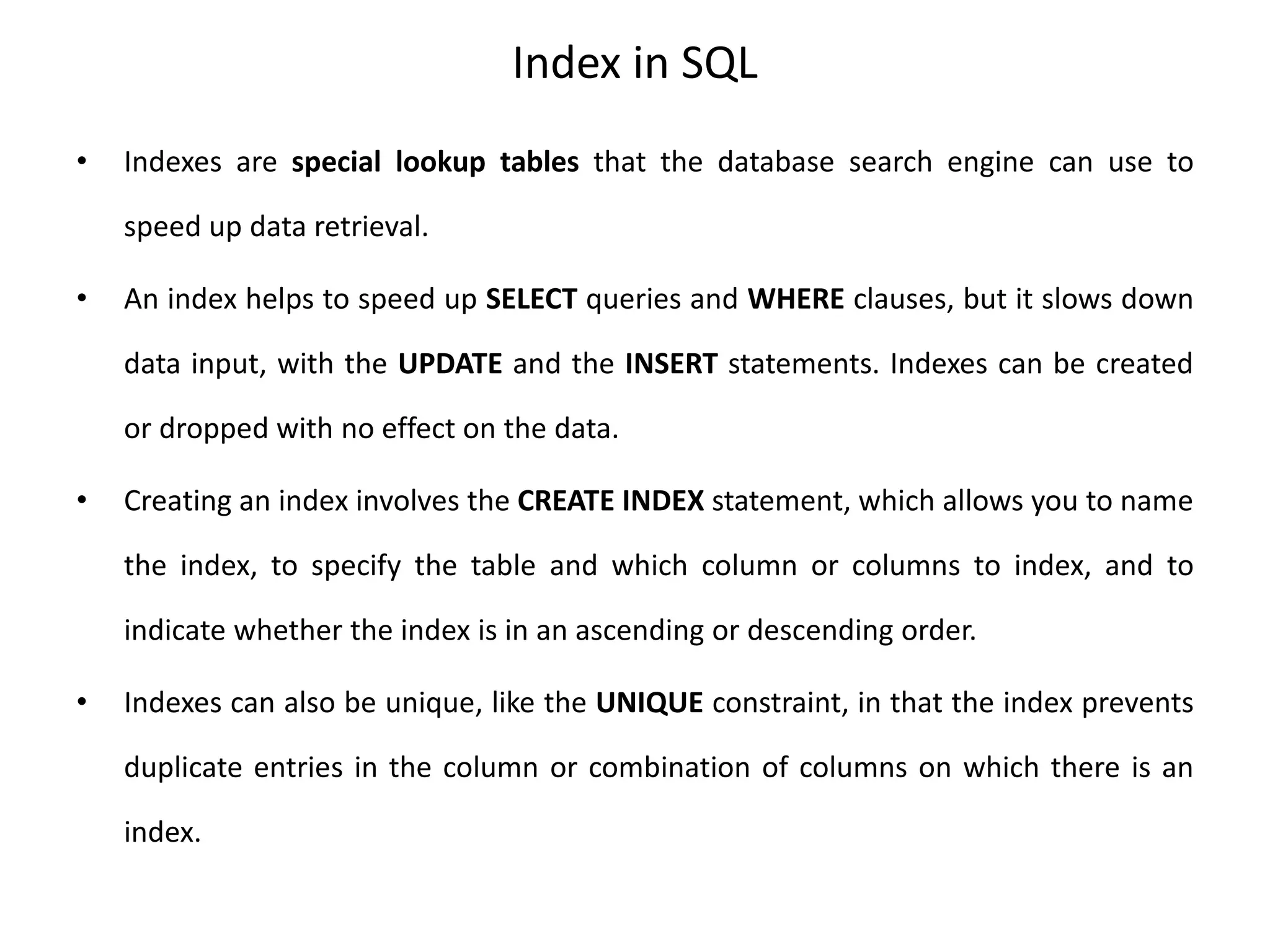
• Indexes are special lookup tables that the database search engine can use to
speed up data retrieval.
• An index helps to speed up SELECT queries and WHERE clauses, but it slows down
data input, with the UPDATE and the INSERT statements. Indexes can be created
or dropped with no effect on the data.
• Creating an index involves the CREATE INDEX statement, which allows you to name
the index, to specify the table and which column or columns to index, and to
indicate whether the index is in an ascending or descending order.
• Indexes can also be unique, like the UNIQUE constraint, in that the index prevents
duplicate entries in the column or combination of columns on which there is an
index.
The CREATE INDEX Command
• The basic syntax of a CREATE INDEX is as
follows.
CREATE INDEX index_name ON table_name;
• Single-Column Indexes
A single-column index is created based on only one table column.
The basic syntax is as follows.
CREATE INDEX index_name ON table_name (column_name);
• Unique Indexes
Unique indexes are used not only for performance, but also for data integrity.
A unique index does not allow any duplicate values to be inserted into the table.
The basic syntax is as follows.
CREATE UNIQUE INDEX index_name on table_name (column_name);
• Composite Indexes
A composite index is an index on two or more columns of a table. Its basic syntax is
as follows.
CREATE INDEX index_name on table_name (column1, column2);
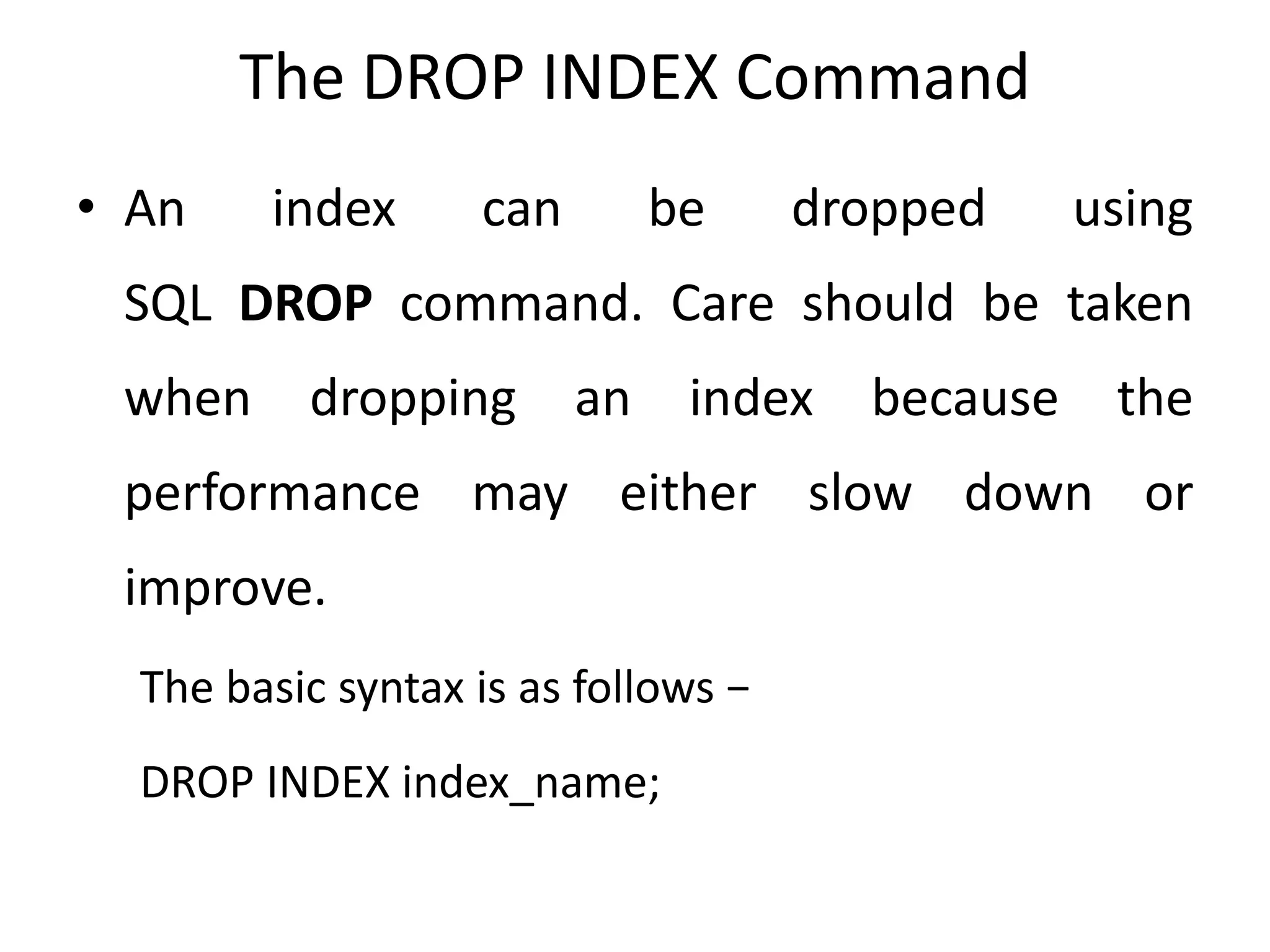
The DROP INDEX Command
• An index can be dropped using
SQL DROP command. Care should be taken
when dropping an index because the
performance may either slow down or
improve.
The basic syntax is as follows −
DROP INDEX index_name;
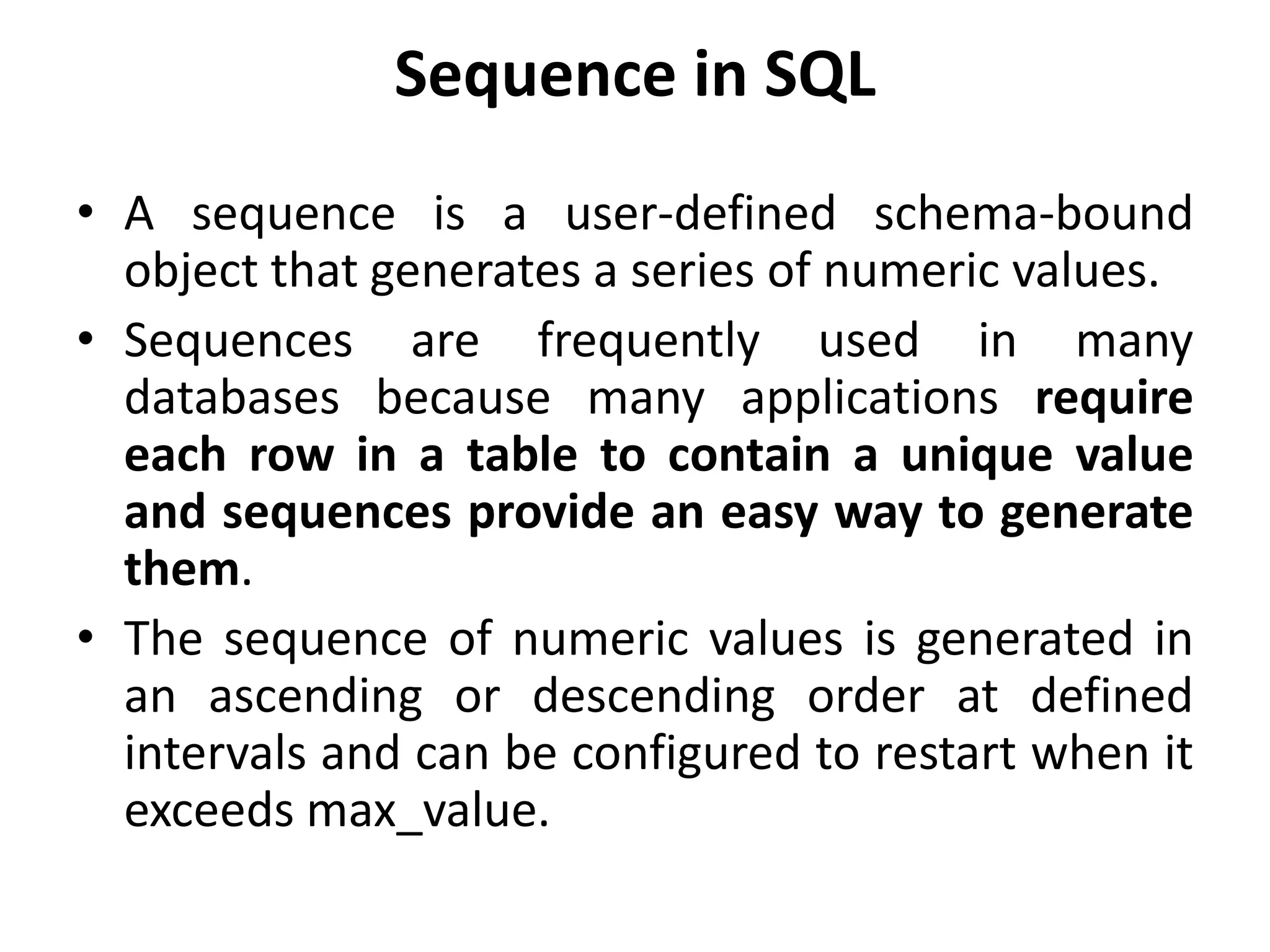
Sequence in SQL
• A sequence is a user-defined schema-bound
object that generates a series of numeric values.
• Sequences are frequently used in many
databases because many applications require
each row in a table to contain a unique value
and sequences provide an easy way to generate
them.
• The sequence of numeric values is generated in
an ascending or descending order at defined
intervals and can be configured to restart when it
exceeds max_value.
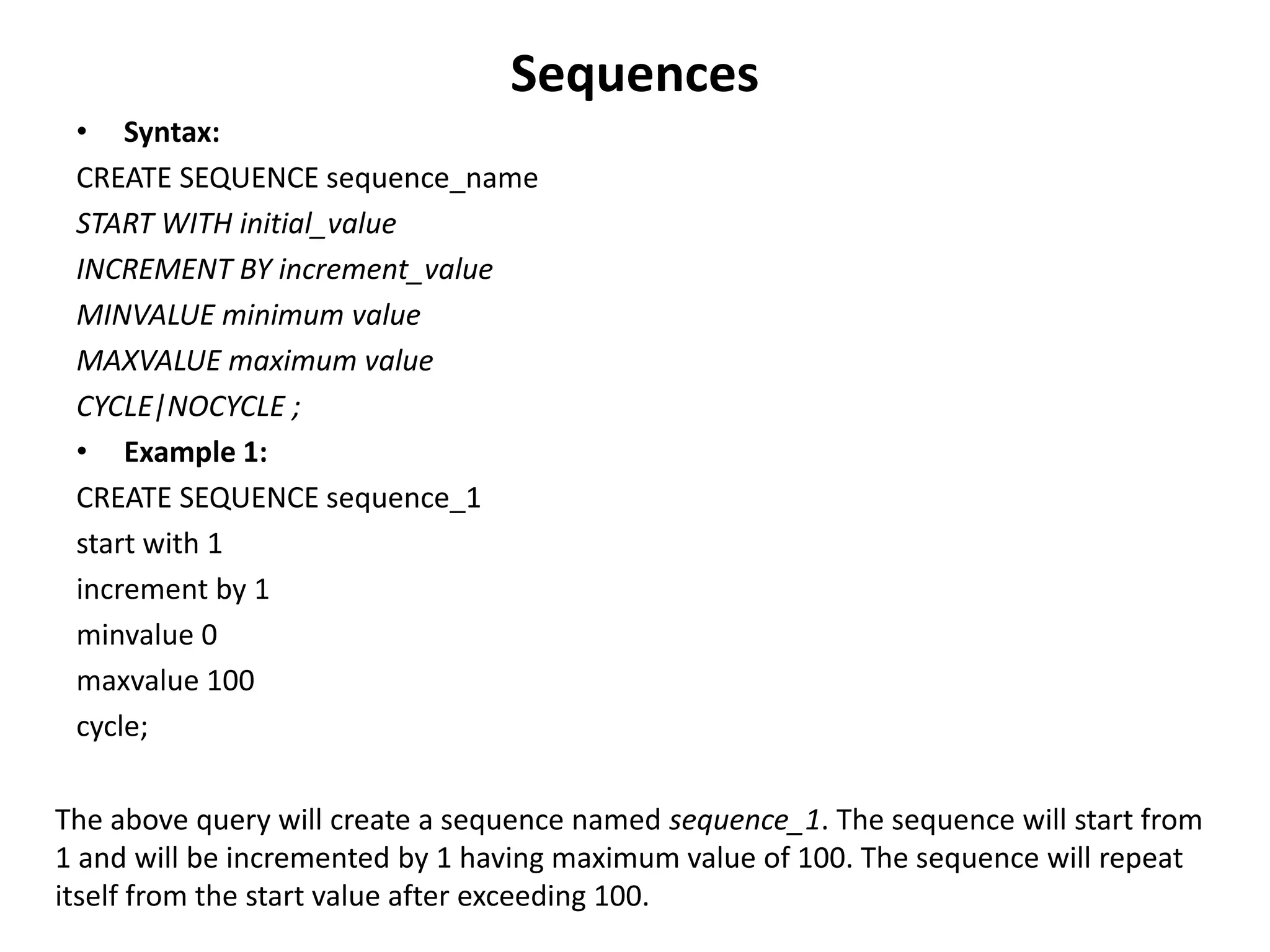
Sequences
• Syntax:
CREATE SEQUENCE sequence_name
START WITH initial_value
INCREMENT BY increment_value
MINVALUE minimum value
MAXVALUE maximum value
CYCLE|NOCYCLE ;
• Example 1:
CREATE SEQUENCE sequence_1
start with 1
increment by 1
minvalue 0
maxvalue 100
cycle;
The above query will create a sequence named sequence_1. The sequence will start from
1 and will be incremented by 1 having maximum value of 100. The sequence will repeat
itself from the start value after exceeding 100.
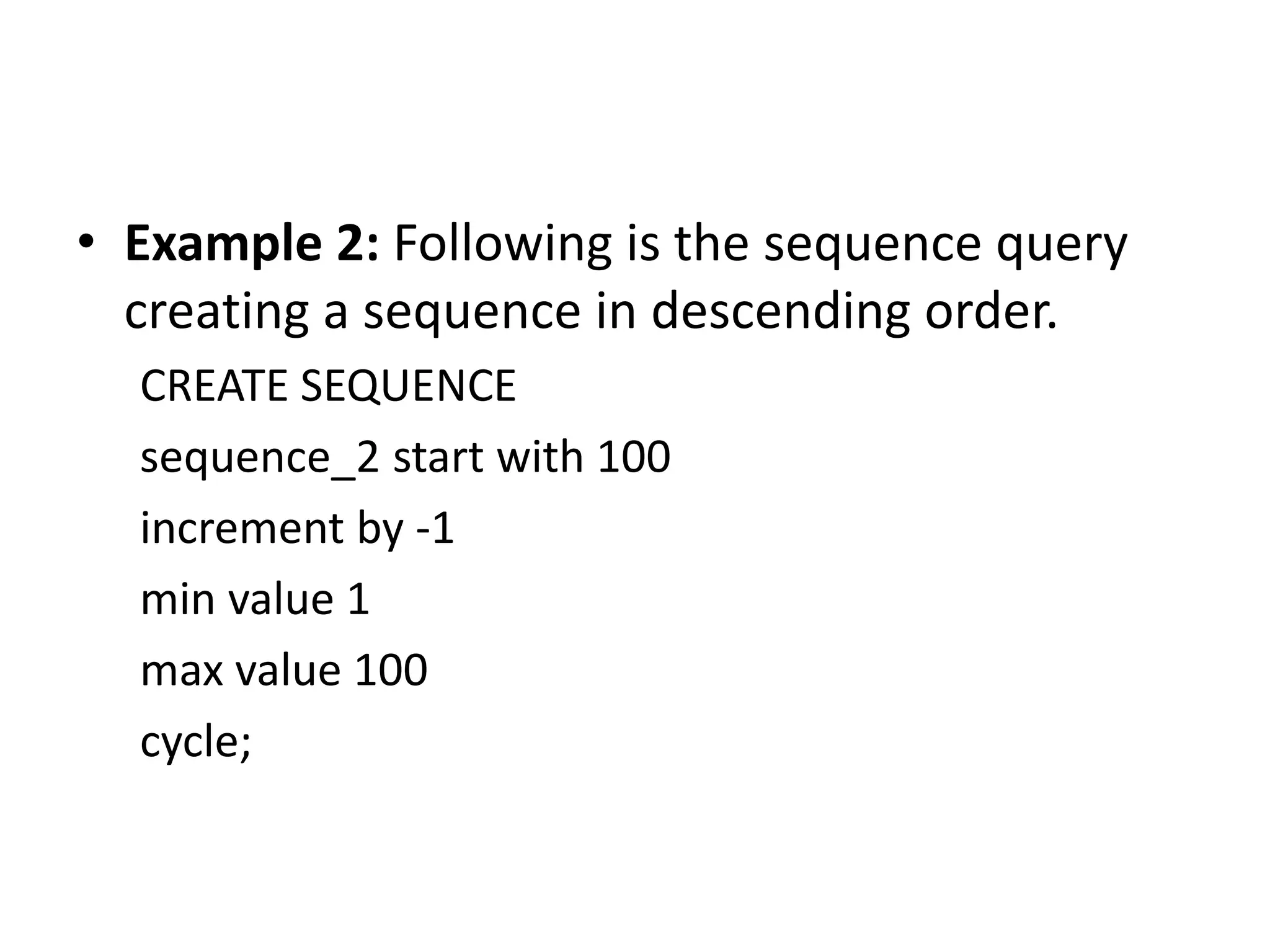
• Example 2: Following is the sequence query
creating a sequence in descending order.
CREATE SEQUENCE
sequence_2 start with 100
increment by -1
min value 1
max value 100
cycle;
Views in SQL
• Views in SQL are considered as a virtual table.
A view also contains rows and columns.
• To create the view, we can select the fields
from one or more tables present in the
database.
• A view can either have specific rows based on
certain condition or all the rows of a table.
Advantages of View
• Complexity: Views help to reduce the complexity. Different views can be created on the
same base table for different users.
• Security: It increases the security by excluding the sensitive information from the view.
• Query Simplicity: It helps to simplify commands from the user. A view can draw data
from several different tables and present it as a single table.
• Consistency: A view can present a consistent, unchanged image of the structure of the
database. Views can be used to rename the columns without affecting the base table.
• Data Integrity: If data is accessed and entered through a view, the DBMS can
automatically check the data to ensure that it meets the specified integrity constraints.
• Storage Capacity: Views take very little space to store the data.
• Logical Data Independence: View can make the application and database tables to a
certain extent independent.
Disadvantages of View
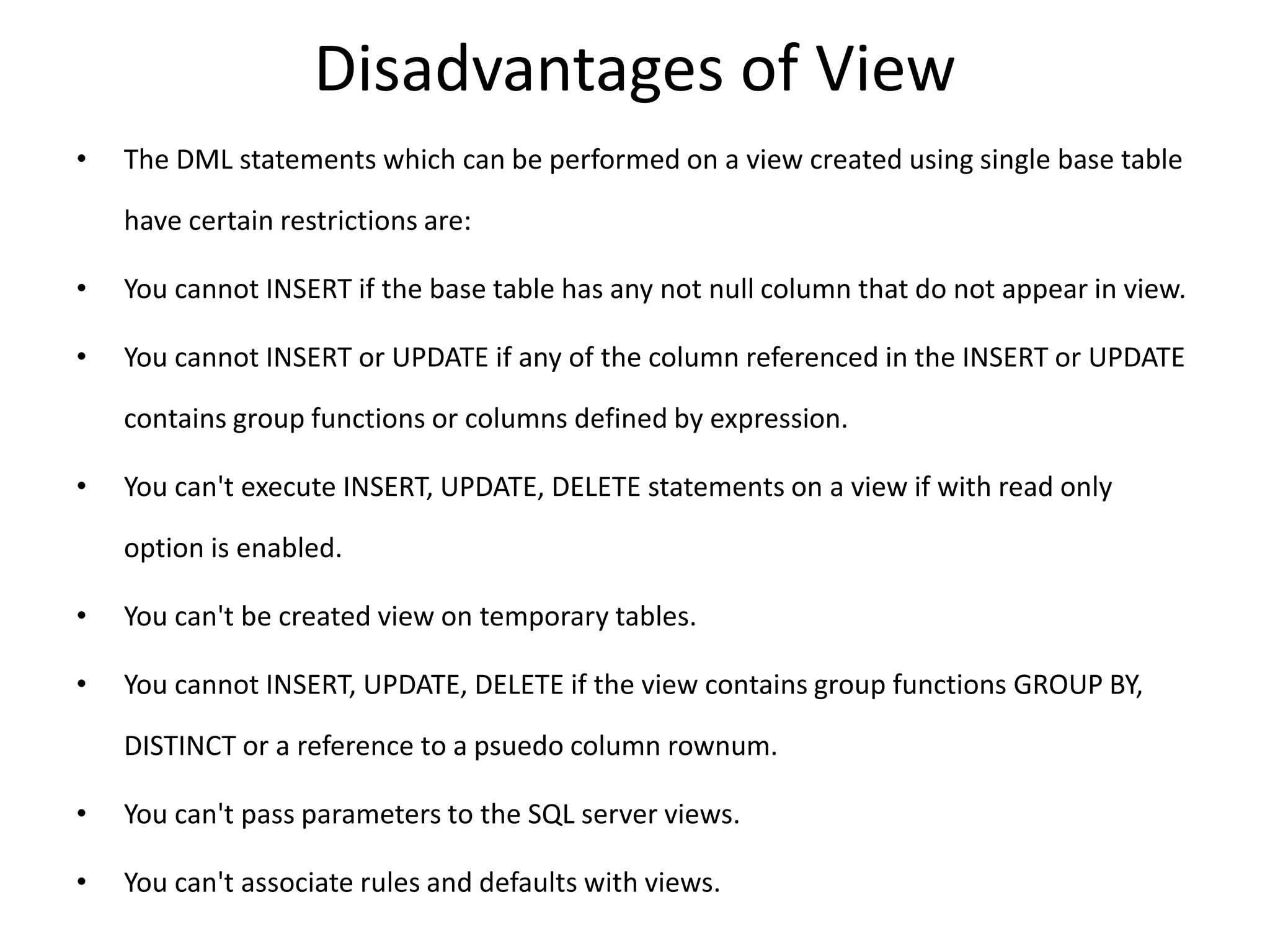
• The DML statements which can be performed on a view created using single base table
have certain restrictions are:
• You cannot INSERT if the base table has any not null column that do not appear in view.
• You cannot INSERT or UPDATE if any of the column referenced in the INSERT or UPDATE
contains group functions or columns defined by expression.
• You can't execute INSERT, UPDATE, DELETE statements on a view if with read only
option is enabled.
• You can't be created view on temporary tables.
• You cannot INSERT, UPDATE, DELETE if the view contains group functions GROUP BY,
DISTINCT or a reference to a psuedo column rownum.
• You can't pass parameters to the SQL server views.
• You can't associate rules and defaults with views.
Example
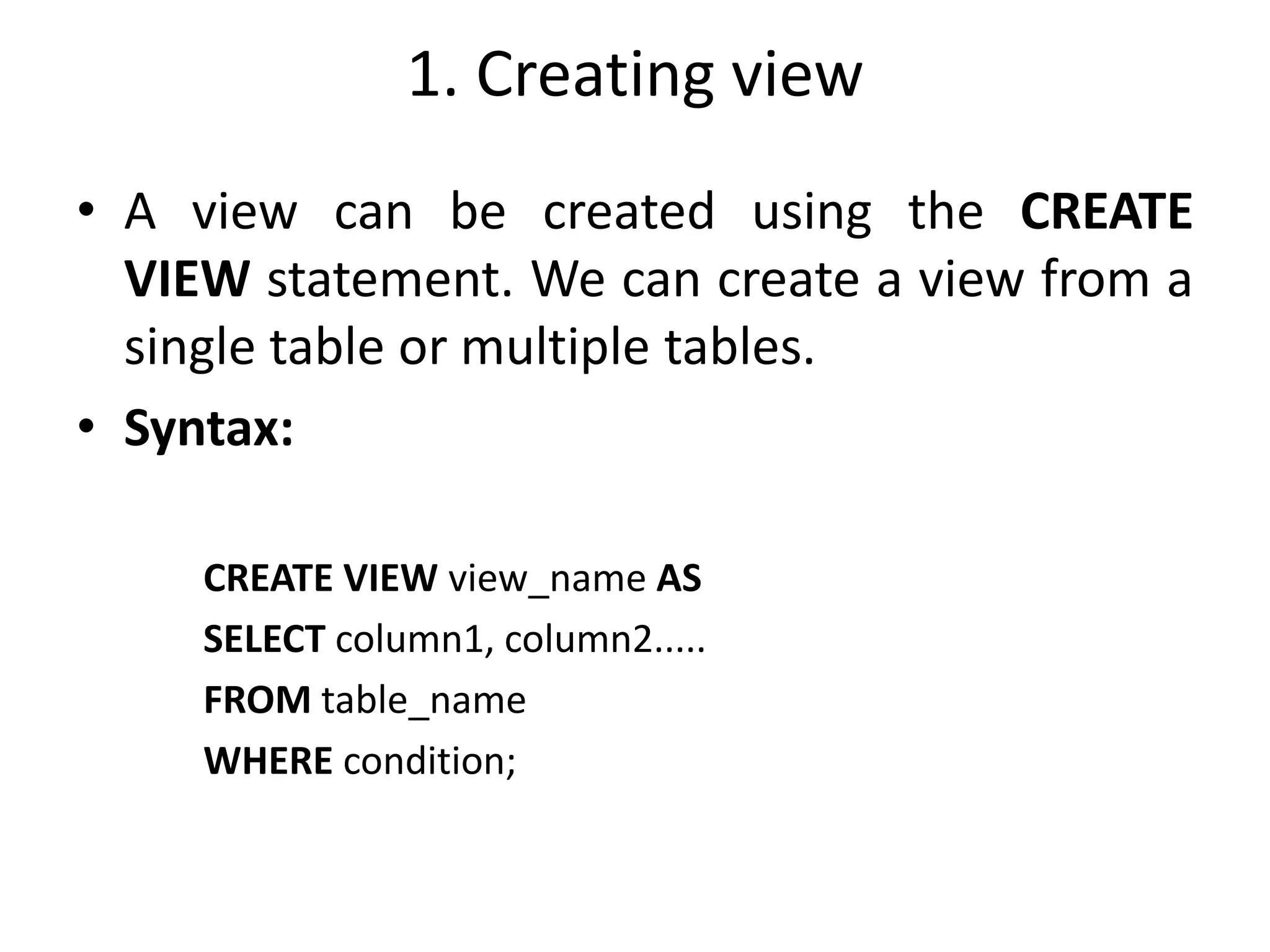
1. Creating view
• A view can be created using the CREATE
VIEW statement. We can create a view from a
single table or multiple tables.
• Syntax:
CREATE VIEW view_name AS
SELECT column1, column2.....
FROM table_name
WHERE condition;
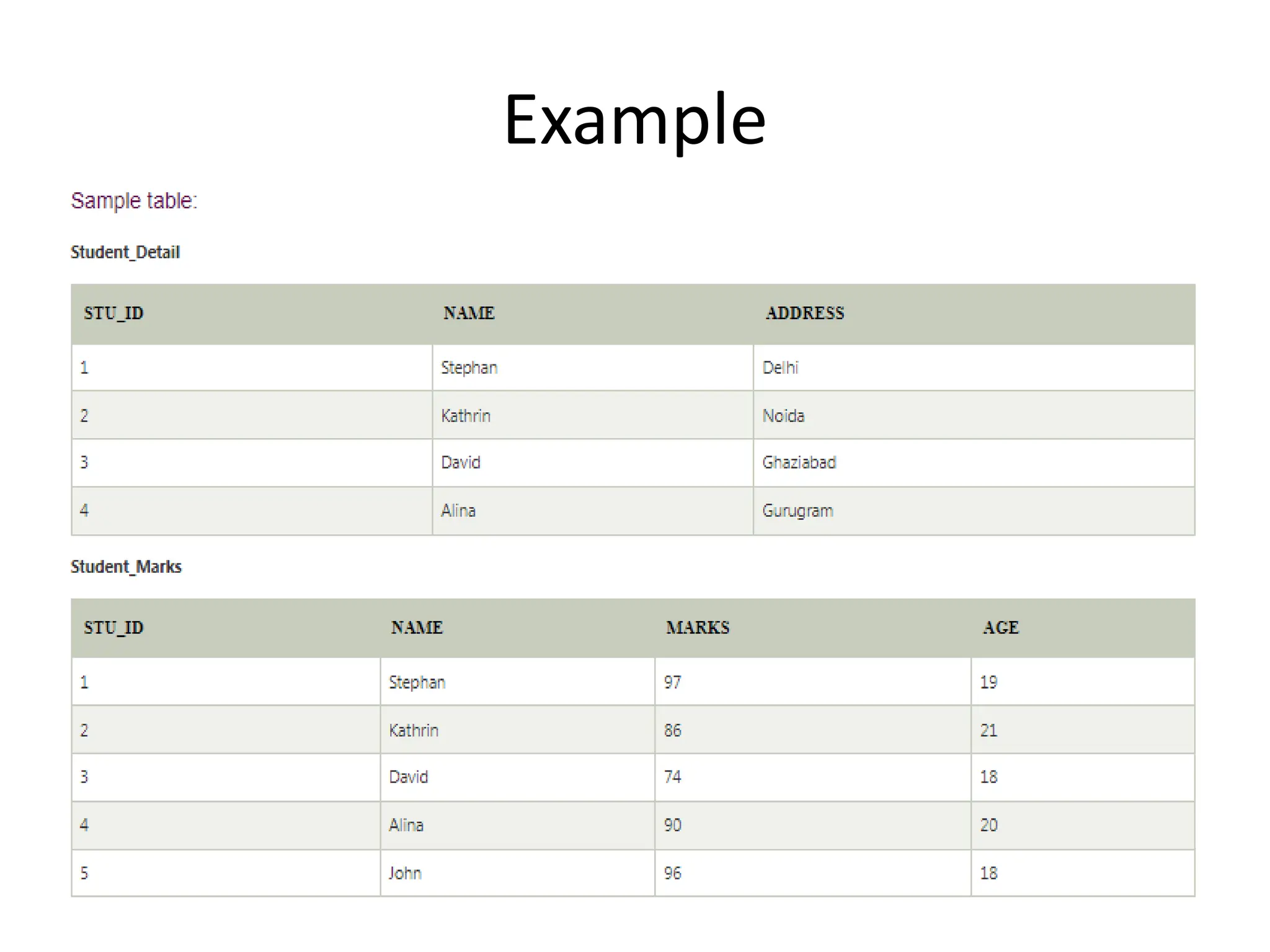
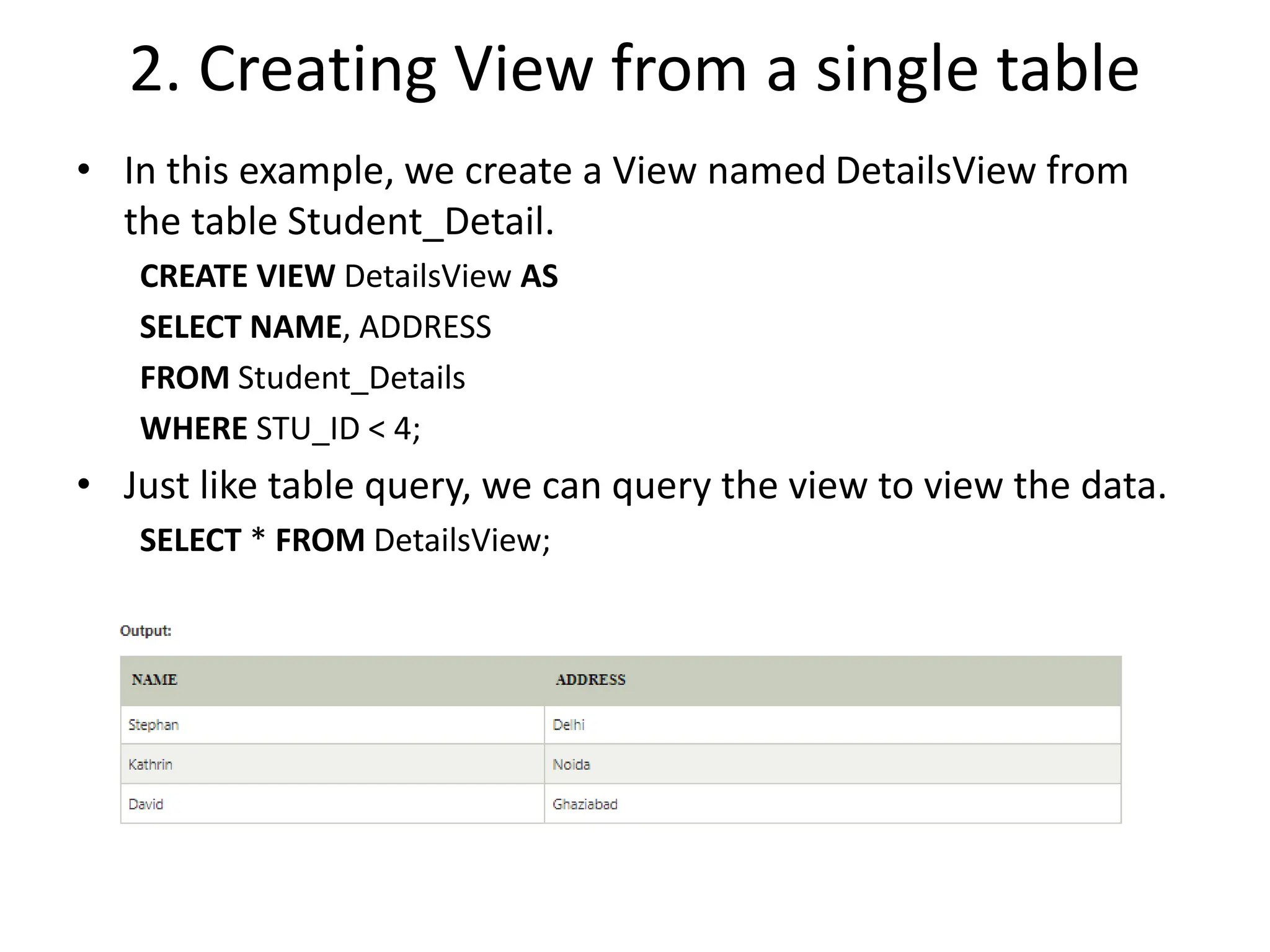
2. Creating View from a single table
• In this example, we create a View named DetailsView from
the table Student_Detail.
CREATE VIEW DetailsView AS
SELECT NAME, ADDRESS
FROM Student_Details
WHERE STU_ID < 4;
• Just like table query, we can query the view to view the data.
SELECT * FROM DetailsView;
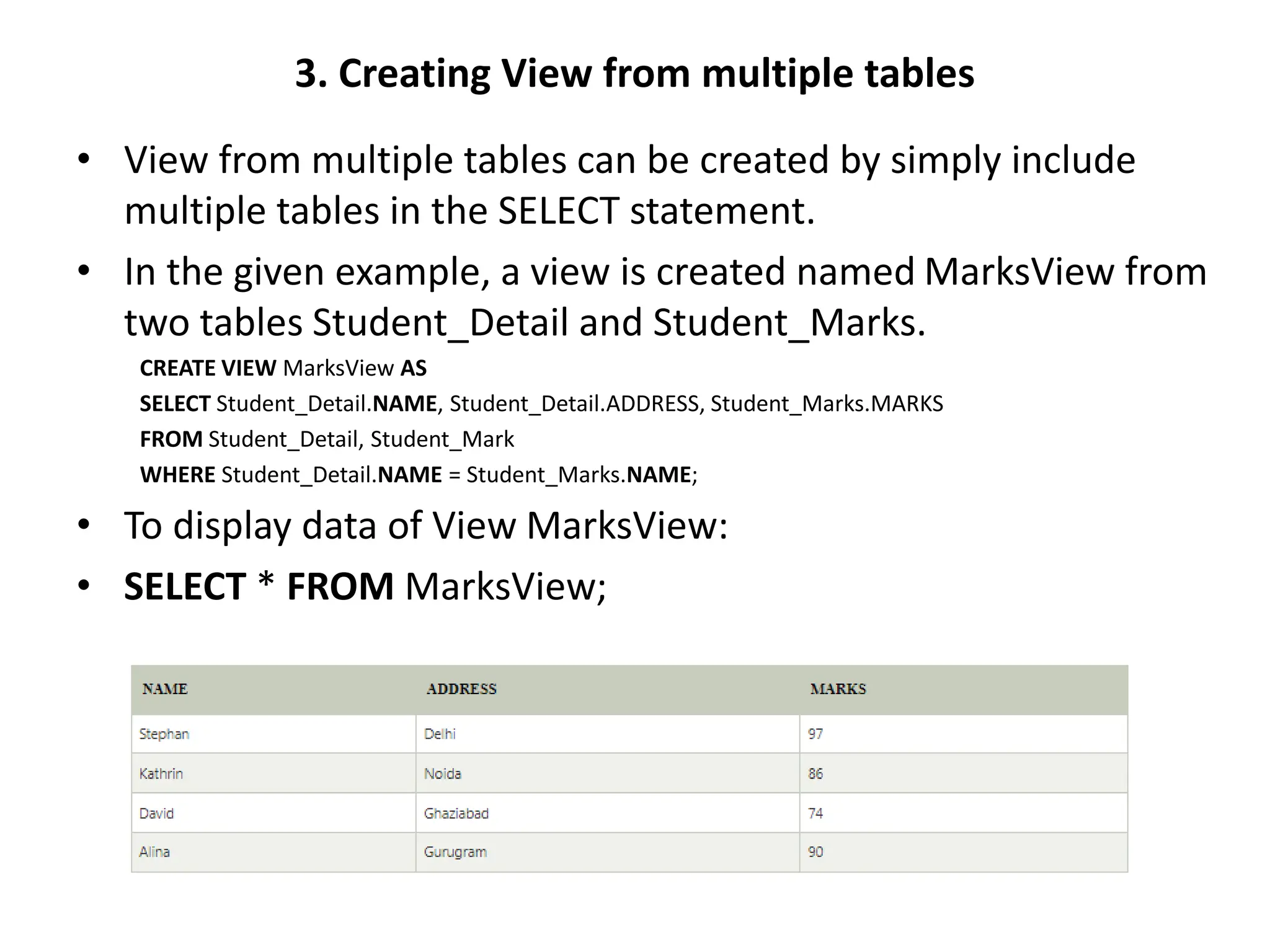
3. Creating View from multiple tables
• View from multiple tables can be created by simply include
multiple tables in the SELECT statement.
• In the given example, a view is created named MarksView from
two tables Student_Detail and Student_Marks.
CREATE VIEW MarksView AS
SELECT Student_Detail.NAME, Student_Detail.ADDRESS, Student_Marks.MARKS
FROM Student_Detail, Student_Mark
WHERE Student_Detail.NAME = Student_Marks.NAME;
• To display data of View MarksView:
• SELECT * FROM MarksView;
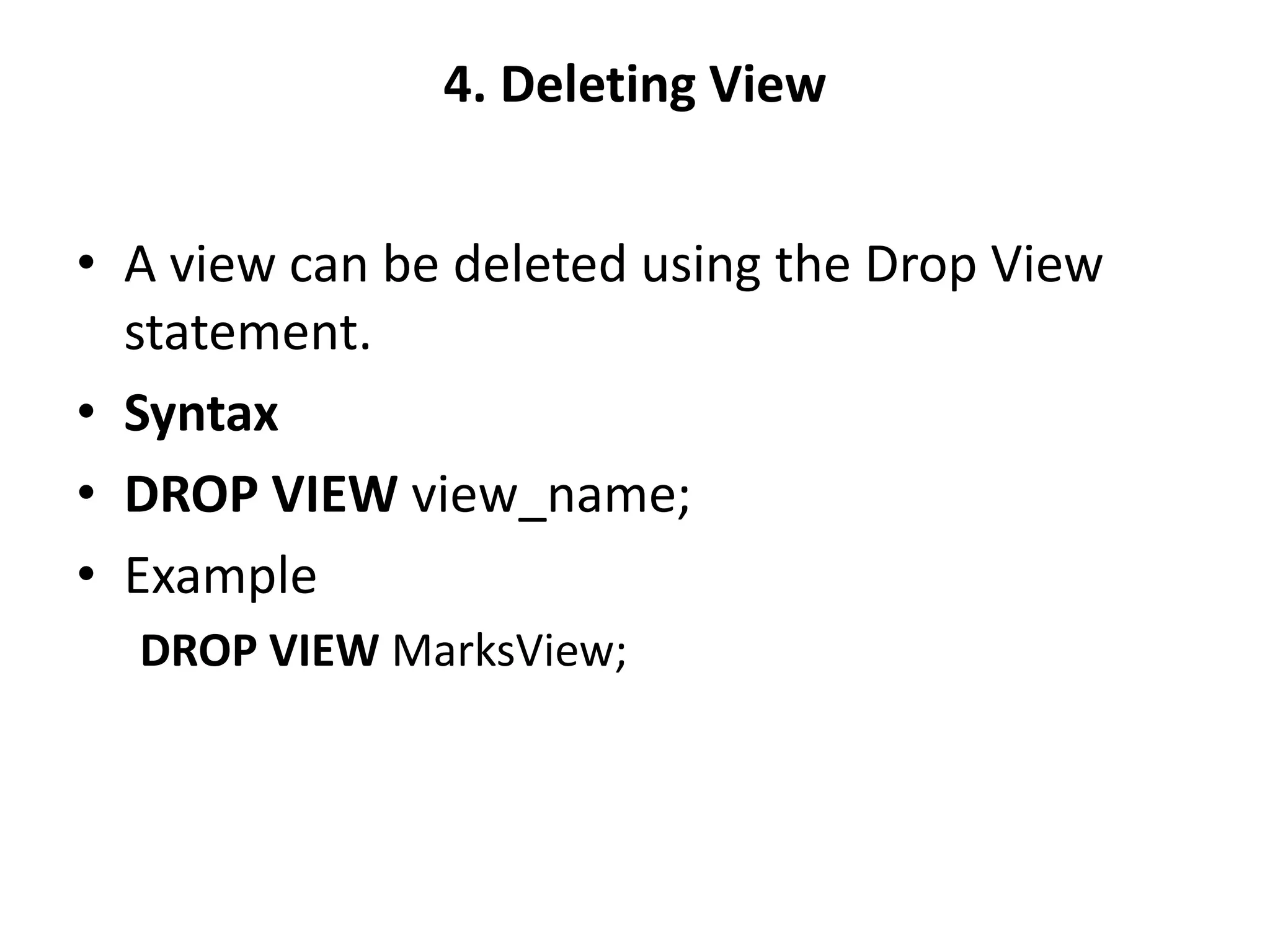
4. Deleting View
• A view can be deleted using the Drop View
statement.
• Syntax
• DROP VIEW view_name;
• Example
DROP VIEW MarksView;
Set Operations in SQL
• The SQL Set operation is used to combine the
two or more SQL SELECT statements.
• Types of Set Operation
Union
UnionAll
Intersect
Minus
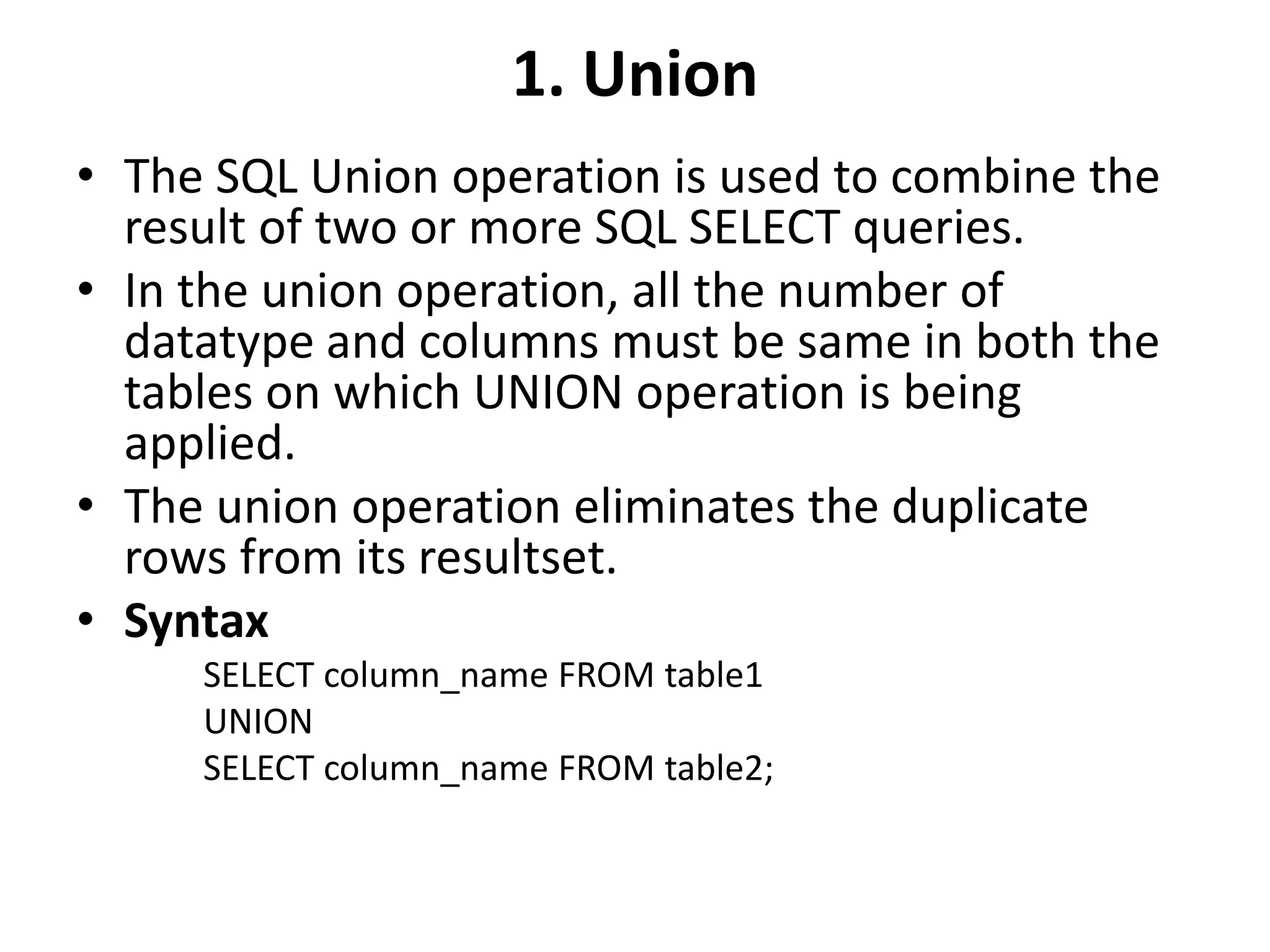
1. Union
• The SQL Union operation is used to combine the
result of two or more SQL SELECT queries.
• In the union operation, all the number of
datatype and columns must be same in both the
tables on which UNION operation is being
applied.
• The union operation eliminates the duplicate
rows from its resultset.
• Syntax
SELECT column_name FROM table1
UNION
SELECT column_name FROM table2;
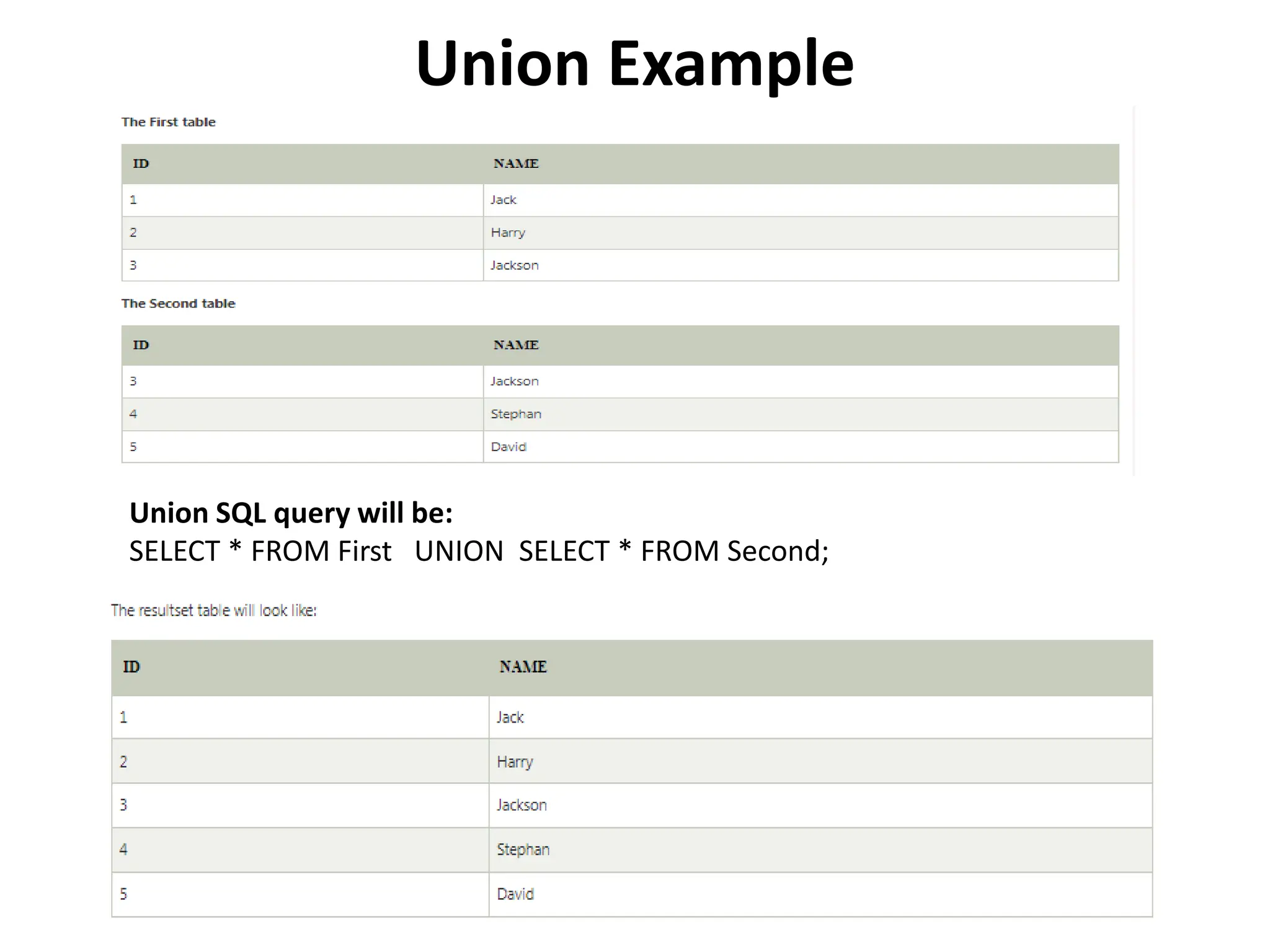
Union Example
Union SQL query will be:
SELECT * FROM First UNION SELECT * FROM Second;
2. Union All
• Union All operation is equal to the Union operation. It returns the set
without removing duplication and sorting the data.
• Syntax:
SELECT column_name FROM table1
UNION ALL
SELECT column_name FROM table2;
• Example: Using the above First and Second table.
• Union All query will be like:
SELECT * FROM First
UNION ALL
SELECT * FROM Second;
The resultset table will look like:
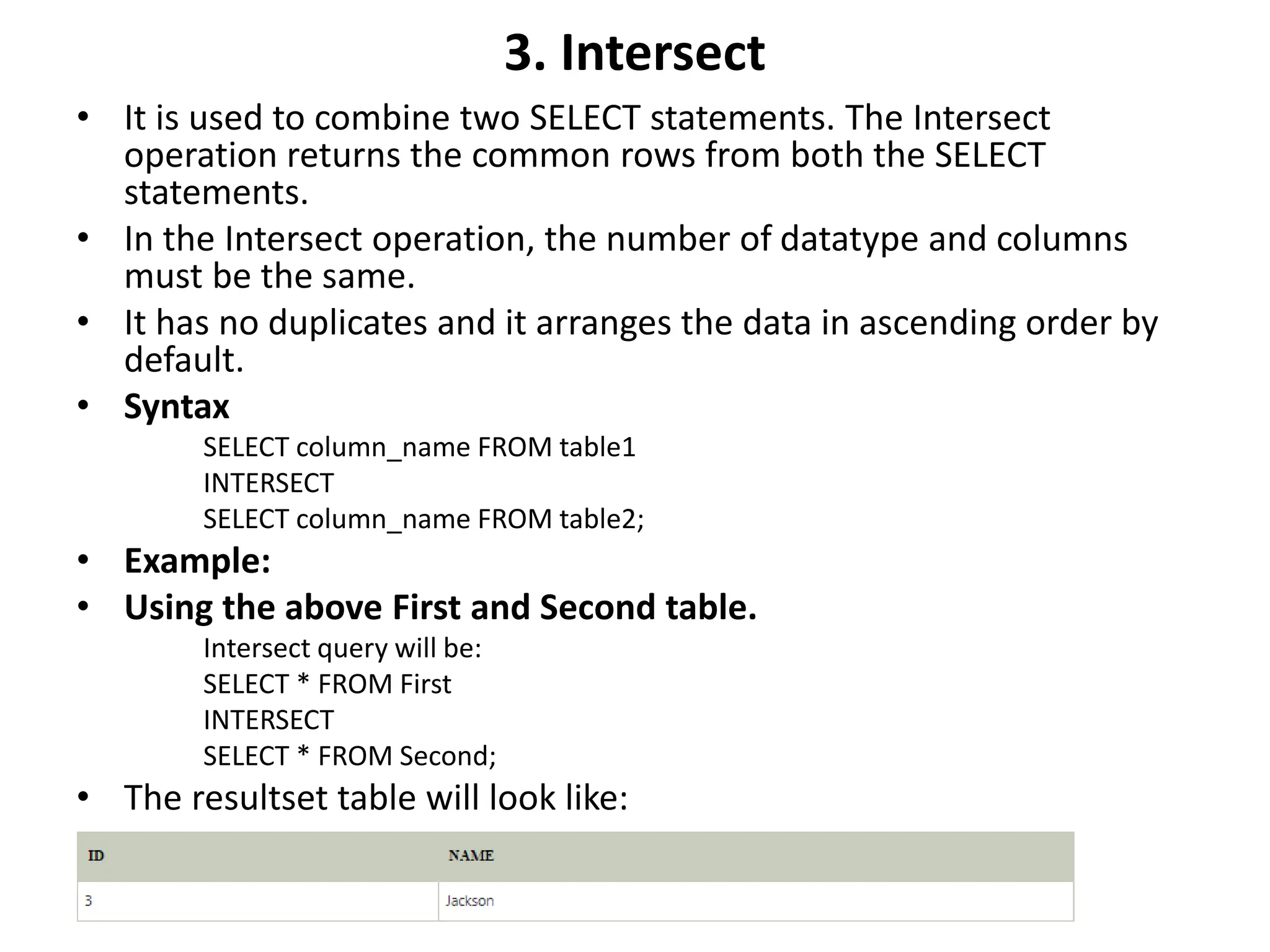
3. Intersect
• It is used to combine two SELECT statements. The Intersect
operation returns the common rows from both the SELECT
statements.
• In the Intersect operation, the number of datatype and columns
must be the same.
• It has no duplicates and it arranges the data in ascending order by
default.
• Syntax
SELECT column_name FROM table1
INTERSECT
SELECT column_name FROM table2;
• Example:
• Using the above First and Second table.
Intersect query will be:
SELECT * FROM First
INTERSECT
SELECT * FROM Second;
• The resultset table will look like:
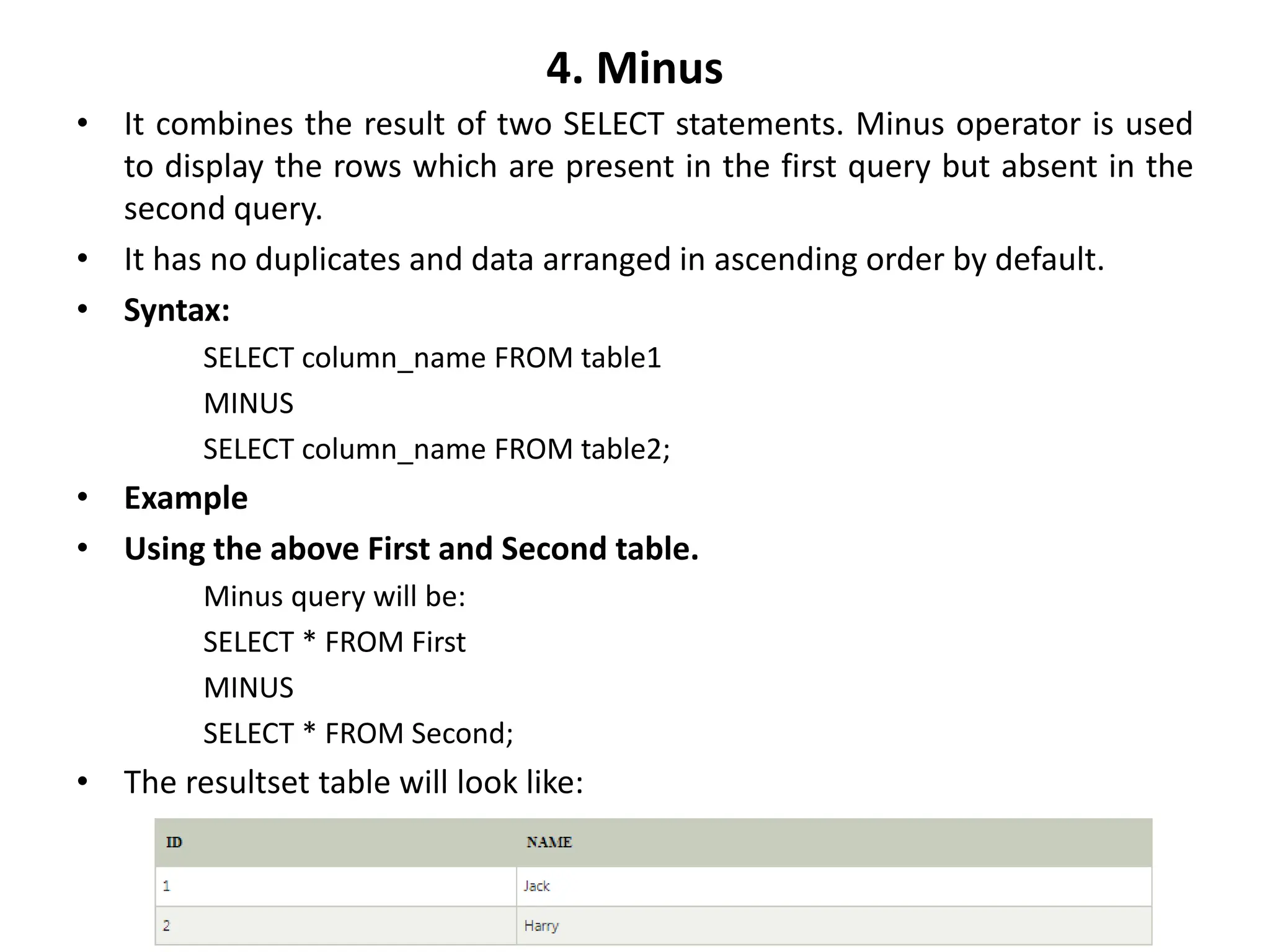
4. Minus
• It combines the result of two SELECT statements. Minus operator is used
to display the rows which are present in the first query but absent in the
second query.
• It has no duplicates and data arranged in ascending order by default.
• Syntax:
SELECT column_name FROM table1
MINUS
SELECT column_name FROM table2;
• Example
• Using the above First and Second table.
Minus query will be:
SELECT * FROM First
MINUS
SELECT * FROM Second;
• The resultset table will look like:
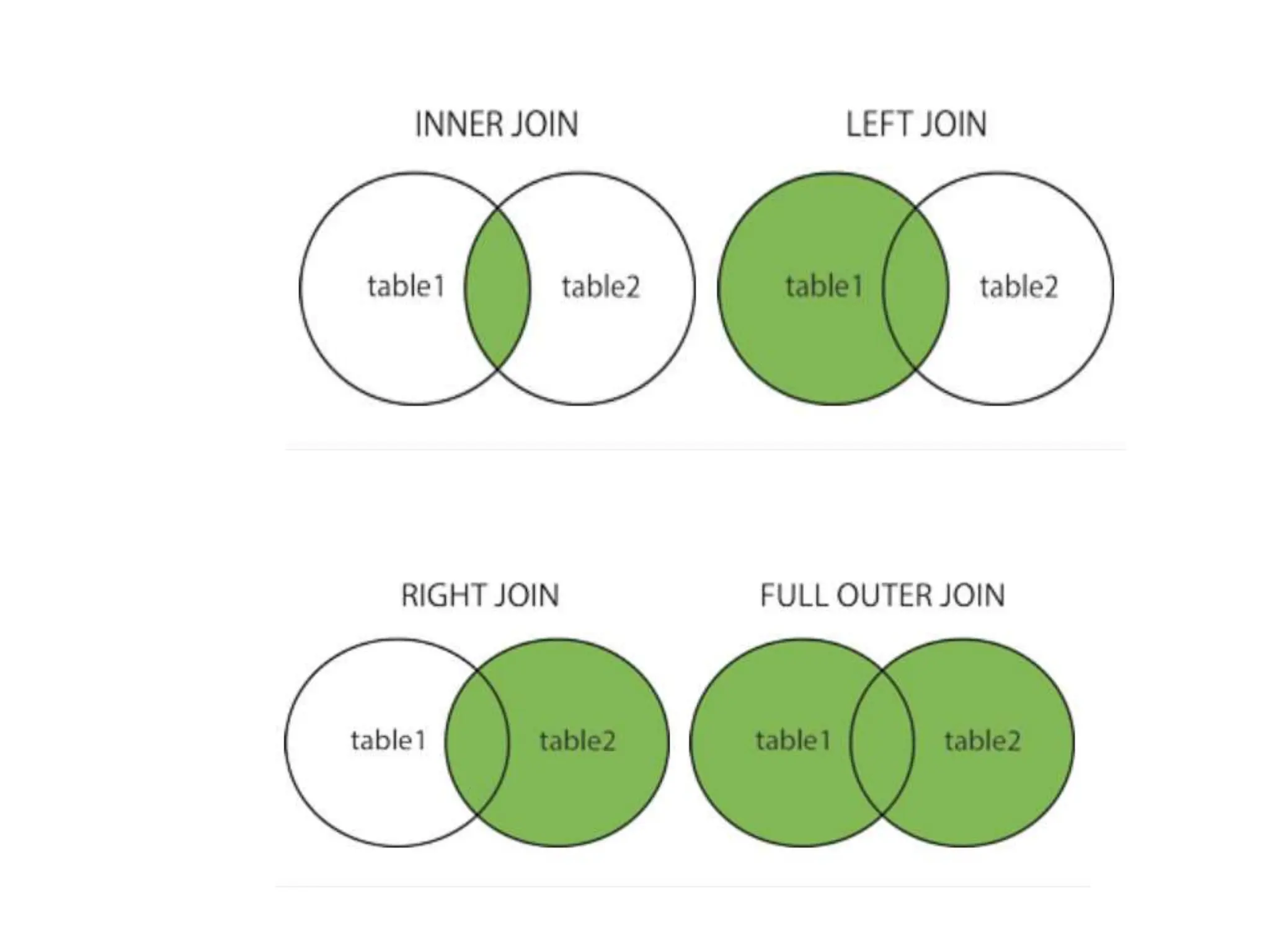
SQL Joins
• Different types of the JOINs in SQL:
• (INNER) JOIN: Returns records that have matching values
in both tables
• LEFT (OUTER) JOIN: Returns all records from the left
table, and the matched records from the right table
• RIGHT (OUTER) JOIN: Returns all records from the right
table, and the matched records from the left table
• FULL (OUTER) JOIN: Returns all records when there is a
match in either left or right table
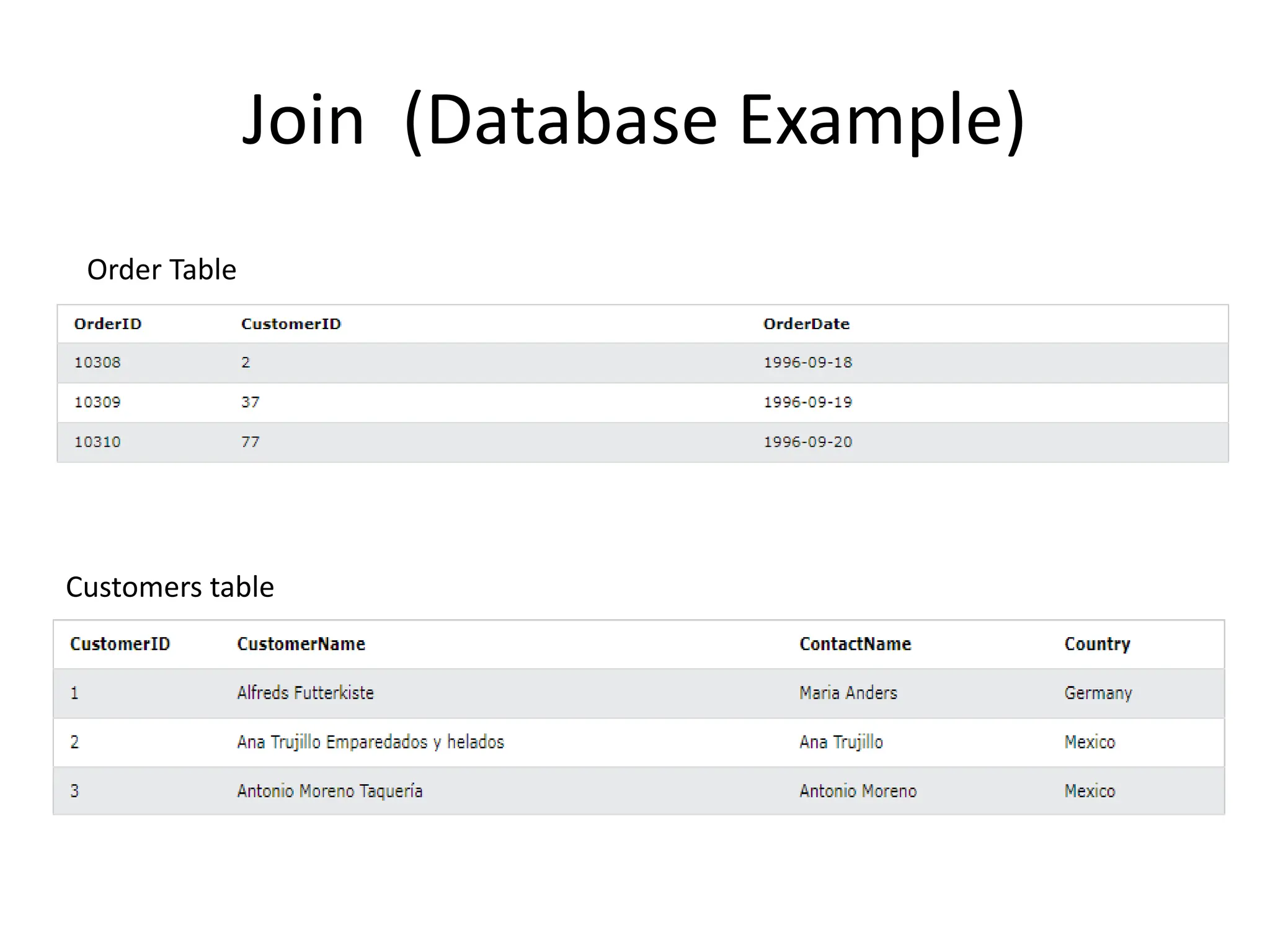
Join (Database Example)
Order Table
Customers table
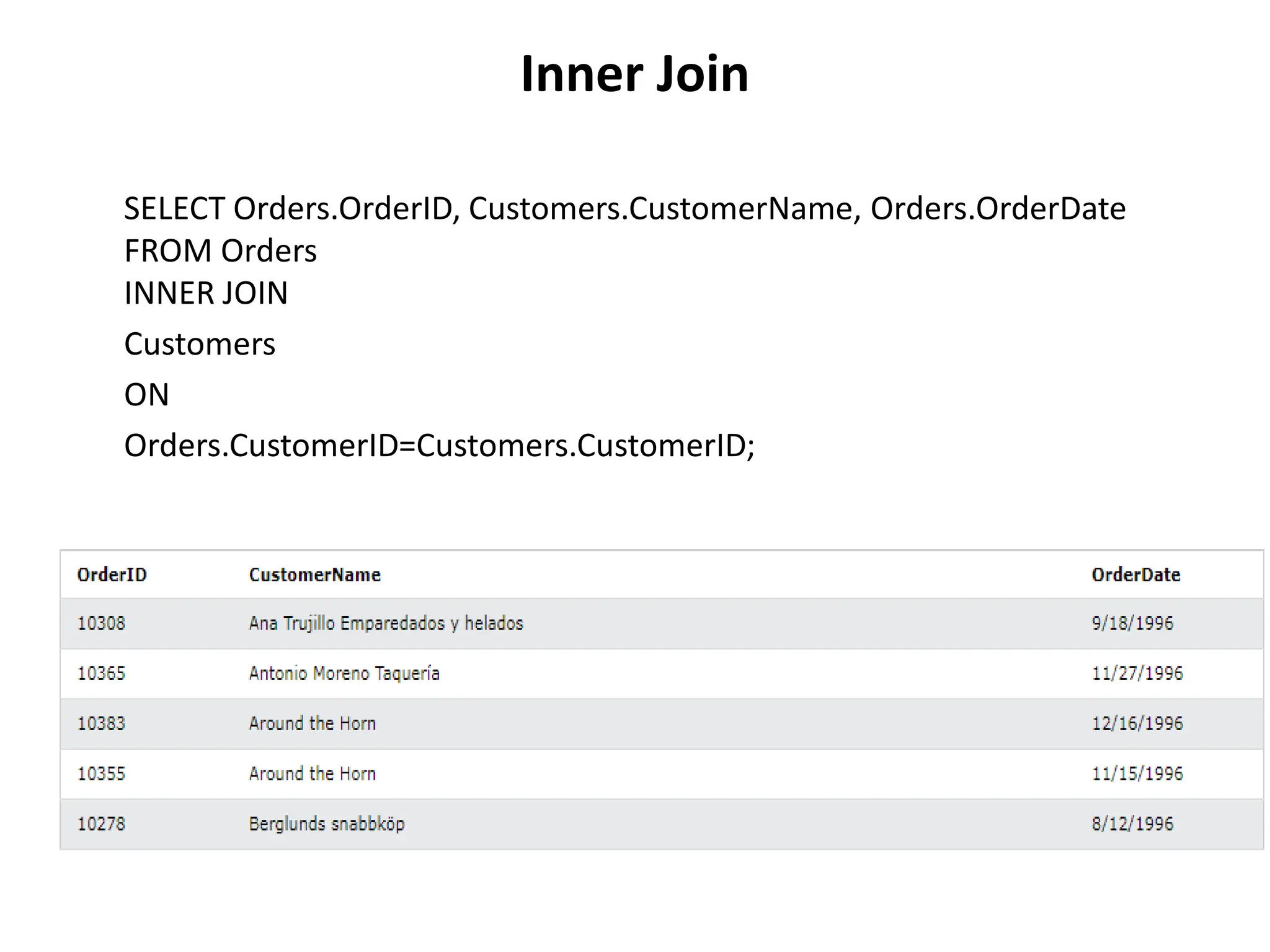
Inner Join
SELECT Orders.OrderID, Customers.CustomerName, Orders.OrderDate
FROM Orders
INNER JOIN
Customers
ON
Orders.CustomerID=Customers.CustomerID;
SQL | Procedures in PL/SQL
• PL/SQL is a block-structured language that enables
developers to combine the power of SQL with procedural
statements.
• A stored procedure in PL/SQL is nothing but a series of
declarative SQL statements which can be stored in the
database catalogue.
• A procedure can be thought of as a function or a method.
• They can be invoked through triggers, other procedures, or
applications on Java, PHP etc.
• All the statements of a block are passed to engine all at
once which increases processing speed and decreases the
traffic.
Advantages
• They result in performance improvement of the
application. If a procedure is being called frequently in an
application in a single connection, then the compiled
version of the procedure is delivered.
• They reduce the traffic between the database and the
application, since the lengthy statements are already fed
into the database and need not be sent again and again via
the application.
• They add to code reusability, similar to how functions and
methods work in other languages such as C/C++ and Java.
Disadvantages
• Stored procedures can cause a lot of memory
usage. The database administrator should
decide an upper bound as to how many stored
procedures are feasible for a particular
application.
• MySQL does not provide the functionality of
debugging the stored procedures.
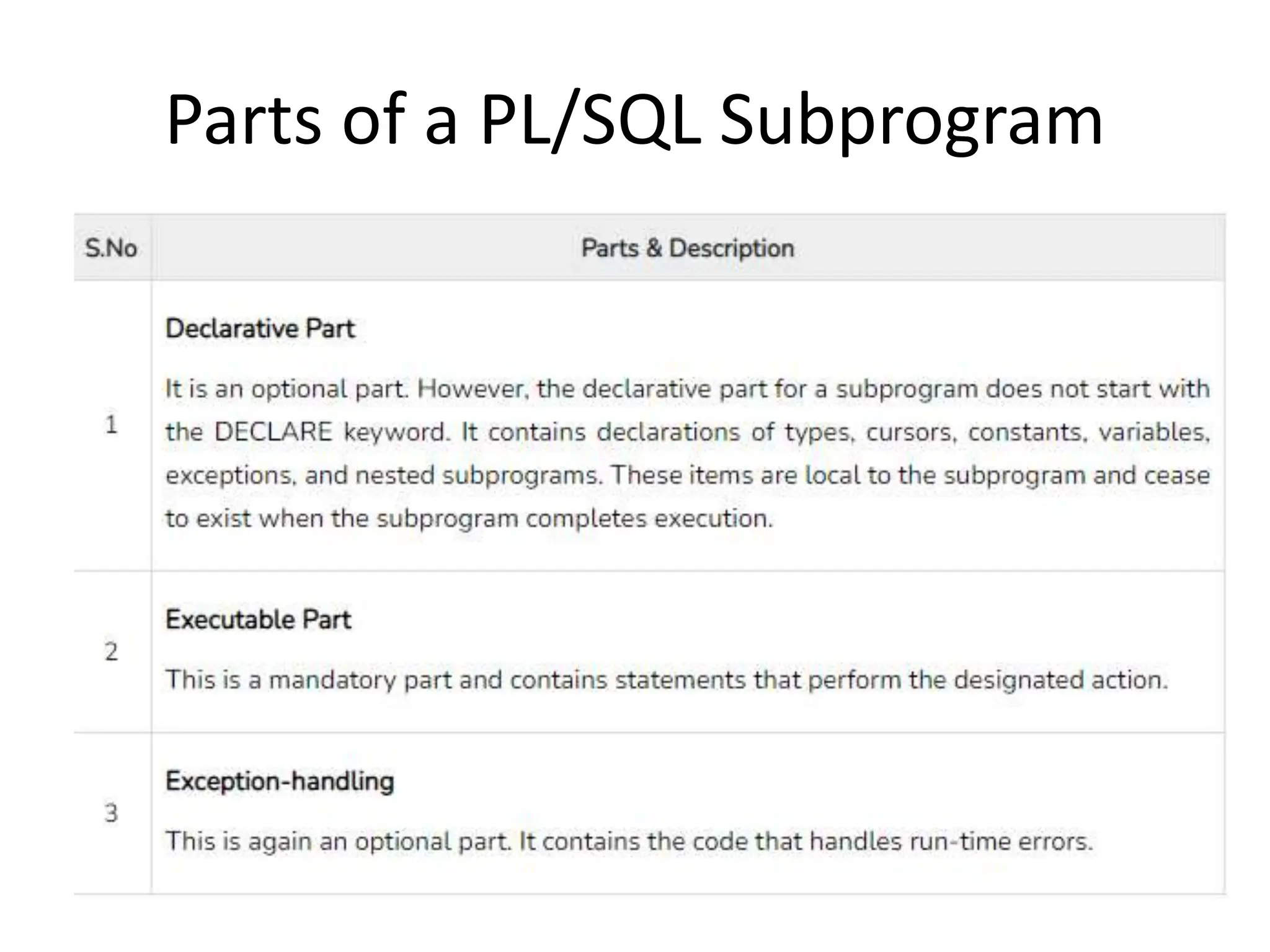
Parts of a PL/SQL Subprogram
Creating a Procedure
A procedure is created with the CREATE OR REPLACE PROCEDURE statement.
The simplified syntax for the CREATE OR REPLACE PROCEDURE statement
is as follows −
CREATE [OR REPLACE] PROCEDURE procedure_name [(parameter_name
[IN | OUT | IN OUT] type [, ...])] {IS | AS} BEGIN < procedure_body >
END procedure_name;
Where,
• procedure-name specifies the name of the procedure.
• [OR REPLACE] option allows the modification of an existing procedure.
• The optional parameter list contains name, mode and types of the
parameters. IN represents the value that will be passed from outside and
OUT represents the parameter that will be used to return a value outside
of the procedure.
• procedure-body contains the executable part.
• The AS keyword is used instead of the IS keyword for creating a standalone
procedure.
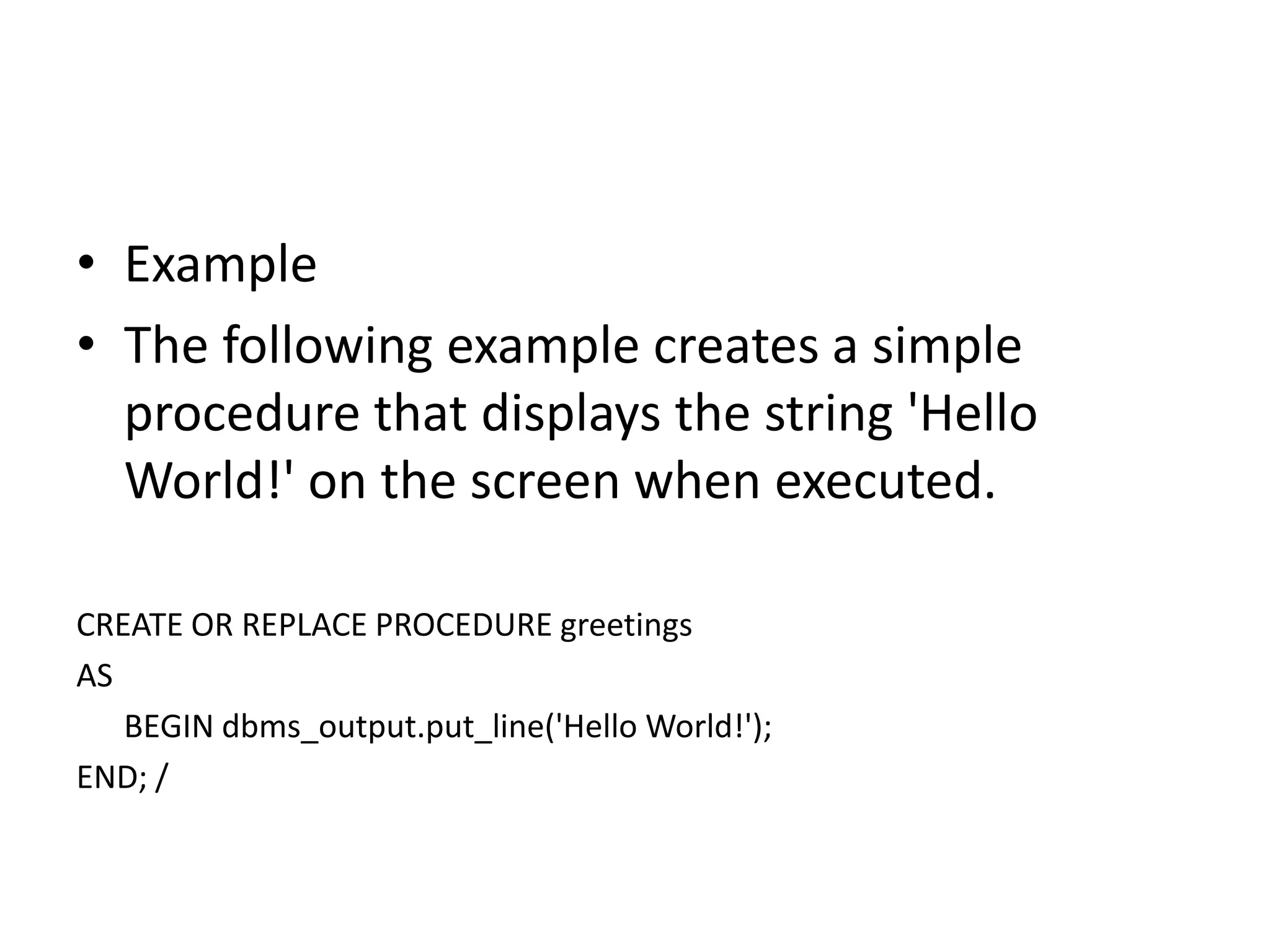
• Example
• The following example creates a simple
procedure that displays the string 'Hello
World!' on the screen when executed.
CREATE OR REPLACE PROCEDURE greetings
AS
BEGIN dbms_output.put_line('Hello World!');
END; /
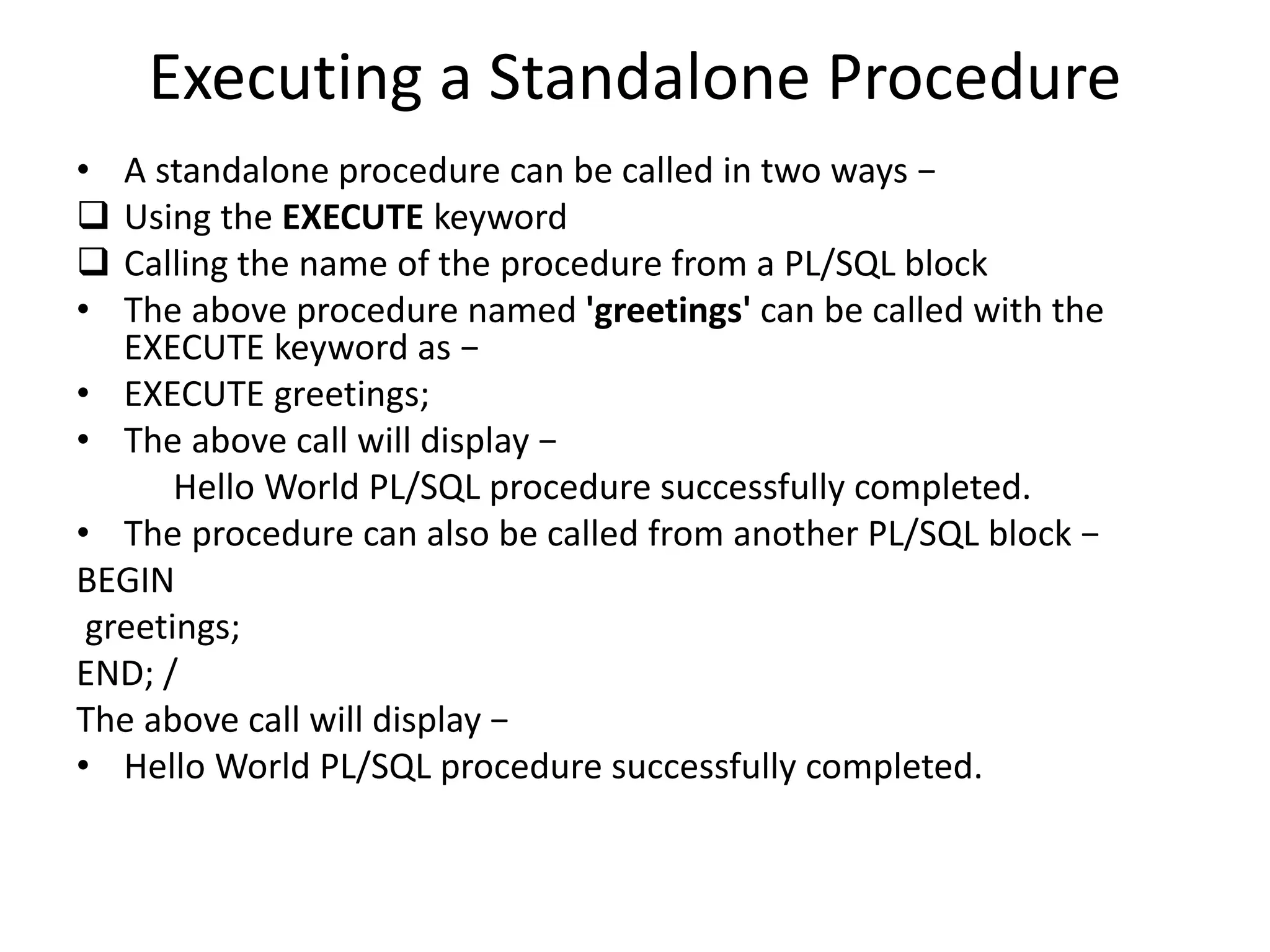
Executing a Standalone Procedure
• A standalone procedure can be called in two ways −
 Using the EXECUTE keyword
 Calling the name of the procedure from a PL/SQL block
• The above procedure named 'greetings' can be called with the
EXECUTE keyword as −
• EXECUTE greetings;
• The above call will display −
Hello World PL/SQL procedure successfully completed.
• The procedure can also be called from another PL/SQL block −
BEGIN
greetings;
END; /
The above call will display −
• Hello World PL/SQL procedure successfully completed.

Unit - II.pptx

  • 1.
    Unit - II SQLand PL/SQL
  • 2.
    Index • SQL: Characteristicsand Advantages, • SQL Data Types and Literals, • DDL, DML, DCL, TCL, • SQL Operators. • Tables: Creating, Modifying, Deleting, Updating. • SQL DML Queries: • SELECT Query and clauses, Index and Sequence in SQL. • Views: Creating, Dropping, Updating using Indexes, • Set Operations, Predicates and Joins, • Set membership, Tuple • Variables, Set comparison, • Ordering of Tuples, Aggregate Functions, • SQL Functions, • Nested Queries. • PL/SQL: Concept of Stored Procedures and Functions, • Cursors, Triggers, Assertions, • Roles and Privileges.
  • 3.
    SQL: Characteristics andAdvantages Characteristics • SQL is easy to learn. • SQL is used to access data from relational database management systems. • SQL can execute queries against the database. • SQL is used to describe the data. • SQL is used to define the data in the database and manipulate it when needed. • SQL is used to create and drop the database and table. • SQL is used to create a view, stored procedure, function in a database. • SQL allows users to set permissions on tables, procedures, and views.
  • 4.
    Advantages • High speed Usingthe SQL queries, the user can quickly and efficiently retrieve a large amount of records from a database. • No coding needed In the standard SQL, it is very easy to manage the database system. It doesn't require a substantial amount of code to manage the database system. • Well defined standards Long established are used by the SQL databases that are being used by ISO and ANSI. • Portability SQL can be used in laptop, PCs, server and even some mobile phones. • Interactive language SQL is a domain language used to communicate with the database. It is also used to receive answers to the complex questions in seconds. • Multiple data view Using the SQL language, the users can make different views of the database structure.
  • 5.
    SQL Data Typesand Literals Data types mainly classified into three categories for every database. • String Data types • Numeric Data types • Date and time Data types
  • 6.
  • 7.
  • 8.
    Date and timeData types
  • 9.
    SQL Literals • StringLiterals • Numeric Literals • Date and Time Literals • Hexadecimal Literals • Bit-Value Literals • Boolean Literals • NULL Values
  • 10.
  • 11.
    Data Definition Language(DDL) • DDL or Data Definition Language actually consists of the SQL commands that can be used to define the database schema. • It simply deals with descriptions of the database schema and is used to create and modify the structure of database objects in the database. • DDL is a set of SQL commands used to create, modify, and delete database structures but not data. • These commands are normally not used by a general user, who should be accessing the database via an application.
  • 12.
    List of DDLcommands • CREATE: This command is used to create the database or its objects (like table, index, function, views, store procedure, and triggers). • DROP: This command is used to delete objects from the database. • ALTER: This is used to alter the structure of the database. • TRUNCATE: This is used to remove all records from a table, including all spaces allocated for the records are removed. • COMMENT: This is used to add comments to the data dictionary. • RENAME: This is used to rename an object existing in the database.
  • 13.
    SQL CREATE TABLEStatement • Syntax CREATE TABLE table_name ( column1 datatype, column2 datatype, column3 datatype, .... );
  • 14.
    SQL CREATE TABLEExample CREATE TABLE Persons ( PersonID int, LastName varchar(255), FirstName varchar(255), Address varchar(255), City varchar(255) ); • The PersonID column is of type int and will hold an integer. • The LastName, FirstName, Address, and City columns are of type varchar and will hold characters, and the maximum length for these fields is 255 characters. • The empty "Persons" table will now look like this:
  • 15.
    Create Table UsingAnother Table • Syntax CREATE TABLE new_table_name AS SELECT column1, column2,... FROM existing_table_name WHERE ....; • Example CREATE TABLE TestTable AS SELECT customername, contactname FROM customers;
  • 16.
    SQL DROP TABLEStatement • The DROP TABLE statement is used to drop an existing table in a database. DROP TABLE table_name; SQL DROP TABLE Example- DROP TABLE Shippers;
  • 17.
    SQL TRUNCATE TABLE •The TRUNCATE TABLE statement is used to delete the data inside a table, but not the table itself. Syntax: TRUNCATE TABLE table_name;
  • 18.
    SQL ALTER TABLEStatement • The ALTER TABLE statement is used to add, delete, or modify columns in an existing table. • The ALTER TABLE statement is also used to add and drop various constraints on an existing table.
  • 19.
    ALTER TABLE -ADD Column • To add a column in a table, use the following syntax: ALTER TABLE table_name ADD column_name datatype; • Example - The following SQL adds an "Email" column to the "Customers" table: ALTER TABLE Customers ADD Email varchar(255);
  • 20.
    ALTER TABLE -DROP COLUMN • To delete a column in a table, use the following syntax (notice that some database systems don't allow deleting a column): ALTER TABLE table_name DROP COLUMN column_name; • The following SQL deletes the "Email" column from the "Customers" table: ALTER TABLE Customers DROP COLUMN Email;
  • 21.
    • ALTER TABLE- RENAME COLUMN ALTER TABLE table_name RENAME COLUMN old_name to new_name; • ALTER TABLE - ALTER/MODIFY DATATYPE ALTER TABLE table_name ALTER COLUMN column_name datatype; • ALTER TABLE table_name MODIFY COLUMN column_name datatype; ALTER TABLE - RENAME COLUMN AND MODIFY COLUMN DATATYPE
  • 22.
    SQL Comments • Commentsare used to explain sections of SQL statements, or to prevent execution of SQL statements. Single Line Comments • Single line comments start with -- • Any text between -- and the end of the line will be ignored (will not be executed). • The following example uses a single-line comment as an explanation: --Select all: SELECT * FROM Customers; The following example uses a single-line comment to ignore the end of a line: SELECT * FROM Customers -- WHERE City='Berlin‘;
  • 23.
    DQL (Data QueryLanguage) • DQL statements are used for performing queries on the data within schema objects. • The purpose of the DQL Command is to get some schema relation based on the query passed to it. • We can define DQL as follows it is a component of SQL statement that allows getting data from the database and imposing order upon it. • It includes the SELECT statement. • This command allows getting the data out of the database to perform operations with it. • When a SELECT is fired against a table or tables the result is compiled into a further temporary table, which is displayed or perhaps received by the program i.e. a front-end. • List of DQL:  SELECT: It is used to retrieve data from the database.
  • 24.
    DML (Data ManipulationLanguage) • The SQL commands that deal with the manipulation of data present in the database belong to DML or Data Manipulation Language and this includes most of the SQL statements. It is the component of the SQL statement that controls access to data and to the database. Basically, DCL statements are grouped with DML statements. • List of DML commands:  INSERT: It is used to insert data into a table.  UPDATE: It is used to update existing data within a table.  DELETE: It is used to delete records from a database table.  LOCK: Table control concurrency.  CALL: Call a PL/SQL or JAVA subprogram.  EXPLAIN PLAN: It describes the access path to data.
  • 25.
    DML – INSERTCOMMAND • INSERT INTO Syntax: INSERT INTO table_name VALUES (value1, value2, value3); • Insert Data in Specified Columns - Syntax: INSERT INTO table_name (column1, column2, column3) VALUES ( value1, value2, value3);
  • 26.
    • Method 1(Inserting only values) – SQL INSERT Query • Method 2 (Inserting values in only specified columns) – SQL INSERT INTO Statement
  • 27.
    Inserting all columnsof a table – INSERT INTO SELECT Statement • We can copy all the data of a table and insert it into a different table. • Syntax: INSERT INTO first_table SELECT * FROM second_table;
  • 28.
    Inserting specific columnsof a table – INSERT INTO SELECT Statement • We can copy only those columns of a table that we want to insert into a different table. • Syntax: INSERT INTO first_table(names_of_columns1) SELECT names_of_columns2 FROM second_table;
  • 29.
    DML : UPDATEStatement • The UPDATE statement in SQL is used to update the data of an existing table in the database. • We can update single columns as well as multiple columns using the UPDATE statement as per our requirement. • Syntax UPDATE table_name SET column1 = value1, column2 = value2,… WHERE condition;
  • 30.
    Updating Multiple Columns •Example UPDATE Customer SET CustomerName = 'Satyam', Country = 'USA' WHERE CustomerID = 1;
  • 31.
    Omitting WHERE Clause •If we omit the WHERE clause from the update query then all of the rows will get updated. Example: UPDATE Customer SET CustomerName = 'Shubham';
  • 32.
    DML : DELETECommand • Existing records in a table can be deleted using the SQL DELETE Statement. • We can delete a single record or multiple records depending on the condition we specify in the WHERE clause. • Syntax: DELETE FROM table_name WHERE some_condition;
  • 33.
    Deleting Single Record •Example • Delete the rows where NAME = ‘Rithvik’. This will delete only the fourth row. • Query: DELETE FROM EMPLOYEE WHERE NAME = 'Rithvik';
  • 34.
    Deleting Multiple Records •Delete the rows from the table Employee where the department is “Development”. This will delete 2 rows(the first row and the seventh row). • Query: DELETE FROM Employee WHERE department = 'Development';
  • 35.
    Delete All ofthe Records • There are two queries to do this as shown below, Query:  DELETE FROM Employee; Or  DELETE * FROM Employee; • Output: All of the records in the table will be deleted, there are no records left to display. The table Employee will become empty! NOTE : DELETE is a DML (Data Manipulation Language) command hence operation performed by DELETE can be rolled back or undone.
  • 36.
    DML : LOCKCommand • SQL Server is a versatile database and it is the most used Relational Database that is used across many software industries. In this article, let us see about the SQL Lock table in SQL Server by taking some practical examples. As it is meeting Atomicity(A), Consistency(C), Isolation(I), and Durability(D) requirements it is called a relational database. In order to maintain ACID mechanisms, in SQL Server, a lock is maintained.
  • 37.
    There are differenttypes of locks are there.  Shared (S) Locks: When the object needs to be read, this type of lock will occur, but this is not harmful.  Exclusive (X) Locks: It prevents other transactions like inserting/updating/deleting etc., Hence no modifications can be done on a locked object.  Update (U) Locks: More or less similar to Exclusive lock but here the operation can be viewed as “read phase” and “write phase”. Especially during the read phase, other transactions are prevented.  Intent Locks: When SQL Server has the shared (S) lock or exclusive (X) lock on a row, then the intent lock is on the table.  Regular intent locks: Intent exclusive (IX) , Intent shared (IS), and Intent update (IU).  Conversion locks: Shared with intent exclusive (SIX), Shared with intent update (SIU), and Update with intent exclusive (UIX).
  • 38.
  • 39.
    CALL • A storedprocedure is a pre-written SQL query that can be called multiple times and will run as the same. • Like we can create a Stored procedure for Insert, select, update in SQL database. • We can also pass parameters to the Stored procedures.
  • 40.
    Using CALL Step 1:Creating Database CREATE DATABASE GFG Step 2: Using Database USE GFG Step 3: Create a table CREATE TABLE gfgTutorial( id integer, Name varchar(20) ) Step 4: Describe the table sp_help 'dbo.gfgTutorial' Step 5: Insert some data into the table Step 6: Create a Stored procedure for Select all the rows from a table CREATE PROCEDURE select_all_data AS SELECT * FROM gfgTutorial ; EXEC select_all_data Continue….
  • 41.
    Parameterized Stored Procedure •Step 1: Create a parameterized stored procedure to insert data in the table CREATE PROCEDURE insertData @Name varchar(30), @id varchar(30) AS INSERT INTO gfgTutorial VALUES(@id, @Name) • Step 2: Execute stored procedure EXEC insertData @Name = 'Inserted Name', @id = 6 • Check the data is inserted or not.  EXEC select_all_data
  • 42.
    DCL (Data ControlLanguage) • DCL includes commands such as GRANT and REVOKE which mainly deal with the rights, permissions, and other controls of the database system. • List of DCL commands:  GRANT: This command gives users access privileges to the database. • Syntax: • GRANT SELECT, UPDATE ON MY_TABLE TO SOME_USER, ANOTHER_USER;  REVOKE: This command withdraws the user’s access privileges given by using the GRANT command. • Syntax: • REVOKE SELECT, UPDATE ON MY_TABLE FROM USER1, USER2;
  • 43.
    TCL (Transaction ControlLanguage) • Transactions group a set of tasks into a single execution unit. Each transaction begins with a specific task and ends when all the tasks in the group successfully complete. If any of the tasks fail, the transaction fails. • Therefore, a transaction has only two results: success or failure.  BEGIN: Opens a Transaction.  COMMIT: Commits a Transaction. Syntax: COMMIT;  ROLLBACK: Rollbacks a transaction in case of any error occurs. Syntax: ROLLBACK;  SAVEPOINT: Sets a save point within a transaction. Syntax: SAVEPOINT SAVEPOINT_NAME;
  • 44.
    SQL Operators. • Typesof SQL Operators • Arithmetic operator • Comparison operator • Logical operator
  • 45.
    Arithmetic Operators Example Query: SELECT* FROM employee WHERE emp_city NOT LIKE 'A%';
  • 46.
    Comparison Operators Example Query: SELECT* FROM MATHS WHERE MARKS=50;
  • 47.
    Logical Operators Example Query: SELECT* FROM employee WHERE emp_city = 'Allahabad' AND emp_country = 'India';
  • 48.
    Special Operators SELECT *FROM employee WHERE emp_id BETWEEN 101 AND 104;
  • 49.
  • 50.
    GROUP BY • SQLGROUP BY statement is used to arrange identical data into groups. • The GROUP BY statement is used with the SQL SELECT statement. • The GROUP BY statement follows the WHERE clause in a SELECT statement and precedes the ORDER BY clause. • The GROUP BY statement is used with aggregation function.  Syntax SELECT column FROM table_name WHERE conditions GROUP BY column ORDER BY column
  • 51.
    GROUP BY EXAMPLE SELECTCOMPANY, COUNT(*) FROM PRODUCT_MAST GROUP BY COMPANY;
  • 52.
    HAVING • HAVING clauseis used to specify a search condition for a group or an aggregate. • Having is used in a GROUP BY clause. If you are not using GROUP BY clause then you can use HAVING function like a WHERE clause. • Syntax: SELECT column1, column2 FROM table_name WHERE conditions GROUP BY column1, column2 HAVING conditions ORDER BY column1, column2;
  • 53.
    HAVING EXAMPLE SELECT COMPANY,COUNT(*) FROM PRODUCT_MAST GROUP BY COMPANY HAVING COUNT(*)>2; Output: Com1 5 Com2 3
  • 54.
    ORDER BY • TheORDER BY clause sorts the result-set in ascending or descending order. • It sorts the records in ascending order by default. DESC keyword is used to sort the records in descending order. • Syntax: • SELECT column1, column2 • FROM table_name • WHERE condition • ORDER BY column1, column2... ASC|DESC; • Where • ASC: It is used to sort the result set in ascending order by expression. • DESC: It sorts the result set in descending order by expression.
  • 55.
    Example: Sorting Resultsin Ascending Order SELECT * FROM CUSTOMER ORDER BY NAME; Output:
  • 56.
    Sorting Results inDescending Order SELECT * FROM CUSTOMER ORDER BY NAME DESC; Output:
  • 57.
    Index in SQL •Indexes are special lookup tables that the database search engine can use to speed up data retrieval. • An index helps to speed up SELECT queries and WHERE clauses, but it slows down data input, with the UPDATE and the INSERT statements. Indexes can be created or dropped with no effect on the data. • Creating an index involves the CREATE INDEX statement, which allows you to name the index, to specify the table and which column or columns to index, and to indicate whether the index is in an ascending or descending order. • Indexes can also be unique, like the UNIQUE constraint, in that the index prevents duplicate entries in the column or combination of columns on which there is an index.
  • 58.
    The CREATE INDEXCommand • The basic syntax of a CREATE INDEX is as follows. CREATE INDEX index_name ON table_name;
  • 59.
    • Single-Column Indexes Asingle-column index is created based on only one table column. The basic syntax is as follows. CREATE INDEX index_name ON table_name (column_name); • Unique Indexes Unique indexes are used not only for performance, but also for data integrity. A unique index does not allow any duplicate values to be inserted into the table. The basic syntax is as follows. CREATE UNIQUE INDEX index_name on table_name (column_name); • Composite Indexes A composite index is an index on two or more columns of a table. Its basic syntax is as follows. CREATE INDEX index_name on table_name (column1, column2);
  • 60.
    The DROP INDEXCommand • An index can be dropped using SQL DROP command. Care should be taken when dropping an index because the performance may either slow down or improve. The basic syntax is as follows − DROP INDEX index_name;
  • 61.
    Sequence in SQL •A sequence is a user-defined schema-bound object that generates a series of numeric values. • Sequences are frequently used in many databases because many applications require each row in a table to contain a unique value and sequences provide an easy way to generate them. • The sequence of numeric values is generated in an ascending or descending order at defined intervals and can be configured to restart when it exceeds max_value.
  • 62.
    Sequences • Syntax: CREATE SEQUENCEsequence_name START WITH initial_value INCREMENT BY increment_value MINVALUE minimum value MAXVALUE maximum value CYCLE|NOCYCLE ; • Example 1: CREATE SEQUENCE sequence_1 start with 1 increment by 1 minvalue 0 maxvalue 100 cycle; The above query will create a sequence named sequence_1. The sequence will start from 1 and will be incremented by 1 having maximum value of 100. The sequence will repeat itself from the start value after exceeding 100.
  • 63.
    • Example 2:Following is the sequence query creating a sequence in descending order. CREATE SEQUENCE sequence_2 start with 100 increment by -1 min value 1 max value 100 cycle;
  • 64.
    Views in SQL •Views in SQL are considered as a virtual table. A view also contains rows and columns. • To create the view, we can select the fields from one or more tables present in the database. • A view can either have specific rows based on certain condition or all the rows of a table.
  • 65.
    Advantages of View •Complexity: Views help to reduce the complexity. Different views can be created on the same base table for different users. • Security: It increases the security by excluding the sensitive information from the view. • Query Simplicity: It helps to simplify commands from the user. A view can draw data from several different tables and present it as a single table. • Consistency: A view can present a consistent, unchanged image of the structure of the database. Views can be used to rename the columns without affecting the base table. • Data Integrity: If data is accessed and entered through a view, the DBMS can automatically check the data to ensure that it meets the specified integrity constraints. • Storage Capacity: Views take very little space to store the data. • Logical Data Independence: View can make the application and database tables to a certain extent independent.
  • 66.
    Disadvantages of View •The DML statements which can be performed on a view created using single base table have certain restrictions are: • You cannot INSERT if the base table has any not null column that do not appear in view. • You cannot INSERT or UPDATE if any of the column referenced in the INSERT or UPDATE contains group functions or columns defined by expression. • You can't execute INSERT, UPDATE, DELETE statements on a view if with read only option is enabled. • You can't be created view on temporary tables. • You cannot INSERT, UPDATE, DELETE if the view contains group functions GROUP BY, DISTINCT or a reference to a psuedo column rownum. • You can't pass parameters to the SQL server views. • You can't associate rules and defaults with views.
  • 67.
  • 68.
    1. Creating view •A view can be created using the CREATE VIEW statement. We can create a view from a single table or multiple tables. • Syntax: CREATE VIEW view_name AS SELECT column1, column2..... FROM table_name WHERE condition;
  • 69.
    2. Creating Viewfrom a single table • In this example, we create a View named DetailsView from the table Student_Detail. CREATE VIEW DetailsView AS SELECT NAME, ADDRESS FROM Student_Details WHERE STU_ID < 4; • Just like table query, we can query the view to view the data. SELECT * FROM DetailsView;
  • 70.
    3. Creating Viewfrom multiple tables • View from multiple tables can be created by simply include multiple tables in the SELECT statement. • In the given example, a view is created named MarksView from two tables Student_Detail and Student_Marks. CREATE VIEW MarksView AS SELECT Student_Detail.NAME, Student_Detail.ADDRESS, Student_Marks.MARKS FROM Student_Detail, Student_Mark WHERE Student_Detail.NAME = Student_Marks.NAME; • To display data of View MarksView: • SELECT * FROM MarksView;
  • 71.
    4. Deleting View •A view can be deleted using the Drop View statement. • Syntax • DROP VIEW view_name; • Example DROP VIEW MarksView;
  • 72.
    Set Operations inSQL • The SQL Set operation is used to combine the two or more SQL SELECT statements. • Types of Set Operation Union UnionAll Intersect Minus
  • 73.
    1. Union • TheSQL Union operation is used to combine the result of two or more SQL SELECT queries. • In the union operation, all the number of datatype and columns must be same in both the tables on which UNION operation is being applied. • The union operation eliminates the duplicate rows from its resultset. • Syntax SELECT column_name FROM table1 UNION SELECT column_name FROM table2;
  • 74.
    Union Example Union SQLquery will be: SELECT * FROM First UNION SELECT * FROM Second;
  • 75.
    2. Union All •Union All operation is equal to the Union operation. It returns the set without removing duplication and sorting the data. • Syntax: SELECT column_name FROM table1 UNION ALL SELECT column_name FROM table2; • Example: Using the above First and Second table. • Union All query will be like: SELECT * FROM First UNION ALL SELECT * FROM Second; The resultset table will look like:
  • 76.
    3. Intersect • Itis used to combine two SELECT statements. The Intersect operation returns the common rows from both the SELECT statements. • In the Intersect operation, the number of datatype and columns must be the same. • It has no duplicates and it arranges the data in ascending order by default. • Syntax SELECT column_name FROM table1 INTERSECT SELECT column_name FROM table2; • Example: • Using the above First and Second table. Intersect query will be: SELECT * FROM First INTERSECT SELECT * FROM Second; • The resultset table will look like:
  • 77.
    4. Minus • Itcombines the result of two SELECT statements. Minus operator is used to display the rows which are present in the first query but absent in the second query. • It has no duplicates and data arranged in ascending order by default. • Syntax: SELECT column_name FROM table1 MINUS SELECT column_name FROM table2; • Example • Using the above First and Second table. Minus query will be: SELECT * FROM First MINUS SELECT * FROM Second; • The resultset table will look like:
  • 78.
    SQL Joins • Differenttypes of the JOINs in SQL: • (INNER) JOIN: Returns records that have matching values in both tables • LEFT (OUTER) JOIN: Returns all records from the left table, and the matched records from the right table • RIGHT (OUTER) JOIN: Returns all records from the right table, and the matched records from the left table • FULL (OUTER) JOIN: Returns all records when there is a match in either left or right table
  • 80.
    Join (Database Example) OrderTable Customers table
  • 81.
    Inner Join SELECT Orders.OrderID,Customers.CustomerName, Orders.OrderDate FROM Orders INNER JOIN Customers ON Orders.CustomerID=Customers.CustomerID;
  • 82.
    SQL | Proceduresin PL/SQL • PL/SQL is a block-structured language that enables developers to combine the power of SQL with procedural statements. • A stored procedure in PL/SQL is nothing but a series of declarative SQL statements which can be stored in the database catalogue. • A procedure can be thought of as a function or a method. • They can be invoked through triggers, other procedures, or applications on Java, PHP etc. • All the statements of a block are passed to engine all at once which increases processing speed and decreases the traffic.
  • 83.
    Advantages • They resultin performance improvement of the application. If a procedure is being called frequently in an application in a single connection, then the compiled version of the procedure is delivered. • They reduce the traffic between the database and the application, since the lengthy statements are already fed into the database and need not be sent again and again via the application. • They add to code reusability, similar to how functions and methods work in other languages such as C/C++ and Java.
  • 84.
    Disadvantages • Stored procedurescan cause a lot of memory usage. The database administrator should decide an upper bound as to how many stored procedures are feasible for a particular application. • MySQL does not provide the functionality of debugging the stored procedures.
  • 85.
    Parts of aPL/SQL Subprogram
  • 86.
    Creating a Procedure Aprocedure is created with the CREATE OR REPLACE PROCEDURE statement. The simplified syntax for the CREATE OR REPLACE PROCEDURE statement is as follows − CREATE [OR REPLACE] PROCEDURE procedure_name [(parameter_name [IN | OUT | IN OUT] type [, ...])] {IS | AS} BEGIN < procedure_body > END procedure_name; Where, • procedure-name specifies the name of the procedure. • [OR REPLACE] option allows the modification of an existing procedure. • The optional parameter list contains name, mode and types of the parameters. IN represents the value that will be passed from outside and OUT represents the parameter that will be used to return a value outside of the procedure. • procedure-body contains the executable part. • The AS keyword is used instead of the IS keyword for creating a standalone procedure.
  • 87.
    • Example • Thefollowing example creates a simple procedure that displays the string 'Hello World!' on the screen when executed. CREATE OR REPLACE PROCEDURE greetings AS BEGIN dbms_output.put_line('Hello World!'); END; /
  • 88.
    Executing a StandaloneProcedure • A standalone procedure can be called in two ways −  Using the EXECUTE keyword  Calling the name of the procedure from a PL/SQL block • The above procedure named 'greetings' can be called with the EXECUTE keyword as − • EXECUTE greetings; • The above call will display − Hello World PL/SQL procedure successfully completed. • The procedure can also be called from another PL/SQL block − BEGIN greetings; END; / The above call will display − • Hello World PL/SQL procedure successfully completed.