QR CODES
“SCAN YOUR WAY TO
ENGAGEMENT”
Presenter:
Pamala Heller
Woodland High School/
Kennesaw State University
What I hope you get from this
session:
• What is a QR code?
• How do I make a QR code?
• How can I use QR codes to engage
students?
• How can I pair Google Drive with QR
codes to help make my job as a teacher
more effective and efficient?
• Sample classroom engaged with QR
codes.
Get Out Your Devices!!!
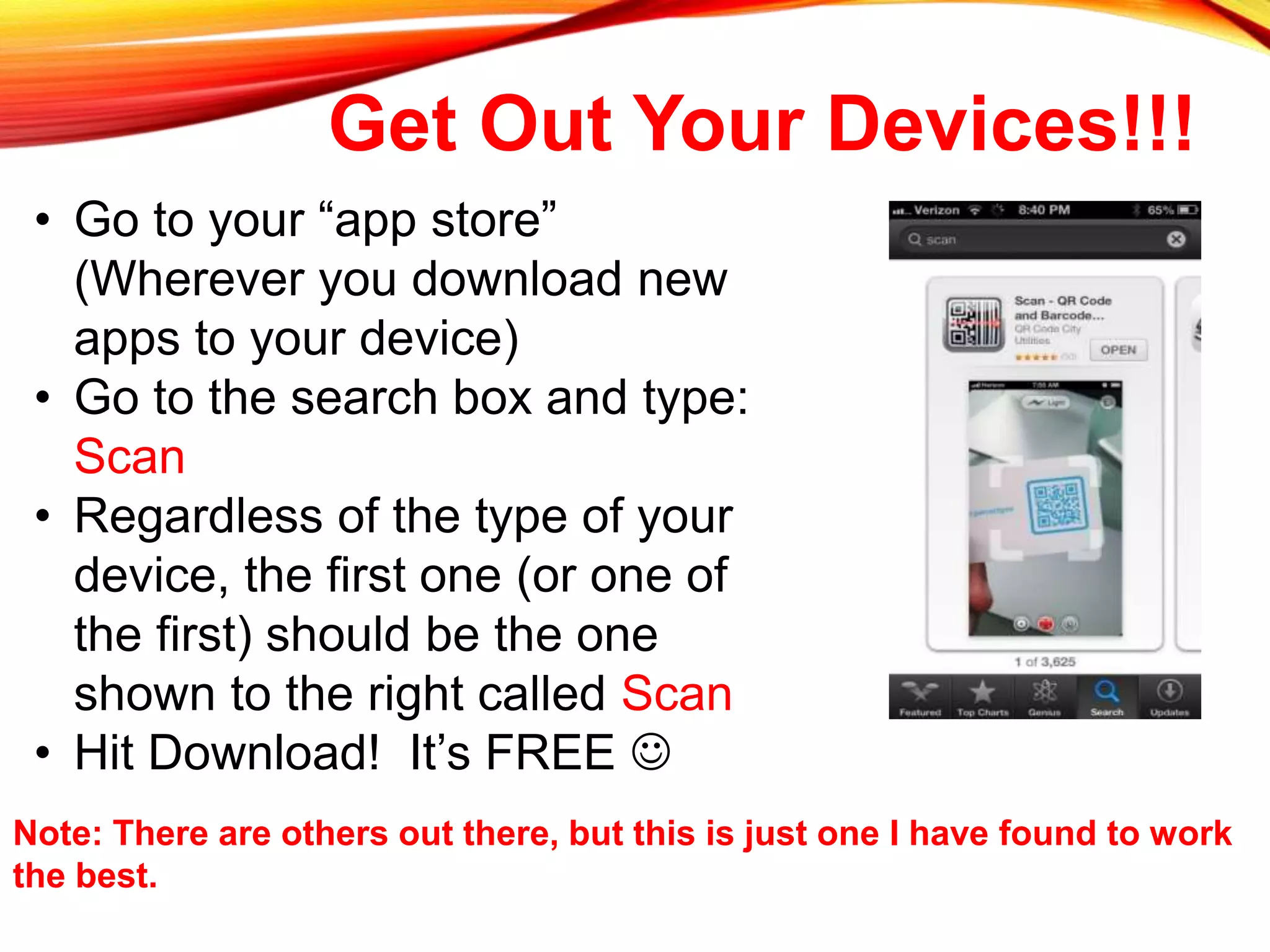
• Go to your “app store”
(Wherever you download new
apps to your device)
• Go to the search box and type:
Scan
• Regardless of the type of your
device, the first one (or one of
the first) should be the one
shown to the right called Scan
• Hit Download! It’s FREE 
Note: There are others out there, but this is just one I have found to work
the best.
A QR code gives you QUICK RESPONSES
through various forms of media and outlets.
Two Types of QR Codes
DYNAMIC:
• Most used when you are linking a code to a webpage
URL that has a chance of changing or that you know will
change
• If you use a dynamic code and then the URL changes,
you DO NOT have to change the code you have already
made.
STATIC:
• Most things you will do in your classroom and elsewhere
will work fine with this type
• If you link a webpage to a static code and the URL
changes, YOU MUST change the code.
Different ways to use QR
Codes• Pictures
• Text
• Videos
• URL Links
• Contact information
• And much more!
How can I make QR Codes?
• http://qrcode.kaywa.com/
• User Friendly
• No Clutter Webpage
• http://www.qrstuff.com/
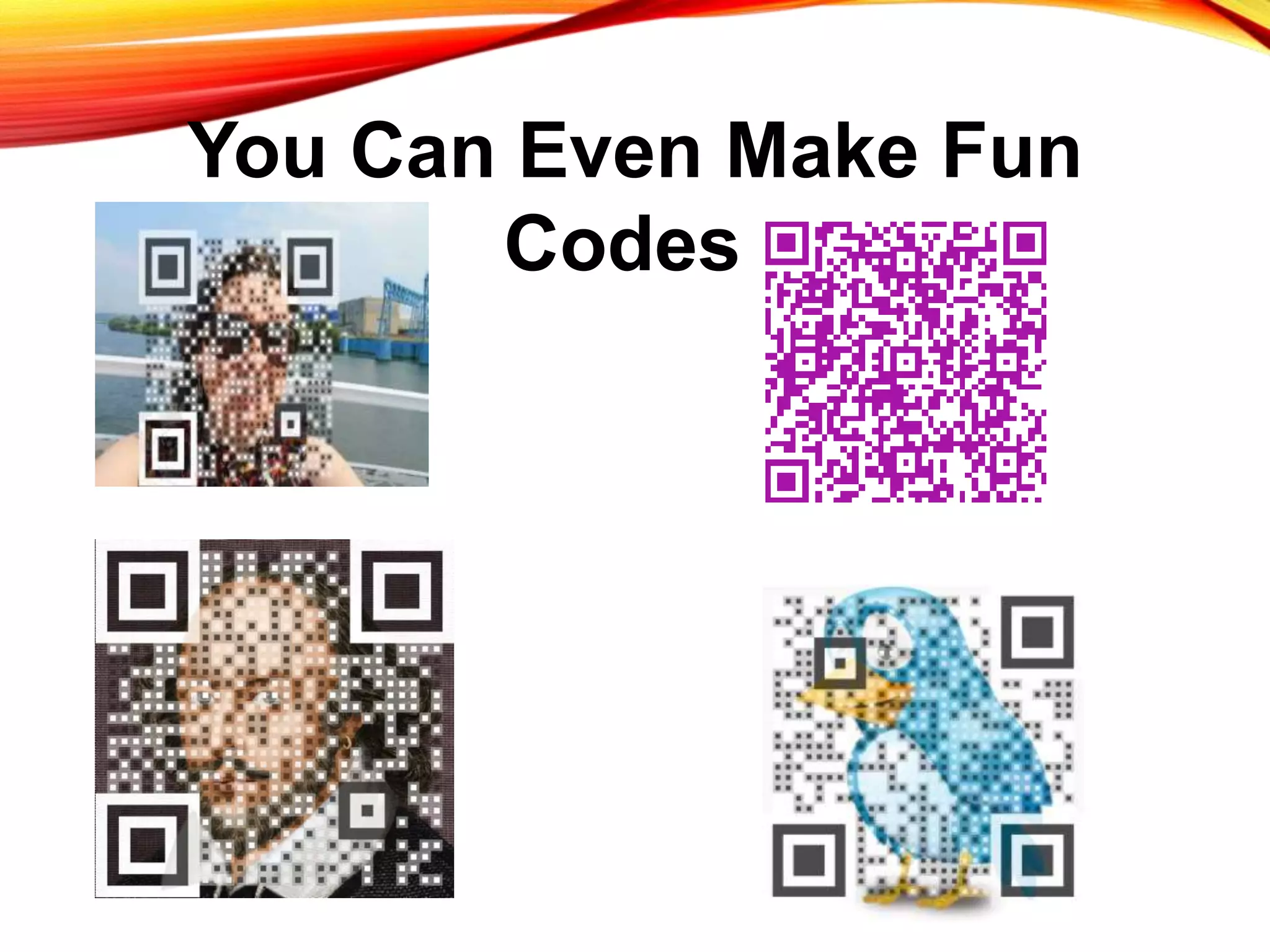
• More Options to Code From
• Color and Picture Backgrounds for Codes
Note: There are other
sites out there that will
allow you to do this.
However, these are
the two I have found
to be the most
effective.
You Can Even Make Fun
Codes!
Instruction Enhancement/Student
Engagement
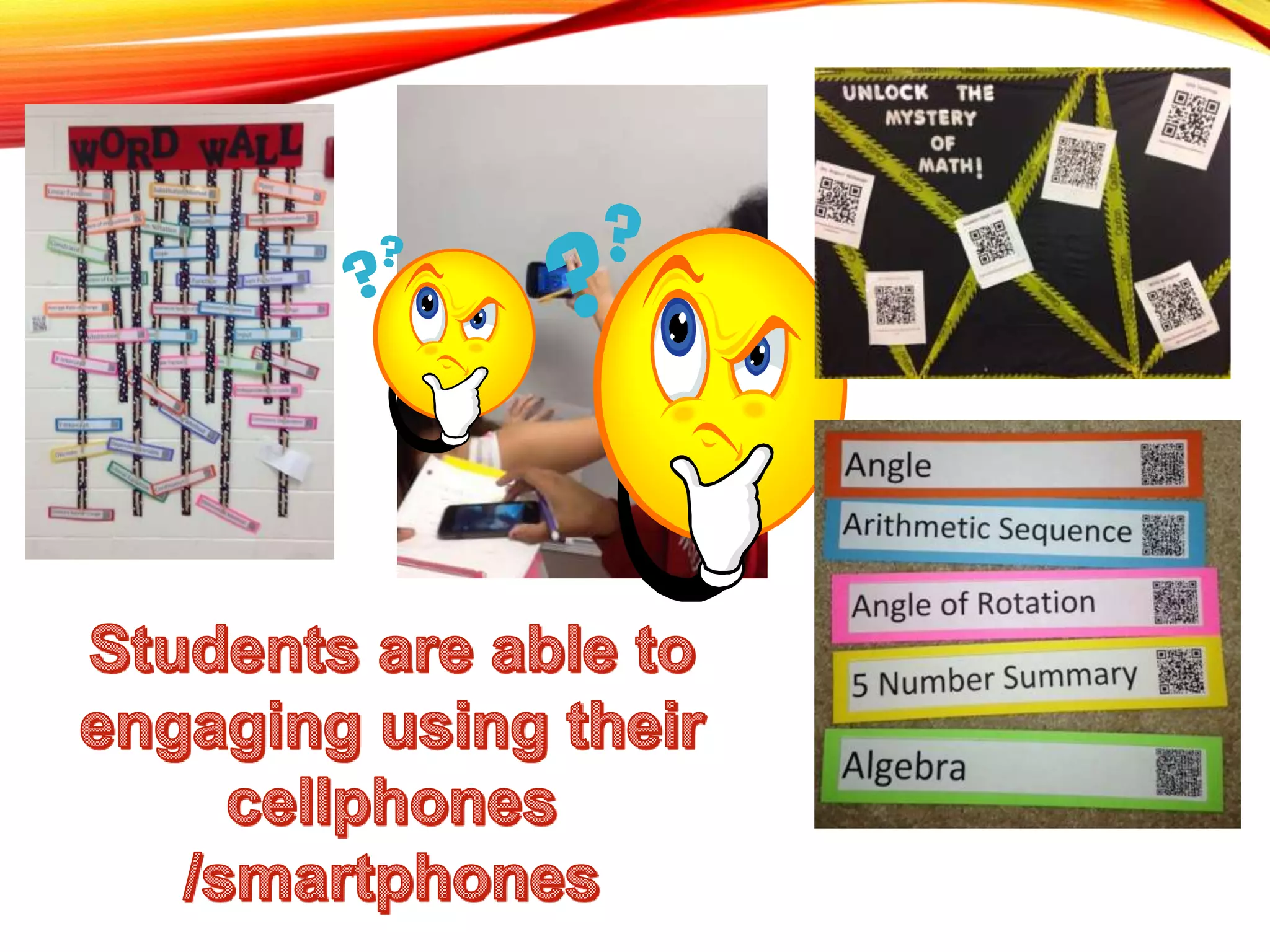
• Interactive Vocabulary
• Completely student led activities
• Communication and Collaboration
• No more “I didn’t do my work because the sub
couldn’t help me” (or at least less of this )
• Student led remediation of topics they don’t
understand
• Send them straight where you want them
instead of navigating through search engines
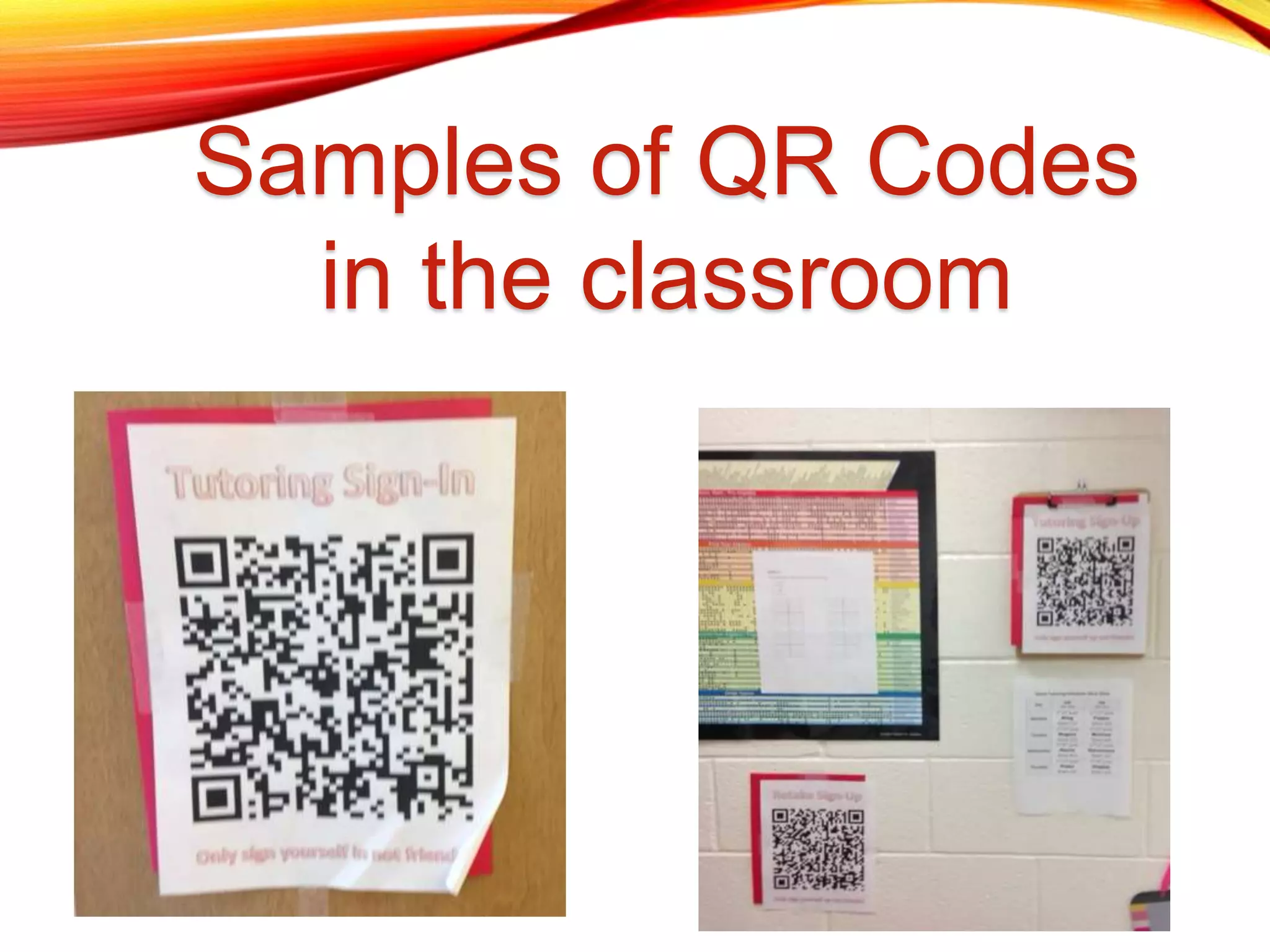
Samples of QR Codes
in the classroom
Result of QR Code Activities:
• Students were more actively engaged in their own
learning.
• More student to student conversations happened
instead of student to teacher
• Students are naturally competitive and tend to
use this competition to push each other through
the activity.
• Many students who usually give up very easily
while working tended to persevere more through
these interactive activities.
• Even if students didn’t have devices, the
other students were very quick to lend their
devices for use to these students thus
creating an atmosphere of positive learning
and peer interaction.
• Students are eager to have more freedom
to work on their own and help each other
through the problems since they have
answers to check with.
• You can become a fly on the wall to the
learning experience of the students instead
of the sole deliverer of information, and the
students were awesome teachers to each
other!
Teacher Effectiveness and Efficiency of
using QR Codes
• Open house smoother transition
• Parent information surveys
• Student information surveys
• Sign in records
• Your contact information
• Record keeping is a breeze
• Student tutoring sign-ins, sign-ups, etc.
• When parents ask did they come…
• Interactive data collection
• Have students complete summarizers through QR
• Give students questions/notes through QR for assignments
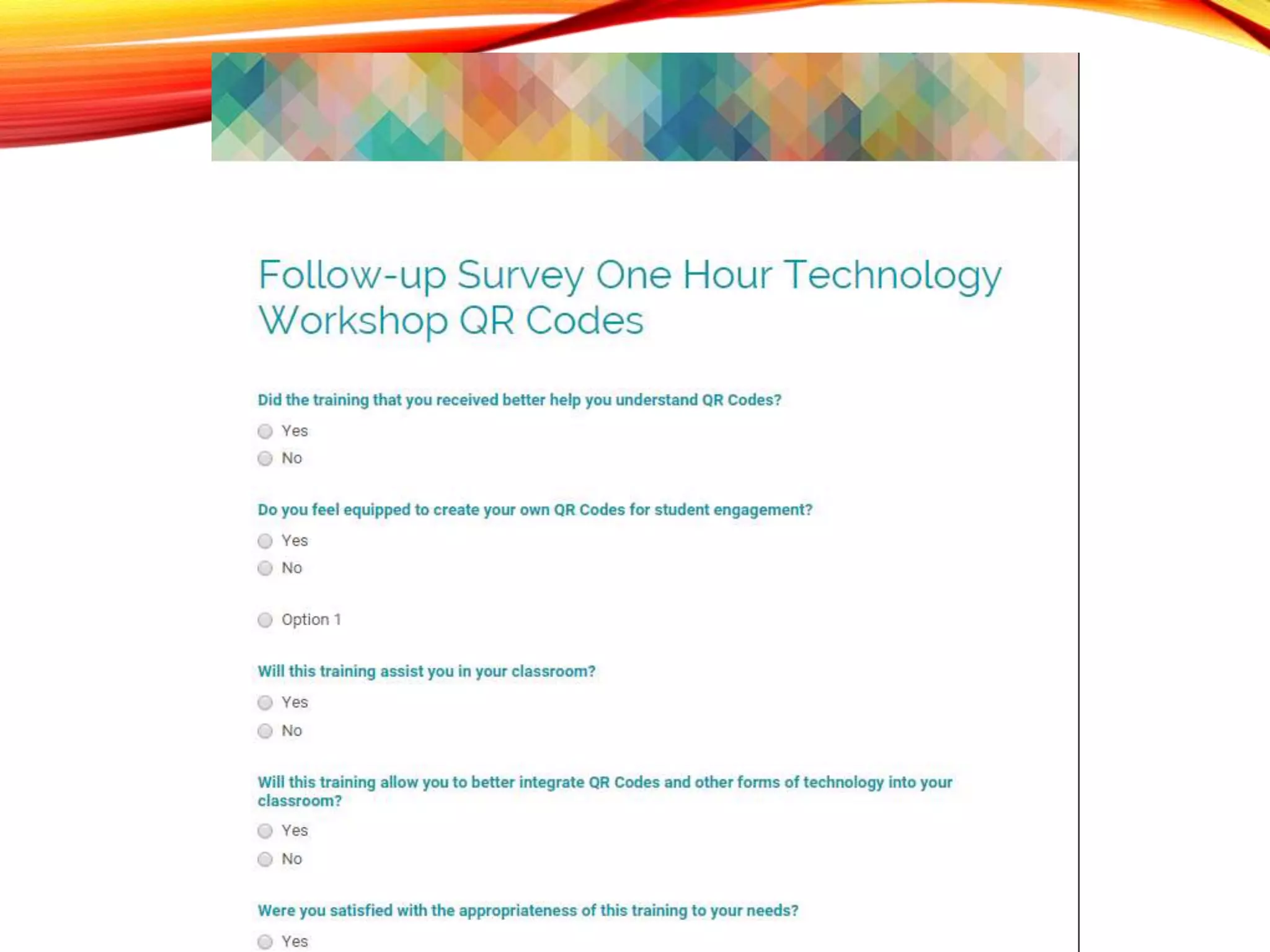
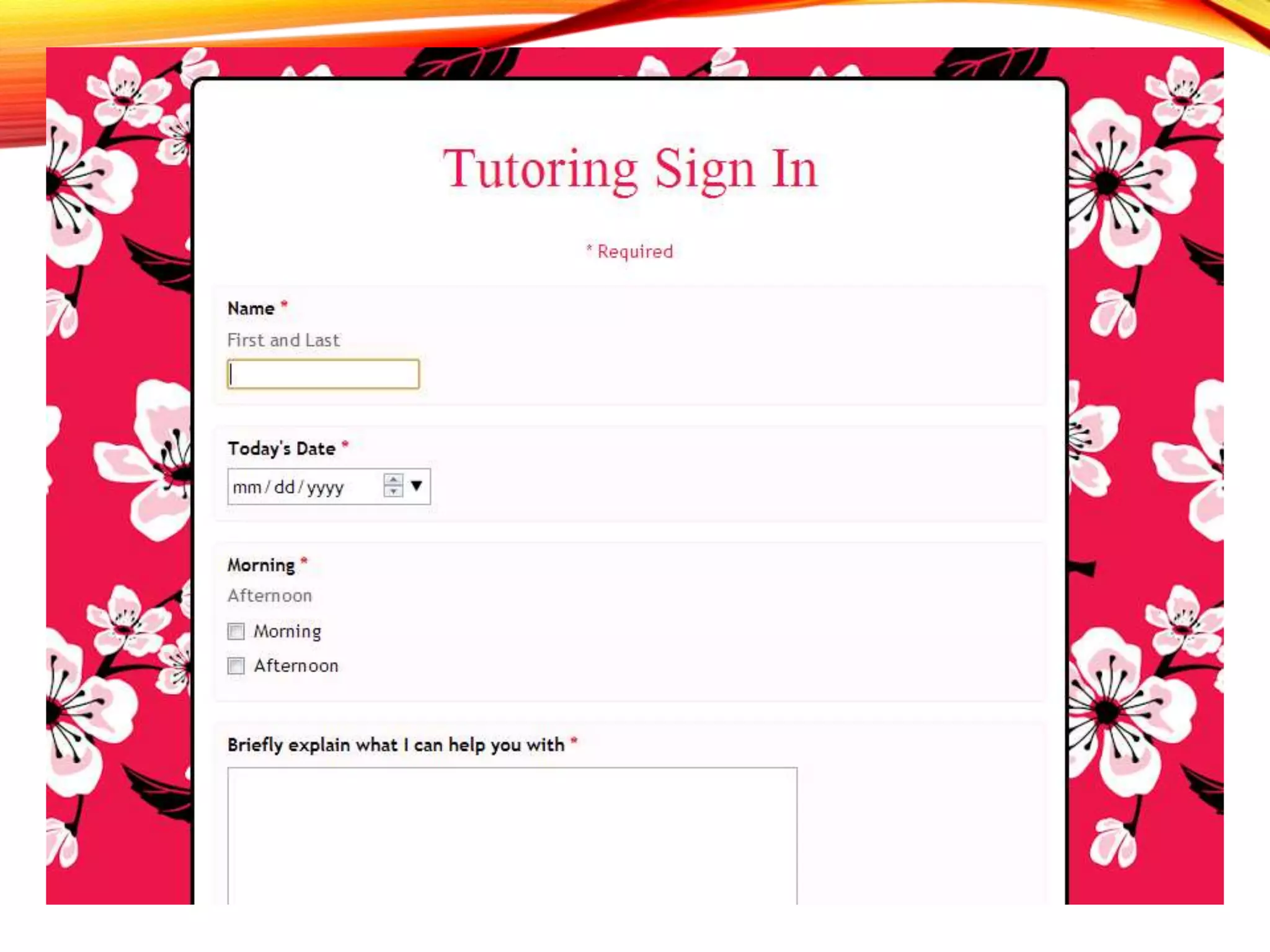
Using Google Drive to make Codes
more relevant
• Look at how easy it becomes to have
students sign in to tutoring, test
retakes, etc. through making a Google
forms!
• After a few days, students were
accustomed to signing in via their
electronic device and needed little to
no reminding to do so!
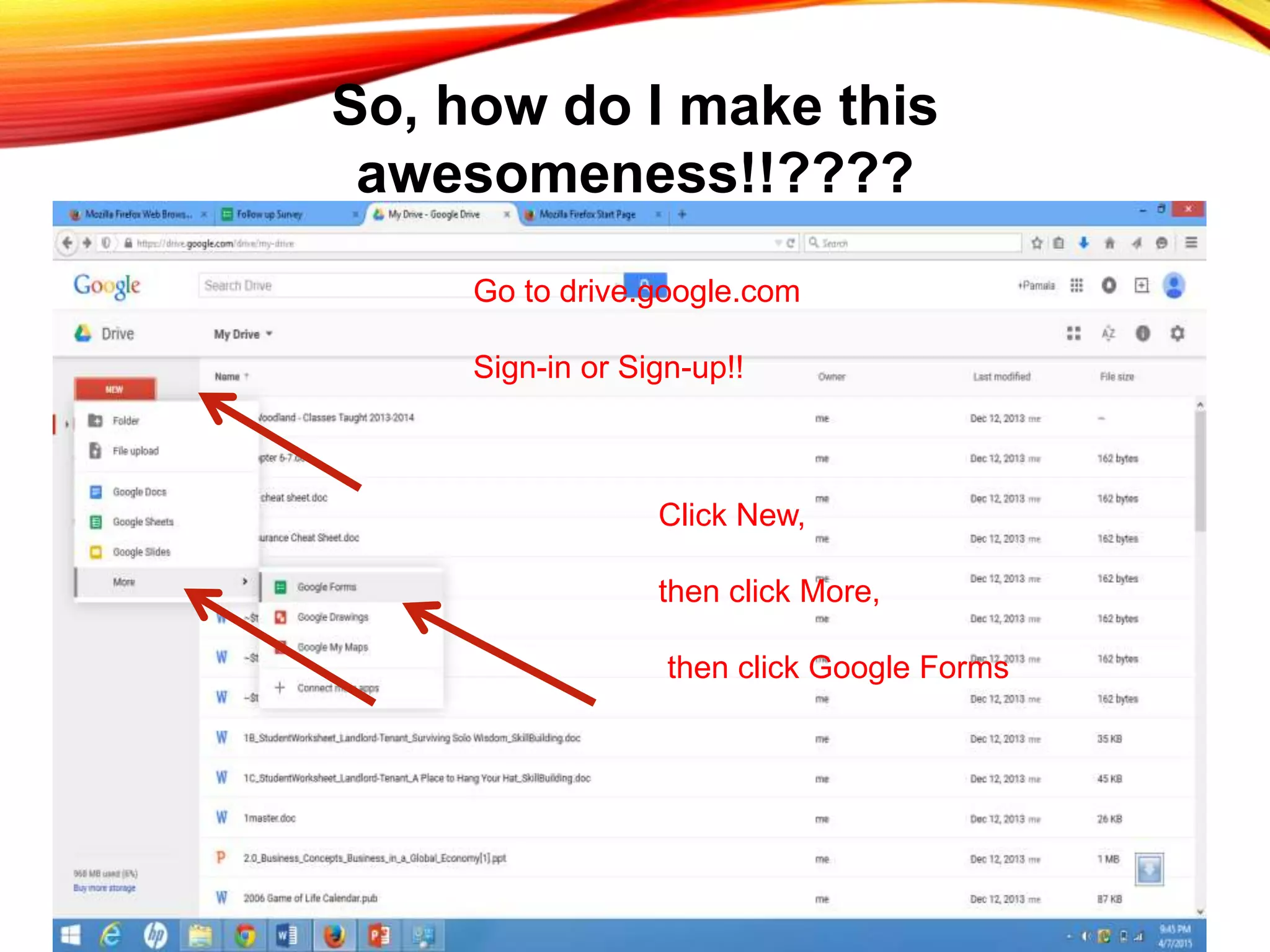
So, how do I make this
awesomeness!!????
Go to drive.google.com
Sign-in or Sign-up!!
Click New,
then click More,
then click Google Forms
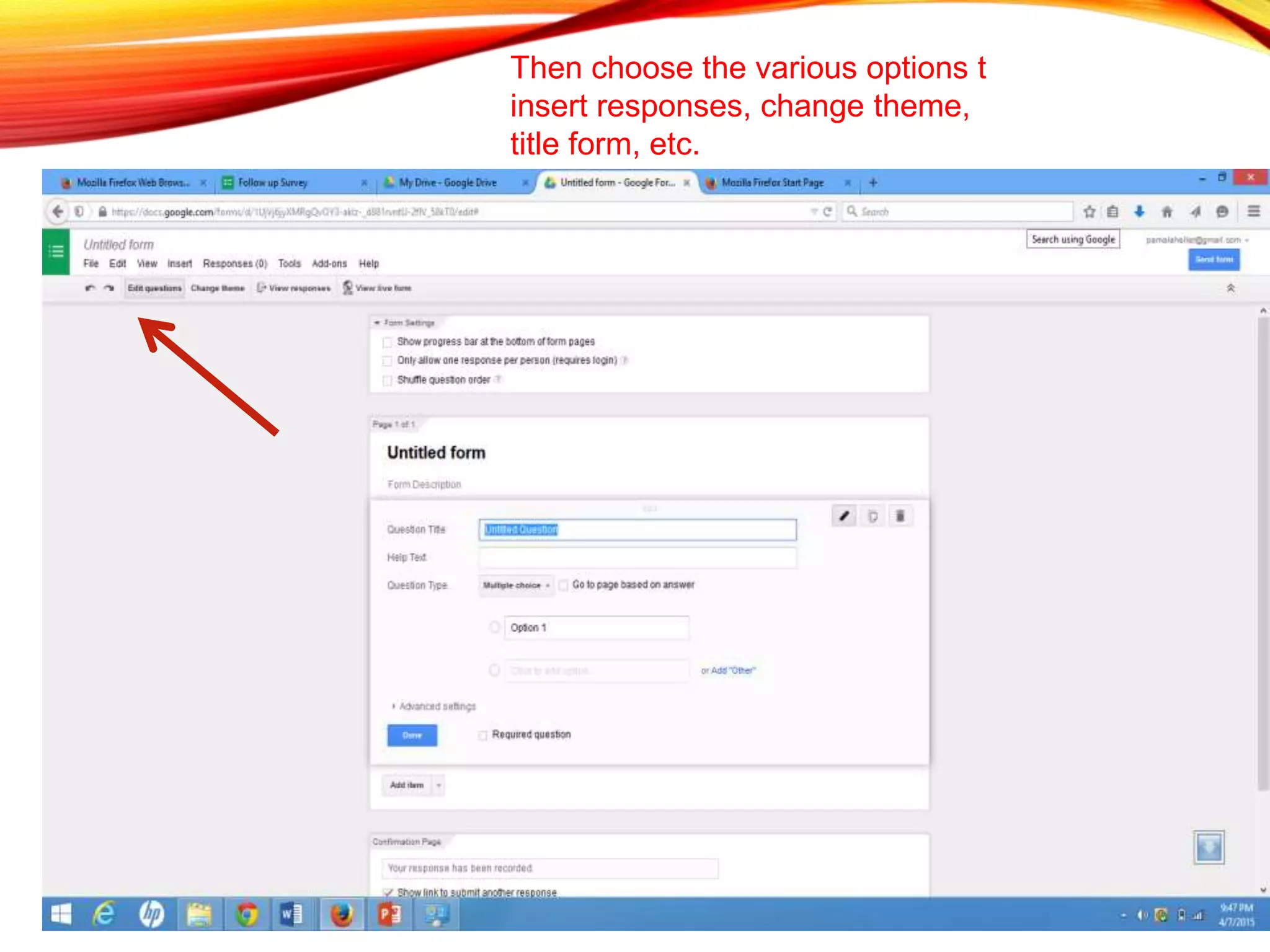
Then choose the various options t
insert responses, change theme,
title form, etc.
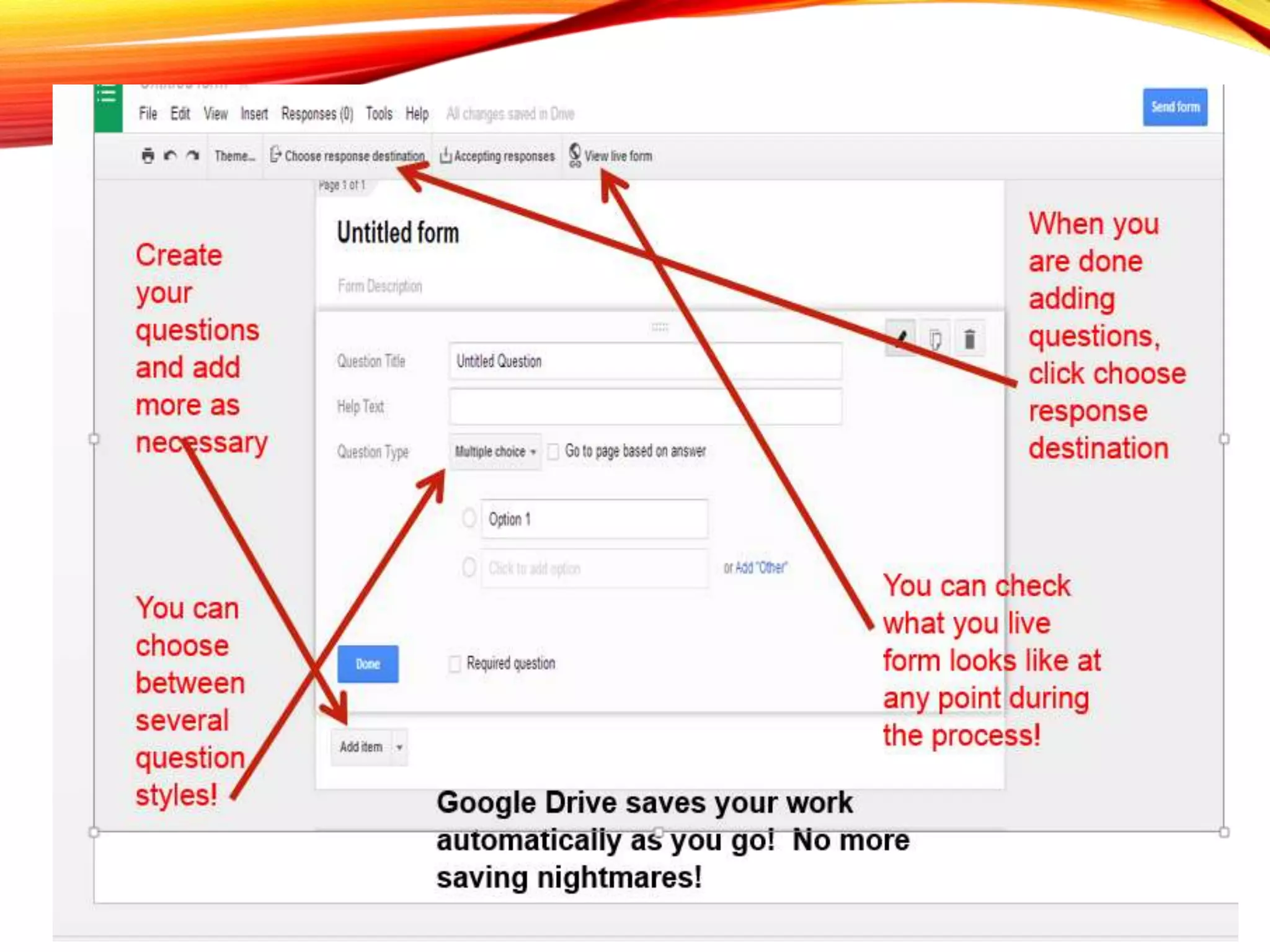
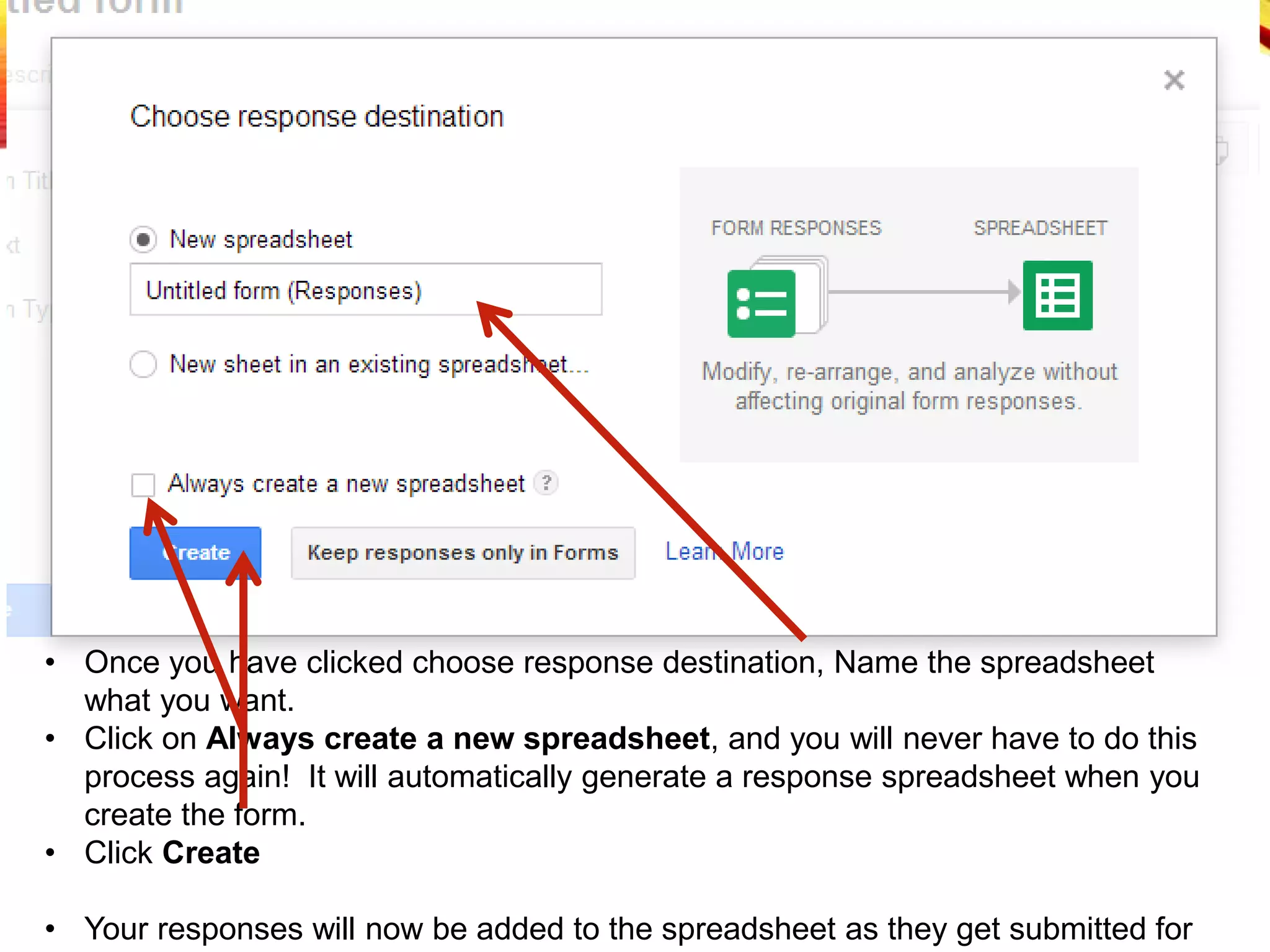
• Once you have clicked choose response destination, Name the spreadsheet
what you want.
• Click on Always create a new spreadsheet, and you will never have to do this
process again! It will automatically generate a response spreadsheet when you
create the form.
• Click Create
• Your responses will now be added to the spreadsheet as they get submitted for
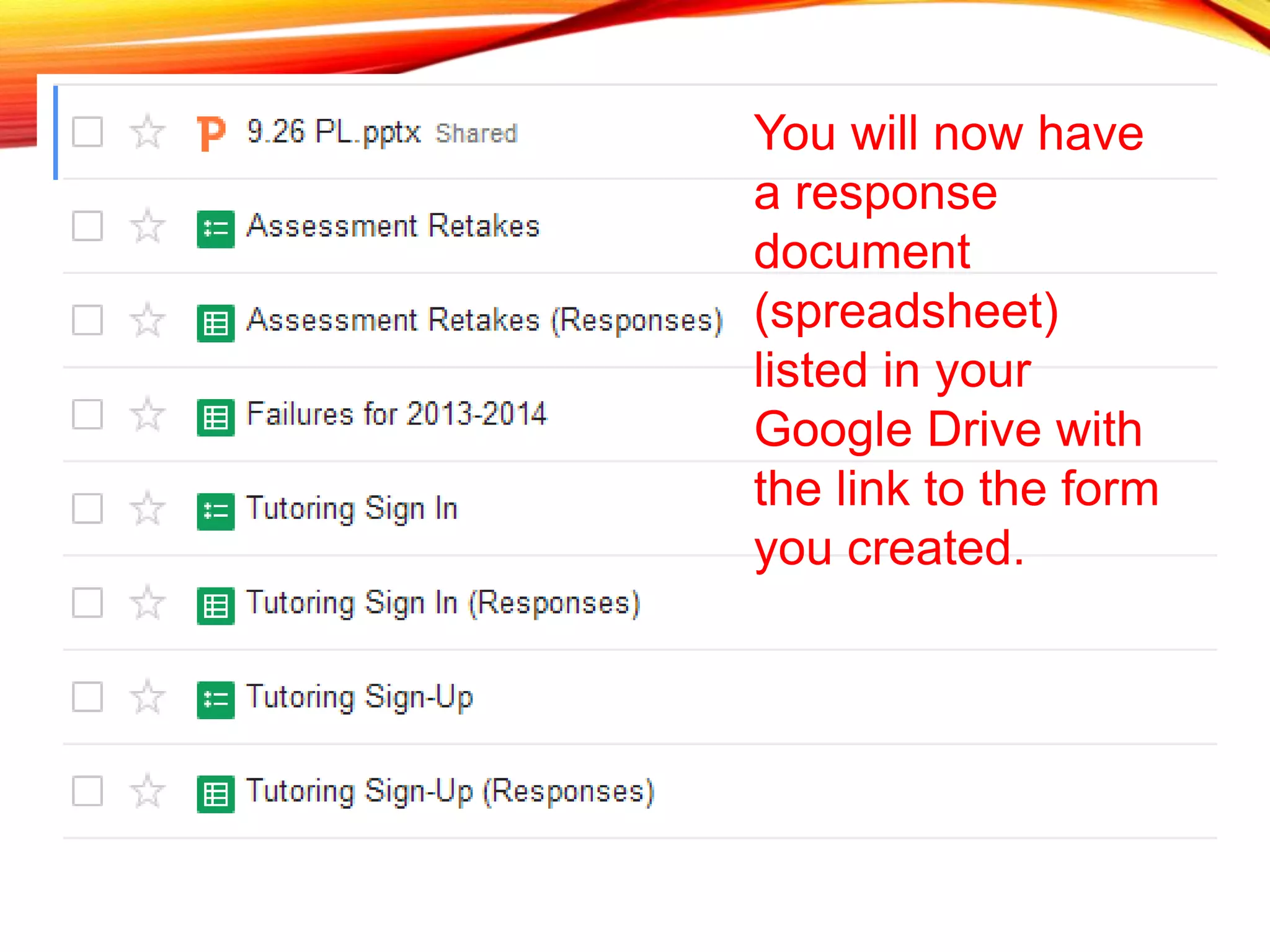
You will now have
a response
document
(spreadsheet)
listed in your
Google Drive with
the link to the form
you created.
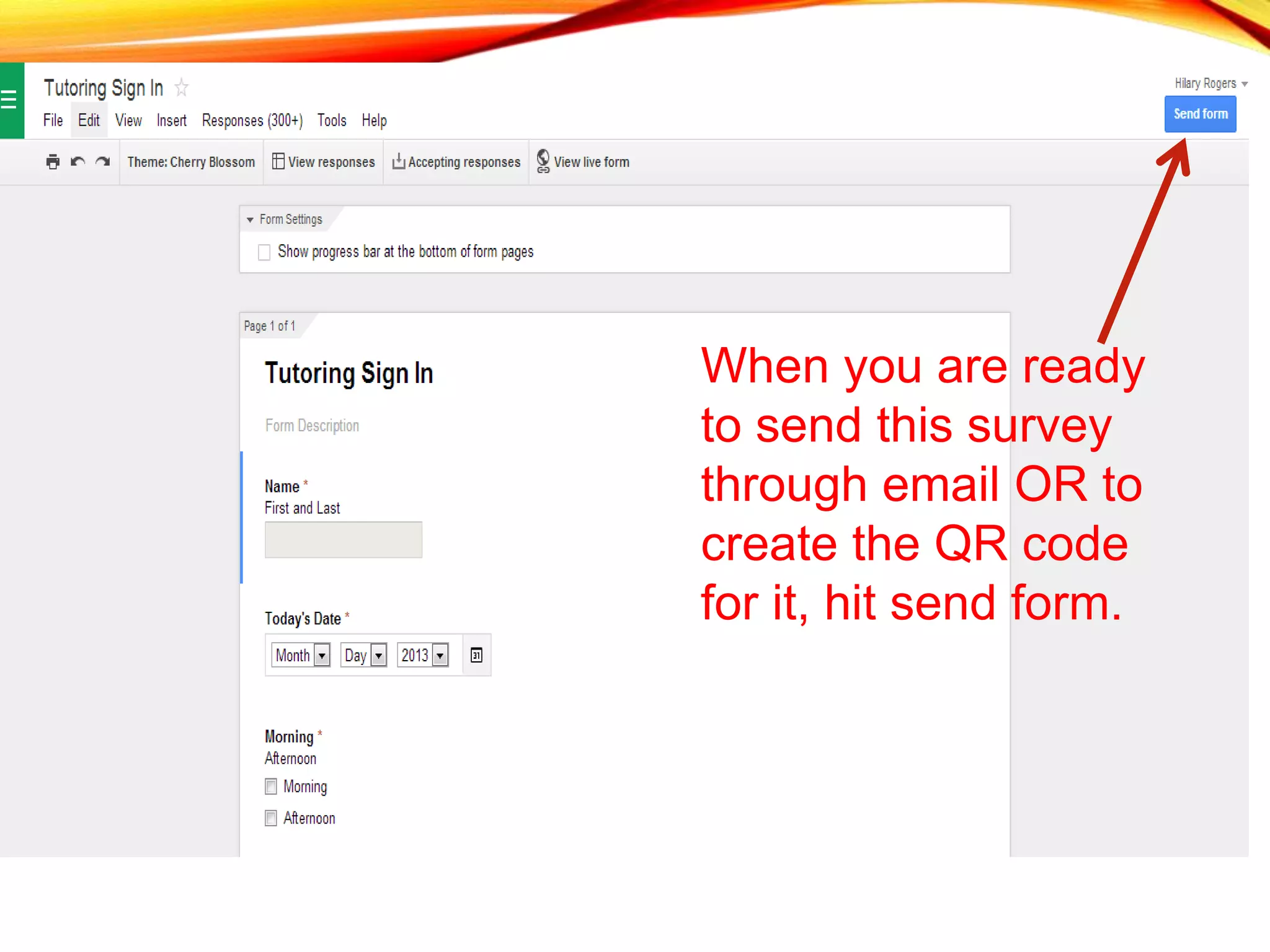
When you are ready
to send this survey
through email OR to
create the QR code
for it, hit send form.
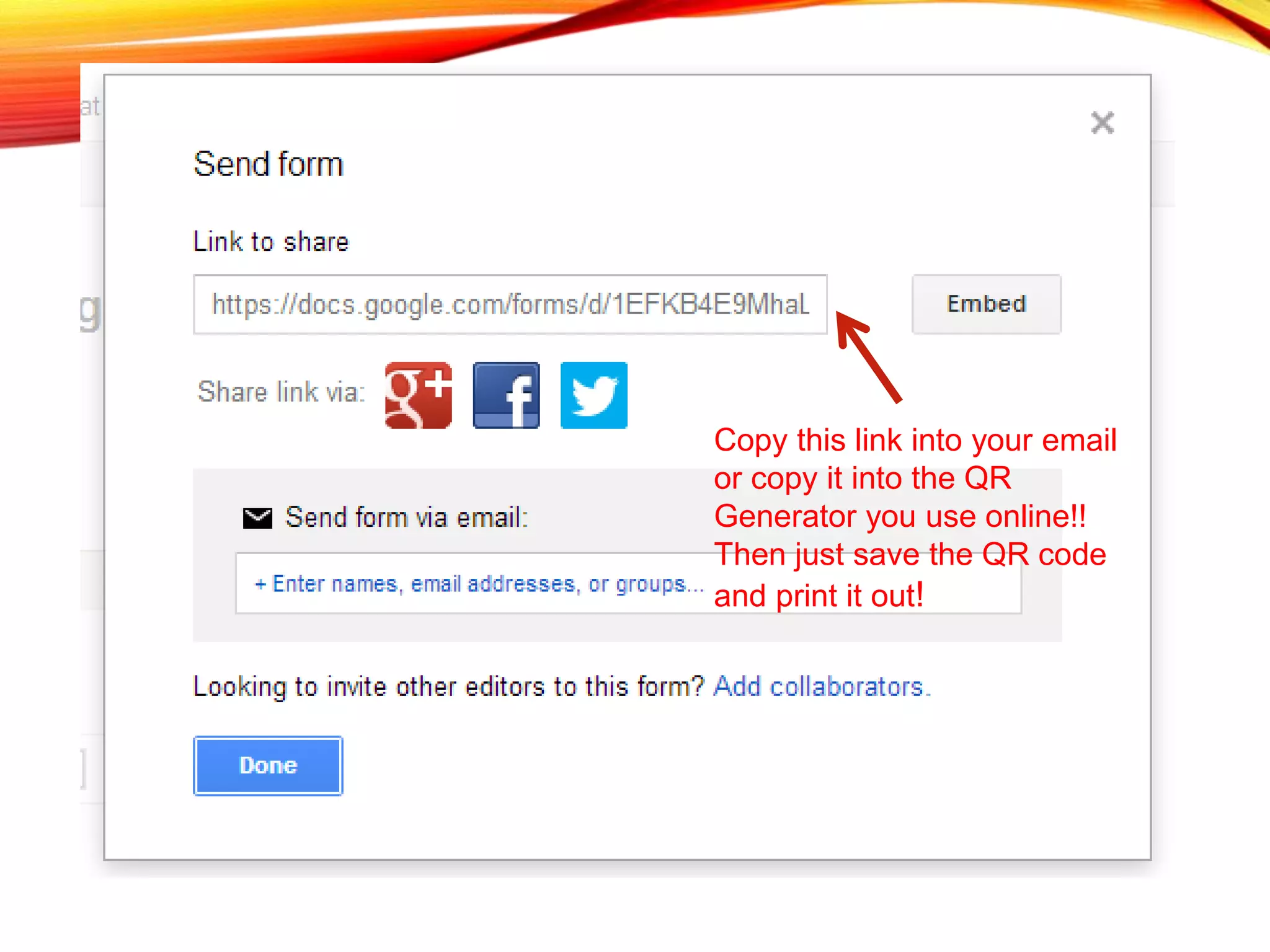
Copy this link into your email
or copy it into the QR
Generator you use online!!
Then just save the QR code
and print it out!
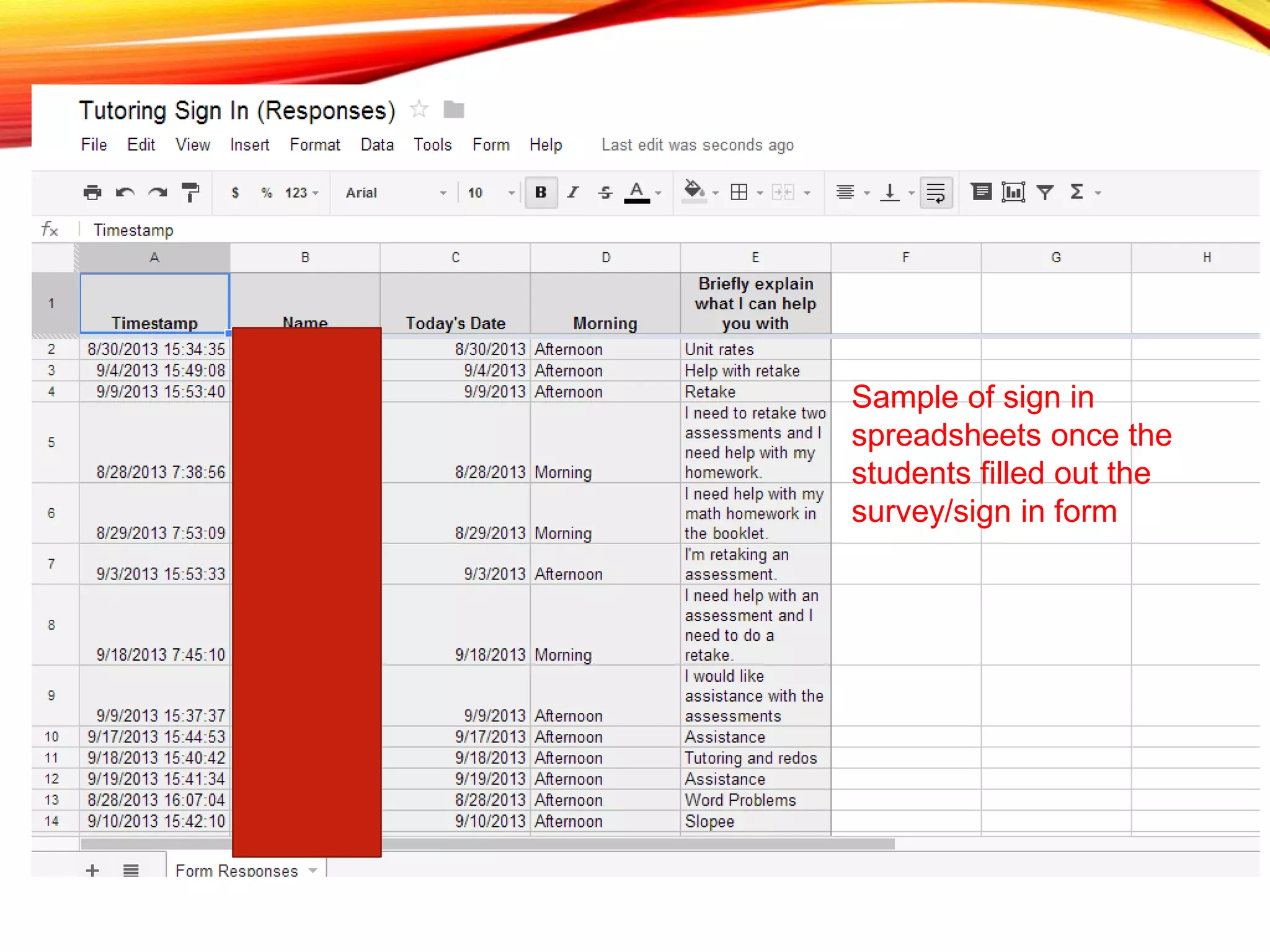
Sample of sign in
spreadsheets once the
students filled out the
survey/sign in form
Student thoughts: QR Codes/Class Integration
• “I like it. It makes the class different.”
• “It helps me learn faster”
• “I really like them. It gets us more involved in
class and makes me more excited for class”
• “I like it because it is fun but still educational at
the same time”
• “I like the idea of the QR codes and I think we
should continue to use them. It is a more fun
way to do my work”
Student thoughts: QR Codes/Classroom
integration
• “It is helpful but can be difficult to use”
• “I like using QR codes because it’s a
great way to use your phones for
something other than e.g., texting,
twitter, Instagram”
• “I don’t think that it matters because I
don’t have an iPhone or thing with a
scanner, and if you are not technology
smart t doesn’t help you”
• “I like it but I don’t have a scanner so I
have to use other peoples phones”
Questions and/or
comments!!!

QR Codes Scan your way to engagement

  • 1.
    QR CODES “SCAN YOURWAY TO ENGAGEMENT” Presenter: Pamala Heller Woodland High School/ Kennesaw State University
  • 2.
    What I hopeyou get from this session: • What is a QR code? • How do I make a QR code? • How can I use QR codes to engage students? • How can I pair Google Drive with QR codes to help make my job as a teacher more effective and efficient? • Sample classroom engaged with QR codes.
  • 3.
    Get Out YourDevices!!! • Go to your “app store” (Wherever you download new apps to your device) • Go to the search box and type: Scan • Regardless of the type of your device, the first one (or one of the first) should be the one shown to the right called Scan • Hit Download! It’s FREE  Note: There are others out there, but this is just one I have found to work the best.
  • 4.
    A QR codegives you QUICK RESPONSES through various forms of media and outlets.
  • 5.
    Two Types ofQR Codes DYNAMIC: • Most used when you are linking a code to a webpage URL that has a chance of changing or that you know will change • If you use a dynamic code and then the URL changes, you DO NOT have to change the code you have already made. STATIC: • Most things you will do in your classroom and elsewhere will work fine with this type • If you link a webpage to a static code and the URL changes, YOU MUST change the code.
  • 6.
    Different ways touse QR Codes• Pictures • Text • Videos • URL Links • Contact information • And much more!
  • 7.
    How can Imake QR Codes? • http://qrcode.kaywa.com/ • User Friendly • No Clutter Webpage • http://www.qrstuff.com/ • More Options to Code From • Color and Picture Backgrounds for Codes Note: There are other sites out there that will allow you to do this. However, these are the two I have found to be the most effective.
  • 8.
    You Can EvenMake Fun Codes!
  • 9.
    Instruction Enhancement/Student Engagement • InteractiveVocabulary • Completely student led activities • Communication and Collaboration • No more “I didn’t do my work because the sub couldn’t help me” (or at least less of this ) • Student led remediation of topics they don’t understand • Send them straight where you want them instead of navigating through search engines
  • 10.
    Samples of QRCodes in the classroom
  • 12.
    Result of QRCode Activities: • Students were more actively engaged in their own learning. • More student to student conversations happened instead of student to teacher • Students are naturally competitive and tend to use this competition to push each other through the activity. • Many students who usually give up very easily while working tended to persevere more through these interactive activities.
  • 13.
    • Even ifstudents didn’t have devices, the other students were very quick to lend their devices for use to these students thus creating an atmosphere of positive learning and peer interaction.
  • 14.
    • Students areeager to have more freedom to work on their own and help each other through the problems since they have answers to check with. • You can become a fly on the wall to the learning experience of the students instead of the sole deliverer of information, and the students were awesome teachers to each other!
  • 15.
    Teacher Effectiveness andEfficiency of using QR Codes • Open house smoother transition • Parent information surveys • Student information surveys • Sign in records • Your contact information • Record keeping is a breeze • Student tutoring sign-ins, sign-ups, etc. • When parents ask did they come… • Interactive data collection • Have students complete summarizers through QR • Give students questions/notes through QR for assignments
  • 16.
    Using Google Driveto make Codes more relevant • Look at how easy it becomes to have students sign in to tutoring, test retakes, etc. through making a Google forms! • After a few days, students were accustomed to signing in via their electronic device and needed little to no reminding to do so!
  • 17.
    So, how doI make this awesomeness!!???? Go to drive.google.com Sign-in or Sign-up!! Click New, then click More, then click Google Forms
  • 18.
    Then choose thevarious options t insert responses, change theme, title form, etc.
  • 21.
    • Once youhave clicked choose response destination, Name the spreadsheet what you want. • Click on Always create a new spreadsheet, and you will never have to do this process again! It will automatically generate a response spreadsheet when you create the form. • Click Create • Your responses will now be added to the spreadsheet as they get submitted for
  • 22.
    You will nowhave a response document (spreadsheet) listed in your Google Drive with the link to the form you created.
  • 23.
    When you areready to send this survey through email OR to create the QR code for it, hit send form.
  • 24.
    Copy this linkinto your email or copy it into the QR Generator you use online!! Then just save the QR code and print it out!
  • 26.
    Sample of signin spreadsheets once the students filled out the survey/sign in form
  • 27.
    Student thoughts: QRCodes/Class Integration • “I like it. It makes the class different.” • “It helps me learn faster” • “I really like them. It gets us more involved in class and makes me more excited for class” • “I like it because it is fun but still educational at the same time” • “I like the idea of the QR codes and I think we should continue to use them. It is a more fun way to do my work”
  • 28.
    Student thoughts: QRCodes/Classroom integration • “It is helpful but can be difficult to use” • “I like using QR codes because it’s a great way to use your phones for something other than e.g., texting, twitter, Instagram” • “I don’t think that it matters because I don’t have an iPhone or thing with a scanner, and if you are not technology smart t doesn’t help you” • “I like it but I don’t have a scanner so I have to use other peoples phones”
  • 29.

Editor's Notes

  • #10 Show vocab cards and word wall pictures Discuss how students are able to walk around and help each other while scanning without asking thousands of questions Show pictures of sub work left during PL day Discuss how you can differentiate and give some students enhanced lessons while some watch videos for remediation