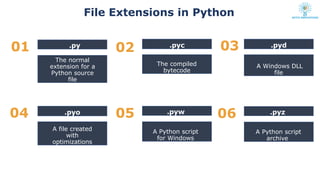
File Extensions inPython
01 02
04 05
03
.py
The normal
extension for a
Python source
file
.pyo
.pyc
The compiled
bytecode
A file created
with
optimizations
.pyw
A Python script
for Windows
.pyd
A Windows DLL
file
06 .pyz
A Python script
archive
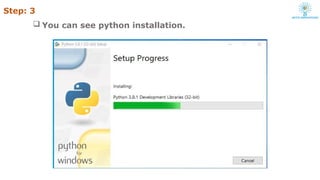
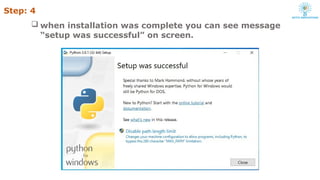
Step: 4
wheninstallation was complete you can see message
“setup was successful” on screen.
18.
IDLE Development Environment
Integrated DeveLopment Environment
Text editor with smart indenting for
creating python files.
Menu commands for changing system
settings and running files.
19.
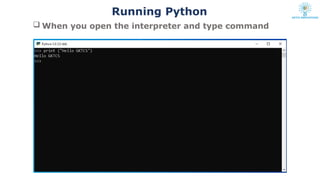
Python Interpreter
InteractiveInterface to python
Python 3.8.1 (tags/v3.8.1:1b293b6, Dec 18 2019,
22:39:24) [MSC v.1916 32 bit (Intel)] on win32
Type "help", "copyright", "credits" or "license" for
more information.
>>>
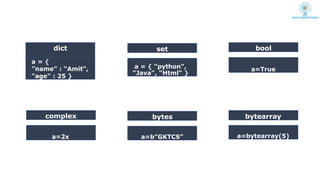
complex bytes
bool
a=True
dict
a ={
"name" : “Amit",
"age" : 25 }
set
a = { “python",
“Java", “Html“ }
a=2x a=b”GKTCS”
bytearray
a=bytearray(5)
25.
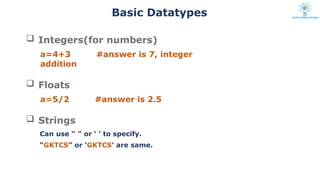
Basic Datatypes
Integers(fornumbers)
a=4+3 #answer is 7, integer
addition
Floats
a=5/2 #answer is 2.5
Strings
Can use “ ” or ‘ ’ to specify.
“GKTCS” or ‘GKTCS’ are same.
26.
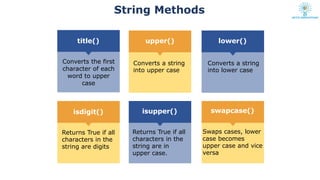
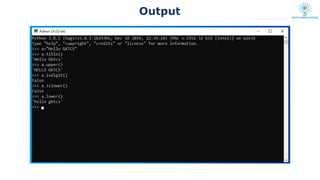
String Methods
upper()
isupper()
lower()
isdigit()
title()
swapcase()
Converts thefirst
character of each
word to upper
case
Converts a string
into upper case
Converts a string
into lower case
Returns True if all
characters in the
string are digits
Swaps cases, lower
case becomes
upper case and vice
versa
Returns True if all
characters in the
string are in
upper case.
27.
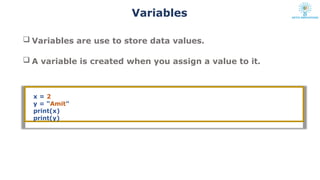
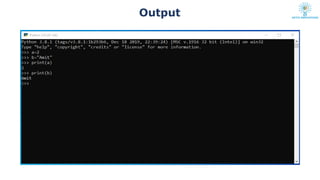
Variables
Variables areuse to store data values.
A variable is created when you assign a value to it.
x = 2
y = “Amit"
print(x)
print(y)
Rules for Pythonvariables:
A variable name must start with a letter or the underscore
character
A variable name cannot start with a number
A variable name can only contain alpha-numeric characters
and underscores (A-z, 0-9, and _ )
Variable names are case-sensitive (age, Age and AGE are
three different variables)
30.
Comments
Comments can beused to improve readability of the code.
1) Single-line comments
Simply create a line starting with the hash (#) character
#This would be a single line comment in Python
2) Multi-line comments
Created by adding a delimiter (""") on each end of the comment.
""" This would be a multiline comment in Python that
describes your code, your day, or anything you want it to """

![Python Interpreter
Interactive Interface to python
Python 3.8.1 (tags/v3.8.1:1b293b6, Dec 18 2019,
22:39:24) [MSC v.1916 32 bit (Intel)] on win32
Type "help", "copyright", "credits" or "license" for
more information.
>>>](https://image.slidesharecdn.com/1-introductiontopython-250324043924-64943a85/85/python-basics-Introduction_To_Python-pptx-19-320.jpg)
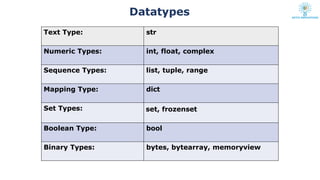
![str
a=“GKTCS”
Datatypes and Example
int
a=10
float
a=2.5
complex
a=2x
list
a = [ “python",
“Java", “Html“ ]
tuple
a = ( “python",
“Java", “Html“ )
When you assign a value to a variable data type is set :](https://image.slidesharecdn.com/1-introductiontopython-250324043924-64943a85/85/python-basics-Introduction_To_Python-pptx-23-320.jpg)