Programming with Python
1: (a) Introduction to Python and Basics
Grading and Deliverables
 Programming Assignments/Home Work – 20Marks
 Lab Examination – 40 Marks
 Final Exam – 40 Marks
What is Python?
Python is an interpreted, object-oriented,
high-level programming language with
dynamic semantics.
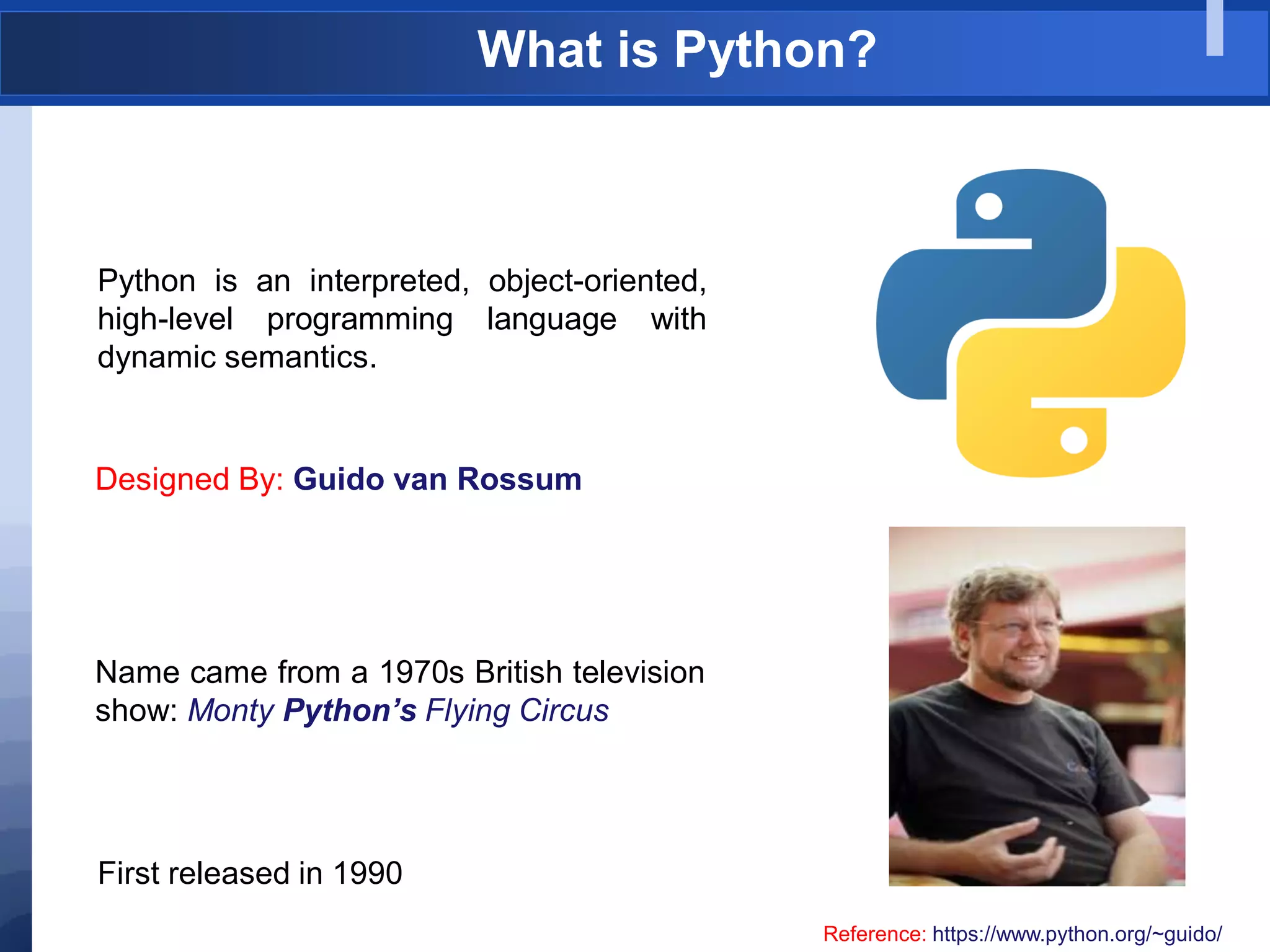
Designed By: Guido van Rossum
Reference: https://www.python.org/~guido/
Name came from a 1970s British television
show: Monty Python’s Flying Circus
First released in 1990
Why Python
Very easy to install and Setup
Easy to learn
Readable
Simplicity
Multipurpose
Errors appear on runtime. . . . . .
Reference: https://www.python.org/~guido/
Python Material
“Sololearn Python“
(A Simple Android
App for Beginners)
Online Materials:
Official Python Documentation:
https://docs.python.org/3/
Other Resources:
http://www.sololearn.com/Course/Python/
Popular Python recipes
http://code.activestate.com/recipes/langs/python/
Python Material
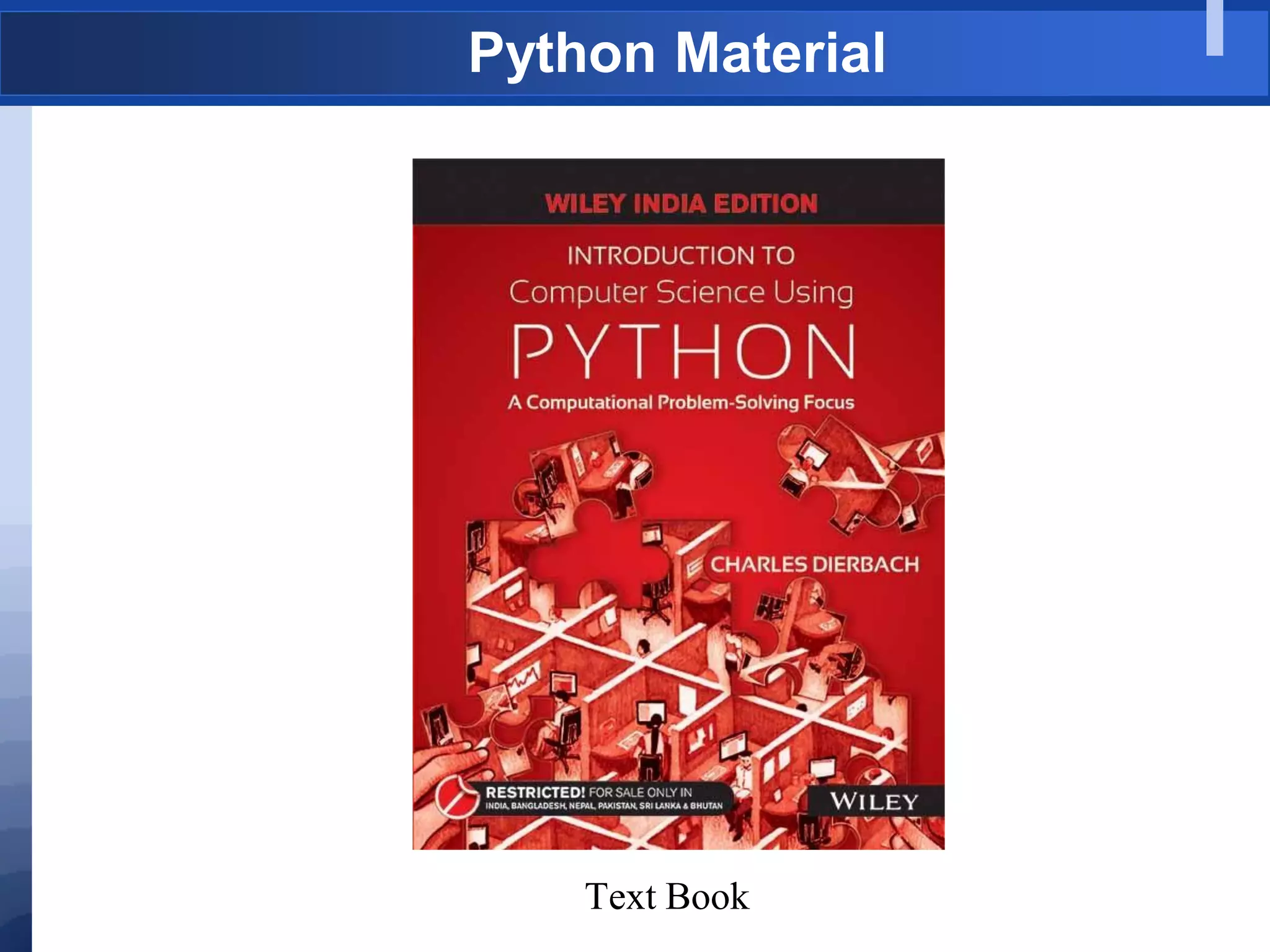
Text Book
What is Python?
 Multi Functional:
 Simple procedural programming,
 Object-orientation
 Functional programming
 Computer Programming for everybody
 Portable: Different interpreters for many platforms: CPython, Jython,
IronPython, PyPy.
 An easy and intuitive language just as powerful as major competitors
 Open source, so anyone can contribute to its development
 Code that is as understandable as plain English
 Suitability for everyday tasks, allowing for short development times
 Extensible: Reusable code using modules and packages, Easy to write new
modules in C..
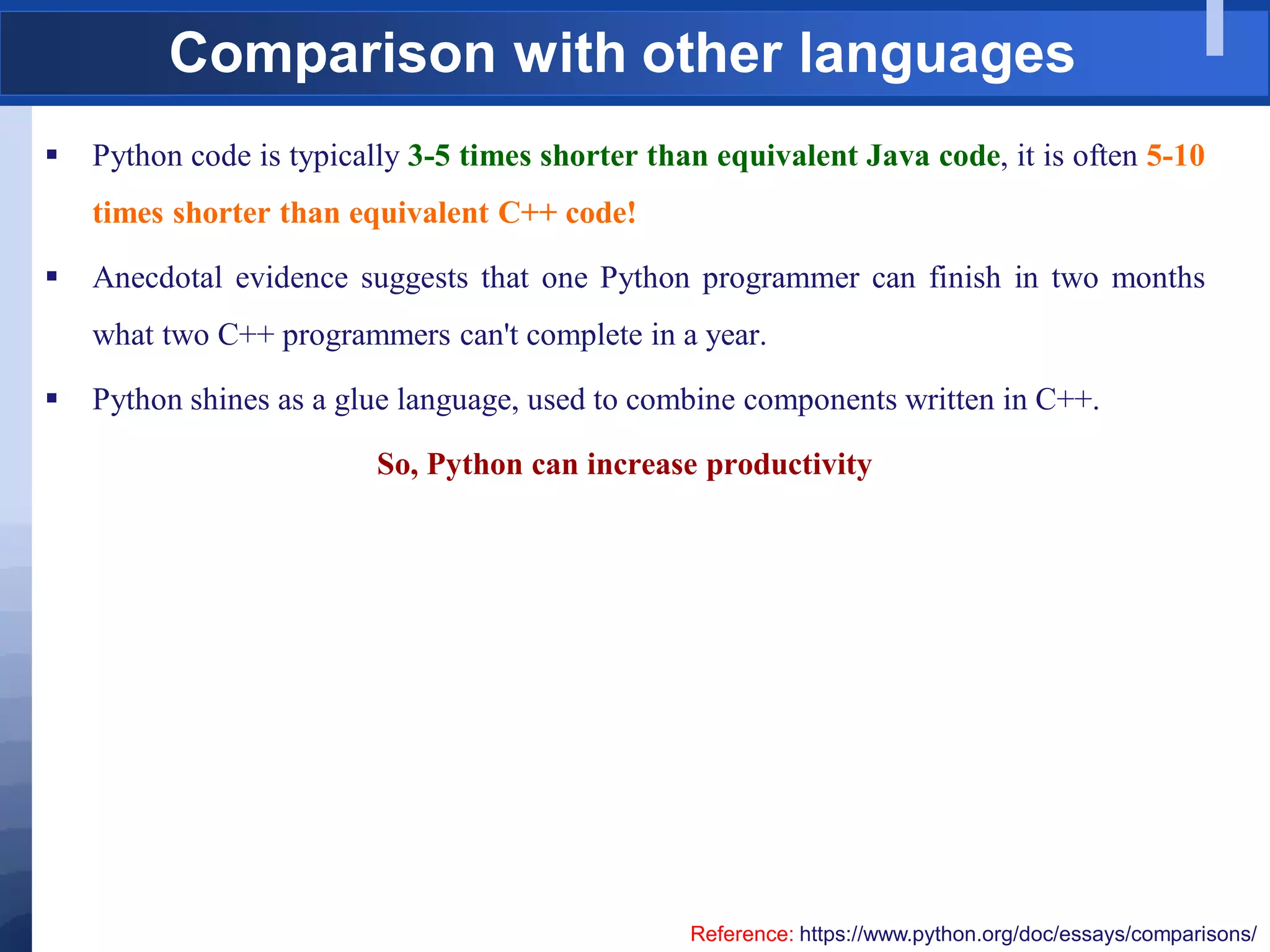
Comparison with other languages
 Python code is typically 3-5 times shorter than equivalent Java code, it is often 5-10
times shorter than equivalent C++ code!
 Anecdotal evidence suggests that one Python programmer can finish in two months
what two C++ programmers can't complete in a year.
 Python shines as a glue language, used to combine components written in C++.
So, Python can increase productivity
Reference: https://www.python.org/doc/essays/comparisons/
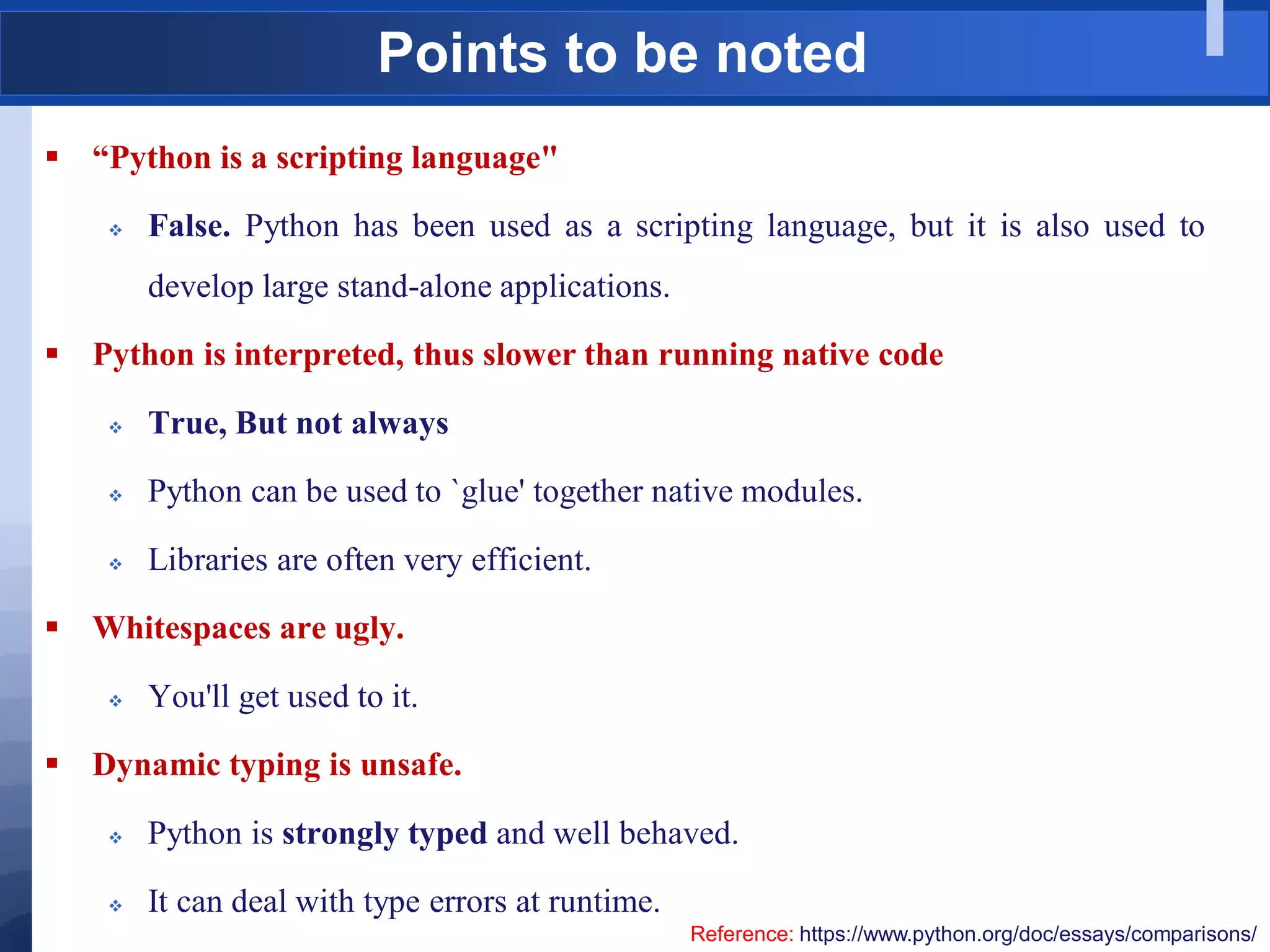
Points to be noted
 “Python is a scripting language"
 False. Python has been used as a scripting language, but it is also used to
develop large stand-alone applications.
 Python is interpreted, thus slower than running native code
 True, But not always
 Python can be used to `glue' together native modules.
 Libraries are often very efficient.
 Whitespaces are ugly.
 You'll get used to it.
 Dynamic typing is unsafe.
 Python is strongly typed and well behaved.
 It can deal with type errors at runtime.
Reference: https://www.python.org/doc/essays/comparisons/
Use Cases/Applications
 Application Development
 Web Development
 Scripting
 Scientific Computing
Success Stories: https://www.python.org/about/success/
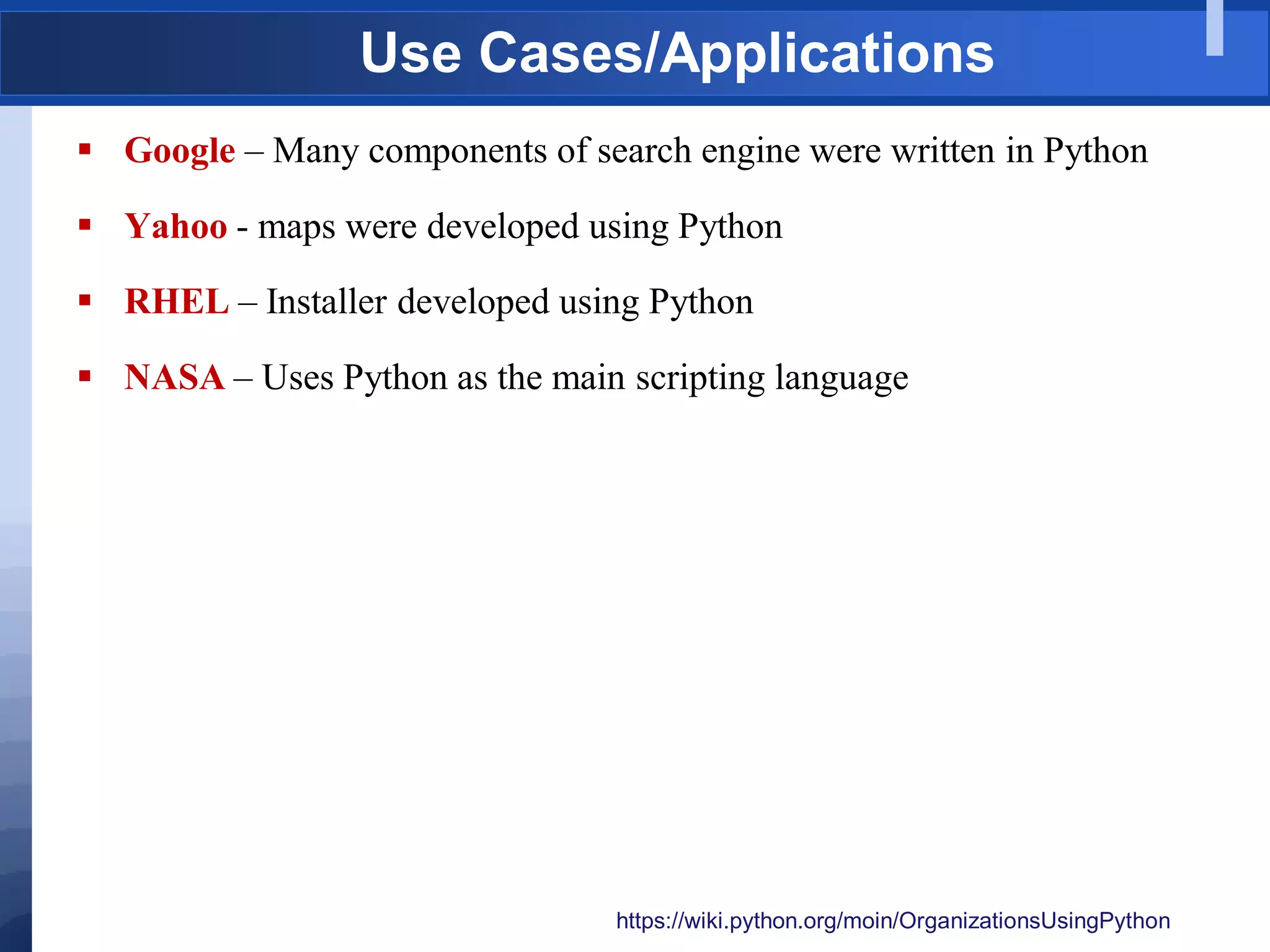
Use Cases/Applications
 Google – Many components of search engine were written in Python
 Yahoo - maps were developed using Python
 RHEL – Installer developed using Python
 NASA – Uses Python as the main scripting language
https://wiki.python.org/moin/OrganizationsUsingPython
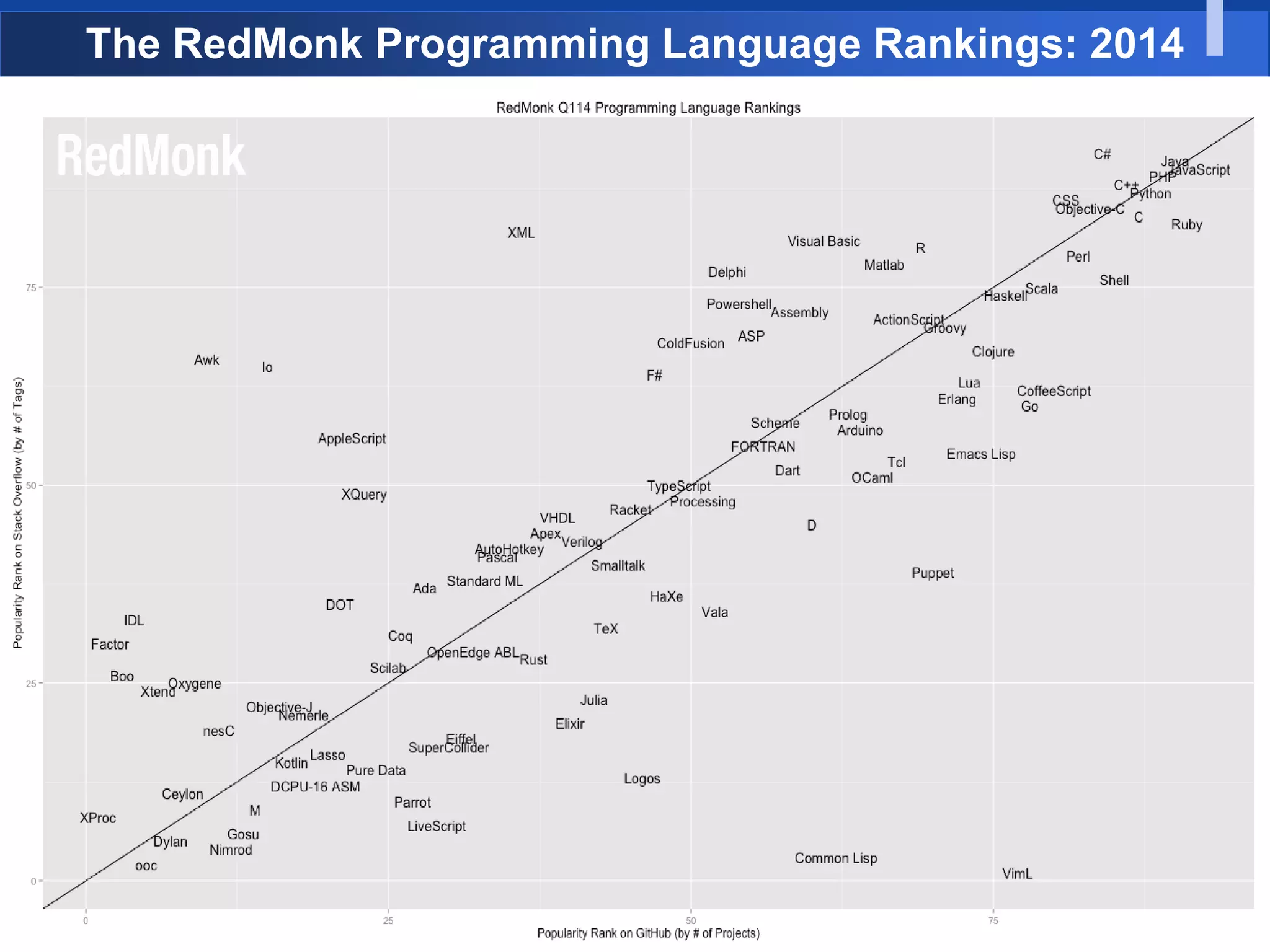
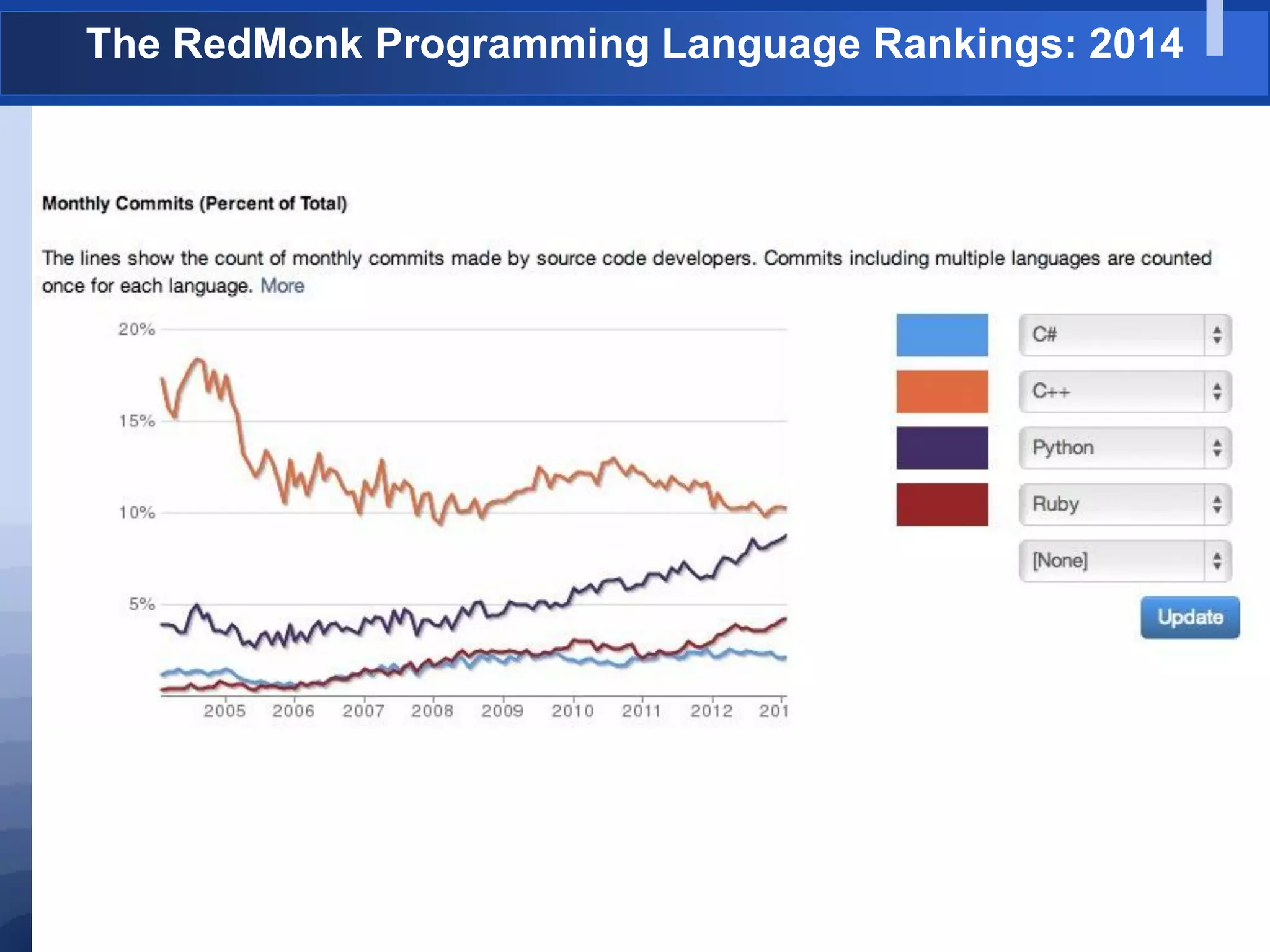
The RedMonk Programming Language Rankings: 2014
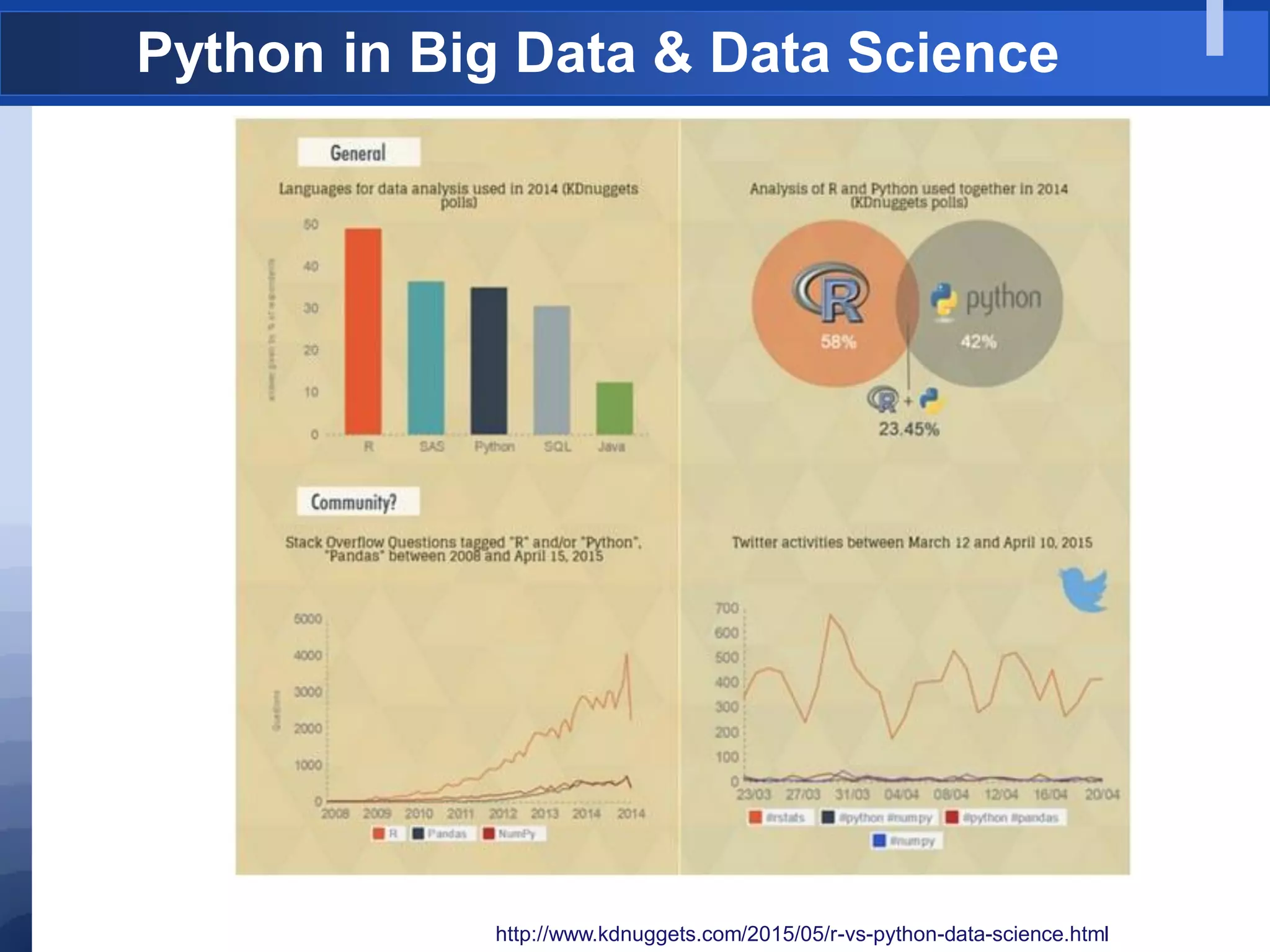
Python in Big Data & Data Science
http://www.kdnuggets.com/2015/05/r-vs-python-data-science.html
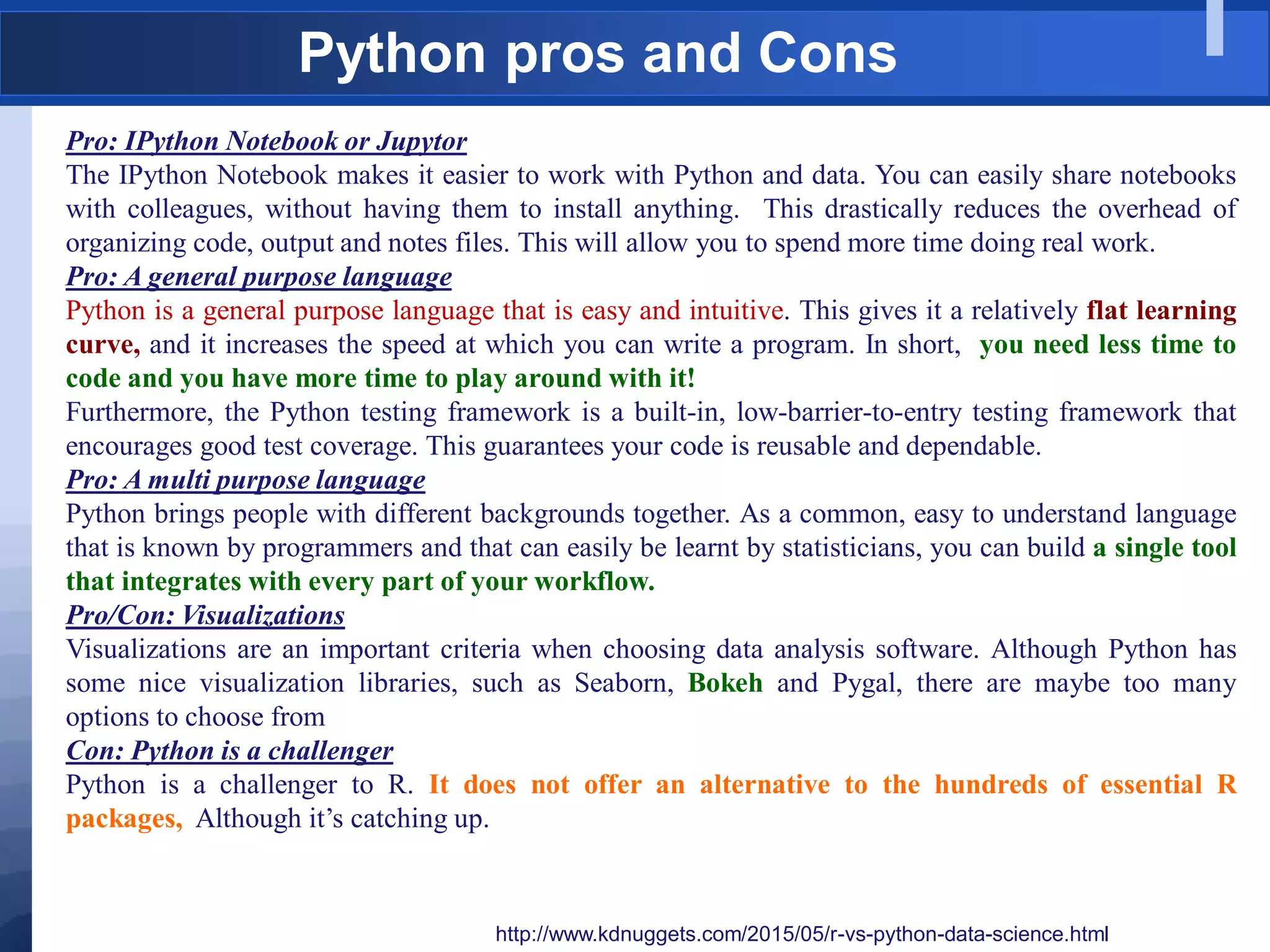
Python pros and Cons
http://www.kdnuggets.com/2015/05/r-vs-python-data-science.html
Pro: IPython Notebook or Jupytor
The IPython Notebook makes it easier to work with Python and data. You can easily share notebooks
with colleagues, without having them to install anything. This drastically reduces the overhead of
organizing code, output and notes files. This will allow you to spend more time doing real work.
Pro: A general purpose language
Python is a general purpose language that is easy and intuitive. This gives it a relatively flat learning
curve, and it increases the speed at which you can write a program. In short, you need less time to
code and you have more time to play around with it!
Furthermore, the Python testing framework is a built-in, low-barrier-to-entry testing framework that
encourages good test coverage. This guarantees your code is reusable and dependable.
Pro: A multi purpose language
Python brings people with different backgrounds together. As a common, easy to understand language
that is known by programmers and that can easily be learnt by statisticians, you can build a single tool
that integrates with every part of your workflow.
Pro/Con: Visualizations
Visualizations are an important criteria when choosing data analysis software. Although Python has
some nice visualization libraries, such as Seaborn, Bokeh and Pygal, there are maybe too many
options to choose from
Con: Python is a challenger
Python is a challenger to R. It does not offer an alternative to the hundreds of essential R
packages, Although it‟s catching up.
When not to use Python?
 Do not use to develop low-level CPU-Bound code
 Do not use to develop large multi-threaded applications
 Parallelization is well supported, but multi-threading is not very efficient
Versions
 Python2
 Python2 – Very Stable (Python-2.7) – All may not support
 Python3
 Current Release – 3.5.1 (Released on 21-12-2015)
 Some major changes and clean-ups
 Not backward compatible (cannot execute 2.x code)
 V3.6 - Ongoing development
 Many important packages not yet ported to Python 3.
 We use Python3 in this course
So how do I get started?
Installing Python
 Linux: (Debian/Ubuntu)
$ sudo apt-get install python3
 Windows:
 Download from: https://www.python.org/downloads/
 Click on the executable and install it.
Installing Anaconda
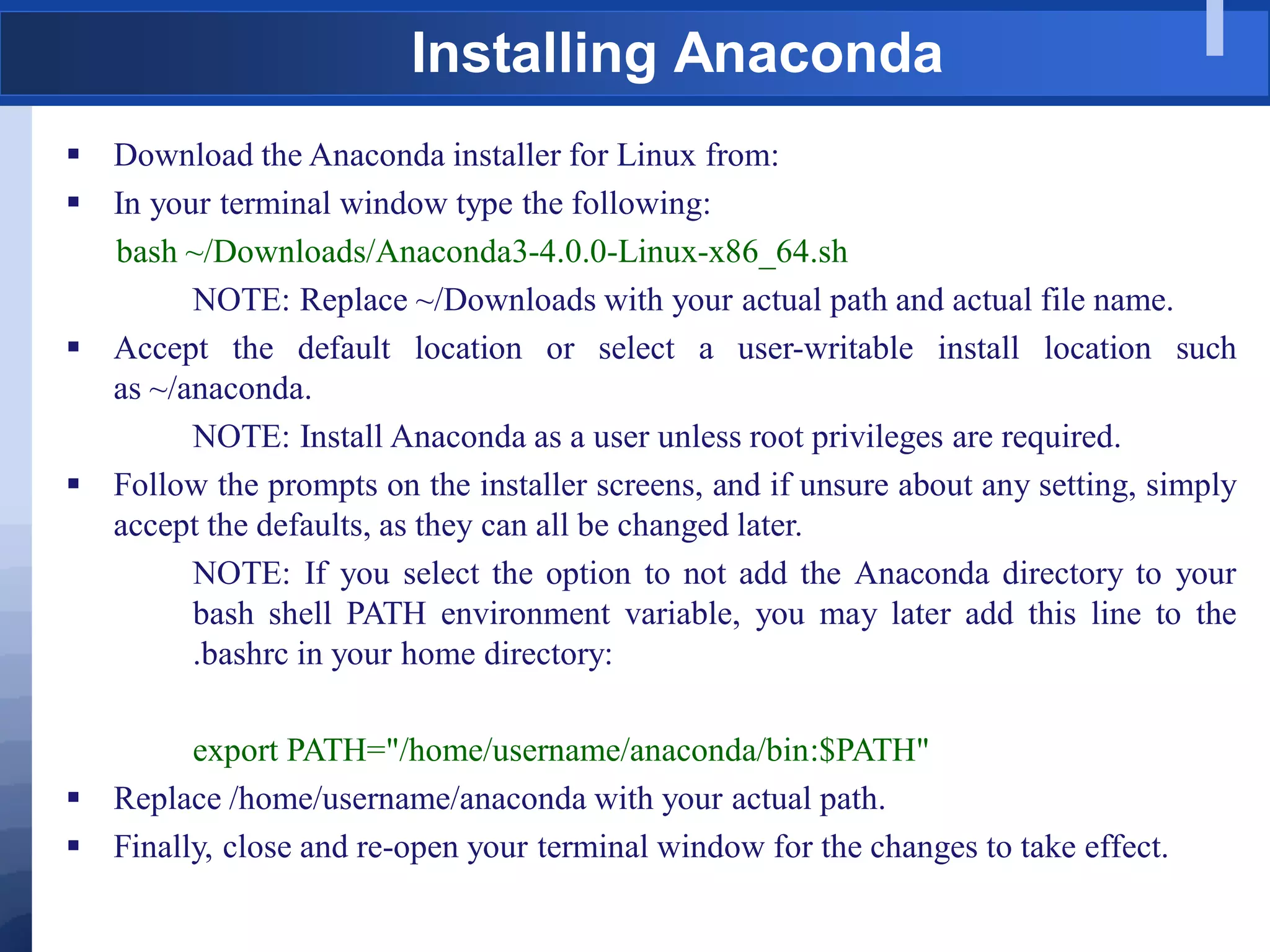
 Download the Anaconda installer for Linux from:
 In your terminal window type the following:
bash ~/Downloads/Anaconda3-4.0.0-Linux-x86_64.sh
NOTE: Replace ~/Downloads with your actual path and actual file name.
 Accept the default location or select a user-writable install location such
as ~/anaconda.
NOTE: Install Anaconda as a user unless root privileges are required.
 Follow the prompts on the installer screens, and if unsure about any setting, simply
accept the defaults, as they can all be changed later.
NOTE: If you select the option to not add the Anaconda directory to your
bash shell PATH environment variable, you may later add this line to the
.bashrc in your home directory:
export PATH="/home/username/anaconda/bin:$PATH"
 Replace /home/username/anaconda with your actual path.
 Finally, close and re-open your terminal window for the changes to take effect.
Installed Correctly???
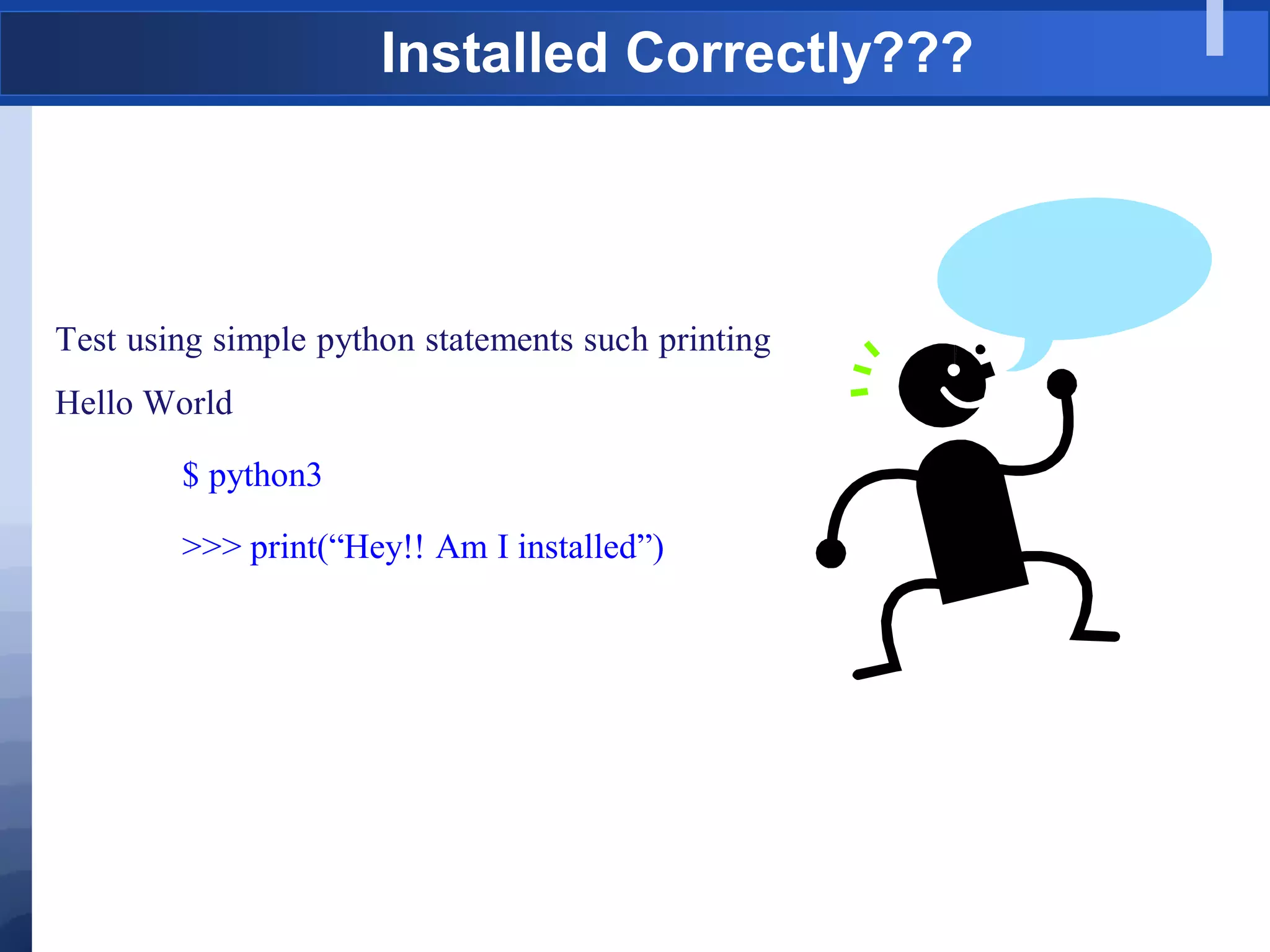
Test using simple python statements such printing
Hello World
$ python3
>>> print(“Hey!! Am I installed”)
A Simple Python Program – hello.py
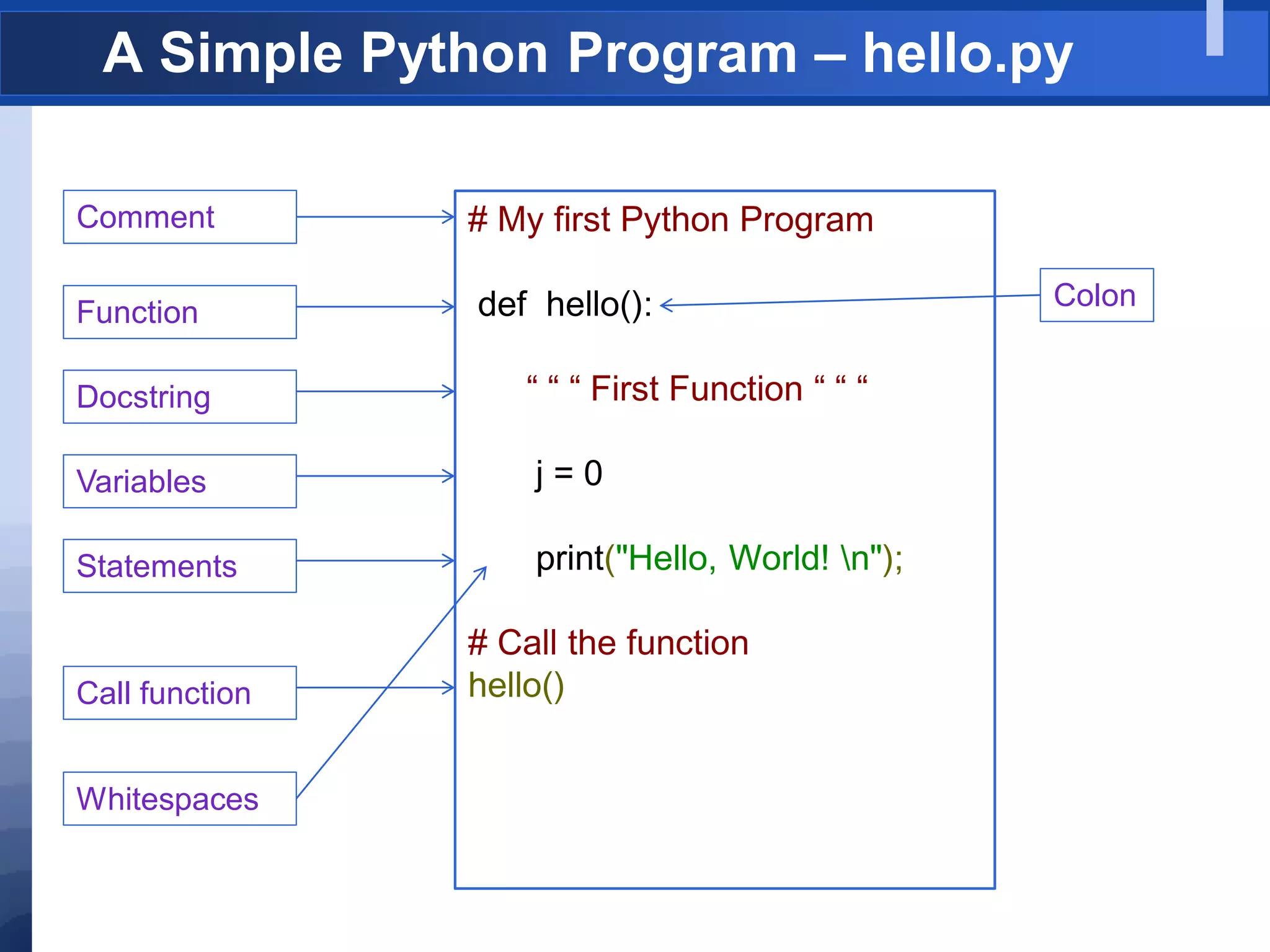
# My first Python Program
def hello():
“ “ “ First Function “ “ “
j = 0
print("Hello, World! n");
# Call the function
hello()
Comment
Function
Docstring
Variables
Statements
Call function
Colon
Whitespaces
Indentation
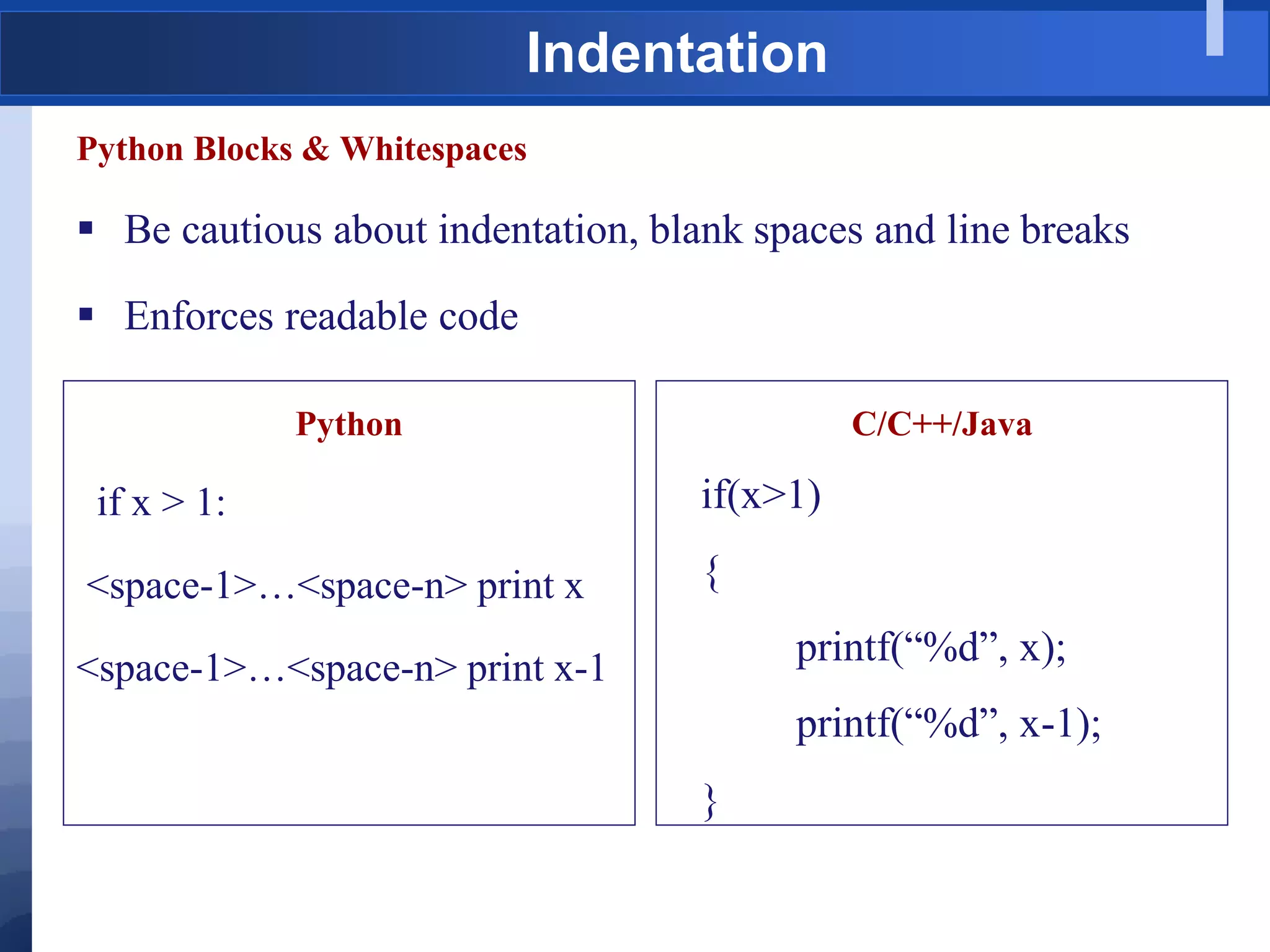
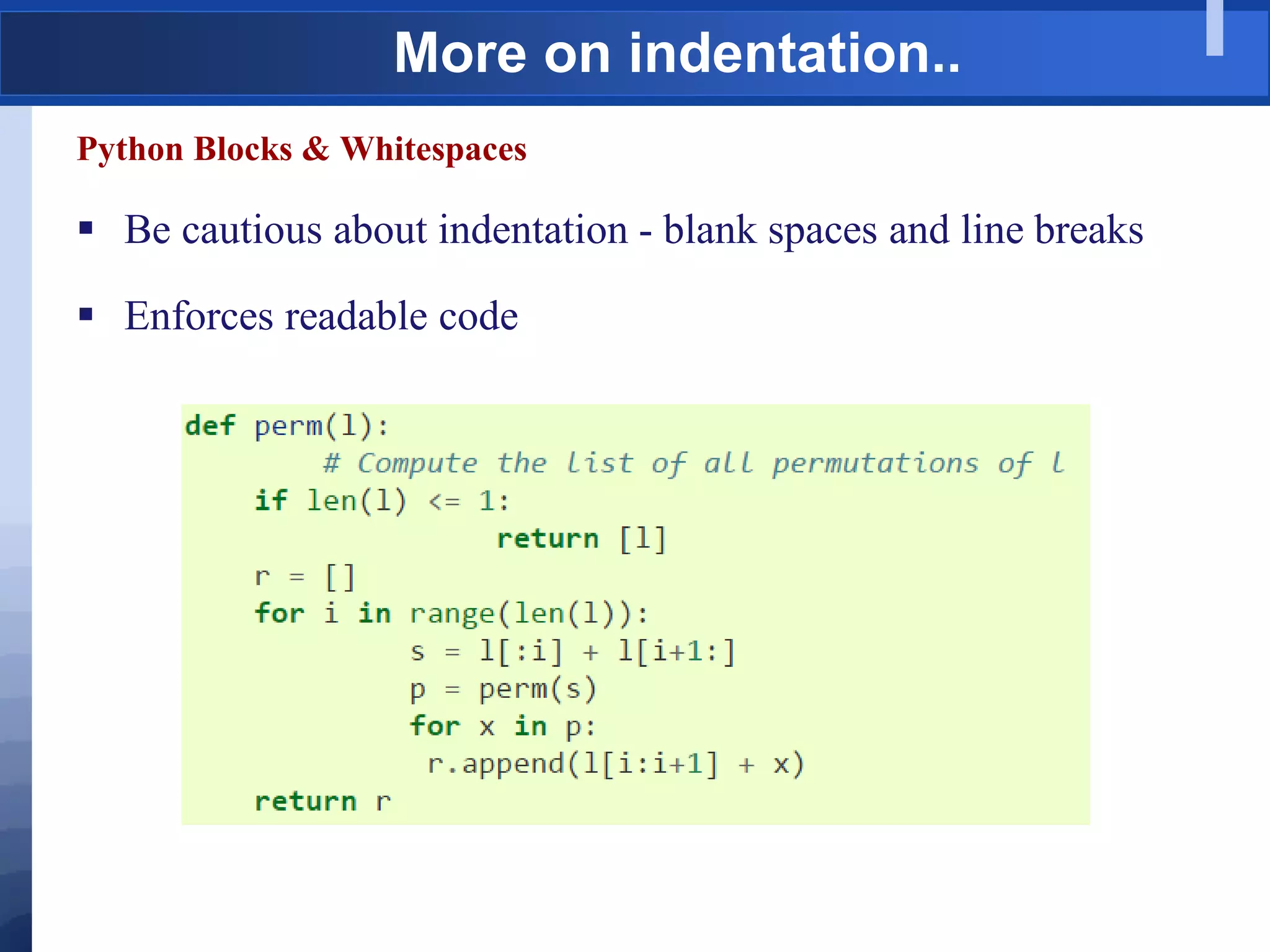
Python Blocks & Whitespaces
 Be cautious about indentation, blank spaces and line breaks
 Enforces readable code
Python
if x > 1:
<space-1>…<space-n> print x
<space-1>…<space-n> print x-1
C/C++/Java
if(x>1)
{
printf(“%d”, x);
printf(“%d”, x-1);
}
More on indentation..
Python Blocks & Whitespaces
 Be cautious about indentation - blank spaces and line breaks
 Enforces readable code
More on Indentation…
Note:
 Do not use tabs at all for indentation – Makes your code non-
portable
 Use 3 or 4 spaces
 Compiler ignores blank lines
 Line continuation character:
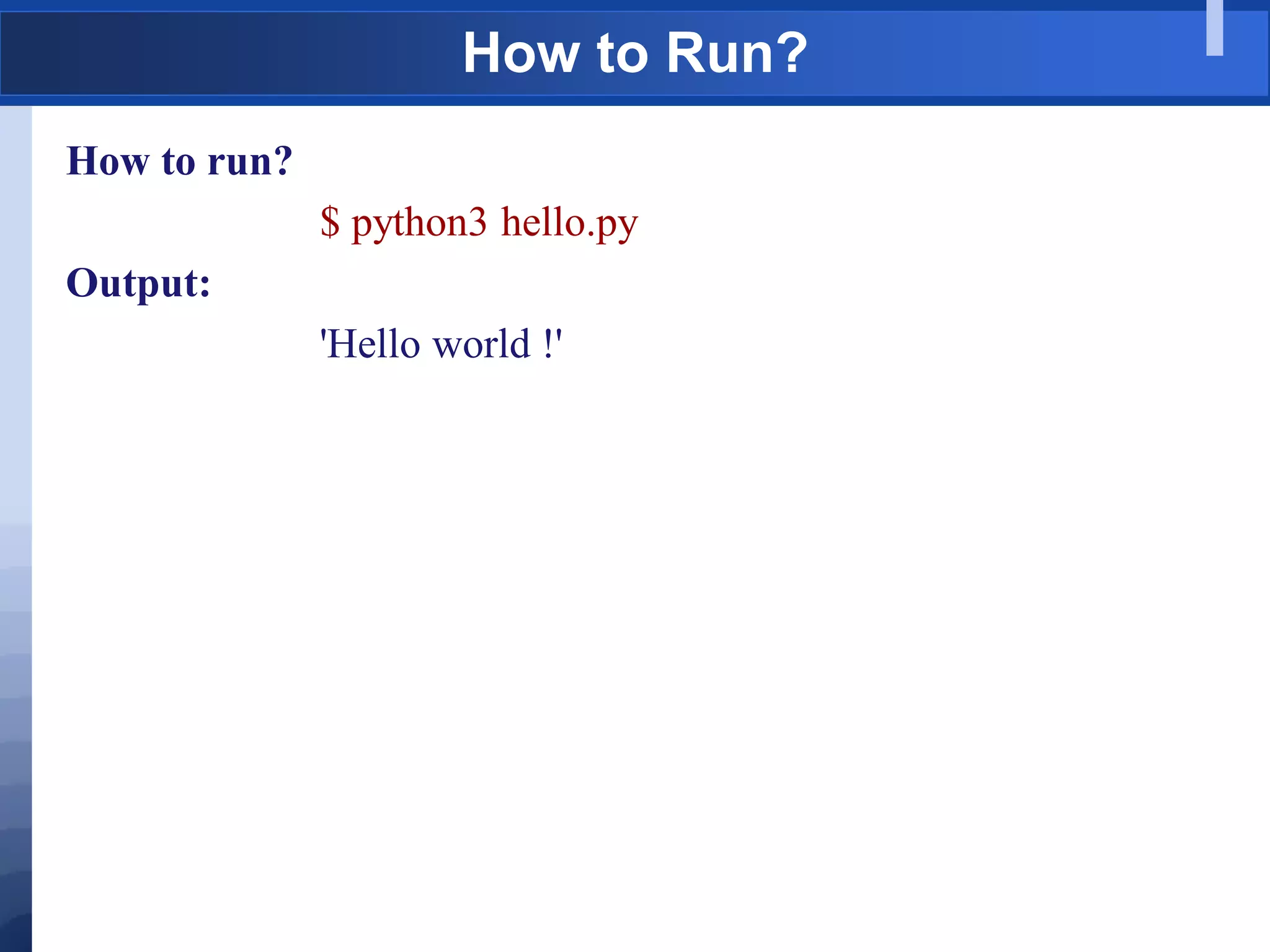
How to Run?
How to run?
$ python3 hello.py
Output:
'Hello world !'
Running Python – Interactive Mode
 Python interpreter can be run in an interactive session mode.
 Built-in `Read/Evaluate/Print-Loop' (REPL)
 Python statements are evaluated and the result is printed to the user.
 Python shells:
 IDLE shell
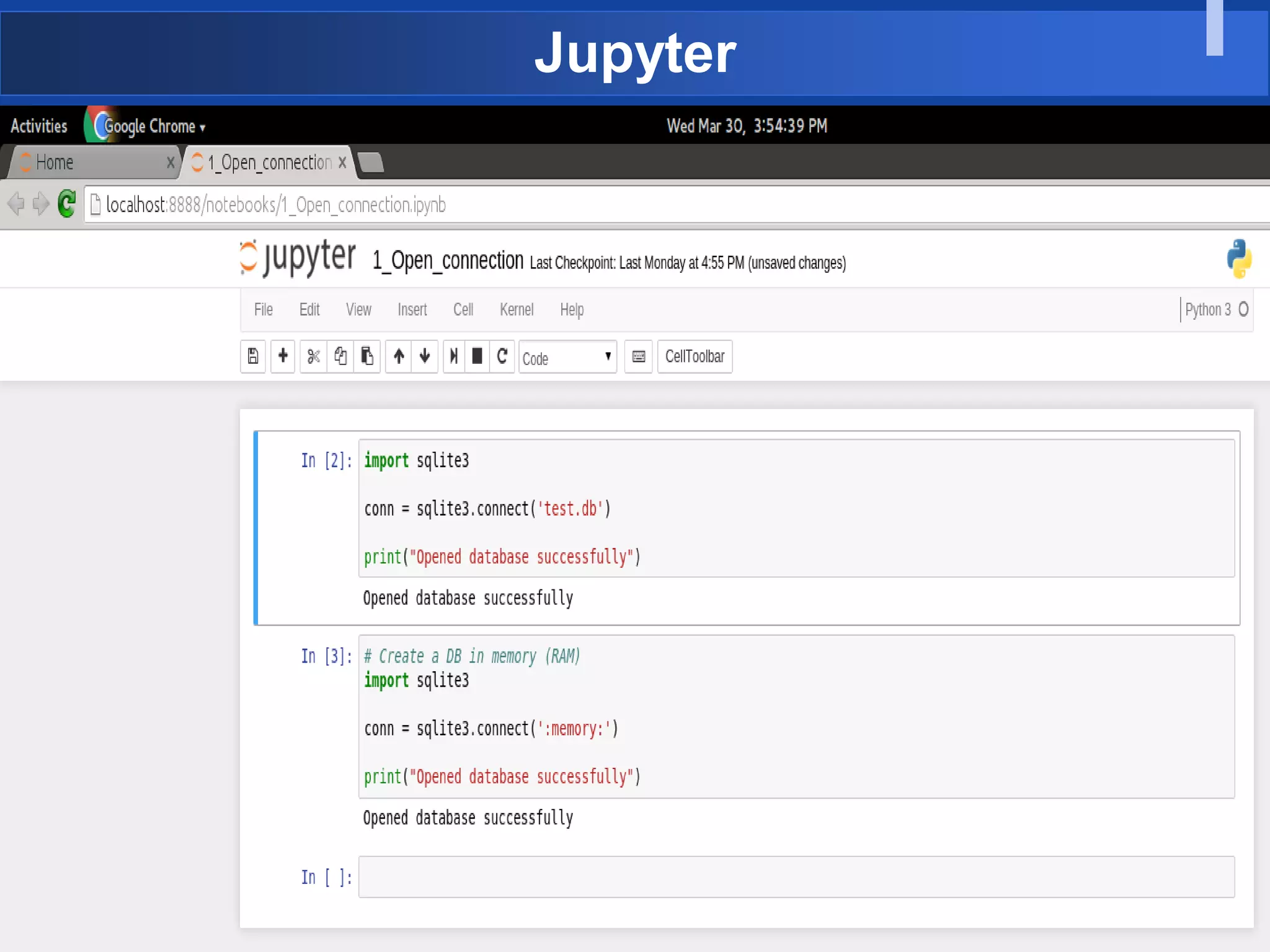
 Ipython/Jupytor
 Eclipse
 vim
 nano
Jupyter
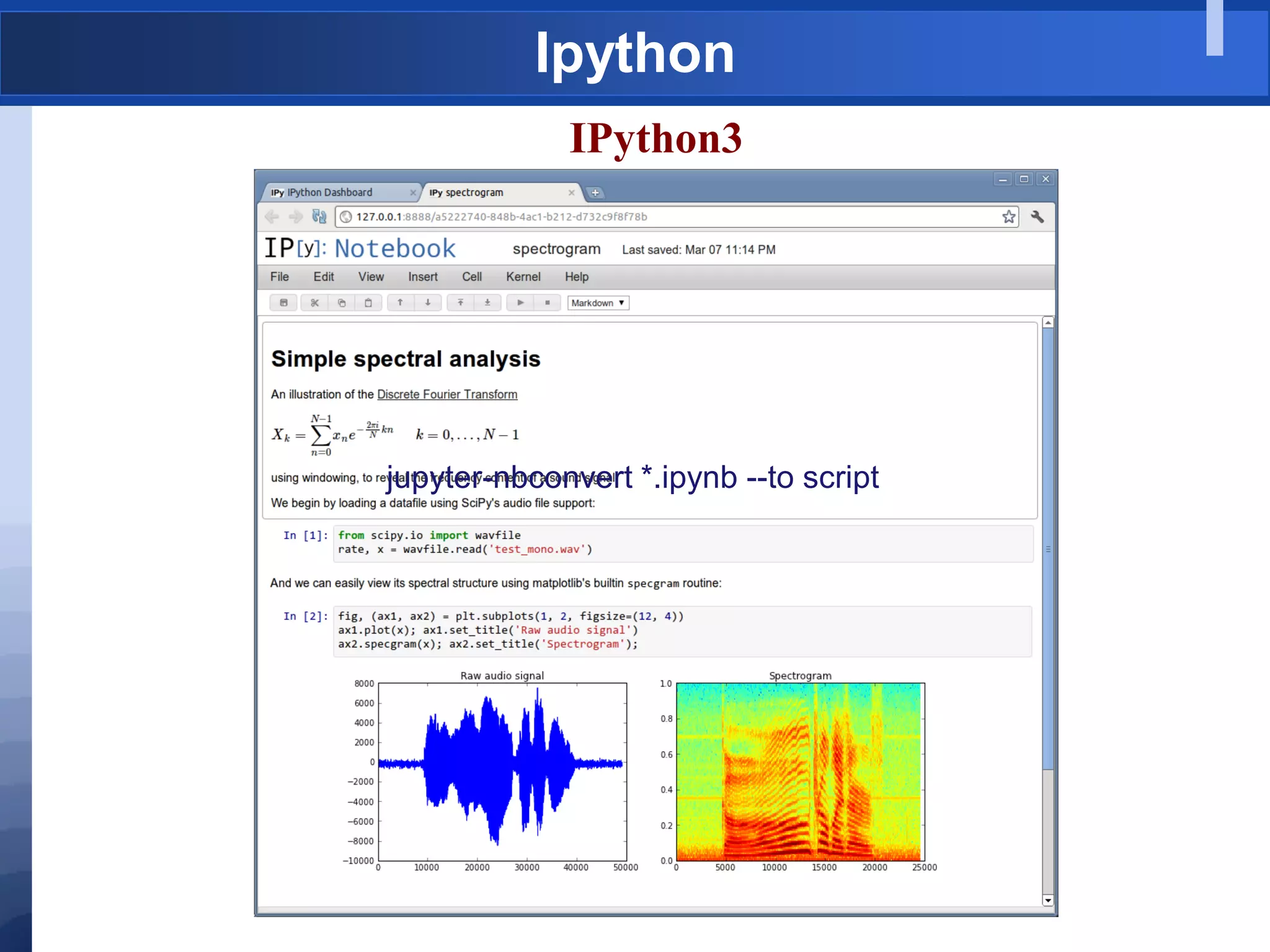
Ipython
IPython3
jupyter-nbconvert *.ipynb --to script
Converting notebook to script
jupyter-nbconvert file.ipynb --to script
It will create file.py
Basic Input and Output
Functions: input, print
1. input - help(input)
Usage: input(prompt='')
 method of ipykernel.ipkernel.IPythonKernel
 instance Forward raw_input to frontends
 Raises ------ StdinNotImplentedError if active frontend doesn't
support stdin.
2. print - help(print)
Usage: print(value, ..., sep=' ', end='n', file=sys.stdout, flush=False)
 Prints the values to a stream, or to sys.stdout by default, returns
None
 Optional keyword arguments:
 file: a file-like object (stream); defaults to the current sys.stdout.
 sep: string inserted between values, default a space.
 end: string appended after the last value, default a newline.
 flush: whether to forcibly flush the stream.
Basic Input and Output - Examples
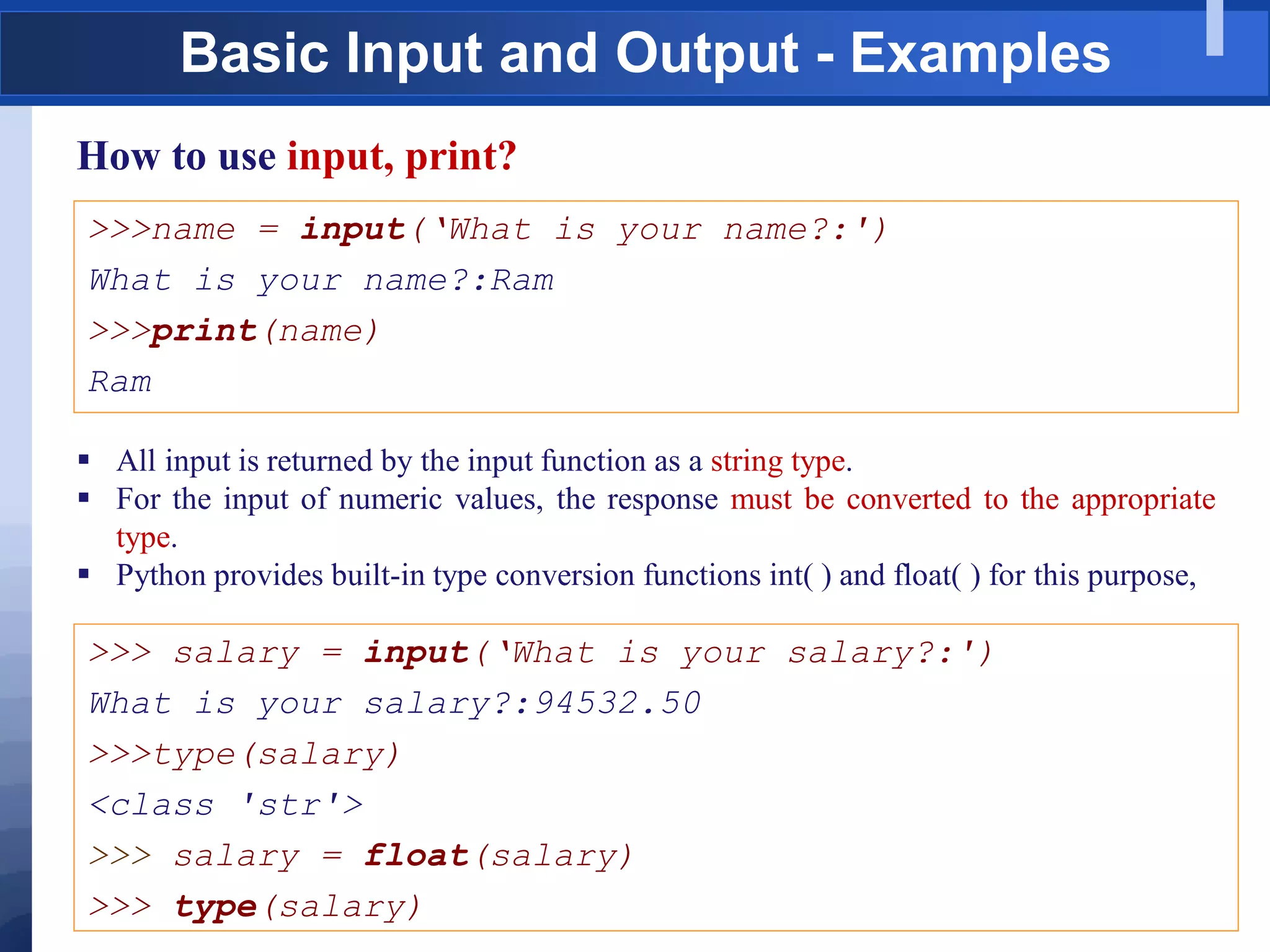
How to use input, print?
>>>name = input(„What is your name?:')
What is your name?:Ram
>>>print(name)
Ram
 All input is returned by the input function as a string type.
 For the input of numeric values, the response must be converted to the appropriate
type.
 Python provides built-in type conversion functions int( ) and float( ) for this purpose,
>>> salary = input(„What is your salary?:')
What is your salary?:94532.50
>>>type(salary)
<class 'str'>
>>> salary = float(salary)
>>> type(salary)
Strongly and Dynamically typed
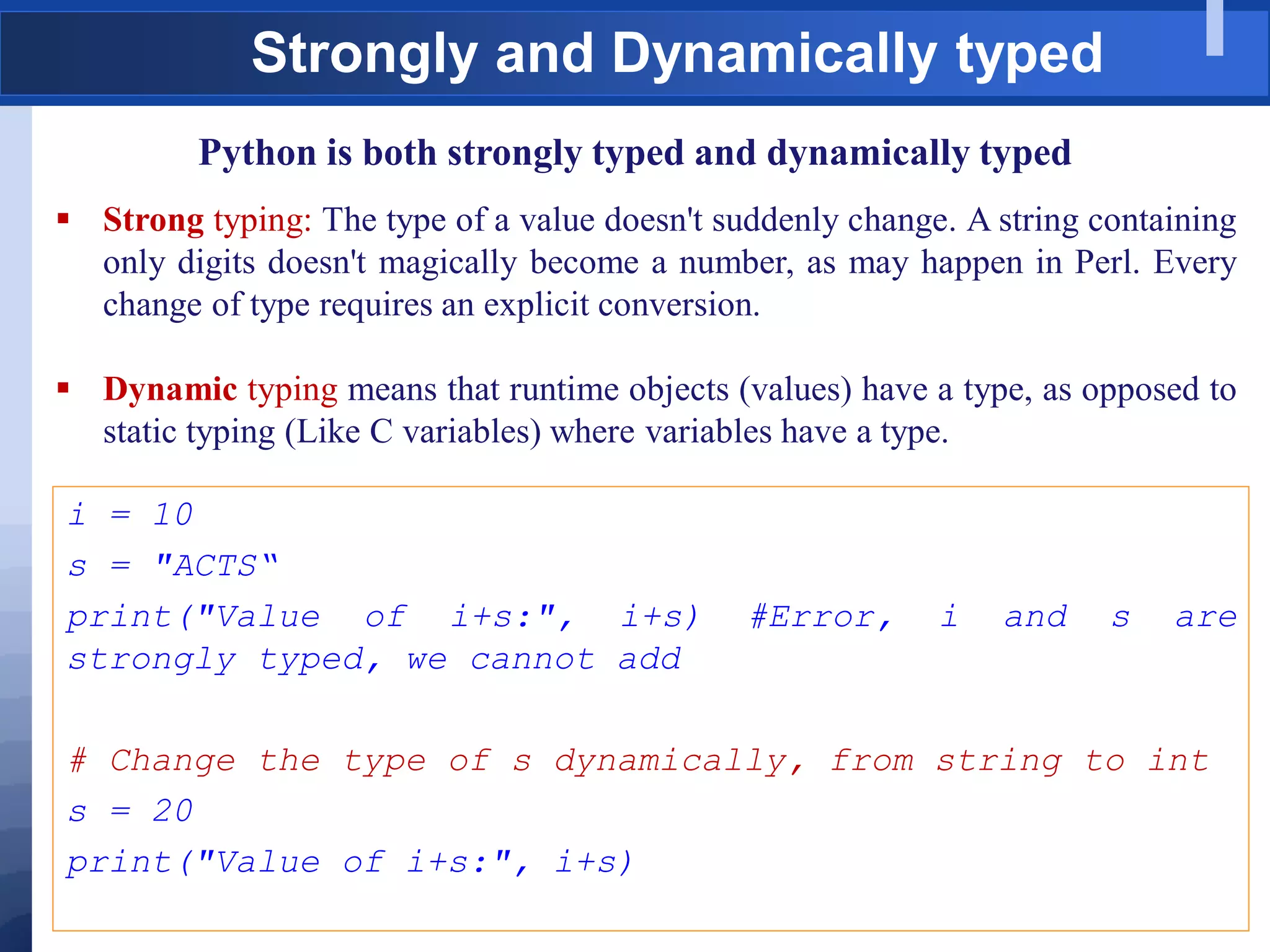
Python is both strongly typed and dynamically typed
 Strong typing: The type of a value doesn't suddenly change. A string containing
only digits doesn't magically become a number, as may happen in Perl. Every
change of type requires an explicit conversion.
 Dynamic typing means that runtime objects (values) have a type, as opposed to
static typing (Like C variables) where variables have a type.
i = 10
s = "ACTS“
print("Value of i+s:", i+s) #Error, i and s are
strongly typed, we cannot add
# Change the type of s dynamically, from string to int
s = 20
print("Value of i+s:", i+s)
Comments & Docstrings
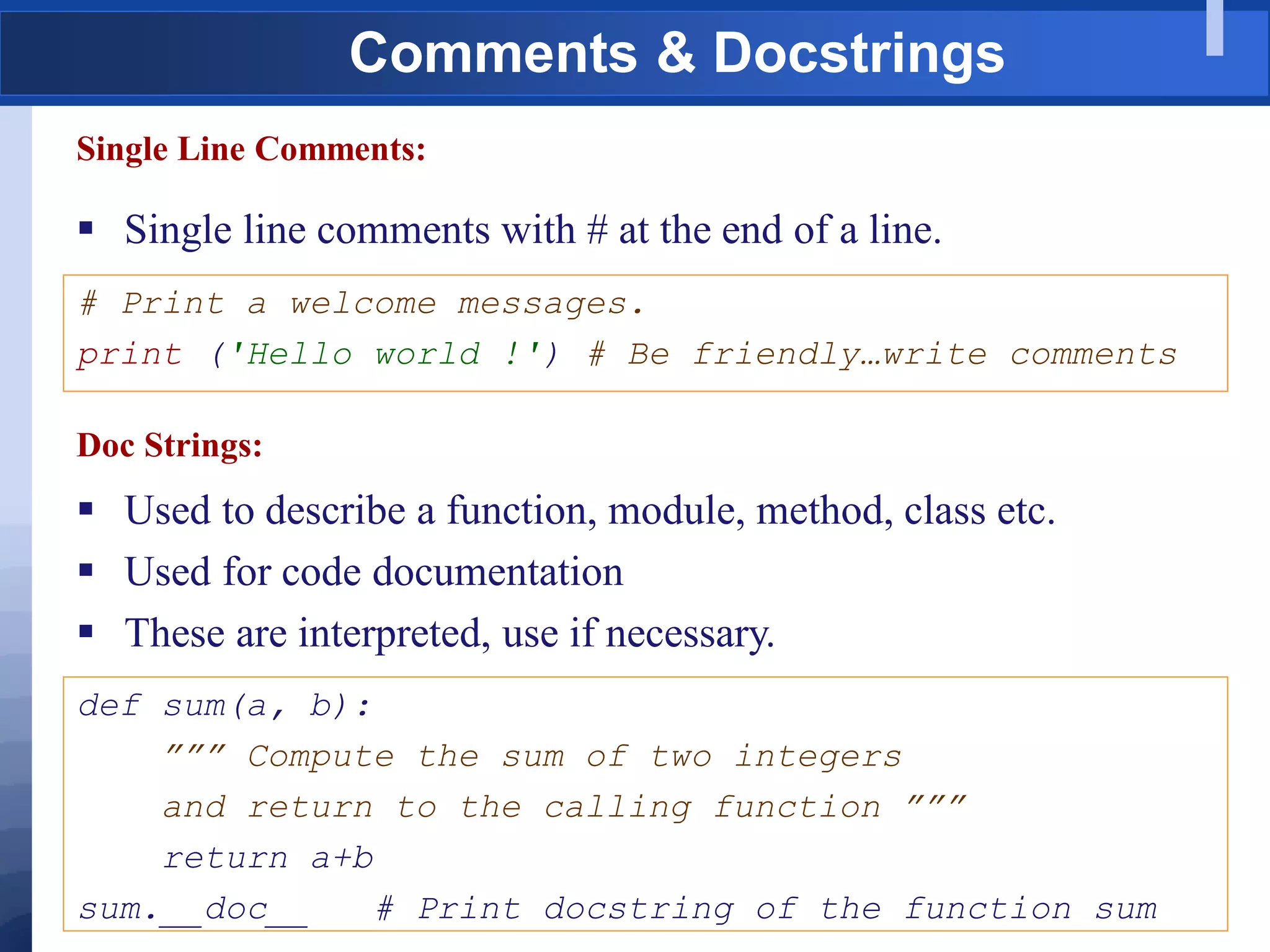
Single Line Comments:
 Single line comments with # at the end of a line.
# Print a welcome messages.
print ('Hello world !') # Be friendly…write comments
Doc Strings:
 Used to describe a function, module, method, class etc.
 Used for code documentation
 These are interpreted, use if necessary.
def sum(a, b):
””” Compute the sum of two integers
and return to the calling function ”””
return a+b
sum.__doc__ # Print docstring of the function sum
Joining Lines
Implicit:
 Allow a logical program line to span more than one physical line
using certain matching delimiting characters – (), {}, [], “””.
print('Name:', student_name, 'Address:', address,
'Number of Credits:', total_credits, 'GPA:', gpa)
Explicit:
 Explicitly joined by use of the backslash () character.
Avg = math_marks + science_marks + Hindi_marks + 
english_marks + socail_marks
Good Programming Practices
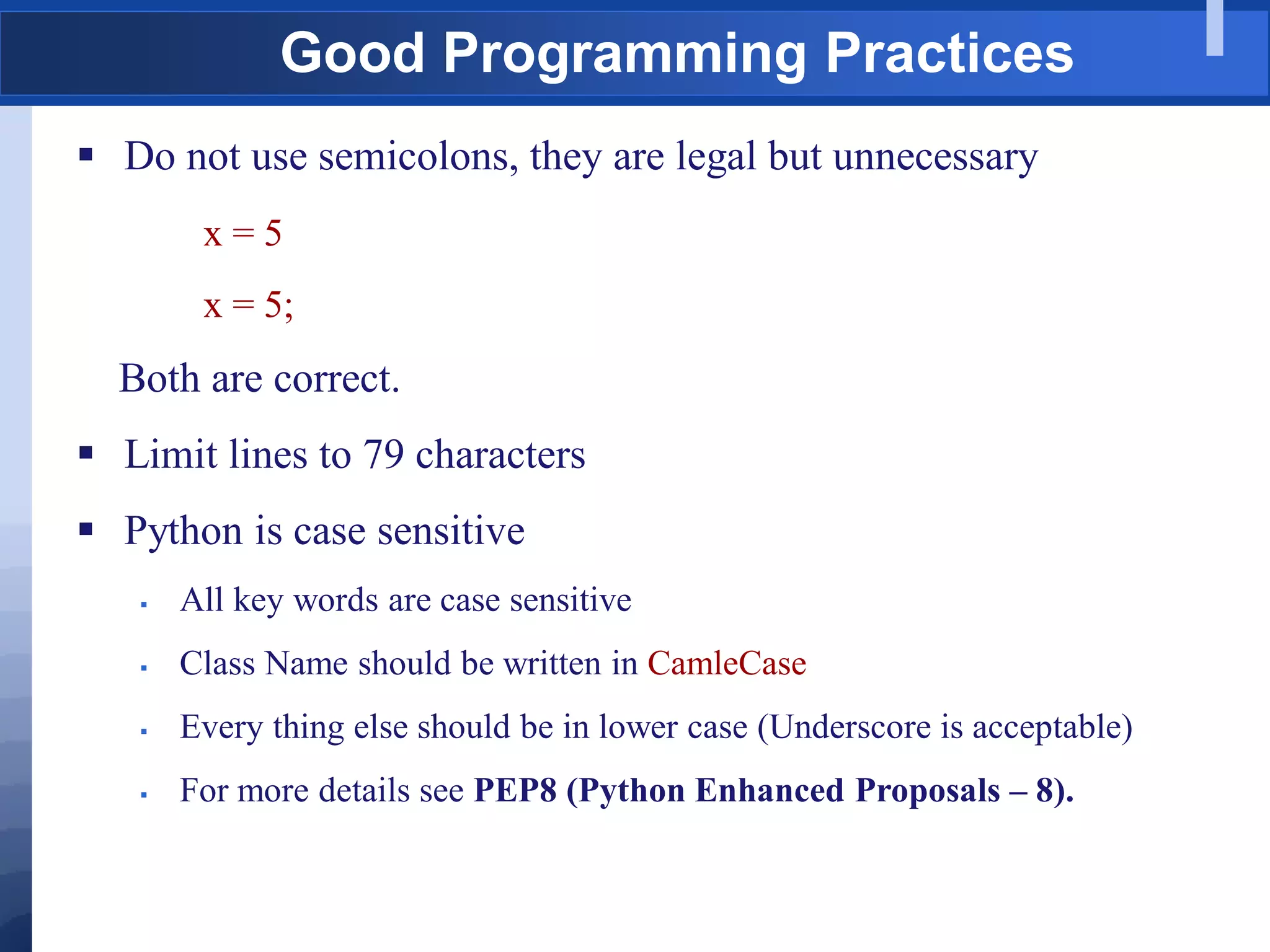
 Do not use semicolons, they are legal but unnecessary
x = 5
x = 5;
Both are correct.
 Limit lines to 79 characters
 Python is case sensitive
 All key words are case sensitive
 Class Name should be written in CamleCase
 Every thing else should be in lower case (Underscore is acceptable)
 For more details see PEP8 (Python Enhanced Proposals – 8).
Literals
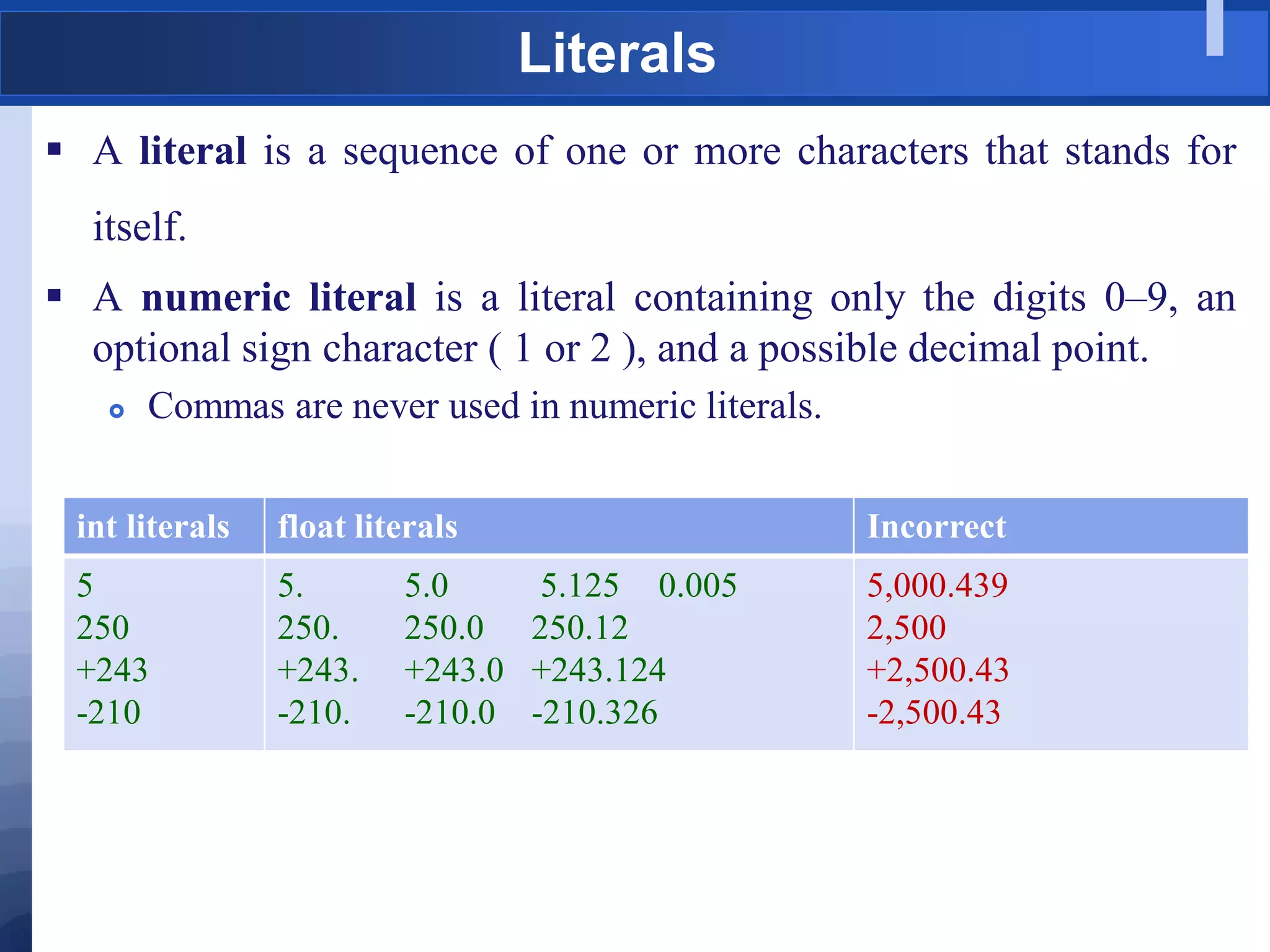
 A literal is a sequence of one or more characters that stands for
itself.
 A numeric literal is a literal containing only the digits 0–9, an
optional sign character ( 1 or 2 ), and a possible decimal point.
 Commas are never used in numeric literals.
int literals float literals Incorrect
5
250
+243
-210
5. 5.0 5.125 0.005
250. 250.0 250.12
+243. +243.0 +243.124
-210. -210.0 -210.326
5,000.439
2,500
+2,500.43
-2,500.43
Exercise
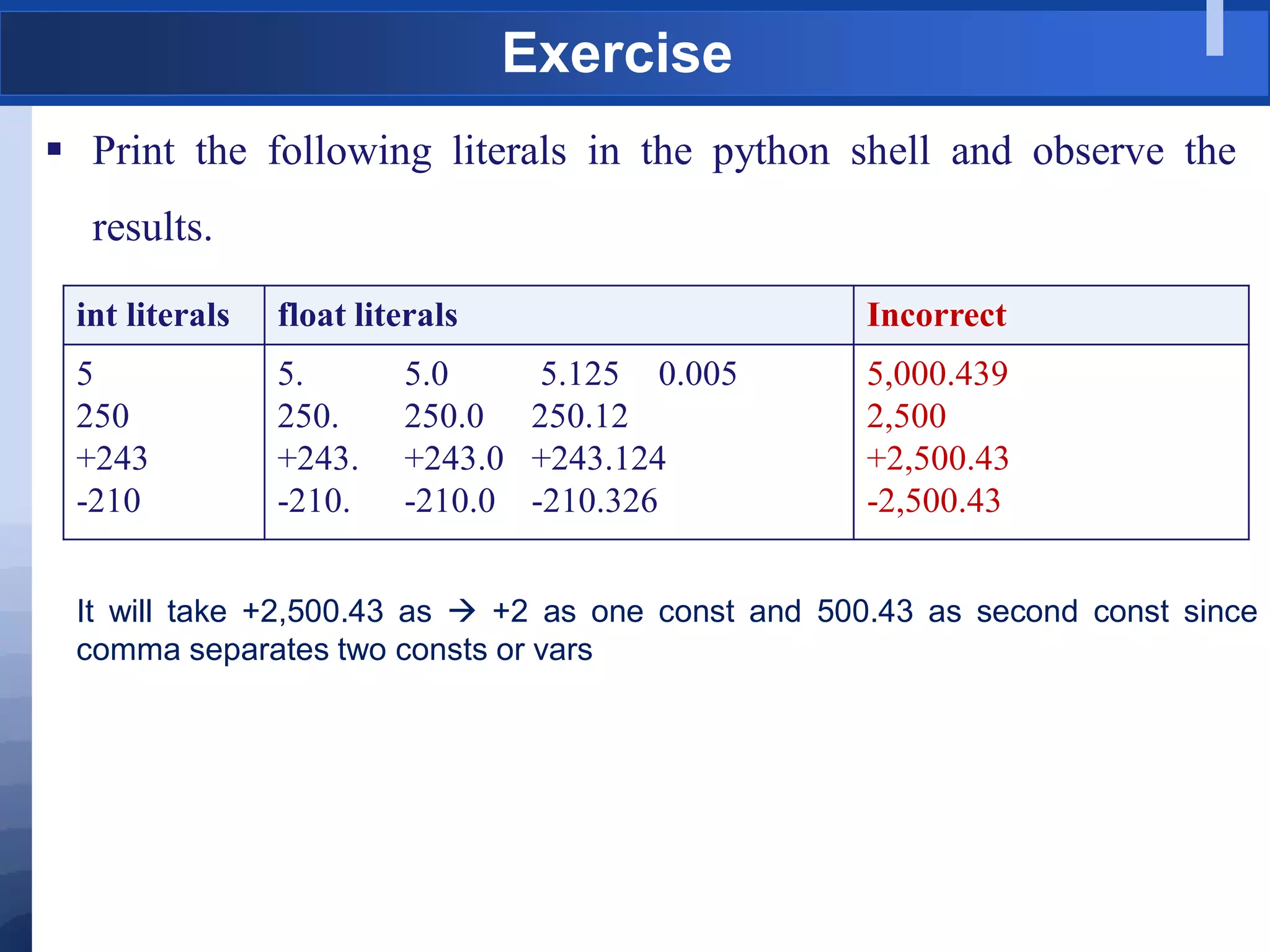
 Print the following literals in the python shell and observe the
results.
int literals float literals Incorrect
5
250
+243
-210
5. 5.0 5.125 0.005
250. 250.0 250.12
+243. +243.0 +243.124
-210. -210.0 -210.326
5,000.439
2,500
+2,500.43
-2,500.43
It will take +2,500.43 as  +2 as one const and 500.43 as second const since
comma separates two consts or vars
String Literals
 String literals, or “strings” represent a sequence of characters
 Delimit using single or double quotes.
 Multi line strings are allowed (doc strings)
 Includes letters, digits, special characters and blanks
 Blank and Empty strings are allowed (“ “, “”)
 Character representation
 Uses Unicode encoding (Compatible with ASCII).
 Unicode can represent 4 billion characters.
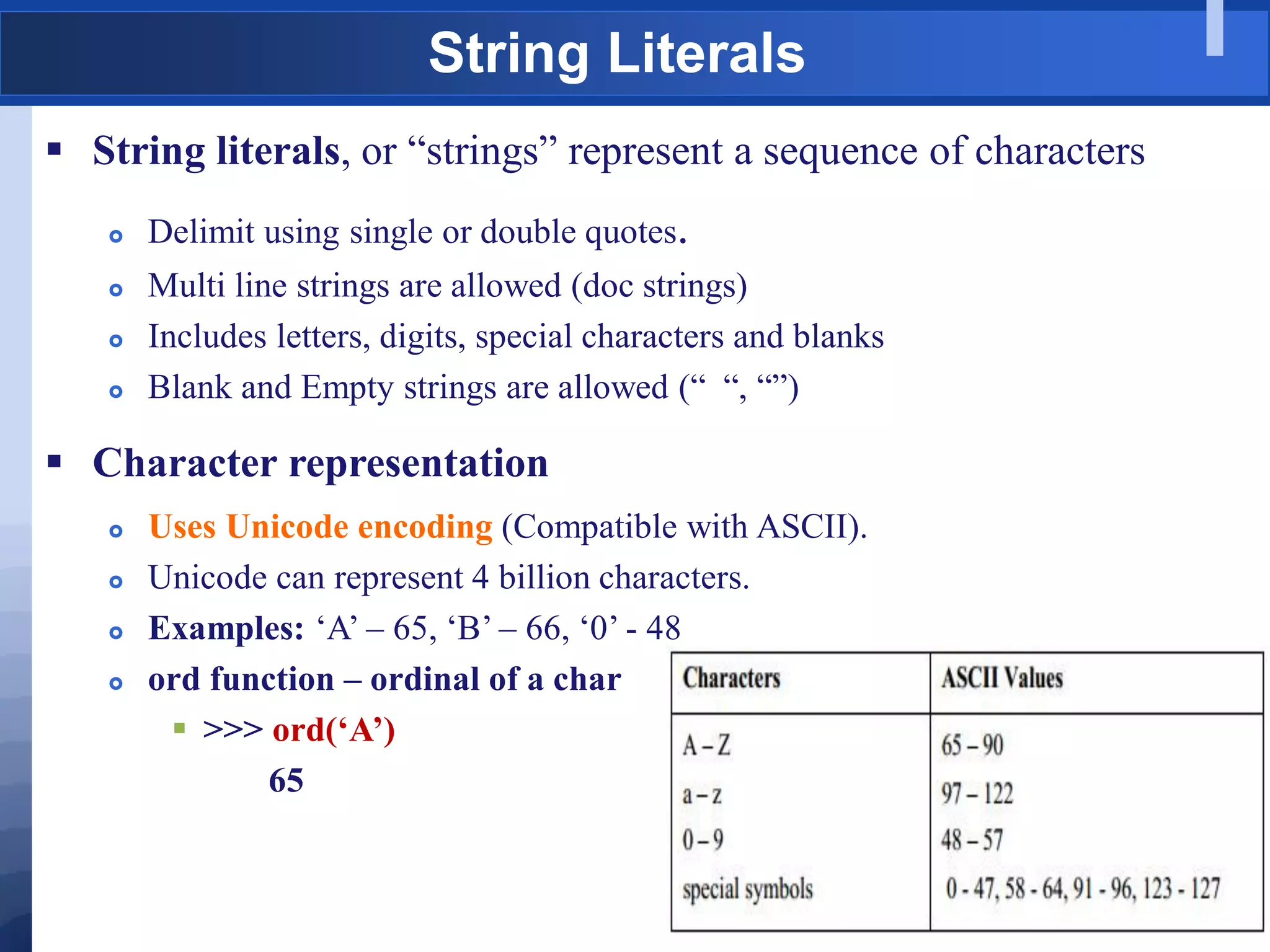
 Examples: „A‟ – 65, „B‟ – 66, „0‟ - 48
 ord function – ordinal of a char
 >>> ord(‘A’)
65
Control Characters
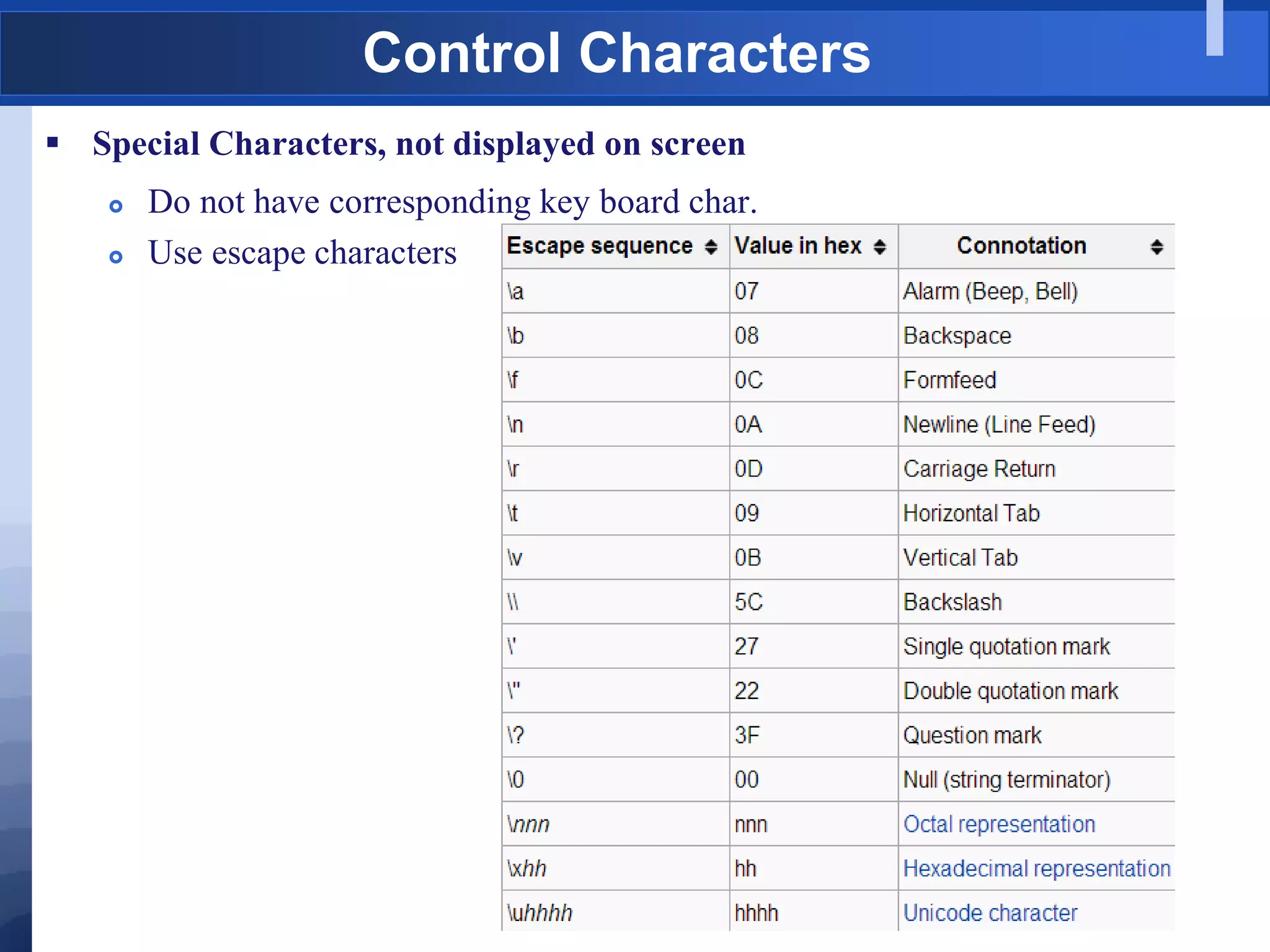
 Special Characters, not displayed on screen
 Do not have corresponding key board char.
 Use escape characters
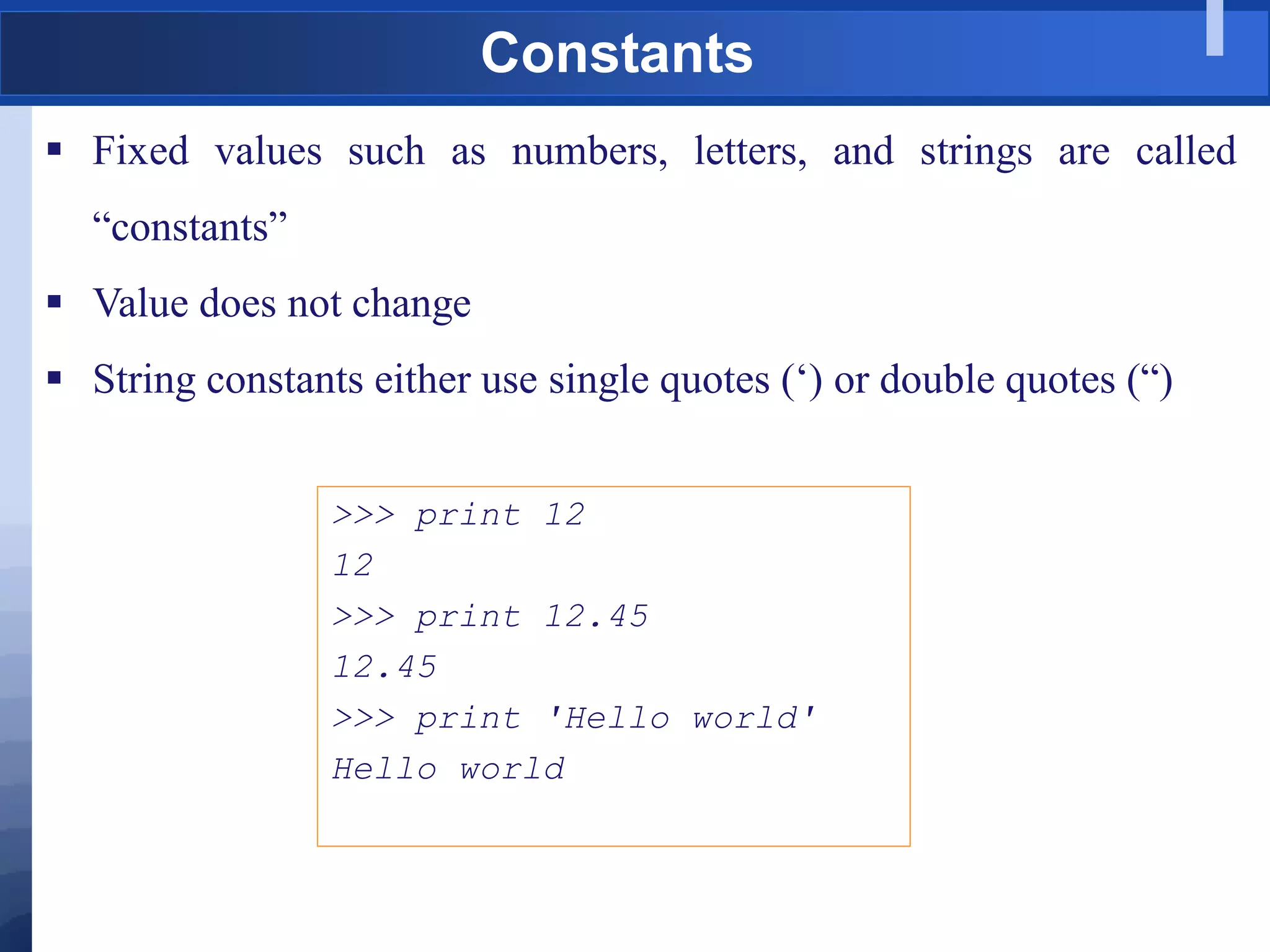
Constants
 Fixed values such as numbers, letters, and strings are called
“constants”
 Value does not change
 String constants either use single quotes („) or double quotes (“)
>>> print 12
12
>>> print 12.45
12.45
>>> print 'Hello world'
Hello world
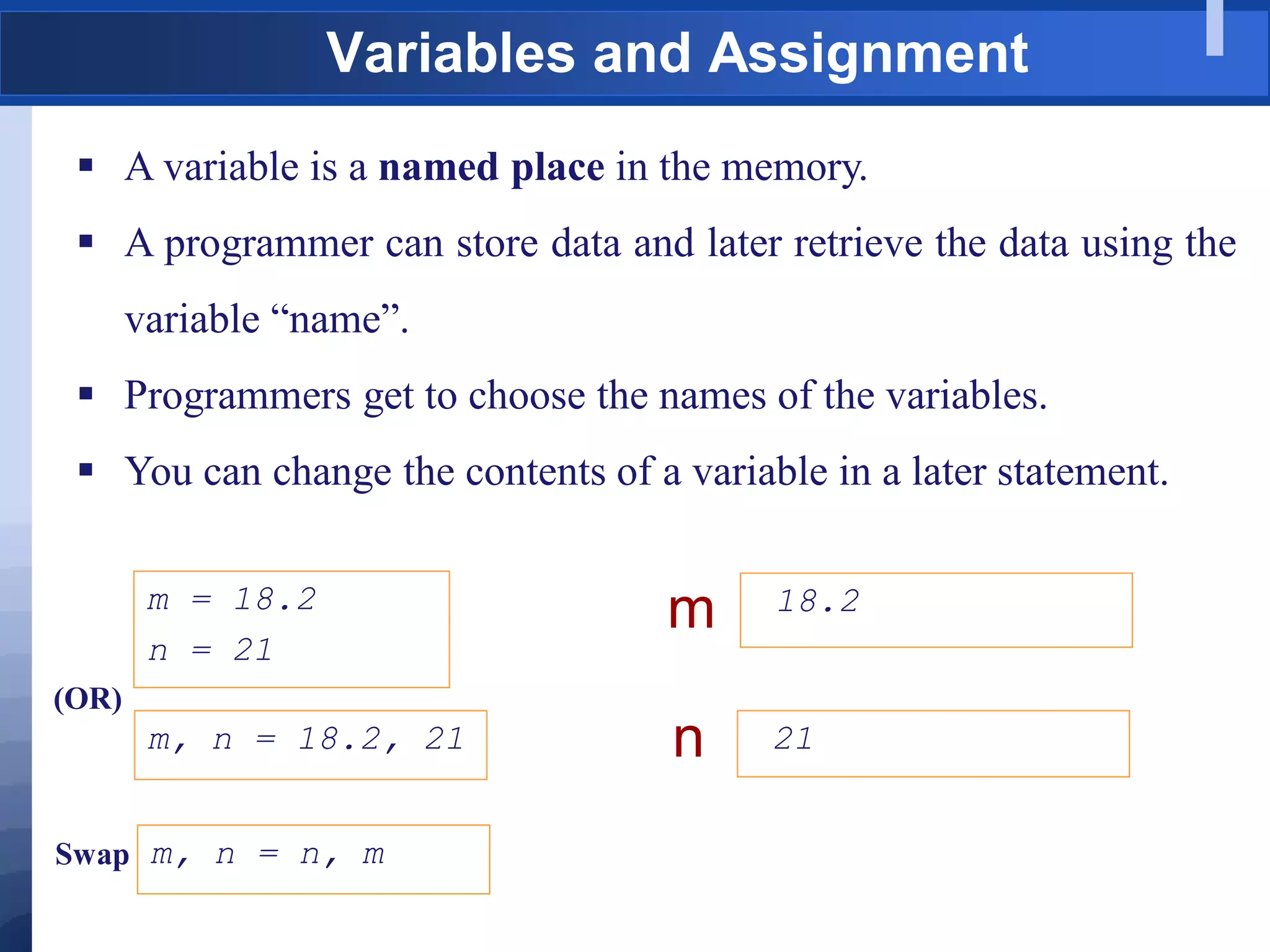
 A variable is a named place in the memory.
 A programmer can store data and later retrieve the data using the
variable “name”.
 Programmers get to choose the names of the variables.
 You can change the contents of a variable in a later statement.
18.2
m
21
n
m = 18.2
n = 21
Variables and Assignment
m, n = 18.2, 21
(OR)
m, n = n, m
Swap
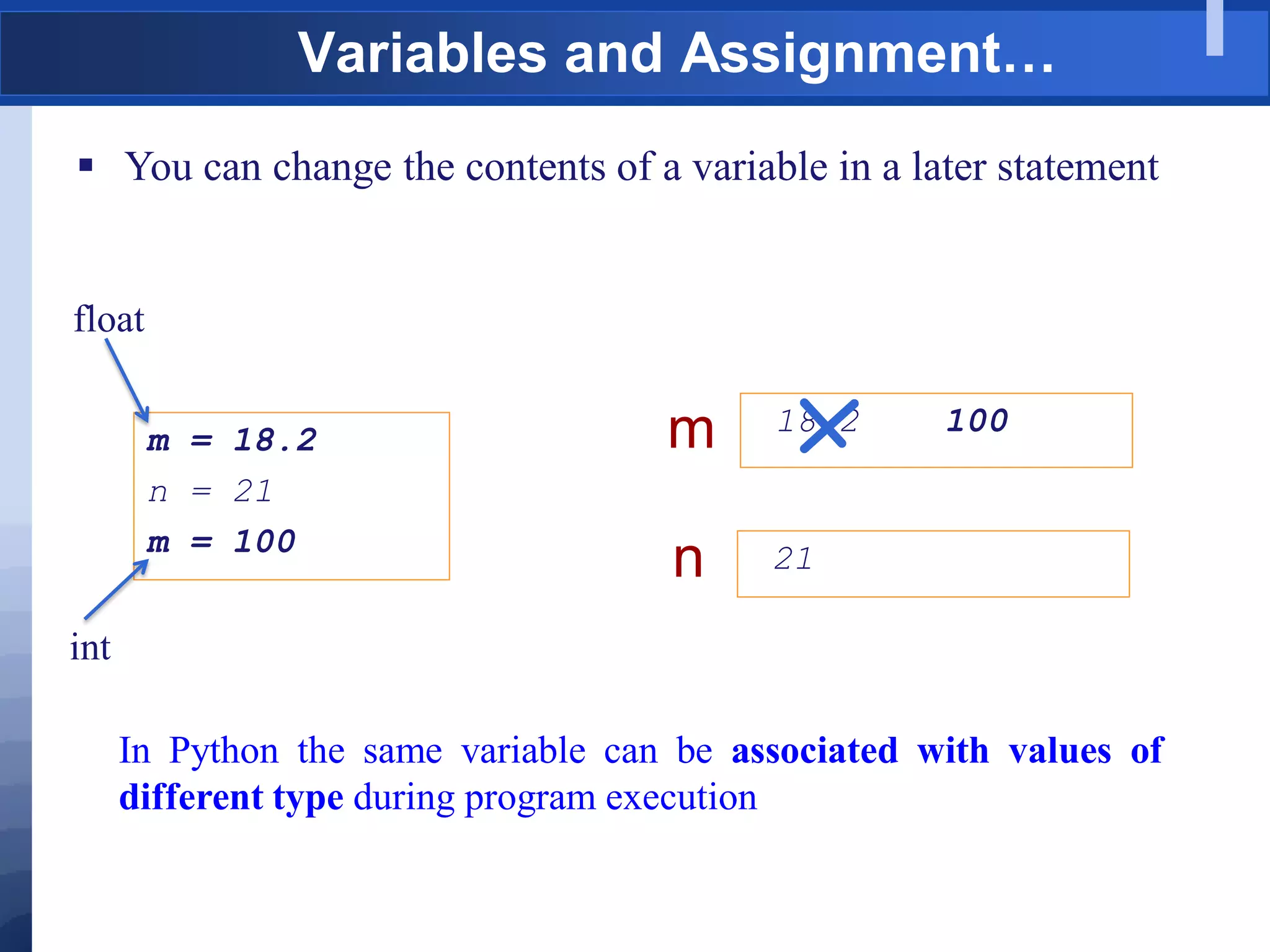
 You can change the contents of a variable in a later statement
18.2 100
m
21
n
m = 18.2
n = 21
m = 100
Variables and Assignment…
In Python the same variable can be associated with values of
different type during program execution
float
int
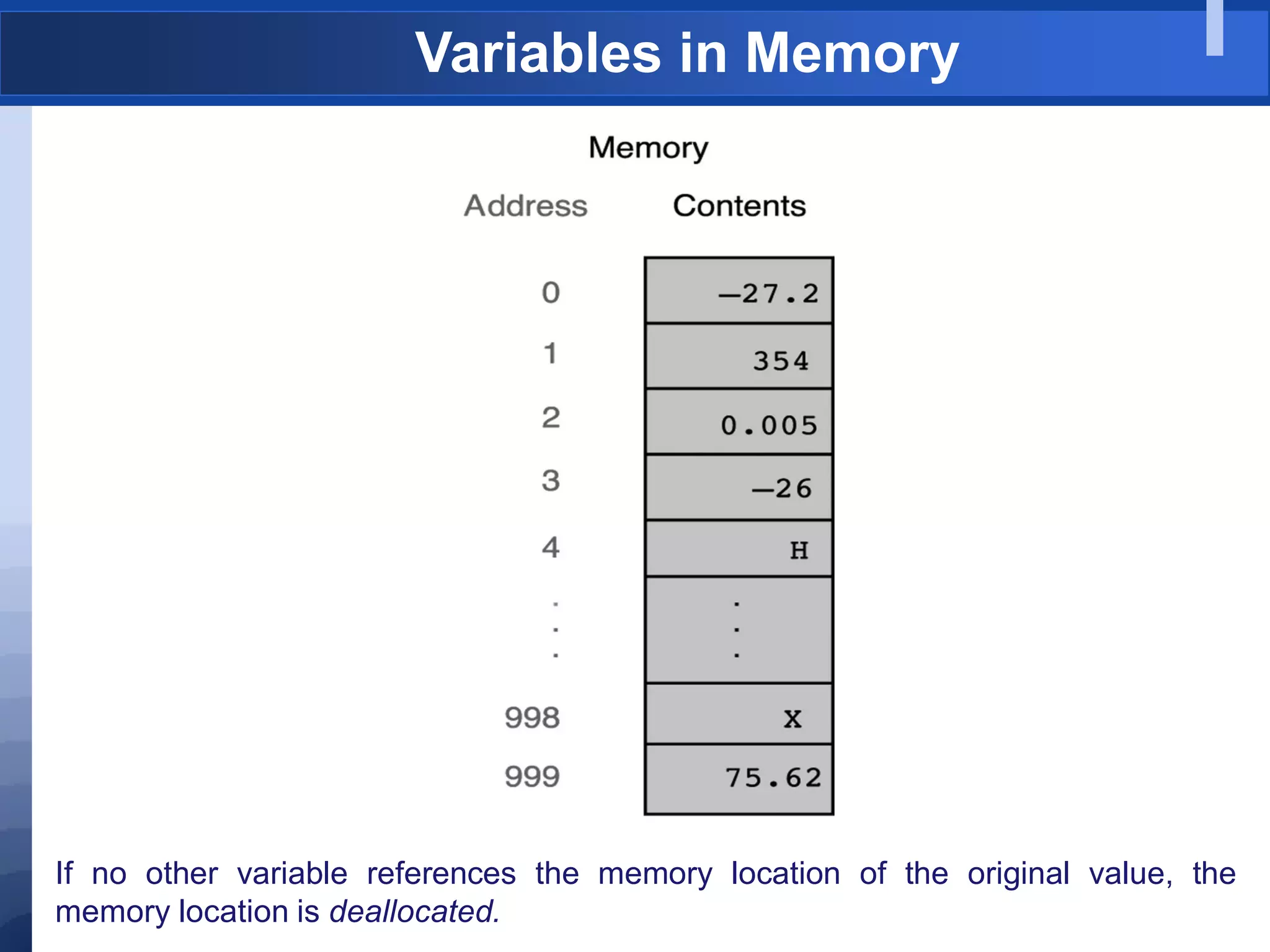
Variables in Memory
If no other variable references the memory location of the original value, the
memory location is deallocated.
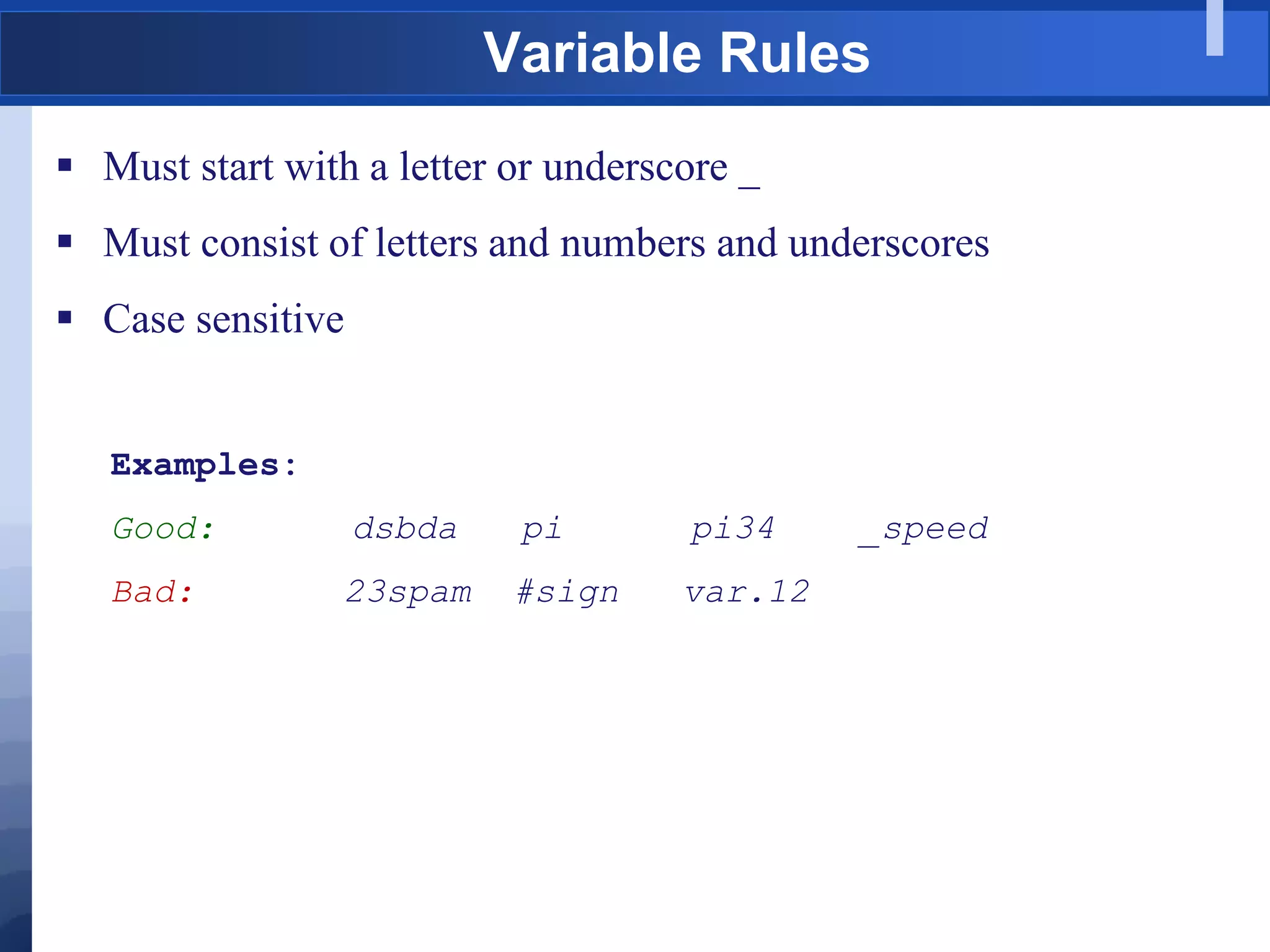
 Must start with a letter or underscore _
 Must consist of letters and numbers and underscores
 Case sensitive
Examples:
Good: dsbda pi pi34 _speed
Bad: 23spam #sign var.12
Variable Rules
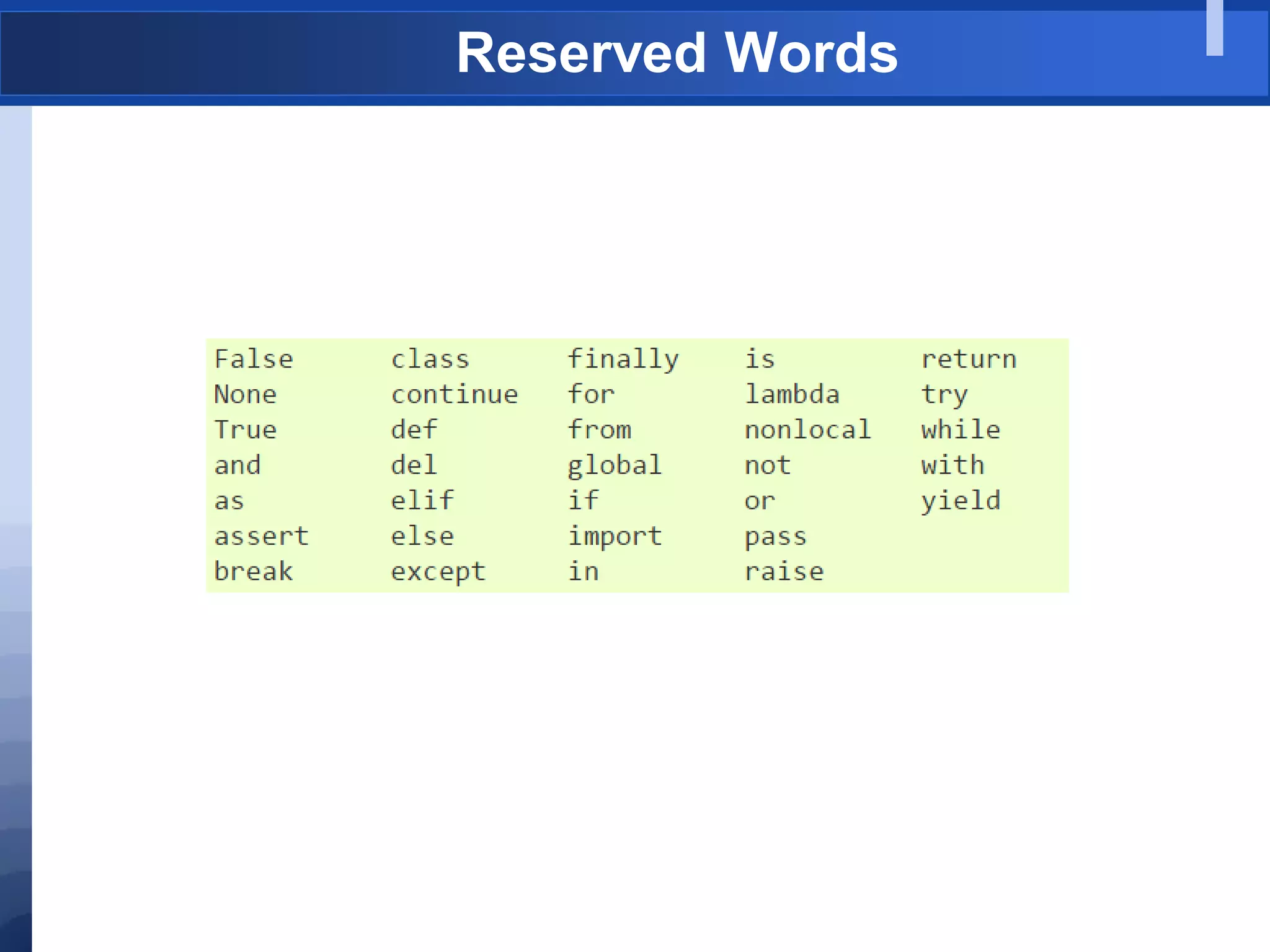
Reserved Words
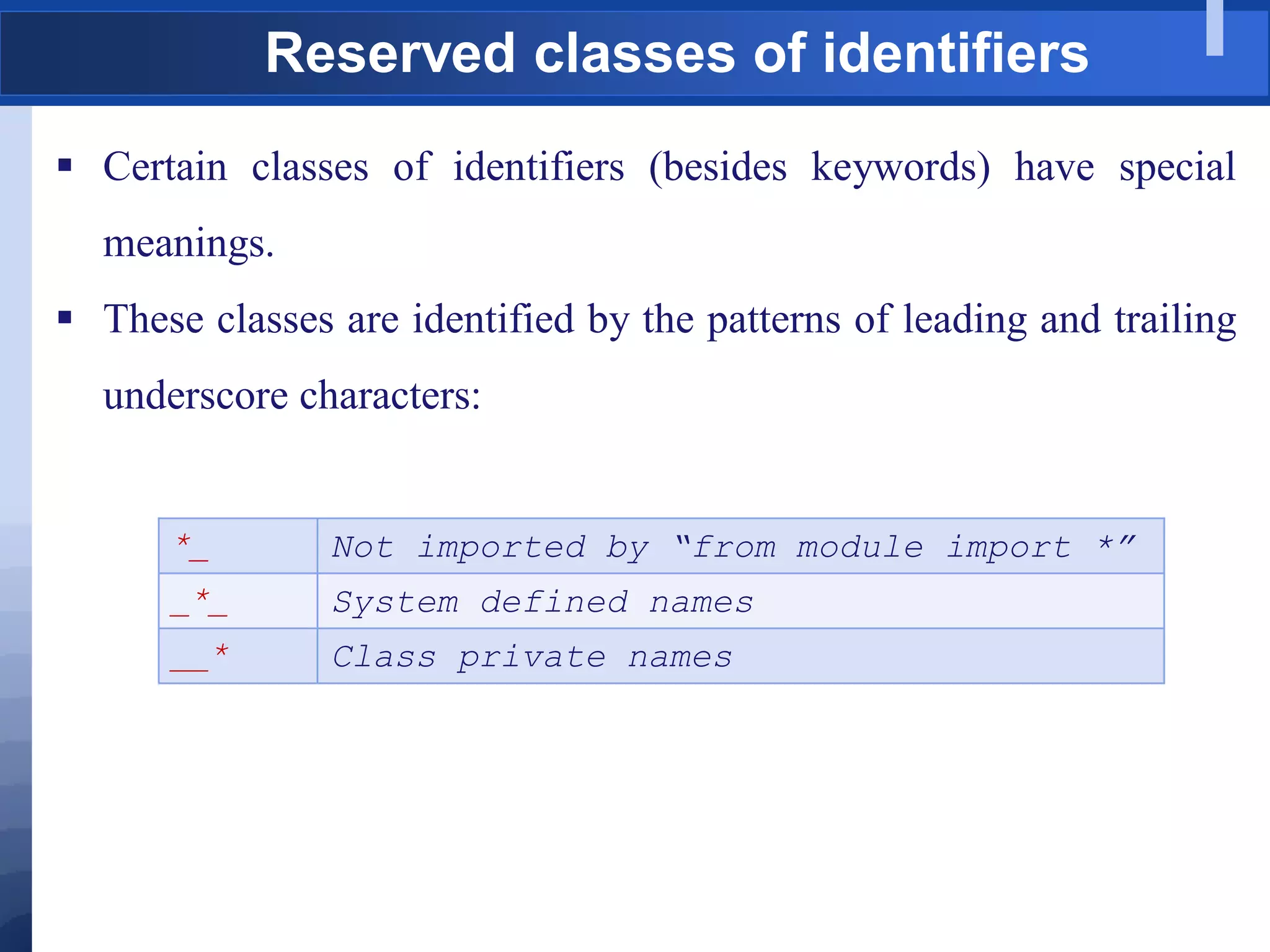
Reserved classes of identifiers
 Certain classes of identifiers (besides keywords) have special
meanings.
 These classes are identified by the patterns of leading and trailing
underscore characters:
*_ Not imported by “from module import *”
_*_ System defined names
__* Class private names
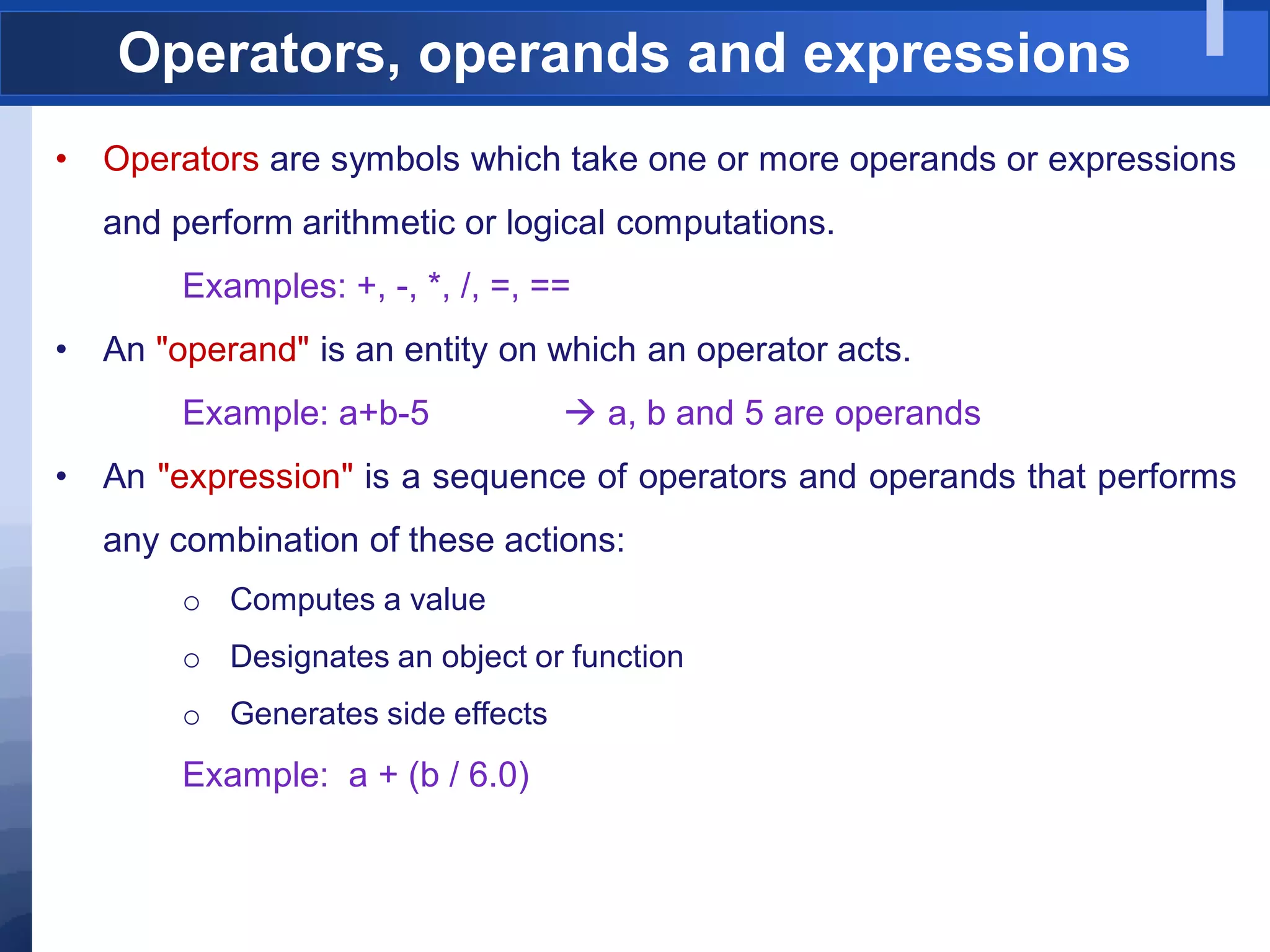
Operators, operands and expressions
• Operators are symbols which take one or more operands or expressions
and perform arithmetic or logical computations.
Examples: +, -, *, /, =, ==
• An "operand" is an entity on which an operator acts.
Example: a+b-5  a, b and 5 are operands
• An "expression" is a sequence of operators and operands that performs
any combination of these actions:
o Computes a value
o Designates an object or function
o Generates side effects
Example: a + (b / 6.0)
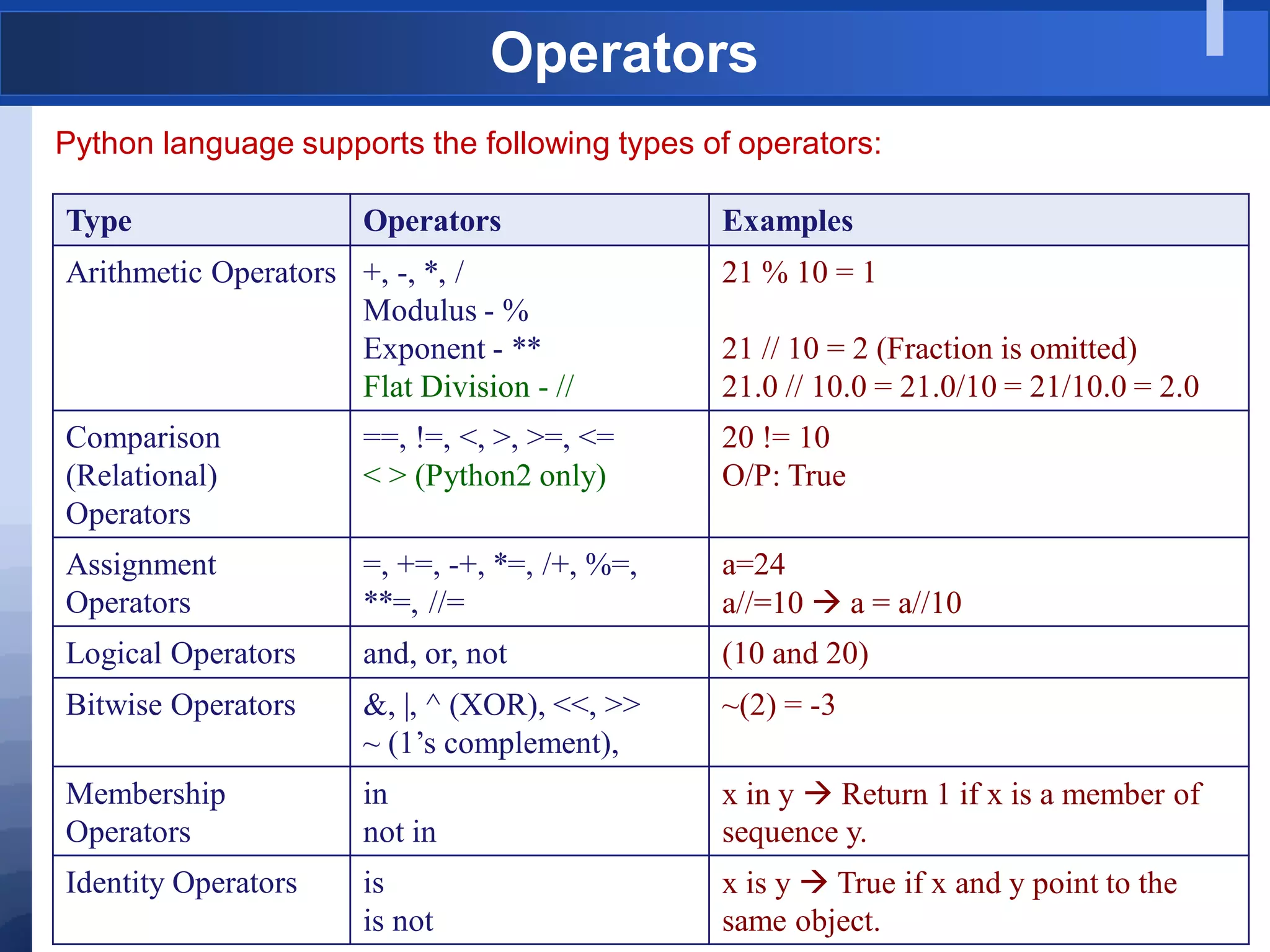
Operators
Python language supports the following types of operators:
Type Operators Examples
Arithmetic Operators +, -, *, /
Modulus - %
Exponent - **
Flat Division - //
21 % 10 = 1
21 // 10 = 2 (Fraction is omitted)
21.0 // 10.0 = 21.0/10 = 21/10.0 = 2.0
Comparison
(Relational)
Operators
==, !=, <, >, >=, <=
< > (Python2 only)
20 != 10
O/P: True
Assignment
Operators
=, +=, -+, *=, /+, %=,
**=, //=
a=24
a//=10  a = a//10
Logical Operators and, or, not (10 and 20)
Bitwise Operators &, |, ^ (XOR), <<, >>
~ (1‟s complement),
~(2) = -3
Membership
Operators
in
not in
x in y  Return 1 if x is a member of
sequence y.
Identity Operators is
is not
x is y  True if x and y point to the
same object.
Operator Precedence
tuple, list, dictionary, string (), [], {}, „‟
attribute, index, slide, function call x.attr, x[], x[i:j], f()
Exponentiation **
Bitwise not ~x
Positive and negative +x, -x
Multiplication, division, remainder *, /, %
Addition, subtraction +, -
Bitwise shift <<, >>
Bitwise AND &
Bitwise XOR ^
Bitwise OR |
Comparisons, membership, identity <, <=, >, >=, <>, !=, ==, in, not in, is, is not
Boolean Not not x
Boolean AND and
Boolean OR or
Lambda Expression lambda
High
Low
Data Types
• Elementary Types
• NoneType: None
• bool: True, False
• int: 42, long,
• float: 3.14, complex: (0.3+2j)
• Container or Sequence Types
• str: 'Hello„ (Sequence of Unicode characters)
• list: [1, 2, 3]
• tuple: (1, 2, 3)
• dict: {'A':1, 'B':2}
• set: {1, 2, 3}
• file
• function, class, instance
Note: In Python everything is an object and every object has a type.
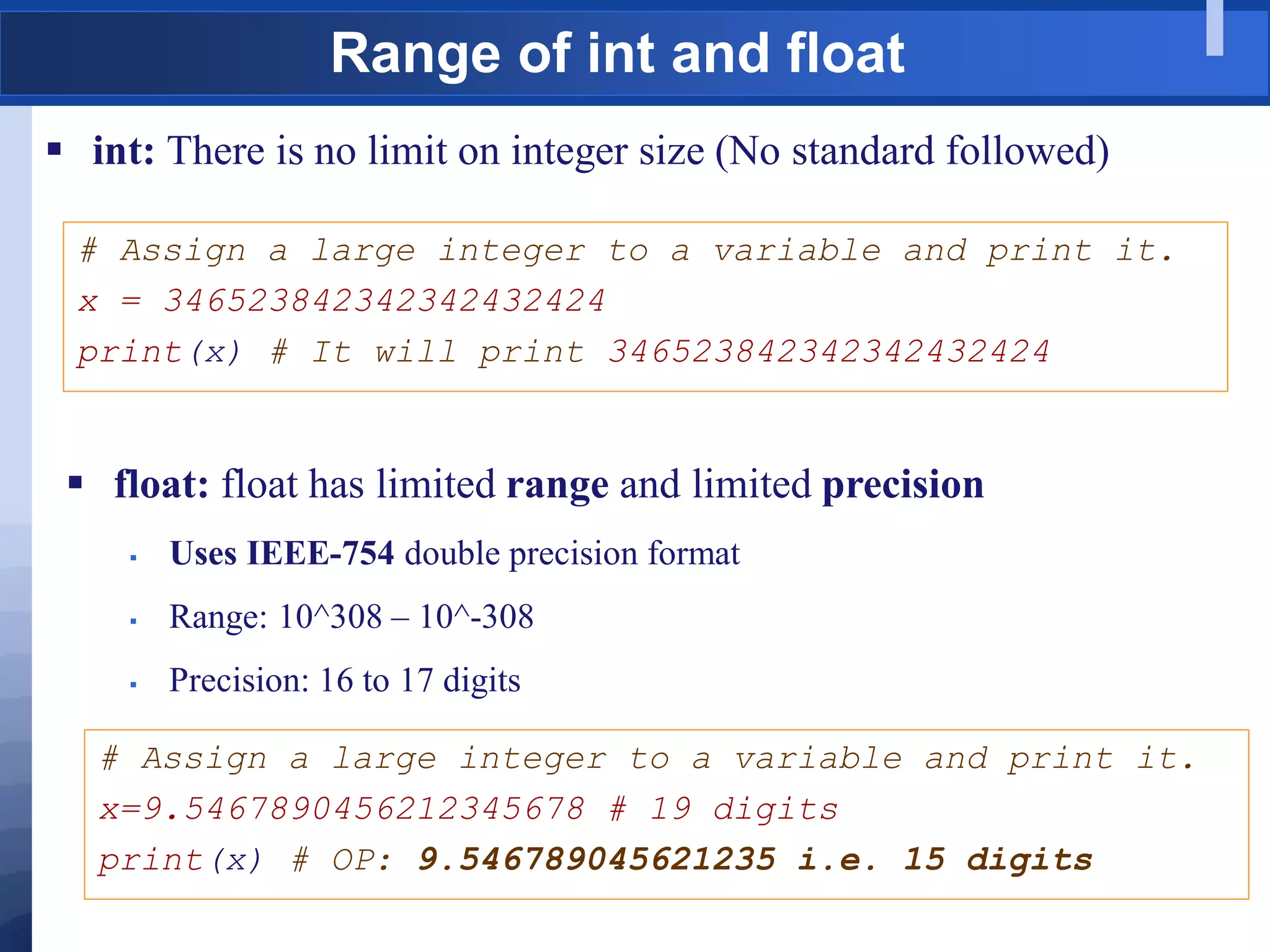
Range of int and float
 int: There is no limit on integer size (No standard followed)
# Assign a large integer to a variable and print it.
x = 346523842342342432424
print(x) # It will print 346523842342342432424
 float: float has limited range and limited precision
 Uses IEEE-754 double precision format
 Range: 10^308 – 10^-308
 Precision: 16 to 17 digits
# Assign a large integer to a variable and print it.
x=9.5467890456212345678 # 19 digits
print(x) # OP: 9.546789045621235 i.e. 15 digits
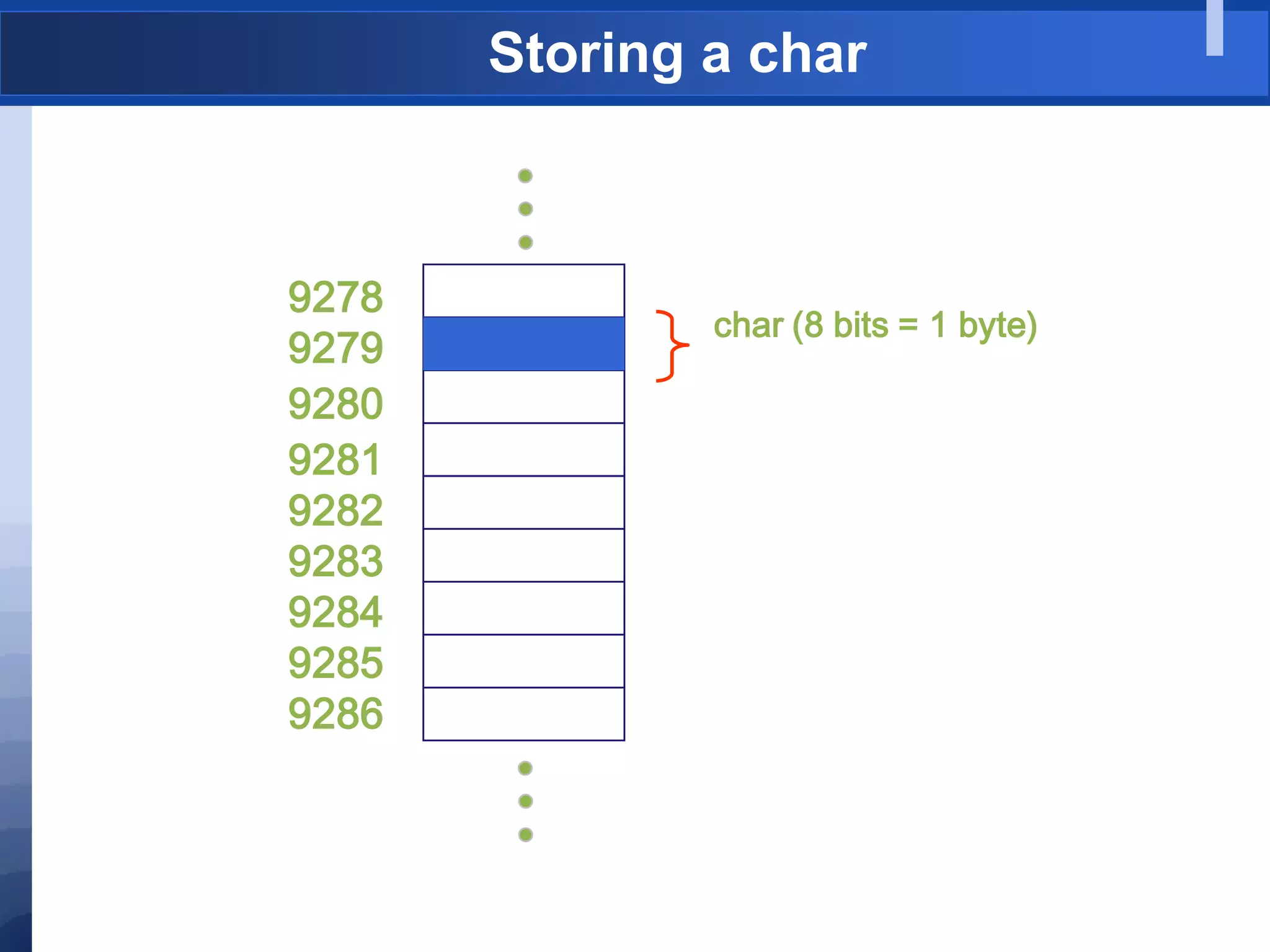
Storing a char
9278
9279
9280
9281
9282
9283
9284
9285
9286
char (8 bits = 1 byte)
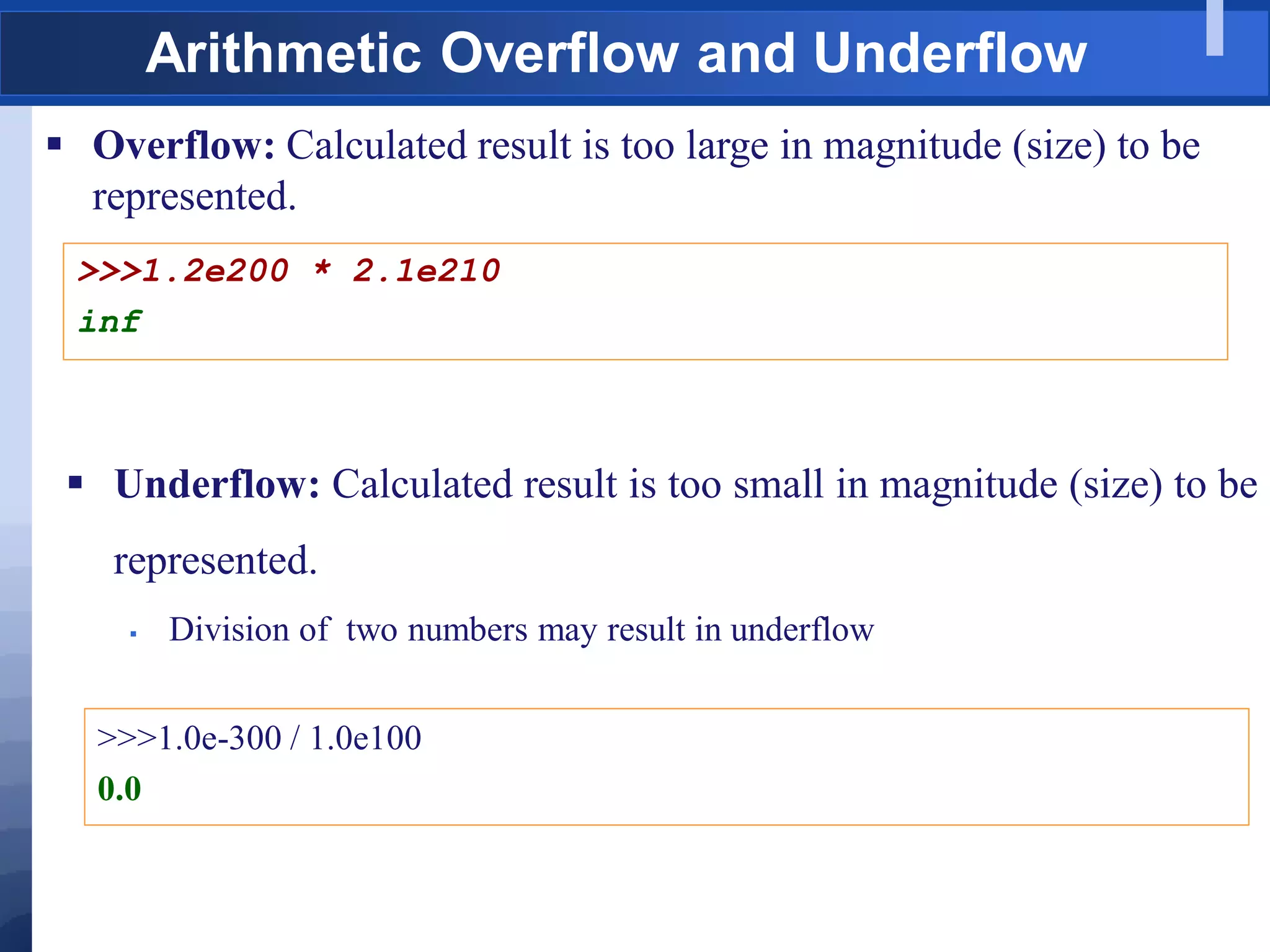
Arithmetic Overflow and Underflow
 Overflow: Calculated result is too large in magnitude (size) to be
represented.
>>>1.2e200 * 2.1e210
inf
 Underflow: Calculated result is too small in magnitude (size) to be
represented.
 Division of two numbers may result in underflow
>>>1.0e-300 / 1.0e100
0.0
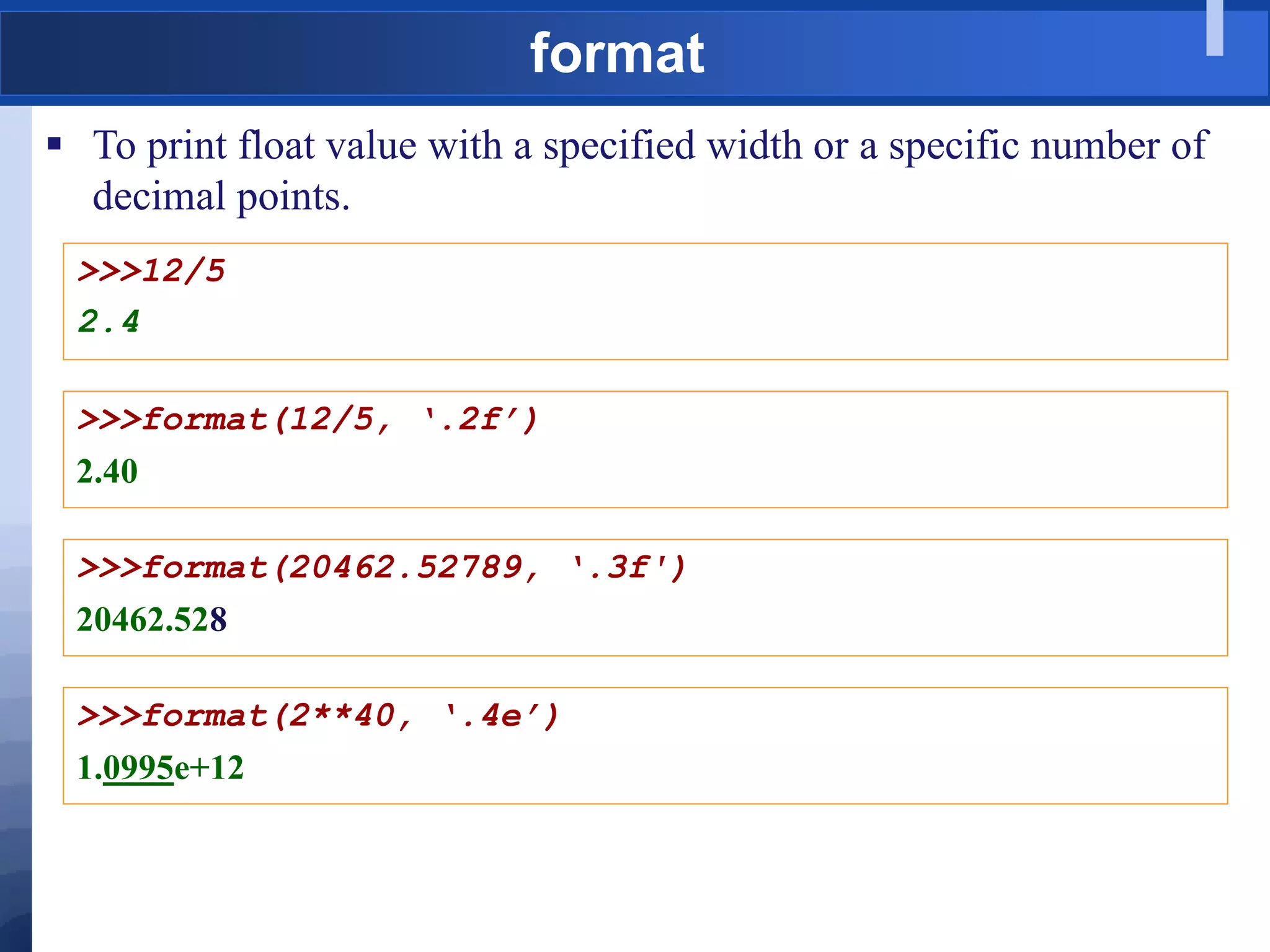
format
 To print float value with a specified width or a specific number of
decimal points.
>>>12/5
2.4
>>>format(12/5, ‘.2f’)
2.40
>>>format(20462.52789, ‘.3f')
20462.528
>>>format(2**40, ‘.4e’)
1.0995e+12
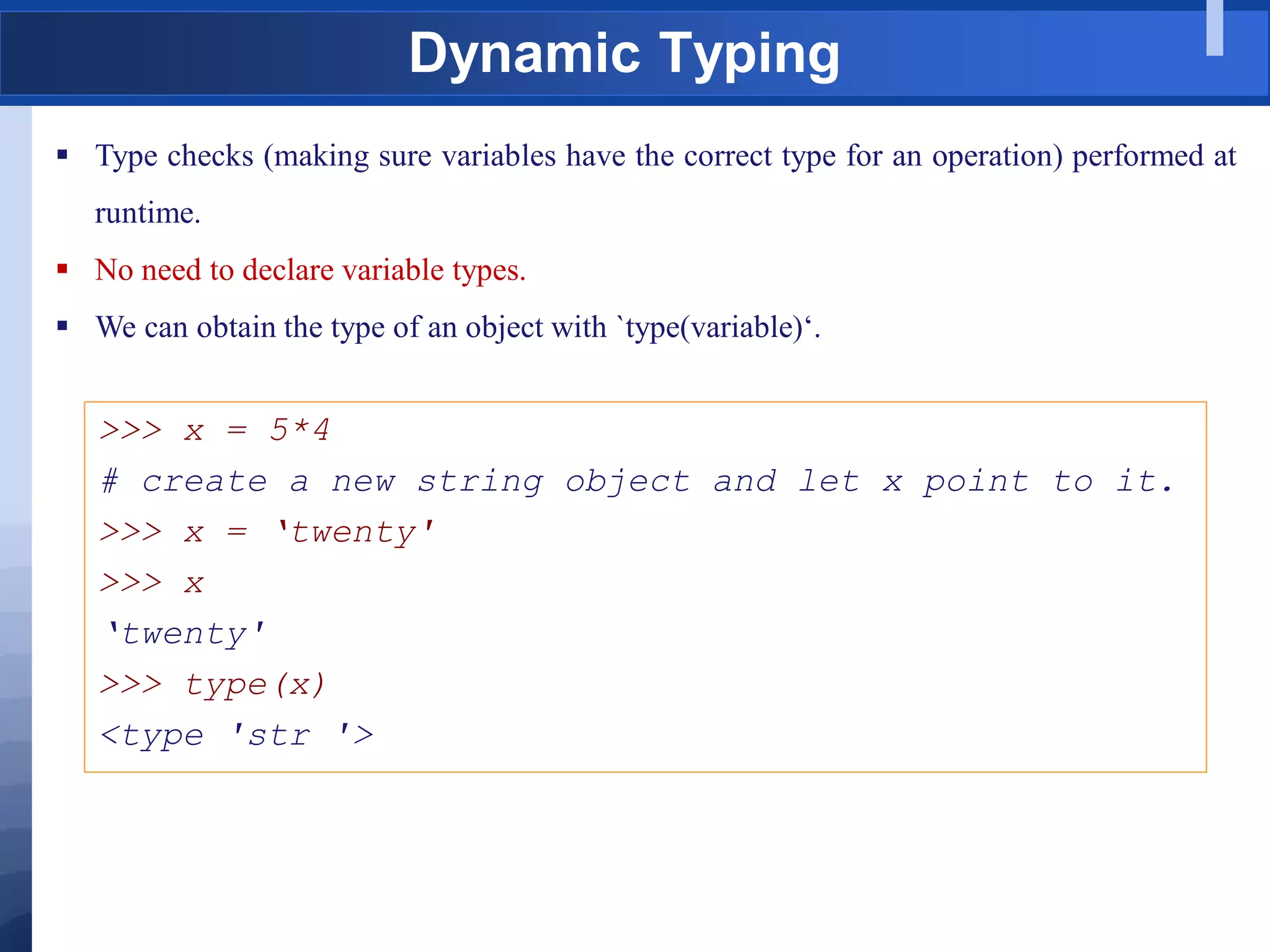
Dynamic Typing
 Type checks (making sure variables have the correct type for an operation) performed at
runtime.
 No need to declare variable types.
 We can obtain the type of an object with `type(variable)„.
>>> x = 5*4
# create a new string object and let x point to it.
>>> x = „twenty'
>>> x
„twenty'
>>> type(x)
<type 'str '>
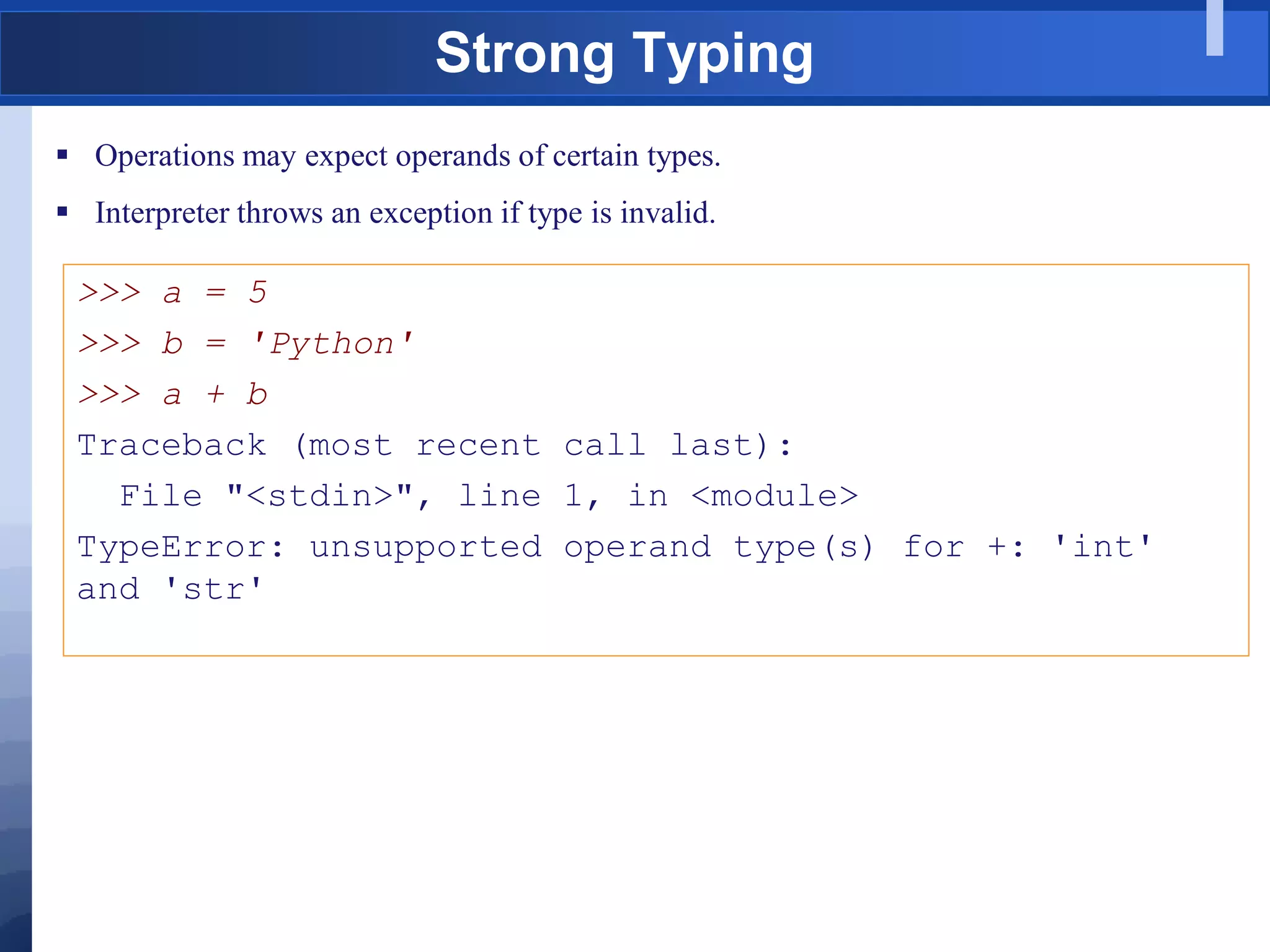
Strong Typing
 Operations may expect operands of certain types.
 Interpreter throws an exception if type is invalid.
>>> a = 5
>>> b = 'Python'
>>> a + b
Traceback (most recent call last):
File "<stdin>", line 1, in <module>
TypeError: unsupported operand type(s) for +: 'int'
and 'str'
Mutable and Immutable
 Mutable objects can be modified - lists, dictionaries, sets
>>> cats = [„tommy', 'lucky ', 'spot']
# Add an element to the list object
>>> cats.append („Bond')
>>> cats
[„tommy', 'lucky ', 'spot„, „Bond‟]
 Immutable objects cannot be changed after initialization – Boolean,
numbers, strings, tuples
>>> s = “cat”
# Try to change the one character of string s
>>> s[0] = „m‟
TypeError: str object does not support item assignment
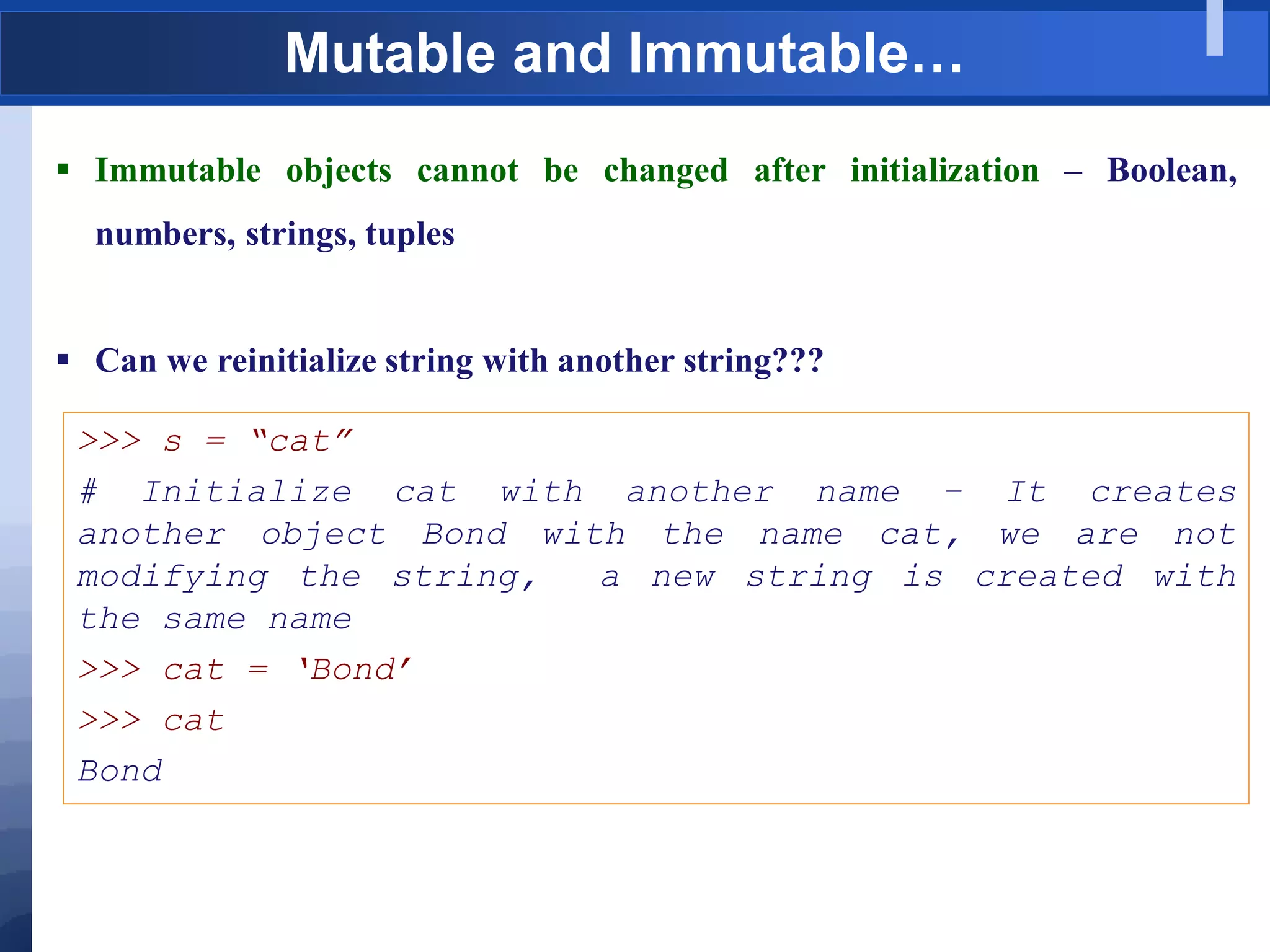
Mutable and Immutable…
 Immutable objects cannot be changed after initialization – Boolean,
numbers, strings, tuples
 Can we reinitialize string with another string???
>>> s = “cat”
# Initialize cat with another name – It creates
another object Bond with the name cat, we are not
modifying the string, a new string is created with
the same name
>>> cat = „Bond‟
>>> cat
Bond
Coercion
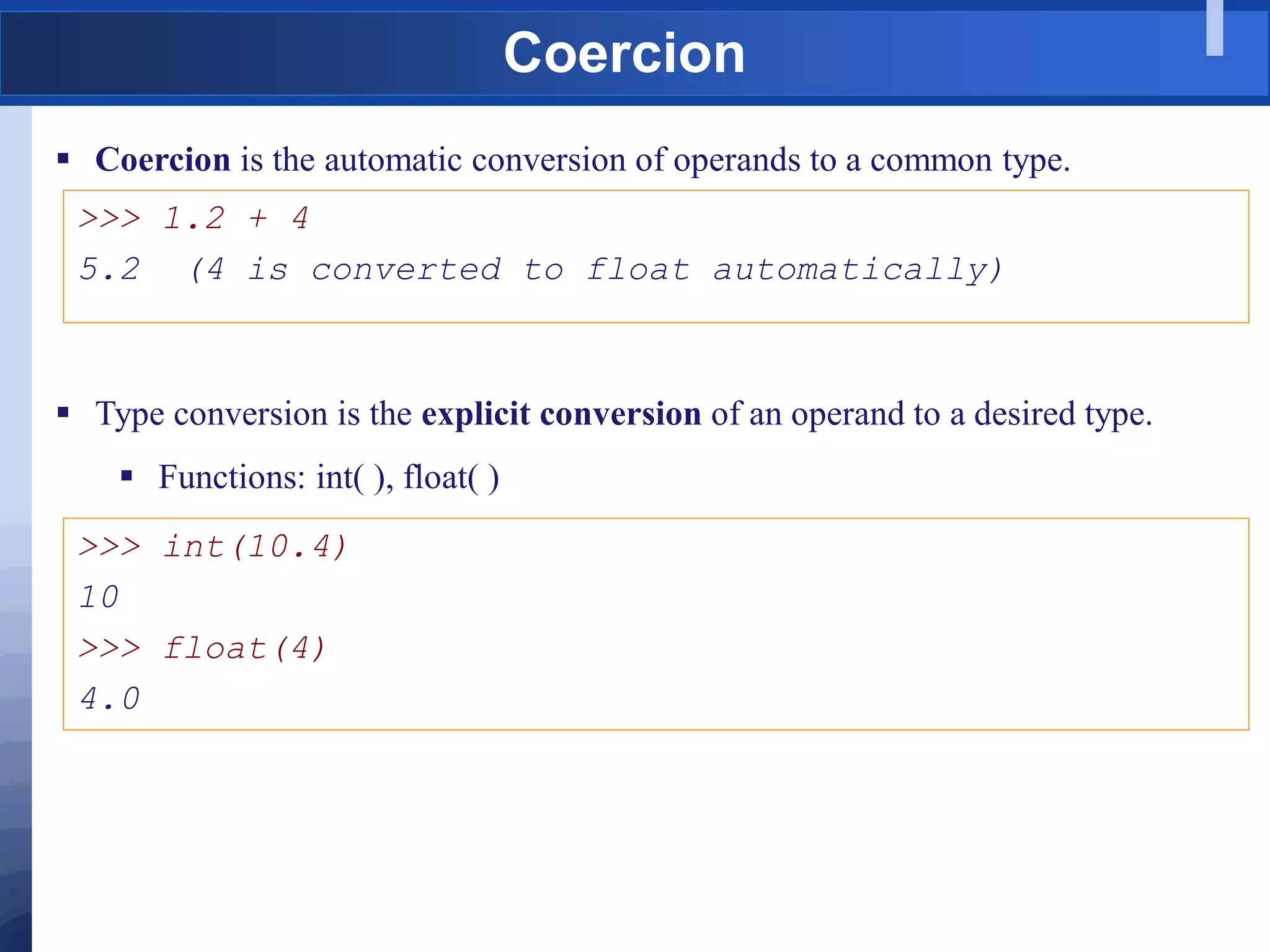
 Coercion is the automatic conversion of operands to a common type.
>>> 1.2 + 4
5.2 (4 is converted to float automatically)
 Type conversion is the explicit conversion of an operand to a desired type.
 Functions: int( ), float( )
>>> int(10.4)
10
>>> float(4)
4.0
Binary Numbers
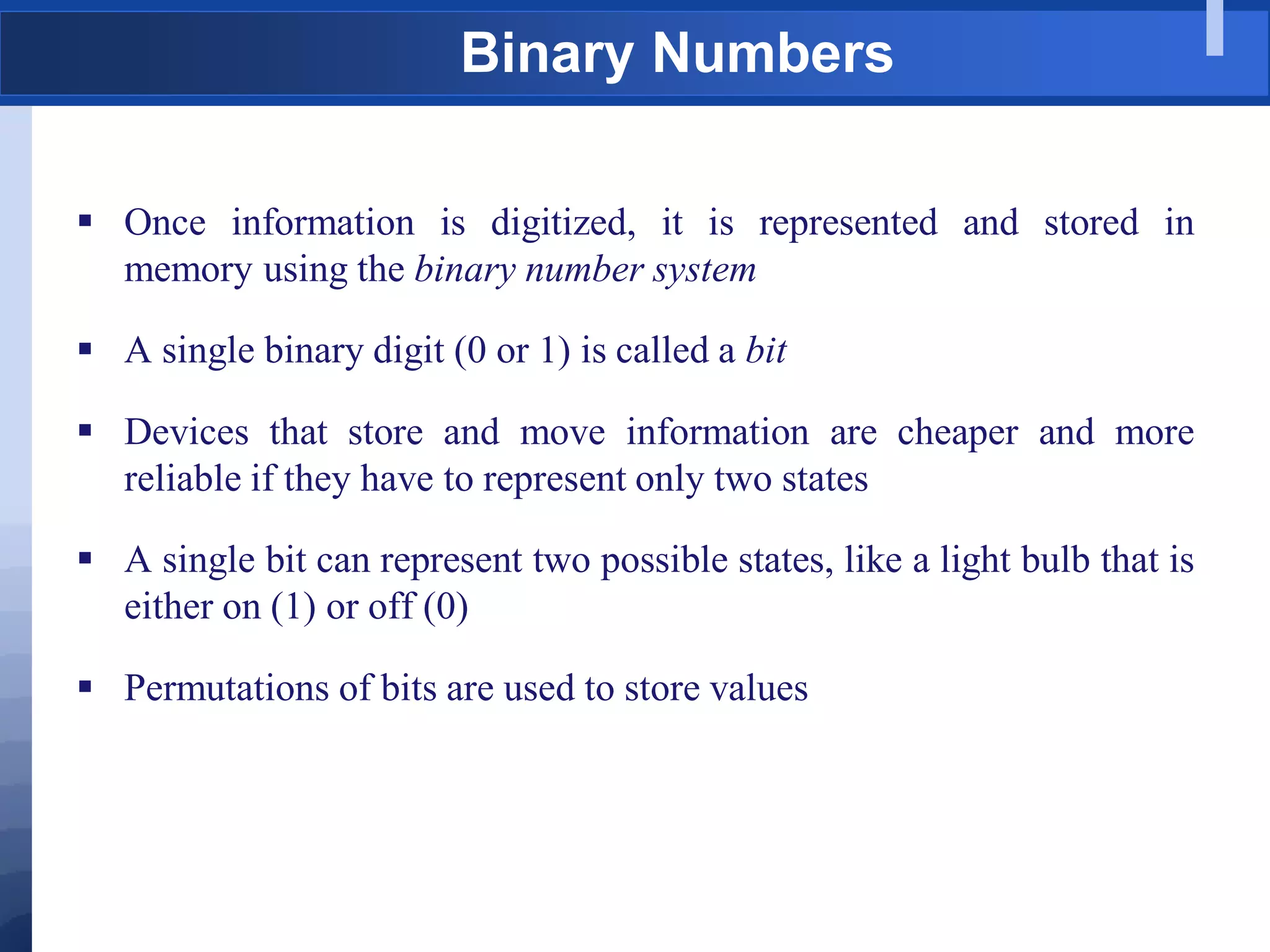
 Once information is digitized, it is represented and stored in
memory using the binary number system
 A single binary digit (0 or 1) is called a bit
 Devices that store and move information are cheaper and more
reliable if they have to represent only two states
 A single bit can represent two possible states, like a light bulb that is
either on (1) or off (0)
 Permutations of bits are used to store values
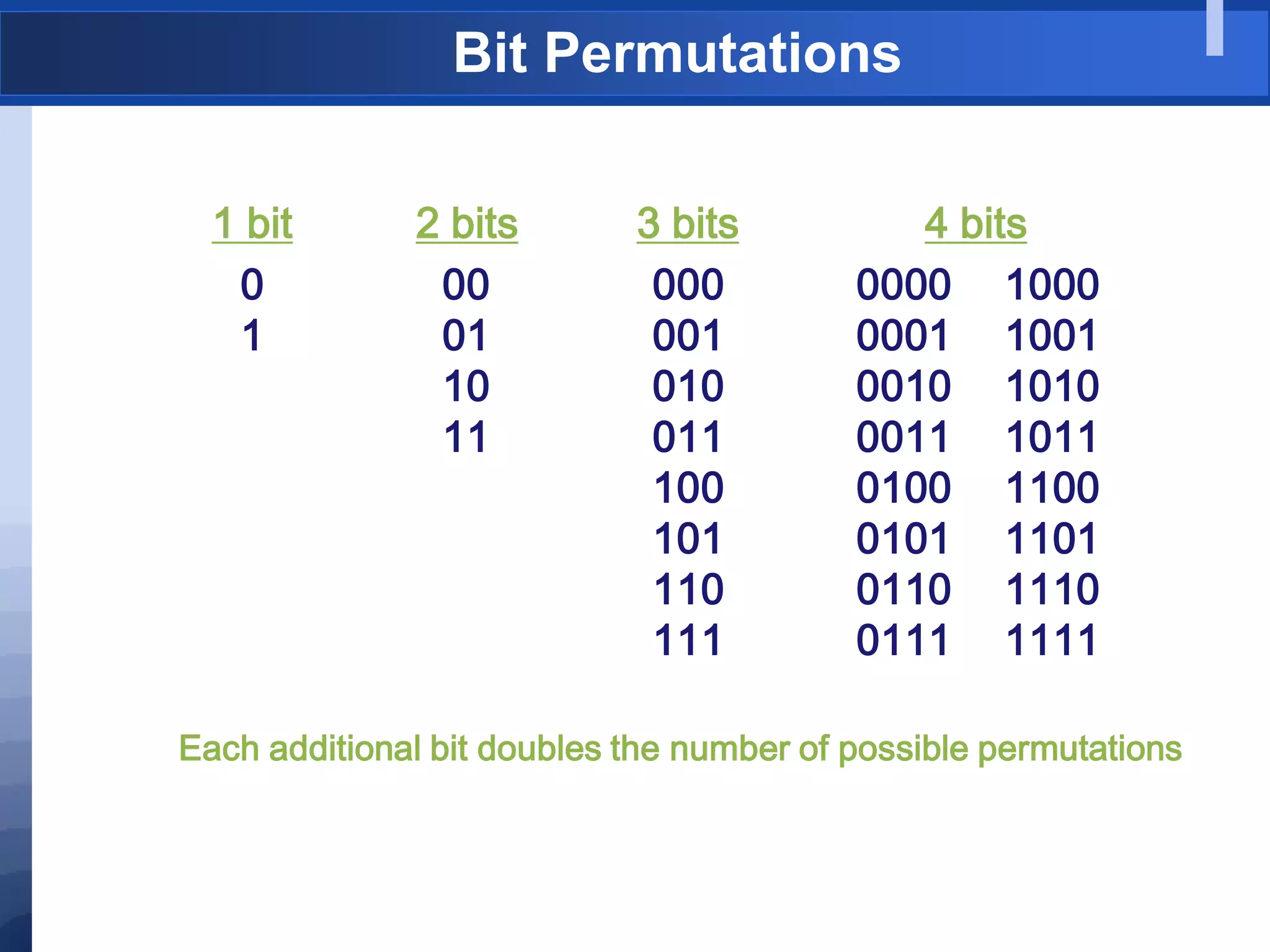
Bit Permutations
1 bit
0
1
2 bits
00
01
10
11
3 bits
000
001
010
011
100
101
110
111
4 bits
0000
0001
0010
0011
0100
0101
0110
0111
1000
1001
1010
1011
1100
1101
1110
1111
Each additional bit doubles the number of possible permutations
Bit Permutations
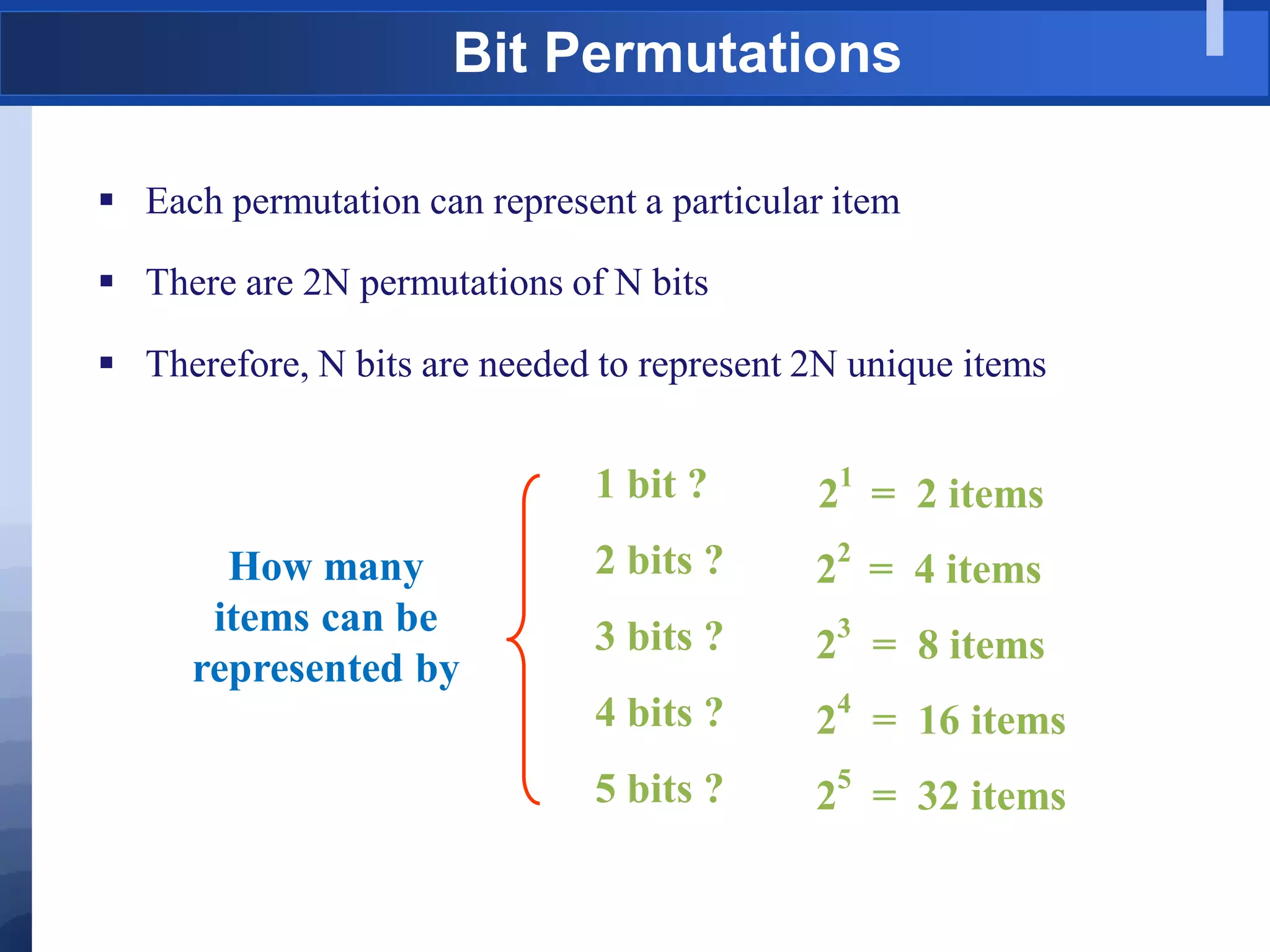
 Each permutation can represent a particular item
 There are 2N permutations of N bits
 Therefore, N bits are needed to represent 2N unique items
2
1
= 2 items
2
2
= 4 items
2
3
= 8 items
2
4
= 16 items
2
5
= 32 items
1 bit ?
2 bits ?
3 bits ?
4 bits ?
5 bits ?
How many
items can be
represented by
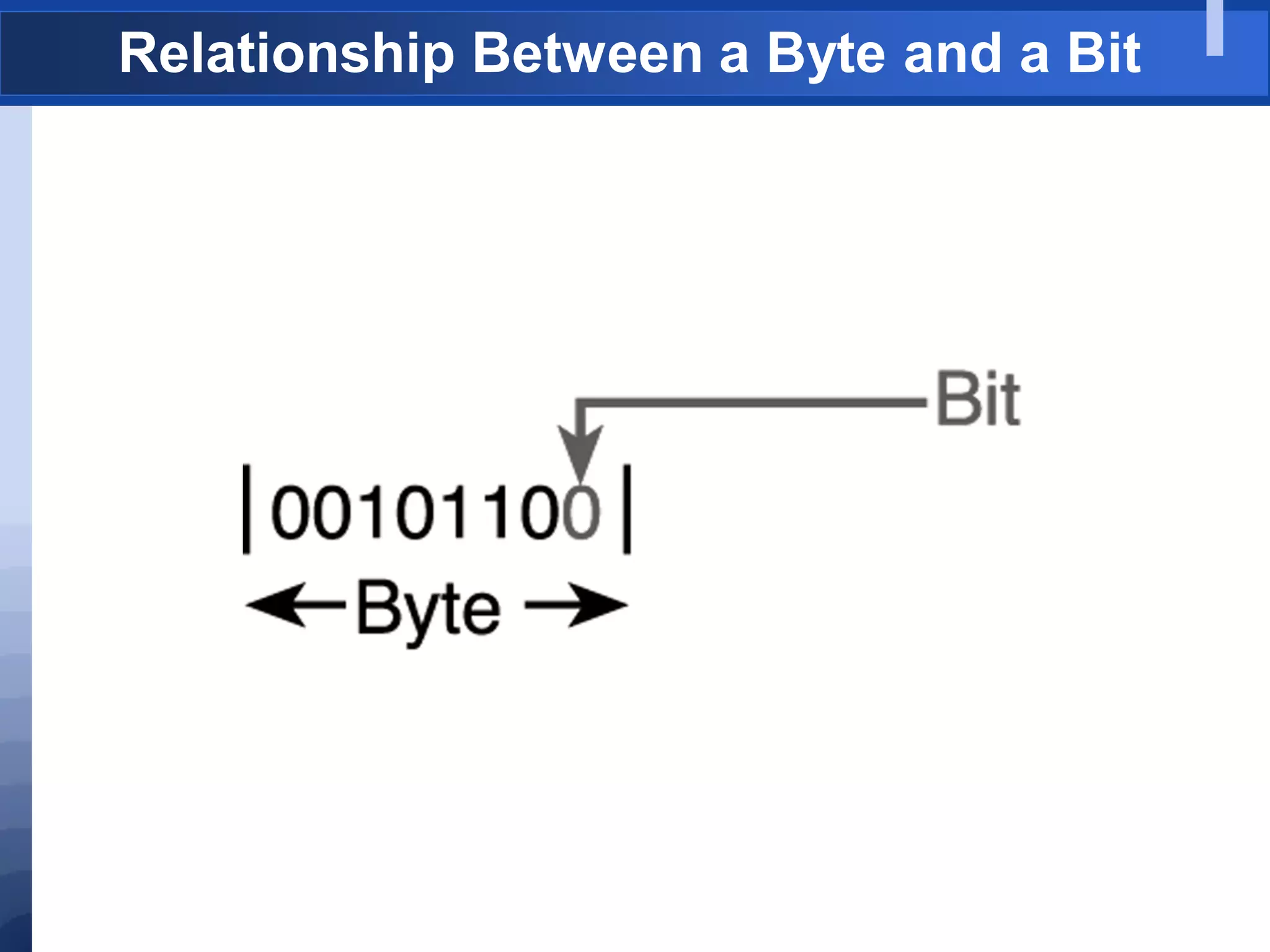
Relationship Between a Byte and a Bit
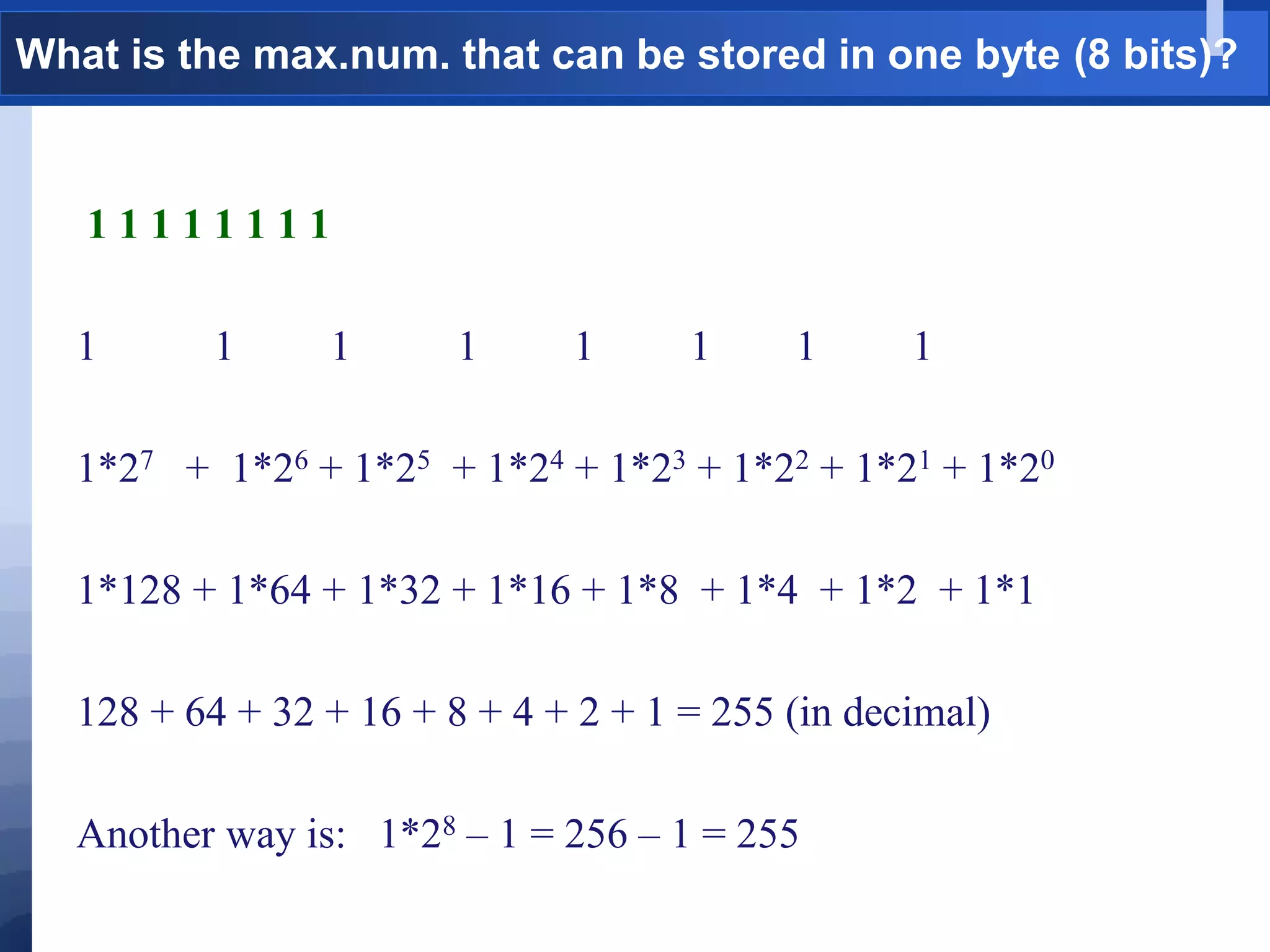
What is the max.num. that can be stored in one byte (8 bits)?
1 1 1 1 1 1 1 1
1 1 1 1 1 1 1 1
1*27 + 1*26 + 1*25 + 1*24 + 1*23 + 1*22 + 1*21 + 1*20
1*128 + 1*64 + 1*32 + 1*16 + 1*8 + 1*4 + 1*2 + 1*1
128 + 64 + 32 + 16 + 8 + 4 + 2 + 1 = 255 (in decimal)
Another way is: 1*28 – 1 = 256 – 1 = 255
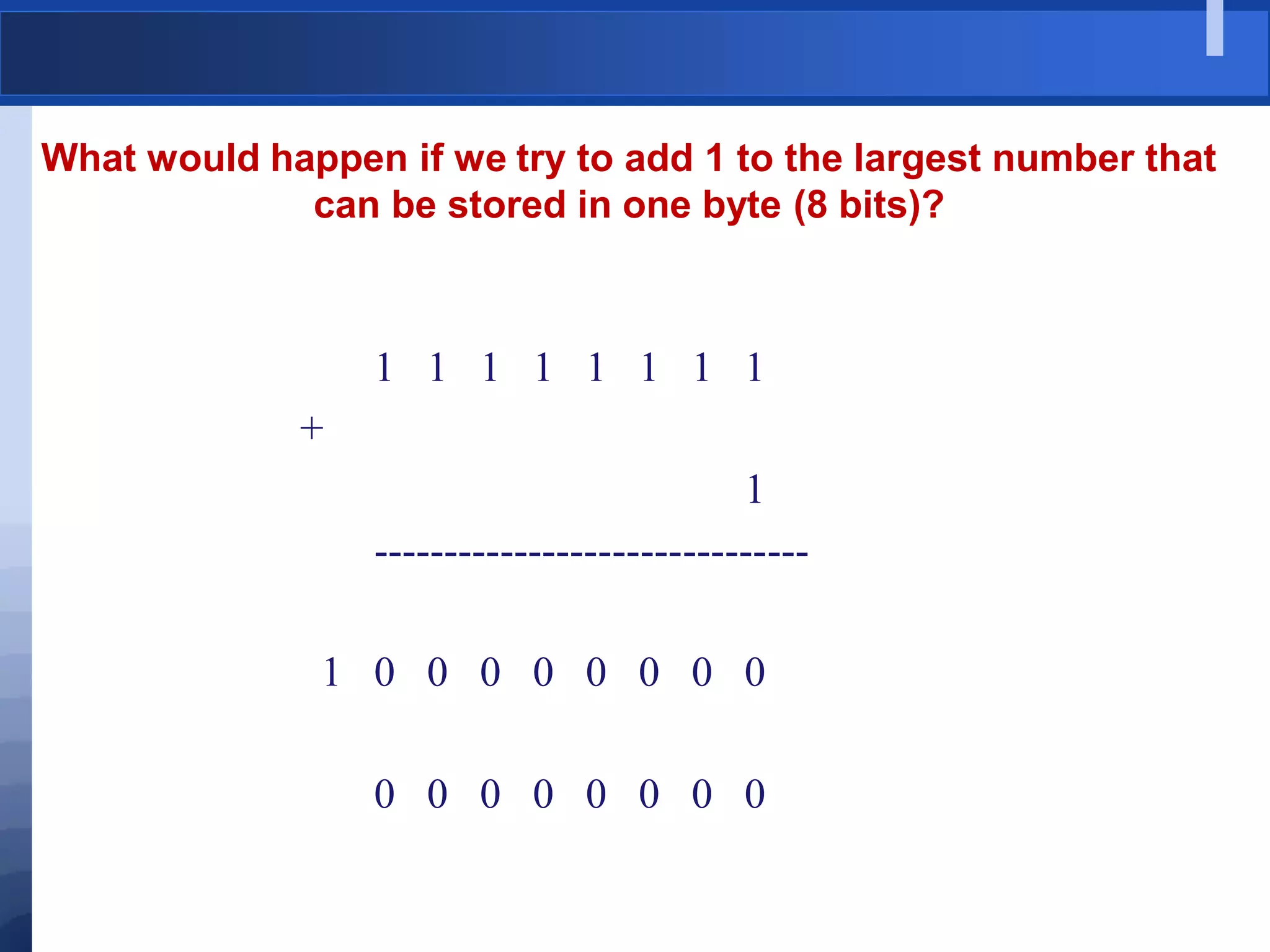
What would happen if we try to add 1 to the largest number that
can be stored in one byte (8 bits)?
1 1 1 1 1 1 1 1
+
1
-------------------------------
1 0 0 0 0 0 0 0 0
0 0 0 0 0 0 0 0
Analogy with car odometers
[http://www.hyperocity.com/volvo240/images/Volvo/odometerrepair/speedo999999.jpg]
Class Room Exercise
1. Read two numbers from the user and swap them without using third
variable.
2. Solve a quadratic equation ax**2 + bx + c = 0. Ask the user to give the
values of the coefficients a, b and c.
Hint: It will have two solutions.
solution1 = [-b - sqrt( (b**2) - (4*a*c) ) ] / 2*a
solution2 = [-b + sqrt( (b**2) - (4*a*c) ) ] / 2*a
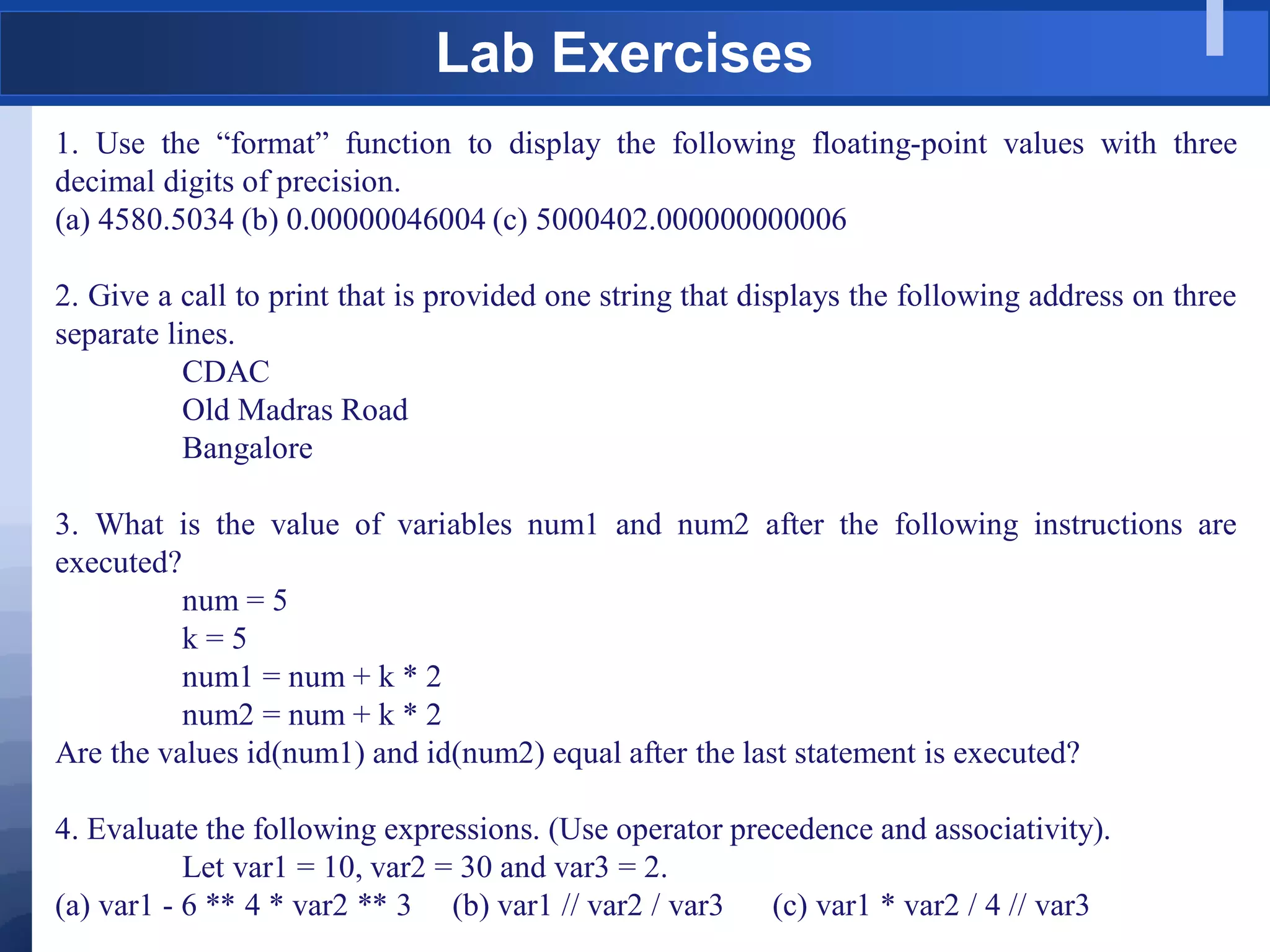
Lab Exercises
1. Use the “format” function to display the following floating-point values with three
decimal digits of precision.
(a) 4580.5034 (b) 0.00000046004 (c) 5000402.000000000006
2. Give a call to print that is provided one string that displays the following address on three
separate lines.
CDAC
Old Madras Road
Bangalore
3. What is the value of variables num1 and num2 after the following instructions are
executed?
num = 5
k = 5
num1 = num + k * 2
num2 = num + k * 2
Are the values id(num1) and id(num2) equal after the last statement is executed?
4. Evaluate the following expressions. (Use operator precedence and associativity).
Let var1 = 10, var2 = 30 and var3 = 2.
(a) var1 - 6 ** 4 * var2 ** 3 (b) var1 // var2 / var3 (c) var1 * var2 / 4 // var3
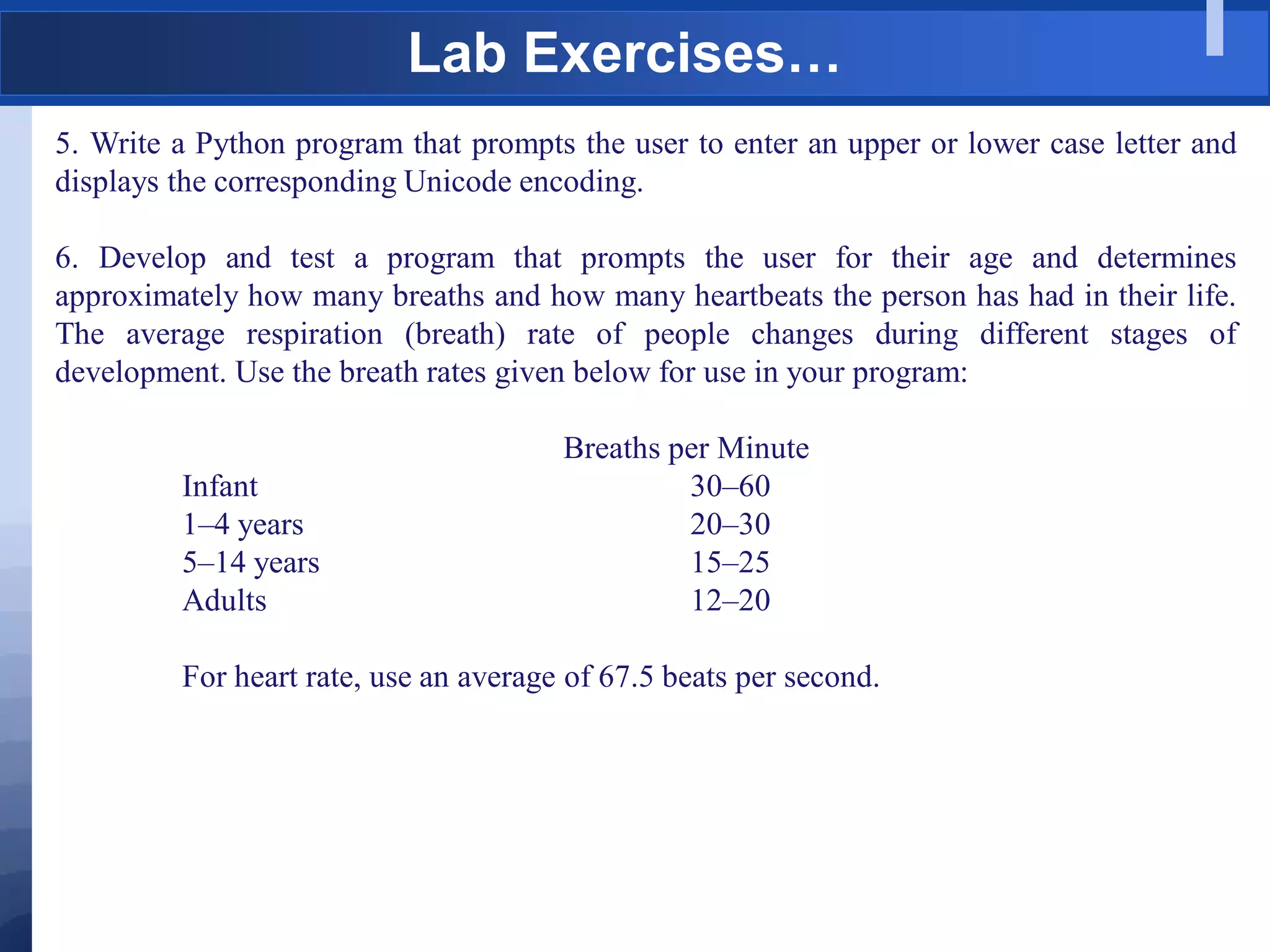
Lab Exercises…
5. Write a Python program that prompts the user to enter an upper or lower case letter and
displays the corresponding Unicode encoding.
6. Develop and test a program that prompts the user for their age and determines
approximately how many breaths and how many heartbeats the person has had in their life.
The average respiration (breath) rate of people changes during different stages of
development. Use the breath rates given below for use in your program:
Breaths per Minute
Infant 30–60
1–4 years 20–30
5–14 years 15–25
Adults 12–20
For heart rate, use an average of 67.5 beats per second.
Thank You

Pyhton-1a-Basics.pdf

  • 1.
  • 2.
    1: (a) Introductionto Python and Basics
  • 3.
    Grading and Deliverables Programming Assignments/Home Work – 20Marks  Lab Examination – 40 Marks  Final Exam – 40 Marks
  • 4.
    What is Python? Pythonis an interpreted, object-oriented, high-level programming language with dynamic semantics. Designed By: Guido van Rossum Reference: https://www.python.org/~guido/ Name came from a 1970s British television show: Monty Python’s Flying Circus First released in 1990
  • 5.
    Why Python Very easyto install and Setup Easy to learn Readable Simplicity Multipurpose Errors appear on runtime. . . . . . Reference: https://www.python.org/~guido/
  • 6.
    Python Material “Sololearn Python“ (ASimple Android App for Beginners) Online Materials: Official Python Documentation: https://docs.python.org/3/ Other Resources: http://www.sololearn.com/Course/Python/ Popular Python recipes http://code.activestate.com/recipes/langs/python/
  • 7.
  • 8.
    What is Python? Multi Functional:  Simple procedural programming,  Object-orientation  Functional programming  Computer Programming for everybody  Portable: Different interpreters for many platforms: CPython, Jython, IronPython, PyPy.  An easy and intuitive language just as powerful as major competitors  Open source, so anyone can contribute to its development  Code that is as understandable as plain English  Suitability for everyday tasks, allowing for short development times  Extensible: Reusable code using modules and packages, Easy to write new modules in C..
  • 9.
    Comparison with otherlanguages  Python code is typically 3-5 times shorter than equivalent Java code, it is often 5-10 times shorter than equivalent C++ code!  Anecdotal evidence suggests that one Python programmer can finish in two months what two C++ programmers can't complete in a year.  Python shines as a glue language, used to combine components written in C++. So, Python can increase productivity Reference: https://www.python.org/doc/essays/comparisons/
  • 10.
    Points to benoted  “Python is a scripting language"  False. Python has been used as a scripting language, but it is also used to develop large stand-alone applications.  Python is interpreted, thus slower than running native code  True, But not always  Python can be used to `glue' together native modules.  Libraries are often very efficient.  Whitespaces are ugly.  You'll get used to it.  Dynamic typing is unsafe.  Python is strongly typed and well behaved.  It can deal with type errors at runtime. Reference: https://www.python.org/doc/essays/comparisons/
  • 11.
    Use Cases/Applications  ApplicationDevelopment  Web Development  Scripting  Scientific Computing Success Stories: https://www.python.org/about/success/
  • 12.
    Use Cases/Applications  Google– Many components of search engine were written in Python  Yahoo - maps were developed using Python  RHEL – Installer developed using Python  NASA – Uses Python as the main scripting language https://wiki.python.org/moin/OrganizationsUsingPython
  • 13.
    The RedMonk ProgrammingLanguage Rankings: 2014
  • 14.
    The RedMonk ProgrammingLanguage Rankings: 2014
  • 15.
    Python in BigData & Data Science http://www.kdnuggets.com/2015/05/r-vs-python-data-science.html
  • 16.
    Python pros andCons http://www.kdnuggets.com/2015/05/r-vs-python-data-science.html Pro: IPython Notebook or Jupytor The IPython Notebook makes it easier to work with Python and data. You can easily share notebooks with colleagues, without having them to install anything. This drastically reduces the overhead of organizing code, output and notes files. This will allow you to spend more time doing real work. Pro: A general purpose language Python is a general purpose language that is easy and intuitive. This gives it a relatively flat learning curve, and it increases the speed at which you can write a program. In short, you need less time to code and you have more time to play around with it! Furthermore, the Python testing framework is a built-in, low-barrier-to-entry testing framework that encourages good test coverage. This guarantees your code is reusable and dependable. Pro: A multi purpose language Python brings people with different backgrounds together. As a common, easy to understand language that is known by programmers and that can easily be learnt by statisticians, you can build a single tool that integrates with every part of your workflow. Pro/Con: Visualizations Visualizations are an important criteria when choosing data analysis software. Although Python has some nice visualization libraries, such as Seaborn, Bokeh and Pygal, there are maybe too many options to choose from Con: Python is a challenger Python is a challenger to R. It does not offer an alternative to the hundreds of essential R packages, Although it‟s catching up.
  • 17.
    When not touse Python?  Do not use to develop low-level CPU-Bound code  Do not use to develop large multi-threaded applications  Parallelization is well supported, but multi-threading is not very efficient
  • 18.
    Versions  Python2  Python2– Very Stable (Python-2.7) – All may not support  Python3  Current Release – 3.5.1 (Released on 21-12-2015)  Some major changes and clean-ups  Not backward compatible (cannot execute 2.x code)  V3.6 - Ongoing development  Many important packages not yet ported to Python 3.  We use Python3 in this course
  • 19.
    So how doI get started?
  • 20.
    Installing Python  Linux:(Debian/Ubuntu) $ sudo apt-get install python3  Windows:  Download from: https://www.python.org/downloads/  Click on the executable and install it.
  • 21.
    Installing Anaconda  Downloadthe Anaconda installer for Linux from:  In your terminal window type the following: bash ~/Downloads/Anaconda3-4.0.0-Linux-x86_64.sh NOTE: Replace ~/Downloads with your actual path and actual file name.  Accept the default location or select a user-writable install location such as ~/anaconda. NOTE: Install Anaconda as a user unless root privileges are required.  Follow the prompts on the installer screens, and if unsure about any setting, simply accept the defaults, as they can all be changed later. NOTE: If you select the option to not add the Anaconda directory to your bash shell PATH environment variable, you may later add this line to the .bashrc in your home directory: export PATH="/home/username/anaconda/bin:$PATH"  Replace /home/username/anaconda with your actual path.  Finally, close and re-open your terminal window for the changes to take effect.
  • 22.
    Installed Correctly??? Test usingsimple python statements such printing Hello World $ python3 >>> print(“Hey!! Am I installed”)
  • 23.
    A Simple PythonProgram – hello.py # My first Python Program def hello(): “ “ “ First Function “ “ “ j = 0 print("Hello, World! n"); # Call the function hello() Comment Function Docstring Variables Statements Call function Colon Whitespaces
  • 24.
    Indentation Python Blocks &Whitespaces  Be cautious about indentation, blank spaces and line breaks  Enforces readable code Python if x > 1: <space-1>…<space-n> print x <space-1>…<space-n> print x-1 C/C++/Java if(x>1) { printf(“%d”, x); printf(“%d”, x-1); }
  • 25.
    More on indentation.. PythonBlocks & Whitespaces  Be cautious about indentation - blank spaces and line breaks  Enforces readable code
  • 26.
    More on Indentation… Note: Do not use tabs at all for indentation – Makes your code non- portable  Use 3 or 4 spaces  Compiler ignores blank lines  Line continuation character:
  • 27.
    How to Run? Howto run? $ python3 hello.py Output: 'Hello world !'
  • 28.
    Running Python –Interactive Mode  Python interpreter can be run in an interactive session mode.  Built-in `Read/Evaluate/Print-Loop' (REPL)  Python statements are evaluated and the result is printed to the user.  Python shells:  IDLE shell  Ipython/Jupytor  Eclipse  vim  nano
  • 29.
  • 30.
  • 31.
    Converting notebook toscript jupyter-nbconvert file.ipynb --to script It will create file.py
  • 32.
    Basic Input andOutput Functions: input, print 1. input - help(input) Usage: input(prompt='')  method of ipykernel.ipkernel.IPythonKernel  instance Forward raw_input to frontends  Raises ------ StdinNotImplentedError if active frontend doesn't support stdin. 2. print - help(print) Usage: print(value, ..., sep=' ', end='n', file=sys.stdout, flush=False)  Prints the values to a stream, or to sys.stdout by default, returns None  Optional keyword arguments:  file: a file-like object (stream); defaults to the current sys.stdout.  sep: string inserted between values, default a space.  end: string appended after the last value, default a newline.  flush: whether to forcibly flush the stream.
  • 33.
    Basic Input andOutput - Examples How to use input, print? >>>name = input(„What is your name?:') What is your name?:Ram >>>print(name) Ram  All input is returned by the input function as a string type.  For the input of numeric values, the response must be converted to the appropriate type.  Python provides built-in type conversion functions int( ) and float( ) for this purpose, >>> salary = input(„What is your salary?:') What is your salary?:94532.50 >>>type(salary) <class 'str'> >>> salary = float(salary) >>> type(salary)
  • 34.
    Strongly and Dynamicallytyped Python is both strongly typed and dynamically typed  Strong typing: The type of a value doesn't suddenly change. A string containing only digits doesn't magically become a number, as may happen in Perl. Every change of type requires an explicit conversion.  Dynamic typing means that runtime objects (values) have a type, as opposed to static typing (Like C variables) where variables have a type. i = 10 s = "ACTS“ print("Value of i+s:", i+s) #Error, i and s are strongly typed, we cannot add # Change the type of s dynamically, from string to int s = 20 print("Value of i+s:", i+s)
  • 35.
    Comments & Docstrings SingleLine Comments:  Single line comments with # at the end of a line. # Print a welcome messages. print ('Hello world !') # Be friendly…write comments Doc Strings:  Used to describe a function, module, method, class etc.  Used for code documentation  These are interpreted, use if necessary. def sum(a, b): ””” Compute the sum of two integers and return to the calling function ””” return a+b sum.__doc__ # Print docstring of the function sum
  • 36.
    Joining Lines Implicit:  Allowa logical program line to span more than one physical line using certain matching delimiting characters – (), {}, [], “””. print('Name:', student_name, 'Address:', address, 'Number of Credits:', total_credits, 'GPA:', gpa) Explicit:  Explicitly joined by use of the backslash () character. Avg = math_marks + science_marks + Hindi_marks + english_marks + socail_marks
  • 37.
    Good Programming Practices Do not use semicolons, they are legal but unnecessary x = 5 x = 5; Both are correct.  Limit lines to 79 characters  Python is case sensitive  All key words are case sensitive  Class Name should be written in CamleCase  Every thing else should be in lower case (Underscore is acceptable)  For more details see PEP8 (Python Enhanced Proposals – 8).
  • 38.
    Literals  A literalis a sequence of one or more characters that stands for itself.  A numeric literal is a literal containing only the digits 0–9, an optional sign character ( 1 or 2 ), and a possible decimal point.  Commas are never used in numeric literals. int literals float literals Incorrect 5 250 +243 -210 5. 5.0 5.125 0.005 250. 250.0 250.12 +243. +243.0 +243.124 -210. -210.0 -210.326 5,000.439 2,500 +2,500.43 -2,500.43
  • 39.
    Exercise  Print thefollowing literals in the python shell and observe the results. int literals float literals Incorrect 5 250 +243 -210 5. 5.0 5.125 0.005 250. 250.0 250.12 +243. +243.0 +243.124 -210. -210.0 -210.326 5,000.439 2,500 +2,500.43 -2,500.43 It will take +2,500.43 as  +2 as one const and 500.43 as second const since comma separates two consts or vars
  • 40.
    String Literals  Stringliterals, or “strings” represent a sequence of characters  Delimit using single or double quotes.  Multi line strings are allowed (doc strings)  Includes letters, digits, special characters and blanks  Blank and Empty strings are allowed (“ “, “”)  Character representation  Uses Unicode encoding (Compatible with ASCII).  Unicode can represent 4 billion characters.  Examples: „A‟ – 65, „B‟ – 66, „0‟ - 48  ord function – ordinal of a char  >>> ord(‘A’) 65
  • 41.
    Control Characters  SpecialCharacters, not displayed on screen  Do not have corresponding key board char.  Use escape characters
  • 42.
    Constants  Fixed valuessuch as numbers, letters, and strings are called “constants”  Value does not change  String constants either use single quotes („) or double quotes (“) >>> print 12 12 >>> print 12.45 12.45 >>> print 'Hello world' Hello world
  • 43.
     A variableis a named place in the memory.  A programmer can store data and later retrieve the data using the variable “name”.  Programmers get to choose the names of the variables.  You can change the contents of a variable in a later statement. 18.2 m 21 n m = 18.2 n = 21 Variables and Assignment m, n = 18.2, 21 (OR) m, n = n, m Swap
  • 44.
     You canchange the contents of a variable in a later statement 18.2 100 m 21 n m = 18.2 n = 21 m = 100 Variables and Assignment… In Python the same variable can be associated with values of different type during program execution float int
  • 45.
    Variables in Memory Ifno other variable references the memory location of the original value, the memory location is deallocated.
  • 46.
     Must startwith a letter or underscore _  Must consist of letters and numbers and underscores  Case sensitive Examples: Good: dsbda pi pi34 _speed Bad: 23spam #sign var.12 Variable Rules
  • 47.
  • 48.
    Reserved classes ofidentifiers  Certain classes of identifiers (besides keywords) have special meanings.  These classes are identified by the patterns of leading and trailing underscore characters: *_ Not imported by “from module import *” _*_ System defined names __* Class private names
  • 49.
    Operators, operands andexpressions • Operators are symbols which take one or more operands or expressions and perform arithmetic or logical computations. Examples: +, -, *, /, =, == • An "operand" is an entity on which an operator acts. Example: a+b-5  a, b and 5 are operands • An "expression" is a sequence of operators and operands that performs any combination of these actions: o Computes a value o Designates an object or function o Generates side effects Example: a + (b / 6.0)
  • 50.
    Operators Python language supportsthe following types of operators: Type Operators Examples Arithmetic Operators +, -, *, / Modulus - % Exponent - ** Flat Division - // 21 % 10 = 1 21 // 10 = 2 (Fraction is omitted) 21.0 // 10.0 = 21.0/10 = 21/10.0 = 2.0 Comparison (Relational) Operators ==, !=, <, >, >=, <= < > (Python2 only) 20 != 10 O/P: True Assignment Operators =, +=, -+, *=, /+, %=, **=, //= a=24 a//=10  a = a//10 Logical Operators and, or, not (10 and 20) Bitwise Operators &, |, ^ (XOR), <<, >> ~ (1‟s complement), ~(2) = -3 Membership Operators in not in x in y  Return 1 if x is a member of sequence y. Identity Operators is is not x is y  True if x and y point to the same object.
  • 51.
    Operator Precedence tuple, list,dictionary, string (), [], {}, „‟ attribute, index, slide, function call x.attr, x[], x[i:j], f() Exponentiation ** Bitwise not ~x Positive and negative +x, -x Multiplication, division, remainder *, /, % Addition, subtraction +, - Bitwise shift <<, >> Bitwise AND & Bitwise XOR ^ Bitwise OR | Comparisons, membership, identity <, <=, >, >=, <>, !=, ==, in, not in, is, is not Boolean Not not x Boolean AND and Boolean OR or Lambda Expression lambda High Low
  • 52.
    Data Types • ElementaryTypes • NoneType: None • bool: True, False • int: 42, long, • float: 3.14, complex: (0.3+2j) • Container or Sequence Types • str: 'Hello„ (Sequence of Unicode characters) • list: [1, 2, 3] • tuple: (1, 2, 3) • dict: {'A':1, 'B':2} • set: {1, 2, 3} • file • function, class, instance Note: In Python everything is an object and every object has a type.
  • 53.
    Range of intand float  int: There is no limit on integer size (No standard followed) # Assign a large integer to a variable and print it. x = 346523842342342432424 print(x) # It will print 346523842342342432424  float: float has limited range and limited precision  Uses IEEE-754 double precision format  Range: 10^308 – 10^-308  Precision: 16 to 17 digits # Assign a large integer to a variable and print it. x=9.5467890456212345678 # 19 digits print(x) # OP: 9.546789045621235 i.e. 15 digits
  • 54.
  • 55.
    Arithmetic Overflow andUnderflow  Overflow: Calculated result is too large in magnitude (size) to be represented. >>>1.2e200 * 2.1e210 inf  Underflow: Calculated result is too small in magnitude (size) to be represented.  Division of two numbers may result in underflow >>>1.0e-300 / 1.0e100 0.0
  • 56.
    format  To printfloat value with a specified width or a specific number of decimal points. >>>12/5 2.4 >>>format(12/5, ‘.2f’) 2.40 >>>format(20462.52789, ‘.3f') 20462.528 >>>format(2**40, ‘.4e’) 1.0995e+12
  • 57.
    Dynamic Typing  Typechecks (making sure variables have the correct type for an operation) performed at runtime.  No need to declare variable types.  We can obtain the type of an object with `type(variable)„. >>> x = 5*4 # create a new string object and let x point to it. >>> x = „twenty' >>> x „twenty' >>> type(x) <type 'str '>
  • 58.
    Strong Typing  Operationsmay expect operands of certain types.  Interpreter throws an exception if type is invalid. >>> a = 5 >>> b = 'Python' >>> a + b Traceback (most recent call last): File "<stdin>", line 1, in <module> TypeError: unsupported operand type(s) for +: 'int' and 'str'
  • 59.
    Mutable and Immutable Mutable objects can be modified - lists, dictionaries, sets >>> cats = [„tommy', 'lucky ', 'spot'] # Add an element to the list object >>> cats.append („Bond') >>> cats [„tommy', 'lucky ', 'spot„, „Bond‟]  Immutable objects cannot be changed after initialization – Boolean, numbers, strings, tuples >>> s = “cat” # Try to change the one character of string s >>> s[0] = „m‟ TypeError: str object does not support item assignment
  • 60.
    Mutable and Immutable… Immutable objects cannot be changed after initialization – Boolean, numbers, strings, tuples  Can we reinitialize string with another string??? >>> s = “cat” # Initialize cat with another name – It creates another object Bond with the name cat, we are not modifying the string, a new string is created with the same name >>> cat = „Bond‟ >>> cat Bond
  • 61.
    Coercion  Coercion isthe automatic conversion of operands to a common type. >>> 1.2 + 4 5.2 (4 is converted to float automatically)  Type conversion is the explicit conversion of an operand to a desired type.  Functions: int( ), float( ) >>> int(10.4) 10 >>> float(4) 4.0
  • 62.
    Binary Numbers  Onceinformation is digitized, it is represented and stored in memory using the binary number system  A single binary digit (0 or 1) is called a bit  Devices that store and move information are cheaper and more reliable if they have to represent only two states  A single bit can represent two possible states, like a light bulb that is either on (1) or off (0)  Permutations of bits are used to store values
  • 63.
    Bit Permutations 1 bit 0 1 2bits 00 01 10 11 3 bits 000 001 010 011 100 101 110 111 4 bits 0000 0001 0010 0011 0100 0101 0110 0111 1000 1001 1010 1011 1100 1101 1110 1111 Each additional bit doubles the number of possible permutations
  • 64.
    Bit Permutations  Eachpermutation can represent a particular item  There are 2N permutations of N bits  Therefore, N bits are needed to represent 2N unique items 2 1 = 2 items 2 2 = 4 items 2 3 = 8 items 2 4 = 16 items 2 5 = 32 items 1 bit ? 2 bits ? 3 bits ? 4 bits ? 5 bits ? How many items can be represented by
  • 65.
    Relationship Between aByte and a Bit
  • 66.
    What is themax.num. that can be stored in one byte (8 bits)? 1 1 1 1 1 1 1 1 1 1 1 1 1 1 1 1 1*27 + 1*26 + 1*25 + 1*24 + 1*23 + 1*22 + 1*21 + 1*20 1*128 + 1*64 + 1*32 + 1*16 + 1*8 + 1*4 + 1*2 + 1*1 128 + 64 + 32 + 16 + 8 + 4 + 2 + 1 = 255 (in decimal) Another way is: 1*28 – 1 = 256 – 1 = 255
  • 67.
    What would happenif we try to add 1 to the largest number that can be stored in one byte (8 bits)? 1 1 1 1 1 1 1 1 + 1 ------------------------------- 1 0 0 0 0 0 0 0 0 0 0 0 0 0 0 0 0
  • 68.
    Analogy with carodometers [http://www.hyperocity.com/volvo240/images/Volvo/odometerrepair/speedo999999.jpg]
  • 69.
    Class Room Exercise 1.Read two numbers from the user and swap them without using third variable. 2. Solve a quadratic equation ax**2 + bx + c = 0. Ask the user to give the values of the coefficients a, b and c. Hint: It will have two solutions. solution1 = [-b - sqrt( (b**2) - (4*a*c) ) ] / 2*a solution2 = [-b + sqrt( (b**2) - (4*a*c) ) ] / 2*a
  • 70.
    Lab Exercises 1. Usethe “format” function to display the following floating-point values with three decimal digits of precision. (a) 4580.5034 (b) 0.00000046004 (c) 5000402.000000000006 2. Give a call to print that is provided one string that displays the following address on three separate lines. CDAC Old Madras Road Bangalore 3. What is the value of variables num1 and num2 after the following instructions are executed? num = 5 k = 5 num1 = num + k * 2 num2 = num + k * 2 Are the values id(num1) and id(num2) equal after the last statement is executed? 4. Evaluate the following expressions. (Use operator precedence and associativity). Let var1 = 10, var2 = 30 and var3 = 2. (a) var1 - 6 ** 4 * var2 ** 3 (b) var1 // var2 / var3 (c) var1 * var2 / 4 // var3
  • 71.
    Lab Exercises… 5. Writea Python program that prompts the user to enter an upper or lower case letter and displays the corresponding Unicode encoding. 6. Develop and test a program that prompts the user for their age and determines approximately how many breaths and how many heartbeats the person has had in their life. The average respiration (breath) rate of people changes during different stages of development. Use the breath rates given below for use in your program: Breaths per Minute Infant 30–60 1–4 years 20–30 5–14 years 15–25 Adults 12–20 For heart rate, use an average of 67.5 beats per second.
  • 72.