COMPUTER HARDWARE
SERVICING
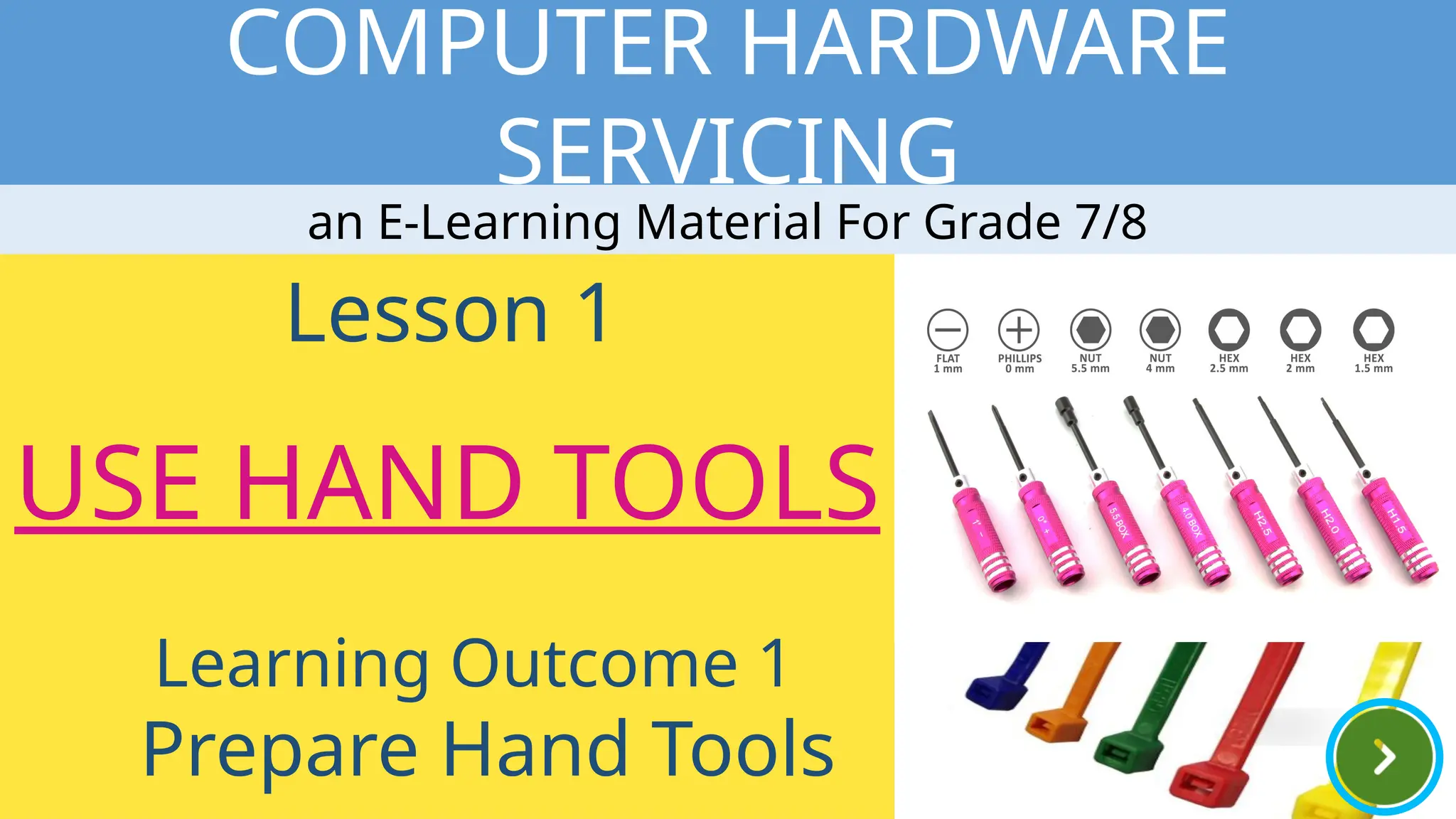
Lesson 1
USE HAND TOOLS
Learning Outcome 1
Prepare Hand Tools
an E-Learning Material For Grade 7/8
COMPUTER HARDWARE SERVICING
GET
STARTED
PRE-TEST
INFORMATIO
N
SHEETS
SELF-
CHECK
Activities
PERFORMANC
E
ACTIVITY
SHEETS
POST-TEST
CHOOSE YOUR ACTIVITY
ENRICHMENT
VIDEOS
I n f o r m a t i o n S h e e t
INFORMATION SHEET
Proper Tool Selection
Safe Use Of Tools
Hardware tools
Select a
Topic To
Read
I n f o r m a t i o n S h e e t
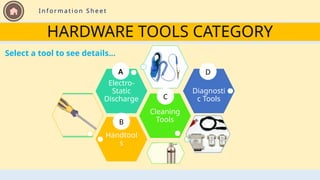
HARDWARE TOOLS CATEGORY
Handtool
s
Cleaning
Tools
Electro-
Static
Discharge
Diagnosti
c Tools
A
B
C
D
Select a tool to see details…
G e t S t a r t e d > > U s e r ’s M a n u a l
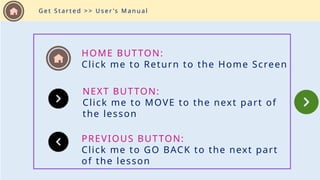
HOME BUTTON:
Click me to Return to the Home Screen
NEXT BUTTON:
Click me to MOVE to the next part of
the lesson
PREVIOUS BUTTON:
Click me to GO BACK to the next part
of the lesson
G e t S t a r t e d > > U s e r ’s M a n u a l
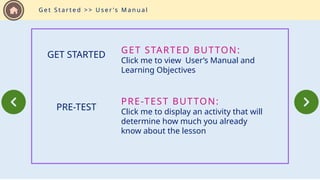
GET STARTED BUTTON:
Click me to view User’s Manual and
Learning Objectives
GET STARTED
PRE-TEST BUTTON:
Click me to display an activity that will
determine how much you already
know about the lesson
PRE-TEST
G e t S t a r t e d > > U s e r ’s M a n u a l
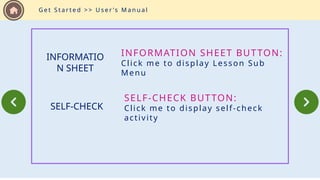
INFORMATION SHEET BUTTON:
Click me to display Lesson Sub
Menu
INFORMATIO
N SHEET
SELF-CHECK BUTTON:
Click me to display self-check
activity
SELF-CHECK
G e t S t a r t e d > > U s e r ’s M a n u a l
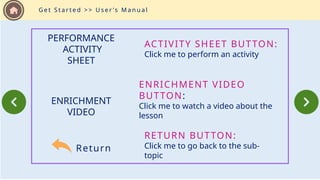
ACTIVITY SHEET BUTTON:
Click me to perform an activity
ENRICHMENT VIDEO
BUTTON:
Click me to watch a video about the
lesson
Return
RETURN BUTTON:
Click me to go back to the sub-
topic
PERFORMANCE
ACTIVITY
SHEET
ENRICHMENT
VIDEO
Lesson 1
USE HAND
TOOLS
Learning Outcome 1
Prepare Hand
G e t S t a r t e d > > L e a r n i n g O b j e c t i v e s
Objectives
 Identify the different hand
tools used in computer
hardware servicing
 Identify and select
appropriate hand tools base
on the task to be done
 Classify Hardware tools
 Maintain hand tools
Let us determine what you already know about task preparation and hand tools by taking this
test.
A. Direction: Select if the statement is correct and it is wrong. Write your score
in your TLE notebook.
1. Preparing for a task includes only knowing the task to be done.
2. Preparing a task includes also the sequence of tasks to be done.
Pre-test
3. When obtaining the tool, all the associated tooling and consumable parts, as
recommended by the manufacturer, must be included.
4. The safe use of a tool depends on using the tool for the purpose for which it was
designed and also for other purposes where it can be used as substitute where
tool is not available.
Direction: Select if the statement is correct and it is wrong. Write your score in
your TLE notebook.
Pre-test
5. All tools should be kept in good condition with regular maintenance.
Direction: Select if the statement is correct and it is wrong. Write your score in
your TLE notebook.
Pre-test
Pre-test
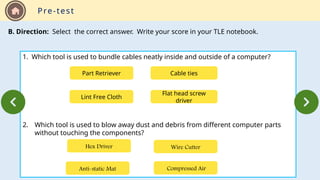
B. Direction: Select the correct answer. Write your score in your TLE notebook.
1. Which tool is used to bundle cables neatly inside and outside of a computer?
2. Which tool is used to blow away dust and debris from different computer parts
without touching the components?
Part Retriever Cable ties
Flat head screw
driver
Lint Free Cloth
Anti-static Mat Compressed Air
Wire Cutter
Hex Driver
Pre-test
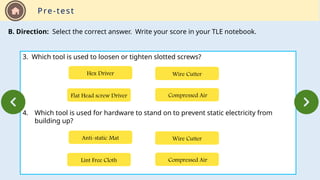
B. Direction: Select the correct answer. Write your score in your TLE notebook.
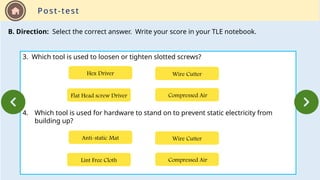
3. Which tool is used to loosen or tighten slotted screws?
4. Which tool is used for hardware to stand on to prevent static electricity from
building up?
Flat Head screw Driver Compressed Air
Wire Cutter
Hex Driver
Lint Free Cloth Compressed Air
Wire Cutter
Anti-static Mat
Pre-test
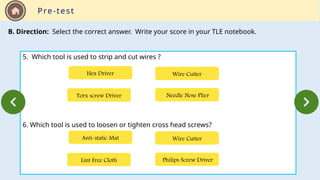
B. Direction: Select the correct answer. Write your score in your TLE notebook.
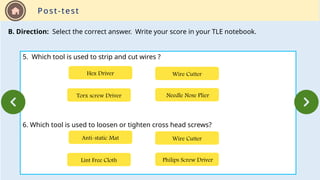
5. Which tool is used to strip and cut wires ?
6. Which tool is used to loosen or tighten cross head screws?
Torx screw Driver Needle Nose Plier
Wire Cutter
Hex Driver
Lint Free Cloth Philips Screw Driver
Wire Cutter
Anti-static Mat
Pre-test
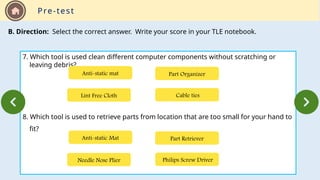
B. Direction: Select the correct answer. Write your score in your TLE notebook.
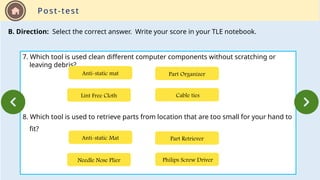
7. Which tool is used clean different computer components without scratching or
leaving debris?
8. Which tool is used to retrieve parts from location that are too small for your hand to
fit?
Lint Free Cloth Cable ties
Part Organizer
Anti-static mat
Needle Nose Plier Philips Screw Driver
Part Retriever
Anti-static Mat
Pre-test
B. Direction: Select the correct answer. Write your score in your TLE notebook.
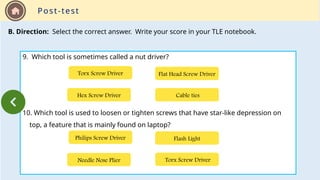
9. Which tool is sometimes called a nut driver?
10. Which tool is used to loosen or tighten screws that have star-like depression on
top, a feature that is mainly found on laptop?
Hex Screw Driver Cable ties
Flat Head Screw Driver
Torx Screw Driver
Needle Nose Plier Torx Screw Driver
Flash Light
Philips Screw Driver
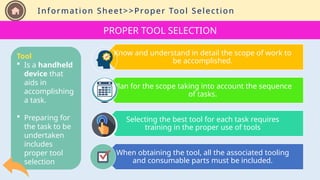
Information Sheet>>Proper Tool Selection
Know and understand in detail the scope of work to
be accomplished.
Plan for the scope taking into account the sequence
of tasks.
Selecting the best tool for each task requires
training in the proper use of tools
When obtaining the tool, all the associated tooling
and consumable parts must be included.
PROPER TOOL SELECTION
Tool
 Is a handheld
device that
aids in
accomplishing
a task.
 Preparing for
the task to be
undertaken
includes
proper tool
selection
Information Sheet
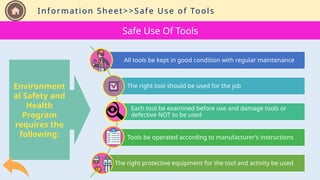
Environment
al Safety and
Health
Program
requires the
following:
Safe Use Of Tools
All tools be kept in good condition with regular maintenance
The right tool should be used for the job
Each tool be examined before use and damage tools or
defective NOT to be used
Tools be operated according to manufacturer’s instructions
The right protective equipment for the tool and activity be used
Information Sheet>>Safe Use of Tools
Information Sheet>>Hardware Tools>>ESD
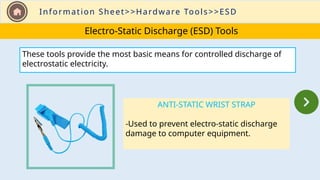
Electro-Static Discharge (ESD) Tools
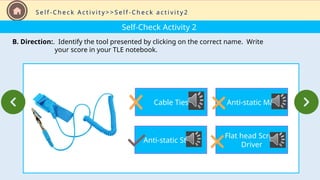
ANTI-STATIC WRIST STRAP
-Used to prevent electro-static discharge
damage to computer equipment.
These tools provide the most basic means for controlled discharge of
electrostatic electricity.
Information Sheet>>Hardware Tools>>ESD
Electro-Static Discharge (ESD) Tools
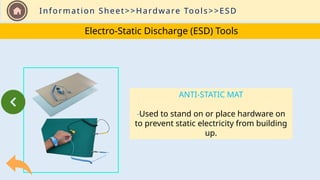
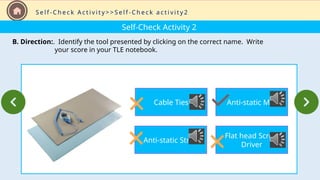
ANTI-STATIC MAT
-Used to stand on or place hardware on
to prevent static electricity from building
up.
Information Sheet>>Hardware Tools>>Hand tools
Hand Tools
A hand tool is a device for performing work on material or a physical
system using only hands. It can be manually used employing force or
electrically powered.
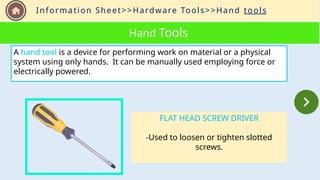
FLAT HEAD SCREW DRIVER
-Used to loosen or tighten slotted
screws.
Information Sheet>>Hardware Tools>>Handtools
Hand Tools
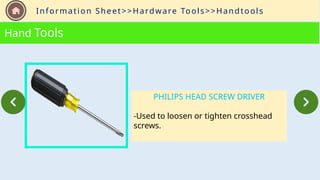
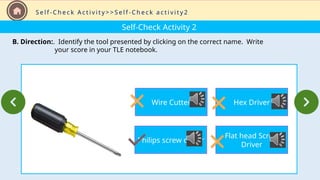
PHILIPS HEAD SCREW DRIVER
-Used to loosen or tighten crosshead
screws.
Information Sheet>>Hardware Tools>>Hand tools
Hand Tools
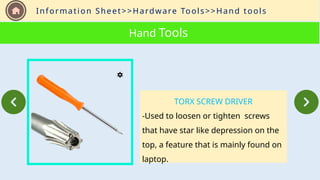
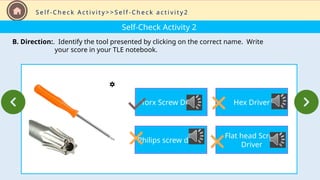
TORX SCREW DRIVER
-Used to loosen or tighten screws
that have star like depression on the
top, a feature that is mainly found on
laptop.
Information Sheet>>Hardware Tools>>Hand tools
Hand Tools
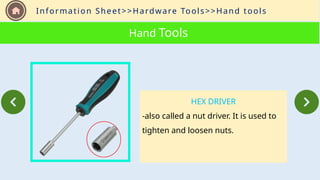
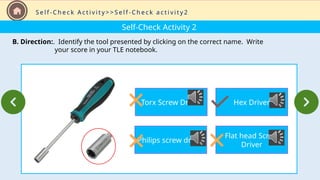
HEX DRIVER
-also called a nut driver. It is used to
tighten and loosen nuts.
Information Sheet>>Hardware Tools>>Hand tools
Hand Tools
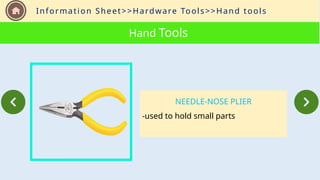
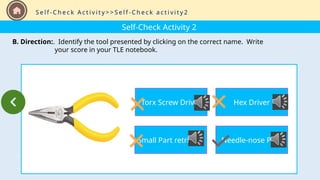
NEEDLE-NOSE PLIER
-used to hold small parts
Information Sheet>>Hardware Tools>>Hand tools
Hand Tools
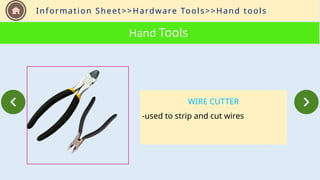
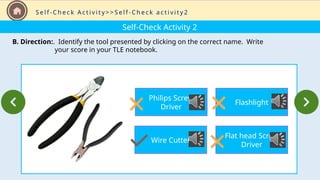
WIRE CUTTER
-used to strip and cut wires
Information Sheet>>Hardware Tools>>Hand tools
Hand Tools
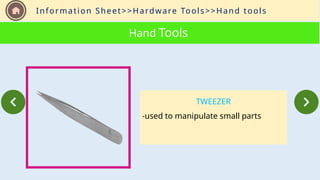
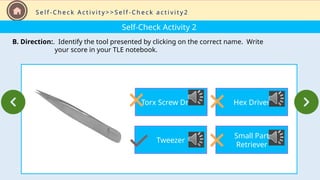
TWEEZER
-used to manipulate small parts
Information Sheet>>Hardware Tools>>Hand tools
Hand Tools
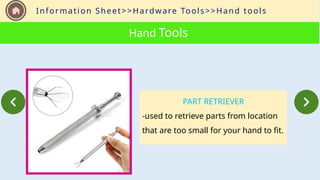
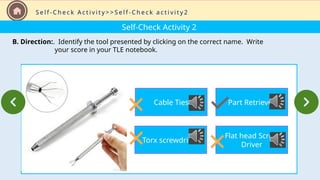
PART RETRIEVER
-used to retrieve parts from location
that are too small for your hand to fit.
Information Sheet>>Hardware Tools>>Hand tools
Hand Tools
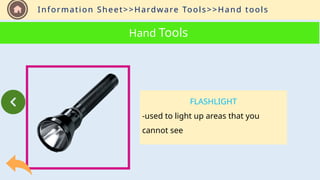
FLASHLIGHT
-used to light up areas that you
cannot see
Information Sheet>>Hardware Tools>>Cleaning Tools
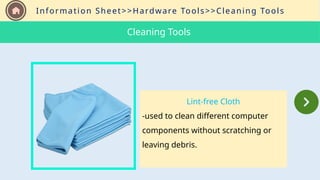
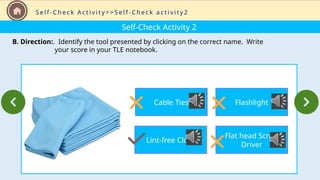
Lint-free Cloth
-used to clean different computer
components without scratching or
leaving debris.
Cleaning Tools
Information Sheet>>Hardware Tools>>Cleaning Tools
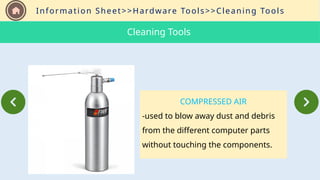
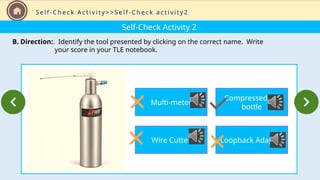
COMPRESSED AIR
-used to blow away dust and debris
from the different computer parts
without touching the components.
Cleaning Tools
Information Sheet>>Hardware Tools>>Cleaning Tools
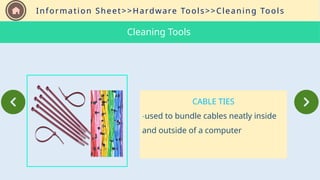
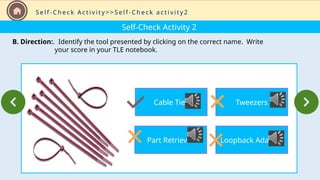
CABLE TIES
-used to bundle cables neatly inside
and outside of a computer
Cleaning Tools
Information Sheet>>Hardware Tools>>Cleaning Tools
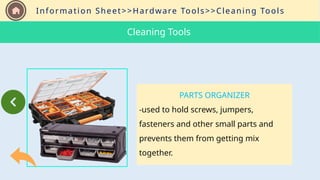
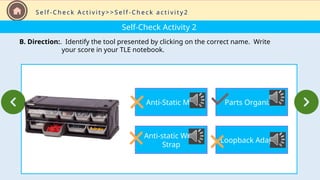
PARTS ORGANIZER
-used to hold screws, jumpers,
fasteners and other small parts and
prevents them from getting mix
together.
Cleaning Tools
Information Sheet>>Hardware Tools>>Diagnostic Tools
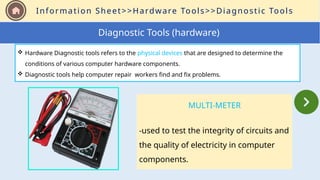
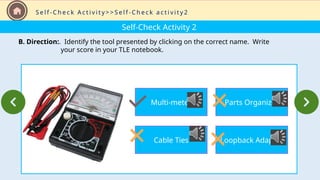
MULTI-METER
-used to test the integrity of circuits and
the quality of electricity in computer
components.
Diagnostic Tools (hardware)
 Hardware Diagnostic tools refers to the physical devices that are designed to determine the
conditions of various computer hardware components.
 Diagnostic tools help computer repair workers find and fix problems.
Information Sheet>>Hardware Tools>>Diagnostic Tools
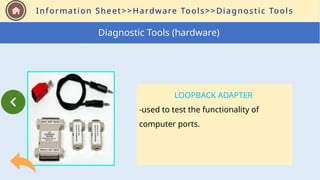
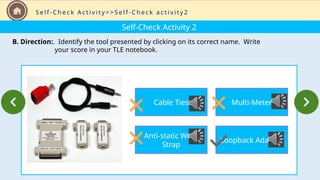
LOOPBACK ADAPTER
-used to test the functionality of
computer ports.
Diagnostic Tools (hardware)
Self-Check Activity
Let us determine what you have learned about task preparation and hand tools by taking this test.
1. Preparing for a task includes not only knowing the task to be done.
2. Preparing a task includes only the sequence of tasks to be done.
A. Direction: Select if the statement is correct and it is wrong. Write your score
in your TLE notebook.
S e l f - C h e c k A c t i v i t y > > S e l f - C h e c k a c t i v i t y 1
Self-Check Activity
A. Direction: Select if the statement is correct and it is wrong. Write your score
in your TLE notebook.
3. When obtaining the tool, all the associated tooling and consumable parts, as
recommended by the manufacturer, must be included.
4. The safe use of a tool depends on using the tool for the purpose for which it was
designed and also for other purposes where it can be used as substitute where tool
is not available.
S e l f - C h e c k A c t i v i t y > > S e l f - C h e c k a c t i v i t y 1
Self-Check Activity
A. Direction: Select if the statement is correct and it is wrong. Write your score
in your TLE notebook.
5. All tools should be kept in good condition with regular maintenance.
S e l f - C h e c k A c t i v i t y > > S e l f - C h e c k a c t i v i t y 1
Self-Check Activity 2
B. Direction:. Identify the tool presented by clicking on its correct name. Write
your score in your TLE notebook.
S e l f - C h e c k A c t i v i t y > > S e l f - C h e c k a c t i v i t y 2
Cable Ties
Anti-static Wrist
Strap
Multi-Meter
Loopback Adapter
Self-Check Activity 2
B. Direction:. Identify the tool presented by clicking on the correct name. Write
your score in your TLE notebook.
S e l f - C h e c k A c t i v i t y > > S e l f - C h e c k a c t i v i t y 2
Anti-Static Mat
Anti-static Wrist
Strap
Parts Organizer
Loopback Adapter
Self-Check Activity 2
B. Direction:. Identify the tool presented by clicking on the correct name. Write
your score in your TLE notebook.
S e l f - C h e c k A c t i v i t y > > S e l f - C h e c k a c t i v i t y 2
Multi-meter
Cable Ties
Parts Organizer
Loopback Adapter
Self-Check Activity 2
B. Direction:. Identify the tool presented by clicking on the correct name. Write
your score in your TLE notebook.
S e l f - C h e c k A c t i v i t y > > S e l f - C h e c k a c t i v i t y 2
Multi-meter
Wire Cutter
Compressed Air
bottle
Loopback Adapter
Self-Check Activity 2
B. Direction:. Identify the tool presented by clicking on the correct name. Write
your score in your TLE notebook.
S e l f - C h e c k A c t i v i t y > > S e l f - C h e c k a c t i v i t y 2
Cable Ties
Part Retriever
Tweezers
Loopback Adapter
Self-Check Activity 2
B. Direction:. Identify the tool presented by clicking on the correct name. Write
your score in your TLE notebook.
S e l f - C h e c k A c t i v i t y > > S e l f - C h e c k a c t i v i t y 2
Cable Ties
Lint-free Cloth
Flashlight
Flat head Screw
Driver
Self-Check Activity 2
B. Direction:. Identify the tool presented by clicking on the correct name. Write
your score in your TLE notebook.
S e l f - C h e c k A c t i v i t y > > S e l f - C h e c k a c t i v i t y 2
Philips Screw
Driver
Wire Cutter
Flashlight
Flat head Screw
Driver
Self-Check Activity 2
B. Direction:. Identify the tool presented by clicking on the correct name. Write
your score in your TLE notebook.
S e l f - C h e c k A c t i v i t y > > S e l f - C h e c k a c t i v i t y 2
Cable Ties
Torx screwdriver
Part Retriever
Flat head Screw
Driver
Self-Check Activity 2
B. Direction:. Identify the tool presented by clicking on the correct name. Write
your score in your TLE notebook.
S e l f - C h e c k A c t i v i t y > > S e l f - C h e c k a c t i v i t y 2
Cable Ties
Anti-static Strap
Anti-static Mat
Flat head Screw
Driver
Self-Check Activity 2
B. Direction:. Identify the tool presented by clicking on the correct name. Write
your score in your TLE notebook.
S e l f - C h e c k A c t i v i t y > > S e l f - C h e c k a c t i v i t y 2
Cable Ties
Anti-static Strap
Anti-static Mat
Flat head Screw
Driver
Self-Check Activity 2
B. Direction:. Identify the tool presented by clicking on the correct name. Write
your score in your TLE notebook.
S e l f - C h e c k A c t i v i t y > > S e l f - C h e c k a c t i v i t y 2
Wire Cutter
Philips screw driver
Hex Driver
Flat head Screw
Driver
Self-Check Activity 2
B. Direction:. Identify the tool presented by clicking on the correct name. Write
your score in your TLE notebook.
S e l f - C h e c k A c t i v i t y > > S e l f - C h e c k a c t i v i t y 2
Torx Screw Driver
Philips screw driver
Hex Driver
Flat head Screw
Driver
Self-Check Activity 2
B. Direction:. Identify the tool presented by clicking on the correct name. Write
your score in your TLE notebook.
S e l f - C h e c k A c t i v i t y > > S e l f - C h e c k a c t i v i t y 2
Torx Screw Driver
Philips screw driver
Hex Driver
Flat head Screw
Driver
Self-Check Activity 2
B. Direction:. Identify the tool presented by clicking on the correct name. Write
your score in your TLE notebook.
S e l f - C h e c k A c t i v i t y > > S e l f - C h e c k a c t i v i t y 2
Torx Screw Driver
Tweezer
Hex Driver
Small Part
Retriever
Self-Check Activity 2
B. Direction:. Identify the tool presented by clicking on the correct name. Write
your score in your TLE notebook.
S e l f - C h e c k A c t i v i t y > > S e l f - C h e c k a c t i v i t y 2
Torx Screw Driver
Small Part retriever
Hex Driver
Needle-nose Plier
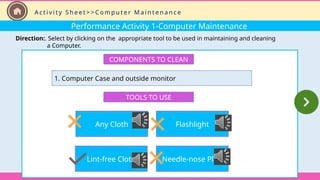
Performance Activity 1-Computer Maintenance
Direction:. Select by clicking on the appropriate tool to be used in maintaining and cleaning
a Computer.
COMPONENTS TO CLEAN
1. Computer Case and outside monitor
TOOLS TO USE
Any Cloth
Lint-free Cloth
Flashlight
Needle-nose Plier
A c t i v i t y S h e e t > > C o m p u t e r M a i n t e n a n c e
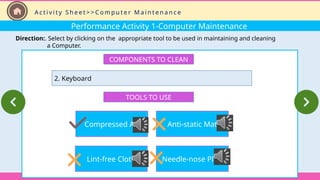
Performance Activity 1-Computer Maintenance
Direction:. Select by clicking on the appropriate tool to be used in maintaining and cleaning
a Computer.
COMPONENTS TO CLEAN
2. Keyboard
TOOLS TO USE
Compressed Air
Lint-free Cloth
Anti-static Mat
Needle-nose Plier
A c t i v i t y S h e e t > > C o m p u t e r M a i n t e n a n c e
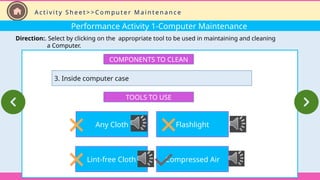
Performance Activity 1-Computer Maintenance
Direction:. Select by clicking on the appropriate tool to be used in maintaining and cleaning
a Computer.
COMPONENTS TO CLEAN
3. Inside computer case
TOOLS TO USE
Any Cloth
Lint-free Cloth
Flashlight
Compressed Air
A c t i v i t y S h e e t > > C o m p u t e r M a i n t e n a n c e
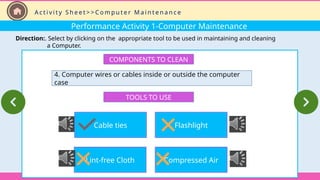
Performance Activity 1-Computer Maintenance
Direction:. Select by clicking on the appropriate tool to be used in maintaining and cleaning
a Computer.
COMPONENTS TO CLEAN
4. Computer wires or cables inside or outside the computer
case
TOOLS TO USE
Cable ties
Lint-free Cloth
Flashlight
Compressed Air
A c t i v i t y S h e e t > > C o m p u t e r M a i n t e n a n c e
Performance Activity 1-Computer Maintenance
Direction:. Select by clicking on the appropriate tool to be used in maintaining and cleaning
a Computer.
A c t i v i t y S h e e t > > C o m p u t e r M a i n t e n a n c e
COMPONENTS TO CLEAN
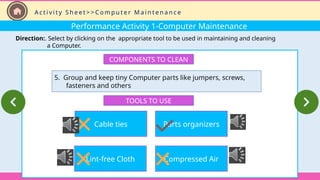
5. Group and keep tiny Computer parts like jumpers, screws,
fasteners and others
TOOLS TO USE
Cable ties
Lint-free Cloth
Parts organizers
Compressed Air
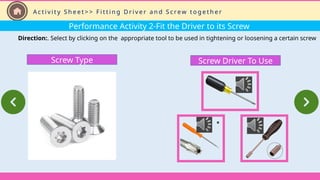
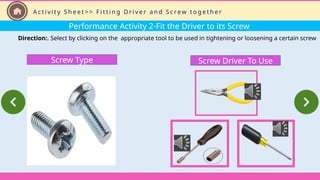
Performance Activity 2-Fit the Driver to its Screw
Direction:. Select by clicking on the appropriate tool to be used in tightening or loosening a certain screw
A c t i v i t y S h e e t > > F i t t i n g D r i v e r a n d S c re w t o g e t h e r
Screw Driver To Use
Screw Type
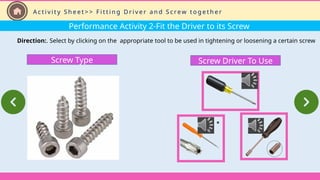
Performance Activity 2-Fit the Driver to its Screw
Direction:. Select by clicking on the appropriate tool to be used in tightening or loosening a certain screw
Screw Driver To Use
Screw Type
A c t i v i t y S h e e t > > F i t t i n g D r i v e r a n d S c re w t o g e t h e r
Performance Activity 2-Fit the Driver to its Screw
Direction:. Select by clicking on the appropriate tool to be used in tightening or loosening a certain screw
Screw Driver To Use
Screw Type
A c t i v i t y S h e e t > > F i t t i n g D r i v e r a n d S c re w t o g e t h e r
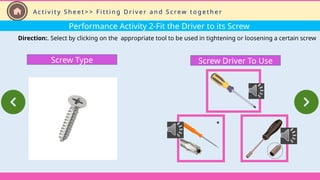
Performance Activity 2-Fit the Driver to its Screw
Direction:. Select by clicking on the appropriate tool to be used in tightening or loosening a certain screw
Screw Driver To Use
Screw Type
A c t i v i t y S h e e t > > F i t t i n g D r i v e r a n d S c re w t o g e t h e r
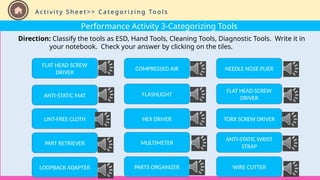
Performance Activity 3-Categorizing Tools
Direction: Classify the tools as ESD, Hand Tools, Cleaning Tools, Diagnostic Tools. Write it in
your notebook. Check your answer by clicking on the tiles.
A c t i v i t y S h e e t > > C a t e g o r i z i n g To o l s
FLAT HEAD SCREW
DRIVER
ANTI-STATIC MAT
LINT-FREE CLOTH
PART RETRIEVER
LOOPBACK ADAPTER
COMPRESSED AIR
FLASHLIGHT
HEX DRIVER
MULTIMETER
PARTS ORGANIZER
NEEDLE NOSE PLIER
FLAT HEAD SCREW
DRIVER
TORX SCREW DRIVER
ANTI-STATIC WRIST
STRAP
WIRE CUTTER
Demonstration Video
This is a demonstration video on how to do Disassembling and Assembling a Computer
System with the use of appropriate tool.
E n r i c h m e n t A c t i v i t y
Demonstration Video
This video is a demonstration video on how to use compressed air in cleaning.
E n r i c h m e n t A c t i v i t y
Let us determine what you already know about task preparation and hand tools by taking this
test.
A. Direction: Select if the statement is correct and it is wrong. Write your score
in your TLE notebook.
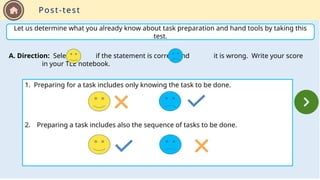
1. Preparing for a task includes only knowing the task to be done.
2. Preparing a task includes also the sequence of tasks to be done.
Post-test
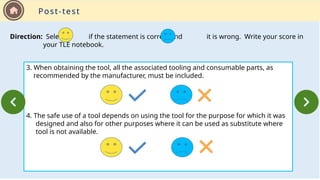
3. When obtaining the tool, all the associated tooling and consumable parts, as
recommended by the manufacturer, must be included.
4. The safe use of a tool depends on using the tool for the purpose for which it was
designed and also for other purposes where it can be used as substitute where
tool is not available.
Direction: Select if the statement is correct and it is wrong. Write your score in
your TLE notebook.
Post-test
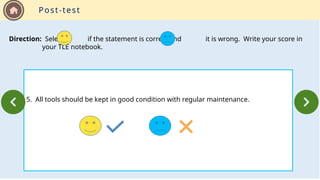
5. All tools should be kept in good condition with regular maintenance.
Direction: Select if the statement is correct and it is wrong. Write your score in
your TLE notebook.
Post-test
Post-test
B. Direction: Select the correct answer. Write your score in your TLE notebook.
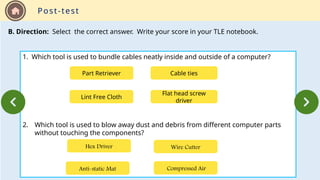
1. Which tool is used to bundle cables neatly inside and outside of a computer?
2. Which tool is used to blow away dust and debris from different computer parts
without touching the components?
Part Retriever Cable ties
Flat head screw
driver
Lint Free Cloth
Anti-static Mat Compressed Air
Wire Cutter
Hex Driver
Post-test
B. Direction: Select the correct answer. Write your score in your TLE notebook.
3. Which tool is used to loosen or tighten slotted screws?
4. Which tool is used for hardware to stand on to prevent static electricity from
building up?
Flat Head screw Driver Compressed Air
Wire Cutter
Hex Driver
Lint Free Cloth Compressed Air
Wire Cutter
Anti-static Mat
Post-test
B. Direction: Select the correct answer. Write your score in your TLE notebook.
5. Which tool is used to strip and cut wires ?
6. Which tool is used to loosen or tighten cross head screws?
Torx screw Driver Needle Nose Plier
Wire Cutter
Hex Driver
Lint Free Cloth Philips Screw Driver
Wire Cutter
Anti-static Mat
Post-test
B. Direction: Select the correct answer. Write your score in your TLE notebook.
7. Which tool is used clean different computer components without scratching or
leaving debris?
8. Which tool is used to retrieve parts from location that are too small for your hand to
fit?
Lint Free Cloth Cable ties
Part Organizer
Anti-static mat
Needle Nose Plier Philips Screw Driver
Part Retriever
Anti-static Mat
Post-test
B. Direction: Select the correct answer. Write your score in your TLE notebook.
9. Which tool is sometimes called a nut driver?
10. Which tool is used to loosen or tighten screws that have star-like depression on
top, a feature that is mainly found on laptop?
Hex Screw Driver Cable ties
Flat Head Screw Driver
Torx Screw Driver
Needle Nose Plier Torx Screw Driver
Flash Light
Philips Screw Driver

proper tool selection.ppsxhjykukyfhdfssd

  • 1.
    COMPUTER HARDWARE SERVICING Lesson 1 USEHAND TOOLS Learning Outcome 1 Prepare Hand Tools an E-Learning Material For Grade 7/8
  • 2.
  • 3.
    I n fo r m a t i o n S h e e t INFORMATION SHEET Proper Tool Selection Safe Use Of Tools Hardware tools Select a Topic To Read
  • 4.
    I n fo r m a t i o n S h e e t HARDWARE TOOLS CATEGORY Handtool s Cleaning Tools Electro- Static Discharge Diagnosti c Tools A B C D Select a tool to see details…
  • 5.
    G e tS t a r t e d > > U s e r ’s M a n u a l HOME BUTTON: Click me to Return to the Home Screen NEXT BUTTON: Click me to MOVE to the next part of the lesson PREVIOUS BUTTON: Click me to GO BACK to the next part of the lesson
  • 6.
    G e tS t a r t e d > > U s e r ’s M a n u a l GET STARTED BUTTON: Click me to view User’s Manual and Learning Objectives GET STARTED PRE-TEST BUTTON: Click me to display an activity that will determine how much you already know about the lesson PRE-TEST
  • 7.
    G e tS t a r t e d > > U s e r ’s M a n u a l INFORMATION SHEET BUTTON: Click me to display Lesson Sub Menu INFORMATIO N SHEET SELF-CHECK BUTTON: Click me to display self-check activity SELF-CHECK
  • 8.
    G e tS t a r t e d > > U s e r ’s M a n u a l ACTIVITY SHEET BUTTON: Click me to perform an activity ENRICHMENT VIDEO BUTTON: Click me to watch a video about the lesson Return RETURN BUTTON: Click me to go back to the sub- topic PERFORMANCE ACTIVITY SHEET ENRICHMENT VIDEO
  • 9.
    Lesson 1 USE HAND TOOLS LearningOutcome 1 Prepare Hand G e t S t a r t e d > > L e a r n i n g O b j e c t i v e s Objectives  Identify the different hand tools used in computer hardware servicing  Identify and select appropriate hand tools base on the task to be done  Classify Hardware tools  Maintain hand tools
  • 10.
    Let us determinewhat you already know about task preparation and hand tools by taking this test. A. Direction: Select if the statement is correct and it is wrong. Write your score in your TLE notebook. 1. Preparing for a task includes only knowing the task to be done. 2. Preparing a task includes also the sequence of tasks to be done. Pre-test
  • 11.
    3. When obtainingthe tool, all the associated tooling and consumable parts, as recommended by the manufacturer, must be included. 4. The safe use of a tool depends on using the tool for the purpose for which it was designed and also for other purposes where it can be used as substitute where tool is not available. Direction: Select if the statement is correct and it is wrong. Write your score in your TLE notebook. Pre-test
  • 12.
    5. All toolsshould be kept in good condition with regular maintenance. Direction: Select if the statement is correct and it is wrong. Write your score in your TLE notebook. Pre-test
  • 13.
    Pre-test B. Direction: Selectthe correct answer. Write your score in your TLE notebook. 1. Which tool is used to bundle cables neatly inside and outside of a computer? 2. Which tool is used to blow away dust and debris from different computer parts without touching the components? Part Retriever Cable ties Flat head screw driver Lint Free Cloth Anti-static Mat Compressed Air Wire Cutter Hex Driver
  • 14.
    Pre-test B. Direction: Selectthe correct answer. Write your score in your TLE notebook. 3. Which tool is used to loosen or tighten slotted screws? 4. Which tool is used for hardware to stand on to prevent static electricity from building up? Flat Head screw Driver Compressed Air Wire Cutter Hex Driver Lint Free Cloth Compressed Air Wire Cutter Anti-static Mat
  • 15.
    Pre-test B. Direction: Selectthe correct answer. Write your score in your TLE notebook. 5. Which tool is used to strip and cut wires ? 6. Which tool is used to loosen or tighten cross head screws? Torx screw Driver Needle Nose Plier Wire Cutter Hex Driver Lint Free Cloth Philips Screw Driver Wire Cutter Anti-static Mat
  • 16.
    Pre-test B. Direction: Selectthe correct answer. Write your score in your TLE notebook. 7. Which tool is used clean different computer components without scratching or leaving debris? 8. Which tool is used to retrieve parts from location that are too small for your hand to fit? Lint Free Cloth Cable ties Part Organizer Anti-static mat Needle Nose Plier Philips Screw Driver Part Retriever Anti-static Mat
  • 17.
    Pre-test B. Direction: Selectthe correct answer. Write your score in your TLE notebook. 9. Which tool is sometimes called a nut driver? 10. Which tool is used to loosen or tighten screws that have star-like depression on top, a feature that is mainly found on laptop? Hex Screw Driver Cable ties Flat Head Screw Driver Torx Screw Driver Needle Nose Plier Torx Screw Driver Flash Light Philips Screw Driver
  • 18.
    Information Sheet>>Proper ToolSelection Know and understand in detail the scope of work to be accomplished. Plan for the scope taking into account the sequence of tasks. Selecting the best tool for each task requires training in the proper use of tools When obtaining the tool, all the associated tooling and consumable parts must be included. PROPER TOOL SELECTION Tool  Is a handheld device that aids in accomplishing a task.  Preparing for the task to be undertaken includes proper tool selection
  • 19.
    Information Sheet Environment al Safetyand Health Program requires the following: Safe Use Of Tools All tools be kept in good condition with regular maintenance The right tool should be used for the job Each tool be examined before use and damage tools or defective NOT to be used Tools be operated according to manufacturer’s instructions The right protective equipment for the tool and activity be used Information Sheet>>Safe Use of Tools
  • 20.
    Information Sheet>>Hardware Tools>>ESD Electro-StaticDischarge (ESD) Tools ANTI-STATIC WRIST STRAP -Used to prevent electro-static discharge damage to computer equipment. These tools provide the most basic means for controlled discharge of electrostatic electricity.
  • 21.
    Information Sheet>>Hardware Tools>>ESD Electro-StaticDischarge (ESD) Tools ANTI-STATIC MAT -Used to stand on or place hardware on to prevent static electricity from building up.
  • 22.
    Information Sheet>>Hardware Tools>>Handtools Hand Tools A hand tool is a device for performing work on material or a physical system using only hands. It can be manually used employing force or electrically powered. FLAT HEAD SCREW DRIVER -Used to loosen or tighten slotted screws.
  • 23.
    Information Sheet>>Hardware Tools>>Handtools HandTools PHILIPS HEAD SCREW DRIVER -Used to loosen or tighten crosshead screws.
  • 24.
    Information Sheet>>Hardware Tools>>Handtools Hand Tools TORX SCREW DRIVER -Used to loosen or tighten screws that have star like depression on the top, a feature that is mainly found on laptop.
  • 25.
    Information Sheet>>Hardware Tools>>Handtools Hand Tools HEX DRIVER -also called a nut driver. It is used to tighten and loosen nuts.
  • 26.
    Information Sheet>>Hardware Tools>>Handtools Hand Tools NEEDLE-NOSE PLIER -used to hold small parts
  • 27.
    Information Sheet>>Hardware Tools>>Handtools Hand Tools WIRE CUTTER -used to strip and cut wires
  • 28.
    Information Sheet>>Hardware Tools>>Handtools Hand Tools TWEEZER -used to manipulate small parts
  • 29.
    Information Sheet>>Hardware Tools>>Handtools Hand Tools PART RETRIEVER -used to retrieve parts from location that are too small for your hand to fit.
  • 30.
    Information Sheet>>Hardware Tools>>Handtools Hand Tools FLASHLIGHT -used to light up areas that you cannot see
  • 31.
    Information Sheet>>Hardware Tools>>CleaningTools Lint-free Cloth -used to clean different computer components without scratching or leaving debris. Cleaning Tools
  • 32.
    Information Sheet>>Hardware Tools>>CleaningTools COMPRESSED AIR -used to blow away dust and debris from the different computer parts without touching the components. Cleaning Tools
  • 33.
    Information Sheet>>Hardware Tools>>CleaningTools CABLE TIES -used to bundle cables neatly inside and outside of a computer Cleaning Tools
  • 34.
    Information Sheet>>Hardware Tools>>CleaningTools PARTS ORGANIZER -used to hold screws, jumpers, fasteners and other small parts and prevents them from getting mix together. Cleaning Tools
  • 35.
    Information Sheet>>Hardware Tools>>DiagnosticTools MULTI-METER -used to test the integrity of circuits and the quality of electricity in computer components. Diagnostic Tools (hardware)  Hardware Diagnostic tools refers to the physical devices that are designed to determine the conditions of various computer hardware components.  Diagnostic tools help computer repair workers find and fix problems.
  • 36.
    Information Sheet>>Hardware Tools>>DiagnosticTools LOOPBACK ADAPTER -used to test the functionality of computer ports. Diagnostic Tools (hardware)
  • 37.
    Self-Check Activity Let usdetermine what you have learned about task preparation and hand tools by taking this test. 1. Preparing for a task includes not only knowing the task to be done. 2. Preparing a task includes only the sequence of tasks to be done. A. Direction: Select if the statement is correct and it is wrong. Write your score in your TLE notebook. S e l f - C h e c k A c t i v i t y > > S e l f - C h e c k a c t i v i t y 1
  • 38.
    Self-Check Activity A. Direction:Select if the statement is correct and it is wrong. Write your score in your TLE notebook. 3. When obtaining the tool, all the associated tooling and consumable parts, as recommended by the manufacturer, must be included. 4. The safe use of a tool depends on using the tool for the purpose for which it was designed and also for other purposes where it can be used as substitute where tool is not available. S e l f - C h e c k A c t i v i t y > > S e l f - C h e c k a c t i v i t y 1
  • 39.
    Self-Check Activity A. Direction:Select if the statement is correct and it is wrong. Write your score in your TLE notebook. 5. All tools should be kept in good condition with regular maintenance. S e l f - C h e c k A c t i v i t y > > S e l f - C h e c k a c t i v i t y 1
  • 40.
    Self-Check Activity 2 B.Direction:. Identify the tool presented by clicking on its correct name. Write your score in your TLE notebook. S e l f - C h e c k A c t i v i t y > > S e l f - C h e c k a c t i v i t y 2 Cable Ties Anti-static Wrist Strap Multi-Meter Loopback Adapter
  • 41.
    Self-Check Activity 2 B.Direction:. Identify the tool presented by clicking on the correct name. Write your score in your TLE notebook. S e l f - C h e c k A c t i v i t y > > S e l f - C h e c k a c t i v i t y 2 Anti-Static Mat Anti-static Wrist Strap Parts Organizer Loopback Adapter
  • 42.
    Self-Check Activity 2 B.Direction:. Identify the tool presented by clicking on the correct name. Write your score in your TLE notebook. S e l f - C h e c k A c t i v i t y > > S e l f - C h e c k a c t i v i t y 2 Multi-meter Cable Ties Parts Organizer Loopback Adapter
  • 43.
    Self-Check Activity 2 B.Direction:. Identify the tool presented by clicking on the correct name. Write your score in your TLE notebook. S e l f - C h e c k A c t i v i t y > > S e l f - C h e c k a c t i v i t y 2 Multi-meter Wire Cutter Compressed Air bottle Loopback Adapter
  • 44.
    Self-Check Activity 2 B.Direction:. Identify the tool presented by clicking on the correct name. Write your score in your TLE notebook. S e l f - C h e c k A c t i v i t y > > S e l f - C h e c k a c t i v i t y 2 Cable Ties Part Retriever Tweezers Loopback Adapter
  • 45.
    Self-Check Activity 2 B.Direction:. Identify the tool presented by clicking on the correct name. Write your score in your TLE notebook. S e l f - C h e c k A c t i v i t y > > S e l f - C h e c k a c t i v i t y 2 Cable Ties Lint-free Cloth Flashlight Flat head Screw Driver
  • 46.
    Self-Check Activity 2 B.Direction:. Identify the tool presented by clicking on the correct name. Write your score in your TLE notebook. S e l f - C h e c k A c t i v i t y > > S e l f - C h e c k a c t i v i t y 2 Philips Screw Driver Wire Cutter Flashlight Flat head Screw Driver
  • 47.
    Self-Check Activity 2 B.Direction:. Identify the tool presented by clicking on the correct name. Write your score in your TLE notebook. S e l f - C h e c k A c t i v i t y > > S e l f - C h e c k a c t i v i t y 2 Cable Ties Torx screwdriver Part Retriever Flat head Screw Driver
  • 48.
    Self-Check Activity 2 B.Direction:. Identify the tool presented by clicking on the correct name. Write your score in your TLE notebook. S e l f - C h e c k A c t i v i t y > > S e l f - C h e c k a c t i v i t y 2 Cable Ties Anti-static Strap Anti-static Mat Flat head Screw Driver
  • 49.
    Self-Check Activity 2 B.Direction:. Identify the tool presented by clicking on the correct name. Write your score in your TLE notebook. S e l f - C h e c k A c t i v i t y > > S e l f - C h e c k a c t i v i t y 2 Cable Ties Anti-static Strap Anti-static Mat Flat head Screw Driver
  • 50.
    Self-Check Activity 2 B.Direction:. Identify the tool presented by clicking on the correct name. Write your score in your TLE notebook. S e l f - C h e c k A c t i v i t y > > S e l f - C h e c k a c t i v i t y 2 Wire Cutter Philips screw driver Hex Driver Flat head Screw Driver
  • 51.
    Self-Check Activity 2 B.Direction:. Identify the tool presented by clicking on the correct name. Write your score in your TLE notebook. S e l f - C h e c k A c t i v i t y > > S e l f - C h e c k a c t i v i t y 2 Torx Screw Driver Philips screw driver Hex Driver Flat head Screw Driver
  • 52.
    Self-Check Activity 2 B.Direction:. Identify the tool presented by clicking on the correct name. Write your score in your TLE notebook. S e l f - C h e c k A c t i v i t y > > S e l f - C h e c k a c t i v i t y 2 Torx Screw Driver Philips screw driver Hex Driver Flat head Screw Driver
  • 53.
    Self-Check Activity 2 B.Direction:. Identify the tool presented by clicking on the correct name. Write your score in your TLE notebook. S e l f - C h e c k A c t i v i t y > > S e l f - C h e c k a c t i v i t y 2 Torx Screw Driver Tweezer Hex Driver Small Part Retriever
  • 54.
    Self-Check Activity 2 B.Direction:. Identify the tool presented by clicking on the correct name. Write your score in your TLE notebook. S e l f - C h e c k A c t i v i t y > > S e l f - C h e c k a c t i v i t y 2 Torx Screw Driver Small Part retriever Hex Driver Needle-nose Plier
  • 55.
    Performance Activity 1-ComputerMaintenance Direction:. Select by clicking on the appropriate tool to be used in maintaining and cleaning a Computer. COMPONENTS TO CLEAN 1. Computer Case and outside monitor TOOLS TO USE Any Cloth Lint-free Cloth Flashlight Needle-nose Plier A c t i v i t y S h e e t > > C o m p u t e r M a i n t e n a n c e
  • 56.
    Performance Activity 1-ComputerMaintenance Direction:. Select by clicking on the appropriate tool to be used in maintaining and cleaning a Computer. COMPONENTS TO CLEAN 2. Keyboard TOOLS TO USE Compressed Air Lint-free Cloth Anti-static Mat Needle-nose Plier A c t i v i t y S h e e t > > C o m p u t e r M a i n t e n a n c e
  • 57.
    Performance Activity 1-ComputerMaintenance Direction:. Select by clicking on the appropriate tool to be used in maintaining and cleaning a Computer. COMPONENTS TO CLEAN 3. Inside computer case TOOLS TO USE Any Cloth Lint-free Cloth Flashlight Compressed Air A c t i v i t y S h e e t > > C o m p u t e r M a i n t e n a n c e
  • 58.
    Performance Activity 1-ComputerMaintenance Direction:. Select by clicking on the appropriate tool to be used in maintaining and cleaning a Computer. COMPONENTS TO CLEAN 4. Computer wires or cables inside or outside the computer case TOOLS TO USE Cable ties Lint-free Cloth Flashlight Compressed Air A c t i v i t y S h e e t > > C o m p u t e r M a i n t e n a n c e
  • 59.
    Performance Activity 1-ComputerMaintenance Direction:. Select by clicking on the appropriate tool to be used in maintaining and cleaning a Computer. A c t i v i t y S h e e t > > C o m p u t e r M a i n t e n a n c e COMPONENTS TO CLEAN 5. Group and keep tiny Computer parts like jumpers, screws, fasteners and others TOOLS TO USE Cable ties Lint-free Cloth Parts organizers Compressed Air
  • 60.
    Performance Activity 2-Fitthe Driver to its Screw Direction:. Select by clicking on the appropriate tool to be used in tightening or loosening a certain screw A c t i v i t y S h e e t > > F i t t i n g D r i v e r a n d S c re w t o g e t h e r Screw Driver To Use Screw Type
  • 61.
    Performance Activity 2-Fitthe Driver to its Screw Direction:. Select by clicking on the appropriate tool to be used in tightening or loosening a certain screw Screw Driver To Use Screw Type A c t i v i t y S h e e t > > F i t t i n g D r i v e r a n d S c re w t o g e t h e r
  • 62.
    Performance Activity 2-Fitthe Driver to its Screw Direction:. Select by clicking on the appropriate tool to be used in tightening or loosening a certain screw Screw Driver To Use Screw Type A c t i v i t y S h e e t > > F i t t i n g D r i v e r a n d S c re w t o g e t h e r
  • 63.
    Performance Activity 2-Fitthe Driver to its Screw Direction:. Select by clicking on the appropriate tool to be used in tightening or loosening a certain screw Screw Driver To Use Screw Type A c t i v i t y S h e e t > > F i t t i n g D r i v e r a n d S c re w t o g e t h e r
  • 64.
    Performance Activity 3-CategorizingTools Direction: Classify the tools as ESD, Hand Tools, Cleaning Tools, Diagnostic Tools. Write it in your notebook. Check your answer by clicking on the tiles. A c t i v i t y S h e e t > > C a t e g o r i z i n g To o l s FLAT HEAD SCREW DRIVER ANTI-STATIC MAT LINT-FREE CLOTH PART RETRIEVER LOOPBACK ADAPTER COMPRESSED AIR FLASHLIGHT HEX DRIVER MULTIMETER PARTS ORGANIZER NEEDLE NOSE PLIER FLAT HEAD SCREW DRIVER TORX SCREW DRIVER ANTI-STATIC WRIST STRAP WIRE CUTTER
  • 65.
    Demonstration Video This isa demonstration video on how to do Disassembling and Assembling a Computer System with the use of appropriate tool. E n r i c h m e n t A c t i v i t y
  • 66.
    Demonstration Video This videois a demonstration video on how to use compressed air in cleaning. E n r i c h m e n t A c t i v i t y
  • 67.
    Let us determinewhat you already know about task preparation and hand tools by taking this test. A. Direction: Select if the statement is correct and it is wrong. Write your score in your TLE notebook. 1. Preparing for a task includes only knowing the task to be done. 2. Preparing a task includes also the sequence of tasks to be done. Post-test
  • 68.
    3. When obtainingthe tool, all the associated tooling and consumable parts, as recommended by the manufacturer, must be included. 4. The safe use of a tool depends on using the tool for the purpose for which it was designed and also for other purposes where it can be used as substitute where tool is not available. Direction: Select if the statement is correct and it is wrong. Write your score in your TLE notebook. Post-test
  • 69.
    5. All toolsshould be kept in good condition with regular maintenance. Direction: Select if the statement is correct and it is wrong. Write your score in your TLE notebook. Post-test
  • 70.
    Post-test B. Direction: Selectthe correct answer. Write your score in your TLE notebook. 1. Which tool is used to bundle cables neatly inside and outside of a computer? 2. Which tool is used to blow away dust and debris from different computer parts without touching the components? Part Retriever Cable ties Flat head screw driver Lint Free Cloth Anti-static Mat Compressed Air Wire Cutter Hex Driver
  • 71.
    Post-test B. Direction: Selectthe correct answer. Write your score in your TLE notebook. 3. Which tool is used to loosen or tighten slotted screws? 4. Which tool is used for hardware to stand on to prevent static electricity from building up? Flat Head screw Driver Compressed Air Wire Cutter Hex Driver Lint Free Cloth Compressed Air Wire Cutter Anti-static Mat
  • 72.
    Post-test B. Direction: Selectthe correct answer. Write your score in your TLE notebook. 5. Which tool is used to strip and cut wires ? 6. Which tool is used to loosen or tighten cross head screws? Torx screw Driver Needle Nose Plier Wire Cutter Hex Driver Lint Free Cloth Philips Screw Driver Wire Cutter Anti-static Mat
  • 73.
    Post-test B. Direction: Selectthe correct answer. Write your score in your TLE notebook. 7. Which tool is used clean different computer components without scratching or leaving debris? 8. Which tool is used to retrieve parts from location that are too small for your hand to fit? Lint Free Cloth Cable ties Part Organizer Anti-static mat Needle Nose Plier Philips Screw Driver Part Retriever Anti-static Mat
  • 74.
    Post-test B. Direction: Selectthe correct answer. Write your score in your TLE notebook. 9. Which tool is sometimes called a nut driver? 10. Which tool is used to loosen or tighten screws that have star-like depression on top, a feature that is mainly found on laptop? Hex Screw Driver Cable ties Flat Head Screw Driver Torx Screw Driver Needle Nose Plier Torx Screw Driver Flash Light Philips Screw Driver

Editor's Notes

  • #1 s-z370.png (800×662) (amplifiedparts.com) https://www.amplifiedparts.com/sites/default/files/uc_products/s-z370.png-multimeter https://cdn-reichelt.de/bilder/web/xxl_ws/D320/GREIFER.png-part retiever yello
  • #2 s-z370.png (800×662) (amplifiedparts.com) https://www.amplifiedparts.com/sites/default/files/uc_products/s-z370.png-multimeter https://cdn-reichelt.de/bilder/web/xxl_ws/D320/GREIFER.png-part retiever yello
  • #3 s-z370.png (800×662) (amplifiedparts.com) https://www.amplifiedparts.com/sites/default/files/uc_products/s-z370.png-multimeter https://cdn-reichelt.de/bilder/web/xxl_ws/D320/GREIFER.png-part retiever yello
  • #4 s-z370.png (800×662) (amplifiedparts.com) https://www.amplifiedparts.com/sites/default/files/uc_products/s-z370.png-multimeter https://cdn-reichelt.de/bilder/web/xxl_ws/D320/GREIFER.png-part retiever yello
  • #5 https://www.pngwing.com/en/free-png-bxlgg
  • #6 https://www.pngwing.com/en/free-png-bxlgg
  • #7 https://www.pngwing.com/en/free-png-bxlgg
  • #8 https://www.pngwing.com/en/free-png-bxlgg
  • #9 s-z370.png (800×662) (amplifiedparts.com) https://www.amplifiedparts.com/sites/default/files/uc_products/s-z370.png-multimeter https://cdn-reichelt.de/bilder/web/xxl_ws/D320/GREIFER.png-part retiever yello