COMPUTATIONAL PHYSICS
Lecture 2
Dr.Alliya
Department of Physics
LCWU
PROGRAM
• A program is a sequence of instructions that can be executed by a computer.
• C++ (pronounced “see-plus-plus”) is one of the most powerful programming languages available. It gives the
programmer the power to write efficient, structured, object-oriented programs
• you need to have
• text editor - software system that allows you to create and edit text files e.gWordPad and Notepad
• C++ compiler installed on your computer - software system that translates programs into the machine language
• C++ is case-sensitive
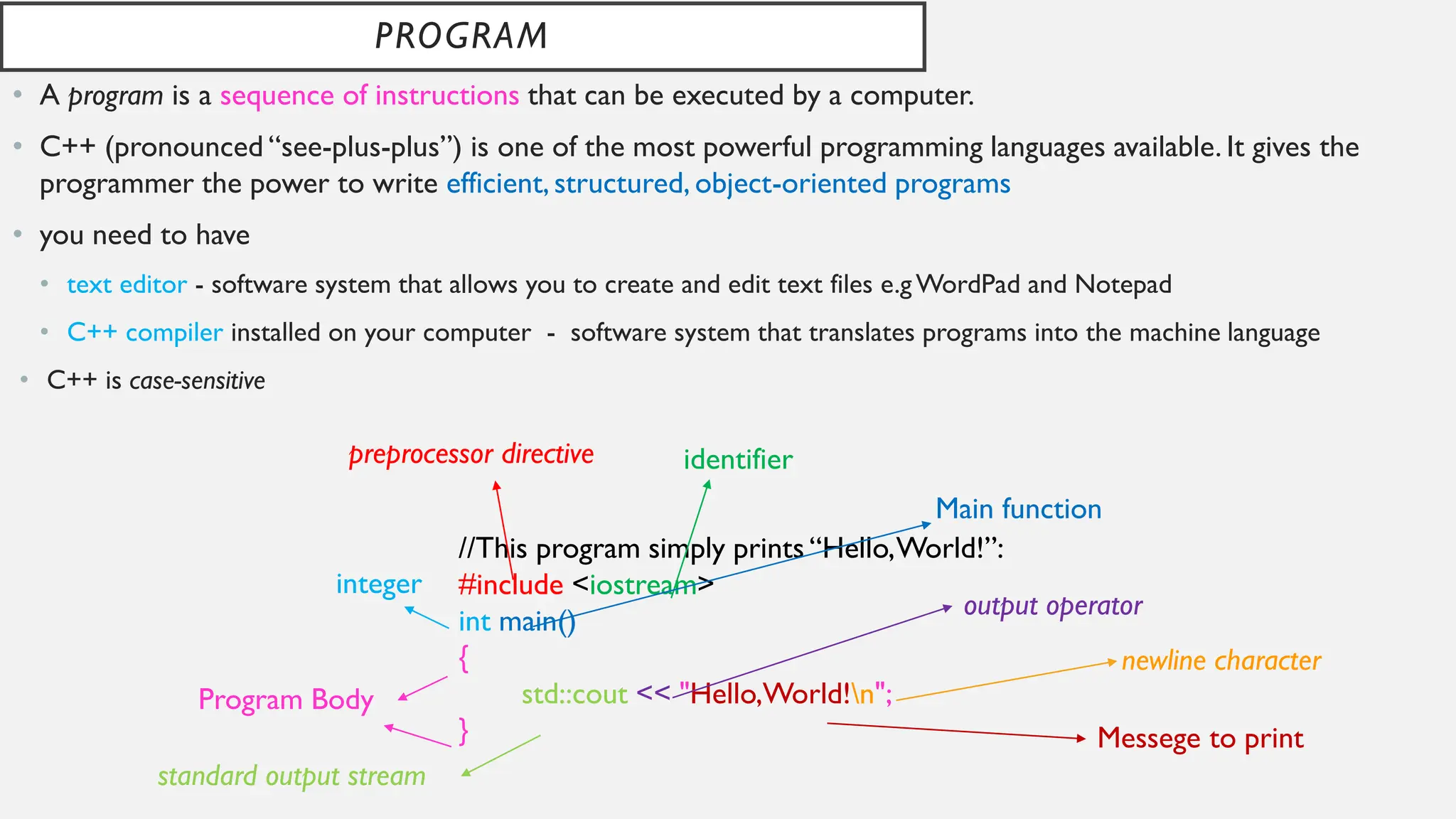
//This program simply prints “Hello,World!”:
#include <iostream>
int main()
{
std::cout << "Hello,World!n";
}
preprocessor directive identifier
Main function
integer
Program Body
standard output stream
output operator
newline character
Messege to print
VARIABLES AND THEIR DECLARATIONS
• A variable is a symbol that represents a storage location in the computer’s memory
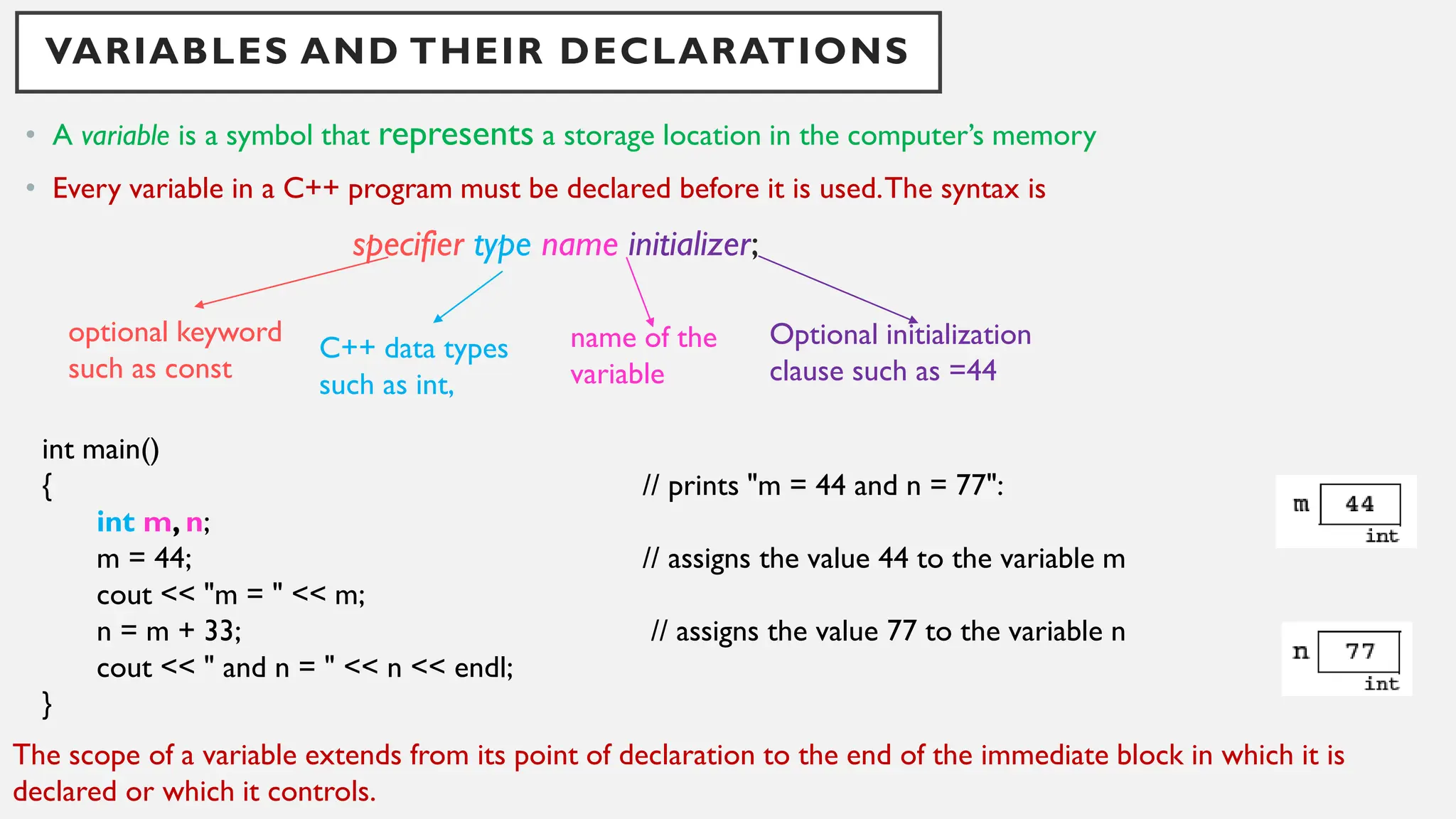
• Every variable in a C++ program must be declared before it is used.The syntax is
specifier type name initializer;
int main()
{ // prints "m = 44 and n = 77":
int m, n;
m = 44; // assigns the value 44 to the variable m
cout << "m = " << m;
n = m + 33; // assigns the value 77 to the variable n
cout << " and n = " << n << endl;
}
optional keyword
such as const
C++ data types
such as int,
name of the
variable
Optional initialization
clause such as =44
The scope of a variable extends from its point of declaration to the end of the immediate block in which it is
declared or which it controls.
PROGRAM TOKENS
• A computer program is a sequence of elements called tokens.
• Include
• Keywords such as int,
• identifiers such as main,
• punctuation symbols such as {,
• operators such as <<.
int main()
{ // prints "n = 44":
int n=44;
cout << "n = " << n << endl;
}
19 tokens :
1. “int”,
2. “main” ,
3. “(”,
4. “)”,
5. “{”,
6. “int”,
7. “n”,
8. “=”,
9. “44”,
10. “;”,
11. “cout”,
12. “<<”,
13. “"n = "”,
14. “<<”,
15. “n”,
16. “<<”,
17. “endl”,
18. “;”,
19. “}”.
int main()
{ // THIS SOURCE CODE HAS AN ERROR:
int n=44
cout << "n = " << n << endl;
}
compiler issued the following error message:
Error : ';' expected
Testing.cpp line 4 cout << "n = " << n << endl;
INITIALIZING VARIABLES
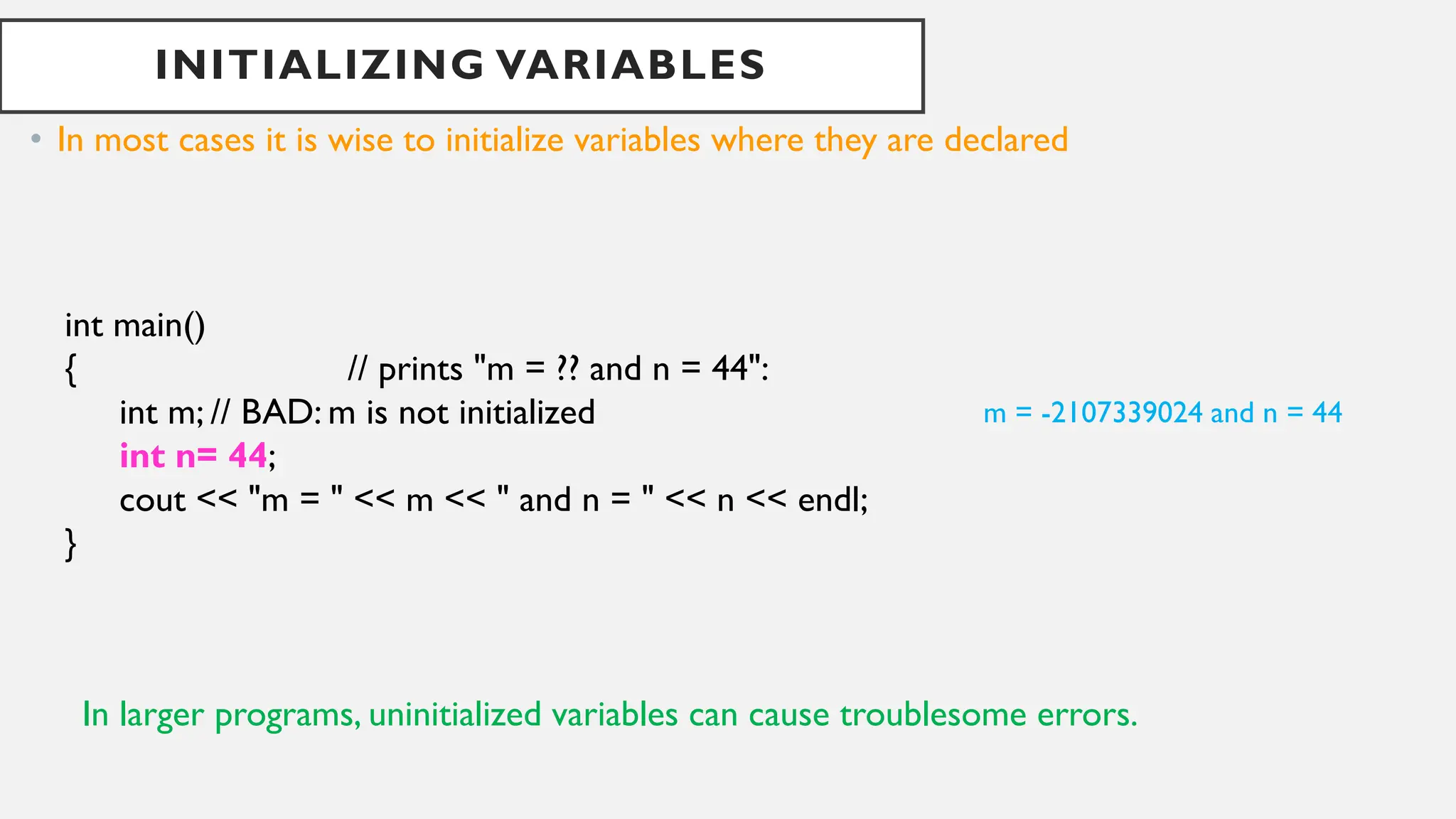
• In most cases it is wise to initialize variables where they are declared
int main()
{ // prints "m = ?? and n = 44":
int m; // BAD: m is not initialized
int n= 44;
cout << "m = " << m << " and n = " << n << endl;
}
m = -2107339024 and n = 44
In larger programs, uninitialized variables can cause troublesome errors.
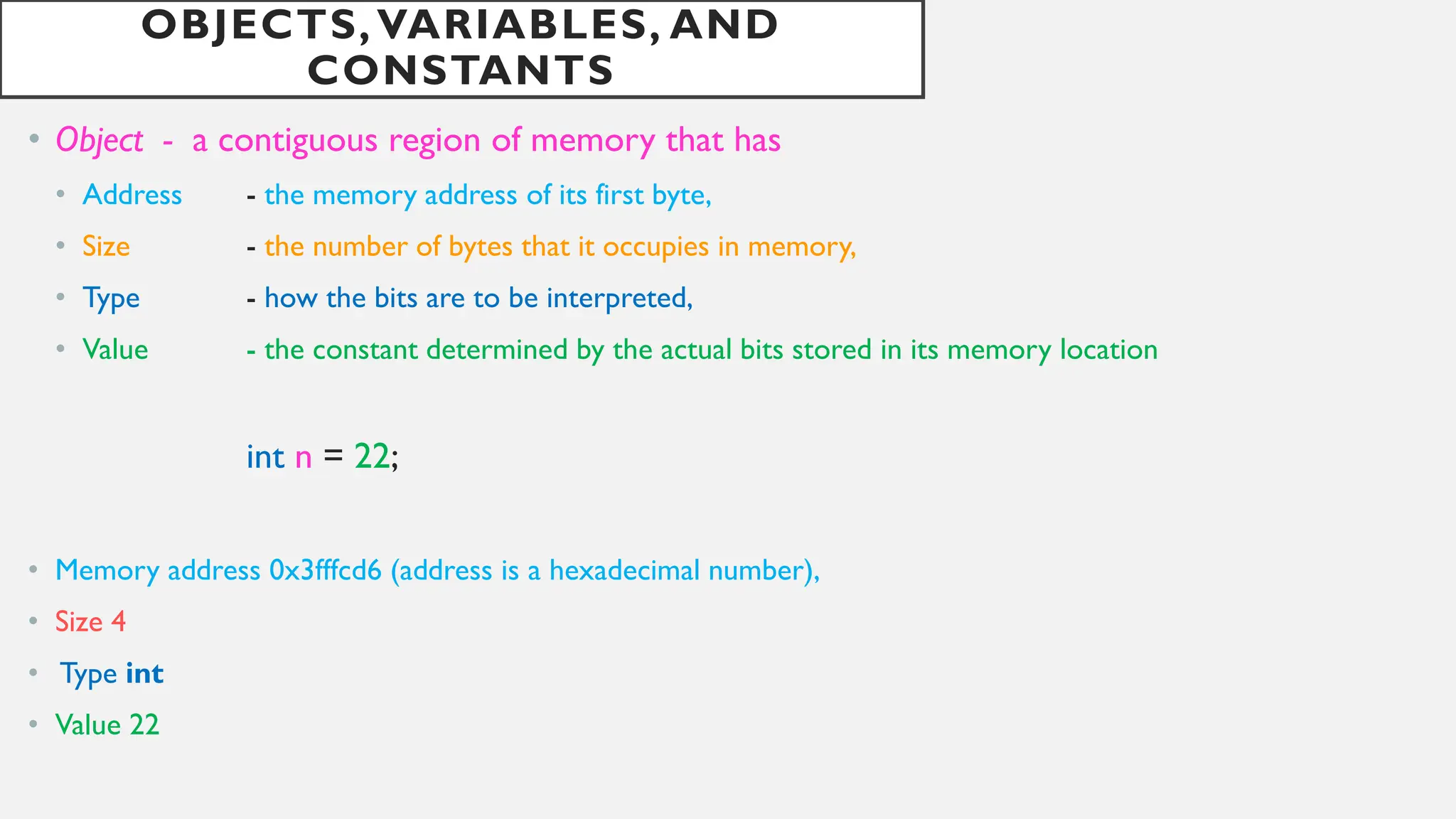
OBJECTS, VARIABLES, AND
CONSTANTS
• Object - a contiguous region of memory that has
• Address - the memory address of its first byte,
• Size - the number of bytes that it occupies in memory,
• Type - how the bits are to be interpreted,
• Value - the constant determined by the actual bits stored in its memory location
int n = 22;
• Memory address 0x3fffcd6 (address is a hexadecimal number),
• Size 4
• Type int
• Value 22
THE INPUT OPERATOR(>> )
The input operator >> (also called the get operator or the extraction operator)
int main()
{ // tests the input of integers,floats,and characters:
int m,n;
cout << "Enter two integers: ";
cin >> m >> n;
cout << "m = " << m << ", n = " << n << endl;
double x,y,z;
cout << "Enter three decimal numbers: ";
cin >> x >> y >> z;
cout << "x = " << x << ", y = " << y << ", z = " << z << endl;
char c1,c2,c3,c4 ;
cout << "Enter four characters: ";
cin >> c1 >> c2 >> c3 >> c4;
cout << "c1 = " << c1 << ",c 2 = " << c2 << ", c3 = " << c3 << ", c4 = " << c4 << endl;
}
Enter two integers: 22 44
m = 22, n = 44
Enter three decimal numbers: 2.2 4.4 6.6
x = 2.2,y = 4.4,z = 6.6
Enter four characters: ABCD
c1 = A, c2 = B, c3 = C, c4 = D
HOMEWORK/LABWORK
Do the complete Exercise of Chapter 1 in
your notebooks

PROGRAMMING FUNDAMENATLS FOR COMPUTATIONAL PHYSICS

  • 1.
  • 2.
    PROGRAM • A programis a sequence of instructions that can be executed by a computer. • C++ (pronounced “see-plus-plus”) is one of the most powerful programming languages available. It gives the programmer the power to write efficient, structured, object-oriented programs • you need to have • text editor - software system that allows you to create and edit text files e.gWordPad and Notepad • C++ compiler installed on your computer - software system that translates programs into the machine language • C++ is case-sensitive //This program simply prints “Hello,World!”: #include <iostream> int main() { std::cout << "Hello,World!n"; } preprocessor directive identifier Main function integer Program Body standard output stream output operator newline character Messege to print
  • 3.
    VARIABLES AND THEIRDECLARATIONS • A variable is a symbol that represents a storage location in the computer’s memory • Every variable in a C++ program must be declared before it is used.The syntax is specifier type name initializer; int main() { // prints "m = 44 and n = 77": int m, n; m = 44; // assigns the value 44 to the variable m cout << "m = " << m; n = m + 33; // assigns the value 77 to the variable n cout << " and n = " << n << endl; } optional keyword such as const C++ data types such as int, name of the variable Optional initialization clause such as =44 The scope of a variable extends from its point of declaration to the end of the immediate block in which it is declared or which it controls.
  • 4.
    PROGRAM TOKENS • Acomputer program is a sequence of elements called tokens. • Include • Keywords such as int, • identifiers such as main, • punctuation symbols such as {, • operators such as <<. int main() { // prints "n = 44": int n=44; cout << "n = " << n << endl; } 19 tokens : 1. “int”, 2. “main” , 3. “(”, 4. “)”, 5. “{”, 6. “int”, 7. “n”, 8. “=”, 9. “44”, 10. “;”, 11. “cout”, 12. “<<”, 13. “"n = "”, 14. “<<”, 15. “n”, 16. “<<”, 17. “endl”, 18. “;”, 19. “}”. int main() { // THIS SOURCE CODE HAS AN ERROR: int n=44 cout << "n = " << n << endl; } compiler issued the following error message: Error : ';' expected Testing.cpp line 4 cout << "n = " << n << endl;
  • 5.
    INITIALIZING VARIABLES • Inmost cases it is wise to initialize variables where they are declared int main() { // prints "m = ?? and n = 44": int m; // BAD: m is not initialized int n= 44; cout << "m = " << m << " and n = " << n << endl; } m = -2107339024 and n = 44 In larger programs, uninitialized variables can cause troublesome errors.
  • 6.
    OBJECTS, VARIABLES, AND CONSTANTS •Object - a contiguous region of memory that has • Address - the memory address of its first byte, • Size - the number of bytes that it occupies in memory, • Type - how the bits are to be interpreted, • Value - the constant determined by the actual bits stored in its memory location int n = 22; • Memory address 0x3fffcd6 (address is a hexadecimal number), • Size 4 • Type int • Value 22
  • 7.
    THE INPUT OPERATOR(>>) The input operator >> (also called the get operator or the extraction operator) int main() { // tests the input of integers,floats,and characters: int m,n; cout << "Enter two integers: "; cin >> m >> n; cout << "m = " << m << ", n = " << n << endl; double x,y,z; cout << "Enter three decimal numbers: "; cin >> x >> y >> z; cout << "x = " << x << ", y = " << y << ", z = " << z << endl; char c1,c2,c3,c4 ; cout << "Enter four characters: "; cin >> c1 >> c2 >> c3 >> c4; cout << "c1 = " << c1 << ",c 2 = " << c2 << ", c3 = " << c3 << ", c4 = " << c4 << endl; } Enter two integers: 22 44 m = 22, n = 44 Enter three decimal numbers: 2.2 4.4 6.6 x = 2.2,y = 4.4,z = 6.6 Enter four characters: ABCD c1 = A, c2 = B, c3 = C, c4 = D
  • 8.
    HOMEWORK/LABWORK Do the completeExercise of Chapter 1 in your notebooks