Professional Portfolios
Real Projects = Real Results


Louellen S. Coker   Content Solutions
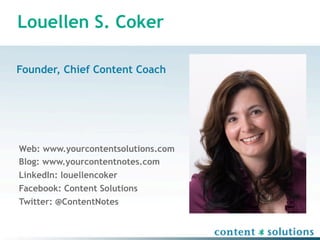
Louellen S. Coker

Founder, Chief Content Coach


Web: www.yourcontentsolutions.com
Blog: www.yourcontentnotes.com
LinkedIn: louellencoker
Facebook: Content Solutions
Twitter: @ContentNotes
Real Projects = REAL Results

•   Dissect portfolio options
•   Choose your platform
•   Choose your projects
•   Present your project
•   Pull it all together
Goals of your portfolios

•   Intrigue
•   Call to Action
•   Showcase
•   Get a Gig
Define YOU (aka your brand)

•   Who are you?
•   What qualifications and experience do you have?
•   Do you seem trustworthy and reliable?
•   Are you looking for work?
•   Can I see some examples of previous work?


• Can you alleviate our current need?
Dissect Portfolio Options
20th century definition

 “…a representative collection of one’s
 work. As the word’s roots suggests (and as is
 still the case in the arts), the sample of
 work is fashioned for a particular objective
 and carried from place to place for
 inspection or exhibition.”

                           —Wiggins,
                           quoted by Barrett
21st century definition

“Portfolios are living, breathing things that
change and evolve with your purpose and your
audience. ... With careful planning, organization,
and ongoing assessment, your portfolio in its
various forms—hardcopy and digital—will be an
indispensable asset.”

                            —Coker,
                            intercom, February 2007
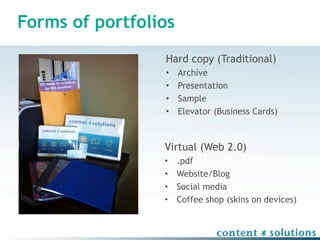
Forms of portfolios
                 Hard copy (Traditional)
                 •    Archive
                 •    Presentation
                 •    Sample
                 •    Elevator (Business Cards)


                 Virtual (Web 2.0)
                 •    .pdf
                 •    Website/Blog
                 •    Social media
                 •    Coffee shop (skins on devices)
Choose your platform
Best practices

•   Keep   it   simple
•   Keep   it   organized
•   Keep   it   succinct
•   Keep   it   optimized
•   Keep   it   targeted
•   Keep   it   consistent
Tools

• Software for capturing/creating pieces
  – Open source
  – Office products
  – Adobe Suite products


• Wireframing/Organization tools
  –   Mindmeister for mind-mapping (www.mindmeister.com)
  –   Jumpstart for wireframing (www.jumpstart.com)
  –   Toodledo for project management (www.toodledo.com)
  –   Basecamp for project management (www.basecamphq.com)
Tools, cont.

• Online services        • Social Media
   – www.elance.com         – LinkedIn.com
   – www.qfolio.com         – Facebook.com
   – www.wordpress.org      – Slideshare.net
                            – YouTube.com
                            – Flikr.com
                            – Wordpress.org/Blogger
Finding the Muscle

• Elbow grease           • Training
   – Blogs and Forums       – www.lynda.com
   – Use help               – Blogs
   – LSC Help Desk          – Workshops
   – Trial and Error


                  Hire
some
help
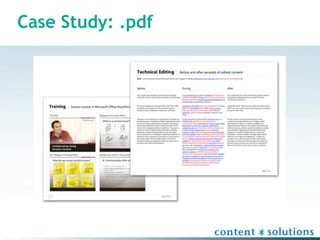
Case Study: .pdf
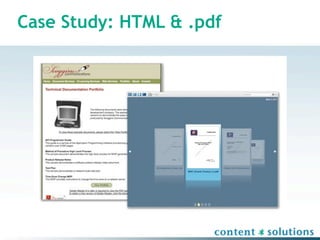
Case Study: HTML & .pdf
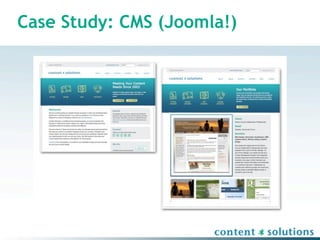
Case Study: CMS (Joomla!)
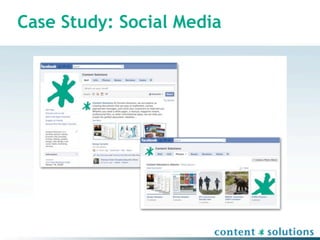
Case Study: Social Media
Choose your projects
First steps, FIRST

•   Know   your   audience
•   Know   your   goal
•   Know   your   work
•   Know   your   capabilities


                   (and how you’re different!)
What projects do I consider?

• Those that the hiring person wants to see
• Those for which you won an award
• Those created in your day job

•   Those created for volunteer organizations
•   Those created specifically for your portfolio
•   Those created for fun
•   EVERYTHING and ANYTHING
What projects do I include?

•   Pieces   that   speak for themselves
•   Pieces   that   translate across platforms
•   Pieces   that   show skills
•   Pieces   that   show interpersonal skills

• Piece that is the product of a difficult situation
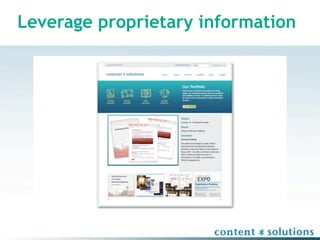
Leverage proprietary information

•   GET PERMISSION
•   Limit to outward facing information
•   Redact if necessary
•   Collect as you go
Leverage proprietary information
Leverage your work

• Select pieces that are relevant to varied
  audiences
• Reflect about process
• Blog in deeper detail about process
• Show level of professionalism
Present your projects
Put your best foot forward

• Optimize your files
    – Print = CMYK 300 dpi (.tif, .psd, .eps)
    – Web = RGB 72 dpi (.jpg, .png, .bmp, .gif)
•   Error FREE
•   Professional
•   Relevant
•   Appropriate
Essential elements

• Cover Page – must have name; may have your
  mission statement, short introduction, or bio
• Table of Contents
• Navigation – some method to guide a reviewer
  through your artifacts
• Artifacts – your best (mostly)
• Reflection – optional
Reflection

• Metacognition – thinking about your thinking
• Not always necessary
• Important
  –   For contextual clues
  –   To show growth
  –   For those in educational settings
  –   When being assessed
Pull it all together
Present your work

• Determine a presentation theme
• Organize your works in a logical manner
• Compile your artifacts in a consistent manner
Protect intellectual property

•   Watermark
•   Limit scope
•   Low resolution
•   Remove “copy & paste” ability
•   Put your footprint in the metadata
•   Copyright
Protect yourself

• NEVER leave your portfolio behind
• Make copies of portions of the artifacts in your
  presentation portfolio
• Organize your artifacts in a less expensive
  presentation folder
• Consider including a thumb drive with soft
  copies of included and/or larger works
• Maintain consistency when possible
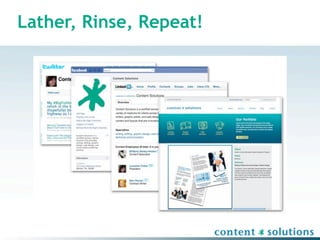
Lather, Rinse, Repeat!
Questions?


 Wri$ng   Design   Web   Solu$ons
Wri$ng   Design   Web   Solu$ons

Professional Portfolios for the Creative Professional

  • 1.
    Professional Portfolios Real Projects= Real Results Louellen S. Coker Content Solutions
  • 2.
    Louellen S. Coker Founder,Chief Content Coach Web: www.yourcontentsolutions.com Blog: www.yourcontentnotes.com LinkedIn: louellencoker Facebook: Content Solutions Twitter: @ContentNotes
  • 3.
    Real Projects =REAL Results • Dissect portfolio options • Choose your platform • Choose your projects • Present your project • Pull it all together
  • 4.
    Goals of yourportfolios • Intrigue • Call to Action • Showcase • Get a Gig
  • 5.
    Define YOU (akayour brand) • Who are you? • What qualifications and experience do you have? • Do you seem trustworthy and reliable? • Are you looking for work? • Can I see some examples of previous work? • Can you alleviate our current need?
  • 6.
  • 7.
    20th century definition “…a representative collection of one’s work. As the word’s roots suggests (and as is still the case in the arts), the sample of work is fashioned for a particular objective and carried from place to place for inspection or exhibition.” —Wiggins, quoted by Barrett
  • 8.
    21st century definition “Portfoliosare living, breathing things that change and evolve with your purpose and your audience. ... With careful planning, organization, and ongoing assessment, your portfolio in its various forms—hardcopy and digital—will be an indispensable asset.” —Coker, intercom, February 2007
  • 9.
    Forms of portfolios Hard copy (Traditional) • Archive • Presentation • Sample • Elevator (Business Cards) Virtual (Web 2.0) • .pdf • Website/Blog • Social media • Coffee shop (skins on devices)
  • 10.
  • 11.
    Best practices • Keep it simple • Keep it organized • Keep it succinct • Keep it optimized • Keep it targeted • Keep it consistent
  • 12.
    Tools • Software forcapturing/creating pieces – Open source – Office products – Adobe Suite products • Wireframing/Organization tools – Mindmeister for mind-mapping (www.mindmeister.com) – Jumpstart for wireframing (www.jumpstart.com) – Toodledo for project management (www.toodledo.com) – Basecamp for project management (www.basecamphq.com)
  • 13.
    Tools, cont. • Onlineservices • Social Media – www.elance.com – LinkedIn.com – www.qfolio.com – Facebook.com – www.wordpress.org – Slideshare.net – YouTube.com – Flikr.com – Wordpress.org/Blogger
  • 14.
    Finding the Muscle •Elbow grease • Training – Blogs and Forums – www.lynda.com – Use help – Blogs – LSC Help Desk – Workshops – Trial and Error Hire
some
help
  • 15.
  • 16.
  • 17.
    Case Study: CMS(Joomla!)
  • 18.
  • 19.
  • 20.
    First steps, FIRST • Know your audience • Know your goal • Know your work • Know your capabilities (and how you’re different!)
  • 21.
    What projects doI consider? • Those that the hiring person wants to see • Those for which you won an award • Those created in your day job • Those created for volunteer organizations • Those created specifically for your portfolio • Those created for fun • EVERYTHING and ANYTHING
  • 22.
    What projects doI include? • Pieces that speak for themselves • Pieces that translate across platforms • Pieces that show skills • Pieces that show interpersonal skills • Piece that is the product of a difficult situation
  • 23.
    Leverage proprietary information • GET PERMISSION • Limit to outward facing information • Redact if necessary • Collect as you go
  • 24.
  • 25.
    Leverage your work •Select pieces that are relevant to varied audiences • Reflect about process • Blog in deeper detail about process • Show level of professionalism
  • 26.
  • 27.
    Put your bestfoot forward • Optimize your files – Print = CMYK 300 dpi (.tif, .psd, .eps) – Web = RGB 72 dpi (.jpg, .png, .bmp, .gif) • Error FREE • Professional • Relevant • Appropriate
  • 28.
    Essential elements • CoverPage – must have name; may have your mission statement, short introduction, or bio • Table of Contents • Navigation – some method to guide a reviewer through your artifacts • Artifacts – your best (mostly) • Reflection – optional
  • 29.
    Reflection • Metacognition –thinking about your thinking • Not always necessary • Important – For contextual clues – To show growth – For those in educational settings – When being assessed
  • 30.
    Pull it alltogether
  • 31.
    Present your work •Determine a presentation theme • Organize your works in a logical manner • Compile your artifacts in a consistent manner
  • 32.
    Protect intellectual property • Watermark • Limit scope • Low resolution • Remove “copy & paste” ability • Put your footprint in the metadata • Copyright
  • 33.
    Protect yourself • NEVERleave your portfolio behind • Make copies of portions of the artifacts in your presentation portfolio • Organize your artifacts in a less expensive presentation folder • Consider including a thumb drive with soft copies of included and/or larger works • Maintain consistency when possible
  • 34.
  • 35.
    Questions? Wri$ng Design Web Solu$ons
  • 36.
    Wri$ng Design Web Solu$ons