Introduction
to
Linux
1
Introduction to Linux
 What is Linux, and Who Created it?
 GNU and the GPL
 Unix/GNU, What is the Difference?
 POSIX Compliance
 Other POSIX Operating Systems
 Uses of Linux
 Advantages and Disadvantages
2
What is Linux
 Linux is a UNIX clone
 It can run on 32 bit and 64 bit hardware
 Linux is a true multitasking environment
 Fully capable of taking advantage of multiple processors
 Can address up to 64 GB of RAM
 Partial POSIX Compliance
3
History
 The history of Linux began with Unix in 1969
› Unix was created at Bell Labs with the goals:
 Simplicity
 Recycleable code
 Written in C as opposed to assembly
 Development started in 1991
› Linus Torvalds wanted to create a free implementation of
UNIX
› By 1993 there were 12000 Linux users
› Today Linux rivals UNIX in stability and scalability
4
The Linux Kernel
 The Linux kernel is currently maintained by Linus Torvalds and
a few hundred other developers
 Releases are numbered in a very ordered fashion.
› Major.minor.patchlevel
› Odd minor numbers are development kernels
› Thus
 2.4.20 latest stable kernel
 2.5.67 latest development kernel
 Will become the 2.6 kernel
5
Design
 The Linux kernel has a monolithic design
 The other approach is the microkernel design
 Both have their upsides and downsides
› Monolithic kernels
 Easier to build and design
 Generally faster
 More recompiles
 Less object oriented
› Micro kernels
 Considered safer
 Easier to develop drivers for
 Only recompile for upgrades
 Generally slower
 Much harder to build and design
6
So Why Should I Use Linux?
 As a server platform
› few other operating systems can match Linux in:
 Performance
 Price
 Stability
 For Developers
› Resources:
 Linux has a tremendous number of tools available for developers. And
they are all free.
 For the Desktop
› It's fun
7
Advantages
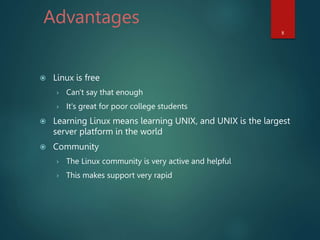
 Linux is free
› Can't say that enough
› It's great for poor college students
 Learning Linux means learning UNIX, and UNIX is the largest
server platform in the world
 Community
› The Linux community is very active and helpful
› This makes support very rapid
8
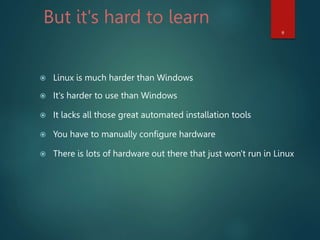
But it's hard to learn
 Linux is much harder than Windows
 It's harder to use than Windows
 It lacks all those great automated installation tools
 You have to manually configure hardware
 There is lots of hardware out there that just won't run in Linux
9
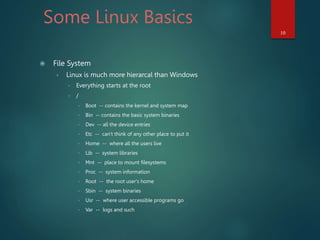
Some Linux Basics
 File System
› Linux is much more hierarcal than Windows
 Everything starts at the root
 /
 Boot -- contains the kernel and system map
 Bin -- contains the basic system binaries
 Dev -- all the device entries
 Etc -- can't think of any other place to put it
 Home -- where all the users live
 Lib -- system libraries
 Mnt -- place to mount filesystems
 Proc -- system information
 Root -- the root user's home
 Sbin -- system binaries
 Usr -- where user accessible programs go
 Var -- logs and such
10
THANK YOU
11

presentation_linux_intro_1463521472_181219.ppt

  • 1.
  • 2.
    Introduction to Linux What is Linux, and Who Created it?  GNU and the GPL  Unix/GNU, What is the Difference?  POSIX Compliance  Other POSIX Operating Systems  Uses of Linux  Advantages and Disadvantages 2
  • 3.
    What is Linux Linux is a UNIX clone  It can run on 32 bit and 64 bit hardware  Linux is a true multitasking environment  Fully capable of taking advantage of multiple processors  Can address up to 64 GB of RAM  Partial POSIX Compliance 3
  • 4.
    History  The historyof Linux began with Unix in 1969 › Unix was created at Bell Labs with the goals:  Simplicity  Recycleable code  Written in C as opposed to assembly  Development started in 1991 › Linus Torvalds wanted to create a free implementation of UNIX › By 1993 there were 12000 Linux users › Today Linux rivals UNIX in stability and scalability 4
  • 5.
    The Linux Kernel The Linux kernel is currently maintained by Linus Torvalds and a few hundred other developers  Releases are numbered in a very ordered fashion. › Major.minor.patchlevel › Odd minor numbers are development kernels › Thus  2.4.20 latest stable kernel  2.5.67 latest development kernel  Will become the 2.6 kernel 5
  • 6.
    Design  The Linuxkernel has a monolithic design  The other approach is the microkernel design  Both have their upsides and downsides › Monolithic kernels  Easier to build and design  Generally faster  More recompiles  Less object oriented › Micro kernels  Considered safer  Easier to develop drivers for  Only recompile for upgrades  Generally slower  Much harder to build and design 6
  • 7.
    So Why ShouldI Use Linux?  As a server platform › few other operating systems can match Linux in:  Performance  Price  Stability  For Developers › Resources:  Linux has a tremendous number of tools available for developers. And they are all free.  For the Desktop › It's fun 7
  • 8.
    Advantages  Linux isfree › Can't say that enough › It's great for poor college students  Learning Linux means learning UNIX, and UNIX is the largest server platform in the world  Community › The Linux community is very active and helpful › This makes support very rapid 8
  • 9.
    But it's hardto learn  Linux is much harder than Windows  It's harder to use than Windows  It lacks all those great automated installation tools  You have to manually configure hardware  There is lots of hardware out there that just won't run in Linux 9
  • 10.
    Some Linux Basics File System › Linux is much more hierarcal than Windows  Everything starts at the root  /  Boot -- contains the kernel and system map  Bin -- contains the basic system binaries  Dev -- all the device entries  Etc -- can't think of any other place to put it  Home -- where all the users live  Lib -- system libraries  Mnt -- place to mount filesystems  Proc -- system information  Root -- the root user's home  Sbin -- system binaries  Usr -- where user accessible programs go  Var -- logs and such 10
  • 11.