TOPIC OF DISCUSSION
•Introduction to Linux
• Linux Architecture
• File System
• Memory Management
• Ubuntu Installation
• File Commands
1
2.
What is Linux?
•Linux is the software on a computer that enables applications and the
computer operator to access the devices on the computer to perform
desired functions.
• The OS relays instructions from an application to computer's processor
which performs the instructed task, then sends the results back to the
application via the operating system.
• Sounds very similar to other operating systems, such as Windows.
2
3.
How its differentcompared to other OS?
• Something sets Linux apart from other operating systems.
• As an open operating system, Linux is developed collaboratively,
meaning no one company is solely responsible for its development or
ongoing support.
• Companies participating in the Linux economy share research and
development costs with their partners and competitors.
• Over 1,000 developers, from at least 100 different companies,
contribute to every kernel release. In the past two years alone, over
3,200 developers from 200 companies have contributed to the kernel--
which is just one small piece of a Linux distribution.
3
4.
Where is Linux?
•One of the most noted properties of Linux is where it can be used.
• Windows and OS X (MAC OS) are predominantly found on
personal computing devices such as desktop and laptop computers.
• Other operating systems, such as Symbian(Mobile OS), are found
on small devices such as phones and PDAs (personal digital
assistants).
• Linux, which began its existence as a server OS and has become
useful as a desktop OS, can also be used on all of these devices.
“From wristwatches to supercomputers,” is the popular description
of Linux' capabilities.
4
5.
The Future ofLinux.
• Linux is being installed on the system BIOS (basic input/output system)
of laptop and notebook computers, which will enable users to turn their
devices on in a matter of seconds.
• This environment allows users to work on the Internet without having to
boot all the way into their device's primary operating system even if that
operating system is Windows.
• Linux is showing up on mobile Internet devices (MIDs) such as
smartphones and PDA.
• The growth of cloud computing is a natural fit for Linux, which already
runs many of the Internet's web servers such as Amazon's S3.
5
6.
About the founderof LINUX
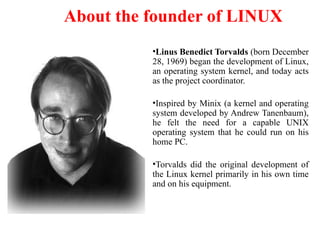
•Linus Benedict Torvalds (born December
28, 1969) began the development of Linux,
an operating system kernel, and today acts
as the project coordinator.
•Inspired by Minix (a kernel and operating
system developed by Andrew Tanenbaum),
he felt the need for a capable UNIX
operating system that he could run on his
home PC.
•Torvalds did the original development of
the Linux kernel primarily in his own time
and on his equipment.
7.
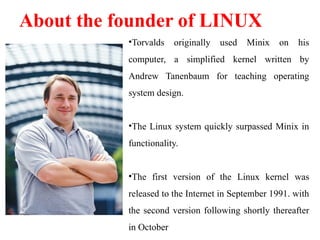
•Torvalds originally usedMinix on his
computer, a simplified kernel written by
Andrew Tanenbaum for teaching operating
system design.
•The Linux system quickly surpassed Minix in
functionality.
•The first version of the Linux kernel was
released to the Internet in September 1991. with
the second version following shortly thereafter
in October
About the founder of LINUX
8.
GNU’s (GNU’s NotUnix)
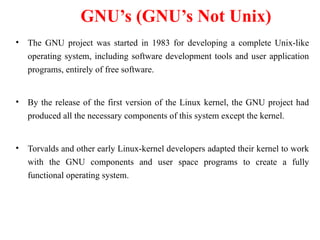
• The GNU project was started in 1983 for developing a complete Unix-like
operating system, including software development tools and user application
programs, entirely of free software.
• By the release of the first version of the Linux kernel, the GNU project had
produced all the necessary components of this system except the kernel.
• Torvalds and other early Linux-kernel developers adapted their kernel to work
with the GNU components and user space programs to create a fully
functional operating system.
9.
Linux Vs Windows
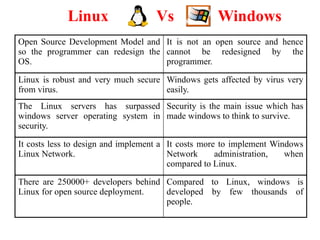
OpenSource Development Model and
so the programmer can redesign the
OS.
It is not an open source and hence
cannot be redesigned by the
programmer.
Linux is robust and very much secure
from virus.
Windows gets affected by virus very
easily.
The Linux servers has surpassed
windows server operating system in
security.
Security is the main issue which has
made windows to think to survive.
It costs less to design and implement a
Linux Network.
It costs more to implement Windows
Network administration, when
compared to Linux.
There are 250000+ developers behind
Linux for open source deployment.
Compared to Linux, windows is
developed by few thousands of
people.
10.
Linux Flavors
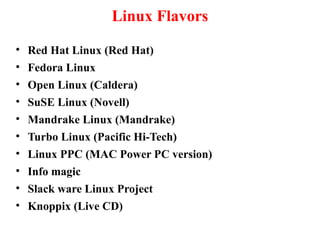
• RedHat Linux (Red Hat)
• Fedora Linux
• Open Linux (Caldera)
• SuSE Linux (Novell)
• Mandrake Linux (Mandrake)
• Turbo Linux (Pacific Hi-Tech)
• Linux PPC (MAC Power PC version)
• Info magic
• Slack ware Linux Project
• Knoppix (Live CD)
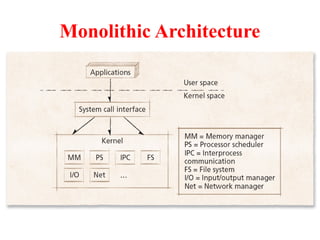
Monolithic Architecture
• Monolithicoperating system
– Every component contained in kernel
• direct communication among all elements
• highly efficient
– Problems:
• complexity
• new devices, emerging technologies
– enabling, protection
15.
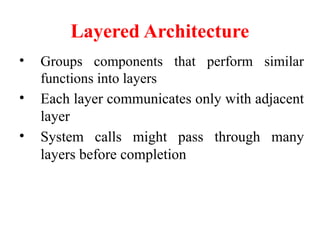
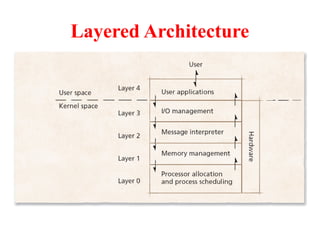
Layered Architecture
• Groupscomponents that perform similar
functions into layers
• Each layer communicates only with adjacent
layer
• System calls might pass through many
layers before completion
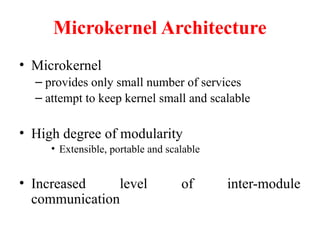
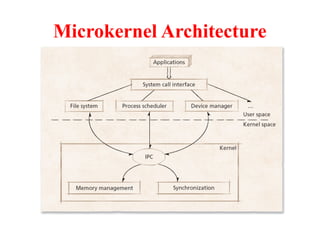
Microkernel Architecture
• Microkernel
–provides only small number of services
– attempt to keep kernel small and scalable
• High degree of modularity
• Extensible, portable and scalable
• Increased level of inter-module
communication
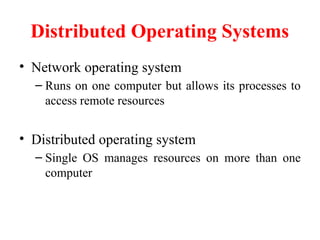
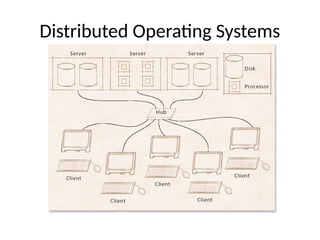
Distributed Operating Systems
•Network operating system
– Runs on one computer but allows its processes to
access remote resources
• Distributed operating system
– Single OS manages resources on more than one
computer
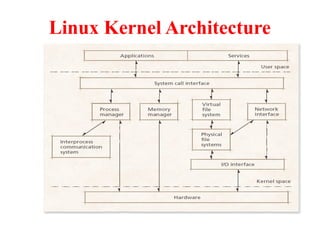
Linux Kernel Architecture
•Monolithic kernel:
Contains modular components
– Process management
– Interprocess communication
– Memory management
– File system management
• VFS: provides a single file system interface
– I/O management
– Networking
24
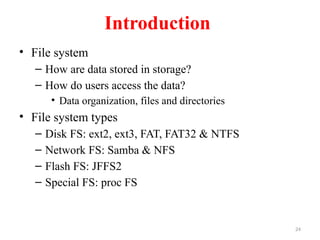
Introduction
• File system
–How are data stored in storage?
– How do users access the data?
• Data organization, files and directories
• File system types
– Disk FS: ext2, ext3, FAT, FAT32 & NTFS
– Network FS: Samba & NFS
– Flash FS: JFFS2
– Special FS: proc FS
25.
25
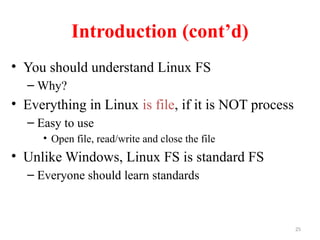
Introduction (cont’d)
• Youshould understand Linux FS
– Why?
• Everything in Linux is file, if it is NOT process
– Easy to use
• Open file, read/write and close the file
• Unlike Windows, Linux FS is standard FS
– Everyone should learn standards
26.
26
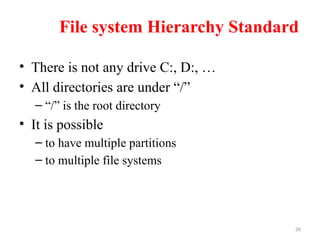
File system HierarchyStandard
• There is not any drive C:, D:, …
• All directories are under “/”
– “/” is the root directory
• It is possible
– to have multiple partitions
– to multiple file systems
27.
27
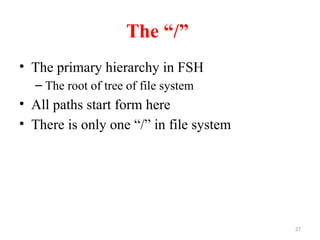
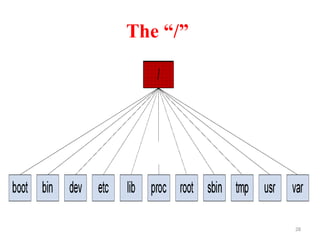
The “/”
• Theprimary hierarchy in FSH
– The root of tree of file system
• All paths start form here
• There is only one “/” in file system
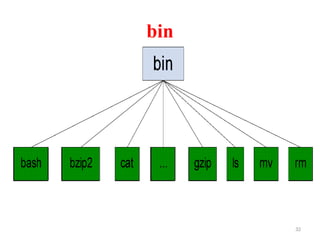
33
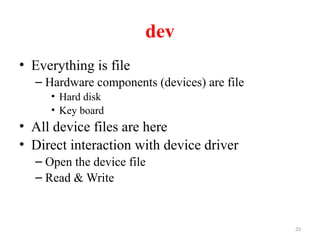
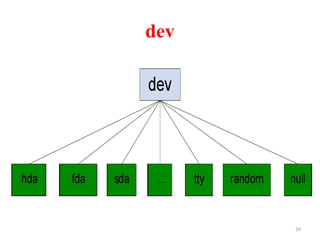
dev
• Everything isfile
– Hardware components (devices) are file
• Hard disk
• Key board
• All device files are here
• Direct interaction with device driver
– Open the device file
– Read & Write
35
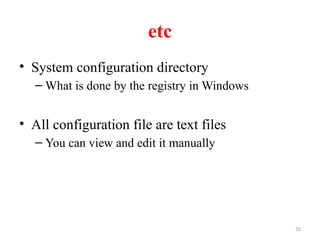
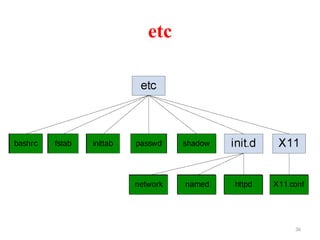
etc
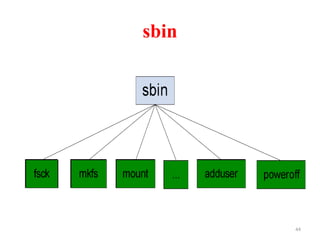
• System configurationdirectory
– What is done by the registry in Windows
• All configuration file are text files
– You can view and edit it manually
37
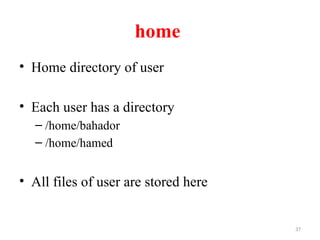
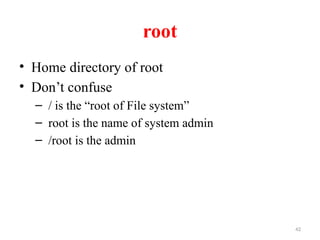
home
• Home directoryof user
• Each user has a directory
– /home/bahador
– /home/hamed
• All files of user are stored here
38.
38
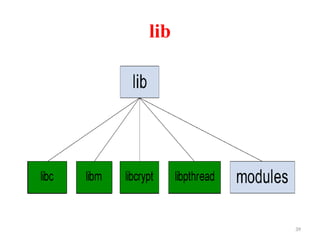
lib
• Programs needlibraries
– Dynamically linked libraries
• Programmers need libraries
• All essential libraries are here
– Needed for system startup
40
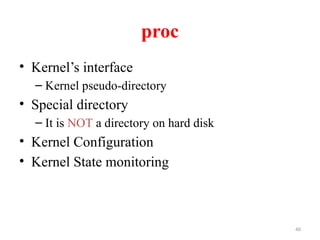
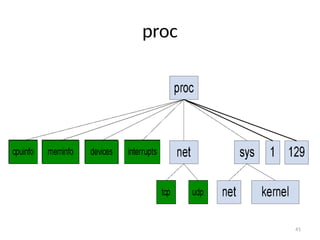
proc
• Kernel’s interface
–Kernel pseudo-directory
• Special directory
– It is NOT a directory on hard disk
• Kernel Configuration
• Kernel State monitoring
50
Permissions
• There are3 basic permissions
– Read (r)
– Write (w)
– Execute (x)
• How to find them
– ls -l
• How to change them
– chmod +/- r/w/x <filename>
Linux Memory Management
•Allocates memory space to each process
– e.g., In Intel X86, Linux allocates 1 GB of high order
memory to kernel and 3 GB of memory to executing
processes
• Address space is divided among:
– Process code
– Process data
– Code and shared library data used by process
– Stack used by process
53.
Linux Memory Management
(continued)
•Linux has system calls that change size of
process data segment as required
• Offers memory protection based on type of
information stored
• When kernel needs memory space, pages are
released using LRU algorithm
• Maintains a dynamically managed area in
memory, a page cache
54.
Linux Memory Management
(continued)
•If any pages marked for deletion have been
modified, they’re rewritten to disk
– Page corresponding to file mapped into memory is
rewritten to file
– Page corresponding to data is saved on swap
device
• Linux uses system of page table to keep track
of free and busy pages
• Uses virtual memory mechanism
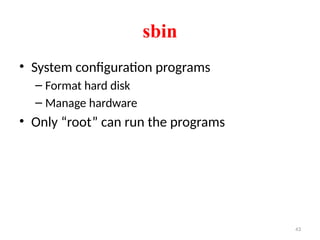
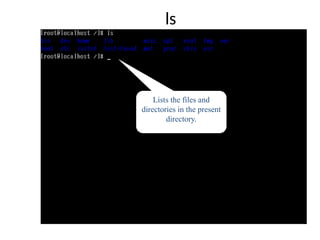
ls
• ls :
•List the Files and Directories within the current directory.
• Syntax:
• ls [options]
• Options:
• -l List file with permission.
• -a List hidden file.
• -i List files and inode number.
• -R List directories , sub directories
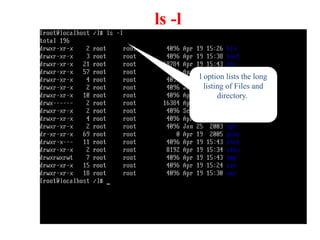
ls -l
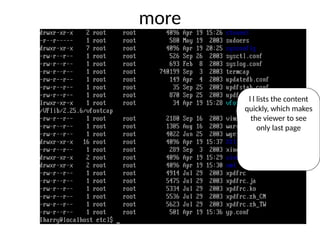
l optionlists the long
listing of Files and
directory.
63.
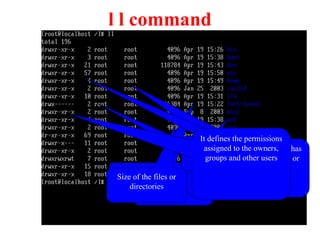
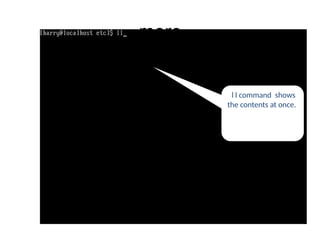
l l command
Fileor directory
names.
Time stamp
Size of the files or
directories
The name of the group which has
the permissions over the files or
directories
Owner name, the user
who created the
directory.
No of links to the directory
It defines the permissions
assigned to the owners,
groups and other users
64.
ls -a
[a] optionlists all files and
directories including hidden files
65.
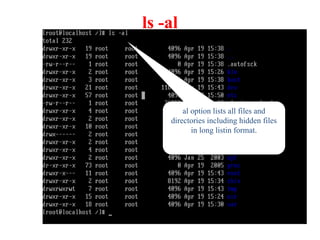
ls -al
al optionlists all files and
directories including hidden files
in long listin format.
66.
ls -R
[R] optionlists working directory
as well as contents in the
directory.
67.
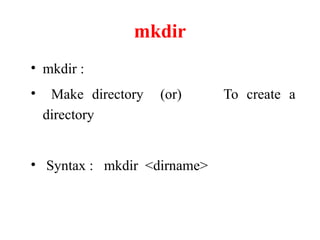
mkdir
• mkdir :
•Make directory (or) To create a
directory
• Syntax : mkdir <dirname>
68.
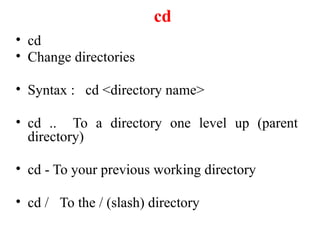
cd
• cd
• Changedirectories
• Syntax : cd <directory name>
• cd .. To a directory one level up (parent
directory)
• cd - To your previous working directory
• cd / To the / (slash) directory
69.
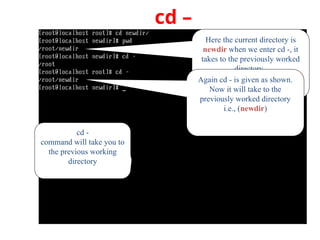
cd –
cd -
commandwill take you to
the previous working
directory
Here the current directory is
newdir when we enter cd -, it
takes to the previously worked
directory.
Again cd - is given as shown.
Now it will take to the
previously worked directory
i.e., (newdir)
70.
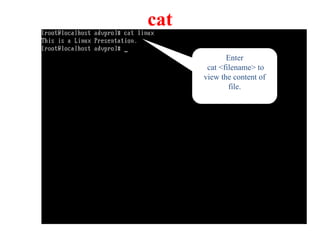
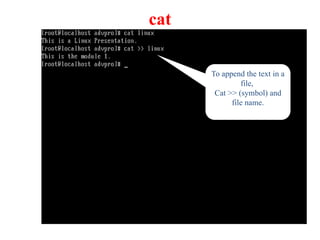
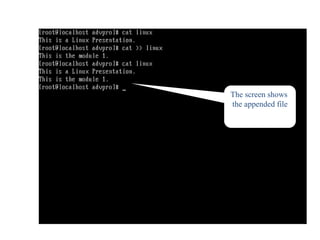
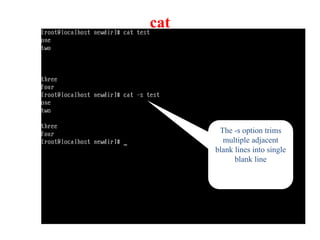
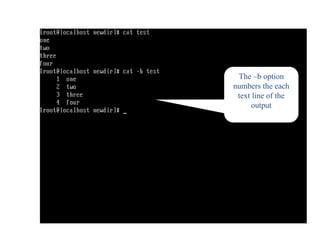
cat
• cat
– itis the command to create and view files
• Syntax:
• cat [options] [filename]
cat > [filename] → To create a file
cat [filename] → To view a file
cat >> [filename] → To append text to a file
71.
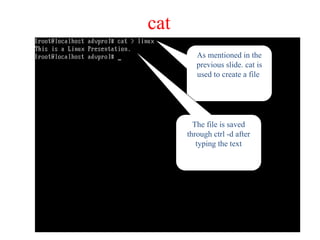
cat
As mentioned inthe
previous slide. cat is
used to create a file
The file is saved
through ctrl -d after
typing the text
cat
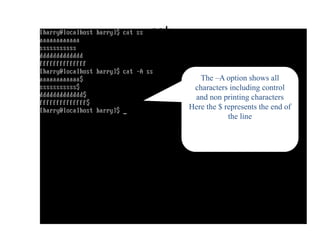
The –A optionshows all
characters including control
and non printing characters
Here the $ represents the end of
the line
78.
touch
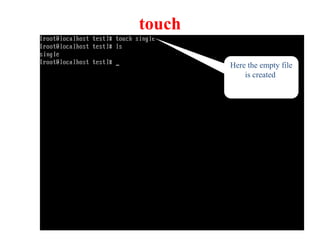
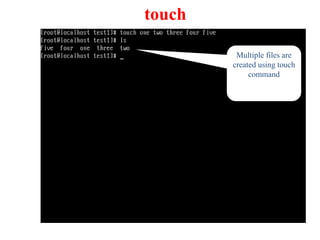
• touch commandis used to update the time stamps of a file.
• touch is also used to create new empty file.
– Syntax : touch [filename]
• touch can create multiple empty file too.
– Syntax : touch [filename1] [filename2]
Copy Command
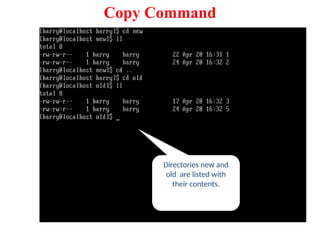
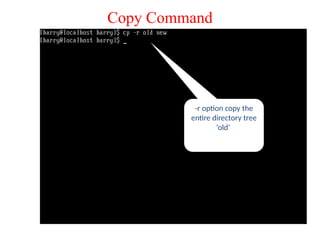
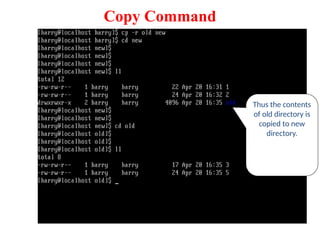
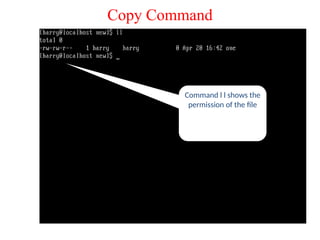
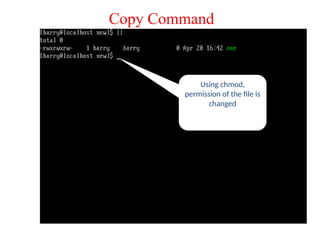
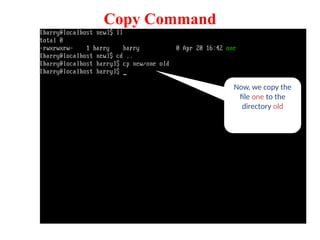
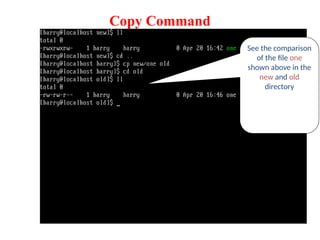
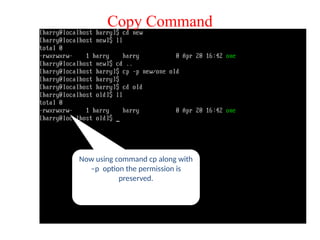
• cp: cp command is known for copying files and
directories.
Syntax : cp [options] source destination
Options :
-r recursively copy an entire directory tree
-p preserve permissions, ownership, and time stamps
– Example :
cp File1 File2
82.
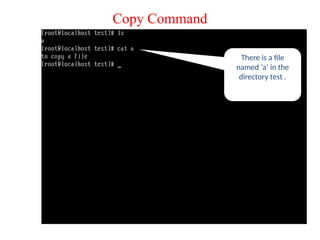
There is afile
named ‘a’ in the
directory test .
Copy Command
83.
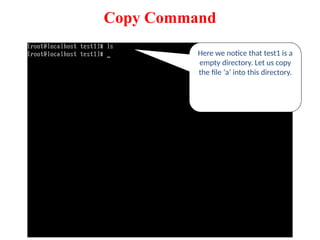
Here we noticethat test1 is a
empty directory. Let us copy
the file ‘a’ into this directory.
Copy Command
84.
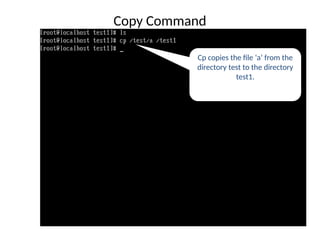
Cp copies thefile ‘a’ from the
directory test to the directory
test1.
Copy Command
85.
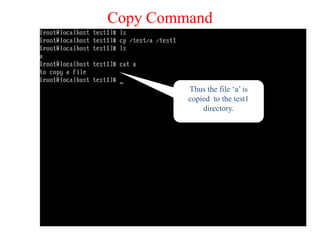
Thus the file‘a’ is
copied to the test1
directory.
Copy Command
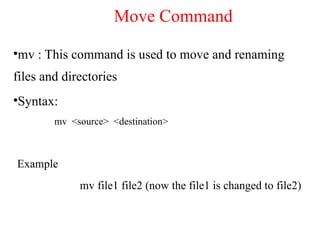
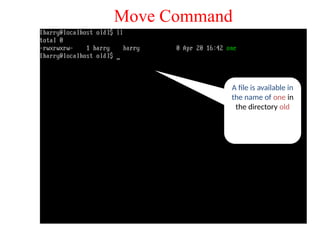
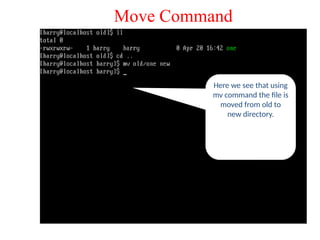
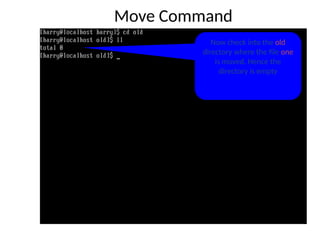
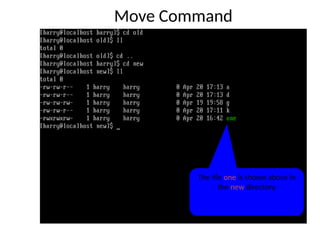
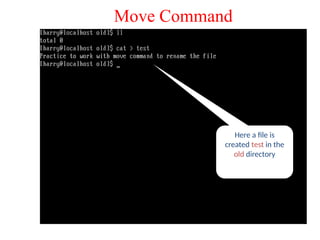
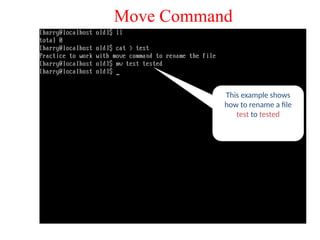
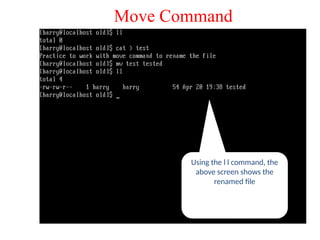
•mv : Thiscommand is used to move and renaming
files and directories
•Syntax:
mv <source> <destination>
Example
mv file1 file2 (now the file1 is changed to file2)
Move Command
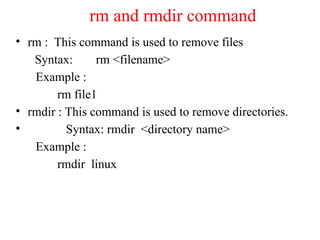
rm and rmdircommand
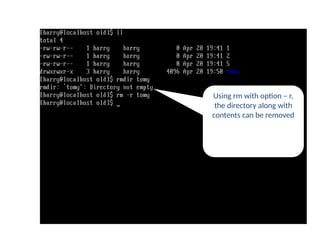
• rm : This command is used to remove files
Syntax: rm <filename>
Example :
rm file1
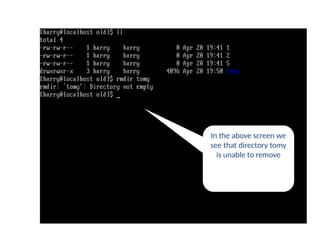
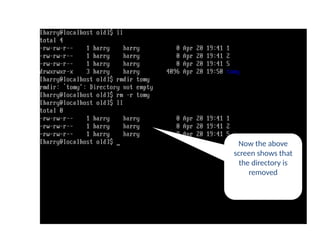
• rmdir : This command is used to remove directories.
• Syntax: rmdir <directory name>
Example :
rmdir linux
103.
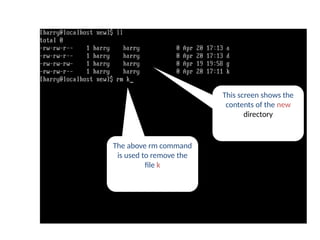
This screen showsthe
contents of the new
directory
rm command
The above rm command
is used to remove the
file k
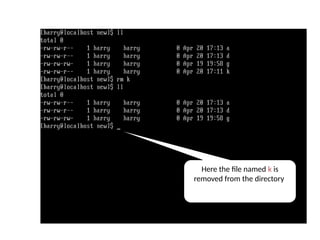
104.
Here the filenamed k is
removed from the directory
rm command
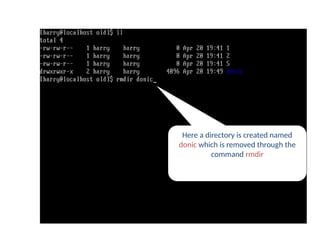
105.
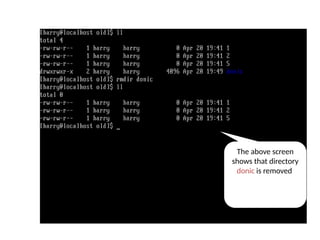
Here a directoryis created named
donic which is removed through the
command rmdir
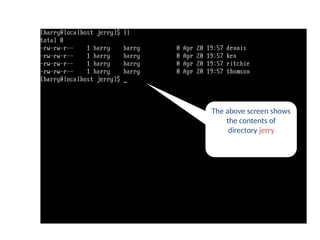
rmdir command
The above screenshows
the contents of
directory jerry
rm command
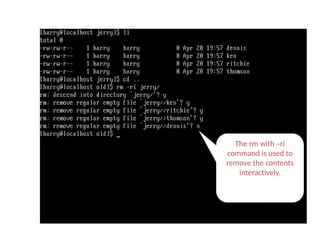
111.
The rm with–ri
command is used to
remove the contents
interactively.
rm -ri command
112.
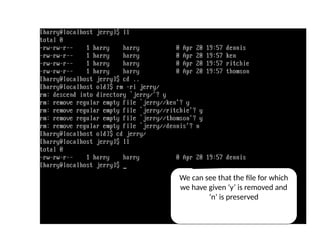
We can seethat the file for which
we have given ‘y’ is removed and
‘n’ is preserved
rm -ri command
113.
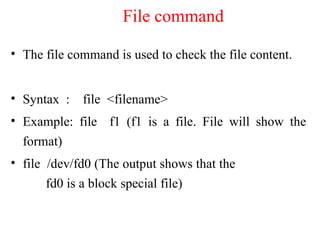
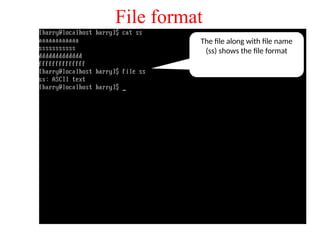
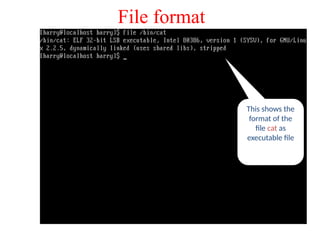
• The filecommand is used to check the file content.
• Syntax : file <filename>
• Example: file f1 (f1 is a file. File will show the
format)
• file /dev/fd0 (The output shows that the
fd0 is a block special file)
File command
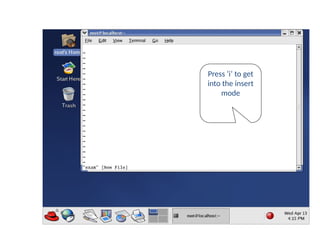
vi & vimeditor
➢Vi is known as the visual editor.
➢It is a standard editor under Linux and Unix system.
➢Vim is the improved version of vi editor
➢Vi have three modes of operation
Command mode
Insert mode
Esc mode
124.
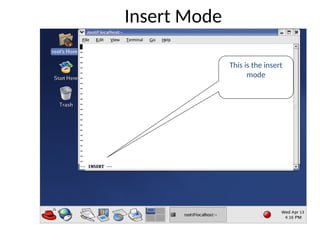
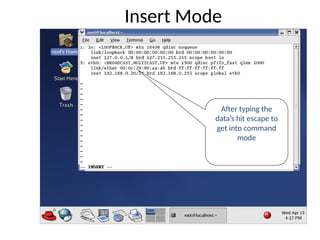
vi Modes
• Commandmode:
• Operations such as cut, copy, paste, delete, undo,
redo etc., are done in this mode.
• Insert mode:
• Type in new text
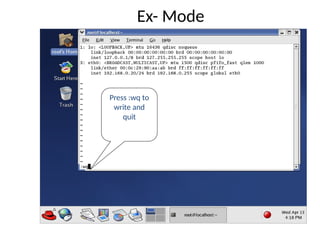
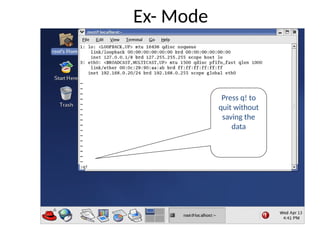
• Ex-mode :
• Extended commands for saving, exiting, search-and-
replace can executed here
125.
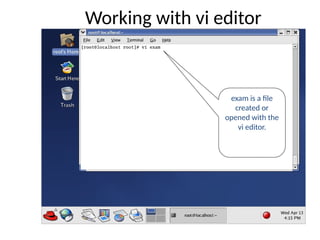
Working with vieditor
exam is a file
created or
opened with the
vi editor.
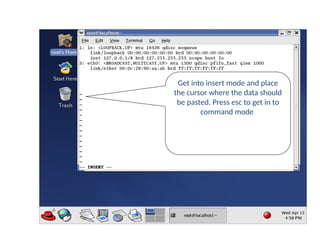
Yank
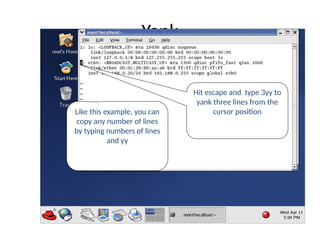
Hit escape andtype 3yy to
yank three lines from the
cursor position
Like this example, you can
copy any number of lines
by typing numbers of lines
and yy
132.
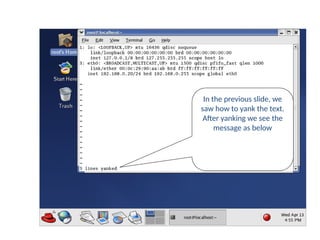
In the previousslide, we
saw how to yank the text.
After yanking we see the
message as below
Text yanked
133.
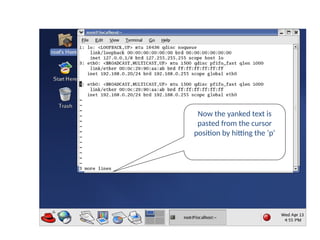
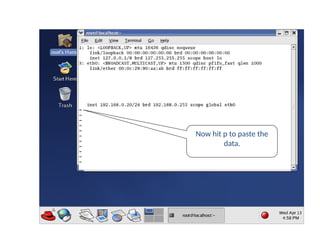
Now the yankedtext is
pasted from the cursor
position by hitting the ‘p‘
Text put
134.
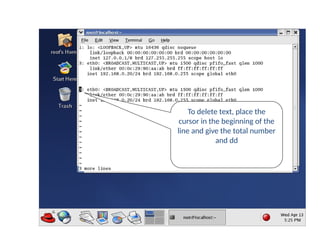
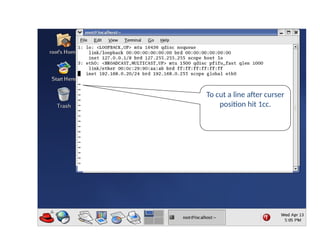
delete
To delete text,place the
cursor in the beginning of the
line and give the total number
and dd
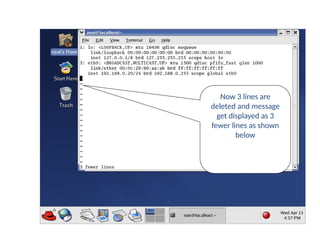
135.
Now 3 linesare
deleted and message
get displayed as 3
fewer lines as shown
below
delete
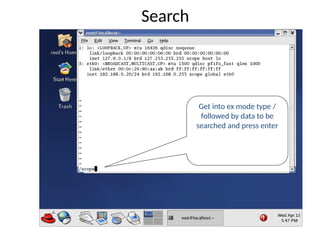
Search
Get into exmode type /
followed by data to be
searched and press enter
140.
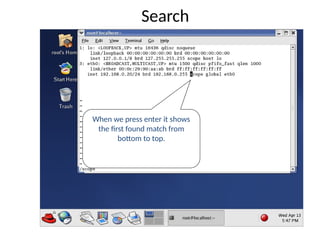
When we pressenter it shows
the first found match from
bottom to top.
Search
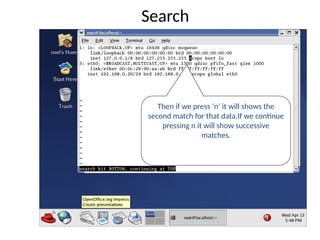
141.
Then if wepress ‘n’ it will shows the
second match for that data.If we continue
pressing n it will show successive
matches.
Search
142.
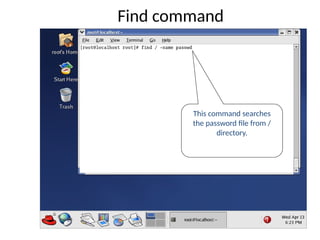
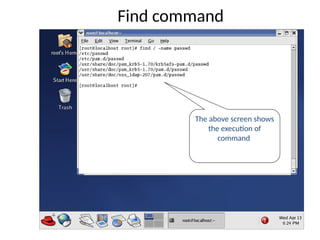
Find command
• Find:To search files and directories in a
specified path.
• Syntax: find <directory> [conditions] [action]
• Condition: -name <file name> - to search a
particular file
• -user <user name> - lists the files owned by
user.
• -perm <mode> - search a file depending
on permission.
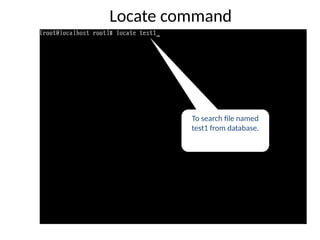
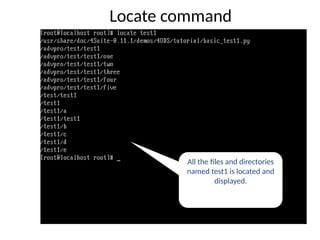
Locate command
• Locate:
•To search or locate files and directories
from the database.
• It locate the files faster than the find
command
• Syntax:
• locate [pattern]
All the filesand directories
named test1 is located and
displayed.
Locate command
148.
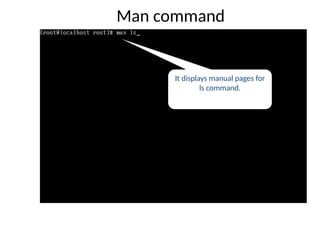
• man :Display helpful information about
commands.
• Syntax:
• man [option] command
• Option:
• –k - search by command description
rather than command name.
Man command
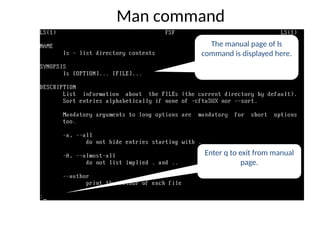
Man command
The manualpage of ls
command is displayed here.
Enter q to exit from manual
page.
151.
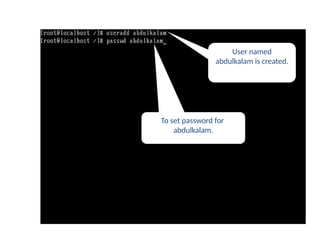
• useradd :
•To create a new user account and login
directory for that new account.
• Useradd will create new entries in system
files.
• Syntax : useradd [options] [user]
• Options
• -c Comment field.
-d Home directory
• -e Account expiration date.
useradd command
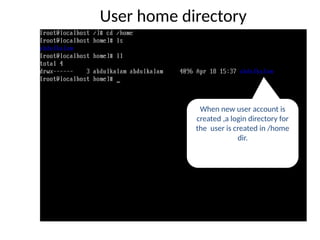
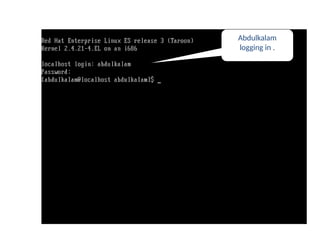
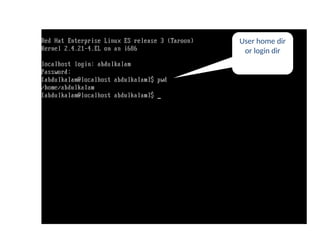
User home directory
Whennew user account is
created ,a login directory for
the user is created in /home
dir.
155.
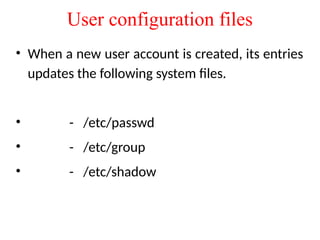
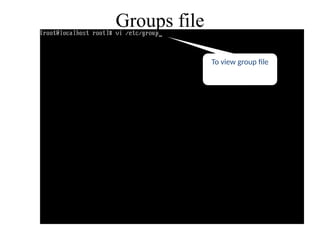
User configuration files
•When a new user account is created, its entries
updates the following system files.
• - /etc/passwd
• - /etc/group
• - /etc/shadow
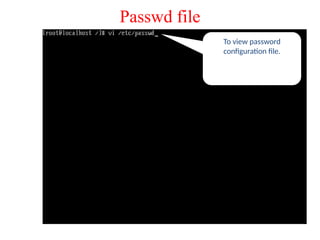
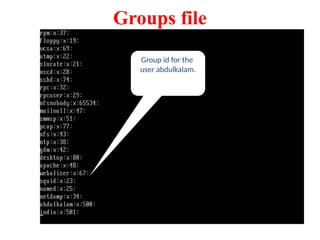
Passwd file
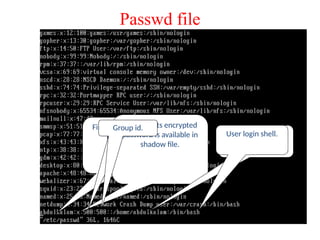
First fieldrepresent
username.
x represents encrypted
password is available in
shadow file.
User id.
Group id.
User home
directory.
User login shell.
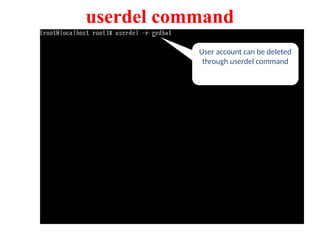
User account canbe deleted
through userdel command
userdel command
162.
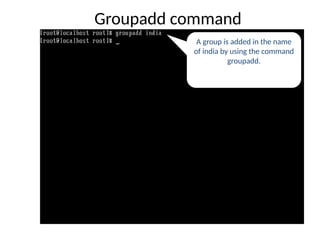
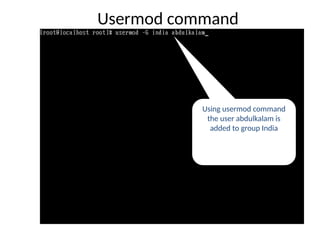
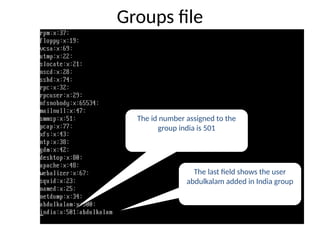
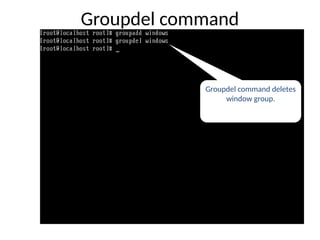
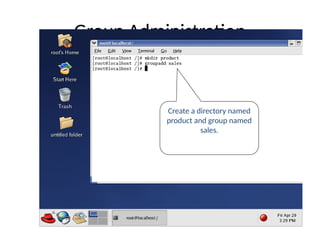
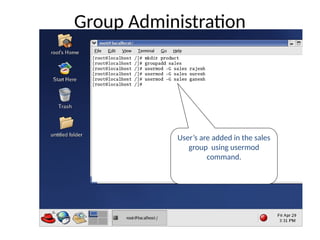
Creating groups
• Newgroup is created by hand-editing the file
/etc/group or by using groupadd command.
• Syntax: groupadd groupname
• groupdel command is used to remove the group.
• Syntax groupdel groupname
• Groupmod is used to rename the existing
groupname.
• Syntax: groupmod –n newname oldname
User administration
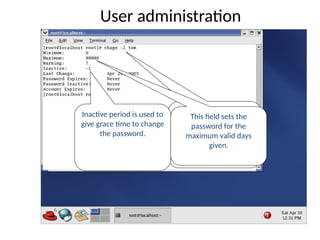
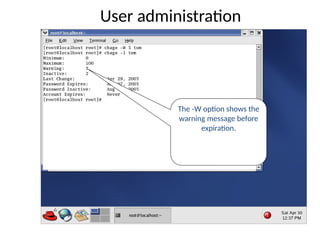
Chage –l: lists the
account and password
information of user tom.
This field sets the
password for the
maximum valid days
given.
Inactive period is used to
give grace time to change
the password.
184.
User administration
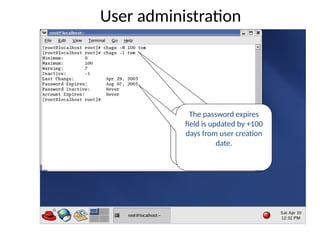
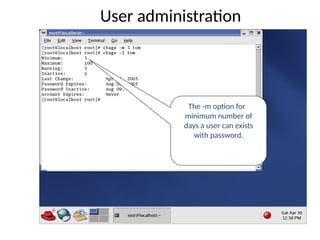
The –Mcommand with
100 sets as the maximum
days.
The password expires
field is updated by +100
days from user creation
date.
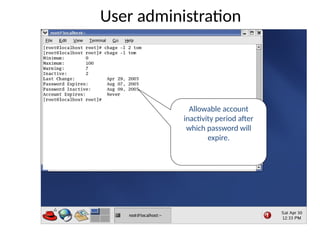
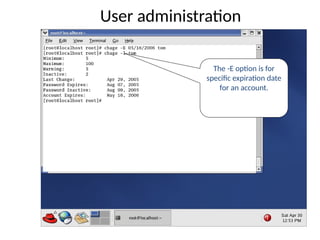
The -E optionis for
specific expiration date
for an account.
User administration
189.
Set userID
• Itallows an executable file to run under the
user or group security context with the
permission of its owner.
• SUID can be set as follows:
• chmod u+s [filename]
(or)
• chmod 4xxx [filename]
190.
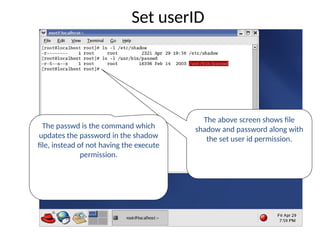
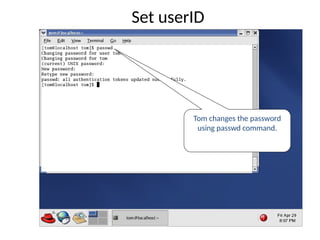
The above screenshows file
shadow and password along with
the set user id permission.
The passwd is the command which
updates the password in the shadow
file, instead of not having the execute
permission.
Set userID
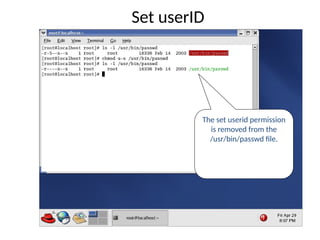
The set useridpermission
is removed from the
/usr/bin/passwd file.
Set userID
193.
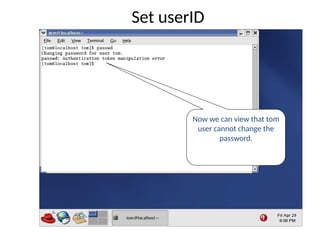
Now we canview that tom
user cannot change the
password.
Set userID
194.
Set GroupID
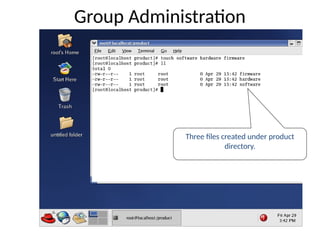
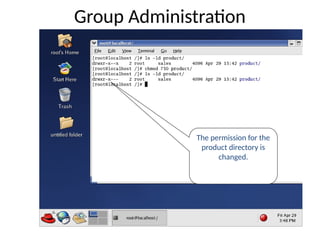
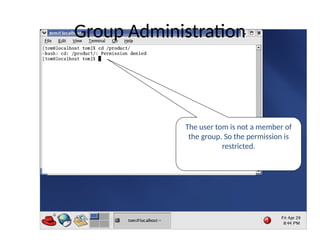
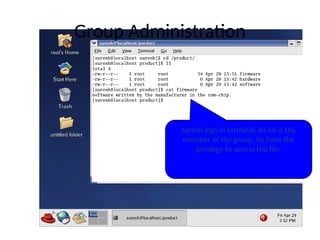
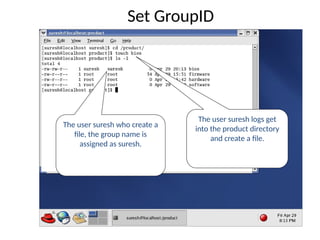
The usersuresh logs get
into the product directory
and create a file.
The user suresh who create a
file, the group name is
assigned as suresh.
195.
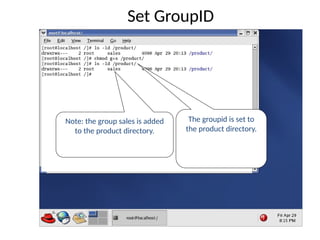
The groupid isset to
the product directory.
Note: the group sales is added
to the product directory.
Set GroupID
196.
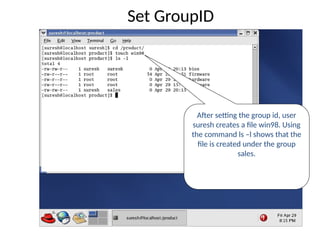
After setting thegroup id, user
suresh creates a file win98. Using
the command ls –l shows that the
file is created under the group
sales.
Set GroupID
![ls
• ls :
• List the Files and Directories within the current directory.
• Syntax:
• ls [options]
• Options:
• -l List file with permission.
• -a List hidden file.
• -i List files and inode number.
• -R List directories , sub directories](https://image.slidesharecdn.com/introductiontolinux-250216210928-4bba4ac9/85/introduction-to-Linux-operating-system-pptx-60-320.jpg)
![ls -a
[a] option lists all files and
directories including hidden files](https://image.slidesharecdn.com/introductiontolinux-250216210928-4bba4ac9/85/introduction-to-Linux-operating-system-pptx-64-320.jpg)
![ls -R
[R] option lists working directory
as well as contents in the
directory.](https://image.slidesharecdn.com/introductiontolinux-250216210928-4bba4ac9/85/introduction-to-Linux-operating-system-pptx-66-320.jpg)
![cat
• cat
– it is the command to create and view files
• Syntax:
• cat [options] [filename]
cat > [filename] → To create a file
cat [filename] → To view a file
cat >> [filename] → To append text to a file](https://image.slidesharecdn.com/introductiontolinux-250216210928-4bba4ac9/85/introduction-to-Linux-operating-system-pptx-70-320.jpg)
![touch
• touch command is used to update the time stamps of a file.
• touch is also used to create new empty file.
– Syntax : touch [filename]
• touch can create multiple empty file too.
– Syntax : touch [filename1] [filename2]](https://image.slidesharecdn.com/introductiontolinux-250216210928-4bba4ac9/85/introduction-to-Linux-operating-system-pptx-78-320.jpg)
![Copy Command
• cp : cp command is known for copying files and
directories.
Syntax : cp [options] source destination
Options :
-r recursively copy an entire directory tree
-p preserve permissions, ownership, and time stamps
– Example :
cp File1 File2](https://image.slidesharecdn.com/introductiontolinux-250216210928-4bba4ac9/85/introduction-to-Linux-operating-system-pptx-81-320.jpg)
![Find command
• Find: To search files and directories in a
specified path.
• Syntax: find <directory> [conditions] [action]
• Condition: -name <file name> - to search a
particular file
• -user <user name> - lists the files owned by
user.
• -perm <mode> - search a file depending
on permission.](https://image.slidesharecdn.com/introductiontolinux-250216210928-4bba4ac9/85/introduction-to-Linux-operating-system-pptx-142-320.jpg)
![Locate command
• Locate:
• To search or locate files and directories
from the database.
• It locate the files faster than the find
command
• Syntax:
• locate [pattern]](https://image.slidesharecdn.com/introductiontolinux-250216210928-4bba4ac9/85/introduction-to-Linux-operating-system-pptx-145-320.jpg)
![• man : Display helpful information about
commands.
• Syntax:
• man [option] command
• Option:
• –k - search by command description
rather than command name.
Man command](https://image.slidesharecdn.com/introductiontolinux-250216210928-4bba4ac9/85/introduction-to-Linux-operating-system-pptx-148-320.jpg)
![• useradd :
• To create a new user account and login
directory for that new account.
• Useradd will create new entries in system
files.
• Syntax : useradd [options] [user]
• Options
• -c Comment field.
-d Home directory
• -e Account expiration date.
useradd command](https://image.slidesharecdn.com/introductiontolinux-250216210928-4bba4ac9/85/introduction-to-Linux-operating-system-pptx-151-320.jpg)
![Set userID
• It allows an executable file to run under the
user or group security context with the
permission of its owner.
• SUID can be set as follows:
• chmod u+s [filename]
(or)
• chmod 4xxx [filename]](https://image.slidesharecdn.com/introductiontolinux-250216210928-4bba4ac9/85/introduction-to-Linux-operating-system-pptx-189-320.jpg)


![Linux [2005]](https://cdn.slidesharecdn.com/ss_thumbnails/linuxgsi640final1-12005-120430024710-phpapp01-thumbnail.jpg?width=640&height=640&fit=bounds)


