Pragmatic unit testing with JUnitBy Allan S.  Lim2010/09/29
Table of ContentsNaming your testsHamcrest Assertions and MatchersParameterized tests and Junit theoriesJunit RulesCode coverage in your IDEParallel Testing
What’s in the name?* Don't use the word "test" in your tests (use "should" instead)* Write your tests consistently* Consider tests as production code
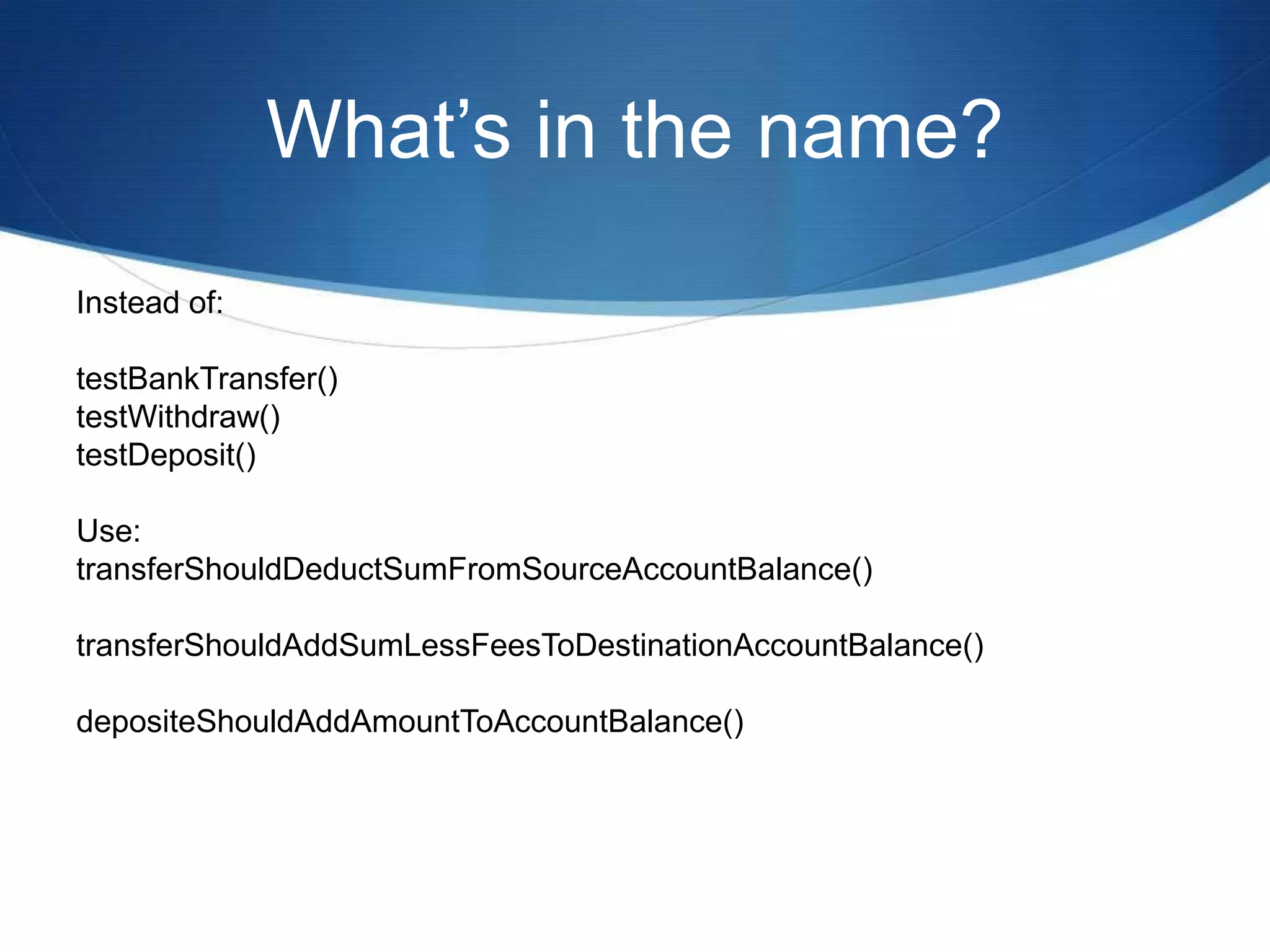
What’s in the name?Instead of:testBankTransfer()testWithdraw()testDeposit()Use:transferShouldDeductSumFromSourceAccountBalance()transferShouldAddSumLessFeesToDestinationAccountBalance()depositeShouldAddAmountToAccountBalance()
What’s in the name?Your test class names should represent context class WhenYouCreateACellaDeadCellShouldBePrintedAsADot()aDeadCellShouldBeRepresentedByADot()aDeadCellSymbolShouldBeADot()aLiveCellShouldBePrintedAsAnAsterisk()aLiveCellSymbolShouldBeAnAsterisk()
What is BDD?Define as “Behavior Driven Development”writing test cases in a natural language that non-programmers can read.focuses on obtaining a clear understanding of desired software behavior through discussion with stakeholders.is an agile software development technique that encourages collaboration between developers, QA and non-technical or business participants in a software project.
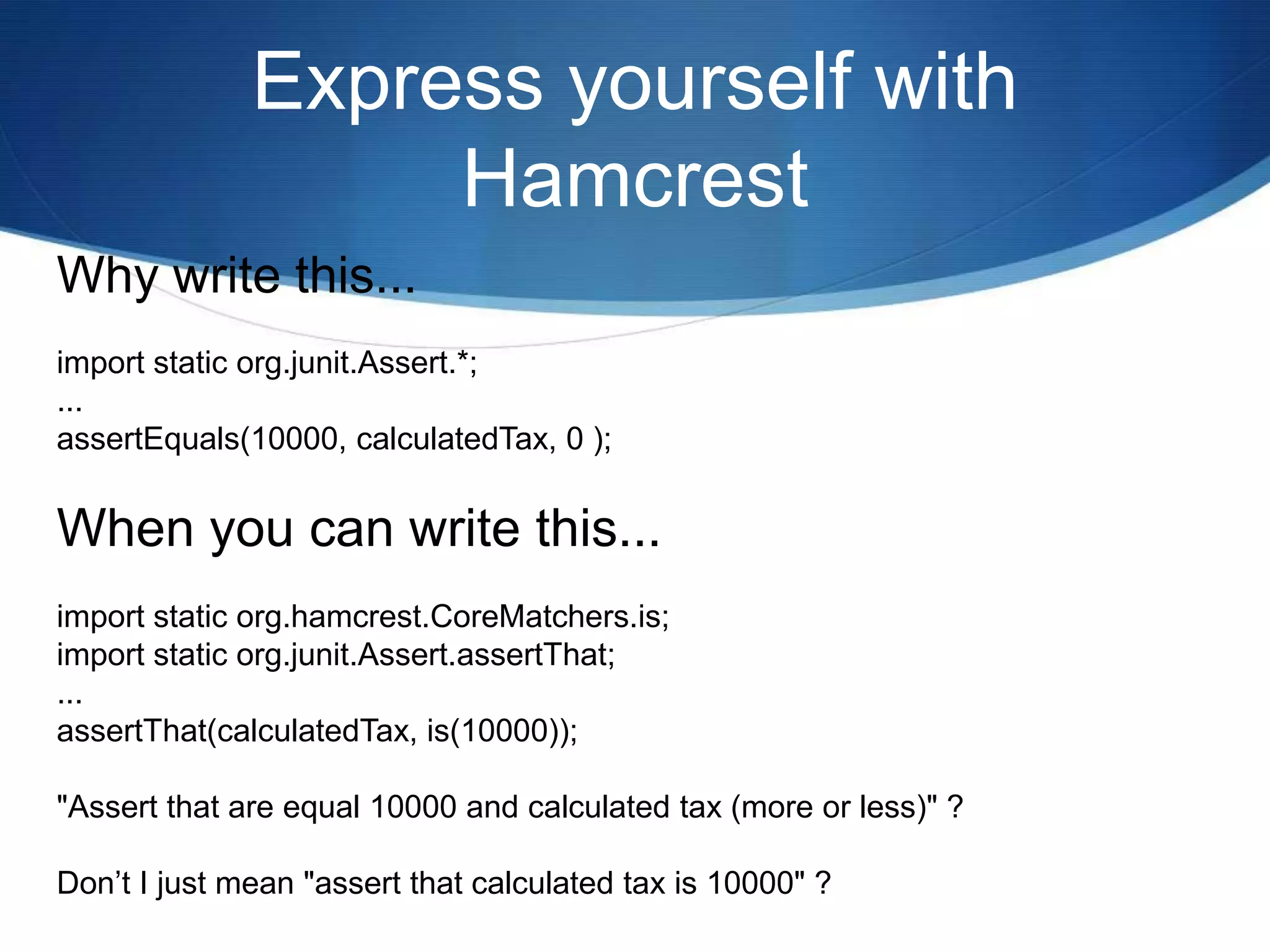
Express yourself with HamcrestWhy write this...import static org.junit.Assert.*;...assertEquals(10000, calculatedTax, 0 );When you can write this...import static org.hamcrest.CoreMatchers.is;import static org.junit.Assert.assertThat;...assertThat(calculatedTax, is(10000));"Assert that are equal 10000 and calculated tax (more or less)" ?Don’t I just mean "assert that calculated tax is 10000" ?
Express yourself with HamcrestString color = “red”assertThat(color, is(“blue”));Java.lang.AssertionError:Expected: is “blue”got: “red”
Express yourself with HamcrestString[] colors = new String[] {“red”, “green”, “blue”}String color = “yellow”assertThat(color, not(isIn(colors));assertThat(color, isOneOf(“red”, “blue”, “green”));List<String> colors = new Array List<String>();colors.add(“red”);colors.add(“green”);colors.add(“blue”);assertThat(colors, hasItem(“blue”));assertThat(colors, hasItems(“red, “green”));
Express yourself with HamcrestassertThat(colors, hasItem(anyOf(is("red"), is("green"), is("blue") )));java.lang.AssertionError:Expected: a collection containing (is "red", or is "green", or is "blue")got: <[Red,Green,Blue,Yellow]>
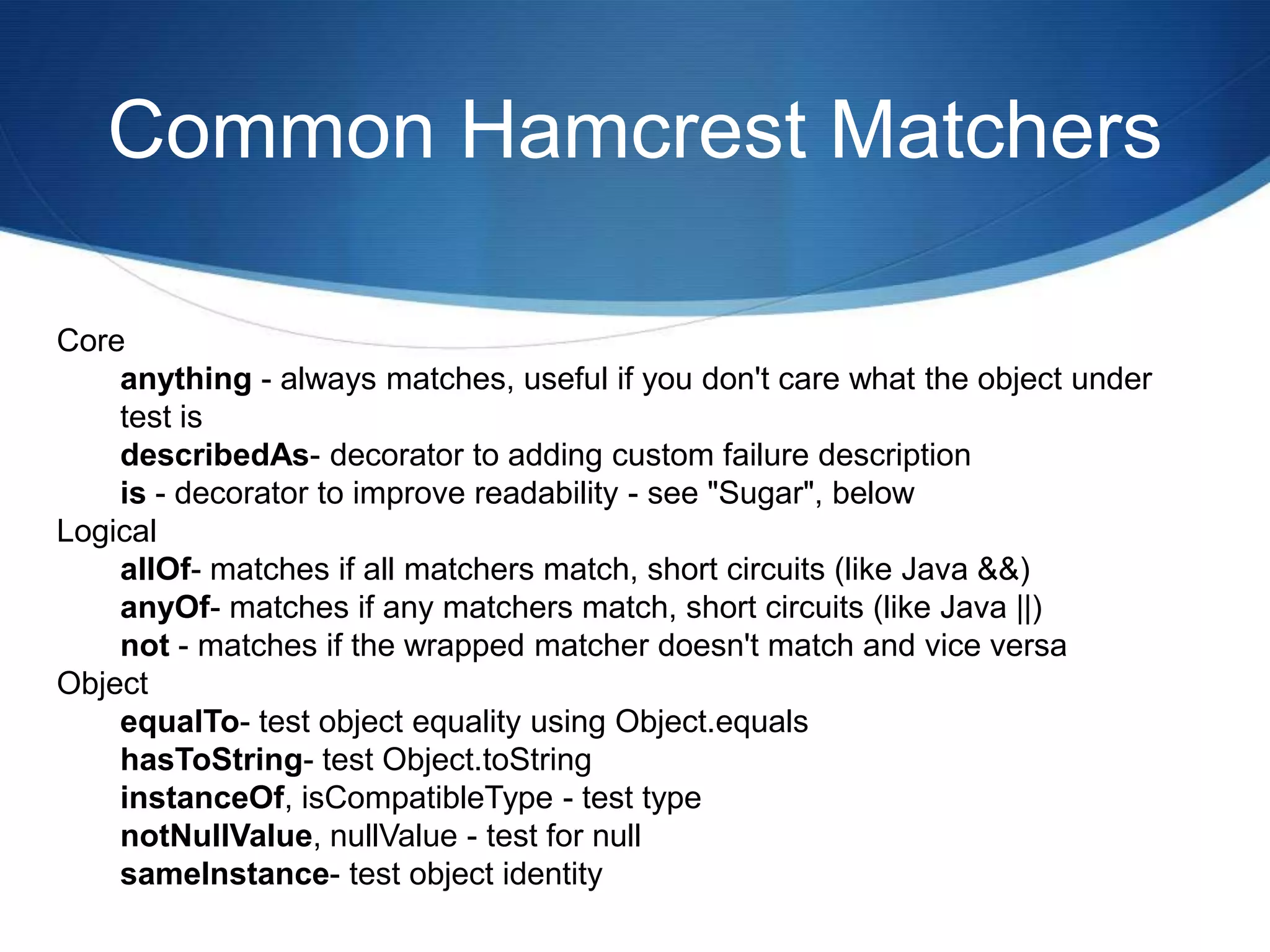
Common Hamcrest MatchersCore anything - always matches, useful if you don't care what the object under test is describedAs- decorator to adding custom failure description is - decorator to improve readability - see "Sugar", below Logical allOf- matches if all matchers match, short circuits (like Java &&) anyOf- matches if any matchers match, short circuits (like Java ||) not - matches if the wrapped matcher doesn't match and vice versa Object equalTo- test object equality using Object.equalshasToString- test Object.toStringinstanceOf, isCompatibleType - test type notNullValue, nullValue - test for null sameInstance- test object identity
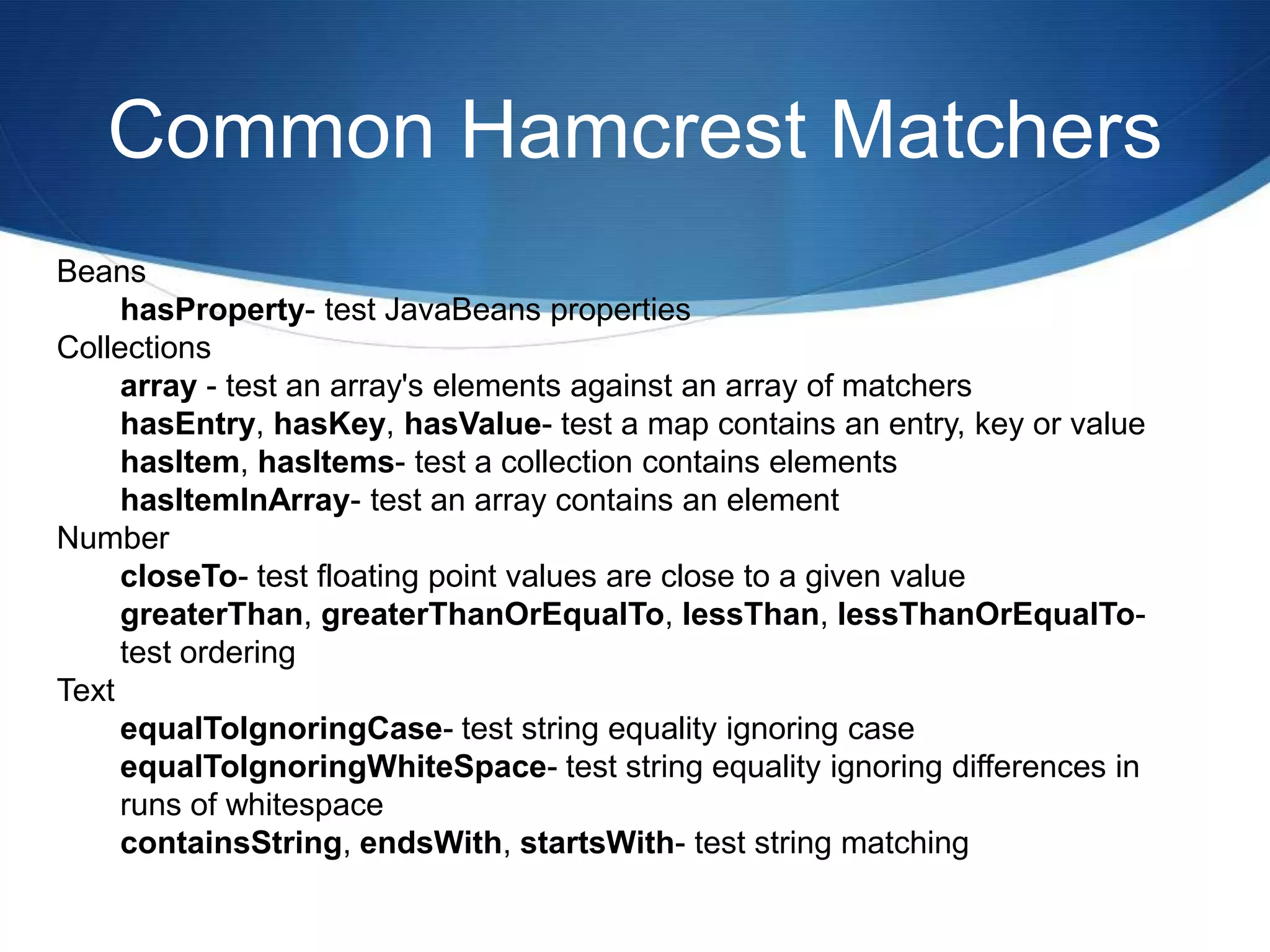
Common Hamcrest MatchersBeans hasProperty- test JavaBeans properties Collections array - test an array's elements against an array of matchers hasEntry, hasKey, hasValue- test a map contains an entry, key or value hasItem, hasItems- test a collection contains elements hasItemInArray- test an array contains an element Number closeTo- test floating point values are close to a given value greaterThan, greaterThanOrEqualTo, lessThan, lessThanOrEqualTo- test ordering Text equalToIgnoringCase- test string equality ignoring case equalToIgnoringWhiteSpace- test string equality ignoring differences in runs of whitespace containsString, endsWith, startsWith- test string matching
Home made Hamcrest MatchersCustomizing Hamcrest matchersYou can build your own by combining existing Matchers:List stakeholders = stakeholderManager.findByName("Health")Matcher<Stakeholder> calledHealthCorp = hasProperty("name",is("Health Corp"));assertThat(stakeHolders, hasItem(calledHealthCorp));
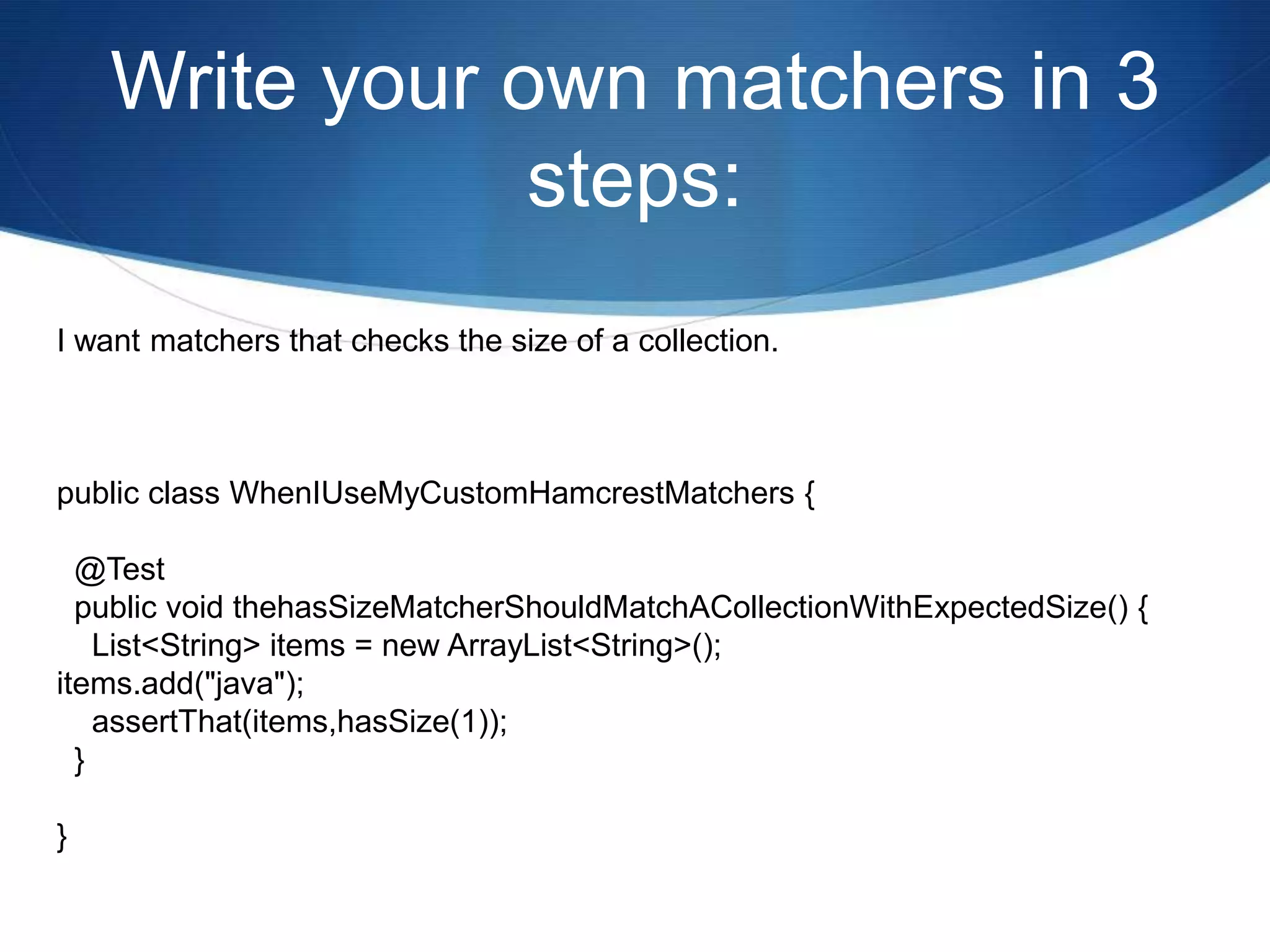
Write your own matchers in 3 steps:I want matchers that checks the size of a collection.public class WhenIUseMyCustomHamcrestMatchers {  @Test  public void thehasSizeMatcherShouldMatchACollectionWithExpectedSize() {    List<String> items = new ArrayList<String>();items.add("java");    assertThat(items,hasSize(1));  }}
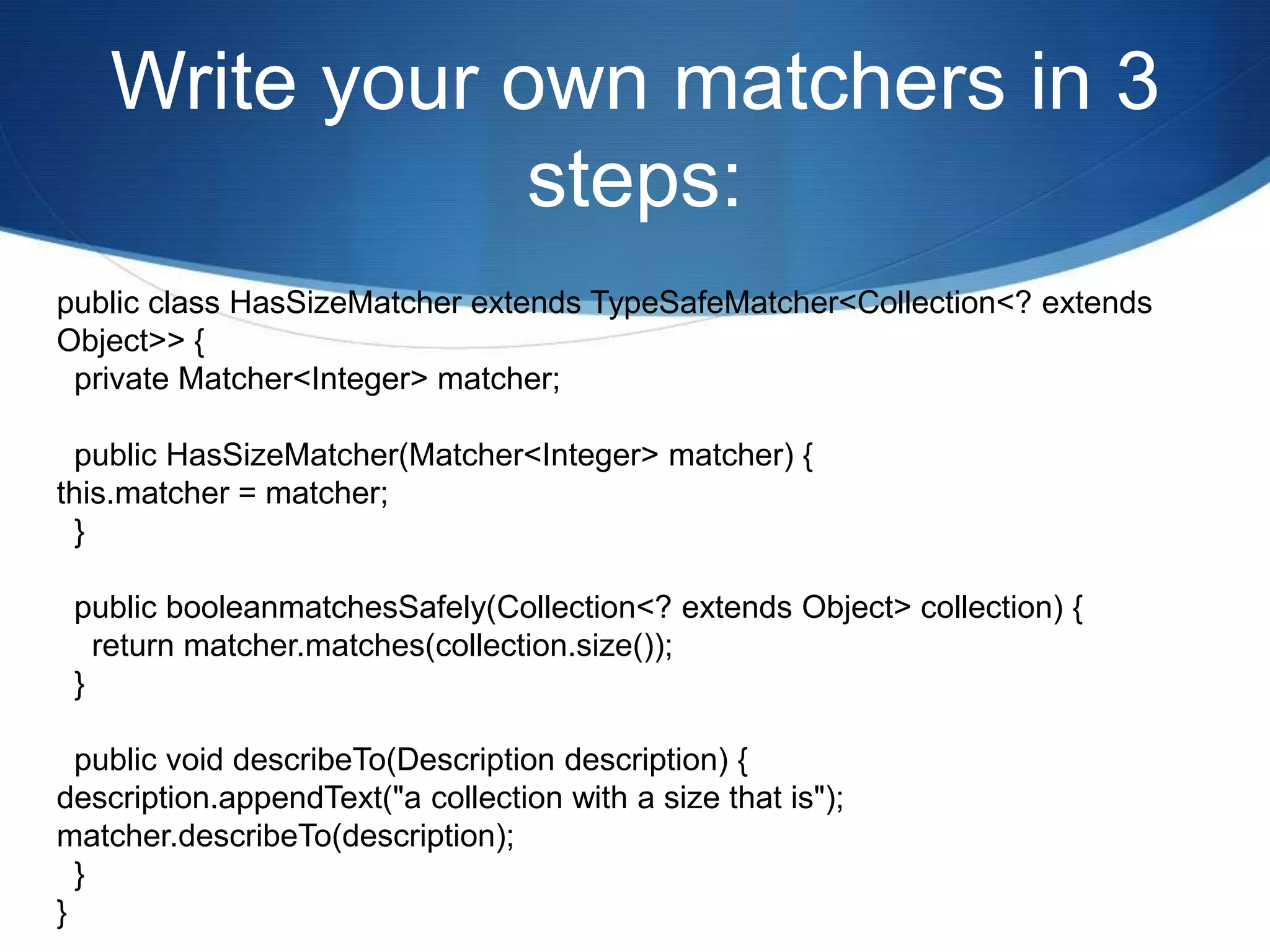
Write your own matchers in 3 steps:public class HasSizeMatcher extends TypeSafeMatcher<Collection<? extends Object>> {  private Matcher<Integer> matcher;  public HasSizeMatcher(Matcher<Integer> matcher) {this.matcher = matcher;  }  public booleanmatchesSafely(Collection<? extends Object> collection) {    return matcher.matches(collection.size());  }  public void describeTo(Description description) {description.appendText("a collection with a size that is");matcher.describeTo(description);  }}
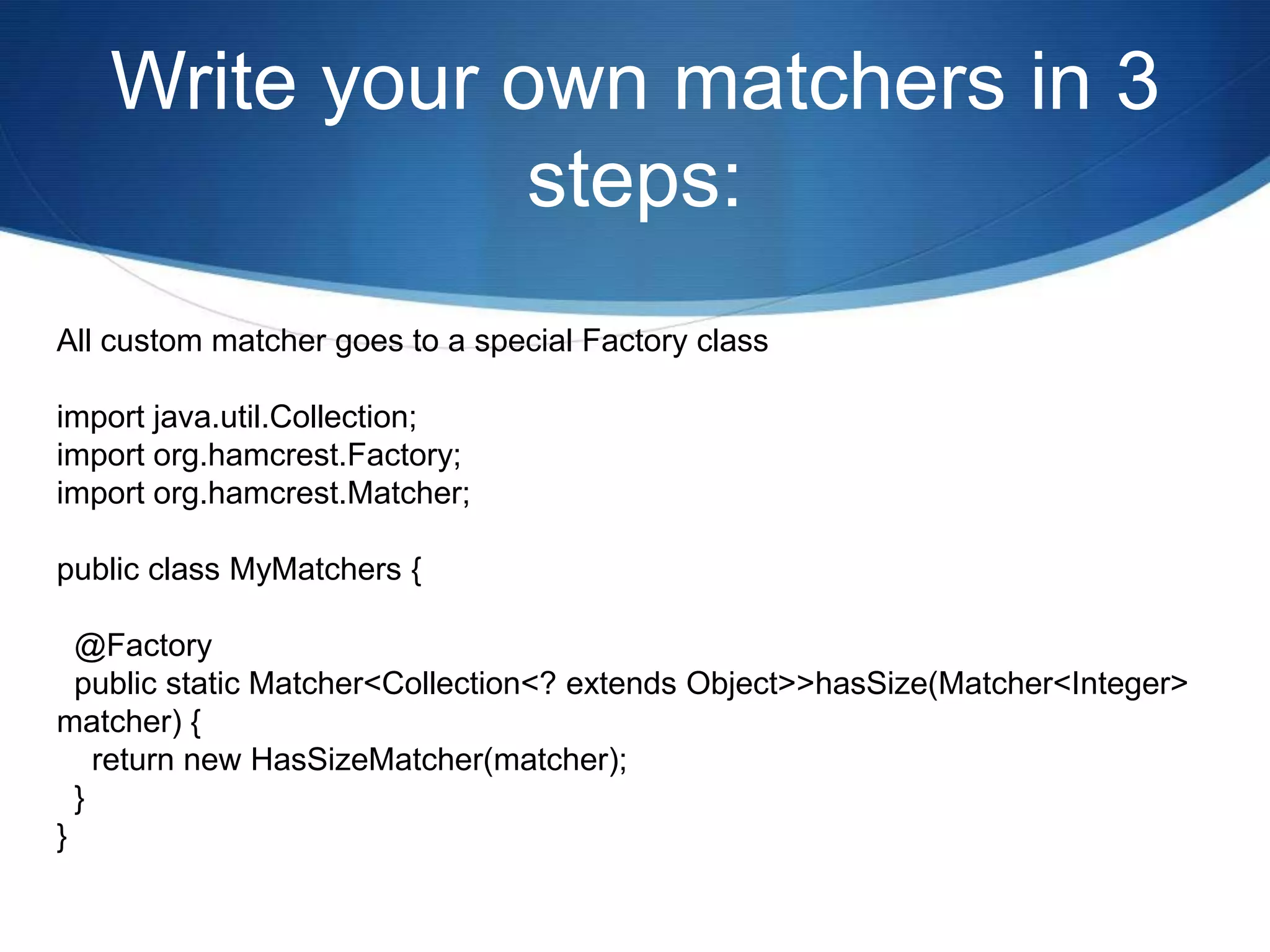
Write your own matchers in 3 steps:All custom matcher goes to a special Factory classimport java.util.Collection;import org.hamcrest.Factory;import org.hamcrest.Matcher;public class MyMatchers {  @Factory  public static Matcher<Collection<? extends Object>> hasSize(Matcher<Integer> matcher) {    return new HasSizeMatcher(matcher);  }}
Parameterized Testing* The test class needs to be decorated with the @RunWith(Parameterized.class) annotation* You need a public static data-providing method, decorated with the @Parameters annotation* Each test method is decorated with @Test (as usual)
Using parameterized Test@RunWith(Parameterized.class)public class TaxCalculatorDataTest {  private double income;  private double expectedTax;  @Parameters  public static Collection<Object[]> data() {    return Arrays.asList( new Object[][] {      {0.00, 0.00},      {1000.00, 1250.00},      {1200.00, 3230.00}    });  }  public TaxCalculatorDataTest(double income, double expectedTax) {    super();this.income = income;this.expectedTax = expectedTax;  }  @Test  public void shouldCalculateCorrectTax() {TaxCalculator calculator = new TaxCalculator();    double calculatedTax = calculator.calculateTax(income);assertThat(calculatedTax, is(expectedTax));  }}
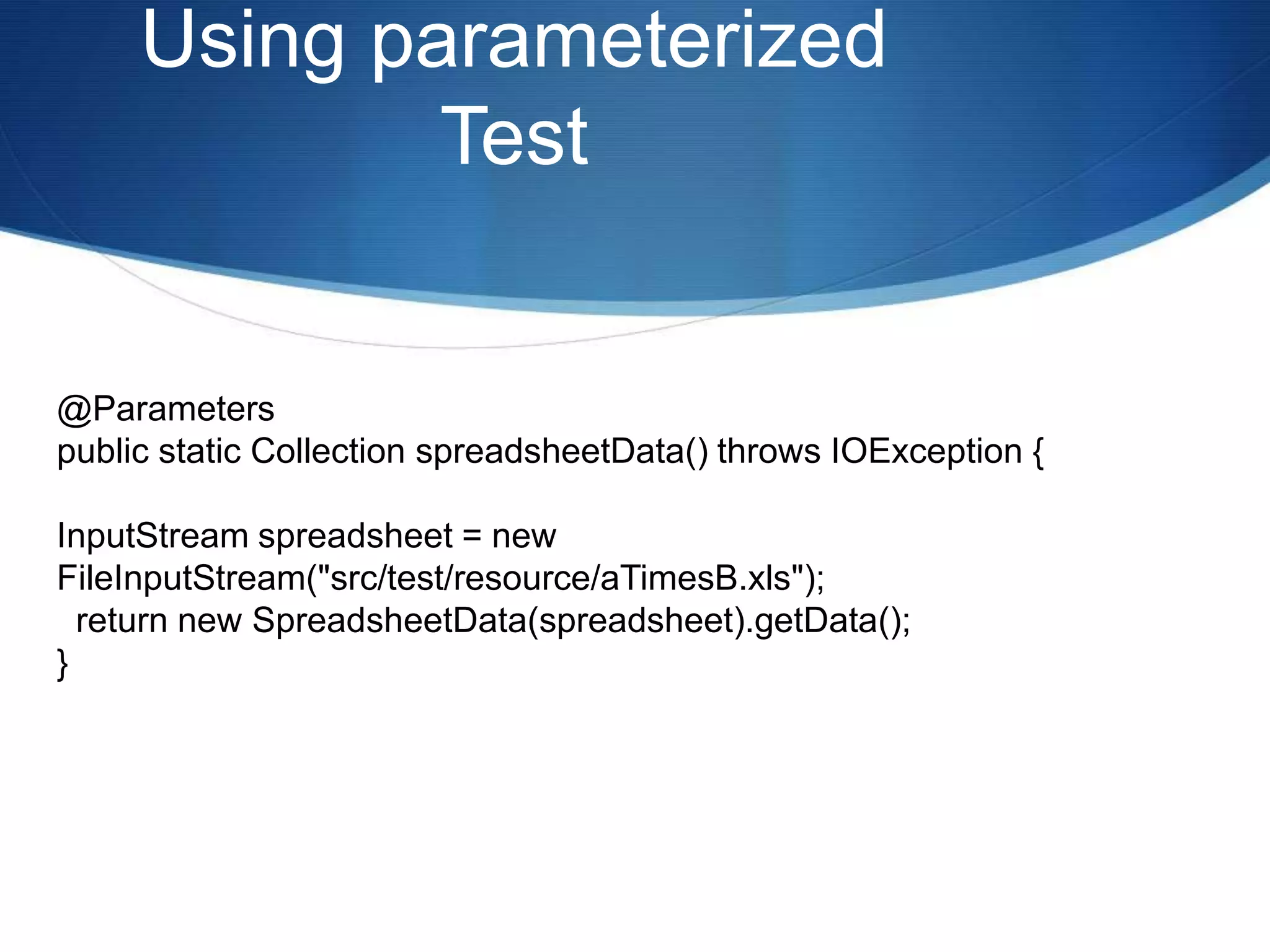
Using parameterized Test@Parameterspublic static Collection spreadsheetData() throws IOException {InputStream spreadsheet = new FileInputStream("src/test/resource/aTimesB.xls");  return new SpreadsheetData(spreadsheet).getData();}
JUnit RulesRules are, in essence, another extension mechanism for JUnit, which can be used to add functionality to JUnit on a per-test basis.
JUnit RulesTemporaryFolder -  Allows test to create files and folders that are guaranteed to be deleted after the test is run. This is a common need for tests that work with the filesystem and want to run in isolation.
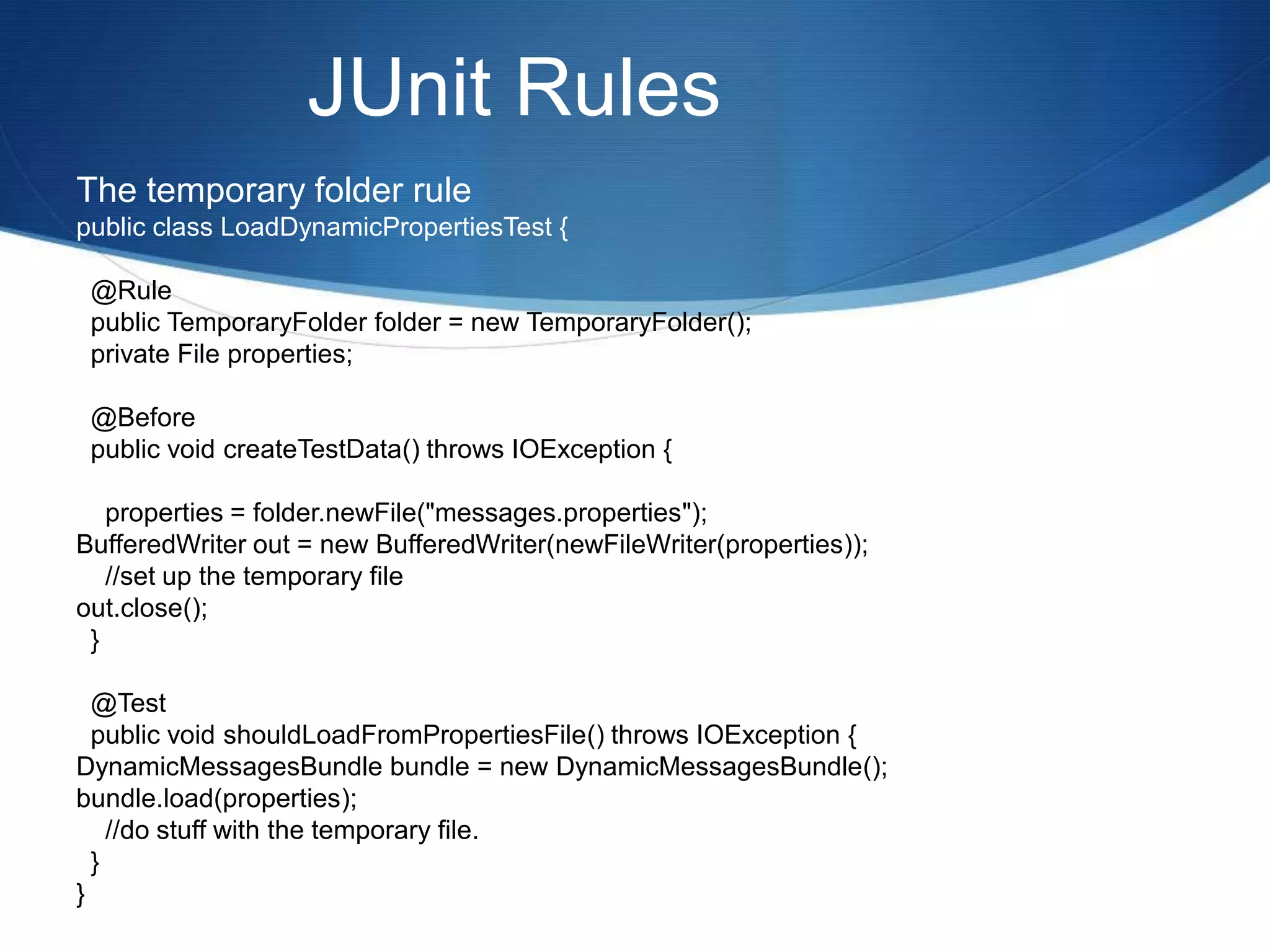
JUnit RulesThe temporary folder rulepublic class LoadDynamicPropertiesTest {  @Rule  public TemporaryFolder folder = new TemporaryFolder();  private File properties;  @Before  public void createTestData() throws IOException {    properties = folder.newFile("messages.properties");BufferedWriter out = new BufferedWriter(newFileWriter(properties));    //set up the temporary fileout.close();  }   @Test  public void shouldLoadFromPropertiesFile() throws IOException {DynamicMessagesBundle bundle = new DynamicMessagesBundle();bundle.load(properties);    //do stuff with the temporary file.  }}
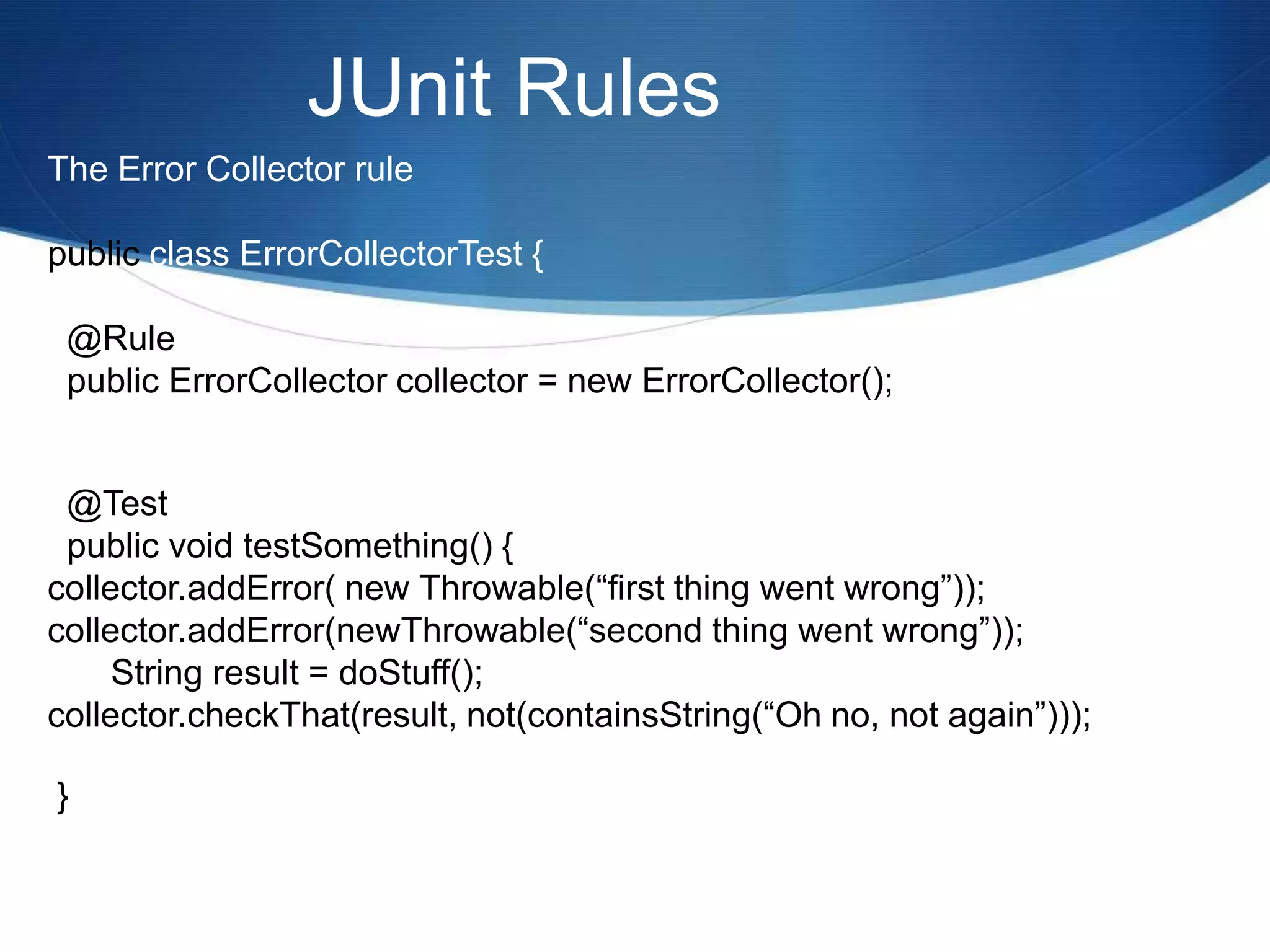
JUnit RulesErrorCollector Rule - Allows the test to continue running after a failure and report all errors at the end of the test. Useful when a test verifies a number of independent conditions (although that may itself be a 'test smell').
JUnit RulesThe Error Collector rulepublic class ErrorCollectorTest {  @Rule  public ErrorCollector collector = new ErrorCollector();  @Test  public void testSomething() {collector.addError( new Throwable(“first thing went wrong”));collector.addError(newThrowable(“second thing went wrong”));	String result = doStuff();collector.checkThat(result, not(containsString(“Oh no, not again”))); }
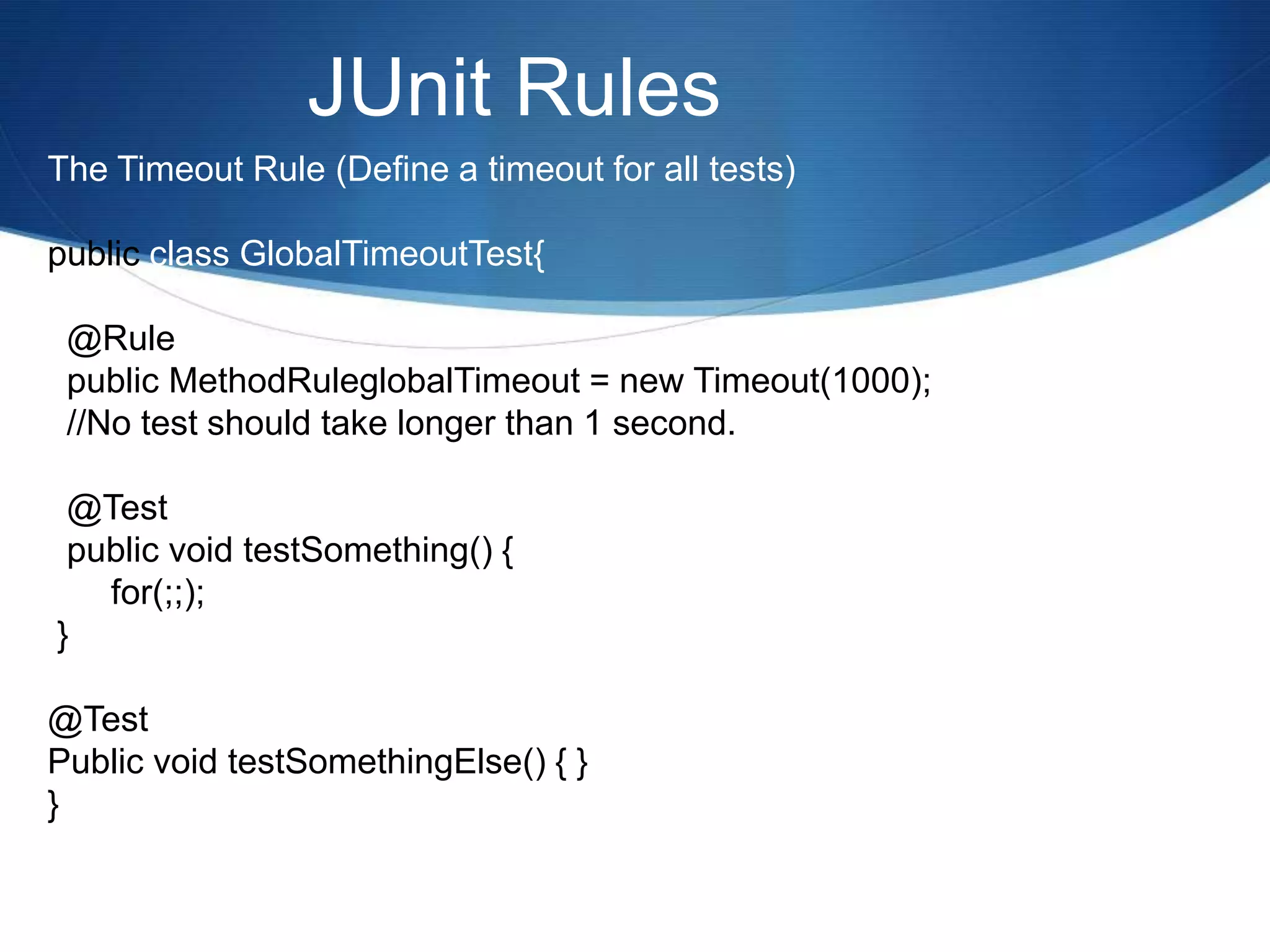
JUnit RulesTimeout Rule - Applies the same timeout to all tests in a class.
JUnit RulesThe Timeout Rule (Define a timeout for all tests)public class GlobalTimeoutTest{  @Rule  public MethodRuleglobalTimeout = new Timeout(1000);  //No test should take longer than 1 second.  @Test  public void testSomething() {	for(;;);  }@TestPublic void testSomethingElse() { }}
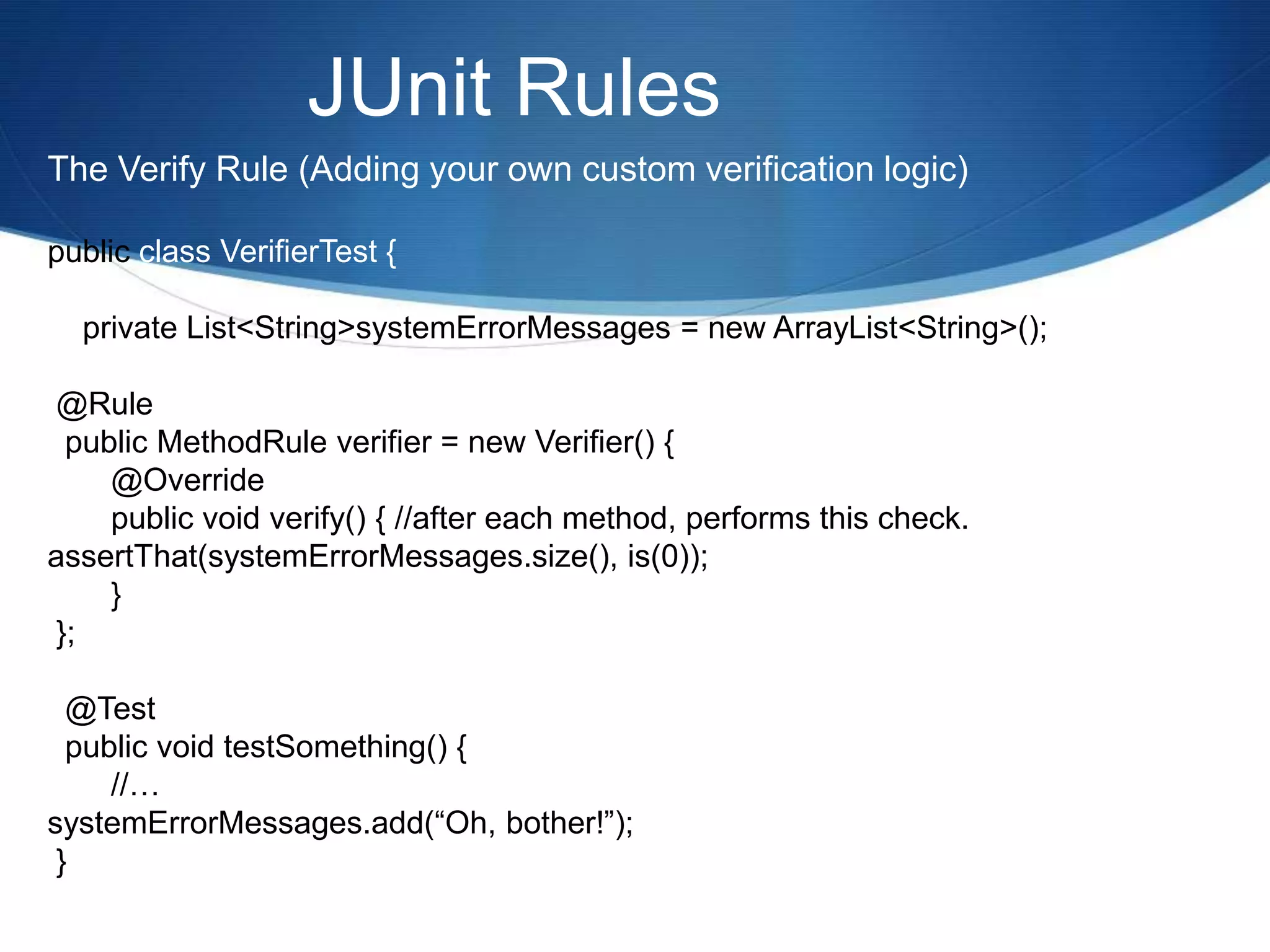
JUnit RulesThe Verify Rule (Adding your own custom verification logic)public class VerifierTest {    private List<String> systemErrorMessages = new ArrayList<String>(); @Rule  public MethodRule verifier = new Verifier() {	@Override	public void verify() { //after each method, performs this check.assertThat(systemErrorMessages.size(), is(0));	} };  @Test  public void testSomething() {	//…systemErrorMessages.add(“Oh, bother!”); }
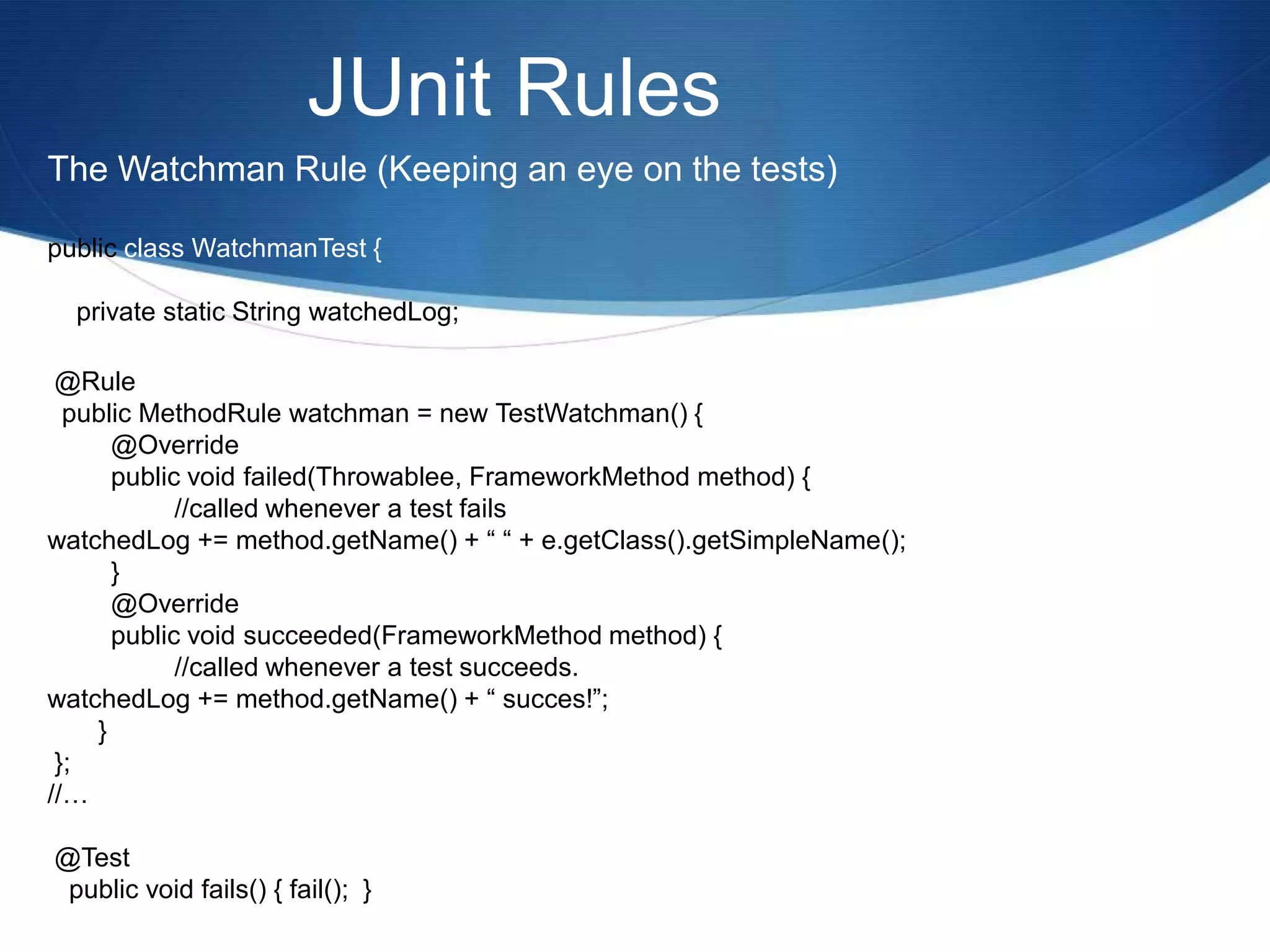
JUnit RulesThe Watchman Rule (Keeping an eye on the tests)public class WatchmanTest {    private static String watchedLog; @Rule  public MethodRule watchman = new TestWatchman() {	@Override	public void failed(Throwablee, FrameworkMethod method) {      		//called whenever a test failswatchedLog += method.getName() + “ “ + e.getClass().getSimpleName();	}	@Override	public void succeeded(FrameworkMethod method) {		//called whenever a test succeeds.watchedLog += method.getName() + “ succes!”;       } };//… @Test   public void fails() { fail();  }
JUnit Ruleshttps://www.docjar.com/docs/api/org/junit/rules/package-index.html
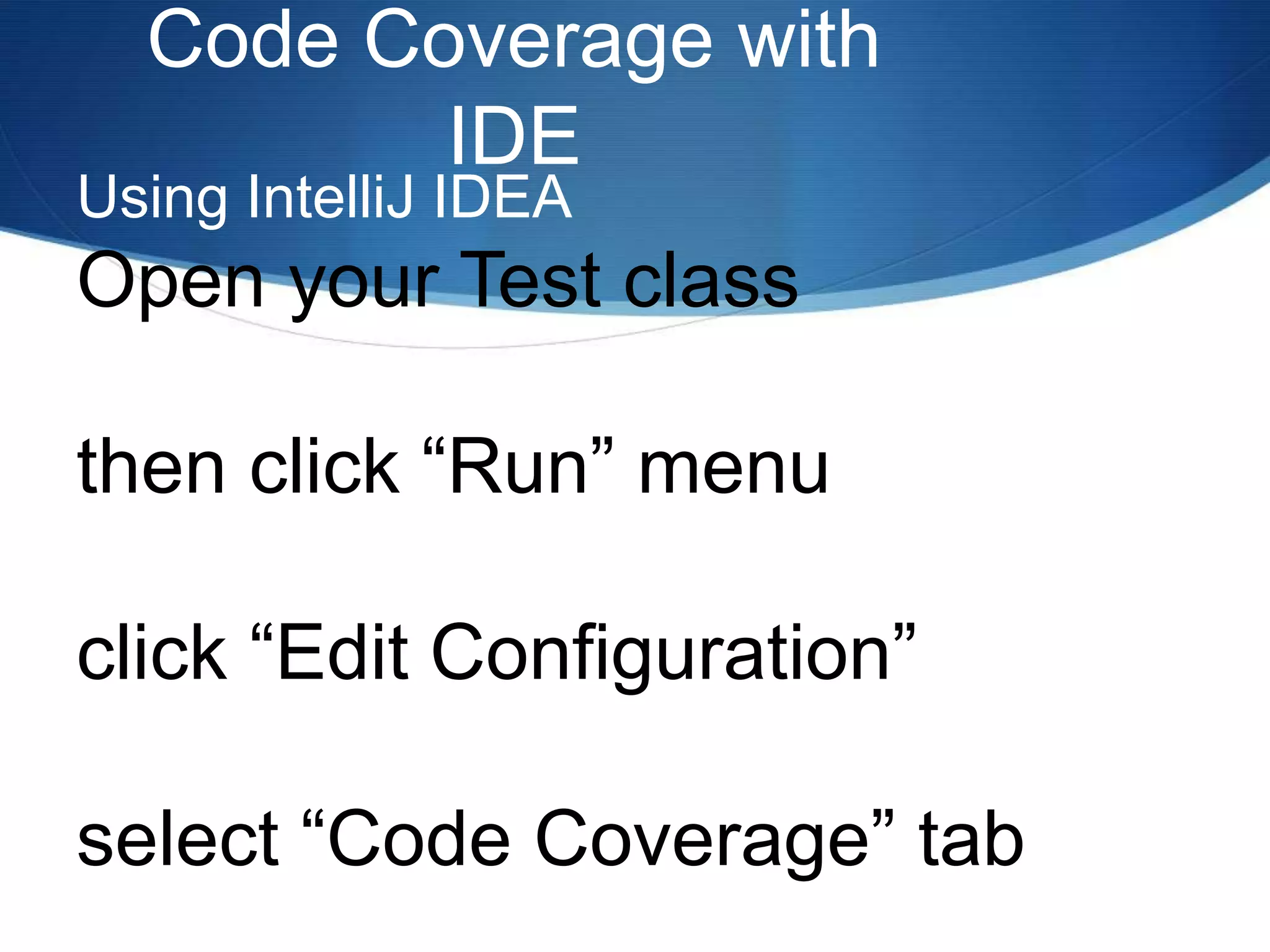
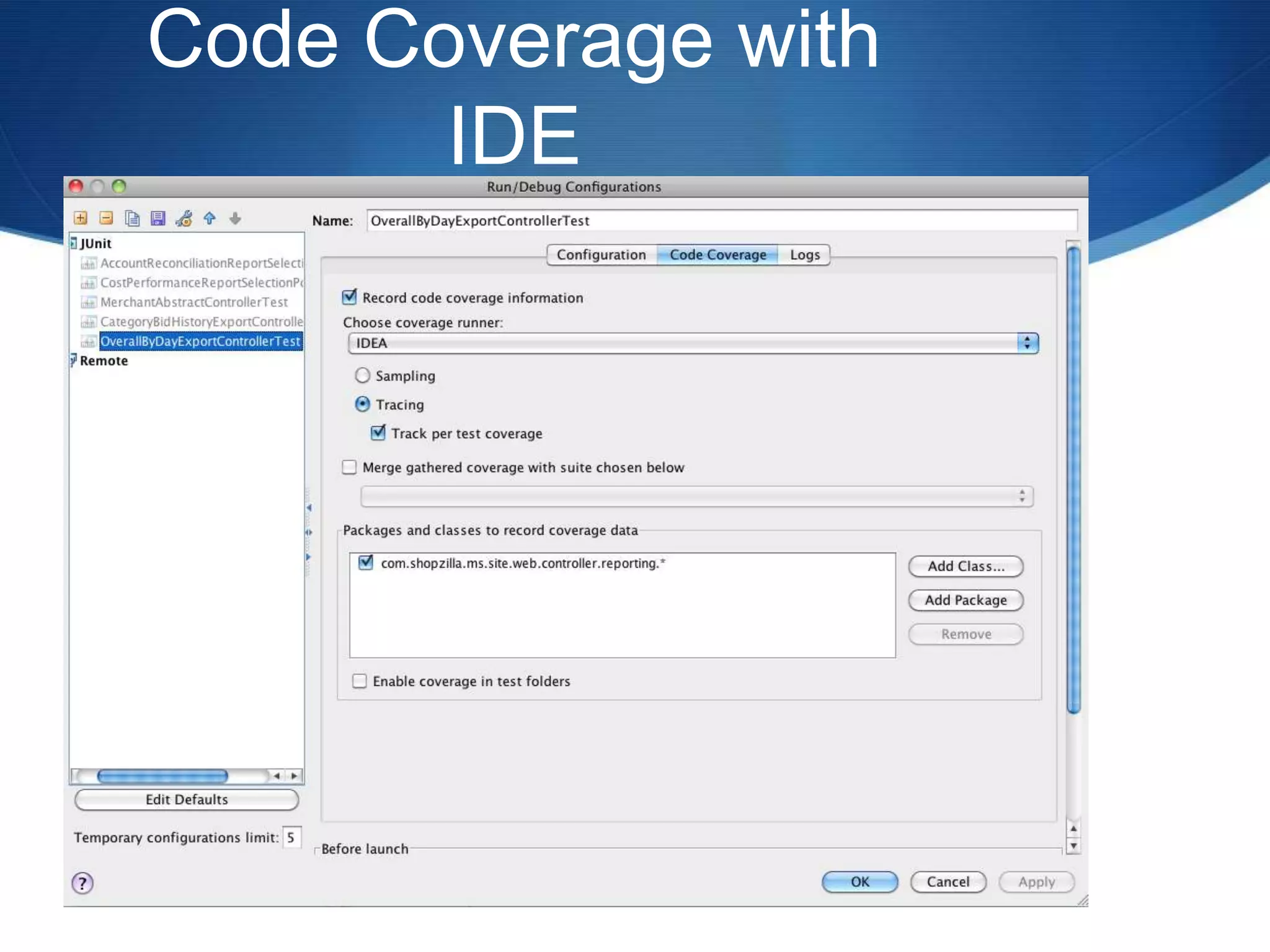
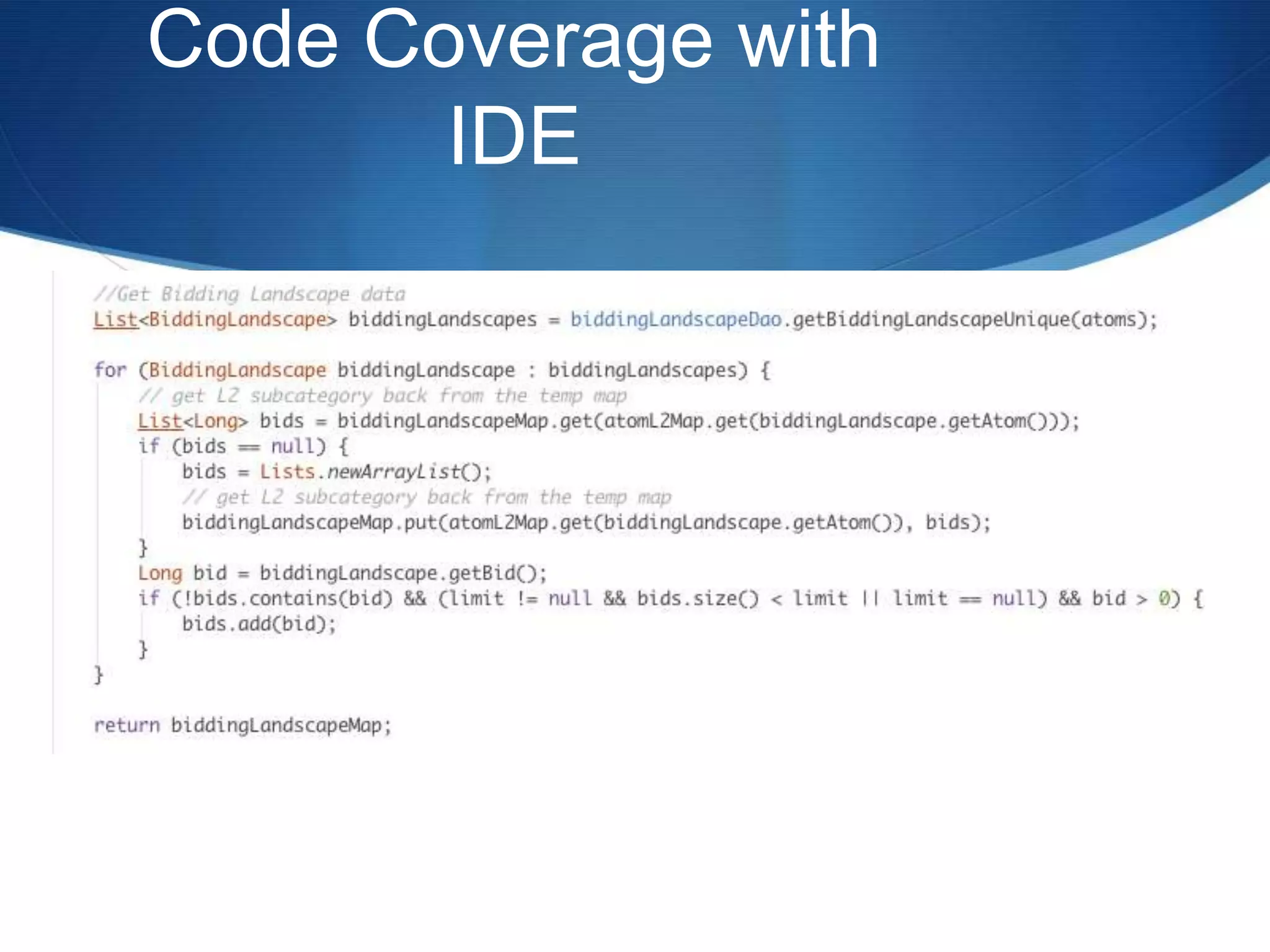
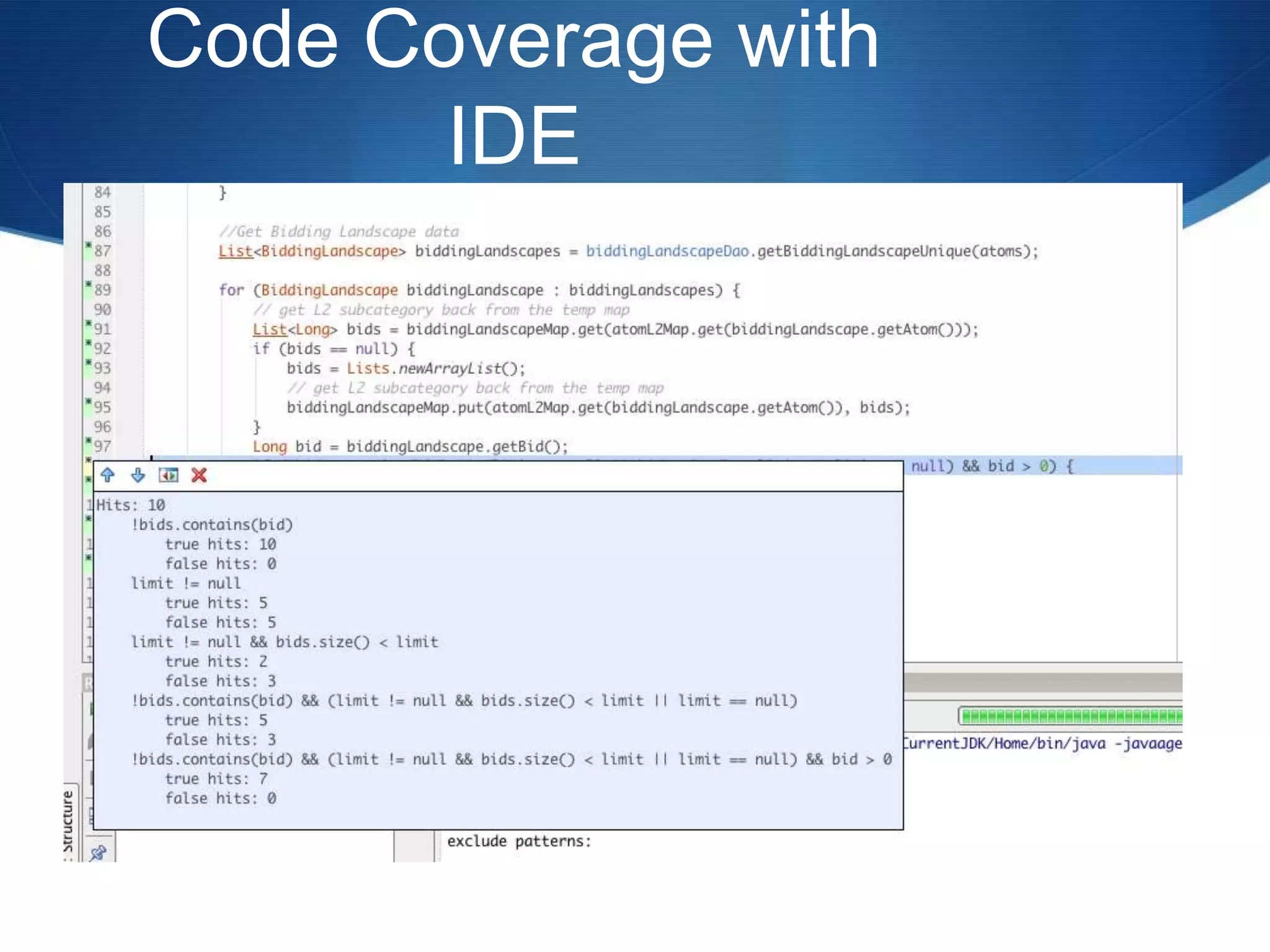
Code Coverage with IDEUsing IntelliJ IDEAOpen your Test classthen click “Run” menu click “Edit Configuration” select “Code Coverage” tab
Code Coverage with IDE
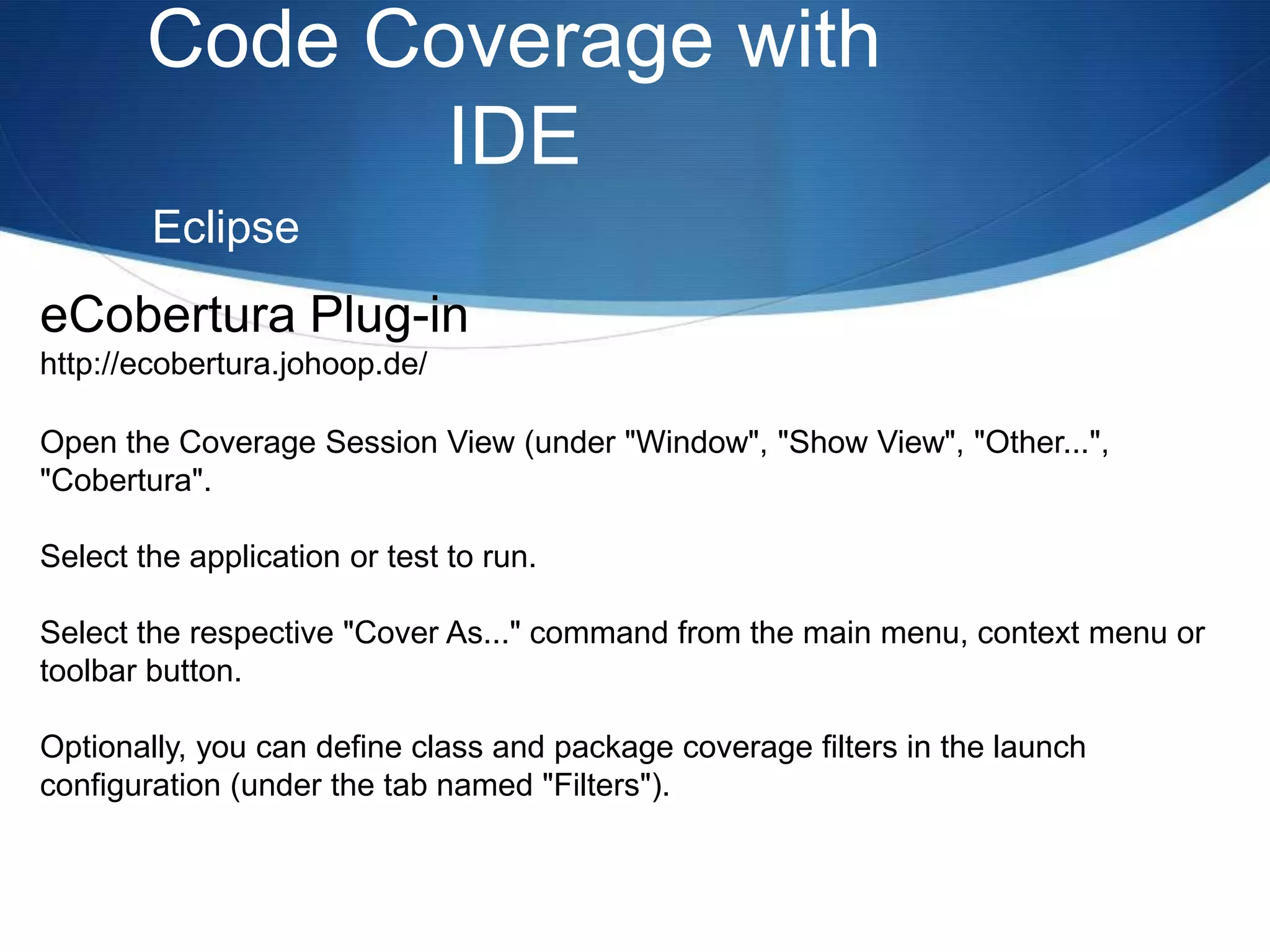
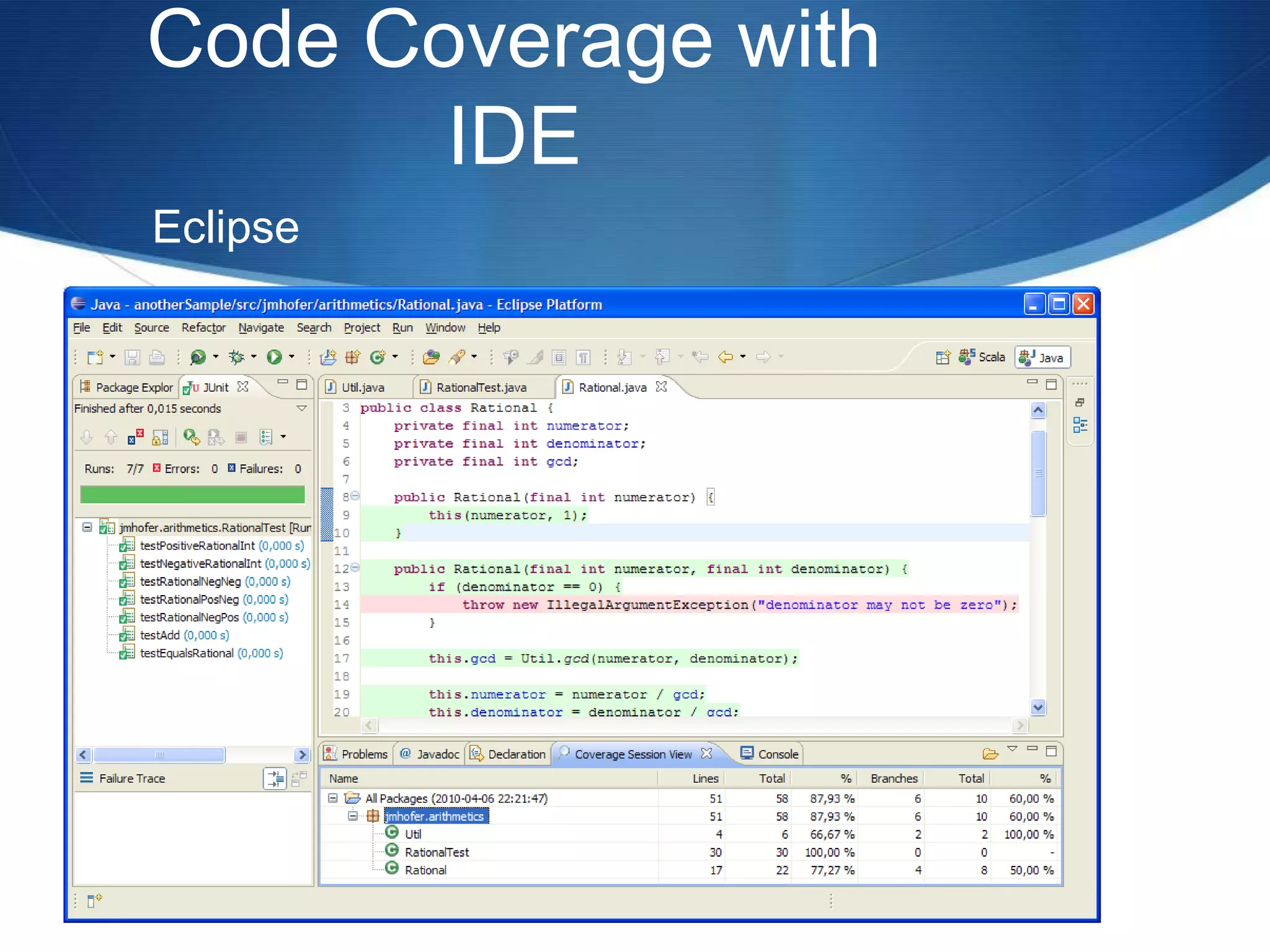
Code Coverage with IDEEclipseeCobertura Plug-inhttp://ecobertura.johoop.de/Open the Coverage Session View (under "Window", "Show View", "Other...", "Cobertura".Select the application or test to run.Select the respective "Cover As..." command from the main menu, context menu or toolbar button.Optionally, you can define class and package coverage filters in the launch configuration (under the tab named "Filters").
Code Coverage with IDEEclipse
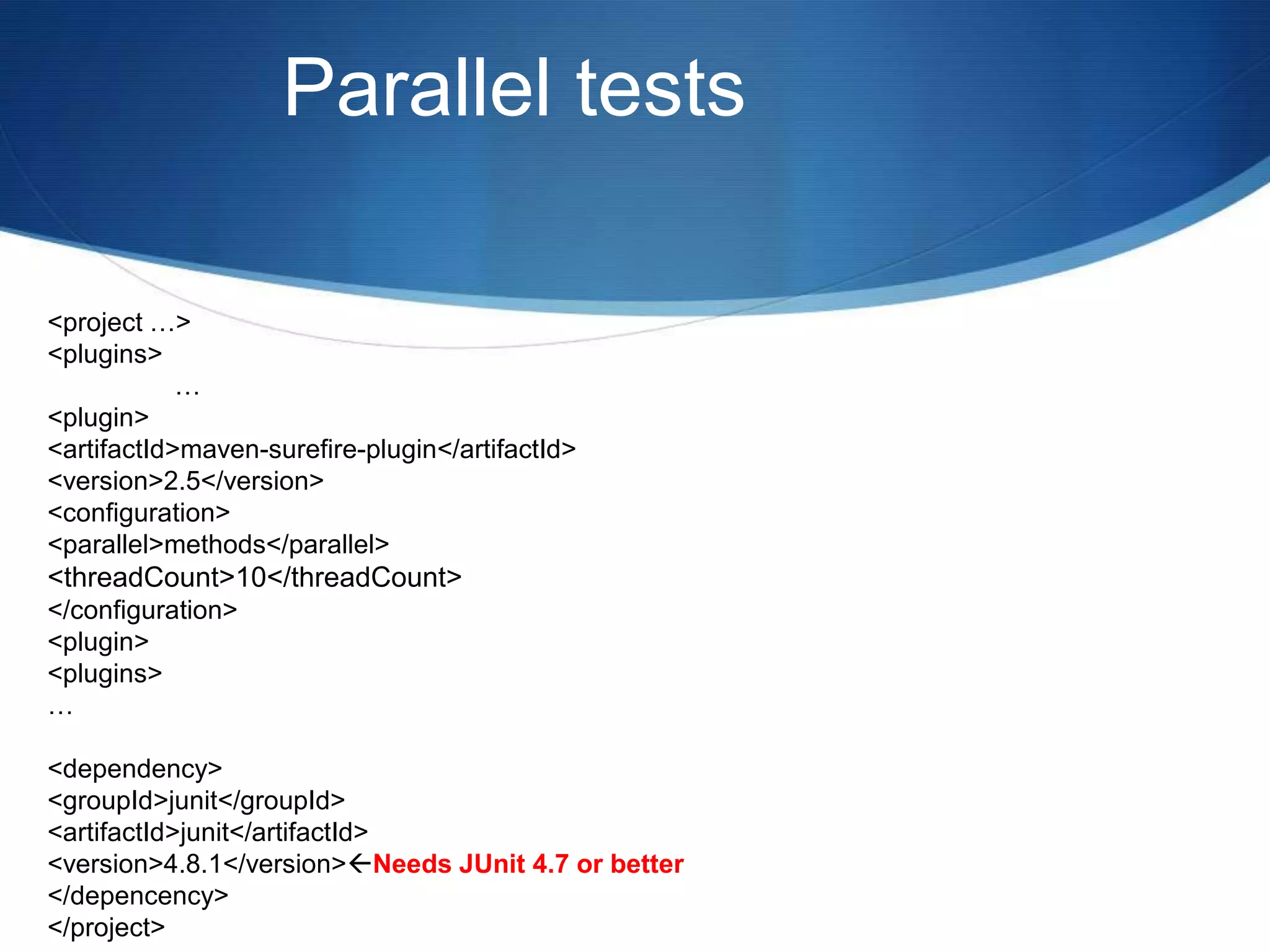
Parallel tests<project …>	<plugins>		…		<plugin>			<artifactId>maven-surefire-plugin</artifactId>			<version>2.5</version>			<configuration>				<parallel>methods</parallel>				<threadCount>10</threadCount> 			</configuration>		<plugin>	<plugins>…	<dependency>		<groupId>junit</groupId>		<artifactId>junit</artifactId>		<version>4.8.1</version> Needs JUnit 4.7 or better	</depencency></project>
Thank you!Special thanks to:Rob RolandVictor IgumnovSean ShubinSiobhain TaylorJohn Ferguson Smart

Pragmatic unittestingwithj unit

  • 1.
    Pragmatic unit testingwith JUnitBy Allan S. Lim2010/09/29
  • 2.
    Table of ContentsNamingyour testsHamcrest Assertions and MatchersParameterized tests and Junit theoriesJunit RulesCode coverage in your IDEParallel Testing
  • 3.
    What’s in thename?* Don't use the word "test" in your tests (use "should" instead)* Write your tests consistently* Consider tests as production code
  • 4.
    What’s in thename?Instead of:testBankTransfer()testWithdraw()testDeposit()Use:transferShouldDeductSumFromSourceAccountBalance()transferShouldAddSumLessFeesToDestinationAccountBalance()depositeShouldAddAmountToAccountBalance()
  • 5.
    What’s in thename?Your test class names should represent context class WhenYouCreateACellaDeadCellShouldBePrintedAsADot()aDeadCellShouldBeRepresentedByADot()aDeadCellSymbolShouldBeADot()aLiveCellShouldBePrintedAsAnAsterisk()aLiveCellSymbolShouldBeAnAsterisk()
  • 6.
    What is BDD?Defineas “Behavior Driven Development”writing test cases in a natural language that non-programmers can read.focuses on obtaining a clear understanding of desired software behavior through discussion with stakeholders.is an agile software development technique that encourages collaboration between developers, QA and non-technical or business participants in a software project.
  • 7.
    Express yourself withHamcrestWhy write this...import static org.junit.Assert.*;...assertEquals(10000, calculatedTax, 0 );When you can write this...import static org.hamcrest.CoreMatchers.is;import static org.junit.Assert.assertThat;...assertThat(calculatedTax, is(10000));"Assert that are equal 10000 and calculated tax (more or less)" ?Don’t I just mean "assert that calculated tax is 10000" ?
  • 8.
    Express yourself withHamcrestString color = “red”assertThat(color, is(“blue”));Java.lang.AssertionError:Expected: is “blue”got: “red”
  • 9.
    Express yourself withHamcrestString[] colors = new String[] {“red”, “green”, “blue”}String color = “yellow”assertThat(color, not(isIn(colors));assertThat(color, isOneOf(“red”, “blue”, “green”));List<String> colors = new Array List<String>();colors.add(“red”);colors.add(“green”);colors.add(“blue”);assertThat(colors, hasItem(“blue”));assertThat(colors, hasItems(“red, “green”));
  • 10.
    Express yourself withHamcrestassertThat(colors, hasItem(anyOf(is("red"), is("green"), is("blue") )));java.lang.AssertionError:Expected: a collection containing (is "red", or is "green", or is "blue")got: <[Red,Green,Blue,Yellow]>
  • 11.
    Common Hamcrest MatchersCoreanything - always matches, useful if you don't care what the object under test is describedAs- decorator to adding custom failure description is - decorator to improve readability - see "Sugar", below Logical allOf- matches if all matchers match, short circuits (like Java &&) anyOf- matches if any matchers match, short circuits (like Java ||) not - matches if the wrapped matcher doesn't match and vice versa Object equalTo- test object equality using Object.equalshasToString- test Object.toStringinstanceOf, isCompatibleType - test type notNullValue, nullValue - test for null sameInstance- test object identity
  • 12.
    Common Hamcrest MatchersBeanshasProperty- test JavaBeans properties Collections array - test an array's elements against an array of matchers hasEntry, hasKey, hasValue- test a map contains an entry, key or value hasItem, hasItems- test a collection contains elements hasItemInArray- test an array contains an element Number closeTo- test floating point values are close to a given value greaterThan, greaterThanOrEqualTo, lessThan, lessThanOrEqualTo- test ordering Text equalToIgnoringCase- test string equality ignoring case equalToIgnoringWhiteSpace- test string equality ignoring differences in runs of whitespace containsString, endsWith, startsWith- test string matching
  • 13.
    Home made HamcrestMatchersCustomizing Hamcrest matchersYou can build your own by combining existing Matchers:List stakeholders = stakeholderManager.findByName("Health")Matcher<Stakeholder> calledHealthCorp = hasProperty("name",is("Health Corp"));assertThat(stakeHolders, hasItem(calledHealthCorp));
  • 14.
    Write your ownmatchers in 3 steps:I want matchers that checks the size of a collection.public class WhenIUseMyCustomHamcrestMatchers { @Test public void thehasSizeMatcherShouldMatchACollectionWithExpectedSize() { List<String> items = new ArrayList<String>();items.add("java"); assertThat(items,hasSize(1)); }}
  • 15.
    Write your ownmatchers in 3 steps:public class HasSizeMatcher extends TypeSafeMatcher<Collection<? extends Object>> { private Matcher<Integer> matcher; public HasSizeMatcher(Matcher<Integer> matcher) {this.matcher = matcher; } public booleanmatchesSafely(Collection<? extends Object> collection) { return matcher.matches(collection.size()); } public void describeTo(Description description) {description.appendText("a collection with a size that is");matcher.describeTo(description); }}
  • 16.
    Write your ownmatchers in 3 steps:All custom matcher goes to a special Factory classimport java.util.Collection;import org.hamcrest.Factory;import org.hamcrest.Matcher;public class MyMatchers { @Factory public static Matcher<Collection<? extends Object>> hasSize(Matcher<Integer> matcher) { return new HasSizeMatcher(matcher); }}
  • 17.
    Parameterized Testing* Thetest class needs to be decorated with the @RunWith(Parameterized.class) annotation* You need a public static data-providing method, decorated with the @Parameters annotation* Each test method is decorated with @Test (as usual)
  • 18.
    Using parameterized Test@RunWith(Parameterized.class)publicclass TaxCalculatorDataTest { private double income; private double expectedTax; @Parameters public static Collection<Object[]> data() { return Arrays.asList( new Object[][] { {0.00, 0.00}, {1000.00, 1250.00}, {1200.00, 3230.00} }); } public TaxCalculatorDataTest(double income, double expectedTax) { super();this.income = income;this.expectedTax = expectedTax; } @Test public void shouldCalculateCorrectTax() {TaxCalculator calculator = new TaxCalculator(); double calculatedTax = calculator.calculateTax(income);assertThat(calculatedTax, is(expectedTax)); }}
  • 19.
    Using parameterized Test@Parameterspublicstatic Collection spreadsheetData() throws IOException {InputStream spreadsheet = new FileInputStream("src/test/resource/aTimesB.xls"); return new SpreadsheetData(spreadsheet).getData();}
  • 20.
    JUnit RulesRules are,in essence, another extension mechanism for JUnit, which can be used to add functionality to JUnit on a per-test basis.
  • 21.
    JUnit RulesTemporaryFolder - Allows test to create files and folders that are guaranteed to be deleted after the test is run. This is a common need for tests that work with the filesystem and want to run in isolation.
  • 22.
    JUnit RulesThe temporaryfolder rulepublic class LoadDynamicPropertiesTest { @Rule public TemporaryFolder folder = new TemporaryFolder(); private File properties; @Before public void createTestData() throws IOException { properties = folder.newFile("messages.properties");BufferedWriter out = new BufferedWriter(newFileWriter(properties)); //set up the temporary fileout.close(); } @Test public void shouldLoadFromPropertiesFile() throws IOException {DynamicMessagesBundle bundle = new DynamicMessagesBundle();bundle.load(properties); //do stuff with the temporary file. }}
  • 23.
    JUnit RulesErrorCollector Rule- Allows the test to continue running after a failure and report all errors at the end of the test. Useful when a test verifies a number of independent conditions (although that may itself be a 'test smell').
  • 24.
    JUnit RulesThe ErrorCollector rulepublic class ErrorCollectorTest { @Rule public ErrorCollector collector = new ErrorCollector(); @Test public void testSomething() {collector.addError( new Throwable(“first thing went wrong”));collector.addError(newThrowable(“second thing went wrong”)); String result = doStuff();collector.checkThat(result, not(containsString(“Oh no, not again”))); }
  • 25.
    JUnit RulesTimeout Rule- Applies the same timeout to all tests in a class.
  • 26.
    JUnit RulesThe TimeoutRule (Define a timeout for all tests)public class GlobalTimeoutTest{ @Rule public MethodRuleglobalTimeout = new Timeout(1000); //No test should take longer than 1 second. @Test public void testSomething() { for(;;); }@TestPublic void testSomethingElse() { }}
  • 27.
    JUnit RulesThe VerifyRule (Adding your own custom verification logic)public class VerifierTest { private List<String> systemErrorMessages = new ArrayList<String>(); @Rule public MethodRule verifier = new Verifier() { @Override public void verify() { //after each method, performs this check.assertThat(systemErrorMessages.size(), is(0)); } }; @Test public void testSomething() { //…systemErrorMessages.add(“Oh, bother!”); }
  • 28.
    JUnit RulesThe WatchmanRule (Keeping an eye on the tests)public class WatchmanTest { private static String watchedLog; @Rule public MethodRule watchman = new TestWatchman() { @Override public void failed(Throwablee, FrameworkMethod method) { //called whenever a test failswatchedLog += method.getName() + “ “ + e.getClass().getSimpleName(); } @Override public void succeeded(FrameworkMethod method) { //called whenever a test succeeds.watchedLog += method.getName() + “ succes!”; } };//… @Test public void fails() { fail(); }
  • 29.
  • 30.
    Code Coverage withIDEUsing IntelliJ IDEAOpen your Test classthen click “Run” menu click “Edit Configuration” select “Code Coverage” tab
  • 31.
  • 32.
  • 33.
  • 34.
    Code Coverage withIDEEclipseeCobertura Plug-inhttp://ecobertura.johoop.de/Open the Coverage Session View (under "Window", "Show View", "Other...", "Cobertura".Select the application or test to run.Select the respective "Cover As..." command from the main menu, context menu or toolbar button.Optionally, you can define class and package coverage filters in the launch configuration (under the tab named "Filters").
  • 35.
  • 36.
    Parallel tests<project …> <plugins> … <plugin> <artifactId>maven-surefire-plugin</artifactId> <version>2.5</version> <configuration> <parallel>methods</parallel> <threadCount>10</threadCount> </configuration> <plugin> <plugins>… <dependency> <groupId>junit</groupId> <artifactId>junit</artifactId> <version>4.8.1</version> Needs JUnit 4.7 or better </depencency></project>
  • 37.
    Thank you!Special thanksto:Rob RolandVictor IgumnovSean ShubinSiobhain TaylorJohn Ferguson Smart

Editor's Notes

  • #5 You are testing use cases – what should your class be doing
  • #19 The constructor should have parameters similar to the what the data() method is returning.
  • #28 Something that happens after a test is completed, like an assertInject behaviour to make JUnit add checks after each test…. kind of like a test post-condition or invariant from Betrand Meyers OO Software construction, but just for the tests themselvesVerifier is a base class for Rules like ErrorCollector, which can turn otherwise passing test methods into failing tests if a verification check is failed
  • #29 Called when a test fails or succeeds.  Additional logging perhaps?  How about restarting a GUI, or take a screenshot when a test fails.
  • #30 Called when a test fails or succeeds.  Additional logging perhaps?  How about restarting a GUI, or take a screenshot when a test fails.
  • #35 Requires Eclipse 3.5+
  • #36 Requires Eclipse 3.5+
  • #37 &lt;parallel&gt;methods&lt;/parallel&gt; &lt;threadCount&gt;4&lt;/threadCount&gt; &lt;perCoreThreadCount&gt;true&lt;/perCoreThreadCount&gt;