Welcome to Our Presentation
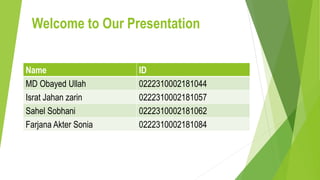
Name ID
MD Obayed Ullah 0222310002181044
Israt Jahan zarin 0222310002181057
Sahel Sobhani 0222310002181062
Farjana Akter Sonia 0222310002181084
Topic : PowerPoint
PowerPoint
PowerPoint is a graphical presentation program used to organize and
present information. PowerPoint presentations consist of a number of
individual pages or "slides.” Slides may contain text, graphics, sound,
movies, and other objects that can be freely arranged.
This application software is developed by Microsoft Corporation.
Basic features of PowerPoint:
There are some basic following features of PowerPoint :
 PowerPoint Design Ideas
 Animations
 Slide Transitions
 Images
 Videos
 Slide Show etc.
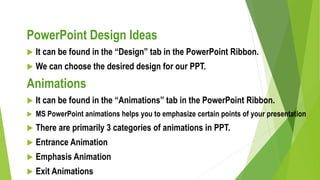
PowerPoint Design Ideas
 It can be found in the “Design” tab in the PowerPoint Ribbon.
 We can choose the desired design for our PPT.
Animations
 It can be found in the “Animations” tab in the PowerPoint Ribbon.
 MS PowerPoint animations helps you to emphasize certain points of your presentation
 There are primarily 3 categories of animations in PPT.
 Entrance Animation
 Emphasis Animation
 Exit Animations
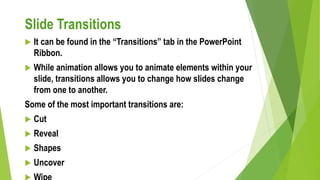
Slide Transitions
 It can be found in the “Transitions” tab in the PowerPoint
Ribbon.
 While animation allows you to animate elements within your
slide, transitions allows you to change how slides change
from one to another.
Some of the most important transitions are:
 Cut
 Reveal
 Shapes
 Uncover
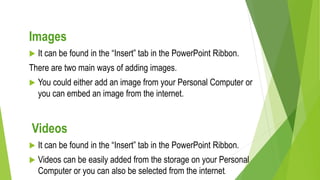
Images
 It can be found in the “Insert” tab in the PowerPoint Ribbon.
There are two main ways of adding images.
 You could either add an image from your Personal Computer or
you can embed an image from the internet.
Videos
 It can be found in the “Insert” tab in the PowerPoint Ribbon.
 Videos can be easily added from the storage on your Personal
Computer or you can also be selected from the internet.
Uses of PowerPoint Presentation
:
 Education,
 Marketing,
 Business,
 Creating Resumes.
Education
 With e-learning and smart classes being chosen as a
common mode of education today, PowerPoint
presentations can help in making education more
interactive and attract students towards the modified
version of studying
Marketing
 In the field of marketing, PowerPoint presentations can be
extremely important. Using graphs and charts, numbers
can be shown more evidently and clearly which may be
Business
 To invite investors or to show the increase or decrease in
profits, MS PowerPoint can be used
Creating Resumes
 Digital resumes can be formed using MS PowerPoint.
Different patterns, photograph, etc. can be added to the
resume
Advantages of PowerPoint:
There are some advantages of PowerPoint:
 Flexible uses
 Multimedia Facility
 High Customization
 Export Options
 Easy sharing and collaboration
 Multiple Uses
Flexible uses
 Microsoft PowerPoint is considered one of the easiest tools
in the presentation world. A beginner can master its skills
within a few days. You just have to select a suitable
template, theme, and text font. You may add multimedia.
And Microsoft PowerPoint will award you an amazing
presentation.
Multimedia Facility
 Visual learning is often considered better. In this
regard, Microsoft PowerPoint allows you to add
images, animated gifs, videos, graphics, and audio to
your presentation. This keeps the presentation
engaging and practical.
High Customization
 Microsoft PowerPoint offers high customization with various
designer layouts and interactive templates. There is a wide
variety of creative options available. You can add interesting
text fonts and patterns.
Export Options
 You can save your presentation in .png or .jpg format.
You can download a pdf or a document file of the
presentation and even animated gifs. It is highly useful
if you have run out of space on your application. You
can download the presentation on the USB Drive.
Multiple Uses
 About 89% of people use Microsoft PowerPoint to make
presentations. But surprisingly, it offers a lot more uses
than that. It is used in making brochures, banners,
flyers, resumes, gifs, videos, invitations, collages,
logos, and far more.
Disadvantages of PowerPoint:
There are some disadvantages of Powerpoint :
 May not always engage users
 Technical issues
 Potential cost
 Overused Features
Technical issues
 There is always a chance of running into technical
difficulties or a virus attacking your program. There can
be connectivity problems and your computer can turn off
in the middle of the presentation, leaving you in chaos.
Moreover, it is not as well adaptable for every computer.
Your font may be altered on another computer having a
different version.
Potential cost
 Even though the free version offers most of the features
you can use to make a decent presentation. But for
professional use, you have to buy an annual subscription. It
may prove costly software for the users.
Overused Features
 Due to a lot of options among templates, text fonts, layouts,
and designs; it may appear confusing. Additionally, overusing
the features can make the presentation boring and less
interactive.
Conclusion:
Microsoft PowerPoint is a tremendously functional tool for creating
presentations. It covers a long list of benefits that interests the users.
However, the disadvantage mainly depends upon the object of the
user.
powerpoint.pptx

powerpoint.pptx

  • 1.
    Welcome to OurPresentation Name ID MD Obayed Ullah 0222310002181044 Israt Jahan zarin 0222310002181057 Sahel Sobhani 0222310002181062 Farjana Akter Sonia 0222310002181084
  • 2.
  • 3.
    PowerPoint PowerPoint is agraphical presentation program used to organize and present information. PowerPoint presentations consist of a number of individual pages or "slides.” Slides may contain text, graphics, sound, movies, and other objects that can be freely arranged. This application software is developed by Microsoft Corporation.
  • 4.
    Basic features ofPowerPoint: There are some basic following features of PowerPoint :  PowerPoint Design Ideas  Animations  Slide Transitions  Images  Videos  Slide Show etc.
  • 5.
    PowerPoint Design Ideas It can be found in the “Design” tab in the PowerPoint Ribbon.  We can choose the desired design for our PPT. Animations  It can be found in the “Animations” tab in the PowerPoint Ribbon.  MS PowerPoint animations helps you to emphasize certain points of your presentation  There are primarily 3 categories of animations in PPT.  Entrance Animation  Emphasis Animation  Exit Animations
  • 6.
    Slide Transitions  Itcan be found in the “Transitions” tab in the PowerPoint Ribbon.  While animation allows you to animate elements within your slide, transitions allows you to change how slides change from one to another. Some of the most important transitions are:  Cut  Reveal  Shapes  Uncover
  • 7.
    Images  It canbe found in the “Insert” tab in the PowerPoint Ribbon. There are two main ways of adding images.  You could either add an image from your Personal Computer or you can embed an image from the internet. Videos  It can be found in the “Insert” tab in the PowerPoint Ribbon.  Videos can be easily added from the storage on your Personal Computer or you can also be selected from the internet.
  • 8.
    Uses of PowerPointPresentation :  Education,  Marketing,  Business,  Creating Resumes.
  • 9.
    Education  With e-learningand smart classes being chosen as a common mode of education today, PowerPoint presentations can help in making education more interactive and attract students towards the modified version of studying Marketing  In the field of marketing, PowerPoint presentations can be extremely important. Using graphs and charts, numbers can be shown more evidently and clearly which may be
  • 10.
    Business  To inviteinvestors or to show the increase or decrease in profits, MS PowerPoint can be used Creating Resumes  Digital resumes can be formed using MS PowerPoint. Different patterns, photograph, etc. can be added to the resume
  • 11.
    Advantages of PowerPoint: Thereare some advantages of PowerPoint:  Flexible uses  Multimedia Facility  High Customization  Export Options  Easy sharing and collaboration  Multiple Uses
  • 12.
    Flexible uses  MicrosoftPowerPoint is considered one of the easiest tools in the presentation world. A beginner can master its skills within a few days. You just have to select a suitable template, theme, and text font. You may add multimedia. And Microsoft PowerPoint will award you an amazing presentation.
  • 13.
    Multimedia Facility  Visuallearning is often considered better. In this regard, Microsoft PowerPoint allows you to add images, animated gifs, videos, graphics, and audio to your presentation. This keeps the presentation engaging and practical.
  • 14.
    High Customization  MicrosoftPowerPoint offers high customization with various designer layouts and interactive templates. There is a wide variety of creative options available. You can add interesting text fonts and patterns.
  • 15.
    Export Options  Youcan save your presentation in .png or .jpg format. You can download a pdf or a document file of the presentation and even animated gifs. It is highly useful if you have run out of space on your application. You can download the presentation on the USB Drive.
  • 16.
    Multiple Uses  About89% of people use Microsoft PowerPoint to make presentations. But surprisingly, it offers a lot more uses than that. It is used in making brochures, banners, flyers, resumes, gifs, videos, invitations, collages, logos, and far more.
  • 17.
    Disadvantages of PowerPoint: Thereare some disadvantages of Powerpoint :  May not always engage users  Technical issues  Potential cost  Overused Features
  • 18.
    Technical issues  Thereis always a chance of running into technical difficulties or a virus attacking your program. There can be connectivity problems and your computer can turn off in the middle of the presentation, leaving you in chaos. Moreover, it is not as well adaptable for every computer. Your font may be altered on another computer having a different version.
  • 19.
    Potential cost  Eventhough the free version offers most of the features you can use to make a decent presentation. But for professional use, you have to buy an annual subscription. It may prove costly software for the users.
  • 20.
    Overused Features  Dueto a lot of options among templates, text fonts, layouts, and designs; it may appear confusing. Additionally, overusing the features can make the presentation boring and less interactive.
  • 21.
    Conclusion: Microsoft PowerPoint isa tremendously functional tool for creating presentations. It covers a long list of benefits that interests the users. However, the disadvantage mainly depends upon the object of the user.