Operating Systems
and Windows
What is an Operating System?
•The most important
program that runs on your
computer. It manages all
other programs on the
machine.
•Every PC has to have one to
run other applications or
programs. It’s the first thing
“loaded”.
Operating System
•It performs basic tasks,
such as:
•Recognizing input from the
keyboard or mouse,
•Sending output to the
monitor,
Operating System
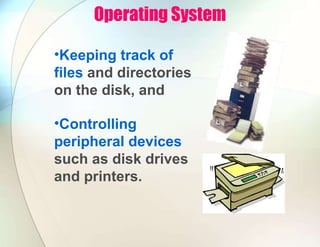
•Keeping track of
files and directories
on the disk, and
•Controlling
peripheral devices
such as disk drives
and printers.
Is There More Than One Type of OS?
•Generally, there are four types,
based on the type of computer
they control and the sort of
applications they support.
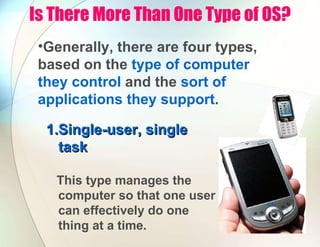
1.
1.Single-user, single
Single-user, single
task
task
This type manages the
computer so that one user
can effectively do one
thing at a time.
Types of Operating Systems
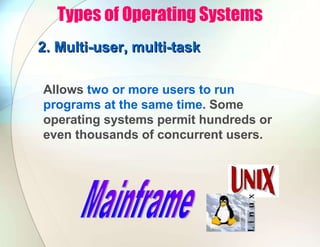
2. Multi-user, multi-task
Allows two or more users to run
programs at the same time. Some
operating systems permit hundreds or
even thousands of concurrent users.
Types of Operating Systems
3. Real Time Operating
3. Real Time Operating Systems
Systems
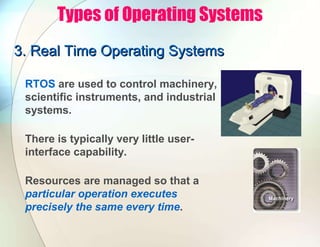
RTOS are used to control machinery,
scientific instruments, and industrial
systems.
There is typically very little user-
interface capability.
Resources are managed so that a
particular operation executes
precisely the same every time.
Types of Operating Systems
4.
4. Single-user, Multi-tasking
Single-user, Multi-tasking
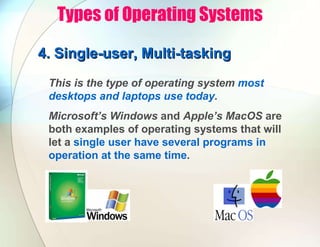
This is the type of operating system most
desktops and laptops use today.
Microsoft’s Windows and Apple’s MacOS are
both examples of operating systems that will
let a single user have several programs in
operation at the same time.

PowerPoint Presentation - Operating Systems.pdf

  • 1.
  • 2.
    What is anOperating System? •The most important program that runs on your computer. It manages all other programs on the machine. •Every PC has to have one to run other applications or programs. It’s the first thing “loaded”.
  • 3.
    Operating System •It performsbasic tasks, such as: •Recognizing input from the keyboard or mouse, •Sending output to the monitor,
  • 4.
    Operating System •Keeping trackof files and directories on the disk, and •Controlling peripheral devices such as disk drives and printers.
  • 5.
    Is There MoreThan One Type of OS? •Generally, there are four types, based on the type of computer they control and the sort of applications they support. 1. 1.Single-user, single Single-user, single task task This type manages the computer so that one user can effectively do one thing at a time.
  • 6.
    Types of OperatingSystems 2. Multi-user, multi-task 2. Multi-user, multi-task Allows two or more users to run programs at the same time. Some operating systems permit hundreds or even thousands of concurrent users.
  • 7.
    Types of OperatingSystems 3. Real Time Operating 3. Real Time Operating Systems Systems RTOS are used to control machinery, scientific instruments, and industrial systems. There is typically very little user- interface capability. Resources are managed so that a particular operation executes precisely the same every time.
  • 8.
    Types of OperatingSystems 4. 4. Single-user, Multi-tasking Single-user, Multi-tasking This is the type of operating system most desktops and laptops use today. Microsoft’s Windows and Apple’s MacOS are both examples of operating systems that will let a single user have several programs in operation at the same time.