Sorabh Jain
saurabhj@yahoo-inc.com
IIT-Delhi 9-Aug-2013
Hacks With PHP,
MySQL & JS
Why PHP ?
It is a server side scripting language which allows you
to :-
• Dynamically edit, change or add any content to a
Web page
• Respond to user queries or data submitted from
HTML forms
• Access any data or databases and return the result
to a browser
• Customize a Web page to make it more useful for
individual users
• Provide security since your server code cannot be
viewed from a browser
• Does not require any special tools. Create a file with
.php extension and your done.
Why JavaScript ?
• Client side scripting language which makes your
browser more interactive.
• No need to go back to server for form validation
• JavaScript inserted into HTML pages, can be
executed by all modern web browsers.
• It makes you static HTML page dynamic which
was not easy with CSS.
Why MySQL ?
• Open source data storage RDBMS which is easy
to install and use with any operating system.
• Lot of support and libraries available in
scripting languages like php.
What we need to learn?
• Enough PHP to handle simple request
• How to talk to mysql data store using PHP
• How to parse/generate XML/JSON in PHP
• Enough JavaScript to make browser interactive
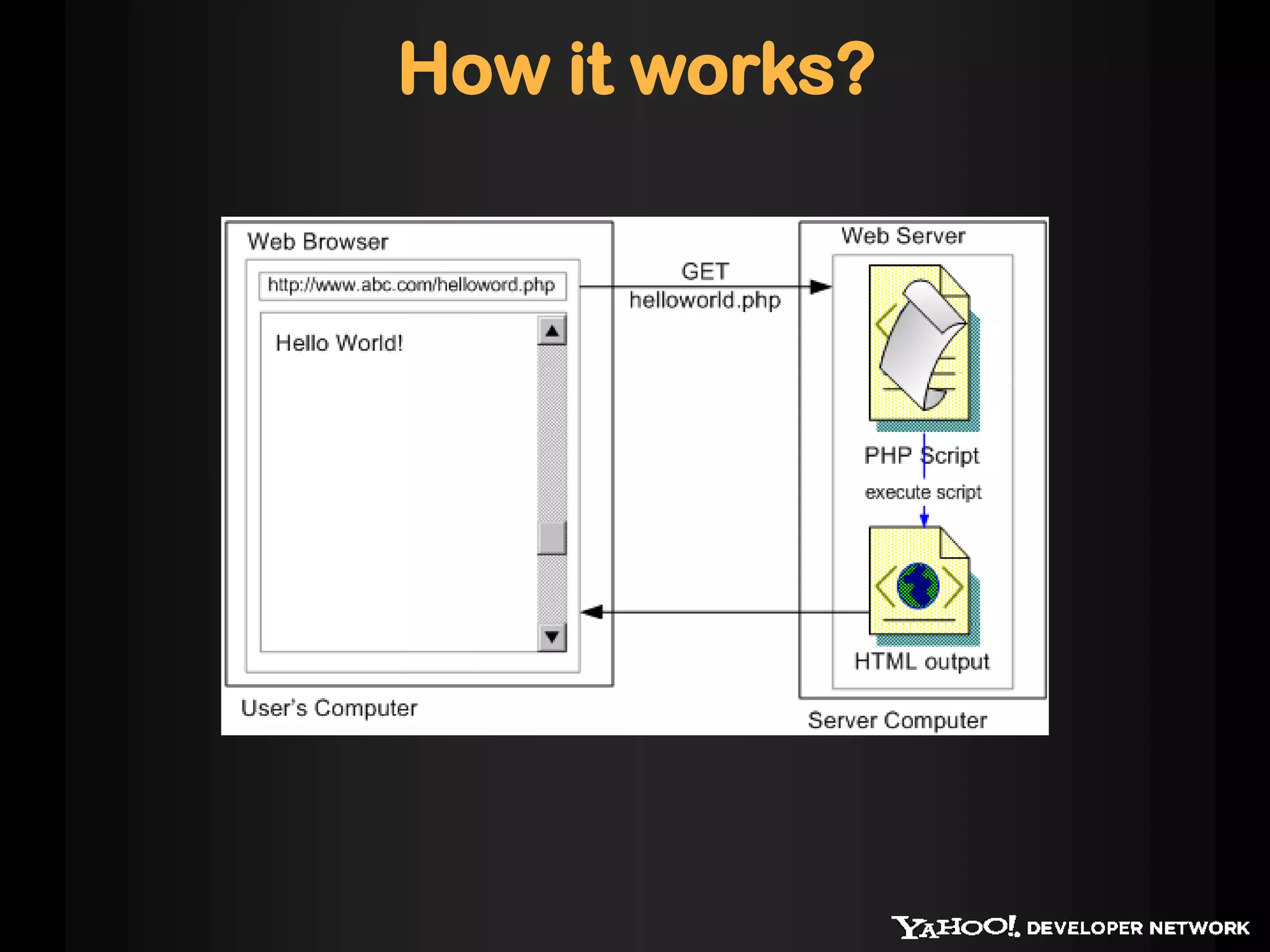
How it works?
Getting Started
• You need a local server with PHP enabled.
• XAMPP for windows
• MAMP for Mac OSx
• Linux has it by default
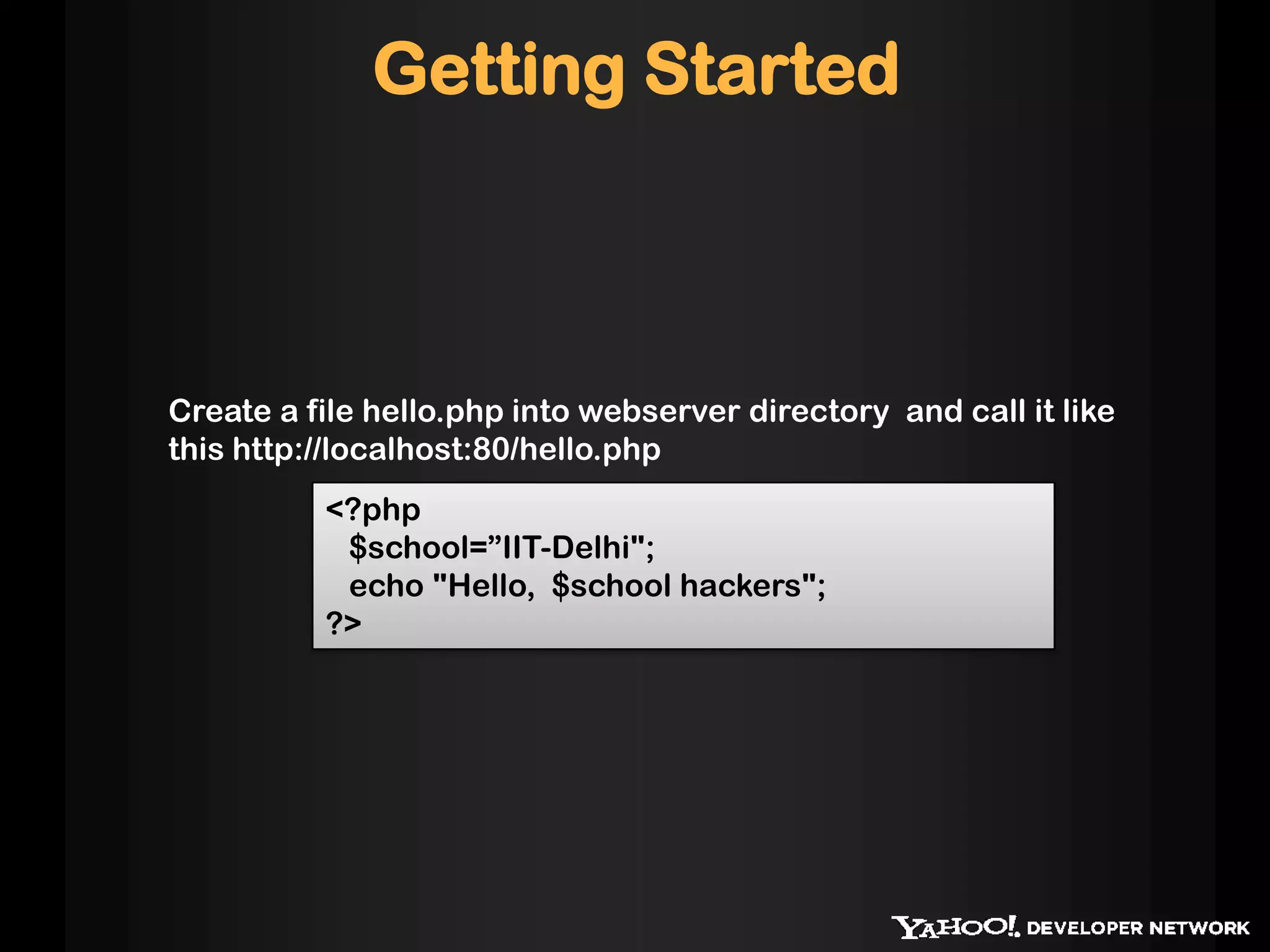
<?php
$school=”IIT-Delhi";
echo "Hello, $school hackers";
?>
Create a file hello.php into webserver directory and call it like
this http://localhost:80/hello.php
Getting Started
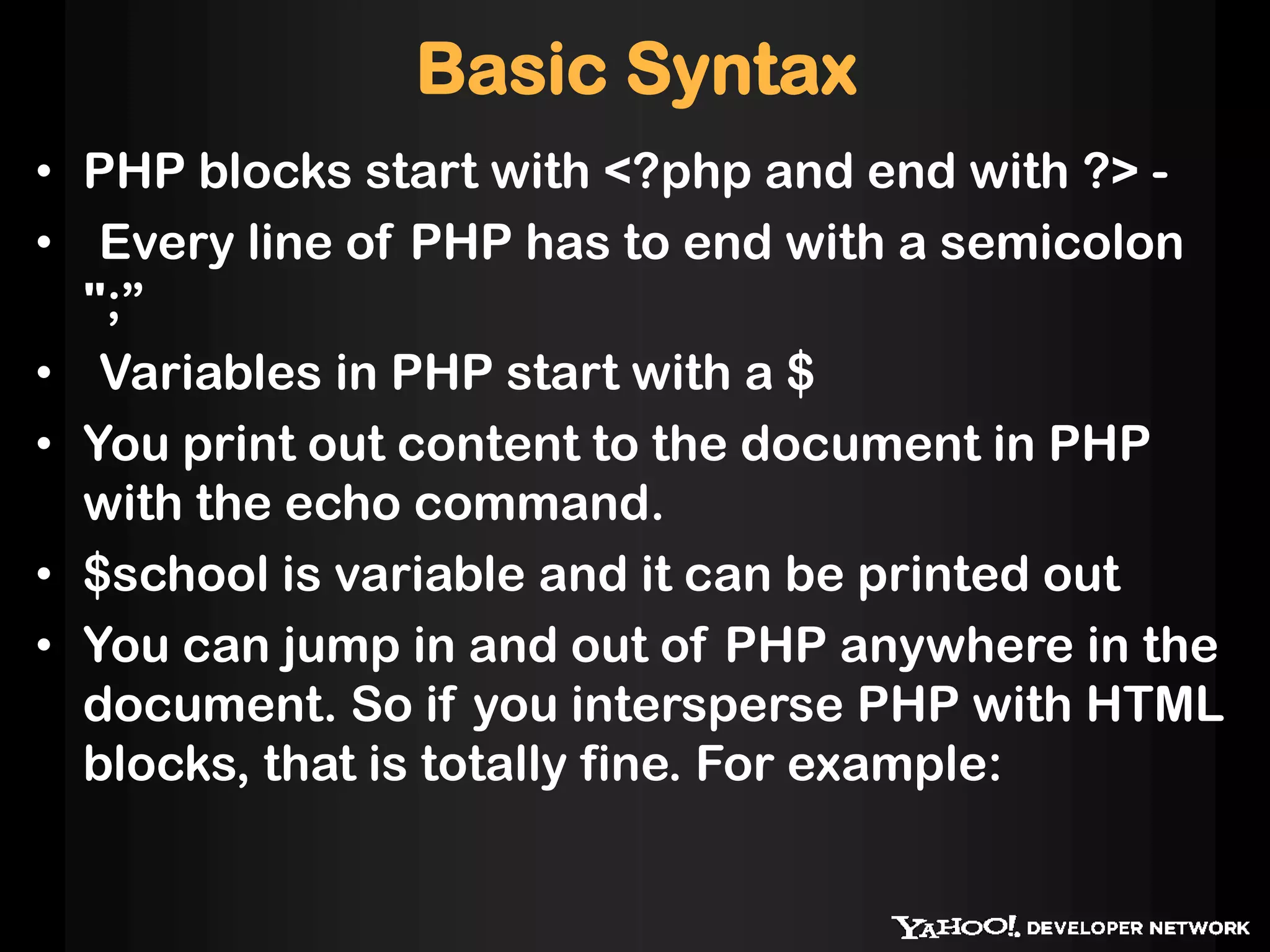
Basic Syntax
• PHP blocks start with <?php and end with ?> -
• Every line of PHP has to end with a semicolon
";”
• Variables in PHP start with a $
• You print out content to the document in PHP
with the echo command.
• $school is variable and it can be printed out
• You can jump in and out of PHP anywhere in the
document. So if you intersperse PHP with HTML
blocks, that is totally fine. For example:
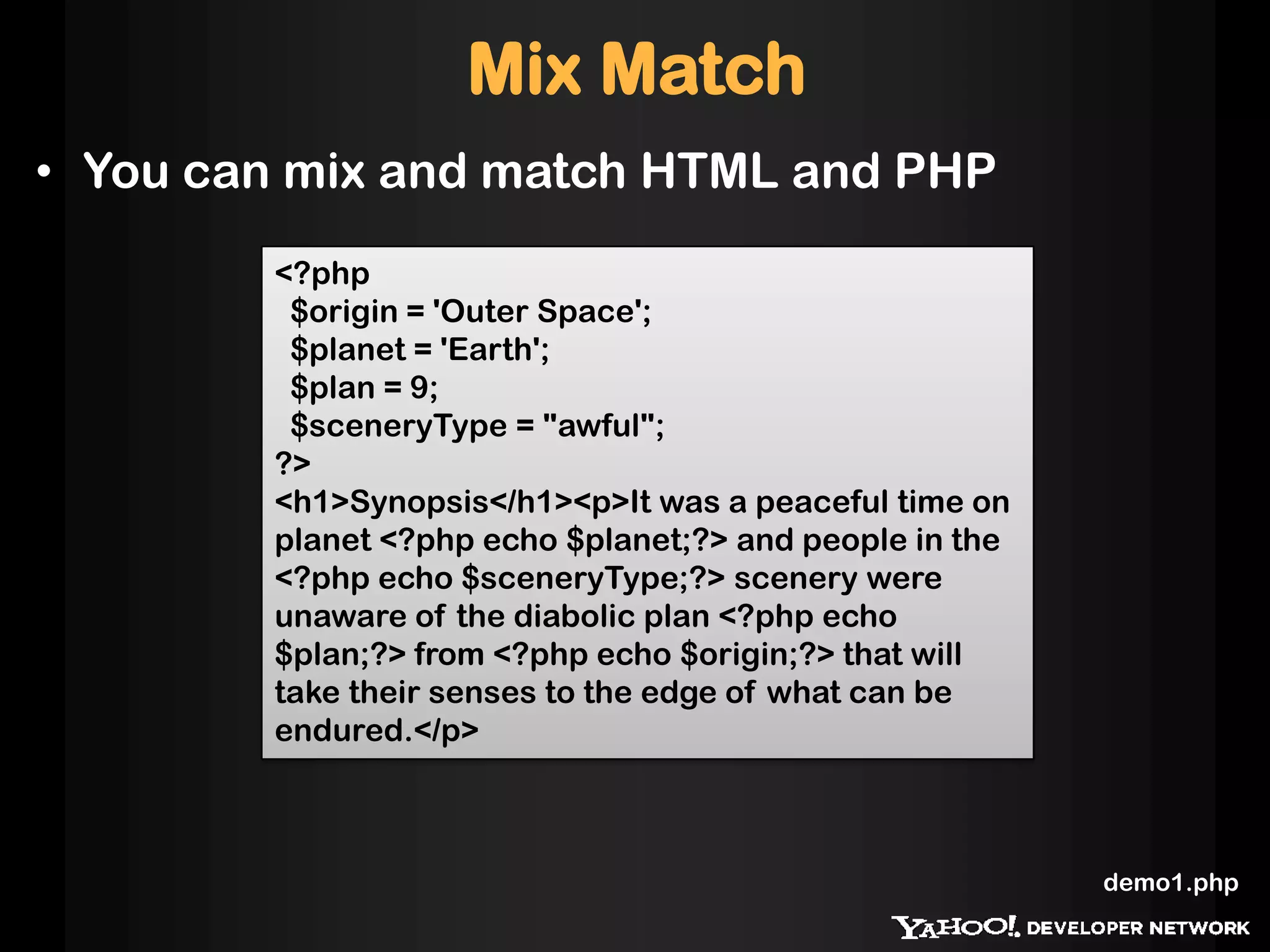
<?php
$origin = 'Outer Space';
$planet = 'Earth';
$plan = 9;
$sceneryType = "awful";
?>
<h1>Synopsis</h1><p>It was a peaceful time on
planet <?php echo $planet;?> and people in the
<?php echo $sceneryType;?> scenery were
unaware of the diabolic plan <?php echo
$plan;?> from <?php echo $origin;?> that will
take their senses to the edge of what can be
endured.</p>
Mix Match
• You can mix and match HTML and PHP
demo1.php
Displaying more complex data
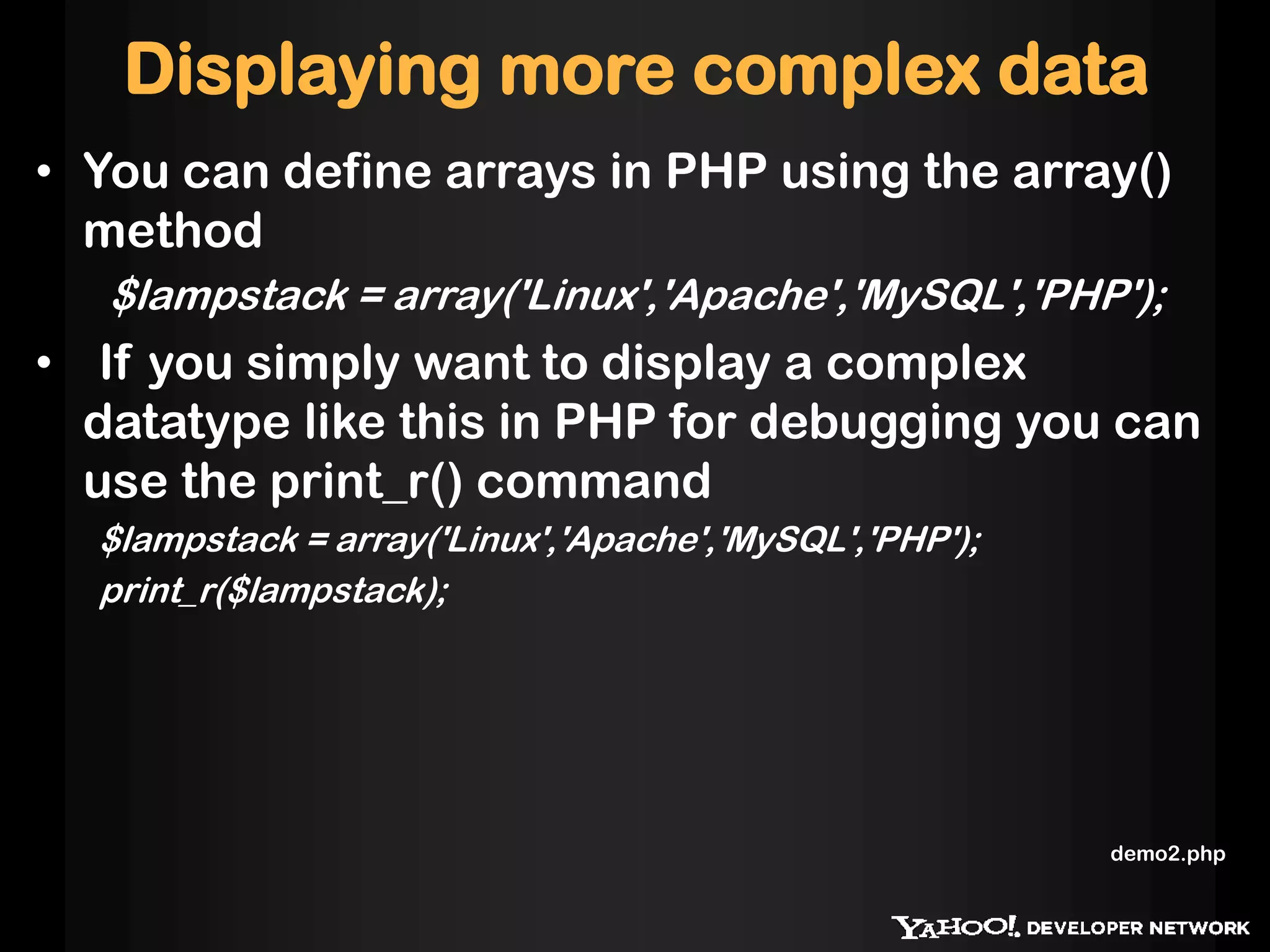
• You can define arrays in PHP using the array()
method
$lampstack = array('Linux','Apache','MySQL','PHP');
• If you simply want to display a complex
datatype like this in PHP for debugging you can
use the print_r() command
$lampstack = array('Linux','Apache','MySQL','PHP');
print_r($lampstack);
demo2.php
Arrays
• Accessing arrays using index
<ul>
<?php
$lampstack = array('Linux','Apache','MySQL','PHP');
echo '<li>Operating System:'.$lampstack[0] . '</li>';
echo '<li>Server:' . $lampstack[1] . '</li>';
echo '<li>Database:' . $lampstack[2] . '</li>';
echo '<li>Language:' . $lampstack[3] . '</li>';
?>
</ul>
demo3.php
Arrays
• Iterating through arrays
<ul>
<?php
$lampstack = array(’MacOs','Apache','MySQL','PHP');
$labels = array('Operating System','Server','Database','Language');
$length = sizeof($lampstack);
for( $i = 0;$i < $length;$i++ ){
echo '<li>' . $labels[$i] . ':' . $lampstack[$i] . '</li>';
}
?>
</ul>
sizeof($array) - this will return the size of the array
demo4.php
Associative Arrays
• PHP has associative arrays with string keys
<ul>
<?php
$lampstack = array(
'Operating System' => 'Linux',
'Server' => 'Apache',
'Database' => 'MySQL',
'Language' => 'PHP'
);
$length = sizeof($lampstack);
$keys = array_keys($lampstack);
for( $i = 0;$i < $length;$i++ ){
echo '<li>' . $keys[$i] . ':' . $lampstack[$keys[$i]] . '</li>';
}
?>
</ul>
demo5.php
Functions
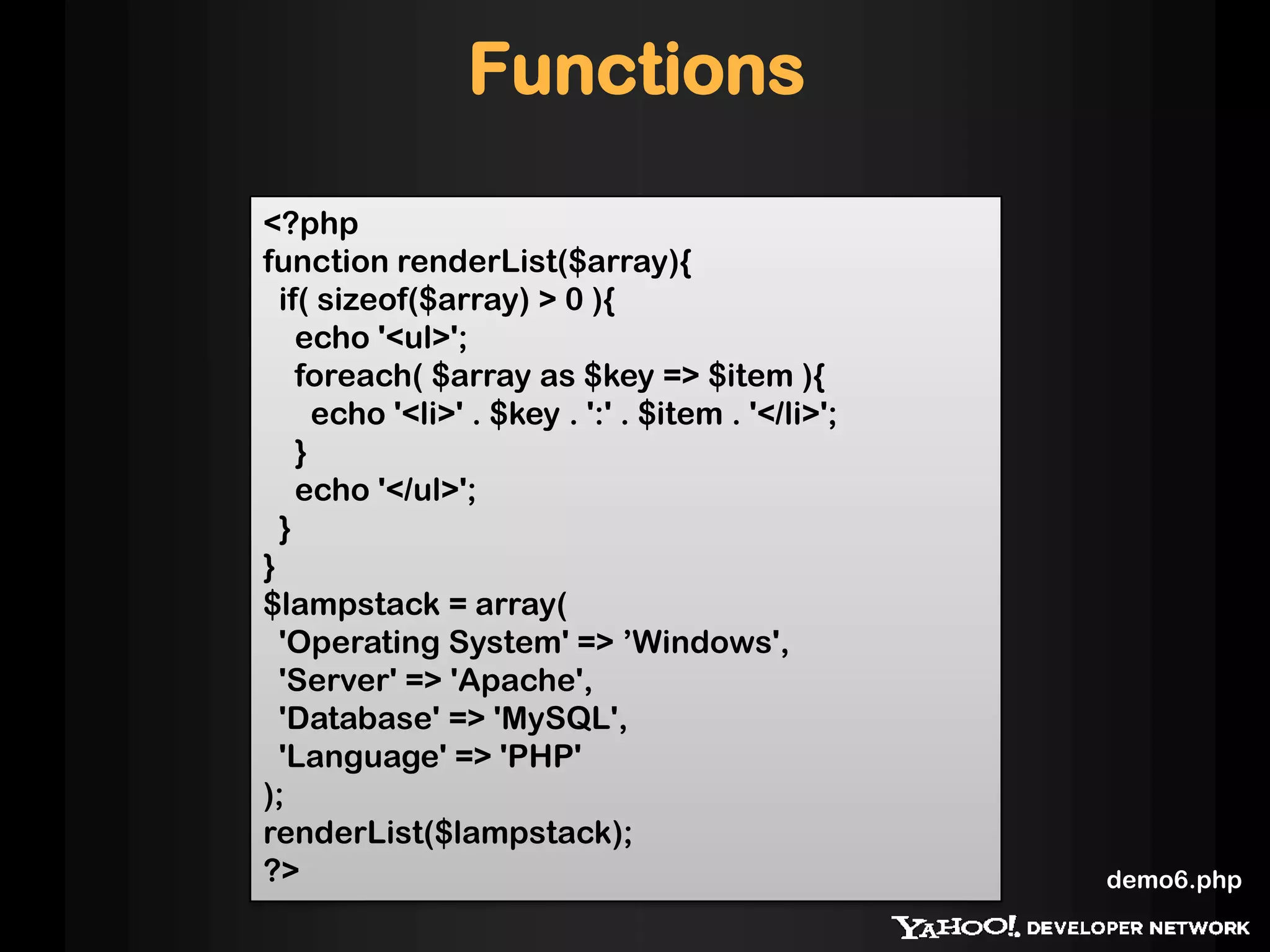
<?php
function renderList($array){
if( sizeof($array) > 0 ){
echo '<ul>';
foreach( $array as $key => $item ){
echo '<li>' . $key . ':' . $item . '</li>';
}
echo '</ul>';
}
}
$lampstack = array(
'Operating System' => ’Windows',
'Server' => 'Apache',
'Database' => 'MySQL',
'Language' => 'PHP'
);
renderList($lampstack);
?> demo6.php
Interacting with the web - URL
parameters
<?php
$name = 'Tom';
// if there is no language defined, switch to English
if( !isset($_GET['language']) ){
$welcome = 'Oh, hello there, ';
}
if( $_GET['language'] == 'hindi' ){
$welcome = 'Namastae, ';
}
switch($_GET['font']){
case 'small':
$size = 80;
break;
case 'medium':
$size = 100;
break;
case 'large':
$size = 120;
break;
default:
$size = 100;
break;
}
echo '<style>body{font-size:' . $size . '%;}</style>';
echo '<h1>'.$welcome.$name.'</h1>';
?>
demo7.php
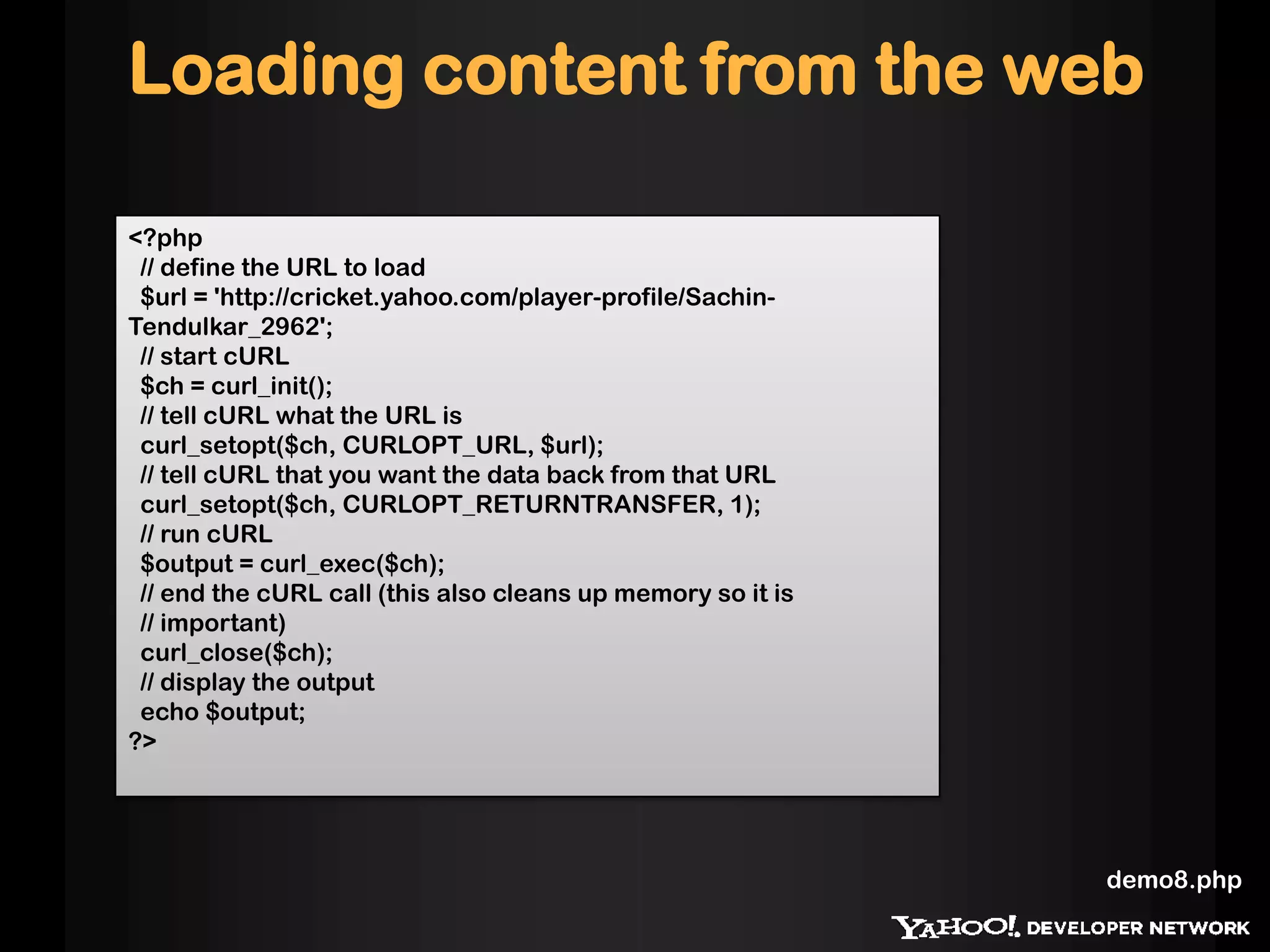
Loading content from the web
<?php
// define the URL to load
$url = 'http://cricket.yahoo.com/player-profile/Sachin-
Tendulkar_2962';
// start cURL
$ch = curl_init();
// tell cURL what the URL is
curl_setopt($ch, CURLOPT_URL, $url);
// tell cURL that you want the data back from that URL
curl_setopt($ch, CURLOPT_RETURNTRANSFER, 1);
// run cURL
$output = curl_exec($ch);
// end the cURL call (this also cleans up memory so it is
// important)
curl_close($ch);
// display the output
echo $output;
?>
demo8.php
Connecting to MySQL
• Simple example to fetch data from DB
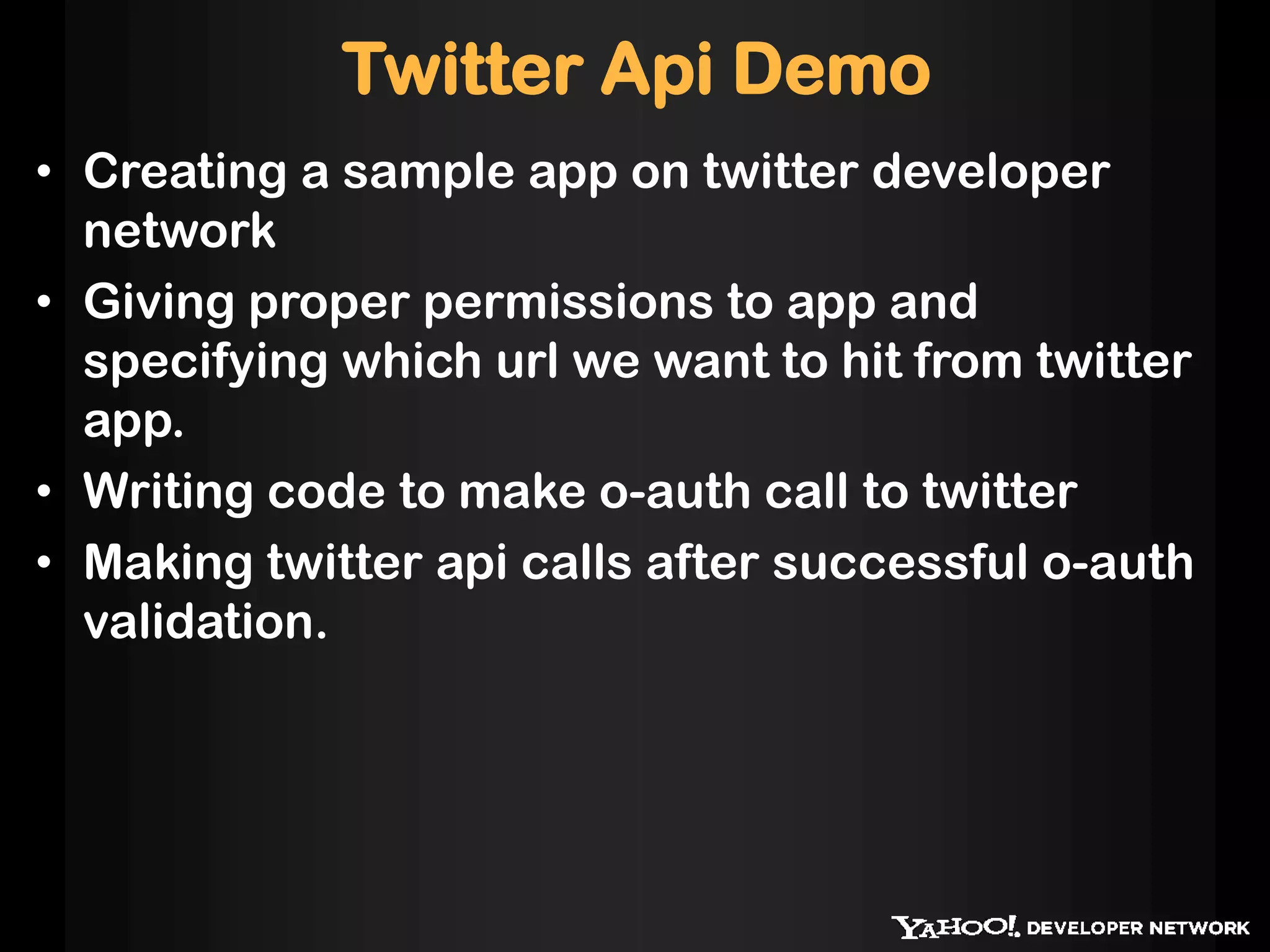
Twitter Api Demo
• Creating a sample app on twitter developer
network
• Giving proper permissions to app and
specifying which url we want to hit from twitter
app.
• Writing code to make o-auth call to twitter
• Making twitter api calls after successful o-auth
validation.
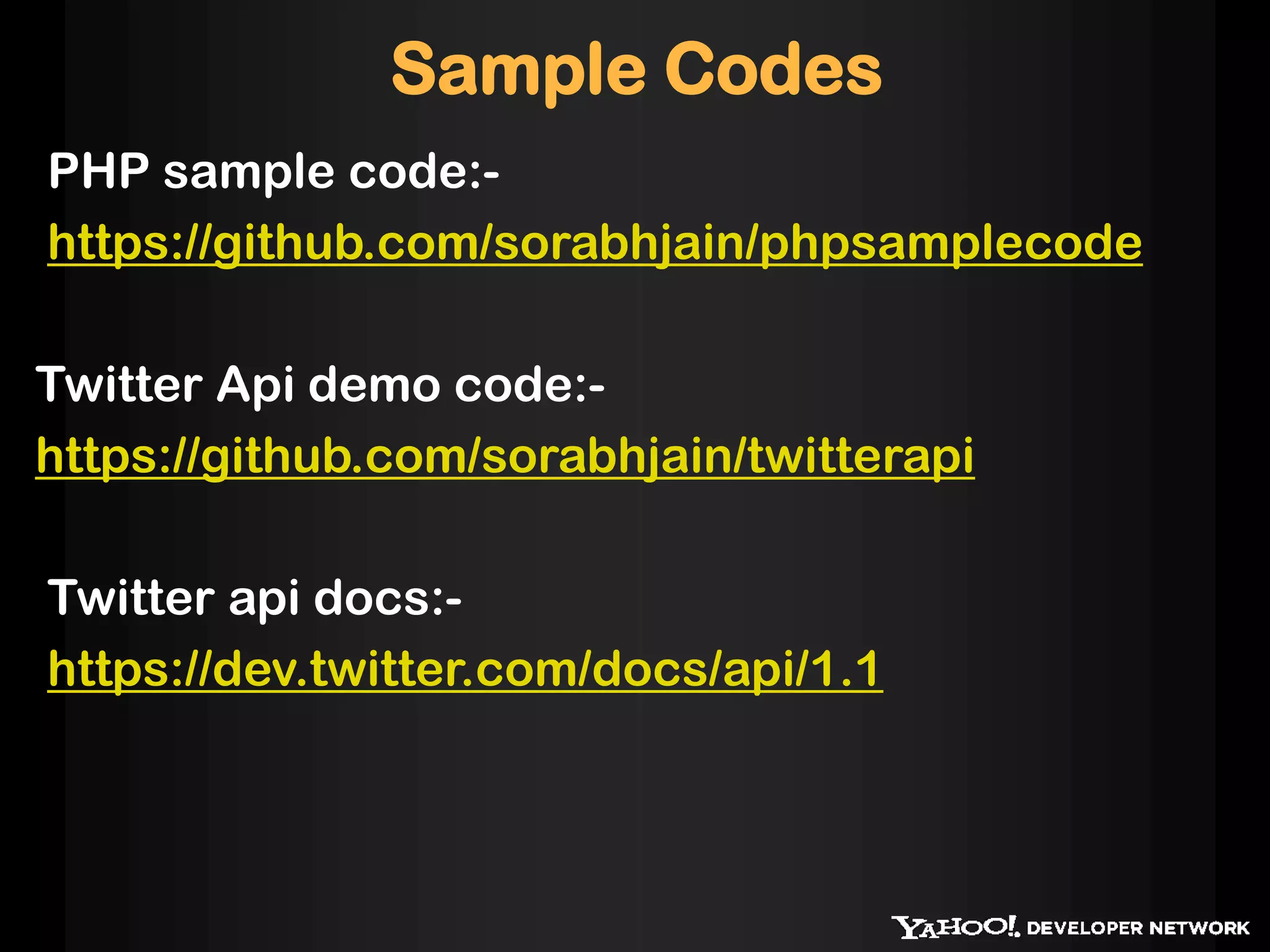
Sample Codes
PHP sample code:-
https://github.com/sorabhjain/phpsamplecode
Twitter Api demo code:-
https://github.com/sorabhjain/twitterapi
Twitter api docs:-
https://dev.twitter.com/docs/api/1.1
Further Reference
http://www.php.net/
http://developer.yahoo.com
http://isithackday.com/hackday-toolbox/
http://phpforhacks/index.html
http://hackyourworld.org/

Phphacku iitd

  • 1.
  • 2.
    Why PHP ? Itis a server side scripting language which allows you to :- • Dynamically edit, change or add any content to a Web page • Respond to user queries or data submitted from HTML forms • Access any data or databases and return the result to a browser • Customize a Web page to make it more useful for individual users • Provide security since your server code cannot be viewed from a browser • Does not require any special tools. Create a file with .php extension and your done.
  • 3.
    Why JavaScript ? •Client side scripting language which makes your browser more interactive. • No need to go back to server for form validation • JavaScript inserted into HTML pages, can be executed by all modern web browsers. • It makes you static HTML page dynamic which was not easy with CSS.
  • 4.
    Why MySQL ? •Open source data storage RDBMS which is easy to install and use with any operating system. • Lot of support and libraries available in scripting languages like php.
  • 5.
    What we needto learn? • Enough PHP to handle simple request • How to talk to mysql data store using PHP • How to parse/generate XML/JSON in PHP • Enough JavaScript to make browser interactive
  • 6.
  • 7.
    Getting Started • Youneed a local server with PHP enabled. • XAMPP for windows • MAMP for Mac OSx • Linux has it by default
  • 8.
    <?php $school=”IIT-Delhi"; echo "Hello, $schoolhackers"; ?> Create a file hello.php into webserver directory and call it like this http://localhost:80/hello.php Getting Started
  • 9.
    Basic Syntax • PHPblocks start with <?php and end with ?> - • Every line of PHP has to end with a semicolon ";” • Variables in PHP start with a $ • You print out content to the document in PHP with the echo command. • $school is variable and it can be printed out • You can jump in and out of PHP anywhere in the document. So if you intersperse PHP with HTML blocks, that is totally fine. For example:
  • 10.
    <?php $origin = 'OuterSpace'; $planet = 'Earth'; $plan = 9; $sceneryType = "awful"; ?> <h1>Synopsis</h1><p>It was a peaceful time on planet <?php echo $planet;?> and people in the <?php echo $sceneryType;?> scenery were unaware of the diabolic plan <?php echo $plan;?> from <?php echo $origin;?> that will take their senses to the edge of what can be endured.</p> Mix Match • You can mix and match HTML and PHP demo1.php
  • 11.
    Displaying more complexdata • You can define arrays in PHP using the array() method $lampstack = array('Linux','Apache','MySQL','PHP'); • If you simply want to display a complex datatype like this in PHP for debugging you can use the print_r() command $lampstack = array('Linux','Apache','MySQL','PHP'); print_r($lampstack); demo2.php
  • 12.
    Arrays • Accessing arraysusing index <ul> <?php $lampstack = array('Linux','Apache','MySQL','PHP'); echo '<li>Operating System:'.$lampstack[0] . '</li>'; echo '<li>Server:' . $lampstack[1] . '</li>'; echo '<li>Database:' . $lampstack[2] . '</li>'; echo '<li>Language:' . $lampstack[3] . '</li>'; ?> </ul> demo3.php
  • 13.
    Arrays • Iterating througharrays <ul> <?php $lampstack = array(’MacOs','Apache','MySQL','PHP'); $labels = array('Operating System','Server','Database','Language'); $length = sizeof($lampstack); for( $i = 0;$i < $length;$i++ ){ echo '<li>' . $labels[$i] . ':' . $lampstack[$i] . '</li>'; } ?> </ul> sizeof($array) - this will return the size of the array demo4.php
  • 14.
    Associative Arrays • PHPhas associative arrays with string keys <ul> <?php $lampstack = array( 'Operating System' => 'Linux', 'Server' => 'Apache', 'Database' => 'MySQL', 'Language' => 'PHP' ); $length = sizeof($lampstack); $keys = array_keys($lampstack); for( $i = 0;$i < $length;$i++ ){ echo '<li>' . $keys[$i] . ':' . $lampstack[$keys[$i]] . '</li>'; } ?> </ul> demo5.php
  • 15.
    Functions <?php function renderList($array){ if( sizeof($array)> 0 ){ echo '<ul>'; foreach( $array as $key => $item ){ echo '<li>' . $key . ':' . $item . '</li>'; } echo '</ul>'; } } $lampstack = array( 'Operating System' => ’Windows', 'Server' => 'Apache', 'Database' => 'MySQL', 'Language' => 'PHP' ); renderList($lampstack); ?> demo6.php
  • 16.
    Interacting with theweb - URL parameters <?php $name = 'Tom'; // if there is no language defined, switch to English if( !isset($_GET['language']) ){ $welcome = 'Oh, hello there, '; } if( $_GET['language'] == 'hindi' ){ $welcome = 'Namastae, '; } switch($_GET['font']){ case 'small': $size = 80; break; case 'medium': $size = 100; break; case 'large': $size = 120; break; default: $size = 100; break; } echo '<style>body{font-size:' . $size . '%;}</style>'; echo '<h1>'.$welcome.$name.'</h1>'; ?> demo7.php
  • 17.
    Loading content fromthe web <?php // define the URL to load $url = 'http://cricket.yahoo.com/player-profile/Sachin- Tendulkar_2962'; // start cURL $ch = curl_init(); // tell cURL what the URL is curl_setopt($ch, CURLOPT_URL, $url); // tell cURL that you want the data back from that URL curl_setopt($ch, CURLOPT_RETURNTRANSFER, 1); // run cURL $output = curl_exec($ch); // end the cURL call (this also cleans up memory so it is // important) curl_close($ch); // display the output echo $output; ?> demo8.php
  • 18.
    Connecting to MySQL •Simple example to fetch data from DB
  • 19.
    Twitter Api Demo •Creating a sample app on twitter developer network • Giving proper permissions to app and specifying which url we want to hit from twitter app. • Writing code to make o-auth call to twitter • Making twitter api calls after successful o-auth validation.
  • 20.
    Sample Codes PHP samplecode:- https://github.com/sorabhjain/phpsamplecode Twitter Api demo code:- https://github.com/sorabhjain/twitterapi Twitter api docs:- https://dev.twitter.com/docs/api/1.1
  • 21.