Chapter 5
Cookies and Session
Contents
• Cookies and Sessions
• Describe the stateless model
• Explain the concepts of maintaining state with
sessions
• Create and Read data from sessions
What is a Cookie?
• A cookie is often used to identify a user.
• A cookie is a small file that the server embeds on
the user's computer.
• Each time the same computer requests a page
with a browser, it will send the cookie too.
• With PHP, you can both create and retrieve
cookie values.
• Cookies are primarily used to store the user’s
browsing history.
Create Cookies With PHP
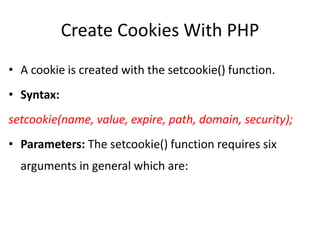
• A cookie is created with the setcookie() function.
• Syntax:
setcookie(name, value, expire, path, domain, security);
• Parameters: The setcookie() function requires six
arguments in general which are:
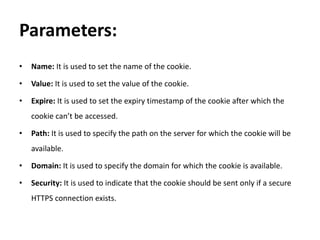
Parameters:
• Name: It is used to set the name of the cookie.
• Value: It is used to set the value of the cookie.
• Expire: It is used to set the expiry timestamp of the cookie after which the
cookie can’t be accessed.
• Path: It is used to specify the path on the server for which the cookie will be
available.
• Domain: It is used to specify the domain for which the cookie is available.
• Security: It is used to indicate that the cookie should be sent only if a secure
HTTPS connection exists.
Cont.
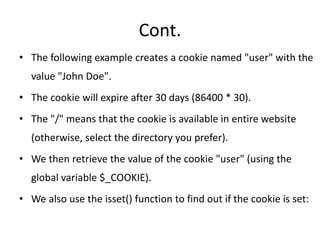
• The following example creates a cookie named "user" with the
value "John Doe".
• The cookie will expire after 30 days (86400 * 30).
• The "/" means that the cookie is available in entire website
(otherwise, select the directory you prefer).
• We then retrieve the value of the cookie "user" (using the
global variable $_COOKIE).
• We also use the isset() function to find out if the cookie is set:
Operations that can be performed on
Cookies in PHP:
Creating Cookies:
• Creating a cookie named Auction_Item and
assigning the value Luxury Car to it.
• The cookie will expire after 2 days(2 days * 24
hours * 60 mins * 60 seconds).
Example
<?php
$cookie_name = "user";
$cookie_value = "John Doe";
setcookie($cookie_name, $cookie_value, time() + (86400 * 30), "/"); // 30 day
?>
<html>
<body>
<?php
if(!isset($_COOKIE[$cookie_name])) {
echo "Cookie named '" . $cookie_name . "' is not set!";
} else {
echo "Cookie '" . $cookie_name . "' is set!<br>";
echo "Value is: " . $_COOKIE[$cookie_name];
}
?>
</body>
</html>
Checking Whether a Cookie Is Set Or Not
• It is always advisable to check whether a cookie is
set or not before accessing its value.
• Therefore to check whether a cookie is set or not,
the PHP isset() function is used.
• To check whether a cookie “Auction_Item” is set
or not, the isset() function is executed as follows:
Example
<!DOCTYPE html>
<?php
setcookie("Auction_Item", "Luxury Car", time() + 2 * 24 * 60 * 60);
?>
<html>
<body>
<?php
if (isset($_COOKIE["Auction_Ite"]))
{
echo "Auction Item is a " . $_COOKIE["Auction_Item"];
}
else
{
echo "No items for auction.";
}
?>
</body>
</html>
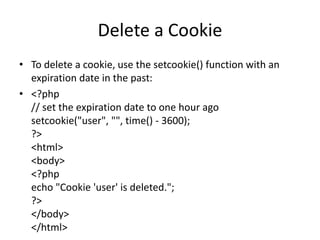
Delete a Cookie
• To delete a cookie, use the setcookie() function with an
expiration date in the past:
• <?php
// set the expiration date to one hour ago
setcookie("user", "", time() - 3600);
?>
<html>
<body>
<?php
echo "Cookie 'user' is deleted.";
?>
</body>
</html>
What is a PHP Session?
• When you work with an application, you open it, do
some changes, and then you close it.
• The computer knows who you are. It knows when you
start the application and when you end.
• But on the internet there is one problem: the web
server does not know who you are or what you do,
because the HTTP address doesn't maintain state.
Cont.
• Session variables solve this problem by storing
user information to be used across multiple
pages. By default, session variables last until the
user closes the browser.
• So; Session variables hold information about one
single user, and are available to all pages in one
application.
Start a PHP Session
• A session is started with
the session_start() function.
• Session variables are set with the PHP global
variable: $_SESSION.
• <?php
// Start the session
session_start();
?>
<!DOCTYPE html>
<html>
<body>
<?php
// Set session variables
$_SESSION["favcolor"] = "green";
$_SESSION["favanimal"] = "cat";
echo "Session variables are set.";
?>
</body>
</html>
Get PHP Session Variable Values
• <?php
session_start();
?>
<!DOCTYPE html>
<html>
<body>
<?php
// Echo session variables that were set on previous page
echo "Favorite color is " . $_SESSION["favcolor"] . ".<br>";
echo "Favorite animal is " . $_SESSION["favanimal"] . ".";
?>
</body>
</html>
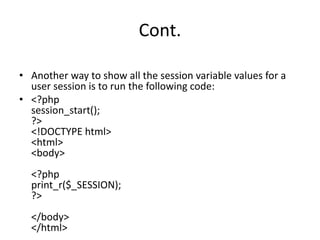
Cont.
• Another way to show all the session variable values for a
user session is to run the following code:
• <?php
session_start();
?>
<!DOCTYPE html>
<html>
<body>
<?php
print_r($_SESSION);
?>
</body>
</html>
Destroy a PHP Session
• To remove all global session variables and destroy the
session, use session_unset() and session_destroy():
• <?php
session_start();
?>
<!DOCTYPE html>
<html>
<body>
<?php
// remove all session variables
session_unset();
// destroy the session
session_destroy();
?>
</body>
</html>
END

PHP COOKIES AND SESSIONS

  • 1.
  • 2.
    Contents • Cookies andSessions • Describe the stateless model • Explain the concepts of maintaining state with sessions • Create and Read data from sessions
  • 4.
    What is aCookie? • A cookie is often used to identify a user. • A cookie is a small file that the server embeds on the user's computer. • Each time the same computer requests a page with a browser, it will send the cookie too. • With PHP, you can both create and retrieve cookie values.
  • 5.
    • Cookies areprimarily used to store the user’s browsing history.
  • 6.
    Create Cookies WithPHP • A cookie is created with the setcookie() function. • Syntax: setcookie(name, value, expire, path, domain, security); • Parameters: The setcookie() function requires six arguments in general which are:
  • 7.
    Parameters: • Name: Itis used to set the name of the cookie. • Value: It is used to set the value of the cookie. • Expire: It is used to set the expiry timestamp of the cookie after which the cookie can’t be accessed. • Path: It is used to specify the path on the server for which the cookie will be available. • Domain: It is used to specify the domain for which the cookie is available. • Security: It is used to indicate that the cookie should be sent only if a secure HTTPS connection exists.
  • 8.
    Cont. • The followingexample creates a cookie named "user" with the value "John Doe". • The cookie will expire after 30 days (86400 * 30). • The "/" means that the cookie is available in entire website (otherwise, select the directory you prefer). • We then retrieve the value of the cookie "user" (using the global variable $_COOKIE). • We also use the isset() function to find out if the cookie is set:
  • 9.
    Operations that canbe performed on Cookies in PHP:
  • 10.
    Creating Cookies: • Creatinga cookie named Auction_Item and assigning the value Luxury Car to it. • The cookie will expire after 2 days(2 days * 24 hours * 60 mins * 60 seconds).
  • 11.
    Example <?php $cookie_name = "user"; $cookie_value= "John Doe"; setcookie($cookie_name, $cookie_value, time() + (86400 * 30), "/"); // 30 day ?> <html> <body> <?php if(!isset($_COOKIE[$cookie_name])) { echo "Cookie named '" . $cookie_name . "' is not set!"; } else { echo "Cookie '" . $cookie_name . "' is set!<br>"; echo "Value is: " . $_COOKIE[$cookie_name]; } ?> </body> </html>
  • 12.
    Checking Whether aCookie Is Set Or Not • It is always advisable to check whether a cookie is set or not before accessing its value. • Therefore to check whether a cookie is set or not, the PHP isset() function is used. • To check whether a cookie “Auction_Item” is set or not, the isset() function is executed as follows:
  • 13.
    Example <!DOCTYPE html> <?php setcookie("Auction_Item", "LuxuryCar", time() + 2 * 24 * 60 * 60); ?> <html> <body> <?php if (isset($_COOKIE["Auction_Ite"])) { echo "Auction Item is a " . $_COOKIE["Auction_Item"]; } else { echo "No items for auction."; } ?> </body> </html>
  • 14.
    Delete a Cookie •To delete a cookie, use the setcookie() function with an expiration date in the past: • <?php // set the expiration date to one hour ago setcookie("user", "", time() - 3600); ?> <html> <body> <?php echo "Cookie 'user' is deleted."; ?> </body> </html>
  • 15.
    What is aPHP Session? • When you work with an application, you open it, do some changes, and then you close it. • The computer knows who you are. It knows when you start the application and when you end. • But on the internet there is one problem: the web server does not know who you are or what you do, because the HTTP address doesn't maintain state.
  • 16.
    Cont. • Session variablessolve this problem by storing user information to be used across multiple pages. By default, session variables last until the user closes the browser. • So; Session variables hold information about one single user, and are available to all pages in one application.
  • 17.
    Start a PHPSession • A session is started with the session_start() function. • Session variables are set with the PHP global variable: $_SESSION.
  • 18.
    • <?php // Startthe session session_start(); ?> <!DOCTYPE html> <html> <body> <?php // Set session variables $_SESSION["favcolor"] = "green"; $_SESSION["favanimal"] = "cat"; echo "Session variables are set."; ?> </body> </html>
  • 19.
    Get PHP SessionVariable Values • <?php session_start(); ?> <!DOCTYPE html> <html> <body> <?php // Echo session variables that were set on previous page echo "Favorite color is " . $_SESSION["favcolor"] . ".<br>"; echo "Favorite animal is " . $_SESSION["favanimal"] . "."; ?> </body> </html>
  • 20.
    Cont. • Another wayto show all the session variable values for a user session is to run the following code: • <?php session_start(); ?> <!DOCTYPE html> <html> <body> <?php print_r($_SESSION); ?> </body> </html>
  • 21.
    Destroy a PHPSession • To remove all global session variables and destroy the session, use session_unset() and session_destroy(): • <?php session_start(); ?> <!DOCTYPE html> <html> <body> <?php // remove all session variables session_unset(); // destroy the session session_destroy(); ?> </body> </html>
  • 22.