ON
PHP
STATE MANAGEMENT
 We need to maintain state-level and page-level information of an Web
application because Web pages and Framework use HTTP protocol to
communicate between a Web browser and a Web server.
 HTTP is a stateless protocol.
 Therefore it can not automatically indicate whether the sequential requests
are coming from the same or different clients. For example, if you need to
develop a Web application that provides a personalized page to users
after subsequent logon, you need to keep track of user activities when users
access the web page. You need to implement session tracking for each user
accessing the Web application because HTTP does not enable you to keep
track of user activities in a Web Page. In addition, a Web page is fetched
again, each time the page is posted to a Web server. This results in loss of
information associated with the page and the controls on the page with
each round trip.
 For example, if user selects a checkbox in a Web page, the selection will
be lost in the round trip of the page.
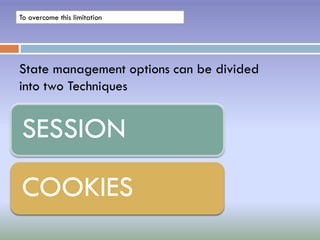
To overcome this limitation
State management options can be divided
into two Techniques
SESSION
COOKIES
Session Variables
When you are working with an application, you open it, do some
changes and then you close it. This is much like a Session. The
computer knows who you are. It knows when you start the application
and when you end. But on the internet there is one problem: the web
server does not know who you are and what you do because the HTTP
address doesn't maintain state.
A PHP session solves this problem by allowing you to store user
information on the server for later use (i.e. username, shopping items,
etc). However, session information is temporary and will be deleted
after the user has left the website. If you need a permanent storage
you may want to store the data in a database.
Sessions work by creating a unique id (UID) for each visitor and store
variables based on this UID. The UID is either stored in a cookie or is
propagated in the URL.
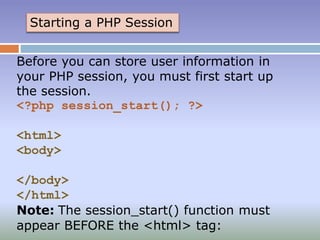
Starting a PHP Session
Before you can store user information in
your PHP session, you must first start up
the session.
<?php session_start(); ?>
<html>
<body>
</body>
</html>
Note: The session_start() function must
appear BEFORE the <html> tag:
Storing a Session Variable
The correct way to store and retrieve session variables is to use the PHP $_SESSION variable:
<?php
session_start();
// store session data
$_SESSION['views']=1;
?>
<html>
<body>
<?php
//retrieve session data
echo "Pageviews=". $_SESSION['views'];
?>
</body>
</html>
Output:
Pageviews=1
Continue...
In the example below, we create a simple page-views
counter. The isset() function checks if the "views" variable
has already been set. If "views" has been set, we can
increment our counter. If "views" doesn't exist, we create a
"views" variable, and set it to 1:
<?php
session_start();
if(isset($_SESSION['views']))
$_SESSION['views']=$_SESSION['v
iews']+1;
else
$_SESSION['views']=1;
echo "Views=".
$_SESSION['views'];
?>
Destroying a Session
If you wish to delete some session data, you can use the unset() or the
session_destroy() function.
The unset() function is used to free the specified session variable:
<?php
session_start();
if(isset($_SESSION['views']))
unset($_SESSION['views']);
?>
You can also completely destroy the session by calling the
session_destroy() function:
<?php
session_destroy();
?>
Note: session_destroy() will reset your session and you will lose all your
stored session data.
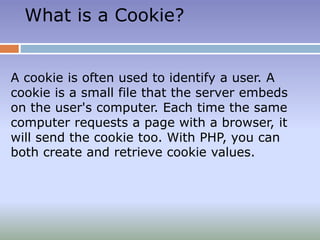
What is a Cookie?
A cookie is often used to identify a user. A
cookie is a small file that the server embeds
on the user's computer. Each time the same
computer requests a page with a browser, it
will send the cookie too. With PHP, you can
both create and retrieve cookie values.
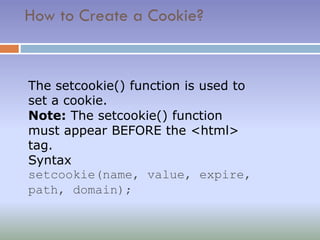
How to Create a Cookie?
The setcookie() function is used to
set a cookie.
Note: The setcookie() function
must appear BEFORE the <html>
tag.
Syntax
setcookie(name, value, expire,
path, domain);
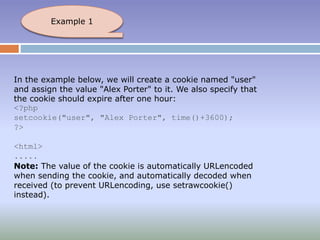
In the example below, we will create a cookie named "user"
and assign the value "Alex Porter" to it. We also specify that
the cookie should expire after one hour:
<?php
setcookie("user", "Alex Porter", time()+3600);
?>
<html>
.....
Note: The value of the cookie is automatically URLencoded
when sending the cookie, and automatically decoded when
received (to prevent URLencoding, use setrawcookie()
instead).
Example 1
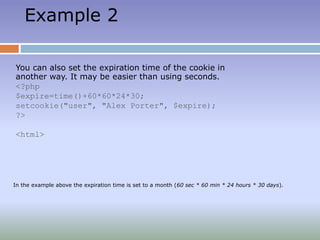
Example 2
You can also set the expiration time of the cookie in
another way. It may be easier than using seconds.
<?php
$expire=time()+60*60*24*30;
setcookie("user", "Alex Porter", $expire);
?>
<html>
In the example above the expiration time is set to a month (60 sec * 60 min * 24 hours * 30 days).
How to Retrieve a Cookie Value?
The PHP $_COOKIE variable is used to retrieve a cookie
value.
In the example below, we retrieve the value of the cookie
named "user" and display it on a page:
<?php
// Print a cookie
echo $_COOKIE["user"];
// A way to view all cookies
print_r($_COOKIE);
?>
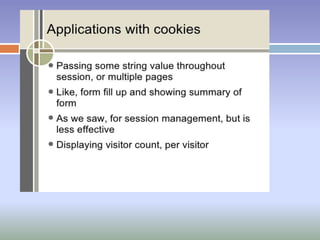
1.Session management
Cookies may be used to maintain data related to the user during navigation,
possibly across multiple visits. Cookies were introduced to provide a way to
implement a "shopping cart" (or "shopping basket"),[8][9] a virtual device into which
users can store items they want to purchase as they navigate throughout the site.
Shopping basket applications today usually store the list of basket contents in a
database on the server side, rather than storing basket items in the cookie itself. A
web server typically sends a cookie containing a unique session identifier.
The web browser will send back that session identifier with each subsequent request
and shopping basket items are stored associated with a unique session identifier.
Uses
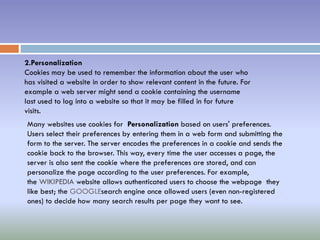
2.Personalization
Cookies may be used to remember the information about the user who
has visited a website in order to show relevant content in the future. For
example a web server might send a cookie containing the username
last used to log into a website so that it may be filled in for future
visits.
Many websites use cookies for Personalization based on users' preferences.
Users select their preferences by entering them in a web form and submitting the
form to the server. The server encodes the preferences in a cookie and sends the
cookie back to the browser. This way, every time the user accesses a page, the
server is also sent the cookie where the preferences are stored, and can
personalize the page according to the user preferences. For example,
the WIKIPEDIA website allows authenticated users to choose the webpage they
like best; the GOOGLEsearch engine once allowed users (even non-registered
ones) to decide how many search results per page they want to see.
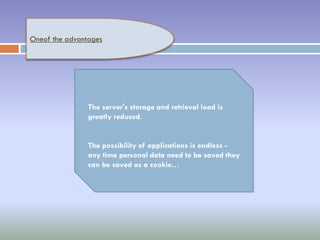
Oneof the advantages
The server's storage and retrieval load is
greatly reduced.
The possibility of applications is endless -
any time personal data need to be saved they
can be saved as a cookie…
ANY
QUESTION
S
THANKU
TO ALL

Session,cookies

  • 1.
  • 2.
    STATE MANAGEMENT  Weneed to maintain state-level and page-level information of an Web application because Web pages and Framework use HTTP protocol to communicate between a Web browser and a Web server.  HTTP is a stateless protocol.  Therefore it can not automatically indicate whether the sequential requests are coming from the same or different clients. For example, if you need to develop a Web application that provides a personalized page to users after subsequent logon, you need to keep track of user activities when users access the web page. You need to implement session tracking for each user accessing the Web application because HTTP does not enable you to keep track of user activities in a Web Page. In addition, a Web page is fetched again, each time the page is posted to a Web server. This results in loss of information associated with the page and the controls on the page with each round trip.  For example, if user selects a checkbox in a Web page, the selection will be lost in the round trip of the page.
  • 3.
    To overcome thislimitation State management options can be divided into two Techniques SESSION COOKIES
  • 4.
    Session Variables When youare working with an application, you open it, do some changes and then you close it. This is much like a Session. The computer knows who you are. It knows when you start the application and when you end. But on the internet there is one problem: the web server does not know who you are and what you do because the HTTP address doesn't maintain state. A PHP session solves this problem by allowing you to store user information on the server for later use (i.e. username, shopping items, etc). However, session information is temporary and will be deleted after the user has left the website. If you need a permanent storage you may want to store the data in a database. Sessions work by creating a unique id (UID) for each visitor and store variables based on this UID. The UID is either stored in a cookie or is propagated in the URL.
  • 5.
    Starting a PHPSession Before you can store user information in your PHP session, you must first start up the session. <?php session_start(); ?> <html> <body> </body> </html> Note: The session_start() function must appear BEFORE the <html> tag:
  • 6.
    Storing a SessionVariable The correct way to store and retrieve session variables is to use the PHP $_SESSION variable: <?php session_start(); // store session data $_SESSION['views']=1; ?> <html> <body> <?php //retrieve session data echo "Pageviews=". $_SESSION['views']; ?> </body> </html> Output: Pageviews=1
  • 7.
    Continue... In the examplebelow, we create a simple page-views counter. The isset() function checks if the "views" variable has already been set. If "views" has been set, we can increment our counter. If "views" doesn't exist, we create a "views" variable, and set it to 1: <?php session_start(); if(isset($_SESSION['views'])) $_SESSION['views']=$_SESSION['v iews']+1; else $_SESSION['views']=1; echo "Views=". $_SESSION['views']; ?>
  • 8.
    Destroying a Session Ifyou wish to delete some session data, you can use the unset() or the session_destroy() function. The unset() function is used to free the specified session variable: <?php session_start(); if(isset($_SESSION['views'])) unset($_SESSION['views']); ?> You can also completely destroy the session by calling the session_destroy() function: <?php session_destroy(); ?> Note: session_destroy() will reset your session and you will lose all your stored session data.
  • 9.
    What is aCookie? A cookie is often used to identify a user. A cookie is a small file that the server embeds on the user's computer. Each time the same computer requests a page with a browser, it will send the cookie too. With PHP, you can both create and retrieve cookie values.
  • 10.
    How to Createa Cookie? The setcookie() function is used to set a cookie. Note: The setcookie() function must appear BEFORE the <html> tag. Syntax setcookie(name, value, expire, path, domain);
  • 11.
    In the examplebelow, we will create a cookie named "user" and assign the value "Alex Porter" to it. We also specify that the cookie should expire after one hour: <?php setcookie("user", "Alex Porter", time()+3600); ?> <html> ..... Note: The value of the cookie is automatically URLencoded when sending the cookie, and automatically decoded when received (to prevent URLencoding, use setrawcookie() instead). Example 1
  • 12.
    Example 2 You canalso set the expiration time of the cookie in another way. It may be easier than using seconds. <?php $expire=time()+60*60*24*30; setcookie("user", "Alex Porter", $expire); ?> <html> In the example above the expiration time is set to a month (60 sec * 60 min * 24 hours * 30 days).
  • 13.
    How to Retrievea Cookie Value? The PHP $_COOKIE variable is used to retrieve a cookie value. In the example below, we retrieve the value of the cookie named "user" and display it on a page: <?php // Print a cookie echo $_COOKIE["user"]; // A way to view all cookies print_r($_COOKIE); ?>
  • 15.
    1.Session management Cookies maybe used to maintain data related to the user during navigation, possibly across multiple visits. Cookies were introduced to provide a way to implement a "shopping cart" (or "shopping basket"),[8][9] a virtual device into which users can store items they want to purchase as they navigate throughout the site. Shopping basket applications today usually store the list of basket contents in a database on the server side, rather than storing basket items in the cookie itself. A web server typically sends a cookie containing a unique session identifier. The web browser will send back that session identifier with each subsequent request and shopping basket items are stored associated with a unique session identifier. Uses
  • 16.
    2.Personalization Cookies may beused to remember the information about the user who has visited a website in order to show relevant content in the future. For example a web server might send a cookie containing the username last used to log into a website so that it may be filled in for future visits. Many websites use cookies for Personalization based on users' preferences. Users select their preferences by entering them in a web form and submitting the form to the server. The server encodes the preferences in a cookie and sends the cookie back to the browser. This way, every time the user accesses a page, the server is also sent the cookie where the preferences are stored, and can personalize the page according to the user preferences. For example, the WIKIPEDIA website allows authenticated users to choose the webpage they like best; the GOOGLEsearch engine once allowed users (even non-registered ones) to decide how many search results per page they want to see.
  • 17.
    Oneof the advantages Theserver's storage and retrieval load is greatly reduced. The possibility of applications is endless - any time personal data need to be saved they can be saved as a cookie…
  • 18.
  • 19.