Coffee in the Cloud
@CITCTV
Get more from Azure & Office 365
Teams IT Pro Academy:
Dynamic Emergency Calling
https://aka.ms/CoffeeintheCloud
About this module
• Additional resources
• More modules can be found at https://aka.ms/TeamsAcademy
• Feedback
• Feedback for this session: http://aka.ms/teamscommunity adding the “IT Pro Training” label
• Feedback for features: https://microsoftteams.uservoice.com/
• Teams and Office 365 evolves constantly!
• Stay up-to-date with https://aka.ms/Teamsblog
• February 2020 version of this presentation
Key learnings
• Provides the ability to configure and route
emergency calls based on the known location
of the user
• Available for Teams with Calling Plans and
Direct Routing
Agenda
• What is Dynamic Emergency Calling
• Configuring Dynamic Emergency Calling
• Summary and resources
Overview: Dynamic Emergency Calling
Call Routing Service included for
Calling Plan Users
Direct Routing users must obtain
additional service [Emergency
Routing Service Providers – see
https://aka.ms/dr-sbc]
Direct Routing can also leverage
Emergency Location Identification
Number [ELIN] gateways [upcoming
support – see https://aka.ms/dr-sbc]
Optional: Configure security desk
notifications
Route emergency calls based on the known location of the Teams client
Considerations – Calling Plans
Automatic routing to PSAP (Public Safety Answering Point) is country dependent
• United States
• Client within a tenant-defined dynamic emergency location (including geo codes): call will be automatically routed to PSAP
• Client not located in a tenant-defined dynamic emergency location: call will be screened by a national call center [ECRC] to determine
caller’s location
• If the caller is unable to update their emergency location with the ECRC, transfer to PSAP serving the caller’s registered address
• Outside of the United States [dynamic routing not applicable here]
• Canada, Ireland, UK: Emergency calls are routed to Tier 1 screening center, equivalent behavior in US without registered address
• Germany, France Spain: Emergency calls are routed directly to the PSAP serving the emergency address associated with the number
regardless of the location of the caller. When adding emergency locations for users in these locations, address must map to the phone
number based on emergency address mapping in region.
• Netherlands: Emergency calls are routed directly to the PSAP for the local area code of the number regardless of the location of the
caller.
• Australia: Emergency addresses are configured and routed by the carrier partner
• Japan: Emergency calling is not supported
https://aka.ms/tec
Considerations – Direct Routing
Teams Emergency Number: the numbers that users will dial to
reach emergency services
Teams Emergency Call Routing Policy: enables the routing of
emergency calls based on defined emergency numbers
These items will be covered in greater detail later in this presentation.
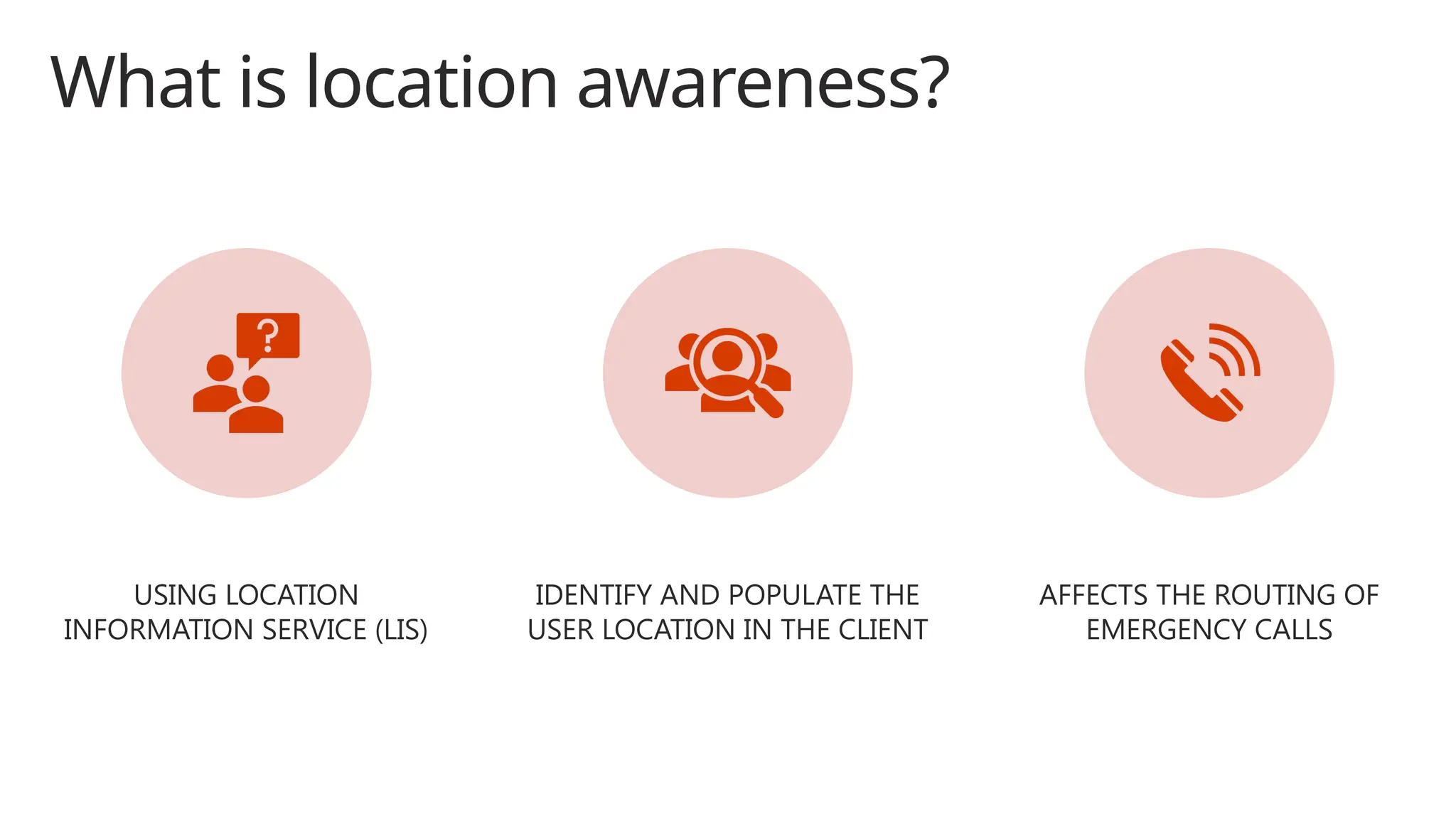
What is location awareness?
USING LOCATION
INFORMATION SERVICE (LIS)
IDENTIFY AND POPULATE THE
USER LOCATION IN THE CLIENT
AFFECTS THE ROUTING OF
EMERGENCY CALLS
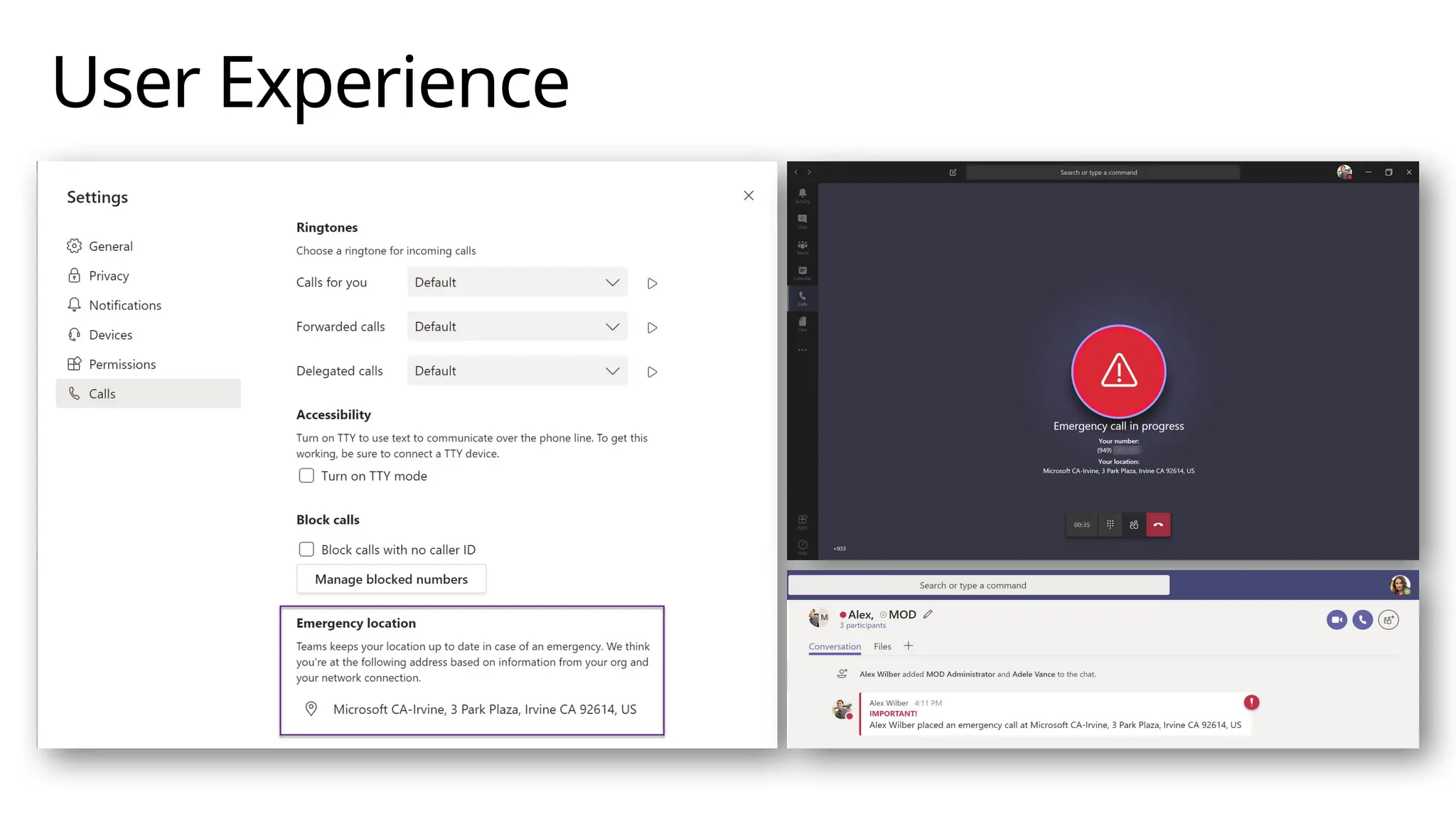
User Experience
Configuring Dynamic Emergency Calling
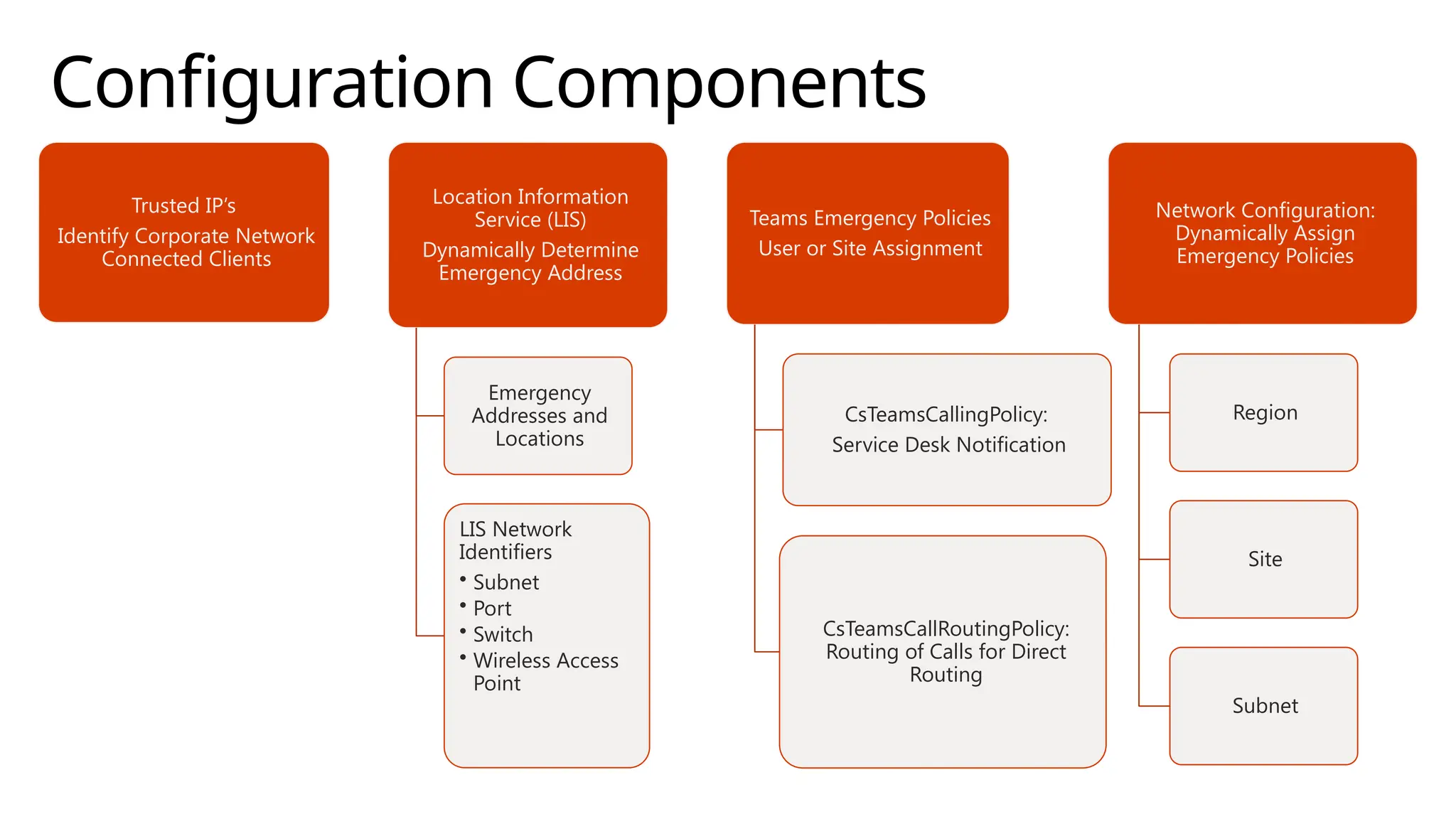
Configuration Components
Trusted IP’s
Identify Corporate Network
Connected Clients
Location Information
Service (LIS)
Dynamically Determine
Emergency Address
Emergency
Addresses and
Locations
LIS Network
Identifiers
• Subnet
• Port
• Switch
• Wireless Access
Point
Teams Emergency Policies
User or Site Assignment
CsTeamsCallingPolicy:
Service Desk Notification
CsTeamsCallRoutingPolicy:
Routing of Calls for Direct
Routing
Network Configuration:
Dynamically Assign
Emergency Policies
Region
Site
Subnet
Trusted IPs
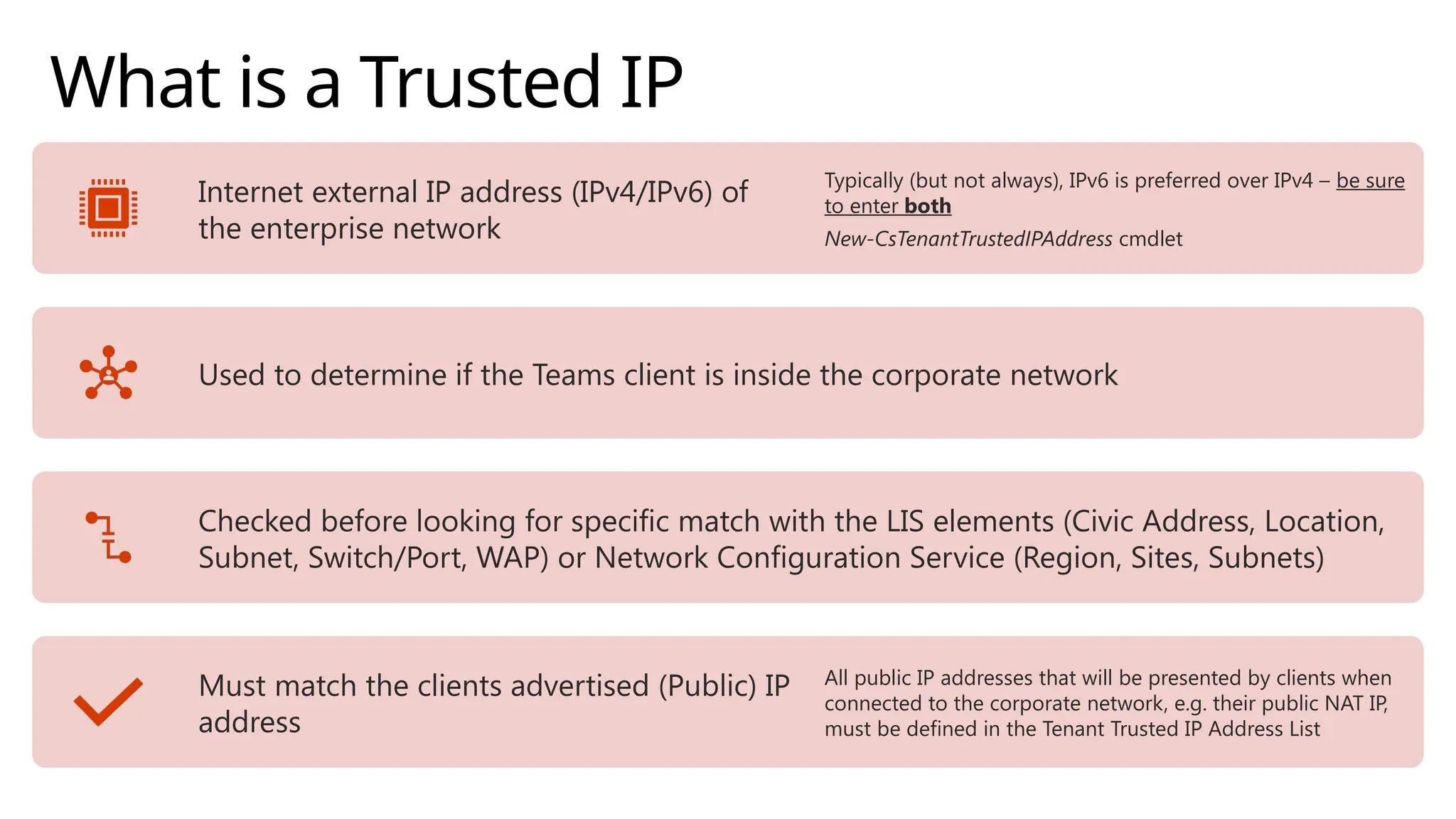
What is a Trusted IP
Internet external IP address (IPv4/IPv6) of
the enterprise network
Typically (but not always), IPv6 is preferred over IPv4 – be sure
to enter both
New-CsTenantTrustedIPAddress cmdlet
Used to determine if the Teams client is inside the corporate network
Checked before looking for specific match with the LIS elements (Civic Address, Location,
Subnet, Switch/Port, WAP) or Network Configuration Service (Region, Sites, Subnets)
Must match the clients advertised (Public) IP
address
All public IP addresses that will be presented by clients when
connected to the corporate network, e.g. their public NAT IP,
must be defined in the Tenant Trusted IP Address List
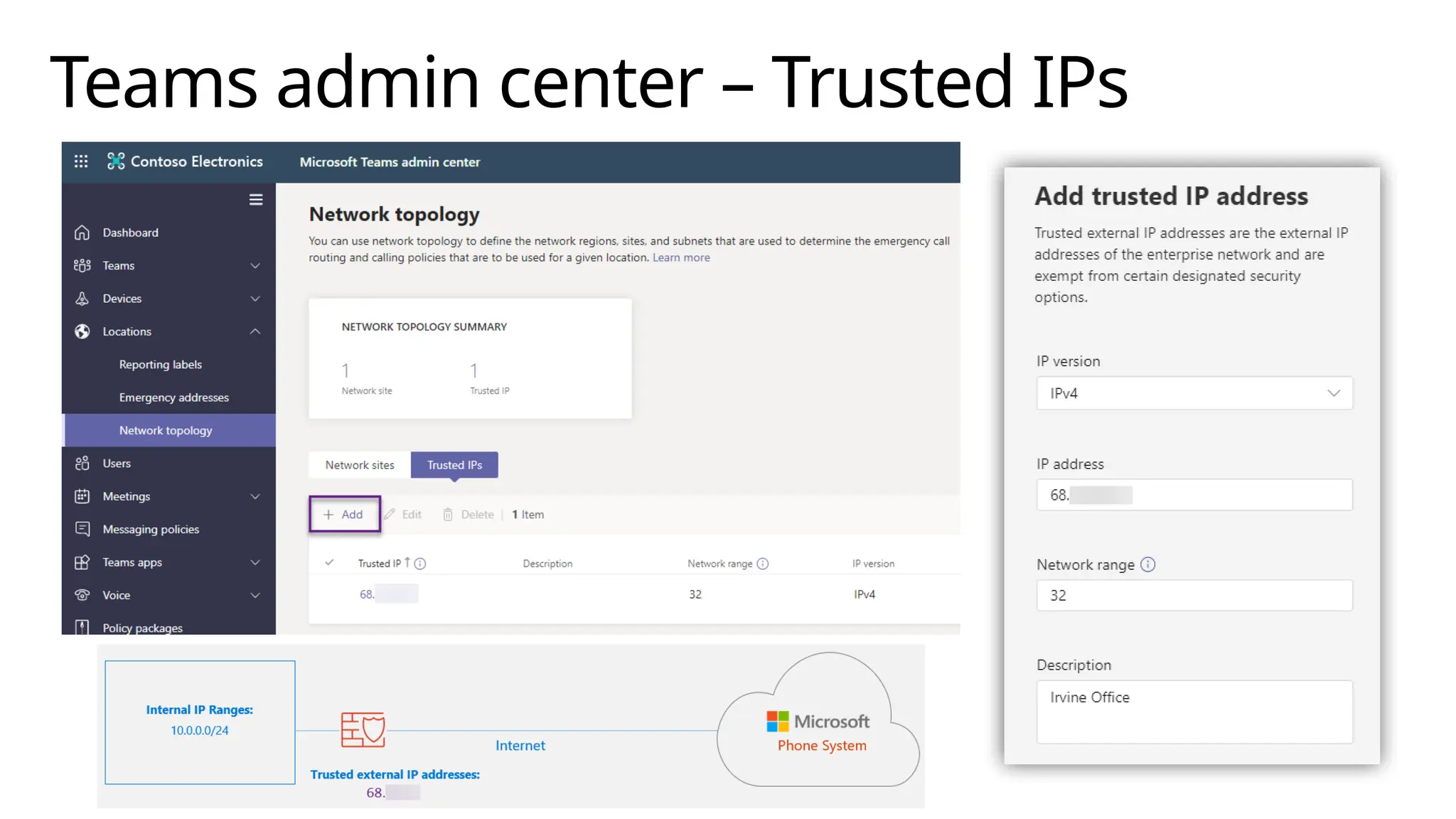
Creating Trusted IPs
Create in Tenant Remote PowerShell
[TRPS] or Teams Admin Center
These are also used with Location Based Routing
(LBR) configurations
New-CsTenantTrustedIPAddress
IPv4: use –MaskBits 32 for single address
(default)
IPv6: use –MaskBits 128 for single address
(default)
Network Configuration Service
(NCS) has a 2-hour cache
Newly created Tenant Network configuration
settings (such as Trusted IPs) won’t be available
for ~2 hours after creation
Teams admin center – Trusted IPs
Location Information Service
Defining your environment
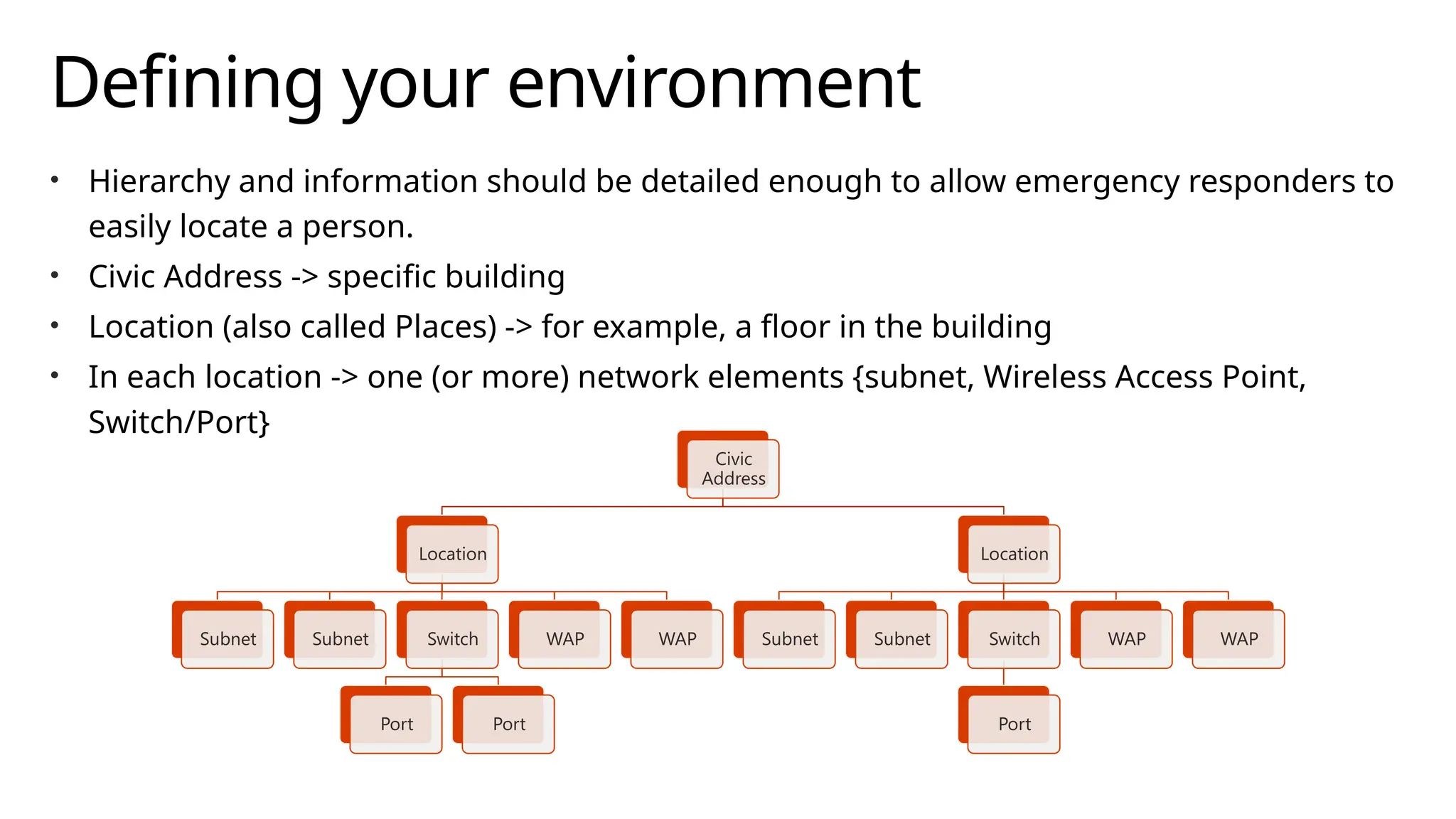
• Hierarchy and information should be detailed enough to allow emergency responders to
easily locate a person.
• Civic Address -> specific building
• Location (also called Places) -> for example, a floor in the building
• In each location -> one (or more) network elements {subnet, Wireless Access Point,
Switch/Port}
Civic
Address
Location
Subnet Subnet Switch
Port Port
WAP WAP
Location
Subnet Subnet Switch
Port
WAP WAP
Civic Addresses
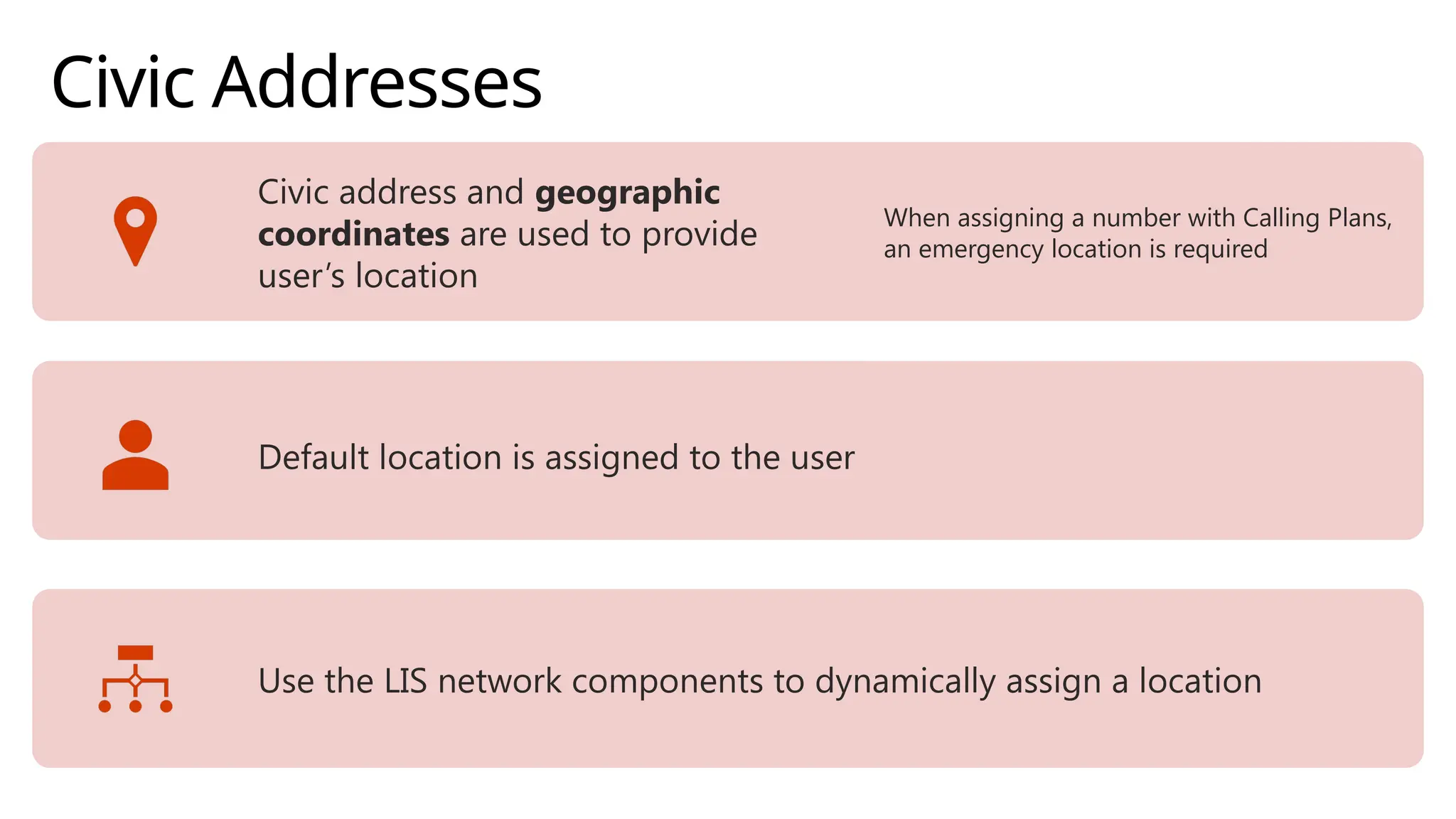
Civic address and geographic
coordinates are used to provide
user’s location
When assigning a number with Calling Plans,
an emergency location is required
Default location is assigned to the user
Use the LIS network components to dynamically assign a location
Civic Address Creation
• Teams Admin Center
• Automatically fills in geo coordinates
• Optionally – can add in ELIN information [manual edit required]
• Tenant Remote PowerShell [TRPS]
• New-CsOnlineLisCivicAddress cmdlet
• Use the –Latitude and –Longitude parameters (optionally also –Elin)
• Obtain geo coordinates (example use Bing Maps)
• Once validated (upon creation), cannot be edited,
must delete and re-create with updated information
Civic Address Creation [Teams Admin
Center]
Locations (Places)
When a Civic Address is created, a corresponding location is automatically created
Admin can create additional locations
Common example -> create multiple Places to map to floors in a
building
Teams Admin Center
Locations -> Emergency addresses -> [CivicAddress] -> Places
Once voice users are assigned to a location, associated
location/civic address
Tenant Remote Powershell [TRPS]
New-CsOnlineLisLocation cmdlet -> must reference the associated
CivicAddressID
Use Get-CsOnlineLisCivicAddress cmdlet to find the CivicAddressID
Places Creation [Teams admin center]
Civic Address Creation [TRPS]
$descep = (Get-Culture).NumberFormat.NumberDecimalSeparator
$company = “Contoso”
$latitude = "41" + $decsep + "2395774887062"
$longitude = "-96" + $decsep + "0146372295965"
$omaha=New-CsOnlineLisCivicAddress -PostalCode 68106 -CountryOrRegion US -StreetName "67th
ST" -HouseNumber 2111 -PreDirectional S -City Omaha -StateOrProvince NE -CompanyName
$company -Description "Corporate Sales Office" -latitude $latitude -longitude $longitude
Test-CsOnlineLisCivicAddress -CivicAddressId $omaha.CivicAddressId
$omaha2floor = New-CsOnlineLisLocation -CivicAddressId $omaha.CivicAddressId -Location
"2nd floor" -latitude $latitude -longitude $longitude
$omaha3floor = New-CsOnlineLisLocation -CivicAddressId $omaha.CivicAddressId -Location
"3rd floor" -latitude $latitude -longitude $longitude
Assigning a Civic Address/Location
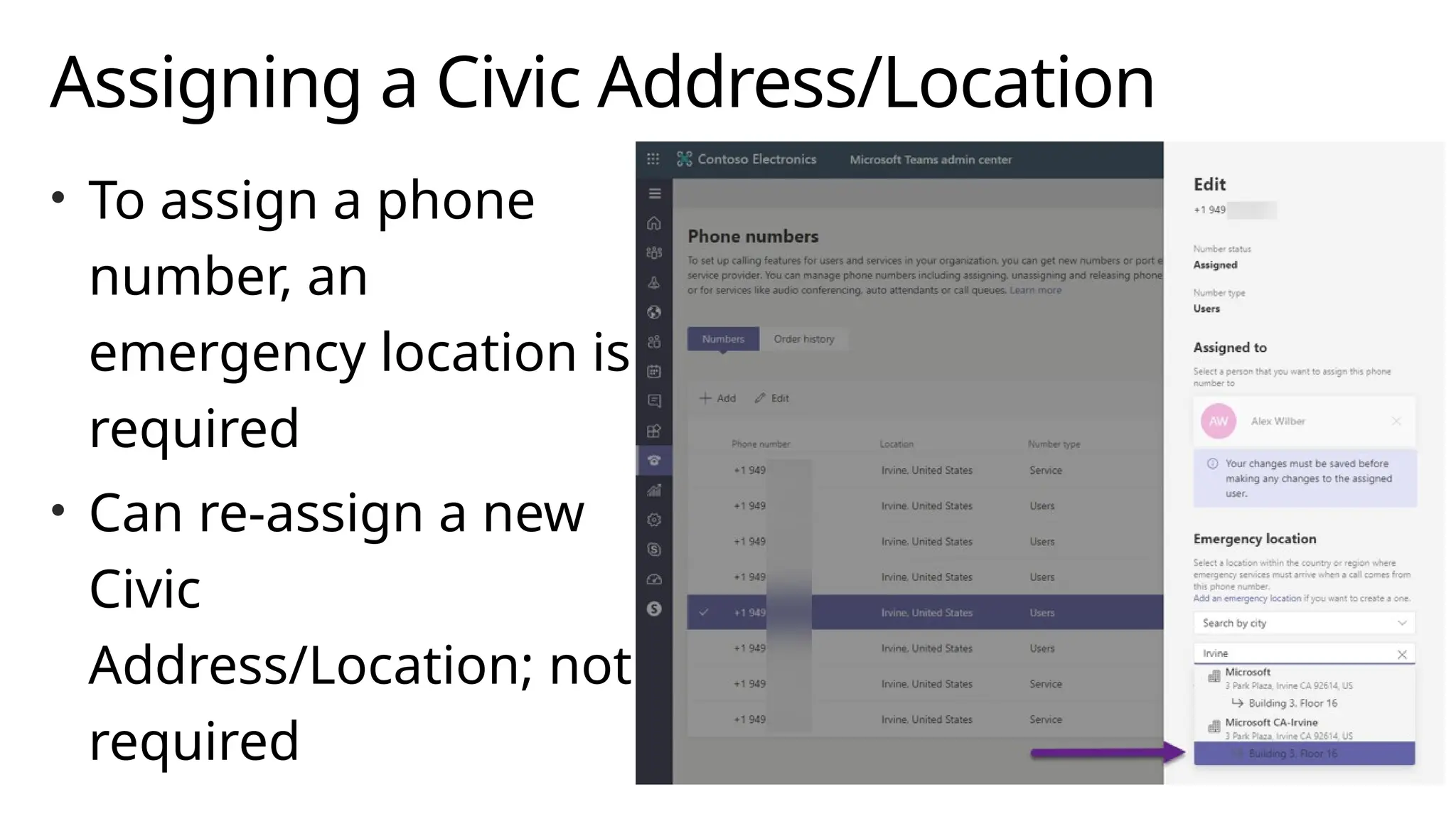
• To assign a phone
number, an
emergency location is
required
• Can re-assign a new
Civic
Address/Location; not
required
Dynamically Assigning Locations
Use LIS network elements to dynamically assign locations
• Subnet
• Configure Network Subnet ID
• Must match client computed root network ID based on client IP/CIDR
• Set-CsOnlineLisSubnet cmdlet (associate to location with LocationID)
• Must be unique within the tenant
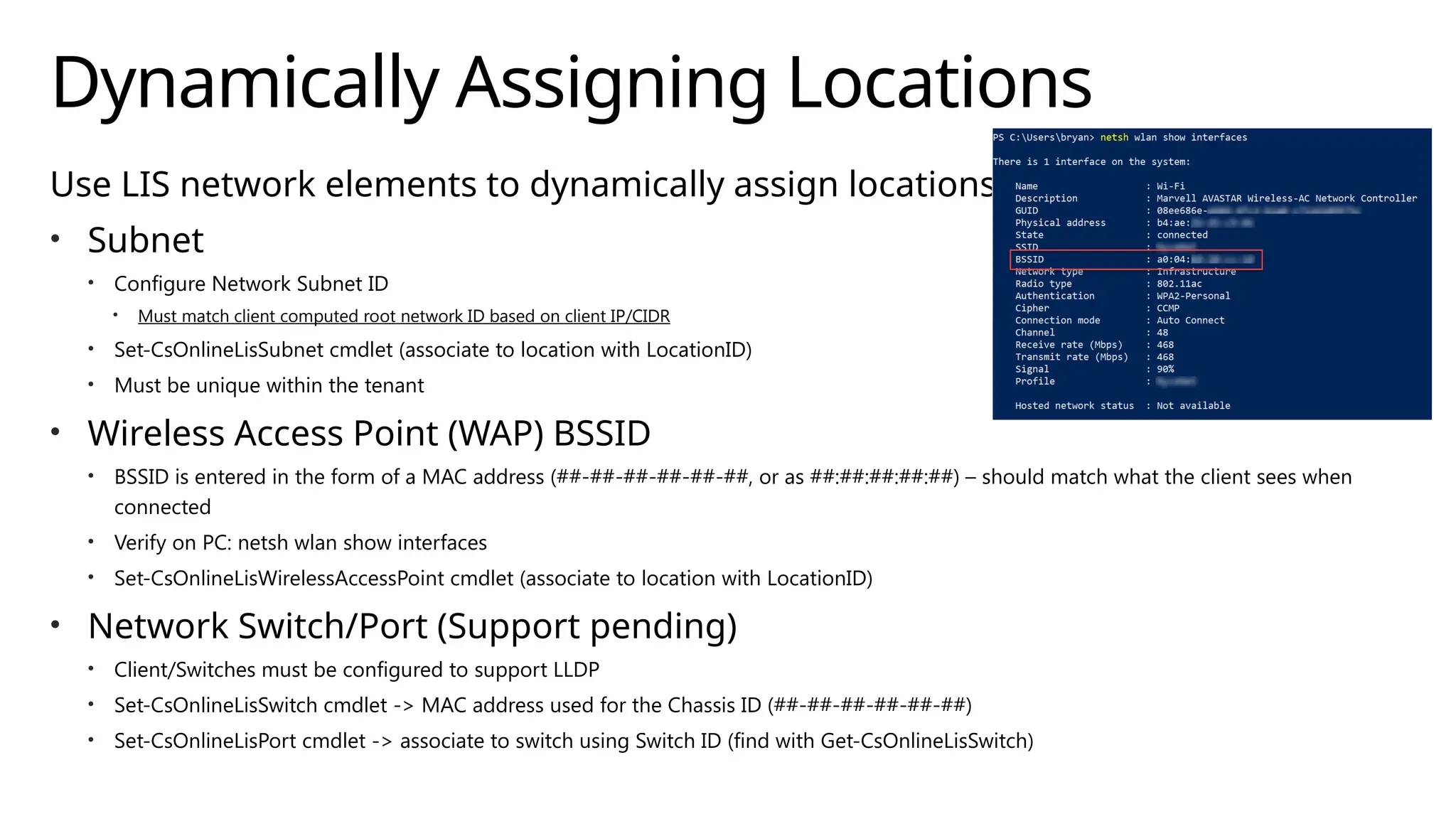
• Wireless Access Point (WAP) BSSID
• BSSID is entered in the form of a MAC address (##-##-##-##-##-##, or as ##:##:##:##:##) – should match what the client sees when
connected
• Verify on PC: netsh wlan show interfaces
• Set-CsOnlineLisWirelessAccessPoint cmdlet (associate to location with LocationID)
• Network Switch/Port (Support pending)
• Client/Switches must be configured to support LLDP
• Set-CsOnlineLisSwitch cmdlet -> MAC address used for the Chassis ID (##-##-##-##-##-##)
• Set-CsOnlineLisPort cmdlet -> associate to switch using Switch ID (find with Get-CsOnlineLisSwitch)
Emergency Policies
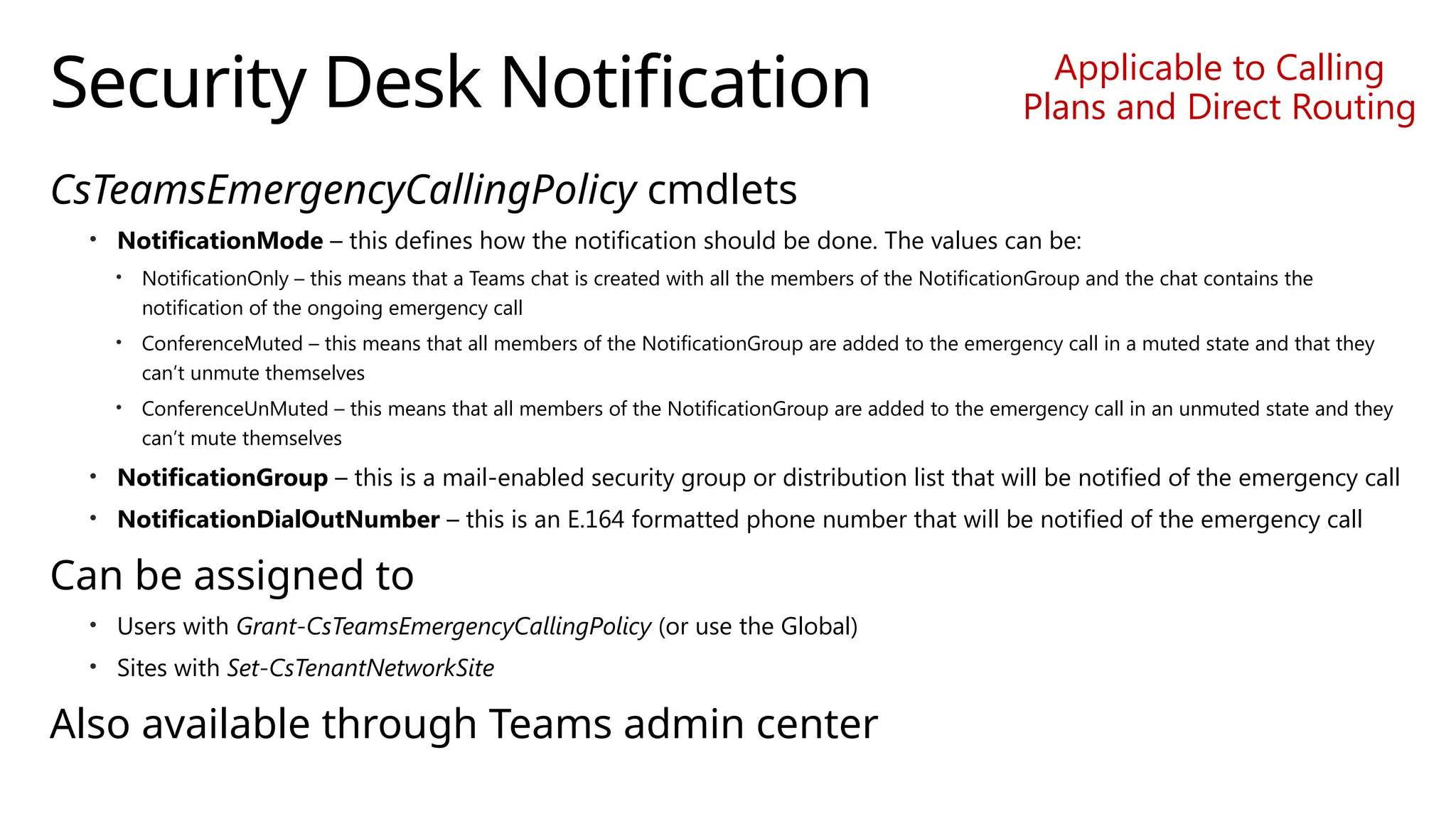
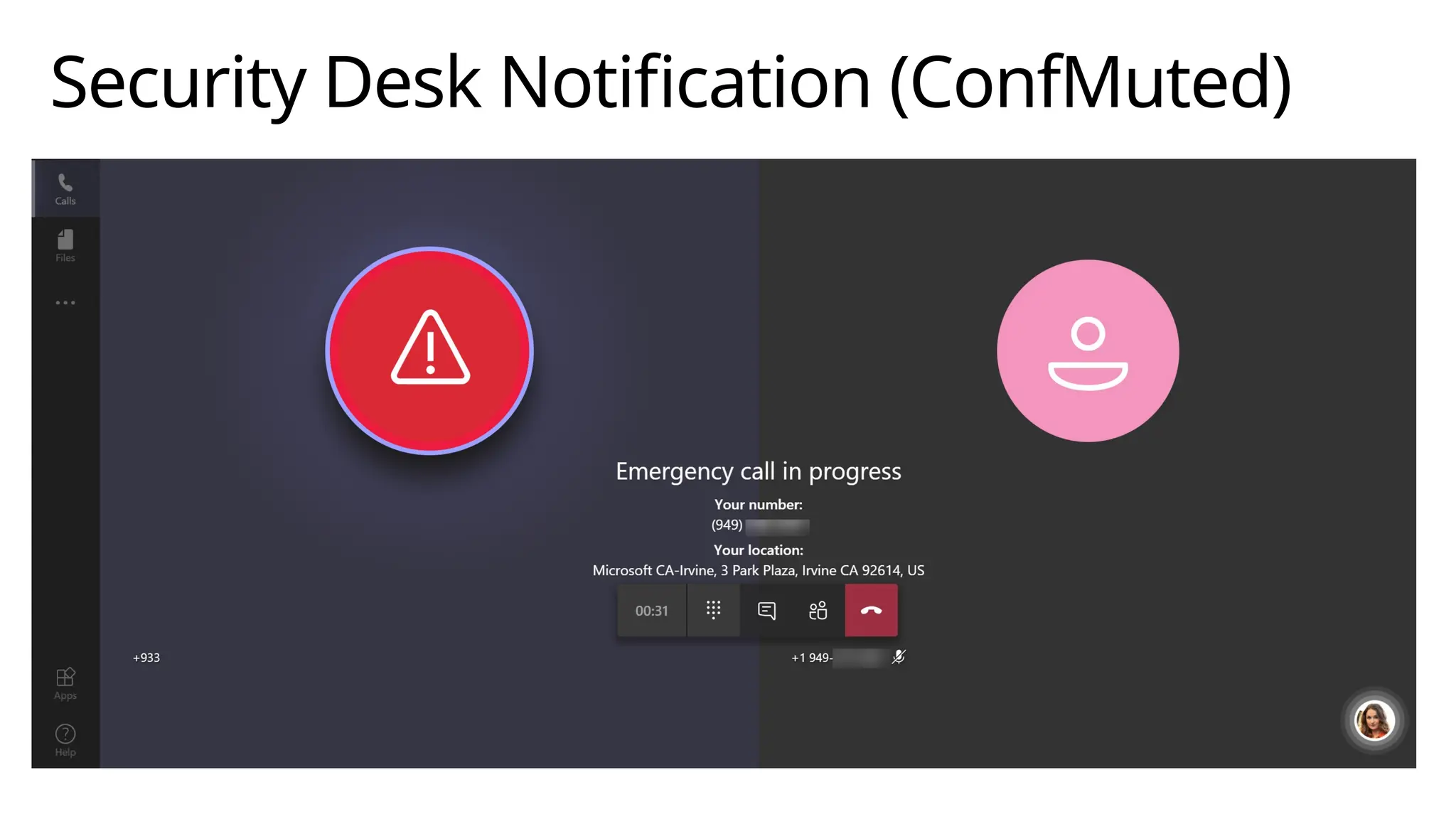
Security Desk Notification
CsTeamsEmergencyCallingPolicy cmdlets
• NotificationMode – this defines how the notification should be done. The values can be:
• NotificationOnly – this means that a Teams chat is created with all the members of the NotificationGroup and the chat contains the
notification of the ongoing emergency call
• ConferenceMuted – this means that all members of the NotificationGroup are added to the emergency call in a muted state and that they
can’t unmute themselves
• ConferenceUnMuted – this means that all members of the NotificationGroup are added to the emergency call in an unmuted state and they
can’t mute themselves
• NotificationGroup – this is a mail-enabled security group or distribution list that will be notified of the emergency call
• NotificationDialOutNumber – this is an E.164 formatted phone number that will be notified of the emergency call
Can be assigned to
• Users with Grant-CsTeamsEmergencyCallingPolicy (or use the Global)
• Sites with Set-CsTenantNetworkSite
Also available through Teams admin center
Applicable to Calling
Plans and Direct Routing
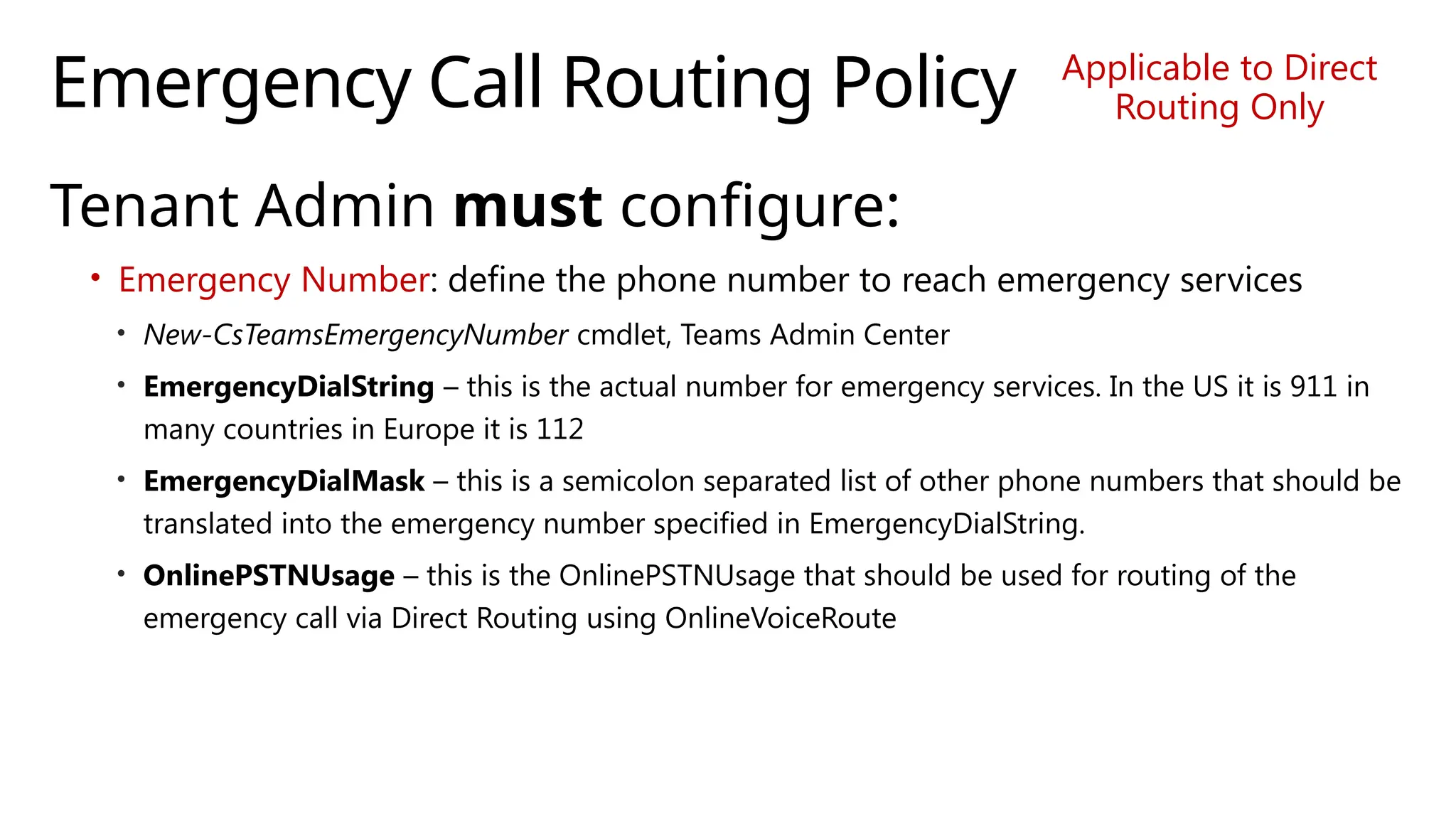
Emergency Call Routing Policy
Tenant Admin must configure:
• Emergency Number: define the phone number to reach emergency services
• New-CsTeamsEmergencyNumber cmdlet, Teams Admin Center
• EmergencyDialString – this is the actual number for emergency services. In the US it is 911 in
many countries in Europe it is 112
• EmergencyDialMask – this is a semicolon separated list of other phone numbers that should be
translated into the emergency number specified in EmergencyDialString.
• OnlinePSTNUsage – this is the OnlinePSTNUsage that should be used for routing of the
emergency call via Direct Routing using OnlineVoiceRoute
Applicable to Direct
Routing Only
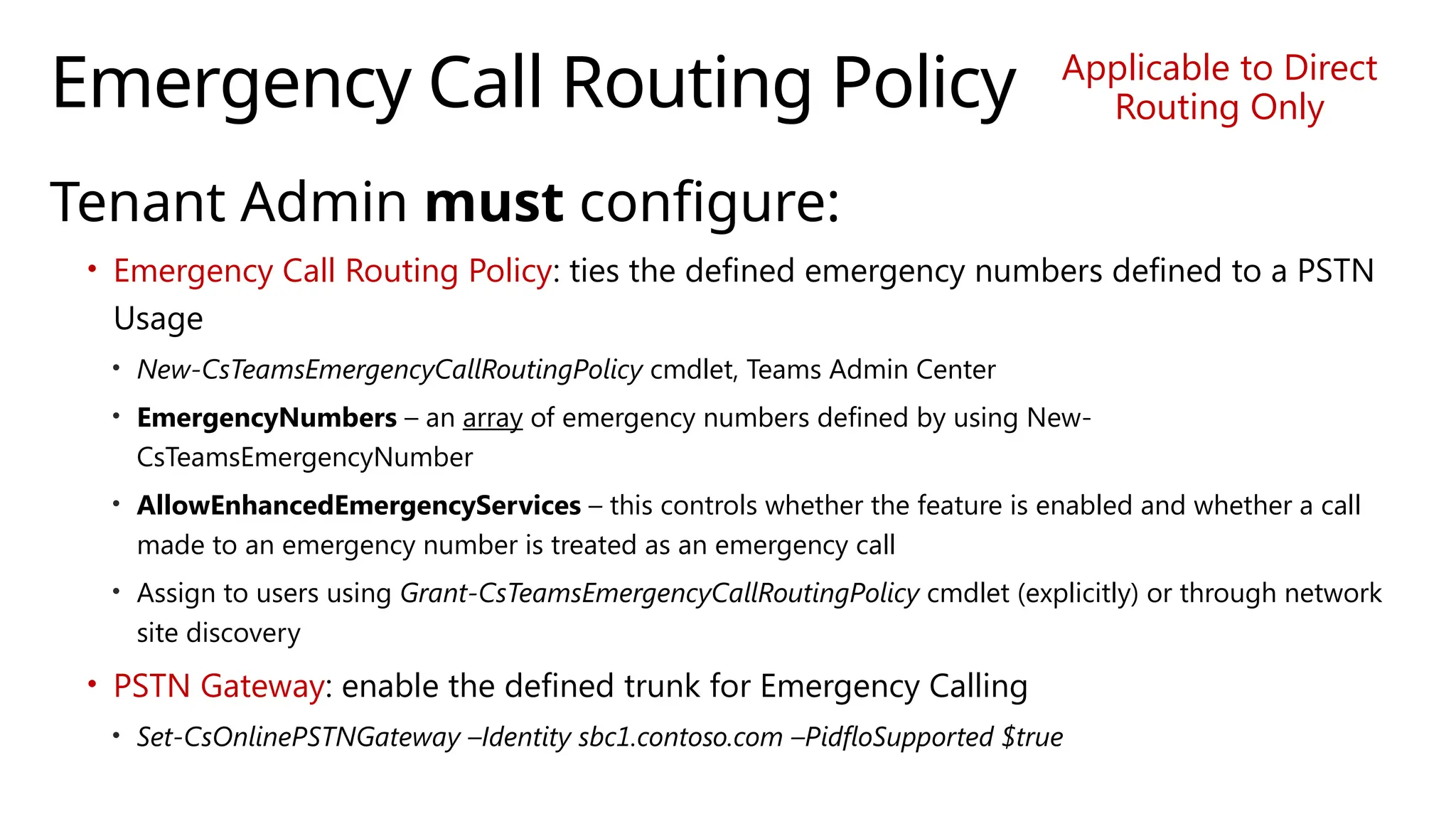
Emergency Call Routing Policy
Tenant Admin must configure:
• Emergency Call Routing Policy: ties the defined emergency numbers defined to a PSTN
Usage
• New-CsTeamsEmergencyCallRoutingPolicy cmdlet, Teams Admin Center
• EmergencyNumbers – an array of emergency numbers defined by using New-
CsTeamsEmergencyNumber
• AllowEnhancedEmergencyServices – this controls whether the feature is enabled and whether a call
made to an emergency number is treated as an emergency call
• Assign to users using Grant-CsTeamsEmergencyCallRoutingPolicy cmdlet (explicitly) or through network
site discovery
• PSTN Gateway: enable the defined trunk for Emergency Calling
• Set-CsOnlinePSTNGateway –Identity sbc1.contoso.com –PidfloSupported $true
Applicable to Direct
Routing Only
Security Desk Notification (ConfMuted)
Dynamic Assignment of Emergency Policies
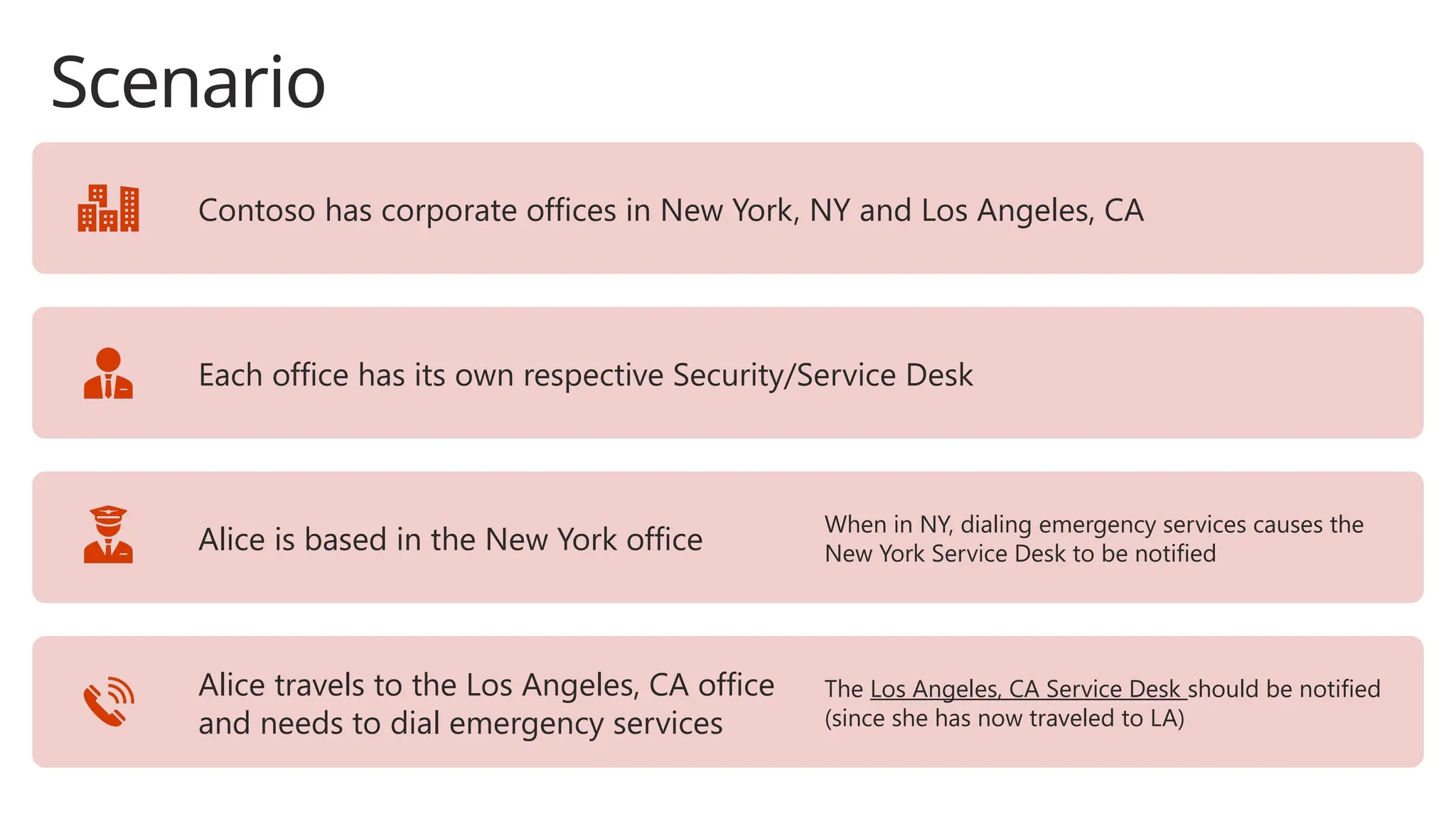
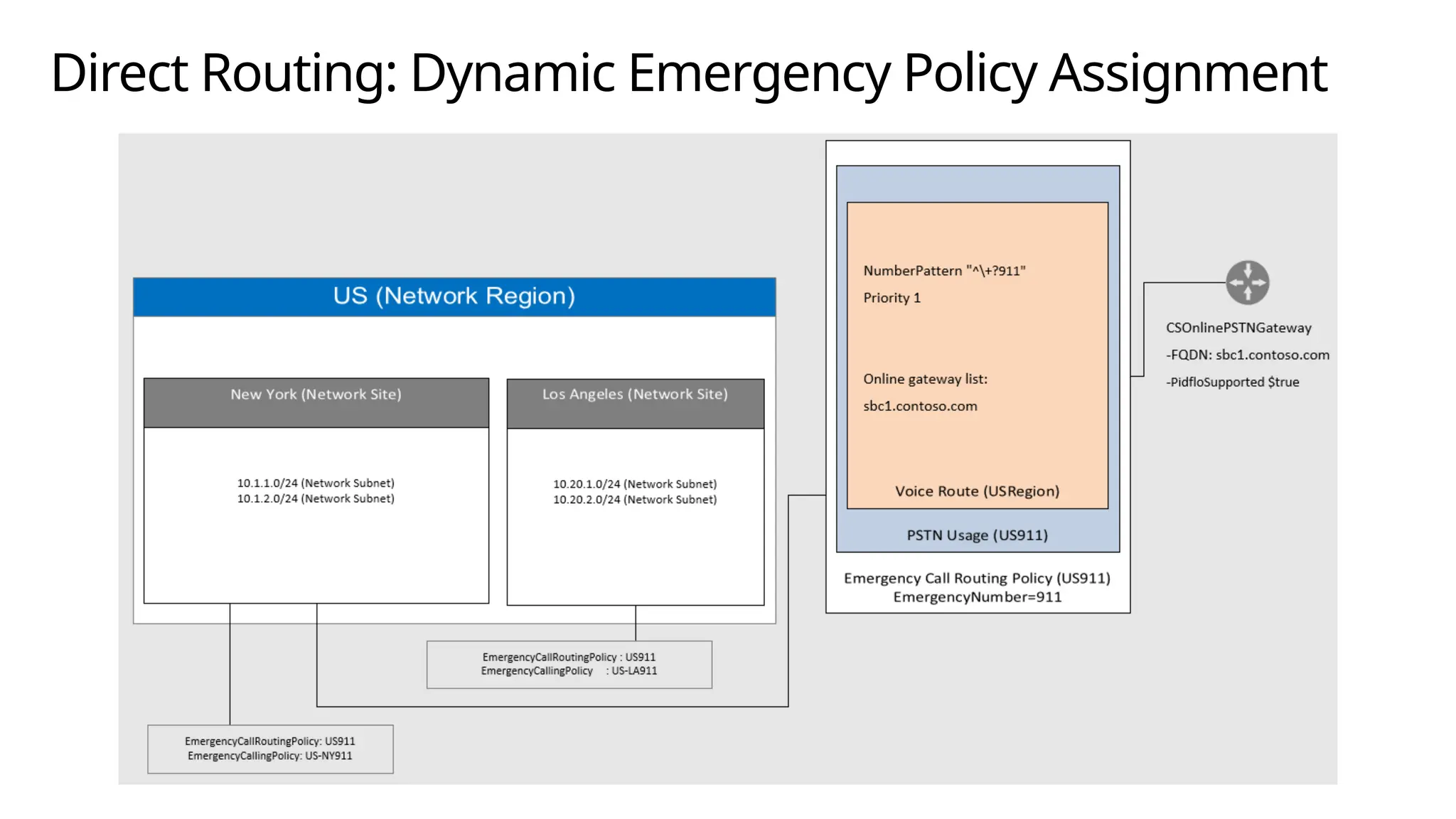
Scenario
Contoso has corporate offices in New York, NY and Los Angeles, CA
Each office has its own respective Security/Service Desk
Alice is based in the New York office
When in NY, dialing emergency services causes the
New York Service Desk to be notified
Alice travels to the Los Angeles, CA office
and needs to dial emergency services
The Los Angeles, CA Service Desk should be notified
(since she has now traveled to LA)
Dynamic Assignment: Emergency Policies
To support the previous scenario, the tenant
admin needs to configure the appropriate
network elements and assign a policy to a Site.
Site policies take precedence over user policies.
No match found would revert to Global (unless there is
an explicit assignment to user)
Dynamic assignment is based on Tenant
Network Configuration
Network Region
Network Site
Network Subnet
The Tenant Network components are not used for mapping emergency address for users;
only for dynamic assignment of emergency policies, emergency routing, Location Based
Routing [LBR] and DR Media Optimization.
Regions, Sites, and Subnets
• Network Region
• Interconnects various parts of a network across multiple geographic areas
• Collection of Network Sites
• Network Site
• Represents a location where the organization has a physical location
• Collection of unique IP subnets
• Network Subnets
• Internal IPv4/IPv6 subnets assigned to Network Sites; IPv4 takes precedence
• Multiple subnets may be associated with the same network site, but multiple sites may not be associated with a same subnet
• Network Configuration Service (NCS) has a 2-hour cache; newly created
Tenant Network configuration items won’t be available for ~2 hours
post creation
Tenant Network Configuration
Optional for Dynamic 911
Used for Dynamically Assigning Policies based
on users Network Site
NOT used for Emergency Address lookup
Subnet maps client IP address to a Site
Subnets must be unique
User Configuration
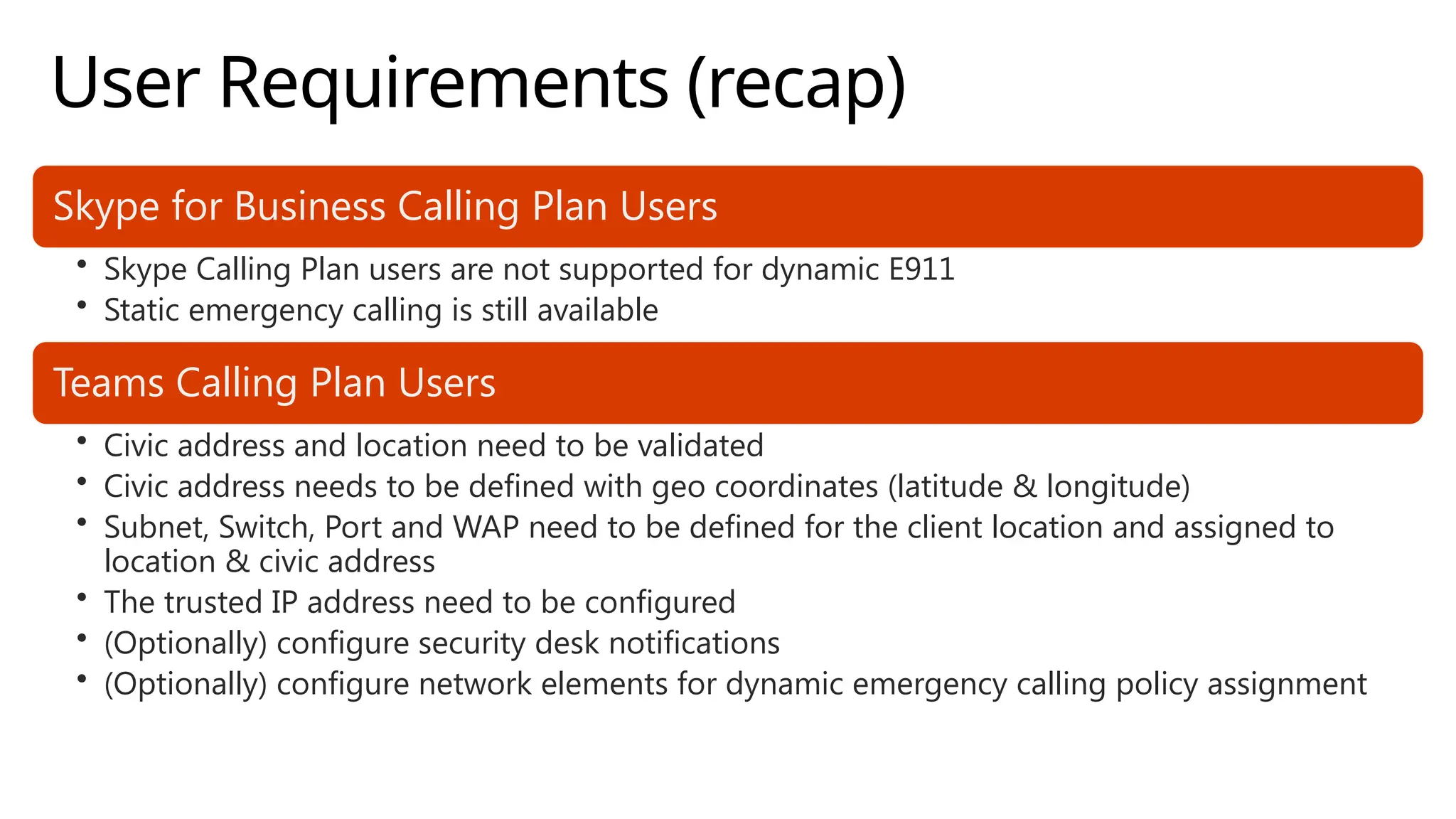
User Requirements (recap)
Skype for Business Calling Plan Users
• Skype Calling Plan users are not supported for dynamic E911
• Static emergency calling is still available
Teams Calling Plan Users
• Civic address and location need to be validated
• Civic address needs to be defined with geo coordinates (latitude & longitude)
• Subnet, Switch, Port and WAP need to be defined for the client location and assigned to
location & civic address
• The trusted IP address need to be configured
• (Optionally) configure security desk notifications
• (Optionally) configure network elements for dynamic emergency calling policy assignment
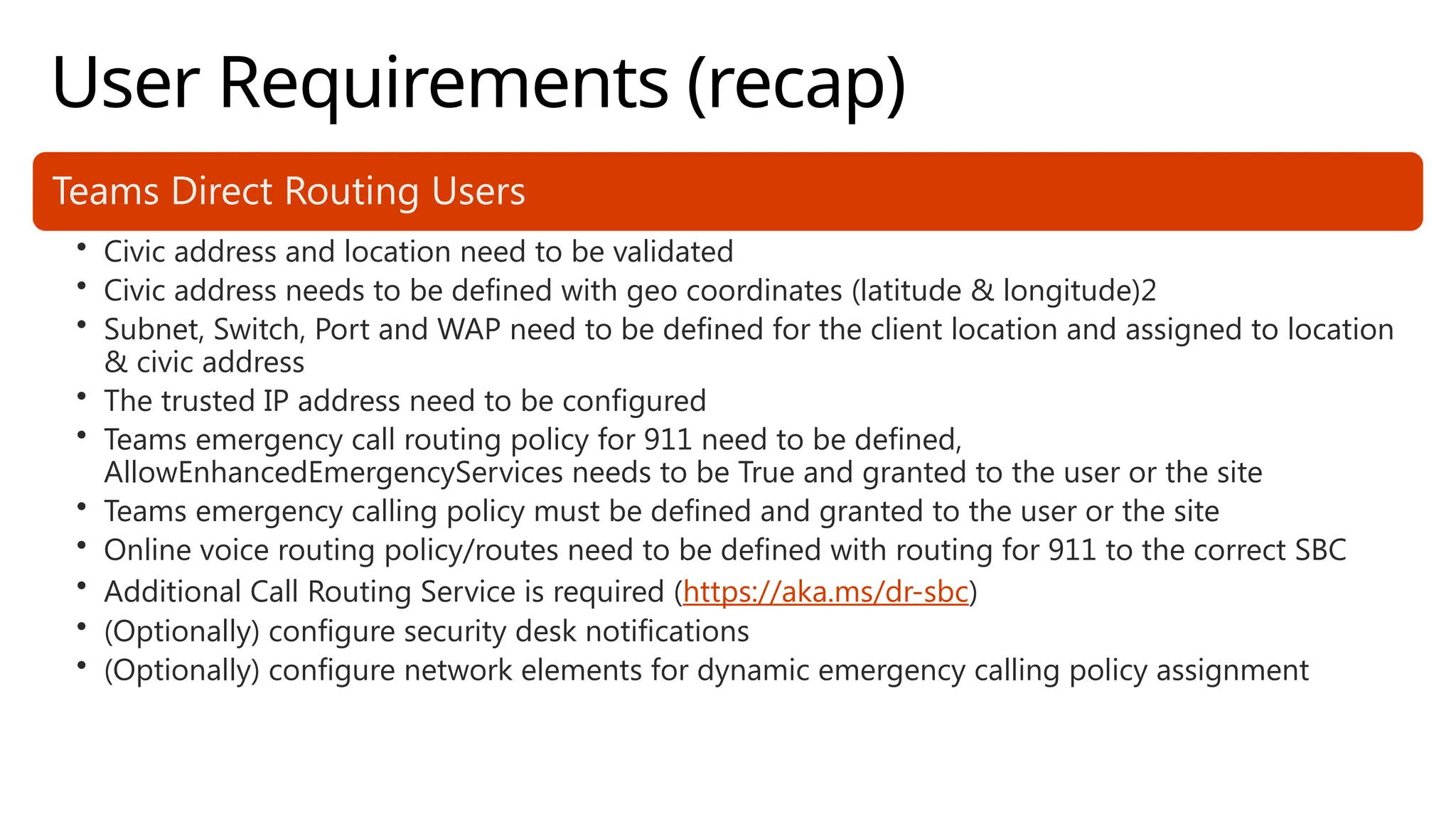
User Requirements (recap)
Teams Direct Routing Users
• Civic address and location need to be validated
• Civic address needs to be defined with geo coordinates (latitude & longitude)2
• Subnet, Switch, Port and WAP need to be defined for the client location and assigned to location
& civic address
• The trusted IP address need to be configured
• Teams emergency call routing policy for 911 need to be defined,
AllowEnhancedEmergencyServices needs to be True and granted to the user or the site
• Teams emergency calling policy must be defined and granted to the user or the site
• Online voice routing policy/routes need to be defined with routing for 911 to the correct SBC
• Additional Call Routing Service is required (https://aka.ms/dr-sbc)
• (Optionally) configure security desk notifications
• (Optionally) configure network elements for dynamic emergency calling policy assignment
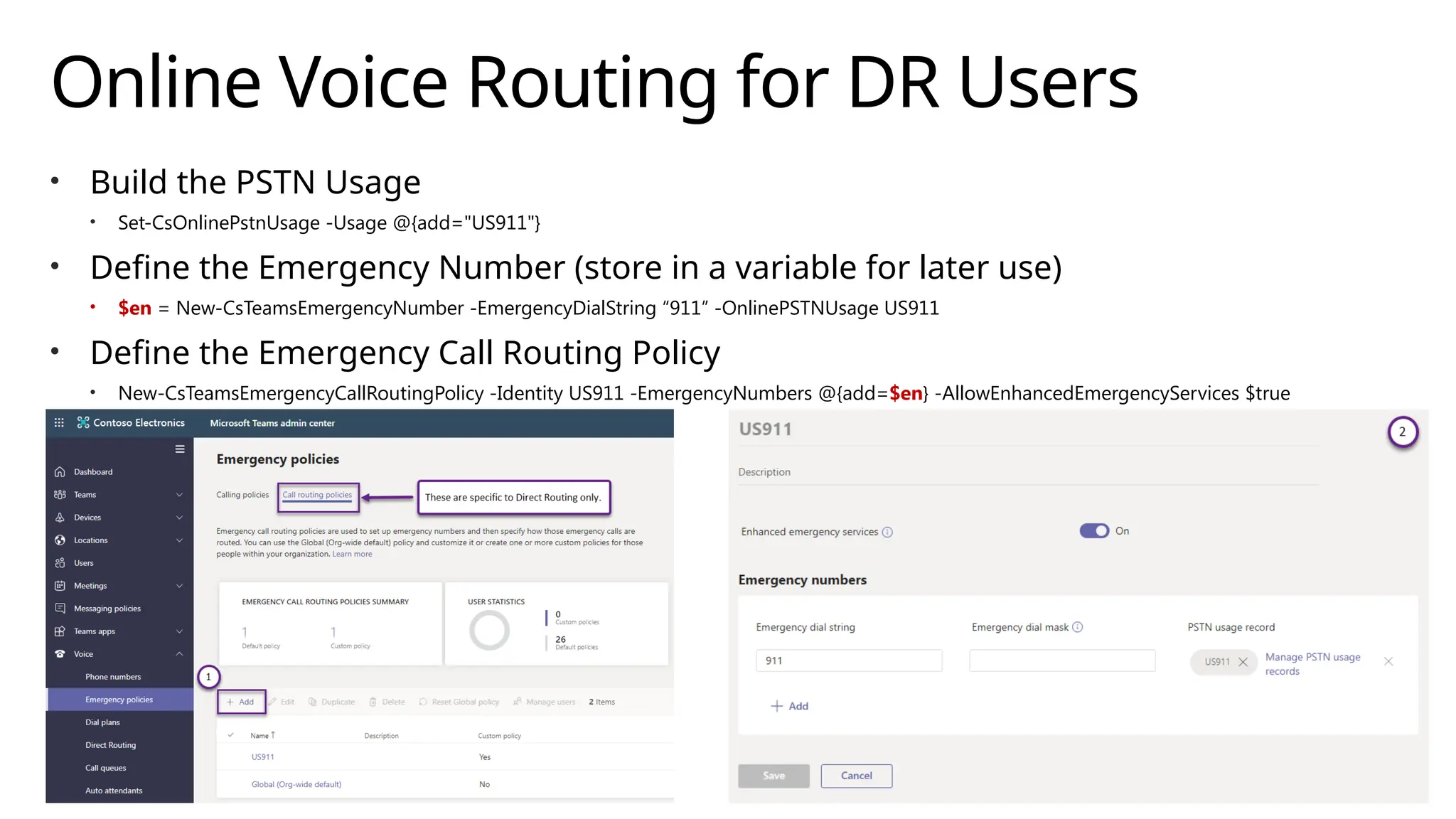
Online Voice Routing for DR Users
• Build the PSTN Usage
• Set-CsOnlinePstnUsage -Usage @{add="US911"}
• Define the Emergency Number (store in a variable for later use)
• $en = New-CsTeamsEmergencyNumber -EmergencyDialString “911” -OnlinePSTNUsage US911
• Define the Emergency Call Routing Policy
• New-CsTeamsEmergencyCallRoutingPolicy -Identity US911 -EmergencyNumbers @{add=$en} -AllowEnhancedEmergencyServices $true
Online Voice Routing for DR Users
• Add Voice Route (TRPS only)
• New-CsOnlineVoiceRoute -Identity US911 -Description "US E911 Dialing" -Name "US911" -
OnlinePstnGatewayList sbc1.contoso.com -NumberPattern "^+?911“ –OnlinePstnUsages “US911”
Note: the DR user does not need to have an Online Voice Routing Policy that includes the
OnlinePSTNUsage from the TeamsEmergencyCallRoutingPolicy; the emergency call will be routed
using the OnlinePSTNUsage directly.
• Any external PSTN call used in the security desk notification will use the user’s Online Voice Routing
Policy for routing.
• When defining the route, be sure to account for calls with
and without the leading + [-NumberPattern "^+?911“]
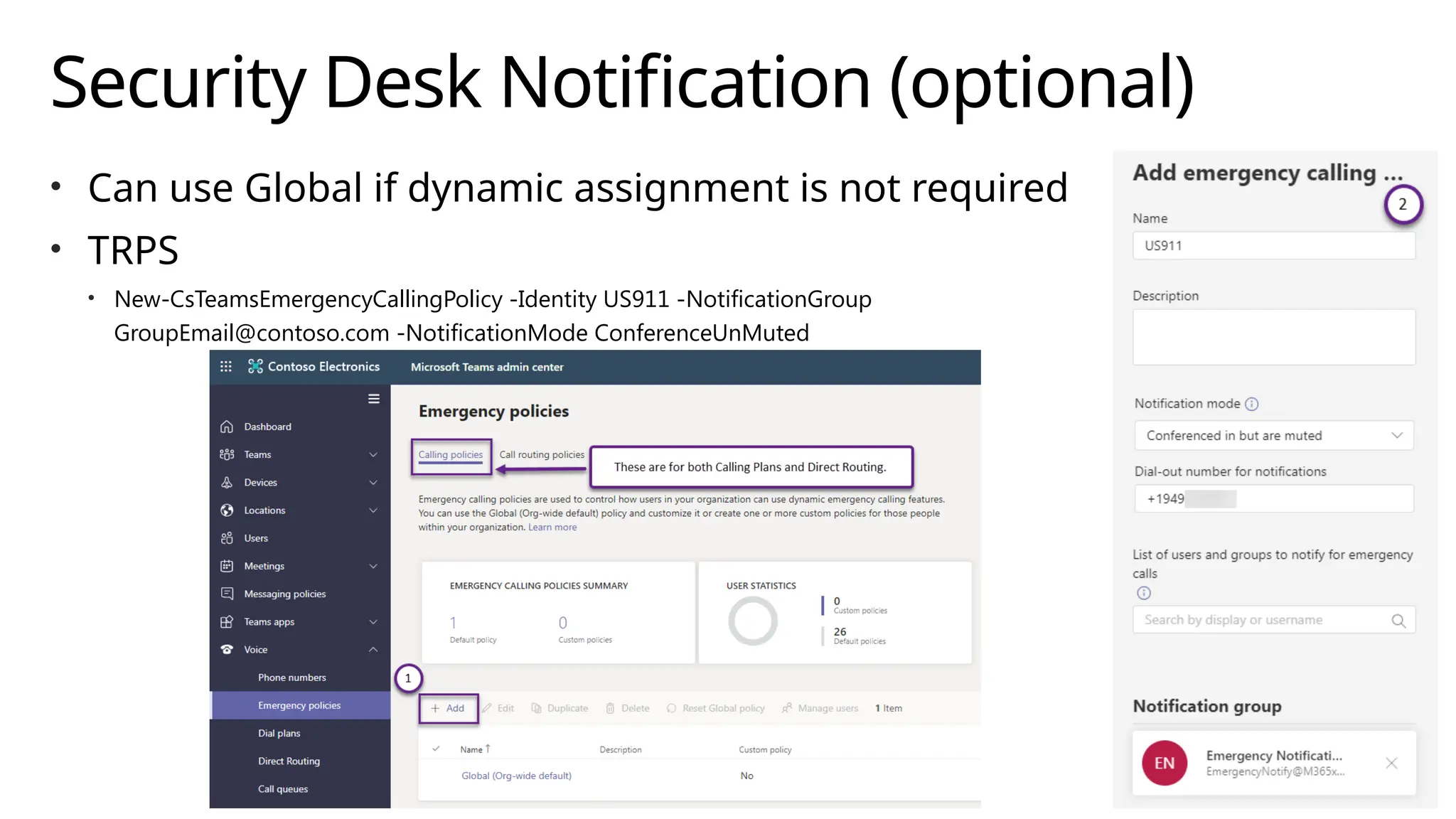
Security Desk Notification (optional)
• Can use Global if dynamic assignment is not required
• TRPS
• New-CsTeamsEmergencyCallingPolicy -Identity US911 -NotificationGroup
GroupEmail@contoso.com -NotificationMode ConferenceUnMuted
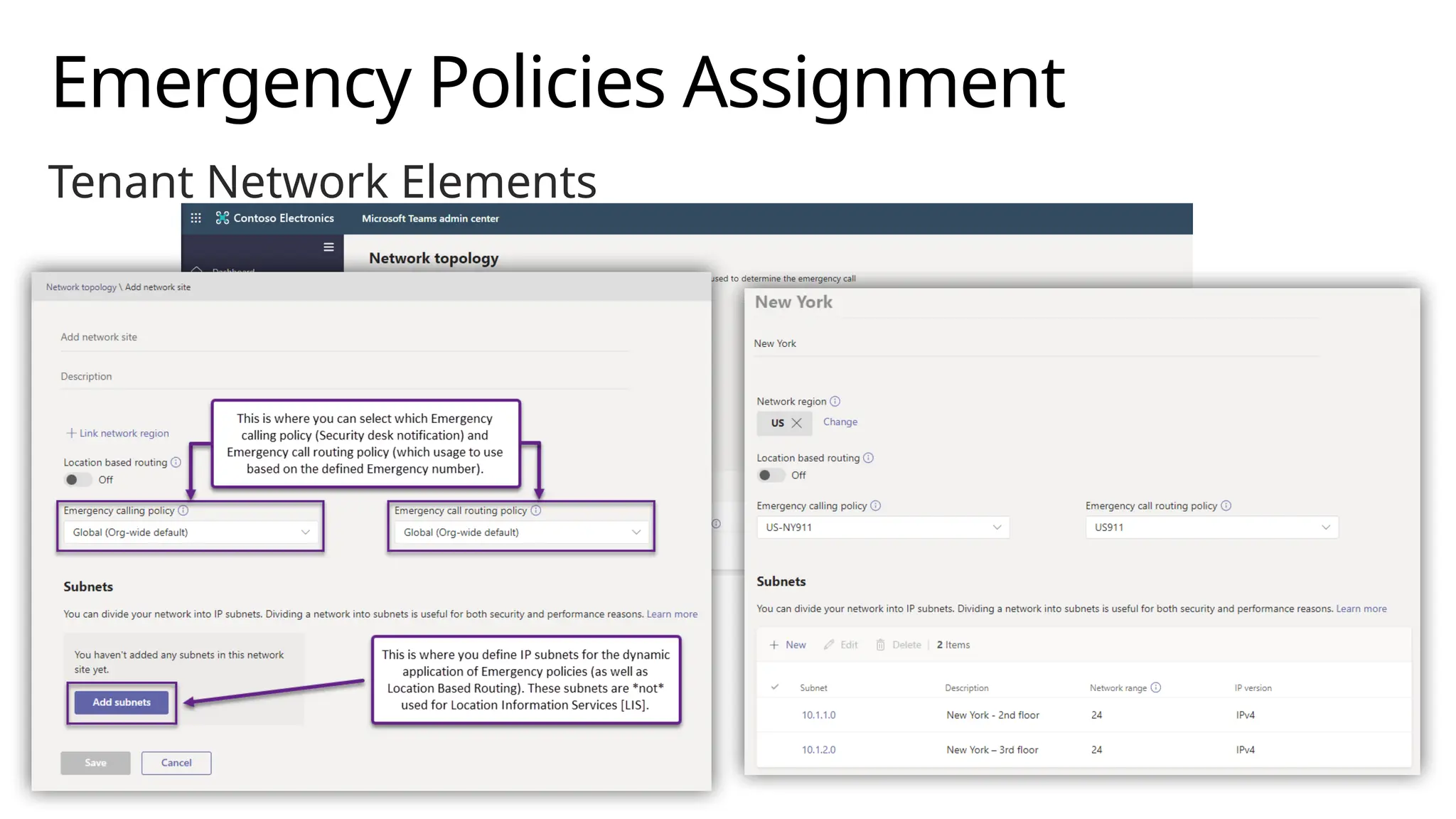
Emergency Policies Assignment
• Global
• Get/Set-CsTeamsEmergencyCallingPolicy
• Get/Set-CsTeamsEmergencyCallRoutingPolicy
• Static (Per User)
• Tenant Remote PowerShell [TRPS]
• Grant-CsTeamsEmergencyCallRoutingPolicy -PolicyName US911 -Identity <user>
• Grant-CsTeamsEmergencyCallingPolicy -PolicyName US911 –Identity <user>
• Teams Admin Center [Voice -> Emergency policies -> Calling policies tab]
• Dynamic (By Site)
• TRPS
• Set-CsTenantNetworkSite -Identity $nsite1.Identity -EmergencyCallRoutingPolicy US911 -EmergencyCallingPolicy US911
• Teams Admin Center [Locations -> Network topology -> Network sites tab]
• Takes precedence over user-assigned policy (if matching user network location)
Emergency Policies Assignment
Tenant Network Elements
Emergency Policies Assignment
Tenant Network Elements [TRPS]
• $nr = New-CsTenantNetworkRegion -NetworkRegionID “US”
• $nsite1 = New-CsTenantNetworkSite -Description “Los Angeles" -
Identity “Los Angeles " -NetworkRegionID $nr.NetworkRegionId
• $subnet1 = New-CsTenantNetworkSubnet -Identity 10.1.1.0 -MaskBits
24 -Description “Los Angeles - 2nd floor" -NetworkSiteID
$nsite1.NetworkSiteID
• $subnet2 = New-CsTenantNetworkSubnet -Identity 10.1.2.0 -MaskBits
24 -Description “Los Angeles - 3rd floor" -NetworkSiteID
$nsite1.NetworkSiteID
Direct Routing: Dynamic Emergency Policy Assignment
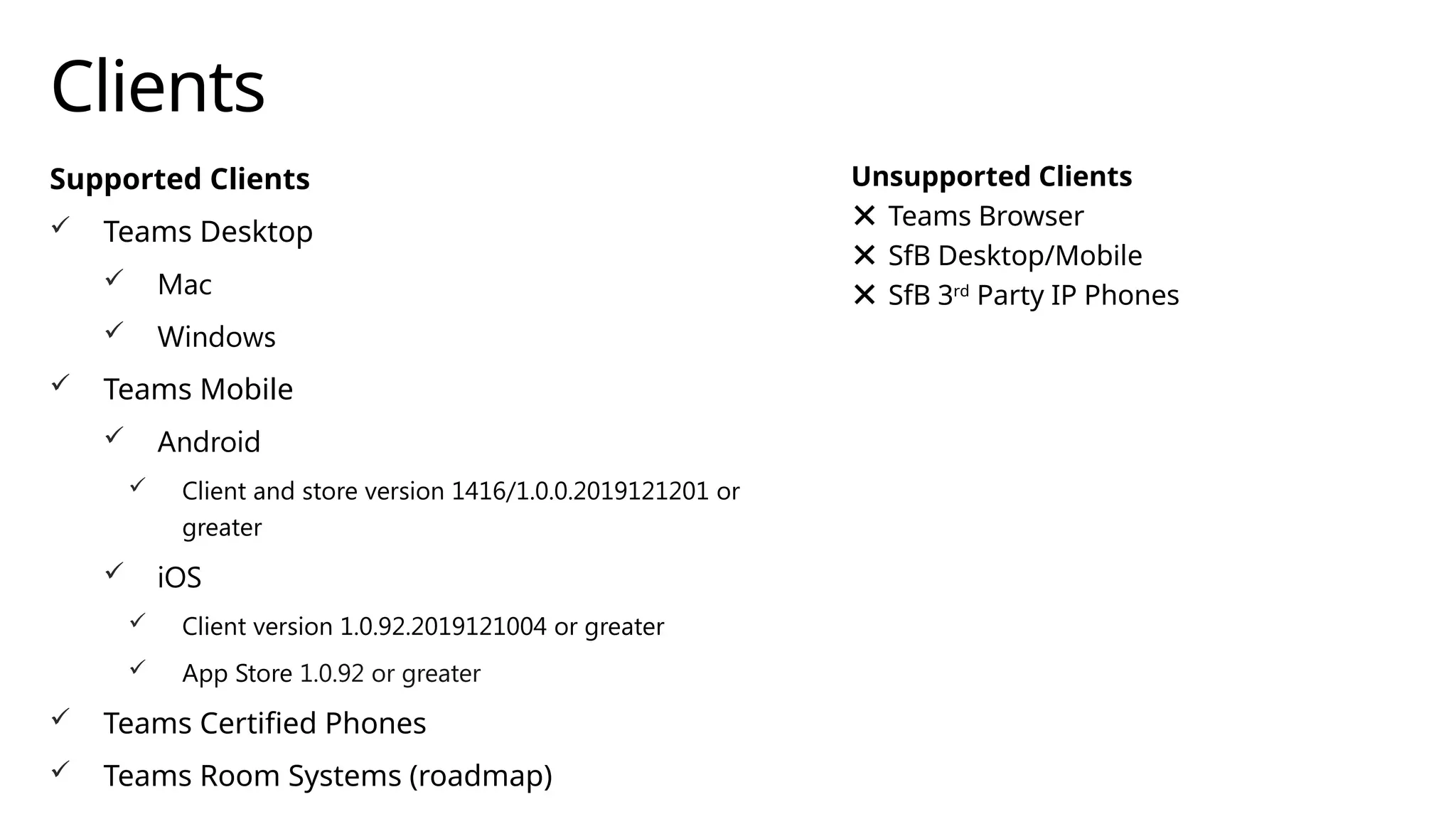
Clients
Supported Clients
 Teams Desktop
 Mac
 Windows
 Teams Mobile
 Android
 Client and store version 1416/1.0.0.2019121201 or
greater
 iOS
 Client version 1.0.92.2019121004 or greater
 App Store 1.0.92 or greater
 Teams Certified Phones
 Teams Room Systems (roadmap)
Unsupported Clients
Teams Browser
SfB Desktop/Mobile
SfB 3rd
Party IP Phones
Emergency Calls Block Call Forwarding
 Designed to allow call back from emergency
personnel to reach the right party
 Call Forwarding block in place for 2 hours
after emergency call.
Note: Emergency Calls not
included in Call History
Key learnings
• Provides the ability to configure and route
emergency calls based on the known location of
the user
• Available for Teams with Calling Plans and
Direct Routing
Thank You!

phone-system-dynamic-emergency-calling.pptx

  • 1.
    Coffee in theCloud @CITCTV Get more from Azure & Office 365 Teams IT Pro Academy: Dynamic Emergency Calling https://aka.ms/CoffeeintheCloud
  • 2.
    About this module •Additional resources • More modules can be found at https://aka.ms/TeamsAcademy • Feedback • Feedback for this session: http://aka.ms/teamscommunity adding the “IT Pro Training” label • Feedback for features: https://microsoftteams.uservoice.com/ • Teams and Office 365 evolves constantly! • Stay up-to-date with https://aka.ms/Teamsblog • February 2020 version of this presentation
  • 3.
    Key learnings • Providesthe ability to configure and route emergency calls based on the known location of the user • Available for Teams with Calling Plans and Direct Routing
  • 4.
    Agenda • What isDynamic Emergency Calling • Configuring Dynamic Emergency Calling • Summary and resources
  • 5.
    Overview: Dynamic EmergencyCalling Call Routing Service included for Calling Plan Users Direct Routing users must obtain additional service [Emergency Routing Service Providers – see https://aka.ms/dr-sbc] Direct Routing can also leverage Emergency Location Identification Number [ELIN] gateways [upcoming support – see https://aka.ms/dr-sbc] Optional: Configure security desk notifications Route emergency calls based on the known location of the Teams client
  • 6.
    Considerations – CallingPlans Automatic routing to PSAP (Public Safety Answering Point) is country dependent • United States • Client within a tenant-defined dynamic emergency location (including geo codes): call will be automatically routed to PSAP • Client not located in a tenant-defined dynamic emergency location: call will be screened by a national call center [ECRC] to determine caller’s location • If the caller is unable to update their emergency location with the ECRC, transfer to PSAP serving the caller’s registered address • Outside of the United States [dynamic routing not applicable here] • Canada, Ireland, UK: Emergency calls are routed to Tier 1 screening center, equivalent behavior in US without registered address • Germany, France Spain: Emergency calls are routed directly to the PSAP serving the emergency address associated with the number regardless of the location of the caller. When adding emergency locations for users in these locations, address must map to the phone number based on emergency address mapping in region. • Netherlands: Emergency calls are routed directly to the PSAP for the local area code of the number regardless of the location of the caller. • Australia: Emergency addresses are configured and routed by the carrier partner • Japan: Emergency calling is not supported https://aka.ms/tec
  • 7.
    Considerations – DirectRouting Teams Emergency Number: the numbers that users will dial to reach emergency services Teams Emergency Call Routing Policy: enables the routing of emergency calls based on defined emergency numbers These items will be covered in greater detail later in this presentation.
  • 8.
    What is locationawareness? USING LOCATION INFORMATION SERVICE (LIS) IDENTIFY AND POPULATE THE USER LOCATION IN THE CLIENT AFFECTS THE ROUTING OF EMERGENCY CALLS
  • 9.
  • 10.
  • 11.
    Configuration Components Trusted IP’s IdentifyCorporate Network Connected Clients Location Information Service (LIS) Dynamically Determine Emergency Address Emergency Addresses and Locations LIS Network Identifiers • Subnet • Port • Switch • Wireless Access Point Teams Emergency Policies User or Site Assignment CsTeamsCallingPolicy: Service Desk Notification CsTeamsCallRoutingPolicy: Routing of Calls for Direct Routing Network Configuration: Dynamically Assign Emergency Policies Region Site Subnet
  • 12.
  • 13.
    What is aTrusted IP Internet external IP address (IPv4/IPv6) of the enterprise network Typically (but not always), IPv6 is preferred over IPv4 – be sure to enter both New-CsTenantTrustedIPAddress cmdlet Used to determine if the Teams client is inside the corporate network Checked before looking for specific match with the LIS elements (Civic Address, Location, Subnet, Switch/Port, WAP) or Network Configuration Service (Region, Sites, Subnets) Must match the clients advertised (Public) IP address All public IP addresses that will be presented by clients when connected to the corporate network, e.g. their public NAT IP, must be defined in the Tenant Trusted IP Address List
  • 14.
    Creating Trusted IPs Createin Tenant Remote PowerShell [TRPS] or Teams Admin Center These are also used with Location Based Routing (LBR) configurations New-CsTenantTrustedIPAddress IPv4: use –MaskBits 32 for single address (default) IPv6: use –MaskBits 128 for single address (default) Network Configuration Service (NCS) has a 2-hour cache Newly created Tenant Network configuration settings (such as Trusted IPs) won’t be available for ~2 hours after creation
  • 15.
    Teams admin center– Trusted IPs
  • 16.
  • 17.
    Defining your environment •Hierarchy and information should be detailed enough to allow emergency responders to easily locate a person. • Civic Address -> specific building • Location (also called Places) -> for example, a floor in the building • In each location -> one (or more) network elements {subnet, Wireless Access Point, Switch/Port} Civic Address Location Subnet Subnet Switch Port Port WAP WAP Location Subnet Subnet Switch Port WAP WAP
  • 18.
    Civic Addresses Civic addressand geographic coordinates are used to provide user’s location When assigning a number with Calling Plans, an emergency location is required Default location is assigned to the user Use the LIS network components to dynamically assign a location
  • 19.
    Civic Address Creation •Teams Admin Center • Automatically fills in geo coordinates • Optionally – can add in ELIN information [manual edit required] • Tenant Remote PowerShell [TRPS] • New-CsOnlineLisCivicAddress cmdlet • Use the –Latitude and –Longitude parameters (optionally also –Elin) • Obtain geo coordinates (example use Bing Maps) • Once validated (upon creation), cannot be edited, must delete and re-create with updated information
  • 20.
    Civic Address Creation[Teams Admin Center]
  • 21.
    Locations (Places) When aCivic Address is created, a corresponding location is automatically created Admin can create additional locations Common example -> create multiple Places to map to floors in a building Teams Admin Center Locations -> Emergency addresses -> [CivicAddress] -> Places Once voice users are assigned to a location, associated location/civic address Tenant Remote Powershell [TRPS] New-CsOnlineLisLocation cmdlet -> must reference the associated CivicAddressID Use Get-CsOnlineLisCivicAddress cmdlet to find the CivicAddressID
  • 22.
  • 23.
    Civic Address Creation[TRPS] $descep = (Get-Culture).NumberFormat.NumberDecimalSeparator $company = “Contoso” $latitude = "41" + $decsep + "2395774887062" $longitude = "-96" + $decsep + "0146372295965" $omaha=New-CsOnlineLisCivicAddress -PostalCode 68106 -CountryOrRegion US -StreetName "67th ST" -HouseNumber 2111 -PreDirectional S -City Omaha -StateOrProvince NE -CompanyName $company -Description "Corporate Sales Office" -latitude $latitude -longitude $longitude Test-CsOnlineLisCivicAddress -CivicAddressId $omaha.CivicAddressId $omaha2floor = New-CsOnlineLisLocation -CivicAddressId $omaha.CivicAddressId -Location "2nd floor" -latitude $latitude -longitude $longitude $omaha3floor = New-CsOnlineLisLocation -CivicAddressId $omaha.CivicAddressId -Location "3rd floor" -latitude $latitude -longitude $longitude
  • 24.
    Assigning a CivicAddress/Location • To assign a phone number, an emergency location is required • Can re-assign a new Civic Address/Location; not required
  • 25.
    Dynamically Assigning Locations UseLIS network elements to dynamically assign locations • Subnet • Configure Network Subnet ID • Must match client computed root network ID based on client IP/CIDR • Set-CsOnlineLisSubnet cmdlet (associate to location with LocationID) • Must be unique within the tenant • Wireless Access Point (WAP) BSSID • BSSID is entered in the form of a MAC address (##-##-##-##-##-##, or as ##:##:##:##:##) – should match what the client sees when connected • Verify on PC: netsh wlan show interfaces • Set-CsOnlineLisWirelessAccessPoint cmdlet (associate to location with LocationID) • Network Switch/Port (Support pending) • Client/Switches must be configured to support LLDP • Set-CsOnlineLisSwitch cmdlet -> MAC address used for the Chassis ID (##-##-##-##-##-##) • Set-CsOnlineLisPort cmdlet -> associate to switch using Switch ID (find with Get-CsOnlineLisSwitch)
  • 26.
  • 27.
    Security Desk Notification CsTeamsEmergencyCallingPolicycmdlets • NotificationMode – this defines how the notification should be done. The values can be: • NotificationOnly – this means that a Teams chat is created with all the members of the NotificationGroup and the chat contains the notification of the ongoing emergency call • ConferenceMuted – this means that all members of the NotificationGroup are added to the emergency call in a muted state and that they can’t unmute themselves • ConferenceUnMuted – this means that all members of the NotificationGroup are added to the emergency call in an unmuted state and they can’t mute themselves • NotificationGroup – this is a mail-enabled security group or distribution list that will be notified of the emergency call • NotificationDialOutNumber – this is an E.164 formatted phone number that will be notified of the emergency call Can be assigned to • Users with Grant-CsTeamsEmergencyCallingPolicy (or use the Global) • Sites with Set-CsTenantNetworkSite Also available through Teams admin center Applicable to Calling Plans and Direct Routing
  • 28.
    Emergency Call RoutingPolicy Tenant Admin must configure: • Emergency Number: define the phone number to reach emergency services • New-CsTeamsEmergencyNumber cmdlet, Teams Admin Center • EmergencyDialString – this is the actual number for emergency services. In the US it is 911 in many countries in Europe it is 112 • EmergencyDialMask – this is a semicolon separated list of other phone numbers that should be translated into the emergency number specified in EmergencyDialString. • OnlinePSTNUsage – this is the OnlinePSTNUsage that should be used for routing of the emergency call via Direct Routing using OnlineVoiceRoute Applicable to Direct Routing Only
  • 29.
    Emergency Call RoutingPolicy Tenant Admin must configure: • Emergency Call Routing Policy: ties the defined emergency numbers defined to a PSTN Usage • New-CsTeamsEmergencyCallRoutingPolicy cmdlet, Teams Admin Center • EmergencyNumbers – an array of emergency numbers defined by using New- CsTeamsEmergencyNumber • AllowEnhancedEmergencyServices – this controls whether the feature is enabled and whether a call made to an emergency number is treated as an emergency call • Assign to users using Grant-CsTeamsEmergencyCallRoutingPolicy cmdlet (explicitly) or through network site discovery • PSTN Gateway: enable the defined trunk for Emergency Calling • Set-CsOnlinePSTNGateway –Identity sbc1.contoso.com –PidfloSupported $true Applicable to Direct Routing Only
  • 30.
  • 31.
    Dynamic Assignment ofEmergency Policies
  • 32.
    Scenario Contoso has corporateoffices in New York, NY and Los Angeles, CA Each office has its own respective Security/Service Desk Alice is based in the New York office When in NY, dialing emergency services causes the New York Service Desk to be notified Alice travels to the Los Angeles, CA office and needs to dial emergency services The Los Angeles, CA Service Desk should be notified (since she has now traveled to LA)
  • 33.
    Dynamic Assignment: EmergencyPolicies To support the previous scenario, the tenant admin needs to configure the appropriate network elements and assign a policy to a Site. Site policies take precedence over user policies. No match found would revert to Global (unless there is an explicit assignment to user) Dynamic assignment is based on Tenant Network Configuration Network Region Network Site Network Subnet The Tenant Network components are not used for mapping emergency address for users; only for dynamic assignment of emergency policies, emergency routing, Location Based Routing [LBR] and DR Media Optimization.
  • 34.
    Regions, Sites, andSubnets • Network Region • Interconnects various parts of a network across multiple geographic areas • Collection of Network Sites • Network Site • Represents a location where the organization has a physical location • Collection of unique IP subnets • Network Subnets • Internal IPv4/IPv6 subnets assigned to Network Sites; IPv4 takes precedence • Multiple subnets may be associated with the same network site, but multiple sites may not be associated with a same subnet • Network Configuration Service (NCS) has a 2-hour cache; newly created Tenant Network configuration items won’t be available for ~2 hours post creation
  • 35.
    Tenant Network Configuration Optionalfor Dynamic 911 Used for Dynamically Assigning Policies based on users Network Site NOT used for Emergency Address lookup Subnet maps client IP address to a Site Subnets must be unique
  • 36.
  • 37.
    User Requirements (recap) Skypefor Business Calling Plan Users • Skype Calling Plan users are not supported for dynamic E911 • Static emergency calling is still available Teams Calling Plan Users • Civic address and location need to be validated • Civic address needs to be defined with geo coordinates (latitude & longitude) • Subnet, Switch, Port and WAP need to be defined for the client location and assigned to location & civic address • The trusted IP address need to be configured • (Optionally) configure security desk notifications • (Optionally) configure network elements for dynamic emergency calling policy assignment
  • 38.
    User Requirements (recap) TeamsDirect Routing Users • Civic address and location need to be validated • Civic address needs to be defined with geo coordinates (latitude & longitude)2 • Subnet, Switch, Port and WAP need to be defined for the client location and assigned to location & civic address • The trusted IP address need to be configured • Teams emergency call routing policy for 911 need to be defined, AllowEnhancedEmergencyServices needs to be True and granted to the user or the site • Teams emergency calling policy must be defined and granted to the user or the site • Online voice routing policy/routes need to be defined with routing for 911 to the correct SBC • Additional Call Routing Service is required (https://aka.ms/dr-sbc) • (Optionally) configure security desk notifications • (Optionally) configure network elements for dynamic emergency calling policy assignment
  • 39.
    Online Voice Routingfor DR Users • Build the PSTN Usage • Set-CsOnlinePstnUsage -Usage @{add="US911"} • Define the Emergency Number (store in a variable for later use) • $en = New-CsTeamsEmergencyNumber -EmergencyDialString “911” -OnlinePSTNUsage US911 • Define the Emergency Call Routing Policy • New-CsTeamsEmergencyCallRoutingPolicy -Identity US911 -EmergencyNumbers @{add=$en} -AllowEnhancedEmergencyServices $true
  • 40.
    Online Voice Routingfor DR Users • Add Voice Route (TRPS only) • New-CsOnlineVoiceRoute -Identity US911 -Description "US E911 Dialing" -Name "US911" - OnlinePstnGatewayList sbc1.contoso.com -NumberPattern "^+?911“ –OnlinePstnUsages “US911” Note: the DR user does not need to have an Online Voice Routing Policy that includes the OnlinePSTNUsage from the TeamsEmergencyCallRoutingPolicy; the emergency call will be routed using the OnlinePSTNUsage directly. • Any external PSTN call used in the security desk notification will use the user’s Online Voice Routing Policy for routing. • When defining the route, be sure to account for calls with and without the leading + [-NumberPattern "^+?911“]
  • 41.
    Security Desk Notification(optional) • Can use Global if dynamic assignment is not required • TRPS • New-CsTeamsEmergencyCallingPolicy -Identity US911 -NotificationGroup GroupEmail@contoso.com -NotificationMode ConferenceUnMuted
  • 42.
    Emergency Policies Assignment •Global • Get/Set-CsTeamsEmergencyCallingPolicy • Get/Set-CsTeamsEmergencyCallRoutingPolicy • Static (Per User) • Tenant Remote PowerShell [TRPS] • Grant-CsTeamsEmergencyCallRoutingPolicy -PolicyName US911 -Identity <user> • Grant-CsTeamsEmergencyCallingPolicy -PolicyName US911 –Identity <user> • Teams Admin Center [Voice -> Emergency policies -> Calling policies tab] • Dynamic (By Site) • TRPS • Set-CsTenantNetworkSite -Identity $nsite1.Identity -EmergencyCallRoutingPolicy US911 -EmergencyCallingPolicy US911 • Teams Admin Center [Locations -> Network topology -> Network sites tab] • Takes precedence over user-assigned policy (if matching user network location)
  • 43.
  • 44.
    Emergency Policies Assignment TenantNetwork Elements [TRPS] • $nr = New-CsTenantNetworkRegion -NetworkRegionID “US” • $nsite1 = New-CsTenantNetworkSite -Description “Los Angeles" - Identity “Los Angeles " -NetworkRegionID $nr.NetworkRegionId • $subnet1 = New-CsTenantNetworkSubnet -Identity 10.1.1.0 -MaskBits 24 -Description “Los Angeles - 2nd floor" -NetworkSiteID $nsite1.NetworkSiteID • $subnet2 = New-CsTenantNetworkSubnet -Identity 10.1.2.0 -MaskBits 24 -Description “Los Angeles - 3rd floor" -NetworkSiteID $nsite1.NetworkSiteID
  • 45.
    Direct Routing: DynamicEmergency Policy Assignment
  • 46.
    Clients Supported Clients  TeamsDesktop  Mac  Windows  Teams Mobile  Android  Client and store version 1416/1.0.0.2019121201 or greater  iOS  Client version 1.0.92.2019121004 or greater  App Store 1.0.92 or greater  Teams Certified Phones  Teams Room Systems (roadmap) Unsupported Clients Teams Browser SfB Desktop/Mobile SfB 3rd Party IP Phones
  • 47.
    Emergency Calls BlockCall Forwarding  Designed to allow call back from emergency personnel to reach the right party  Call Forwarding block in place for 2 hours after emergency call. Note: Emergency Calls not included in Call History
  • 48.
    Key learnings • Providesthe ability to configure and route emergency calls based on the known location of the user • Available for Teams with Calling Plans and Direct Routing
  • 49.

Editor's Notes

  • #6 Emergency Call Relay Center [ECRC]
  • #7 Emergency Call Relay Center [ECRC]
  • #10 Automatic routing to PSAP will only happen when the address is displayed in the client, which will only happen if we map the users network location to a LIS identifier and Trusted IP Address. Currently users cannot manually add any location information (like we had in Skype for Business).
  • #14 You can use http://www.whatismyip.com to see both IPv4 and IPv6 addresses. Without a match: Network Configuration Service lookup stops Teams client will not display Emergency Location
  • #19 Must contain geographic coordinates Cannot be added to existing addresses New addresses must be added with geo codes Users must be assigned new locations Must be assigned to a LIS network identifier
  • #20 Note: currently we can only add addresses for regions where we sell calling plans. This will change in the future to accommodate DR customers.
  • #22 The main Civic Address and each location associated with it, will have unique Location ID’s. It's these Location ID's that are used when associating and address with a Lis network entry. If a location does not have geo codes associated to it, then the location cannot be used with Lis network configuration.
  • #26 Subnet Calculator example: https://mxtoolbox.com/SubnetCalculator.aspx Example LLDP Config (Cisco): https://www.cisco.com/c/en/us/td/docs/switches/lan/catalyst4500/12-2/46sg/configuration/guide/Wrapper-46SG/swlldp.html#wp1084239 LLDP Viewer: https://polarclouds.co.uk/ldwin-link-discovery-for-windows/ (https://github.com/chall32/LDWin)
  • #29 Note: the result of New-CsTeamsEmergencyNumber is stored in memory only, good to use variables here.
  • #34 If the customer is already using LBR (for example) we can simply re-use that existing configuration.