What/Why Phalcon
Phalcon is a PHP framework written as C 
extension.
These days the use of framework is 
mandatory in professional development with 
PHP. Phalcon is not only famous for 
performance but also for robust ness and 
easy to use.
Installation

Official Website : 
http://phalconphp.com/en/download

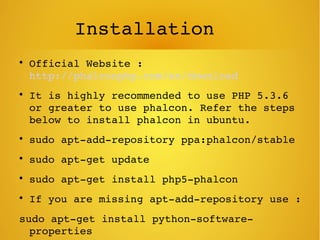
It is highly recommended to use PHP 5.3.6 
or greater to use phalcon. Refer the steps 
below to install phalcon in ubuntu.

sudo apt­add­repository ppa:phalcon/stable

sudo apt­get update

sudo apt­get install php5­phalcon

If you are missing apt­add­repository use : 
sudo apt­get install python­software­
properties
Compilation

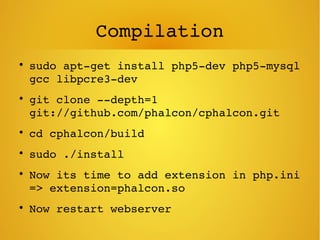
sudo apt­get install php5­dev php5­mysql 
gcc libpcre3­dev

git clone ­­depth=1 
git://github.com/phalcon/cphalcon.git

cd cphalcon/build

sudo ./install

Now its time to add extension in php.ini 
=> extension=phalcon.so

Now restart webserver
Its all done, try to run “phalcon” in 
your terminal. If it works you are done, 
else you need to execute following 
commands to set the priority of phalcon.

echo 'extension=phalcon.so' | sudo tee 
­a /etc/php5/mods­available/phalcon.ini

sudo ln ­s ­T ../mods­
available/phalcon.ini 
/etc/php5/conf.d/20­phalcon.ini
Start karen??

phalcon create­project store

Once you are done you can see a 
message in your terminal like the 
image shown below.
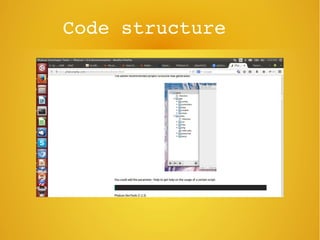
Code structure
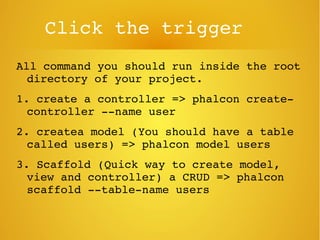
Click the trigger
All command you should run inside the root 
directory of your project.
1. create a controller => phalcon create­
controller ­­name user
2. createa model (You should have a table 
called users) => phalcon model users
3. Scaffold (Quick way to create model, 
view and controller) a CRUD => phalcon 
scaffold ­­table­name users
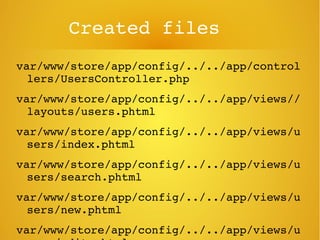
Created files
var/www/store/app/config/../../app/control
lers/UsersController.php
var/www/store/app/config/../../app/views//
layouts/users.phtml
var/www/store/app/config/../../app/views/u
sers/index.phtml
var/www/store/app/config/../../app/views/u
sers/search.phtml
var/www/store/app/config/../../app/views/u
sers/new.phtml
var/www/store/app/config/../../app/views/u
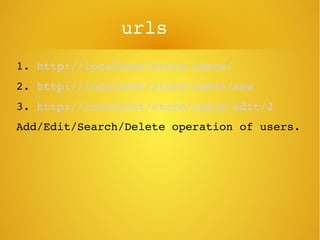
urls
1. http://localhost/store/users/
2. http://localhost/store/users/new
3. http://localhost/store/users/edit/2
Add/Edit/Search/Delete operation of users.
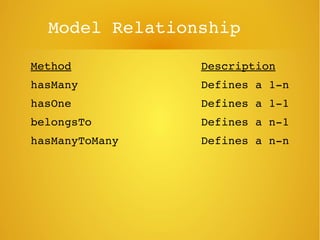
Model Relationship
Method Description
hasMany  Defines a 1­n
hasOne Defines a 1­1
belongsTo Defines a n­1
hasManyToMany Defines a n­n
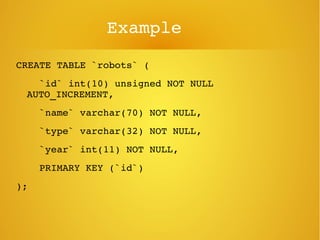
Example
CREATE TABLE `robots` (
    `id` int(10) unsigned NOT NULL 
AUTO_INCREMENT,
    `name` varchar(70) NOT NULL,
    `type` varchar(32) NOT NULL,
    `year` int(11) NOT NULL,
    PRIMARY KEY (`id`)
);
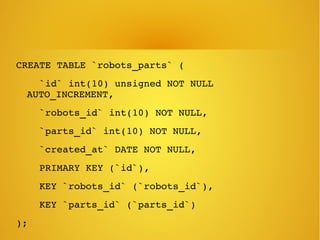
CREATE TABLE `robots_parts` (
    `id` int(10) unsigned NOT NULL 
AUTO_INCREMENT,
    `robots_id` int(10) NOT NULL,
    `parts_id` int(10) NOT NULL,
    `created_at` DATE NOT NULL,
    PRIMARY KEY (`id`),
    KEY `robots_id` (`robots_id`),
    KEY `parts_id` (`parts_id`)
);
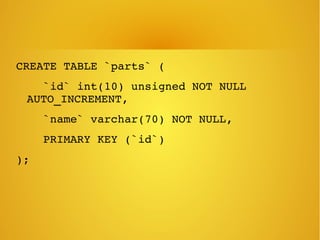
CREATE TABLE `parts` (
    `id` int(10) unsigned NOT NULL 
AUTO_INCREMENT,
    `name` varchar(70) NOT NULL,
    PRIMARY KEY (`id`)
);
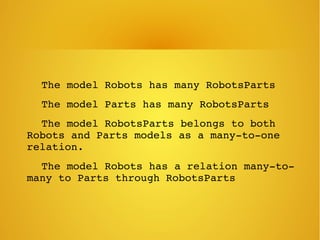
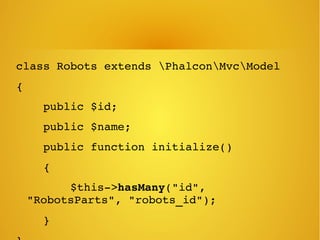
    The model Robots has many RobotsParts
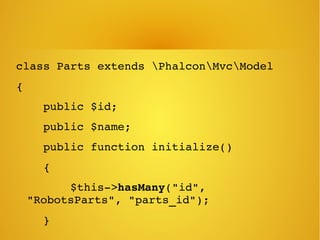
    The model Parts has many RobotsParts
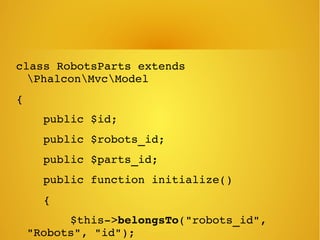
    The model RobotsParts belongs to both 
Robots and Parts models as a many­to­one 
relation.
    The model Robots has a relation many­to­
many to Parts through RobotsParts
class Robots extends PhalconMvcModel
{
    public $id;
    public $name;
    public function initialize()
    {
        $this­>hasMany("id", 
"RobotsParts", "robots_id");
    }
class Parts extends PhalconMvcModel
{
    public $id;
    public $name;
    public function initialize()
    {
        $this­>hasMany("id", 
"RobotsParts", "parts_id");
    }
class RobotsParts extends 
PhalconMvcModel
{
    public $id;
    public $robots_id;
    public $parts_id;
    public function initialize()
    {
        $this­>belongsTo("robots_id", 
"Robots", "id");
What is the advantage of 
creating this models
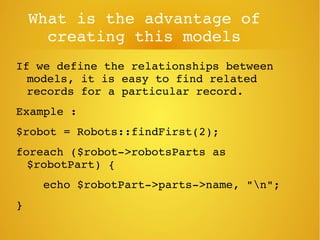
If we define the relationships between 
models, it is easy to find related 
records for a particular record.
Example : 
$robot = Robots::findFirst(2);
foreach ($robot­>robotsParts as 
$robotPart) {
    echo $robotPart­>parts­>name, "n";
}
Model
Models can be implemented with properties 
of public scope, meaning that each 
property can be read/updated from any 
part of the code that has instantiated 
that model class without any 
restrictions:
Model
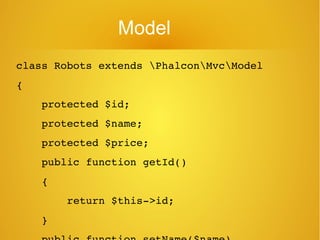
class Robots extends PhalconMvcModel
{
    protected $id;
    protected $name;
    protected $price;
    public function getId()
    {
        return $this­>id;
    }
Model
By using getters and setters you can 
control which properties are visible 
publicly perform various transformations 
to the data (which would be impossible 
otherwise) and also add validation rules 
to the data stored in the object
Model (validation)
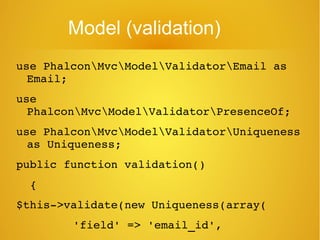
use PhalconMvcModelValidatorEmail as 
Email;
use 
PhalconMvcModelValidatorPresenceOf;
use PhalconMvcModelValidatorUniqueness 
as Uniqueness;
public function validation()
  {
$this­>validate(new Uniqueness(array(
     'field' => 'email_id',
Model (validation)
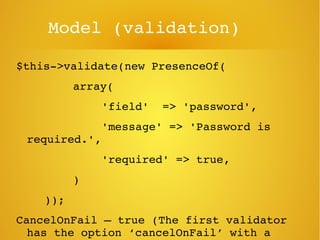
$this­>validate(new PresenceOf(
     array(
     'field'  => 'password',
     'message' => 'Password is 
required.',
     'required' => true,
     )
    ));
CancelOnFail – true (The first validator 
has the option ‘cancelOnFail’ with a 
Model

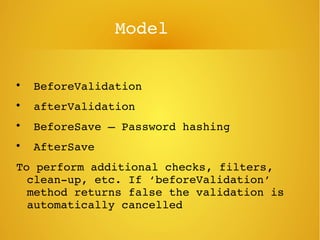
 BeforeValidation

 afterValidation

 BeforeSave – Password hashing

 AfterSave 
To perform additional checks, filters, 
clean­up, etc. If ‘beforeValidation’ 
method returns false the validation is 
automatically cancelled
Views / Templating

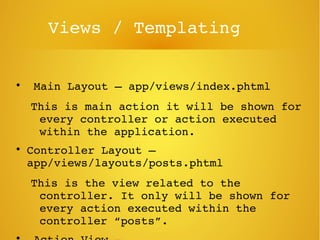
 Main Layout – app/views/index.phtml
This is main action it will be shown for 
every controller or action executed 
within the application.

Controller Layout – 
app/views/layouts/posts.phtml
This is the view related to the 
controller. It only will be shown for 
every action executed within the 
controller “posts”. 

Views / Templating

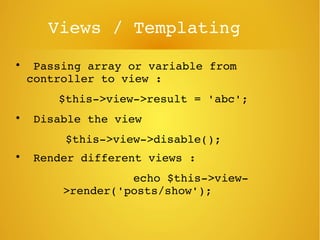
 Passing array or variable from 
controller to view :
$this­>view­>result = 'abc';

 Disable the view
   $this­>view­>disable();

 Render different views :
             echo $this­>view­
>render('posts/show');
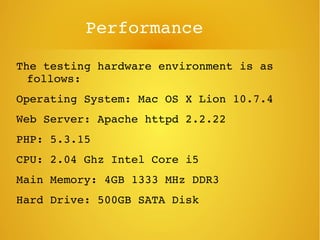
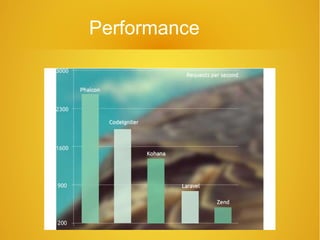
Performance
The testing hardware environment is as 
follows:
Operating System: Mac OS X Lion 10.7.4
Web Server: Apache httpd 2.2.22
PHP: 5.3.15
CPU: 2.04 Ghz Intel Core i5
Main Memory: 4GB 1333 MHz DDR3
Hard Drive: 500GB SATA Disk
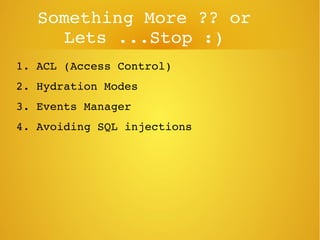
Something More ?? or 
Lets ...Stop :)
1. ACL (Access Control)
2. Hydration Modes
3. Events Manager
4. Avoiding SQL injections
Performance

Phalcon