





P2P Forensics
Your Admin Knows Your Download Habits


             Brian Baskin
Who Am I?

 Senior Consultant with cmdLabs
 Former Deputy Lead Technical Engineer
    Defense Cyber Investigations Training Academy
 Author/coauthor of seven InfoSec books
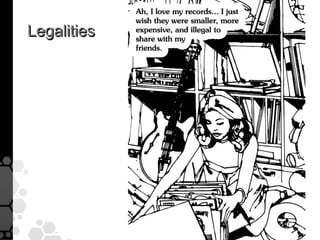
Legalities
Kazaa

• 2006 - After ruling of ``MGM Studios, Inc. v.
  Grokster, Ltd”, Kazaa settled their lawsuits
  w/ US copyright owners ($100mil+)
• Sold operations to Australian company –
  which was then sued and lost by ARIA
• Now maintains a respectable business…
BitTorrent

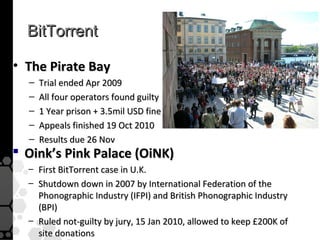
• The Pirate Bay
  –   Trial ended Apr 2009
  –   All four operators found guilty
  –   1 Year prison + 3.5mil USD fine
  –   Appeals finished 19 Oct 2010
  –   Results due 26 Nov
 Oink’s Pink Palace (OiNK)
  – First BitTorrent case in U.K.
  – Shutdown down in 2007 by International Federation of the
    Phonographic Industry (IFPI) and British Phonographic Industry
    (BPI)
  – Ruled not-guilty by jury, 15 Jan 2010, allowed to keep £200K of
    site donations
LimeWire

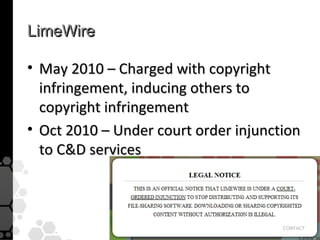
• May 2010 – Charged with copyright
  infringement, inducing others to
  copyright infringement
• Oct 2010 – Under court order injunction
  to C&D services
RIAA v. Law Enforcement

• LE loves P2P
  – Helps find low-hanging fruit (ICAC)
• RIAA hates P2P
  – Disallow low-hanging fruit


• If there is no venue for low-hanging
  fruit, they’ll climb the tree
Oh #$^@!

• Avionics / network info from President’s
  Marine One helicopter leaked*
    – Leaked by DoD contractor over Gnutella
      (LimeWire)
• Prompted passage of HR 1319*
    – Informed P2P User Act
    – Requires apps to warn you of sharing entire
      hard drive
 http://news.cnet.com/8301-10787_3-10184785-60.html
 http://www.opencongress.org/bill/111-h1319/show
P2P Clients
Kazaa

• Yes! It’s still in use!
   – Official Kazaa client is 100% legal content
   – Kazaa Lite / Resurrection are unofficial networks
   – Basically a dead client due to legal scrutiny
      … for now
Kazaa

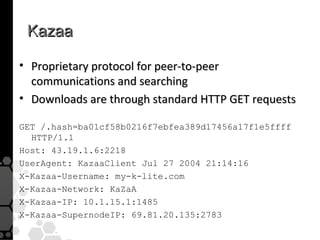
• Proprietary protocol for peer-to-peer
  communications and searching
• Downloads are through standard HTTP GET requests

GET /.hash=ba01cf58b0216f7ebfea389d17456a17f1e5ffff
  HTTP/1.1
Host: 43.19.1.6:2218
UserAgent: KazaaClient Jul 27 2004 21:14:16
X-Kazaa-Username: my-k-lite.com
X-Kazaa-Network: KaZaA
X-Kazaa-IP: 10.1.15.1:1485
X-Kazaa-SupernodeIP: 69.81.20.135:2783
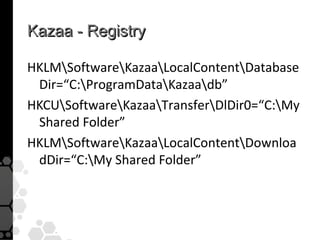
Kazaa - Registry

HKLMSoftwareKazaaLocalContentDatabase
 Dir=“C:ProgramDataKazaadb”
HKCUSoftwareKazaaTransferDlDir0=“C:My
 Shared Folder”
HKLMSoftwareKazaaLocalContentDownloa
 dDir=“C:My Shared Folder”
LimeWire

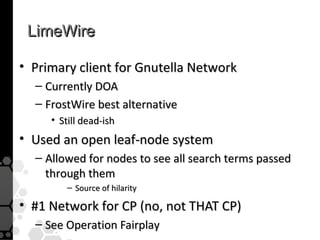
• Primary client for Gnutella Network
  – Currently DOA
  – FrostWire best alternative
     • Still dead-ish
• Used an open leaf-node system
  – Allowed for nodes to see all search terms passed
    through them
         – Source of hilarity

• #1 Network for CP (no, not THAT CP)
  – See Operation Fairplay
LimeWire

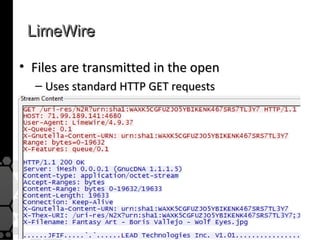
• Files are transmitted in the open
  – Uses standard HTTP GET requests
LimeWire

• Downloaded files are stored by default to:
  C:Program FilesLimeWireShared
BitTorrent

• One of the newest, most popular P2P apps
• Currently accounts for between 30-55% of all
  Internet traffic
   – In U.S.: 53% of all upstream traffic*
   – In Latin America: 73% of all upstream traffic


http://torrentfreak.com/bittorrent-still-dominates-global-internet-traffic-101026/
Content Discovery
Torrent Web Sites

• The vast majority are public web sites where
  anyone can download
  – The Pirate Bay (TPB) (www.thepiratebay.org)
  – BTJunkie (www.btjunkie.org)
  – ISO Hunt (www.isohunt.com)
  – Torrent Reactor (www.torrentreactor.net)

  – Linux Tracker (www.linuxtracker.org)
  – Legal Torrents (www.legaltorrents.com)
Torrent Web Sites

• Many private torrent sites require user
  accounts and are very secretive
• Most revolve around types of media
  – Educational:
     • BitMe (www.bitme.org)
  – Music:
     • What CD? (what.cd)
  – TV
     • HDBits (www.HDBits.org)
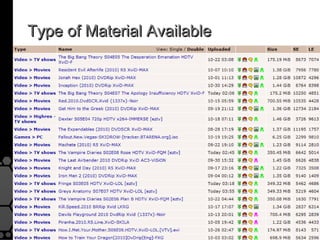
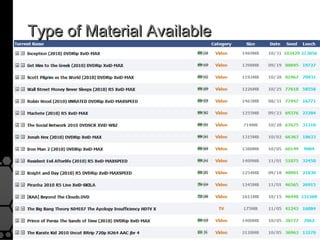
Type of Material Available
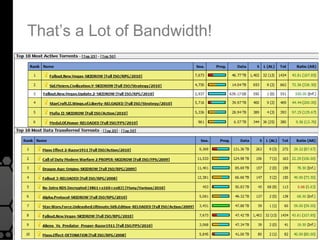
That’s a Lot of Bandwidth!
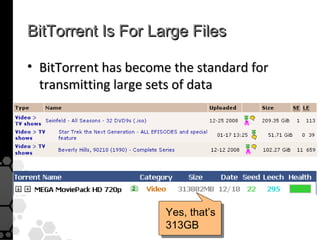
BitTorrent Is For Large Files

• BitTorrent has become the standard for
  transmitting large sets of data


                      Yes, that’s
                      313GB
Peer Discovery
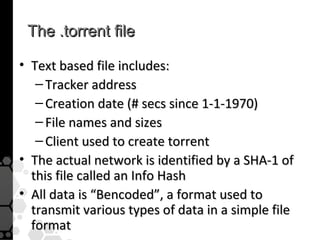
The .torrent file

• Text based file includes:
   – Tracker address
   – Creation date (# secs since 1-1-1970)
   – File names and sizes
   – Client used to create torrent
• The actual network is identified by a SHA-1 of
  this file called an Info Hash
• All data is “Bencoded”, a format used to
  transmit various types of data in a simple file
  format
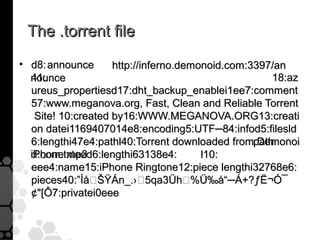
The .torrent file
• d8: announce       http://inferno.demonoid.com:3397/an
  41:
  nounce                                             18:az
  ureus_propertiesd17:dht_backup_enablei1ee7:comment
  57:www.meganova.org, Fast, Clean and Reliable Torrent
    Site! 10:created by16:WWW.MEGANOVA.ORG13:creati
  on datei1169407014e8:encoding5:UTF─84:infod5:filesld
  6:lengthi47e4:pathl40:Torrent downloaded frompathDemonoi
  iPhone.mp3
  d.com.txteed6:lengthi63138e4:         l10:
  eee4:name15:iPhone Ringtone12:piece lengthi32768e6:
  pieces40:”Í半ŸÁn_.›5qa3Üh%܉å“─Á+?ƒË¬Ó¯
  ¢[Ô7:privatei0eee
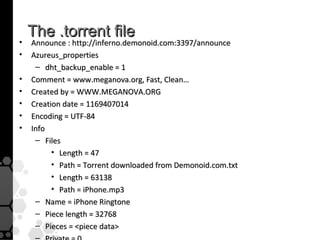
The .torrent file
•   Announce : http://inferno.demonoid.com:3397/announce
•   Azureus_properties
     – dht_backup_enable = 1
•   Comment = www.meganova.org, Fast, Clean…
•   Created by = WWW.MEGANOVA.ORG
•   Creation date = 1169407014
•   Encoding = UTF-84
•   Info
     – Files
          • Length = 47
          • Path = Torrent downloaded from Demonoid.com.txt
          • Length = 63138
          • Path = iPhone.mp3
     – Name = iPhone Ringtone
     – Piece length = 32768
     – Pieces = piece data
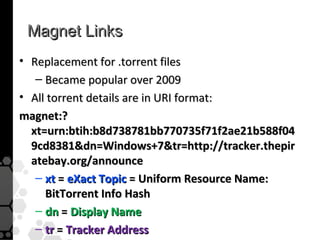
Magnet Links
• Replacement for .torrent files
   – Became popular over 2009
• All torrent details are in URI format:
magnet:?
  xt=urn:btih:b8d738781bb770735f71f2ae21b588f04
  9cd8381dn=Windows+7tr=http://tracker.thepir
  atebay.org/announce
   – xt = eXact Topic = Uniform Resource Name:
     BitTorrent Info Hash
   – dn = Display Name
   – tr = Tracker Address
Present Day

• That’s all now nearly obsolete
  – Many trackers and web hosts are being
    dismantled due to legal pressures
  – Even greater decentralization is being
    used to avoid single points of failure
  – Modern file sharers use a combination of
    Magnet links and Tracker-less
    communications to bypass points of
    failure
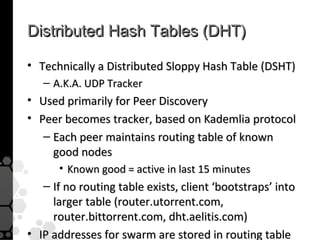
Distributed Hash Tables (DHT)

• Technically a Distributed Sloppy Hash Table (DSHT)
   – A.K.A. UDP Tracker
• Used primarily for Peer Discovery
• Peer becomes tracker, based on Kademlia protocol
   – Each peer maintains routing table of known
     good nodes
      • Known good = active in last 15 minutes
   – If no routing table exists, client ‘bootstraps’ into
     larger table (router.utorrent.com,
     router.bittorrent.com, dht.aelitis.com)
• IP addresses for swarm are stored in routing table
Distributed Hash Tables (DHT)
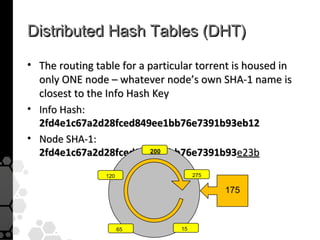
• The routing table for a particular torrent is housed in
  only ONE node – whatever node’s own SHA-1 name is
  closest to the Info Hash Key
• Info Hash:
  2fd4e1c67a2d28fced849ee1bb76e7391b93eb12
• Node SHA-1:
  2fd4e1c67a2d28fced849ee1bb76e7391b93e23b
                           200


                120                   275

                                            175


                      65         15
Distributed Hash Tables (DHT)

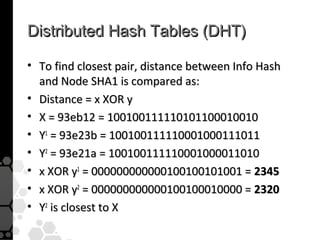
• To find closest pair, distance between Info Hash
  and Node SHA1 is compared as:
• Distance = x XOR y
• X = 93eb12 = 100100111110101100010010
• Y1 = 93e23b = 100100111110001000111011
• Y2 = 93e21a = 100100111110001000011010
• x XOR y1 = 000000000000100100101001 = 2345
• x XOR y2 = 000000000000100100010000 = 2320
• Y2 is closest to X
Distributed Hash Tables (DHT)
• Allows for completely decentralized peer discovery
   – Trackers are not longer required to find peers
   – Ratios are not enforceable
• Side effects include:
   – Long lookup times
   – High(er) rate of dead peers in routing tables
   – More Hit-and-run leechers


•   http://www.bittorrent.org/beps/bep_0005.html
•   http://www.torrentfreak.com/common-bittorrent-dht-myths-091024/
•   http://www.tribler.org/trac/wiki/Khashmir
•   http://www.iseclab.org/papers/securecomm08_overbot.pdf
Data Transfer
Peer Communication
• Starts with “handshake” b/w peers
  – Peers share their unique IDs and Info Hash
    of the network they’re in
  – Normally uses TCP 6881-6889

• Custom Peer Wire Protocol (PWP)
  – request – requests a specified data block
  – piece – sends a requested data block
  – have – notifies a peer that you have a data
    block available to send
Peer Communication

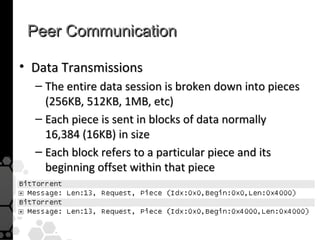
• Data Transmissions
  – The entire data session is broken down into pieces
    (256KB, 512KB, 1MB, etc)
  – Each piece is sent in blocks of data normally
    16,384 (16KB) in size
  – Each block refers to a particular piece and its
    beginning offset within that piece
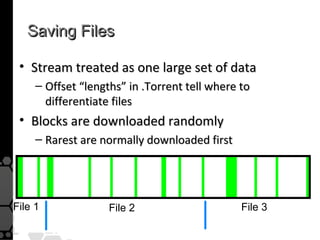
Saving Files

 • Stream treated as one large set of data
     – Offset “lengths” in .Torrent tell where to
       differentiate files
 • Blocks are downloaded randomly
     – Rarest are normally downloaded first


File 1              File 2                     File 3
Carving Data from Network Captures

• How do you extract the files that have been
  transferred from a network capture?
   – Humanly impossible impractical

• Prior to sending data, the entire data set is broken
  down into 1MB “pieces”

• Data is transferred directly b/w peers in 16KB
  chunks, denoted by a particular piece and the
  starting offset in that piece
Carving Data from Network Captures

• Can you automatically carve BitTorrent
  data?
  – CoolMiner from FBI will do it
     • Requires a few hours of processing, but
       will produce the original files that were
       downloaded across the network stream
  – AccessData SilentRunner?
BitTorrent Client Forensics


       •   P2P IP Black-list blocking
       •   Access to private trackers
       •   Additional topics
BitTorrent Client Forensics

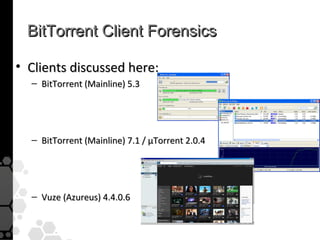
• Clients discussed here:
  – BitTorrent (Mainline) 5.3


  – BitTorrent (Mainline) 7.1 / µTorrent 2.0.4


  – Vuze (Azureus) 4.4.0.6
BitTorrent Client Forensics

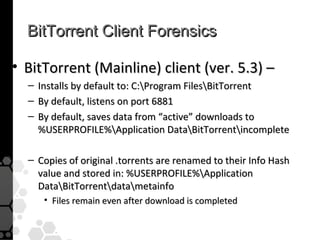
• BitTorrent (Mainline) client (ver. 5.3) –
  –   Installs by default to: C:Program FilesBitTorrent
  –   By default, listens on port 6881
  –   By default, saves data from “active” downloads to
      %USERPROFILE%Application DataBitTorrentincomplete

  – Copies of original .torrents are renamed to their Info Hash
    value and stored in: %USERPROFILE%Application
    DataBitTorrentdatametainfo
       • Files remain even after download is completed
BitTorrent Client Forensics

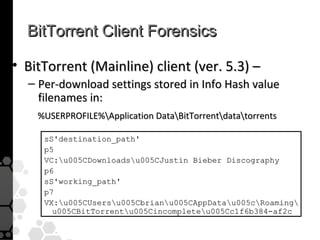
• BitTorrent (Mainline) client (ver. 5.3) –
  – Per-download settings stored in Info Hash value
    filenames in:
    %USERPROFILE%Application DataBitTorrentdatatorrents

     sS'destination_path'
     p5
     VC:u005CDownloadsu005CJustin Bieber Discography
     p6
     sS'working_path'
     p7
     VX:u005CUsersu005Cbrianu005CAppDatau005cRoaming
       u005CBitTorrentu005Cincompleteu005Cc1f6b384-af2c
BitTorrent Client Forensics

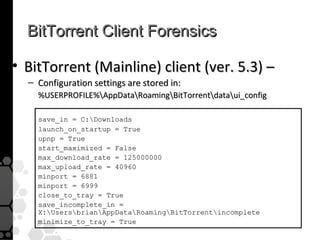
• BitTorrent (Mainline) client (ver. 5.3) –
  – Configuration settings are stored in:
    %USERPROFILE%AppDataRoamingBitTorrentdataui_config

    save_in = C:Downloads
    launch_on_startup = True
    upnp = True
    start_maximized = False
    max_download_rate = 125000000
    max_upload_rate = 40960
    minport = 6881
    minport = 6999
    close_to_tray = True
    save_incomplete_in =
    X:UsersbrianAppDataRoamingBitTorrentincomplete
    minimize_to_tray = True
BitTorrent Client Forensics

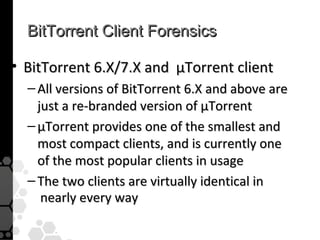
• BitTorrent 6.X/7.X and µTorrent client
  – All versions of BitTorrent 6.X and above are
    just a re-branded version of µTorrent
  – µTorrent provides one of the smallest and
    most compact clients, and is currently one
    of the most popular clients in usage
  – The two clients are virtually identical in
     nearly every way
BitTorrent Client Forensics

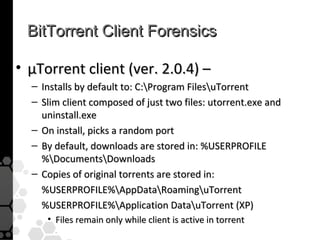
• µTorrent client (ver. 2.0.4) –
  – Installs by default to: C:Program FilesuTorrent
  – Slim client composed of just two files: utorrent.exe and
    uninstall.exe
  – On install, picks a random port
  – By default, downloads are stored in: %USERPROFILE
    %DocumentsDownloads
  – Copies of original torrents are stored in:
    %USERPROFILE%AppDataRoaminguTorrent
    %USERPROFILE%Application DatauTorrent (XP)
     • Files remain only while client is active in torrent
BitTorrent Client Forensics

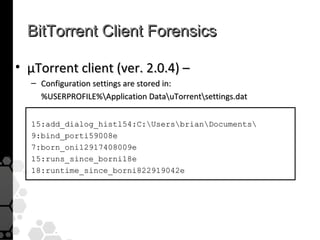
• µTorrent client (ver. 2.0.4) –
  – Configuration settings are stored in:
    %USERPROFILE%Application DatauTorrentsettings.dat


  15:add_dialog_histl54:C:UsersbrianDocuments
  9:bind_porti59008e
  7:born_oni12917408009e
  15:runs_since_borni18e
  18:runtime_since_borni822919042e
BitTorrent Client Forensics

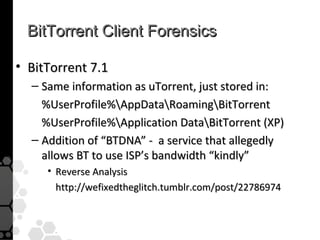
• BitTorrent 7.1
  – Same information as uTorrent, just stored in:
    %UserProfile%AppDataRoamingBitTorrent
    %UserProfile%Application DataBitTorrent (XP)
  – Addition of “BTDNA” - a service that allegedly
    allows BT to use ISP’s bandwidth “kindly”
     • Reverse Analysis
       http://wefixedtheglitch.tumblr.com/post/22786974
BitTorrent Client Forensics

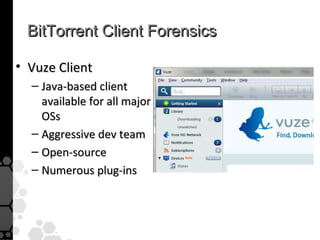
• Vuze Client
  – Java-based client
    available for all major
    OSs
  – Aggressive dev team
  – Open-source
  – Numerous plug-ins
BitTorrent Client Forensics
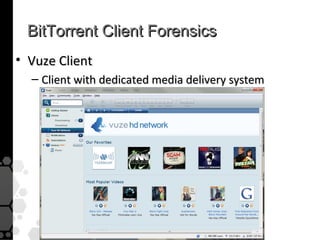
• Vuze Client
  – Client with dedicated media delivery system
BitTorrent Client Forensics
• Vuze client (ver. 4.5.1.0) –
   –   Installs by default to: C:Program FilesVuze
   –   On install, picks a random port from 49152–65534
   –   By default, downloads are stored in %USERPROFILE
       %My DocumentsAzureus Downloads

   – Copies of original torrents are stored in:
     %USERPROFILE%AppDataRoamingAzureusactive
        • File is renamed to 40-byte Info Hash value + ‘.dat’
        • Files remain only while client is active in torrent

       %USERPROFILE%AppDataRoamingAzureustorrents
        • Files remain even after download is completed
BitTorrent Client Forensics

• Vuze client (ver. 4.5.1.0) –
  – Configuration settings are stored in:
    %USERPROFILE%AppDataRoamingAzureusazureus.config
  – Very cryptic file, but contains many interesting items:

  7:ASN BGP14:151.196.0.0/16 (Autonomous System Number)
  7:ASN ASN46:VZGNI-TRANSIT - Verizon Internet Services Inc.
  17:Default save path20:C:DownloadsAzureus
  15:TCP.Listen.Porti50692e
  15:UDP.Listen.Porti50692e
  23:UDP.NonData.Listen.Porti50692e
BitTorrent Client Forensics

• Vuze client (ver. 4.5.1.0) –
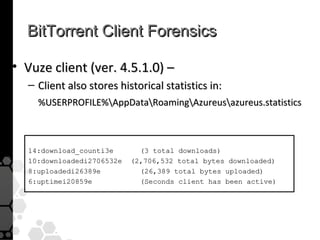
  – Client also stores historical statistics in:
    %USERPROFILE%AppDataRoamingAzureusazureus.statistics


  14:download_counti3e       (3 total downloads)
  10:downloadedi2706532e   (2,706,532 total bytes downloaded)
  8:uploadedi26389e          (26,389 total bytes uploaded)
  6:uptimei20859e            (Seconds client has been active)
Anti-Forensics Techniques, etc
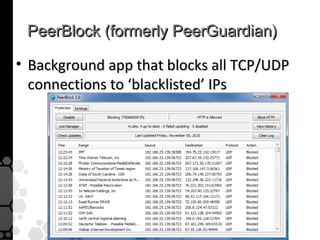
PeerBlock (formerly PeerGuardian)

• Background app that blocks all TCP/UDP
  connections to ‘blacklisted’ IPs
Torrent Co-location
• Subscription services to download torrents at
  remote site
• Most based upon TorrentFlux web-app

• Peer Harbor – www.peerharbor.com
  – (formerly Torrent2FTP)
  – Remote site downloads your torrents and sends to you
    via FTP
IPREDator
• VPN service run by ThePirateBay to avoid
  recent Swedish law IPRED
  – Intellectual Property Rights Enforcement Directive
• Went live November 2009 for €5 ($7)/month
  – Prevents ISPs from logging usage statistics
Private Trackers
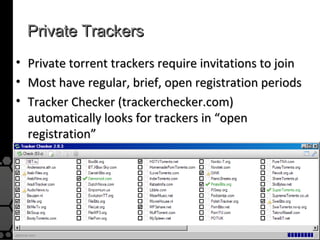
•   Private torrent trackers require invitations to join
•   Most have regular, brief, open registration periods
•   Tracker Checker (trackerchecker.com)
    automatically looks for trackers in “open
    registration”
Brian Baskin


   Contact Us:
   e-mail: contact@cmdlabs.com
   p: 443.451.7330
   www.cmdlabs.com

   1101 E. 33rd Street, Suite C301
   Baltimore, MD 21218

P2P Forensics

  • 1.
    P2P Forensics Your AdminKnows Your Download Habits Brian Baskin
  • 2.
    Who Am I? Senior Consultant with cmdLabs  Former Deputy Lead Technical Engineer  Defense Cyber Investigations Training Academy  Author/coauthor of seven InfoSec books
  • 3.
  • 4.
    Kazaa • 2006 -After ruling of ``MGM Studios, Inc. v. Grokster, Ltd”, Kazaa settled their lawsuits w/ US copyright owners ($100mil+) • Sold operations to Australian company – which was then sued and lost by ARIA • Now maintains a respectable business…
  • 5.
    BitTorrent • The PirateBay – Trial ended Apr 2009 – All four operators found guilty – 1 Year prison + 3.5mil USD fine – Appeals finished 19 Oct 2010 – Results due 26 Nov  Oink’s Pink Palace (OiNK) – First BitTorrent case in U.K. – Shutdown down in 2007 by International Federation of the Phonographic Industry (IFPI) and British Phonographic Industry (BPI) – Ruled not-guilty by jury, 15 Jan 2010, allowed to keep £200K of site donations
  • 6.
    LimeWire • May 2010– Charged with copyright infringement, inducing others to copyright infringement • Oct 2010 – Under court order injunction to C&D services
  • 7.
    RIAA v. LawEnforcement • LE loves P2P – Helps find low-hanging fruit (ICAC) • RIAA hates P2P – Disallow low-hanging fruit • If there is no venue for low-hanging fruit, they’ll climb the tree
  • 8.
    Oh #$^@! • Avionics/ network info from President’s Marine One helicopter leaked* – Leaked by DoD contractor over Gnutella (LimeWire) • Prompted passage of HR 1319* – Informed P2P User Act – Requires apps to warn you of sharing entire hard drive http://news.cnet.com/8301-10787_3-10184785-60.html http://www.opencongress.org/bill/111-h1319/show
  • 9.
  • 10.
    Kazaa • Yes! It’sstill in use! – Official Kazaa client is 100% legal content – Kazaa Lite / Resurrection are unofficial networks – Basically a dead client due to legal scrutiny … for now
  • 11.
    Kazaa • Proprietary protocolfor peer-to-peer communications and searching • Downloads are through standard HTTP GET requests GET /.hash=ba01cf58b0216f7ebfea389d17456a17f1e5ffff HTTP/1.1 Host: 43.19.1.6:2218 UserAgent: KazaaClient Jul 27 2004 21:14:16 X-Kazaa-Username: my-k-lite.com X-Kazaa-Network: KaZaA X-Kazaa-IP: 10.1.15.1:1485 X-Kazaa-SupernodeIP: 69.81.20.135:2783
  • 12.
    Kazaa - Registry HKLMSoftwareKazaaLocalContentDatabase Dir=“C:ProgramDataKazaadb” HKCUSoftwareKazaaTransferDlDir0=“C:My Shared Folder” HKLMSoftwareKazaaLocalContentDownloa dDir=“C:My Shared Folder”
  • 13.
    LimeWire • Primary clientfor Gnutella Network – Currently DOA – FrostWire best alternative • Still dead-ish • Used an open leaf-node system – Allowed for nodes to see all search terms passed through them – Source of hilarity • #1 Network for CP (no, not THAT CP) – See Operation Fairplay
  • 14.
    LimeWire • Files aretransmitted in the open – Uses standard HTTP GET requests
  • 15.
    LimeWire • Downloaded filesare stored by default to: C:Program FilesLimeWireShared
  • 16.
    BitTorrent • One ofthe newest, most popular P2P apps • Currently accounts for between 30-55% of all Internet traffic – In U.S.: 53% of all upstream traffic* – In Latin America: 73% of all upstream traffic http://torrentfreak.com/bittorrent-still-dominates-global-internet-traffic-101026/
  • 17.
  • 18.
    Torrent Web Sites •The vast majority are public web sites where anyone can download – The Pirate Bay (TPB) (www.thepiratebay.org) – BTJunkie (www.btjunkie.org) – ISO Hunt (www.isohunt.com) – Torrent Reactor (www.torrentreactor.net) – Linux Tracker (www.linuxtracker.org) – Legal Torrents (www.legaltorrents.com)
  • 19.
    Torrent Web Sites •Many private torrent sites require user accounts and are very secretive • Most revolve around types of media – Educational: • BitMe (www.bitme.org) – Music: • What CD? (what.cd) – TV • HDBits (www.HDBits.org)
  • 20.
  • 21.
  • 22.
    That’s a Lotof Bandwidth!
  • 23.
    BitTorrent Is ForLarge Files • BitTorrent has become the standard for transmitting large sets of data Yes, that’s 313GB
  • 24.
  • 25.
    The .torrent file •Text based file includes: – Tracker address – Creation date (# secs since 1-1-1970) – File names and sizes – Client used to create torrent • The actual network is identified by a SHA-1 of this file called an Info Hash • All data is “Bencoded”, a format used to transmit various types of data in a simple file format
  • 26.
    The .torrent file •d8: announce http://inferno.demonoid.com:3397/an 41: nounce 18:az ureus_propertiesd17:dht_backup_enablei1ee7:comment 57:www.meganova.org, Fast, Clean and Reliable Torrent Site! 10:created by16:WWW.MEGANOVA.ORG13:creati on datei1169407014e8:encoding5:UTF─84:infod5:filesld 6:lengthi47e4:pathl40:Torrent downloaded frompathDemonoi iPhone.mp3 d.com.txteed6:lengthi63138e4: l10: eee4:name15:iPhone Ringtone12:piece lengthi32768e6: pieces40:”Í半ŸÁn_.›5qa3Üh%܉å“─Á+?ƒË¬Ó¯ ¢[Ô7:privatei0eee
  • 27.
    The .torrent file • Announce : http://inferno.demonoid.com:3397/announce • Azureus_properties – dht_backup_enable = 1 • Comment = www.meganova.org, Fast, Clean… • Created by = WWW.MEGANOVA.ORG • Creation date = 1169407014 • Encoding = UTF-84 • Info – Files • Length = 47 • Path = Torrent downloaded from Demonoid.com.txt • Length = 63138 • Path = iPhone.mp3 – Name = iPhone Ringtone – Piece length = 32768 – Pieces = piece data
  • 28.
    Magnet Links • Replacementfor .torrent files – Became popular over 2009 • All torrent details are in URI format: magnet:? xt=urn:btih:b8d738781bb770735f71f2ae21b588f04 9cd8381dn=Windows+7tr=http://tracker.thepir atebay.org/announce – xt = eXact Topic = Uniform Resource Name: BitTorrent Info Hash – dn = Display Name – tr = Tracker Address
  • 29.
    Present Day • That’sall now nearly obsolete – Many trackers and web hosts are being dismantled due to legal pressures – Even greater decentralization is being used to avoid single points of failure – Modern file sharers use a combination of Magnet links and Tracker-less communications to bypass points of failure
  • 30.
    Distributed Hash Tables(DHT) • Technically a Distributed Sloppy Hash Table (DSHT) – A.K.A. UDP Tracker • Used primarily for Peer Discovery • Peer becomes tracker, based on Kademlia protocol – Each peer maintains routing table of known good nodes • Known good = active in last 15 minutes – If no routing table exists, client ‘bootstraps’ into larger table (router.utorrent.com, router.bittorrent.com, dht.aelitis.com) • IP addresses for swarm are stored in routing table
  • 31.
    Distributed Hash Tables(DHT) • The routing table for a particular torrent is housed in only ONE node – whatever node’s own SHA-1 name is closest to the Info Hash Key • Info Hash: 2fd4e1c67a2d28fced849ee1bb76e7391b93eb12 • Node SHA-1: 2fd4e1c67a2d28fced849ee1bb76e7391b93e23b 200 120 275 175 65 15
  • 32.
    Distributed Hash Tables(DHT) • To find closest pair, distance between Info Hash and Node SHA1 is compared as: • Distance = x XOR y • X = 93eb12 = 100100111110101100010010 • Y1 = 93e23b = 100100111110001000111011 • Y2 = 93e21a = 100100111110001000011010 • x XOR y1 = 000000000000100100101001 = 2345 • x XOR y2 = 000000000000100100010000 = 2320 • Y2 is closest to X
  • 33.
    Distributed Hash Tables(DHT) • Allows for completely decentralized peer discovery – Trackers are not longer required to find peers – Ratios are not enforceable • Side effects include: – Long lookup times – High(er) rate of dead peers in routing tables – More Hit-and-run leechers • http://www.bittorrent.org/beps/bep_0005.html • http://www.torrentfreak.com/common-bittorrent-dht-myths-091024/ • http://www.tribler.org/trac/wiki/Khashmir • http://www.iseclab.org/papers/securecomm08_overbot.pdf
  • 34.
  • 35.
    Peer Communication • Startswith “handshake” b/w peers – Peers share their unique IDs and Info Hash of the network they’re in – Normally uses TCP 6881-6889 • Custom Peer Wire Protocol (PWP) – request – requests a specified data block – piece – sends a requested data block – have – notifies a peer that you have a data block available to send
  • 36.
    Peer Communication • DataTransmissions – The entire data session is broken down into pieces (256KB, 512KB, 1MB, etc) – Each piece is sent in blocks of data normally 16,384 (16KB) in size – Each block refers to a particular piece and its beginning offset within that piece
  • 37.
    Saving Files •Stream treated as one large set of data – Offset “lengths” in .Torrent tell where to differentiate files • Blocks are downloaded randomly – Rarest are normally downloaded first File 1 File 2 File 3
  • 38.
    Carving Data fromNetwork Captures • How do you extract the files that have been transferred from a network capture? – Humanly impossible impractical • Prior to sending data, the entire data set is broken down into 1MB “pieces” • Data is transferred directly b/w peers in 16KB chunks, denoted by a particular piece and the starting offset in that piece
  • 39.
    Carving Data fromNetwork Captures • Can you automatically carve BitTorrent data? – CoolMiner from FBI will do it • Requires a few hours of processing, but will produce the original files that were downloaded across the network stream – AccessData SilentRunner?
  • 40.
    BitTorrent Client Forensics • P2P IP Black-list blocking • Access to private trackers • Additional topics
  • 41.
    BitTorrent Client Forensics •Clients discussed here: – BitTorrent (Mainline) 5.3 – BitTorrent (Mainline) 7.1 / µTorrent 2.0.4 – Vuze (Azureus) 4.4.0.6
  • 42.
    BitTorrent Client Forensics •BitTorrent (Mainline) client (ver. 5.3) – – Installs by default to: C:Program FilesBitTorrent – By default, listens on port 6881 – By default, saves data from “active” downloads to %USERPROFILE%Application DataBitTorrentincomplete – Copies of original .torrents are renamed to their Info Hash value and stored in: %USERPROFILE%Application DataBitTorrentdatametainfo • Files remain even after download is completed
  • 43.
    BitTorrent Client Forensics •BitTorrent (Mainline) client (ver. 5.3) – – Per-download settings stored in Info Hash value filenames in: %USERPROFILE%Application DataBitTorrentdatatorrents sS'destination_path' p5 VC:u005CDownloadsu005CJustin Bieber Discography p6 sS'working_path' p7 VX:u005CUsersu005Cbrianu005CAppDatau005cRoaming u005CBitTorrentu005Cincompleteu005Cc1f6b384-af2c
  • 44.
    BitTorrent Client Forensics •BitTorrent (Mainline) client (ver. 5.3) – – Configuration settings are stored in: %USERPROFILE%AppDataRoamingBitTorrentdataui_config save_in = C:Downloads launch_on_startup = True upnp = True start_maximized = False max_download_rate = 125000000 max_upload_rate = 40960 minport = 6881 minport = 6999 close_to_tray = True save_incomplete_in = X:UsersbrianAppDataRoamingBitTorrentincomplete minimize_to_tray = True
  • 45.
    BitTorrent Client Forensics •BitTorrent 6.X/7.X and µTorrent client – All versions of BitTorrent 6.X and above are just a re-branded version of µTorrent – µTorrent provides one of the smallest and most compact clients, and is currently one of the most popular clients in usage – The two clients are virtually identical in nearly every way
  • 46.
    BitTorrent Client Forensics •µTorrent client (ver. 2.0.4) – – Installs by default to: C:Program FilesuTorrent – Slim client composed of just two files: utorrent.exe and uninstall.exe – On install, picks a random port – By default, downloads are stored in: %USERPROFILE %DocumentsDownloads – Copies of original torrents are stored in: %USERPROFILE%AppDataRoaminguTorrent %USERPROFILE%Application DatauTorrent (XP) • Files remain only while client is active in torrent
  • 47.
    BitTorrent Client Forensics •µTorrent client (ver. 2.0.4) – – Configuration settings are stored in: %USERPROFILE%Application DatauTorrentsettings.dat 15:add_dialog_histl54:C:UsersbrianDocuments 9:bind_porti59008e 7:born_oni12917408009e 15:runs_since_borni18e 18:runtime_since_borni822919042e
  • 48.
    BitTorrent Client Forensics •BitTorrent 7.1 – Same information as uTorrent, just stored in: %UserProfile%AppDataRoamingBitTorrent %UserProfile%Application DataBitTorrent (XP) – Addition of “BTDNA” - a service that allegedly allows BT to use ISP’s bandwidth “kindly” • Reverse Analysis http://wefixedtheglitch.tumblr.com/post/22786974
  • 49.
    BitTorrent Client Forensics •Vuze Client – Java-based client available for all major OSs – Aggressive dev team – Open-source – Numerous plug-ins
  • 50.
    BitTorrent Client Forensics •Vuze Client – Client with dedicated media delivery system
  • 51.
    BitTorrent Client Forensics •Vuze client (ver. 4.5.1.0) – – Installs by default to: C:Program FilesVuze – On install, picks a random port from 49152–65534 – By default, downloads are stored in %USERPROFILE %My DocumentsAzureus Downloads – Copies of original torrents are stored in: %USERPROFILE%AppDataRoamingAzureusactive • File is renamed to 40-byte Info Hash value + ‘.dat’ • Files remain only while client is active in torrent %USERPROFILE%AppDataRoamingAzureustorrents • Files remain even after download is completed
  • 52.
    BitTorrent Client Forensics •Vuze client (ver. 4.5.1.0) – – Configuration settings are stored in: %USERPROFILE%AppDataRoamingAzureusazureus.config – Very cryptic file, but contains many interesting items: 7:ASN BGP14:151.196.0.0/16 (Autonomous System Number) 7:ASN ASN46:VZGNI-TRANSIT - Verizon Internet Services Inc. 17:Default save path20:C:DownloadsAzureus 15:TCP.Listen.Porti50692e 15:UDP.Listen.Porti50692e 23:UDP.NonData.Listen.Porti50692e
  • 53.
    BitTorrent Client Forensics •Vuze client (ver. 4.5.1.0) – – Client also stores historical statistics in: %USERPROFILE%AppDataRoamingAzureusazureus.statistics 14:download_counti3e (3 total downloads) 10:downloadedi2706532e (2,706,532 total bytes downloaded) 8:uploadedi26389e (26,389 total bytes uploaded) 6:uptimei20859e (Seconds client has been active)
  • 54.
  • 55.
    PeerBlock (formerly PeerGuardian) •Background app that blocks all TCP/UDP connections to ‘blacklisted’ IPs
  • 56.
    Torrent Co-location • Subscriptionservices to download torrents at remote site • Most based upon TorrentFlux web-app • Peer Harbor – www.peerharbor.com – (formerly Torrent2FTP) – Remote site downloads your torrents and sends to you via FTP
  • 57.
    IPREDator • VPN servicerun by ThePirateBay to avoid recent Swedish law IPRED – Intellectual Property Rights Enforcement Directive • Went live November 2009 for €5 ($7)/month – Prevents ISPs from logging usage statistics
  • 58.
    Private Trackers • Private torrent trackers require invitations to join • Most have regular, brief, open registration periods • Tracker Checker (trackerchecker.com) automatically looks for trackers in “open registration”
  • 59.
    Brian Baskin Contact Us: e-mail: contact@cmdlabs.com p: 443.451.7330 www.cmdlabs.com 1101 E. 33rd Street, Suite C301 Baltimore, MD 21218