Introduction to ABAP Module Pool Programming
Welcome to this training session on ABAP Module Pool
Programming. This presentation will cover core
concepts and practical examples to enhance your
understanding of this powerful tool.
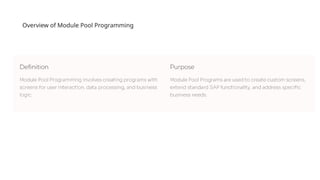
Overview of Module Pool Programming
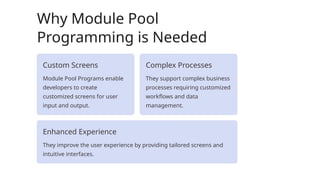
Why Module Pool
Programming is Needed
Custom Screens
Module Pool Programs enable
developers to create
customized screens for user
input and output.
Complex Processes
They support complex business
processes requiring customized
workflows and data
management.
Enhanced Experience
They improve the user experience by providing tailored screens and
intuitive interfaces.
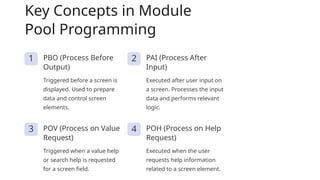
Key Concepts in Module
Pool Programming
1 PBO (Process Before
Output)
Triggered before a screen is
displayed. Used to prepare
data and control screen
elements.
2 PAI (Process After
Input)
Executed after user input on
a screen. Processes the input
data and performs relevant
logic.
3 POV (Process on Value
Request)
Triggered when a value help
or search help is requested
for a screen field.
4 POH (Process on Help
Request)
Executed when the user
requests help information
related to a screen element.
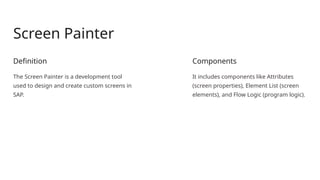
Screen Painter
Definition
The Screen Painter is a development tool
used to design and create custom screens in
SAP.
Components
It includes components like Attributes
(screen properties), Element List (screen
elements), and Flow Logic (program logic).
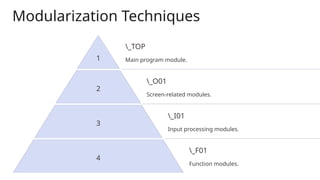
Modularization Techniques
1
_TOP
Main program module.
2
_O01
Screen-related modules.
3
_I01
Input processing modules.
4
_F01
Function modules.
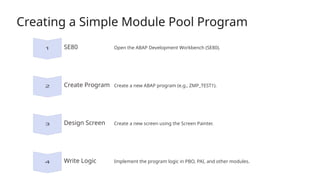
Creating a Simple Module Pool Program
SE80 Open the ABAP Development Workbench (SE80).
Create Program Create a new ABAP program (e.g., ZMP_TEST1).
Design Screen Create a new screen using the Screen Painter.
Write Logic Implement the program logic in PBO, PAI, and other modules.
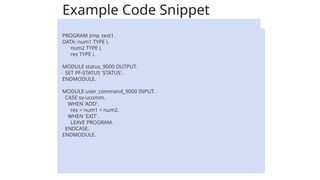
Example Code Snippet
PROGRAM zmp_test1.
DATA: num1 TYPE i,
num2 TYPE i,
res TYPE i.
MODULE status_9000 OUTPUT.
SET PF-STATUS 'STATUS'.
ENDMODULE.
MODULE user_command_9000 INPUT.
CASE sy-ucomm.
WHEN 'ADD'.
res = num1 + num2.
WHEN 'EXIT'.
LEAVE PROGRAM.
ENDCASE.
ENDMODULE.
Setting Up PF Status
SAVE
BACK
EXIT

Overview of module pool programming.pptx

  • 1.
    Introduction to ABAPModule Pool Programming Welcome to this training session on ABAP Module Pool Programming. This presentation will cover core concepts and practical examples to enhance your understanding of this powerful tool.
  • 2.
    Overview of ModulePool Programming
  • 3.
    Why Module Pool Programmingis Needed Custom Screens Module Pool Programs enable developers to create customized screens for user input and output. Complex Processes They support complex business processes requiring customized workflows and data management. Enhanced Experience They improve the user experience by providing tailored screens and intuitive interfaces.
  • 4.
    Key Concepts inModule Pool Programming 1 PBO (Process Before Output) Triggered before a screen is displayed. Used to prepare data and control screen elements. 2 PAI (Process After Input) Executed after user input on a screen. Processes the input data and performs relevant logic. 3 POV (Process on Value Request) Triggered when a value help or search help is requested for a screen field. 4 POH (Process on Help Request) Executed when the user requests help information related to a screen element.
  • 5.
    Screen Painter Definition The ScreenPainter is a development tool used to design and create custom screens in SAP. Components It includes components like Attributes (screen properties), Element List (screen elements), and Flow Logic (program logic).
  • 6.
    Modularization Techniques 1 _TOP Main programmodule. 2 _O01 Screen-related modules. 3 _I01 Input processing modules. 4 _F01 Function modules.
  • 7.
    Creating a SimpleModule Pool Program SE80 Open the ABAP Development Workbench (SE80). Create Program Create a new ABAP program (e.g., ZMP_TEST1). Design Screen Create a new screen using the Screen Painter. Write Logic Implement the program logic in PBO, PAI, and other modules.
  • 8.
    Example Code Snippet PROGRAMzmp_test1. DATA: num1 TYPE i, num2 TYPE i, res TYPE i. MODULE status_9000 OUTPUT. SET PF-STATUS 'STATUS'. ENDMODULE. MODULE user_command_9000 INPUT. CASE sy-ucomm. WHEN 'ADD'. res = num1 + num2. WHEN 'EXIT'. LEAVE PROGRAM. ENDCASE. ENDMODULE.
  • 9.
    Setting Up PFStatus SAVE BACK EXIT