Sub-Flowsheet Operations 2-9 
2-9 
2.2.4 Mapping Tab 
You can map fluid component composition across fluid package 
boundaries on the Mapping tab. Composition values for individual 
components from one fluid package can be mapped to a different 
component in an alternate fluid package. Mapping is especially useful 
when dealing with hypothetical oil components where like components 
from one fluid package can be mapped across the sub-flowsheet 
boundary to another fluid package. 
For every pairing of different fluid packages, a collection of maps exists. 
Component maps can be added to each collection on the Component 
Maps tab found in the Simulation Basis Manager view. 
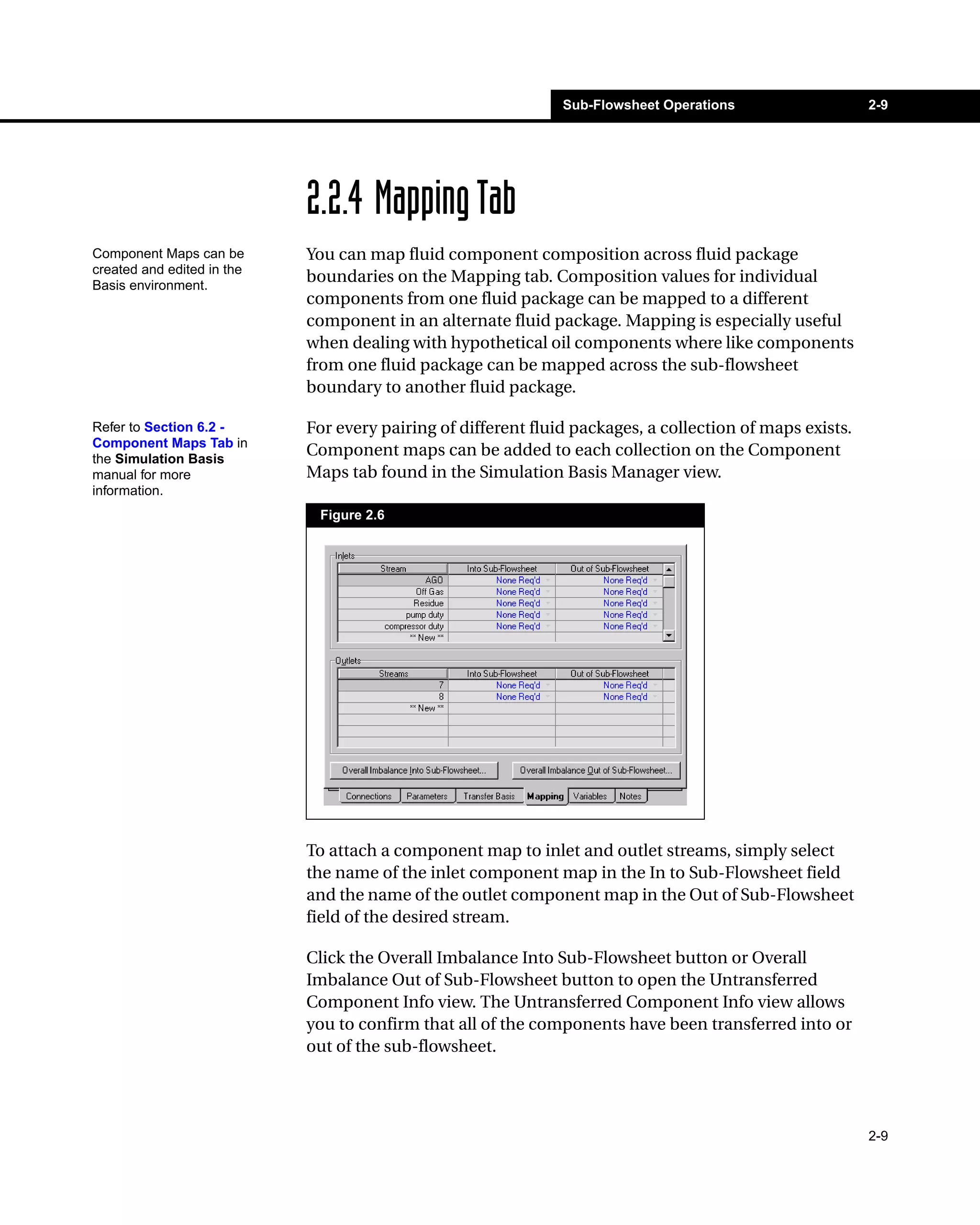
Figure 2.6 
To attach a component map to inlet and outlet streams, simply select 
the name of the inlet component map in the In to Sub-Flowsheet field 
and the name of the outlet component map in the Out of Sub-Flowsheet 
field of the desired stream. 
Click the Overall Imbalance Into Sub-Flowsheet button or Overall 
Imbalance Out of Sub-Flowsheet button to open the Untransferred 
Component Info view. The Untransferred Component Info view allows 
you to confirm that all of the components have been transferred into or 
out of the sub-flowsheet. 
Component Maps can be 
created and edited in the 
Basis environment. 
Refer to Section 6.2 - 
Component Maps Tab in 
the Simulation Basis 
manual for more 
information.

Operations guide25

  • 1.
    Sub-Flowsheet Operations 2-9 2-9 2.2.4 Mapping Tab You can map fluid component composition across fluid package boundaries on the Mapping tab. Composition values for individual components from one fluid package can be mapped to a different component in an alternate fluid package. Mapping is especially useful when dealing with hypothetical oil components where like components from one fluid package can be mapped across the sub-flowsheet boundary to another fluid package. For every pairing of different fluid packages, a collection of maps exists. Component maps can be added to each collection on the Component Maps tab found in the Simulation Basis Manager view. Figure 2.6 To attach a component map to inlet and outlet streams, simply select the name of the inlet component map in the In to Sub-Flowsheet field and the name of the outlet component map in the Out of Sub-Flowsheet field of the desired stream. Click the Overall Imbalance Into Sub-Flowsheet button or Overall Imbalance Out of Sub-Flowsheet button to open the Untransferred Component Info view. The Untransferred Component Info view allows you to confirm that all of the components have been transferred into or out of the sub-flowsheet. Component Maps can be created and edited in the Basis environment. Refer to Section 6.2 - Component Maps Tab in the Simulation Basis manual for more information.