MODULE 1
OOPS CONCEPTS
(Object Oriented Programming)
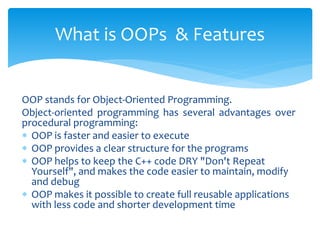
OOP stands for Object-Oriented Programming.
Object-oriented programming has several advantages over
procedural programming:
 OOP is faster and easier to execute
 OOP provides a clear structure for the programs
 OOP helps to keep the C++ code DRY "Don't Repeat
Yourself", and makes the code easier to maintain, modify
and debug
 OOP makes it possible to create full reusable applications
with less code and shorter development time
What is OOPs & Features
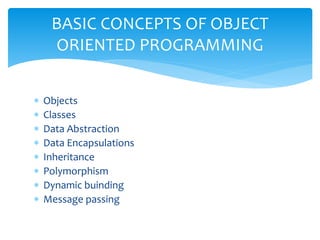
 Objects
 Classes
 Data Abstraction
 Data Encapsulations
 Inheritance
 Polymorphism
 Dynamic buinding
 Message passing
BASIC CONCEPTS OF OBJECT
ORIENTED PROGRAMMING
Review of Structure
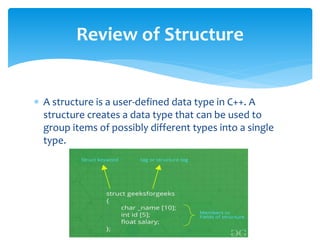
 A structure is a user-defined data type in C++. A
structure creates a data type that can be used to
group items of possibly different types into a single
type.
The ‘struct’ keyword is used to create a structure. The
general syntax to create a structure is as shown below:
struct structureName{
member1;
member2;
member3;
. . .
memberN;
};
How to create a structure?
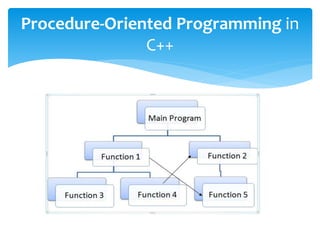
Procedure oriented programming is a set of functions.
In this program ”C++” language is used. To perform any
particular task, set of function are compulsory. For
example ,
a program may involve collecting data from user,
performing some kind of calculation on that data and
printing the data on screen when is requested
Procedure-Oriented Programming in
C++
Procedure-Oriented Programming in
C++
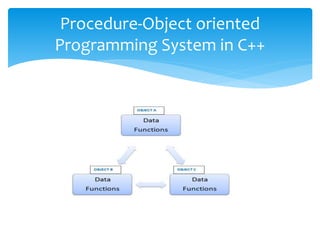
Object-oriented programming aims to implement real-
world entities like inheritance, hiding, polymorphism,
etc in programming. The main aim of OOP is to bind
together the data and the functions that operate on
them so that no other part of the code can access this
data except that function.
Procedure-Object oriented
Programming System in C++
Procedure-Object oriented
Programming System in C++
Example :
class person
{
char name[20];
int id;
public:
void getdetails(){}
};
int main()
{
person p1; // p1 is a object
}
Procedure-Object oriented
Programming System in C++
C is a Procedural Oriented language, whereas C++ is
an Object-Oriented Programming language. C supports
only Pointers whereas C++ supports both pointers and
references. C does not allow you to use function
overloading whereas C++ allows you to use function
overloading
comparison object oriented language
with c
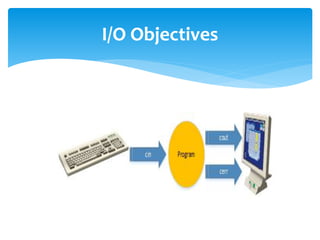
The high-level I/O functions provide a simple way to
read a stream of characters from console input or to
write a stream of characters to console output. A high-
level read operation gets input characters from
a console's input buffer and stores them in a specified
buffer.
What is Console I/O ?
I/O Objectives
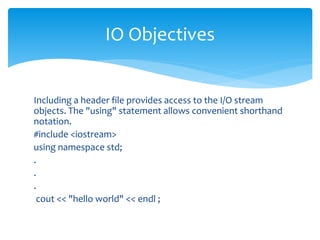
Including a header file provides access to the I/O stream
objects. The "using" statement allows convenient shorthand
notation.
#include <iostream>
using namespace std;
.
.
.
cout << "hello world" << endl ;
IO Objectives
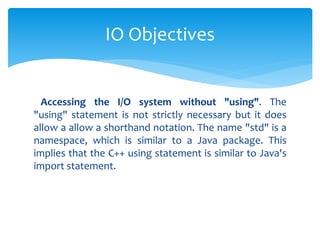
Accessing the I/O system without "using". The
"using" statement is not strictly necessary but it does
allow a allow a shorthand notation. The name "std" is a
namespace, which is similar to a Java package. This
implies that the C++ using statement is similar to Java's
import statement.
IO Objectives
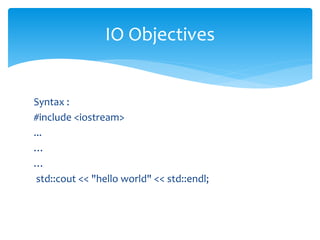
Syntax :
#include <iostream>
...
…
…
std::cout << "hello world" << std::endl;
IO Objectives
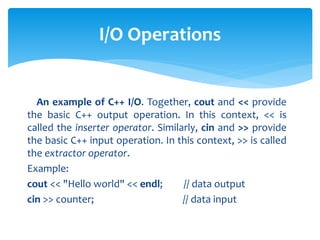
An example of C++ I/O. Together, cout and << provide
the basic C++ output operation. In this context, << is
called the inserter operator. Similarly, cin and >> provide
the basic C++ input operation. In this context, >> is called
the extractor operator.
Example:
cout << "Hello world" << endl; // data output
cin >> counter; // data input
I/O Operations
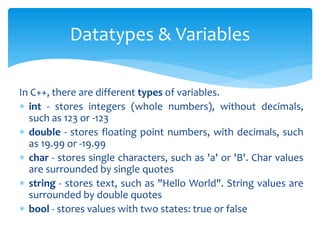
In C++, there are different types of variables.
 int - stores integers (whole numbers), without decimals,
such as 123 or -123
 double - stores floating point numbers, with decimals, such
as 19.99 or -19.99
 char - stores single characters, such as 'a' or 'B'. Char values
are surrounded by single quotes
 string - stores text, such as "Hello World". String values are
surrounded by double quotes
 bool - stores values with two states: true or false
Datatypes & Variables
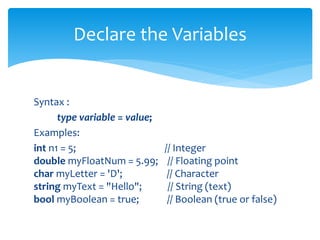
Syntax :
type variable = value;
Examples:
int n1 = 5; // Integer
double myFloatNum = 5.99; // Floating point
char myLetter = 'D'; // Character
string myText = "Hello"; // String (text)
bool myBoolean = true; // Boolean (true or false)
Declare the Variables
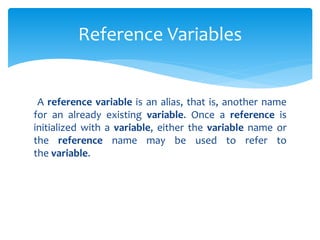
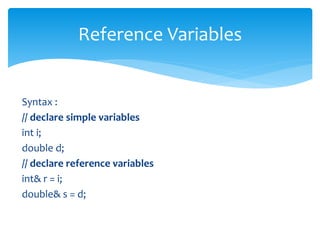
A reference variable is an alias, that is, another name
for an already existing variable. Once a reference is
initialized with a variable, either the variable name or
the reference name may be used to refer to
the variable.
Reference Variables
Syntax :
// declare simple variables
int i;
double d;
// declare reference variables
int& r = i;
double& s = d;
Reference Variables
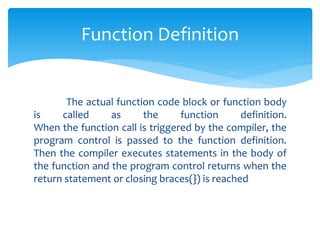
The actual function code block or function body
is called as the function definition.
When the function call is triggered by the compiler, the
program control is passed to the function definition.
Then the compiler executes statements in the body of
the function and the program control returns when the
return statement or closing braces(}) is reached
Function Definition
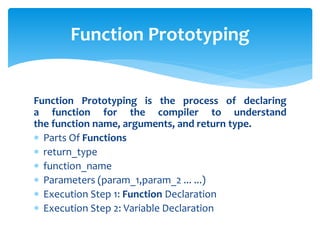
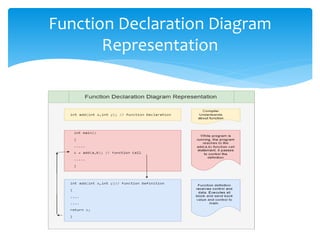
Function Prototyping is the process of declaring
a function for the compiler to understand
the function name, arguments, and return type.
 Parts Of Functions
 return_type
 function_name
 Parameters (param_1,param_2 ... ...)
 Execution Step 1: Function Declaration
 Execution Step 2: Variable Declaration
Function Prototyping
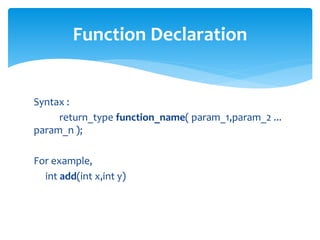
Syntax :
return_type function_name( param_1,param_2 ...
param_n );
For example,
int add(int x,int y)
Function Declaration
Function Declaration Diagram
Representation
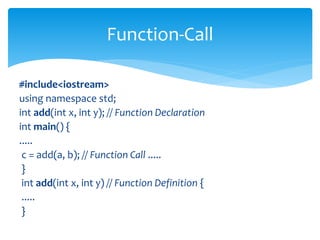
#include<iostream>
using namespace std;
int add(int x, int y); // Function Declaration
int main() {
.....
c = add(a, b); // Function Call .....
}
int add(int x, int y) // Function Definition {
.....
}
Function-Call
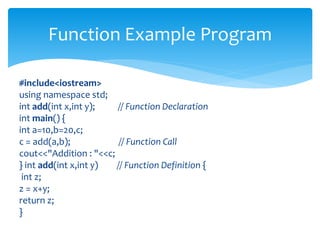
#include<iostream>
using namespace std;
int add(int x,int y); // Function Declaration
int main() {
int a=10,b=20,c;
c = add(a,b); // Function Call
cout<<"Addition : "<<c;
} int add(int x,int y) // Function Definition {
int z;
z = x+y;
return z;
}
Function Example Program
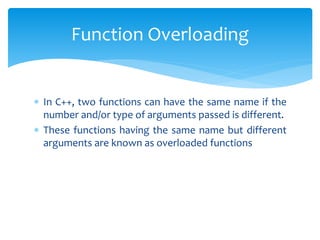
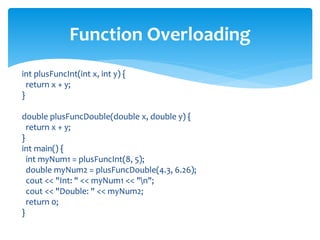
 In C++, two functions can have the same name if the
number and/or type of arguments passed is different.
 These functions having the same name but different
arguments are known as overloaded functions
Function Overloading
int plusFuncInt(int x, int y) {
return x + y;
}
double plusFuncDouble(double x, double y) {
return x + y;
}
int main() {
int myNum1 = plusFuncInt(8, 5);
double myNum2 = plusFuncDouble(4.3, 6.26);
cout << "Int: " << myNum1 << "n";
cout << "Double: " << myNum2;
return 0;
}
Function Overloading
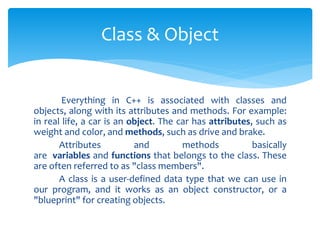
Everything in C++ is associated with classes and
objects, along with its attributes and methods. For example:
in real life, a car is an object. The car has attributes, such as
weight and color, and methods, such as drive and brake.
Attributes and methods basically
are variables and functions that belongs to the class. These
are often referred to as "class members".
A class is a user-defined data type that we can use in
our program, and it works as an object constructor, or a
"blueprint" for creating objects.
Class & Object
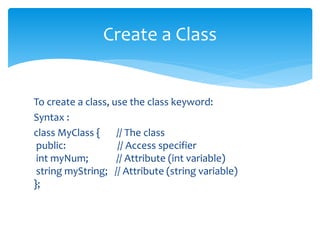
To create a class, use the class keyword:
Syntax :
class MyClass { // The class
public: // Access specifier
int myNum; // Attribute (int variable)
string myString; // Attribute (string variable)
};
Create a Class
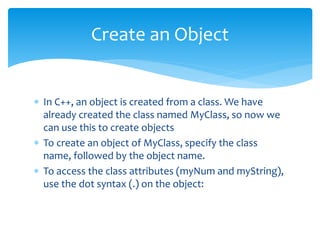
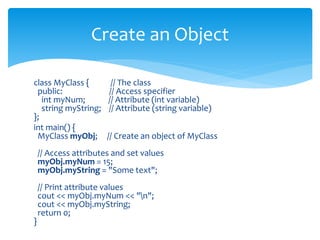
 In C++, an object is created from a class. We have
already created the class named MyClass, so now we
can use this to create objects
 To create an object of MyClass, specify the class
name, followed by the object name.
 To access the class attributes (myNum and myString),
use the dot syntax (.) on the object:
Create an Object
class MyClass { // The class
public: // Access specifier
int myNum; // Attribute (int variable)
string myString; // Attribute (string variable)
};
int main() {
MyClass myObj; // Create an object of MyClass
// Access attributes and set values
myObj.myNum = 15;
myObj.myString = "Some text";
// Print attribute values
cout << myObj.myNum << "n";
cout << myObj.myString;
return 0;
}
Create an Object
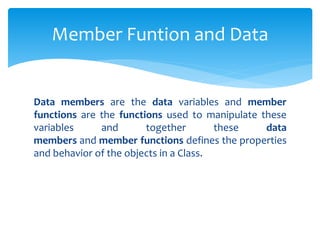
Data members are the data variables and member
functions are the functions used to manipulate these
variables and together these data
members and member functions defines the properties
and behavior of the objects in a Class.
Member Funtion and Data
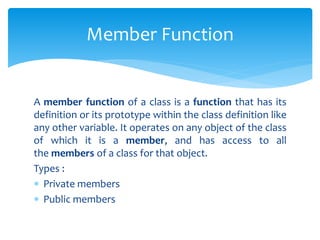
A member function of a class is a function that has its
definition or its prototype within the class definition like
any other variable. It operates on any object of the class
of which it is a member, and has access to all
the members of a class for that object.
Types :
 Private members
 Public members
Member Function
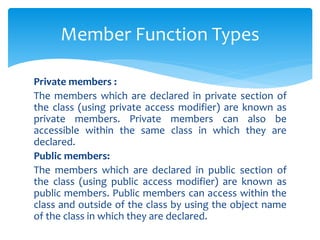
Private members :
The members which are declared in private section of
the class (using private access modifier) are known as
private members. Private members can also be
accessible within the same class in which they are
declared.
Public members:
The members which are declared in public section of
the class (using public access modifier) are known as
public members. Public members can access within the
class and outside of the class by using the object name
of the class in which they are declared.
Member Function Types
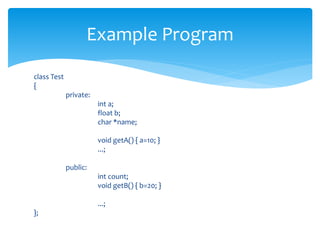
class Test
{
private:
int a;
float b;
char *name;
void getA() { a=10; }
...;
public:
int count;
void getB() { b=20; }
...;
};
Example Program
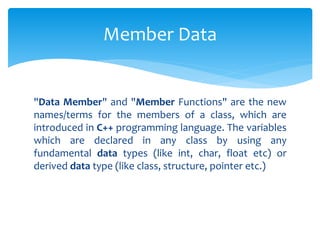
"Data Member" and "Member Functions" are the new
names/terms for the members of a class, which are
introduced in C++ programming language. The variables
which are declared in any class by using any
fundamental data types (like int, char, float etc) or
derived data type (like class, structure, pointer etc.)
Member Data
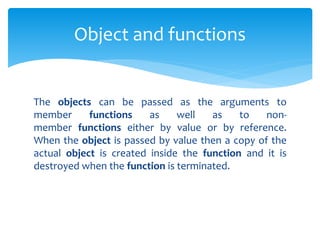
The objects can be passed as the arguments to
member functions as well as to non-
member functions either by value or by reference.
When the object is passed by value then a copy of the
actual object is created inside the function and it is
destroyed when the function is terminated.
Object and functions
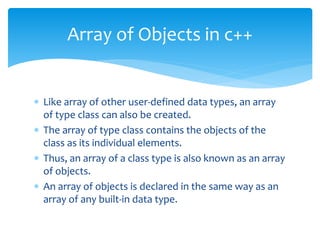
 Like array of other user-defined data types, an array
of type class can also be created.
 The array of type class contains the objects of the
class as its individual elements.
 Thus, an array of a class type is also known as an array
of objects.
 An array of objects is declared in the same way as an
array of any built-in data type.
Array of Objects in c++
Syntax :
class_name array_name [size] ;
#include <iostream>
class MyClass {
int x;
public:
void setX(int i) {
x = i;
}
int getX() {
return x;
} };
void main() {
MyClass obs[4];
int i;
for(i=0; i < 4; i++)
obs[i].setX(i);
for(i=0; i < 4; i++)
cout << "obs[" << i << "].getX(): " <<
obs[i].getX() << "n";
}
Array of Objects in c++
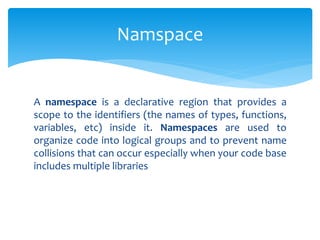
A namespace is a declarative region that provides a
scope to the identifiers (the names of types, functions,
variables, etc) inside it. Namespaces are used to
organize code into logical groups and to prevent name
collisions that can occur especially when your code base
includes multiple libraries
Namspace
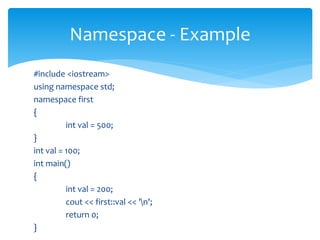
#include <iostream>
using namespace std;
namespace first
{
int val = 500;
}
int val = 100;
int main()
{
int val = 200;
cout << first::val << 'n';
return 0;
}
Namespace - Example
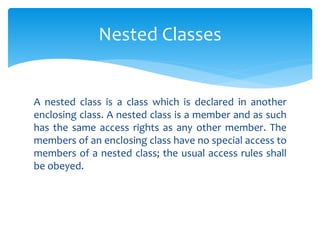
A nested class is a class which is declared in another
enclosing class. A nested class is a member and as such
has the same access rights as any other member. The
members of an enclosing class have no special access to
members of a nested class; the usual access rules shall
be obeyed.
Nested Classes
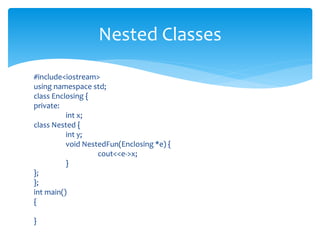
#include<iostream>
using namespace std;
class Enclosing {
private:
int x;
class Nested {
int y;
void NestedFun(Enclosing *e) {
cout<<e->x;
}
};
};
int main()
{
}
Nested Classes
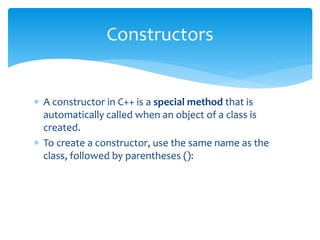
 A constructor in C++ is a special method that is
automatically called when an object of a class is
created.
 To create a constructor, use the same name as the
class, followed by parentheses ():
Constructors
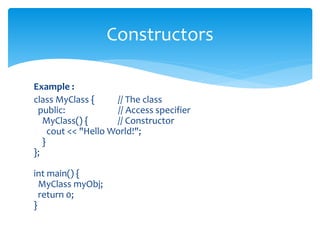
Example :
class MyClass { // The class
public: // Access specifier
MyClass() { // Constructor
cout << "Hello World!";
}
};
int main() {
MyClass myObj;
return 0;
}
Constructors
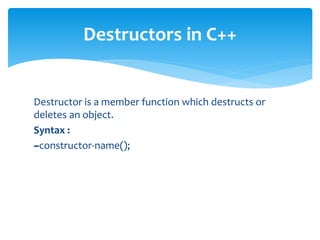
Destructor is a member function which destructs or
deletes an object.
Syntax :
~constructor-name();
Destructors in C++
class String {
private:
char* s;
int size;
public:
String(char*); // constructor
~String(); // destructor
};
String::String(char* c)
{
size = strlen(c);
s = new char[size + 1];
strcpy(s, c);
}
String::~String() { delete[] s; }
Destructors in c++
 END OF MODULE 1
THANK YOU

OOC MODULE1.pptx

  • 1.
    MODULE 1 OOPS CONCEPTS (ObjectOriented Programming)
  • 2.
    OOP stands forObject-Oriented Programming. Object-oriented programming has several advantages over procedural programming:  OOP is faster and easier to execute  OOP provides a clear structure for the programs  OOP helps to keep the C++ code DRY "Don't Repeat Yourself", and makes the code easier to maintain, modify and debug  OOP makes it possible to create full reusable applications with less code and shorter development time What is OOPs & Features
  • 3.
     Objects  Classes Data Abstraction  Data Encapsulations  Inheritance  Polymorphism  Dynamic buinding  Message passing BASIC CONCEPTS OF OBJECT ORIENTED PROGRAMMING
  • 4.
    Review of Structure A structure is a user-defined data type in C++. A structure creates a data type that can be used to group items of possibly different types into a single type.
  • 5.
    The ‘struct’ keywordis used to create a structure. The general syntax to create a structure is as shown below: struct structureName{ member1; member2; member3; . . . memberN; }; How to create a structure?
  • 6.
    Procedure oriented programmingis a set of functions. In this program ”C++” language is used. To perform any particular task, set of function are compulsory. For example , a program may involve collecting data from user, performing some kind of calculation on that data and printing the data on screen when is requested Procedure-Oriented Programming in C++
  • 7.
  • 8.
    Object-oriented programming aimsto implement real- world entities like inheritance, hiding, polymorphism, etc in programming. The main aim of OOP is to bind together the data and the functions that operate on them so that no other part of the code can access this data except that function. Procedure-Object oriented Programming System in C++
  • 9.
  • 10.
    Example : class person { charname[20]; int id; public: void getdetails(){} }; int main() { person p1; // p1 is a object } Procedure-Object oriented Programming System in C++
  • 11.
    C is aProcedural Oriented language, whereas C++ is an Object-Oriented Programming language. C supports only Pointers whereas C++ supports both pointers and references. C does not allow you to use function overloading whereas C++ allows you to use function overloading comparison object oriented language with c
  • 12.
    The high-level I/Ofunctions provide a simple way to read a stream of characters from console input or to write a stream of characters to console output. A high- level read operation gets input characters from a console's input buffer and stores them in a specified buffer. What is Console I/O ?
  • 13.
  • 14.
    Including a headerfile provides access to the I/O stream objects. The "using" statement allows convenient shorthand notation. #include <iostream> using namespace std; . . . cout << "hello world" << endl ; IO Objectives
  • 15.
    Accessing the I/Osystem without "using". The "using" statement is not strictly necessary but it does allow a allow a shorthand notation. The name "std" is a namespace, which is similar to a Java package. This implies that the C++ using statement is similar to Java's import statement. IO Objectives
  • 16.
    Syntax : #include <iostream> ... … … std::cout<< "hello world" << std::endl; IO Objectives
  • 17.
    An example ofC++ I/O. Together, cout and << provide the basic C++ output operation. In this context, << is called the inserter operator. Similarly, cin and >> provide the basic C++ input operation. In this context, >> is called the extractor operator. Example: cout << "Hello world" << endl; // data output cin >> counter; // data input I/O Operations
  • 18.
    In C++, thereare different types of variables.  int - stores integers (whole numbers), without decimals, such as 123 or -123  double - stores floating point numbers, with decimals, such as 19.99 or -19.99  char - stores single characters, such as 'a' or 'B'. Char values are surrounded by single quotes  string - stores text, such as "Hello World". String values are surrounded by double quotes  bool - stores values with two states: true or false Datatypes & Variables
  • 19.
    Syntax : type variable= value; Examples: int n1 = 5; // Integer double myFloatNum = 5.99; // Floating point char myLetter = 'D'; // Character string myText = "Hello"; // String (text) bool myBoolean = true; // Boolean (true or false) Declare the Variables
  • 20.
    A reference variableis an alias, that is, another name for an already existing variable. Once a reference is initialized with a variable, either the variable name or the reference name may be used to refer to the variable. Reference Variables
  • 21.
    Syntax : // declaresimple variables int i; double d; // declare reference variables int& r = i; double& s = d; Reference Variables
  • 22.
    The actual functioncode block or function body is called as the function definition. When the function call is triggered by the compiler, the program control is passed to the function definition. Then the compiler executes statements in the body of the function and the program control returns when the return statement or closing braces(}) is reached Function Definition
  • 23.
    Function Prototyping isthe process of declaring a function for the compiler to understand the function name, arguments, and return type.  Parts Of Functions  return_type  function_name  Parameters (param_1,param_2 ... ...)  Execution Step 1: Function Declaration  Execution Step 2: Variable Declaration Function Prototyping
  • 24.
    Syntax : return_type function_name(param_1,param_2 ... param_n ); For example, int add(int x,int y) Function Declaration
  • 25.
  • 26.
    #include<iostream> using namespace std; intadd(int x, int y); // Function Declaration int main() { ..... c = add(a, b); // Function Call ..... } int add(int x, int y) // Function Definition { ..... } Function-Call
  • 27.
    #include<iostream> using namespace std; intadd(int x,int y); // Function Declaration int main() { int a=10,b=20,c; c = add(a,b); // Function Call cout<<"Addition : "<<c; } int add(int x,int y) // Function Definition { int z; z = x+y; return z; } Function Example Program
  • 28.
     In C++,two functions can have the same name if the number and/or type of arguments passed is different.  These functions having the same name but different arguments are known as overloaded functions Function Overloading
  • 29.
    int plusFuncInt(int x,int y) { return x + y; } double plusFuncDouble(double x, double y) { return x + y; } int main() { int myNum1 = plusFuncInt(8, 5); double myNum2 = plusFuncDouble(4.3, 6.26); cout << "Int: " << myNum1 << "n"; cout << "Double: " << myNum2; return 0; } Function Overloading
  • 30.
    Everything in C++is associated with classes and objects, along with its attributes and methods. For example: in real life, a car is an object. The car has attributes, such as weight and color, and methods, such as drive and brake. Attributes and methods basically are variables and functions that belongs to the class. These are often referred to as "class members". A class is a user-defined data type that we can use in our program, and it works as an object constructor, or a "blueprint" for creating objects. Class & Object
  • 31.
    To create aclass, use the class keyword: Syntax : class MyClass { // The class public: // Access specifier int myNum; // Attribute (int variable) string myString; // Attribute (string variable) }; Create a Class
  • 32.
     In C++,an object is created from a class. We have already created the class named MyClass, so now we can use this to create objects  To create an object of MyClass, specify the class name, followed by the object name.  To access the class attributes (myNum and myString), use the dot syntax (.) on the object: Create an Object
  • 33.
    class MyClass {// The class public: // Access specifier int myNum; // Attribute (int variable) string myString; // Attribute (string variable) }; int main() { MyClass myObj; // Create an object of MyClass // Access attributes and set values myObj.myNum = 15; myObj.myString = "Some text"; // Print attribute values cout << myObj.myNum << "n"; cout << myObj.myString; return 0; } Create an Object
  • 34.
    Data members arethe data variables and member functions are the functions used to manipulate these variables and together these data members and member functions defines the properties and behavior of the objects in a Class. Member Funtion and Data
  • 35.
    A member functionof a class is a function that has its definition or its prototype within the class definition like any other variable. It operates on any object of the class of which it is a member, and has access to all the members of a class for that object. Types :  Private members  Public members Member Function
  • 36.
    Private members : Themembers which are declared in private section of the class (using private access modifier) are known as private members. Private members can also be accessible within the same class in which they are declared. Public members: The members which are declared in public section of the class (using public access modifier) are known as public members. Public members can access within the class and outside of the class by using the object name of the class in which they are declared. Member Function Types
  • 37.
    class Test { private: int a; floatb; char *name; void getA() { a=10; } ...; public: int count; void getB() { b=20; } ...; }; Example Program
  • 38.
    "Data Member" and"Member Functions" are the new names/terms for the members of a class, which are introduced in C++ programming language. The variables which are declared in any class by using any fundamental data types (like int, char, float etc) or derived data type (like class, structure, pointer etc.) Member Data
  • 39.
    The objects canbe passed as the arguments to member functions as well as to non- member functions either by value or by reference. When the object is passed by value then a copy of the actual object is created inside the function and it is destroyed when the function is terminated. Object and functions
  • 40.
     Like arrayof other user-defined data types, an array of type class can also be created.  The array of type class contains the objects of the class as its individual elements.  Thus, an array of a class type is also known as an array of objects.  An array of objects is declared in the same way as an array of any built-in data type. Array of Objects in c++
  • 41.
    Syntax : class_name array_name[size] ; #include <iostream> class MyClass { int x; public: void setX(int i) { x = i; } int getX() { return x; } }; void main() { MyClass obs[4]; int i; for(i=0; i < 4; i++) obs[i].setX(i); for(i=0; i < 4; i++) cout << "obs[" << i << "].getX(): " << obs[i].getX() << "n"; } Array of Objects in c++
  • 42.
    A namespace isa declarative region that provides a scope to the identifiers (the names of types, functions, variables, etc) inside it. Namespaces are used to organize code into logical groups and to prevent name collisions that can occur especially when your code base includes multiple libraries Namspace
  • 43.
    #include <iostream> using namespacestd; namespace first { int val = 500; } int val = 100; int main() { int val = 200; cout << first::val << 'n'; return 0; } Namespace - Example
  • 44.
    A nested classis a class which is declared in another enclosing class. A nested class is a member and as such has the same access rights as any other member. The members of an enclosing class have no special access to members of a nested class; the usual access rules shall be obeyed. Nested Classes
  • 45.
    #include<iostream> using namespace std; classEnclosing { private: int x; class Nested { int y; void NestedFun(Enclosing *e) { cout<<e->x; } }; }; int main() { } Nested Classes
  • 46.
     A constructorin C++ is a special method that is automatically called when an object of a class is created.  To create a constructor, use the same name as the class, followed by parentheses (): Constructors
  • 47.
    Example : class MyClass{ // The class public: // Access specifier MyClass() { // Constructor cout << "Hello World!"; } }; int main() { MyClass myObj; return 0; } Constructors
  • 48.
    Destructor is amember function which destructs or deletes an object. Syntax : ~constructor-name(); Destructors in C++
  • 49.
    class String { private: char*s; int size; public: String(char*); // constructor ~String(); // destructor }; String::String(char* c) { size = strlen(c); s = new char[size + 1]; strcpy(s, c); } String::~String() { delete[] s; } Destructors in c++
  • 50.
     END OFMODULE 1 THANK YOU