


My GODLove you! and start Presentation with your name
Dear
SDN
Software-Defiened Network
Vahid Sadri
Islamic azad university Meybod
vahidsadri2000@yahoo.com
Open
DayLight
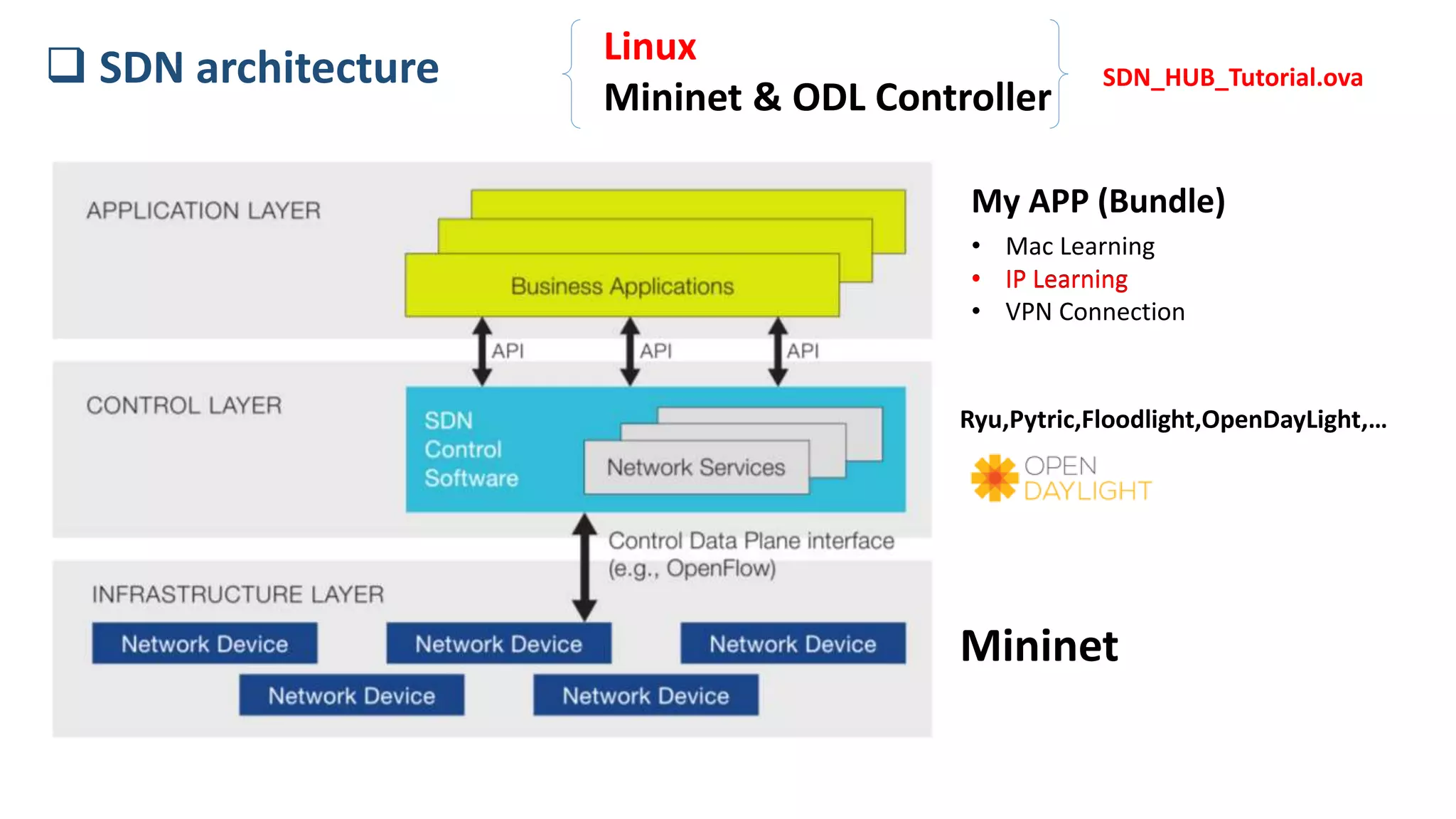
 SDN architecture
Mininet
Ryu,Pytric,Floodlight,OpenDayLight,…
My APP (Bundle)
• Mac Learning
• IP Learning
• VPN Connection
• IP Learning
Linux
Mininet & ODL Controller
SDN_HUB_Tutorial.ova
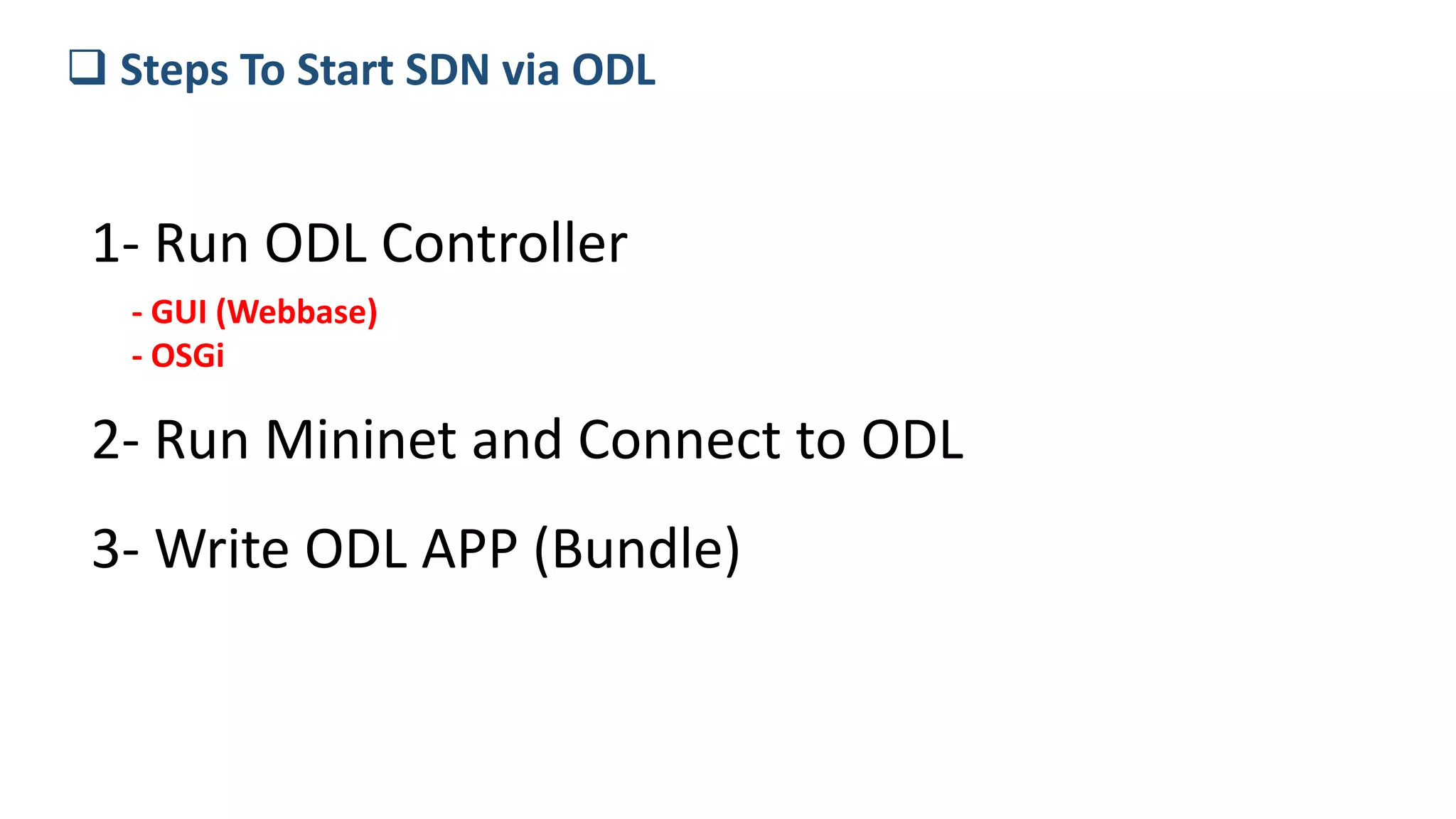
 Steps To Start SDN via ODL
1- Run ODL Controller
- GUI (Webbase)
- OSGi
2- Run Mininet and Connect to ODL
3- Write ODL APP (Bundle)
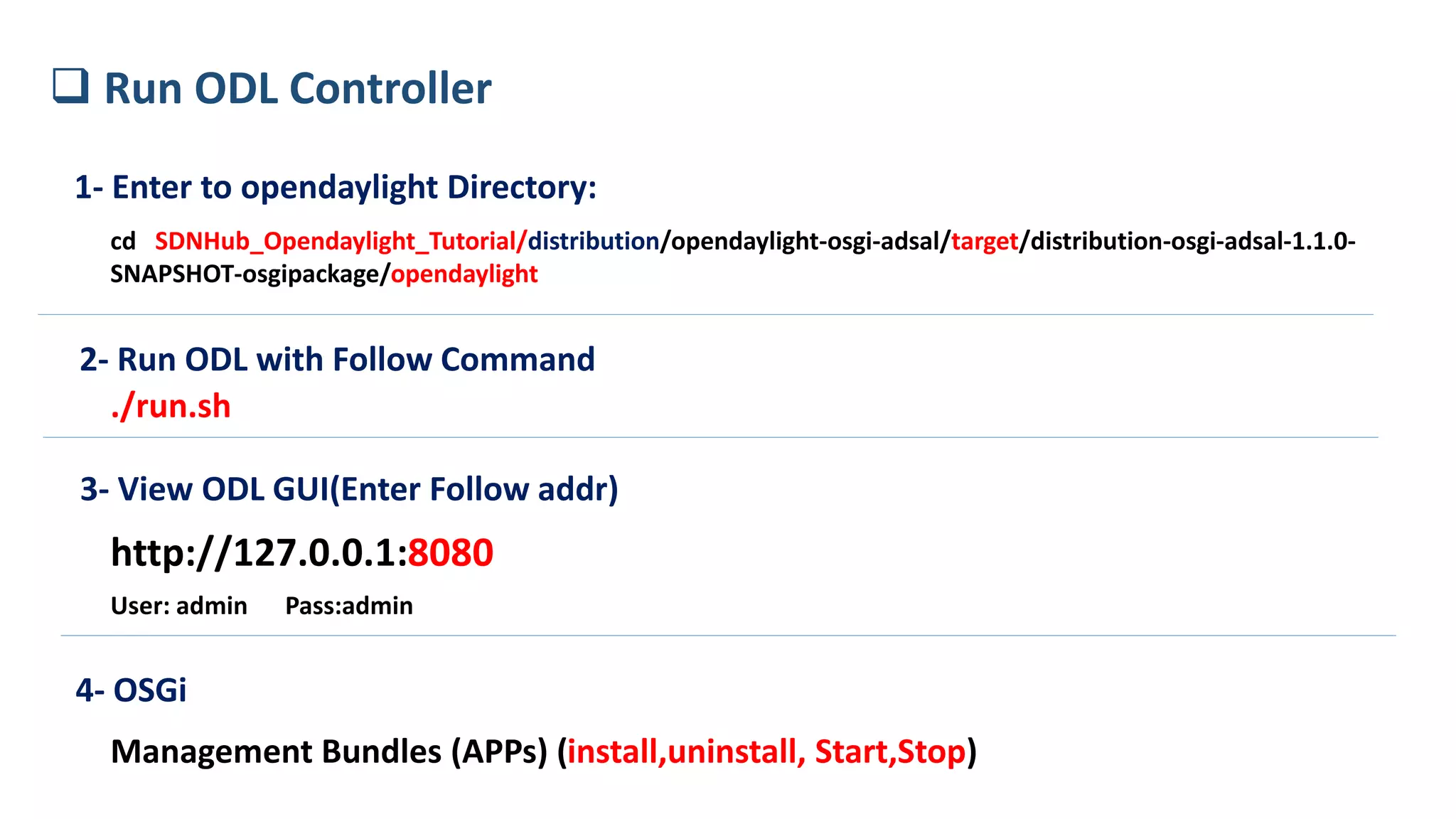
1- Enter to opendaylight Directory:
cd SDNHub_Opendaylight_Tutorial/distribution/opendaylight-osgi-adsal/target/distribution-osgi-adsal-1.1.0-
SNAPSHOT-osgipackage/opendaylight
2- Run ODL with Follow Command
./run.sh
3- View ODL GUI(Enter Follow addr)
http://127.0.0.1:8080
User: admin Pass:admin
 Run ODL Controller
4- OSGi
Management Bundles (APPs) (install,uninstall, Start,Stop)
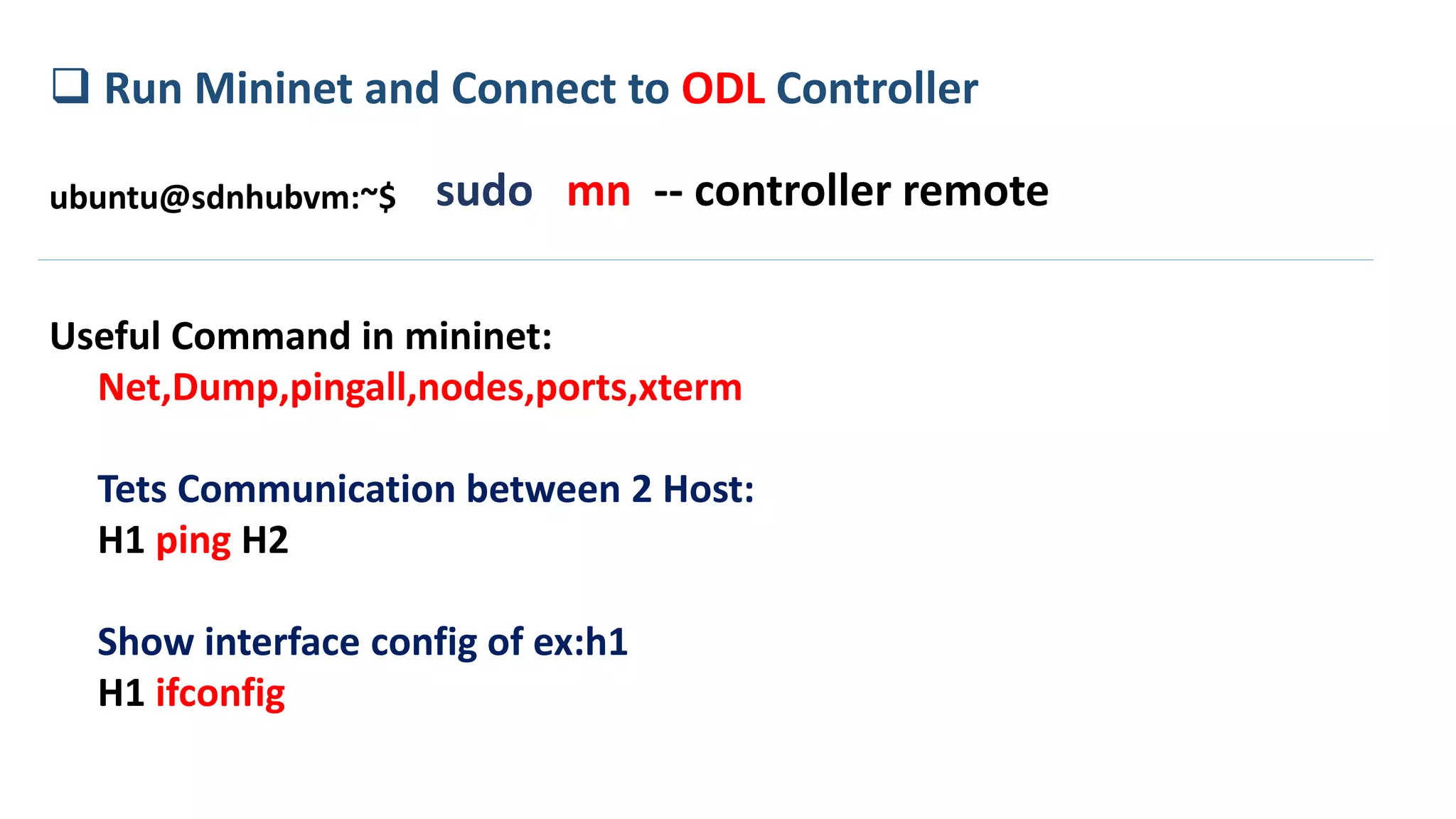
 Run Mininet and Connect to ODL Controller
sudo mn -- controller remoteubuntu@sdnhubvm:~$
Useful Command in mininet:
Net,Dump,pingall,nodes,ports,xterm
Tets Communication between 2 Host:
H1 ping H2
Show interface config of ex:h1
H1 ifconfig
How to write a new Bundle (APP)
- Language Programing to write APP is JAVA
- Create Java APP using Maven
- Use Eclipse for write and run code
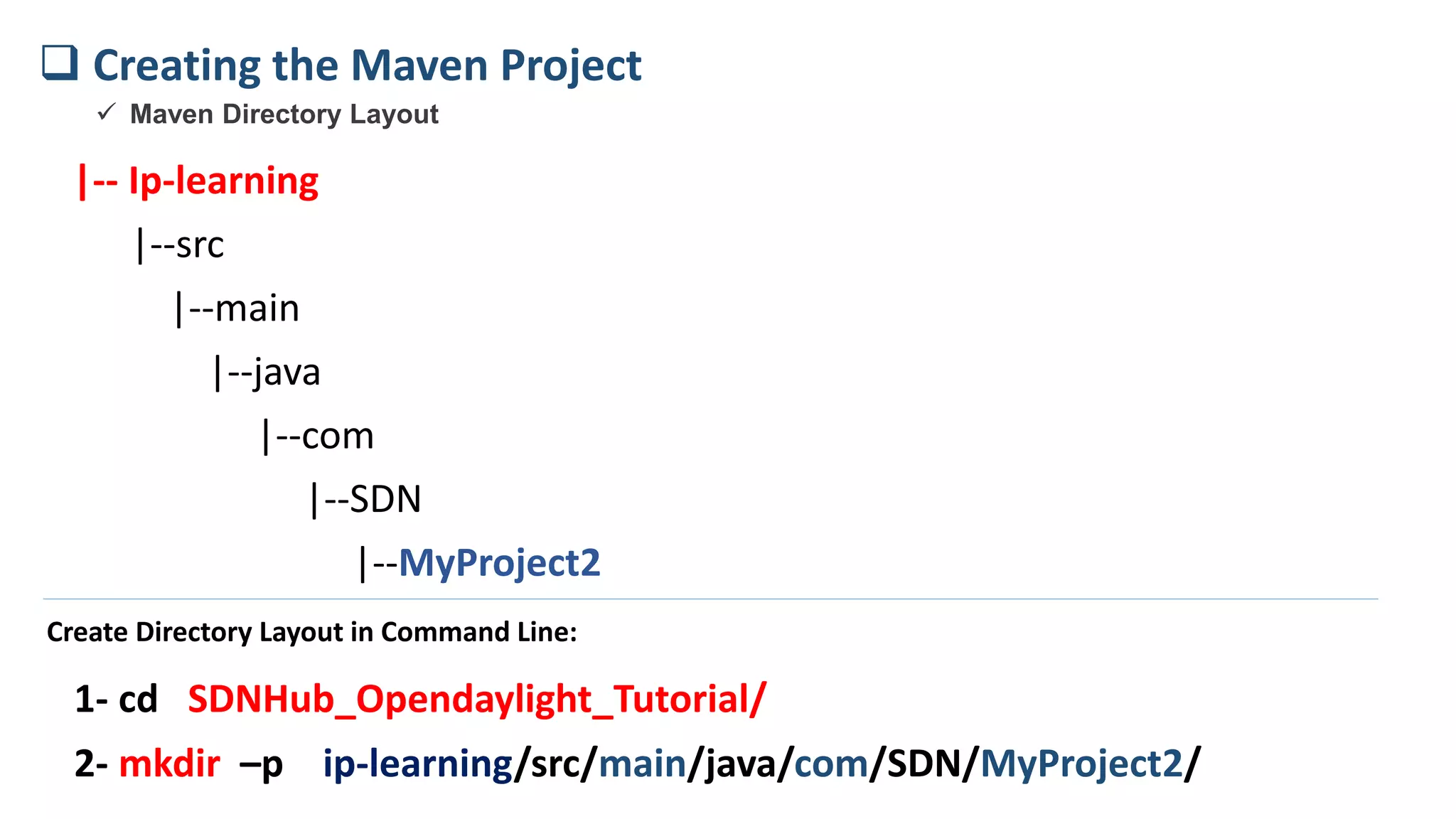
|-- Ip-learning
|--src
|--main
|--java
|--com
|--SDN
|--MyProject2
 Creating the Maven Project
 Maven Directory Layout
2- mkdir –p ip-learning/src/main/java/com/SDN/MyProject2/
Create Directory Layout in Command Line:
1- cd SDNHub_Opendaylight_Tutorial/
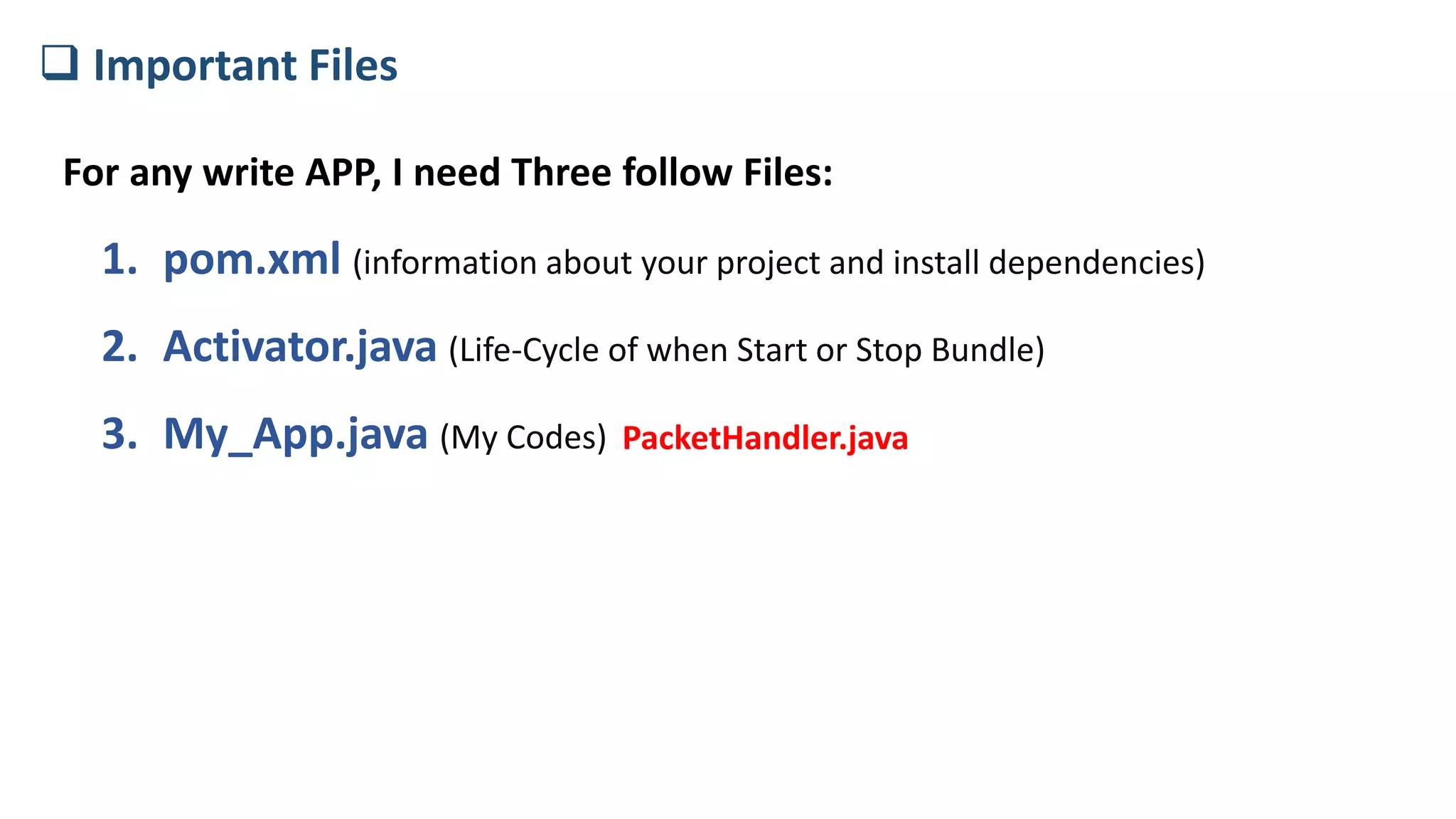
For any write APP, I need Three follow Files:
1. pom.xml (information about your project and install dependencies)
2. Activator.java (Life-Cycle of when Start or Stop Bundle)
3. My_App.java (My Codes)
 Important Files
PacketHandler.java
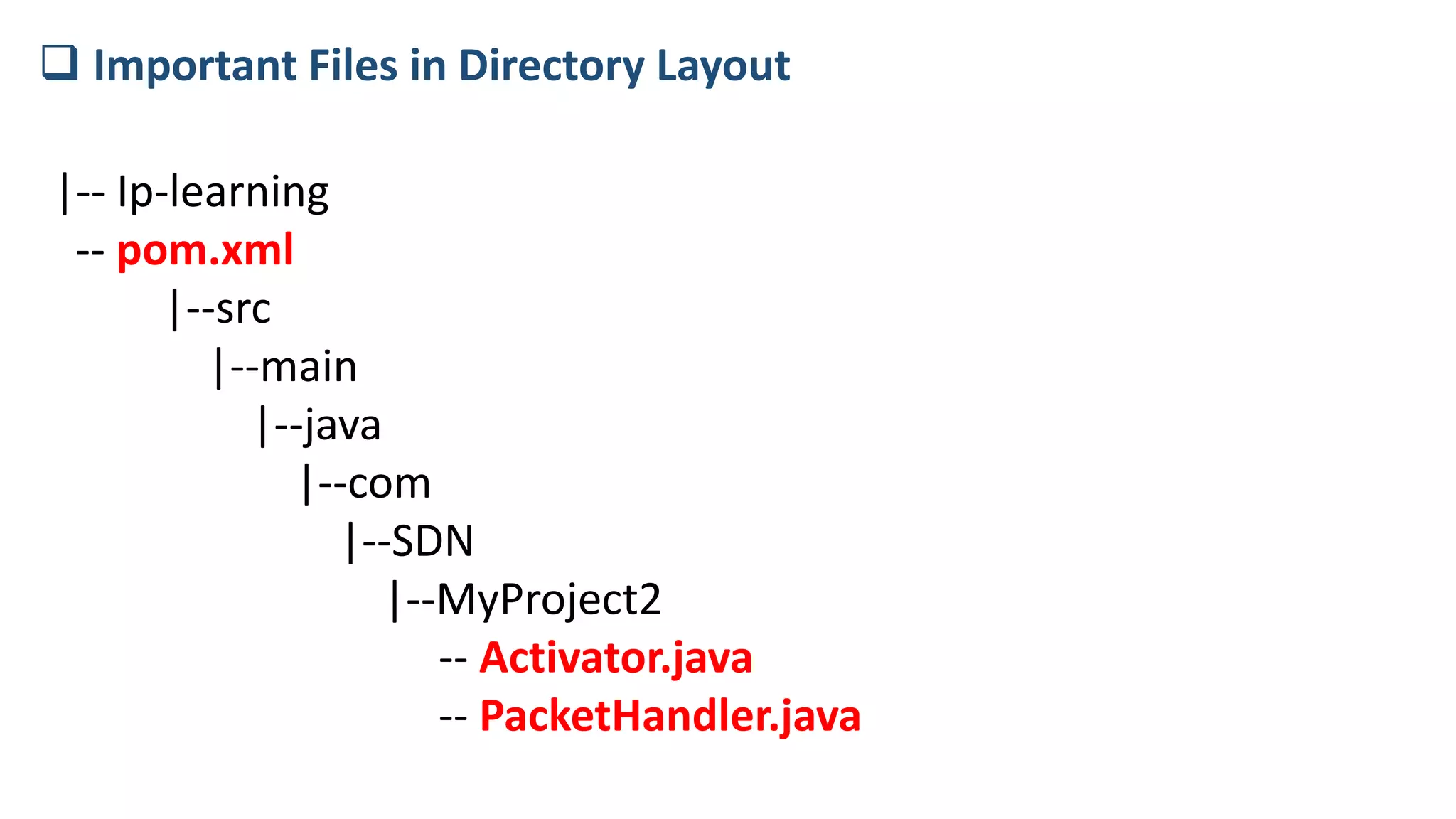
|-- Ip-learning
-- pom.xml
|--src
|--main
|--java
|--com
|--SDN
|--MyProject2
-- Activator.java
-- PacketHandler.java
 Important Files in Directory Layout
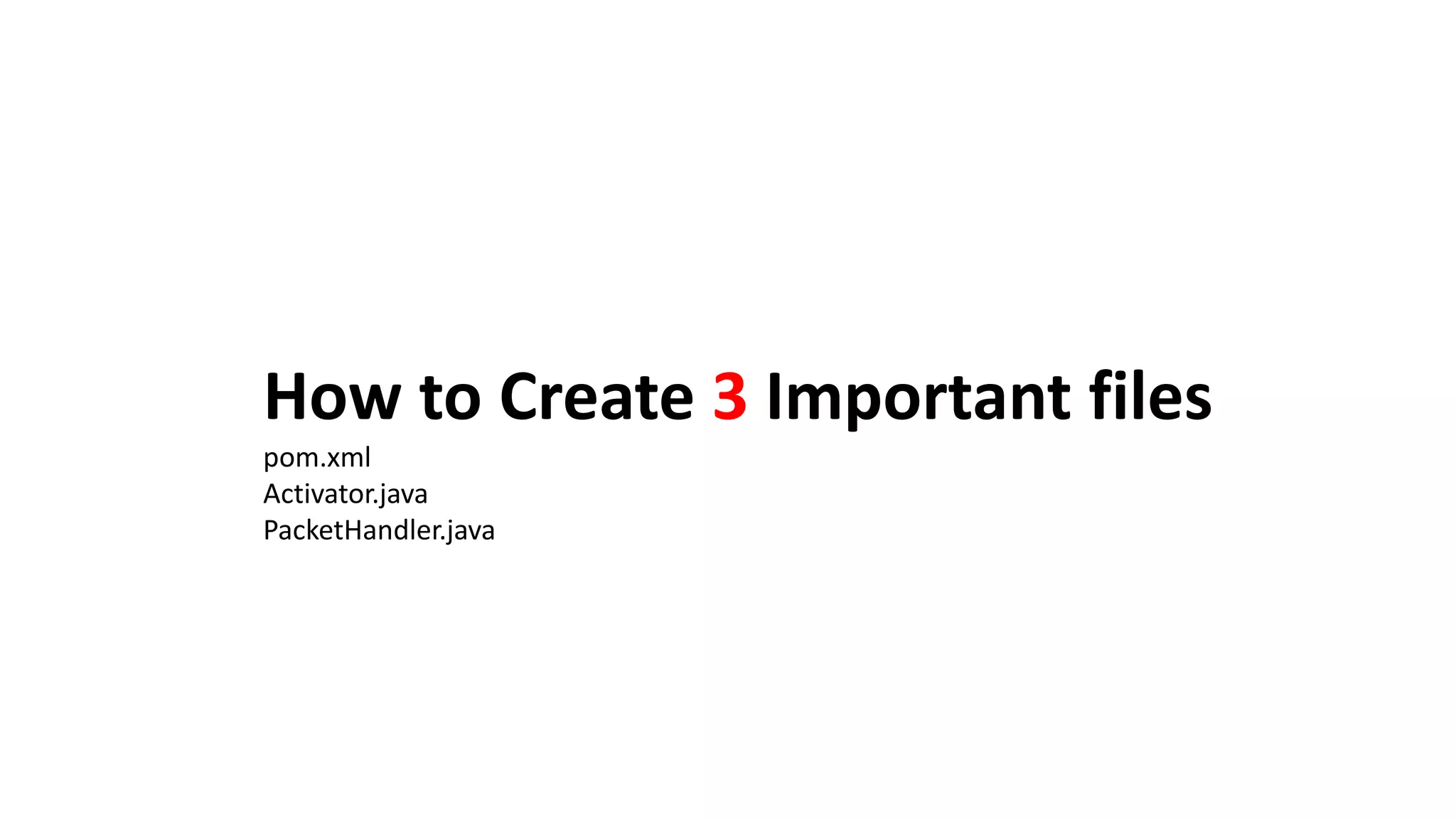
How to Create 3 Important files
pom.xml
Activator.java
PacketHandler.java
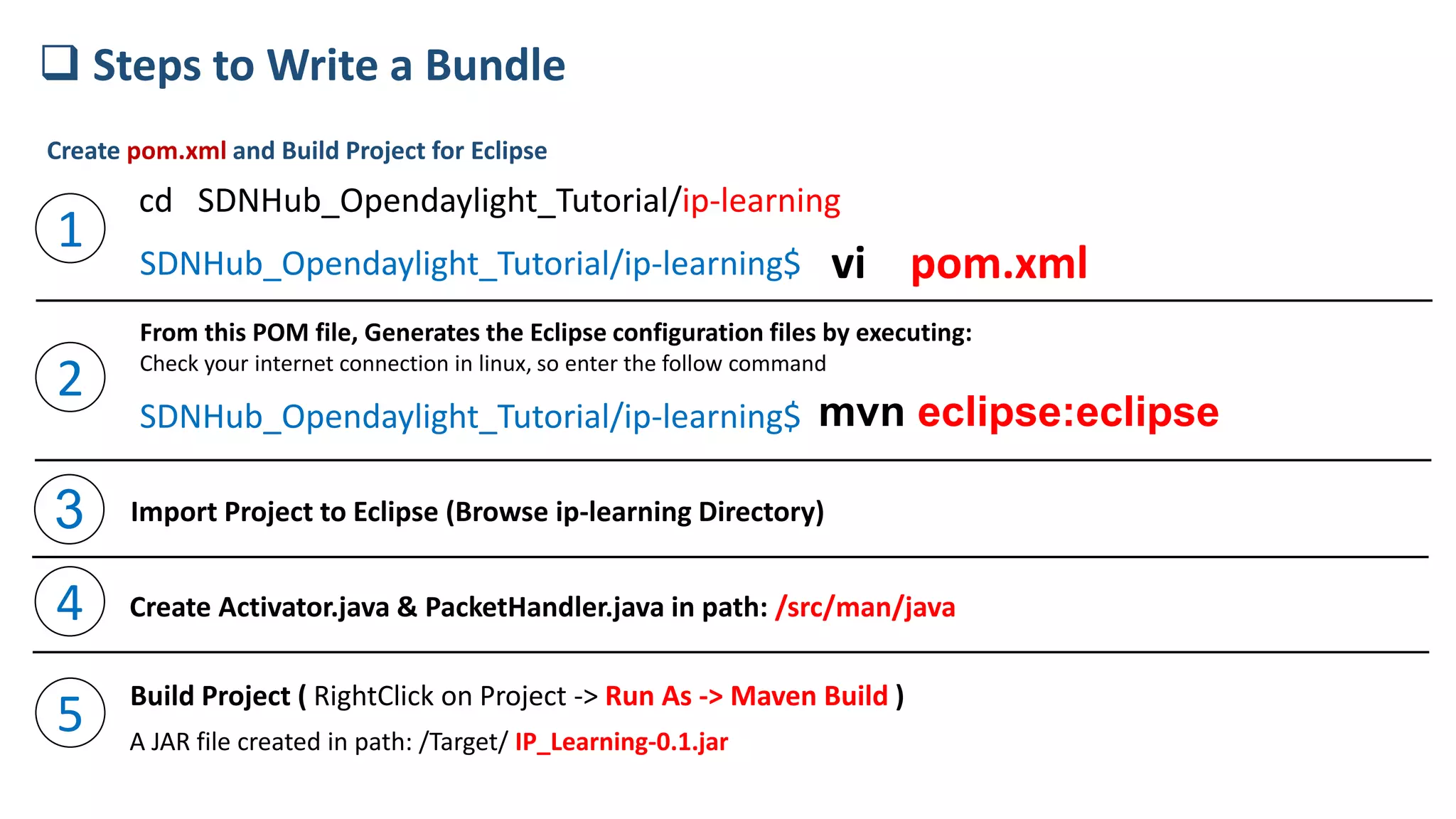
SDNHub_Opendaylight_Tutorial/ip-learning$ vi pom.xml
mvn eclipse:eclipse
 Steps to Write a Bundle
cd SDNHub_Opendaylight_Tutorial/ip-learning
1
2
From this POM file, Generates the Eclipse configuration files by executing:
Check your internet connection in linux, so enter the follow command
SDNHub_Opendaylight_Tutorial/ip-learning$
Create pom.xml and Build Project for Eclipse
3 Import Project to Eclipse (Browse ip-learning Directory)
4 Create Activator.java & PacketHandler.java in path: /src/man/java
5 Build Project ( RightClick on Project -> Run As -> Maven Build )
A JAR file created in path: /Target/ IP_Learning-0.1.jar
How to install My APP(IP_Learning-0.1.jar) to
OpenDayLight
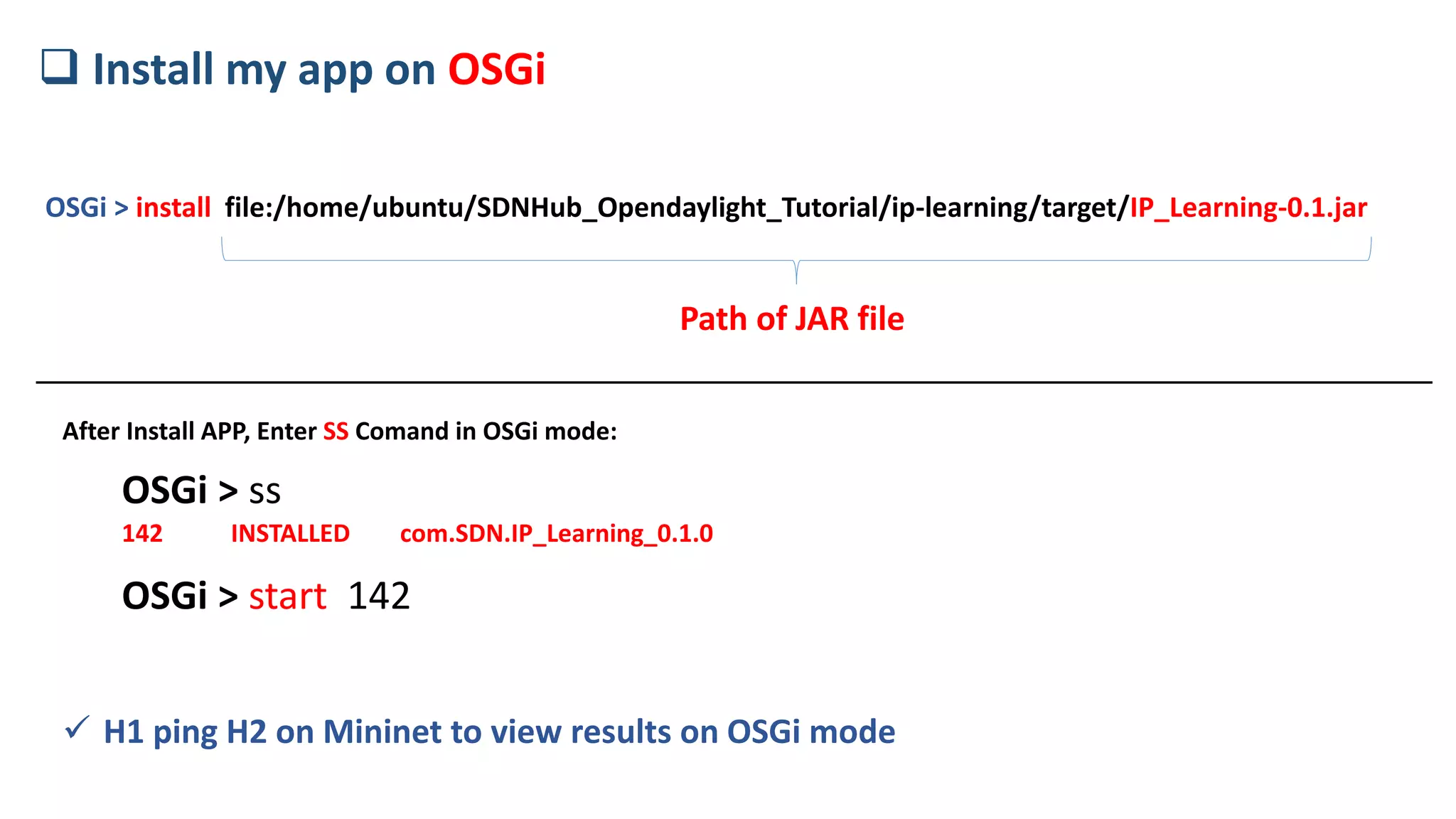
OSGi > install file:/home/ubuntu/SDNHub_Opendaylight_Tutorial/ip-learning/target/IP_Learning-0.1.jar
 Install my app on OSGi
Path of JAR file
OSGi > ss
142 INSTALLED com.SDN.IP_Learning_0.1.0
OSGi > start 142
 H1 ping H2 on Mininet to view results on OSGi mode
After Install APP, Enter SS Comand in OSGi mode:
Don’t choose the one who is beautiful to the world; choose the
one who makes your world beautiful.
The End
Vahid Sadri

OpenDayLight (ODL) Project

  • 1.
    My GODLove you!and start Presentation with your name Dear
  • 2.
    SDN Software-Defiened Network Vahid Sadri Islamicazad university Meybod vahidsadri2000@yahoo.com Open DayLight
  • 3.
     SDN architecture Mininet Ryu,Pytric,Floodlight,OpenDayLight,… MyAPP (Bundle) • Mac Learning • IP Learning • VPN Connection • IP Learning Linux Mininet & ODL Controller SDN_HUB_Tutorial.ova
  • 4.
     Steps ToStart SDN via ODL 1- Run ODL Controller - GUI (Webbase) - OSGi 2- Run Mininet and Connect to ODL 3- Write ODL APP (Bundle)
  • 5.
    1- Enter toopendaylight Directory: cd SDNHub_Opendaylight_Tutorial/distribution/opendaylight-osgi-adsal/target/distribution-osgi-adsal-1.1.0- SNAPSHOT-osgipackage/opendaylight 2- Run ODL with Follow Command ./run.sh 3- View ODL GUI(Enter Follow addr) http://127.0.0.1:8080 User: admin Pass:admin  Run ODL Controller 4- OSGi Management Bundles (APPs) (install,uninstall, Start,Stop)
  • 6.
     Run Mininetand Connect to ODL Controller sudo mn -- controller remoteubuntu@sdnhubvm:~$ Useful Command in mininet: Net,Dump,pingall,nodes,ports,xterm Tets Communication between 2 Host: H1 ping H2 Show interface config of ex:h1 H1 ifconfig
  • 7.
    How to writea new Bundle (APP) - Language Programing to write APP is JAVA - Create Java APP using Maven - Use Eclipse for write and run code
  • 8.
    |-- Ip-learning |--src |--main |--java |--com |--SDN |--MyProject2  Creatingthe Maven Project  Maven Directory Layout 2- mkdir –p ip-learning/src/main/java/com/SDN/MyProject2/ Create Directory Layout in Command Line: 1- cd SDNHub_Opendaylight_Tutorial/
  • 9.
    For any writeAPP, I need Three follow Files: 1. pom.xml (information about your project and install dependencies) 2. Activator.java (Life-Cycle of when Start or Stop Bundle) 3. My_App.java (My Codes)  Important Files PacketHandler.java
  • 10.
    |-- Ip-learning -- pom.xml |--src |--main |--java |--com |--SDN |--MyProject2 --Activator.java -- PacketHandler.java  Important Files in Directory Layout
  • 11.
    How to Create3 Important files pom.xml Activator.java PacketHandler.java
  • 12.
    SDNHub_Opendaylight_Tutorial/ip-learning$ vi pom.xml mvneclipse:eclipse  Steps to Write a Bundle cd SDNHub_Opendaylight_Tutorial/ip-learning 1 2 From this POM file, Generates the Eclipse configuration files by executing: Check your internet connection in linux, so enter the follow command SDNHub_Opendaylight_Tutorial/ip-learning$ Create pom.xml and Build Project for Eclipse 3 Import Project to Eclipse (Browse ip-learning Directory) 4 Create Activator.java & PacketHandler.java in path: /src/man/java 5 Build Project ( RightClick on Project -> Run As -> Maven Build ) A JAR file created in path: /Target/ IP_Learning-0.1.jar
  • 13.
    How to installMy APP(IP_Learning-0.1.jar) to OpenDayLight
  • 14.
    OSGi > installfile:/home/ubuntu/SDNHub_Opendaylight_Tutorial/ip-learning/target/IP_Learning-0.1.jar  Install my app on OSGi Path of JAR file OSGi > ss 142 INSTALLED com.SDN.IP_Learning_0.1.0 OSGi > start 142  H1 ping H2 on Mininet to view results on OSGi mode After Install APP, Enter SS Comand in OSGi mode:
  • 15.
    Don’t choose theone who is beautiful to the world; choose the one who makes your world beautiful. The End Vahid Sadri