Training Management System
1
NS-TMS is a browser-based software that helps
you centralise and organise your training
records,
streamline training scheduling,
track efficiently the training campaigns status,
ensure regulatory compliance.
2
NS-TMS is PHP based
Install AMPPS, copy NS-TMS files and you are
ready to go
We will guide you all the way via remote
connection
NS-TMS can be also used as cloud application
3
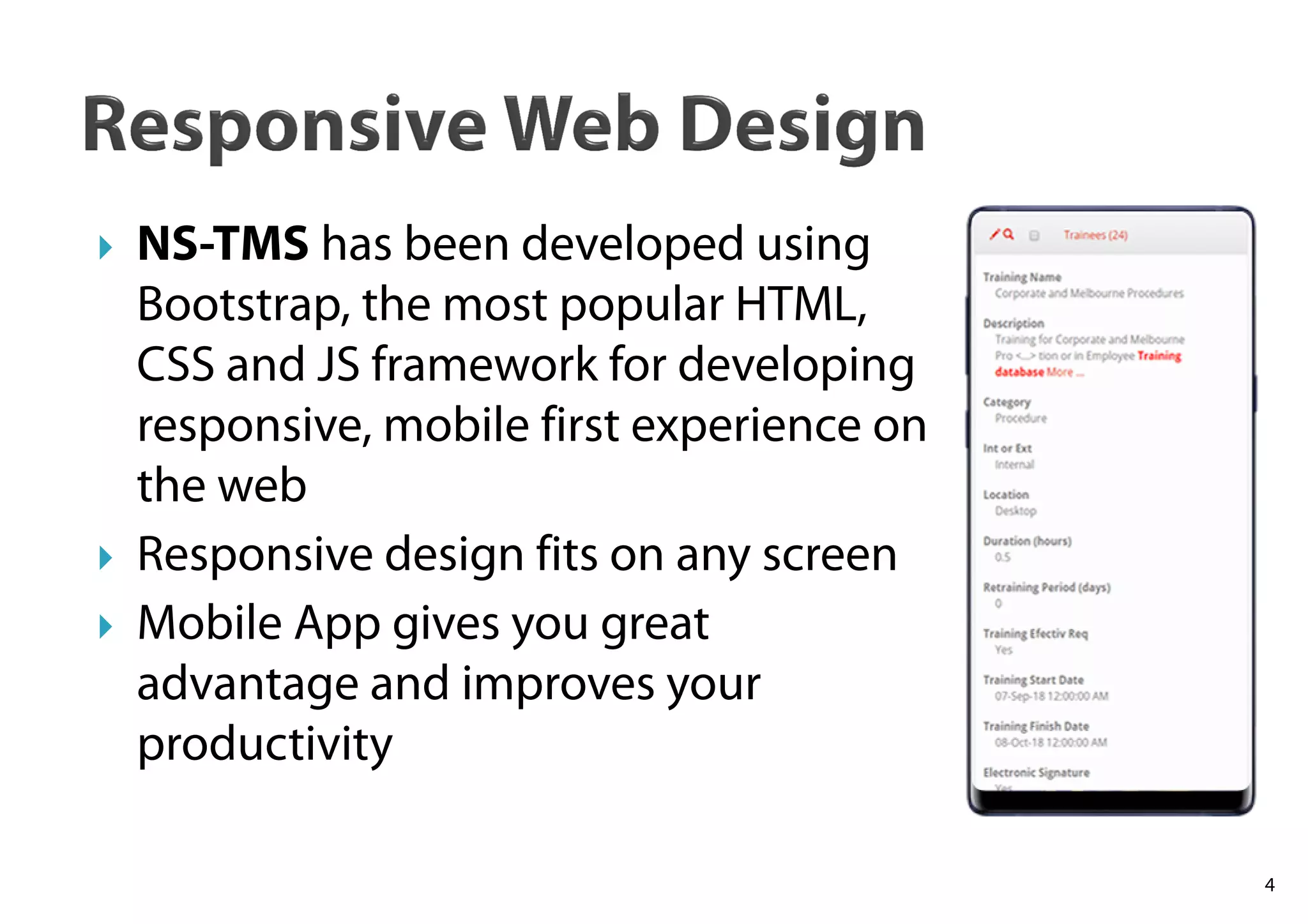
NS-TMS has been developed using
Bootstrap, the most popular HTML,
CSS and JS framework for developing
responsive, mobile first experience on
the web
Responsive design fits on any screen
Mobile App gives you great
advantage and improves your
productivity
4
5
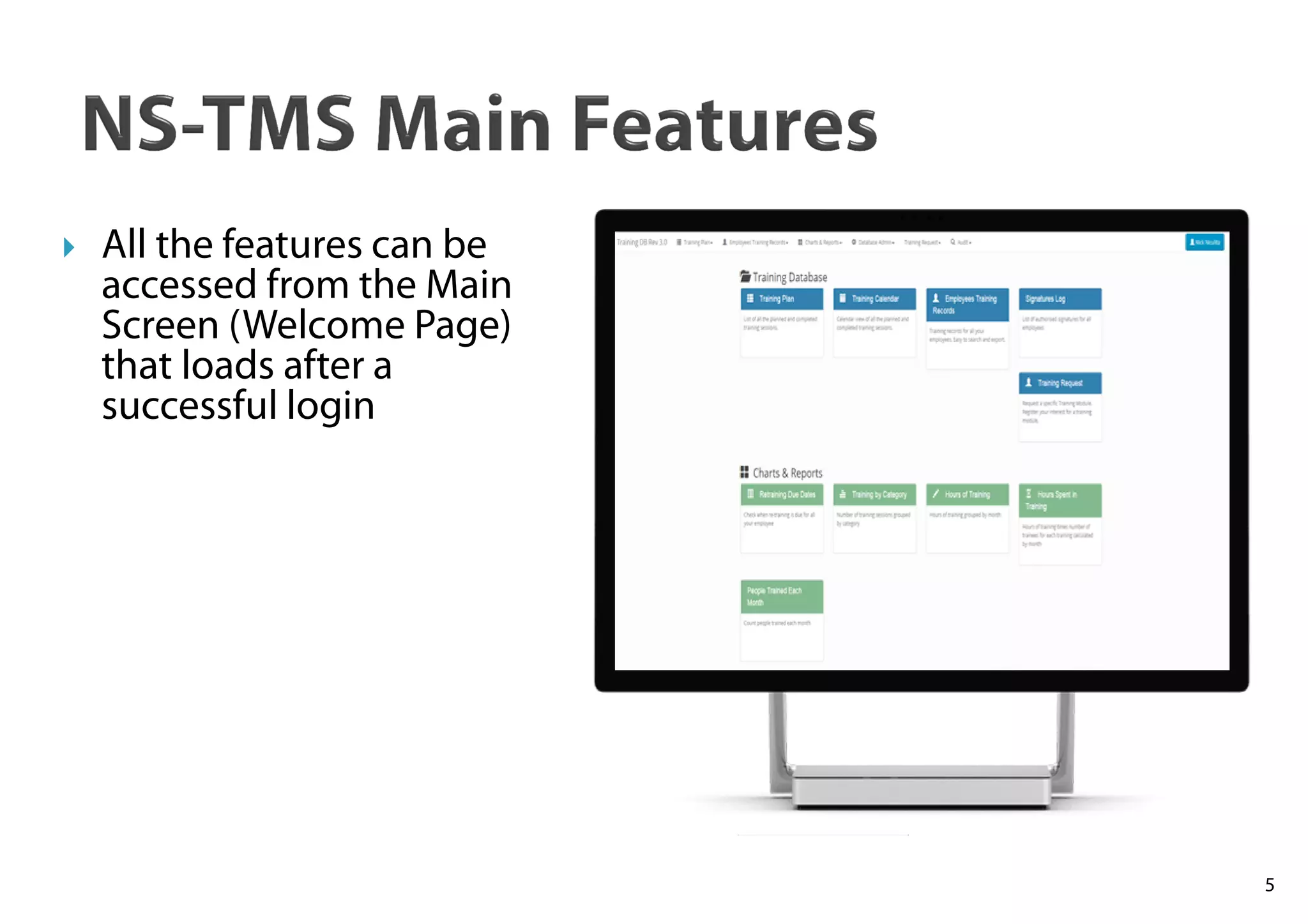
All the features can be
accessed from the Main
Screen (Welcome Page)
that loads after a
successful login
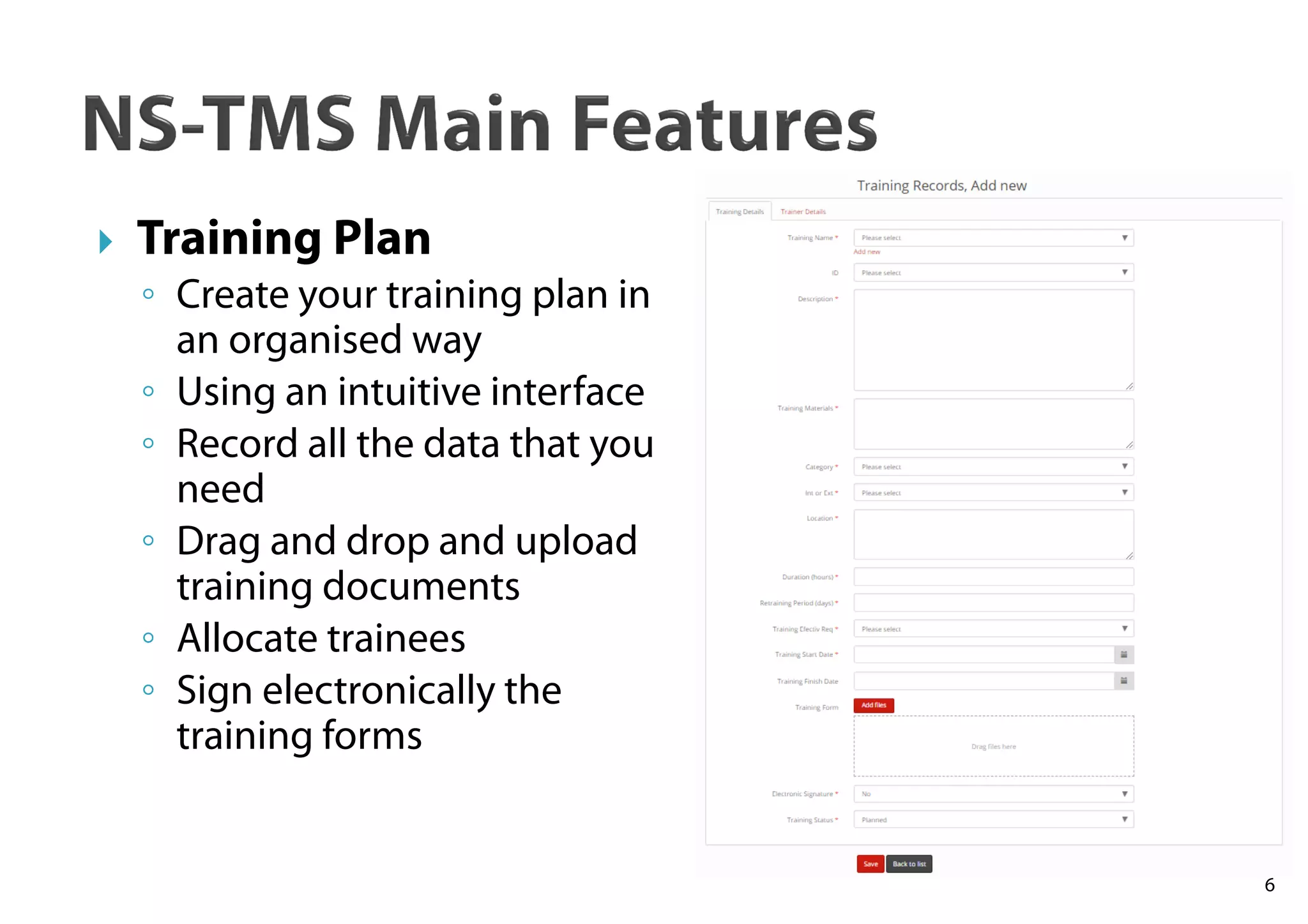
Training Plan
◦ Create your training plan in
an organised way
◦ Using an intuitive interface
◦ Record all the data that you
need
◦ Drag and drop and upload
training documents
◦ Allocate trainees
◦ Sign electronically the
training forms
6
7
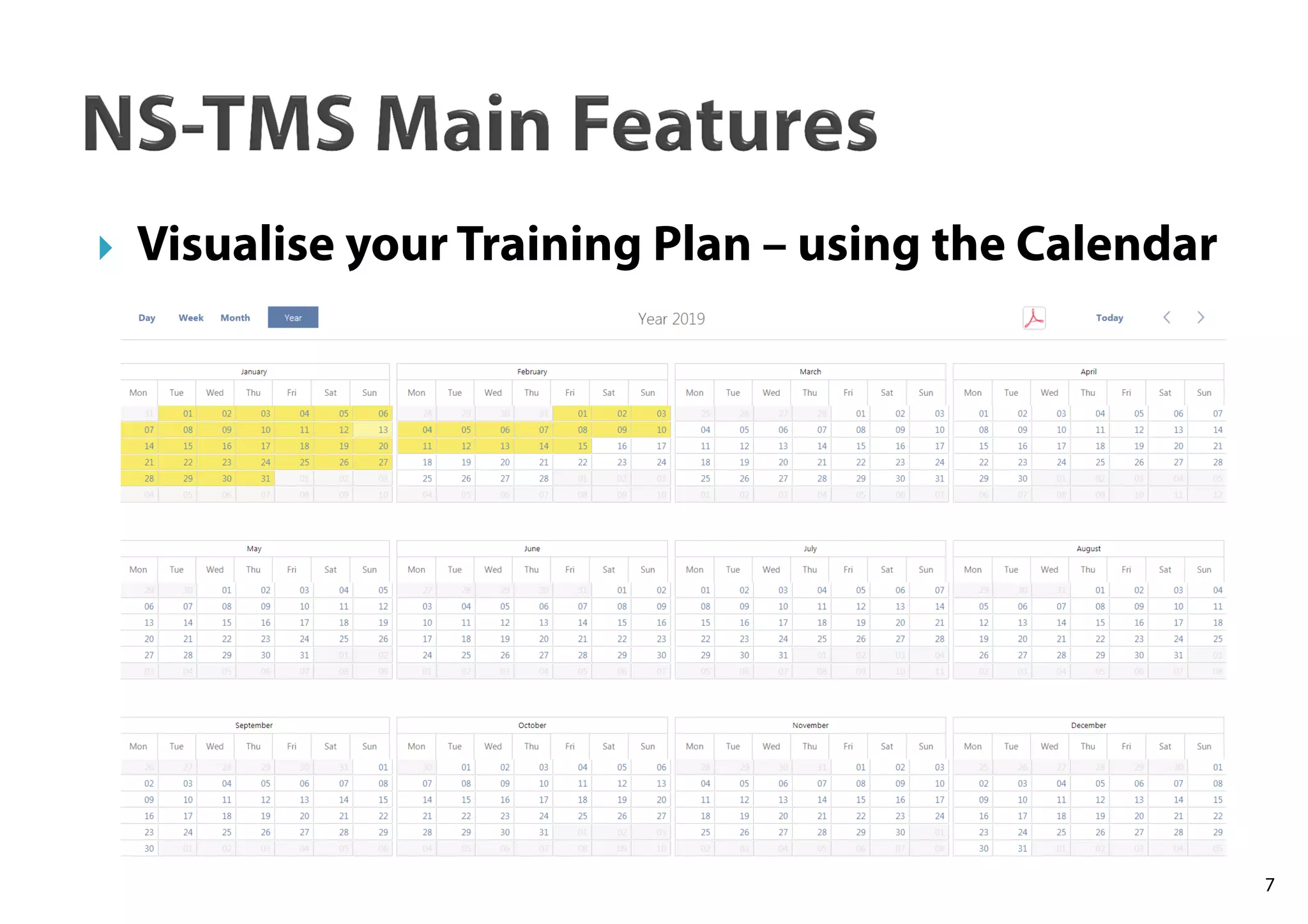
Visualise your Training Plan – using the Calendar
8
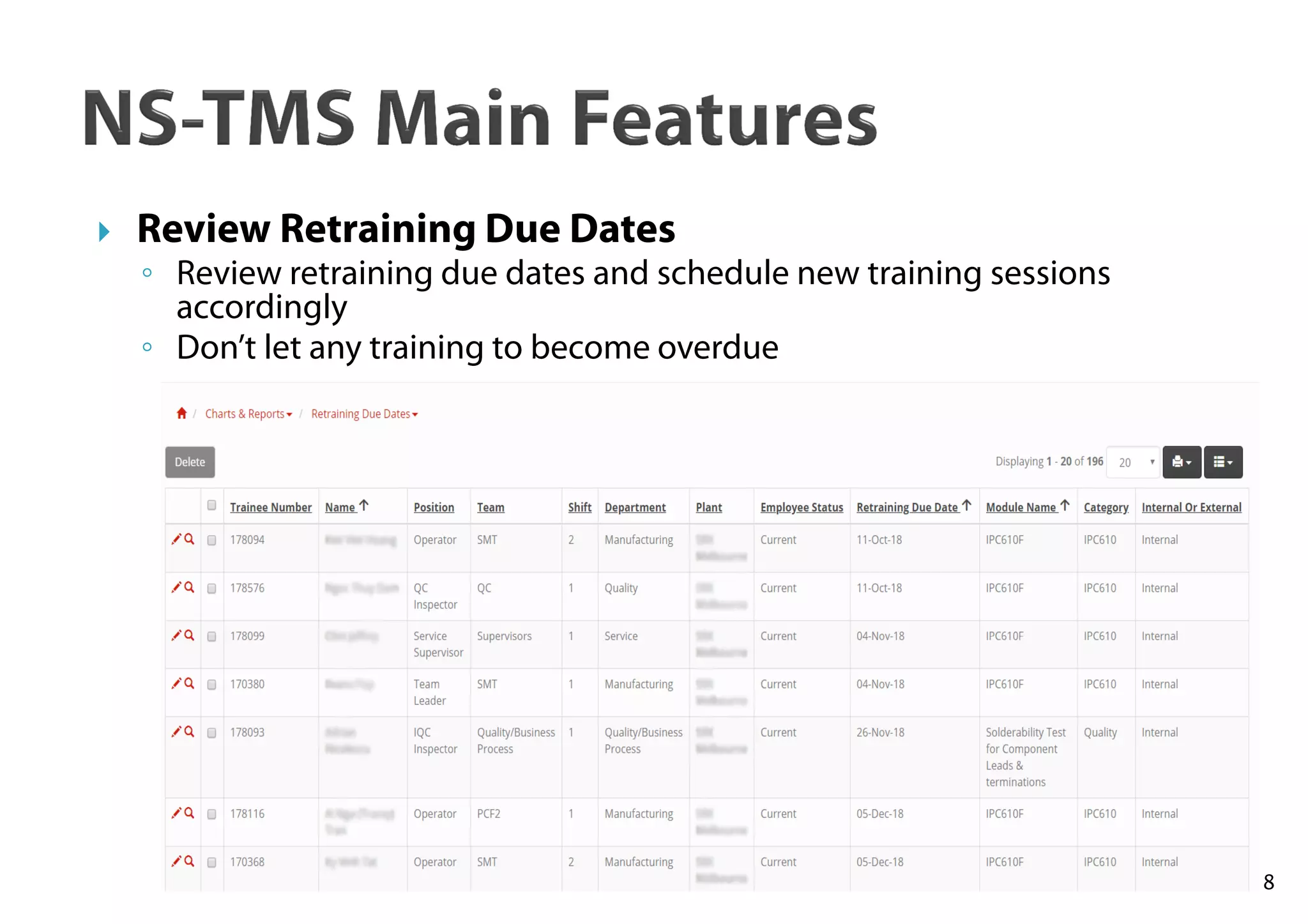
Review Retraining Due Dates
◦ Review retraining due dates and schedule new training sessions
accordingly
◦ Don’t let any training to become overdue
9
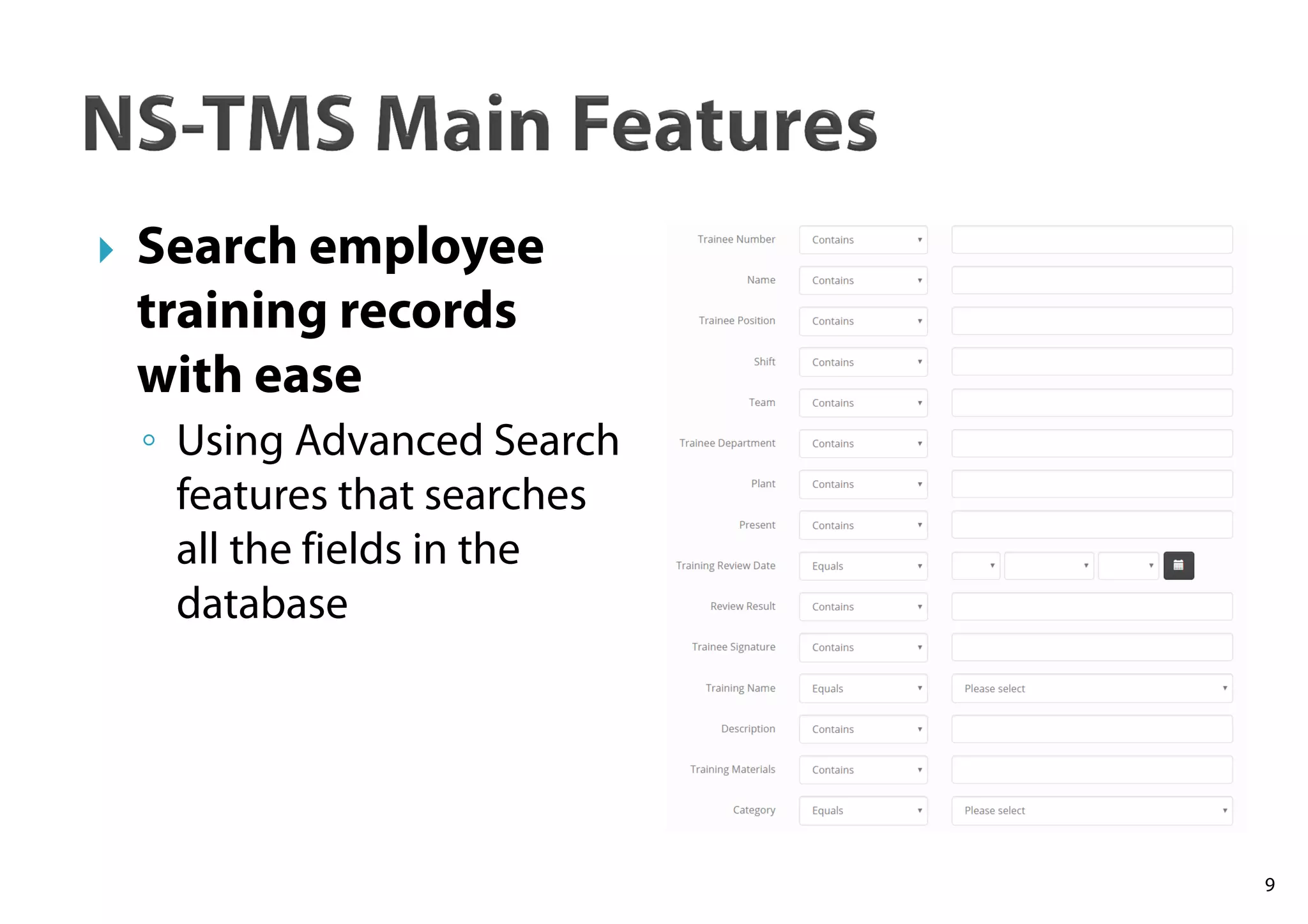
Search employee
training records
with ease
◦ Using Advanced Search
features that searches
all the fields in the
database
10
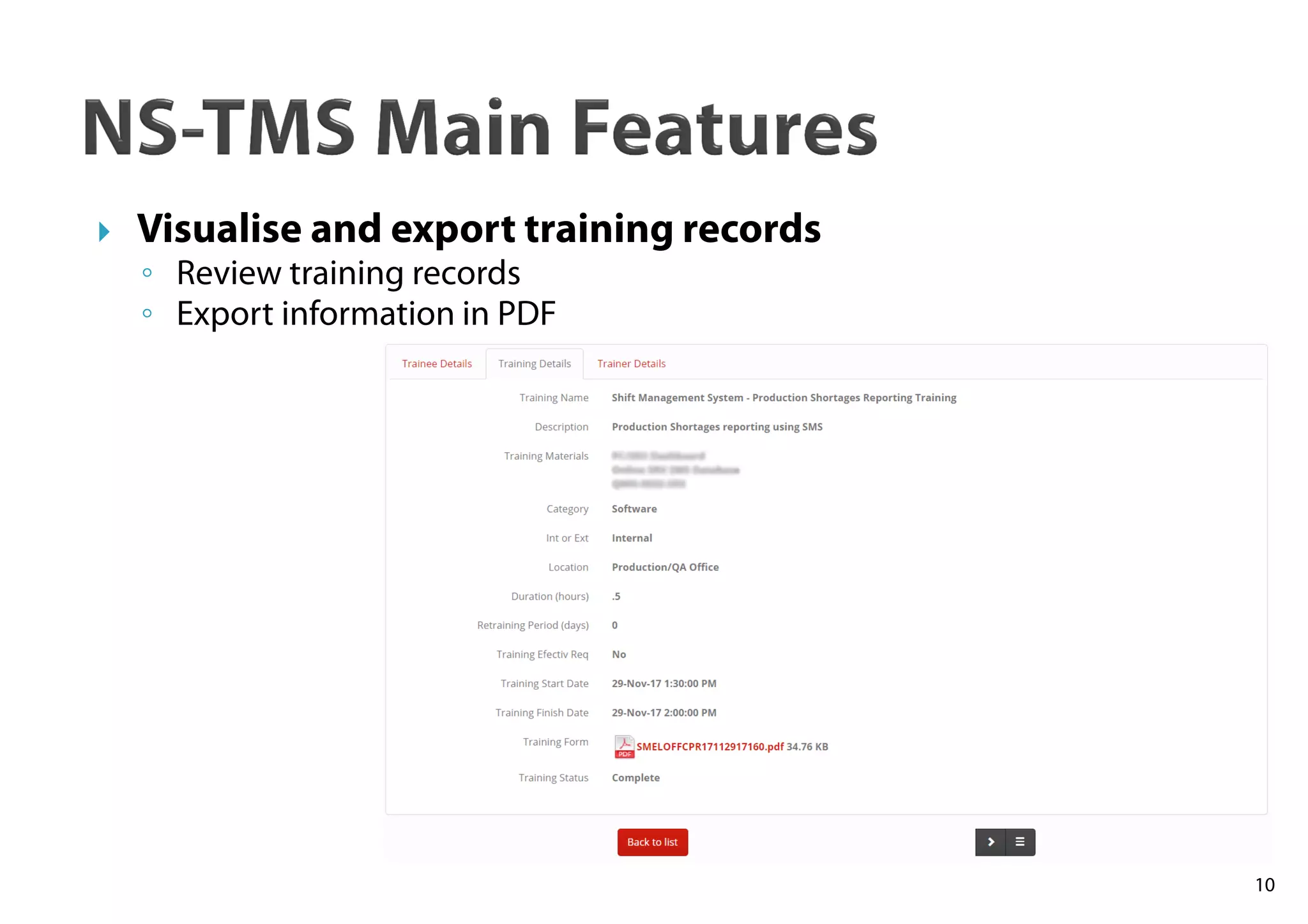
Visualise and export training records
◦ Review training records
◦ Export information in PDF
11
NS-TMS Main Features
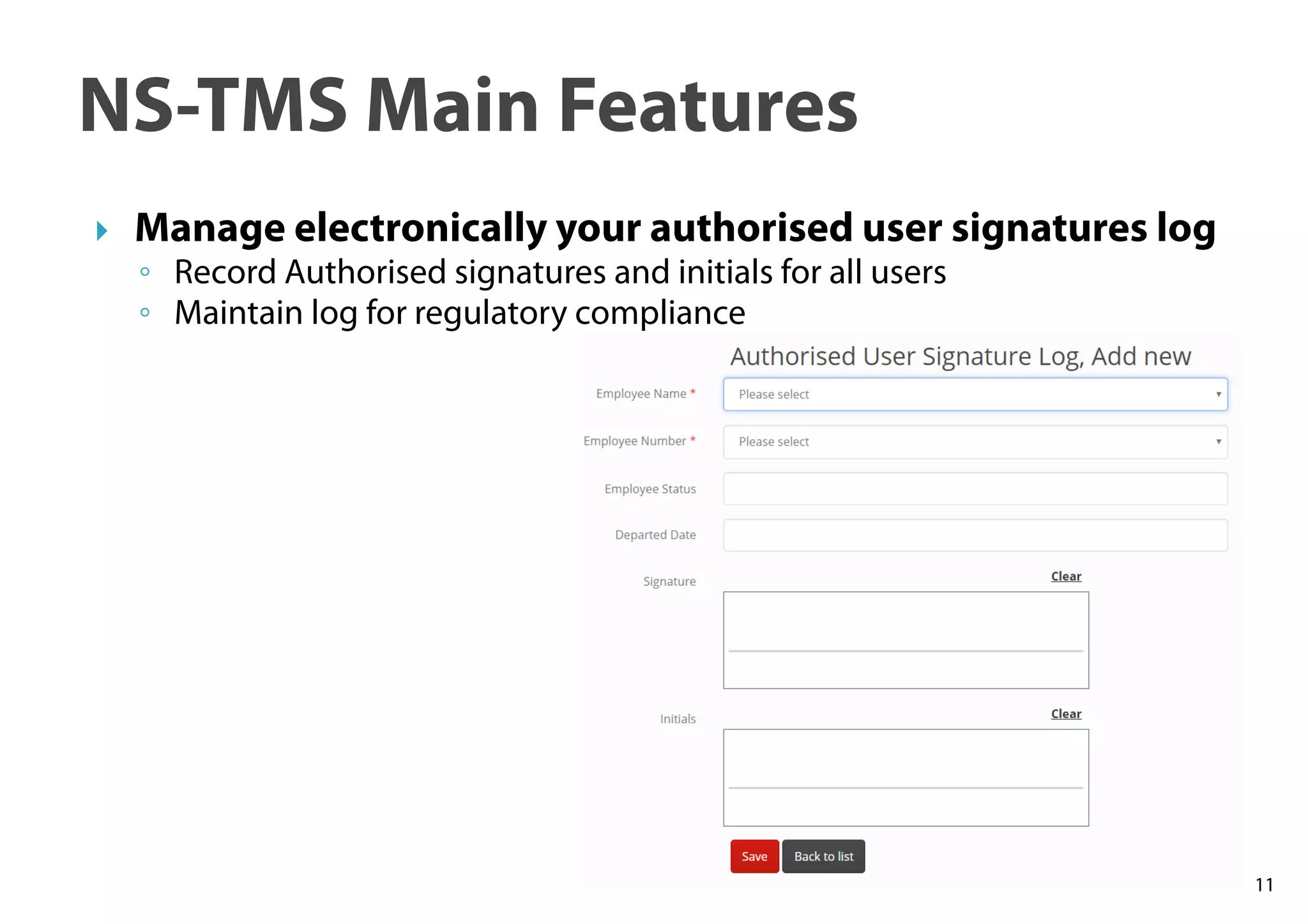
Manage electronically your authorised user signatures log
◦ Record Authorised signatures and initials for all users
◦ Maintain log for regulatory compliance
12
NS-TMS Main Features
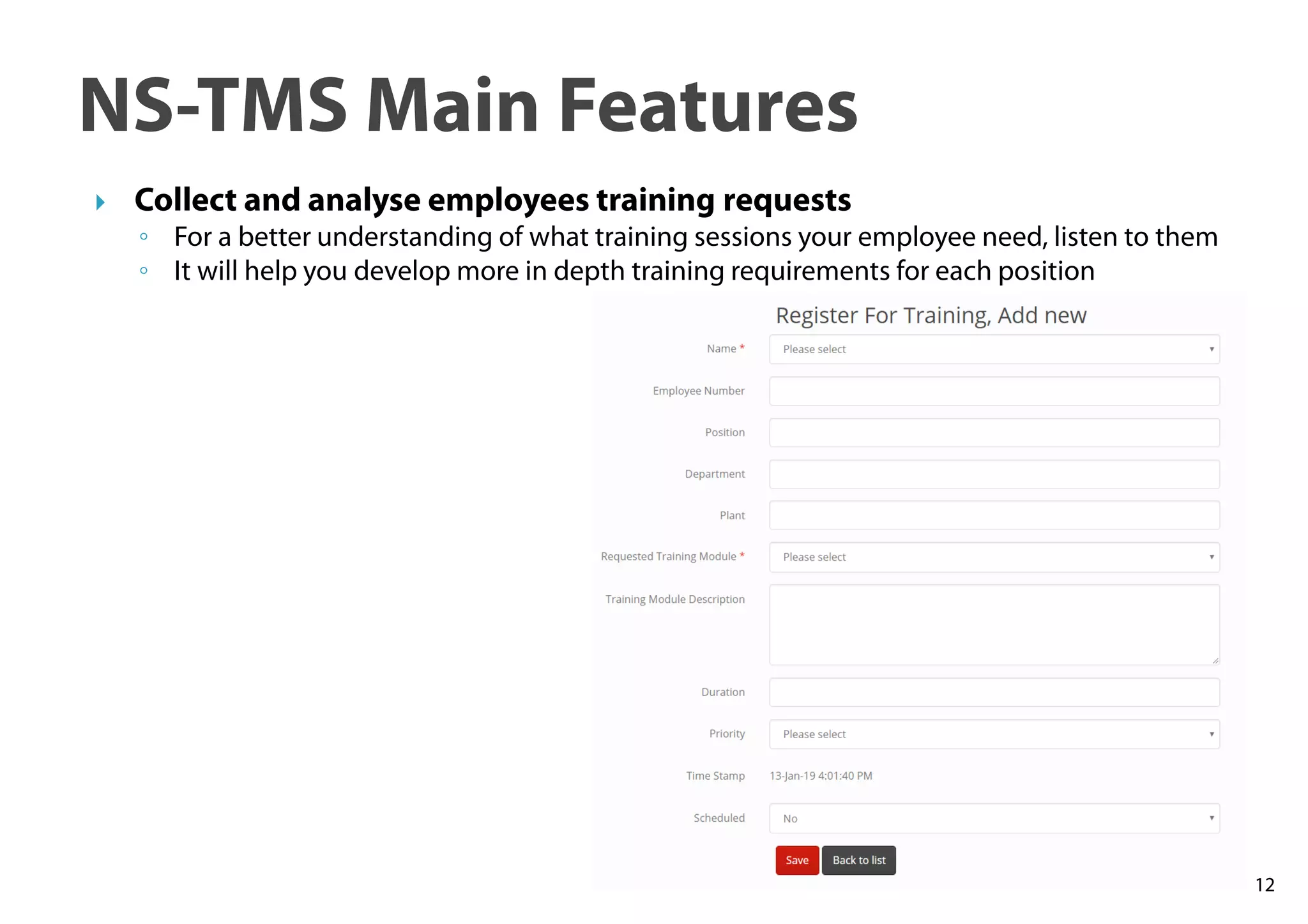
Collect and analyse employees training requests
◦ For a better understanding of what training sessions your employee need, listen to them
◦ It will help you develop more in depth training requirements for each position
13
NS-TMS Main Features
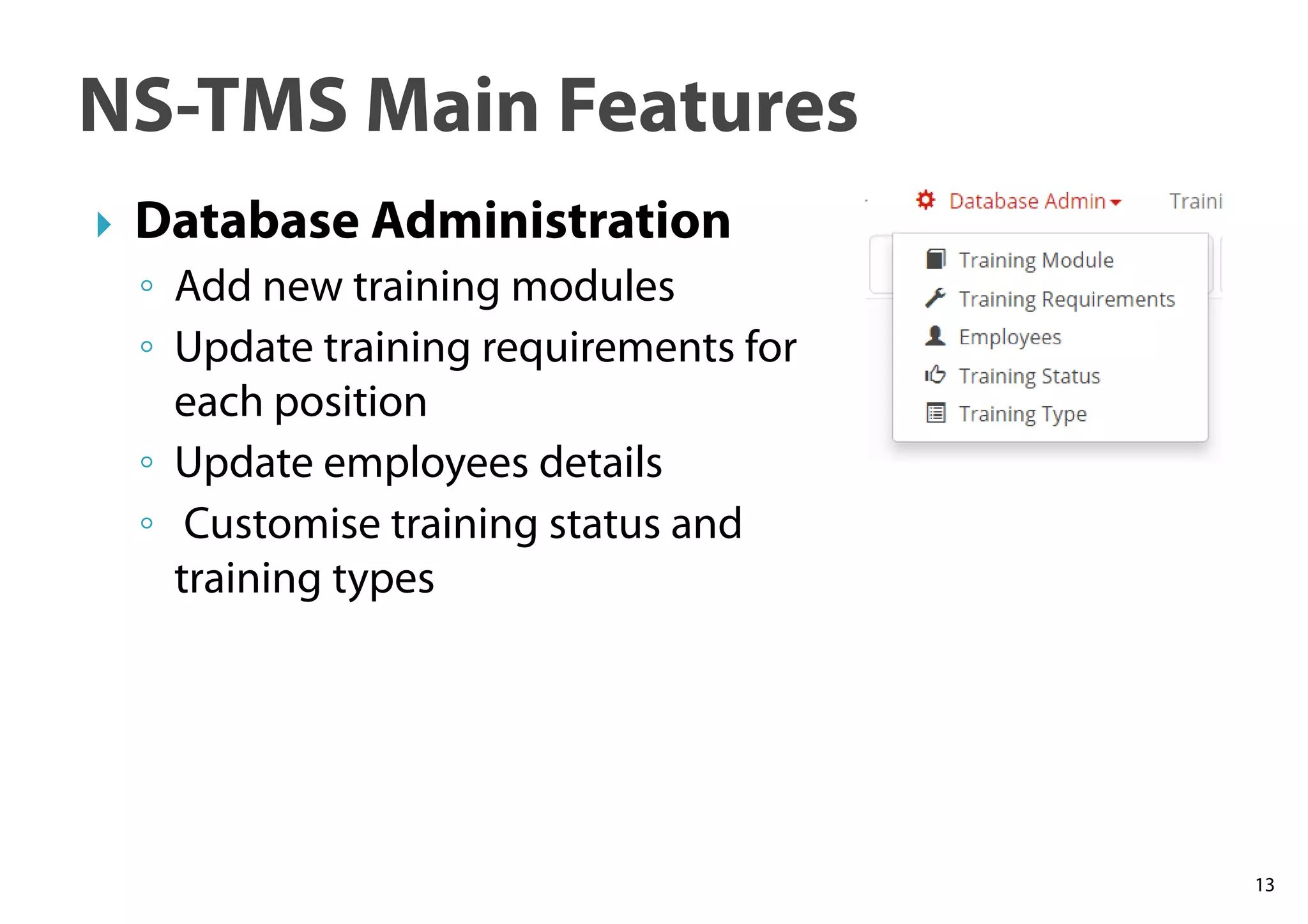
Database Administration
◦ Add new training modules
◦ Update training requirements for
each position
◦ Update employees details
◦ Customise training status and
training types
14
NS-TMS Main Features
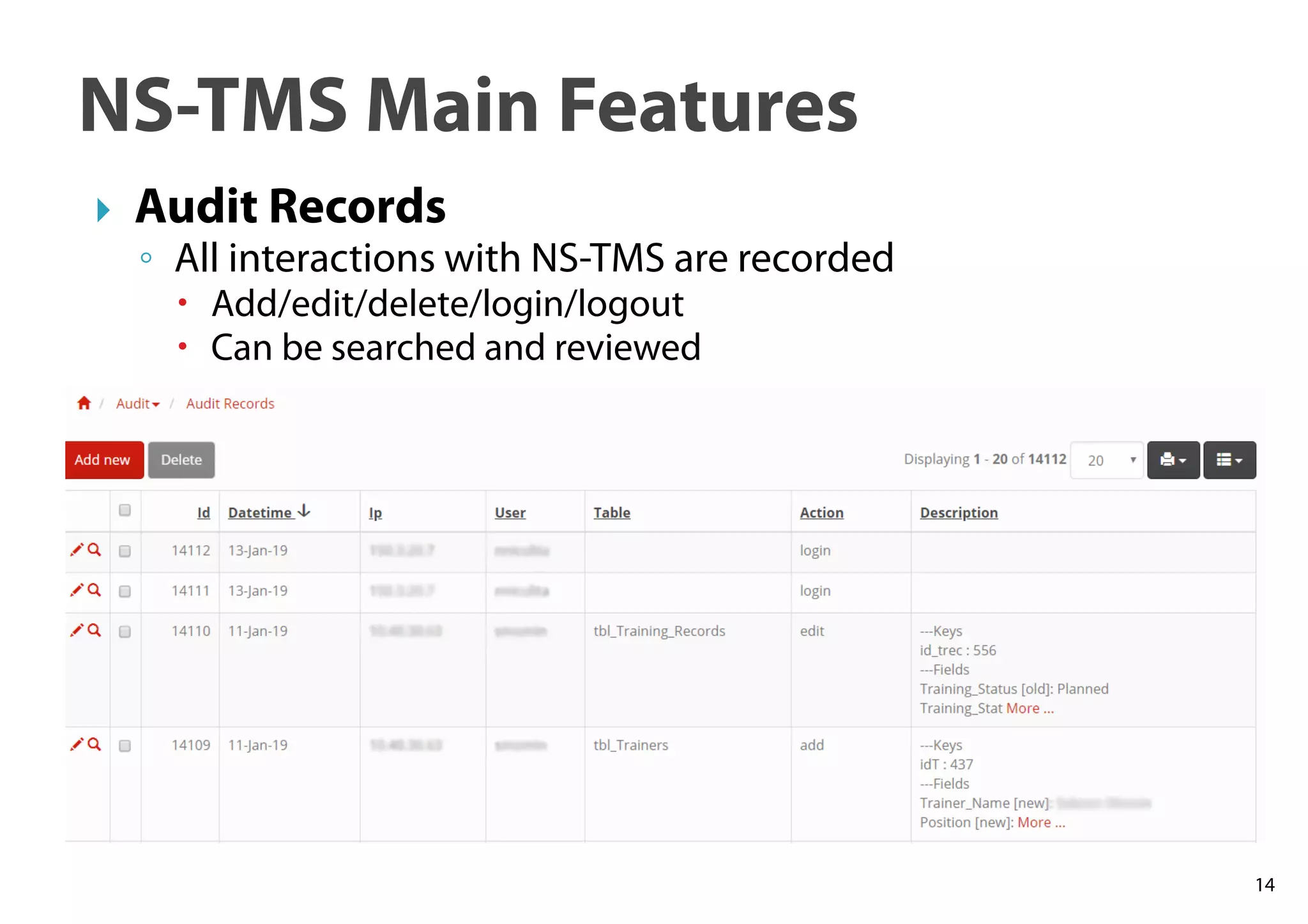
Audit Records
◦ All interactions with NS-TMS are recorded
Add/edit/delete/login/logout
Can be searched and reviewed
15
NS-TMS Main Features
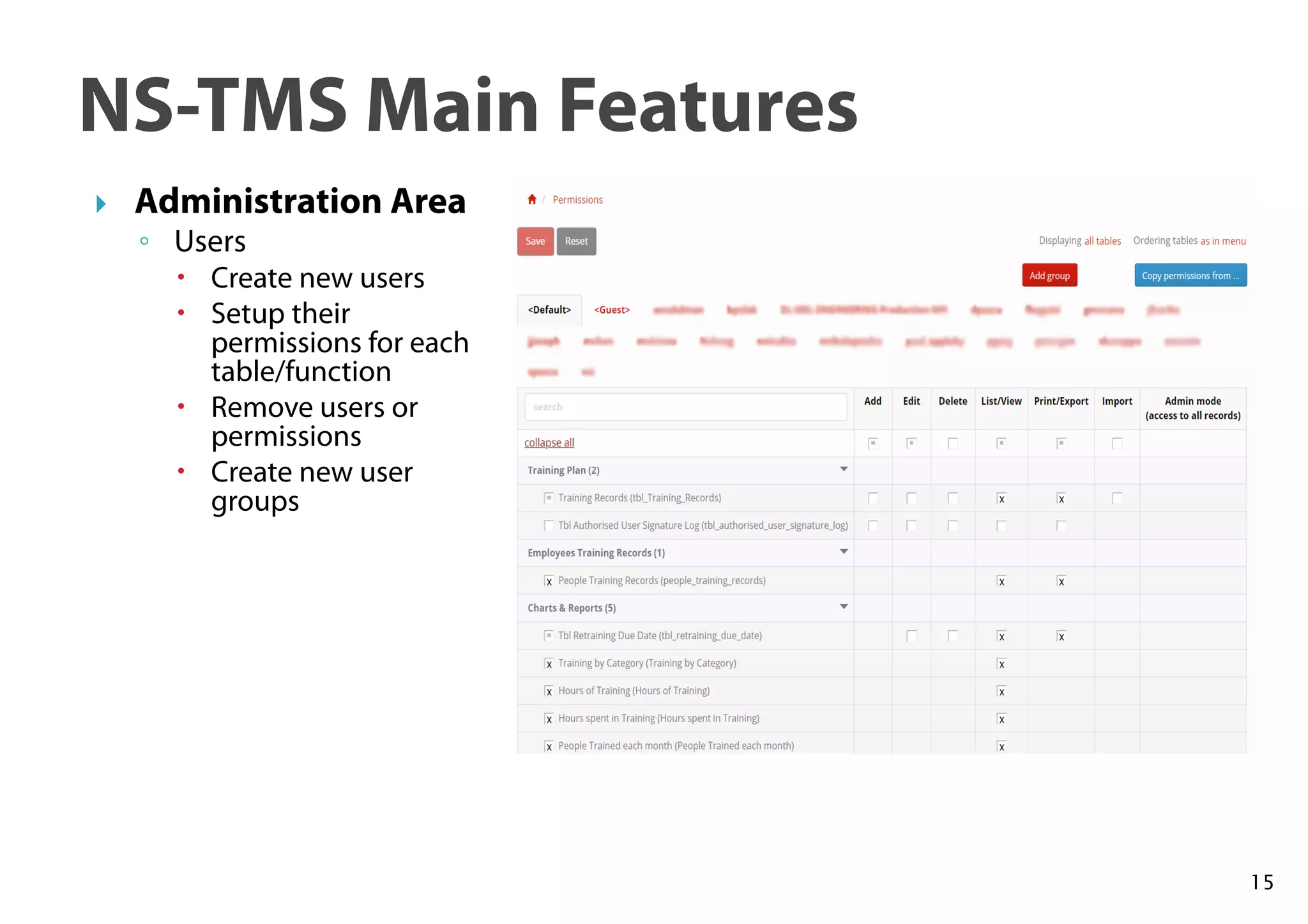
Administration Area
◦ Users
Create new users
Setup their
permissions for each
table/function
Remove users or
permissions
Create new user
groups
16
NS-TMS Main Features
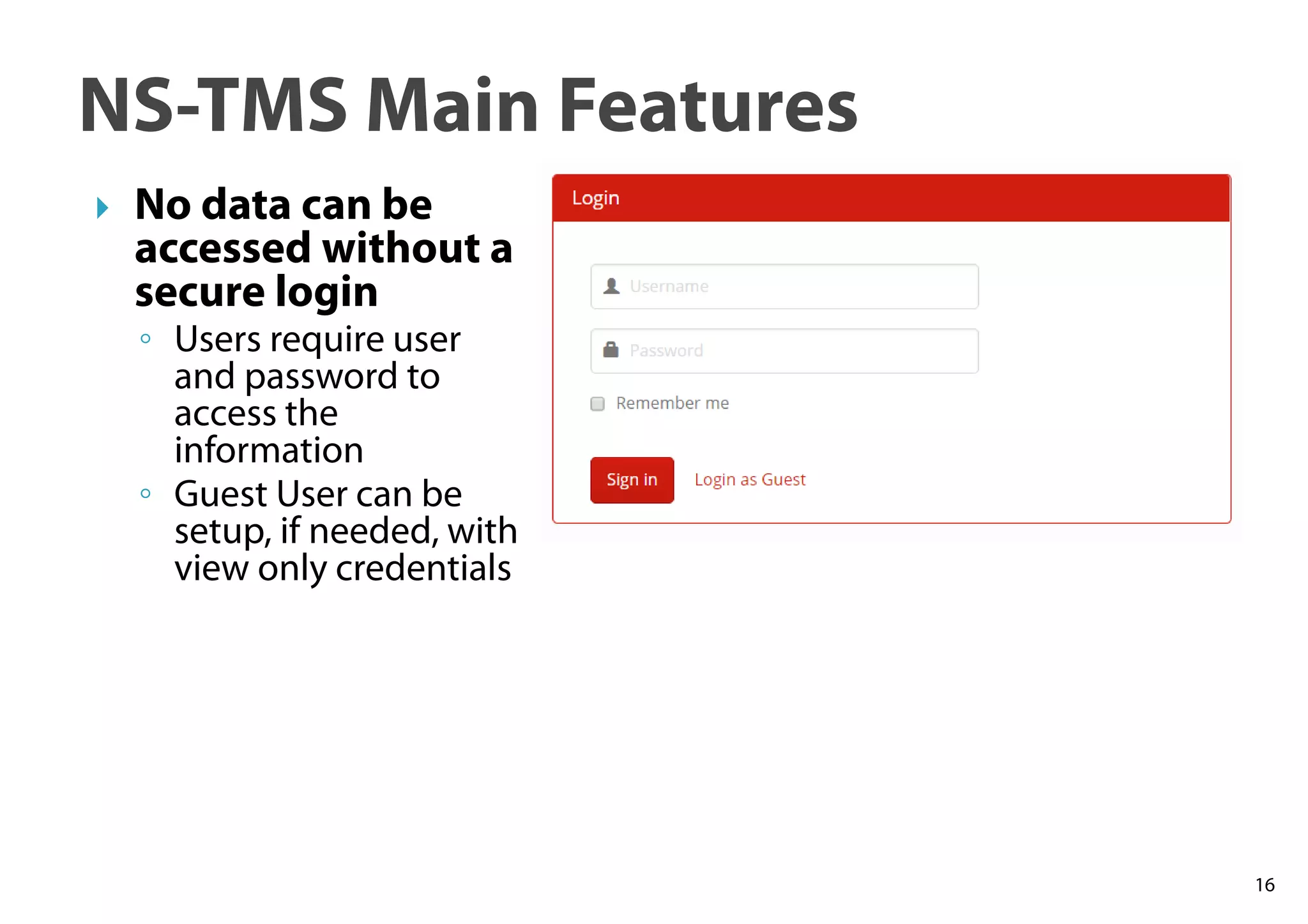
No data can be
accessed without a
secure login
◦ Users require user
and password to
access the
information
◦ Guest User can be
setup, if needed, with
view only credentials
17
NS-TMS Main Features
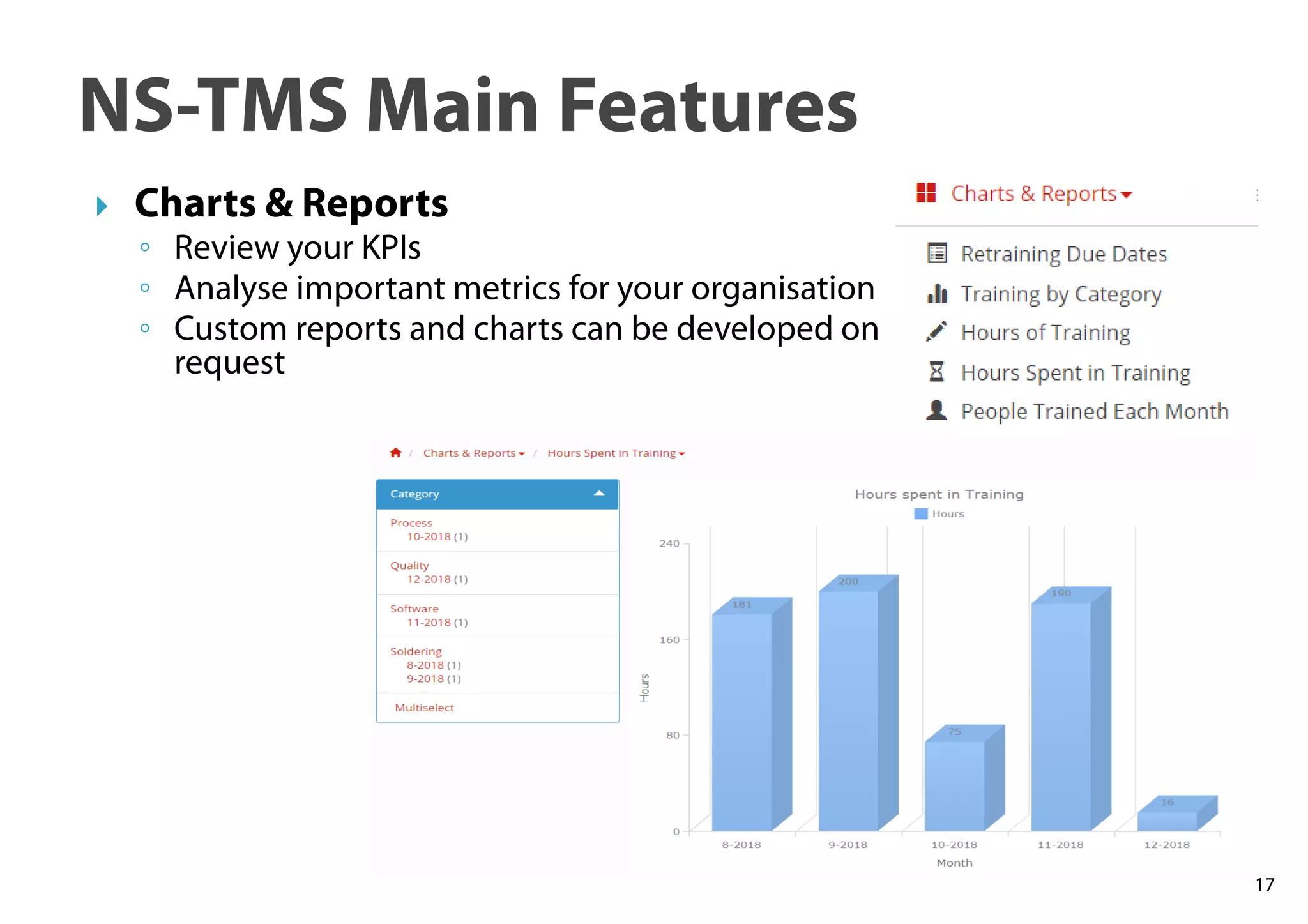
Charts & Reports
◦ Review your KPIs
◦ Analyse important metrics for your organisation
◦ Custom reports and charts can be developed on
request
For RFQ contact us at:
◦ customDB@nicks-software.com
For more details visit us at:
◦ https://custom-database-software-
development.com.au/
◦ Or
◦ https://nicks-software.com/
18
19

NS-TMS - Training Management Database

  • 1.
  • 2.
    NS-TMS is abrowser-based software that helps you centralise and organise your training records, streamline training scheduling, track efficiently the training campaigns status, ensure regulatory compliance. 2
  • 3.
    NS-TMS is PHPbased Install AMPPS, copy NS-TMS files and you are ready to go We will guide you all the way via remote connection NS-TMS can be also used as cloud application 3
  • 4.
    NS-TMS has beendeveloped using Bootstrap, the most popular HTML, CSS and JS framework for developing responsive, mobile first experience on the web Responsive design fits on any screen Mobile App gives you great advantage and improves your productivity 4
  • 5.
    5 All the featurescan be accessed from the Main Screen (Welcome Page) that loads after a successful login
  • 6.
    Training Plan ◦ Createyour training plan in an organised way ◦ Using an intuitive interface ◦ Record all the data that you need ◦ Drag and drop and upload training documents ◦ Allocate trainees ◦ Sign electronically the training forms 6
  • 7.
    7 Visualise your TrainingPlan – using the Calendar
  • 8.
    8 Review Retraining DueDates ◦ Review retraining due dates and schedule new training sessions accordingly ◦ Don’t let any training to become overdue
  • 9.
    9 Search employee training records withease ◦ Using Advanced Search features that searches all the fields in the database
  • 10.
    10 Visualise and exporttraining records ◦ Review training records ◦ Export information in PDF
  • 11.
    11 NS-TMS Main Features Manageelectronically your authorised user signatures log ◦ Record Authorised signatures and initials for all users ◦ Maintain log for regulatory compliance
  • 12.
    12 NS-TMS Main Features Collectand analyse employees training requests ◦ For a better understanding of what training sessions your employee need, listen to them ◦ It will help you develop more in depth training requirements for each position
  • 13.
    13 NS-TMS Main Features DatabaseAdministration ◦ Add new training modules ◦ Update training requirements for each position ◦ Update employees details ◦ Customise training status and training types
  • 14.
    14 NS-TMS Main Features AuditRecords ◦ All interactions with NS-TMS are recorded Add/edit/delete/login/logout Can be searched and reviewed
  • 15.
    15 NS-TMS Main Features AdministrationArea ◦ Users Create new users Setup their permissions for each table/function Remove users or permissions Create new user groups
  • 16.
    16 NS-TMS Main Features Nodata can be accessed without a secure login ◦ Users require user and password to access the information ◦ Guest User can be setup, if needed, with view only credentials
  • 17.
    17 NS-TMS Main Features Charts& Reports ◦ Review your KPIs ◦ Analyse important metrics for your organisation ◦ Custom reports and charts can be developed on request
  • 18.
    For RFQ contactus at: ◦ customDB@nicks-software.com For more details visit us at: ◦ https://custom-database-software- development.com.au/ ◦ Or ◦ https://nicks-software.com/ 18
  • 19.