NoveList and
NoveList Plus
Overview
For Canadian Schools and
Public Libraries
Trainer Name
Title
Email
Trainer Name
Title
Email
Welcome!
Learning Objectives
 List some of the basic content available in NoveList
 Perform a basic search by author, title, series, and
keyword
 Refine a basic search
 Print results
 List some of the additional resources on the NoveList
Support Center
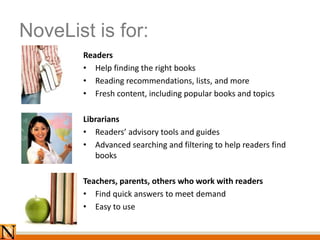
NoveList is for:
Readers
• Help finding the right books
• Reading recommendations, lists, and more
• Fresh content, including popular books and topics
Librarians
• Readers’ advisory tools and guides
• Advanced searching and filtering to help readers find
books
Teachers, parents, others who work with readers
• Find quick answers to meet demand
• Easy to use
NoveList NoveList Plus
Fiction
for all ages and grades
Fiction and nonfiction
for all ages and grades
New! Audiobook recommendations
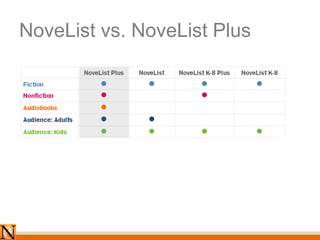
NoveList vs. NoveList Plus
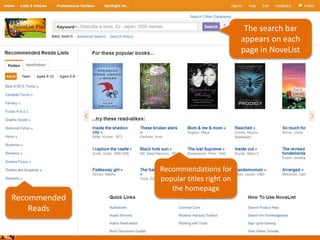
The search bar
appears on each
page in NoveList
Recommended
Reads
Recommendations for
popular titles right on
the homepage
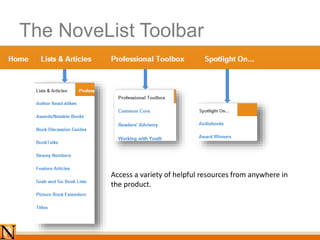
The NoveList Toolbar
Access a variety of helpful resources from anywhere in
the product.
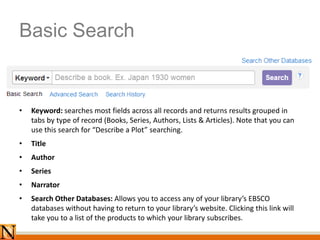
Basic Search
• Keyword: searches most fields across all records and returns results grouped in
tabs by type of record (Books, Series, Authors, Lists & Articles). Note that you can
use this search for “Describe a Plot” searching.
• Title
• Author
• Series
• Narrator
• Search Other Databases: Allows you to access any of your library’s EBSCO
databases without having to return to your library’s website. Clicking this link will
take you to a list of the products to which your library subscribes.
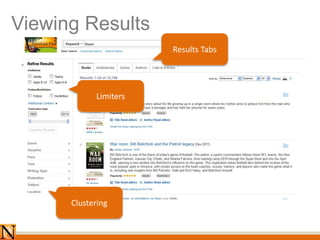
Viewing Results
Clustering
Results Tabs
Limiters
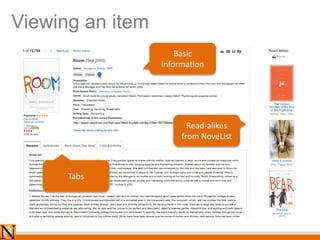
Viewing an item
Basic
information
Tabs
Read-alikes
from NoveList
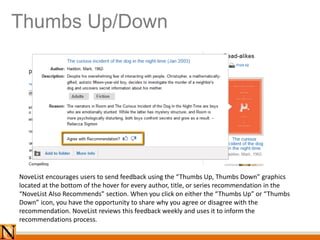
Thumbs Up/Down
NoveList encourages users to send feedback using the “Thumbs Up, Thumbs Down” graphics
located at the bottom of the hover for every author, title, or series recommendation in the
“NoveList Also Recommends” section. When you click on either the “Thumbs Up” or “Thumbs
Down” icon, you have the opportunity to share why you agree or disagree with the
recommendation. NoveList reviews this feedback weekly and uses it to inform the
recommendations process.
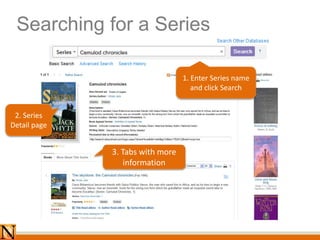
Searching for a Series
1. Enter Series name
and click Search
2. Series
Detail page
3. Tabs with more
information
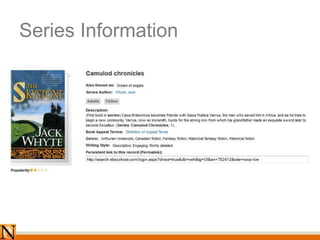
Series Information
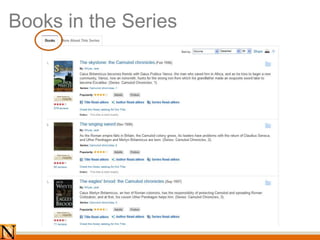
Books in the Series
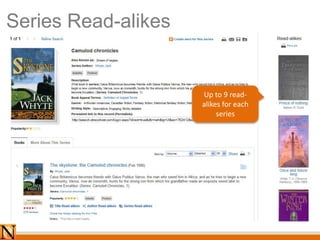
Series Read-alikes
Up to 9 read-
alikes for each
series
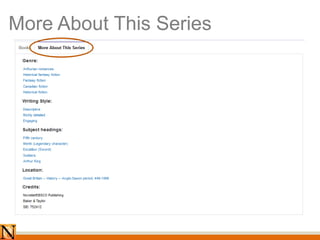
More About This Series
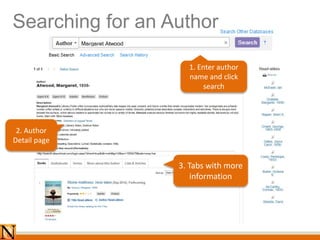
Searching for an Author
1. Enter author
name and click
search
2. Author
Detail page
3. Tabs with more
information
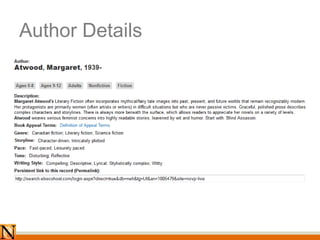
Author Details
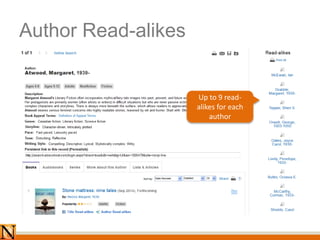
Author Read-alikes
Up to 9 read-
alikes for each
author
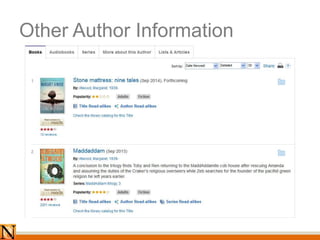
Other Author Information
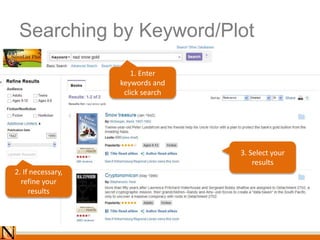
Searching by Keyword/Plot
1. Enter
keywords and
click search
2. If necessary,
refine your
results
3. Select your
results
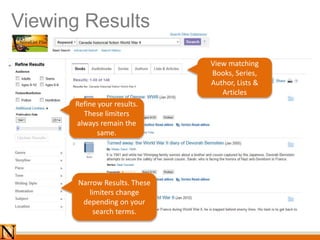
Viewing Results
View matching
Books, Series,
Author, Lists &
Articles
Refine your results.
These limiters
always remain the
same.
Narrow Results. These
limiters change
depending on your
search terms.
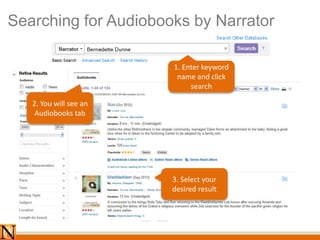
Searching for Audiobooks by Narrator
1. Enter keyword
name and click
search
2. You will see an
Audiobooks tab
3. Select your
desired result
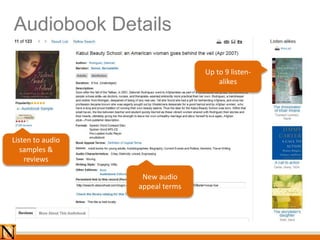
Audiobook Details
Listen to audio
samples &
reviews
New audio
appeal terms
Up to 9 listen-
alikes
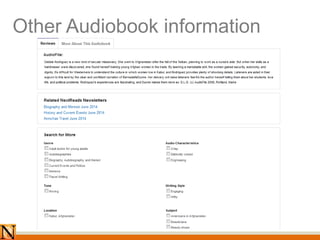
Other Audiobook information
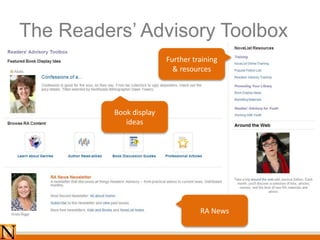
The Readers’ Advisory Toolbox
Book display
ideas
RA News
Further training
& resources
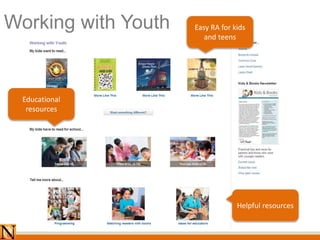
Working with Youth
Helpful resources
Easy RA for kids
and teens
Educational
resources
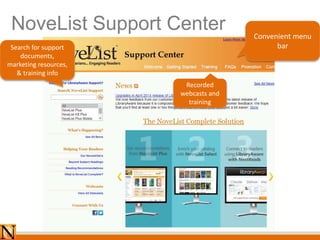
NoveList Support Center
Search for support
documents,
marketing resources,
& training info
Convenient menu
bar
Recorded
webcasts and
training
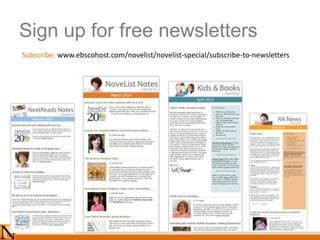
Sign up for free newsletters
Subscribe: www.ebscohost.com/novelist/novelist-special/subscribe-to-newsletters
Thank You! Learn more:
www.ebscohost.com/novelist
facebook.com/ebsconovelist
@novelistra
novelistra.tumblr.com
pinterest.com/novelist

Novelist overview canadian_powerpoint(1)

Editor's Notes

  • #5 NoveList Plus and NoveList K8 Plus are designed to make your school librarians’ job easier, with key features to address their work processes whether they are helping a student find a book to read or helping a teacher locate authentic literature to teach a reading or writing concept.
  • #6 NoveList Plus includes fiction and nonfiction for all ages, and covers all grades and ages. K-8 Plus includes fiction and nonfiction for younger readers, especially those in Kindergarten through 8th grade. We will be using both of these interfaces during this presentation.