BY
K.LALITHAMBIGA
II –Msc (CS&IT )
Department of CS&IT
NS College of Arts and Science,
Theni.
 Classification of Assets
 Physical Vulnerability assessment
 Choosing site location for security
 Security Assets
 Physical intrusion Detection
 Authentication and Authorization Controls:
Authentication
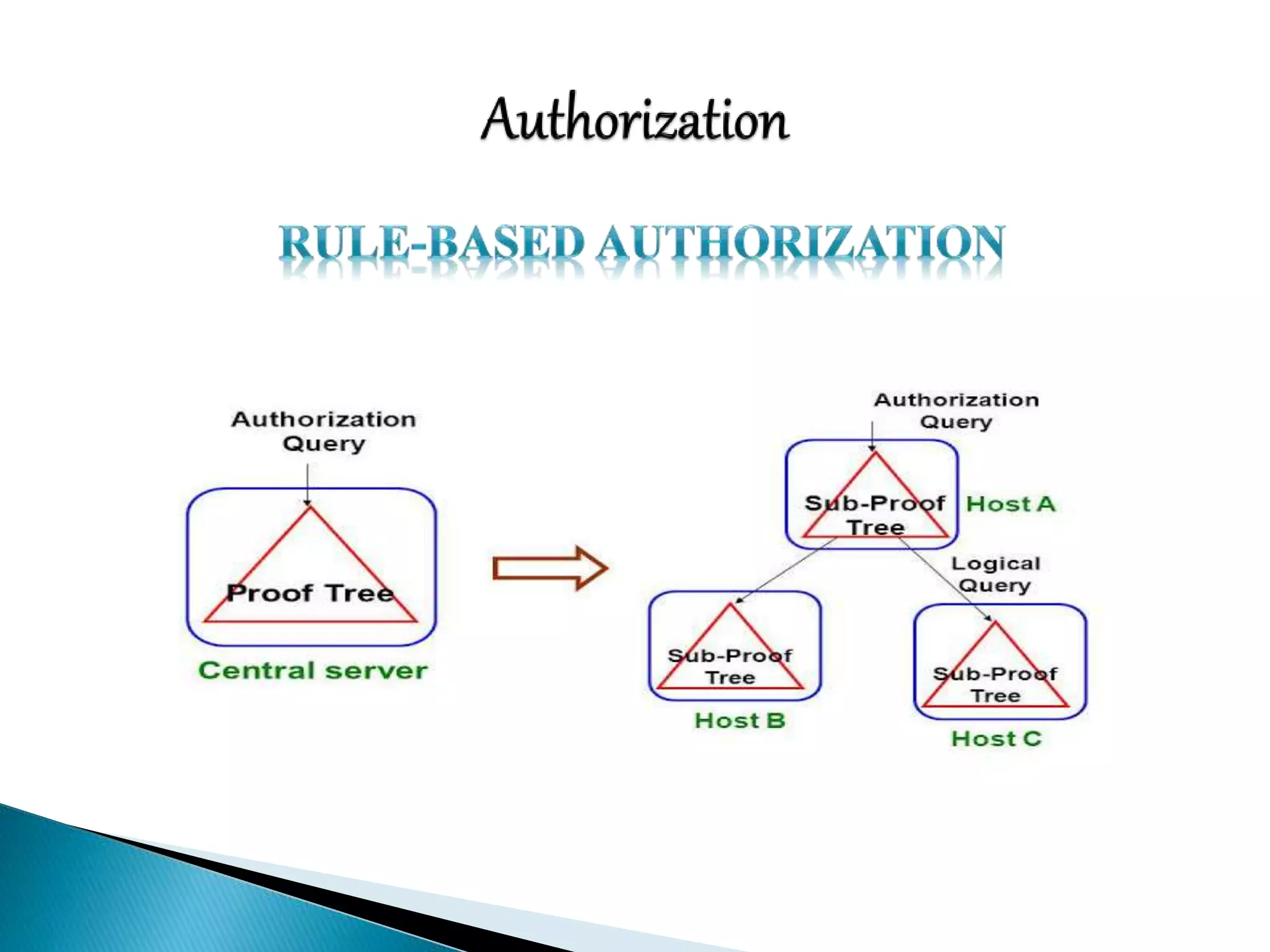
Authorization
 Classification of assets is the process of identifying physical
assets and assigning criticality and value to them in order to
develop concise controls and procedures that protect them
effectively.
 The classification of corporate physical assets will generally
fall under the following categories:
 Computer equipment
 Communication equipment
 Technical equipment
 Storage media
 Furniture & fixtures
 Assets with direct monetary value
 A Physical security vulnerability assessment, much like its
information security counterpart, relies upon measurement of
exposure to an applicable risk.
 An asset must already be classified, and its value to an
organization quantified.
 Four main areas should be part of any Physical security
vulnerability assessment:
 Buildings
 Computing Devices and Peripherals
 Documents
 Records and Equipments
 There are many security consideration for choosing a secure
site location, only a few of which are:
Accessibility
 To the site
 From the site (in the event of evacuation)
Lighting
Proximity to other buildings
Proximity to law enforcement and emergency response
RF and Wireless transmission interception
Construction and excavation(past and present)
 There are many different considerations that must be taken
into account when securing your assets with physical security
devices. A few of them are
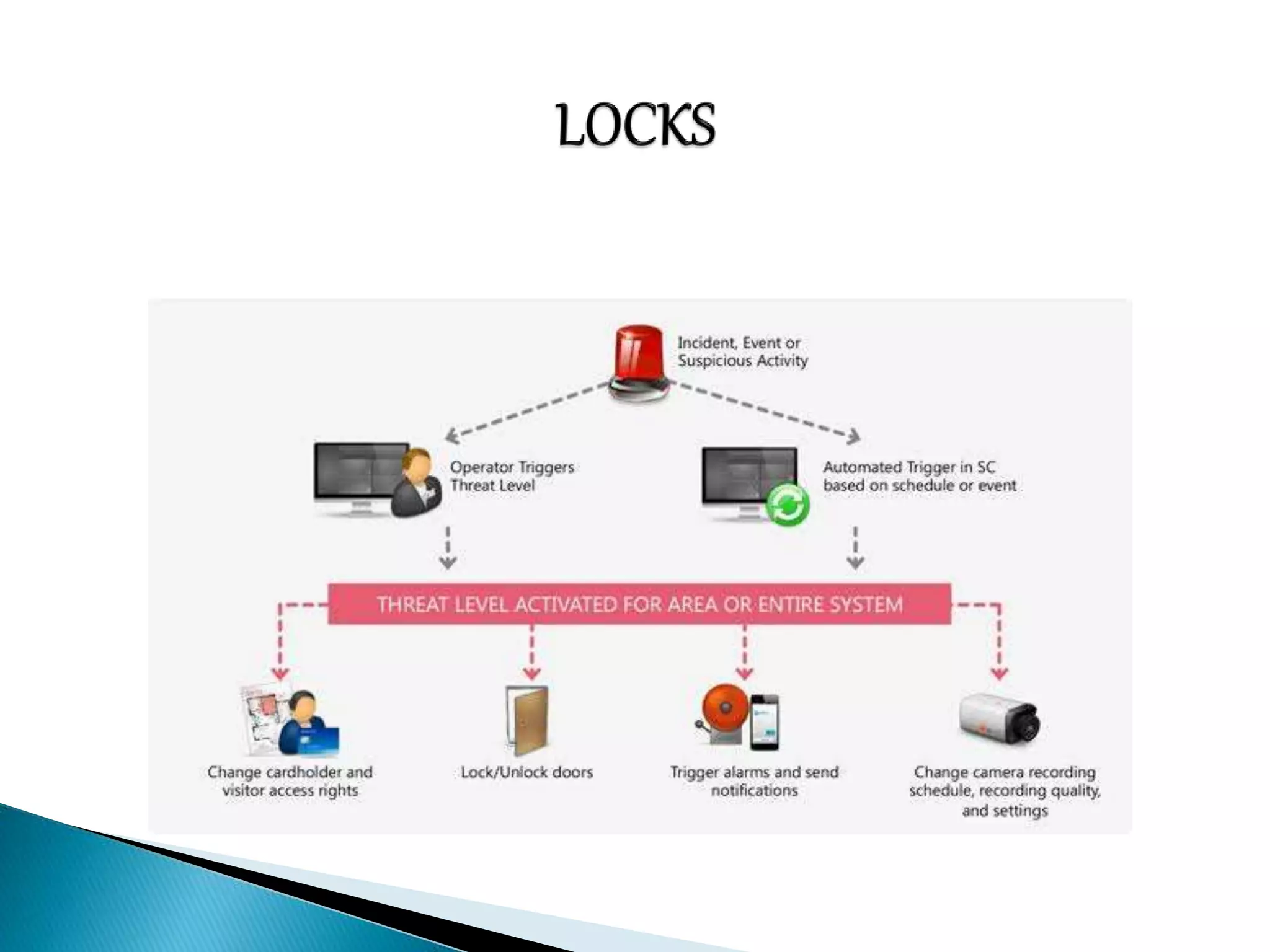
Locks
Door and file Cabinets
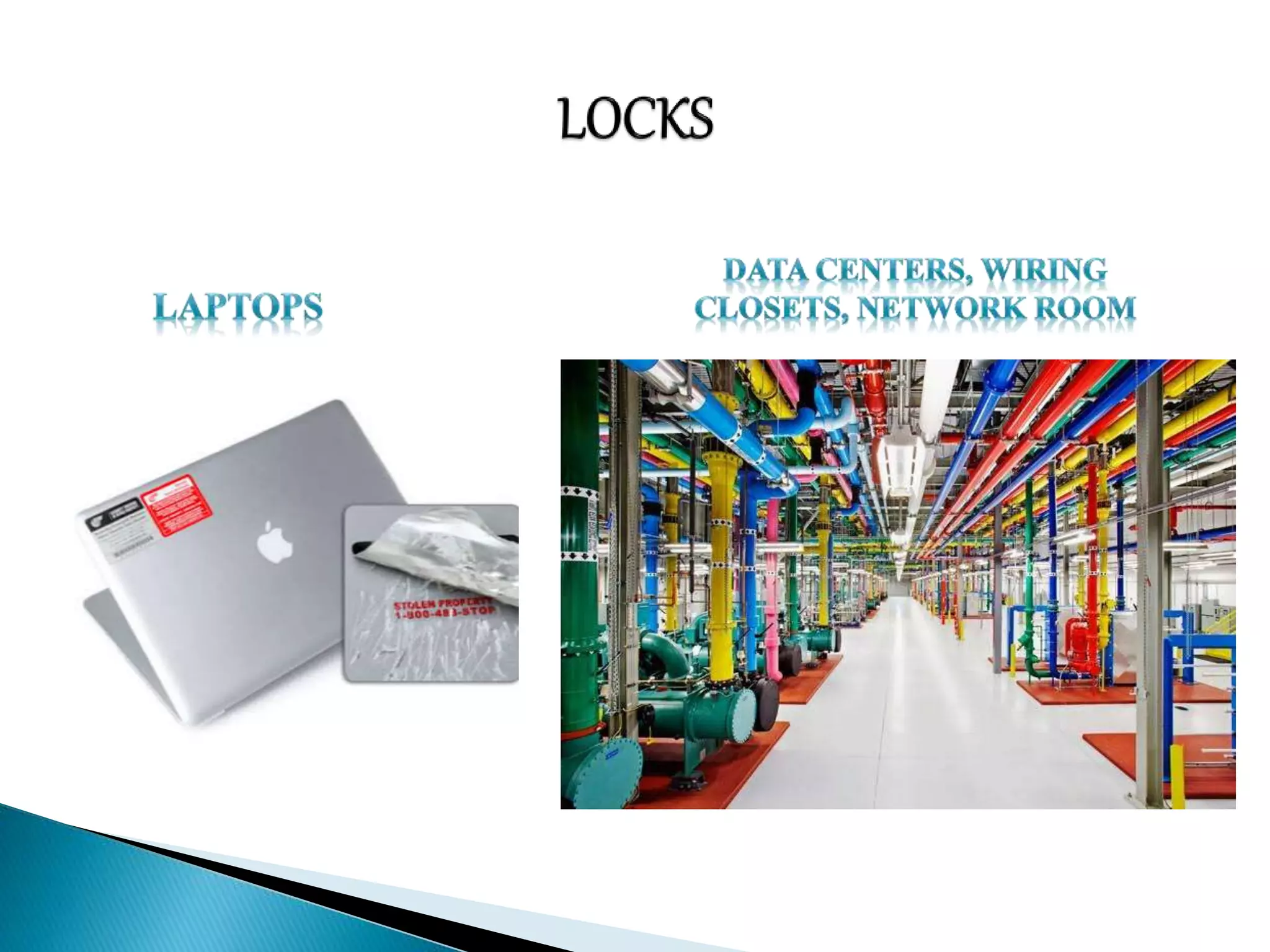
Laptops
Data Centers, Wiring Closets, Network Rooms
Entry Controls
Building and Employee IDs
Biometrics
Security Guards
 Physical Intrusion Detection, much like it’s information
counterpart, requires forethought, planning & tuning to obtain
optimal effectiveness. Some considerations for Physical
Security Detection are:
Closed-Circuit Television
Alarms
Mantraps
System Logs
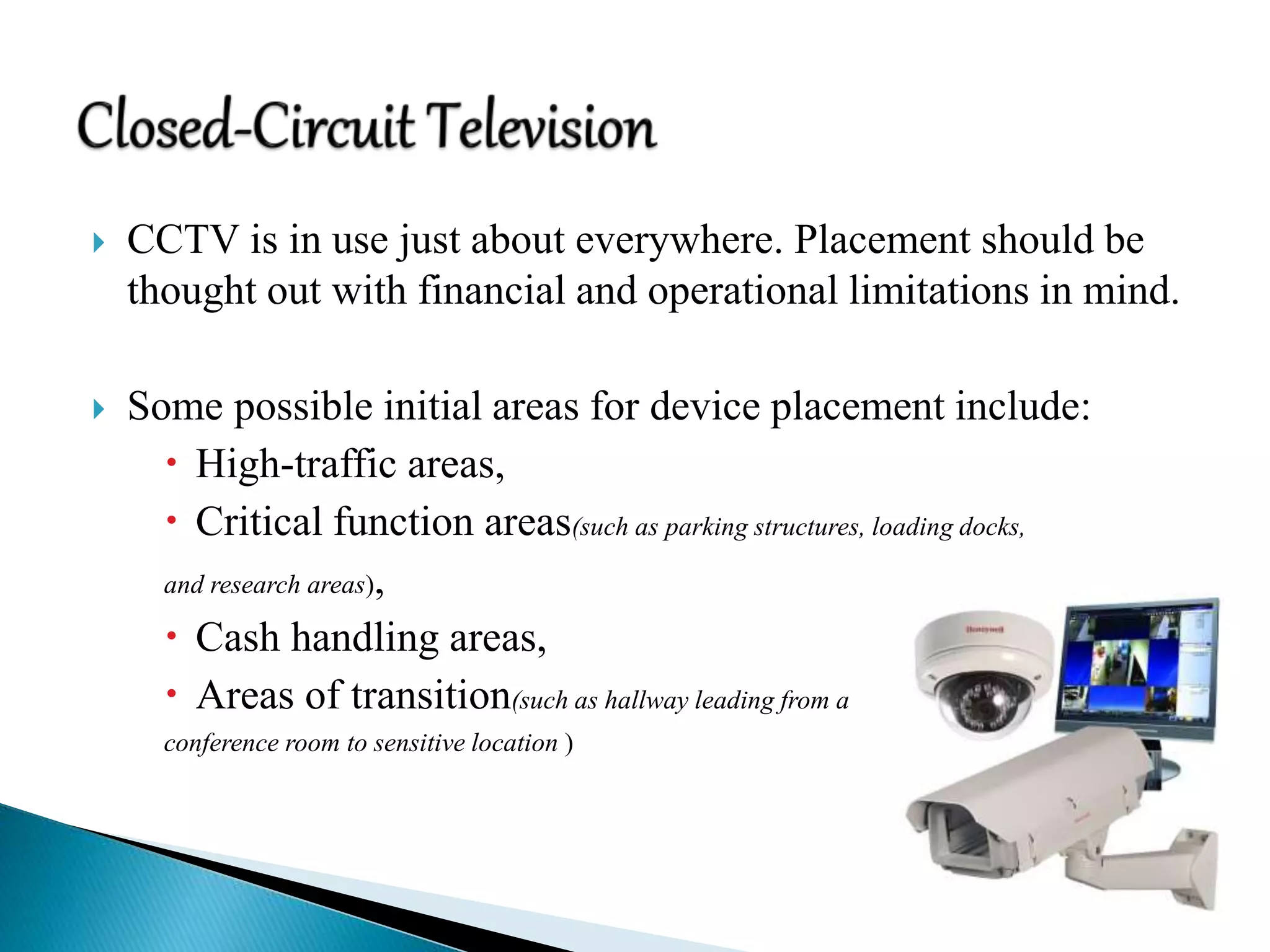
 CCTV is in use just about everywhere. Placement should be
thought out with financial and operational limitations in mind.
 Some possible initial areas for device placement include:
 High-traffic areas,
 Critical function areas(such as parking structures, loading docks,
and research areas),
 Cash handling areas,
 Areas of transition(such as hallway leading from a
conference room to sensitive location )
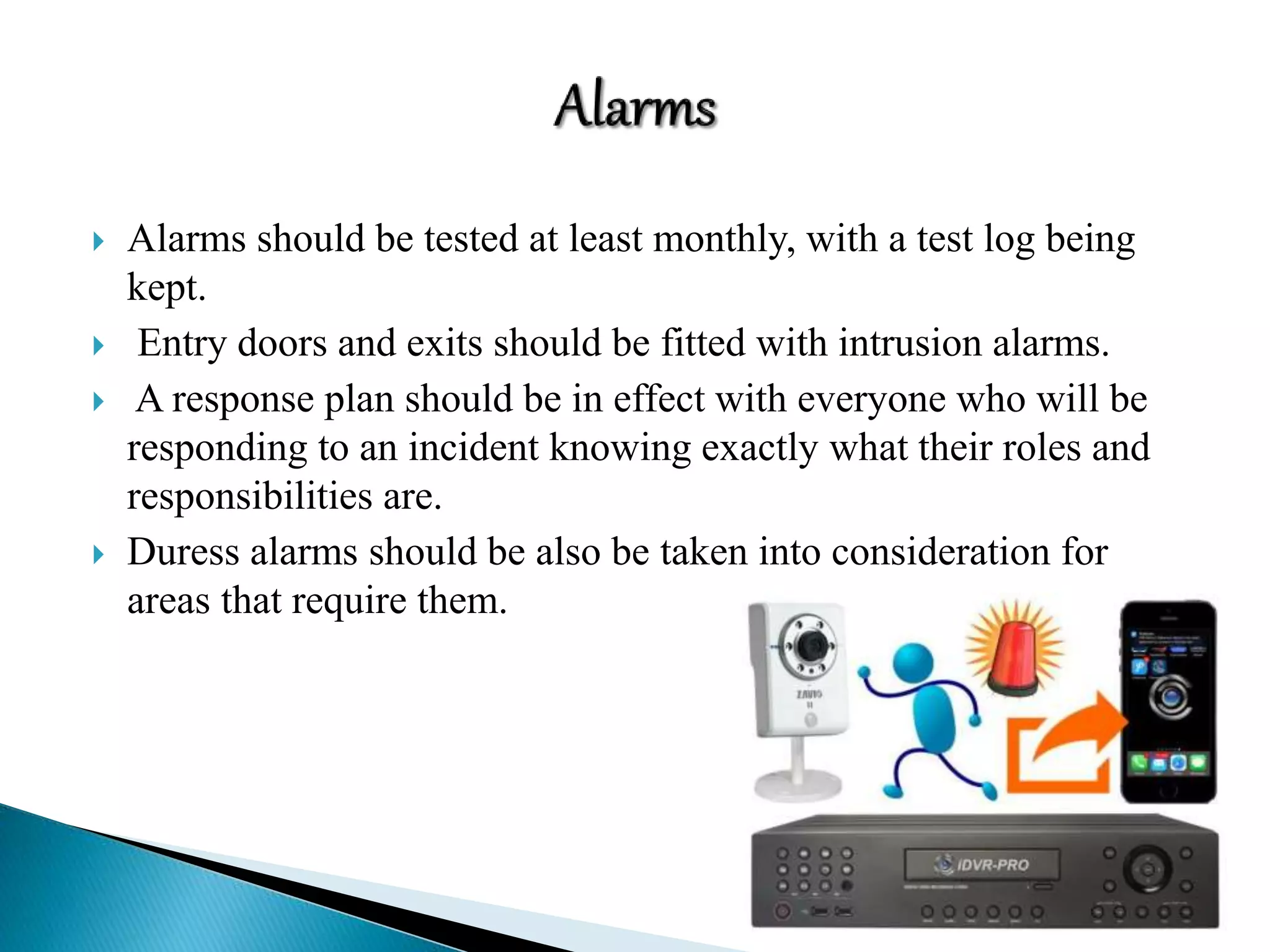
 Alarms should be tested at least monthly, with a test log being
kept.
 Entry doors and exits should be fitted with intrusion alarms.
 A response plan should be in effect with everyone who will be
responding to an incident knowing exactly what their roles and
responsibilities are.
 Duress alarms should be also be taken into consideration for
areas that require them.
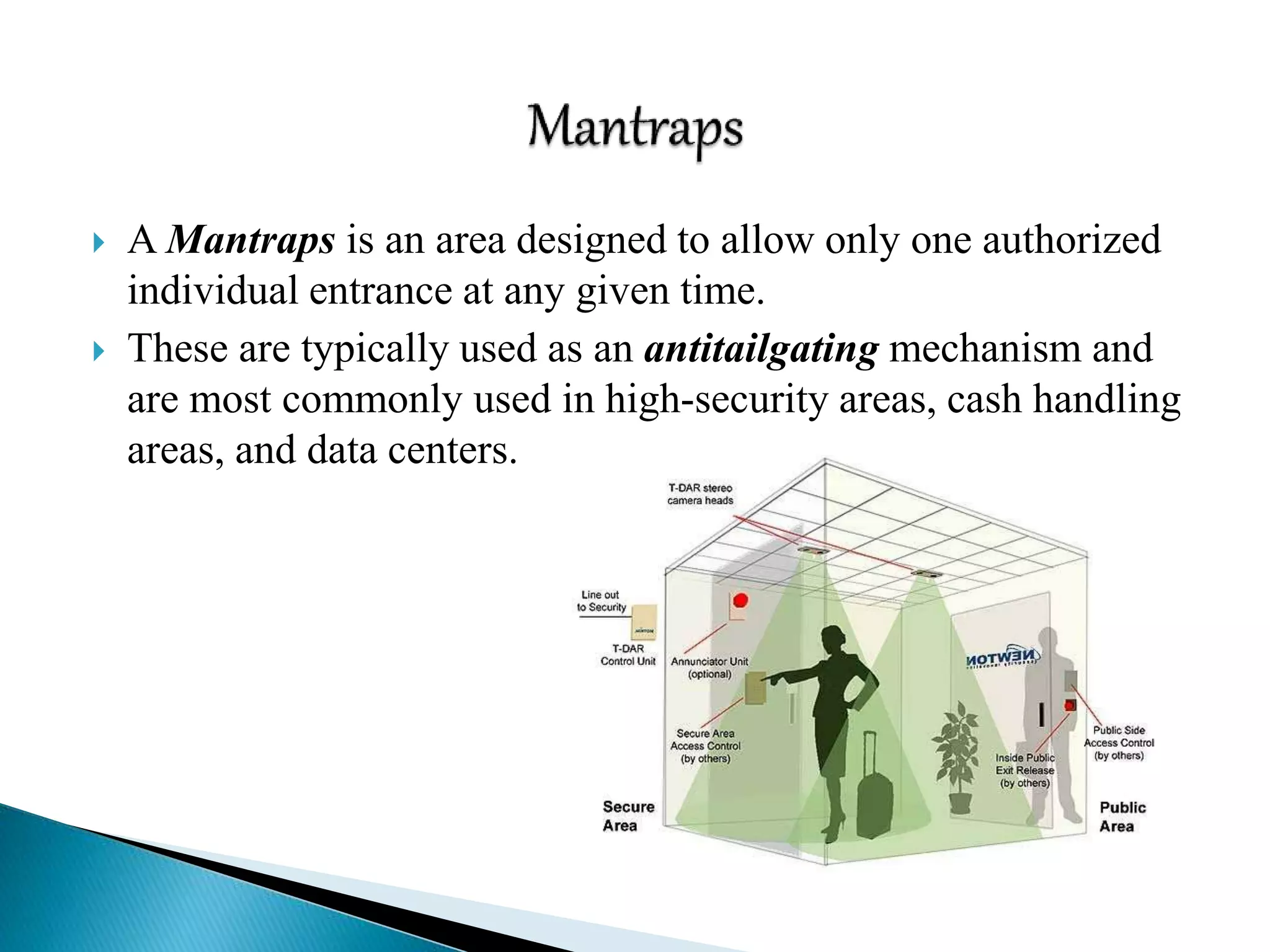
 A Mantraps is an area designed to allow only one authorized
individual entrance at any given time.
 These are typically used as an antitailgating mechanism and
are most commonly used in high-security areas, cash handling
areas, and data centers.
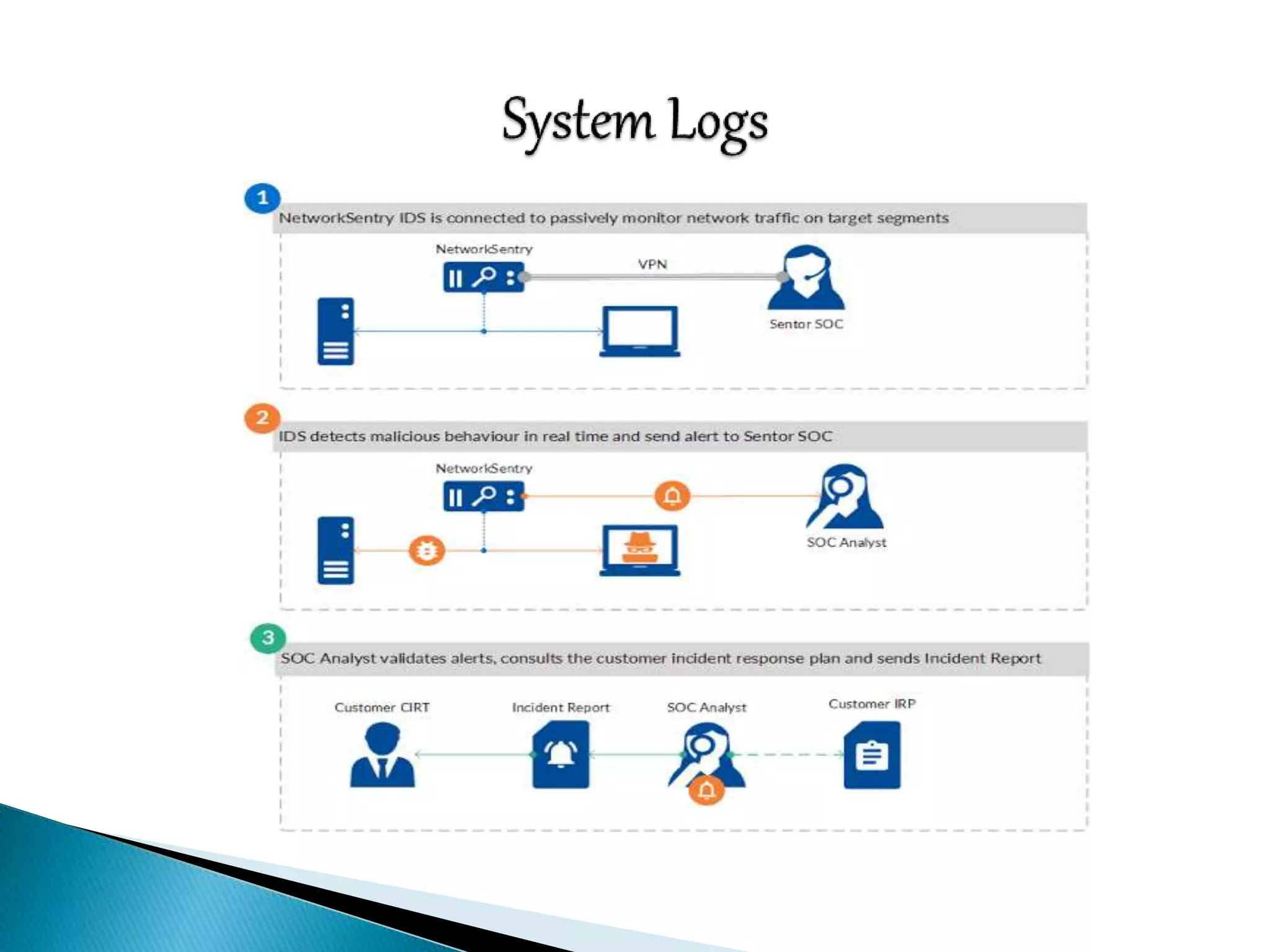
 System logs can be an indication that someone was physically
present at a system.
 Bear in mind that quite a few privilege escalation exploits
require a system restart in order to execute.
 Some things to look for in the system logs that might indicate
physical access to a system include:
 Short or incomplete logs
 Logs missing entirely
 Strange timestamps
 Logs with incorrect permission or ownership
 System reboots
 Services restarting
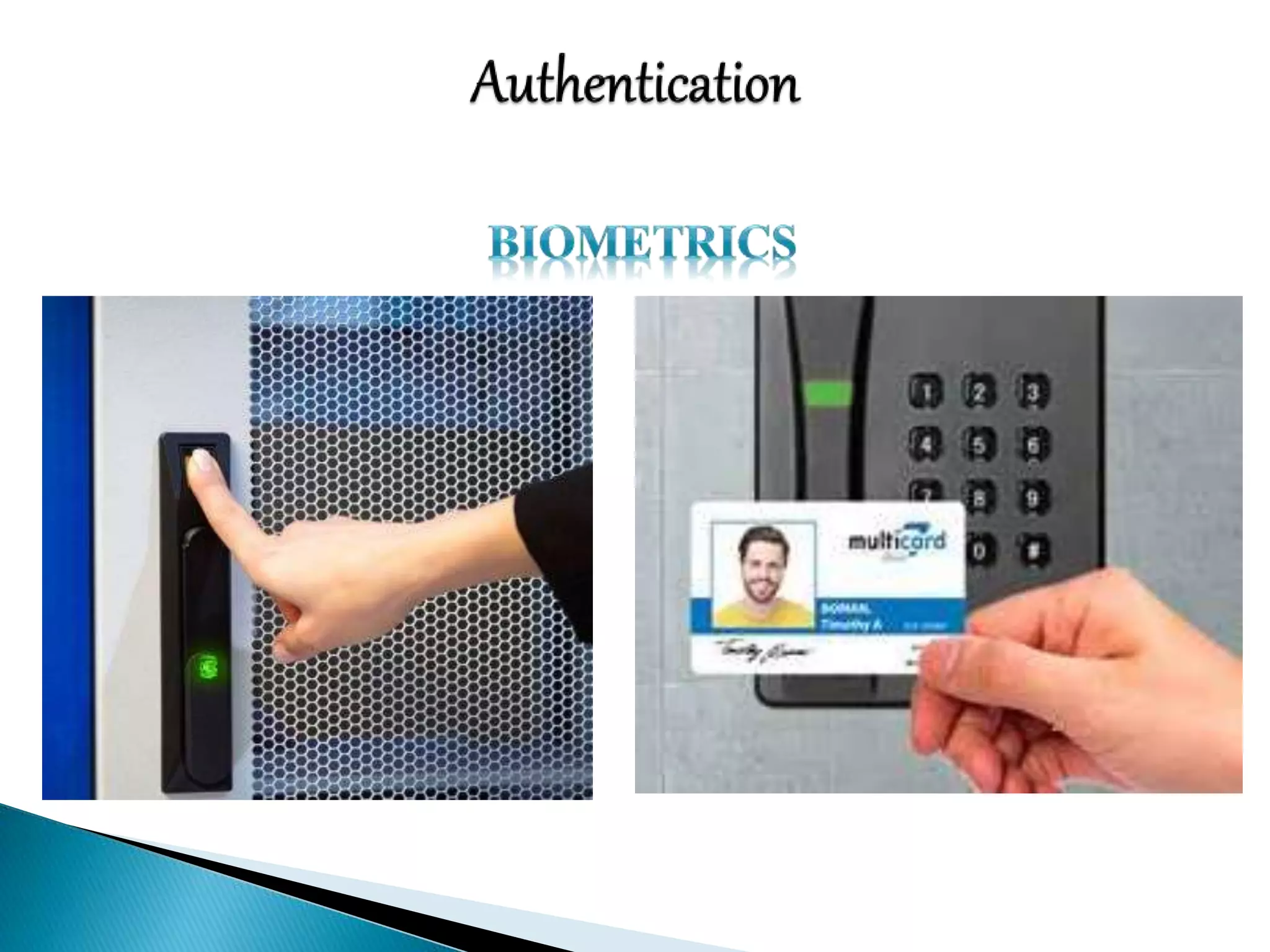
 Authentication
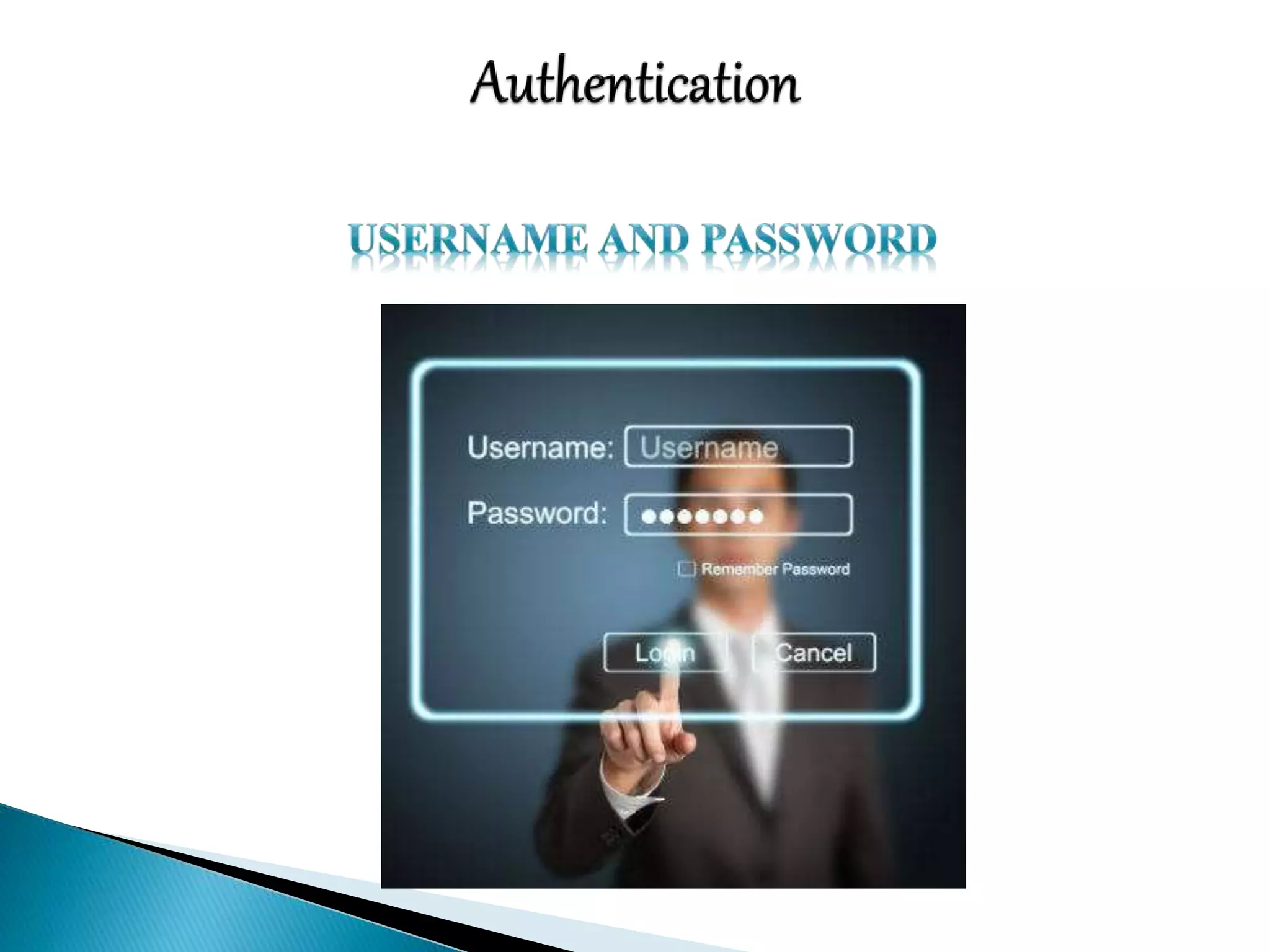
 Username and password
 Certificate-Based Authentication
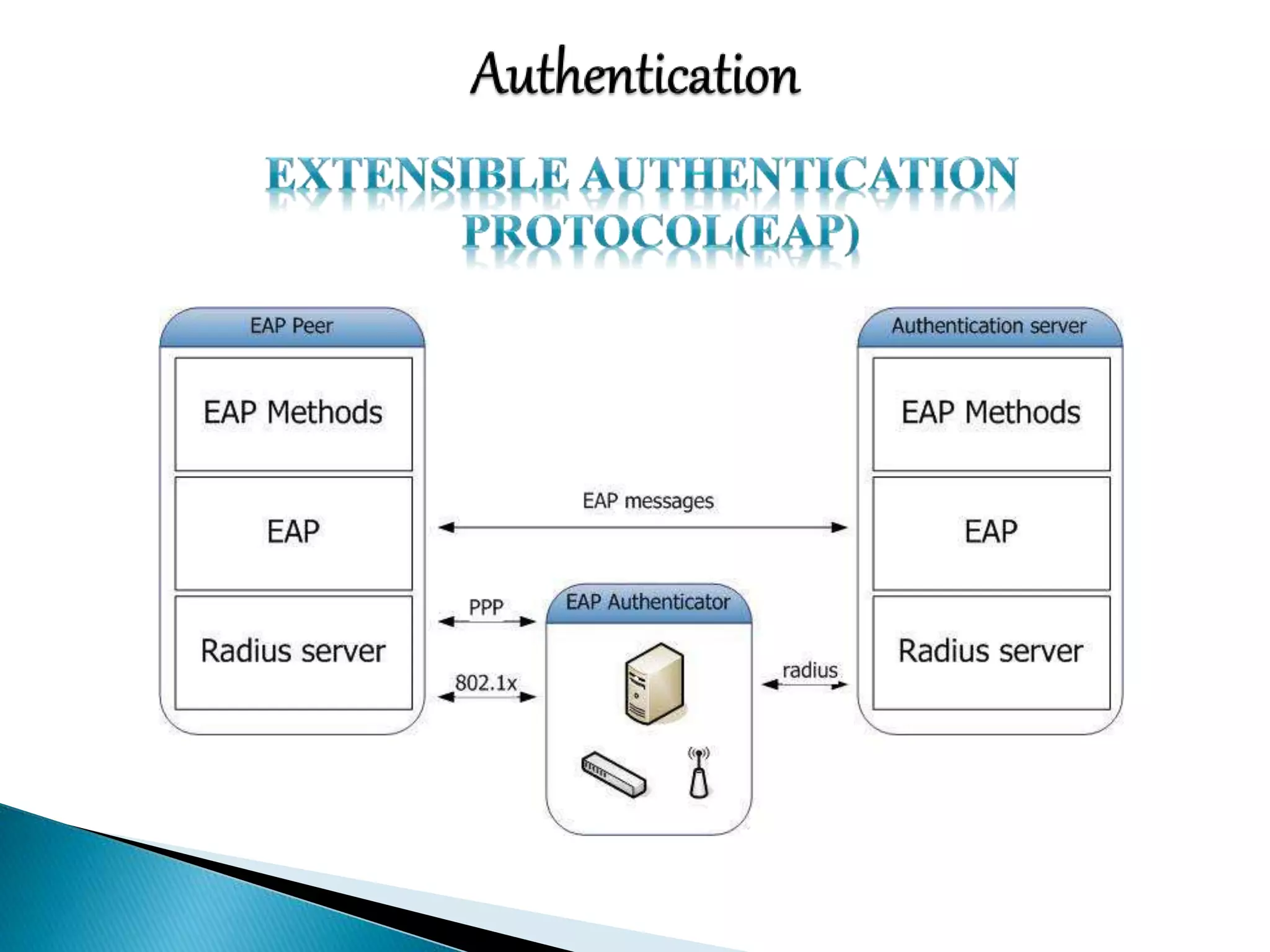
 Extensible Authentication Protocol(EAP)
 Biometrics
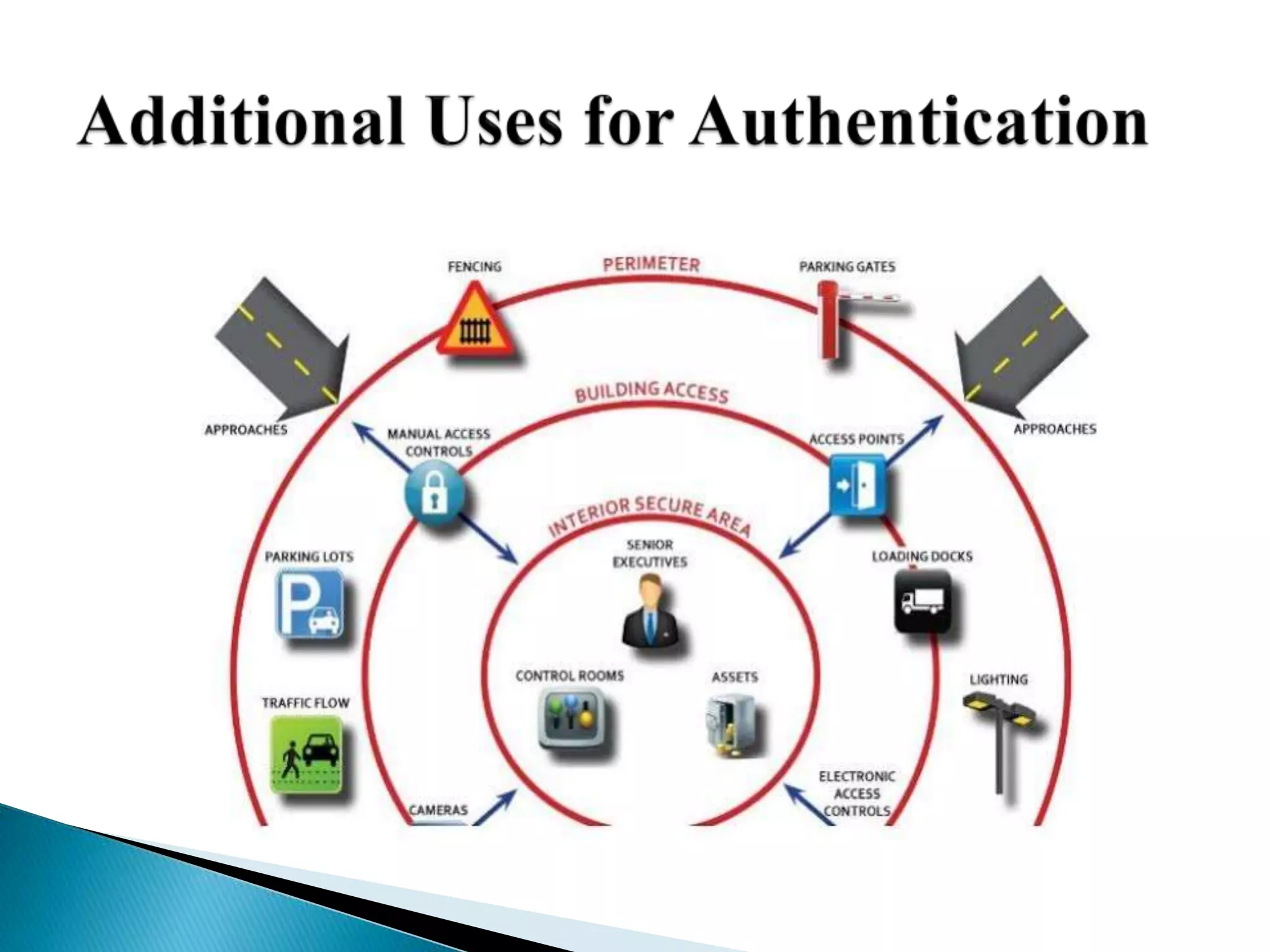
 Additional Uses for Authentication
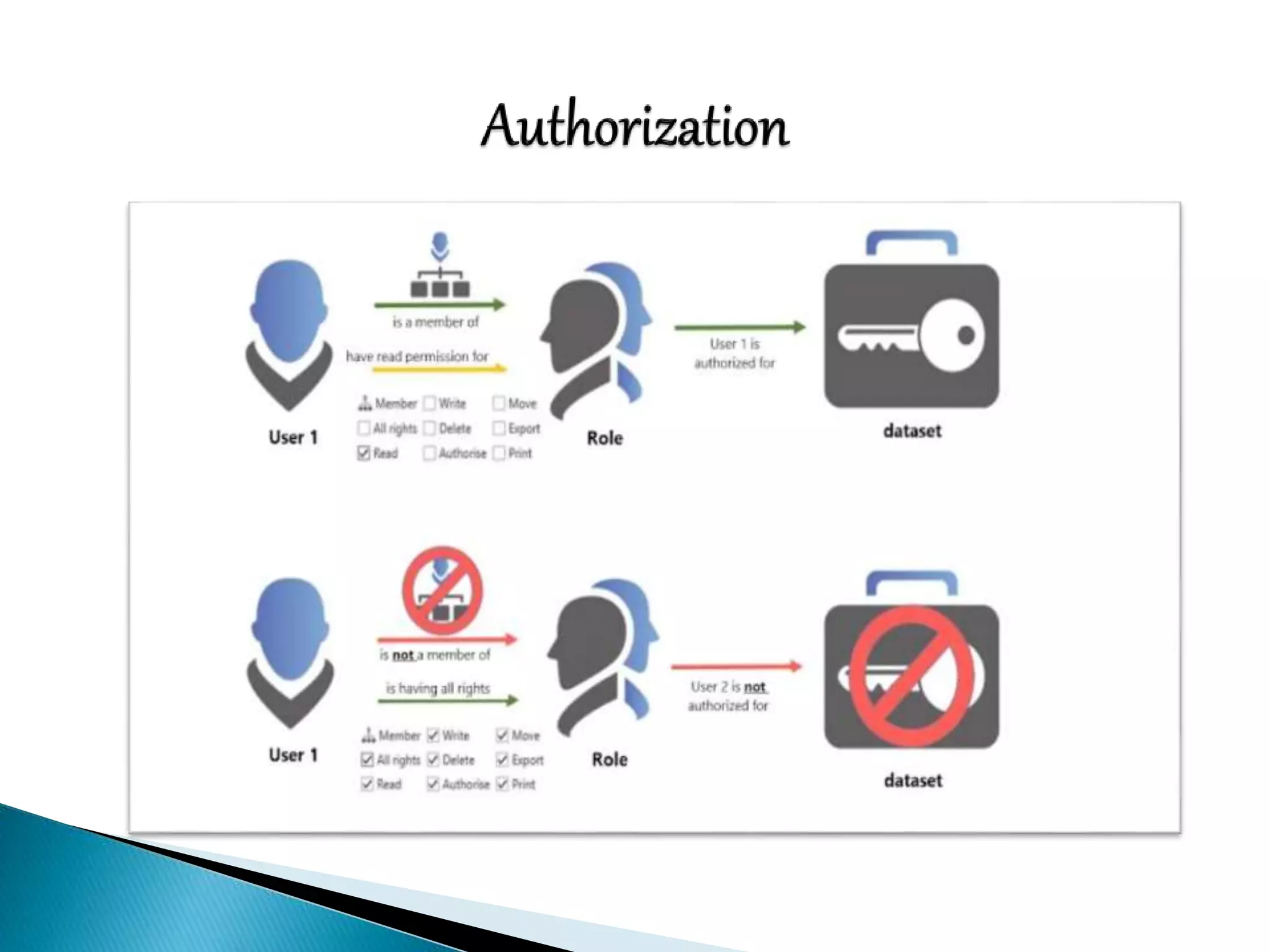
 Authorization
 User Rights
 Role-Based Authorization
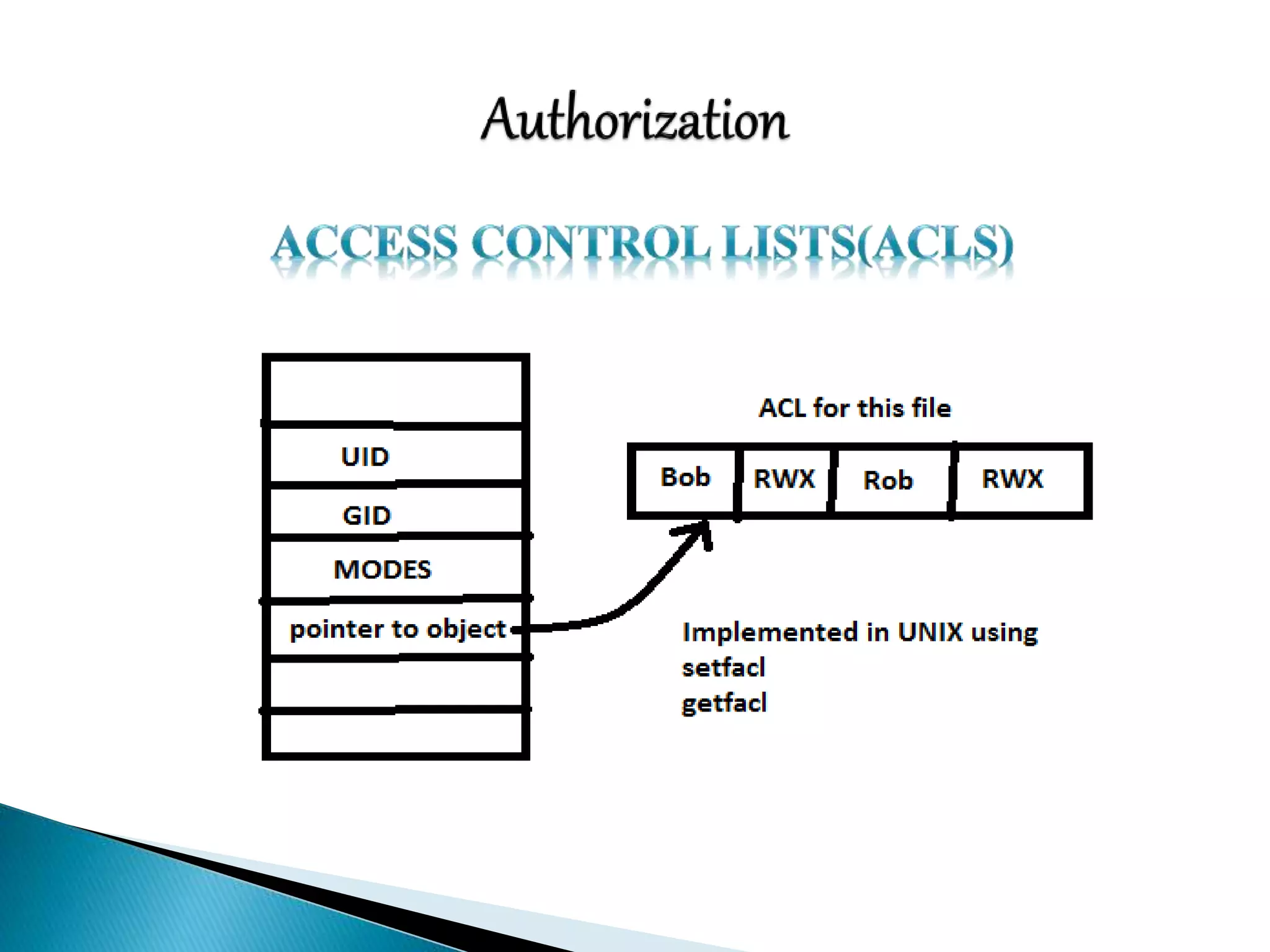
 Access Control Lists(ACLs)
 Rule-Based Authorization
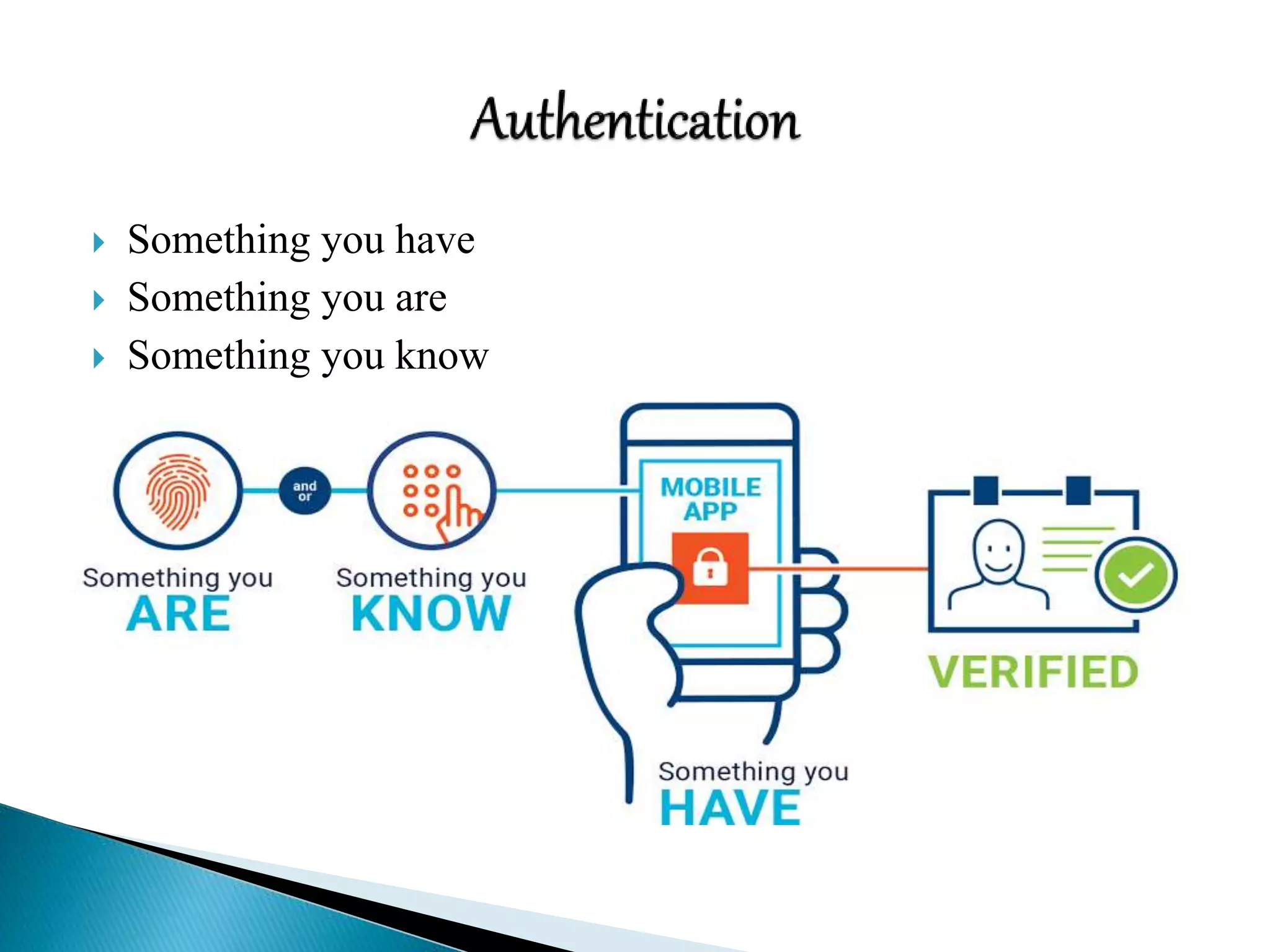
 Something you have
 Something you are
 Something you know
Network Security: Physical security

Network Security: Physical security

  • 1.
    BY K.LALITHAMBIGA II –Msc (CS&IT) Department of CS&IT NS College of Arts and Science, Theni.
  • 2.
     Classification ofAssets  Physical Vulnerability assessment  Choosing site location for security  Security Assets  Physical intrusion Detection  Authentication and Authorization Controls: Authentication Authorization
  • 3.
     Classification ofassets is the process of identifying physical assets and assigning criticality and value to them in order to develop concise controls and procedures that protect them effectively.  The classification of corporate physical assets will generally fall under the following categories:  Computer equipment  Communication equipment  Technical equipment  Storage media  Furniture & fixtures  Assets with direct monetary value
  • 4.
     A Physicalsecurity vulnerability assessment, much like its information security counterpart, relies upon measurement of exposure to an applicable risk.  An asset must already be classified, and its value to an organization quantified.  Four main areas should be part of any Physical security vulnerability assessment:  Buildings  Computing Devices and Peripherals  Documents  Records and Equipments
  • 5.
     There aremany security consideration for choosing a secure site location, only a few of which are: Accessibility  To the site  From the site (in the event of evacuation) Lighting Proximity to other buildings Proximity to law enforcement and emergency response RF and Wireless transmission interception Construction and excavation(past and present)
  • 6.
     There aremany different considerations that must be taken into account when securing your assets with physical security devices. A few of them are Locks Door and file Cabinets Laptops Data Centers, Wiring Closets, Network Rooms Entry Controls Building and Employee IDs Biometrics Security Guards
  • 10.
     Physical IntrusionDetection, much like it’s information counterpart, requires forethought, planning & tuning to obtain optimal effectiveness. Some considerations for Physical Security Detection are: Closed-Circuit Television Alarms Mantraps System Logs
  • 11.
     CCTV isin use just about everywhere. Placement should be thought out with financial and operational limitations in mind.  Some possible initial areas for device placement include:  High-traffic areas,  Critical function areas(such as parking structures, loading docks, and research areas),  Cash handling areas,  Areas of transition(such as hallway leading from a conference room to sensitive location )
  • 12.
     Alarms shouldbe tested at least monthly, with a test log being kept.  Entry doors and exits should be fitted with intrusion alarms.  A response plan should be in effect with everyone who will be responding to an incident knowing exactly what their roles and responsibilities are.  Duress alarms should be also be taken into consideration for areas that require them.
  • 13.
     A Mantrapsis an area designed to allow only one authorized individual entrance at any given time.  These are typically used as an antitailgating mechanism and are most commonly used in high-security areas, cash handling areas, and data centers.
  • 14.
     System logscan be an indication that someone was physically present at a system.  Bear in mind that quite a few privilege escalation exploits require a system restart in order to execute.  Some things to look for in the system logs that might indicate physical access to a system include:  Short or incomplete logs  Logs missing entirely  Strange timestamps  Logs with incorrect permission or ownership  System reboots  Services restarting
  • 16.
     Authentication  Usernameand password  Certificate-Based Authentication  Extensible Authentication Protocol(EAP)  Biometrics  Additional Uses for Authentication  Authorization  User Rights  Role-Based Authorization  Access Control Lists(ACLs)  Rule-Based Authorization
  • 17.
     Something youhave  Something you are  Something you know