DevOps: PowerShell DSC
Rui Melo
http://netponto.org10ª Reunião Presencial - 02/04/2016
Rui Melo
Sr PFE Dev @Microsoft (2015-?)
Sr Consultant @Microsoft (2007-2015)
Coordenador Área @Link (2005-2007)
Team lead @Newvalue ( 2001-2005)
R & D @ SMD/Pararede (1998-2001)
Community:
>Share.Pt
>Visual Studio ALM Rangers
PFE – Dev (EMEA)
/ruim
@ruimelo
Tiago Barbosa
@t1agob
Rodrigo Antunes
@_RodrigoAntunes
João Soares
Luís Lopes
Agenda
• O que é, porquê e onde está o DSC
• Overview
• Terminologia
• Push e Pull
• Recursos
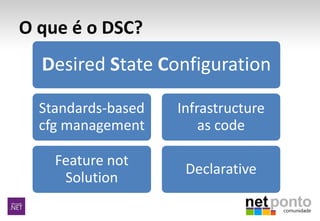
O que é o DSC?
Desired State Configuration
Standards-based
cfg management
Feature not
Solution
Infrastructure
as code
Declarative
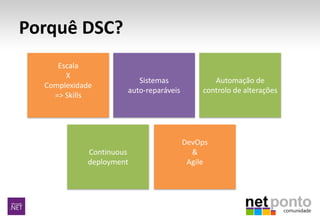
Porquê DSC?
Escala
X
Complexidade
=> Skills
Sistemas
auto-reparáveis
Automação de
controlo de alterações
DevOps
&
Agile
Continuous
deployment
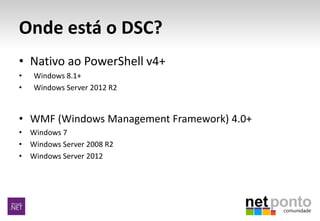
Onde está o DSC?
• Nativo ao PowerShell v4+
• Windows 8.1+
• Windows Server 2012 R2
• WMF (Windows Management Framework) 4.0+
• Windows 7
• Windows Server 2008 R2
• Windows Server 2012
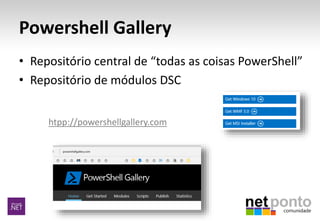
Powershell Gallery
• Repositório central de “todas as coisas PowerShell”
• Repositório de módulos DSC
htpp://powershellgallery.com
DSC Setup/Prep
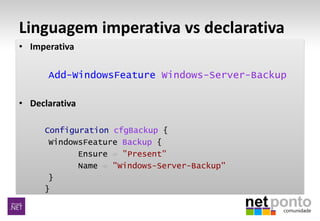
Linguagem imperativa vs declarativa
• Imperativa
Add-WindowsFeature Windows-Server-Backup
• Declarativa
Configuration cfgBackup {
WindowsFeature Backup {
Ensure = "Present"
Name = "Windows-Server-Backup"
}
}
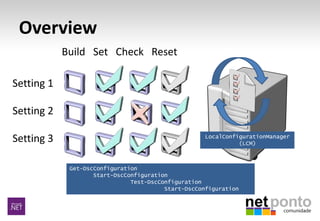
Overview
Build Set Check Reset
Setting 1
Setting 2
Setting 3
Get-DscConfiguration
Start-DscConfiguration
Test-DscConfiguration
Start-DscConfiguration
LocalConfigurationManager
(LCM)
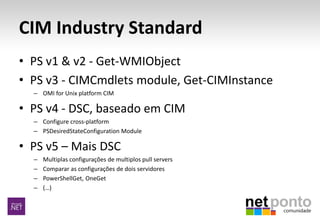
CIM Industry Standard
• PS v1 & v2 - Get-WMIObject
• PS v3 - CIMCmdlets module, Get-CIMInstance
– OMI for Unix platform CIM
• PS v4 - DSC, baseado em CIM
– Configure cross-platform
– PSDesiredStateConfiguration Module
• PS v5 – Mais DSC
– Multiplas configurações de multiplos pull servers
– Comparar as configurações de dois servidores
– PowerShellGet, OneGet
– (…)
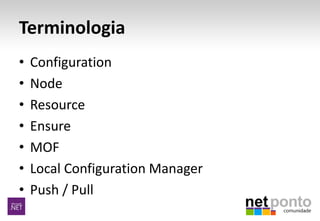
Terminologia
• Configuration
• Node
• Resource
• Ensure
• MOF
• Local Configuration Manager
• Push / Pull
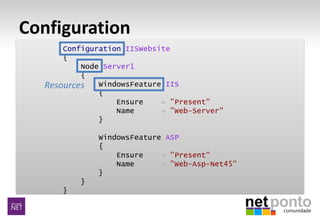
Configuration
Configuration IISWebsite
{
Node Server1
{
WindowsFeature IIS
{
Ensure = "Present"
Name = "Web-Server"
}
WindowsFeature ASP
{
Ensure = "Present"
Name = "Web-Asp-Net45"
}
}
}
Resources
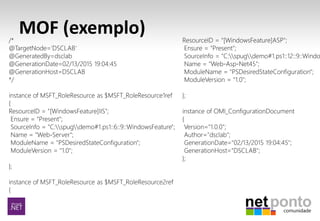
MOF (exemplo)
DSC Internals
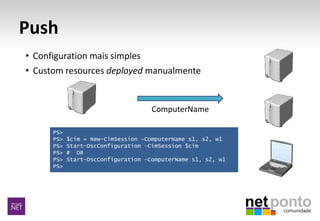
Push
• Configuration mais simples
• Custom resources deployed manualmente
PS>
PS> $cim = New-CimSession –ComputerName s1, s2, w1
PS> Start-DscConfiguration –CimSession $cim
PS> # OR
PS> Start-DscConfiguration –ComputerName s1, s2, w1
PS>
ComputerName
DSC Push model
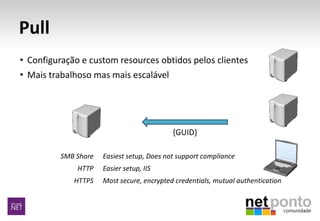
Pull
{GUID}
SMB Share
HTTP
HTTPS
Easiest setup, Does not support compliance
Easier setup, IIS
Most secure, encrypted credentials, mutual authentication
• Configuração e custom resources obtidos pelos clientes
• Mais trabalhoso mas mais escalável
DSC Pull model
DSC Resources
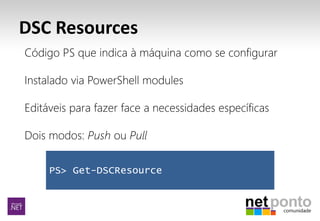
PS> Get-DSCResource
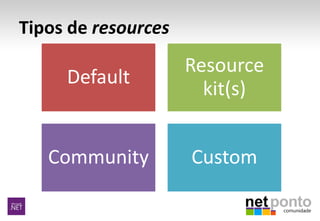
Tipos de resources
Default
Resource
kit(s)
Community Custom
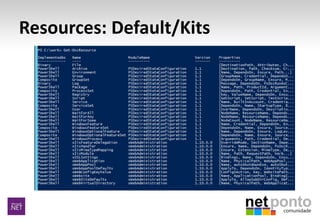
Resources: Default/Kits
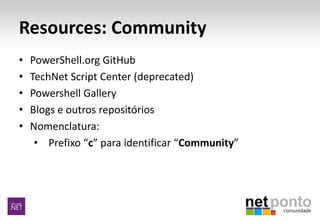
Resources: Community
• PowerShell.org GitHub
• TechNet Script Center (deprecated)
• Powershell Gallery
• Blogs e outros repositórios
• Nomenclatura:
• Prefixo “c” para identificar “Community”
Resources: Custom
DiY:
• Copiar recurso existente e adaptar
• Criar novo
Nomenclatura: Use o prefixo “nomeCompanhia” para
identificar um resource custom
Dúvidas?
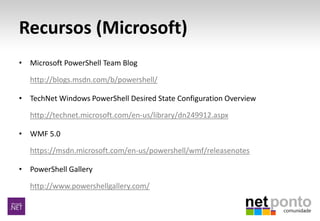
Recursos (Microsoft)
• Microsoft PowerShell Team Blog
http://blogs.msdn.com/b/powershell/
• TechNet Windows PowerShell Desired State Configuration Overview
http://technet.microsoft.com/en-us/library/dn249912.aspx
• WMF 5.0
https://msdn.microsoft.com/en-us/powershell/wmf/releasenotes
• PowerShell Gallery
http://www.powershellgallery.com/
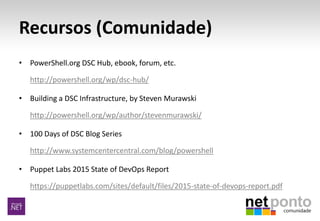
Recursos (Comunidade)
• PowerShell.org DSC Hub, ebook, forum, etc.
http://powershell.org/wp/dsc-hub/
• Building a DSC Infrastructure, by Steven Murawski
http://powershell.org/wp/author/stevenmurawski/
• 100 Days of DSC Blog Series
http://www.systemcentercentral.com/blog/powershell
• Puppet Labs 2015 State of DevOps Report
https://puppetlabs.com/sites/default/files/2015-state-of-devops-report.pdf
Recursos (Multimedia)
• Channel 9 DSC Videos
http://channel9.msdn.com/Search?term=powershell%20desired%20state%20config
uration#ch9Search
• TechEd NA 2014: A Practical Overview of Desired State Configuration, Don Jones &
Jeffrey Snover
http://channel9.msdn.com/events/TechEd/NorthAmerica/2014/DCIM-B417#fbid=
• RunAs Radio Podcast with Guest Jeffrey Snover
http://www.runasradio.com/default.aspx?showNum=384
• PowerScripting Podcasts featuring DSC
http://powershell.org/wp/?s=dsc+podcast
• PowerShell Summit North America 2015 videos
http://www.youtube.com/results?search_query=powershell+summit+2015+dsc
Patrocinadores “GOLD”
Patrocinadores “Silver”
Patrocinadores “Bronze”
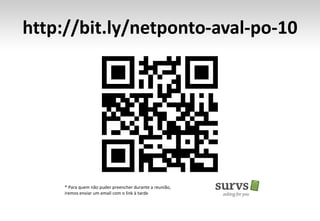
http://bit.ly/netponto-aval-po-10
* Para quem não puder preencher durante a reunião,
iremos enviar um email com o link à tarde
Obrigado!
Rui Melo
Rui.melo@microsoft.com
http://mystepstones.wordpress.com
http://twitter.com/ruimelo

NetPonto #10 @Porto - DevOps: Poershell DSC

Editor's Notes

  • #10 #1 http://www.powershellgallery.com/ #2 Remote Desktop para VM0 Powershell command-line Run as Administrator Get-Command -Module PSDesiredStateConfiguration – mostra os comandos disponíveis no módulo DSC Get-DscResource – mostra os DSC resources instalados Find-Module – obter a lista de todos os módulos na PSGallery #Finding modules updated in the last day Find-Module | Where DateUpdated -gt (Get-Date).addDays(-1)   #Finding any experimental DSC resources Find-Module -Name x*   #Find modules related to SQL Find-Module | Where Description -like '*sql*'   #Find modules produced by Microsoft Find-Module | Where Author -like 'Microsoft*' Install-module xWebAdministration Get
  • #13 CIM = Common Information Model http://blogs.msdn.com/b/powershell/archive/2014/05/19/announcing-windows-powershell-desired-state-configuration-for-linux.aspx http://blogs.msdn.com/b/powershell/archive/2014/04/04/windows-management-framework-v5-preview.aspx http://blogs.technet.com/b/windowsserver/archive/2014/04/03/windows-management-framework-v5-preview.aspx http://blogs.msdn.com/b/powershell/archive/2014/05/14/windows-management-framework-5-0-preview-may-2014-is-now-available.aspx http://blogs.msdn.com/b/powershell/archive/2014/09/04/windows-management-framework-5-0-preview-september-2014-is-now-available.aspx http://powershell.org/wp/2014/09/09/powershell-v5-whats-new-in-dsc/
  • #15 Configuration IISWebsite { Node Server1 { WindowsFeature IIS { Ensure = "Present" Name = "Web-Server" } WindowsFeature ASP { Ensure = "Present" Name = "Web-Asp-Net45" } } }
  • #17 Remote Desktop para VM0 Powershell command-line Run as Administrator Run ISE as Administrator Adicionar o c:\work sample1.ps1 ex
  • #25 Prefixo “x” para identificar “eXperimental”
  • #28 From: starship troopers Faz sentido uma sessão mais deep? P.e. mostrar um processo de deployment aplicacional suportado por DSC?
  • #33 Estes patrocinadores oferecem goodies
  • #34 Survs ajuda com os inqueritos e Nucleo de Estudantes de Informática do ISEP que nos ajudaram e apoiaram na divulgação e na organização
  • #35 Para quem puder ir preenchendo, assim não chateio mais logo  É importante para recebermos nós feedback, e para darmos feedback aos nossos oradores http://goqr.me/