Inner/Natural Join
[Join]
mysql> selectid.id, id.addr, account.name
from id, account
where id.id = account.id;
[Inner Join]
mysql> select id.id, id.addr, account.name
from id inner join account on id.id = account.id;
[Natural Join]
mysql> select * from id natural join account;
13/80
14.
Left/Right Join
[Left Join]
mysql>select id.id, id.addr, account.name from id
left join account on id.id = account.id;
mysql> select * from id
left join account using (id);
[Left Join]
mysql> select account.id, account.name, id.addr from id
right join account on id.id = account.id;
mysql> select * from id
right join account using (id);
14/80
15.
Cross/Self Join
[Cross Join]
mysql>select * from id, account;
mysql> select * from id cross join account;
[Self Join]
mysql> select id.* from id, id as self
where id.id = self.id;
15/80
16.
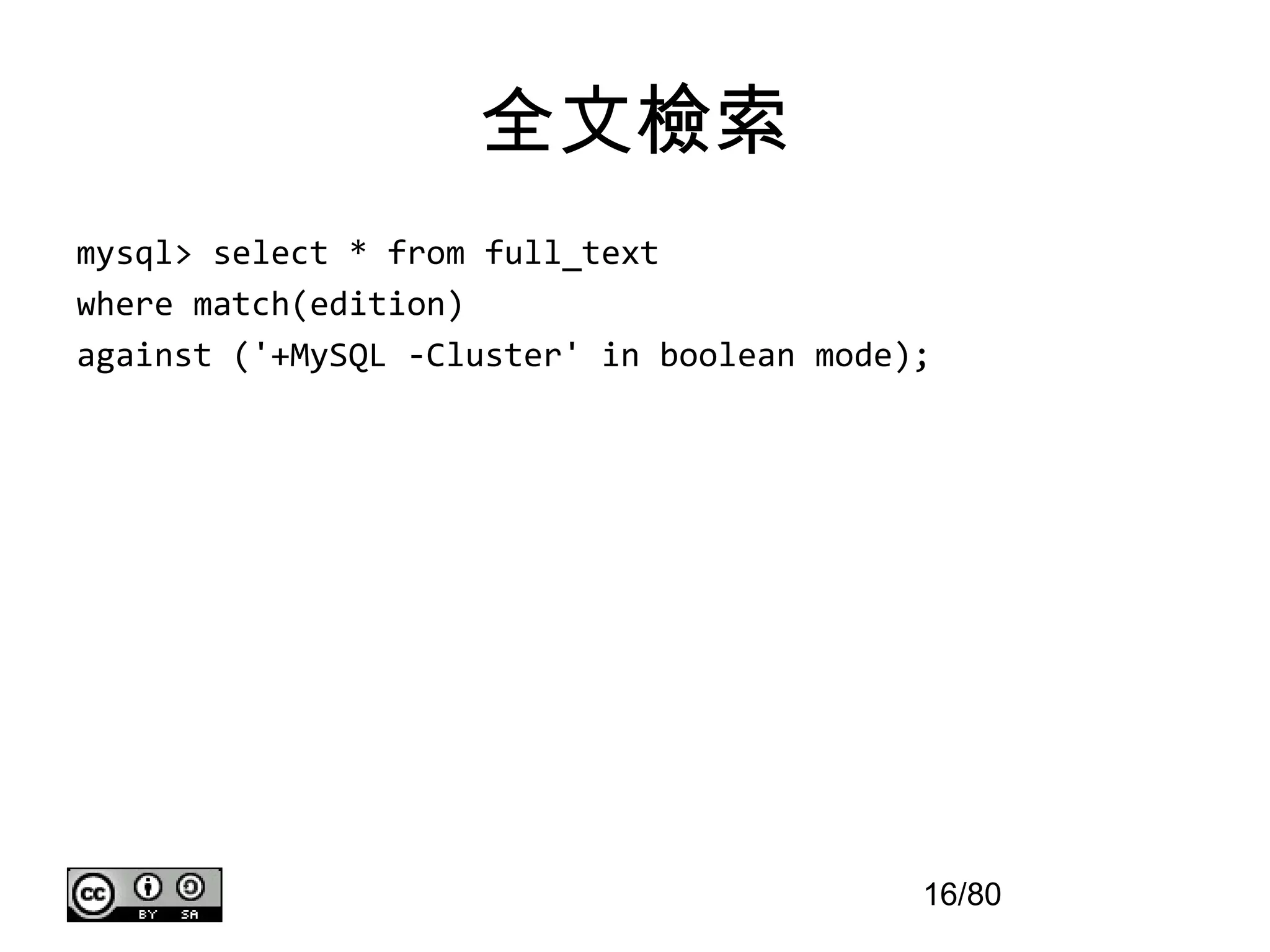
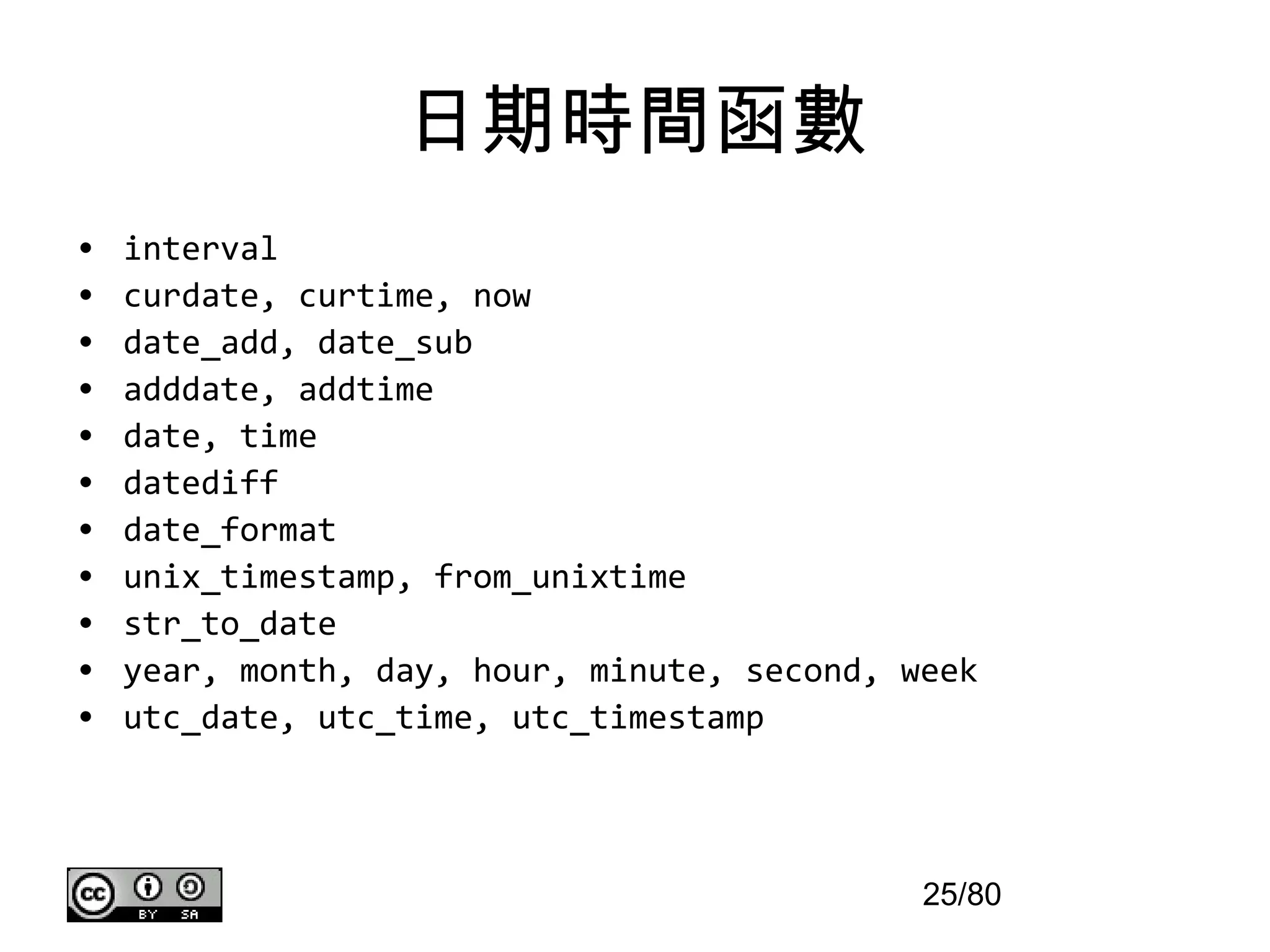
全文檢索
mysql> select *from full_text
where match(edition)
against ('+MySQL -Cluster' in boolean mode);
16/80
17.
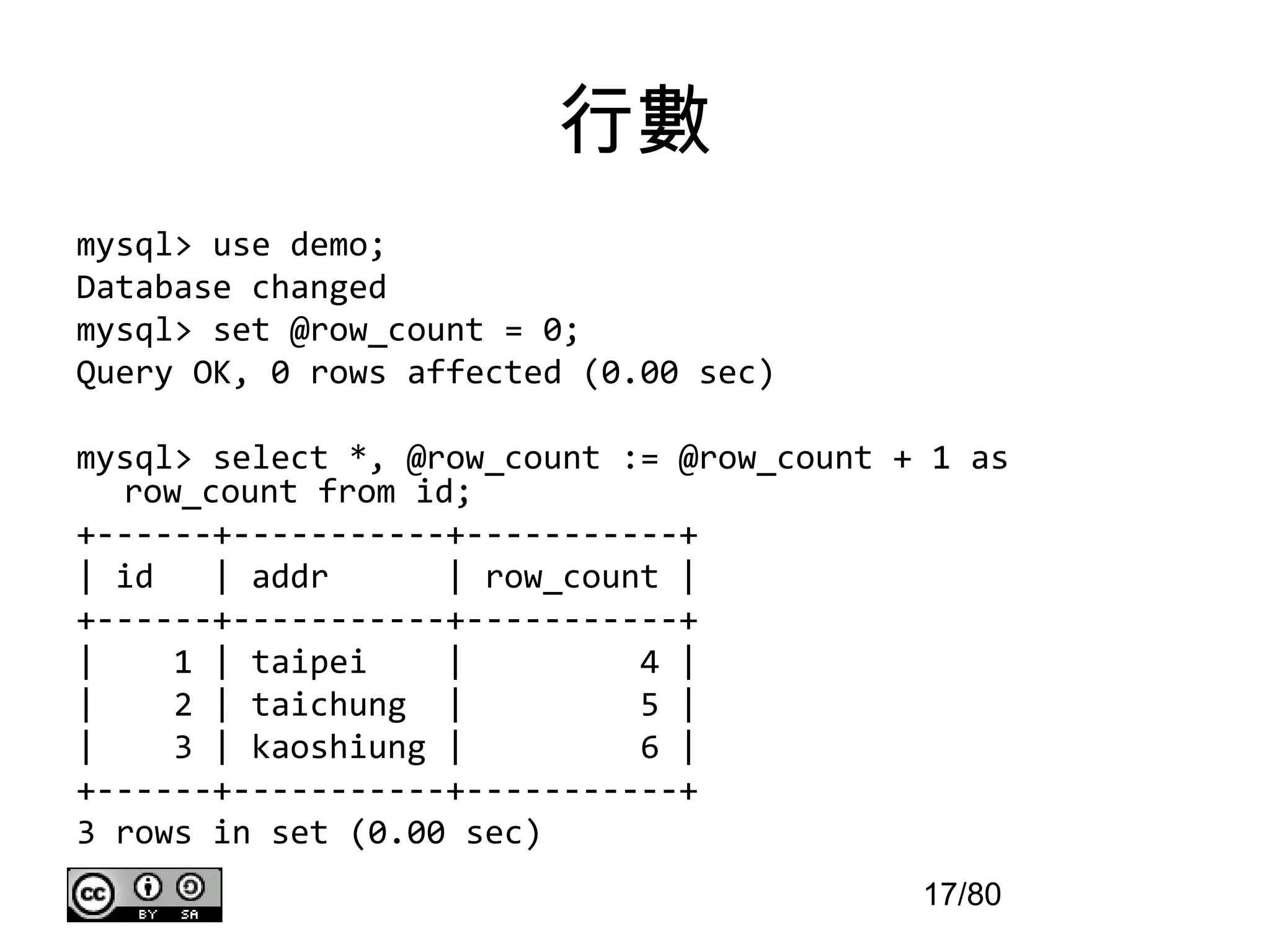
行數
mysql> use demo;
Databasechanged
mysql> set @row_count = 0;
Query OK, 0 rows affected (0.00 sec)
mysql> select *, @row_count := @row_count + 1 as
row_count from id;
+------+-----------+-----------+
| id | addr | row_count |
+------+-----------+-----------+
| 1 | taipei | 4 |
| 2 | taichung | 5 |
| 3 | kaoshiung | 6 |
+------+-----------+-----------+
3 rows in set (0.00 sec)
17/80
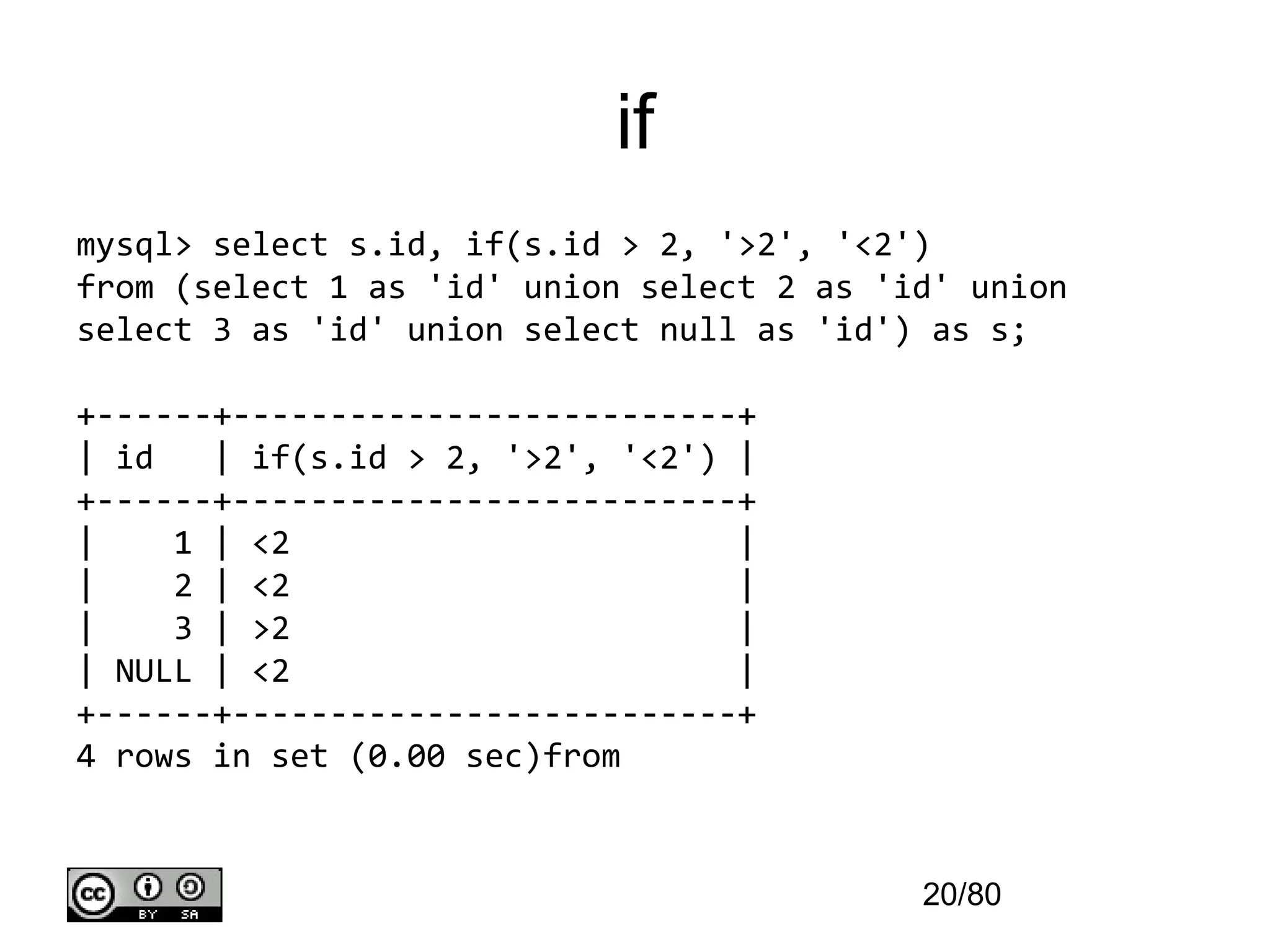
if
mysql> select s.id,if(s.id > 2, '>2', '<2')
from (select 1 as 'id' union select 2 as 'id' union
select 3 as 'id' union select null as 'id') as s;
+------+--------------------------+
| id | if(s.id > 2, '>2', '<2') |
+------+--------------------------+
| 1 | <2 |
| 2 | <2 |
| 3 | >2 |
| NULL | <2 |
+------+--------------------------+
4 rows in set (0.00 sec)from
20/80
21.
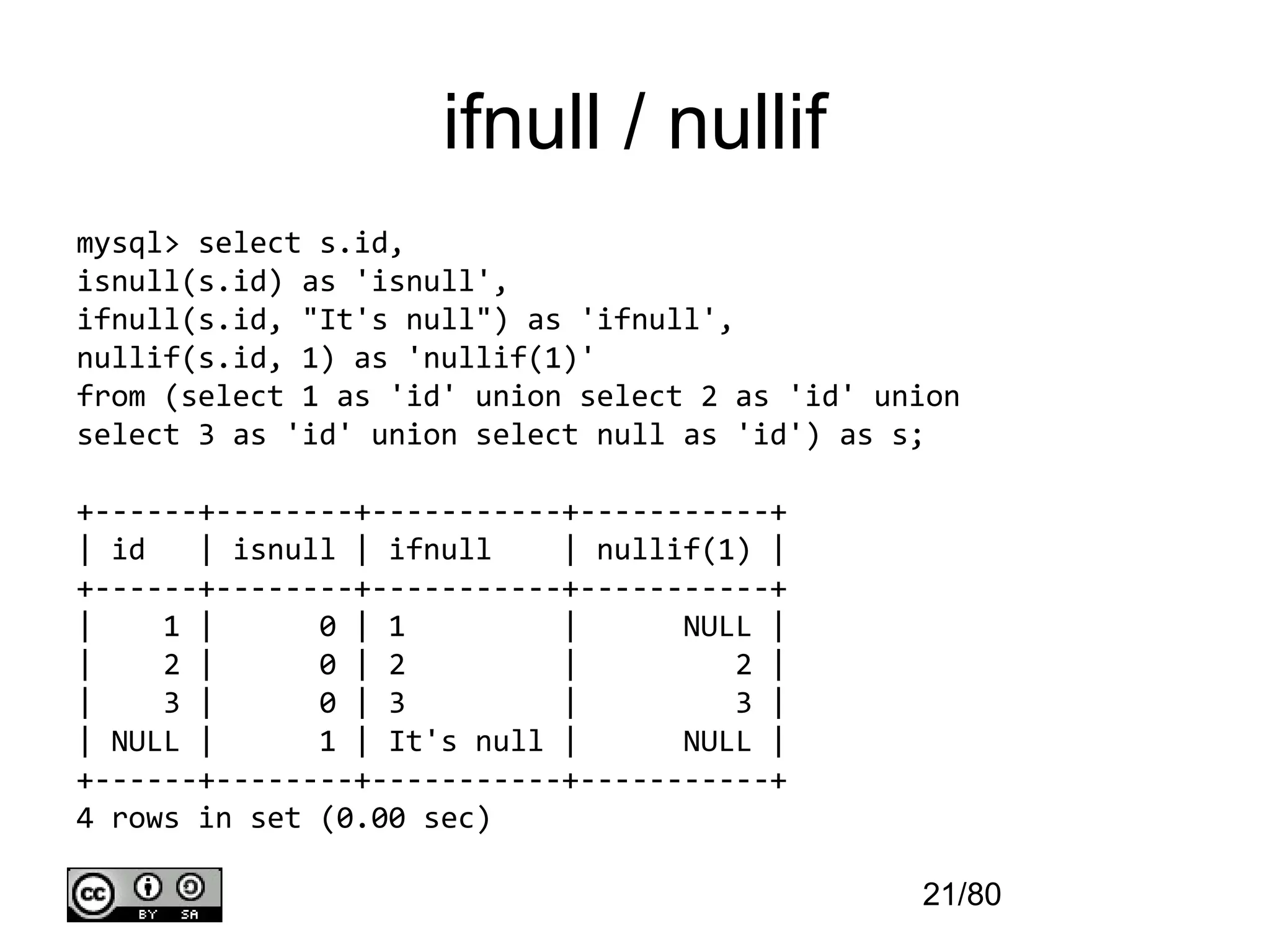
ifnull / nullif
mysql>select s.id,
isnull(s.id) as 'isnull',
ifnull(s.id, "It's null") as 'ifnull',
nullif(s.id, 1) as 'nullif(1)'
from (select 1 as 'id' union select 2 as 'id' union
select 3 as 'id' union select null as 'id') as s;
+------+--------+-----------+-----------+
| id | isnull | ifnull | nullif(1) |
+------+--------+-----------+-----------+
| 1 | 0 | 1 | NULL |
| 2 | 0 | 2 | 2 |
| 3 | 0 | 3 | 3 |
| NULL | 1 | It's null | NULL |
+------+--------+-----------+-----------+
4 rows in set (0.00 sec)
21/80
22.
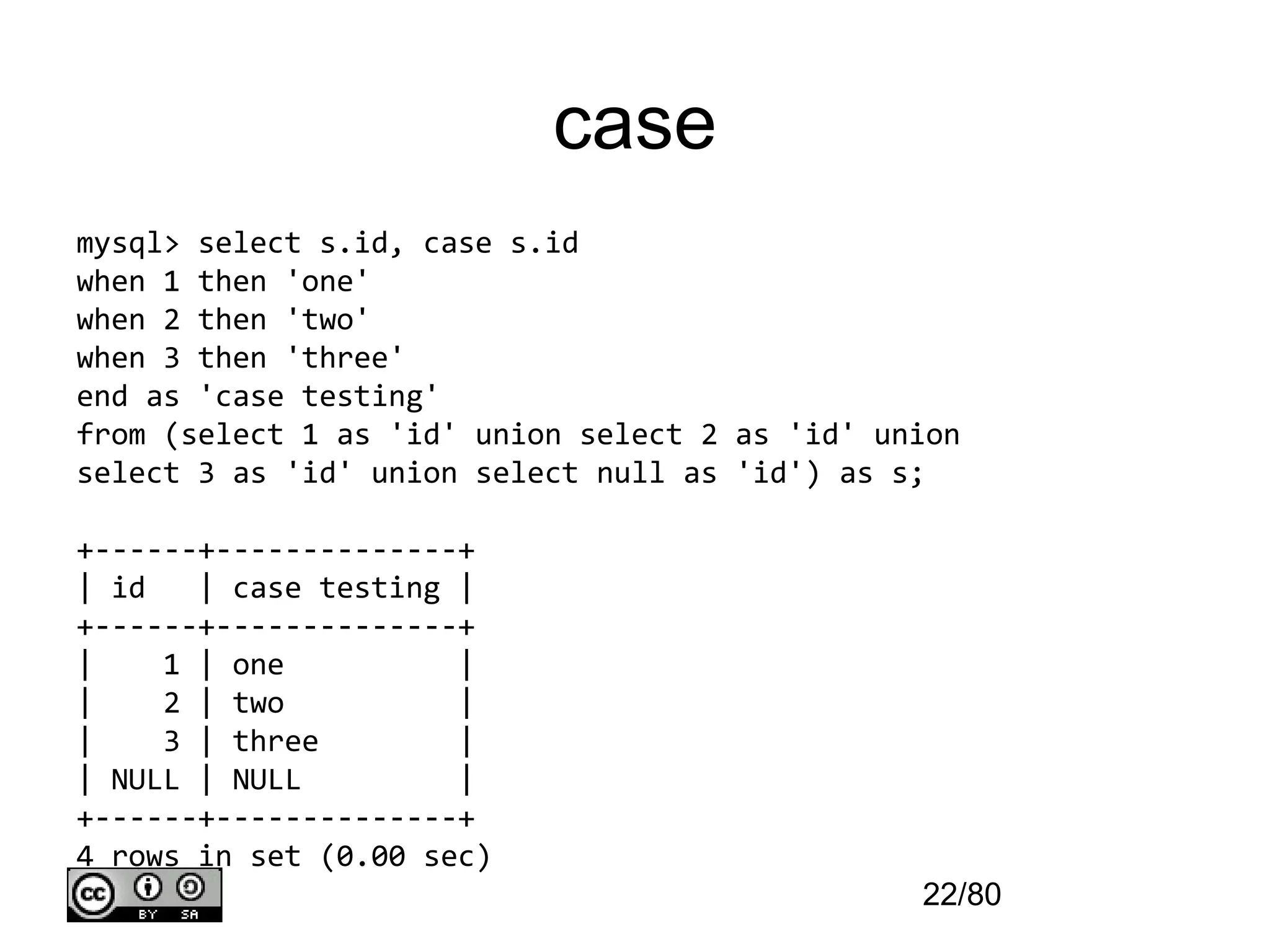
case
mysql> select s.id,case s.id
when 1 then 'one'
when 2 then 'two'
when 3 then 'three'
end as 'case testing'
from (select 1 as 'id' union select 2 as 'id' union
select 3 as 'id' union select null as 'id') as s;
+------+--------------+
| id | case testing |
+------+--------------+
| 1 | one |
| 2 | two |
| 3 | three |
| NULL | NULL |
+------+--------------+
4 rows in set (0.00 sec)
22/80
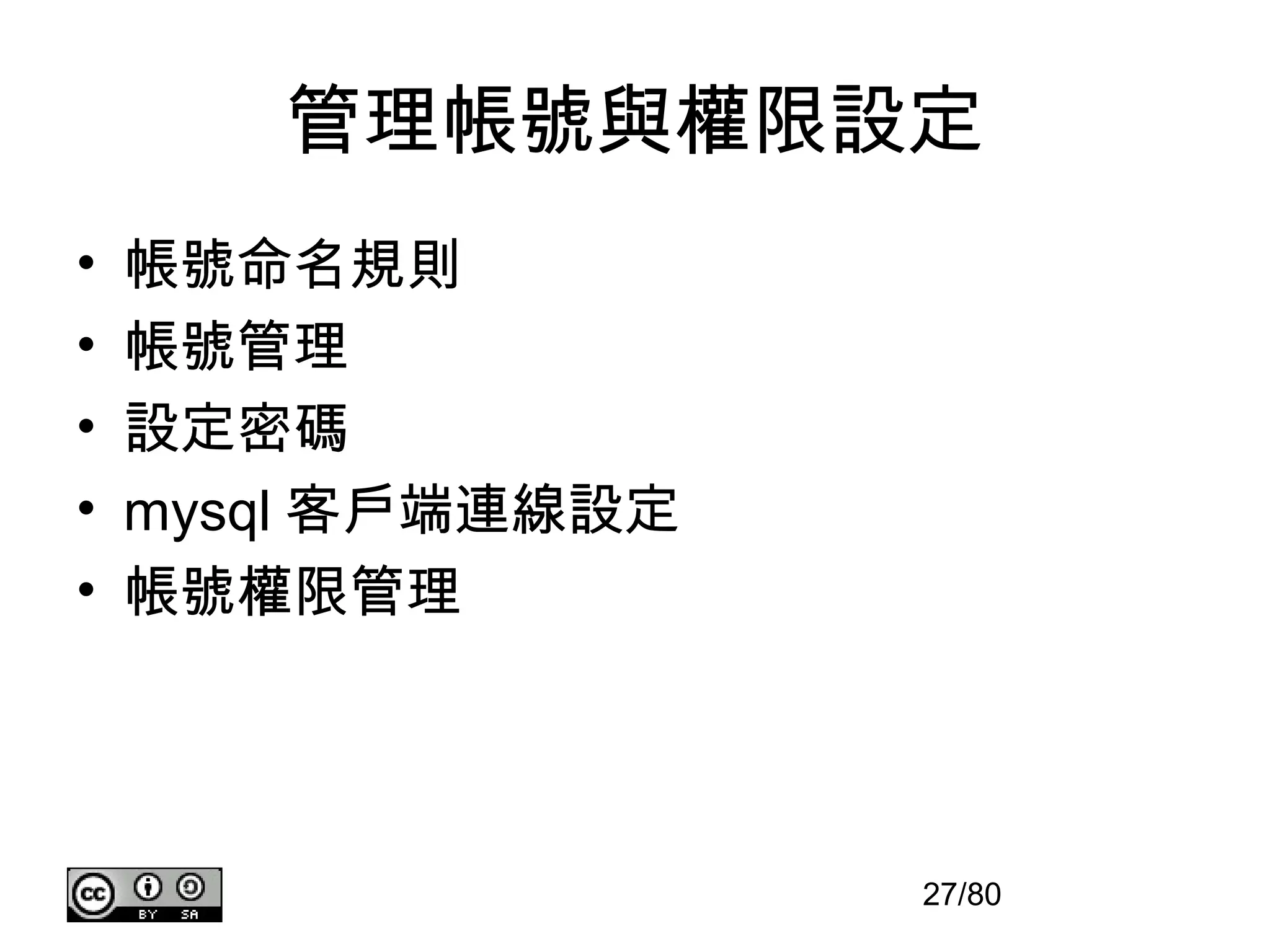
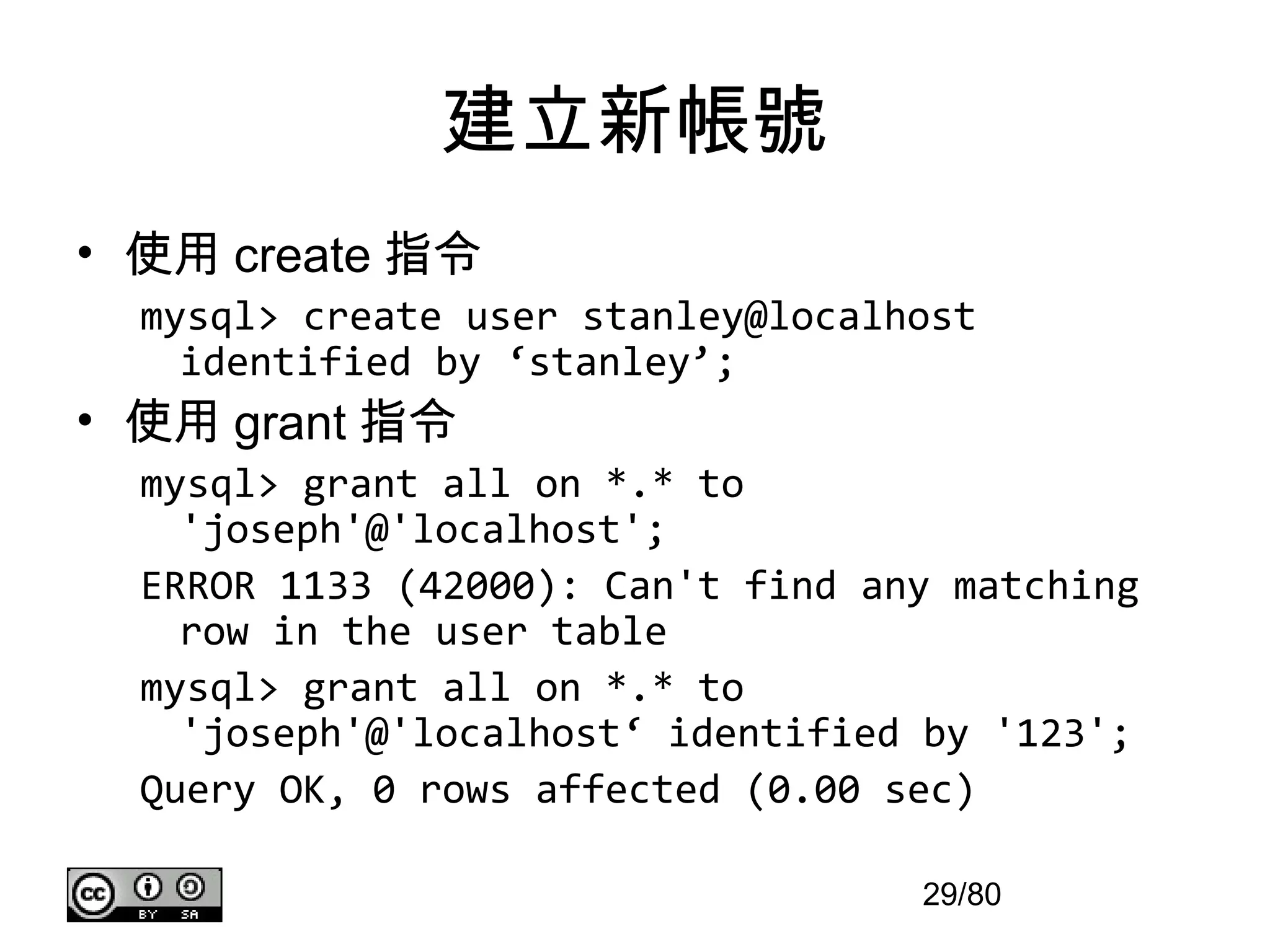
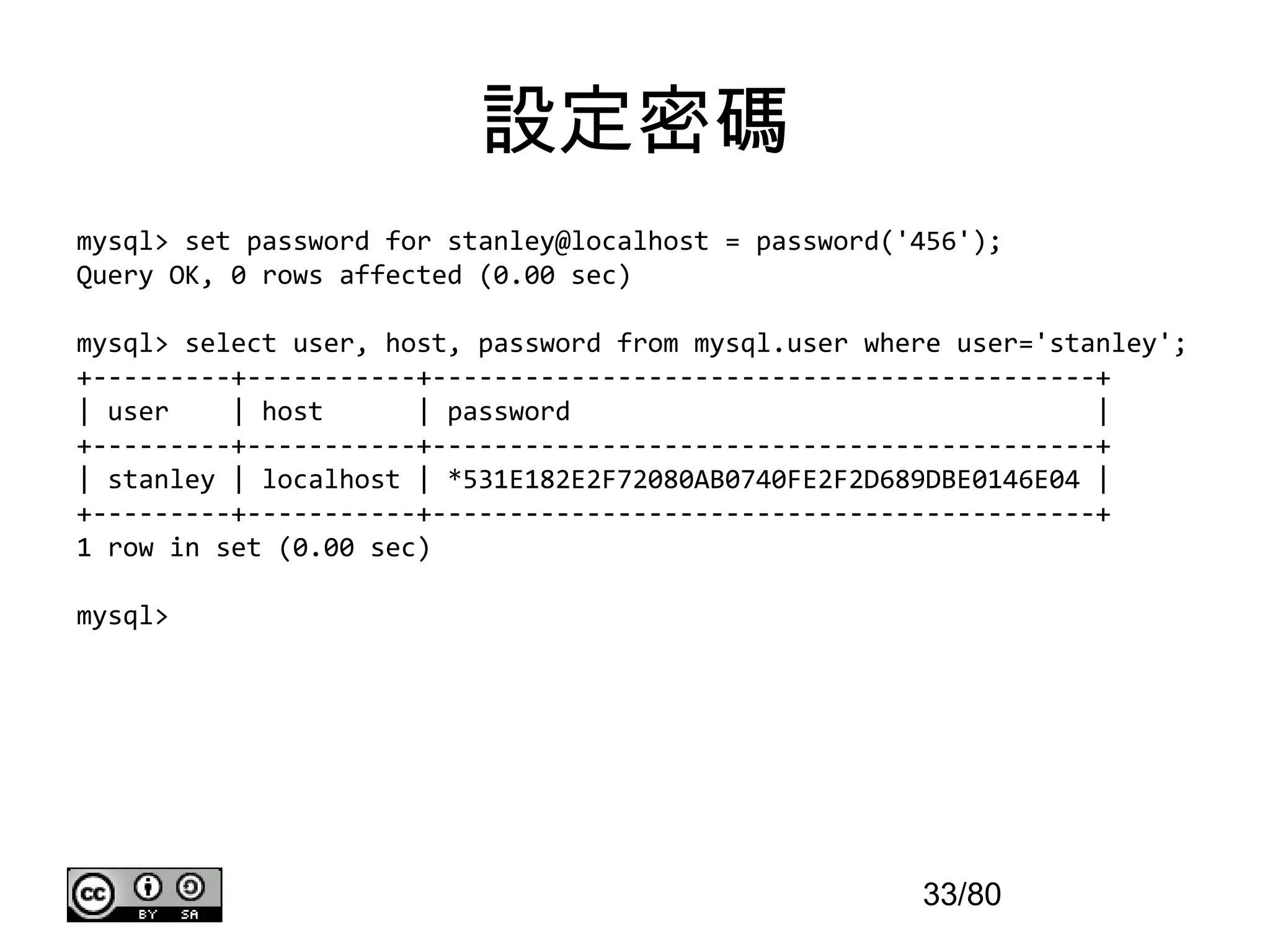
建立新帳號
• 使用 create指令
mysql> create user stanley@localhost
identified by ‘stanley’;
• 使用 grant 指令
mysql> grant all on *.* to
'joseph'@'localhost';
ERROR 1133 (42000): Can't find any matching
row in the user table
mysql> grant all on *.* to
'joseph'@'localhost‘ identified by '123';
Query OK, 0 rows affected (0.00 sec)
29/80
30.
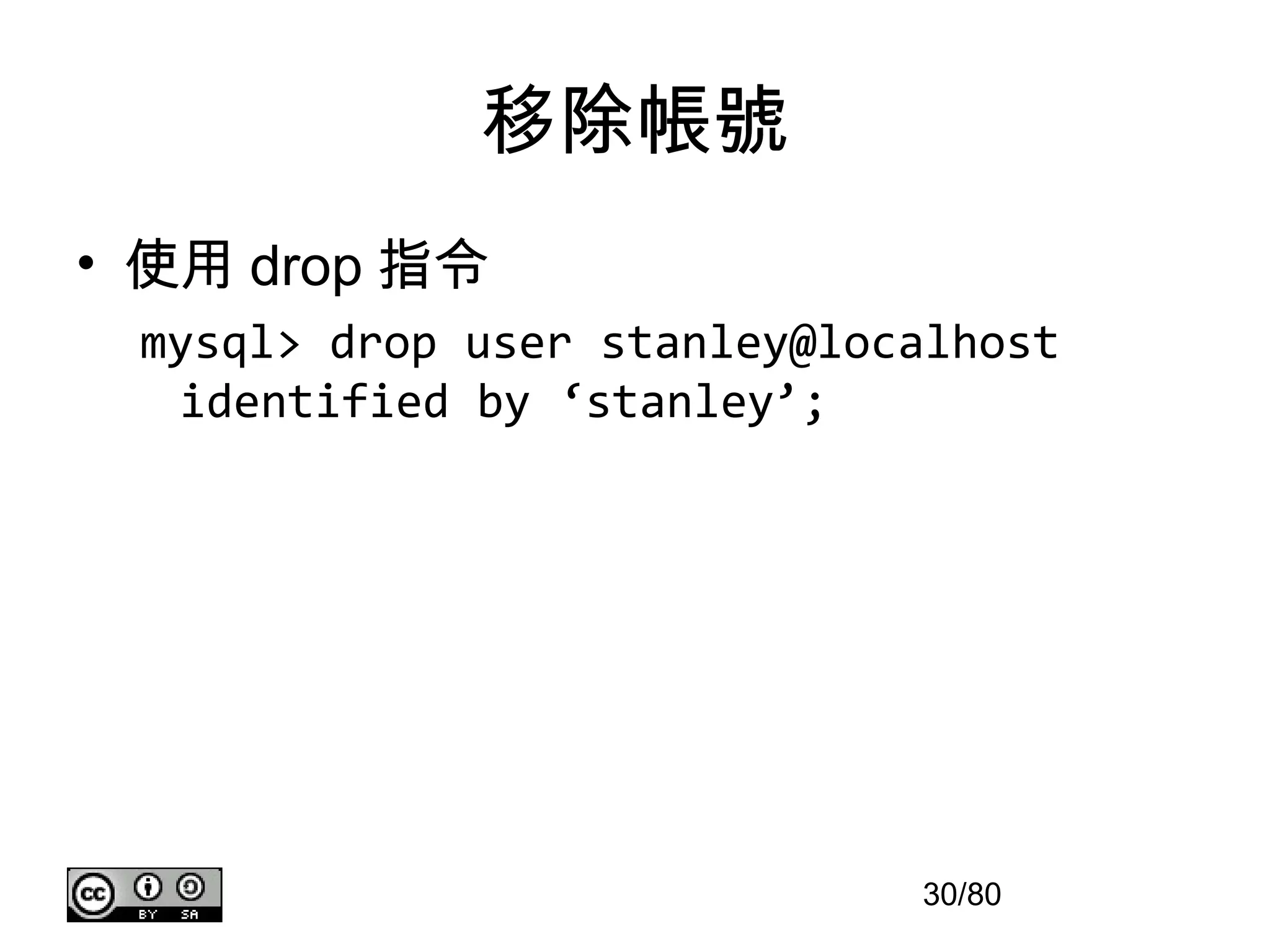
移除帳號
• 使用 drop指令
mysql> drop user stanley@localhost
identified by ‘stanley’;
30/80
31.
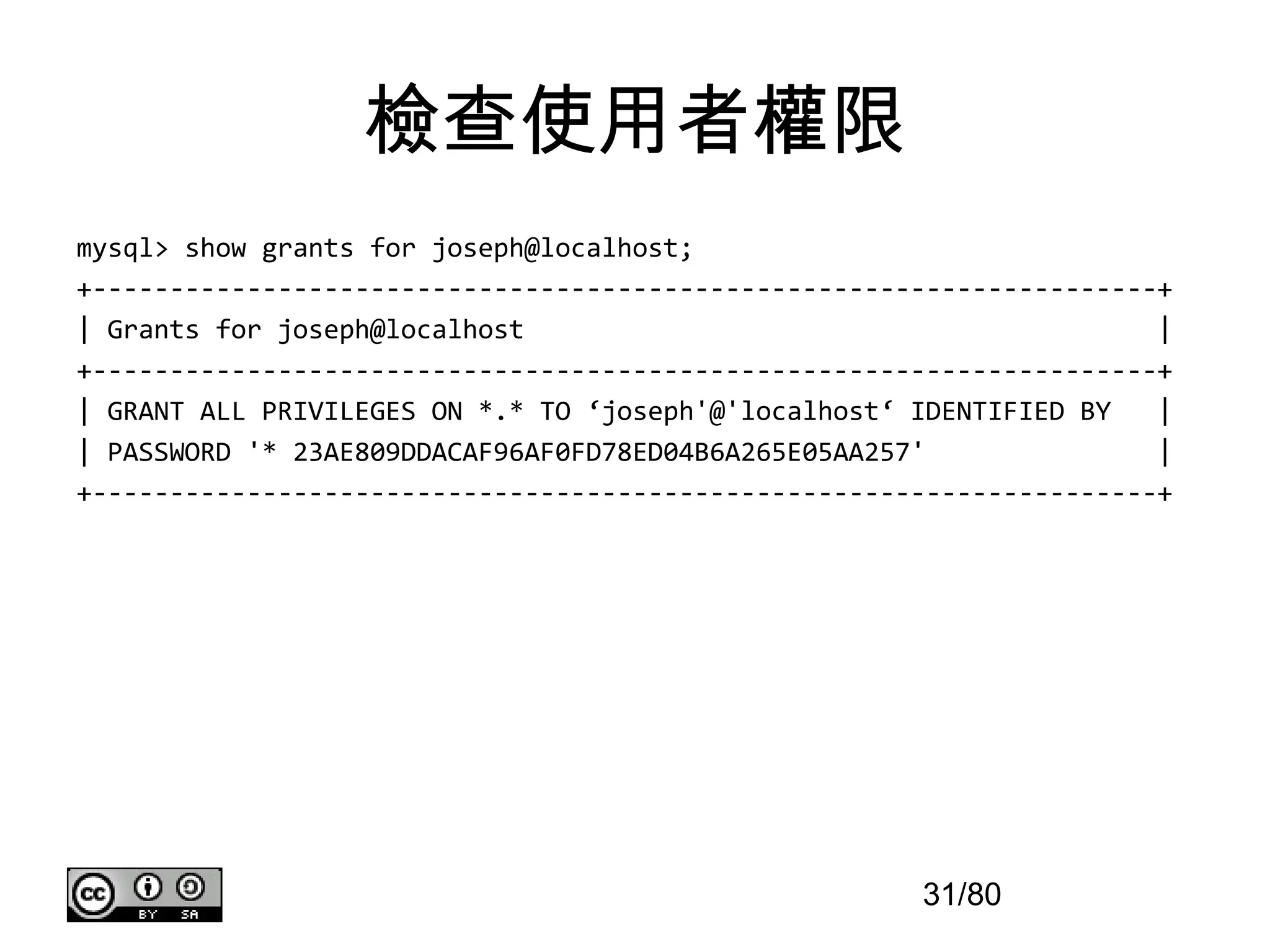
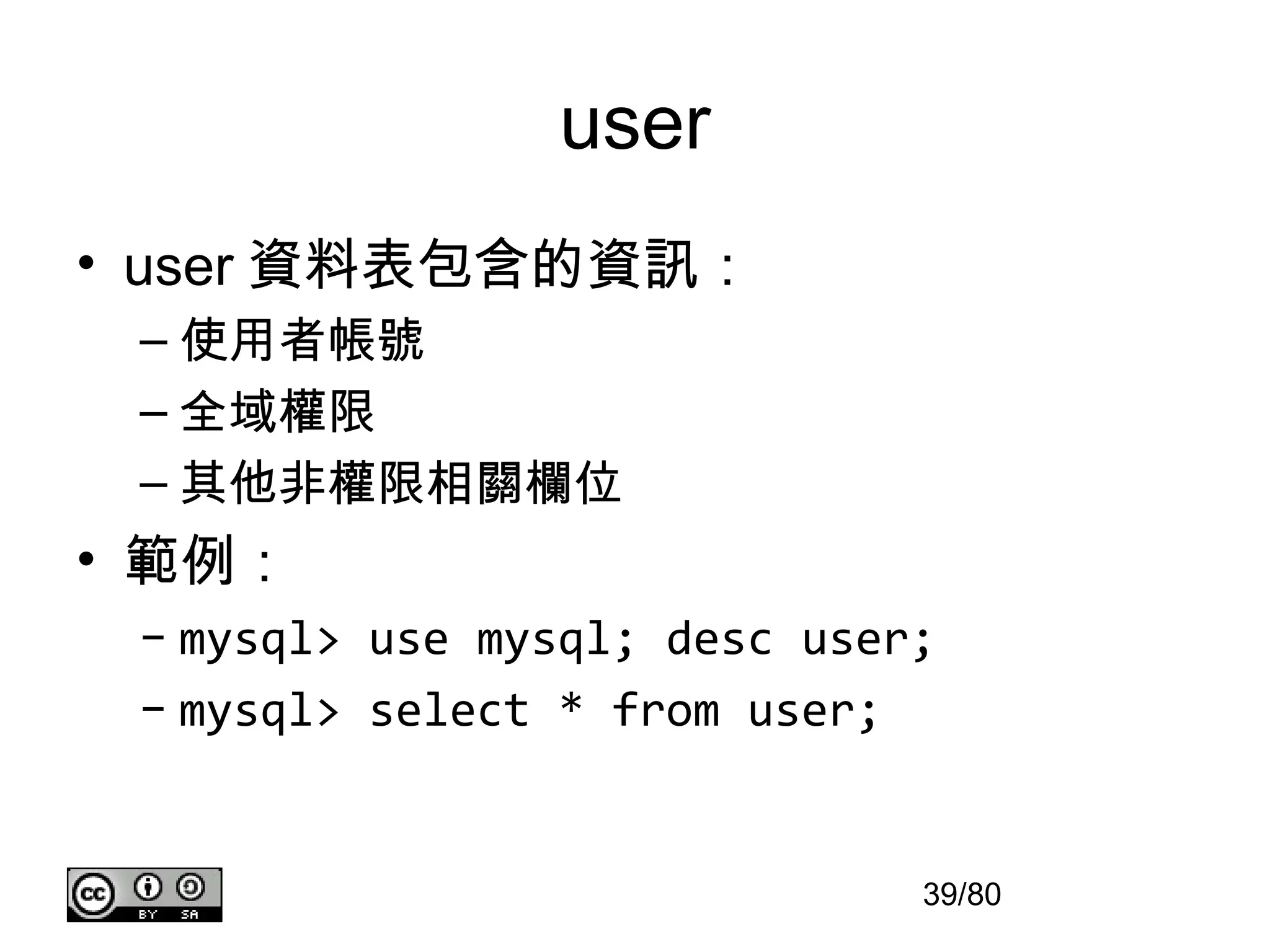
檢查使用者權限
mysql> show grantsfor joseph@localhost;
+---------------------------------------------------------------------+
| Grants for joseph@localhost |
+---------------------------------------------------------------------+
| GRANT ALL PRIVILEGES ON *.* TO ‘joseph'@'localhost‘ IDENTIFIED BY |
| PASSWORD '* 23AE809DDACAF96AF0FD78ED04B6A265E05AA257' |
+---------------------------------------------------------------------+
31/80
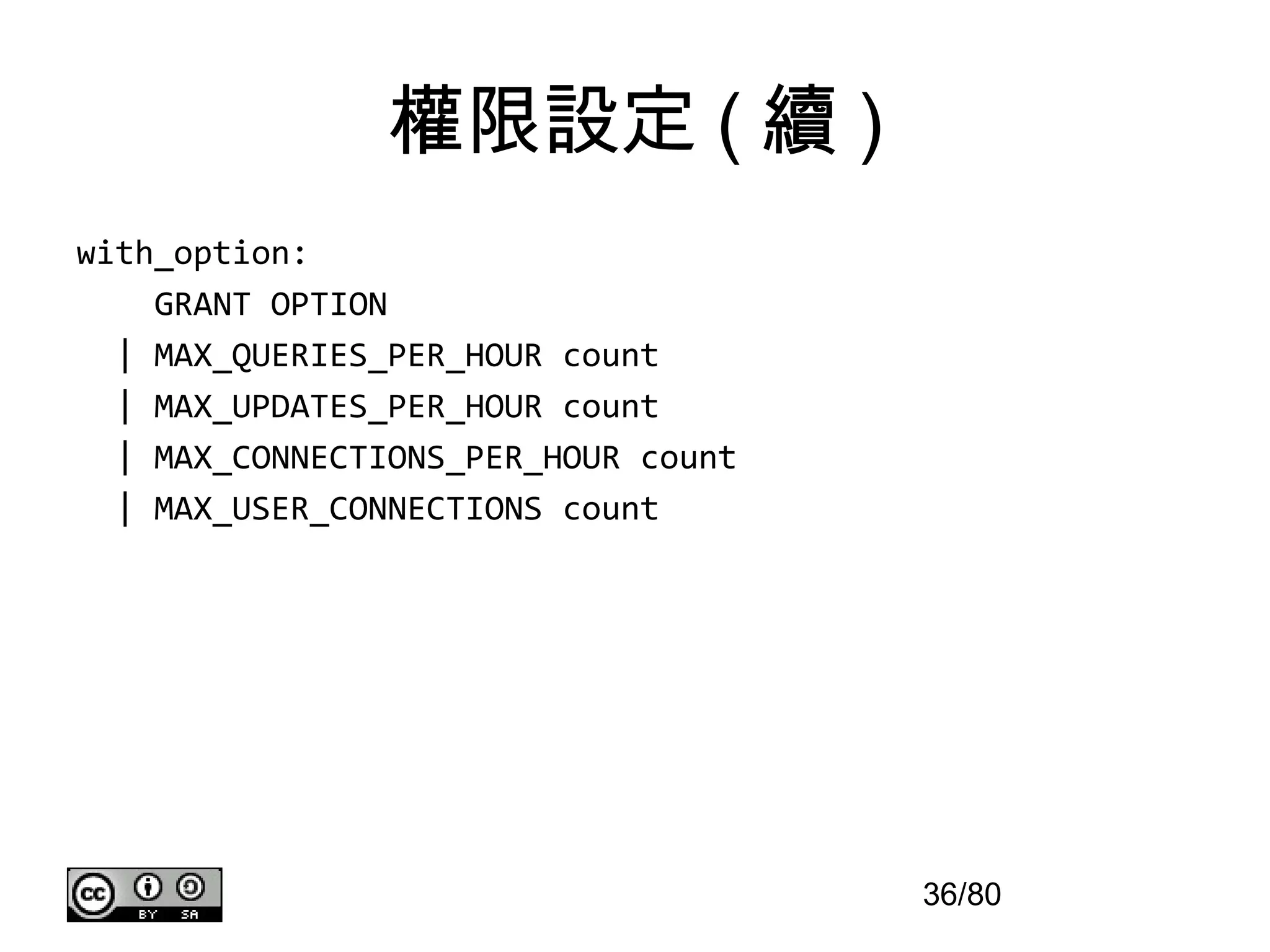
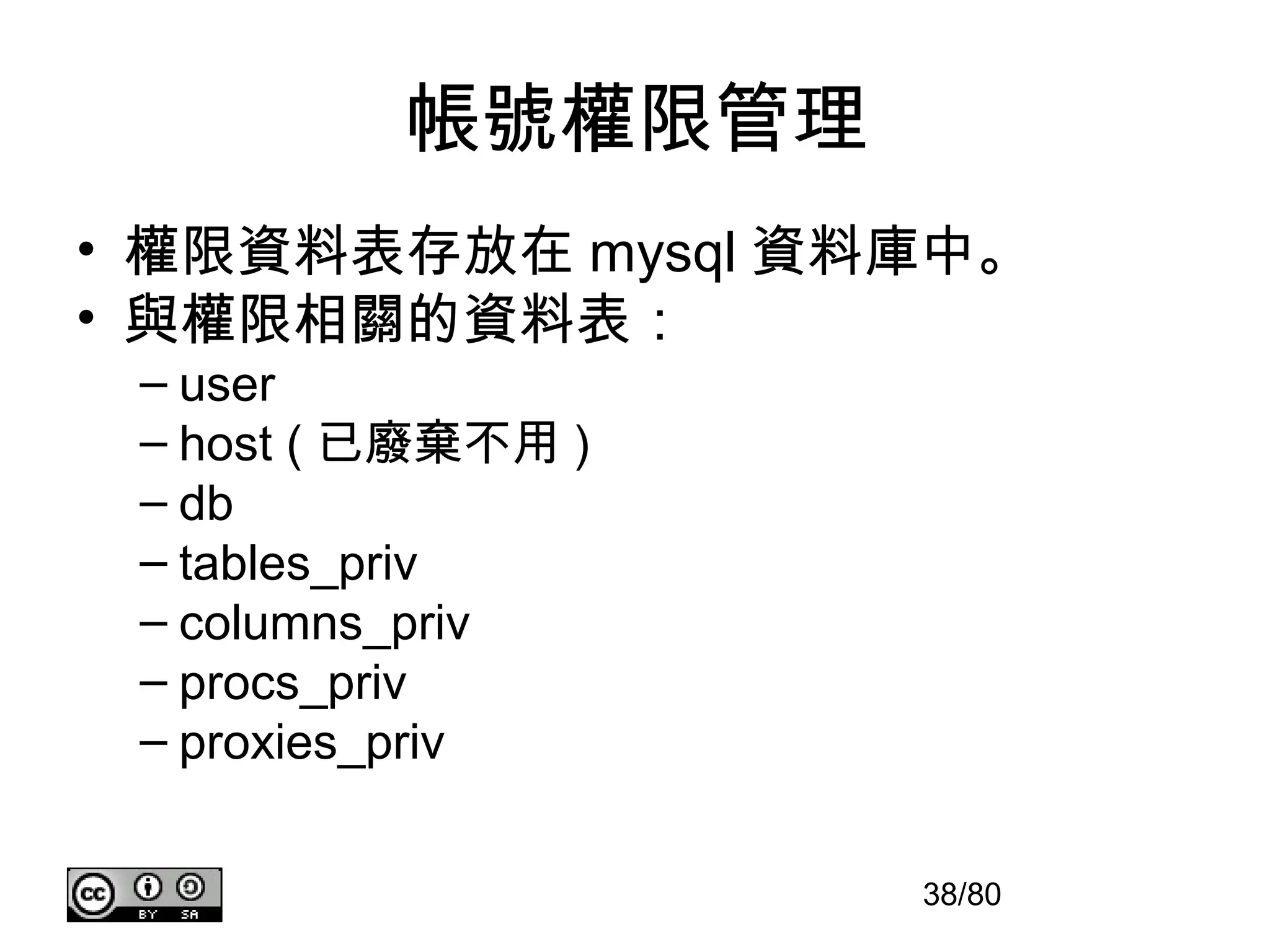
移除權限
• Revoke syntax:
REVOKE
priv_type [(column_list)]
[, priv_type [(column_list)]] ...
ON [object_type] priv_level
FROM user [, user] ...
REVOKE ALL PRIVILEGES, GRANT OPTION
FROM user [, user] ...
37/80
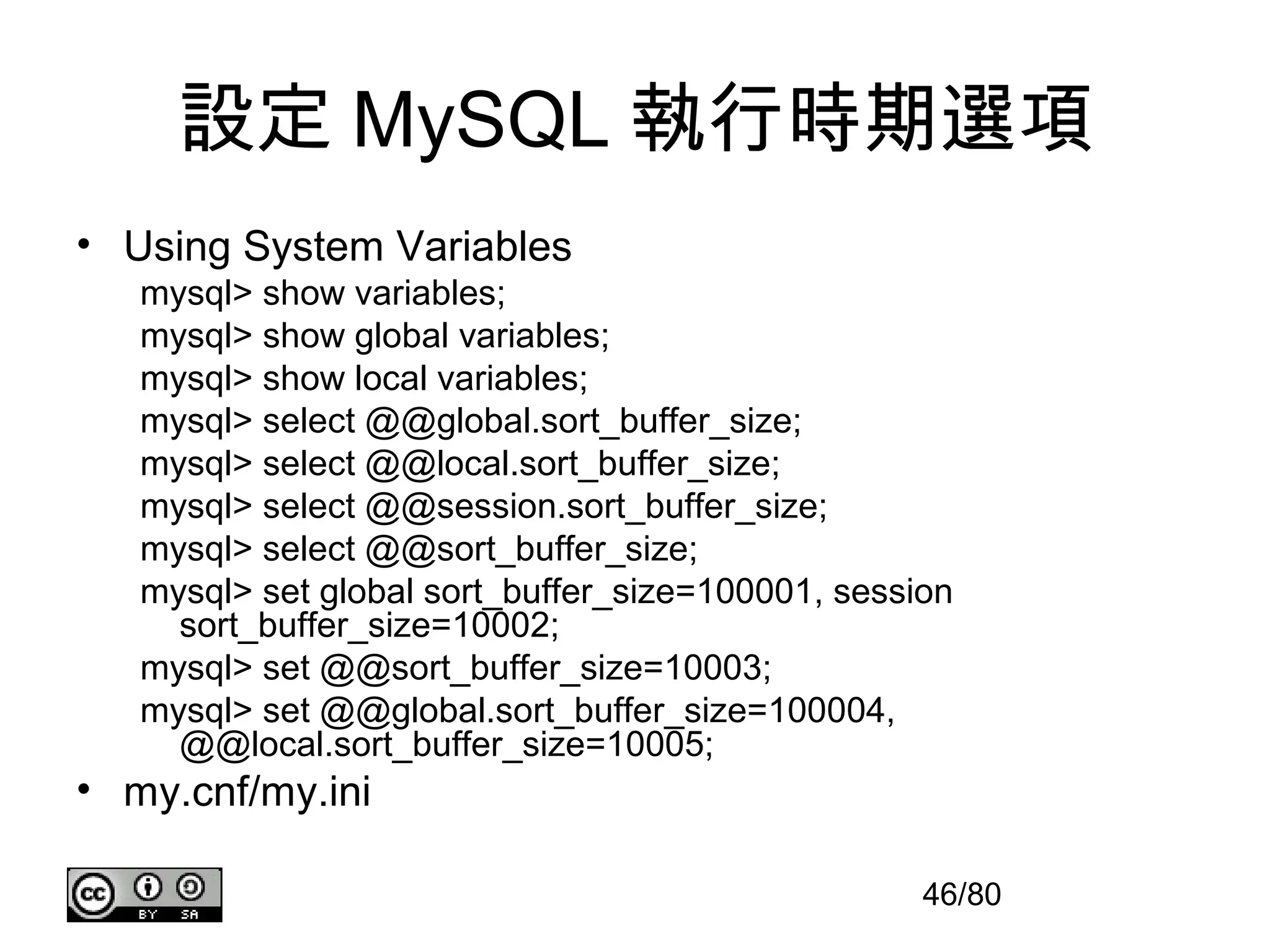
設定 MySQL 執行時期選項
•Using System Variables
mysql> show variables;
mysql> show global variables;
mysql> show local variables;
mysql> select @@global.sort_buffer_size;
mysql> select @@local.sort_buffer_size;
mysql> select @@session.sort_buffer_size;
mysql> select @@sort_buffer_size;
mysql> set global sort_buffer_size=100001, session
sort_buffer_size=10002;
mysql> set @@sort_buffer_size=10003;
mysql> set @@global.sort_buffer_size=100004,
@@local.sort_buffer_size=10005;
• my.cnf/my.ini
46/80
47.
my.cnf/my.ini 範例 (1/4)
•The following options will be passed to all MySQL clients
[client]
#password = your_password
port = 3306
socket = /tmp/mysql.sock
47/80
48.
my.cnf/my.ini 範例 (2/4)
•The following options will be passed to mysqldump
[mysqldump]
quick
max_allowed_packet = 16M
• The following options will be passed to mysql
[mysql]
no-auto-rehash
# Remove the next comment character if you are not
familiar with SQL
#safe-updates
48/80
49.
my.cnf/my.ini 範例 (3/4)
•The following options will be passed to myisamchk
[myisamchk]
key_buffer_size = 128M
sort_buffer_size = 128M
read_buffer = 2M
write_buffer = 2M
49/80
50.
my.cnf/my.ini 範例 (4/4)
•The MySQL server
[mysqld]
port = 3306
socket = /tmp/mysql.sock
key_buffer_size = 256M
max_allowed_packet = 1M
table_open_cache = 256
sort_buffer_size = 1M
read_buffer_size = 1M
50/80
MySQL 工具,執行備份與回復
• mysqldump
Usage: mysqldump [OPTIONS] database [tables]
OR mysqldump [OPTIONS] --databases [OPTIONS] DB1 [DB2 DB3...]
OR mysqldump [OPTIONS] --all-databases [OPTIONS]
For more options, use mysqldump –help
Ex. mysqldump -u root -p --databases mysql > mysql.sql
• mysqlimport/mysql
Usage: mysqlimport [OPTIONS] database textfile...
Default options are read from the following files in the given
order:
C:Windowsmy.ini C:Windowsmy.cnf C:my.ini C:my.cnf
C:Program FilesMySQLMySQL Server 5.5my.ini
C:Program FilesMySQLMySQL Server 5.5my.cnf
Ex1. mysqlimport -u root -p mysql mysql.sql
Ex2. mysql -u -p mysql < mysql.sql
58/80
59.
MySQL 工具,執行備份與回復
備份注意事項:
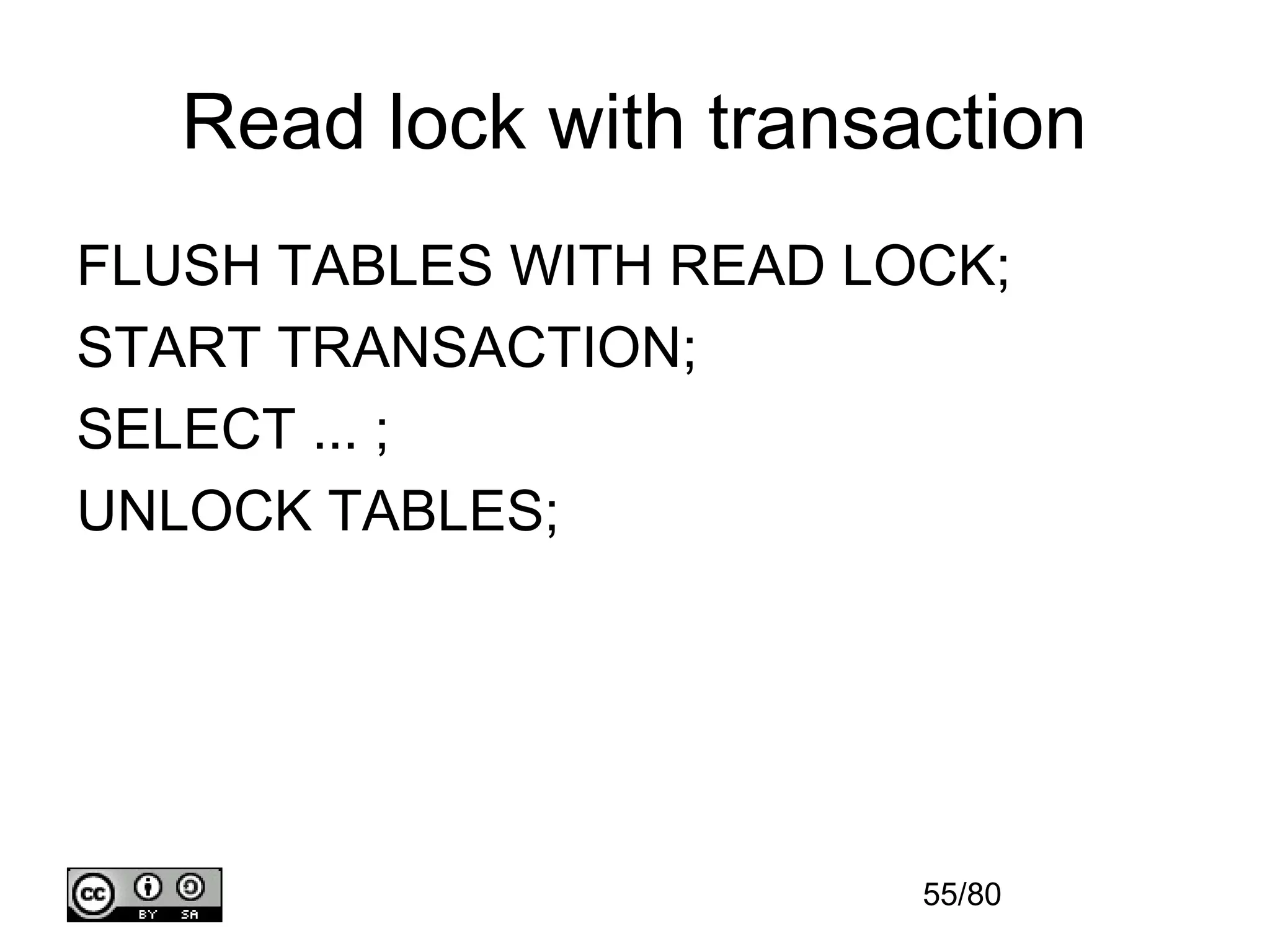
1.備份前,先執行指令” FLUSH TABLES
tbl_list WITH READ LOCK;” 。
2. 儘量不要使用 mysqldump ,而是用拷貝完整
的 MySQL 資料目錄。
59/80

![Inner/Natural Join
[Join]
mysql> select id.id, id.addr, account.name
from id, account
where id.id = account.id;
[Inner Join]
mysql> select id.id, id.addr, account.name
from id inner join account on id.id = account.id;
[Natural Join]
mysql> select * from id natural join account;
13/80](https://image.slidesharecdn.com/mysql-121125112517-phpapp01/75/MySQL-13-2048.jpg)
![Left/Right Join
[Left Join]
mysql> select id.id, id.addr, account.name from id
left join account on id.id = account.id;
mysql> select * from id
left join account using (id);
[Left Join]
mysql> select account.id, account.name, id.addr from id
right join account on id.id = account.id;
mysql> select * from id
right join account using (id);
14/80](https://image.slidesharecdn.com/mysql-121125112517-phpapp01/75/MySQL-14-2048.jpg)
![Cross/Self Join
[Cross Join]
mysql> select * from id, account;
mysql> select * from id cross join account;
[Self Join]
mysql> select id.* from id, id as self
where id.id = self.id;
15/80](https://image.slidesharecdn.com/mysql-121125112517-phpapp01/75/MySQL-15-2048.jpg)
![權限設定
• Grant syntax :
GRANT
priv_type [(column_list)]
[, priv_type [(column_list)]] ...
ON [object_type] priv_level
TO user_specification [, user_specification] ...
[REQUIRE {NONE | ssl_option [[AND] ssl_option] ...}]
[WITH with_option ...]
34/80](https://image.slidesharecdn.com/mysql-121125112517-phpapp01/75/MySQL-34-2048.jpg)
![權限設定 ( 續 )
object_type:
TABLE | FUNCTION | PROCEDURE
priv_level:
* | *.* | db_name.* |
db_name.tbl_name | tbl_name |
db_name.routine_name
user_specification:
user
[
IDENTIFIED BY [PASSWORD] 'password‘
]
35/80](https://image.slidesharecdn.com/mysql-121125112517-phpapp01/75/MySQL-35-2048.jpg)
![移除權限
• Revoke syntax :
REVOKE
priv_type [(column_list)]
[, priv_type [(column_list)]] ...
ON [object_type] priv_level
FROM user [, user] ...
REVOKE ALL PRIVILEGES, GRANT OPTION
FROM user [, user] ...
37/80](https://image.slidesharecdn.com/mysql-121125112517-phpapp01/75/MySQL-37-2048.jpg)
![my.cnf/my.ini 範例 (1/4)
• The following options will be passed to all MySQL clients
[client]
#password = your_password
port = 3306
socket = /tmp/mysql.sock
47/80](https://image.slidesharecdn.com/mysql-121125112517-phpapp01/75/MySQL-47-2048.jpg)
![my.cnf/my.ini 範例 (2/4)
• The following options will be passed to mysqldump
[mysqldump]
quick
max_allowed_packet = 16M
• The following options will be passed to mysql
[mysql]
no-auto-rehash
# Remove the next comment character if you are not
familiar with SQL
#safe-updates
48/80](https://image.slidesharecdn.com/mysql-121125112517-phpapp01/75/MySQL-48-2048.jpg)
![my.cnf/my.ini 範例 (3/4)
• The following options will be passed to myisamchk
[myisamchk]
key_buffer_size = 128M
sort_buffer_size = 128M
read_buffer = 2M
write_buffer = 2M
49/80](https://image.slidesharecdn.com/mysql-121125112517-phpapp01/75/MySQL-49-2048.jpg)
![my.cnf/my.ini 範例 (4/4)
• The MySQL server
[mysqld]
port = 3306
socket = /tmp/mysql.sock
key_buffer_size = 256M
max_allowed_packet = 1M
table_open_cache = 256
sort_buffer_size = 1M
read_buffer_size = 1M
50/80](https://image.slidesharecdn.com/mysql-121125112517-phpapp01/75/MySQL-50-2048.jpg)
![Lock 與 Unlock 的語法
LOCK TABLES tbl_name [[AS] alias]
lock_type [, tbl_name [[AS] alias]
lock_type] ...
lock_type: READ [LOCAL] |
[LOW_PRIORITY] WRITE
UNLOCK TABLES
54/80](https://image.slidesharecdn.com/mysql-121125112517-phpapp01/75/MySQL-54-2048.jpg)

![MySQL 工具,執行備份與回復
• mysqldump
Usage: mysqldump [OPTIONS] database [tables]
OR mysqldump [OPTIONS] --databases [OPTIONS] DB1 [DB2 DB3...]
OR mysqldump [OPTIONS] --all-databases [OPTIONS]
For more options, use mysqldump –help
Ex. mysqldump -u root -p --databases mysql > mysql.sql
• mysqlimport/mysql
Usage: mysqlimport [OPTIONS] database textfile...
Default options are read from the following files in the given
order:
C:Windowsmy.ini C:Windowsmy.cnf C:my.ini C:my.cnf
C:Program FilesMySQLMySQL Server 5.5my.ini
C:Program FilesMySQLMySQL Server 5.5my.cnf
Ex1. mysqlimport -u root -p mysql mysql.sql
Ex2. mysql -u -p mysql < mysql.sql
58/80](https://image.slidesharecdn.com/mysql-121125112517-phpapp01/75/MySQL-58-2048.jpg)
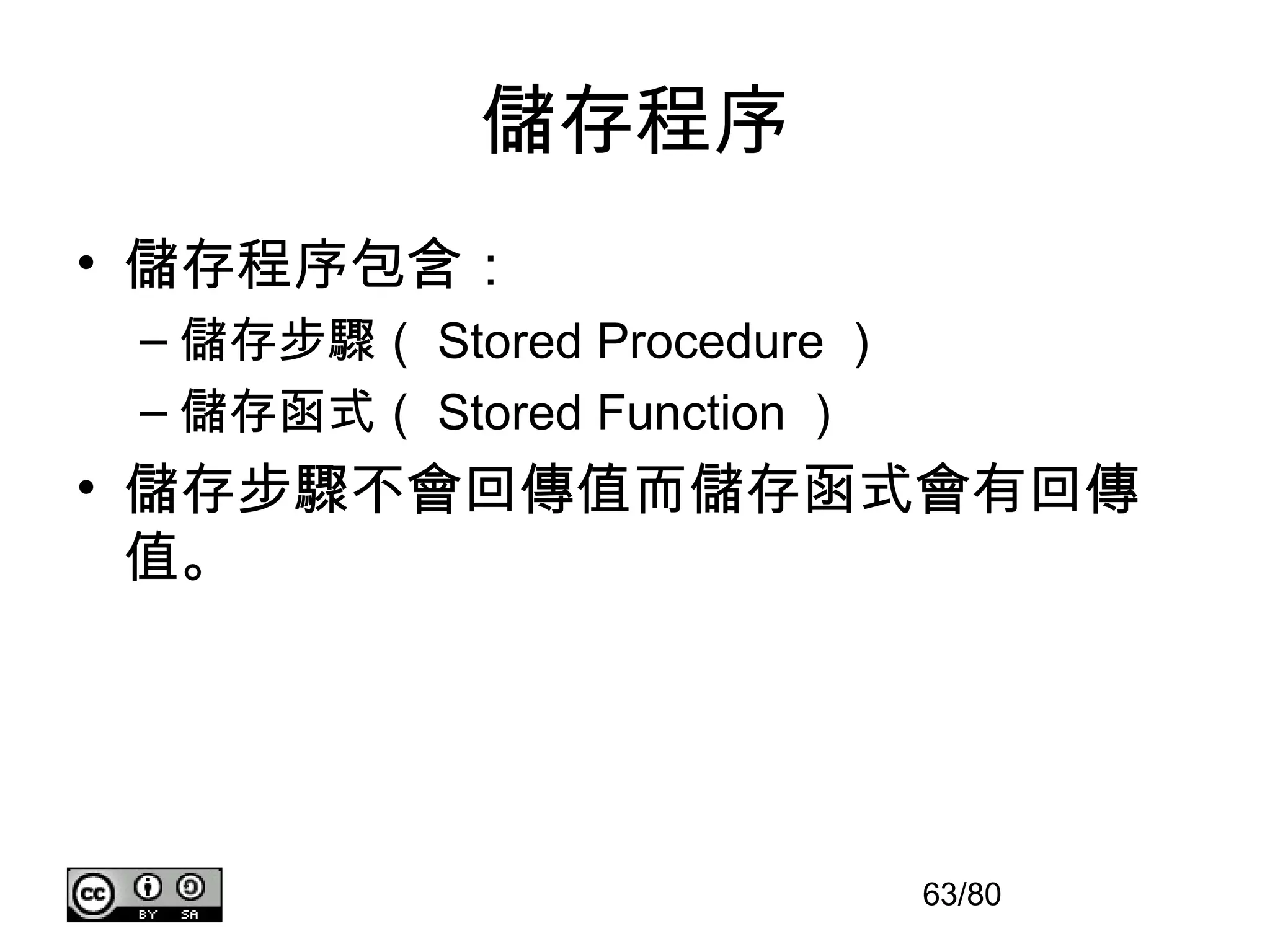
![儲存程序語法
Syntax:
CREATE
[DEFINER = { user | CURRENT_USER }]
PROCEDURE sp_name ([proc_parameter[,...]])
[characteristic ...] routine_body
CREATE
[DEFINER = { user | CURRENT_USER }]
FUNCTION sp_name ([func_parameter[,...]])
RETURNS type
[characteristic ...] routine_body
proc_parameter:
[ IN | OUT | INOUT ] param_name type
func_parameter:
param_name type
characteristic:
COMMENT 'string'
| LANGUAGE SQL
| [NOT] DETERMINISTIC
| { CONTAINS SQL | NO SQL | READS SQL DATA | MODIFIES SQL DATA }
| SQL SECURITY { DEFINER | INVOKER }
64/80](https://image.slidesharecdn.com/mysql-121125112517-phpapp01/75/MySQL-64-2048.jpg)

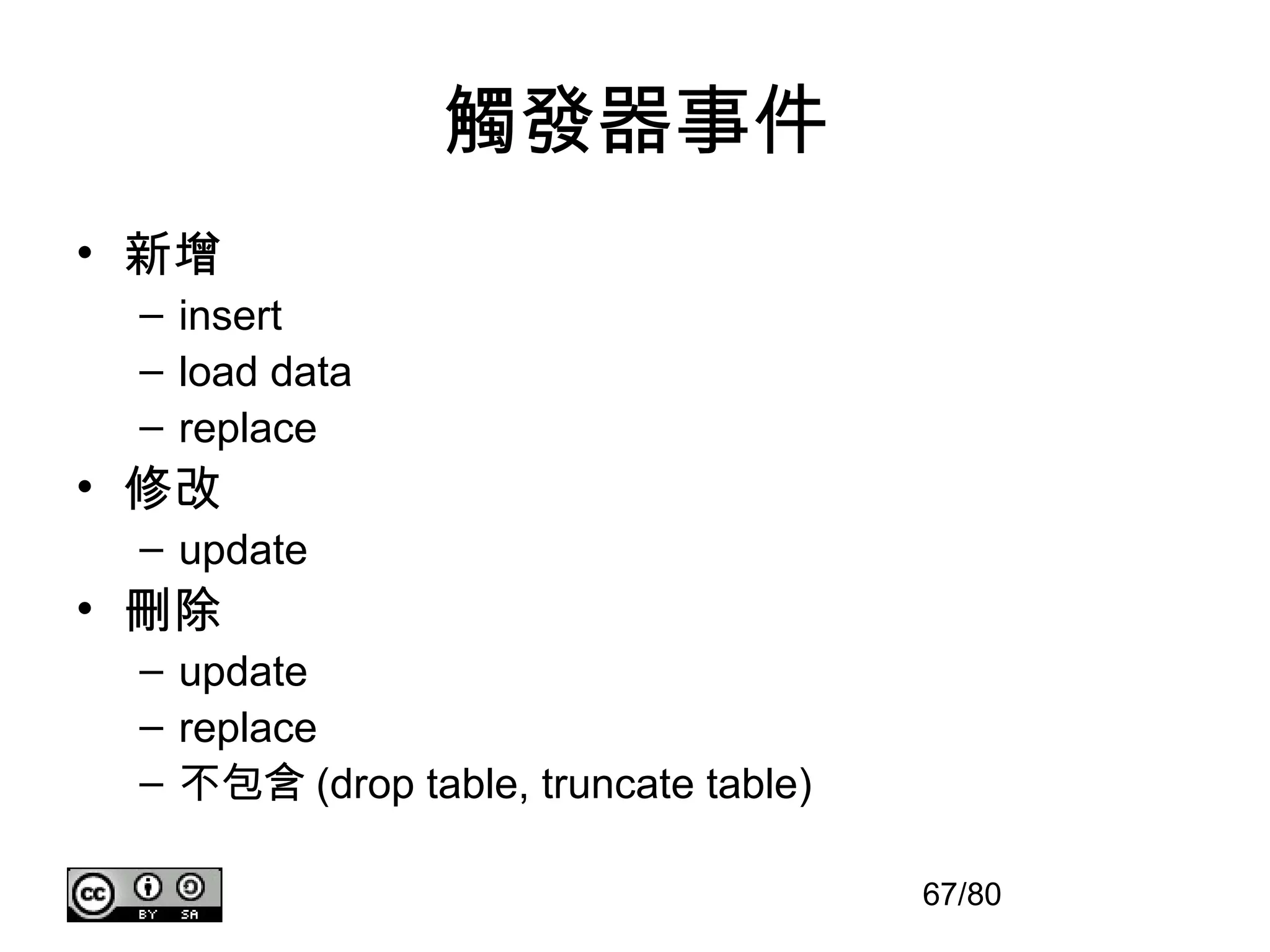
![觸發器語法
• Syntax:
CREATE
[DEFINER = { user |
CURRENT_USER }]
TRIGGER trigger_name
trigger_time trigger_event
ON tbl_name FOR EACH ROW
trigger_body
68/80](https://image.slidesharecdn.com/mysql-121125112517-phpapp01/75/MySQL-68-2048.jpg)
![事件語法
Syntax:
CREATE
EVENT event_name
ON SCHEDULE schedule
DO event_body
schedule:
AT timestamp [+ INTERVAL interval] ...
| EVERY interval
[STARTS timestamp [+ INTERVAL interval] ...]
[ENDS timestamp [+ INTERVAL interval] ...]
70/80](https://image.slidesharecdn.com/mysql-121125112517-phpapp01/75/MySQL-70-2048.jpg)
![建立索引
Syntax:
CREATE [ONLINE|OFFLINE] [UNIQUE|FULLTEXT|SPATIAL] INDEX index_name
[index_type]
ON tbl_name (index_col_name,...)
[index_option] ...
index_col_name:
col_name [(length)] [ASC | DESC]
index_type:
USING {BTREE | HASH}
index_option:
KEY_BLOCK_SIZE [=] value
| index_type
| WITH PARSER parser_name
| COMMENT 'string'
73/80](https://image.slidesharecdn.com/mysql-121125112517-phpapp01/75/MySQL-73-2048.jpg)
![檢視索引
Syntax:
show index from [table name]
74/80](https://image.slidesharecdn.com/mysql-121125112517-phpapp01/75/MySQL-74-2048.jpg)
![explain
Syntax:
EXPLAIN [EXTENDED | PARTITIONS]
SELECT select_options
Or:
EXPLAIN tbl_name
75/80](https://image.slidesharecdn.com/mysql-121125112517-phpapp01/75/MySQL-75-2048.jpg)