Multithreading And its implementation of thread based multitasking in java.pptx
1.
Multithreading
And its implementationof thread
based multitasking in java
Kalaivanan - 24MX108
Mohan Prasath - 24MX115
Boopathirajan - 24MX205
Team no : 04
2.
Introduction to Multitasking
•Multitasking is the ability to execute multiple tasks (processes or
threads) simultaneously.
• Types of Multitasking:
⚬ Process-Based: Each process has its own memory space.
⚬ Thread-Based: Multiple threads share the same memory within a
single process.
3.
Why Important?
• MaximizesCPU usage.
• Enhances performance.
• Improves application responsiveness.
• Allows better resource sharing within a program.
• Enables real-time behavior in applications (e.g., games, live updates).
4.
What is aThread?
• A thread is a lightweight sub-process.
• It is the smallest unit of CPU execution.
• Threads in the same process share memory and resources.
• Java supports multithreading as part of the core language.
5.
Multithreading in Java
•Java allows concurrent execution of two or more threads.
• Each thread can perform different tasks independently.
• Java achieves multithreading through:
⚬ Thread class
⚬ Runnable interface
• Java provides synchronization to handle thread conflicts.
6.
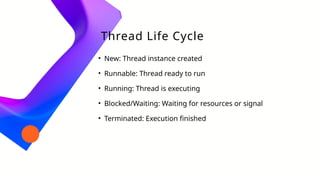
Thread Life Cycle
•New: Thread instance created
• Runnable: Thread ready to run
• Running: Thread is executing
• Blocked/Waiting: Waiting for resources or signal
• Terminated: Execution finished
7.
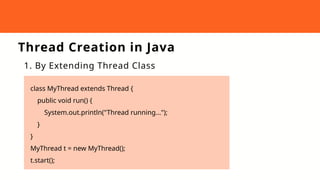
Thread Creation inJava
1. By Extending Thread Class
class MyThread extends Thread {
public void run() {
System.out.println("Thread running...");
}
}
MyThread t = new MyThread();
t.start();
8.
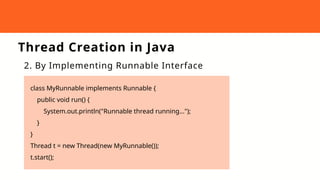
Thread Creation inJava
2. By Implementing Runnable Interface
class MyRunnable implements Runnable {
public void run() {
System.out.println("Runnable thread running...");
}
}
Thread t = new Thread(new MyRunnable());
t.start();
9.
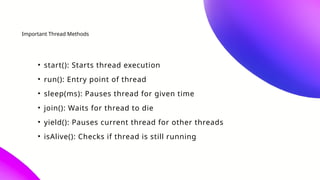
Important Thread Methods
•start(): Starts thread execution
• run(): Entry point of thread
• sleep(ms): Pauses thread for given time
• join(): Waits for thread to die
• yield(): Pauses current thread for other threads
• isAlive(): Checks if thread is still running
10.
Java
Multithreadin
g Example
class PrintThreadextends Thread {
public void run() {
for(int i = 1; i <= 5; i++) {
System.out.println("Child Thread: " + i);
}
}
}
public class Main {
public static void main(String[] args) {
PrintThread t1 = new PrintThread();
t1.start();
for(int i = 1; i <= 5; i++) {
System.out.println("Main Thread: " + i);
}
}
}
11.
Advantages and Challenges:
~ Advantages ~ Challenges
• Efficient CPU usage
• Simultaneous task execution
• Reduces response time
• Complex to debug and manage
• Risk of race conditions
• Possibility of deadlocks
12.
Conclusion :
• Multithreadingallows concurrent execution in Java.
• Java offers simple APIs to create and manage threads.
• Use multithreading carefully to avoid conflicts.
• Ideal for building responsive and high-performance applications.
![Java
Multithreadin
g Example
class PrintThread extends Thread {
public void run() {
for(int i = 1; i <= 5; i++) {
System.out.println("Child Thread: " + i);
}
}
}
public class Main {
public static void main(String[] args) {
PrintThread t1 = new PrintThread();
t1.start();
for(int i = 1; i <= 5; i++) {
System.out.println("Main Thread: " + i);
}
}
}](https://image.slidesharecdn.com/multithreadinganditsimplementationofthreadbasedmultitaskinginjava-250820135915-89412b8b/85/Multithreading-And-its-implementation-of-thread-based-multitasking-in-java-pptx-10-320.jpg)