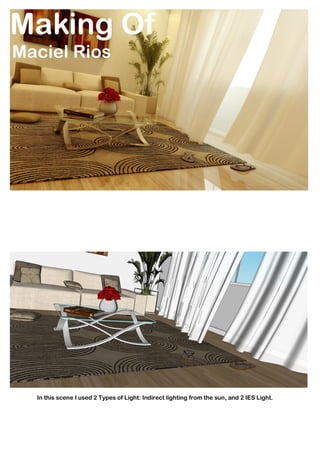
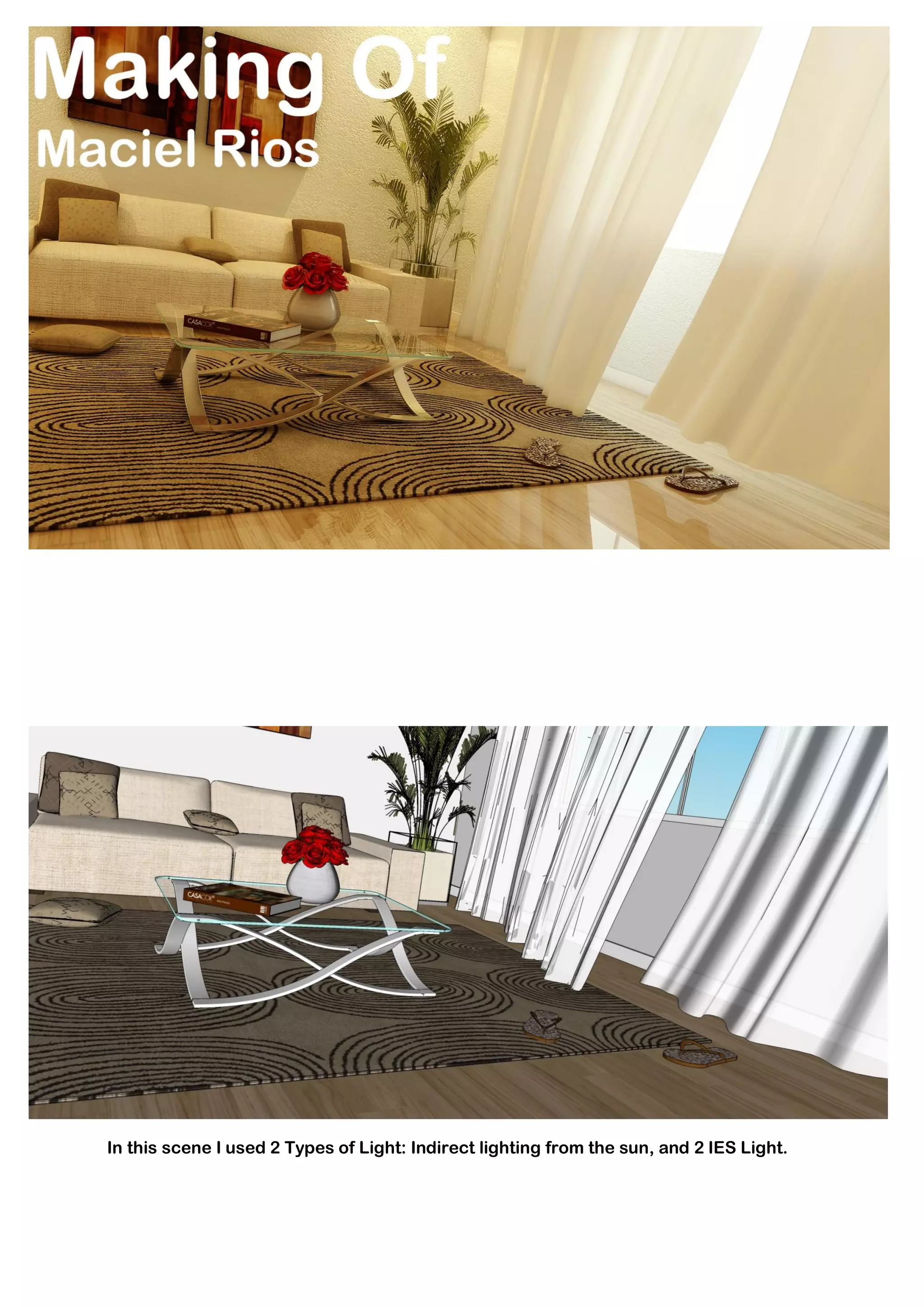
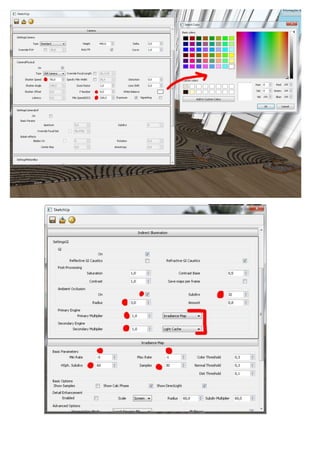
In this scene I used 2 Types of Light: Indirect lighting from the sun, and 2 IES Light.
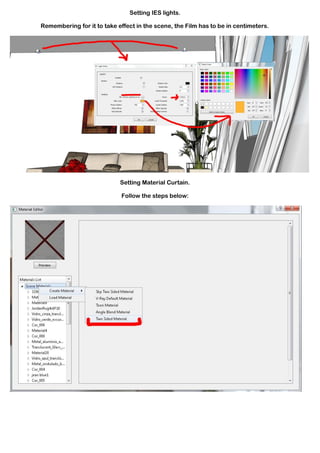
Setting IES lights.

Remembering for it to take effect in the scene, the Film has to be in centimeters.


                            Setting Material Curtain.

                             Follow the steps below:
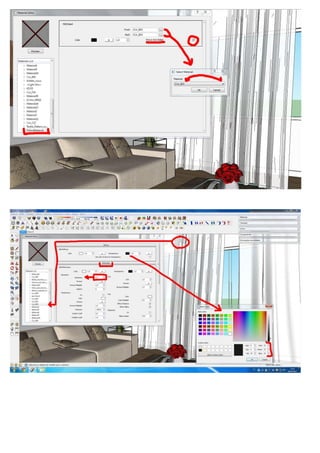
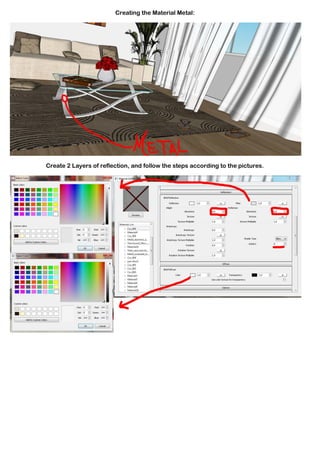
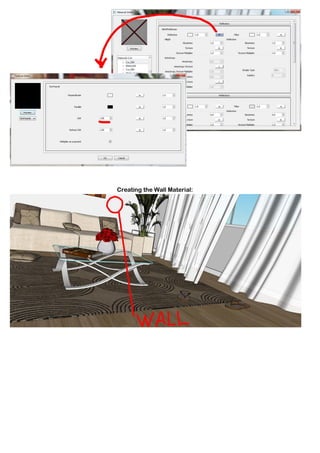
Creating the Material Metal:


Create 2 Layers of reflection, and follow the steps according to the pictures.
Creating the Wall Material:
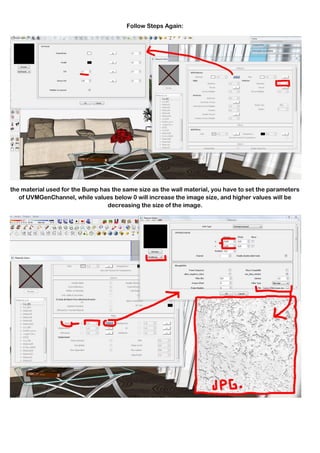
Follow Steps Again:


the material used for the Bump has the same size as the wall material, you have to set the parameters
   of UVMGenChannel, while values below 0 will increase the image size, and higher values will be
                                 decreasing the size of the image.
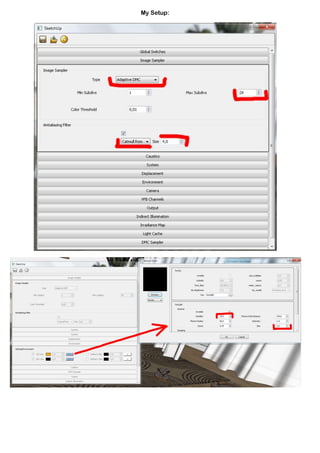
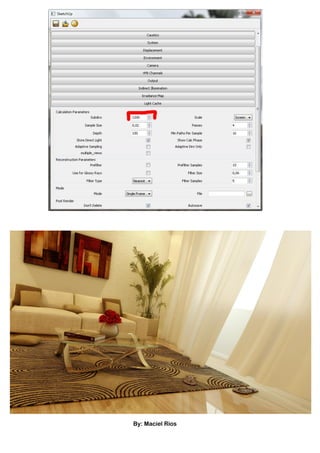
My Setup:
By: Maciel Rios

Mtm ingles

  • 1.
    In this sceneI used 2 Types of Light: Indirect lighting from the sun, and 2 IES Light.
  • 2.
    Setting IES lights. Rememberingfor it to take effect in the scene, the Film has to be in centimeters. Setting Material Curtain. Follow the steps below:
  • 4.
    Creating the MaterialMetal: Create 2 Layers of reflection, and follow the steps according to the pictures.
  • 5.
  • 6.
    Follow Steps Again: thematerial used for the Bump has the same size as the wall material, you have to set the parameters of UVMGenChannel, while values below 0 will increase the image size, and higher values will be decreasing the size of the image.
  • 7.
  • 9.