Movable Type Data API連携!
店舗情報を地図に表⽰させよう!
【Swift&Movable Typeコラボ!】
Swiftビギナーズ勉強会
第20回 at ⽇本マイクロソフト株式会社
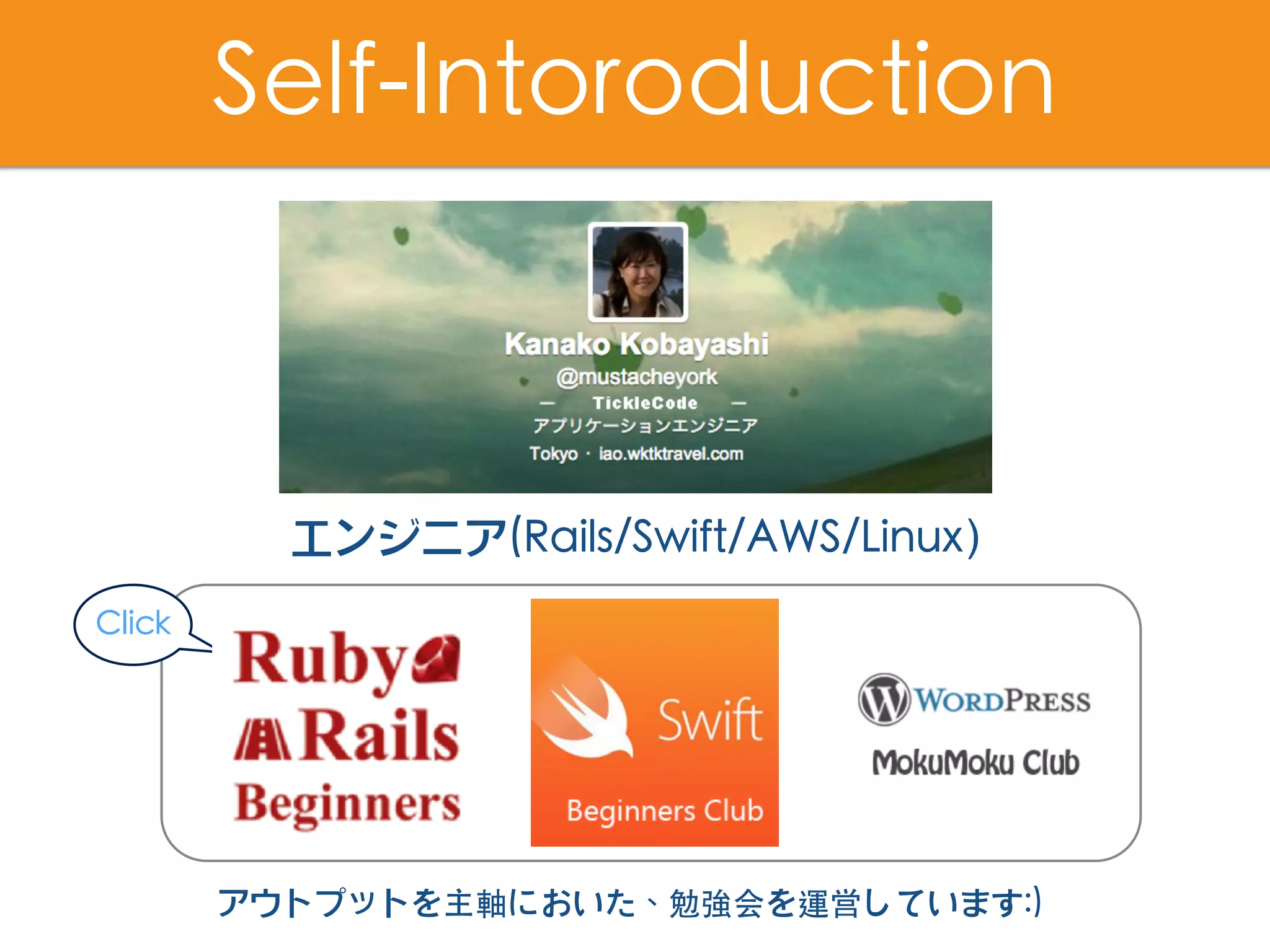
Self-Intoroduction
エンジニア(Rails/Swift/AWS/Linux)
アウトプットを主軸においた、勉強会を運営しています:)
Click
Engineer@Life is Tech !
全国書店販売中!
~Swiftではじめるプログラミングの第⼀歩~
これからつくるiPhoneアプリ開発⼊⾨
[ Swift3 &Xcode8対応 ]
Swiftビギナーズ倶楽部から⽣まれた!
https://swiftbg.github.io/swiftbook/
書籍公式サイト
執筆しました🤗
サンプルアプリ
Tips公開
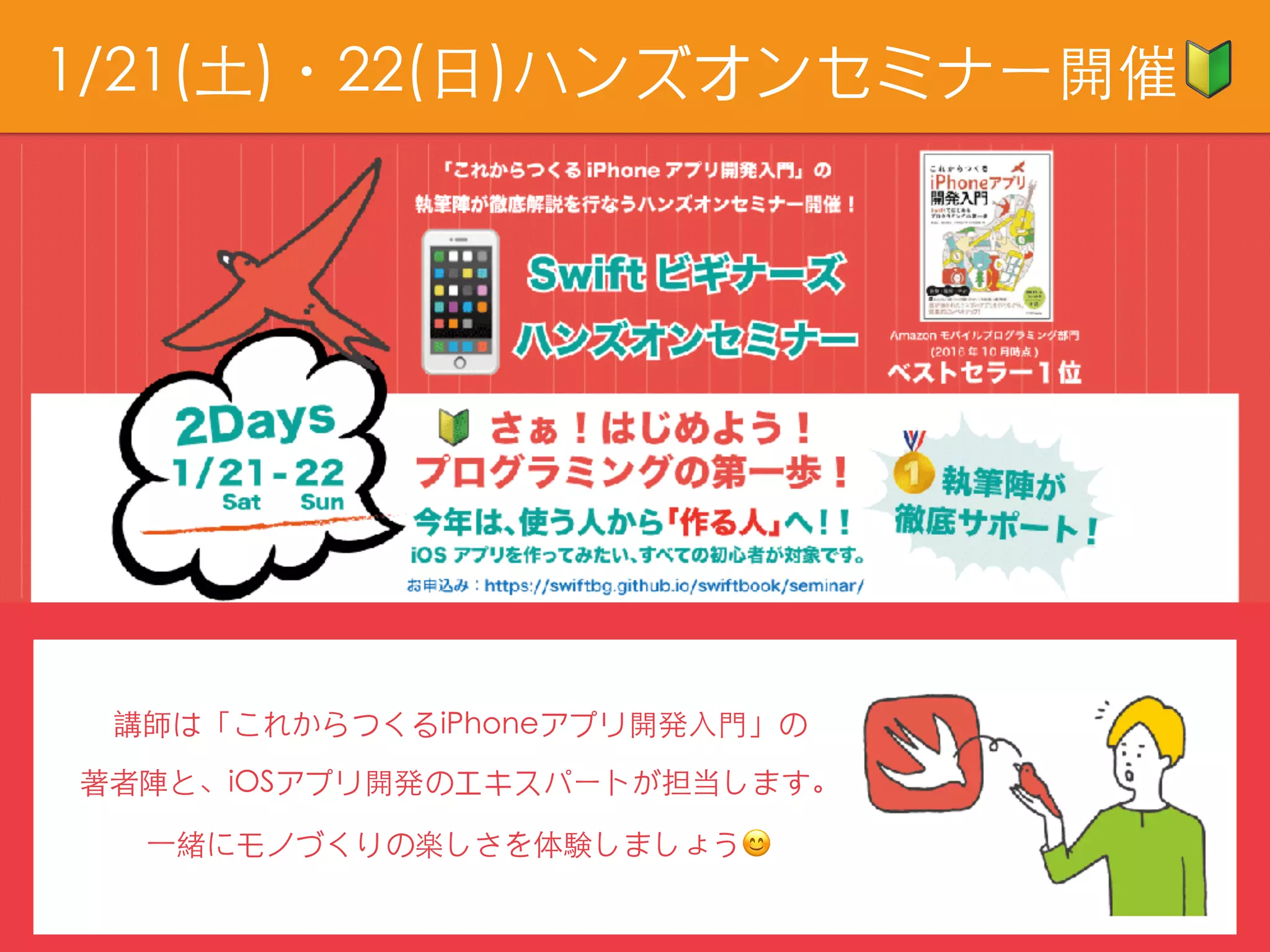
1/21(⼟)・22(⽇)ハンズオンセミナー開催🔰
講師は「これからつくるiPhoneアプリ開発⼊⾨」の
著者陣と、iOSアプリ開発のエキスパートが担当します。
⼀緒にモノづくりの楽しさを体験しましょう😊
参加者にはブックレビュープレゼント🎁
執筆陣が、楽しみながらプログラミングを勉強したり
アプリ開発を継続して学ぶ⽅法をお話しします😊
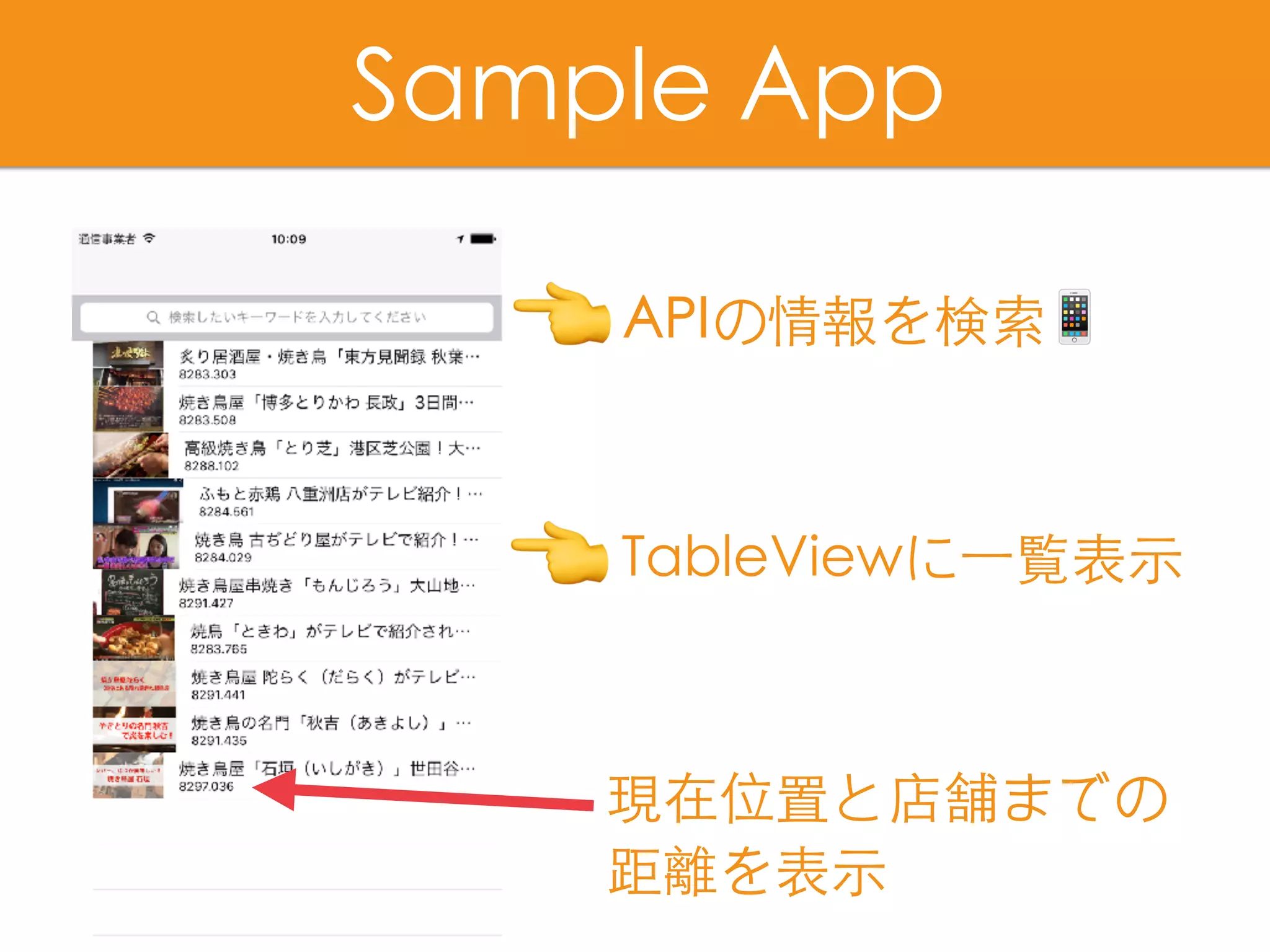
APIの情報を検索📱
Sample App
TableViewに⼀覧表⽰
現在位置と店舗までの
距離を表⽰
👈
👈
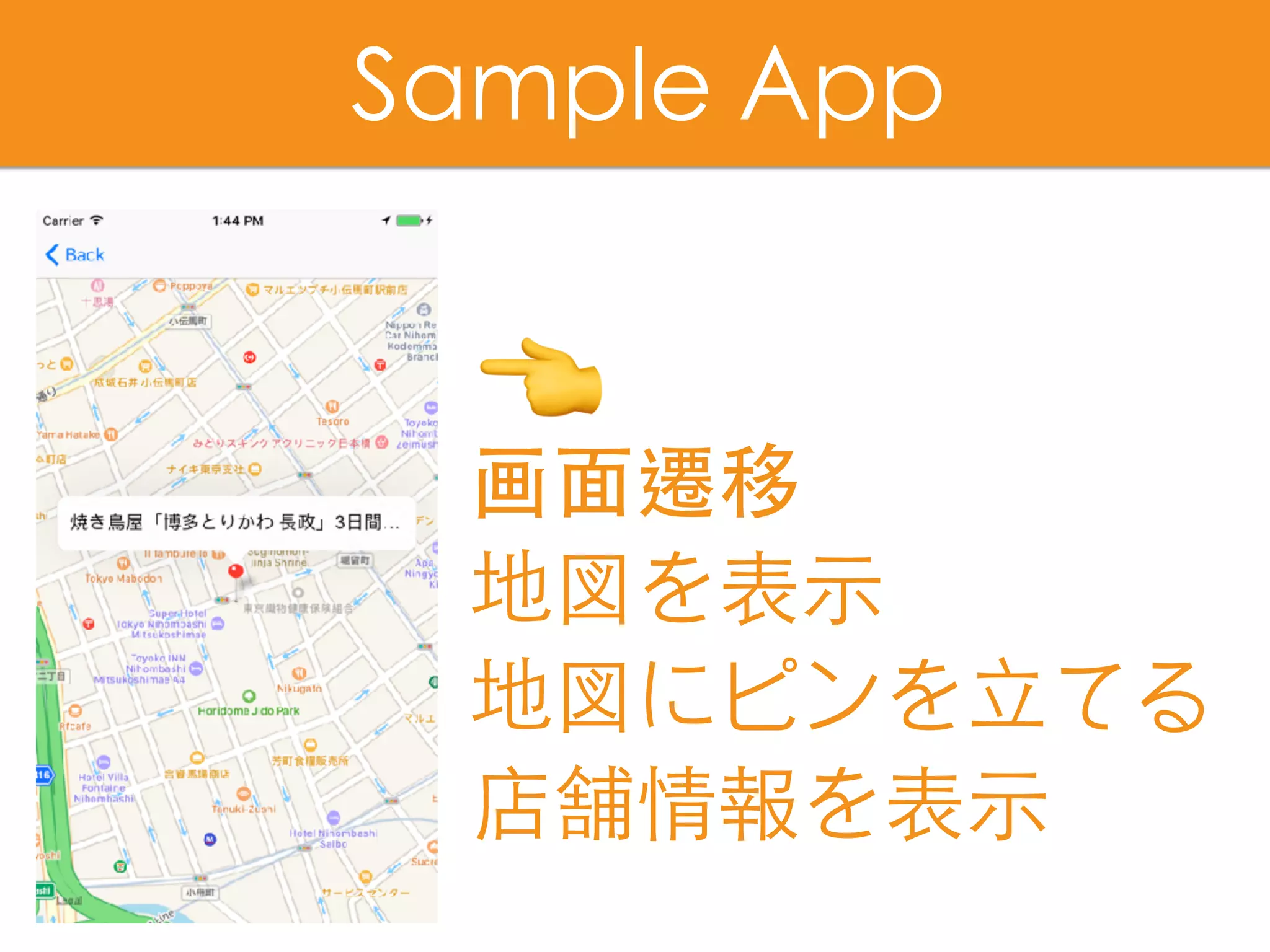
画⾯遷移
地図を表⽰
地図にピンを⽴てる
店舗情報を表⽰
Sample App
👈
DEMO
1)MTのカスタムフィールドに位置情報を追加
2)現在位置からの距離を計算
3)位置情報から地図にピンを⽴てる!
Today's Agenda
1)MTのカスタムフィールドに位置情報を追加
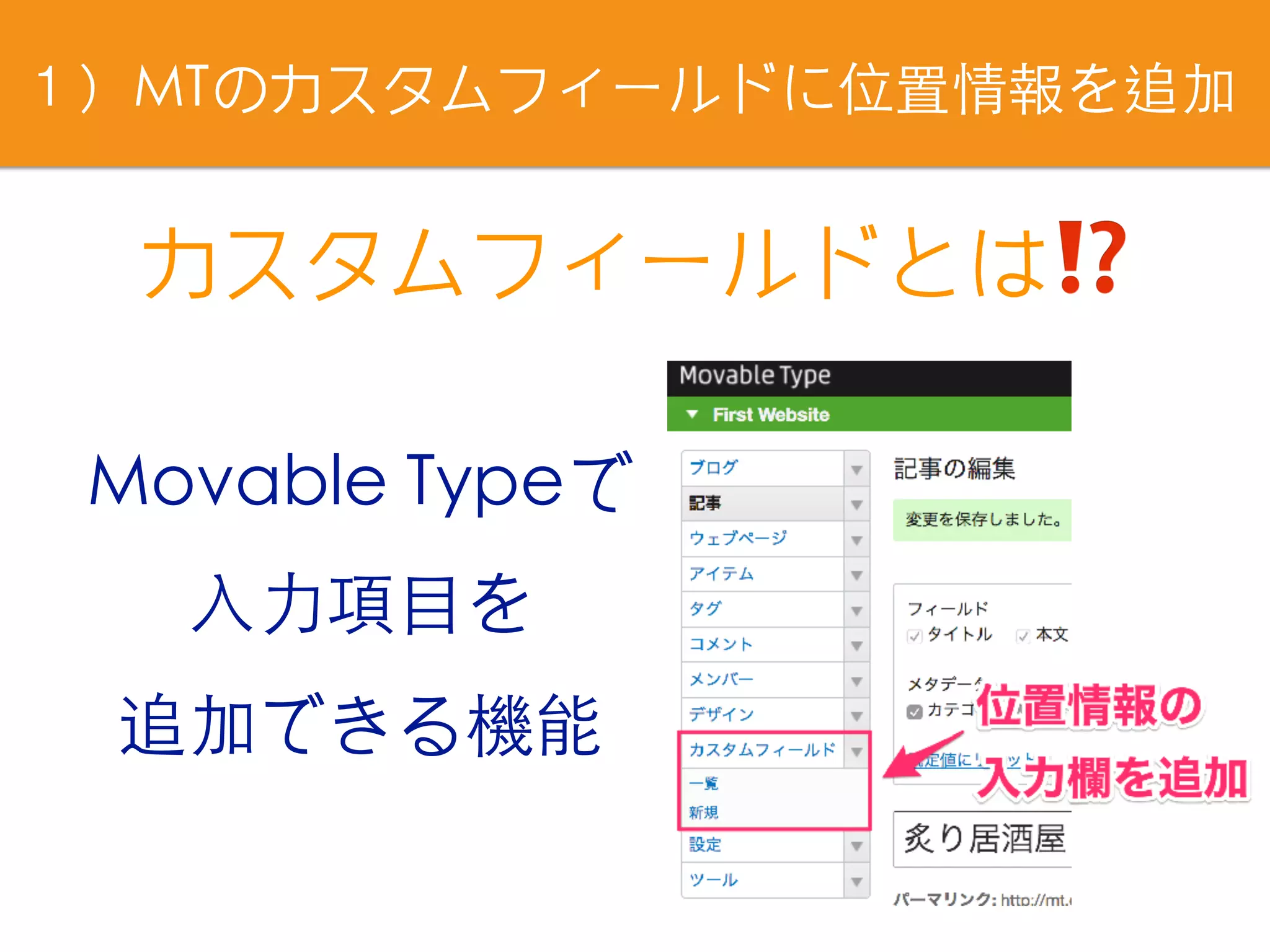
カスタムフィールドとは⁉
Movable Typeで
⼊⼒項⺫を
追加できる機能
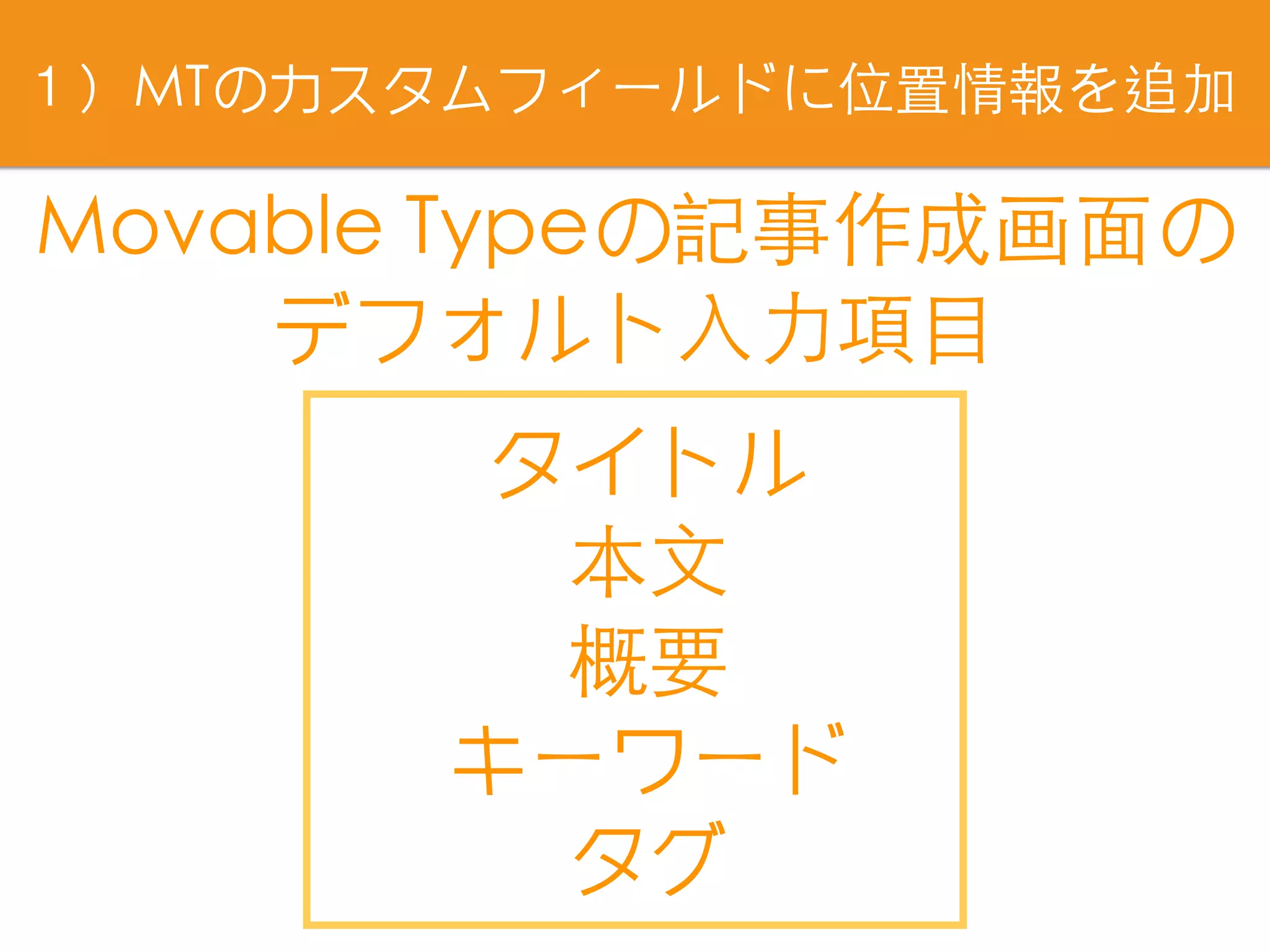
Movable Typeの記事作成画⾯の
デフォルト⼊⼒項⺫
タイトル
本⽂
概要
キーワード
タグ
1)MTのカスタムフィールドに位置情報を追加
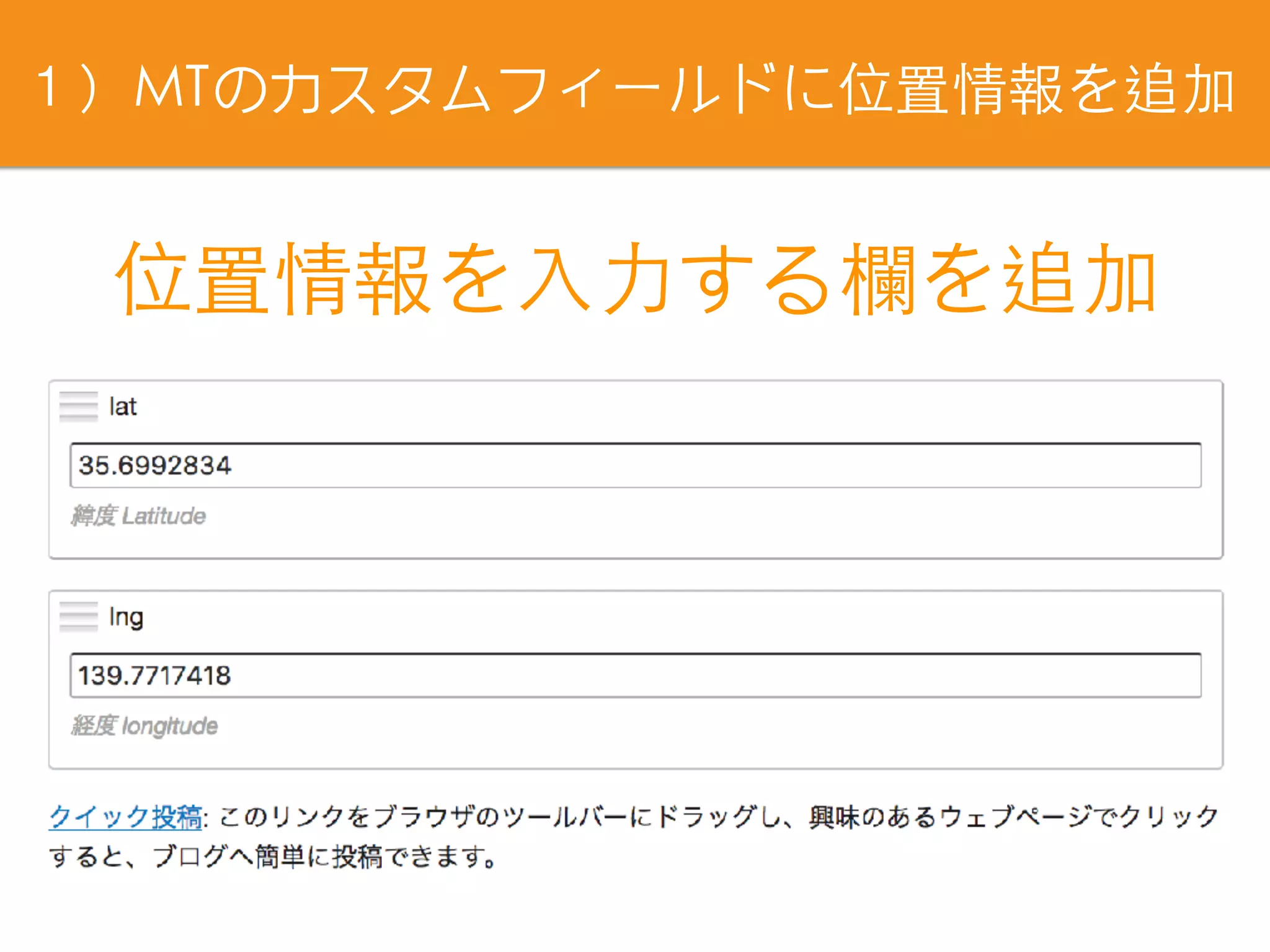
位置情報を⼊⼒する欄を追加
1)MTのカスタムフィールドに位置情報を追加
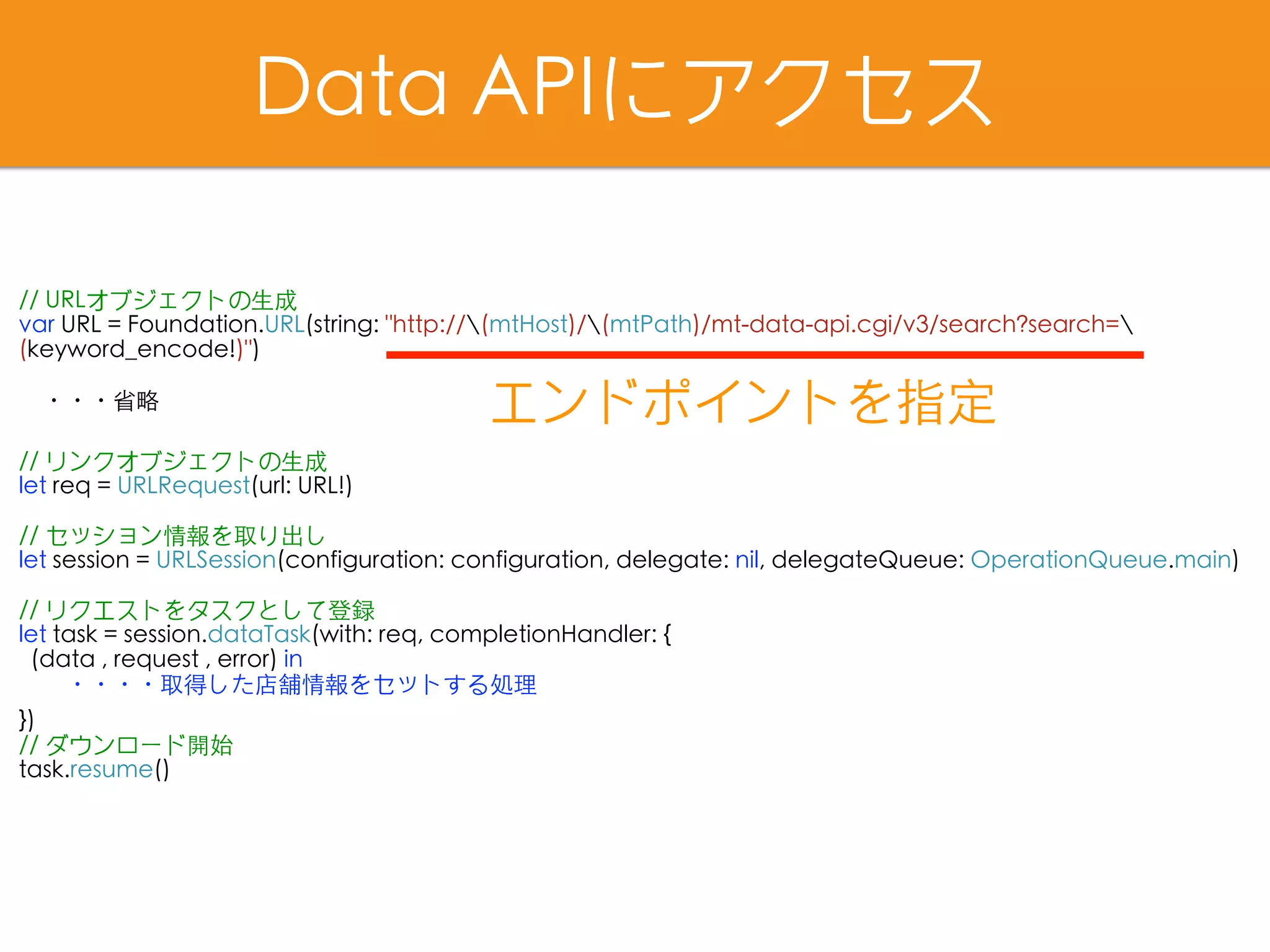
Data APIにアクセス
// URLオブジェクトの⽣成
var URL = Foundation.URL(string: "http://(mtHost)/(mtPath)/mt-data-api.cgi/v3/search?search=
(keyword_encode!)")
・・・省略
// リンクオブジェクトの⽣成
let req = URLRequest(url: URL!)
// セッション情報を取り出し
let session = URLSession(configuration: configuration, delegate: nil, delegateQueue: OperationQueue.main)
// リクエストをタスクとして登録
let task = session.dataTask(with: req, completionHandler: {
(data , request , error) in
  ・・・・取得した店舗情報をセットする処理
})
// ダウンロード開始
task.resume()
エンドポイントを指定
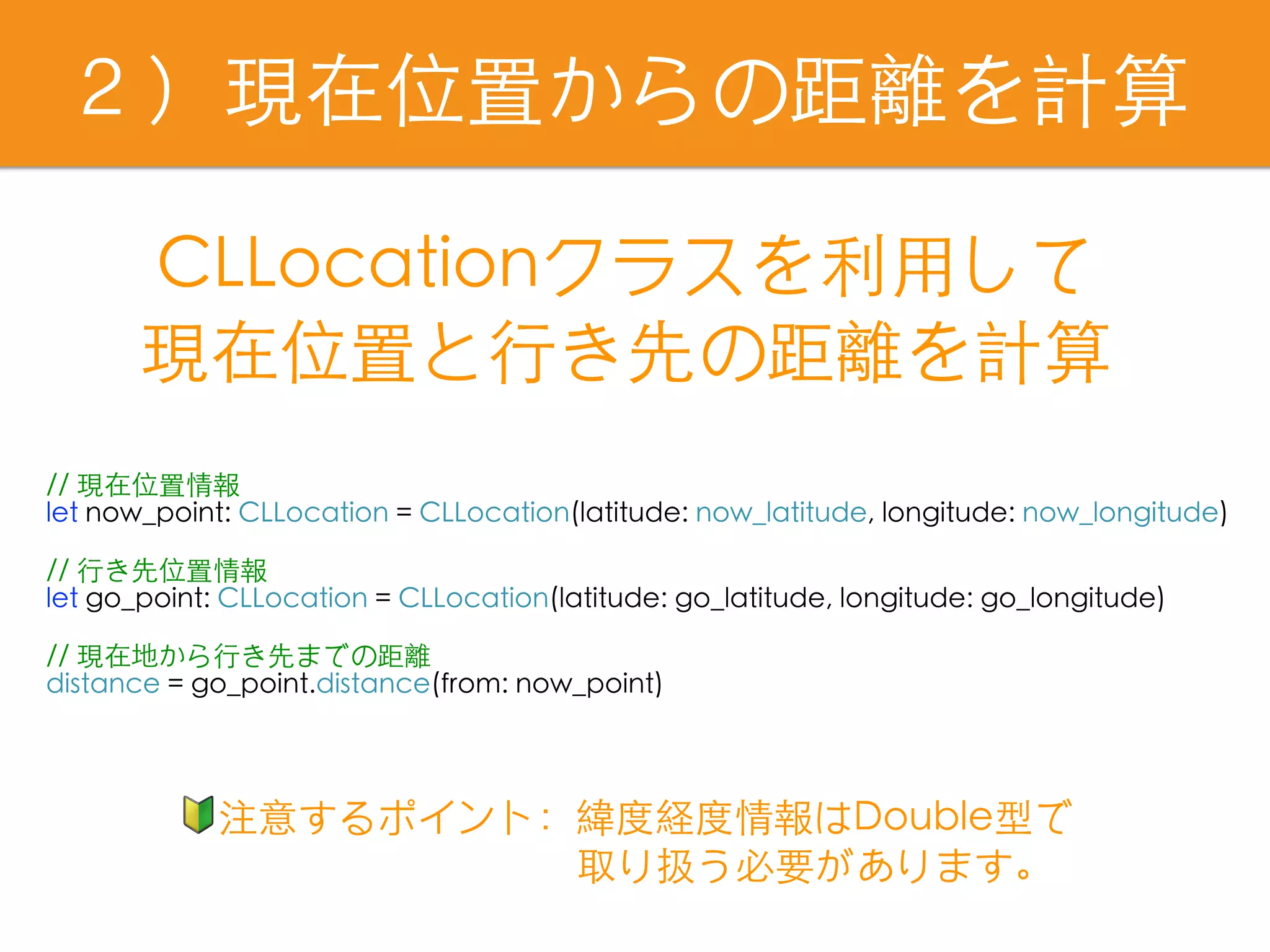
2)現在位置からの距離を計算
// 現在位置情報
let now_point: CLLocation = CLLocation(latitude: now_latitude, longitude: now_longitude)
// ⾏き先位置情報
let go_point: CLLocation = CLLocation(latitude: go_latitude, longitude: go_longitude)
// 現在地から⾏き先までの距離
distance = go_point.distance(from: now_point)
CLLocationクラスを利⽤して
現在位置と⾏き先の距離を計算
🔰注意するポイント:緯度経度情報はDouble型で
          取り扱う必要があります。
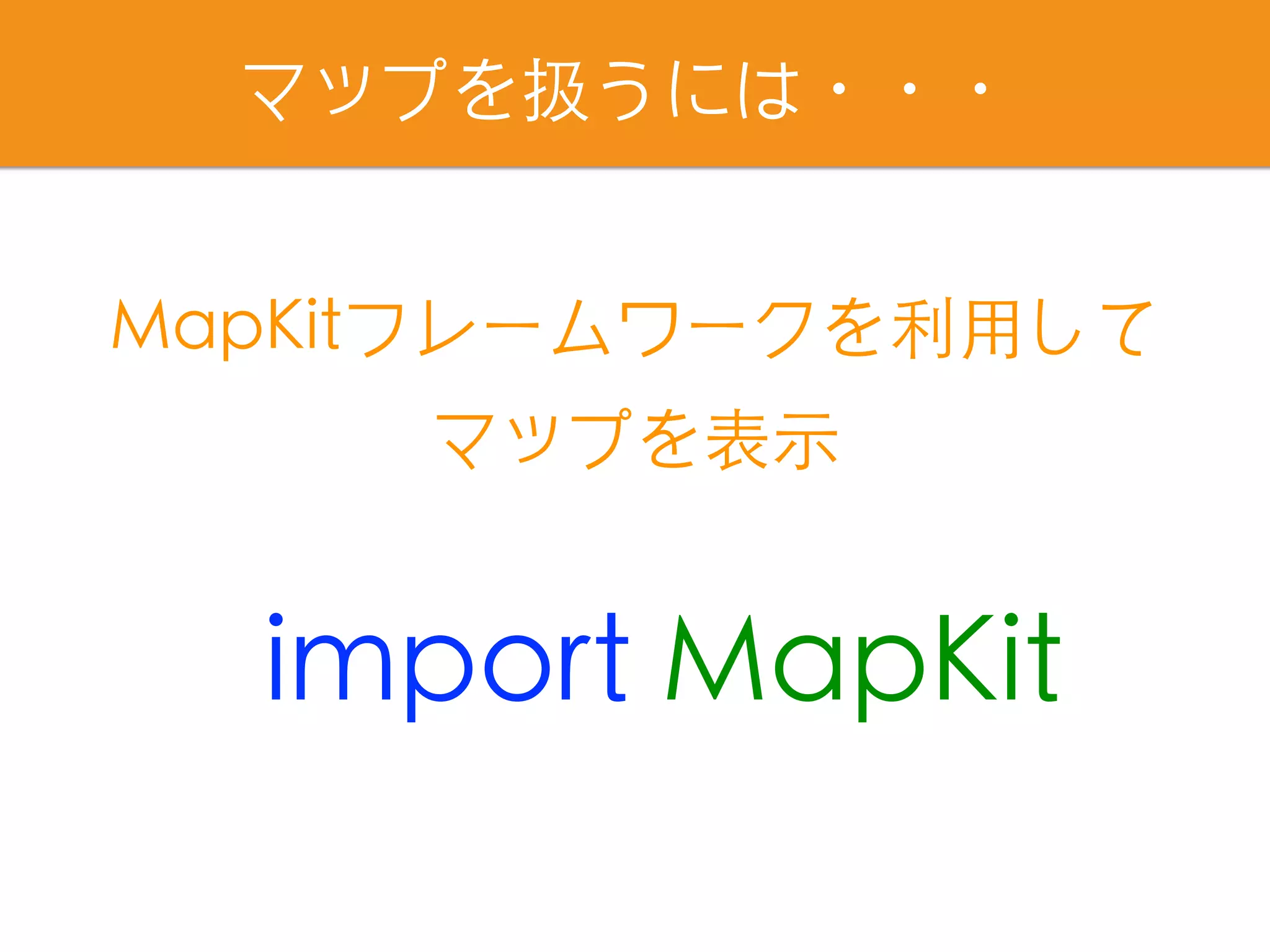
マップを扱うには・・・
import MapKit
MapKitフレームワークを利⽤して
マップを表⽰
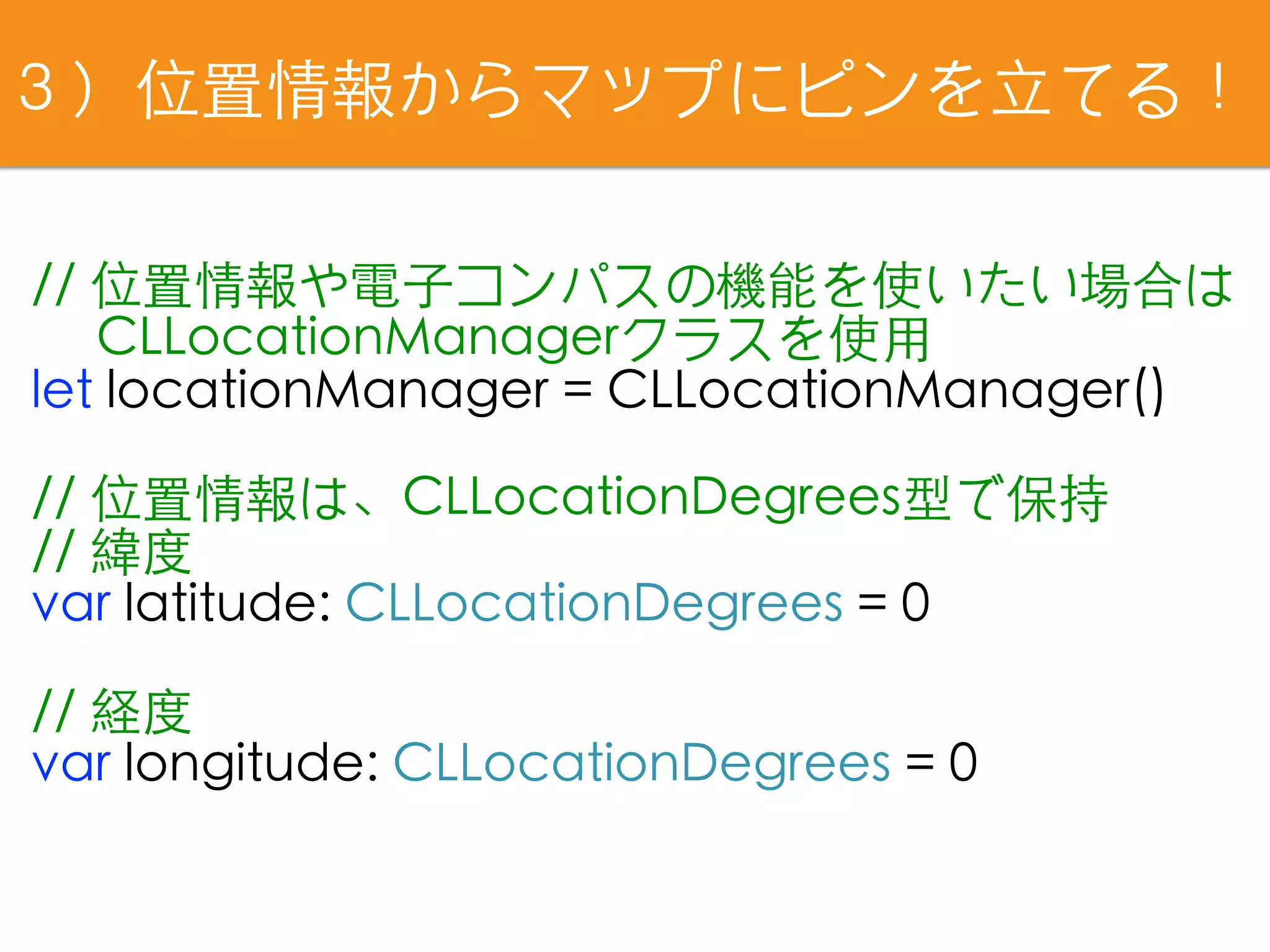
3)位置情報からマップにピンを⽴てる!
// 位置情報や電⼦コンパスの機能を使いたい場合は
  CLLocationManagerクラスを使⽤
let locationManager = CLLocationManager()
// 位置情報は、CLLocationDegrees型で保持
// 緯度
var latitude: CLLocationDegrees = 0
// 経度
var longitude: CLLocationDegrees = 0
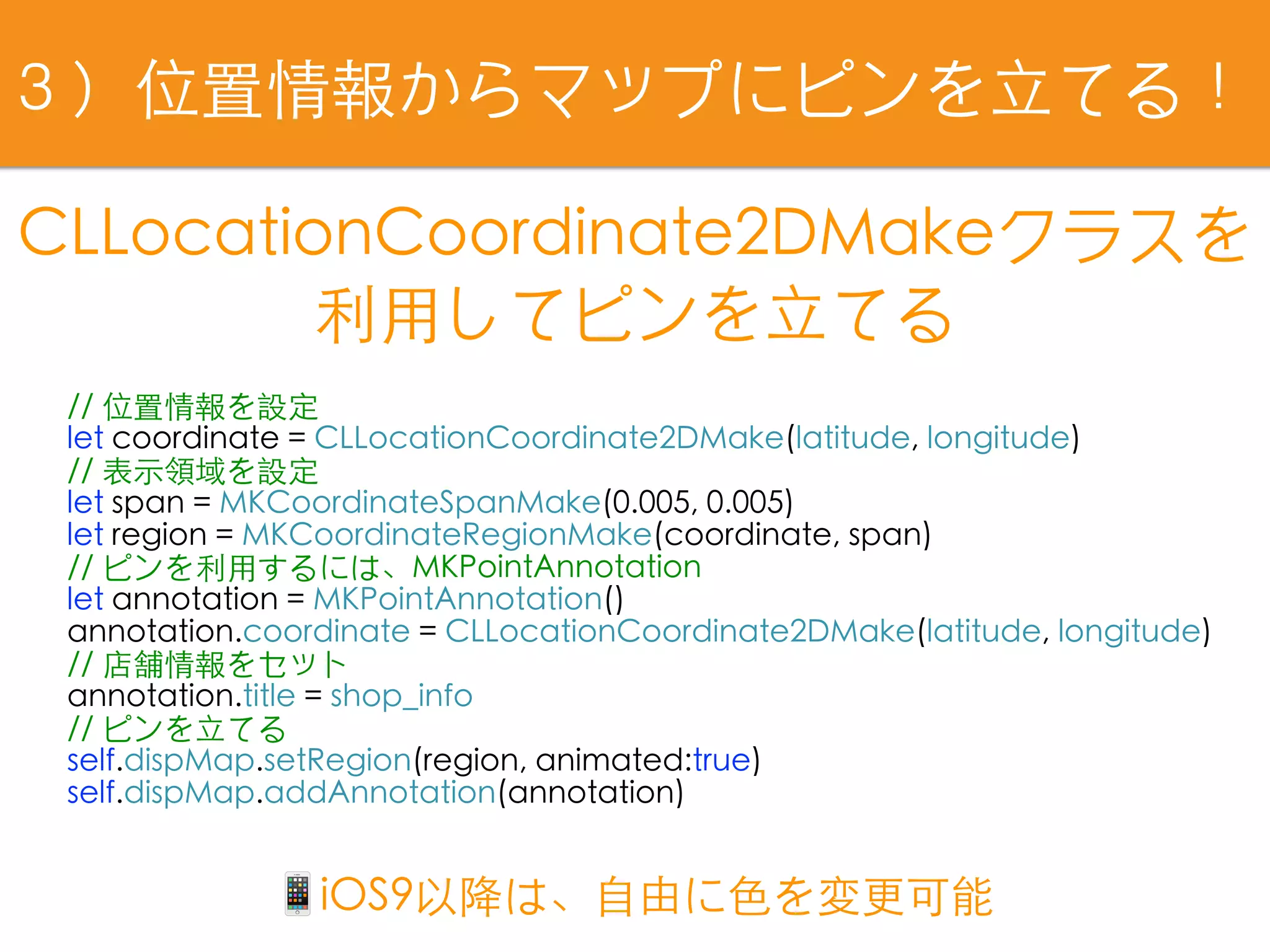
// 位置情報を設定
let coordinate = CLLocationCoordinate2DMake(latitude, longitude)
// 表⽰領域を設定
let span = MKCoordinateSpanMake(0.005, 0.005)
let region = MKCoordinateRegionMake(coordinate, span)
// ピンを利⽤するには、MKPointAnnotation
let annotation = MKPointAnnotation()
annotation.coordinate = CLLocationCoordinate2DMake(latitude, longitude)
// 店舗情報をセット
annotation.title = shop_info
// ピンを⽴てる
self.dispMap.setRegion(region, animated:true)
self.dispMap.addAnnotation(annotation)
CLLocationCoordinate2DMakeクラスを
利⽤してピンを⽴てる
3)位置情報からマップにピンを⽴てる!
📱iOS9以降は、⾃由に⾊を変更可能
// Cellが選択された際に呼び出されるdelegateメソッド
func tableView(_ tableView: UITableView, didSelectRowAt indexPath: IndexPath) {
// 地図に渡す値を取得
map_latitude = Double(recipeList[indexPath.row].shop_latitude)!
map_longitude = Double(recipeList[indexPath.row].shop_longtude)!
shop_info = recipeList[indexPath.row].name
// 地図に画⾯遷移
performSegue(withIdentifier: "goMap", sender: nil)
}
// 地図に渡す値をセットするメソッド
override func prepare(for segue: UIStoryboardSegue, sender: Any?) {
let MapViewController:MapViewController = segue.destination as! MapViewController
MapViewController.latitude = map_latitude
MapViewController.longitude = map_longitude
MapViewController.shop_info = shop_info
}
検索画⾯から、地図に情報を引き渡す
3)位置情報からマップにピンを⽴てる!
全国書店販売中!
~Swiftではじめるプログラミングの第⼀歩~
これからつくるiPhoneアプリ開発⼊⾨
[ Swift3 &Xcode8対応 ]
この本の機能を組み合わせてます😆
https://swiftbg.github.io/swiftbook/
書籍公式サイト
サンプルアプリ
Tips公開
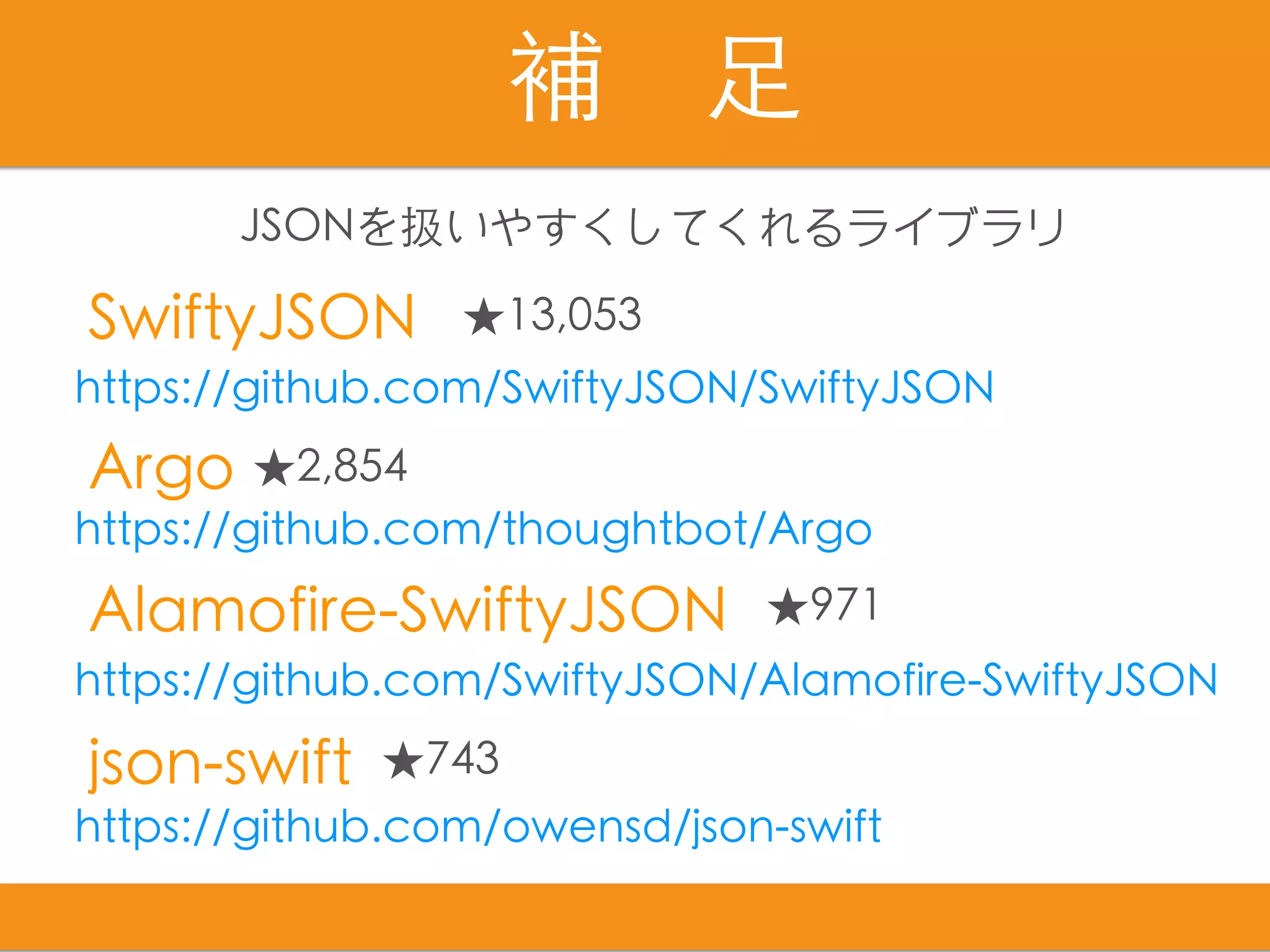
補 ⾜
SwiftyJSON
Alamofire-SwiftyJSON
json-swift
Argo
https://github.com/thoughtbot/Argo
https://github.com/owensd/json-swift
https://github.com/SwiftyJSON/Alamofire-SwiftyJSON
https://github.com/SwiftyJSON/SwiftyJSON
★13,053
★971
★743
★2,854
JSONを扱いやすくしてくれるライブラリ
https://github.com/mustacheyork/
MTSearchSwift
本⽇のサンプルコードはこちら
Let's study together!
Thank you :)

Movable Type Data API連携!店舗情報を地図に表示させよう!