Dialog Programming Overview
SAP System : Dialog Processing (Report)
Database Server
Application Server
Dispatcher
Request
Queue
D D D D
…
SAP Buffer
Program
…
…
1
3
4
5
6
8
9
10
Report zpsm1.
Tables customers.
Select single * from
customers where id = 1.
Write: / customers-name.
Execute ABAP
statement
Check Program in Program Buffer 7
Load&Gen Program
SQL Request
Send List
Generate Screen(List)
Send Request
Request
List
2 Search for free WP
Store request to queue
Send request to WP
SAP GUI
Dialog WP : Executable Program
Dialog WP
TaskHandler
DYNPRO Processor
ABAP Processor
Database
Local Memory
Memory Space
DB Interface
List Buffer
Result Set Memory
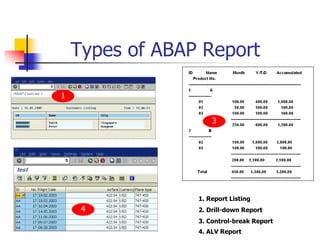
Types of ABAP Report
1. Report Listing
2. Drill-down Report
3. Control-break Report
4. ALV Report
1
3
4
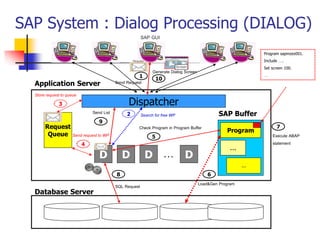
SAP System : Dialog Processing (DIALOG)
Database Server
Application Server
Dispatcher
Request
Queue
D D D D
…
SAP Buffer
Program
…
…
1
3
4
5
6
8
9
10
Program sapmzex001.
Include ….
Set screen 100.
…
Execute ABAP
statement
Check Program in Program Buffer 7
Load&Gen Program
SQL Request
Send List
Generate Dialog Screen
Send Request
Request
Screen
2 Search for free WP
Store request to queue
Send request to WP
SAP GUI
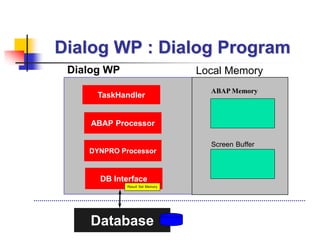
Dialog WP : Dialog Program
Dialog WP
TaskHandler
DYNPRO Processor
ABAP Processor
Database
Local Memory
ABAP Memory
DB Interface
Screen Buffer
Result Set Memory
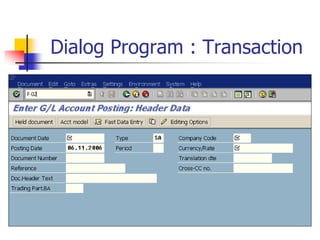
Dialog Program : Transaction
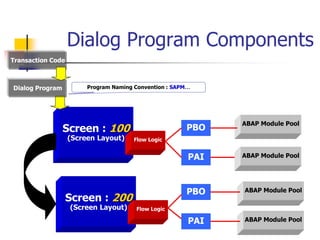
Dialog Program Components
Transaction Code
Screen : 100
(Screen Layout)
Screen : 200
(Screen Layout)
Flow Logic
Flow Logic
PBO
PAI
ABAP Module Pool
ABAP Module Pool
PBO
PAI
ABAP Module Pool
ABAP Module Pool
Dialog Program Program Naming Convention : SAPM…
SAP Transaction
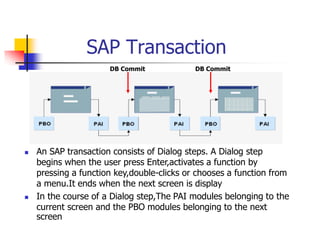
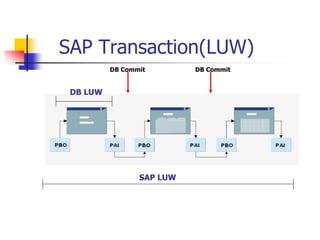
 An SAP transaction consists of Dialog steps. A Dialog step
begins when the user press Enter,activates a function by
pressing a function key,double-clicks or chooses a function from
a menu.It ends when the next screen is display
 In the course of a Dialog step,The PAI modules belonging to the
current screen and the PBO modules belonging to the next
screen
DB Commit DB Commit
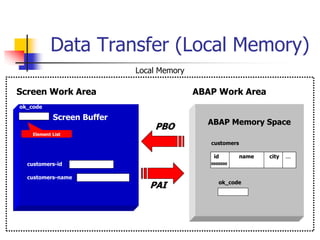
Data Transfer (Local Memory)
Screen Buffer
ABAP Memory Space
Screen Work Area ABAP Work Area
PBO
PAI
customers-id
customers-name
customers
id name city …
0000000
ok_code
ok_code
Local Memory
Element List
Flow Logic
 Process Before Output(PBO)
 After it has processed all of the modules in the
PBO processing block, the system copies the
contents of the fields in the ABAP work area to
their corresponding fields in the screen work area.
 Process After Input(PAI)
 Before it processes the first module in the PAI
processing block, the system copies the contents
of the fields in the screen work area to their
corresponding fields in the ABAP work area.
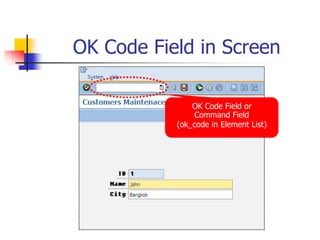
OK Code Field in Screen
OK Code Field or
Command Field
(ok_code in Element List)
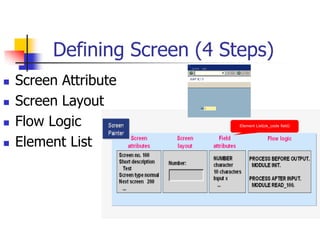
Defining Screen (4 Steps)
 Screen Attribute
 Screen Layout
 Flow Logic
 Element List
Element List(ok_code field)
Flow Logic in Screen 100
PROCESS BEFORE OUTPUT.
MODULE STATUS_0100.
PROCESS AFTER INPUT.
MODULE USER_COMMAND_0100.
PBO in Screen 100
MODULE status_0100 OUTPUT.
SET PF-STATUS ‘0100’.
SET TITLEBAR ‘0100’.
ENDMODULE.
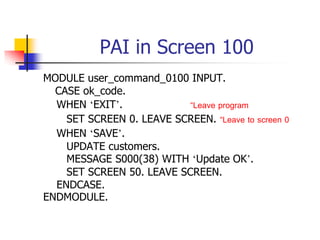
PAI in Screen 100
MODULE user_command_0100 INPUT.
CASE ok_code.
WHEN ‘EXIT’. “Leave program
SET SCREEN 0. LEAVE SCREEN. “Leave to screen 0
WHEN ‘SAVE’.
UPDATE customers.
MESSAGE S000(38) WITH ‘Update OK’.
SET SCREEN 50. LEAVE SCREEN.
ENDCASE.
ENDMODULE.
How to Create Dialog Program
 Transaction SE80 : Create Dialog Program
 Create Screen(4 steps)
 Screen Attribute
 Screen Layout
 Flow Logic(PBO,PAI)
 Define Variable ok_code in Element List
 Define Data Object in ABAP Work Area at TOP
Include(Tables, Data,...)
 Check and Activate Dialog Program
 Create Transaction Code
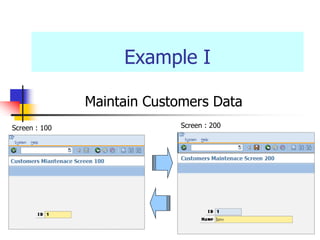
Example I
Maintain Customers Data
Screen : 100 Screen : 200
Example I
 Create Dialog Program SAPMZEX<nn> for
changing Customers table
 Screen 100
 Field customers-id
 Screen 200
 Field customers-id and customers-name
Example I
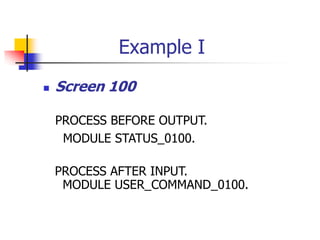
 Screen 100
PROCESS BEFORE OUTPUT.
MODULE STATUS_0100.
PROCESS AFTER INPUT.
MODULE USER_COMMAND_0100.
Example I
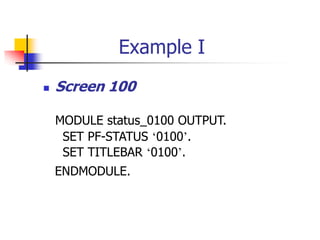
 Screen 100
MODULE status_0100 OUTPUT.
SET PF-STATUS ‘0100’.
SET TITLEBAR ‘0100’.
ENDMODULE.
Example I
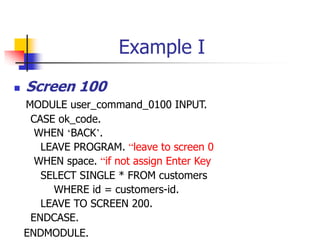
 Screen 100
MODULE user_command_0100 INPUT.
CASE ok_code.
WHEN ‘BACK’.
LEAVE PROGRAM. “leave to screen 0
WHEN space. “if not assign Enter Key
SELECT SINGLE * FROM customers
WHERE id = customers-id.
LEAVE TO SCREEN 200.
ENDCASE.
ENDMODULE.
Example I
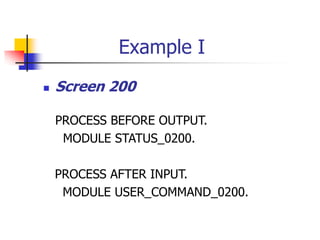
 Screen 200
PROCESS BEFORE OUTPUT.
MODULE STATUS_0200.
PROCESS AFTER INPUT.
MODULE USER_COMMAND_0200.
Example I
 Screen 200
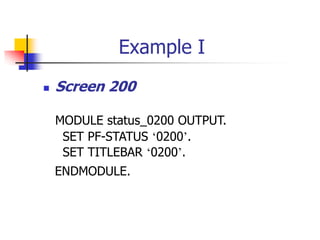
MODULE status_0200 OUTPUT.
SET PF-STATUS ‘0200’.
SET TITLEBAR ‘0200’.
ENDMODULE.
Example I
 Screen 200
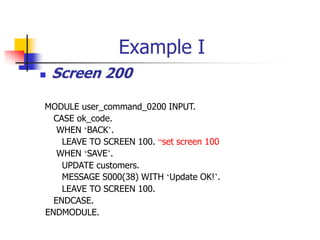
MODULE user_command_0200 INPUT.
CASE ok_code.
WHEN ‘BACK’.
LEAVE TO SCREEN 100. “set screen 100
WHEN ‘SAVE’.
UPDATE customers.
MESSAGE S000(38) WITH ‘Update OK!’.
LEAVE TO SCREEN 100.
ENDCASE.
ENDMODULE.
Example I
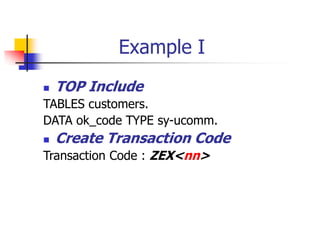
 TOP Include
TABLES customers.
DATA ok_code TYPE sy-ucomm.
 Create Transaction Code
Transaction Code : ZEX<nn>
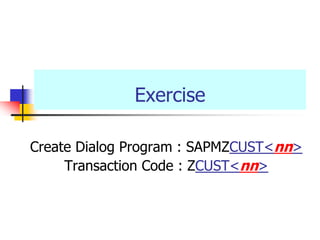
Exercise
Create Dialog Program : SAPMZCUST<nn>
Transaction Code : ZCUST<nn>
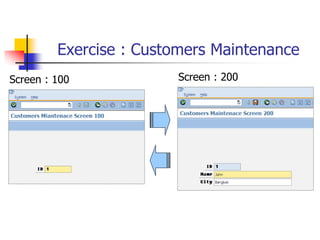
Exercise : Customers Maintenance
Screen : 100 Screen : 200
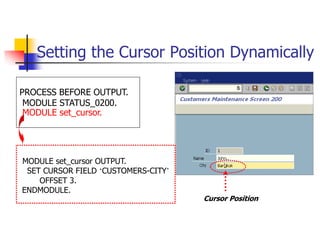
Setting the Cursor Position Dynamically
Cursor Position
PROCESS BEFORE OUTPUT.
MODULE STATUS_0200.
MODULE set_cursor.
MODULE set_cursor OUTPUT.
SET CURSOR FIELD ‘CUSTOMERS-CITY’
OFFSET 3.
ENDMODULE.
Avoiding the Unexpected
Processing Step of ok_code Field
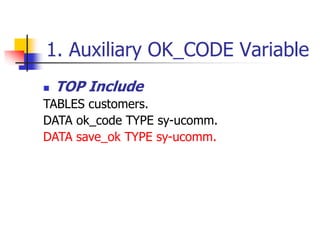
1. Auxiliary OK_CODE Variable
 TOP Include
TABLES customers.
DATA ok_code TYPE sy-ucomm.
DATA save_ok TYPE sy-ucomm.
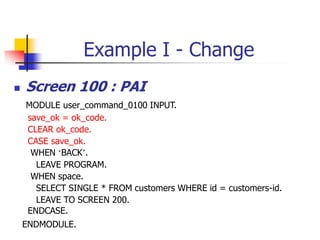
Example I - Change
 Screen 100 : PAI
MODULE user_command_0100 INPUT.
save_ok = ok_code.
CLEAR ok_code.
CASE save_ok.
WHEN ‘BACK’.
LEAVE PROGRAM.
WHEN space.
SELECT SINGLE * FROM customers WHERE id = customers-id.
LEAVE TO SCREEN 200.
ENDCASE.
ENDMODULE.
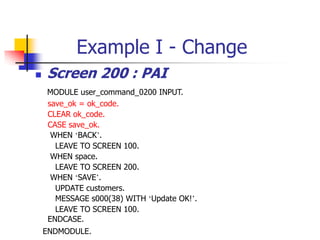
Example I - Change
 Screen 200 : PAI
MODULE user_command_0200 INPUT.
save_ok = ok_code.
CLEAR ok_code.
CASE save_ok.
WHEN ‘BACK’.
LEAVE TO SCREEN 100.
WHEN space.
LEAVE TO SCREEN 200.
WHEN ‘SAVE’.
UPDATE customers.
MESSAGE s000(38) WITH ‘Update OK!’.
LEAVE TO SCREEN 100.
ENDCASE.
ENDMODULE.
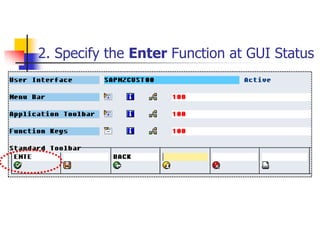
2. Specify the Enter Function at GUI Status
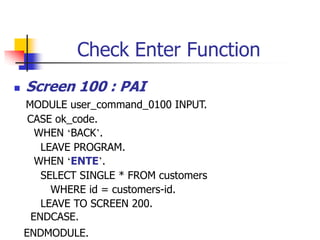
Check Enter Function
 Screen 100 : PAI
MODULE user_command_0100 INPUT.
CASE ok_code.
WHEN ‘BACK’.
LEAVE PROGRAM.
WHEN ‘ENTE’.
SELECT SINGLE * FROM customers
WHERE id = customers-id.
LEAVE TO SCREEN 200.
ENDCASE.
ENDMODULE.
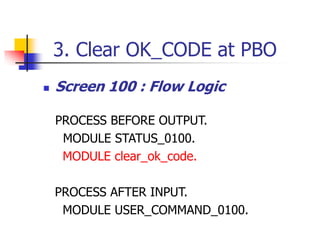
3. Clear OK_CODE at PBO
 Screen 100 : Flow Logic
PROCESS BEFORE OUTPUT.
MODULE STATUS_0100.
MODULE clear_ok_code.
PROCESS AFTER INPUT.
MODULE USER_COMMAND_0100.
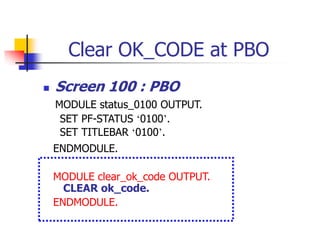
Clear OK_CODE at PBO
 Screen 100 : PBO
MODULE status_0100 OUTPUT.
SET PF-STATUS ‘0100’.
SET TITLEBAR ‘0100’.
ENDMODULE.
MODULE clear_ok_code OUTPUT.
CLEAR ok_code.
ENDMODULE.
Checking User Input
Example II
Maintain Customers Data
 Check Input Data Manually
Example II
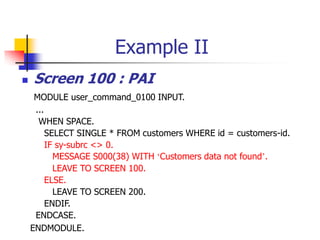
 Screen 100 : PAI
MODULE user_command_0100 INPUT.
...
WHEN SPACE.
SELECT SINGLE * FROM customers WHERE id = customers-id.
IF sy-subrc <> 0.
MESSAGE S000(38) WITH ‘Customers data not found’.
LEAVE TO SCREEN 100.
ELSE.
LEAVE TO SCREEN 200.
ENDIF.
ENDCASE.
ENDMODULE.
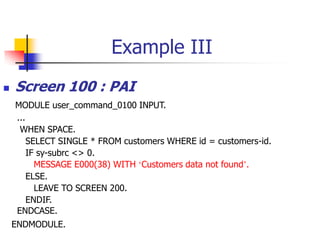
Example III
Maintain Customers Data
 Check Input Data Using Field Command
Example III – Field Statement
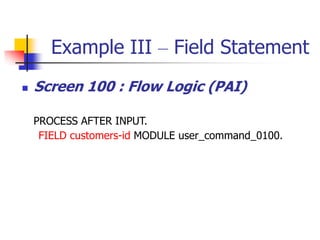
 Screen 100 : Flow Logic (PAI)
PROCESS AFTER INPUT.
FIELD customers-id MODULE user_command_0100.
Example III
 Screen 100 : PAI
MODULE user_command_0100 INPUT.
...
WHEN SPACE.
SELECT SINGLE * FROM customers WHERE id = customers-id.
IF sy-subrc <> 0.
MESSAGE E000(38) WITH ‘Customers data not found’.
ELSE.
LEAVE TO SCREEN 200.
ENDIF.
ENDCASE.
ENDMODULE.
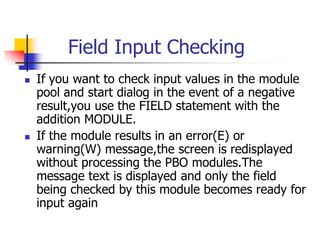
Field Input Checking
 If you want to check input values in the module
pool and start dialog in the event of a negative
result,you use the FIELD statement with the
addition MODULE.
 If the module results in an error(E) or
warning(W) message,the screen is redisplayed
without processing the PBO modules.The
message text is displayed and only the field
being checked by this module becomes ready for
input again
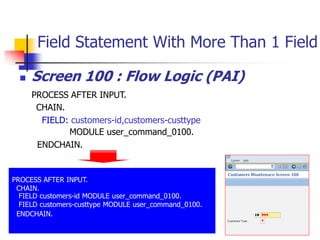
Field Statement With More Than 1 Field
 Screen 100 : Flow Logic (PAI)
PROCESS AFTER INPUT.
CHAIN.
FIELD: customers-id,customers-custtype
MODULE user_command_0100.
ENDCHAIN.
PROCESS AFTER INPUT.
CHAIN.
FIELD customers-id MODULE user_command_0100.
FIELD customers-custtype MODULE user_command_0100.
ENDCHAIN.
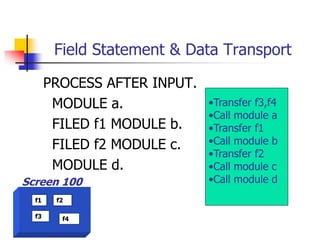
Field Statement & Data Transport
PROCESS AFTER INPUT.
MODULE a.
FILED f1 MODULE b.
FILED f2 MODULE c.
MODULE d.
f1 f2
f3 f4
Screen 100
•Transfer f3,f4
•Call module a
•Transfer f1
•Call module b
•Transfer f2
•Call module c
•Call module d
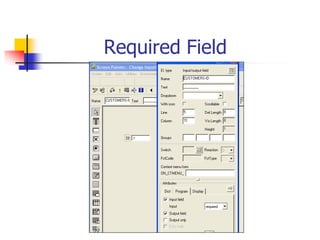
Required Field
Required Field
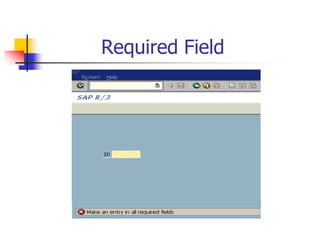
Required Field
At exit-command
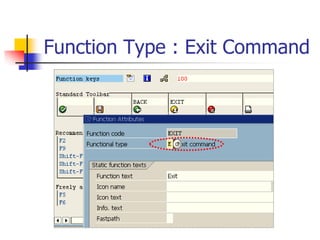
Function Type : Exit Command
 When user chooses a function with type
E,the screen flow logic jumps directly to the
following statement
MODULE <module> AT EXIT-COMMAND
 No other screen fields are transported to the
program except OK Code field
At exit-command
At exit-command
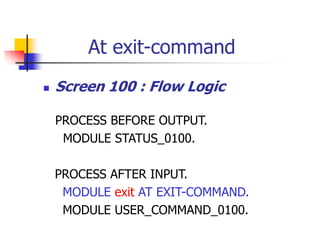
 Screen 100 : Flow Logic
PROCESS BEFORE OUTPUT.
MODULE STATUS_0100.
PROCESS AFTER INPUT.
MODULE exit AT EXIT-COMMAND.
MODULE USER_COMMAND_0100.
At exit-command
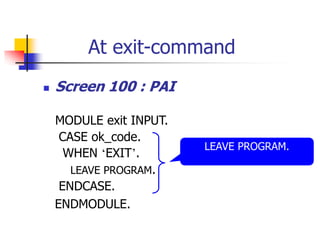
 Screen 100 : PAI
MODULE exit INPUT.
CASE ok_code.
WHEN ‘EXIT’.
LEAVE PROGRAM.
ENDCASE.
ENDMODULE.
LEAVE PROGRAM.
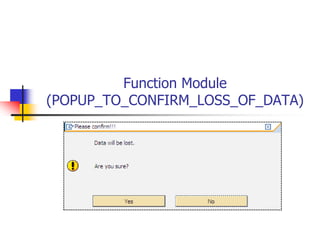
Function Module
(POPUP_TO_CONFIRM_LOSS_OF_DATA)
Example IV
Maintain Customer Data
 Popup confirmation data using function
‘POPUP_TO_CONFIRM_LOSS_OF_DATA’
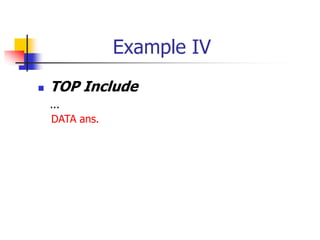
Example IV
 TOP Include
...
DATA ans.
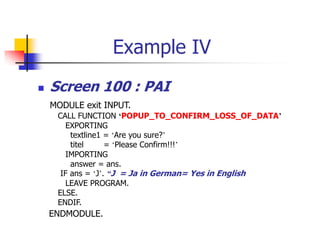
Example IV
 Screen 100 : PAI
MODULE exit INPUT.
CALL FUNCTION ‘POPUP_TO_CONFIRM_LOSS_OF_DATA’
EXPORTING
textline1 = ‘Are you sure?’
titel = ‘Please Confirm!!!’
IMPORTING
answer = ans.
IF ans = ‘J’. “J = Ja in German= Yes in English
LEAVE PROGRAM.
ELSE.
ENDIF.
ENDMODULE.
SAP Transaction : Enqueue Lock Object
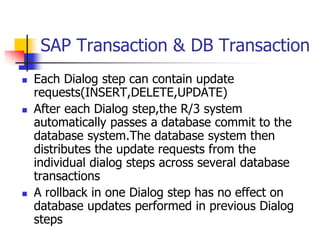
SAP Transaction & DB Transaction
 Each Dialog step can contain update
requests(INSERT,DELETE,UPDATE)
 After each Dialog step,the R/3 system
automatically passes a database commit to the
database system.The database system then
distributes the update requests from the
individual dialog steps across several database
transactions
 A rollback in one Dialog step has no effect on
database updates performed in previous Dialog
steps
SAP Transaction(LUW)
DB Commit DB Commit
SAP LUW
DB LUW
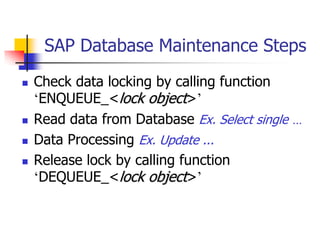
SAP Database Maintenance Steps
 Check data locking by calling function
‘ENQUEUE_<lock object>’
 Read data from Database Ex. Select single …
 Data Processing Ex. Update ...
 Release lock by calling function
‘DEQUEUE_<lock object>’
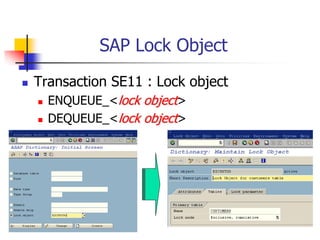
SAP Lock Object
 Transaction SE11 : Lock object
 ENQUEUE_<lock object>
 DEQUEUE_<lock object>
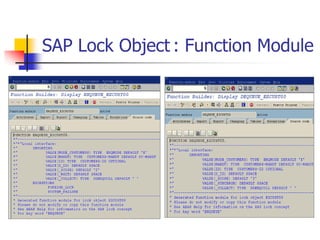
SAP Lock Object : Function Module
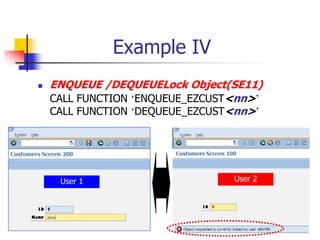
Example IV
 ENQUEUE /DEQUEUELock Object(SE11)
CALL FUNCTION ‘ENQUEUE_EZCUST<nn>’
CALL FUNCTION ‘DEQUEUE_EZCUST<nn>’
User 1 User 2
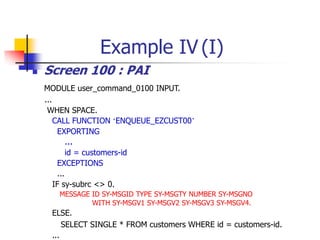
Example IV (I)
 Screen 100 : PAI
MODULE user_command_0100 INPUT.
...
WHEN SPACE.
CALL FUNCTION ‘ENQUEUE_EZCUST00’
EXPORTING
…
id = customers-id
EXCEPTIONS
...
IF sy-subrc <> 0.
MESSAGE ID SY-MSGID TYPE SY-MSGTY NUMBER SY-MSGNO
WITH SY-MSGV1 SY-MSGV2 SY-MSGV3 SY-MSGV4.
ELSE.
SELECT SINGLE * FROM customers WHERE id = customers-id.
...
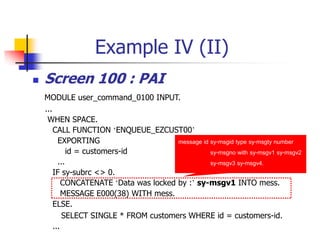
Example IV (II)
 Screen 100 : PAI
MODULE user_command_0100 INPUT.
...
WHEN SPACE.
CALL FUNCTION ‘ENQUEUE_EZCUST00’
EXPORTING
id = customers-id
...
IF sy-subrc <> 0.
CONCATENATE ‘Data was locked by :’ sy-msgv1 INTO mess.
MESSAGE E000(38) WITH mess.
ELSE.
SELECT SINGLE * FROM customers WHERE id = customers-id.
...
message id sy-msgid type sy-msgty number
sy-msgno with sy-msgv1 sy-msgv2
sy-msgv3 sy-msgv4.
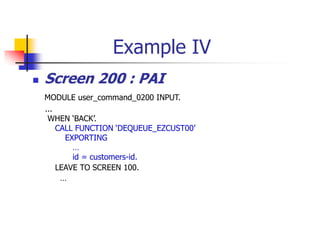
Example IV
 Screen 200 : PAI
MODULE user_command_0200 INPUT.
...
WHEN ‘BACK’.
CALL FUNCTION ‘DEQUEUE_EZCUST00’
EXPORTING
…
id = customers-id.
LEAVE TO SCREEN 100.
…
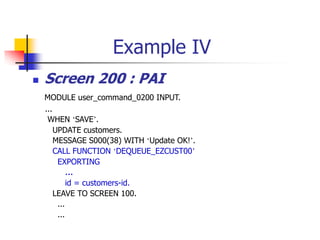
Example IV
 Screen 200 : PAI
MODULE user_command_0200 INPUT.
...
WHEN ‘SAVE’.
UPDATE customers.
MESSAGE S000(38) WITH ‘Update OK!’.
CALL FUNCTION ‘DEQUEUE_EZCUST00’
EXPORTING
…
id = customers-id.
LEAVE TO SCREEN 100.
...
...
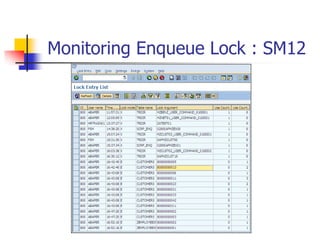
Monitoring Enqueue Lock : SM12

Module-Pool-Tutorial.pdf

  • 1.
  • 2.
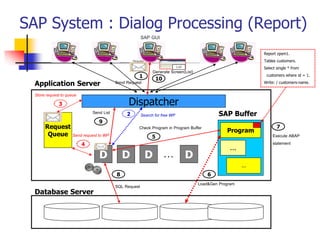
    SAP System :Dialog Processing (Report) Database Server Application Server Dispatcher Request Queue D D D D … SAP Buffer Program … … 1 3 4 5 6 8 9 10 Report zpsm1. Tables customers. Select single * from customers where id = 1. Write: / customers-name. Execute ABAP statement Check Program in Program Buffer 7 Load&Gen Program SQL Request Send List Generate Screen(List) Send Request Request List 2 Search for free WP Store request to queue Send request to WP SAP GUI
  • 3.
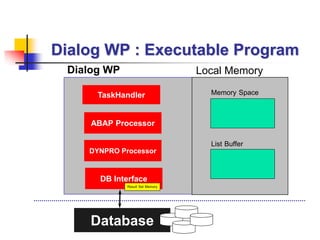
    Dialog WP :Executable Program Dialog WP TaskHandler DYNPRO Processor ABAP Processor Database Local Memory Memory Space DB Interface List Buffer Result Set Memory
  • 4.
    Types of ABAPReport 1. Report Listing 2. Drill-down Report 3. Control-break Report 4. ALV Report 1 3 4
  • 5.
    SAP System :Dialog Processing (DIALOG) Database Server Application Server Dispatcher Request Queue D D D D … SAP Buffer Program … … 1 3 4 5 6 8 9 10 Program sapmzex001. Include …. Set screen 100. … Execute ABAP statement Check Program in Program Buffer 7 Load&Gen Program SQL Request Send List Generate Dialog Screen Send Request Request Screen 2 Search for free WP Store request to queue Send request to WP SAP GUI
  • 6.
    Dialog WP :Dialog Program Dialog WP TaskHandler DYNPRO Processor ABAP Processor Database Local Memory ABAP Memory DB Interface Screen Buffer Result Set Memory
  • 7.
    Dialog Program :Transaction
  • 8.
    Dialog Program Components TransactionCode Screen : 100 (Screen Layout) Screen : 200 (Screen Layout) Flow Logic Flow Logic PBO PAI ABAP Module Pool ABAP Module Pool PBO PAI ABAP Module Pool ABAP Module Pool Dialog Program Program Naming Convention : SAPM…
  • 9.
    SAP Transaction  AnSAP transaction consists of Dialog steps. A Dialog step begins when the user press Enter,activates a function by pressing a function key,double-clicks or chooses a function from a menu.It ends when the next screen is display  In the course of a Dialog step,The PAI modules belonging to the current screen and the PBO modules belonging to the next screen DB Commit DB Commit
  • 10.
    Data Transfer (LocalMemory) Screen Buffer ABAP Memory Space Screen Work Area ABAP Work Area PBO PAI customers-id customers-name customers id name city … 0000000 ok_code ok_code Local Memory Element List
  • 11.
    Flow Logic  ProcessBefore Output(PBO)  After it has processed all of the modules in the PBO processing block, the system copies the contents of the fields in the ABAP work area to their corresponding fields in the screen work area.  Process After Input(PAI)  Before it processes the first module in the PAI processing block, the system copies the contents of the fields in the screen work area to their corresponding fields in the ABAP work area.
  • 12.
    OK Code Fieldin Screen OK Code Field or Command Field (ok_code in Element List)
  • 13.
    Defining Screen (4Steps)  Screen Attribute  Screen Layout  Flow Logic  Element List Element List(ok_code field)
  • 14.
    Flow Logic inScreen 100 PROCESS BEFORE OUTPUT. MODULE STATUS_0100. PROCESS AFTER INPUT. MODULE USER_COMMAND_0100.
  • 15.
    PBO in Screen100 MODULE status_0100 OUTPUT. SET PF-STATUS ‘0100’. SET TITLEBAR ‘0100’. ENDMODULE.
  • 16.
    PAI in Screen100 MODULE user_command_0100 INPUT. CASE ok_code. WHEN ‘EXIT’. “Leave program SET SCREEN 0. LEAVE SCREEN. “Leave to screen 0 WHEN ‘SAVE’. UPDATE customers. MESSAGE S000(38) WITH ‘Update OK’. SET SCREEN 50. LEAVE SCREEN. ENDCASE. ENDMODULE.
  • 17.
    How to CreateDialog Program  Transaction SE80 : Create Dialog Program  Create Screen(4 steps)  Screen Attribute  Screen Layout  Flow Logic(PBO,PAI)  Define Variable ok_code in Element List  Define Data Object in ABAP Work Area at TOP Include(Tables, Data,...)  Check and Activate Dialog Program  Create Transaction Code
  • 18.
    Example I Maintain CustomersData Screen : 100 Screen : 200
  • 19.
    Example I  CreateDialog Program SAPMZEX<nn> for changing Customers table  Screen 100  Field customers-id  Screen 200  Field customers-id and customers-name
  • 20.
    Example I  Screen100 PROCESS BEFORE OUTPUT. MODULE STATUS_0100. PROCESS AFTER INPUT. MODULE USER_COMMAND_0100.
  • 21.
    Example I  Screen100 MODULE status_0100 OUTPUT. SET PF-STATUS ‘0100’. SET TITLEBAR ‘0100’. ENDMODULE.
  • 22.
    Example I  Screen100 MODULE user_command_0100 INPUT. CASE ok_code. WHEN ‘BACK’. LEAVE PROGRAM. “leave to screen 0 WHEN space. “if not assign Enter Key SELECT SINGLE * FROM customers WHERE id = customers-id. LEAVE TO SCREEN 200. ENDCASE. ENDMODULE.
  • 23.
    Example I  Screen200 PROCESS BEFORE OUTPUT. MODULE STATUS_0200. PROCESS AFTER INPUT. MODULE USER_COMMAND_0200.
  • 24.
    Example I  Screen200 MODULE status_0200 OUTPUT. SET PF-STATUS ‘0200’. SET TITLEBAR ‘0200’. ENDMODULE.
  • 25.
    Example I  Screen200 MODULE user_command_0200 INPUT. CASE ok_code. WHEN ‘BACK’. LEAVE TO SCREEN 100. “set screen 100 WHEN ‘SAVE’. UPDATE customers. MESSAGE S000(38) WITH ‘Update OK!’. LEAVE TO SCREEN 100. ENDCASE. ENDMODULE.
  • 26.
    Example I  TOPInclude TABLES customers. DATA ok_code TYPE sy-ucomm.  Create Transaction Code Transaction Code : ZEX<nn>
  • 27.
    Exercise Create Dialog Program: SAPMZCUST<nn> Transaction Code : ZCUST<nn>
  • 28.
    Exercise : CustomersMaintenance Screen : 100 Screen : 200
  • 29.
    Setting the CursorPosition Dynamically Cursor Position PROCESS BEFORE OUTPUT. MODULE STATUS_0200. MODULE set_cursor. MODULE set_cursor OUTPUT. SET CURSOR FIELD ‘CUSTOMERS-CITY’ OFFSET 3. ENDMODULE.
  • 30.
  • 31.
    1. Auxiliary OK_CODEVariable  TOP Include TABLES customers. DATA ok_code TYPE sy-ucomm. DATA save_ok TYPE sy-ucomm.
  • 32.
    Example I -Change  Screen 100 : PAI MODULE user_command_0100 INPUT. save_ok = ok_code. CLEAR ok_code. CASE save_ok. WHEN ‘BACK’. LEAVE PROGRAM. WHEN space. SELECT SINGLE * FROM customers WHERE id = customers-id. LEAVE TO SCREEN 200. ENDCASE. ENDMODULE.
  • 33.
    Example I -Change  Screen 200 : PAI MODULE user_command_0200 INPUT. save_ok = ok_code. CLEAR ok_code. CASE save_ok. WHEN ‘BACK’. LEAVE TO SCREEN 100. WHEN space. LEAVE TO SCREEN 200. WHEN ‘SAVE’. UPDATE customers. MESSAGE s000(38) WITH ‘Update OK!’. LEAVE TO SCREEN 100. ENDCASE. ENDMODULE.
  • 34.
    2. Specify theEnter Function at GUI Status
  • 35.
    Check Enter Function Screen 100 : PAI MODULE user_command_0100 INPUT. CASE ok_code. WHEN ‘BACK’. LEAVE PROGRAM. WHEN ‘ENTE’. SELECT SINGLE * FROM customers WHERE id = customers-id. LEAVE TO SCREEN 200. ENDCASE. ENDMODULE.
  • 36.
    3. Clear OK_CODEat PBO  Screen 100 : Flow Logic PROCESS BEFORE OUTPUT. MODULE STATUS_0100. MODULE clear_ok_code. PROCESS AFTER INPUT. MODULE USER_COMMAND_0100.
  • 37.
    Clear OK_CODE atPBO  Screen 100 : PBO MODULE status_0100 OUTPUT. SET PF-STATUS ‘0100’. SET TITLEBAR ‘0100’. ENDMODULE. MODULE clear_ok_code OUTPUT. CLEAR ok_code. ENDMODULE.
  • 38.
  • 39.
    Example II Maintain CustomersData  Check Input Data Manually
  • 40.
    Example II  Screen100 : PAI MODULE user_command_0100 INPUT. ... WHEN SPACE. SELECT SINGLE * FROM customers WHERE id = customers-id. IF sy-subrc <> 0. MESSAGE S000(38) WITH ‘Customers data not found’. LEAVE TO SCREEN 100. ELSE. LEAVE TO SCREEN 200. ENDIF. ENDCASE. ENDMODULE.
  • 41.
    Example III Maintain CustomersData  Check Input Data Using Field Command
  • 42.
    Example III –Field Statement  Screen 100 : Flow Logic (PAI) PROCESS AFTER INPUT. FIELD customers-id MODULE user_command_0100.
  • 43.
    Example III  Screen100 : PAI MODULE user_command_0100 INPUT. ... WHEN SPACE. SELECT SINGLE * FROM customers WHERE id = customers-id. IF sy-subrc <> 0. MESSAGE E000(38) WITH ‘Customers data not found’. ELSE. LEAVE TO SCREEN 200. ENDIF. ENDCASE. ENDMODULE.
  • 44.
    Field Input Checking If you want to check input values in the module pool and start dialog in the event of a negative result,you use the FIELD statement with the addition MODULE.  If the module results in an error(E) or warning(W) message,the screen is redisplayed without processing the PBO modules.The message text is displayed and only the field being checked by this module becomes ready for input again
  • 45.
    Field Statement WithMore Than 1 Field  Screen 100 : Flow Logic (PAI) PROCESS AFTER INPUT. CHAIN. FIELD: customers-id,customers-custtype MODULE user_command_0100. ENDCHAIN. PROCESS AFTER INPUT. CHAIN. FIELD customers-id MODULE user_command_0100. FIELD customers-custtype MODULE user_command_0100. ENDCHAIN.
  • 46.
    Field Statement &Data Transport PROCESS AFTER INPUT. MODULE a. FILED f1 MODULE b. FILED f2 MODULE c. MODULE d. f1 f2 f3 f4 Screen 100 •Transfer f3,f4 •Call module a •Transfer f1 •Call module b •Transfer f2 •Call module c •Call module d
  • 47.
  • 48.
  • 49.
  • 50.
  • 51.
    Function Type :Exit Command
  • 52.
     When userchooses a function with type E,the screen flow logic jumps directly to the following statement MODULE <module> AT EXIT-COMMAND  No other screen fields are transported to the program except OK Code field At exit-command
  • 53.
    At exit-command  Screen100 : Flow Logic PROCESS BEFORE OUTPUT. MODULE STATUS_0100. PROCESS AFTER INPUT. MODULE exit AT EXIT-COMMAND. MODULE USER_COMMAND_0100.
  • 54.
    At exit-command  Screen100 : PAI MODULE exit INPUT. CASE ok_code. WHEN ‘EXIT’. LEAVE PROGRAM. ENDCASE. ENDMODULE. LEAVE PROGRAM.
  • 55.
  • 56.
    Example IV Maintain CustomerData  Popup confirmation data using function ‘POPUP_TO_CONFIRM_LOSS_OF_DATA’
  • 57.
    Example IV  TOPInclude ... DATA ans.
  • 58.
    Example IV  Screen100 : PAI MODULE exit INPUT. CALL FUNCTION ‘POPUP_TO_CONFIRM_LOSS_OF_DATA’ EXPORTING textline1 = ‘Are you sure?’ titel = ‘Please Confirm!!!’ IMPORTING answer = ans. IF ans = ‘J’. “J = Ja in German= Yes in English LEAVE PROGRAM. ELSE. ENDIF. ENDMODULE.
  • 59.
    SAP Transaction :Enqueue Lock Object
  • 60.
    SAP Transaction &DB Transaction  Each Dialog step can contain update requests(INSERT,DELETE,UPDATE)  After each Dialog step,the R/3 system automatically passes a database commit to the database system.The database system then distributes the update requests from the individual dialog steps across several database transactions  A rollback in one Dialog step has no effect on database updates performed in previous Dialog steps
  • 61.
    SAP Transaction(LUW) DB CommitDB Commit SAP LUW DB LUW
  • 62.
    SAP Database MaintenanceSteps  Check data locking by calling function ‘ENQUEUE_<lock object>’  Read data from Database Ex. Select single …  Data Processing Ex. Update ...  Release lock by calling function ‘DEQUEUE_<lock object>’
  • 63.
    SAP Lock Object Transaction SE11 : Lock object  ENQUEUE_<lock object>  DEQUEUE_<lock object>
  • 64.
    SAP Lock Object: Function Module
  • 65.
    Example IV  ENQUEUE/DEQUEUELock Object(SE11) CALL FUNCTION ‘ENQUEUE_EZCUST<nn>’ CALL FUNCTION ‘DEQUEUE_EZCUST<nn>’ User 1 User 2
  • 66.
    Example IV (I) Screen 100 : PAI MODULE user_command_0100 INPUT. ... WHEN SPACE. CALL FUNCTION ‘ENQUEUE_EZCUST00’ EXPORTING … id = customers-id EXCEPTIONS ... IF sy-subrc <> 0. MESSAGE ID SY-MSGID TYPE SY-MSGTY NUMBER SY-MSGNO WITH SY-MSGV1 SY-MSGV2 SY-MSGV3 SY-MSGV4. ELSE. SELECT SINGLE * FROM customers WHERE id = customers-id. ...
  • 67.
    Example IV (II) Screen 100 : PAI MODULE user_command_0100 INPUT. ... WHEN SPACE. CALL FUNCTION ‘ENQUEUE_EZCUST00’ EXPORTING id = customers-id ... IF sy-subrc <> 0. CONCATENATE ‘Data was locked by :’ sy-msgv1 INTO mess. MESSAGE E000(38) WITH mess. ELSE. SELECT SINGLE * FROM customers WHERE id = customers-id. ... message id sy-msgid type sy-msgty number sy-msgno with sy-msgv1 sy-msgv2 sy-msgv3 sy-msgv4.
  • 68.
    Example IV  Screen200 : PAI MODULE user_command_0200 INPUT. ... WHEN ‘BACK’. CALL FUNCTION ‘DEQUEUE_EZCUST00’ EXPORTING … id = customers-id. LEAVE TO SCREEN 100. …
  • 69.
    Example IV  Screen200 : PAI MODULE user_command_0200 INPUT. ... WHEN ‘SAVE’. UPDATE customers. MESSAGE S000(38) WITH ‘Update OK!’. CALL FUNCTION ‘DEQUEUE_EZCUST00’ EXPORTING … id = customers-id. LEAVE TO SCREEN 100. ... ...
  • 70.