ABAP Programming Overview
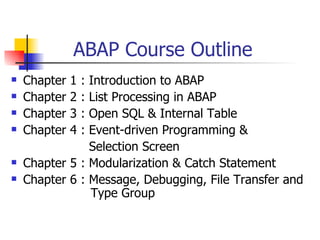
ABAP Course Outline
   Chapter   1   :
                Introduction to ABAP
   Chapter   2   :
                List Processing in ABAP
   Chapter   3   :
                Open SQL & Internal Table
   Chapter   4   :
                Event-driven Programming &
                Selection Screen
   Chapter 5 : Modularization & Catch Statement
   Chapter 6 : Message, Debugging, File Transfer and
                Type Group
ABAP Chapter 1
   Introduction to SAP Architecture
   ABAP Overview
   Data Object in ABAP
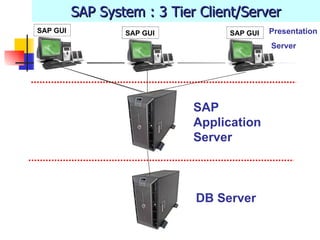
SAP System : 3 Tier Client/Server
SAP GUI           SAP GUI         SAP GUI   Presentation
                                            Server


                             SAP
                             Application
                             Server


                             DB Server
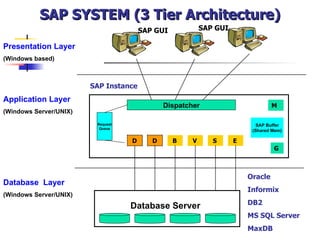
SAP SYSTEM (3 Tier Architecture)
                                       SAP GUI            SAP GUI

Presentation Layer
(Windows based)


                        SAP Instance
Application Layer
                                              Dispatcher                         M
(Windows Server/UNIX)
                         Request                                           SAP Buffer
                          Queue
                                                                         (Shared Mem)

                                   D      D      B    V      S      E
                                                                                 G


                                                                        Oracle
Database Layer
                                                                        Informix
(Windows Server/UNIX)
                                                                        DB2
                                   Database Server
                                                                        MS SQL Server
                                                                        MaxDB
Dialog Processing
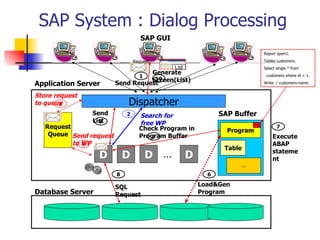
SAP System : Dialog Processing
                                    SAP GUI

                                                                            Report zpsm1.

                                 Request                                    Tables customers.
                                              List                          Select single * from
                                   Generate
                                1   10
                                                                             customers where id = 1.
                                   Screen(List)
Application Server       Send Request                                       Write: / customers-name.


Store request
to queue3                    Dispatcher
                Send         2     Search for                  SAP Buffer
                List
                  9                free WP
   Request                         Check Program in                                7
                                                                 Program
    Queue Send request             Program Buffer
                                       5                                        Execute
           to WP
              4                                                                 ABAP
                                                                Table
                  D          D        D …            D                          stateme
                                                                                nt
                                                                        …

                         8                                 6

                         SQL                             Load&Gen
Database Server          Request                         Program
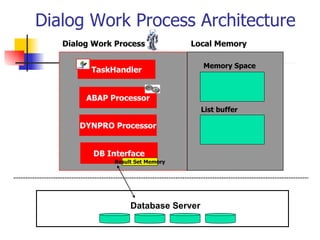
Dialog Work Process Architecture
   Dialog Work Process             Local Memory

                                      Memory Space
         TaskHandler


        ABAP Processor
                                      List buffer

      DYNPRO Processor


          DB Interface
               Result Set Memory


                    Database Server
ABAP Programming Overview
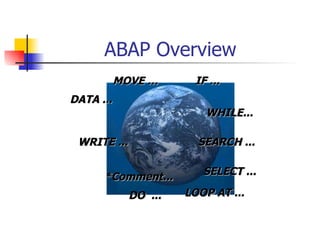
ABAP Overview
           MOVE …      IF ...
DATA ...
                         WHILE...

 WRITE ...              SEARCH ...


      *Comment...        SELECT ...

             DO ...   LOOP AT ...
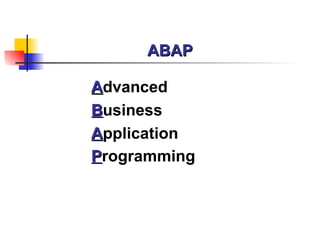
ABAP

Advanced
Business
Application
Programming
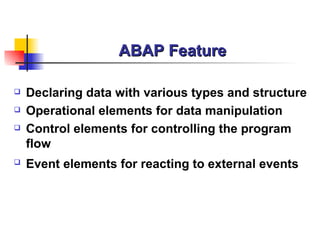
ABAP Feature

   Declaring data with various types and structure
   Operational elements for data manipulation
   Control elements for controlling the program
    flow
   Event elements for reacting to external events
ABAP

   Operating/Database system-independent
    programming
   ABAP contains a subset of SQL called Open SQL
    for comfortable database access for various
    database
ABAP Programming

   ABAP Report
   Dialog Programming(Transaction)
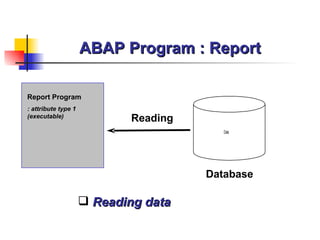
ABAP Program : Report

Report Program
: attribute type 1
(executable)
                             Reading
                                          Data


                                       Database

                      Reading data
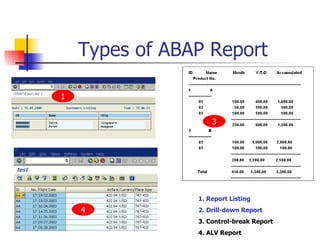
Types of ABAP Report

1


                    3


                1. Report Listing
    4           2. Drill-down Report
                3. Control-break Report
                4. ALV Report
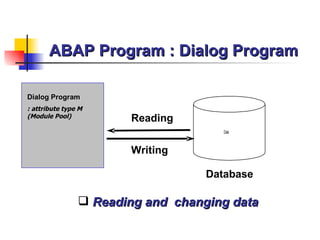
ABAP Program : Dialog Program

Dialog Program
: attribute type M
(Module Pool)
                       Reading
                                      Data


                       Writing

                                   Database

                 Reading and changing data
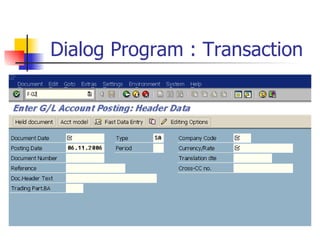
Dialog Program : Transaction
ABAP Programming
How to create ABAP program


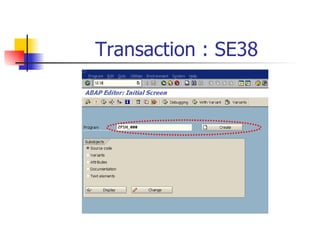
Transaction Code : SE38
Transaction : SE38
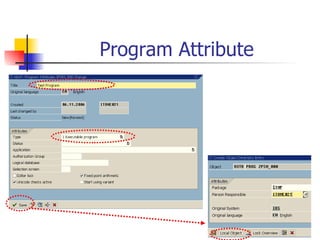
Program Attribute
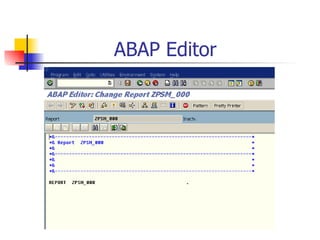
ABAP Editor
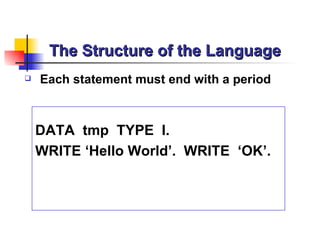
The Structure of the Language
   Each statement must end with a period


    DATA tmp TYPE I.
    WRITE ‘Hello World’. WRITE ‘OK’.
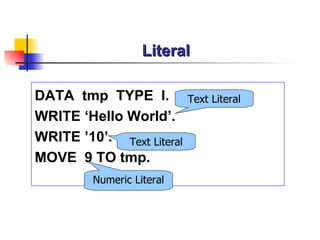
Literal

DATA tmp TYPE I.           Text Literal
WRITE ‘Hello World’.
WRITE ’10’. Text Literal
MOVE 9 TO tmp.
         Numeric Literal
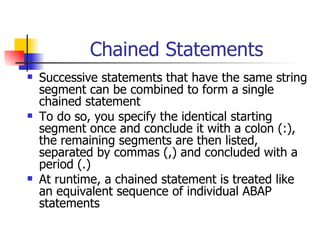
Chained Statements
   Successive statements that have the same string
    segment can be combined to form a single
    chained statement
   To do so, you specify the identical starting
    segment once and conclude it with a colon (:),
    the remaining segments are then listed,
    separated by commas (,) and concluded with a
    period (.)
   At runtime, a chained statement is treated like
    an equivalent sequence of individual ABAP
    statements
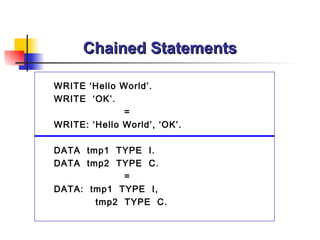
Chained Statements

WRITE ‘Hello World’.
WRITE ‘OK’.
              =
WRITE: ‘Hello World’, ‘OK’.

DATA tmp1 TYPE I.
DATA tmp2 TYPE C.
            =
DATA: tmp1 TYPE I,
       tmp2 TYPE C.
Chained Statement


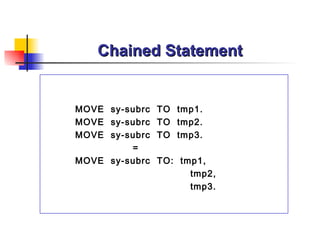
MOVE sy-subrc TO tmp1.
MOVE sy-subrc TO tmp2.
MOVE sy-subrc TO tmp3.
         =
MOVE sy-subrc TO: tmp1,
                    tmp2,
                    tmp3.
Chained Statement


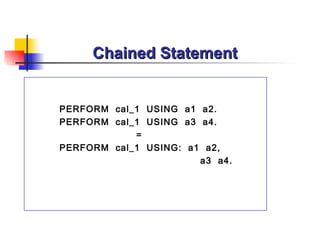
PERFORM cal_1 USING a1 a2.
PERFORM cal_1 USING a3 a4.
            =
PERFORM cal_1 USING: a1 a2,
                       a3 a4.
Comments


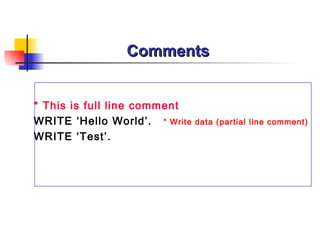
* This is full line comment
WRITE ‘Hello World’. “ Write   data (partial line comment)
WRITE ‘Test’.
ABAP Command : Case Sensitivity
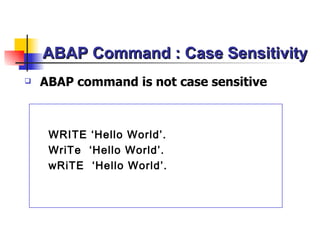
   ABAP command is not case sensitive


     WRITE ‘Hello World’.
     WriTe ‘Hello World’.
     wRiTE ‘Hello World’.
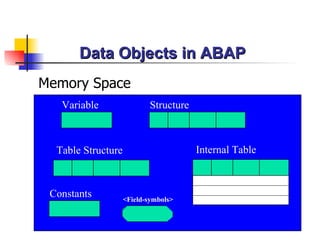
Data Objects in ABAP
Memory Space
   Variable                 Structure


  Table Structure                       Internal Table


 Constants          <Field-symbols>
Variable
Variable

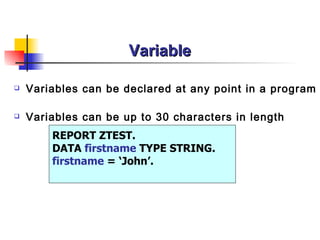
   Variables can be declared at any point in a program

   Variables can be up to 30 characters in length
        REPORT ZTEST.
        DATA firstname TYPE STRING.
        firstname = ‘John’.
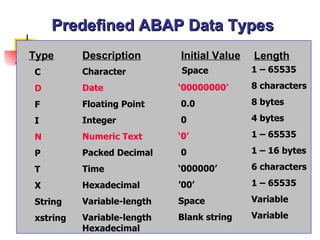
Predefined ABAP Data Types
Type      Description       Initial Value   Length
C         Character         Space           1 – 65535

D         Date              ‘00000000’      8 characters

F         Floating Point    0.0             8 bytes

I         Integer           0               4 bytes

N         Numeric Text      ‘0’             1 – 65535

P         Packed Decimal    0               1 – 16 bytes

T         Time              ‘000000’        6 characters

X         Hexadecimal       ’00’            1 – 65535

String    Variable-length   Space           Variable

xstring   Variable-length   Blank string    Variable
          Hexadecimal
Defining Variable with DATA Statement


* Syntax
DATA var[( length )] [Type type ] [Decimals number ].

DATA var LIKE Table-Field [VALUE initial value ].
Defining Variable with DATA Statement

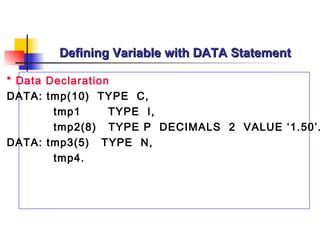
* Data Declaration
DATA: tmp(10) TYPE C,
        tmp1      TYPE I,
        tmp2(8) TYPE P DECIMALS 2 VALUE ‘1.50’.
DATA: tmp3(5) TYPE N,
        tmp4.
Defining Variable with DATA Statement


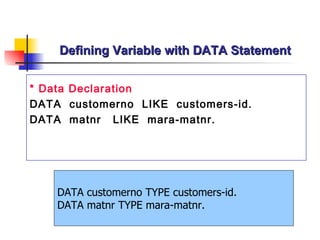
* Data Declaration
DATA customerno LIKE customers-id.
DATA matnr LIKE mara-matnr.


    DATA customerno TYPE customers-id.
    DATA matnr TYPE mara-matnr.
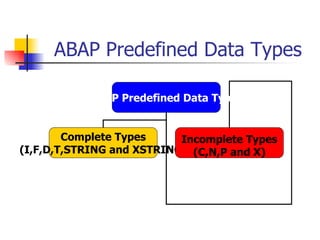
ABAP Predefined Data Types

           ABAP Predefined Data Types


        Complete Types     Incomplete Types
(I,F,D,T,STRING and XSTRING) (C,N,P and X)
Variable

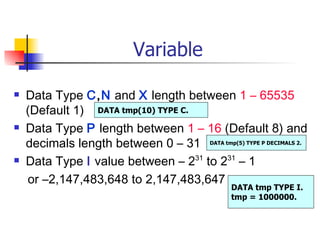
   Data Type C,N and X length between 1 – 65535
    (Default 1) DATA tmp(10) TYPE C.
   Data Type P length between 1 – 16 (Default 8) and
    decimals length between 0 – 31 DATA tmp(5) TYPE P DECIMALS 2.
   Data Type I value between – 231 to 231 – 1
    or –2,147,483,648 to 2,147,483,647
                                                DATA tmp TYPE I.
                                                tmp = 1000000.
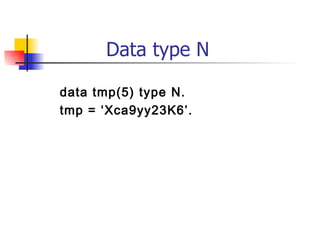
Data type N

data tmp(5) type N.
tmp = ‘Xca9yy23K6’.
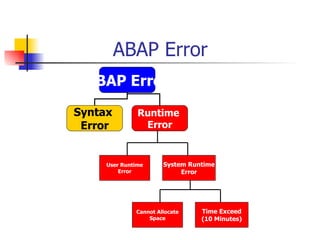
ABAP Error
 ABAP Error
Syntax         Runtime
 Error          Error


     User Runtime      System Runtime
         Error              Error


              Cannot Allocate    Time Exceed
                  Space          (10 Minutes)
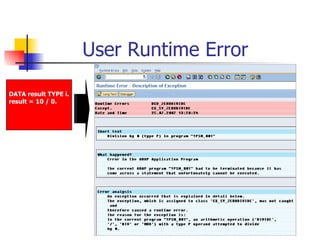
User Runtime Error

DATA result TYPE i.
result = 10 / 0.
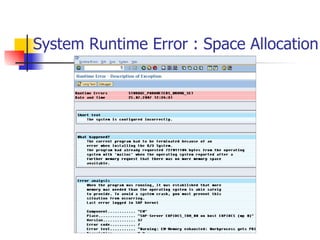
System Runtime Error : Space Allocation
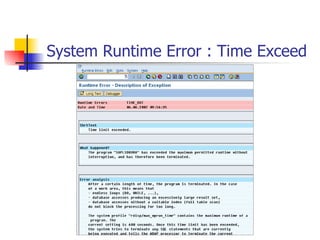
System Runtime Error : Time Exceed
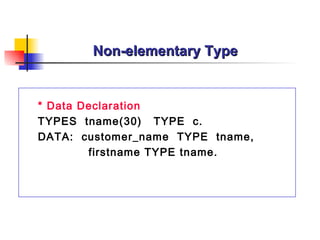
Non-elementary Type


* Data Declaration
TYPES tname(30) TYPE c.
DATA: customer_name TYPE tname,
        firstname TYPE tname.
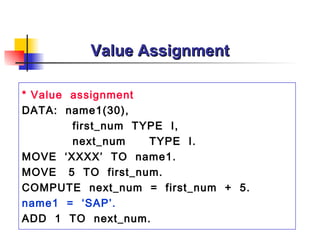
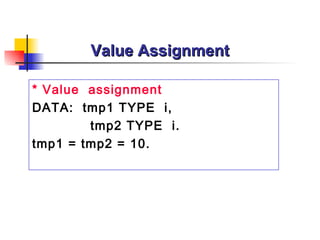
Value Assignment

* Value assignment
DATA: name1(30),
        first_num TYPE I,
        next_num    TYPE I.
MOVE ‘XXXX’ TO name1.
MOVE 5 TO first_num.
COMPUTE next_num = first_num + 5.
name1 = ‘SAP’.
ADD 1 TO next_num.
Value Assignment

* Value assignment
DATA: tmp1 TYPE i,
        tmp2 TYPE i.
tmp1 = tmp2 = 10.
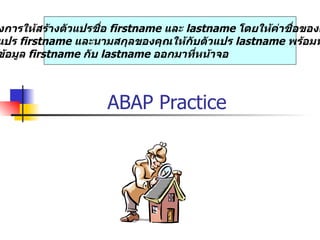
งการให้สร้างตัวแปรชื่อ firstname และ lastname โดยให้ค่าชื่อของค
แปร firstname และนามสกุลของคุณให้กับตัวแปร lastname พร้อมท
ข้อมูล firstname กับ lastname ออกมาที่หน้าจอ


                     ABAP Practice
Structure
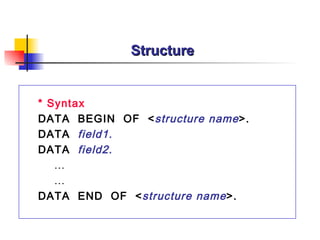
Structure


* Syntax
DATA BEGIN OF < structure name >.
DATA field1.
DATA field2.
   …
   …
DATA END OF < structure name >.
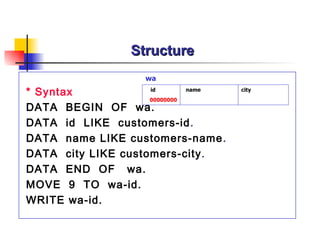
Structure
                   wa

* Syntax            id       name   city
                    00000000
DATA BEGIN OF wa.
DATA id LIKE customers-id .
DATA name LIKE customers-name .
DATA city LIKE customers-city .
DATA END OF wa.
MOVE 9 TO wa-id.
WRITE wa-id.
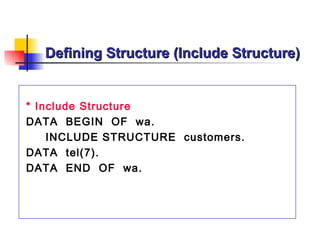
Defining Structure (Include Structure)


* Include Structure
DATA BEGIN OF wa.
    INCLUDE STRUCTURE customers.
DATA tel(7).
DATA END OF wa.
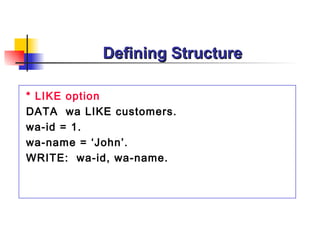
Defining Structure

* LIKE option
DATA wa LIKE customers.
wa-id = 1.
wa-name = ‘John’.
WRITE: wa-id, wa-name.
ารให้สร้าง Structure ชือ myname โดยมีฟิลด์ firstname และ lastn
                       ่
 ค่าชื่อของคุณกับฟิลด์ firstname และนามสกุลของคุณให้กับฟิลด์ la
ทั้งแสดงค่าข้อมูลของ Structure ที่ชื่อ myname ทั้งฟิลด์ firstname
ame ออกมาที่หน้าจอ


                      ABAP Practice
Constants
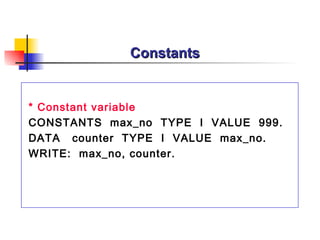
Constants


* Constant variable
CONSTANTS max_no TYPE I VALUE 999.
DATA counter TYPE I VALUE max_no.
WRITE: max_no, counter.
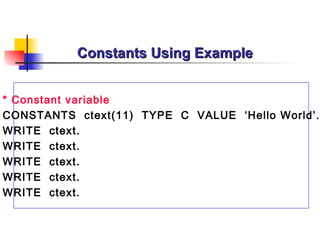
Constants Using Example


* Constant variable
CONSTANTS ctext(11) TYPE C VALUE ‘Hello World’.
WRITE ctext.
WRITE ctext.
WRITE ctext.
WRITE ctext.
WRITE ctext.
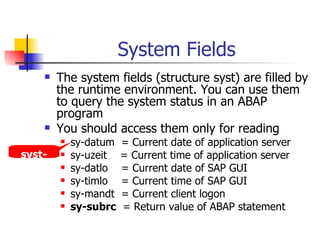
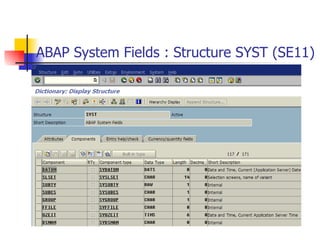
System Fields
        The system fields (structure syst) are filled by
         the runtime environment. You can use them
         to query the system status in an ABAP
         program
        You should access them only for reading
            sy-datum   = Current date of application server
 syst-      sy-uzeit   = Current time of application server
datum       sy-datlo   = Current date of SAP GUI
            sy-timlo   = Current time of SAP GUI
            sy-mandt   = Current client logon
            sy-subrc   = Return value of ABAP statement
ABAP System Fields : Structure SYST (SE11)
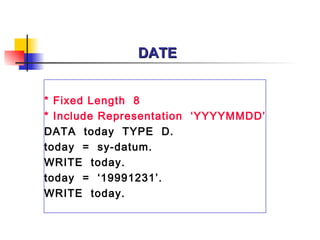
DATE


* Fixed Length 8
* Include Representation ‘YYYYMMDD’
DATA today TYPE D.
today = sy-datum.
WRITE today.
today = ‘19991231’.
WRITE today.
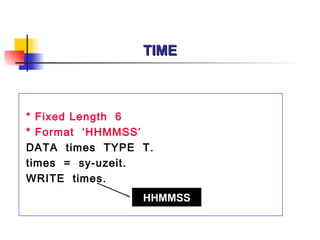
TIME


* Fixed Length 6
* Format ‘HHMMSS’
DATA times TYPE T.
times = sy-uzeit.
WRITE times.
                HHMMSS
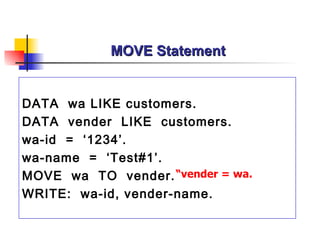
MOVE Statement


DATA wa LIKE customers.
DATA vender LIKE customers.
wa-id = ‘1234’.
wa-name = ‘Test#1’.
MOVE wa TO vender. “vender = wa.
WRITE: wa-id, vender-name.
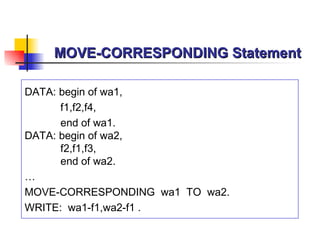
MOVE-CORRESPONDING Statement

DATA: begin of wa1,
      f1,f2,f4,
      end of wa1.
DATA: begin of wa2,
      f2,f1,f3,
      end of wa2.
…
MOVE-CORRESPONDING wa1 TO wa2.
WRITE: wa1-f1,wa2-f1 .
Field-symbols
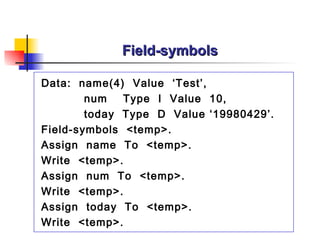
Field-symbols

Data: name(4) Value ‘Test’,
        num   Type I Value 10,
        today Type D Value ‘19980429’.
Field-symbols <temp>.
Assign name To <temp>.
Write <temp>.
Assign num To <temp>.
Write <temp>.
Assign today To <temp>.
Write <temp>.
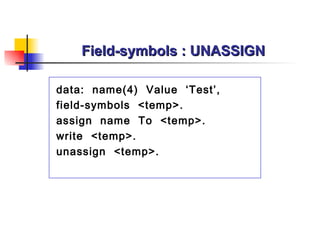
Field-symbols : UNASSIGN

data: name(4) Value ‘Test’,
field-symbols <temp>.
assign name To <temp>.
write <temp>.
unassign <temp>.
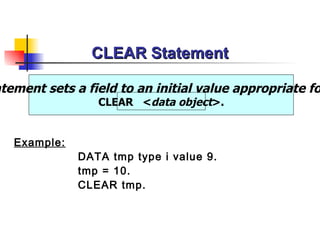
CLEAR Statement

atement sets a field to an initial value appropriate fo
                 CLEAR <data object>.


   Example:
              DATA tmp type i value 9.
              tmp = 10.
              CLEAR tmp.
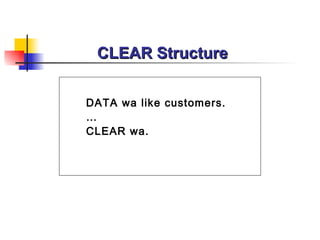
CLEAR Structure


DATA wa like customers.
…
CLEAR wa.
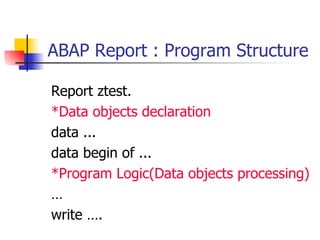
ABAP Report : Program Structure

Report ztest.
*Data objects declaration
data ...
data begin of ...
*Program Logic(Data objects processing)
…
write ….
ABAP Practice

Introduction to ABAP

  • 1.
  • 2.
    ABAP Course Outline  Chapter 1 : Introduction to ABAP  Chapter 2 : List Processing in ABAP  Chapter 3 : Open SQL & Internal Table  Chapter 4 : Event-driven Programming & Selection Screen  Chapter 5 : Modularization & Catch Statement  Chapter 6 : Message, Debugging, File Transfer and Type Group
  • 3.
    ABAP Chapter 1  Introduction to SAP Architecture  ABAP Overview  Data Object in ABAP
  • 4.
    SAP System :3 Tier Client/Server SAP GUI SAP GUI SAP GUI Presentation Server SAP Application Server DB Server
  • 5.
    SAP SYSTEM (3Tier Architecture) SAP GUI SAP GUI Presentation Layer (Windows based) SAP Instance Application Layer Dispatcher M (Windows Server/UNIX) Request SAP Buffer Queue (Shared Mem) D D B V S E G Oracle Database Layer Informix (Windows Server/UNIX) DB2 Database Server MS SQL Server MaxDB
  • 6.
  • 7.
    SAP System :Dialog Processing SAP GUI Report zpsm1. Request Tables customers. List Select single * from Generate 1 10 customers where id = 1. Screen(List) Application Server Send Request Write: / customers-name. Store request to queue3 Dispatcher Send 2 Search for SAP Buffer List 9 free WP Request Check Program in 7 Program Queue Send request Program Buffer 5 Execute to WP 4 ABAP Table D D D … D stateme nt … 8 6 SQL Load&Gen Database Server Request Program
  • 8.
    Dialog Work ProcessArchitecture Dialog Work Process Local Memory Memory Space TaskHandler ABAP Processor List buffer DYNPRO Processor DB Interface Result Set Memory Database Server
  • 9.
  • 10.
    ABAP Overview MOVE … IF ... DATA ... WHILE... WRITE ... SEARCH ... *Comment... SELECT ... DO ... LOOP AT ...
  • 11.
  • 12.
    ABAP Feature  Declaring data with various types and structure  Operational elements for data manipulation  Control elements for controlling the program flow  Event elements for reacting to external events
  • 13.
    ABAP  Operating/Database system-independent programming  ABAP contains a subset of SQL called Open SQL for comfortable database access for various database
  • 14.
    ABAP Programming  ABAP Report  Dialog Programming(Transaction)
  • 15.
    ABAP Program :Report Report Program : attribute type 1 (executable) Reading Data Database  Reading data
  • 16.
    Types of ABAPReport 1 3 1. Report Listing 4 2. Drill-down Report 3. Control-break Report 4. ALV Report
  • 17.
    ABAP Program :Dialog Program Dialog Program : attribute type M (Module Pool) Reading Data Writing Database  Reading and changing data
  • 18.
    Dialog Program :Transaction
  • 19.
  • 20.
    How to createABAP program Transaction Code : SE38
  • 21.
  • 22.
  • 23.
  • 24.
    The Structure ofthe Language  Each statement must end with a period DATA tmp TYPE I. WRITE ‘Hello World’. WRITE ‘OK’.
  • 25.
    Literal DATA tmp TYPEI. Text Literal WRITE ‘Hello World’. WRITE ’10’. Text Literal MOVE 9 TO tmp. Numeric Literal
  • 26.
    Chained Statements  Successive statements that have the same string segment can be combined to form a single chained statement  To do so, you specify the identical starting segment once and conclude it with a colon (:), the remaining segments are then listed, separated by commas (,) and concluded with a period (.)  At runtime, a chained statement is treated like an equivalent sequence of individual ABAP statements
  • 27.
    Chained Statements WRITE ‘HelloWorld’. WRITE ‘OK’. = WRITE: ‘Hello World’, ‘OK’. DATA tmp1 TYPE I. DATA tmp2 TYPE C. = DATA: tmp1 TYPE I, tmp2 TYPE C.
  • 28.
    Chained Statement MOVE sy-subrcTO tmp1. MOVE sy-subrc TO tmp2. MOVE sy-subrc TO tmp3. = MOVE sy-subrc TO: tmp1, tmp2, tmp3.
  • 29.
    Chained Statement PERFORM cal_1USING a1 a2. PERFORM cal_1 USING a3 a4. = PERFORM cal_1 USING: a1 a2, a3 a4.
  • 30.
    Comments * This isfull line comment WRITE ‘Hello World’. “ Write data (partial line comment) WRITE ‘Test’.
  • 31.
    ABAP Command :Case Sensitivity  ABAP command is not case sensitive WRITE ‘Hello World’. WriTe ‘Hello World’. wRiTE ‘Hello World’.
  • 32.
  • 33.
    Data Objects inABAP Memory Space Variable Structure Table Structure Internal Table Constants <Field-symbols>
  • 34.
  • 35.
    Variable  Variables can be declared at any point in a program  Variables can be up to 30 characters in length REPORT ZTEST. DATA firstname TYPE STRING. firstname = ‘John’.
  • 36.
    Predefined ABAP DataTypes Type Description Initial Value Length C Character Space 1 – 65535 D Date ‘00000000’ 8 characters F Floating Point 0.0 8 bytes I Integer 0 4 bytes N Numeric Text ‘0’ 1 – 65535 P Packed Decimal 0 1 – 16 bytes T Time ‘000000’ 6 characters X Hexadecimal ’00’ 1 – 65535 String Variable-length Space Variable xstring Variable-length Blank string Variable Hexadecimal
  • 37.
    Defining Variable withDATA Statement * Syntax DATA var[( length )] [Type type ] [Decimals number ]. DATA var LIKE Table-Field [VALUE initial value ].
  • 38.
    Defining Variable withDATA Statement * Data Declaration DATA: tmp(10) TYPE C, tmp1 TYPE I, tmp2(8) TYPE P DECIMALS 2 VALUE ‘1.50’. DATA: tmp3(5) TYPE N, tmp4.
  • 39.
    Defining Variable withDATA Statement * Data Declaration DATA customerno LIKE customers-id. DATA matnr LIKE mara-matnr. DATA customerno TYPE customers-id. DATA matnr TYPE mara-matnr.
  • 40.
    ABAP Predefined DataTypes ABAP Predefined Data Types Complete Types Incomplete Types (I,F,D,T,STRING and XSTRING) (C,N,P and X)
  • 41.
    Variable  Data Type C,N and X length between 1 – 65535 (Default 1) DATA tmp(10) TYPE C.  Data Type P length between 1 – 16 (Default 8) and decimals length between 0 – 31 DATA tmp(5) TYPE P DECIMALS 2.  Data Type I value between – 231 to 231 – 1 or –2,147,483,648 to 2,147,483,647 DATA tmp TYPE I. tmp = 1000000.
  • 42.
    Data type N datatmp(5) type N. tmp = ‘Xca9yy23K6’.
  • 43.
    ABAP Error ABAPError Syntax Runtime Error Error User Runtime System Runtime Error Error Cannot Allocate Time Exceed Space (10 Minutes)
  • 44.
    User Runtime Error DATAresult TYPE i. result = 10 / 0.
  • 45.
    System Runtime Error: Space Allocation
  • 46.
    System Runtime Error: Time Exceed
  • 47.
    Non-elementary Type * DataDeclaration TYPES tname(30) TYPE c. DATA: customer_name TYPE tname, firstname TYPE tname.
  • 48.
    Value Assignment * Valueassignment DATA: name1(30), first_num TYPE I, next_num TYPE I. MOVE ‘XXXX’ TO name1. MOVE 5 TO first_num. COMPUTE next_num = first_num + 5. name1 = ‘SAP’. ADD 1 TO next_num.
  • 49.
    Value Assignment * Valueassignment DATA: tmp1 TYPE i, tmp2 TYPE i. tmp1 = tmp2 = 10.
  • 50.
    งการให้สร้างตัวแปรชื่อ firstname และlastname โดยให้ค่าชื่อของค แปร firstname และนามสกุลของคุณให้กับตัวแปร lastname พร้อมท ข้อมูล firstname กับ lastname ออกมาที่หน้าจอ ABAP Practice
  • 51.
  • 52.
    Structure * Syntax DATA BEGINOF < structure name >. DATA field1. DATA field2. … … DATA END OF < structure name >.
  • 53.
    Structure wa * Syntax id name city 00000000 DATA BEGIN OF wa. DATA id LIKE customers-id . DATA name LIKE customers-name . DATA city LIKE customers-city . DATA END OF wa. MOVE 9 TO wa-id. WRITE wa-id.
  • 54.
    Defining Structure (IncludeStructure) * Include Structure DATA BEGIN OF wa. INCLUDE STRUCTURE customers. DATA tel(7). DATA END OF wa.
  • 55.
    Defining Structure * LIKEoption DATA wa LIKE customers. wa-id = 1. wa-name = ‘John’. WRITE: wa-id, wa-name.
  • 56.
    ารให้สร้าง Structure ชือmyname โดยมีฟิลด์ firstname และ lastn ่ ค่าชื่อของคุณกับฟิลด์ firstname และนามสกุลของคุณให้กับฟิลด์ la ทั้งแสดงค่าข้อมูลของ Structure ที่ชื่อ myname ทั้งฟิลด์ firstname ame ออกมาที่หน้าจอ ABAP Practice
  • 57.
  • 58.
    Constants * Constant variable CONSTANTSmax_no TYPE I VALUE 999. DATA counter TYPE I VALUE max_no. WRITE: max_no, counter.
  • 59.
    Constants Using Example *Constant variable CONSTANTS ctext(11) TYPE C VALUE ‘Hello World’. WRITE ctext. WRITE ctext. WRITE ctext. WRITE ctext. WRITE ctext.
  • 60.
    System Fields  The system fields (structure syst) are filled by the runtime environment. You can use them to query the system status in an ABAP program  You should access them only for reading  sy-datum = Current date of application server syst-  sy-uzeit = Current time of application server datum  sy-datlo = Current date of SAP GUI  sy-timlo = Current time of SAP GUI  sy-mandt = Current client logon  sy-subrc = Return value of ABAP statement
  • 61.
    ABAP System Fields: Structure SYST (SE11)
  • 62.
    DATE * Fixed Length8 * Include Representation ‘YYYYMMDD’ DATA today TYPE D. today = sy-datum. WRITE today. today = ‘19991231’. WRITE today.
  • 63.
    TIME * Fixed Length6 * Format ‘HHMMSS’ DATA times TYPE T. times = sy-uzeit. WRITE times. HHMMSS
  • 64.
    MOVE Statement DATA waLIKE customers. DATA vender LIKE customers. wa-id = ‘1234’. wa-name = ‘Test#1’. MOVE wa TO vender. “vender = wa. WRITE: wa-id, vender-name.
  • 65.
    MOVE-CORRESPONDING Statement DATA: beginof wa1, f1,f2,f4, end of wa1. DATA: begin of wa2, f2,f1,f3, end of wa2. … MOVE-CORRESPONDING wa1 TO wa2. WRITE: wa1-f1,wa2-f1 .
  • 66.
  • 67.
    Field-symbols Data: name(4) Value‘Test’, num Type I Value 10, today Type D Value ‘19980429’. Field-symbols <temp>. Assign name To <temp>. Write <temp>. Assign num To <temp>. Write <temp>. Assign today To <temp>. Write <temp>.
  • 68.
    Field-symbols : UNASSIGN data:name(4) Value ‘Test’, field-symbols <temp>. assign name To <temp>. write <temp>. unassign <temp>.
  • 69.
    CLEAR Statement atement setsa field to an initial value appropriate fo CLEAR <data object>. Example: DATA tmp type i value 9. tmp = 10. CLEAR tmp.
  • 70.
    CLEAR Structure DATA walike customers. … CLEAR wa.
  • 71.
    ABAP Report :Program Structure Report ztest. *Data objects declaration data ... data begin of ... *Program Logic(Data objects processing) … write ….
  • 72.