Content to bediscussed
Fundamentals of Java Persistence with Hibernate; JPA for
Object/Relational Mapping, Querying, Caching, Performance and
Concurrency; First & Second Level Caching, Batch Fetching, Optimistic
Locking & Versioning; Entity Relationships, Inheritance Mapping &
Polymorphic Queries; Querying database using JPQL and Criteria API
(JPA)
2
3.
Hibernate Framework
• Hibernateis a Java framework that simplifies the development of Java
application to interact with the database.
• It is an open source, lightweight, ORM (Object Relational Mapping)
tool. Created by Gavin King in 2001. It is a powerful, high performance
Object-Relational Persistence and Query service for any Java
Application.
• Hibernate implements the specifications of JPA (Java Persistence API)
for data persistence.
• a high-performance Object/Relational persistence and query service,
which is licensed under the open source GNU Lesser General Public
License (LGPL) and is free to download.
• Hibernate not only takes care of the mapping from Java classes to
database tables (and from Java data types to SQL data types), but also3
4.
Pros and Consof JDBC
Pros of JDBC Cons of JDBC
Clean and simple SQL processing Complex if it is used in large projects
Good performance with large data Large programming overhead
Very good for small applications
No encapsulation
Simple syntax so easy to learn Hard to implement MVC concept
Query is DBMS specific
4
5.
Why Object RelationalMapping (ORM)?
• When work with an object-oriented system, there is a mismatch
between the object model and the relational database.
• RDBMSs represent data in a tabular format
• whereas object-oriented languages, such as Java or C# represent it as
an interconnected graph of objects.
5
6.
Java Class withproper constructors and associated public function and objects are
to be stored and retrieved into the following RDBMS table
• public class Employee { private int id; private String first_name; private String last_name; private int salary;
public Employee() {} public Employee(String fname, String lname, int salary) { this.first_name = fname;
this.last_name = lname; this.salary = salary; } public int getId() { return id; } public String getFirstName()
{ return first_name; } public String getLastName() { return last_name; } public int getSalary() { return
salary; } }
• create table EMPLOYEE ( id INT NOT NULL auto_increment, first_name VARCHAR(20) default NULL,
last_name VARCHAR(20) default NULL, salary INT default NULL, PRIMARY KEY (id) );
6
7.
Problems between objectlink with table
• modify the design
of database after
having developed a
few pages or our
application
• loading and storing
objects in a
relational database
7
Sr.No. Mismatch & Description
1
Granularity
Sometimes you will have an object model, which has more classes than the
number of corresponding tables in the database.
2
Inheritance
RDBMSs do not define anything similar to Inheritance, which is a natural
paradigm in object-oriented programming languages.
3
Identity
An RDBMS defines exactly one notion of 'sameness': the primary key. Java,
however, defines both object identity (a==b) and object equality
(a.equals(b)).
4
Associations
Object-oriented languages represent associations using object references
whereas an RDBMS represents an association as a foreign key column.
5
Navigation
The ways you access objects in Java and in RDBMS are fundamentally
different.
8.
ORM
• It isa programming technique that maps the object to the data stored
in the database.
• An ORM tool simplifies the data creation, data manipulation and data
access.
• The ORM tool internally uses the JDBC API to interact with the
database.
8
9.
Advantages of HibernateFramework
1) Open Source and Lightweight
Hibernate framework is open source under the LGPL license and lightweight.
2) Fast Performance
The performance of hibernate framework is fast because cache is internally used in hibernate
framework. There are two types of cache in hibernate framework first level cache and second
level cache. First level cache is enabled by default.
3) Database Independent Query
HQL (Hibernate Query Language) is the object-oriented version of SQL. It generates the database
independent queries. So you don't need to write database specific queries. Before Hibernate, if
database is changed for the project, we need to change the SQL query as well that leads to the
maintenance problem.
4) Automatic Table Creation
Hibernate framework provides the facility to create the tables of the database automatically. So
there is no need to create tables in the database manually.
5) Simplifies Complex Join
Fetching data from multiple tables is easy in hibernate framework.
9
10.
Supported Databases
• HSQLDatabase Engine
• DB2/NT
• MySQL
• PostgreSQL
• FrontBase
• Oracle
• Microsoft SQL Server Database
• Sybase SQL Server
• Informix Dynamic Server
10
Hibernate Architecture
• TheHibernate architecture includes many objects such as persistent
object, session factory, transaction factory, connection factory,
session, transaction etc.
•
The Hibernate architecture is categorized in four layers.
• Java application layer
• Hibernate framework layer
• Backhand api layer
• Database layer
12
Elements of HibernateArchitecture
• Hibernate framework uses many objects such as session factory, session,
transaction etc. along with existing Java API such as JDBC (Java Database
Connectivity), JTA (Java Transaction API) and JNDI (Java Naming Directory
Interface).
• Configuration
first Hibernate object create in any Hibernate application.
It is usually created only once during application initialization.
It represents a configuration or properties file required by the Hibernate.
• two keys components −
• Database Connection − This is handled through one or more configuration files
supported by Hibernate. These files
are hibernate.properties and hibernate.cfg.xml.
• Class Mapping Setup − This component creates the connection between the Java
classes and database tables. 15
16.
SessionFactory
• Configuration objectis used to create a SessionFactory object which
in turn configures Hibernate for the application using the supplied
configuration file and allows for a Session object to be instantiated.
• SessionFactory is a thread safe object and used by all the threads of
an application.
• The SessionFactory is a heavyweight object; it is usually created
during application start up and kept for later use. Need one
SessionFactory object per database using a separate configuration
file.
• So, using multiple databases, then to create multiple SessionFactory
objects.
16
17.
Session
• A Sessionis used to get a physical connection with a database.
• The Session object is lightweight and designed to be instantiated each
time an interaction is needed with the database.
• Persistent objects are saved and retrieved through a Session object.
• The session objects should not be kept open for a long time because
they are not usually thread safe and they should be created and
destroyed them as needed.
17
18.
Transaction
• represents aunit of work with the database and most of the RDBMS
supports transaction functionality. Transactions in Hibernate are
handled by an underlying transaction manager and transaction (from
JDBC or JTA).
• This is an optional object and Hibernate applications may choose not
to use this interface, instead managing transactions in their own
application code.
18
19.
Query
• Query objectsuse SQL or Hibernate Query Language (HQL) string to
retrieve data from the database and create objects.
• A Query instance is used to bind query parameters, limit the number
of results returned by the query, and finally to execute the query.
19
20.
Criteria
• Criteria objectsare used to create and execute object oriented criteria
queries to retrieve objects.
20
Hibernate Example usingXML in Eclipse
• To create a simple example of hibernate application using eclipse IDE. For creating the first
hibernate application in Eclipse IDE, to follow the following steps:
1. Create the java project
2. Add jar files for hibernate
3. Create the Persistent class
4. Create Table
5. Create the mapping file for Persistent class
6. Create the Configuration file
7. Create the Application class that retrieves or stores the persistent object
8. Run the application
22
23.
Step 1 &2
1) Create the java project
Create the java project by File Menu - New - project - java project .
Now specify the project name e.g. firsthb then next - finish .
2) Add jar files for hibernate
To add the jar files Right click on your project - Build path - Add
external archives. Now select all the jar files as shown in the image
given below then click open.
• In this example, connecting the application with MySQL database. So
you must add the mysql-connector.jar file.
mufile
23
hibernatejar.zip
3) Create thePersistent class
25
• A POJO (Plain Old Java Object) is a Java object that doesn't extend or implement some specialized
classes and interfaces respectively
• To create the persistent class, Right click on src - New - Class - specify the class with package
name (e.g. com.pu) - finish .
• Employee.java
• Design a class to be persisted by Hibernate, it is important to provide JavaBeans compliant code
as well as one attribute, which would work as index like id attribute in the Employee class.
package com.pu;
public class Employee {
private int id;
private String firstName,lastName;
private int salary;
public int getId() {
return id;
}
public void setId(int id) {
26.
4. Create DatabaseTables
• creating tables in your database. There would be one table
corresponding to each object, you are willing to provide persistence.
Consider above objects need to be stored and retrieved into the
following RDBMS table −
• create table EMPLOYEE ( id INT NOT NULL auto_increment, firstname
VARCHAR(20) default NULL, lastname VARCHAR(20) default NULL,
salary INT default NULL, PRIMARY KEY (id) );
26
27.
5. Create themapping file for Persistent class
• The mapping file name conventionally, should be class_name.hbm.xml. There are many elements of the
mapping file.
• hibernate-mapping : It is the root element in the mapping file that contains all the mapping elements and
which contains all the <class> elements.
• class : It is the sub-element of the hibernate-mapping element. It specifies the Persistent class.
The <class> elements are used to define specific mappings from a Java classes to the database tables. The
Java class name is specified using the name attribute of the class element and the database table name is
specified using the table attribute.
• The <meta> element is optional element and can be used to create the class description.
• id : It is the subelement of class. The <id> element maps the unique ID attribute in class to the primary key of
the database table. The name attribute of the id element refers to the property in the class and
the column attribute refers to the column in the database table. The type attribute holds the hibernate
mapping type, this mapping types will convert from Java to SQL data type.It specifies the primary key
attribute in the class.
• generator : It is the sub-element of id. It is used to generate the primary key. There are many generator
classes such as assigned, increment, hilo, sequence, native etc. The <generator> element within the id
element is used to generate the primary key values automatically. The class attribute of the generator
element is set to native to let hibernate pick up either identity, sequence or hilo algorithm to create primary
key depending upon the capabilities of the underlying database.
27
28.
6. Create theConfiguration file
• Hibernate also requires a set of configuration settings related to database and other related
parameters. All such information is usually supplied as a standard Java properties file
called hibernate.properties, or as an XML file named hibernate.cfg.xml.
• The configuration file contains all the informations for the database such as connection_url,
driver_class, username, password etc.
• To create the configuration file, right click on src - new - file. Now specify the configuration file
name e.g. hibernate.cfg.xml.
28
29.
7. Create theApplication class that retrieves
or stores the persistent object
• n this class, we are simply storing the employee object to the
database.
package com.javatpoint.mypackage;
import org.hibernate.Session;
import org.hibernate.SessionFactory;
import org.hibernate.Transaction;
import org.hibernate.boot.Metadata;
import org.hibernate.boot.MetadataSources;
import org.hibernate.boot.registry.StandardServiceRegistry;
import org.hibernate.boot.registry.StandardServiceRegistryBuilder;
public class StoreData {
public static void main( String[] args )
{
StandardServiceRegistry ssr = new StandardServiceRegistryBuilder
29
30.
Hibernate Properties
Sr.No. Properties
Description
1hibernate.dialect
This property makes Hibernate generate the appropriate
SQL for the chosen database.
2
hibernate.connection.driver_clas
s
The JDBC driver class.
3 hibernate.connection.url
The JDBC URL to the database instance.
4 hibernate.connection.username
The database username.
5 hibernate.connection.password
The database password.
6 hibernate.connection.pool_size
Limits the number of connections waiting in the Hibernate
database connection pool.
7
hibernate.connection.autocommi
t
.
Allows autocommit mode to be used for the JDBC
connection
30
Hibernate using Anotation
•The hibernate application can be created with annotation. There are
many annotations that can be used to create hibernate application
such as @Entity, @Id, @Table etc.
• Hibernate Annotations are based on the JPA 2 specification and
supports all the features.
• All the JPA annotations are defined in the javax.persistence package.
Hibernate EntityManager implements the interfaces and life cycle
defined by the JPA specification.
• The core advantage of using hibernate annotation is that you don't
need to create mapping (hbm) file. Here, hibernate annotations are
used to provide the meta data.
35
36.
Example to createthe hibernate application
with Annotation
• Here, we are going to create a maven based hibernate application
using annotation in eclipse IDE. For creating the hibernate application
in Eclipse IDE, we need to follow the below steps:
1) Create the Maven Project
• To create the maven project left click on File Menu - New- Maven
Project.
• The new maven project opens in your eclipse. Click Next.
36
Now, select catalogtype: internal and maven archetype
- quickstart of 1.1 version. Then, click next.
•
38
39.
Now, specify thename of Group Id and Artifact Id. The Group Id contains
package name (e.g. com.javatpoint) and Artifact Id contains project
name (e.g. HibernateAnnotation). Then click Finish.
39
40.
2) Add projectinformation and configuration
in pom.xml file.
• Open pom.xml file and click source. Now, add the below
dependencies between <dependencies>....</dependencies> tag.
These dependencies are used to add the jar files in Maven project.
<dependency>
<groupId>org.hibernate</groupId>
<artifactId>hibernate-core</artifactId>
<version>4.1.6.Final</version>
</dependency>
<dependency>
<groupId>com.mysql</groupId>
<artifactId>mysql-connector-j</artifactId>
<version>8.0.31</version>
</dependency>
40
41.
3) Create thePersistence class.
• Here, we are creating the same persistent class which we have
created in the previous topic. But here, we are using annotation.
• @Entity annotation marks this class as an entity.
• @Table annotation specifies the table name where data of this entity
is to be persisted. If you don't use @Table annotation, hibernate will
use the class name as the table name by default.
• @Id annotation marks the identifier for this entity.
• @Column annotation specifies the details of the column for this
property or field. If @Column annotation is not specified, property
name will be used as the column name by default.
41
42.
To create thePersistence class, right click
on src/main/java- New- Class- specify the class name
with package- finish.
• Employee.java
package com.javatpoint.mypackage;
import javax.persistence.Entity;
import javax.persistence.Id;
import javax.persistence.Table;
@Entity
@Table(name= “Employee")
public class Employee {
@Id
private int id;
42
43.
4) Create theConfiguration file
• To create the configuration file, right click on src/main/java - new -
file - specify the file name (e.g. hibernate.cfg.xml) - Finish.
• hibernate.cfg.xml
<?xml version="1.0" encoding="utf-8"?>
<!DOCTYPE hibernate-configuration PUBLIC
"-//Hibernate/Hibernate Configuration DTD 3.0//EN"
"http://www.hibernate.org/dtd/hibernate-configuration-3.0.dtd">
<hibernate-configuration>
<session-factory>
<property name="hibernate.connection.driver_class">com.mysql.jdbc.Driver</property>
<property name="hibernate.connection.url">jdbc:mysql://localhost:3306/god?
characterEncoding=latin1</property>
<property name="hibernate.connection.username">root</property>
<property name="hibernate.connection.password">admin123</property>
<property name="hibernate.dialect">org.hibernate.dialect.MySQLDialect</property>
<property name="show_sql">true</property>
<property name="format_sql">true</property>
<property name="hbm2ddl.auto">update </property> 43
44.
5) Create theclass that retrieves or stores
the persistent object.
• StoreData.java
package com.javatpoint.mypackage;
• import org.hibernate.Session;
• import org.hibernate.SessionFactory;
• import org.hibernate.Transaction;
• import org.hibernate.cfg.Configuration;
public class StoreData { 44
45.
6) Run theapplication
• Before running the application, determine that the directory
structure is like this.
• To run the hibernate application, right click on the StoreData - Run As
- Java Application.
45
Web Application withHibernate (using XML)
• To create a web application with hibernate. For creating the web
application, we are using JSP for presentation logic, Bean class for
representing data and DAO class for database codes.
•
47
48.
Example to createweb application using
hibernate
• To insert the record of the user in the database. It is simply a
registration form.
• index.jsp
• This page gets input from the user and sends it to the register.jsp file
using post method.
<form action="register.jsp" method="post">
Name:<input type="text" name="name"/><br><br/>
Password:<input type="password" name="password"/><br><br/>
Email ID:<input type="text" name="email"/><br><br/>
<input type="submit" value="register"/>"
</form> 48
49.
User.java
• It isthe simple bean class representing the Persistent class in
hibernate.
package com.javatpoint.mypack;
public class User {
private int id;
private String name,password,email;
public int getId() {
return id;
}
public void setId(int id) {
this.id = id;
49
50.
UserDao.java
• A Daoclass, containing method to store the instance of User class.
package com.javatpoint.mypack;
import org.hibernate.Session;
import org.hibernate.SessionFactory;
import org.hibernate.Transaction;
import org.hibernate.boot.Metadata;
import org.hibernate.boot.MetadataSources;
import org.hibernate.boot.registry.StandardServiceRegistry;
import org.hibernate.boot.registry.StandardServiceRegistryBuilder;
public class UserDao {
public static int register(User u){
int i=0;
StandardServiceRegistry ssr = new StandardServiceRegistryBuilder().configure("hibernate.cfg.xml").
build();
50
51.
register.jsp
• This filegets all request parameters and stores this information into
an object of User class. Further, it calls the register method of
UserDao class passing the User class object.
<%@page import="com.javatpoint.mypack.UserDao"%>
<jsp:useBean id="obj" class="com.javatpoint.mypack.User">
</jsp:useBean>
<jsp:setProperty property="*" name="obj"/>
<%
int i=UserDao.register(obj);
if(i>0)
out.print("You are successfully registered");
51
52.
user.hbm.xml
• It mapsthe User class with the table of the database.
<?xml version='1.0' encoding='UTF-8'?>
<!DOCTYPE hibernate-mapping PUBLIC
"-//Hibernate/Hibernate Mapping DTD 5.3//EN"
"http://hibernate.sourceforge.net/hibernate-mapping-5.3.dtd">
<hibernate-mapping>
<class name="com.javatpoint.mypack.User" table="u400">
<id name="id">
<generator class="increment"></generator>
</id>
<property name="name"></property>
<property name="password"></property>
<property name="email"></property> 52
53.
hibernate.cfg.xml
• It isa configuration file, containing informations about the database
and mapping file.
<?xml version='1.0' encoding='UTF-8'?>
<!DOCTYPE hibernate-configuration PUBLIC
"-//Hibernate/Hibernate Configuration DTD 5.3//EN"
"http://hibernate.sourceforge.net/hibernate-configuration-5.3.dtd">
<hibernate-configuration>
<session-factory>
<property name="hbm2ddl.auto">create</property>
<property name="dialect">org.hibernate.dialect.Oracle9Dialect</property>
<property name="connection.url">jdbc:oracle:thin:@localhost:1521:xe</property>
<property name="connection.username">root</property>
<property name="connection.password">admin123</property>
<property name="connection.driver_class">oracle.jdbc.driver.OracleDriver</property>
<mapping resource="user.hbm.xml"/>
</session-factory> 53
Generator classes inHibernate
• The <generator> class is a sub-element of id. It is used to generate the unique identifier for the
objects of persistent class. There are many generator classes defined in the Hibernate Framework.
•
All the generator classes implements the org.hibernate.id.IdentifierGenerator interface. The
application programmer may create one's own generator classes by implementing the
IdentifierGenerator interface. Hibernate framework provides many built-in generator classes:
1. assigned
2. increment
3. sequence
4. hilo
5. native
6. identity
7. seqhilo
8. uuid
9. guid 56
57.
SQL Dialects inHibernate
• The dialect specifies the type of database used in hibernate so that
hibernate generate appropriate type of SQL statements. For
connecting any hibernate application with the database, it is required
to provide the configuration of SQL dialect.
• Syntax of SQL Dialect
• <property name="dialect">org.hibernate.dialect.Oracle9Dialect</
property>
57
58.
List of SQLDialects/There are many Dialects classes defined for RDBMS in
the org.hibernate.dialect package.
RDBMS Dialect
Oracle (any version) org.hibernate.dialect.OracleDialect
Oracle9i org.hibernate.dialect.Oracle9iDialect
Oracle10g org.hibernate.dialect.Oracle10gDialect
MySQL org.hibernate.dialect.MySQLDialect
MySQL with InnoDB org.hibernate.dialect.MySQLInnoDBDialect
MySQL with MyISAM org.hibernate.dialect.MySQLMyISAMDialect
DB2 org.hibernate.dialect.DB2Dialect
DB2 AS/400 org.hibernate.dialect.DB2400Dialect
DB2 OS390 org.hibernate.dialect.DB2390Dialect
Microsoft SQL Server org.hibernate.dialect.SQLServerDialect
58
Definition
• Hibernate QueryLanguage (HQL) is same as SQL (Structured Query
Language) but it doesn't depends on the table of the database.
• Instead of table name, use class name in HQL. So it is database
independent query language.
• Advantage of HQL
• database independent
• supports polymorphic queries
• easy to learn for Java Programmer
60
61.
Query Interface
• Itis an object oriented representation of Hibernate Query.
• The object of Query can be obtained by calling the createQuery()
method Session interface.
• Commonly used methods
• public int executeUpdate() is used to execute the update or delete query.
• public List list() returns the result of the ralation as a list.
• public Query setFirstResult(int rowno) specifies the row number from where record will be
retrieved.
• public Query setMaxResult(int rowno) specifies the no. of records to be retrieved from the
relation (table).
• public Query setParameter(int position, Object value) it sets the value to the JDBC style query
parameter.
• public Query setParameter(String name, Object value) it sets the value to a named query
parameter.
61
62.
Example
• Example ofHQL to get all the records
• Query query=session.createQuery("from Emp");//
here persistent class name is Emp
• List list=query.list();
• Example of HQL to get records with pagination
• Query query=session.createQuery("from Emp");
• query.setFirstResult(5);
• query.setMaxResult(10);
• List list=query.list();//will return the records from 5 to 10th number
62
63.
Example
63
• Example ofHQL update query
• Transaction tx=session.beginTransaction();
• Query q=session.createQuery("update User set name=:n where id=:i")
;
• q.setParameter("n","Udit Kumar");
• q.setParameter("i",111);
•
• int status=q.executeUpdate();
• System.out.println(status);
• tx.commit();
64.
Example
• Example ofHQL delete query
• Query query=session.createQuery("delete from Emp where id=100");
//specifying class name (Emp) not tablename
• query.executeUpdate();
• HQL with Aggregate functions
• call avg(), min(), max() etc. aggregate functions by HQL.
64
65.
Example
• Example toget total salary of all the employees
• Query q=session.createQuery("select sum(salary) from Emp");
• List<Integer> list=q.list();
• System.out.println(list.get(0));
• Example to get maximum salary of employee
• Query q=session.createQuery("select max(salary) from Emp");
• Example to get minimum salary of employee
• Query q=session.createQuery("select min(salary) from Emp");
• Example to count total number of employee ID
• Query q=session.createQuery("select count(id) from Emp");
• Example to get average salary of each employees
• Query q=session.createQuery("select avg(salary) from Emp");
65
HCQL- Definition
• TheHibernate Criteria Query Language (HCQL) is used to fetch the
records based on the specific criteria. The Criteria interface provides
methods to apply criteria such as retreiving all the records of table
whose salary is greater than 50000 etc.
• Advantage of HCQL
• The HCQL provides methods to add criteria, so it is easy for the java
programmer to add criteria. The java programmer is able to add many
criteria on a query.
67
68.
Criteria Interface
• TheCriteria interface provides many methods to specify criteria. The
object of Criteria can be obtained by calling
the createCriteria() method of Session interface.
• Syntax of createCriteria() method of Session interface
• public Criteria createCriteria(Class c)
• The commonly used methods of Criteria interface are as follows:
• public Criteria add(Criterion c) is used to add restrictions.
• public Criteria addOrder(Order o) specifies ordering.
• public Criteria setFirstResult(int firstResult) specifies the first number of record to be retreived.
• public Criteria setMaxResult(int totalResult) specifies the total number of records to be
retreived.
• public List list() returns list containing object. 68
69.
Restrictions class
• Restrictionsclass provides methods that can be used as Criterion. The
commonly used methods of Restrictions class are as follows:
• public static SimpleExpression lt(String propertyName,Object value) sets the less
than constraint to the given property.
• public static SimpleExpression le(String propertyName,Object value) sets the less than or
equal constraint to the given property.
• public static SimpleExpression gt(String propertyName,Object value) sets the greater
than constraint to the given property.
• public static SimpleExpression ge(String propertyName,Object value) sets the greater than or
equal than constraint to the given property.
• public static SimpleExpression ne(String propertyName,Object value) sets the not
equal constraint to the given property.
• public static SimpleExpression eq(String propertyName,Object value) sets the equal constraint
to the given property.
• public static Criterion between(String propertyName, Object low, Object high) sets
69
70.
Order class
• TheOrder class represents an order. The commonly used methods of
Restrictions class are as follows:
• public static Order asc(String propertyName) applies the ascending
order on the basis of given property.
• public static Order desc(String propertyName) applies the
descending order on the basis of given property.
70
71.
Examples
• Example ofHCQL to get all the records
Crietria c=session.createCriteria(Emp.class);//passing Class class argument
List list=c.list();
• Example of HCQL to get the 10th to 20th record
Crietria c=session.createCriteria(Emp.class);
c.setFirstResult(10);
c.setMaxResult(20);
List list=c.list();
• Example of HCQL to get the records whose salary is greater than 10000
Crietria c=session.createCriteria(Emp.class);
c.add(Restrictions.gt("salary",10000));//salary is the propertyname
List list=c.list();
• Example of HCQL to get the records in ascending order on the basis of salary
Crietria c=session.createCriteria(Emp.class);
c.addOrder(Order.asc("salary"));
List list=c.list();
71
72.
HCQL with Projection
•fetch data of a particular column by projection such as name etc. Let's
see the simple example of projection that prints data of NAME
column of the table only.
Criteria c=session.createCriteria(Emp.class);
c.setProjection(Projections.property("name"));
List list=c.list();
72
73.
Hibernate Named Query
•The hibernate named query is way to use any query by some
meaningful name. It is like using alias names. The Hibernate
framework provides the concept of named queries so that application
programmer need not to scatter queries to all the java code.
• There are two ways to define the named query in hibernate:
1. by annotation
2. by mapping file.
73
74.
Hibernate Named Queryby annotation
• to use named query in hibernate, you need to have knowledge of
@NamedQueries and @NamedQuery annotations.
• @NameQueries annotation is used to define the multiple named
queries.
• @NameQuery annotation is used to define the single named query.
• Let's see the example of using the named queries:
@NamedQueries(
{
@NamedQuery(
name = "findEmployeeByName",
query = "from Employee e where e.name = :name"
)
}
) 74
75.
Example of HibernateNamed Query by
annotation
• In this example, we are using annotations to defined the named query
in the persistent class. There are three files only:
• Employee.java
• hibernate.cfg.xml
• FetchDemo
• In this example, we are assuming that there is em table in the
database containing 4 columns id, name, job and salary and there are
some records in this table.
75
76.
Employee.java
It is apersistent class that uses annotations to define named query and
marks this class as entity.
package com.javatpoint;
import javax.persistence.*;
import javax.persistence.Entity;
import javax.persistence.GeneratedValue;
import javax.persistence.Id;
@NamedQueries(
{
@NamedQuery(
name = "findEmployeeByName",
query = "from Employee e where e.name = :name" 76
77.
hibernate.cfg.xml
• It isa configuration file that stores the informations about database
such as driver class, url, username, password and mapping class etc.
<?xml version='1.0' encoding='UTF-8'?>
<!DOCTYPE hibernate-configuration PUBLIC
"-//Hibernate/Hibernate Configuration DTD 5.3//EN"
"http://hibernate.sourceforge.net/hibernate-configuration-
5.3.dtd">
<hibernate-configuration>
<session-factory>
<property name="hbm2ddl.auto">update</property>
<property name="dialect">org.hibernate.dialect.Oracle9Dialect</
property> 77
78.
FetchData.java
• It isa java class that uses the named query and prints the
informations based on the query. The getNamedQuery method uses
the named query and returns the instance of Query.
package com.javatpoint;
import java.util.*;
import javax.persistence.*;
import org.hibernate.*;
import org.hibernate.boot.Metadata;
import org.hibernate.boot.MetadataSources;
import org.hibernate.boot.registry.StandardServiceRegistry;
import org.hibernate.boot.registry.StandardServiceRegistryBuilder;
public class Fetch { 78
79.
Hibernate Named Queryby mapping file
• If want to define named query by mapping file, you need to
use query element of hibernate-mapping to define the named query.
• In such case, you need to create hbm file that defines the named
query. Other resources are same as given in the above example
except Persistent class Employee.java where you don't need to use
any annotation and hibernate.cfg.xml file where you need to specify
mapping resource of the hbm file.
79
Caching in Hibernate
•Hibernate caching improves the performance of the application by
pooling the object in the cache. It is useful when we have to fetch the
same data multiple times.
• There are mainly two types of caching:
• First Level Cache, and
• Second Level Cache
84
First Level Cache/Session cache
• Session object holds the first level cache data. It is enabled by
default. The first level cache data will not be available to entire
application. An application can use many session object.
• a mandatory cache through which all requests must pass. The
Session object keeps an object under its own power before
committing it to the database.
• If you issue multiple updates to an object, Hibernate tries to delay
doing the update as long as possible to reduce the number of update
SQL statements issued. If you close the session, all the objects being
cached are lost and either persisted or updated in the database.
86
87.
Second Level Cache
•Hibernate uses first-level cache by default and you have nothing to do
to use first-level cache. Let's go straight to the optional second-level
cache. Not all classes benefit from caching, so it's important to be
able to disable the second-level cache
• SessionFactory object holds the second level cache data. The data
stored in the second level cache will be available to entire application.
But we need to enable it explicitely.
• Hibernate second level cache uses a common cache for all the session
object of a session factory. It is useful if you have multiple session
objects from a session factory.
• SessionFactory holds the second level cache data. It is global for all
the session objects and not enabled by default.
87
88.
Cache Provider
Provider Description
EHCacheIt can cache in memory or on disk and clustered caching and it supports the optional
Hibernate query result cache
OSCache Supports caching to memory and disk in a single JVM with a rich set of expiration policies
and query cache support.
warmCache A cluster cache based on JGroups. It uses clustered invalidation, but doesn't support the
Hibernate query cache.
JBoss Cache A fully transactional replicated clustered cache also based on the JGroups multicast library.
It supports replication or invalidation, synchronous or asynchronous communication, and
optimistic and pessimistic locking. The Hibernate query cache is supported.
88
Performance and ConcurrencyStrategies
• A concurrency strategy is a mediator, which is responsible for storing
items of data in the cache and retrieving them from the cache.
90
Strategy Usuage
read-only caching will work for read only operation. suitable for data, which never changes.
Use it for reference data only.
read-write caching will work for read and write, can be used simultaneously. it is critical to
prevent stale data in concurrent transactions, in the rare case of an update.
nonstrict-read-
write
caching will work for read and write but one at a time. no guarantee of
consistency between the cache and the database. Use this strategy if data hardly
ever changes and a small likelihood of stale data is not of critical concern.
Transactional caching will work for transaction. for read-mostly data where it is critical to
prevent stale data in concurrent transactions, in the rare case of an update.
91.
compatibility matrix
Implementation read-onlynonstrict-read-
write
read-write transactional
EH Cache Yes Yes Yes No
OS Cache Yes Yes Yes No
Swarm Cache Yes Yes No No
JBoss Cache No No No Y
91
92.
Hibernate – BatchFetching
• if application need to navigate the association to retrieve associated objects Hibernate
uses a fetching strategy
• Batch fetching is an optimization of the lazy select fetching strategy. There are two ways you can
configure batch fetching: on the class level and the collection level.
• In the O/R mapping metadata, or over-ridden by a particular HQL or Criteria query strategies
can be declared.
In hibernate their are four fetching strategies.
1.fetch "select" (default) - Lazy load all the collections and entities.
2.fetch "join" - always load all the collections and entities and Disable the lazy loading
3.batch size="N" - Fetching up to 'N' collections or entities
4.fetch "subselect" = Group its collection into a sub select statement.
92
JPA –Definition
• aspecification of Java.
• It is used to persist data between Java object and relational database.
• JPA acts as a bridge between object-oriented domain models and
relational database systems.
• it doesn't perform any operation by itself. It requires an
implementation. So, ORM tools like Hibernate, TopLink and iBatis
implements JPA specifications for data persistence.
94
95.
JPA Versions
• JPA1.0 was released in 2006 as a part of EJB 3.0 specification.
• JPA 2.0 - This version was released in the last of 2009. Following are the important features of this
version: -
• It supports validation.
• It expands the functionality of object-relational mapping.
• It shares the object of cache support.
• JPA 2.1 - The JPA 2.1 was released in 2013 with the following features: -
• It allows fetching of objects.
• It provides support for criteria update/delete.
• It generates schema.
• JPA 2.2 - The JPA 2.2 was released as a development of maintainenece in 2017. Some of its
important feature are: -
• It supports Java 8 Date and Time.
• It provides @Repeatable annotation that can be used when we want to apply the same
annotations to a declaration or type use.
• It allows JPA annotation to be used in meta-annotations. 95
JPA – ORM(ObjectRelational Mapping)
• Object Relational Mapping (ORM) is a functionality which is used to
develop and maintain a relationship between an object and relational
database by mapping an object state to database column. It is capable
to handle various database operations easily such as inserting,
updating, deleting etc.
103
104.
ORM Frameworks
• thevarious frameworks that function on ORM mechanism: -
1. Hibernate
2. TopLink
3. ORMLite
4. iBATIS
5. JPOX
104
Mapping Directions
• MappingDirections are divided into two parts: -
1. Unidirectional relationship - In this relationship, only one entity can
refer the properties to another. It contains only one owing side that
specifies how an update can be made in the database.
2. Bidirectional relationship - This relationship contains an owning
side as well as an inverse side. So here every entity has a
relationship field or refer the property to other entity.
106
107.
Types of Mapping
•One-to-one - This association is represented by @OneToOne
annotation. Here, instance of each entity is related to a single
instance of another entity.
• One-to-many - This association is represented by @OneToMany
annotation. In this relationship, an instance of one entity can be
related to more than one instance of another entity.
• Many-to-one - This mapping is defined by @ManyToOne annotation.
In this relationship, multiple instances of an entity can be related to
single instance of another entity.
• Many-to-many - This association is represented by @ManyToMany
annotation. Here, multiple instances of an entity can be related to
multiple instances of another entity. In this mapping, any side can be
107
108.
JPA Entity
• entityis a group of states associated together in a single unit.
• On adding behaviour, an entity behaves as an object and becomes a
major constituent of object-oriented paradigm.
• So, an entity is an application-defined object in Java Persistence
Library.
108
109.
Entity Properties
• theproperties of an entity that an object must have: -
1. Persistability - An object is called persistent if it is stored in the
database and can be accessed anytime.
2. Persistent Identity - In Java, each entity is unique and represents as
an object identity. Similarly, when the object identity is stored in a
database then it is represented as persistence identity. This object
identity is equivalent to primary key in database.
3. Transactionality - Entity can perform various operations such as
create, delete, update. Each operation makes some changes in the
database. It ensures that whatever changes made in the database
either be succeed or failed atomically.
4. Granuality - Entities should not be primitives, primitive wrappers or
built-in objects with single dimensional state. 109
110.
Entity Metadata
• Eachentity is associated with some metadata that represents the
information of it. Instead of database, this metadata is exist either
inside or outside the class. This metadata can be in following forms: -
Annotation - In Java, annotations are the form of tags that represents
metadata. This metadata persist inside the class.
XML - In this form, metadata persist outside the class in XML file.
110
111.
JPA Creating anEntity
• A Java class can be easily transformed into an entity. For
transformation the basic requirements are: -
No-argument Constructor
Annotation
• to transform a regular Java class into an entity class with the help of
an example: -
• Simple Student class
public class Student {
private int id;
private String name;
private long fees;
public Student() {}
public Student(int id)
{
111
112.
• Above classis a regular java class having three attributes id, name and
fees. To transform this class into an entity add @Entity and @Id
annotation in it.
• @Entity - This is a marker annotation which indicates that this class is
an entity. This annotation must be placed on the class name.
• @Id - This annotation is placed on a specific field that holds the
persistent identifying properties. This field is treated as a primary key
in database.
• Simple Entity Class
import javax.persistence.*;
@Entity
public class Student {
@Id
private int id;
private String name; 112
113.
JPA Entity Manager
•roles of an entity manager:
oThe entity manager implements the API and encapsulates all of them
within a single interface.
oEntity manager is used to read, delete and write an entity.
oAn object referenced by an entity is managed by entity manager.
113
114.
Steps to persistan entity object.
• 1) Creating an entity manager factory object
• The EntityManagerFactory interface present
in java.persistence package is used to provide an entity manager.
• EntityManagerFactory emf=Persistence.createEntityManagerFactory("
Student_details");
Persistence - The Persistence is a bootstrap class which is used to
obtain an EntityManagerFactory interface.
createEntityManagerFactory() method - The role of this method is to
create and return an EntityManagerFactory for the named persistence
unit. Thus, this method contains the name of persistence unit passed
in the Persistence.xml file.
114
115.
Step
• 2) Obtainingan entity manager from factory.
• EntityManager em=emf.createEntityManager();
• EntityManager - An EntityManager is an interface
• createEntityManager() method - It creates new application-managed
EntityManager
• 3) Intializing an entity manager.
• em.getTransaction().begin();
• getTransaction() method - This method returns the resource-level
EntityTransaction object.
• begin() method - This method is used to start the transaction.
115
116.
Step
• 4) Persistinga data into relational database.
• em.persist(s1);
• persist() - This method is used to make an instance managed and
persistent. An entity instance is passed within this method.
• 5) Closing the transaction
• em.getTransaction().commit();
• 6) Releasing the factory resources.
• emf.close();
• em.close();
• close() - This method is used to releasing the factory resources.
116
Inserting an Entity
•In JPA, we can easily insert data into database through entities. The
EntityManager provides persist() method to insert records.
• JPA Entity Insertion Example
• Here, we will insert the record of students.
• This example contains the following steps: -
• Create an entity class named as StudentEntity.java under
com.javatpoint.jpa.student package that contains attributes s_id,
s_name, s_age.
118
Persistence.xml
• Now, mapthe entity class and other databases confiuguration in
Persistence.xml file.
<persistence>
<persistence-unit name="Student_details">
<class>com.javatpoint.jpa.student.StudentEntity</class>
<properties>
<property name="javax.persistence.jdbc.driver" value="com.mysql.jdbc.Driver"/>
<property name="javax.persistence.jdbc.url" value="jdbc:mysql://localhost:3306/studentdata"/>
<property name="javax.persistence.jdbc.user" value="root"/>
<property name="javax.persistence.jdbc.password" value=""/>
<property name="eclipselink.logging.level" value="SEVERE"/>
<property name="eclipselink.ddl-generation" value="create-or-extend-tables"/>
</properties>
</persistence-unit>
</persistence>
120
121.
PersistStudent.java
121
• Create apersistence class named as PersistStudent.java under
com.javatpoint.jpa.persist package to persist the entity object with
data.
package com.javatpoint.jpa.persist;
import com.javatpoint.jpa.student.*;
import javax.persistence.*;
public class PersistStudent {
public static void main(String args[])
{
EntityManagerFactory emf=Persistence.createEntityManagerFactory("Student_details");
EntityManager em=emf.createEntityManager();
em.getTransaction().begin();
122.
Output
• After theexecution of the program, the student table is generated
under MySQL workbench.This table contains the student details.To
fetch data, run select * from student query in MySQL.
122
123.
Finding an entity
•To find an entity, EntityManger interface provides find() method that
searches an element on the basis of primary key.
• JPA Entity Finding Example
• Here, we will search a particular record and fetch it on the console.
• This example contains the following steps: -
• Create an entity class named as StudentEntity.java under
com.javatpoint.jpa.student package that contains attributes s_id,
s_name, s_age.
123
Persistence.xml
125
• Now, mapthe entity class and other databases confiuguration in
Persistence.xml file.
<persistence>
<persistence-unit name="Student_details">
<class>com.javatpoint.jpa.student.StudentEntity</class>
<properties>
<property name="javax.persistence.jdbc.driver" value="com.mysql.jdbc.Driver"/>
<property name="javax.persistence.jdbc.url" value="jdbc:mysql://localhost:3306/studentdata"/>
<property name="javax.persistence.jdbc.user" value="root"/>
<property name="javax.persistence.jdbc.password" value=""/>
<property name="eclipselink.logging.level" value="SEVERE"/>
<property name="eclipselink.ddl-generation" value="create-or-extend-tables"/>
</properties>
</persistence-unit>
126.
FindStudent.java
• Create apersistence class named as FindStudent.java under
com.javatpoint.jpa.find package to persist the entity object with data.
package com.javatpoint.jpa.find;
import javax.persistence.*;
import com.javatpoint.jpa.student.*;
public class FindStudent {
public static void main(String args[])
{
EntityManagerFactory emf=Persistence.createEntityManagerFactory("Student_details");
EntityManager em=emf.createEntityManager();
StudentEntity s=em.find(StudentEntity.class,101);
126
Update an Entity
•JPA allows us to change the records in database by updating an entity.
• JPA Entity Update Example
• Here, we will update the age of a student on the basis of primary key.
• This example contains the following steps: -
• Create an entity class named as StudentEntity.java under
com.javatpoint.jpa.student package that contains attributes s_id,
s_name and s_age.
128
129.
StudentEntity.java
• Create anentity class named as StudentEntity.java under
com.javatpoint.jpa.student package that contains attributes s_id,
s_name and s_age.
package com.javatpoint.jpa.student;
import javax.persistence.*;
@Entity
@Table(name="student")
public class StudentEntity {
@Id
private int s_id;
private String s_name;
private int s_age;
public StudentEntity(int s_id, String s_name, int s_age) {
super();
this.s_id = s_id;
this.s_name = s_name; 129
130.
Persistence.xml
• Now, mapthe entity class and other databases confiuguration in
Persistence.xml file.
<persistence>
<persistence-unit name="Student_details">
<class>com.javatpoint.jpa.student.StudentEntity</class>
<properties>
<property name="javax.persistence.jdbc.driver" value="com.mysql.jdbc.Driver"/>
<property name="javax.persistence.jdbc.url" value="jdbc:mysql://localhost:3306/studentdata"/>
<property name="javax.persistence.jdbc.user" value="root"/>
<property name="javax.persistence.jdbc.password" value=""/>
<property name="eclipselink.logging.level" value="SEVERE"/>
<property name="eclipselink.ddl-generation" value="create-or-extend-tables"/>
</properties>
</persistence-unit> 130
131.
UpdateStudent.java
131
• Create apersistence class named as UpdateStudent.java under
com.javatpoint.jpa.update package to persist the entity object with
data.
package com.javatpoint.jpa.update;
import javax.persistence.*;
import com.javatpoint.jpa.student.*;
public class UpdateStudent {
public static void main(String args[])
{
EntityManagerFactory emf=Persistence.createEntityManagerFactory("Student_details");
EntityManager em=emf.createEntityManager();
StudentEntity s=em.find(StudentEntity.class,102);
Deleting an Entity
133
•
•To delete a record from database, EntityManager interface provides
remove() method. The remove() method uses primary key to delete
the particular record.
• JPA Entity Delete Example
• Here, we will remove the particular record of the student.
• This example contains the following steps: -
134.
StudentEntity.java
• Create anentity class named as StudentEntity.java under
com.javatpoint.jpa.student package that contains attributes s_id,
s_name and s_age.
package com.javatpoint.jpa.student;
import javax.persistence.*;
@Entity
@Table(name="student")
public class StudentEntity {
@Id
private int s_id;
private String s_name;
private int s_age;
public StudentEntity(int s_id, String s_name, int s_age) {
super();
134
135.
Persistence.xml
• Now, mapthe entity class and other databases confiuguration in
Persistence.xml file.
<persistence>
<persistence-unit name="Student_details">
<class>com.javatpoint.jpa.student.StudentEntity</class>
<properties>
<property name="javax.persistence.jdbc.driver" value="com.mysql.jdbc.Driver"/>
<property name="javax.persistence.jdbc.url" value="jdbc:mysql://localhost:3306/studentdata"/>
<property name="javax.persistence.jdbc.user" value="root"/>
<property name="javax.persistence.jdbc.password" value=""/>
<property name="eclipselink.logging.level" value="SEVERE"/>
<property name="eclipselink.ddl-generation" value="create-or-extend-tables"/>
</properties>
</persistence-unit>
</persistence>
135
136.
Deletion.java
package com.javatpoint.jpa.delete;
import javax.persistence.*;
importcom.javatpoint.jpa.student.*;
public class DeleteStudent {
public static void main(String args[])
{
EntityManagerFactory emf=Persistence.createEntityManagerFactory("Student_details");
EntityManager em=emf.createEntityManager();
em.getTransaction().begin();
StudentEntity s=em.find(StudentEntity.class,102);
em.remove(s);
em.getTransaction().commit();
emf.close();
em.close(); 136
137.
Output
• After theexecution of the program, the student table is generated
under MySQL workbench.This table contains the student details. To
fetch data, run select * from student query in MySQL.
• Before Deletion
• After Deletion
137
138.
Collection Mapping
• ACollection is a java framework that groups multiple objects into a
single unit. It is used to store, retrieve and manipulate the aggregate
data.
• In JPA, we can persist the object of wrapper classes and String using
collections. JPA allows three kinds of objects to store in mapping
collections - Basic Types, Entities and Embeddables.
138
139.
Collection Types
• usedifferent type of collections to persist the objects.
1. List
2. Set
3. Map
• The java.util package contains all the classes and interfaces of collection framework.
139
140.
JPA List Mapping
•A List is an interface which is used to insert and delete elements on
the basis of index. It can be used when there is a requirement of
retrieving elements in a user-defined order.
• List Mapping Example
• In this example, we embed an object in an entity class and define it as
a collection type List.
• private List<Address> address=new ArrayList<Address>();
• This example contains the following steps: -
140
141.
Employee.java
• Create anentity class Employee.java under com.javatpoint.jpa
package that contains employee id, name and embedded object
(employee Address). The annotation @ElementCollection represents
the embedded object.
package com.javatpoint.jpa;
import java.util.*;
import javax.persistence.*;
@Entity
public class Employee {
@Id
@GeneratedValue(strategy=GenerationType.AUTO)
private int e_id;
private String e_name; 141
142.
Address.java
• Now, createa class of embedded object Address.java under
com.javatpoint.jpa package. The annotation @Embeddable
represents the embeddable object.
package com.javatpoint.jpa;
import javax.persistence.*;
@Embeddable
public class Address {
private int e_pincode;
private String e_city;
private String e_state;
public int getE_pincode() {
return e_pincode;
}
public void setE_pincode(int e_pincode) {
this.e_pincode = e_pincode;
} 142
ListMapping.java
• Create apersistence class ListMapping.java under com.javatpoint.collection package to persist
the entity object with data.
package com.javatpoint.collection;
import javax.persistence.*;
import com.javatpoint.jpa.*;
public class ListMapping{
public static void main(String[] args) {
EntityManagerFactory emf=Persistence.createEntityManagerFactory("Collection_Type");
EntityManager em=emf.createEntityManager();
em.getTransaction().begin();
Address a1=new Address();
a1.setE_pincode(201301);
144
145.
Output
• After theexecution of the program, the following table are generated under MySQL workbench.
• Employee table - This table contains the employee details. To fetch data, run select * from
employee query in MySQL.
• Employee_address table - This table represents the mapping between
employee and address table. To fetch data, run select * from
employee_address query in MySQL.
145
146.
JPA Set Mapping
•A Set is an interface that contains unique elements. These elements don't maintain any order. A
Set can be used when there is a requirement of retrieving unique elements in an unordered
manner.
• Set Mapping Example
• In this example, we embed an object in an entity class and define it as a collection type List.
• private Set<Address> address=new HashSet<Address>();
• This example contains the following steps: -
146
147.
Employee.java
• Create anentity class Employee.java under com.javatpoint.jpa
package that contains employee id, name and embedded object
(employee Address). The annotation @ElementCollection represents
the embedded object.
package com.javatpoint.jpa;
import java.util.*;
import javax.persistence.*;
@Entity
public class Employee {
@Id
@GeneratedValue(strategy=GenerationType.AUTO)
private int e_id;
private String e_name;
@ElementCollection
private Set<Address> address=new HashSet<Address>(); 147
148.
Address.java
• Now, createa class of embedded object Address.java under
com.javatpoint.jpa package. The annotation @Embeddable
represents the embeddable object.
package com.javatpoint.jpa;
import javax.persistence.*;
@Embeddable
public class Address {
private int e_pincode;
private String e_city;
private String e_state;
public int getE_pincode() {
return e_pincode;
}
public void setE_pincode(int e_pincode) {
this.e_pincode = e_pincode;
}
public String getE_city() {
148
149.
Persistence.xml
149
• Now, mapthe entity class and other databases confiuguration in
Persistence.xml file.
<persistence>
<persistence-unit name="Collection_Type">
<class>com.javatpoint.jpa.Employee</class>
<class>com.javatpoint.jpa.Address</class>
<properties>
<property name="javax.persistence.jdbc.driver" value="com.mysql.jdbc.Driver"/>
<property name="javax.persistence.jdbc.url" value="jdbc:mysql://localhost:3306/
collection_mapping"/>
<property name="javax.persistence.jdbc.user" value="root"/>
150.
SetMapping.java
• Create apersistence class ListMapping.java under
com.javatpoint.collection package to persist the entity object with
data.
package com.javatpoint.collection;
import javax.persistence.*;
import com.javatpoint.jpa.*;
public class SetMapping{
public static void main(String[] args) {
EntityManagerFactory emf=Persistence.createEntityManagerFactory("Collection_Type");
EntityManager em=emf.createEntityManager();
em.getTransaction().begin(); 150
151.
Output
• After theexecution of the program, the following tables are generated under MySQL workbench.
• Employee table - This table contains the employee details. To fetch data, run select * from
employee query in MySQL.
• Employee_address table - This table represents the mapping between employee and address
table. The data in the table is arranged in an unordered manner.To fetch data, run select * from
employee_address query in MySQL.
151
152.
JPA Map Mapping
•A Map is an interface in which a unique key is associated with each
value object. Thus, operations like search, update, delete are
performed on the basis of key.
• Map Mapping Example
• In this example, we embed an object in an entity class and define it as
a collection type Map.
• private Map<Integer,Address> map=new HashMap<Integer,Address>(
);
• This example contains the following steps: -
152
153.
Employee.java
• Create anentity class Employee.java under com.javatpoint.jpa
package that contains employee id, name and embedded object
(employee Address). The annotation @ElementCollection represents
the embedded object.
package com.javatpoint.jpa;
import java.util.*;
import javax.persistence.*;
@Entity
public class Employee {
@Id
@GeneratedValue(strategy=GenerationType.AUTO)
private int e_id;
private String e_name; 153
154.
Address.java
• Now, createa class of embedded object Address.java under
com.javatpoint.jpa package. The annotation @Embeddable
represents the embeddable object.
package com.javatpoint.jpa;
import javax.persistence.*;
@Embeddable
public class Address {
private int e_pincode;
private String e_city;
private String e_state;
public int getE_pincode() {
return e_pincode;
}
public void setE_pincode(int e_pincode) {
this.e_pincode = e_pincode;
}
public String getE_city() { 154
155.
Persistence.xml
• Now, mapthe entity class and other databases confiuguration in
Persistence.xml file.
<persistence>
<persistence-unit name="Collection_Type">
<class>com.javatpoint.jpa.Employee</class>
<class>com.javatpoint.jpa.Address</class>
<properties>
<property name="javax.persistence.jdbc.driver" value="com.mysql.jdbc.Driver"/>
<property name="javax.persistence.jdbc.url" value="jdbc:mysql://localhost:3306/
collection_mapping"/>
<property name="javax.persistence.jdbc.user" value="root"/>
<property name="javax.persistence.jdbc.password" value=""/>
<property name="eclipselink.logging.level" value="SEVERE"/>
<property name="eclipselink.ddl-generation" value="create-or-extend-tables"/>
</properties>
155
156.
MapMapping.java
• Create apersistence class MapMapping.java under
com.javatpoint.collection package to persist the entity object with
data.
package com.javatpoint.collection;
import javax.persistence.*;
import com.javatpoint.jpa.*;
public class ListMapping{
public static void main(String[] args) {
EntityManagerFactory emf=Persistence.createEntityManagerFactory("Collection_Type");
EntityManager em=emf.createEntityManager();
em.getTransaction().begin(); 156
157.
Output
• After theexecution of the program, the following tables are
generated under MySQL workbench.
• Employee table - This table contains the employee details. To fetch
data, run select * from employee query in MySQL.
• Employee_map table - This table represents the mapping between
employee and address table. The data in the table is arranged in an
unordered manner.To fetch data, run select * from employee_map
query in MySQL.
157
158.
JPA One-To-One Mapping
158
•The One-To-One mapping represents a single-valued association
where an instance of one entity is associated with an instance of
another entity. In this type of association one instance of source
entity can be mapped atmost one instance of target entity.
• @OneToOne Example
• In this example, we will create a One-To-One relationship between a
Student and Library in such a way that one student can be issued only
one type of book.
• This example contains the following steps: -
159.
Student.java
159
• Create anentity class Student.java under com.javatpoint.mapping
package that contains student id (s_id) and student name (s_name).
package com.javatpoint.mapping;
import javax.persistence.*;
@Entity
public class Student {
@Id
@GeneratedValue(strategy=GenerationType.AUTO)
private int s_id;
private String s_name;
public int getS_id() {
return s_id;
}
public void setS_id(int s_id) {
160.
Library.java
160
• Create anotherentity class Library.java under com.javatpoint.mapping package that contains
book id (b_id), book name (b_name) and an object of student type marked with @OneToOne
annotation.
package com.javatpoint.mapping;
import javax.persistence.*;
@Entity
public class Library {
@Id
@GeneratedValue(strategy=GenerationType.AUTO)
private int b_id;
private String b_name;
@OneToOne
private Student stud;
161.
Persistence.xml
• Now, mapthe entity class and other databases confiuguration in
Persistence.xml file.
<persistence>
<persistence-unit name="Book_issued">
<class>com.javatpoint.mapping.Student</class>
<class>com.javatpoint.mapping.Library</class>
<properties>
<property name="javax.persistence.jdbc.driver" value="com.mysql.jdbc.Driver"/>
<property name="javax.persistence.jdbc.url" value="jdbc:mysql://localhost:3306/
mapping_db"/>
<property name="javax.persistence.jdbc.user" value="root"/>
<property name="javax.persistence.jdbc.password" value=""/>
<property name="eclipselink.logging.level" value="SEVERE"/>
<property name="eclipselink.ddl-generation" value="create-or-extend-tables"/>
</properties> 161
162.
OneToOneExample.java
• Create apersistence class OneToOneExample under
com.javatpoint.OneToOne package to persist the entity object with
data.
import javax.persistence.*;
import com.javatpoint.mapping.*;
public class OneToOneExample {
public static void main(String[] args) {
EntityManagerFactory emf = Persistence.createEntityManagerFactory( "Book_issued" );
EntityManager em = emf.createEntityManager( );
em.getTransaction( ).begin( );
Student st1=new Student();
st1.setS_id(1);
st1.setS_name("Vipul");
162
163.
Output
• After theexecution of the program, two tables are generated under
MySQL workbench.
• Student table - This table contains the student details. To fetch data,
run select * from student query in MySQL.
• Library table - This table represents the mapping between student
and library. To fetch data, run select * from library query in MySQL.
163
164.
JPA One-To-Many Mapping
•The One-To-Many mapping comes into the category of collection-
valued association where an entity is associated with a collection of
other entities. Hence, in this type of association the instance of one
entity can be mapped with any number of instances of another entity.
• @OneToMany Example
• In this example, we will create a One-To-Many relationship between a
Student and Library in such a way that one student can be issued
more than one type of book.
• This example contains the following steps: -
164
165.
Student.java
• Create anentity class Student.java under com.javatpoint.mapping
package that contains student id (s_id), student name (s_name) with
@OneToMany annotation that contains Library class object of List
type.
package com.javatpoint.mapping;
import java.util.List;
import javax.persistence.*;
@Entity
public class Student {
@Id
@GeneratedValue(strategy=GenerationType.AUTO)
private int s_id;
private String s_name;
@OneToMany(targetEntity=Library.class) 165
166.
Library.java
166
• Create anotherentity class Library.java under com.javatpoint.mapping
package that contains book id (b_id), book name (b_name).
package com.javatpoint.mapping;
import javax.persistence.*;
@Entity
public class Library {
@Id
@GeneratedValue(strategy=GenerationType.AUTO)
private int b_id;
private String b_name;
public Library(int b_id, String b_name) {
super();
167.
Persistence.xml
• Now, mapthe entity class and other databases confiuguration in
Persistence.xml file.
<persistence>
<persistence-unit name="books_issued">
<class>com.javatpoint.mapping.Student</class>
<class>com.javatpoint.mapping.Library</class>
<properties>
<property name="javax.persistence.jdbc.driver" value="com.mysql.jdbc.Driver"/>
<property name="javax.persistence.jdbc.url" value="jdbc:mysql://localhost:3306/
mapping_db"/>
<property name="javax.persistence.jdbc.user" value="root"/>
<property name="javax.persistence.jdbc.password" value=""/>
<property name="eclipselink.logging.level" value="SEVERE"/> 167
168.
OneToManyExample.java
• Create apersistence class OneToManyExample under
com.javatpoint.OneToOne package to persist the entity object with
data.
package com.javatpoint.OneToMany;
import java.util.ArrayList;
import javax.persistence.*;
import com.javatpoint.mapping.Student;
import com.javatpoint.mapping.Library;
public class OneToManyExample {
public static void main(String[] args) {
EntityManagerFactory emf=Persistence.createEntityManagerFactory("books_issued");
EntityManager em=emf.createEntityManager();
168
169.
Output
• After theexecution of the program, three tables are generated under
MySQL workbench.
• Student table - This table contains the student details. To fetch data,
run select * from student query in MySQL.
• Library Table - This table contains the library book details. To fetch
data, run select * from library query in MySQL.
• Student_library table - This table represents the mapping between
student and library table. To fetch data, run select * from
student_library query in MySQL.
169
170.
JPA Many-To-One Mapping
•The Many-To-One mapping represents a single-valued association
where a collection of entities can be associated with the similar entity.
Hence, in relational database any more than one row of an entity can
refer to the similar rows of another entity.
• @ManyToOne Example
• In this example, we will create a Many-To-One relationship between a
Student and Library in such a way that more than one student can
issued the same book.
• This example contains the following steps: -
170
171.
Student.java
• Create anentity class Student.java under com.javatpoint.mapping
package that contains student id (s_id) and student name (s_name)
with @ManyToOne annotation that contains an object of Library type.
package com.javatpoint.mapping;
import javax.persistence.*;
@Entity
public class Student {
@Id
@GeneratedValue(strategy=GenerationType.AUTO)
private int s_id;
private String s_name;
@ManyToOne
private Library lib;
171
172.
Library.java
• Create anotherentity class Library.java under com.javatpoint.mapping
package that contains book id (b_id), book name (b_name).
package com.javatpoint.mapping;
import javax.persistence.*;
@Entity
public class Library {
@Id
@GeneratedValue(strategy=GenerationType.AUTO)
private int b_id;
private String b_name;
public Library(int b_id, String b_name) { 172
173.
Persistence.xml
• Now, mapthe entity class and other databases confiuguration in
Persistence.xml file.
<persistence>
<persistence-unit name="books_issued">
<class>com.javatpoint.mapping.Student</class>
<class>com.javatpoint.mapping.Library</class>
<properties>
<property name="javax.persistence.jdbc.driver" value="com.mysql.jdbc.Driver"/>
<property name="javax.persistence.jdbc.url" value="jdbc:mysql://localhost:3306/
mapping_db"/>
<property name="javax.persistence.jdbc.user" value="root"/>
<property name="javax.persistence.jdbc.password" value=""/>
<property name="eclipselink.logging.level" value="SEVERE"/> 173
174.
ManyToOneExample.java
• Create apersistence class ManyToOneExample under
com.javatpoint.ManyToOne package to persist the entity object with
data.
package com.javatpoint.mapping.ManyToOne;
import javax.persistence.*;
import com.javatpoint.mapping.Student;
import javax.persistence.EntityManagerFactory;
import com.javatpoint.mapping.Library;
public class ManyToOneExample {
public static void main(String[] args) {
EntityManagerFactory emf=Persistence.createEntityManagerFactory("books_issued"); 174
175.
Output
• After theexecution of the program, the two tables generates under
MySQL workbench.
• Library table - This table contains the library details. To fetch data,
run select * from library query in MySQL.
• Student table - This table represents the mapping between student
and library. To fetch data, run select * from student query in MySQL.
175
176.
JPA Many-To-Many Mapping
•The Many-To-Many mapping represents a collection-valued
association where any number of entities can be associated with a
collection of other entities. In relational database any number of rows
of one entity can be referred to any number of rows of another entity.
• @ManyToMany Example
• In this example, we will create a Many-To-Many relationship between
a Student and Library in such a way that any number of students can
be issued any type of books.
• This example contains the following steps: -
176
177.
Student.java
• Create anentity class Student.java under com.javatpoint.mapping
package that contains student id (s_id) and student name (s_name)
with @ManyToMany annotation that contains Library class object of
List type.
import java.util.List;
import javax.persistence.*;
@Entity
public class Student {
@Id
@GeneratedValue(strategy=GenerationType.AUTO)
private int s_id;
private String s_name;
@ManyToMany(targetEntity=Library.class)
private List lib; 177
178.
Library.java
• Create anotherentity class Library.java under com.javatpoint.mapping
package that contains book id (b_id), book name (b_name) with
@ManyToMany annotation that contains Student class object of List
type.
package com.javatpoint.mapping;
import java.util.List;
import javax.persistence.*;
@Entity
public class Library {
@Id
@GeneratedValue(strategy=GenerationType.AUTO)
private int b_id; 178
179.
Persistence.xml
• Now, mapthe entity class and other databases confiuguration in
Persistence.xml file.
<persistence>
<persistence-unit name="books_issued">
<class>com.javatpoint.mapping.Student</class>
<class>com.javatpoint.mapping.Library</class>
<properties>
<property name="javax.persistence.jdbc.driver" value="com.mysql.jdbc.Driver"/>
<property name="javax.persistence.jdbc.url" value="jdbc:mysql://localhost:3306/
mapping_db"/>
<property name="javax.persistence.jdbc.user" value="root"/>
<property name="javax.persistence.jdbc.password" value=""/> 179
180.
ManyToManyExample.java
• Create apersistence class ManyToOneExample under
com.javatpoint.ManyToOne package to persist the entity object with
data.
package com.javatpoint.mapping.ManyToMany;
import java.util.ArrayList;
import javax.persistence.*;
import com.javatpoint.mapping.Student;
import com.javatpoint.mapping.Library;
public class ManyToManyExample {
public static void main(String[] args) {
EntityManagerFactory emf=Persistence.createEntityManagerFactory("books_issued");
180
181.
Output
• After theexecution of the program, three tables are generated under
MySQL workbench.
• Student table - This table contains the student details. To fetch data,
run select * from student query in MySQL.
• Library table - This table contains the library details. To fetch data,
run select * from library query in MySQL.
• Library_student - This table contains the library details. To fetch data,
run select * from library_student query in MySQL.
181
Definition
• an object-orientedquery language which is used to perform database
operations on persistent entities.
• Instead of database table, JPQL uses entity object model to operate
the SQL queries. Here, the role of JPA is to transform JPQL into SQL.
Thus, it provides an easy platform for developers to handle SQL tasks.
• JPQL is an extension of Entity JavaBeans Query Language (EJBQL)
• It can perform join operations.
• It can update and delete data in a bulk.
• It can perform aggregate function with sorting and grouping clauses.
• Single and multiple value result types.
183
184.
JPQL Features
• Itis a platform-independent query language.
• It is simple and robust.
• It can be used with any type of database such as MySQL, Oracle.
• JPQL queries can be declared statically into metadata or can also be
dynamically built in code.
184
185.
Creating Queries inJPQL
• JPQL provides two methods that can be used to access database records. These methods are: -
• Query createQuery(String name) - The createQuery() method of EntityManager interface is used
to create an instance of Query interface for executing JPQL statement.
• Query query = em.createQuery("Select s.s_name from StudentEntity s");
• This method creates dynamic queries that can be defined within business logic.
• Query createNamedQuery(String name) - The createNamedQuery() method of EntityManager
interface is used to create an instance of Query interface for executing named queries.
• @NamedQuery(name = "find name" , query = "Select s from StudentEntity s")
• This method is used to create static queries that can be defined in entity class.
• Now, we can control the execution of query by the following Query interface methods: -
• int executeUpdate() - This method executes the update and delete operation.
• int getFirstResult() - This method returns the first positioned result the query object was set to
retrieve. 185
186.
JPA JPQL BasicOperations
• JPQL allows us to create both static as well as dynamic queries. Now,
we will perform some basic JPQL operations using both type of
queries on the below table.
186
187.
JPQL Dynamic QueryExample
• In this example, we will fetch single column from database by
using createQuery() method .
• StudentEntity.java
package com.javatpoint.jpa;
import javax.persistence.*;
@Entity
@Table(name="student")
public class StudentEntity {
@Id
private int s_id;
private String s_name;
private int s_age;
public StudentEntity(int s_id, String s_name, int s_age) { 187
JPQL Static QueryExample
• In this example, we will fetch single column from database by
using createNamedQuery() method .
• StudentEntity.java
package com.javatpoint.jpa;
import javax.persistence.*;
@Entity
@Table(name="student")
@NamedQuery(name = "find name" , query = "Select s from StudentEntity s")
public class StudentEntity {
@Id
private int s_id;
private String s_name;
private int s_age;
191
JPA JPQL BulkData Operations
• to handle bulk data and perform corresponding operations.
• JPQL Bulk Data Example
• In this example, we will take a basic entity class (in this case
StudentEntity.java) and perform different operations on it.
195
196.
StudentEntity.java
• Create anentity class named as StudentEntity.java under
com.javatpoint.jpa package.
package com.javatpoint.jpa;
import javax.persistence.*;
@Entity
@Table(name="student")
public class StudentEntity {
@Id
private int s_id;
private String s_name;
private int s_age;
public StudentEntity(int s_id, String s_name, int s_age) {
super();
this.s_id = s_id; 196
197.
Persistence.xml
• Now, mapthe entity class and other databases confiuguration in
Persistence.xml file.
<persistence>
<persistence-unit name="Student_details">
<class>com.javatpoint.jpa.StudentEntity</class>
<properties>
<property name="javax.persistence.jdbc.driver" value="com.mysql
.jdbc.Driver"/>
<property name="javax.persistence.jdbc.url" value="jdbc:mysql://
localhost:3306/studentdata"/>
<property name="javax.persistence.jdbc.user" value="root"/>
197
198.
JPQL Fetch/FetchData.java
• fetchall the records from the database.
package com.javatpoint.jpa.jpql;
import com.javatpoint.jpa.StudentEntity;
import javax.persistence.*;
import java.util.*;
public class FetchData {
public static void main( String args[]) {
EntityManagerFactory emf = Persistence.createEntityManagerFactory( "Student_details" );
EntityManager em = emf.createEntityManager();
em.getTransaction().begin( );
Query query = em.createQuery( "Select s from StudentEntity s ");
@SuppressWarnings("unchecked") 198
JPQL Update
UpdateData.java
• updatethe records in database.
package com.javatpoint.jpa.jpql;
import javax.persistence.*;
public class UpdataData {
public static void main( String args[]) {
EntityManagerFactory emf = Persistence.createEntityManagerFactory( "Student_details" );
EntityManager em = emf.createEntityManager();
em.getTransaction().begin( );
Query query = em.createQuery( "update StudentEntity SET s_age=25 where s_id>103");
query.executeUpdate();
em.getTransaction().commit();
em.close();
emf.close(); 200
201.
Output
• After theexecution of the program, the following student table
generates under MySQL workbench. To fetch data, run select * from
student in MySQL.
201
202.
JPQL Delete
DeleteData.java
delete theparticular records from database.
package com.javatpoint.jpa.jpql;
import javax.persistence.*;
public class DeleteData {
public static void main( String args[]) {
EntityManagerFactory emf = Persistence.createEntityManagerFactory( "Student_details" );
EntityManager em = emf.createEntityManager();
em.getTransaction().begin( );
Query query = em.createQuery( "delete from StudentEntity where s_id=102");
query.executeUpdate();
em.getTransaction().commit(); 202
203.
Output
• After theexecution of the program, the following student table
generates under MySQL workbench. To fetch data, run select * from
student in MySQL.
203
204.
JPA JPQL AdvancedOperations
• Using JPQL, we can perform any type of database operations. Here,
we will perform some advanced operations of JPQL using simple
examples.
• Let us consider the student table having the following records.
204
205.
JPQL Advanced QueryExamples
• In this example, we will take a basic entity class (in this case
StudentEntity.java) and perform different operations on it.
• Create an entity class named as StudentEntity.java under
com.javatpoint.jpa package.
• StudentEntity.java
package com.javatpoint.jpa;
import javax.persistence.*;
@Entity
@Table(name="student")
public class StudentEntity {
@Id
private int s_id;
private String s_name;
205
206.
Persistence.xml
• Now, mapthe entity class and other databases confiuguration in
Persistence.xml file.
<persistence>
<persistence-unit name="Student_details">
<class>com.javatpoint.jpa.StudentEntity</class>
<properties>
<property name="javax.persistence.jdbc.driver" value="com.mysql
.jdbc.Driver"/>
<property name="javax.persistence.jdbc.url" value="jdbc:mysql://
localhost:3306/studentdata"/>
<property name="javax.persistence.jdbc.user" value="root"/>
206
207.
JPQL Filter
• Here,we will perform some filter operations on a table.
• Filter.java
package com.javatpoint.jpa.jpql;
import com.javatpoint.jpa.StudentEntity;
import javax.persistence.*;
import java.util.*;
public class Filter {
public static void main( String args[]) {
EntityManagerFactory emf = Persistence.createEntityManagerFactory( "Student_details" );
EntityManager em = emf.createEntityManager();
em.getTransaction().begin( );
Query q1 = em.createQuery("Select s from StudentEntity s where s.s_age between 22 and 28");
207
JPQL Sorting
• Here,we will sort the elements of table on the basis of s_age
attribute.
• Sorting.java
package com.javatpoint.jpa.jpql;
import com.javatpoint.jpa.StudentEntity;
import javax.persistence.*;
import java.util.*;
public class Sorting {
public static void main( String args[]) {
EntityManagerFactory emf = Persistence.createEntityManagerFactory( "Student_details" );
EntityManager em = emf.createEntityManager();
em.getTransaction().begin( );
211
JPA Criteria API
•The Criteria API is one of the most common ways of constructing
queries for entities and their persistent state. It is just an alternative
method for defining JPA queries.
• Criteria API defines a platform-independent criteria queries, written in
Java programming language. It was introduced in JPA 2.0. The main
purpose behind this is to provide a type-safe way to express a query.
•
213
214.
Steps to createCriteria Query
• To create a Criteria query, follow the below steps: -
• Create an object of CriteriaBuilder interface by
invoking getCriteriaBuilder() method on the instance
of EntityManager interface.
• EntityManager em = emf.createEntityManager();
•
• CriteriaBuilder cb=em.getCriteriaBuilder();
• Now, build an instance of CriteriaQuery interface to create a query
object.
• CriteriaQuery<StudentEntity> cq=cb.createQuery(StudentEntity.class)
;
• Call from method on CriteriaQuery object to set the query root.
• Root<StudentEntity> stud=cq.from(StudentEntity.class);
214
215.
Methods of CriteriaAPI Query Clauses
• Following is the list of clauses with the corresponding interface and
methods.
215
Clause Criteria API Interface Methods
SELECT CriteriaQuery select()
FROM AbstractQuery from()
WHERE AbstractQuery where()
ORDER BY CriteriaQuery orderBy()
GROUP BY AbstractQuery groupBy()
HAVING AbstractQuery having()
216.
JPA Criteria SELECTClause
• The SELECT clause is used to fetch the data from database. The data
can be retrieved in the form of single expression or multiple
expressions. In Criteria API, each form is expressed differently.
• Criteria SELECT Example
• Generally, select() method is used for the SELECT clause to fetch all
type of forms. Here, we will perform several SELECT operations on
student table. Let us assume the table contains the following records:
-
216
217.
StudentEntity.java
• Create anentity class. Here, we created StudentEntity.java under
com.javatpoint.jpa package. This class contains three attributes s_id,
s_name, s_age with all the required annotations.
package com.javatpoint.jpa;
import javax.persistence.*;
@Entity
@Table(name="student")
public class StudentEntity {
@Id
private int s_id;
private String s_name;
private int s_age;
public StudentEntity(int s_id, String s_name, int s_age) {
super();
217
218.
Persistence.xml
• Now, mapthe entity class and other databases confiuguration in
Persistence.xml file.
<persistence>
<persistence-unit name="Student_details">
<class>com.javatpoint.jpa.StudentEntity</class>
<properties>
<property name="javax.persistence.jdbc.driver" value="com.mysql.jdbc.Driver"/>
<property name="javax.persistence.jdbc.url" value="jdbc:mysql://localhost:3306/
studentdata"/>
<property name="javax.persistence.jdbc.user" value="root"/>
<property name="javax.persistence.jdbc.password" value=""/>
<property name="eclipselink.logging.level" value="SEVERE"/>
<property name="eclipselink.ddl-generation" value="create-or-extend-tables"/>
</properties>
218
219.
Selecting Single Expression
•Here, we will fetch single column from database with the help of a
simple example.
• SingleFetch.java
package com.javatpoint.jpa.jpql;
import com.javatpoint.jpa.StudentEntity;
import javax.persistence.*;
import javax.persistence.criteria.*;
import java.util.*;
public class SingleFetch {
public static void main( String args[]) {
EntityManagerFactory emf = Persistence.createEntityManagerFactory( "Student_details" ); 219
Selecting Multiple Expression
•Here, we will fetch multiple columns from database with the help of a
simple example.
• MultiFetch.java
package com.javatpoint.jpa.jpql;
import com.javatpoint.jpa.StudentEntity;
import javax.persistence.*;
import javax.persistence.criteria.*;
import java.util.*;
public class MultiFetch {
public static void main( String args[]) {
EntityManagerFactory emf = Persistence.createEntityManagerFactory( "Student_details" ); 221
JPA ORDER BYClause
• The ORDER BY clause is used to sort the data and arrange them either
in ascending or descending order. The CriteriaQuery interface
provides orderBy() method to define the type of ordering.
• ORDER BY Example
• Here, we will perform several ORDER BY operations on student table.
Let us assume the table contains the following records: -
223
224.
StudentEntity.java
• Create anentity class. Here, we created StudentEntity.java under
com.javatpoint.jpa package. This class contains three attributes s_id,
s_name, s_age with all the required annotations.
package com.javatpoint.jpa;
import javax.persistence.*;
@Entity
@Table(name="student")
public class StudentEntity {
@Id
private int s_id;
private String s_name;
private int s_age;
public StudentEntity(int s_id, String s_name, int s_age) {
super();
224
225.
Persistence.xml
• Now, mapthe entity class and other databases confiuguration in
Persistence.xml file.
<persistence>
<persistence-unit name="Student_details">
<class>com.javatpoint.jpa.StudentEntity</class>
<properties>
<property name="javax.persistence.jdbc.driver" value="com.mysql
.jdbc.Driver"/>
<property name="javax.persistence.jdbc.url" value="jdbc:mysql://
localhost:3306/studentdata"/>
<property name="javax.persistence.jdbc.user" value="root"/>
225
226.
Sorting in ascendingorder
• Asc.java
package com.javatpoint.jpa.jpql;
import com.javatpoint.jpa.StudentEntity;
import javax.persistence.*;
import javax.persistence.criteria.*;
import java.util.*;
public class Asc {
public static void main( String args[]) {
226

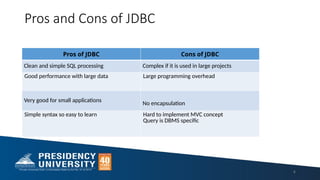
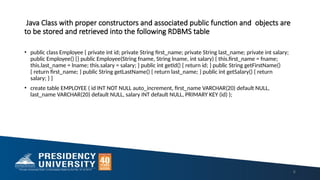
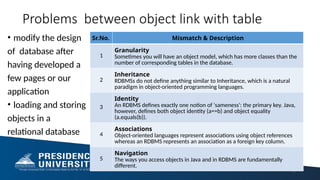
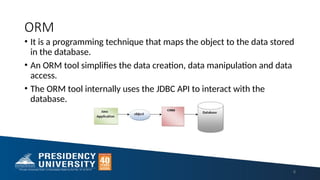
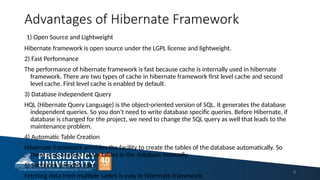

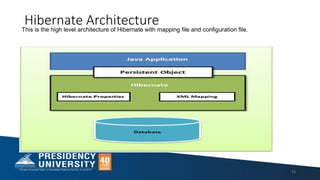
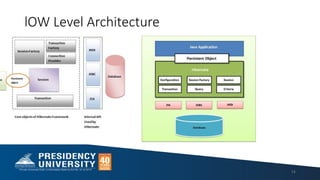
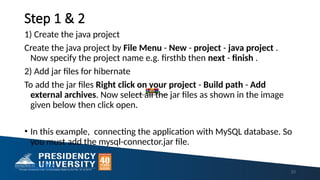
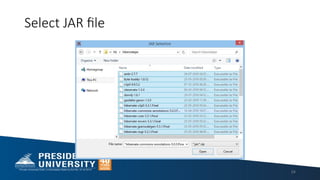
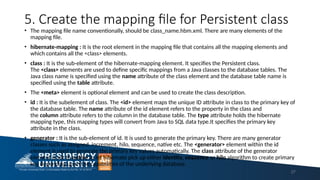
![7. Create the Application class that retrieves
or stores the persistent object
• n this class, we are simply storing the employee object to the
database.
package com.javatpoint.mypackage;
import org.hibernate.Session;
import org.hibernate.SessionFactory;
import org.hibernate.Transaction;
import org.hibernate.boot.Metadata;
import org.hibernate.boot.MetadataSources;
import org.hibernate.boot.registry.StandardServiceRegistry;
import org.hibernate.boot.registry.StandardServiceRegistryBuilder;
public class StoreData {
public static void main( String[] args )
{
StandardServiceRegistry ssr = new StandardServiceRegistryBuilder
29](https://image.slidesharecdn.com/module-3jfsd-250221140108-b506d91e/85/Module-3-for-career-and-JFSD-ppt-for-study-pptx-29-320.jpg)
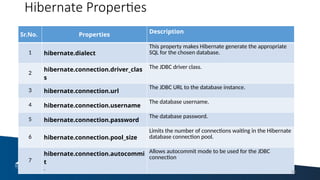
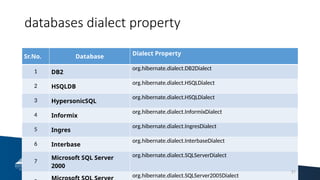
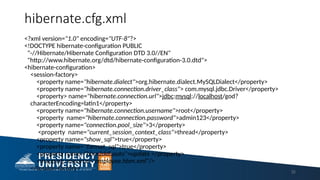
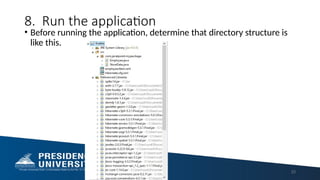
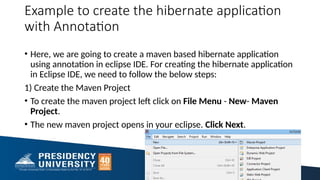
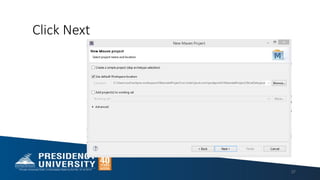
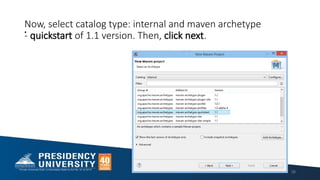
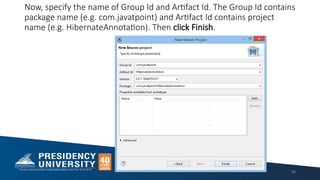
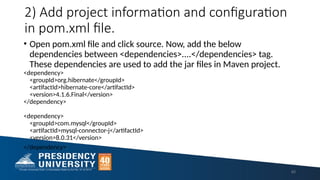
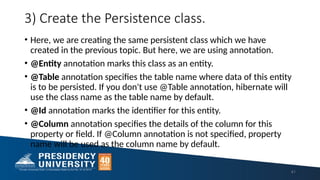
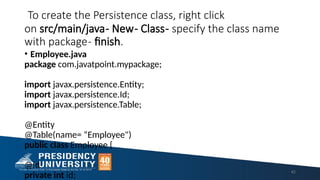
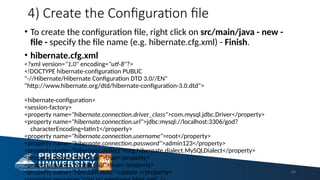
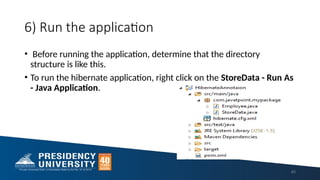
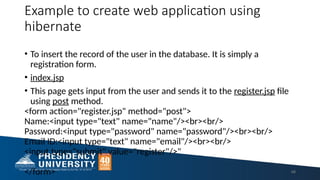
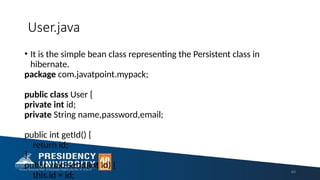
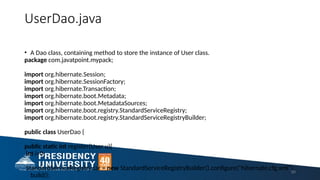
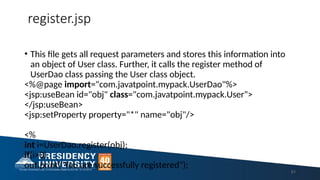
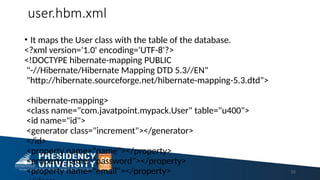
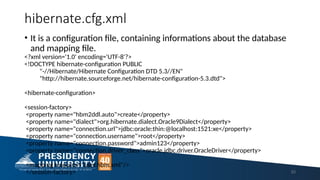
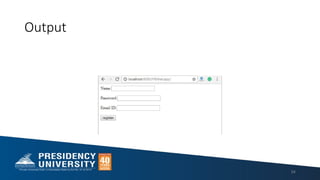
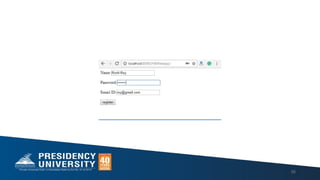
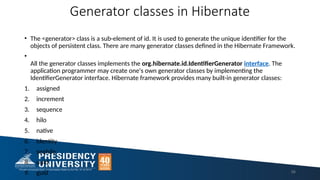
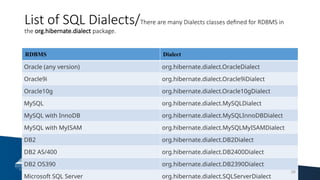

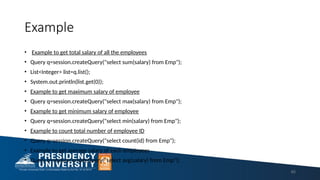

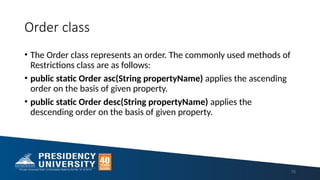
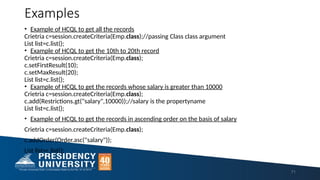
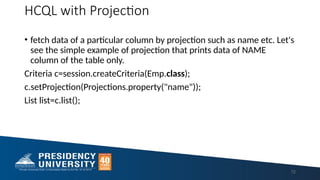
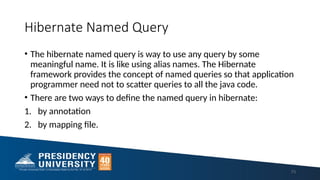
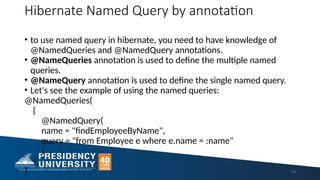
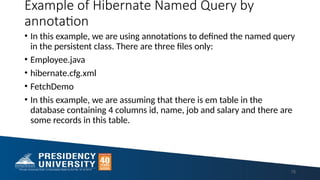
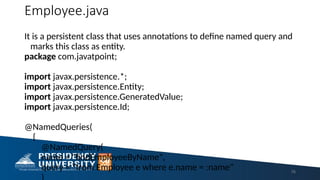
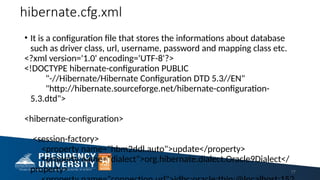
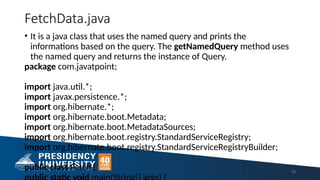
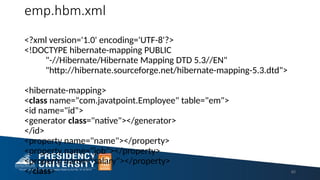
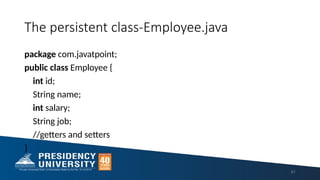

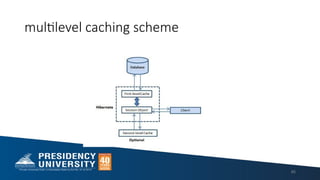
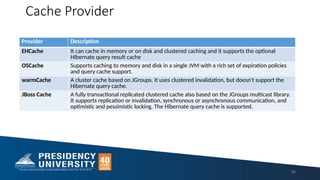

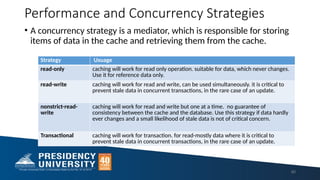
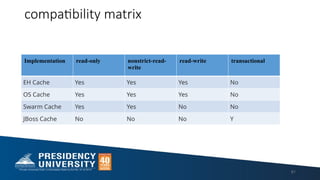

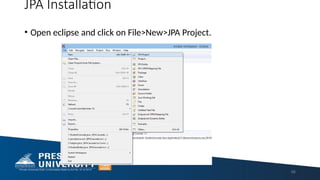
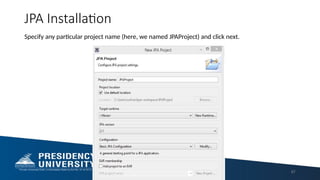
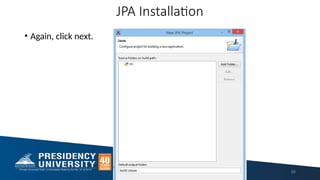
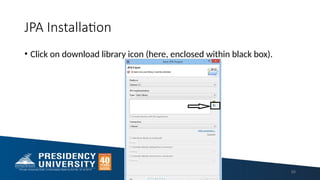
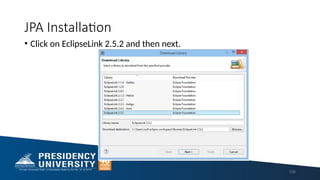
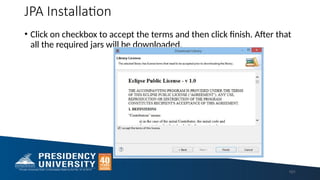
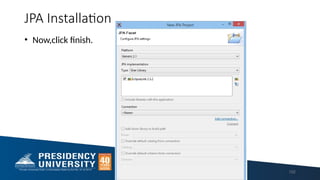
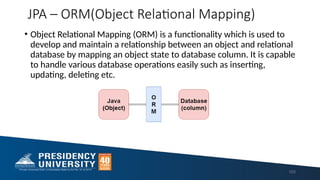
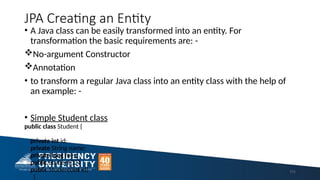
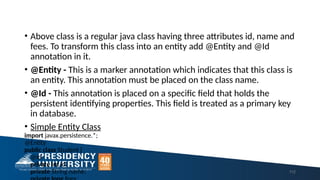
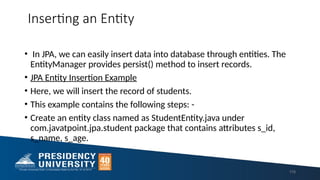
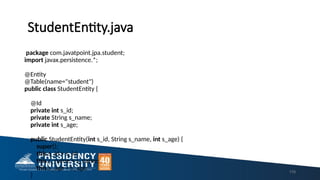
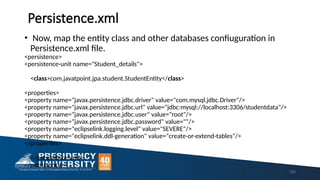
![PersistStudent.java
121
• Create a persistence class named as PersistStudent.java under
com.javatpoint.jpa.persist package to persist the entity object with
data.
package com.javatpoint.jpa.persist;
import com.javatpoint.jpa.student.*;
import javax.persistence.*;
public class PersistStudent {
public static void main(String args[])
{
EntityManagerFactory emf=Persistence.createEntityManagerFactory("Student_details");
EntityManager em=emf.createEntityManager();
em.getTransaction().begin();](https://image.slidesharecdn.com/module-3jfsd-250221140108-b506d91e/85/Module-3-for-career-and-JFSD-ppt-for-study-pptx-121-320.jpg)
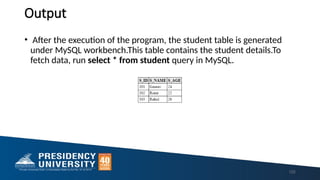
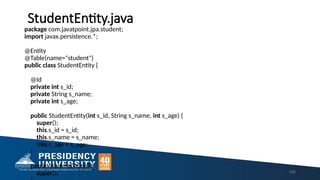
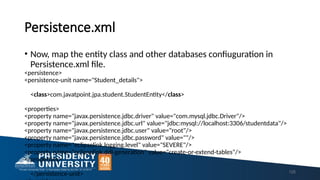
![FindStudent.java
• Create a persistence class named as FindStudent.java under
com.javatpoint.jpa.find package to persist the entity object with data.
package com.javatpoint.jpa.find;
import javax.persistence.*;
import com.javatpoint.jpa.student.*;
public class FindStudent {
public static void main(String args[])
{
EntityManagerFactory emf=Persistence.createEntityManagerFactory("Student_details");
EntityManager em=emf.createEntityManager();
StudentEntity s=em.find(StudentEntity.class,101);
126](https://image.slidesharecdn.com/module-3jfsd-250221140108-b506d91e/85/Module-3-for-career-and-JFSD-ppt-for-study-pptx-126-320.jpg)
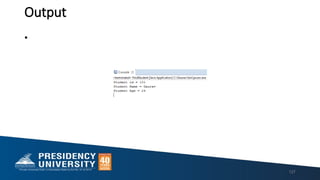
![UpdateStudent.java
131
• Create a persistence class named as UpdateStudent.java under
com.javatpoint.jpa.update package to persist the entity object with
data.
package com.javatpoint.jpa.update;
import javax.persistence.*;
import com.javatpoint.jpa.student.*;
public class UpdateStudent {
public static void main(String args[])
{
EntityManagerFactory emf=Persistence.createEntityManagerFactory("Student_details");
EntityManager em=emf.createEntityManager();
StudentEntity s=em.find(StudentEntity.class,102);](https://image.slidesharecdn.com/module-3jfsd-250221140108-b506d91e/85/Module-3-for-career-and-JFSD-ppt-for-study-pptx-131-320.jpg)
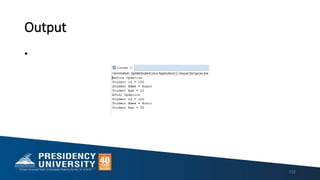
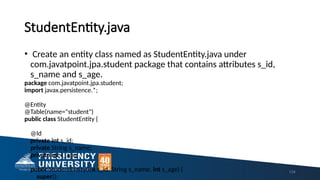
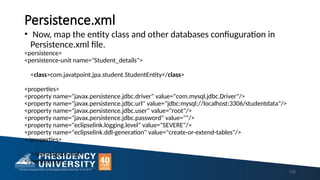
![Deletion.java
package com.javatpoint.jpa.delete;
import javax.persistence.*;
import com.javatpoint.jpa.student.*;
public class DeleteStudent {
public static void main(String args[])
{
EntityManagerFactory emf=Persistence.createEntityManagerFactory("Student_details");
EntityManager em=emf.createEntityManager();
em.getTransaction().begin();
StudentEntity s=em.find(StudentEntity.class,102);
em.remove(s);
em.getTransaction().commit();
emf.close();
em.close(); 136](https://image.slidesharecdn.com/module-3jfsd-250221140108-b506d91e/85/Module-3-for-career-and-JFSD-ppt-for-study-pptx-136-320.jpg)
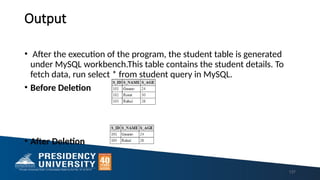
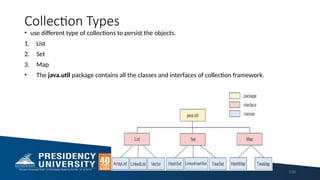
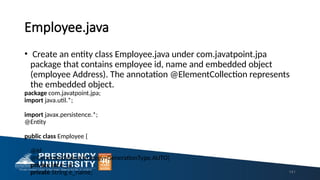
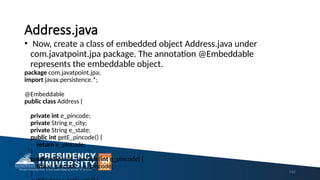
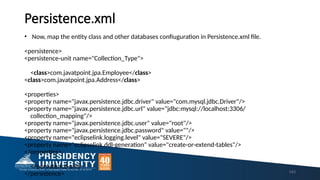
![ListMapping.java
• Create a persistence class ListMapping.java under com.javatpoint.collection package to persist
the entity object with data.
package com.javatpoint.collection;
import javax.persistence.*;
import com.javatpoint.jpa.*;
public class ListMapping{
public static void main(String[] args) {
EntityManagerFactory emf=Persistence.createEntityManagerFactory("Collection_Type");
EntityManager em=emf.createEntityManager();
em.getTransaction().begin();
Address a1=new Address();
a1.setE_pincode(201301);
144](https://image.slidesharecdn.com/module-3jfsd-250221140108-b506d91e/85/Module-3-for-career-and-JFSD-ppt-for-study-pptx-144-320.jpg)
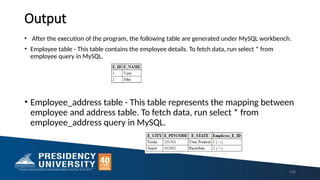
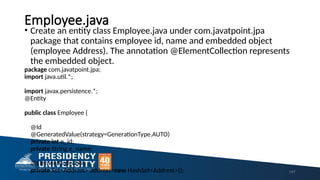
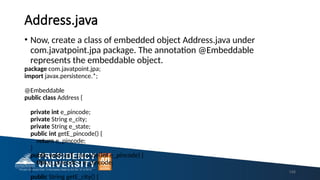
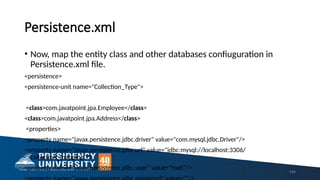
![SetMapping.java
• Create a persistence class ListMapping.java under
com.javatpoint.collection package to persist the entity object with
data.
package com.javatpoint.collection;
import javax.persistence.*;
import com.javatpoint.jpa.*;
public class SetMapping{
public static void main(String[] args) {
EntityManagerFactory emf=Persistence.createEntityManagerFactory("Collection_Type");
EntityManager em=emf.createEntityManager();
em.getTransaction().begin(); 150](https://image.slidesharecdn.com/module-3jfsd-250221140108-b506d91e/85/Module-3-for-career-and-JFSD-ppt-for-study-pptx-150-320.jpg)
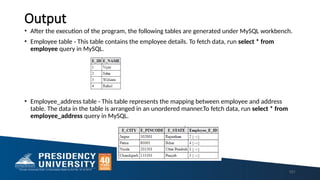
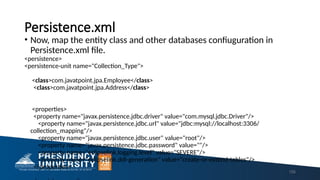
![MapMapping.java
• Create a persistence class MapMapping.java under
com.javatpoint.collection package to persist the entity object with
data.
package com.javatpoint.collection;
import javax.persistence.*;
import com.javatpoint.jpa.*;
public class ListMapping{
public static void main(String[] args) {
EntityManagerFactory emf=Persistence.createEntityManagerFactory("Collection_Type");
EntityManager em=emf.createEntityManager();
em.getTransaction().begin(); 156](https://image.slidesharecdn.com/module-3jfsd-250221140108-b506d91e/85/Module-3-for-career-and-JFSD-ppt-for-study-pptx-156-320.jpg)
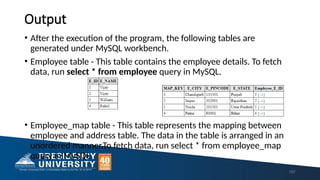
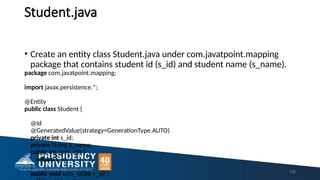
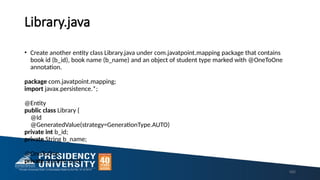
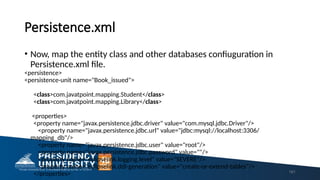
![OneToOneExample.java
• Create a persistence class OneToOneExample under
com.javatpoint.OneToOne package to persist the entity object with
data.
import javax.persistence.*;
import com.javatpoint.mapping.*;
public class OneToOneExample {
public static void main(String[] args) {
EntityManagerFactory emf = Persistence.createEntityManagerFactory( "Book_issued" );
EntityManager em = emf.createEntityManager( );
em.getTransaction( ).begin( );
Student st1=new Student();
st1.setS_id(1);
st1.setS_name("Vipul");
162](https://image.slidesharecdn.com/module-3jfsd-250221140108-b506d91e/85/Module-3-for-career-and-JFSD-ppt-for-study-pptx-162-320.jpg)
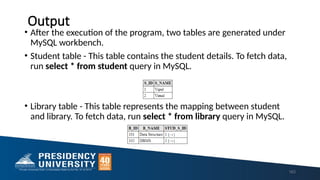
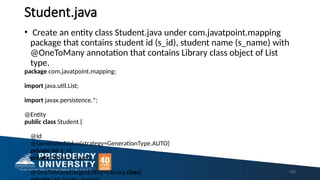
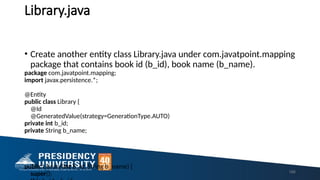
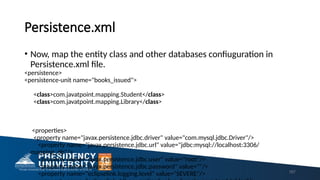
![OneToManyExample.java
• Create a persistence class OneToManyExample under
com.javatpoint.OneToOne package to persist the entity object with
data.
package com.javatpoint.OneToMany;
import java.util.ArrayList;
import javax.persistence.*;
import com.javatpoint.mapping.Student;
import com.javatpoint.mapping.Library;
public class OneToManyExample {
public static void main(String[] args) {
EntityManagerFactory emf=Persistence.createEntityManagerFactory("books_issued");
EntityManager em=emf.createEntityManager();
168](https://image.slidesharecdn.com/module-3jfsd-250221140108-b506d91e/85/Module-3-for-career-and-JFSD-ppt-for-study-pptx-168-320.jpg)
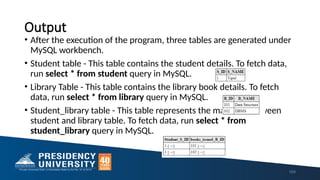
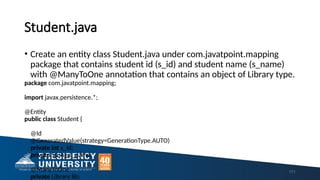
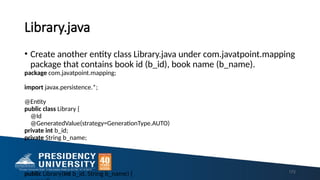
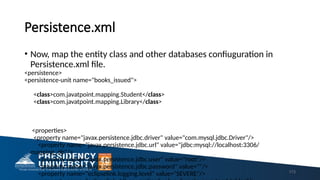
![ManyToOneExample.java
• Create a persistence class ManyToOneExample under
com.javatpoint.ManyToOne package to persist the entity object with
data.
package com.javatpoint.mapping.ManyToOne;
import javax.persistence.*;
import com.javatpoint.mapping.Student;
import javax.persistence.EntityManagerFactory;
import com.javatpoint.mapping.Library;
public class ManyToOneExample {
public static void main(String[] args) {
EntityManagerFactory emf=Persistence.createEntityManagerFactory("books_issued"); 174](https://image.slidesharecdn.com/module-3jfsd-250221140108-b506d91e/85/Module-3-for-career-and-JFSD-ppt-for-study-pptx-174-320.jpg)
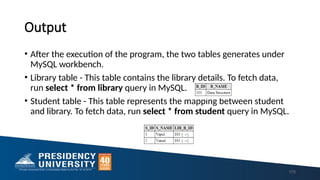
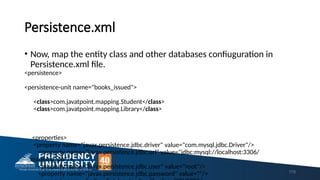
![ManyToManyExample.java
• Create a persistence class ManyToOneExample under
com.javatpoint.ManyToOne package to persist the entity object with
data.
package com.javatpoint.mapping.ManyToMany;
import java.util.ArrayList;
import javax.persistence.*;
import com.javatpoint.mapping.Student;
import com.javatpoint.mapping.Library;
public class ManyToManyExample {
public static void main(String[] args) {
EntityManagerFactory emf=Persistence.createEntityManagerFactory("books_issued");
180](https://image.slidesharecdn.com/module-3jfsd-250221140108-b506d91e/85/Module-3-for-career-and-JFSD-ppt-for-study-pptx-180-320.jpg)
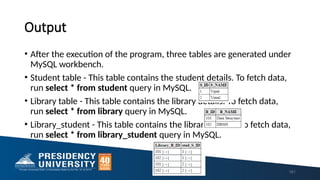
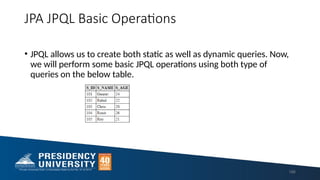
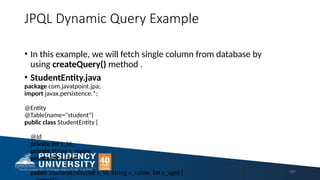
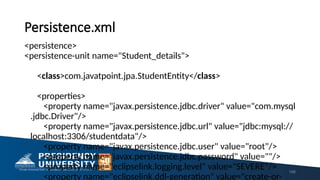
![FetchColumn.java
package com.javatpoint.jpa.jpql;
import javax.persistence.*;
import java.util.*;
public class FetchColumn {
public static void main( String args[]) {
EntityManagerFactory emf = Persistence.createEntityManagerFactory( "Student_details" );
EntityManager em = emf.createEntityManager();
em.getTransaction().begin( );
Query query = em.createQuery("Select s.s_name from StudentEntity s");
@SuppressWarnings("unchecked")
List<String> list =query.getResultList();
System.out.println("Student Name :");
for(String s:list) {
System.out.println(s);
189](https://image.slidesharecdn.com/module-3jfsd-250221140108-b506d91e/85/Module-3-for-career-and-JFSD-ppt-for-study-pptx-189-320.jpg)

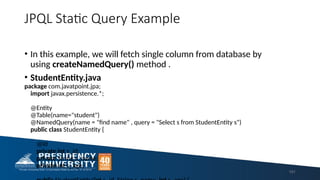
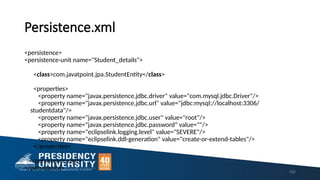
![FetchColumn.java
package com.javatpoint.jpa.jpql;
import javax.persistence.*;
import com.javatpoint.jpa.StudentEntity;
import java.util.*;
public class FetchColumn {
public static void main( String args[]) {
EntityManagerFactory emf = Persistence.createEntityManagerFactory( "Student_details" );
EntityManager em = emf.createEntityManager();
em.getTransaction().begin( );
Query query = em.createNamedQuery("find name");
@SuppressWarnings("unchecked")
List<StudentEntity> list =query.getResultList();
System.out.println("Student Name :");
193](https://image.slidesharecdn.com/module-3jfsd-250221140108-b506d91e/85/Module-3-for-career-and-JFSD-ppt-for-study-pptx-193-320.jpg)
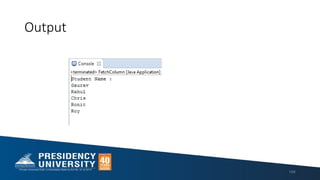
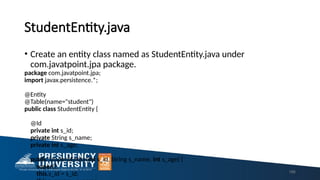
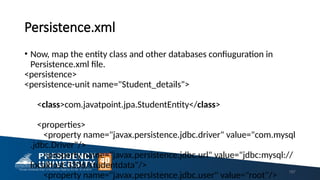
![JPQL Fetch/FetchData.java
• fetch all the records from the database.
package com.javatpoint.jpa.jpql;
import com.javatpoint.jpa.StudentEntity;
import javax.persistence.*;
import java.util.*;
public class FetchData {
public static void main( String args[]) {
EntityManagerFactory emf = Persistence.createEntityManagerFactory( "Student_details" );
EntityManager em = emf.createEntityManager();
em.getTransaction().begin( );
Query query = em.createQuery( "Select s from StudentEntity s ");
@SuppressWarnings("unchecked") 198](https://image.slidesharecdn.com/module-3jfsd-250221140108-b506d91e/85/Module-3-for-career-and-JFSD-ppt-for-study-pptx-198-320.jpg)
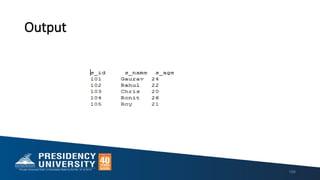
![JPQL Update
UpdateData.java
• update the records in database.
package com.javatpoint.jpa.jpql;
import javax.persistence.*;
public class UpdataData {
public static void main( String args[]) {
EntityManagerFactory emf = Persistence.createEntityManagerFactory( "Student_details" );
EntityManager em = emf.createEntityManager();
em.getTransaction().begin( );
Query query = em.createQuery( "update StudentEntity SET s_age=25 where s_id>103");
query.executeUpdate();
em.getTransaction().commit();
em.close();
emf.close(); 200](https://image.slidesharecdn.com/module-3jfsd-250221140108-b506d91e/85/Module-3-for-career-and-JFSD-ppt-for-study-pptx-200-320.jpg)
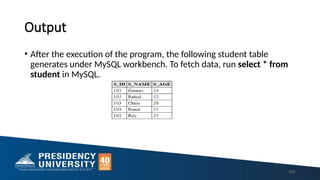
![JPQL Delete
DeleteData.java
delete the particular records from database.
package com.javatpoint.jpa.jpql;
import javax.persistence.*;
public class DeleteData {
public static void main( String args[]) {
EntityManagerFactory emf = Persistence.createEntityManagerFactory( "Student_details" );
EntityManager em = emf.createEntityManager();
em.getTransaction().begin( );
Query query = em.createQuery( "delete from StudentEntity where s_id=102");
query.executeUpdate();
em.getTransaction().commit(); 202](https://image.slidesharecdn.com/module-3jfsd-250221140108-b506d91e/85/Module-3-for-career-and-JFSD-ppt-for-study-pptx-202-320.jpg)
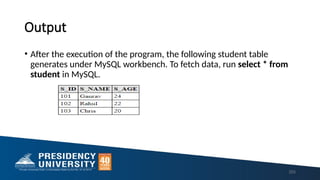
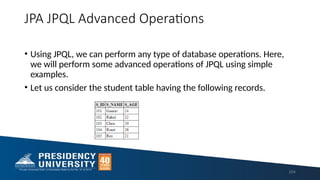
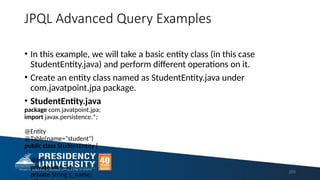
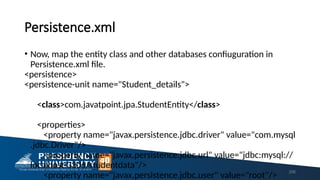
![JPQL Filter
• Here, we will perform some filter operations on a table.
• Filter.java
package com.javatpoint.jpa.jpql;
import com.javatpoint.jpa.StudentEntity;
import javax.persistence.*;
import java.util.*;
public class Filter {
public static void main( String args[]) {
EntityManagerFactory emf = Persistence.createEntityManagerFactory( "Student_details" );
EntityManager em = emf.createEntityManager();
em.getTransaction().begin( );
Query q1 = em.createQuery("Select s from StudentEntity s where s.s_age between 22 and 28");
207](https://image.slidesharecdn.com/module-3jfsd-250221140108-b506d91e/85/Module-3-for-career-and-JFSD-ppt-for-study-pptx-207-320.jpg)
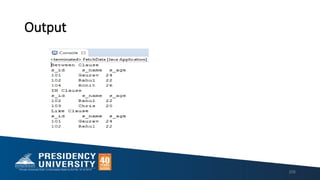
![JPQL Aggregate
• Here, we will perform some aggregate operations on a table.
• Aggregate.java
package com.javatpoint.jpa.jpql;
import com.javatpoint.jpa.StudentEntity;
import javax.persistence.*;
import java.util.*;
public class Aggregate {
public static void main( String args[]) {
EntityManagerFactory emf = Persistence.createEntityManagerFactory( "Student_details" );
EntityManager em = emf.createEntityManager();
em.getTransaction().begin( );
Query q1 = em.createQuery("Select count(s) from StudentEntity s");
System.out.println("Number of Student : "+q1.getSingleResult());
209](https://image.slidesharecdn.com/module-3jfsd-250221140108-b506d91e/85/Module-3-for-career-and-JFSD-ppt-for-study-pptx-209-320.jpg)
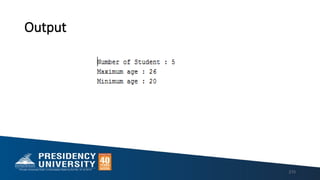
![JPQL Sorting
• Here, we will sort the elements of table on the basis of s_age
attribute.
• Sorting.java
package com.javatpoint.jpa.jpql;
import com.javatpoint.jpa.StudentEntity;
import javax.persistence.*;
import java.util.*;
public class Sorting {
public static void main( String args[]) {
EntityManagerFactory emf = Persistence.createEntityManagerFactory( "Student_details" );
EntityManager em = emf.createEntityManager();
em.getTransaction().begin( );
211](https://image.slidesharecdn.com/module-3jfsd-250221140108-b506d91e/85/Module-3-for-career-and-JFSD-ppt-for-study-pptx-211-320.jpg)

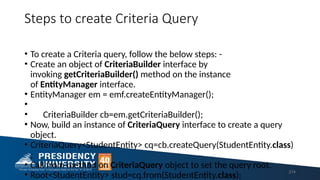
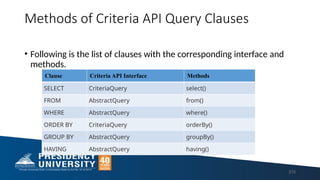
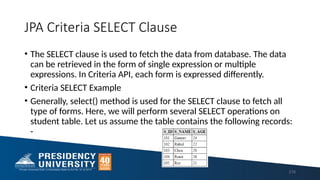
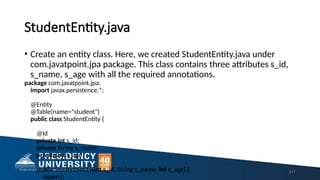
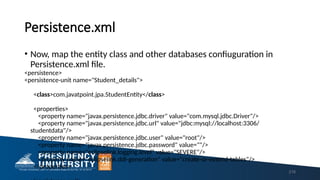
![Selecting Single Expression
• Here, we will fetch single column from database with the help of a
simple example.
• SingleFetch.java
package com.javatpoint.jpa.jpql;
import com.javatpoint.jpa.StudentEntity;
import javax.persistence.*;
import javax.persistence.criteria.*;
import java.util.*;
public class SingleFetch {
public static void main( String args[]) {
EntityManagerFactory emf = Persistence.createEntityManagerFactory( "Student_details" ); 219](https://image.slidesharecdn.com/module-3jfsd-250221140108-b506d91e/85/Module-3-for-career-and-JFSD-ppt-for-study-pptx-219-320.jpg)

![Selecting Multiple Expression
• Here, we will fetch multiple columns from database with the help of a
simple example.
• MultiFetch.java
package com.javatpoint.jpa.jpql;
import com.javatpoint.jpa.StudentEntity;
import javax.persistence.*;
import javax.persistence.criteria.*;
import java.util.*;
public class MultiFetch {
public static void main( String args[]) {
EntityManagerFactory emf = Persistence.createEntityManagerFactory( "Student_details" ); 221](https://image.slidesharecdn.com/module-3jfsd-250221140108-b506d91e/85/Module-3-for-career-and-JFSD-ppt-for-study-pptx-221-320.jpg)

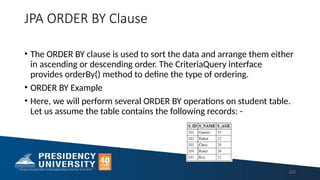
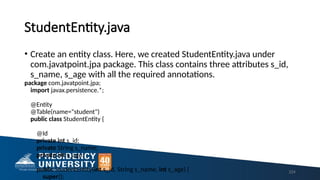
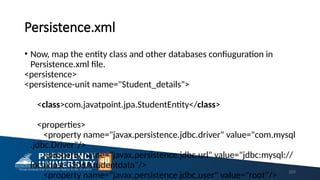
![Sorting in ascending order
• Asc.java
package com.javatpoint.jpa.jpql;
import com.javatpoint.jpa.StudentEntity;
import javax.persistence.*;
import javax.persistence.criteria.*;
import java.util.*;
public class Asc {
public static void main( String args[]) {
226](https://image.slidesharecdn.com/module-3jfsd-250221140108-b506d91e/85/Module-3-for-career-and-JFSD-ppt-for-study-pptx-226-320.jpg)

![Sorting in descending order
• Desc.java
package com.javatpoint.jpa.jpql;
import com.javatpoint.jpa.StudentEntity;
import javax.persistence.*;
import javax.persistence.criteria.*;
import java.util.*;
public class Desc {
public static void main( String args[]) {
EntityManagerFactory emf = Persistence.createEntityManagerFactory( "Student_details" );
EntityManager em = emf.createEntityManager();
em.getTransaction().begin( );
CriteriaBuilder cb=em.getCriteriaBuilder(); 228](https://image.slidesharecdn.com/module-3jfsd-250221140108-b506d91e/85/Module-3-for-career-and-JFSD-ppt-for-study-pptx-228-320.jpg)