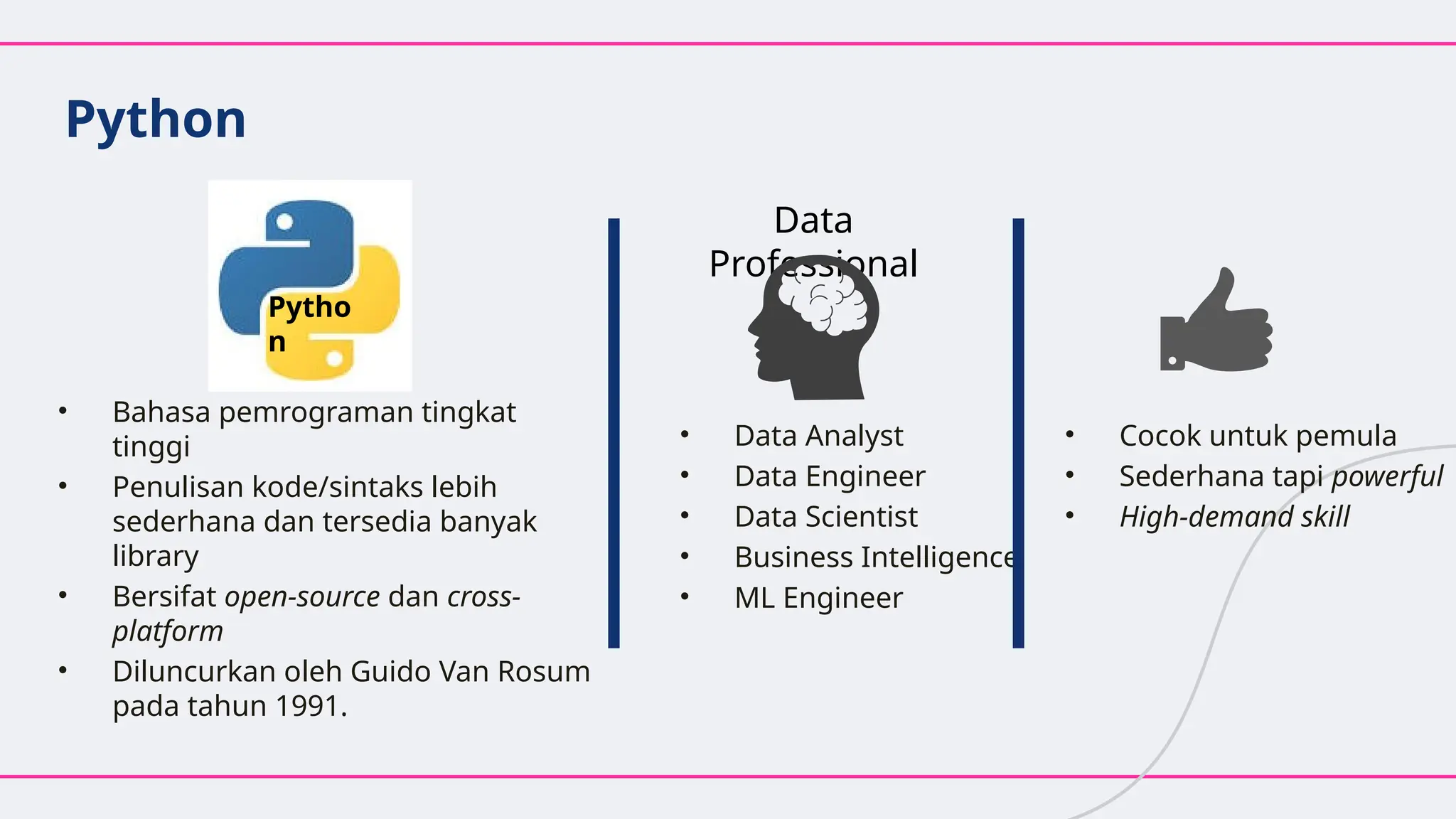
Python
• Bahasa pemrogramantingkat
tinggi
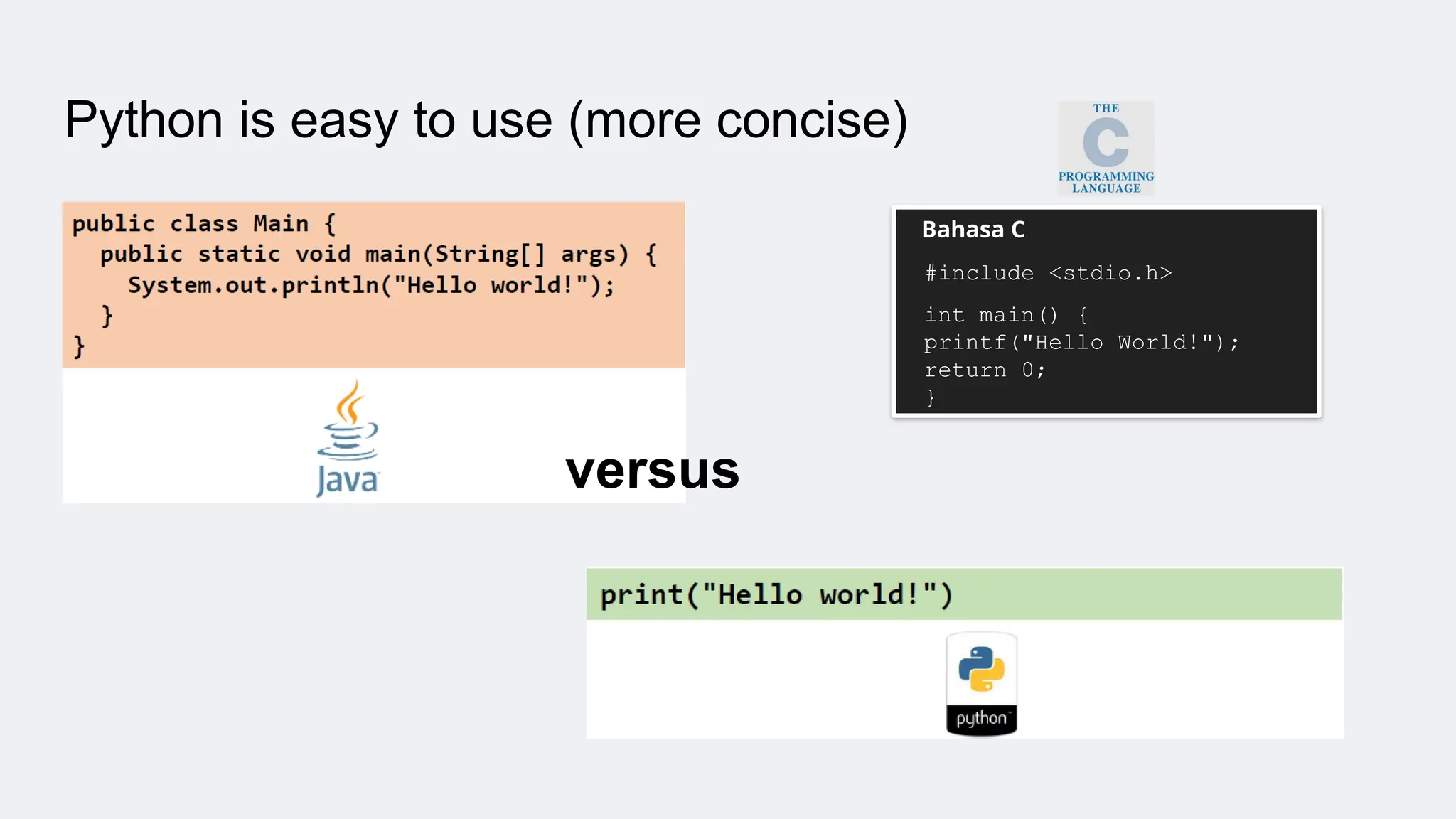
• Penulisan kode/sintaks lebih
sederhana dan tersedia banyak
library
• Bersifat open-source dan cross-
platform
• Diluncurkan oleh Guido Van Rosum
pada tahun 1991.
• Data Analyst
• Data Engineer
• Data Scientist
• Business Intelligence
• ML Engineer
Data
Professional
• Cocok untuk pemula
• Sederhana tapi powerful
• High-demand skill
Pytho
n
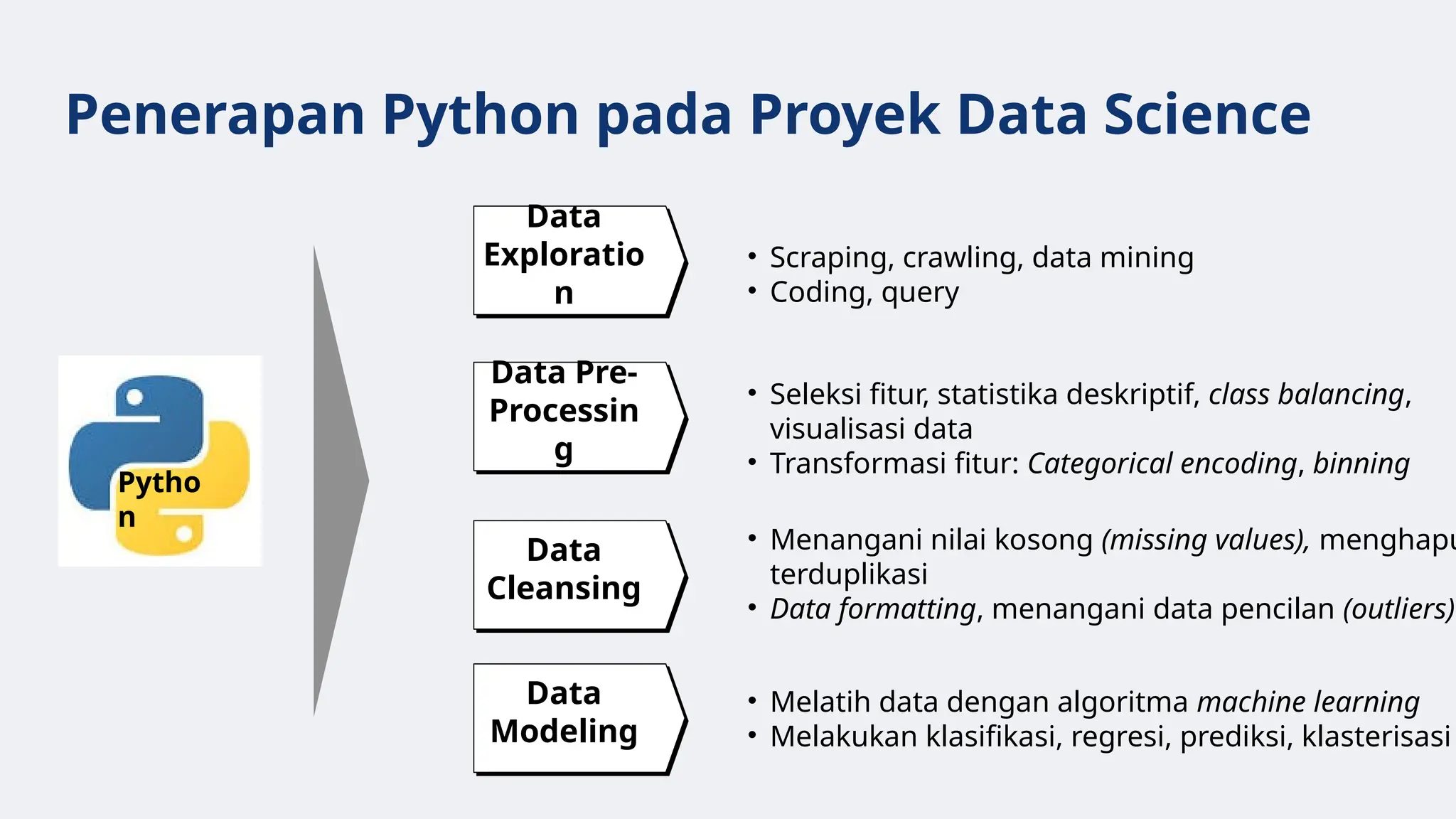
Penerapan Python padaProyek Data Science
Data
Exploratio
n
Data Pre-
Processin
g
Data
Cleansing
Data
Modeling
• Scraping, crawling, data mining
• Coding, query
• Seleksi fitur, statistika deskriptif, class balancing,
visualisasi data
• Transformasi fitur: Categorical encoding, binning
• Menangani nilai kosong (missing values), menghapu
terduplikasi
• Data formatting, menangani data pencilan (outliers)
• Melatih data dengan algoritma machine learning
• Melakukan klasifikasi, regresi, prediksi, klasterisasi
Pytho
n
9.
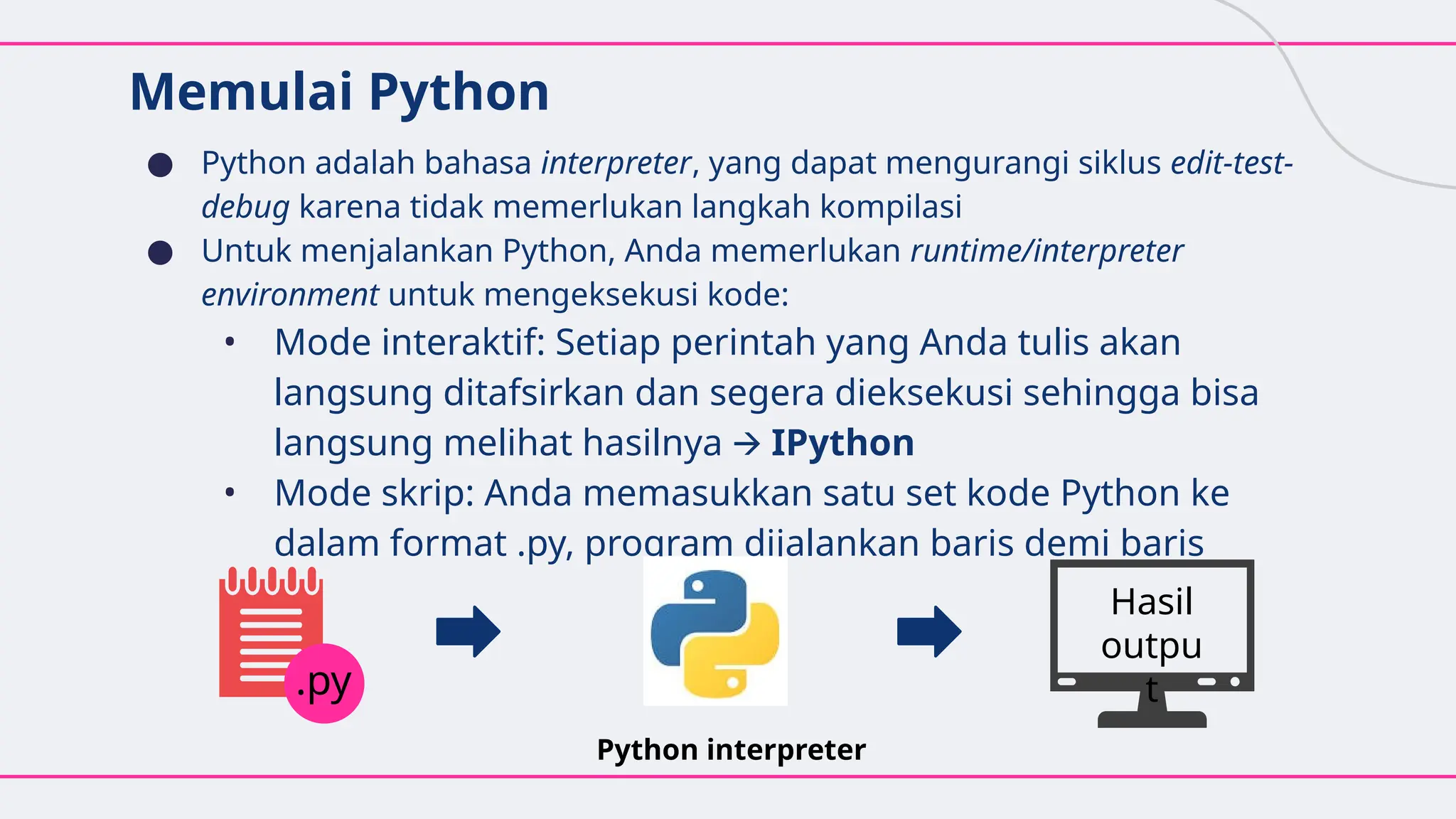
Memulai Python
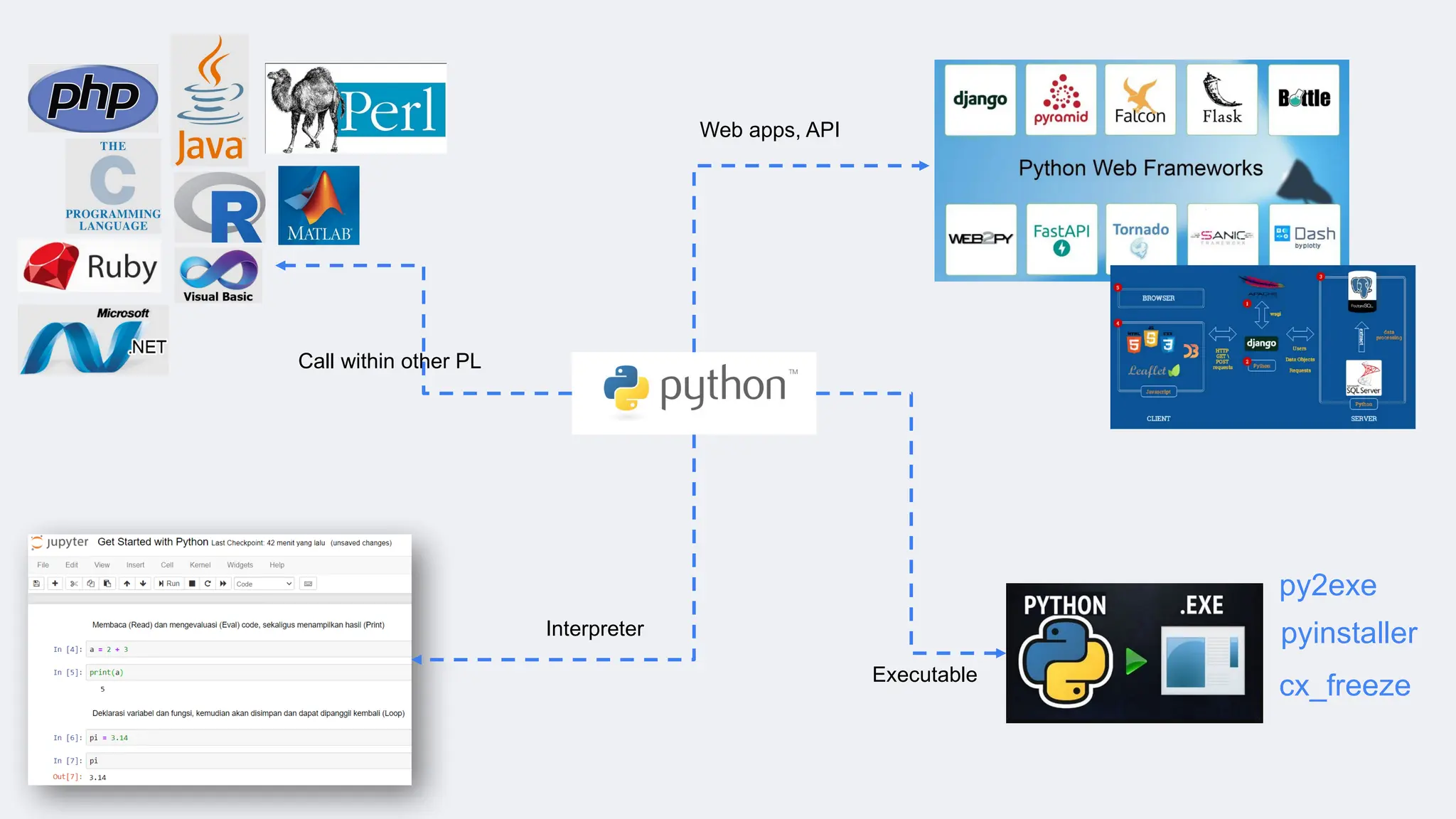
● Pythonadalah bahasa interpreter, yang dapat mengurangi siklus edit-test-
debug karena tidak memerlukan langkah kompilasi
● Untuk menjalankan Python, Anda memerlukan runtime/interpreter
environment untuk mengeksekusi kode:
• Mode interaktif: Setiap perintah yang Anda tulis akan
langsung ditafsirkan dan segera dieksekusi sehingga bisa
langsung melihat hasilnya 🡪 IPython
• Mode skrip: Anda memasukkan satu set kode Python ke
dalam format .py, program dijalankan baris demi baris
Python interpreter
.py
Hasil
outpu
t
10.
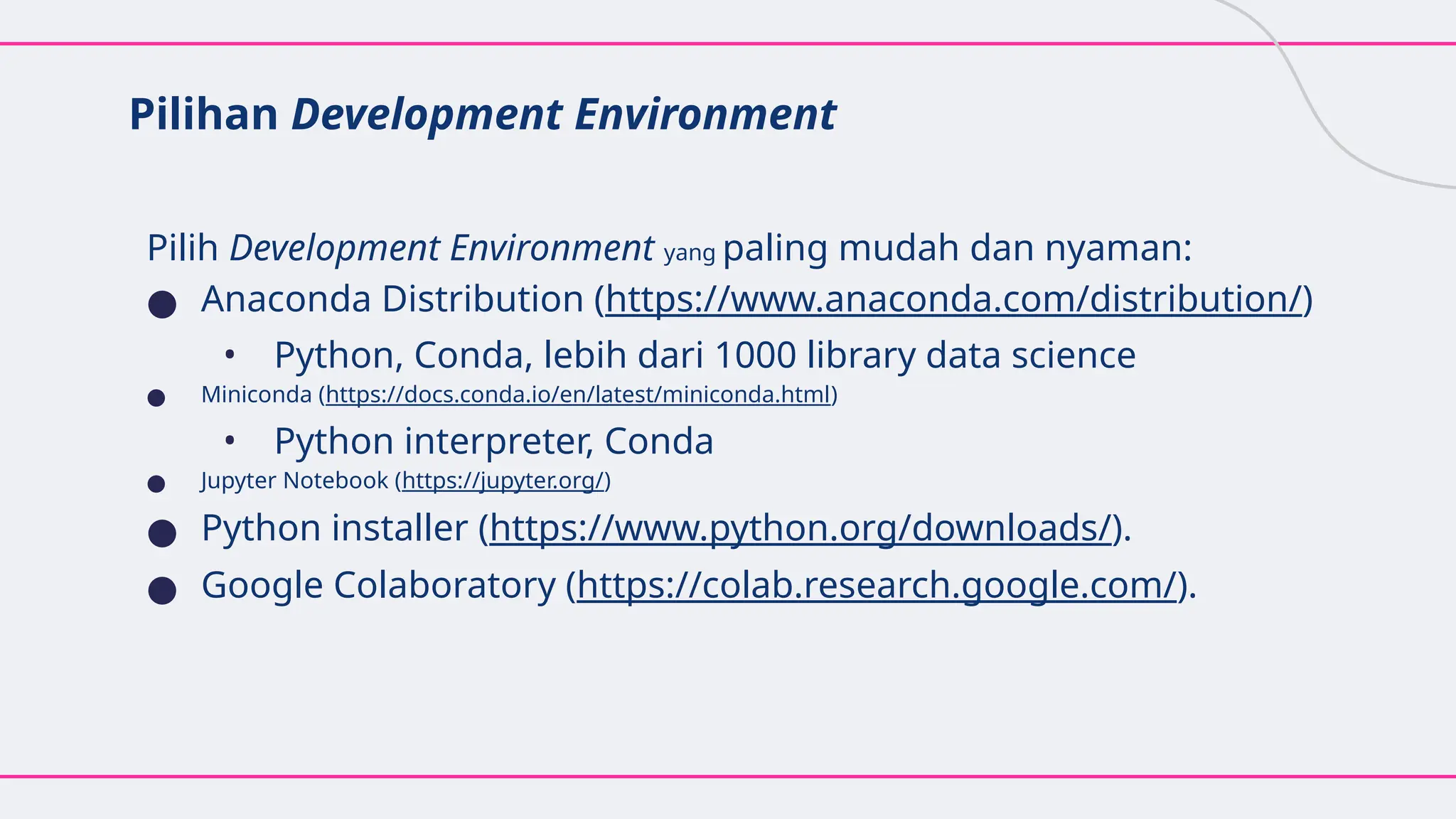
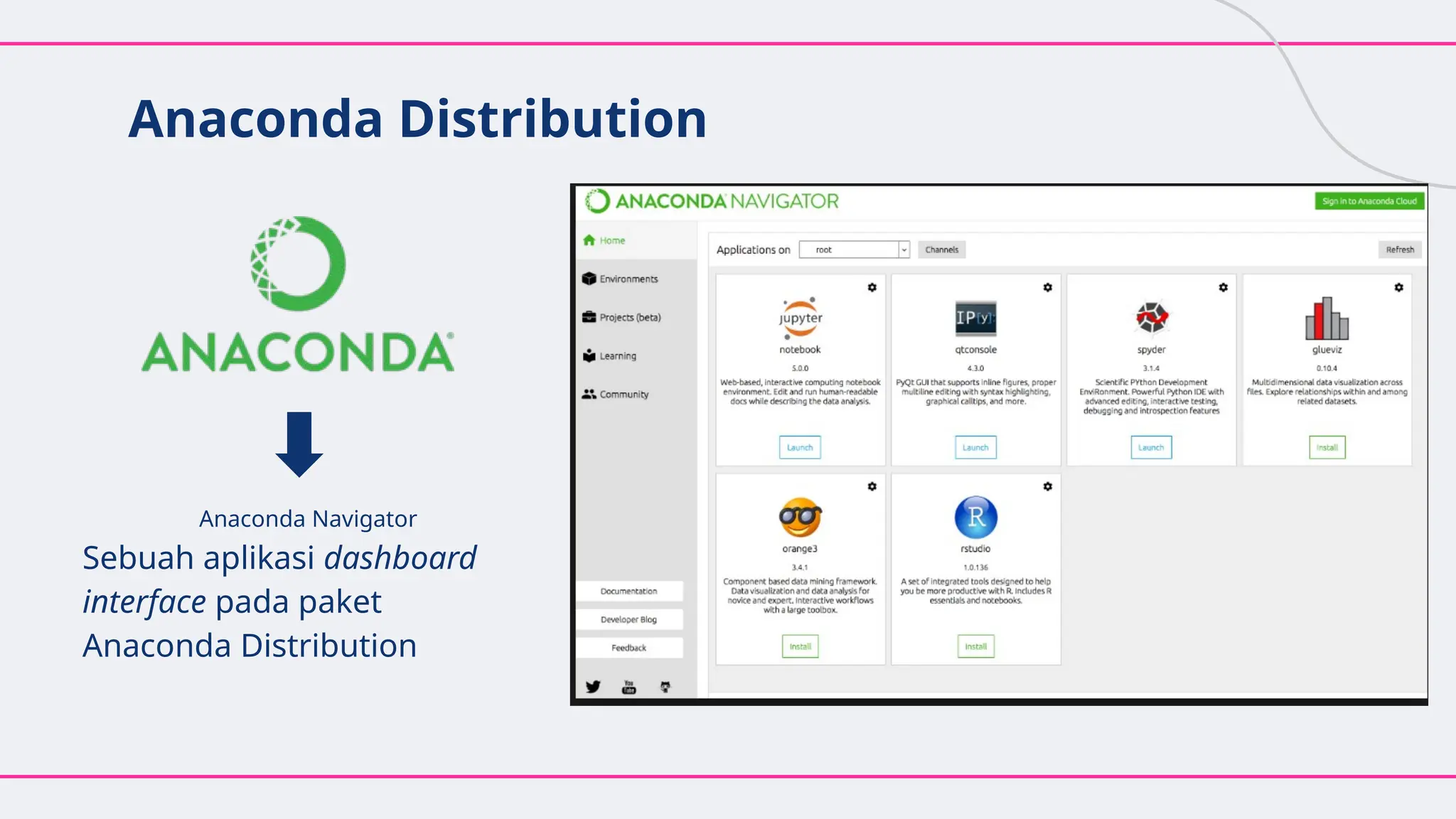
Pilihan Development Environment
PilihDevelopment Environment yang paling mudah dan nyaman:
● Anaconda Distribution (https://www.anaconda.com/distribution/)
• Python, Conda, lebih dari 1000 library data science
● Miniconda (https://docs.conda.io/en/latest/miniconda.html)
• Python interpreter, Conda
● Jupyter Notebook (https://jupyter.org/)
● Python installer (https://www.python.org/downloads/).
● Google Colaboratory (https://colab.research.google.com/).
Jupyter Notebook
● Lingkunganpemrograman interaktif berbasis
web yang mendukung berbagai bahasa
pemrograman termasuk Python
● Banyak digunakan oleh peneliti dan akademisi
untuk pemodelan matematika, pembelajaran
mesin, analisis statistik, dan untuk pengajaran
pemrograman
13.
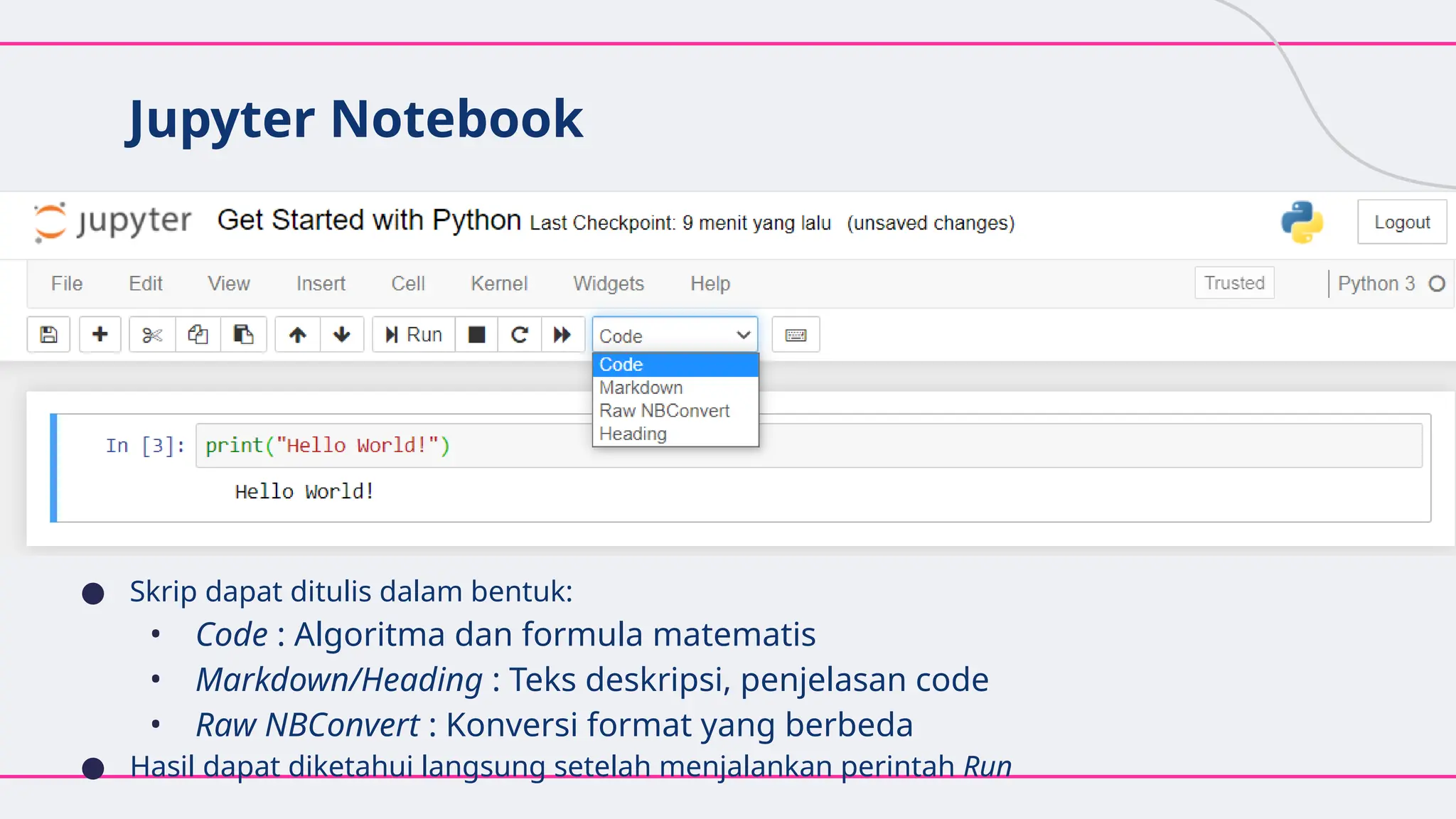
Jupyter Notebook
● Skripdapat ditulis dalam bentuk:
• Code : Algoritma dan formula matematis
• Markdown/Heading : Teks deskripsi, penjelasan code
• Raw NBConvert : Konversi format yang berbeda
● Hasil dapat diketahui langsung setelah menjalankan perintah Run
14.
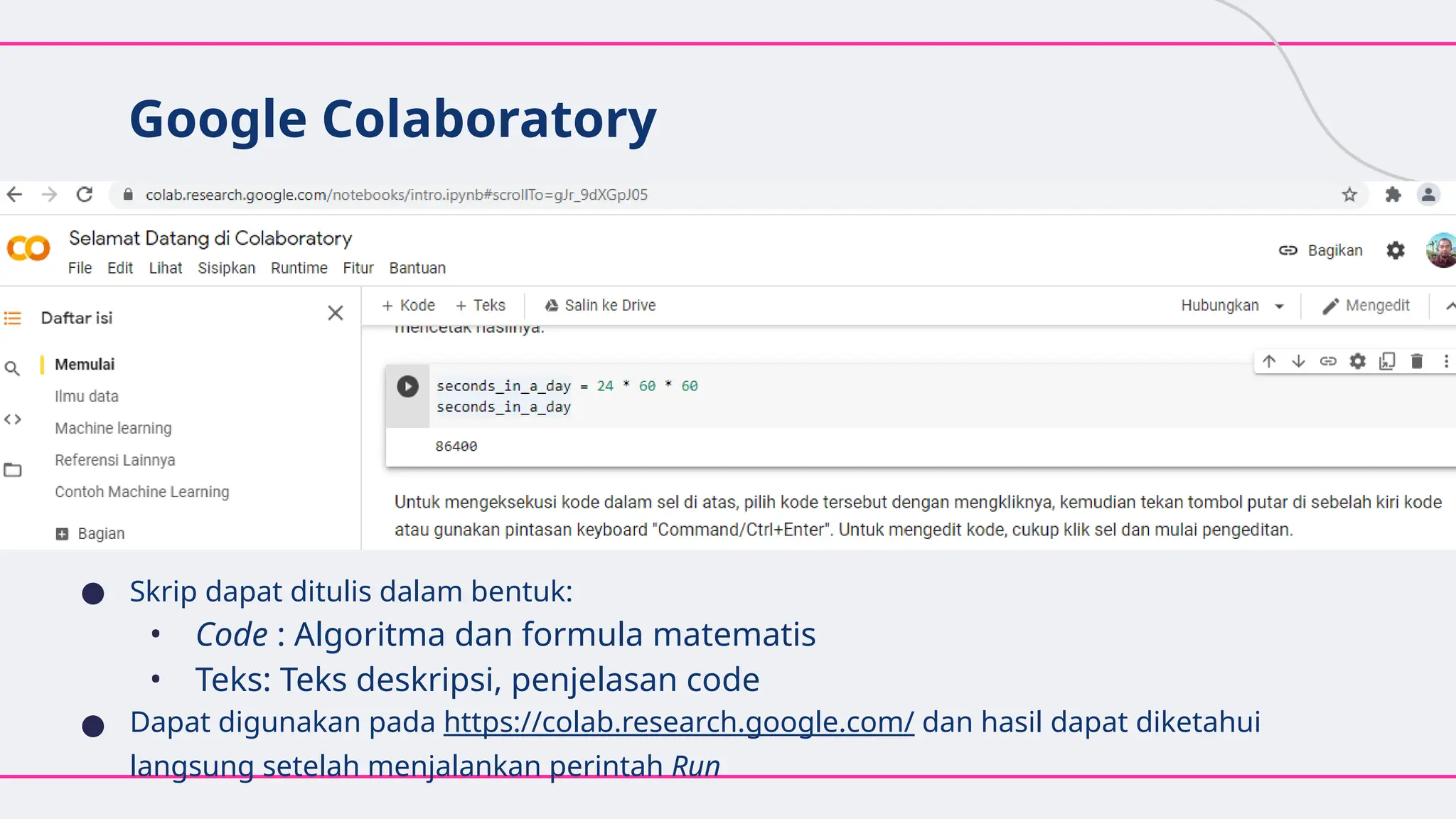
Google Colaboratory
● Skripdapat ditulis dalam bentuk:
• Code : Algoritma dan formula matematis
• Teks: Teks deskripsi, penjelasan code
● Dapat digunakan pada https://colab.research.google.com/ dan hasil dapat diketahui
langsung setelah menjalankan perintah Run
15.
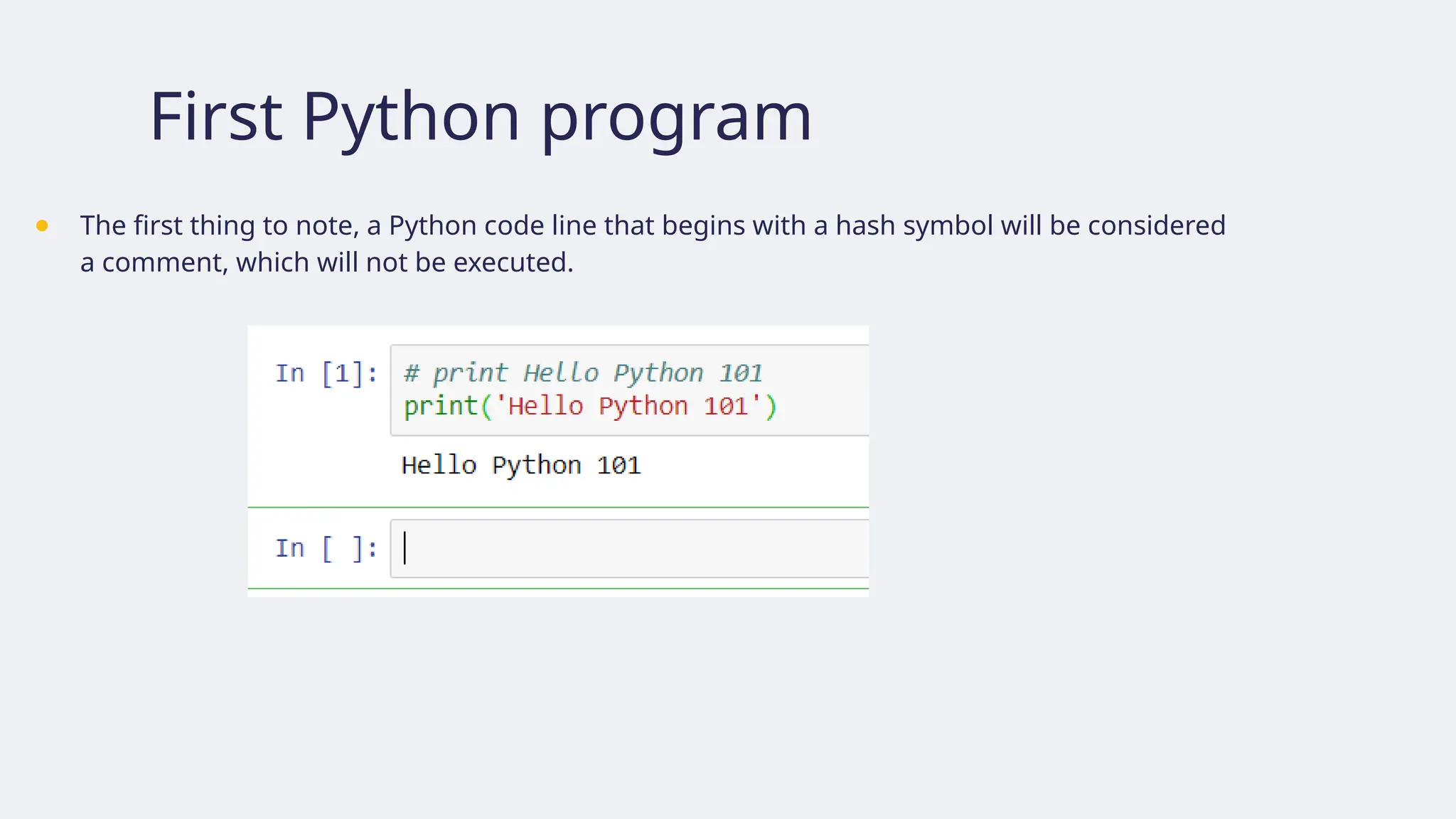
First Python program
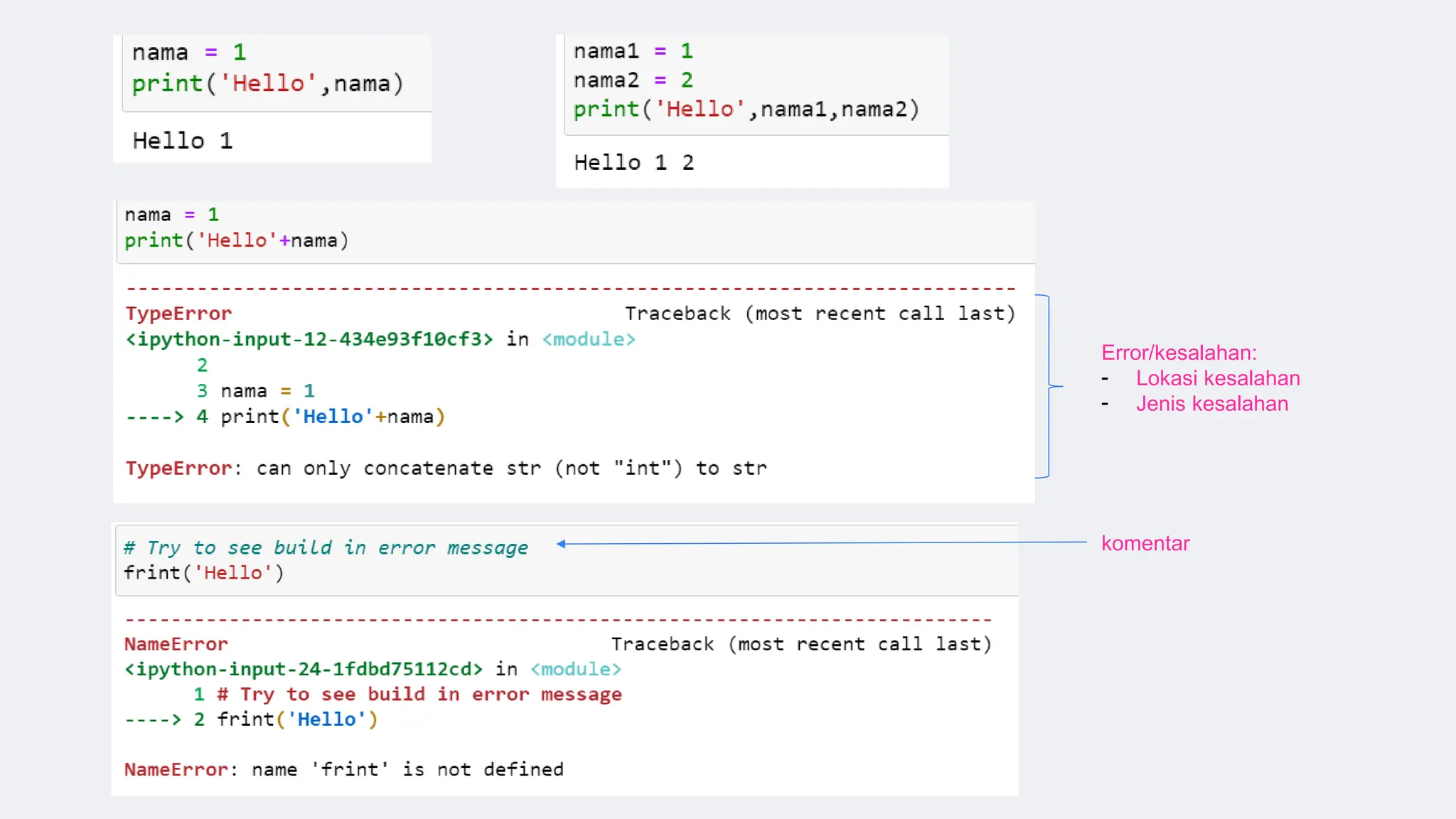
●The first thing to note, a Python code line that begins with a hash symbol will be considered
a comment, which will not be executed.
16.
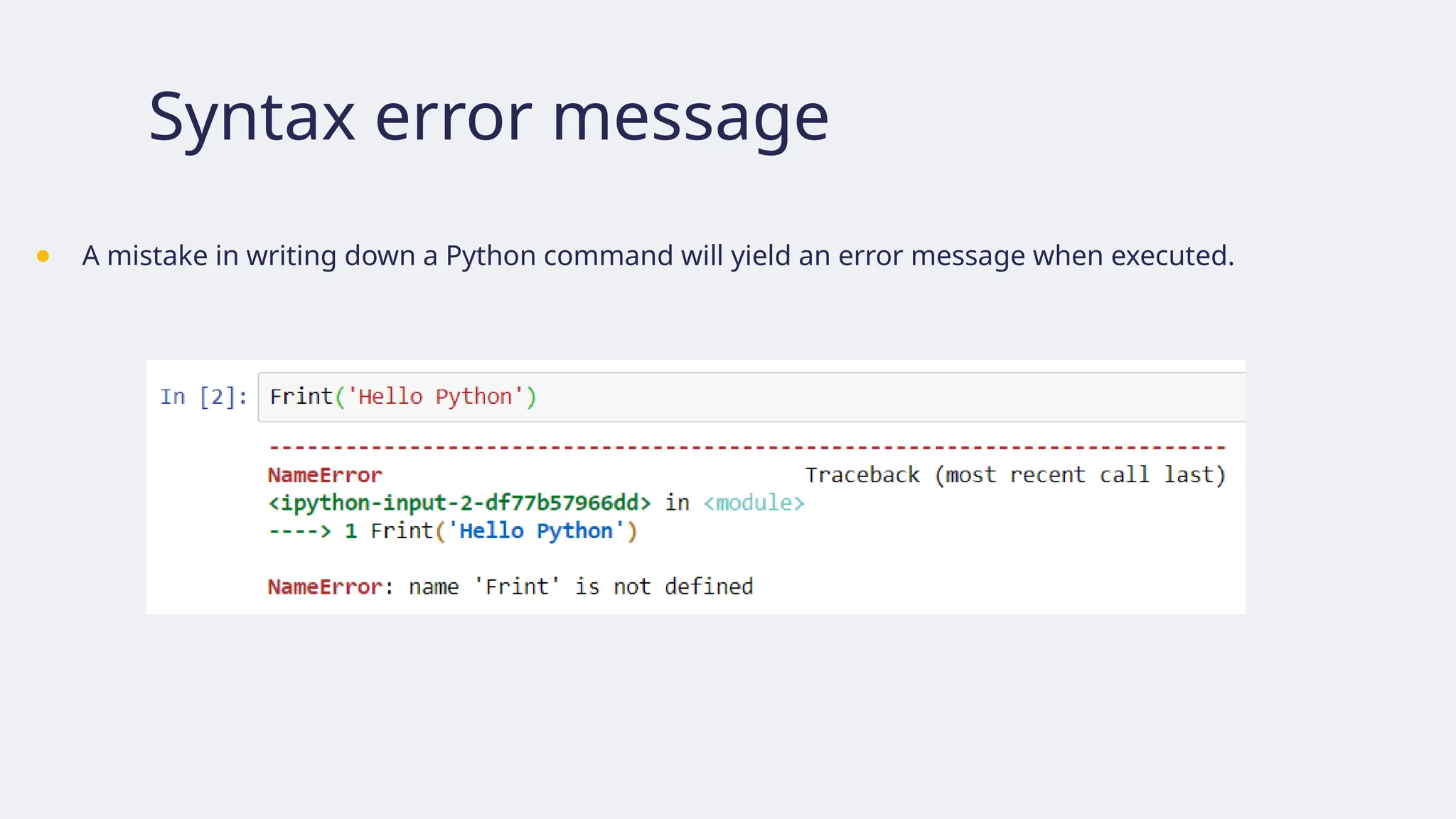
Syntax error message
●A mistake in writing down a Python command will yield an error message when executed.
17.
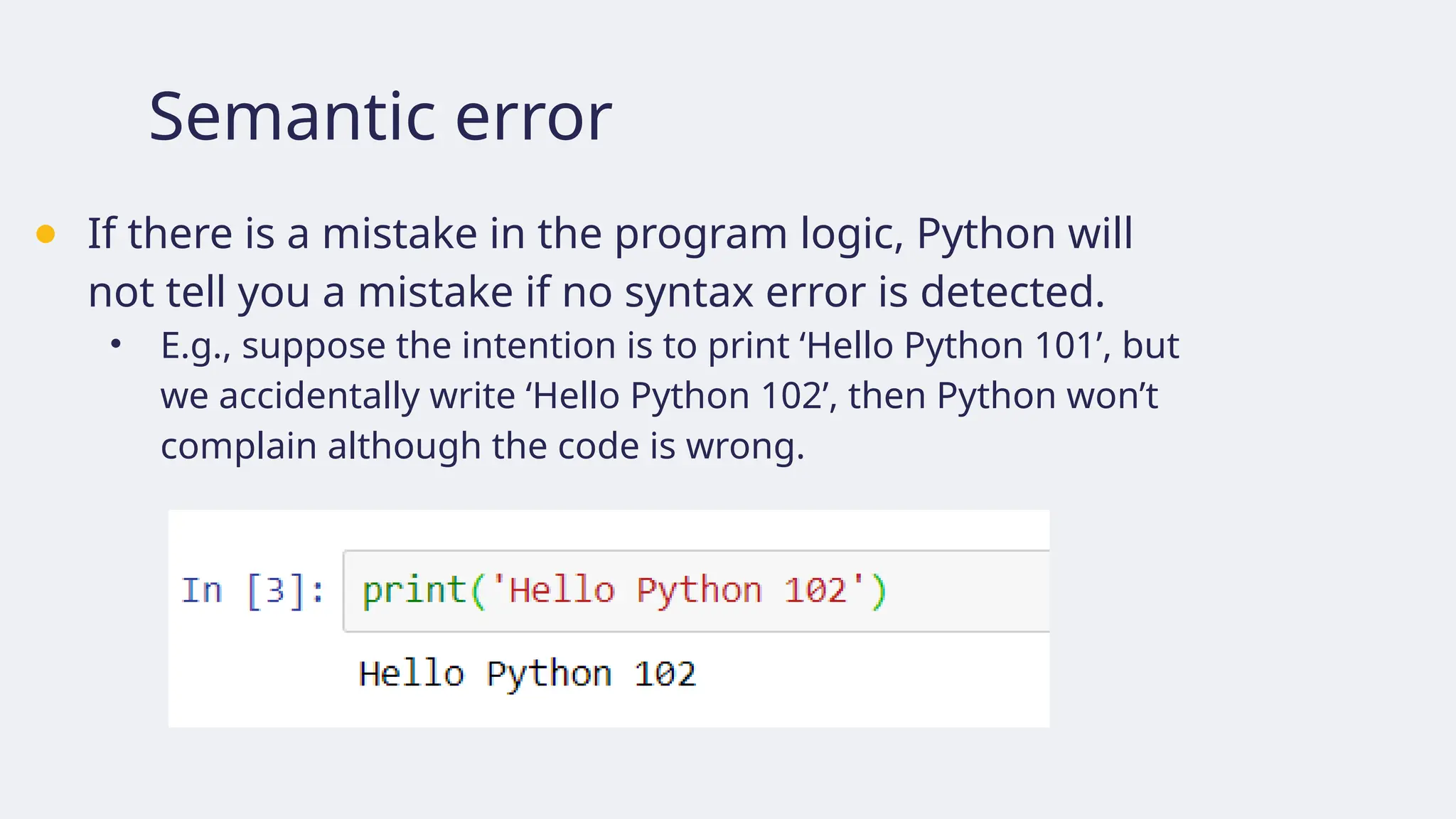
Semantic error
● Ifthere is a mistake in the program logic, Python will
not tell you a mistake if no syntax error is detected.
• E.g., suppose the intention is to print ‘Hello Python 101’, but
we accidentally write ‘Hello Python 102’, then Python won’t
complain although the code is wrong.
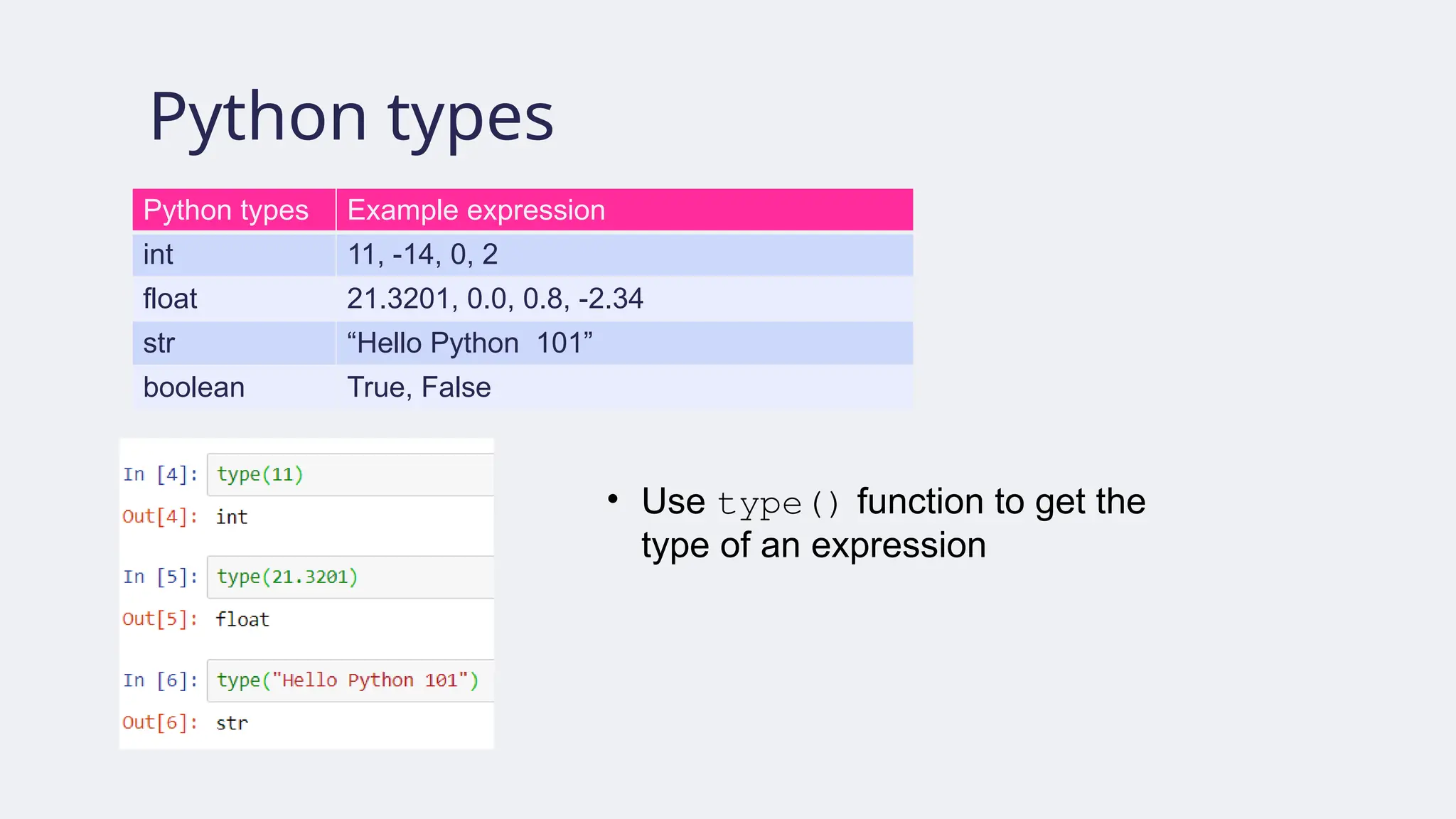
Python types
Python typesExample expression
int 11, -14, 0, 2
float 21.3201, 0.0, 0.8, -2.34
str “Hello Python 101”
boolean True, False
• Use type() function to get the
type of an expression
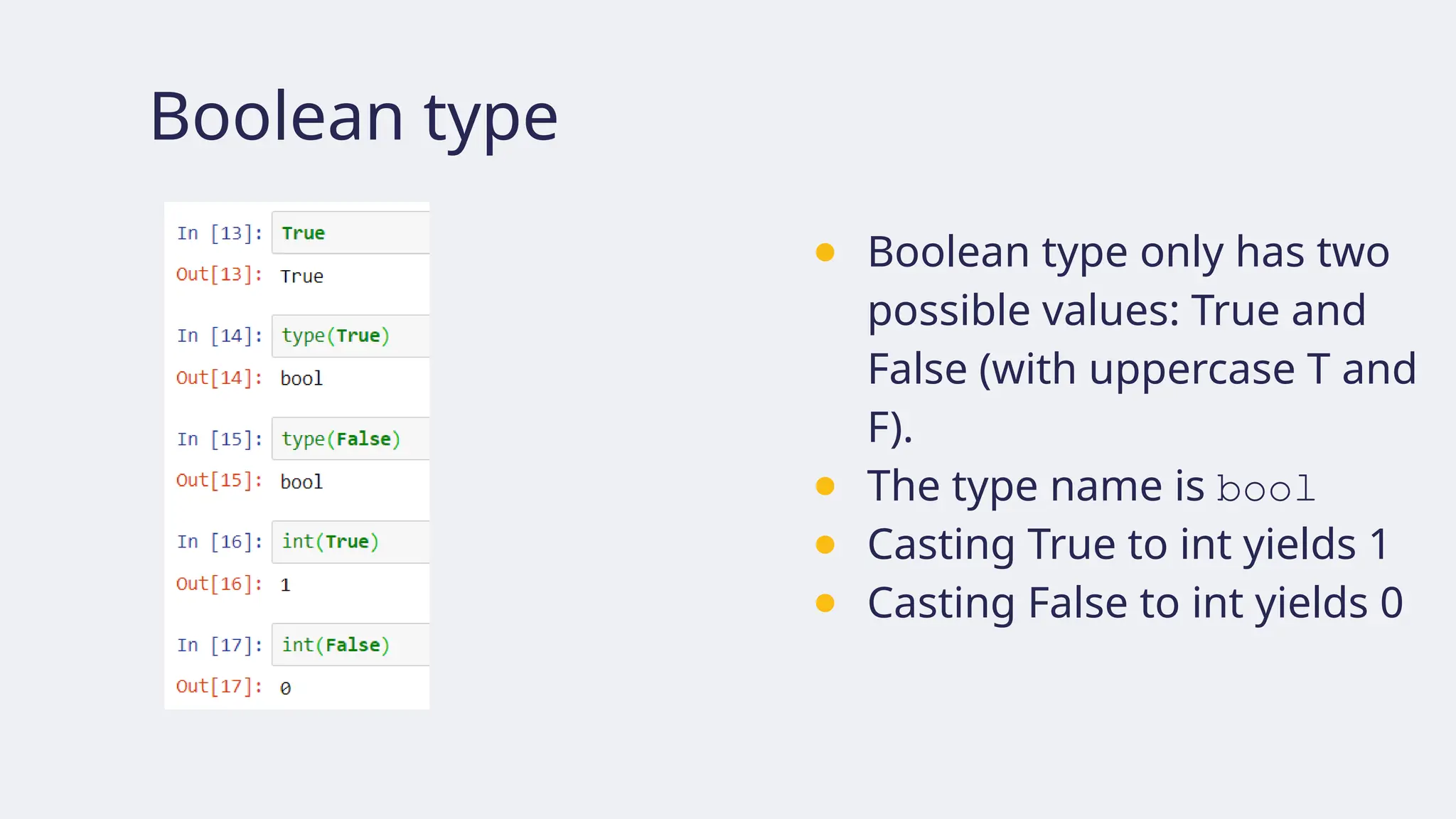
Boolean type
● Booleantype only has two
possible values: True and
False (with uppercase T and
F).
● The type name is bool
● Casting True to int yields 1
● Casting False to int yields 0
22.
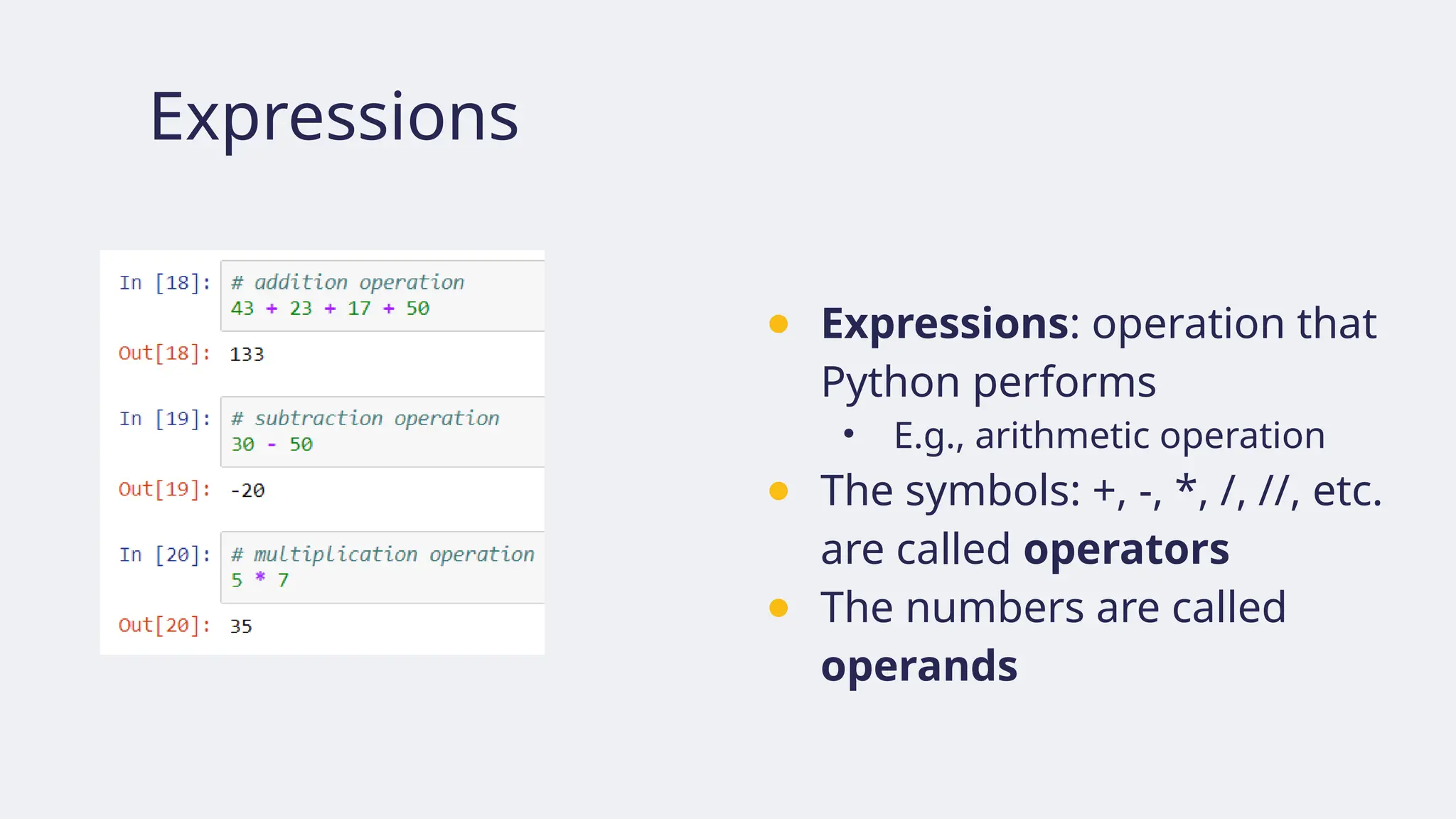
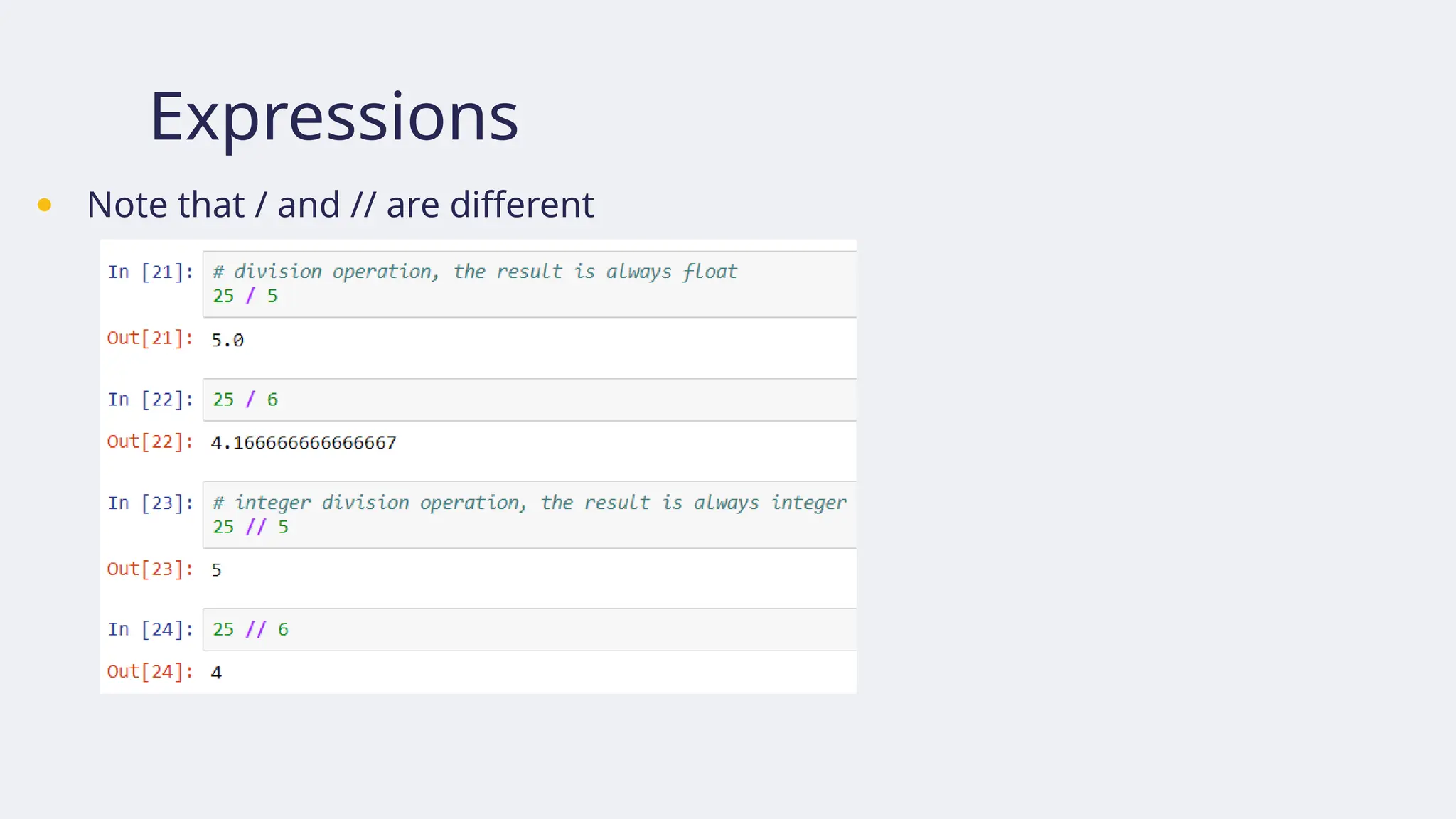
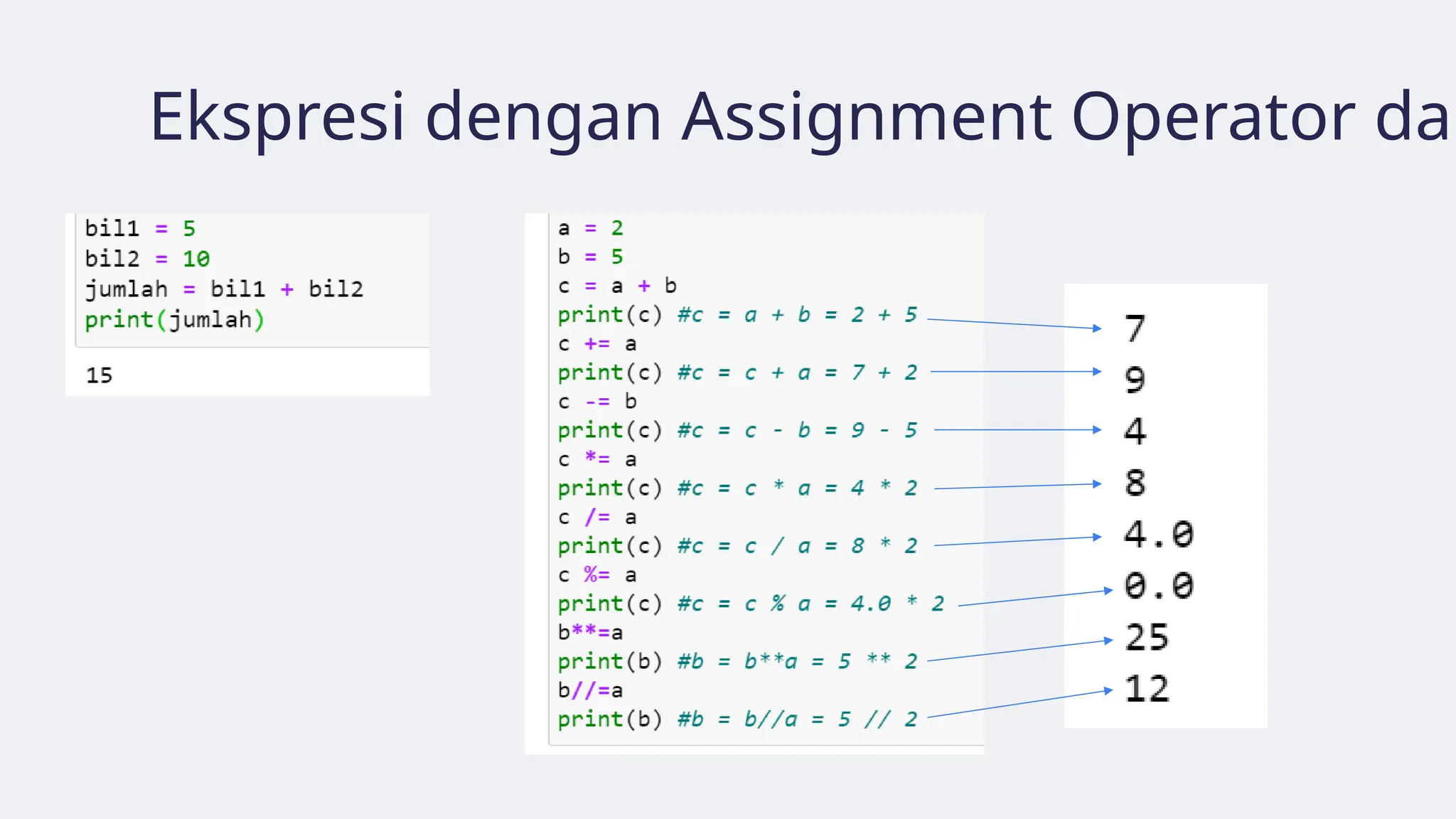
Expressions
● Expressions: operationthat
Python performs
• E.g., arithmetic operation
● The symbols: +, -, *, /, //, etc.
are called operators
● The numbers are called
operands
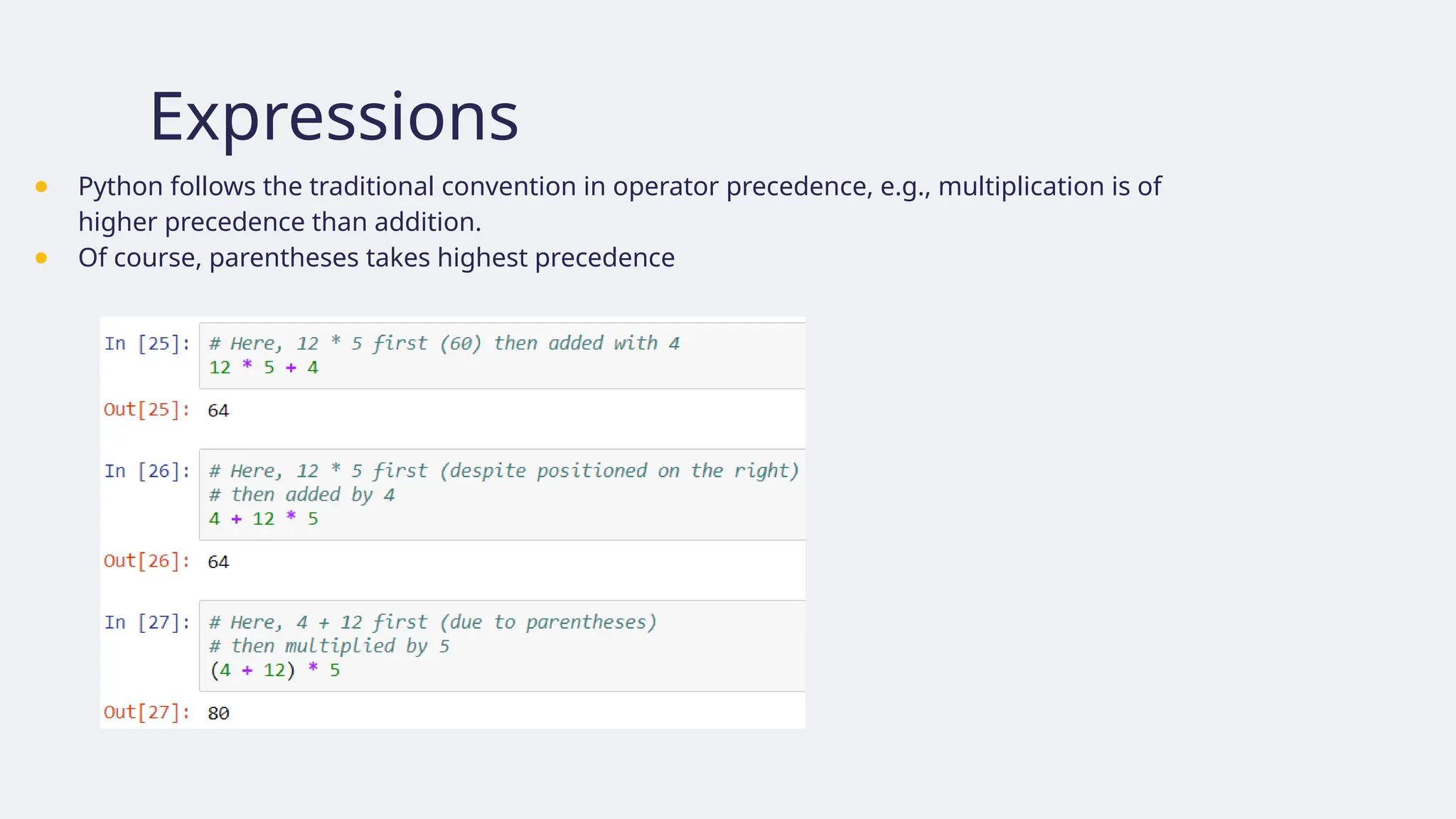
Expressions
● Python followsthe traditional convention in operator precedence, e.g., multiplication is of
higher precedence than addition.
● Of course, parentheses takes highest precedence
25.
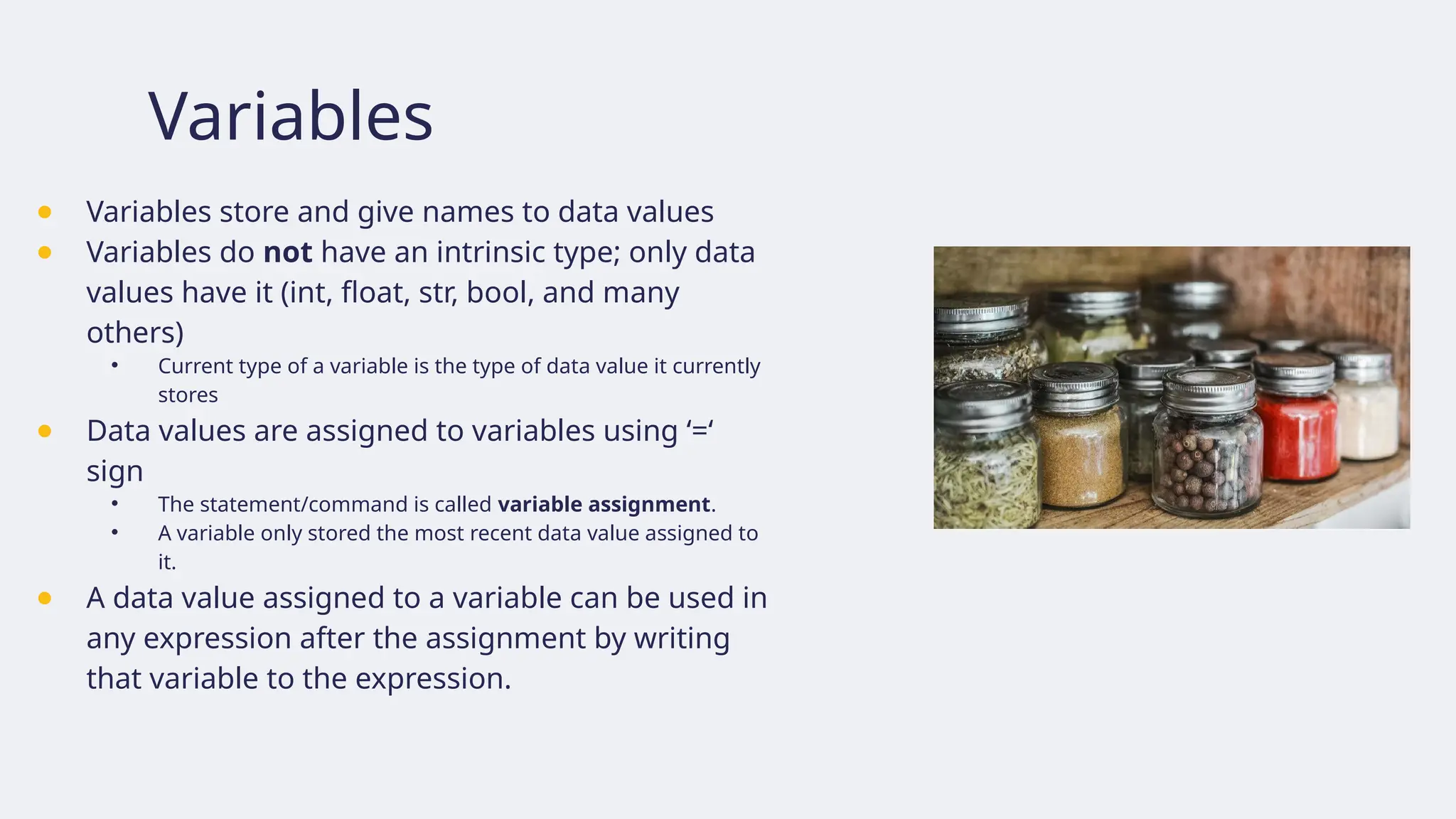
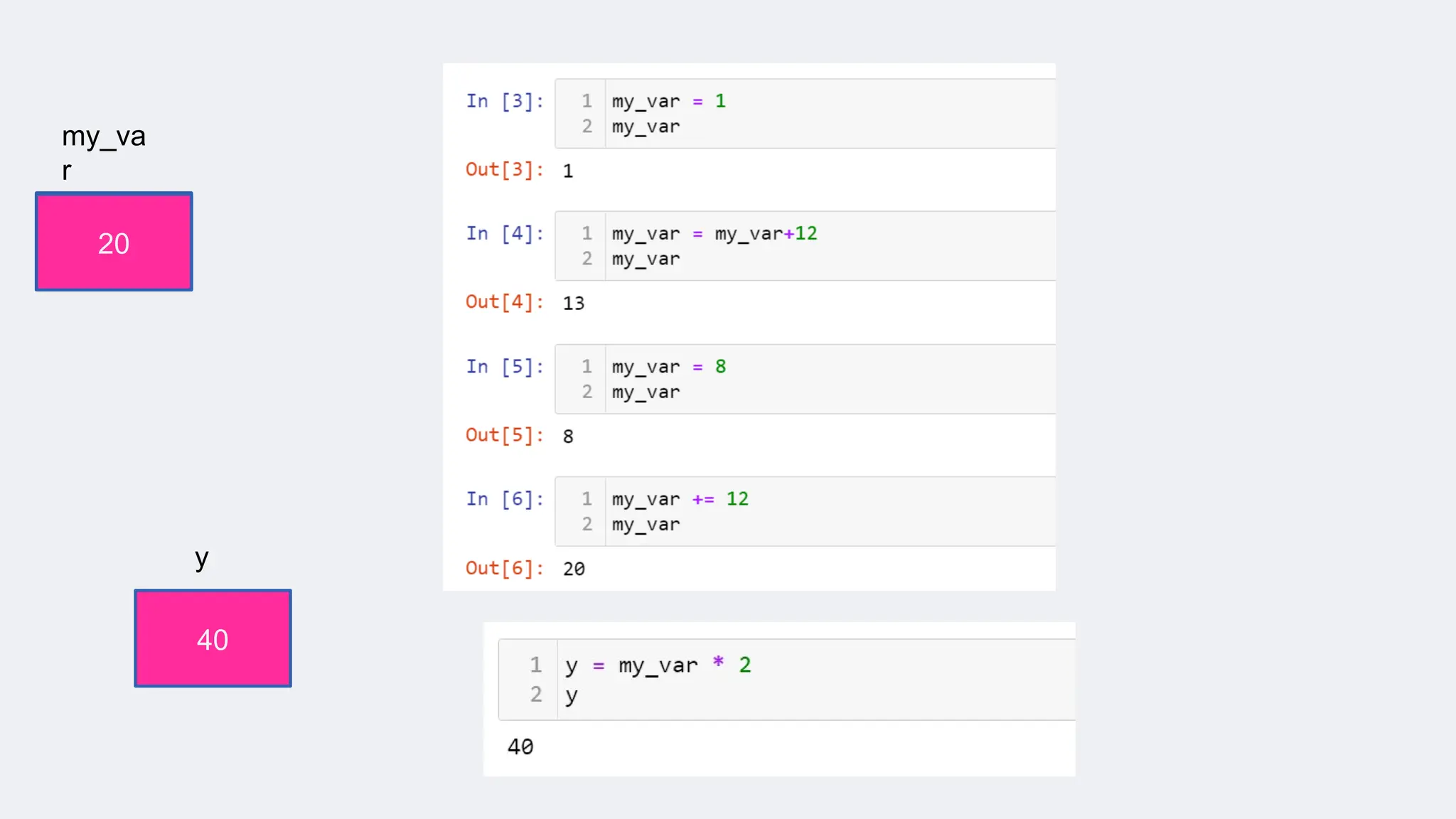
Variables
● Variables storeand give names to data values
● Variables do not have an intrinsic type; only data
values have it (int, float, str, bool, and many
others)
• Current type of a variable is the type of data value it currently
stores
● Data values are assigned to variables using ‘=‘
sign
• The statement/command is called variable assignment.
• A variable only stored the most recent data value assigned to
it.
● A data value assigned to a variable can be used in
any expression after the assignment by writing
that variable to the expression.
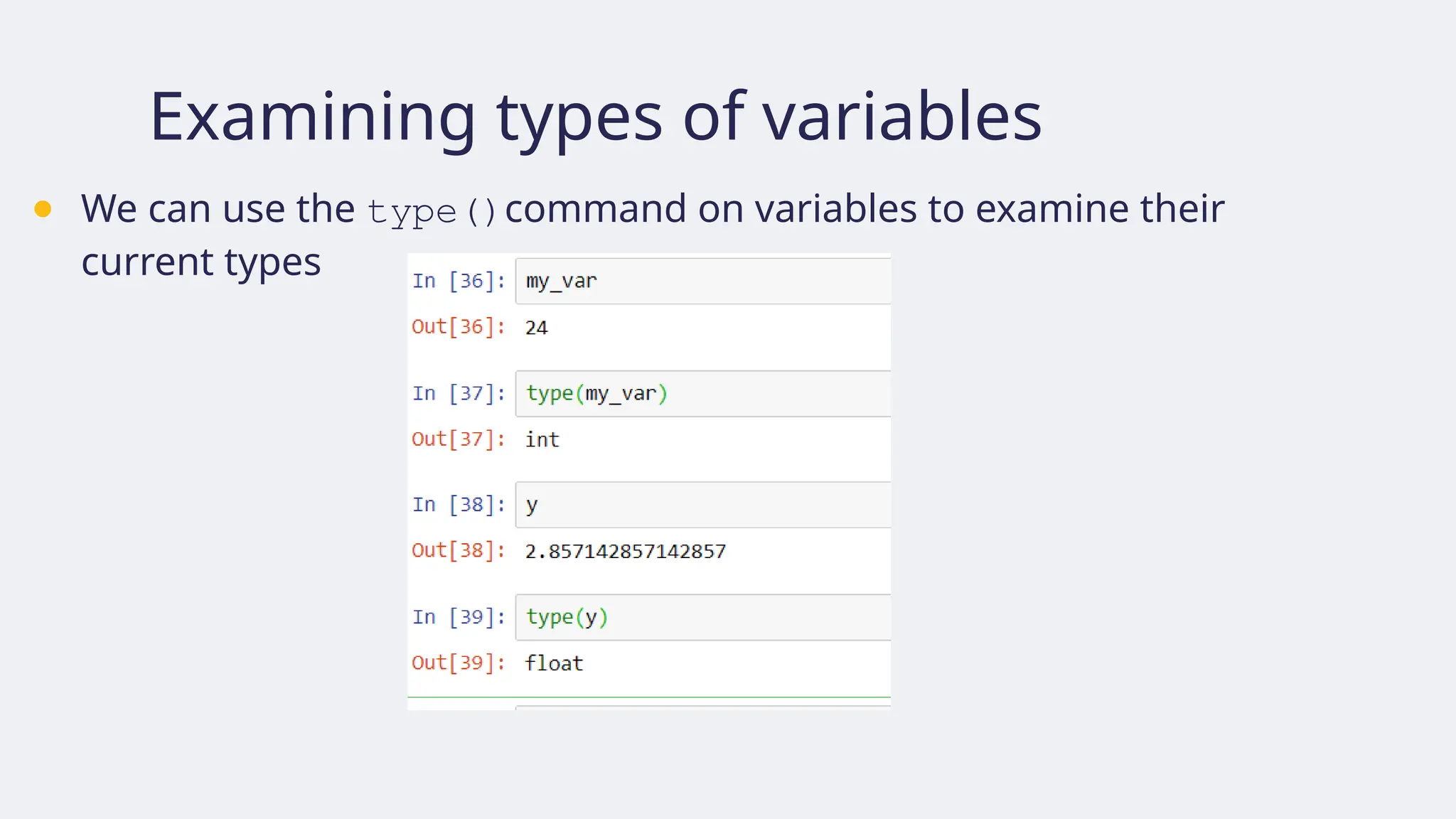
Examining types ofvariables
● We can use the type()command on variables to examine their
current types
28.
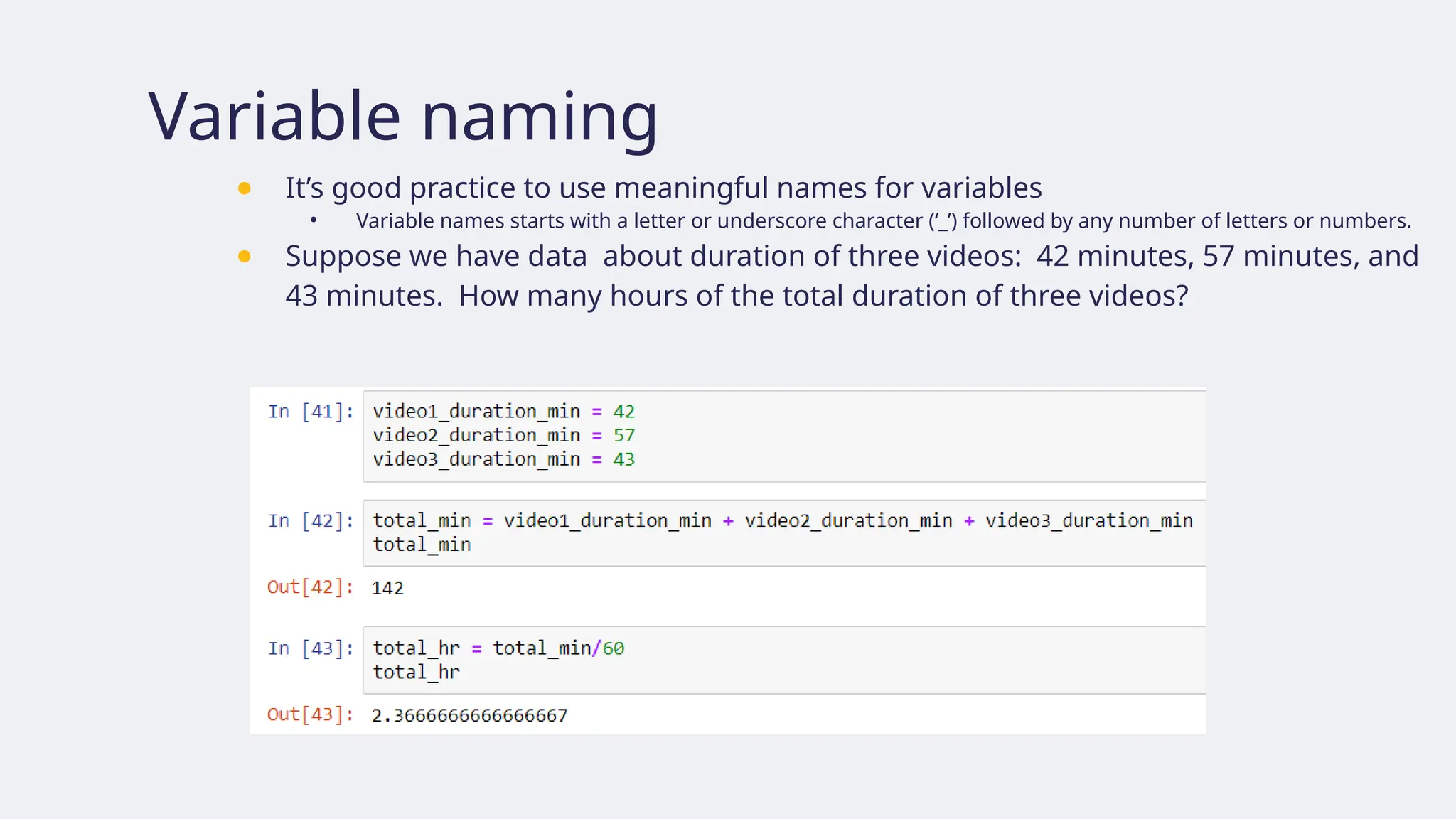
Variable naming
● It’sgood practice to use meaningful names for variables
• Variable names starts with a letter or underscore character (‘_’) followed by any number of letters or numbers.
● Suppose we have data about duration of three videos: 42 minutes, 57 minutes, and
43 minutes. How many hours of the total duration of three videos?
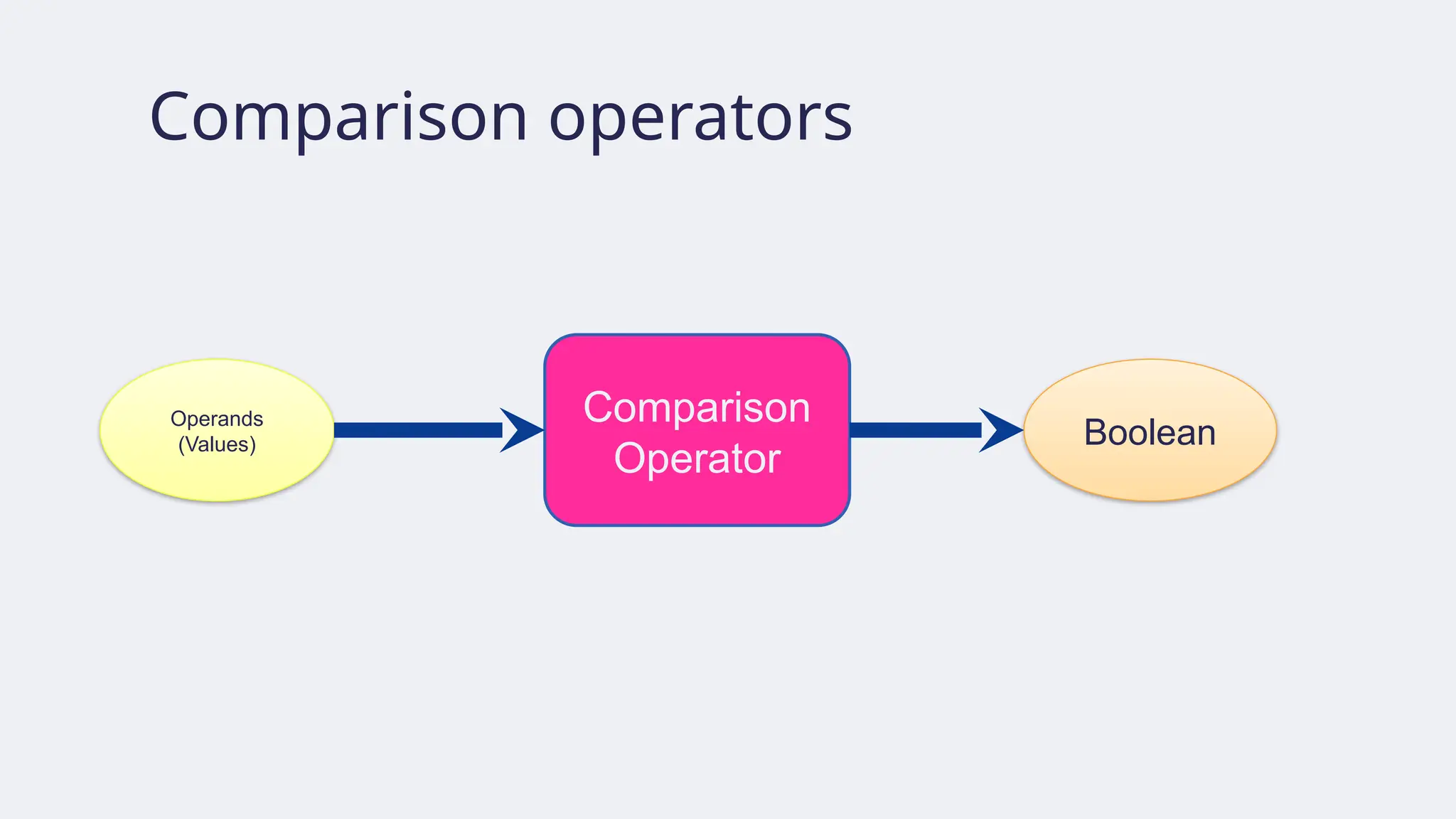
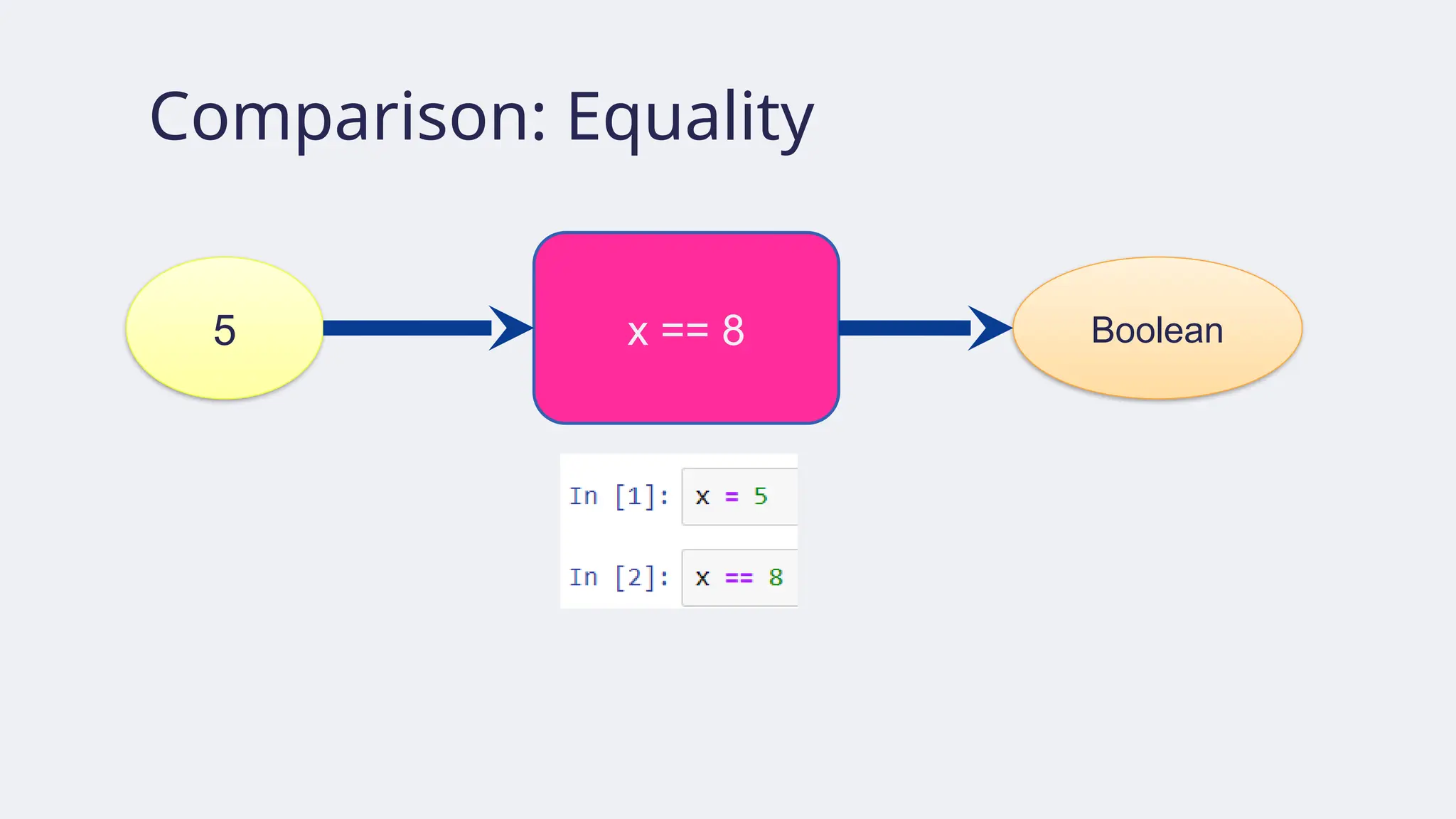
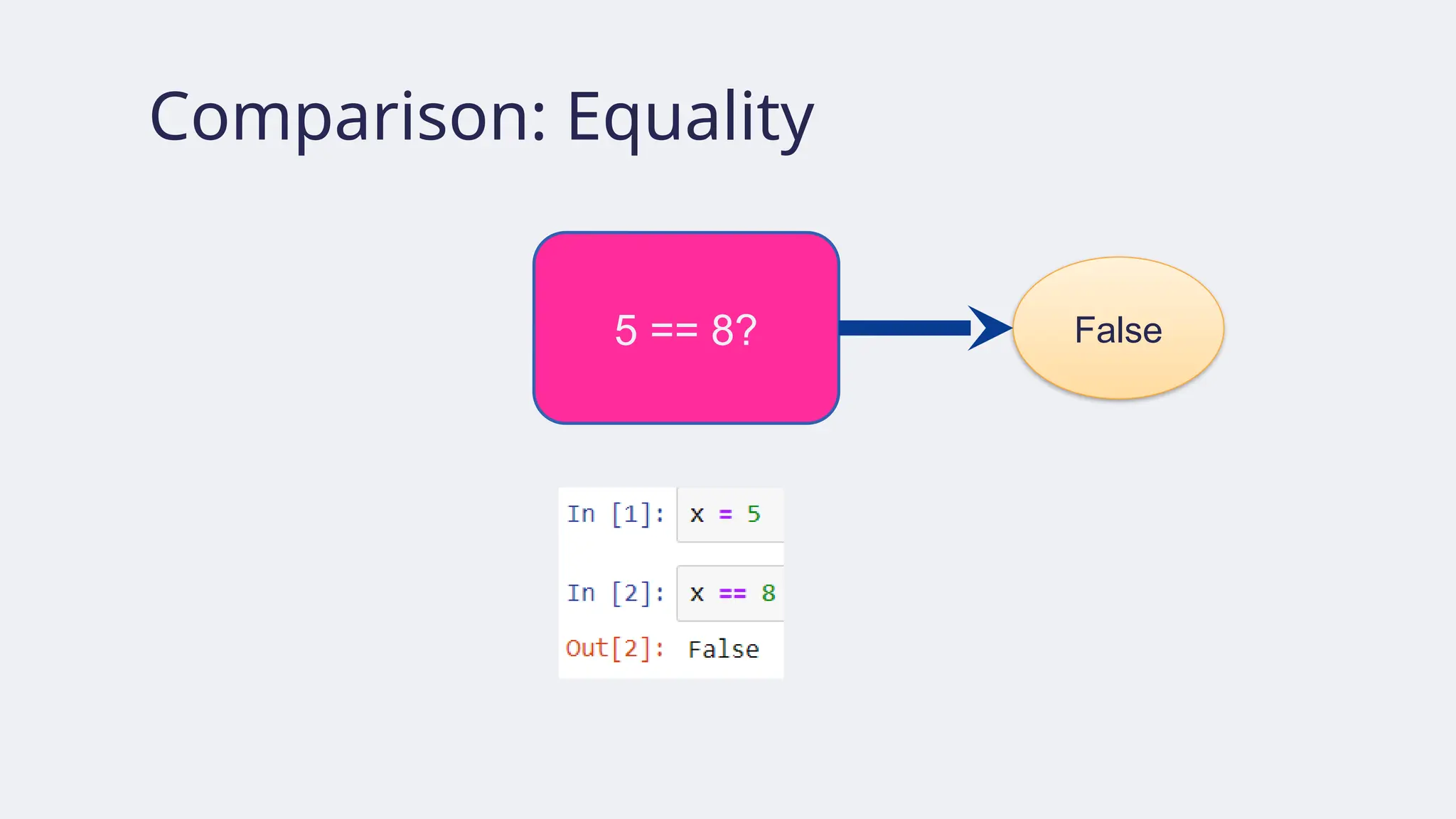
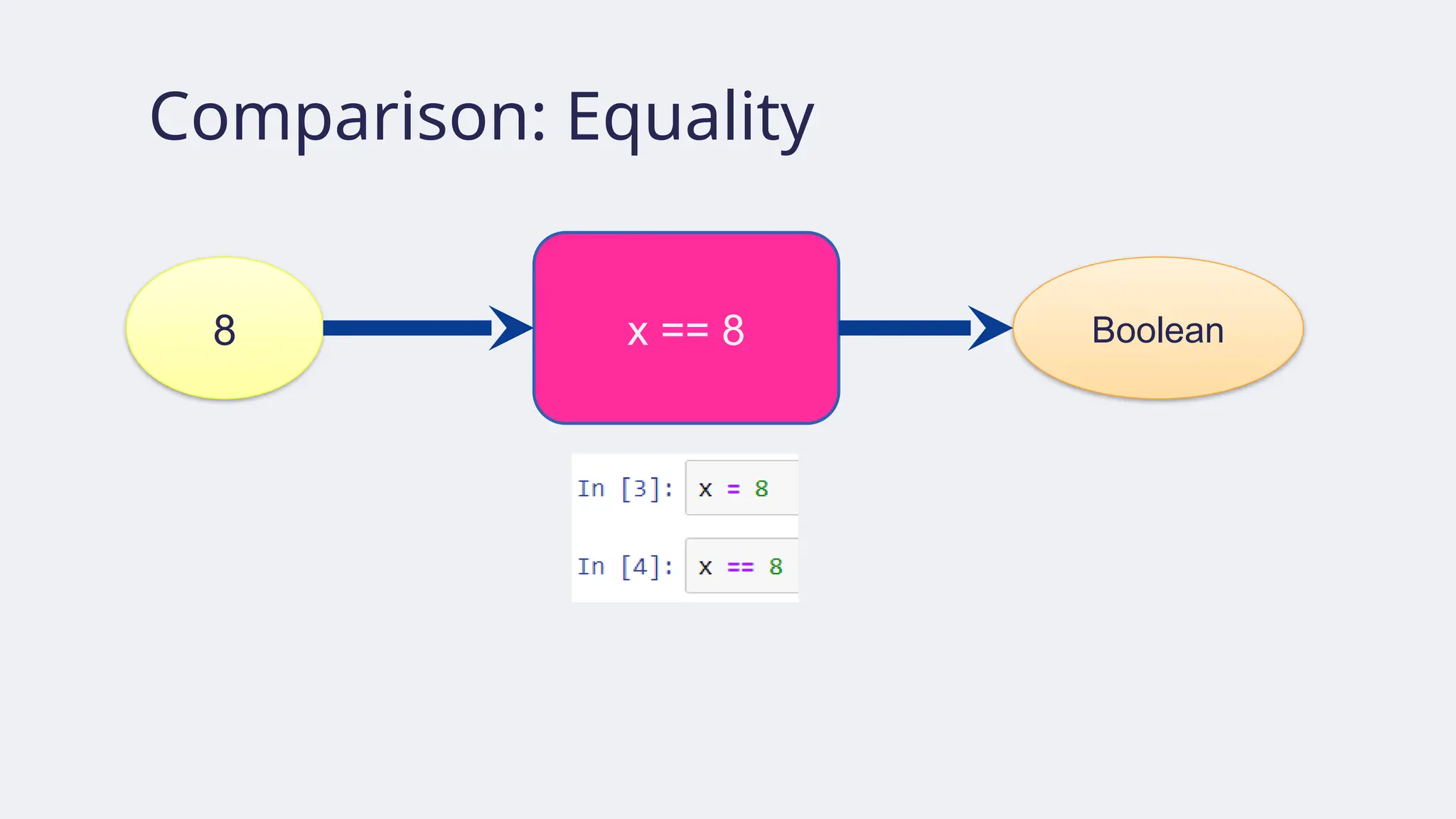
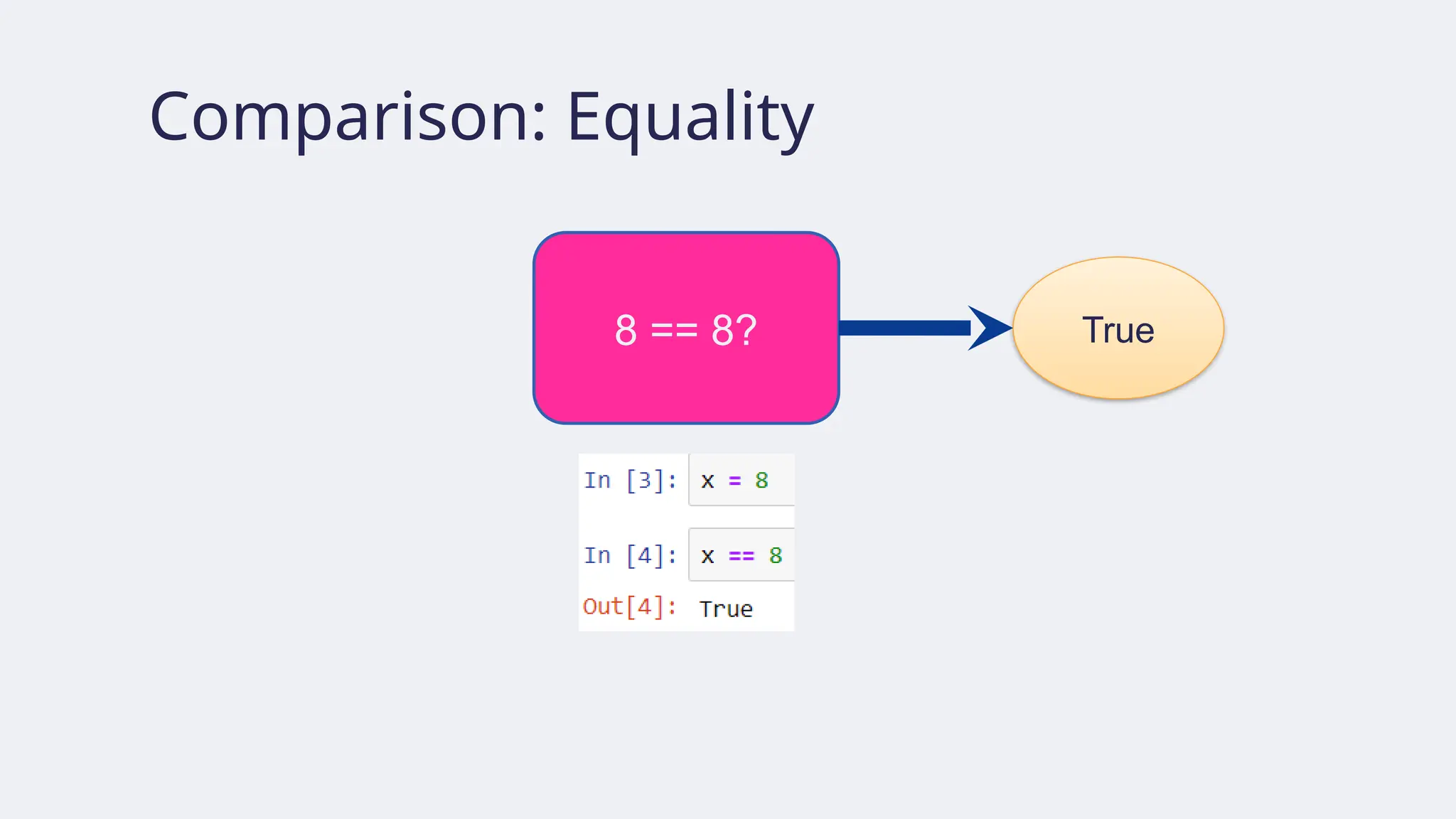
Comparison: Greater than,Less than, etc.
because 7 is greater than 6
because 6 is greater than or equal to 6
because 1 is less than 6,
i.e., NOT greater than or
equal to 6
40.
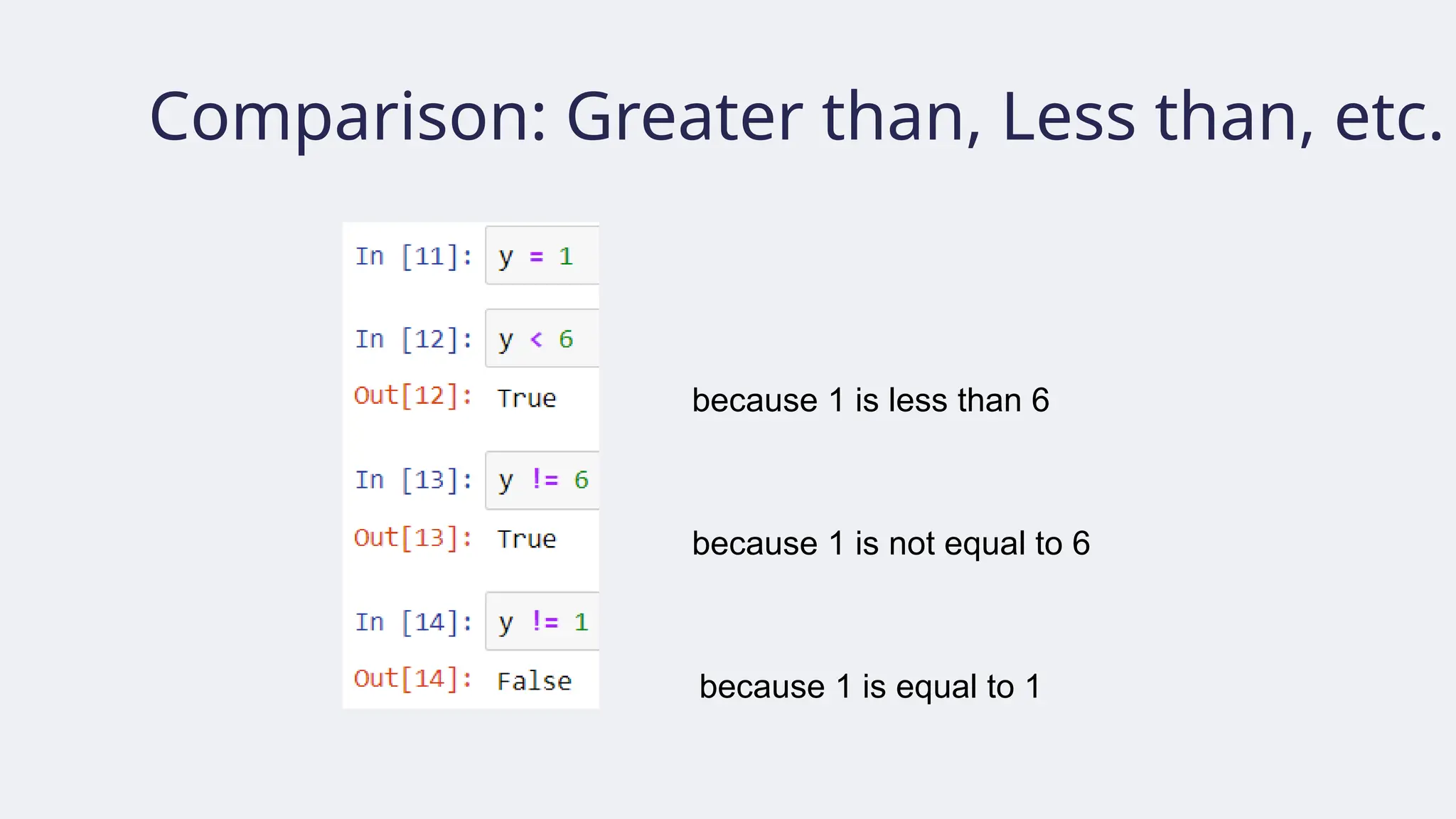
Comparison: Greater than,Less than, etc.
because 1 is less than 6
because 1 is not equal to 6
because 1 is equal to 1
41.
Comparing strings
● Twostrings (or generally, sequences) A and B are the same if their length is
the same and for each position i, A[i] is equal to B[i].
42.
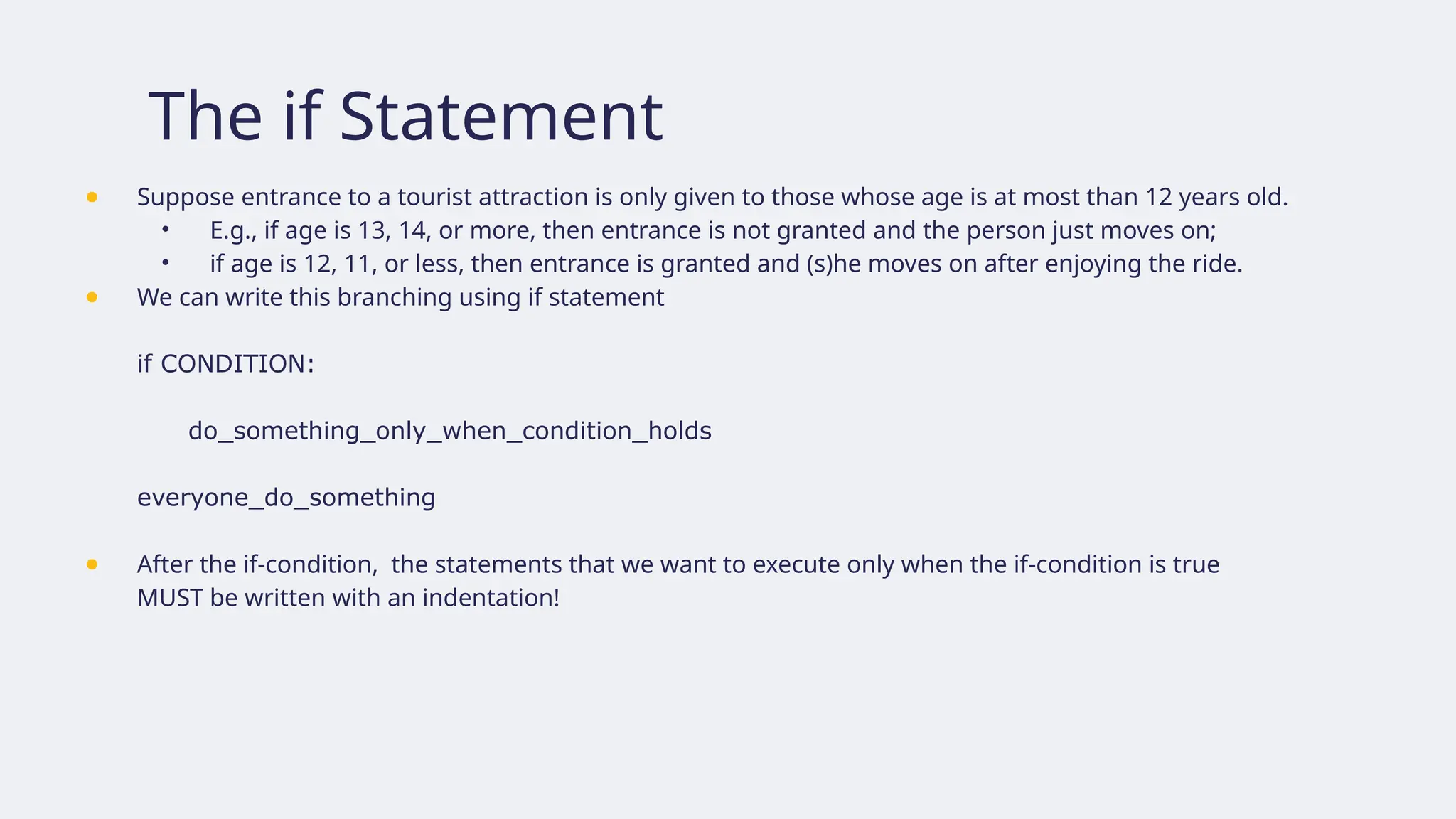
The if Statement
●Suppose entrance to a tourist attraction is only given to those whose age is at most than 12 years old.
• E.g., if age is 13, 14, or more, then entrance is not granted and the person just moves on;
• if age is 12, 11, or less, then entrance is granted and (s)he moves on after enjoying the ride.
● We can write this branching using if statement
if CONDITION:
do_something_only_when_condition_holds
everyone_do_something
● After the if-condition, the statements that we want to execute only when the if-condition is true
MUST be written with an indentation!
43.
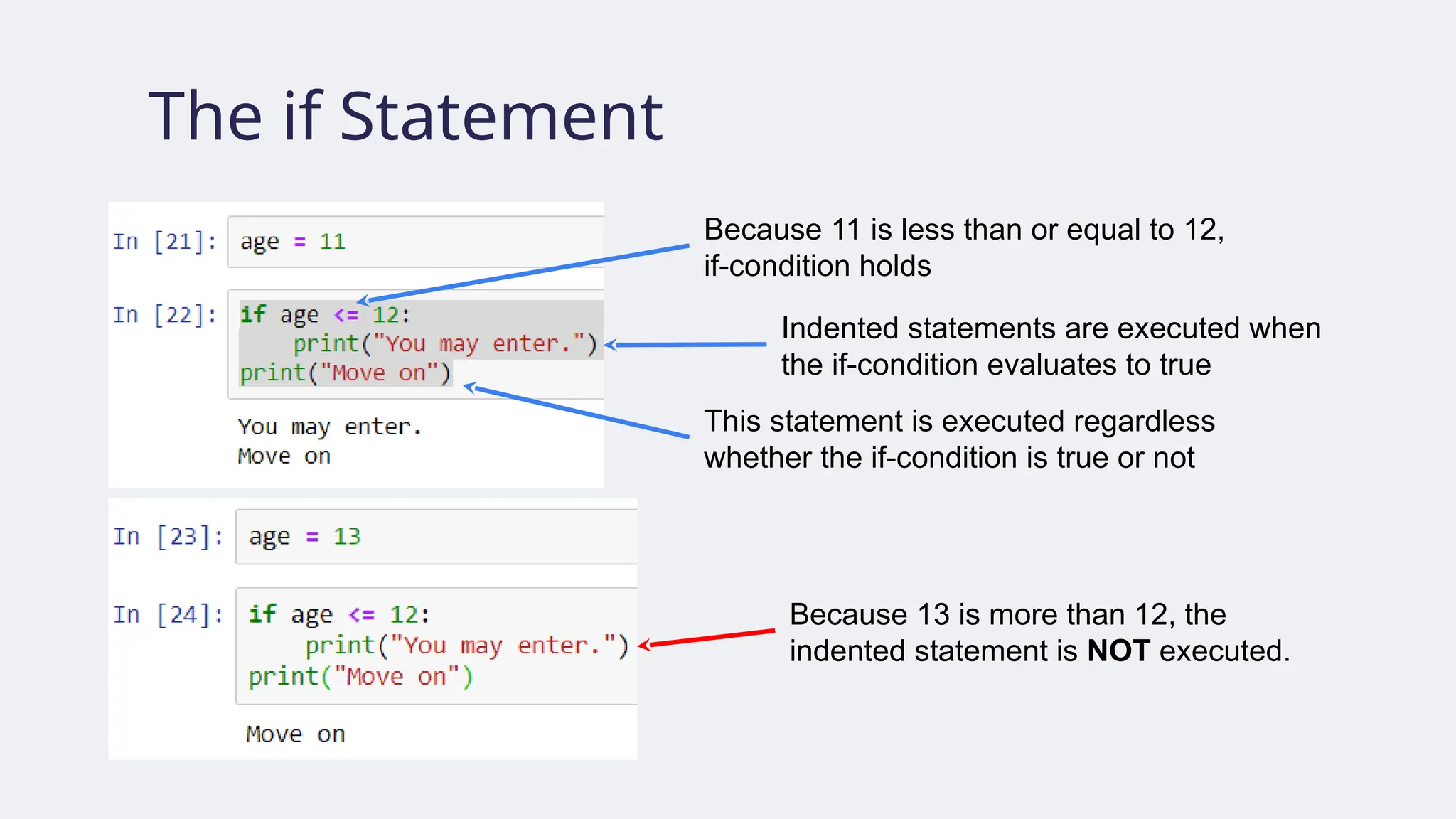
The if Statement
Because11 is less than or equal to 12,
if-condition holds
Because 13 is more than 12, the
indented statement is NOT executed.
Indented statements are executed when
the if-condition evaluates to true
This statement is executed regardless
whether the if-condition is true or not
44.
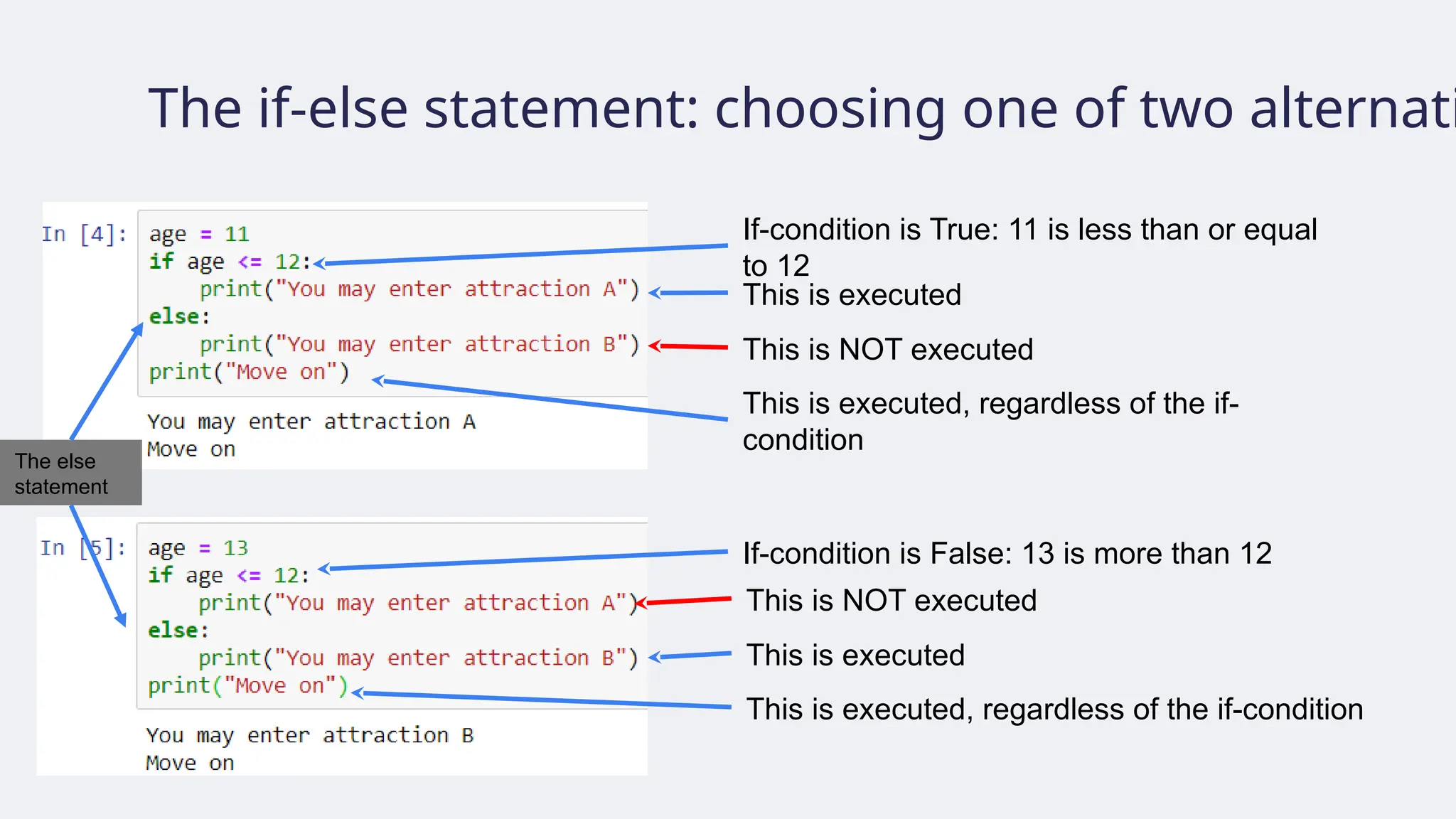
The if-else statement:choosing one of two alternati
If-condition is True: 11 is less than or equal
to 12
If-condition is False: 13 is more than 12
This is executed
This is NOT executed
This is executed, regardless of the if-
condition
This is NOT executed
This is executed
This is executed, regardless of the if-condition
The else
statement
45.
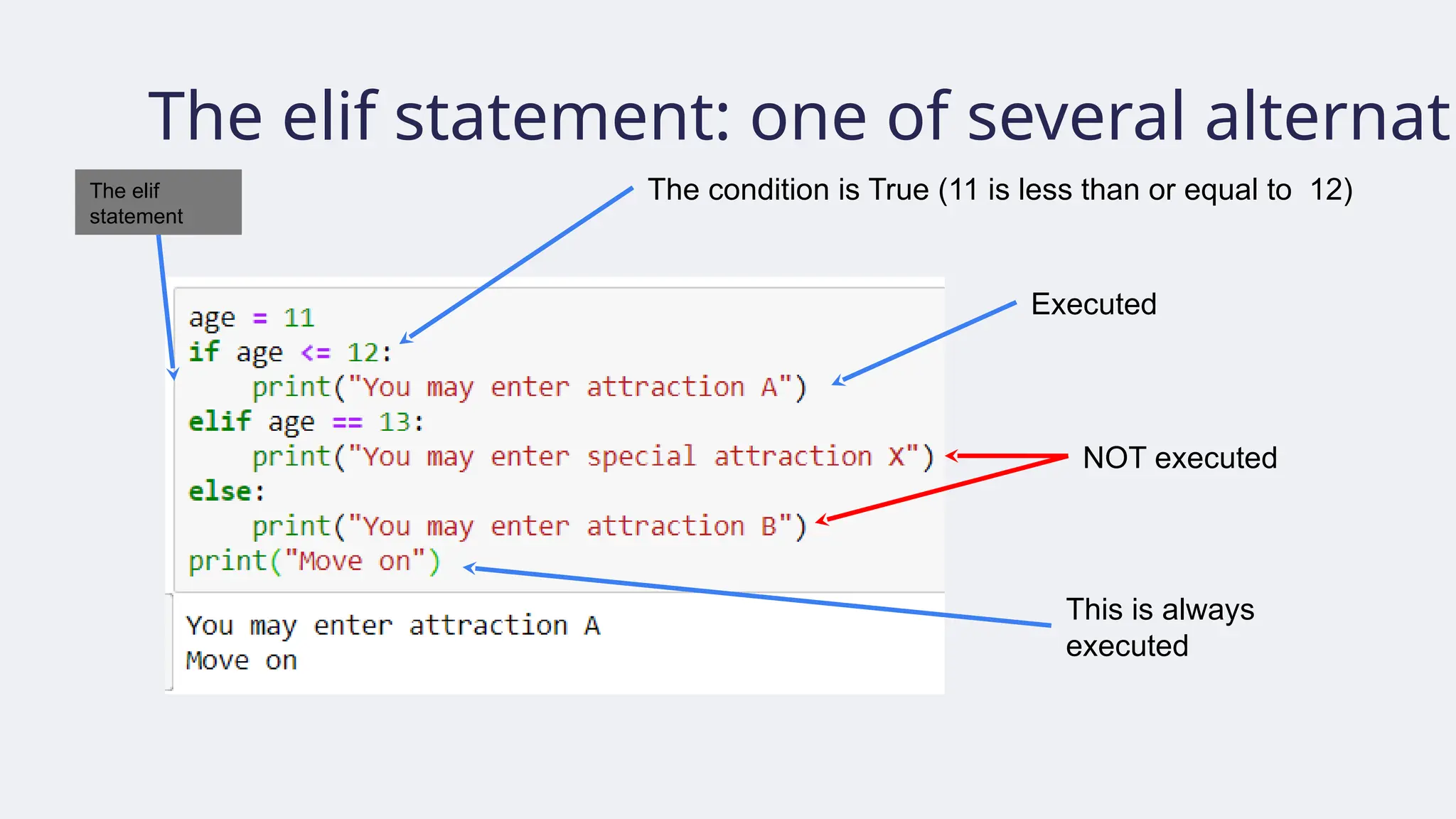
The elif statement:one of several alternati
The elif
statement
The condition is True (11 is less than or equal to 12)
Executed
NOT executed
This is always
executed
46.
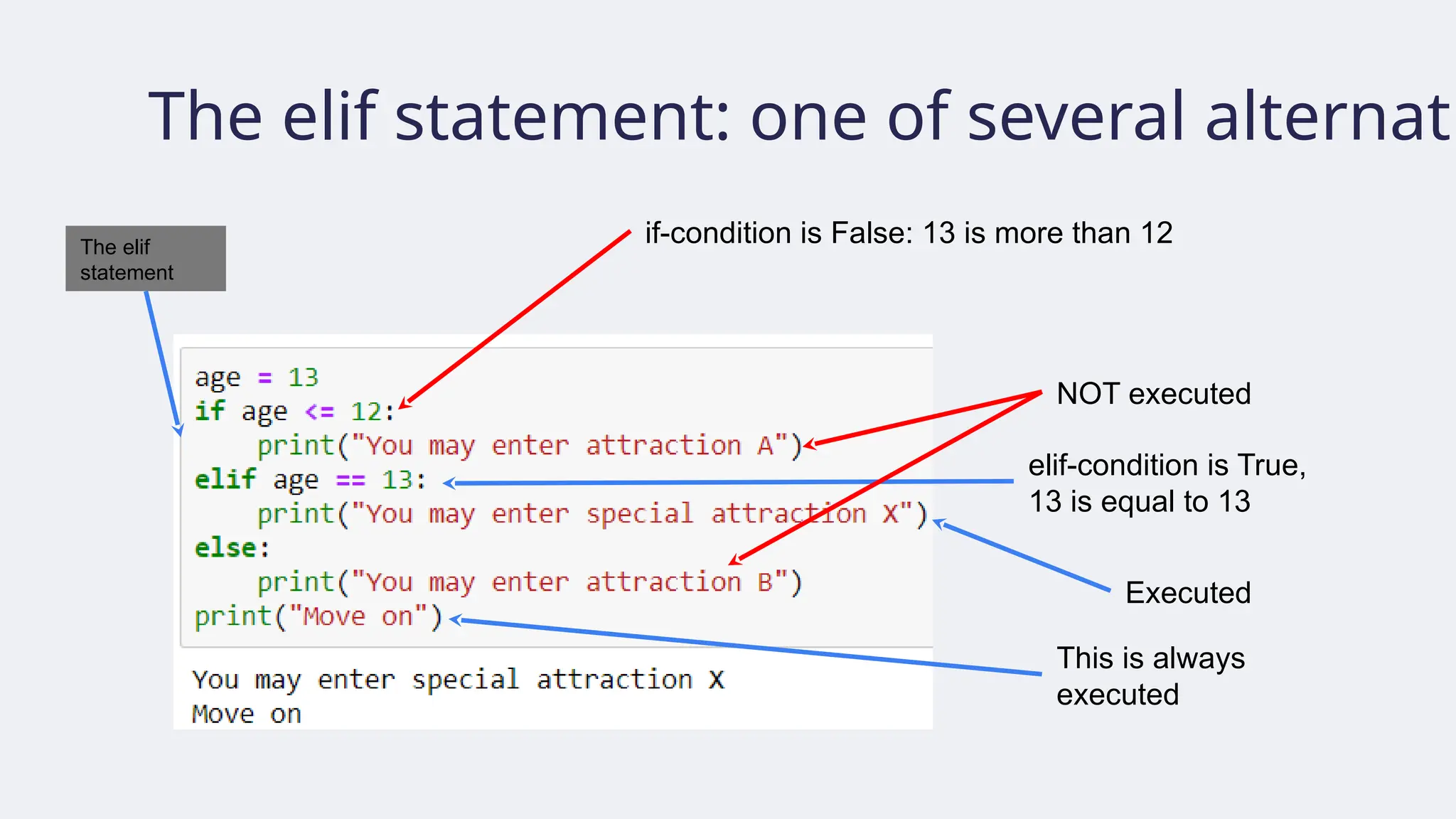
The elif statement:one of several alternati
The elif
statement
if-condition is False: 13 is more than 12
Executed
NOT executed
This is always
executed
elif-condition is True,
13 is equal to 13
47.
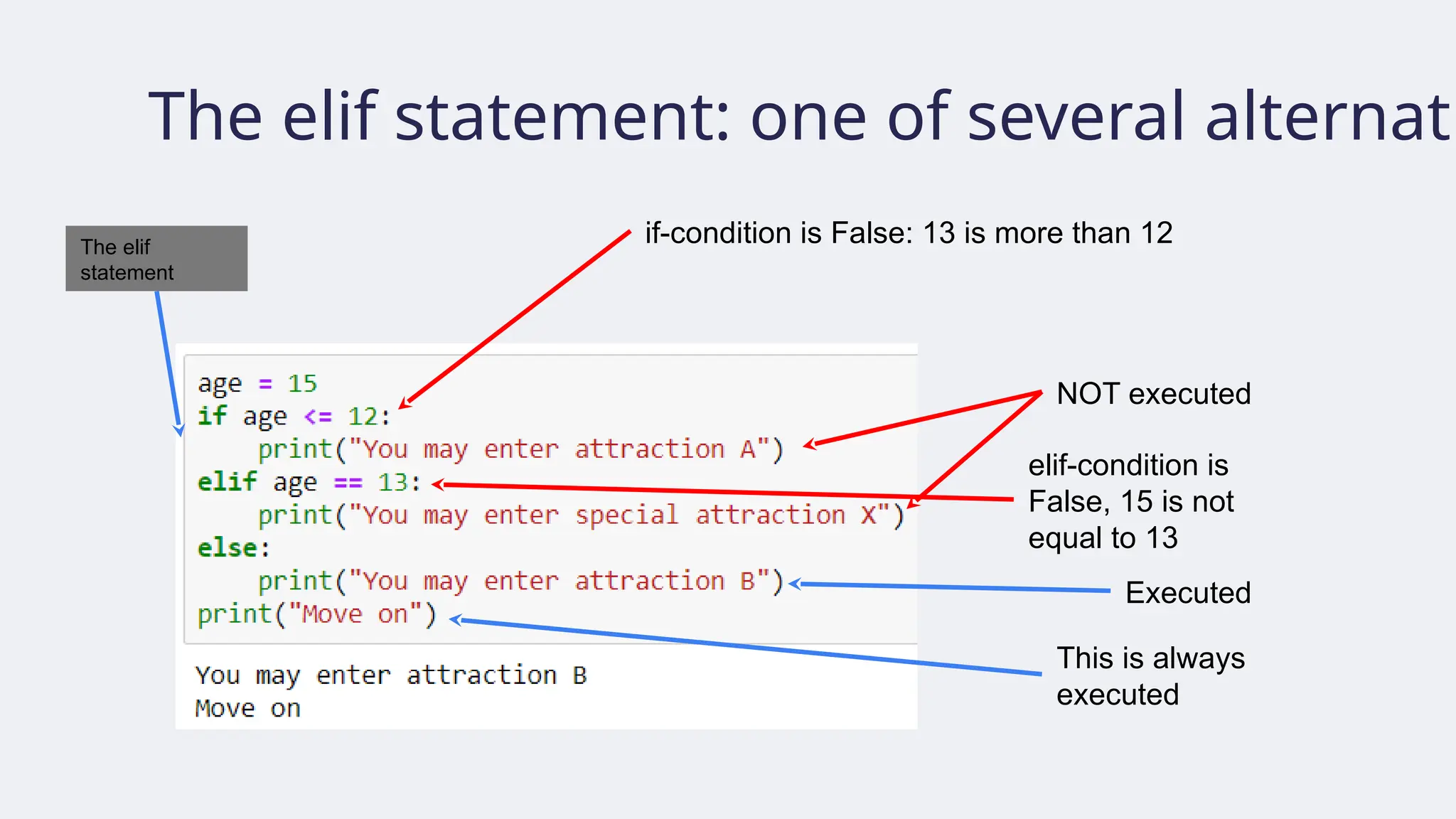
The elif statement:one of several alternati
The elif
statement
if-condition is False: 13 is more than 12
Executed
NOT executed
This is always
executed
elif-condition is
False, 15 is not
equal to 13
48.
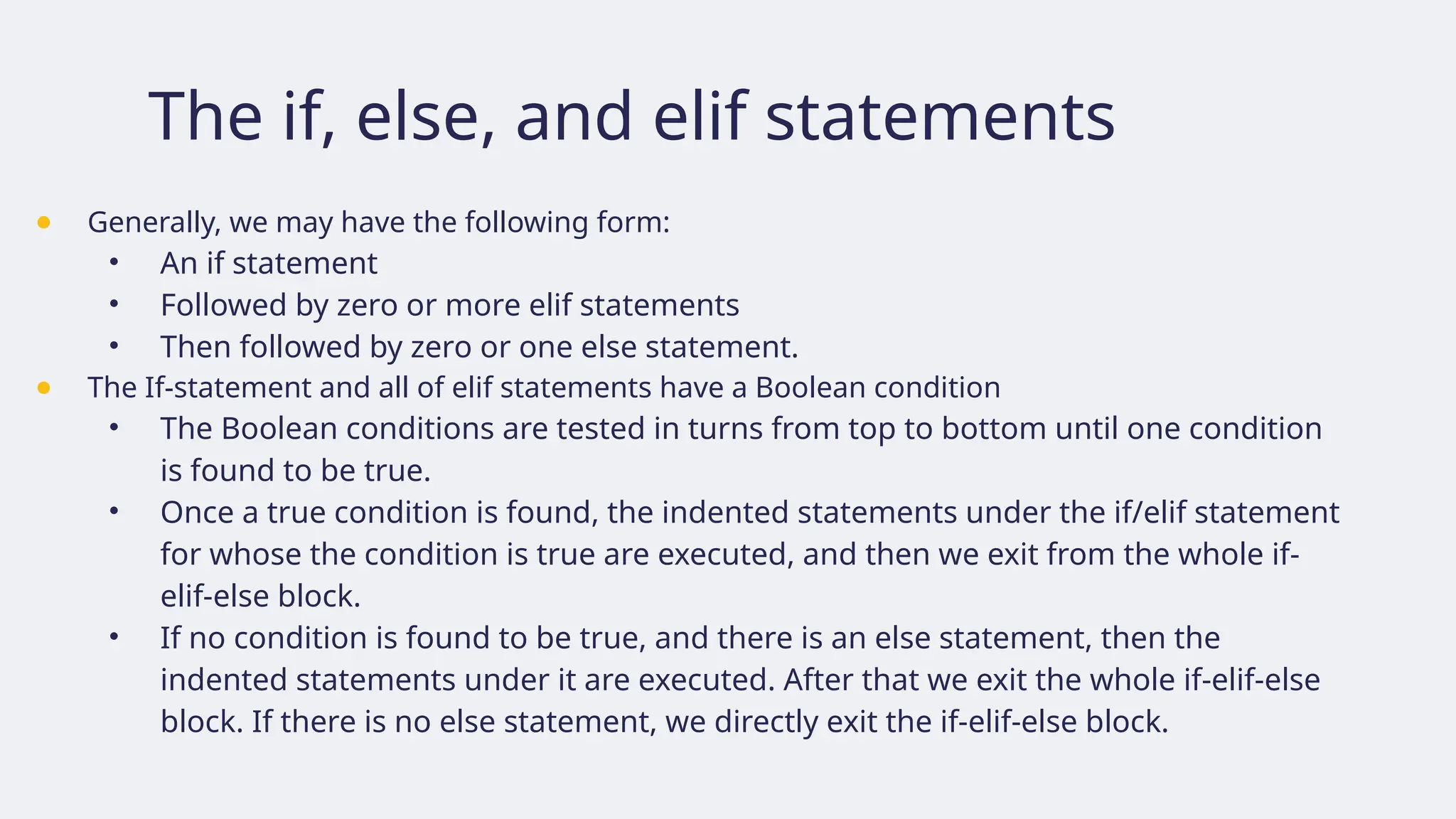
The if, else,and elif statements
● Generally, we may have the following form:
• An if statement
• Followed by zero or more elif statements
• Then followed by zero or one else statement.
● The If-statement and all of elif statements have a Boolean condition
• The Boolean conditions are tested in turns from top to bottom until one condition
is found to be true.
• Once a true condition is found, the indented statements under the if/elif statement
for whose the condition is true are executed, and then we exit from the whole if-
elif-else block.
• If no condition is found to be true, and there is an else statement, then the
indented statements under it are executed. After that we exit the whole if-elif-else
block. If there is no else statement, we directly exit the if-elif-else block.
49.
Exercise
● Create aprogram that accepts three integer inputs and then sorts them from smallest to
largest.
50.
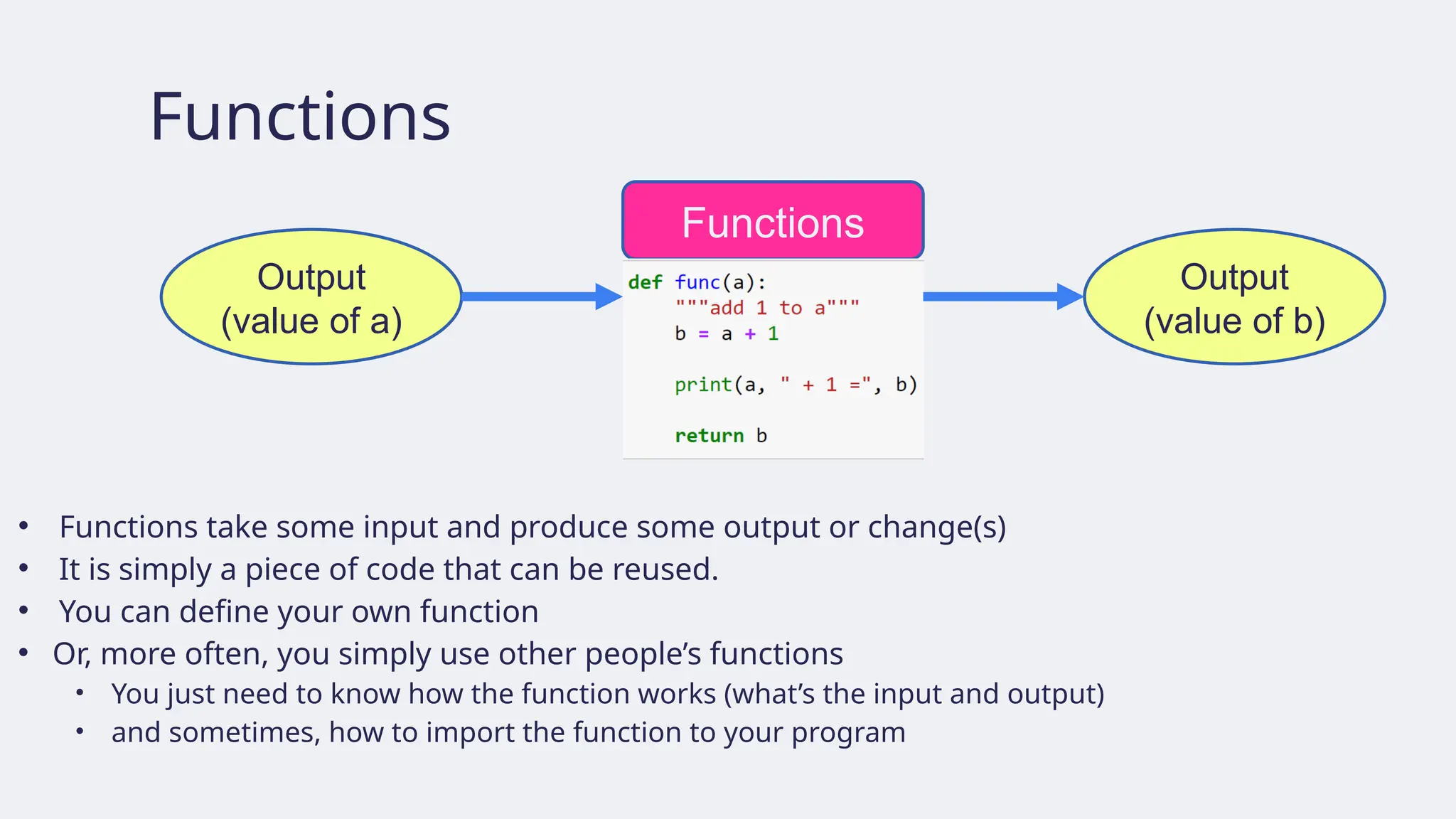
Functions
• Functions takesome input and produce some output or change(s)
• It is simply a piece of code that can be reused.
• You can define your own function
• Or, more often, you simply use other people’s functions
• You just need to know how the function works (what’s the input and output)
• and sometimes, how to import the function to your program
Functions
Output
(value of b)
Output
(value of a)
51.
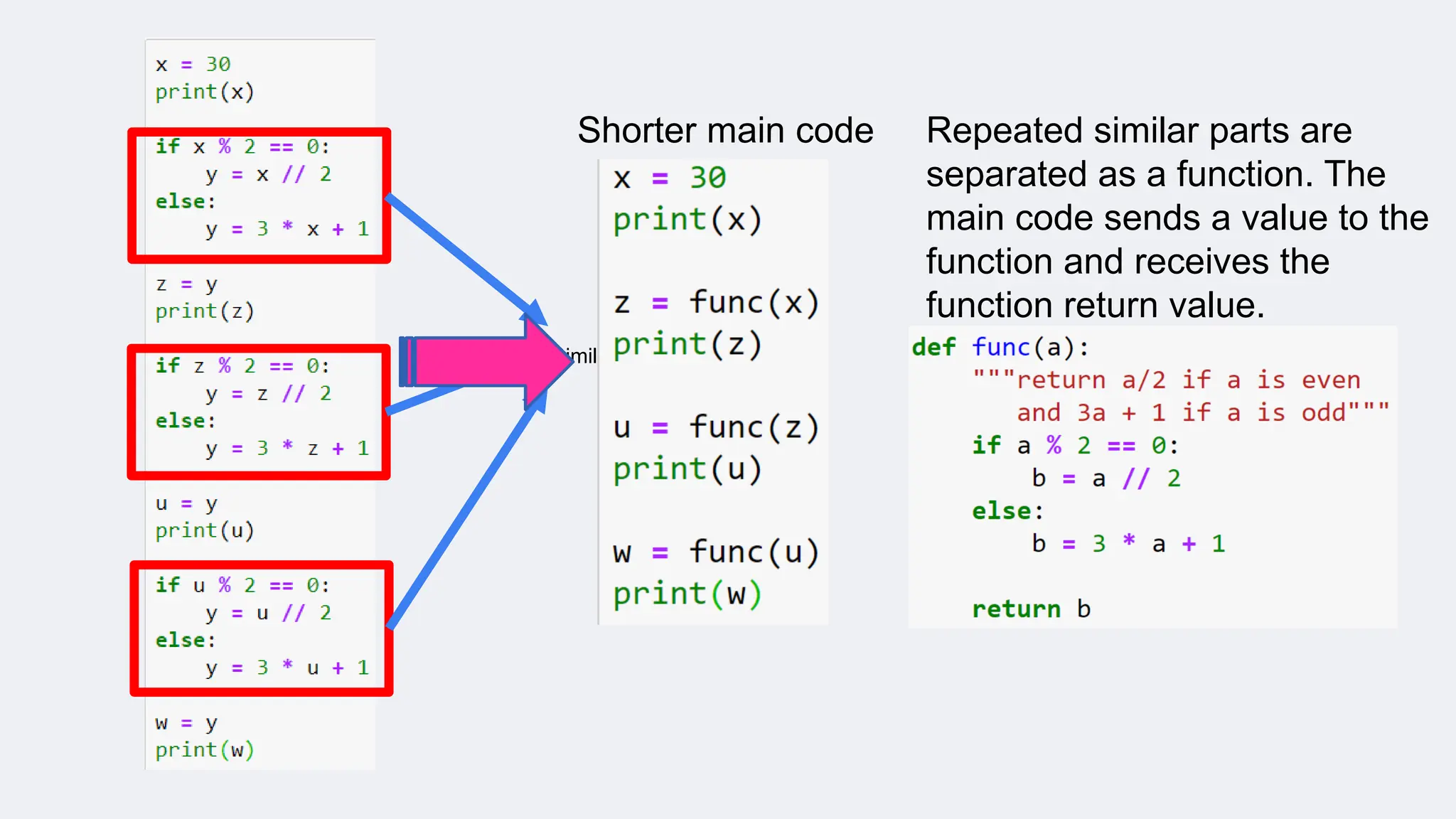
Similar piece ofcode
Shorter main code Repeated similar parts are
separated as a function. The
main code sends a value to the
function and receives the
function return value.
52.
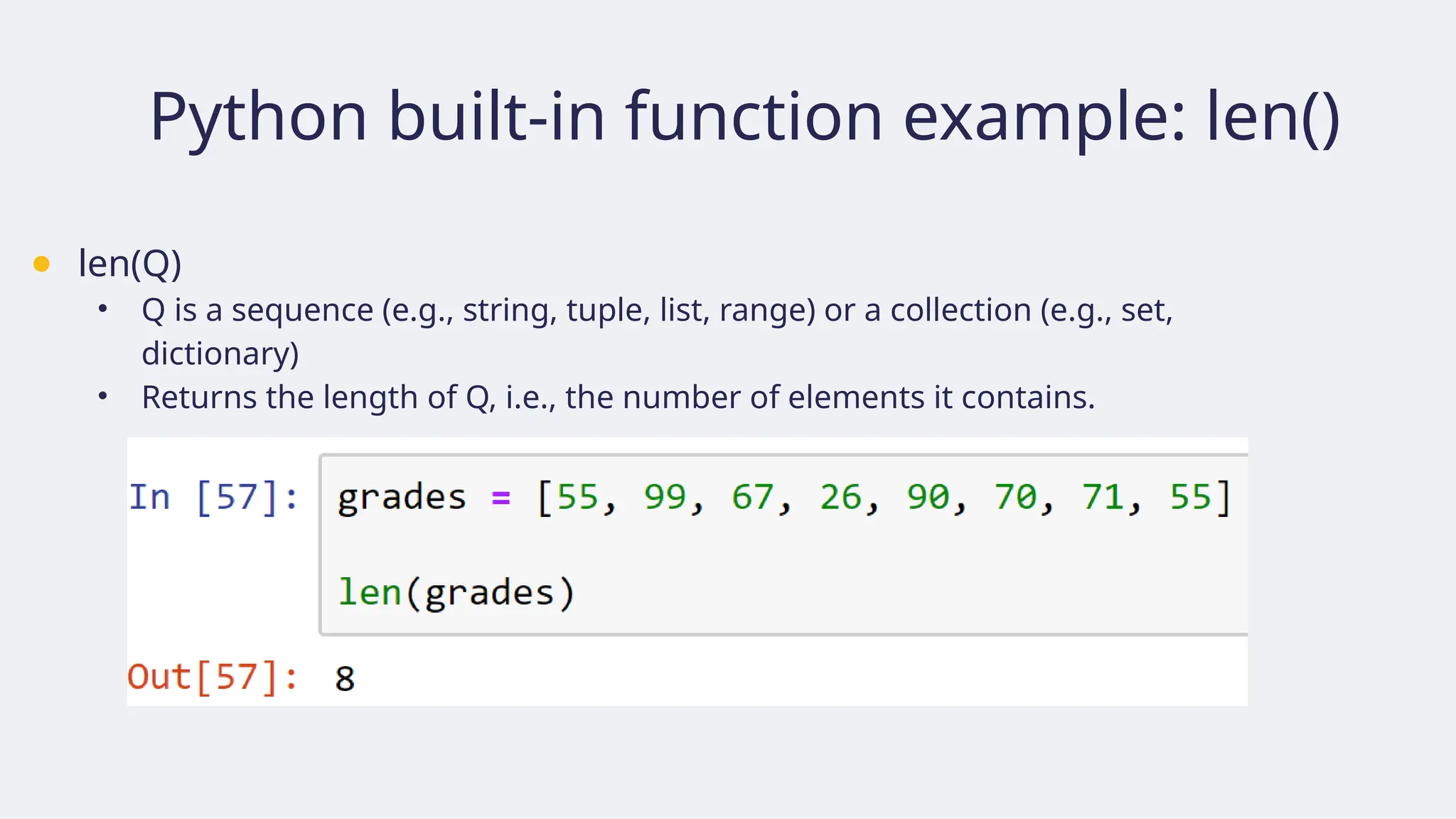
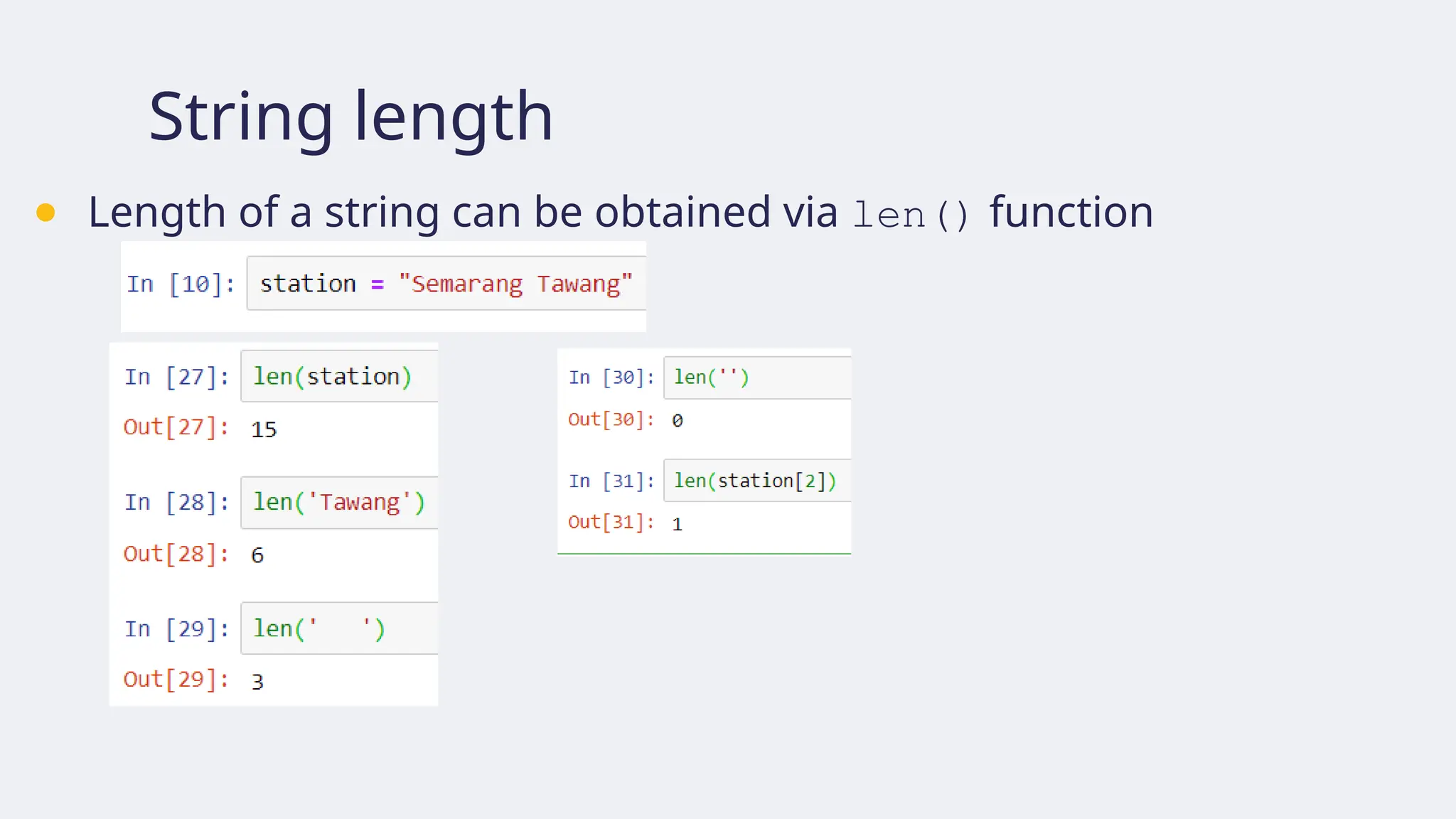
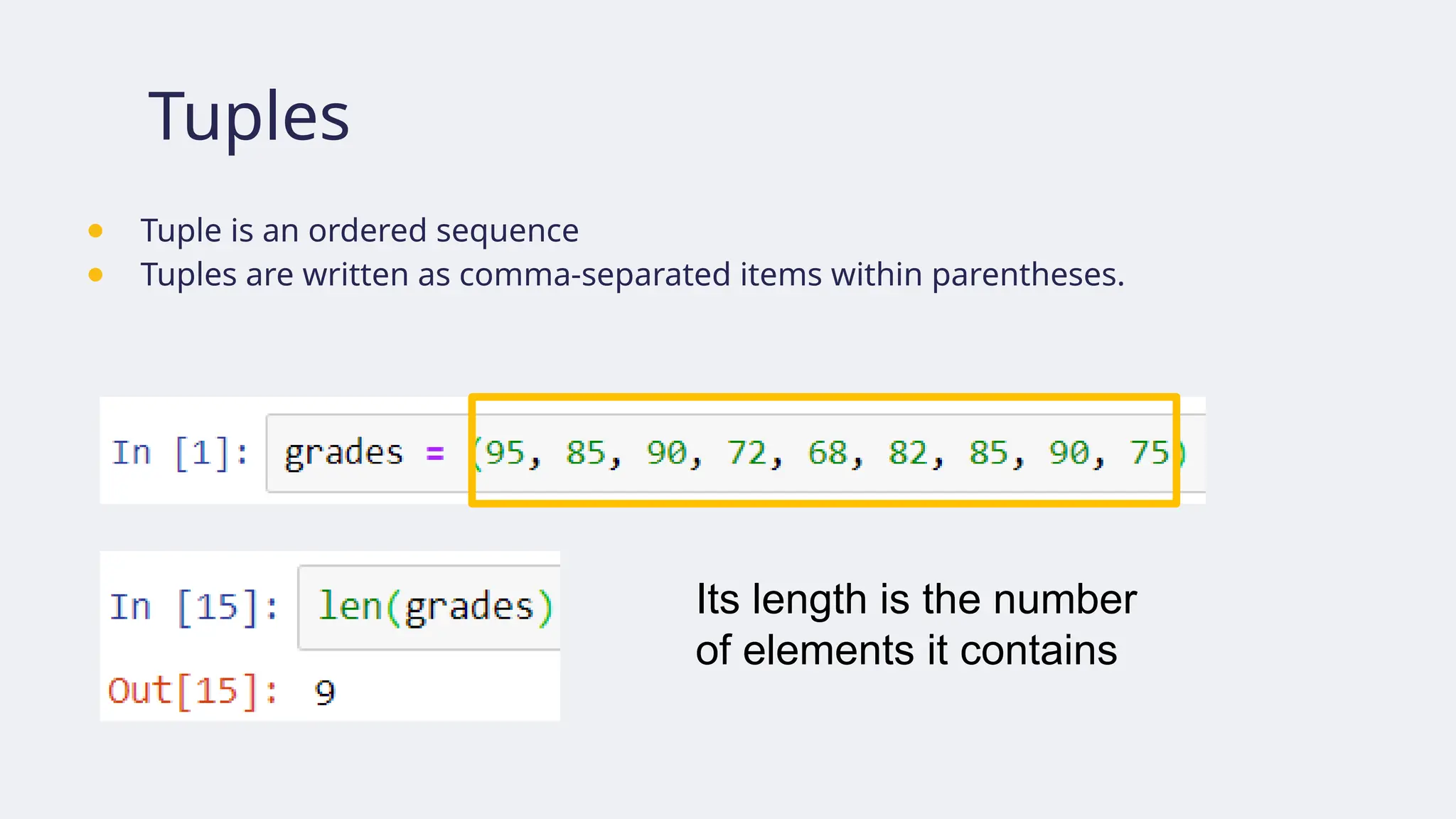
Python built-in functionexample: len()
● len(Q)
• Q is a sequence (e.g., string, tuple, list, range) or a collection (e.g., set,
dictionary)
• Returns the length of Q, i.e., the number of elements it contains.
53.
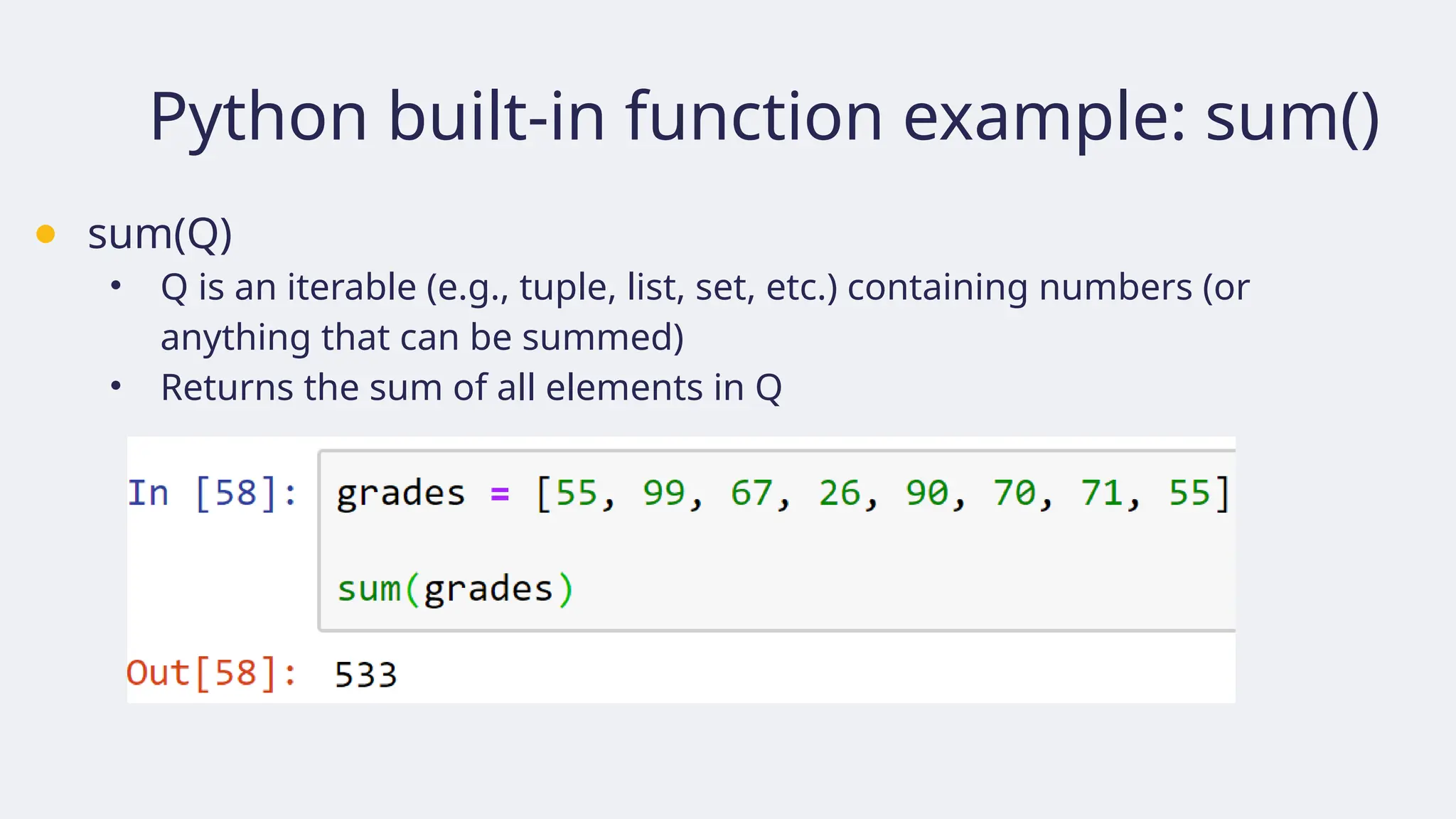
Python built-in functionexample: sum()
● sum(Q)
• Q is an iterable (e.g., tuple, list, set, etc.) containing numbers (or
anything that can be summed)
• Returns the sum of all elements in Q
54.
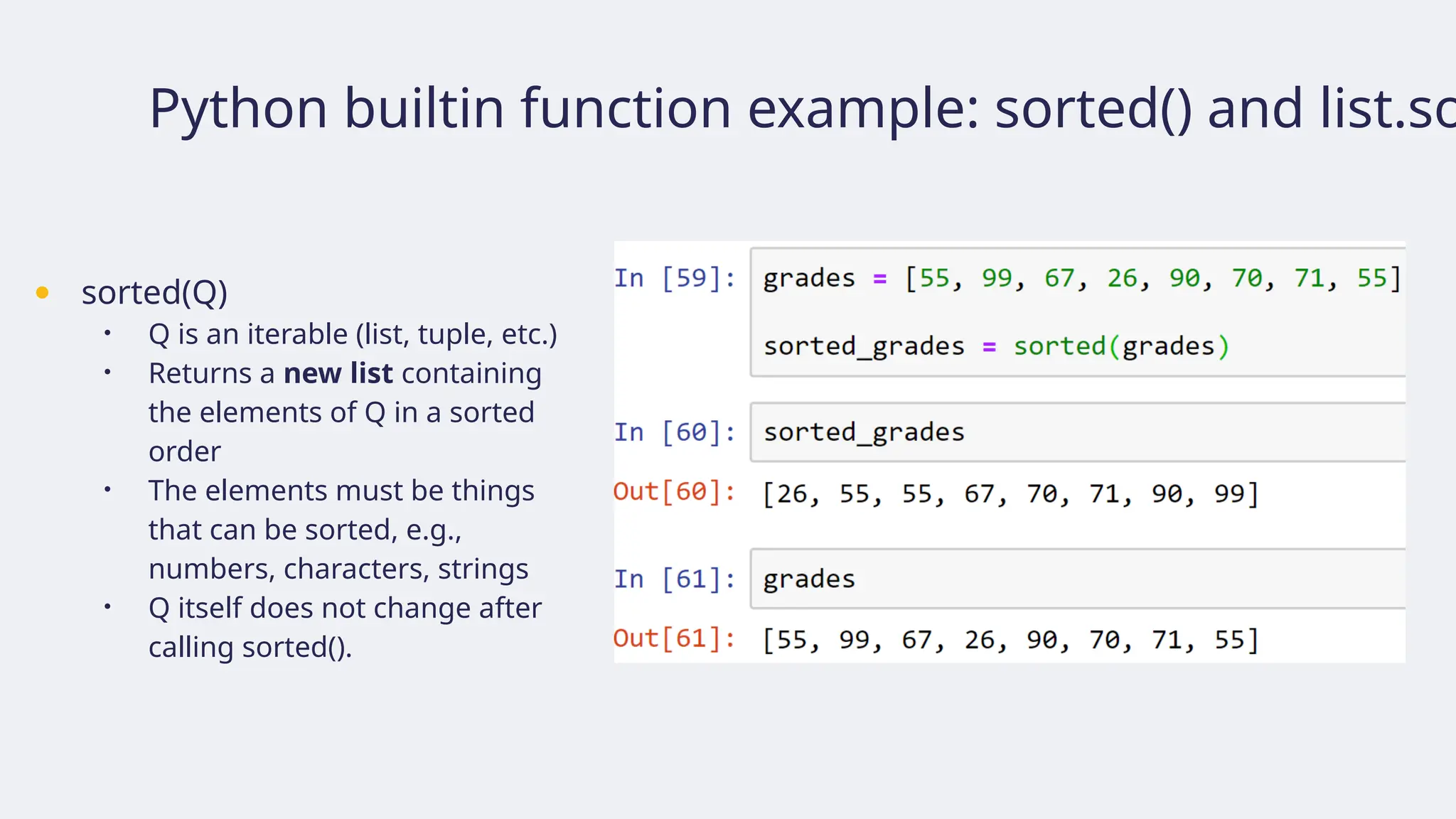
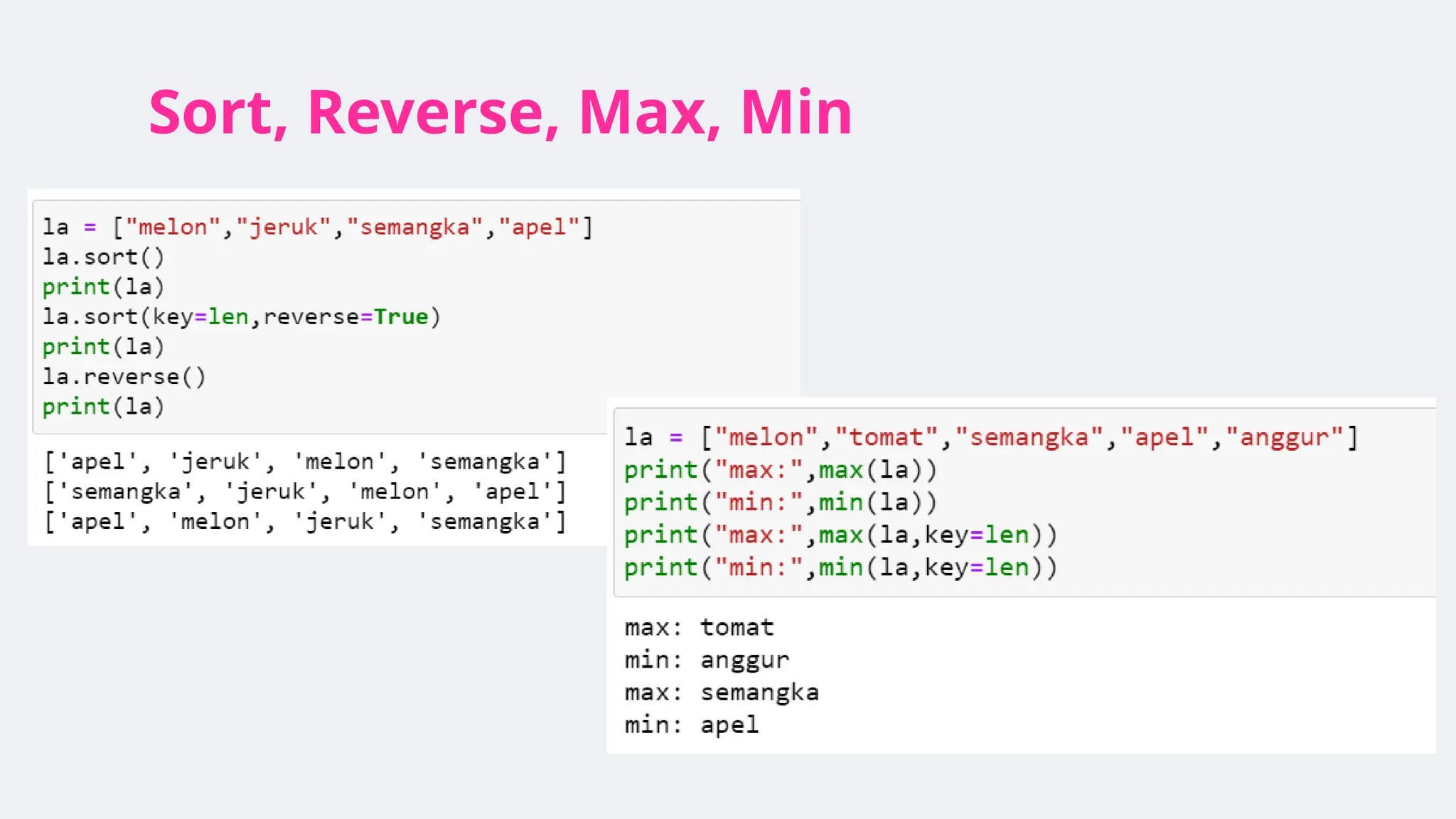
Python builtin functionexample: sorted() and list.so
● sorted(Q)
• Q is an iterable (list, tuple, etc.)
• Returns a new list containing
the elements of Q in a sorted
order
• The elements must be things
that can be sorted, e.g.,
numbers, characters, strings
• Q itself does not change after
calling sorted().
55.
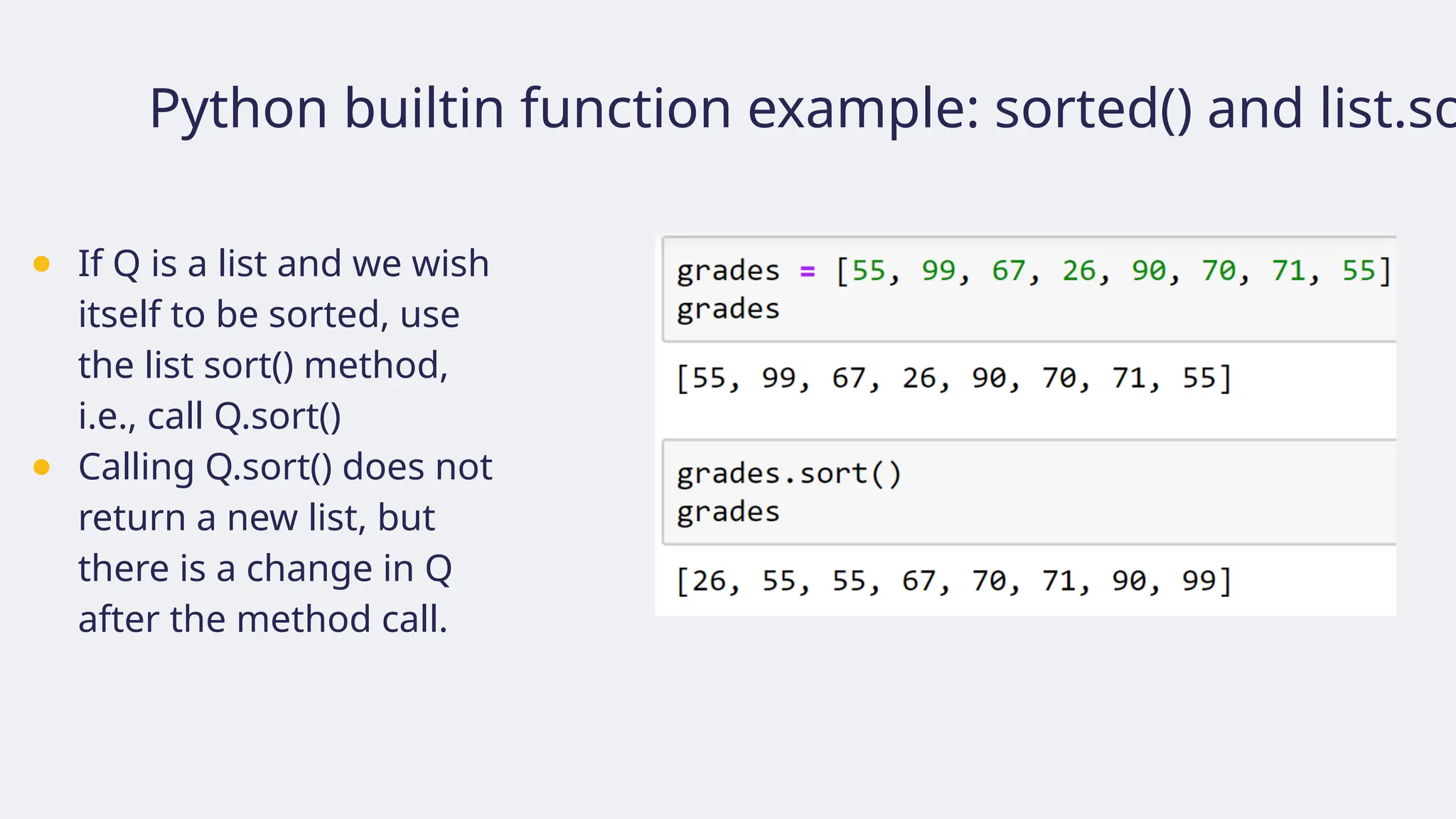
Python builtin functionexample: sorted() and list.so
● If Q is a list and we wish
itself to be sorted, use
the list sort() method,
i.e., call Q.sort()
● Calling Q.sort() does not
return a new list, but
there is a change in Q
after the method call.
56.
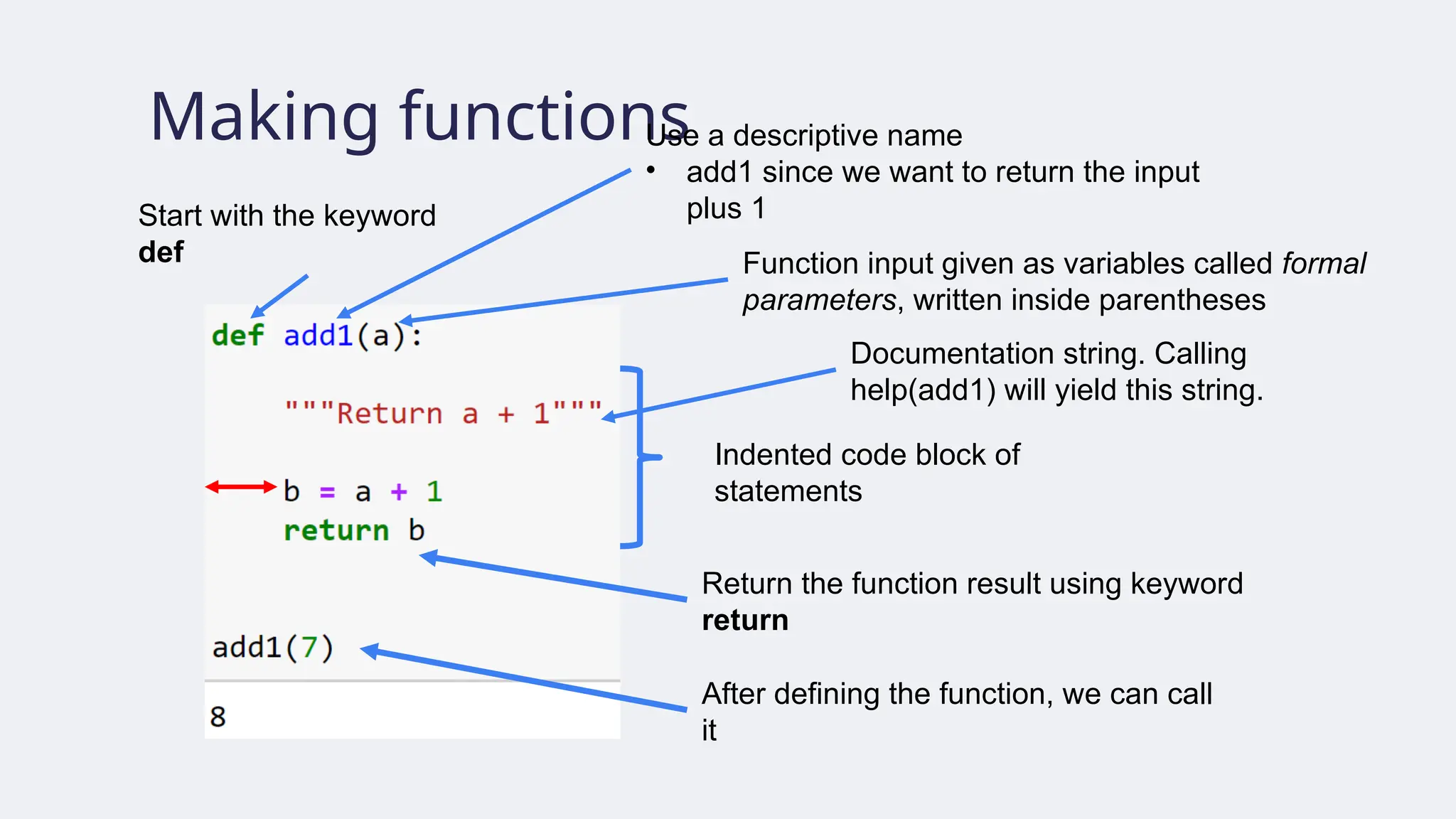
Making functions
Start withthe keyword
def Function input given as variables called formal
parameters, written inside parentheses
Use a descriptive name
• add1 since we want to return the input
plus 1
Indented code block of
statements
Return the function result using keyword
return
After defining the function, we can call
it
Documentation string. Calling
help(add1) will yield this string.
57.
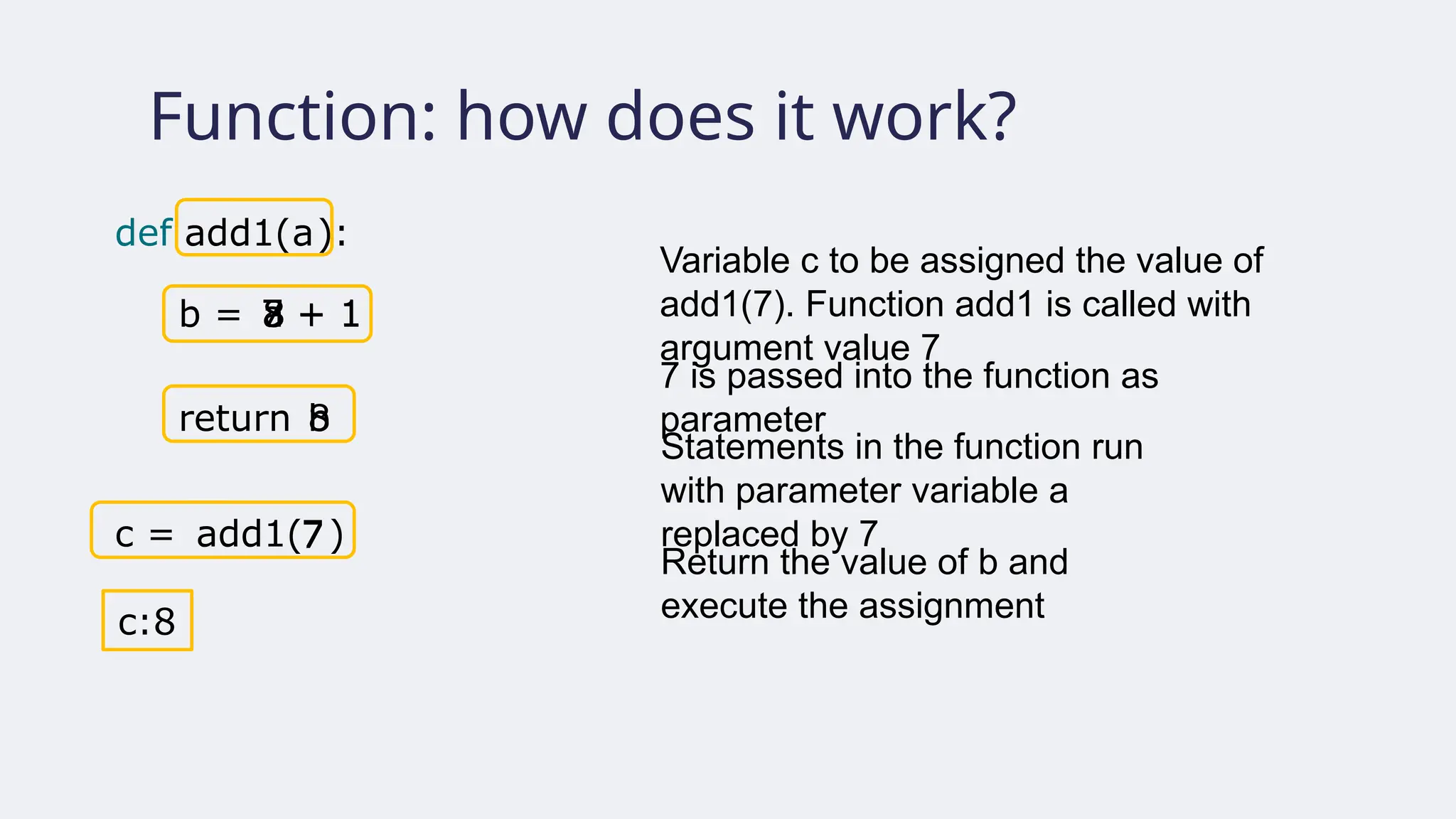
Function: how doesit work?
Variable c to be assigned the value of
add1(7). Function add1 is called with
argument value 7
7 is passed into the function as
parameter
Statements in the function run
with parameter variable a
replaced by 7
Return the value of b and
execute the assignment
def add1( ):
b = a + 1
7 + 1
8
return
a
c = add1( )
7
b
7
8
c:8
b
58.
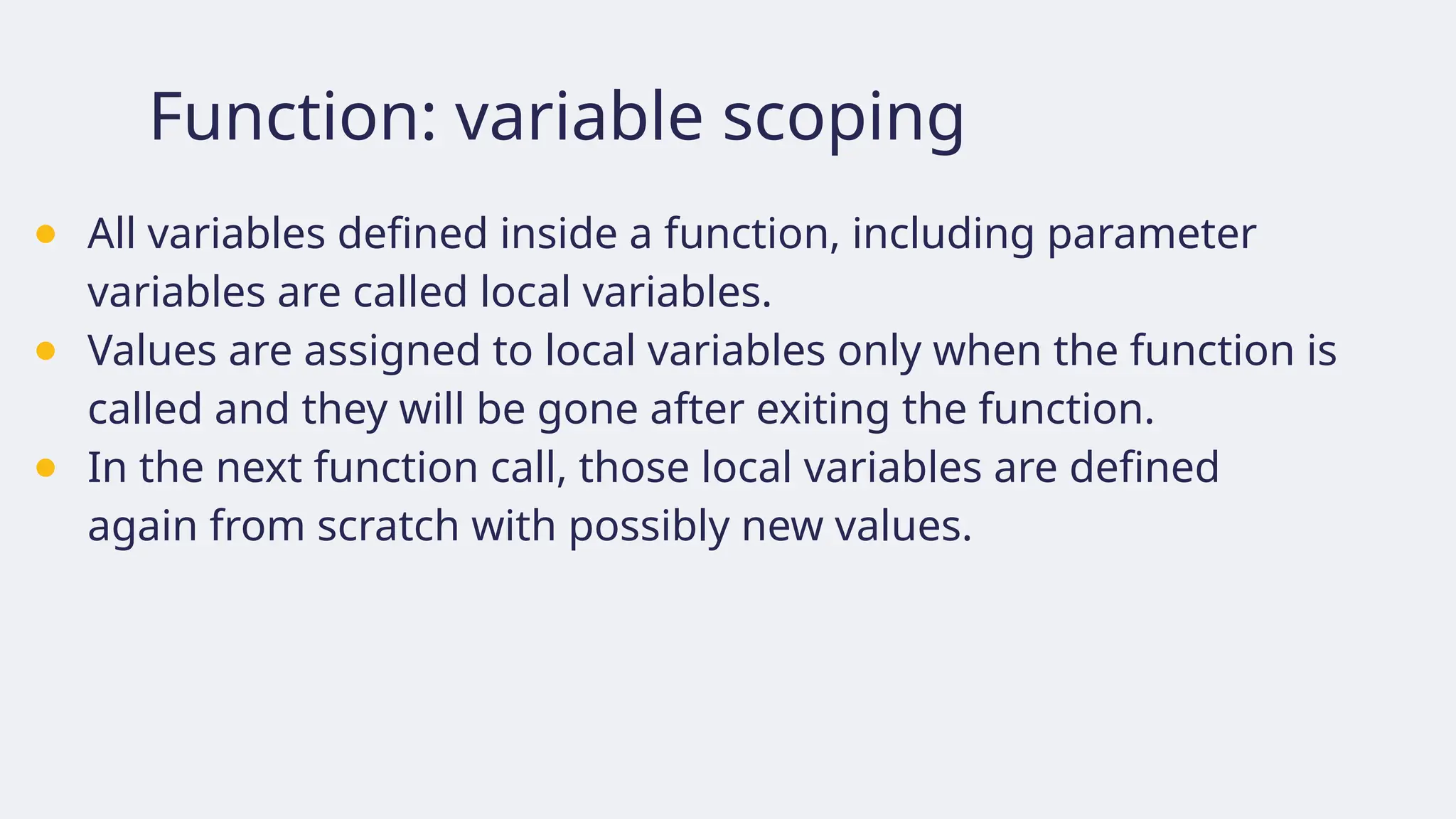
Function: variable scoping
●All variables defined inside a function, including parameter
variables are called local variables.
● Values are assigned to local variables only when the function is
called and they will be gone after exiting the function.
● In the next function call, those local variables are defined
again from scratch with possibly new values.
59.
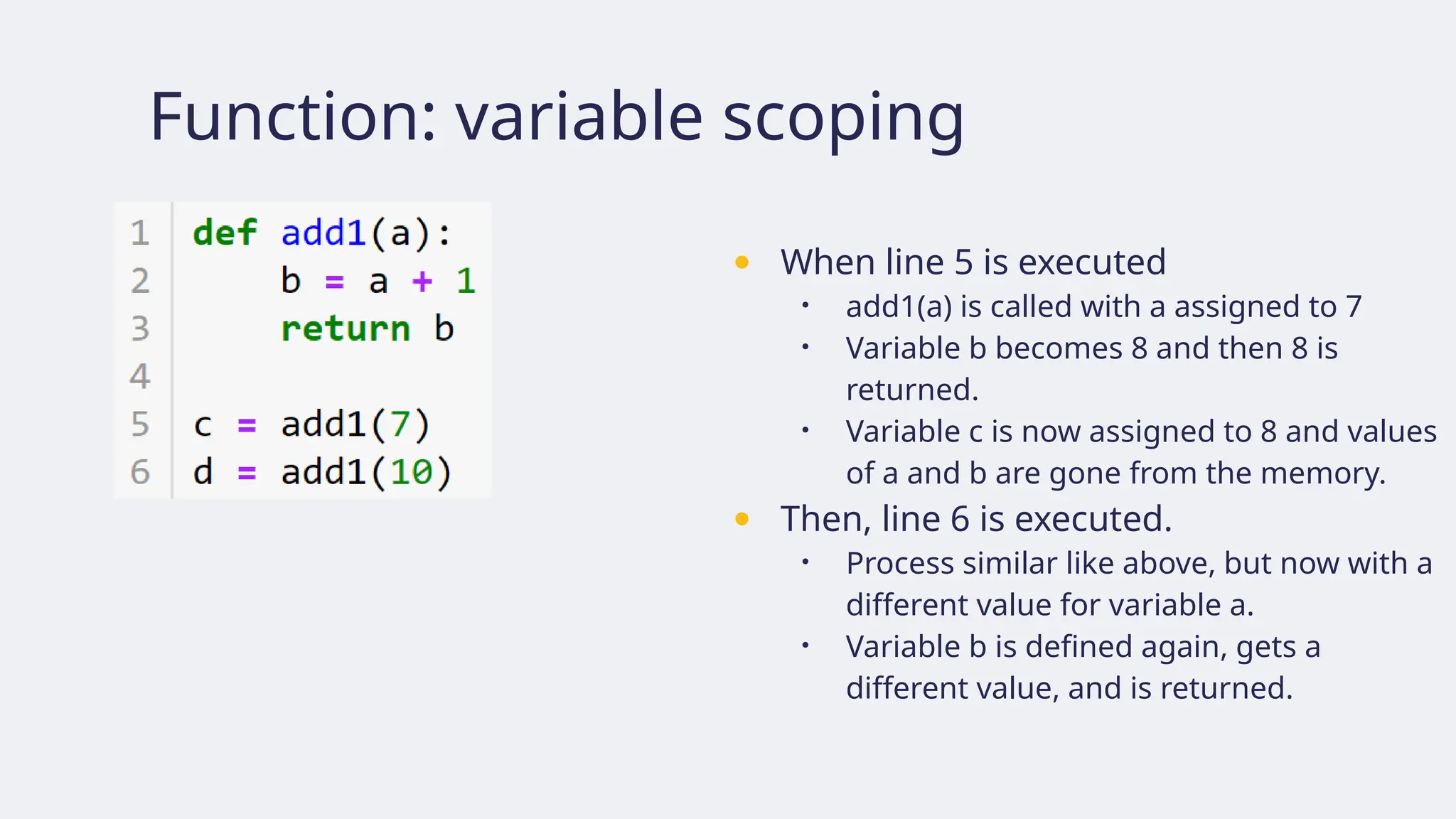
Function: variable scoping
●When line 5 is executed
• add1(a) is called with a assigned to 7
• Variable b becomes 8 and then 8 is
returned.
• Variable c is now assigned to 8 and values
of a and b are gone from the memory.
● Then, line 6 is executed.
• Process similar like above, but now with a
different value for variable a.
• Variable b is defined again, gets a
different value, and is returned.
60.
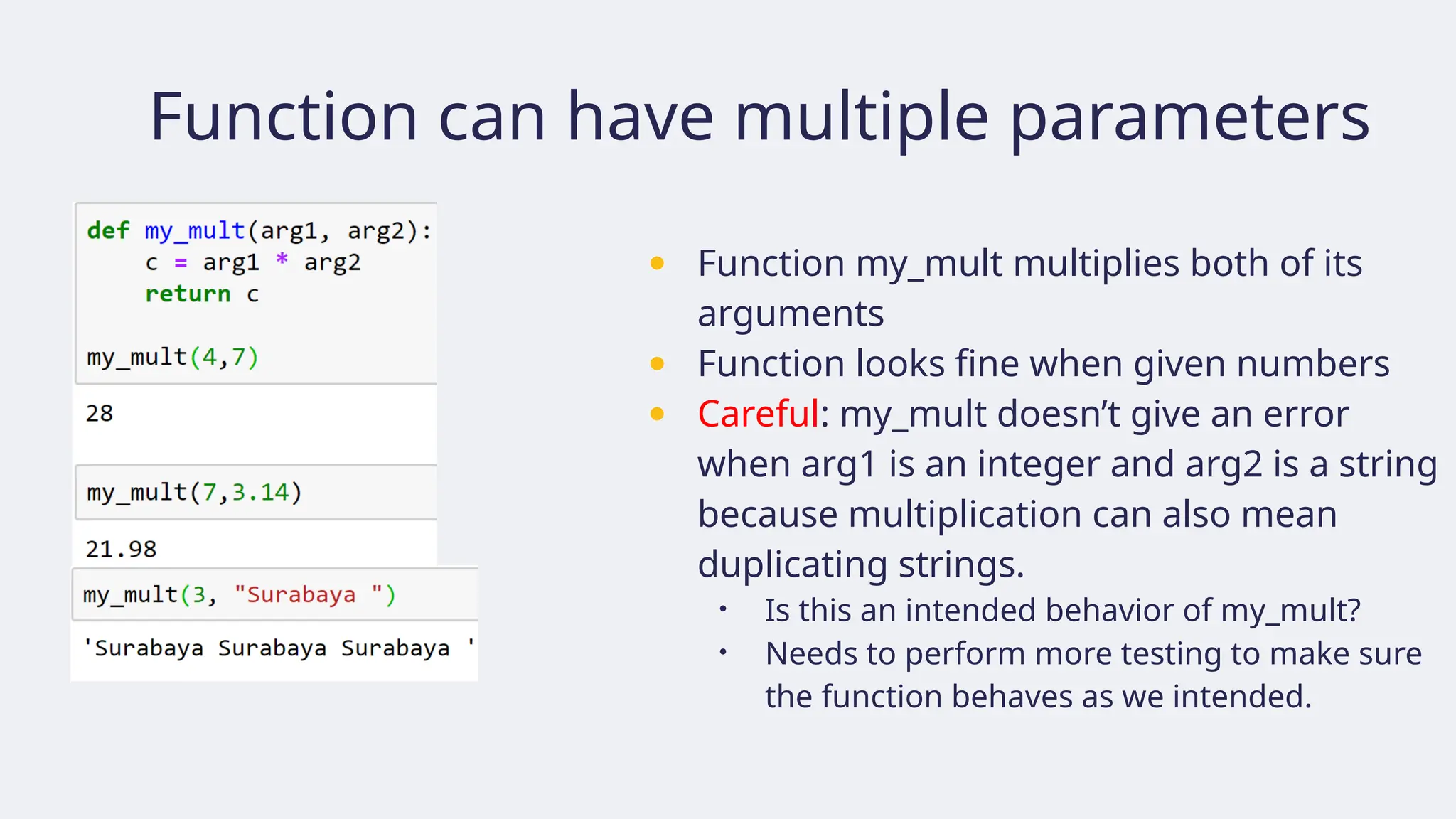
Function can havemultiple parameters
● Function my_mult multiplies both of its
arguments
● Function looks fine when given numbers
● Careful: my_mult doesn’t give an error
when arg1 is an integer and arg2 is a string
because multiplication can also mean
duplicating strings.
• Is this an intended behavior of my_mult?
• Needs to perform more testing to make sure
the function behaves as we intended.
61.
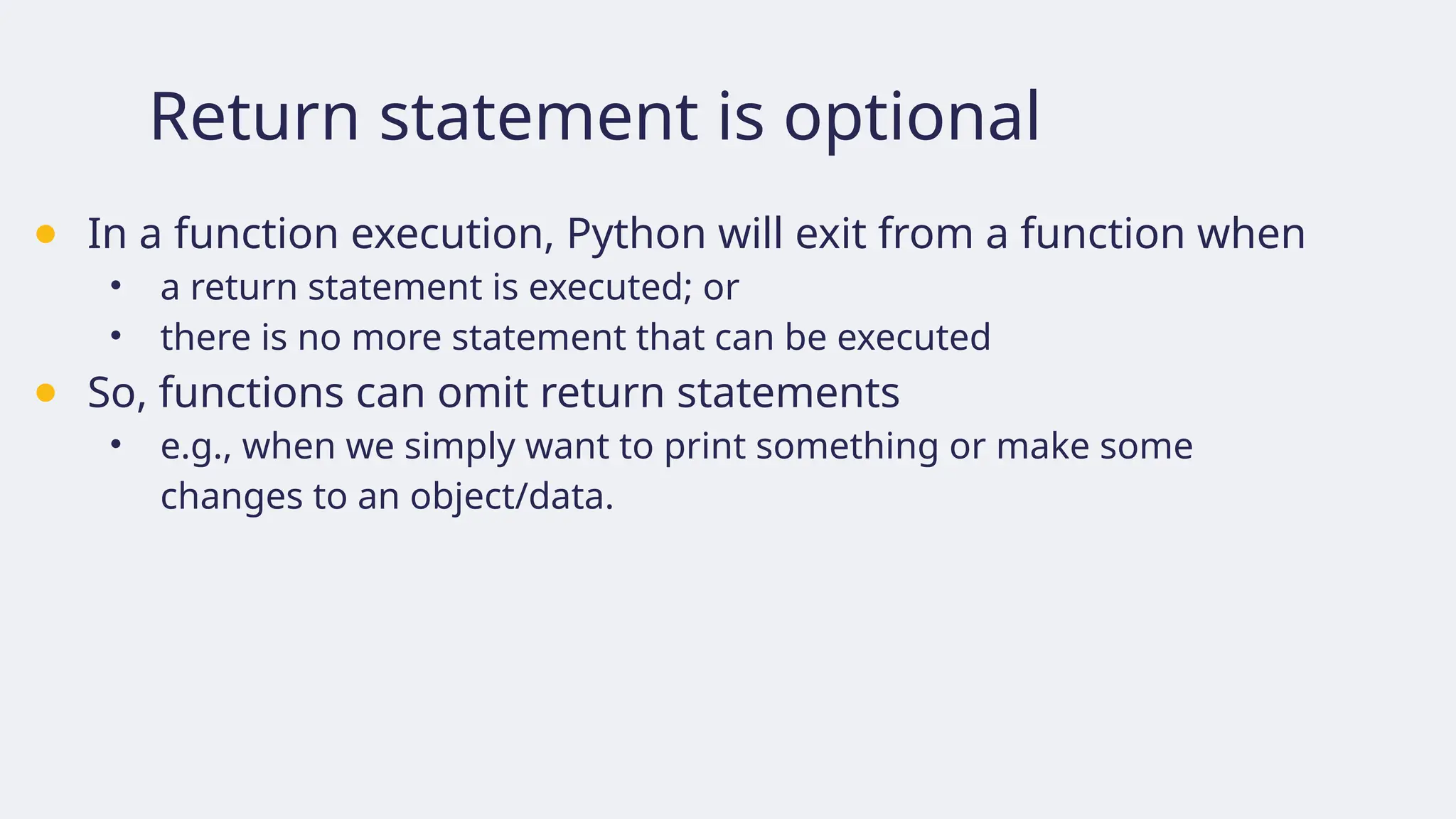
Return statement isoptional
● In a function execution, Python will exit from a function when
• a return statement is executed; or
• there is no more statement that can be executed
● So, functions can omit return statements
• e.g., when we simply want to print something or make some
changes to an object/data.
62.
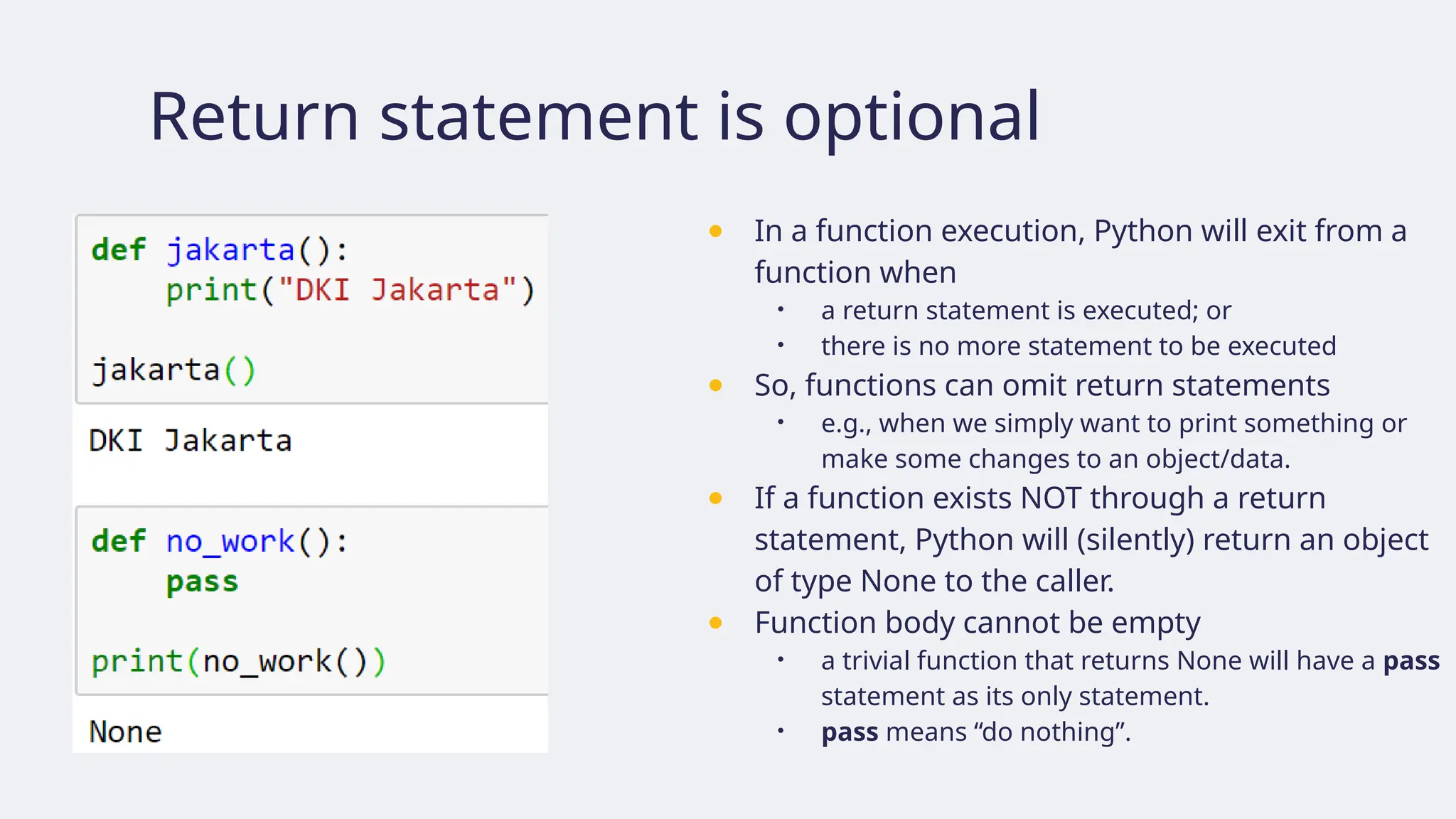
Return statement isoptional
● In a function execution, Python will exit from a
function when
• a return statement is executed; or
• there is no more statement to be executed
● So, functions can omit return statements
• e.g., when we simply want to print something or
make some changes to an object/data.
● If a function exists NOT through a return
statement, Python will (silently) return an object
of type None to the caller.
● Function body cannot be empty
• a trivial function that returns None will have a pass
statement as its only statement.
• pass means “do nothing”.
63.
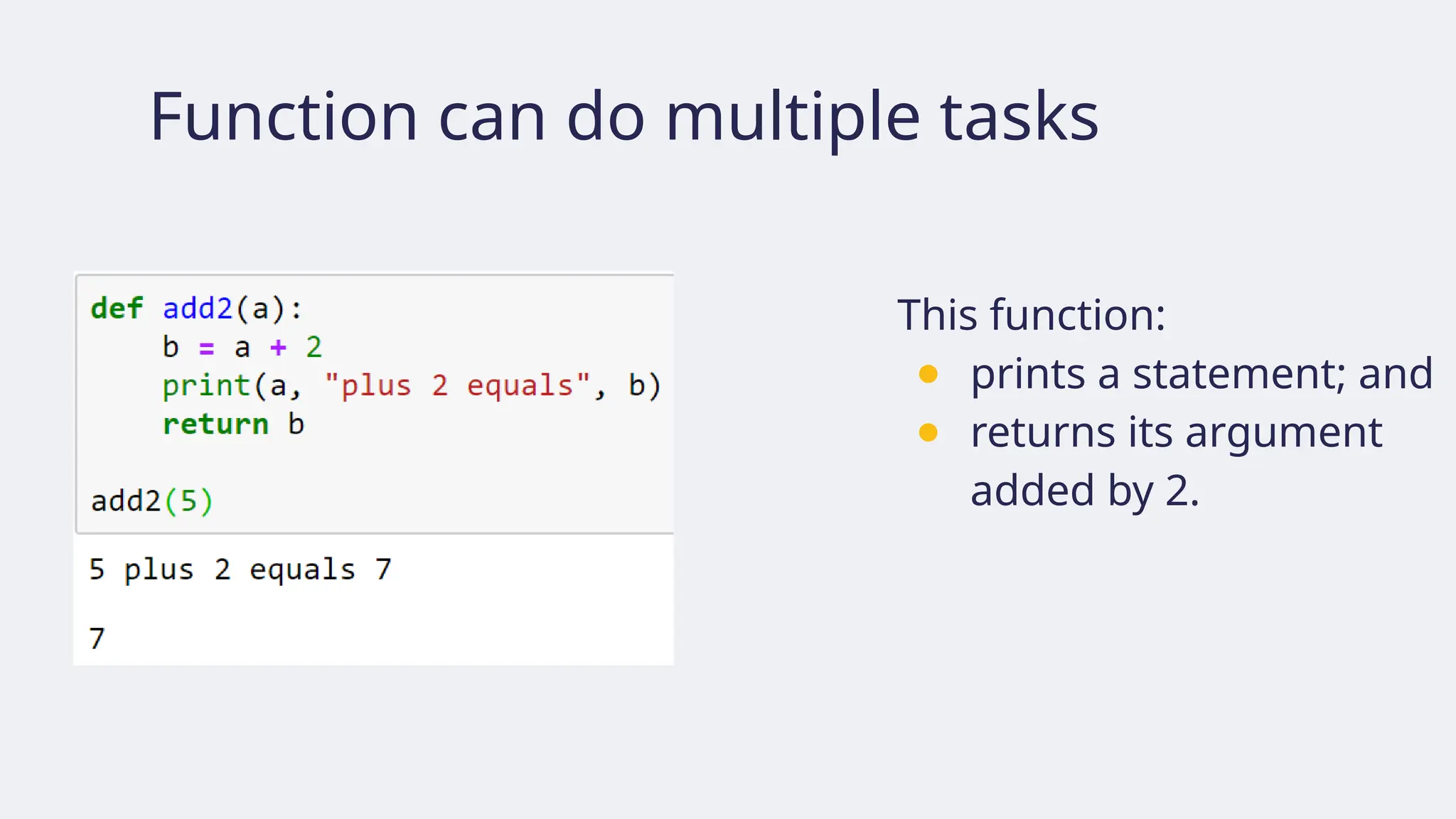
Function can domultiple tasks
This function:
● prints a statement; and
● returns its argument
added by 2.
64.
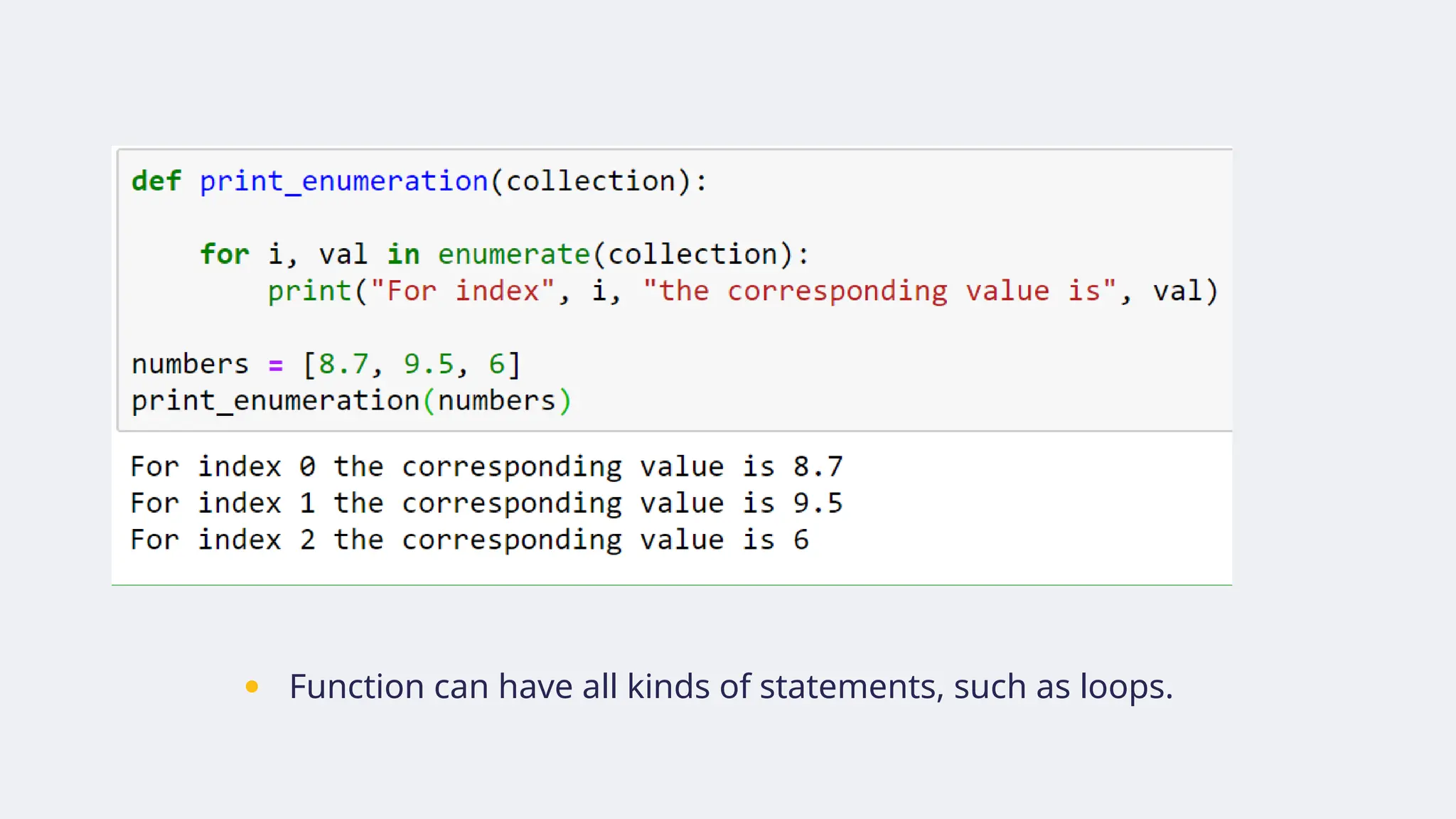
● Function canhave all kinds of statements, such as loops.
65.
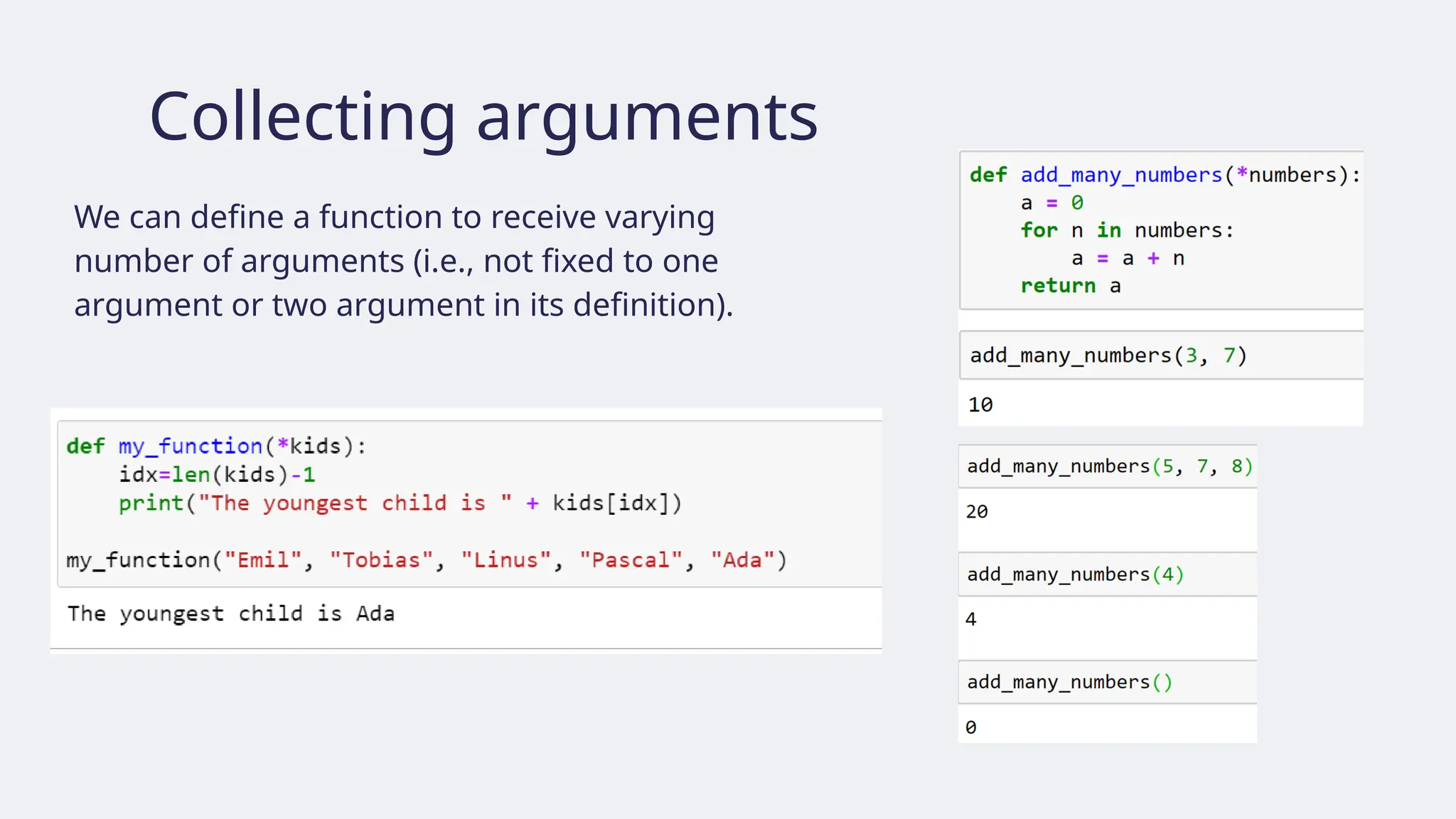
Collecting arguments
We candefine a function to receive varying
number of arguments (i.e., not fixed to one
argument or two argument in its definition).
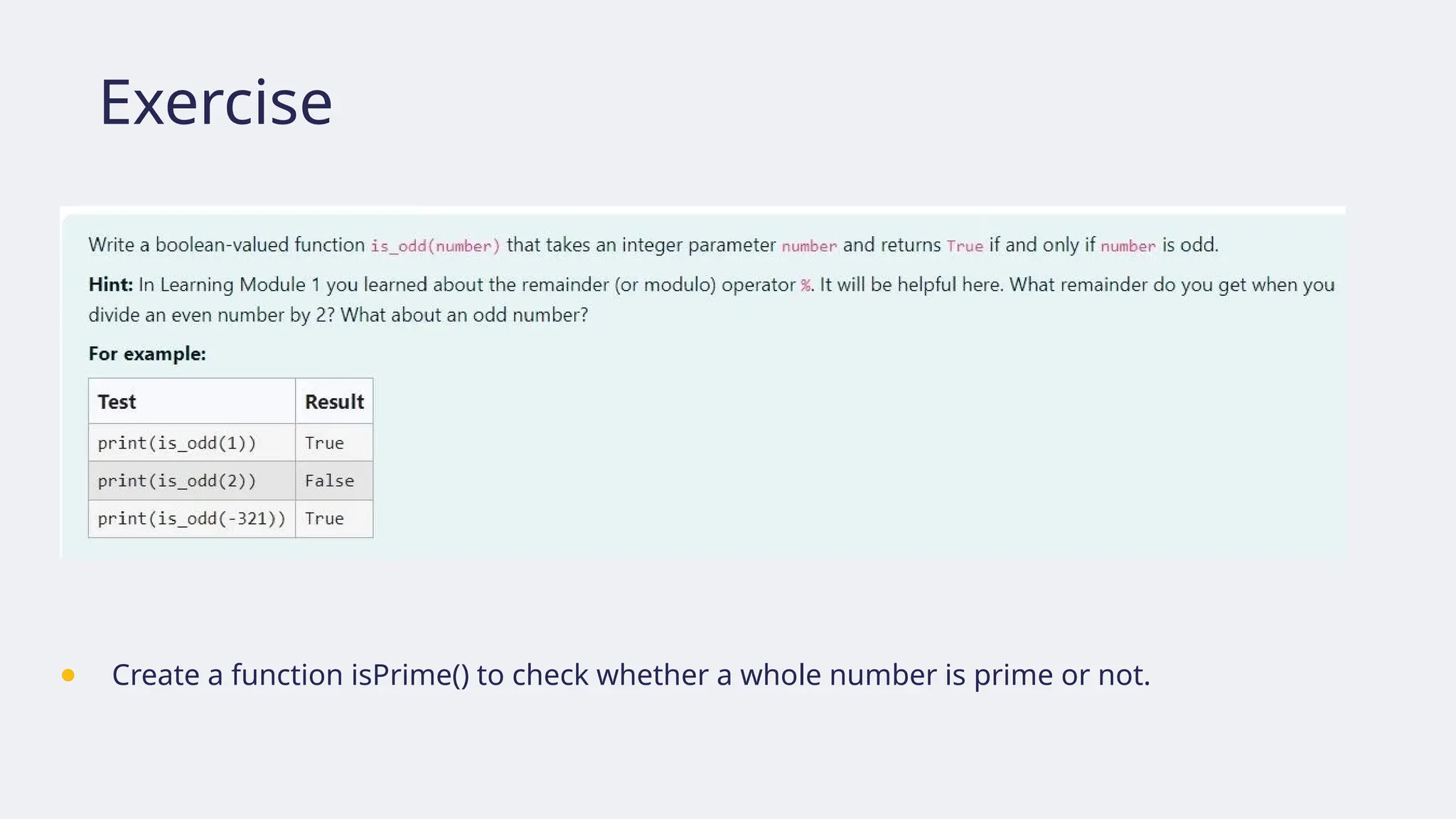
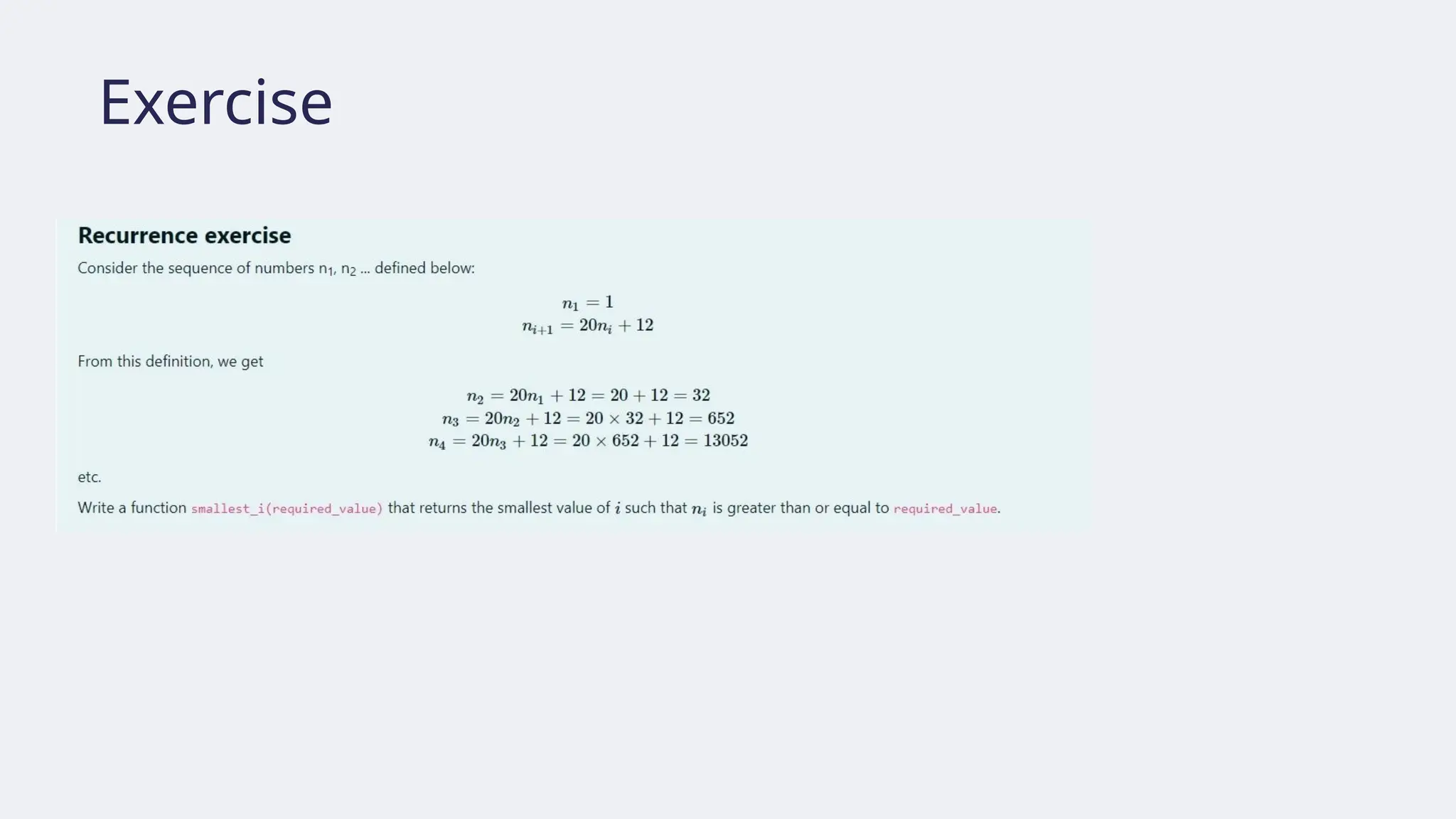
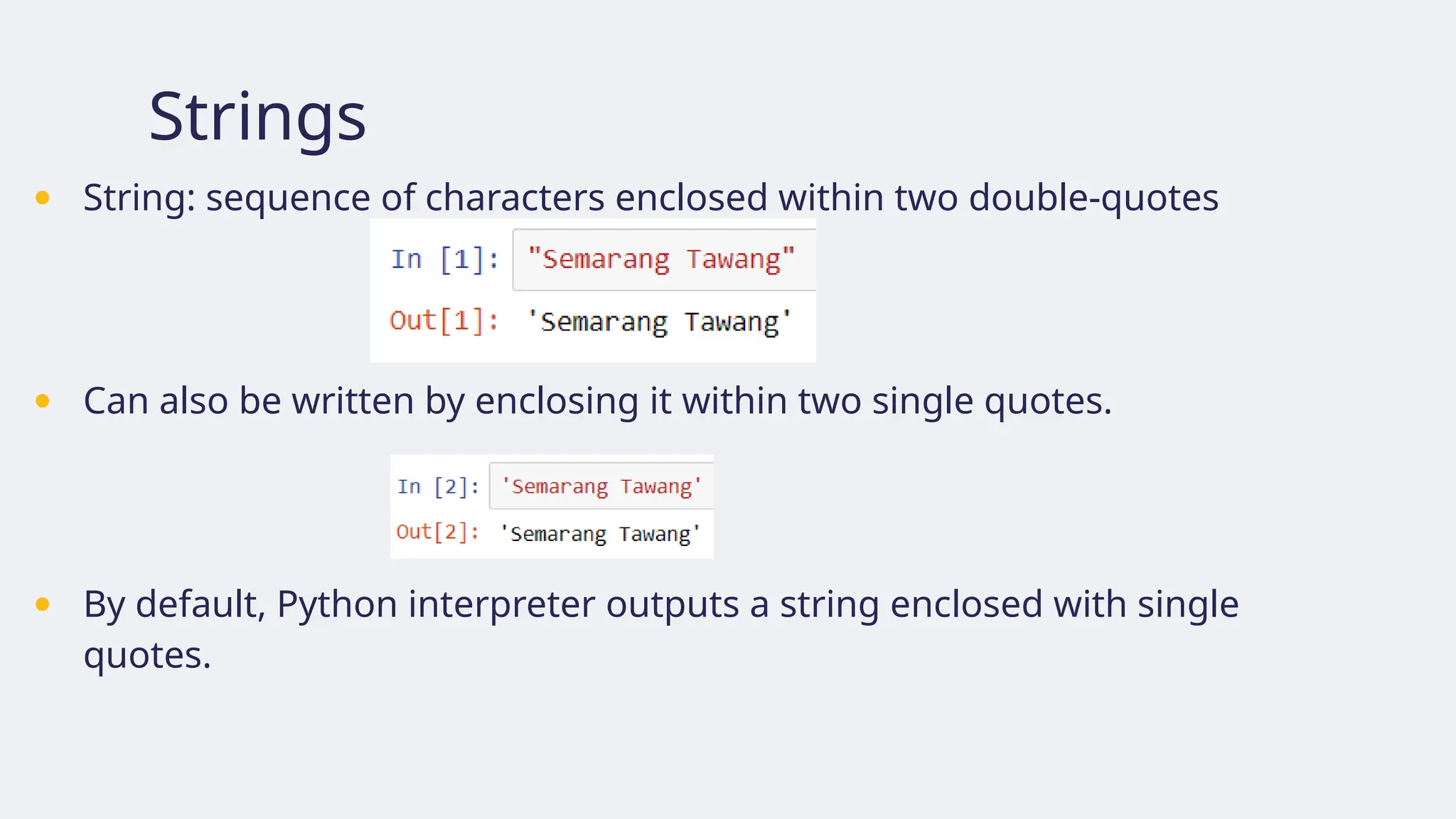
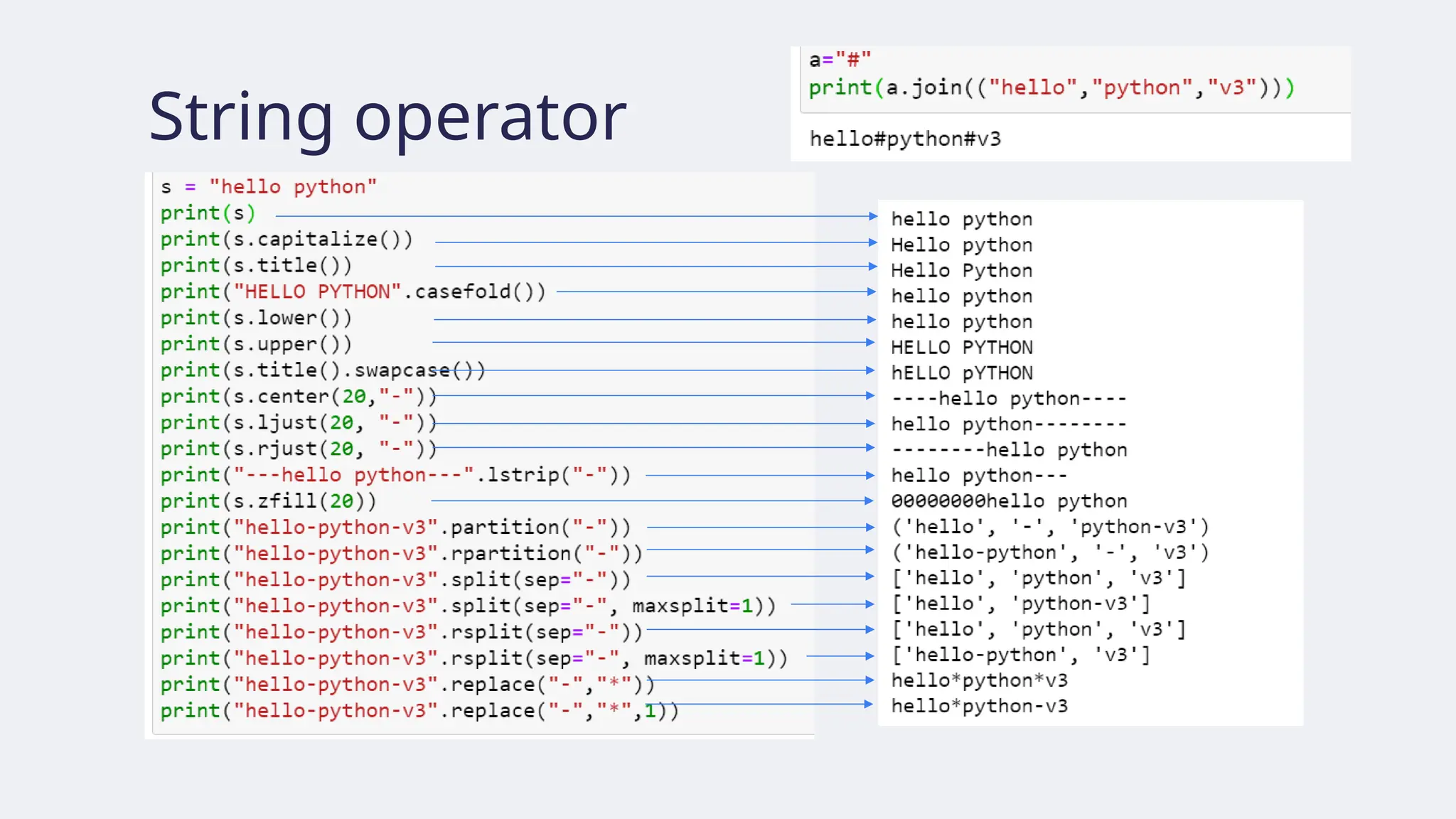
Strings
● String: sequenceof characters enclosed within two double-quotes
● Can also be written by enclosing it within two single quotes.
● By default, Python interpreter outputs a string enclosed with single
quotes.
72.
Strings
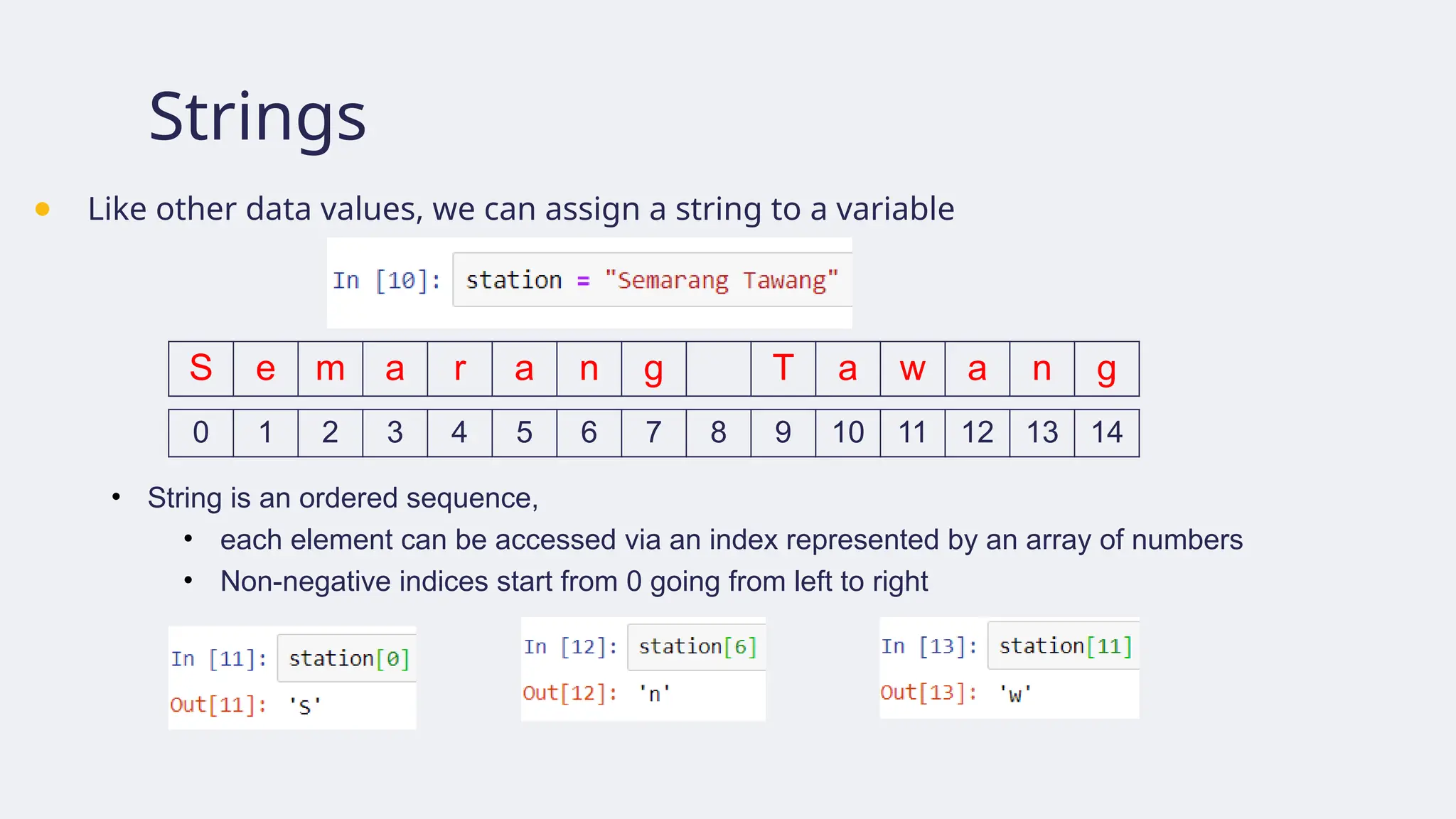
● Like otherdata values, we can assign a string to a variable
S e m a r a n g T a w a n g
0 1 2 3 4 5 6 7 8 9 10 11 12 13 14
• String is an ordered sequence,
• each element can be accessed via an index represented by an array of numbers
• Non-negative indices start from 0 going from left to right
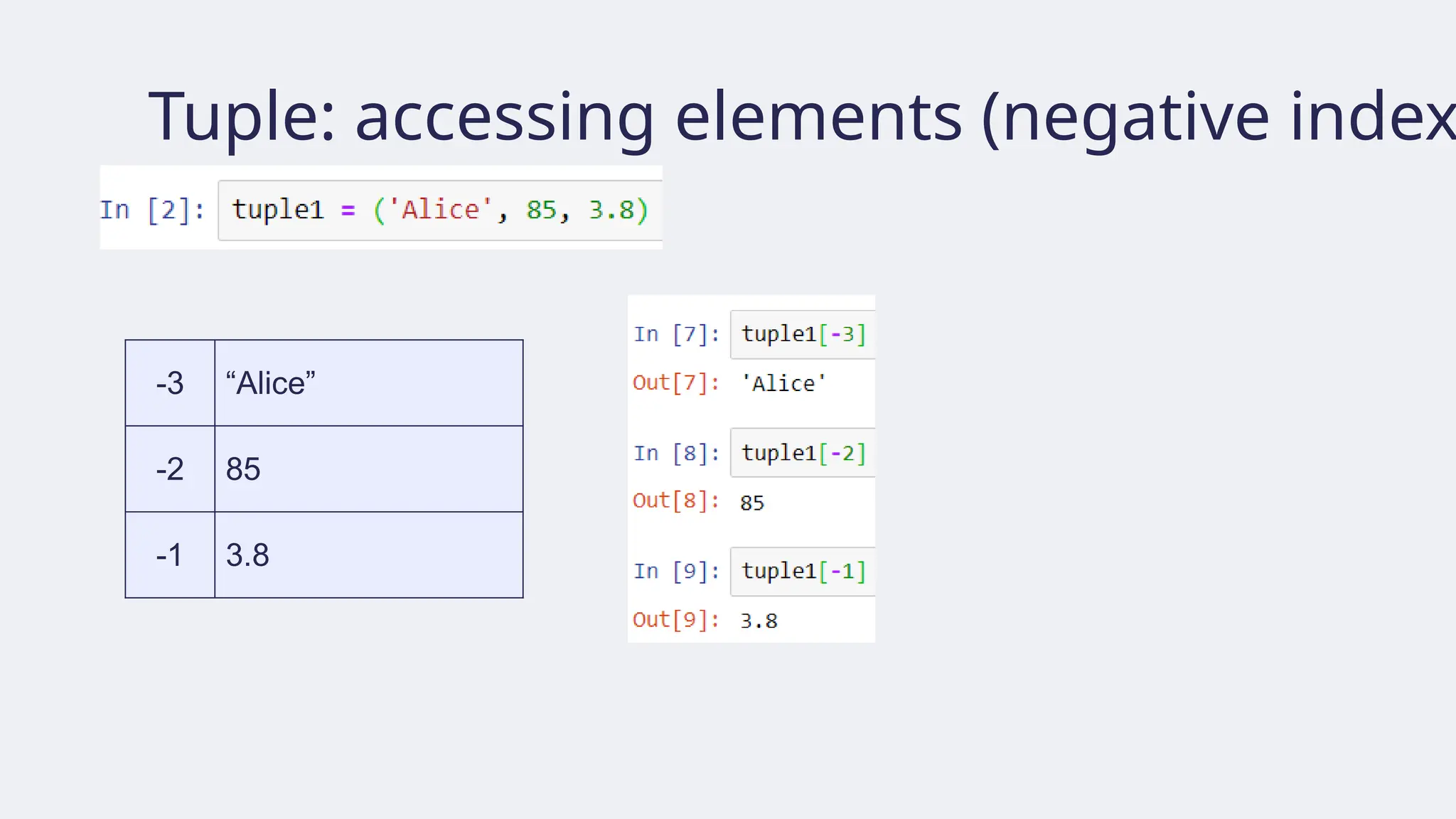
73.
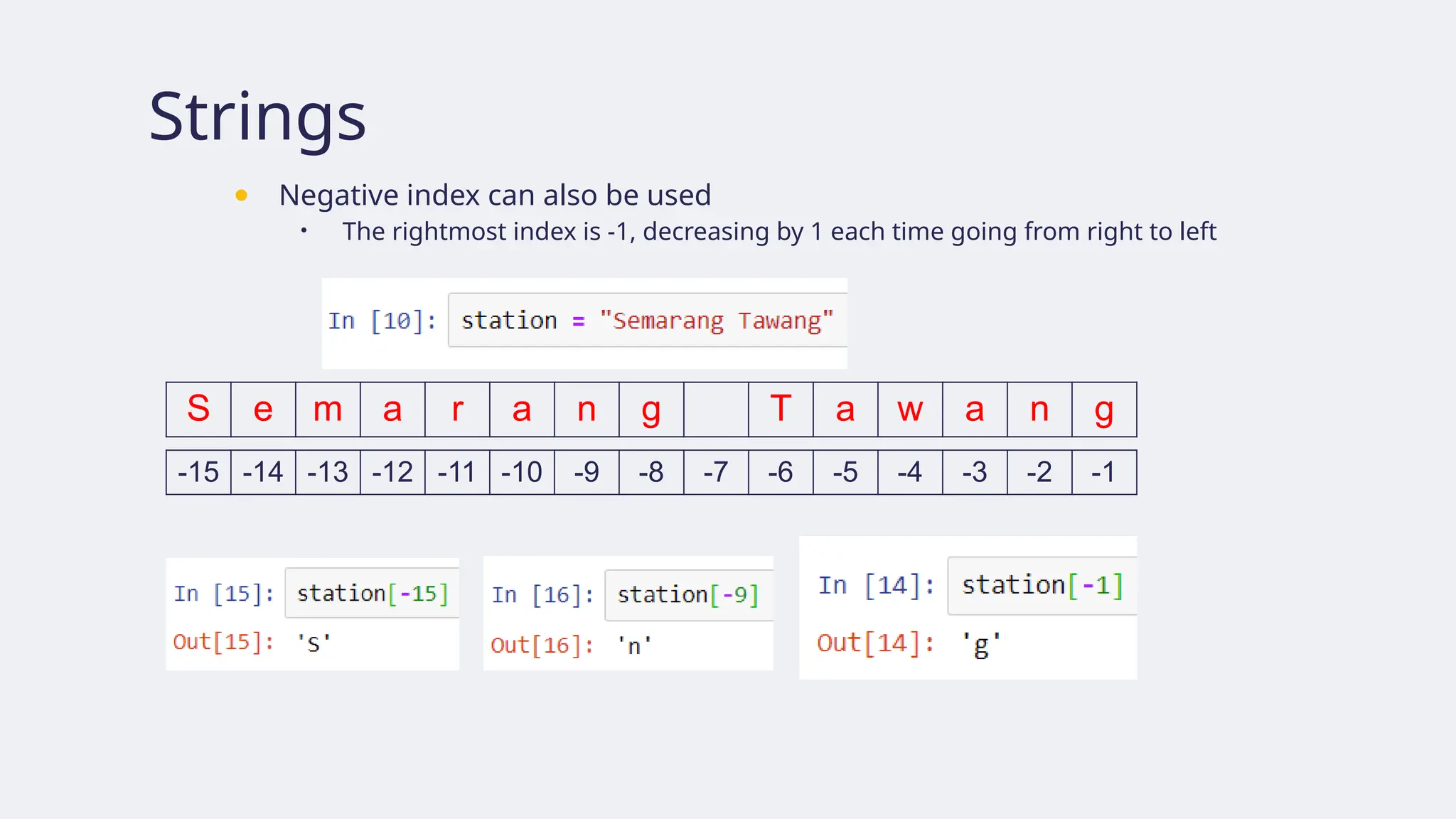
Strings
● Negative indexcan also be used
• The rightmost index is -1, decreasing by 1 each time going from right to left
S e m a r a n g T a w a n g
-15 -14 -13 -12 -11 -10 -9 -8 -7 -6 -5 -4 -3 -2 -1
String slicing
● Youcan get a substring by slicing.
• s[m:n] is a substring of s taken from character at index m until character at index n-1
• If n m, maka hasil slicing adalah string kosong
≤
S e m a r a n g T a w a n g
0 1 2 3 4 5 6 7 8 9 10 11 12 13 14
-15 -14 -13 -12 -11 -10 -9 -8 -7 -6 -5 -4 -3 -2 -1
76.
String striding
● s[m:n:p]operates like s[m:n], but starting from index m, we move p steps at
a time from left to right
S e m a r a n g T a w a n g
0 1 2 3 4 5 6 7 8 9 10 11 12 13 14
-15 -14 -13 -12 -11 -10 -9 -8 -7 -6 -5 -4 -3 -2 -1
77.
String slicing andstriding default value
● Omitting m, n, or p in the expression s[m:n] and s[m:n:p] causes Python to use their default values: m = 0, n = len(s), p = 1
S e m a r a n g T a w a n g
0 1 2 3 4 5 6 7 8 9 10 11 12 13 14
-15 -14 -13 -12 -11 -10 -9 -8 -7 -6 -5 -4 -3 -2 -1
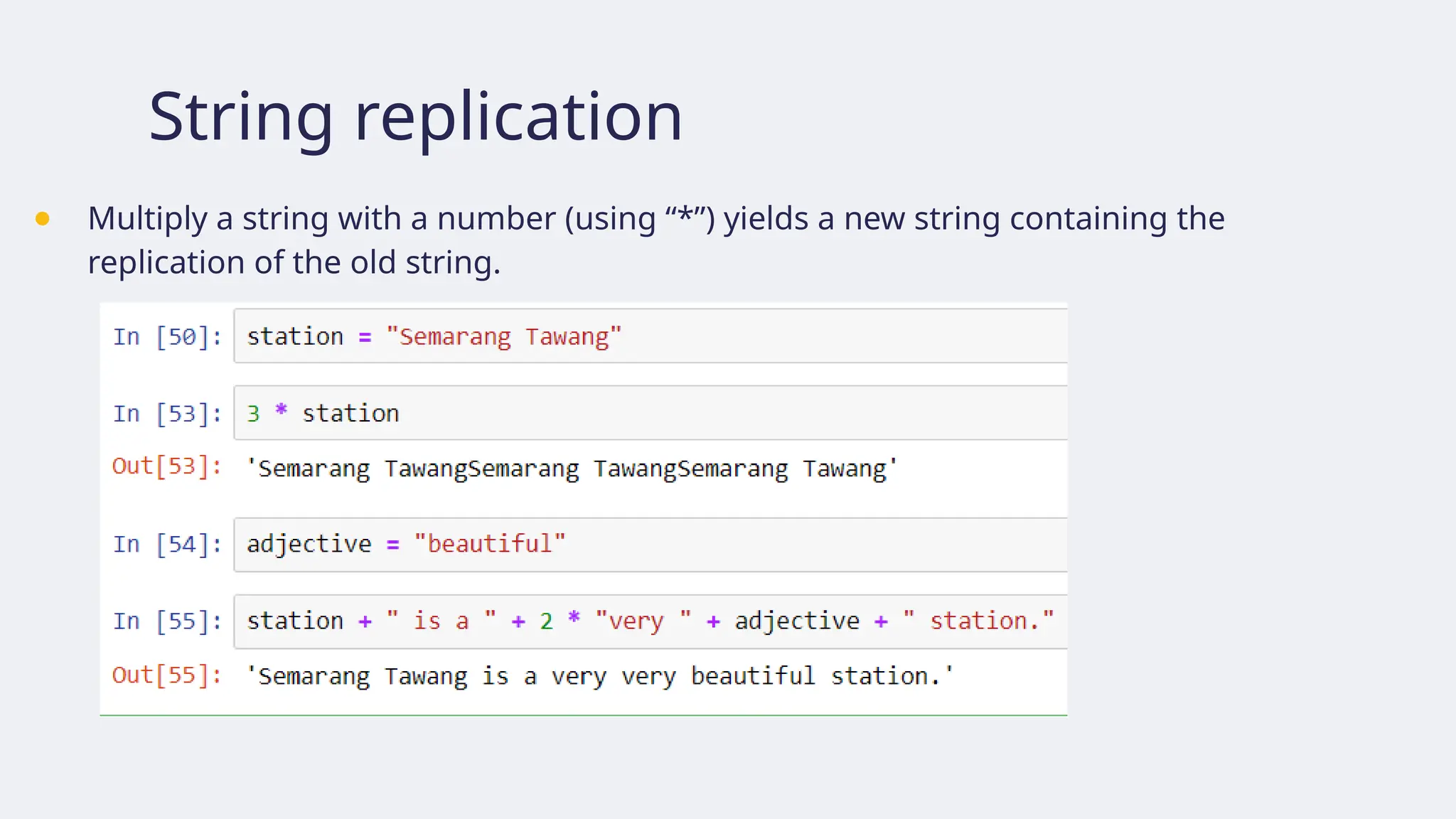
String replication
● Multiplya string with a number (using “*”) yields a new string containing the
replication of the old string.
80.
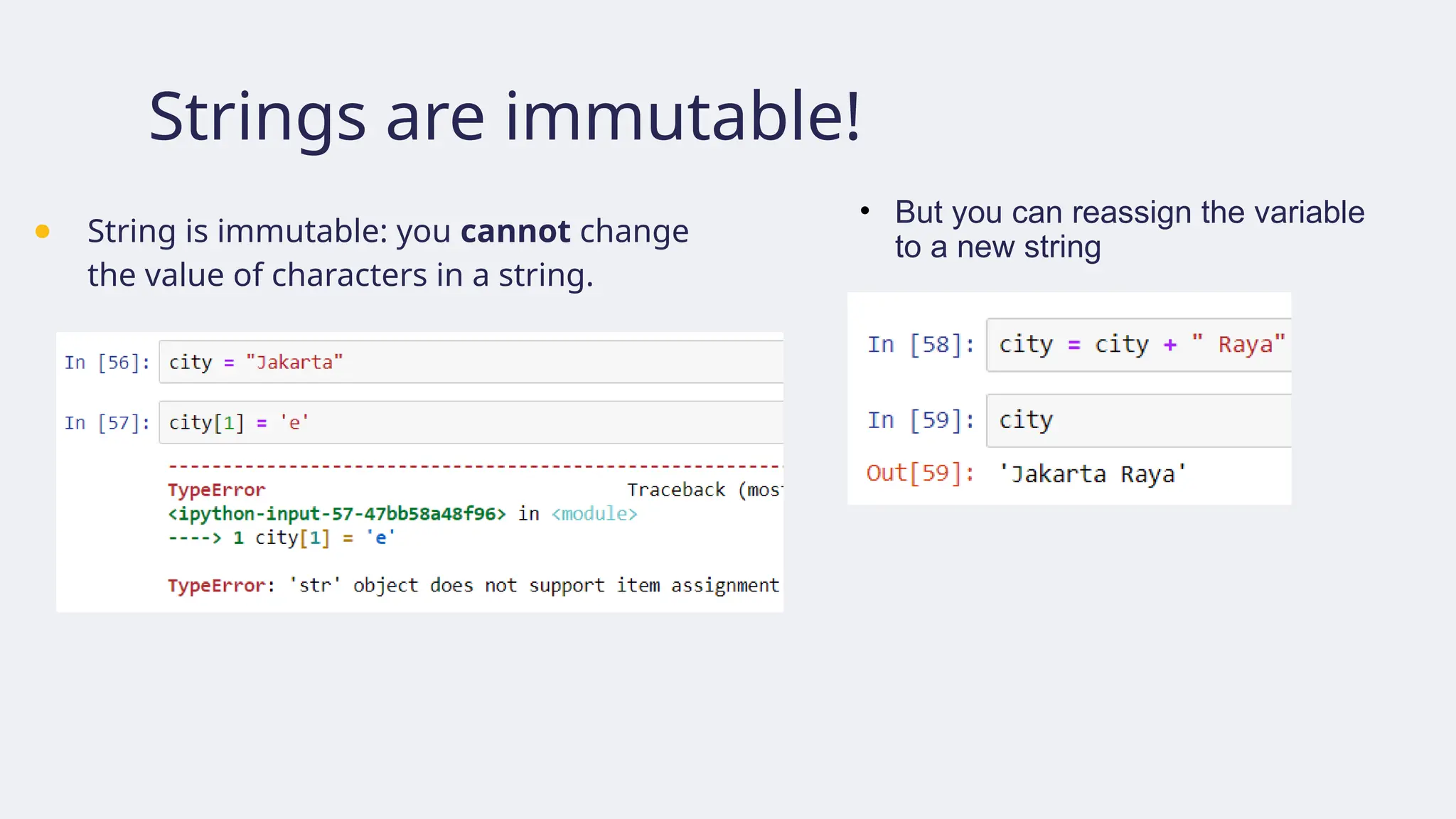
Strings are immutable!
●String is immutable: you cannot change
the value of characters in a string.
• But you can reassign the variable
to a new string
81.
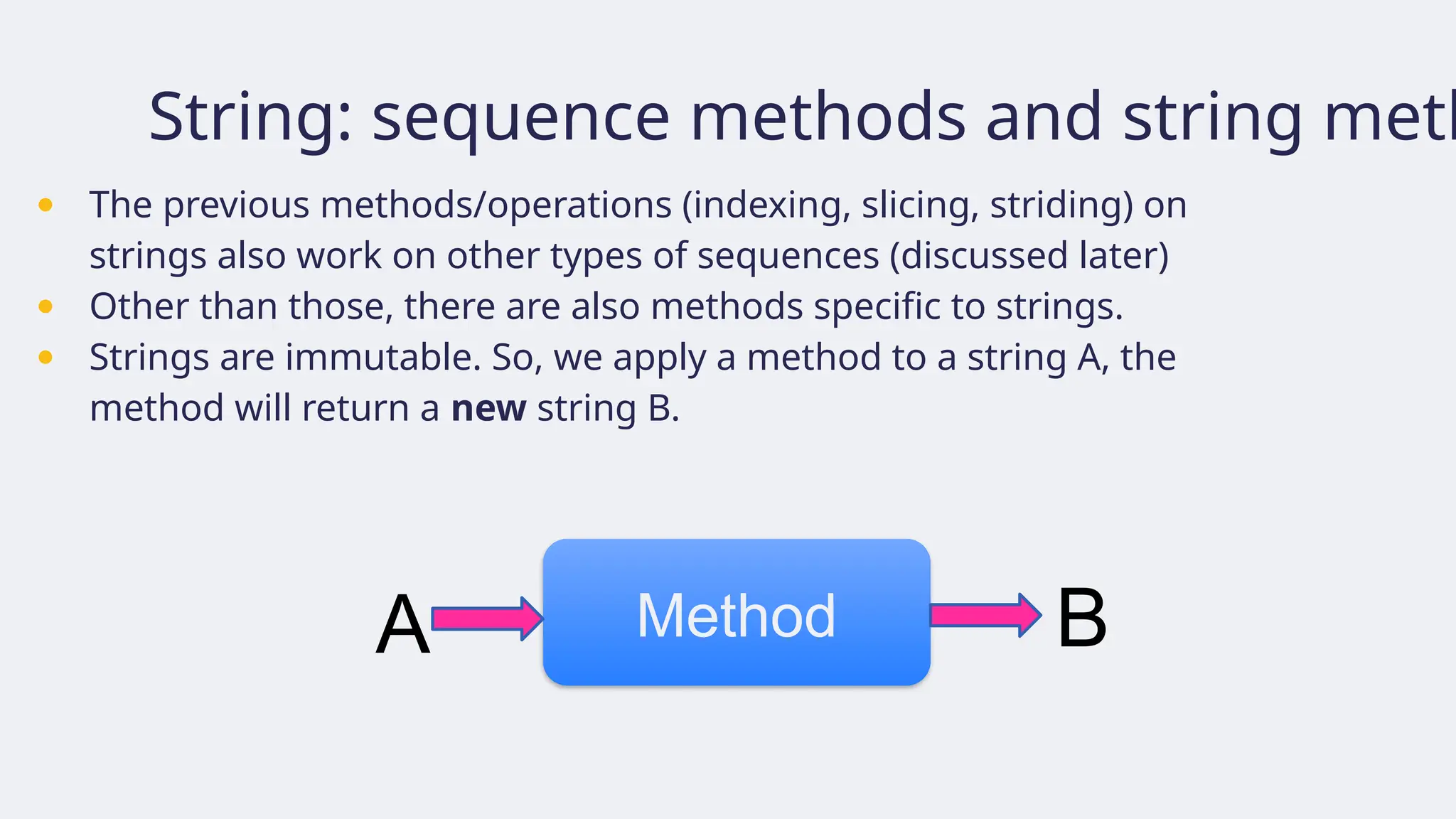
String: sequence methodsand string meth
● The previous methods/operations (indexing, slicing, striding) on
strings also work on other types of sequences (discussed later)
● Other than those, there are also methods specific to strings.
● Strings are immutable. So, we apply a method to a string A, the
method will return a new string B.
A Method B
82.
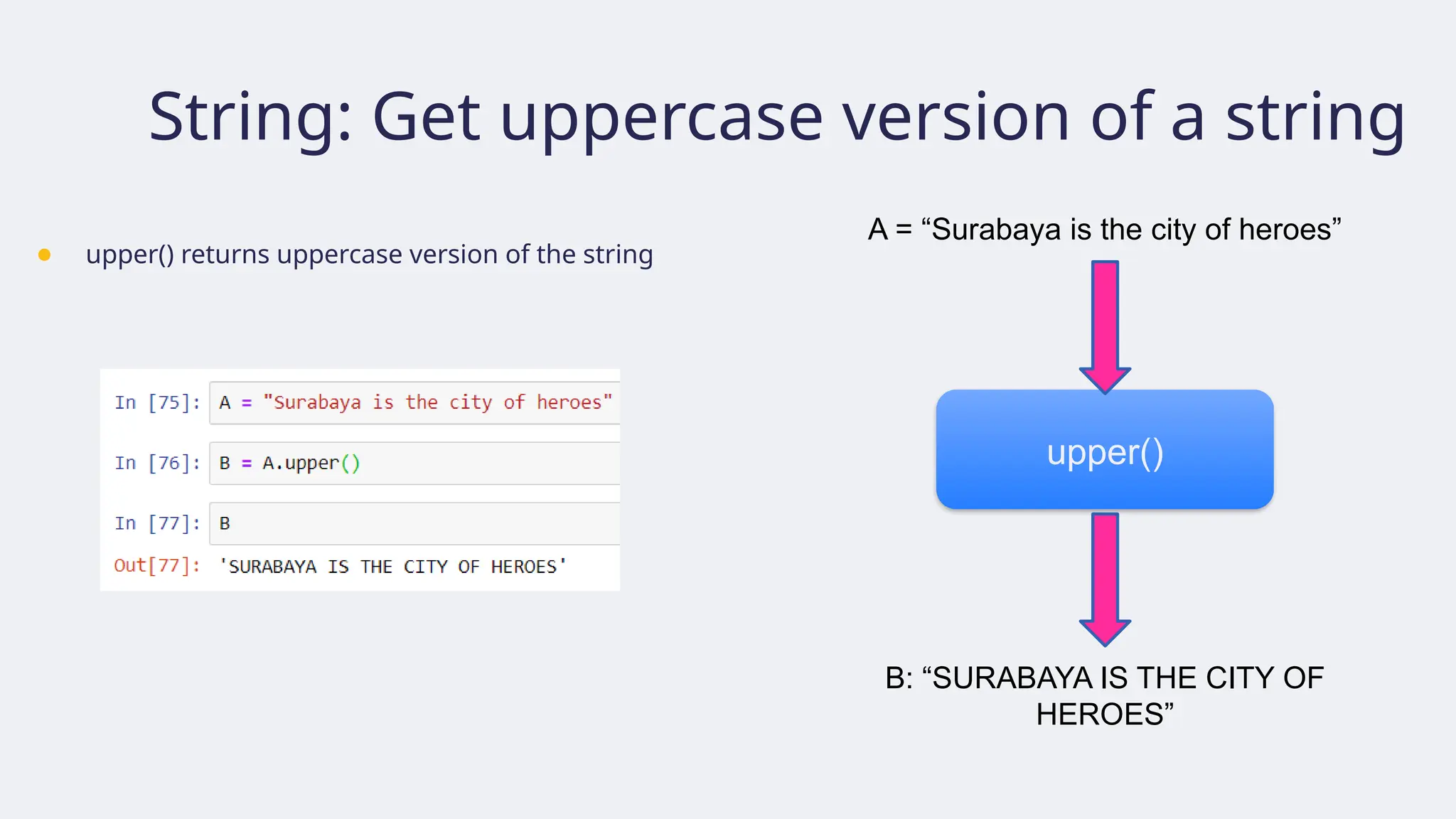
String: Get uppercaseversion of a string
● upper() returns uppercase version of the string
upper()
A = “Surabaya is the city of heroes”
B: “SURABAYA IS THE CITY OF
HEROES”
83.
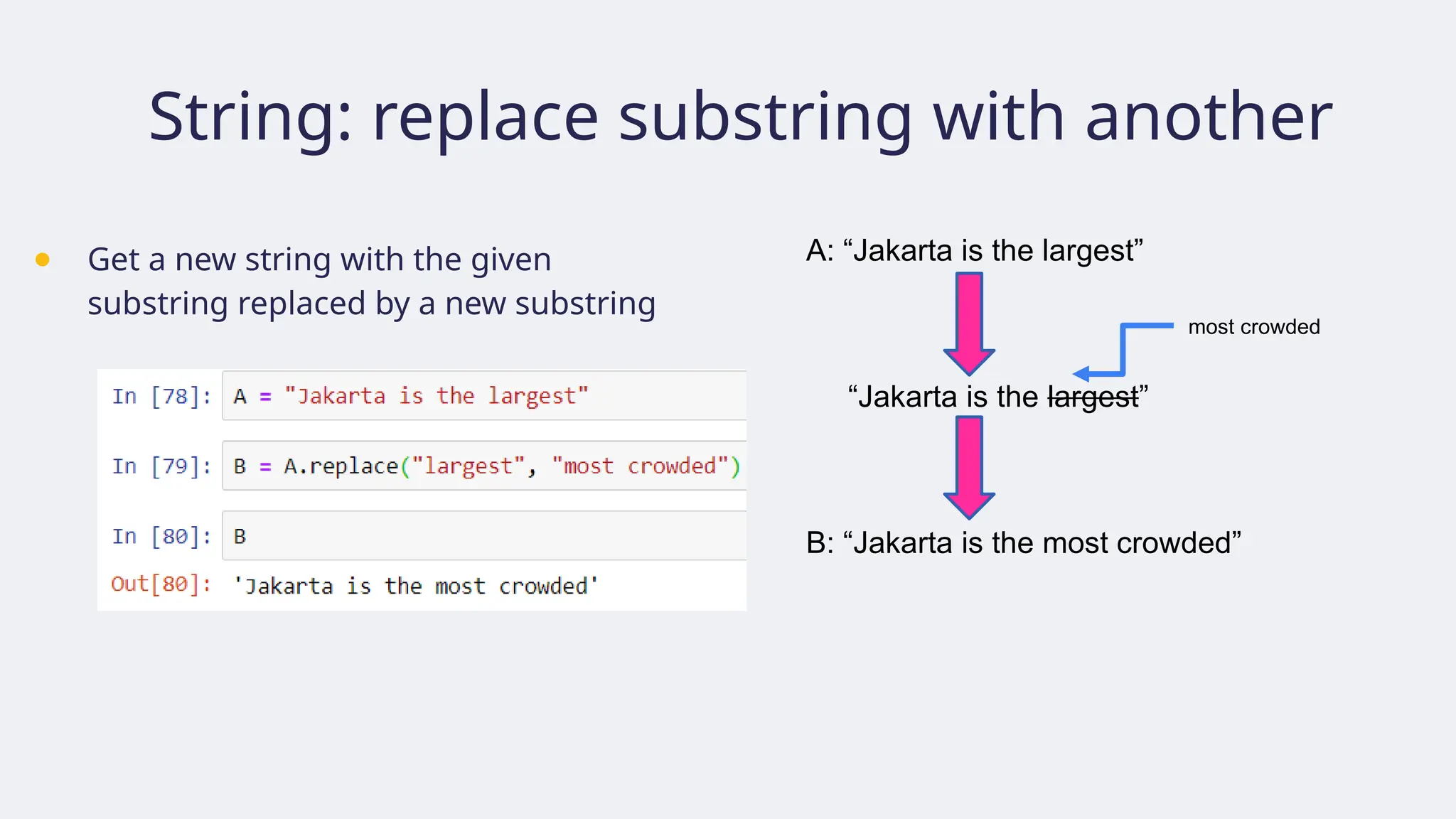
String: replace substringwith another
● Get a new string with the given
substring replaced by a new substring
A: “Jakarta is the largest”
“Jakarta is the largest”
B: “Jakarta is the most crowded”
most crowded
84.
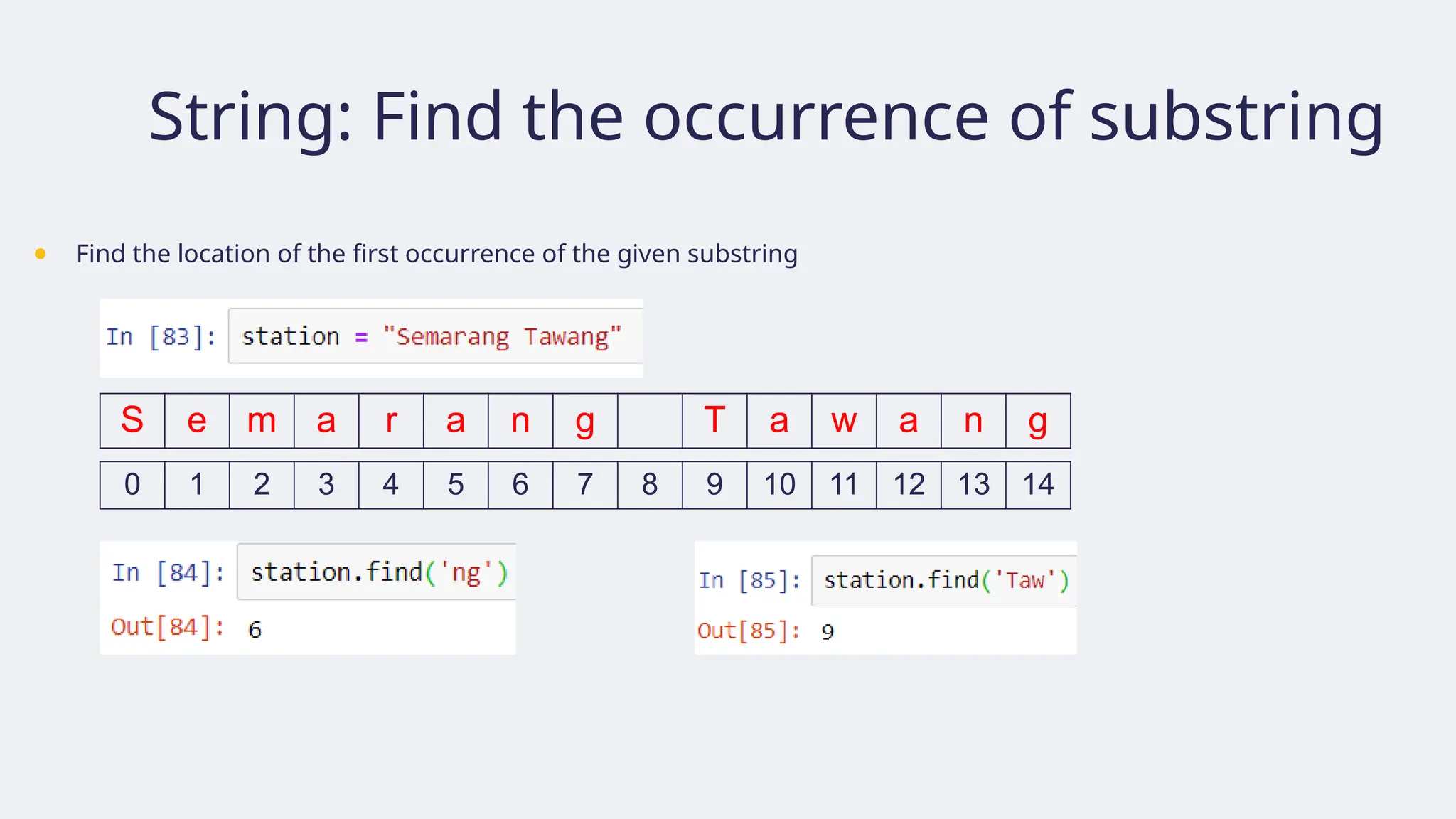
String: Find theoccurrence of substring
● Find the location of the first occurrence of the given substring
S e m a r a n g T a w a n g
0 1 2 3 4 5 6 7 8 9 10 11 12 13 14
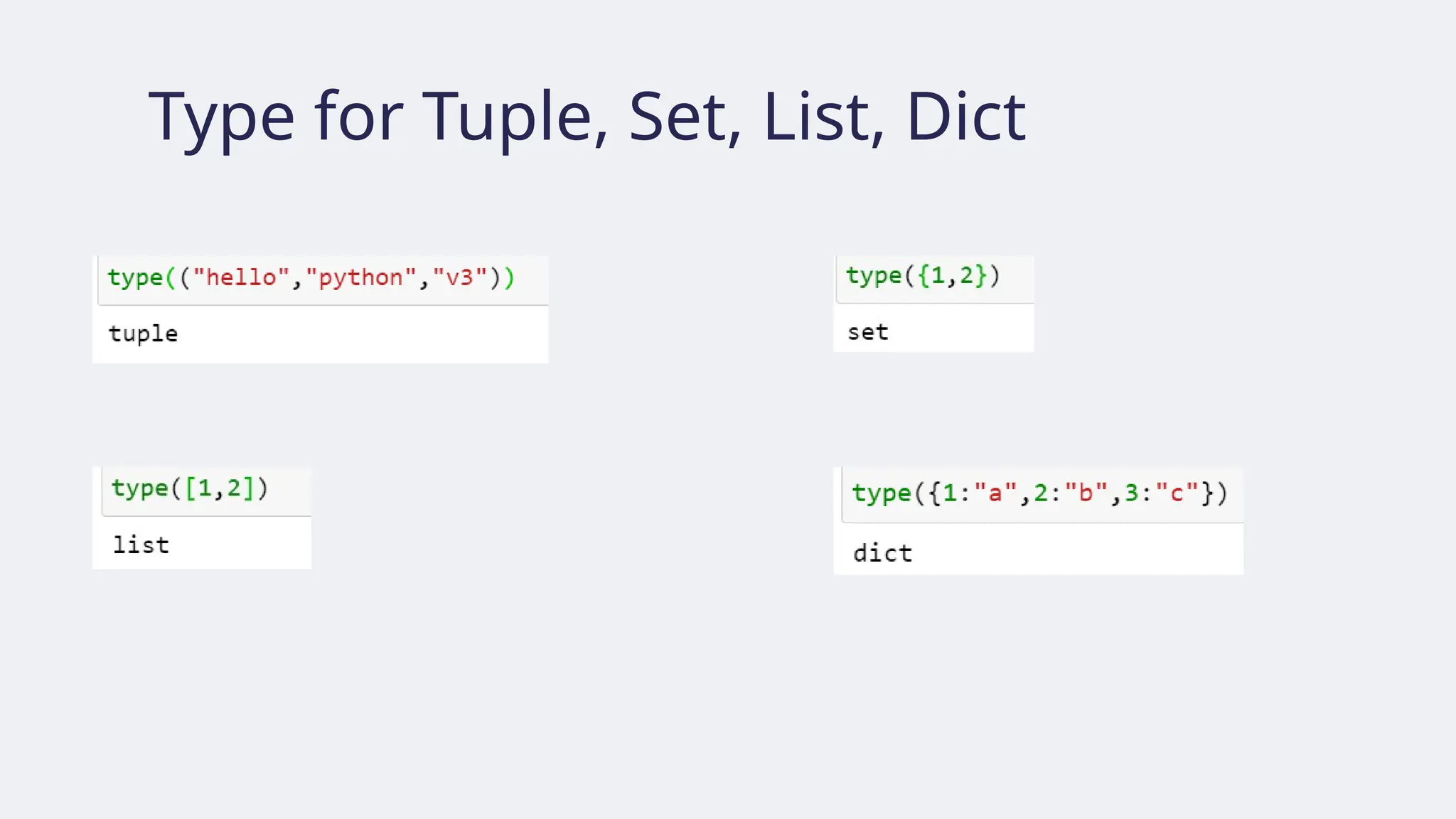
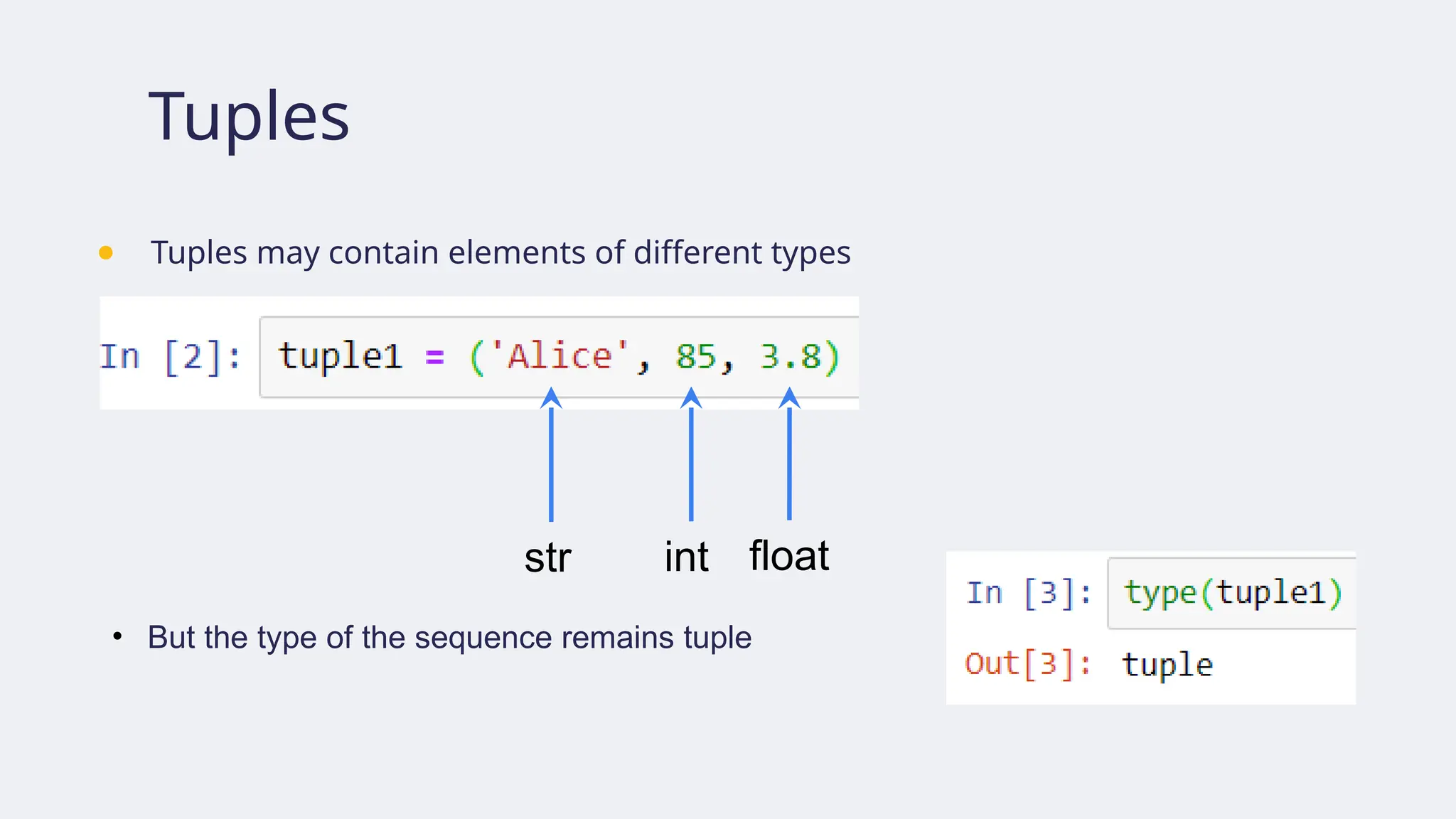
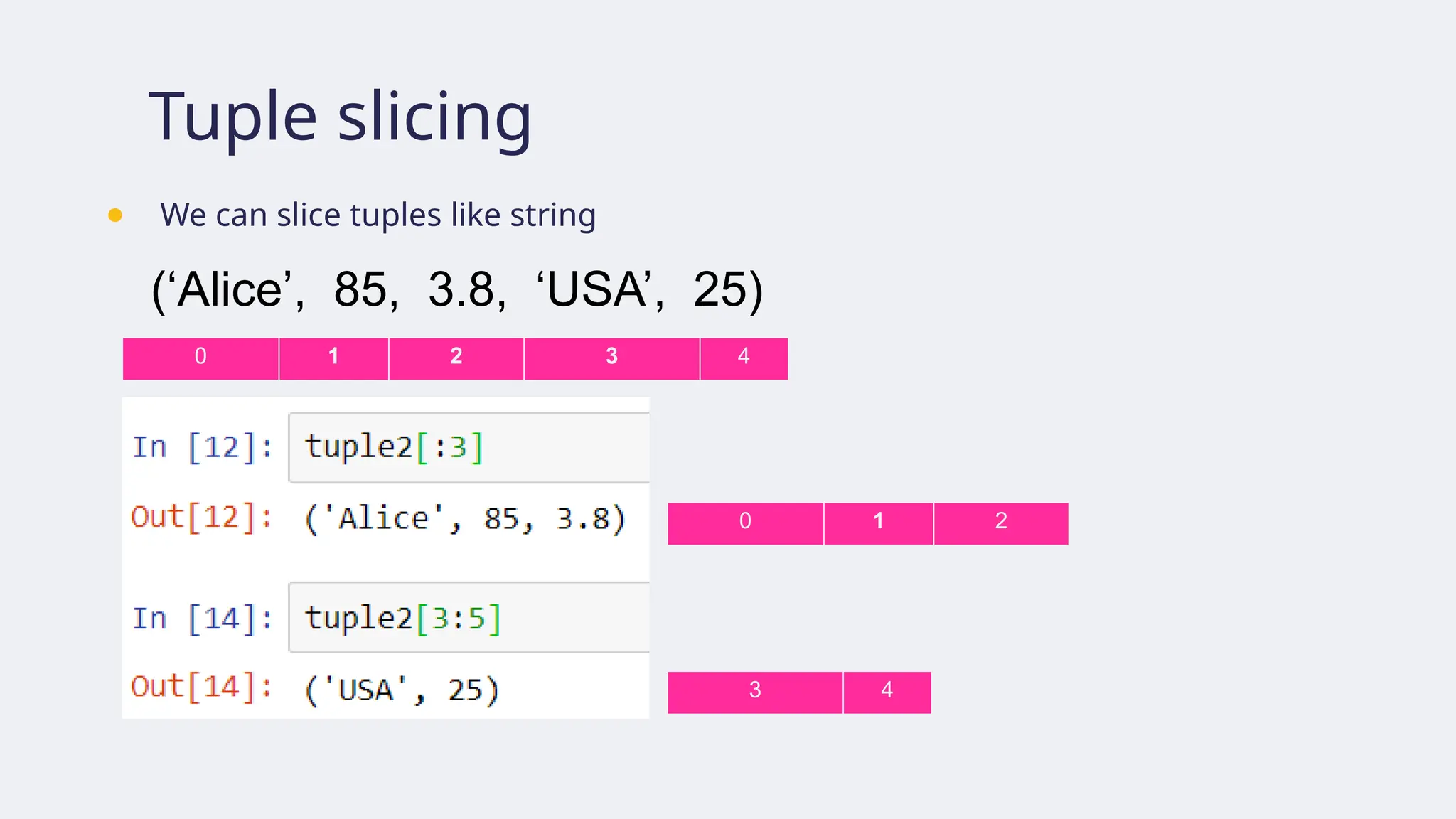
Tuples
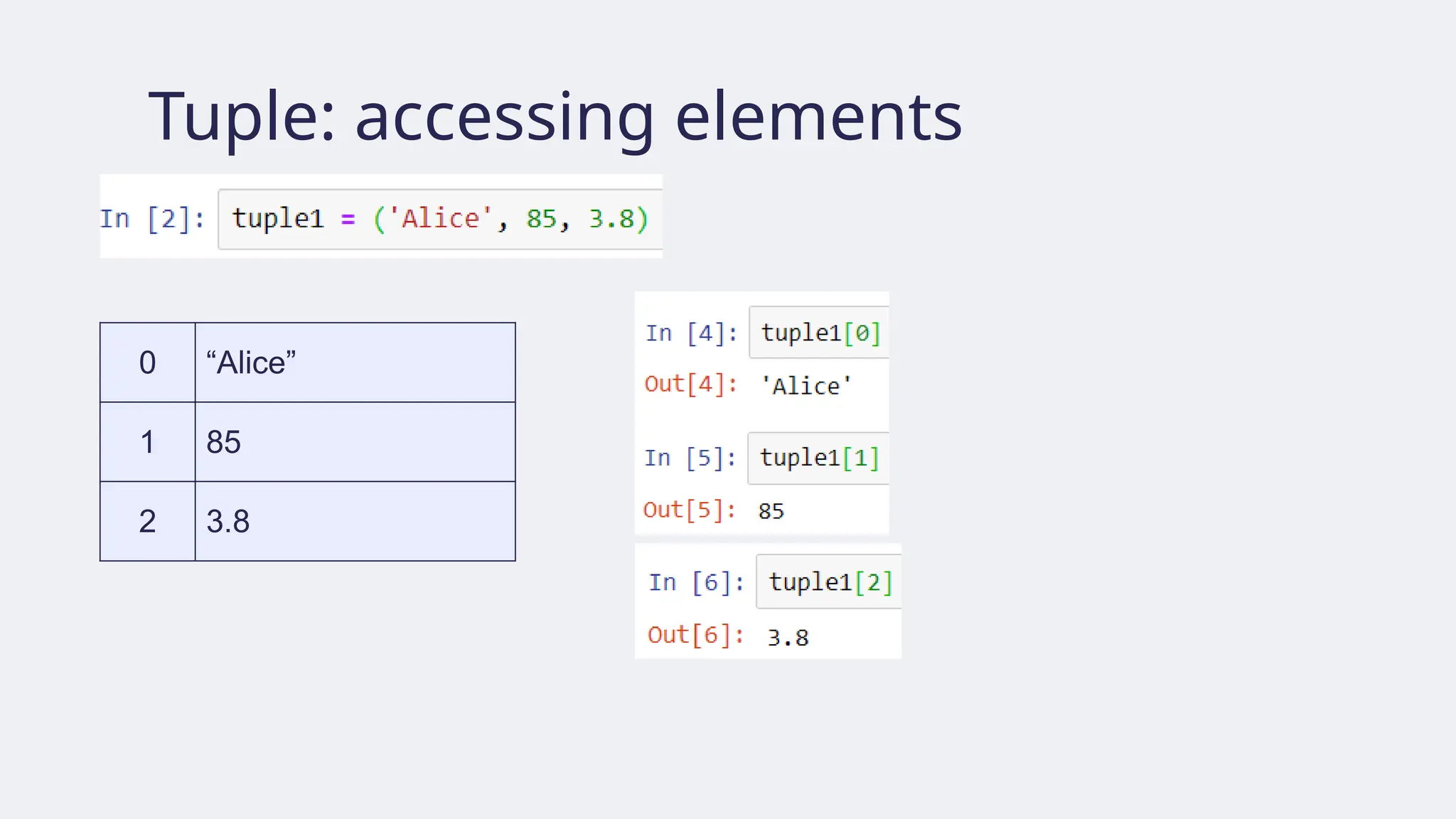
● Tuple isan ordered sequence
● Tuples are written as comma-separated items within parentheses.
Its length is the number
of elements it contains
91.
Tuples
● Tuples maycontain elements of different types
str int float
• But the type of the sequence remains tuple
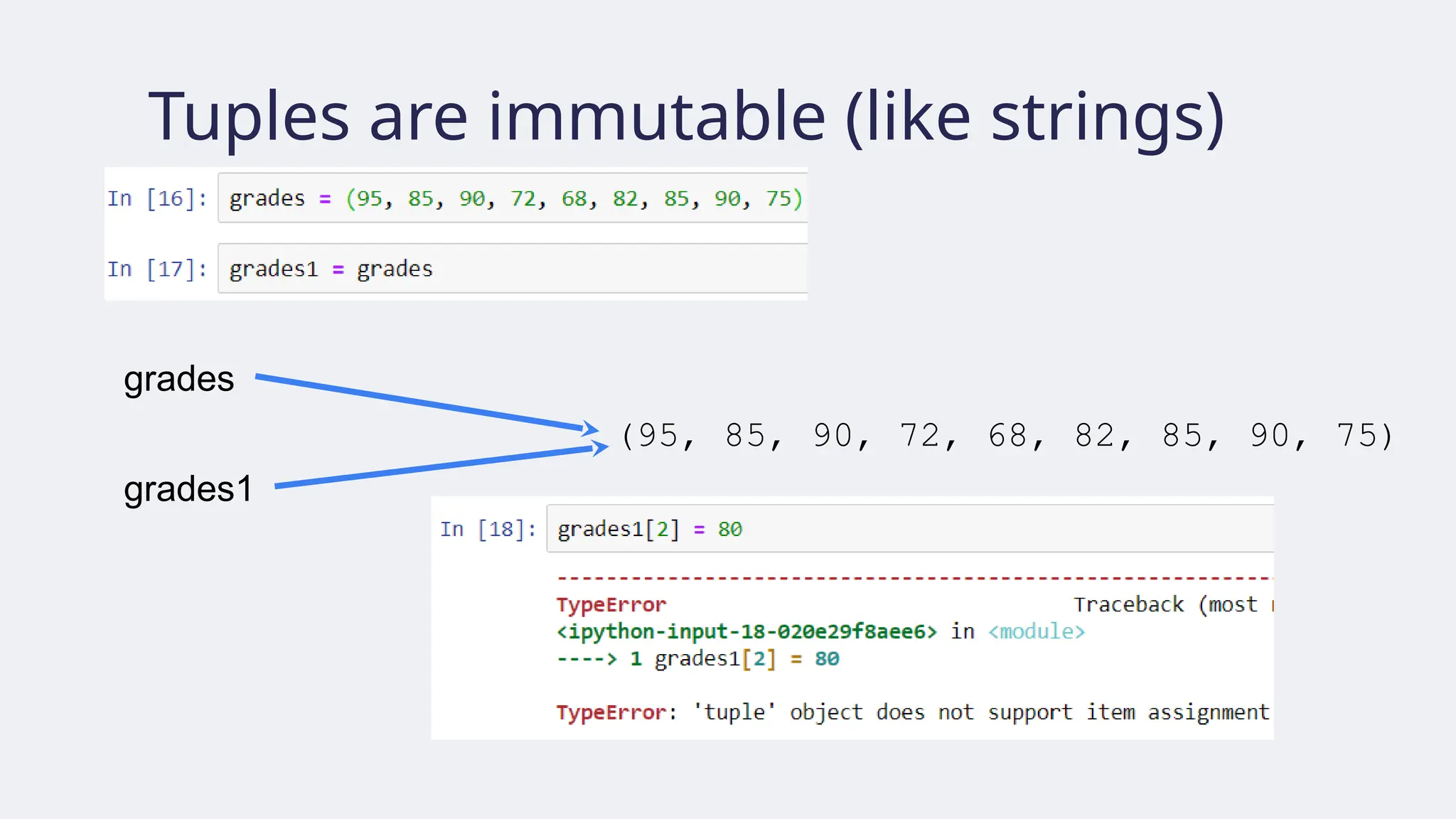
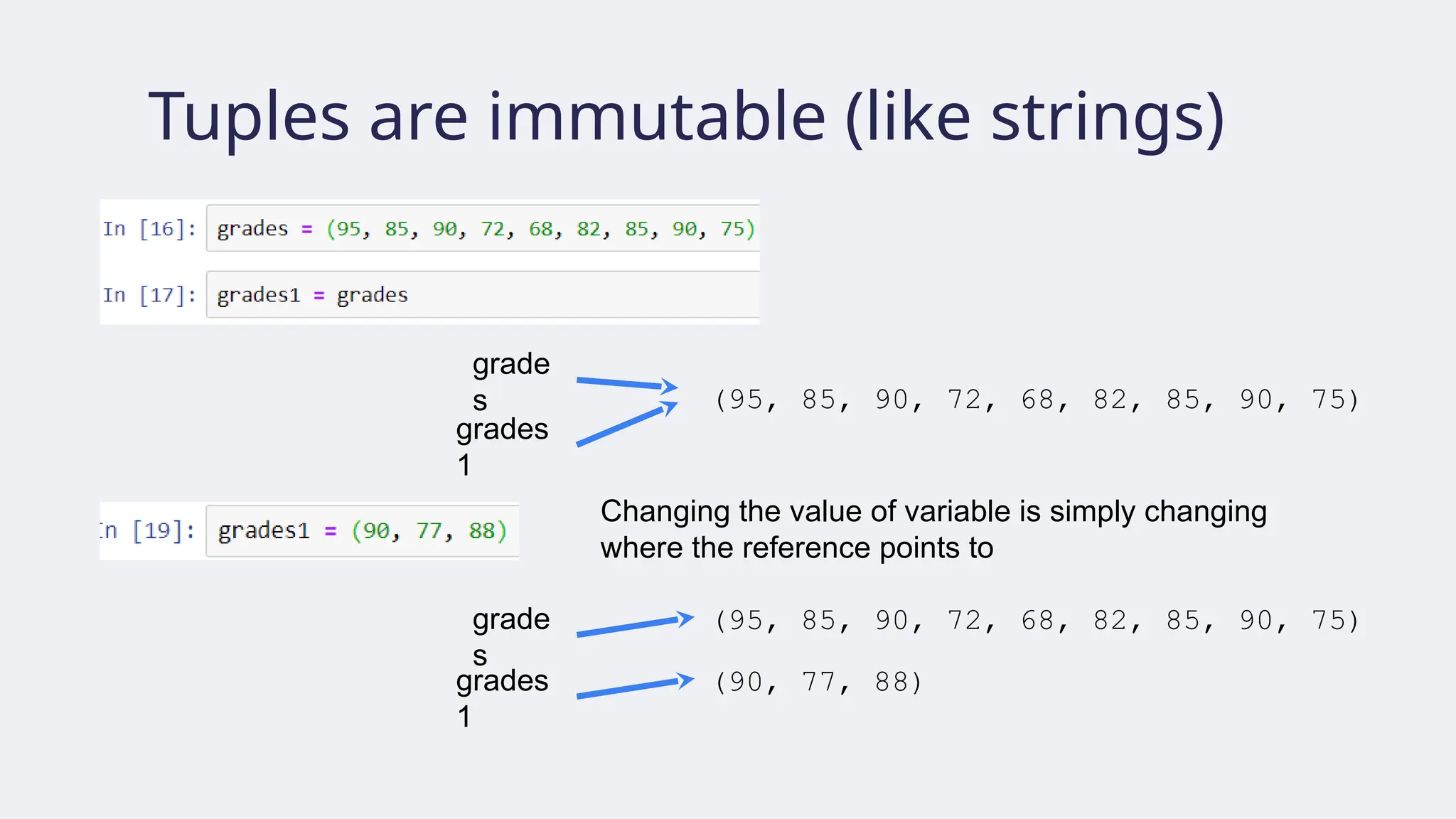
Tuples are immutable(like strings)
(95, 85, 90, 72, 68, 82, 85, 90, 75)
grade
s
grades
1
(95, 85, 90, 72, 68, 82, 85, 90, 75)
grade
s
grades
1
(90, 77, 88)
Changing the value of variable is simply changing
where the reference points to
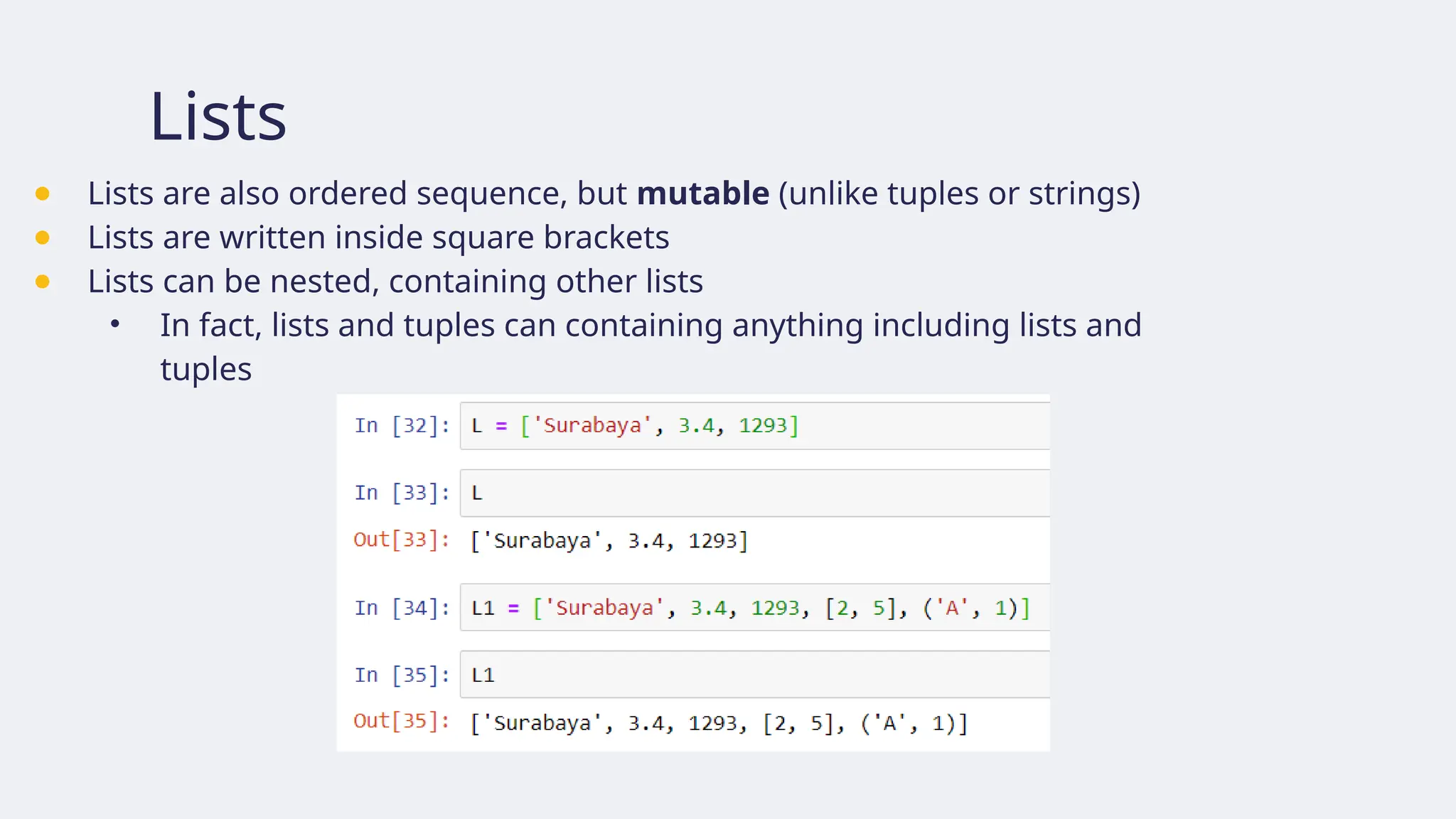
Lists
● Lists arealso ordered sequence, but mutable (unlike tuples or strings)
● Lists are written inside square brackets
● Lists can be nested, containing other lists
• In fact, lists and tuples can containing anything including lists and
tuples
101.
Lists: Accessing elements
●Elements of lists can be accessed using index in the same way as tuples or strings.
L = ['Surabaya', 3.4, 1293]
0 1 2
-3 -2 -1
102.
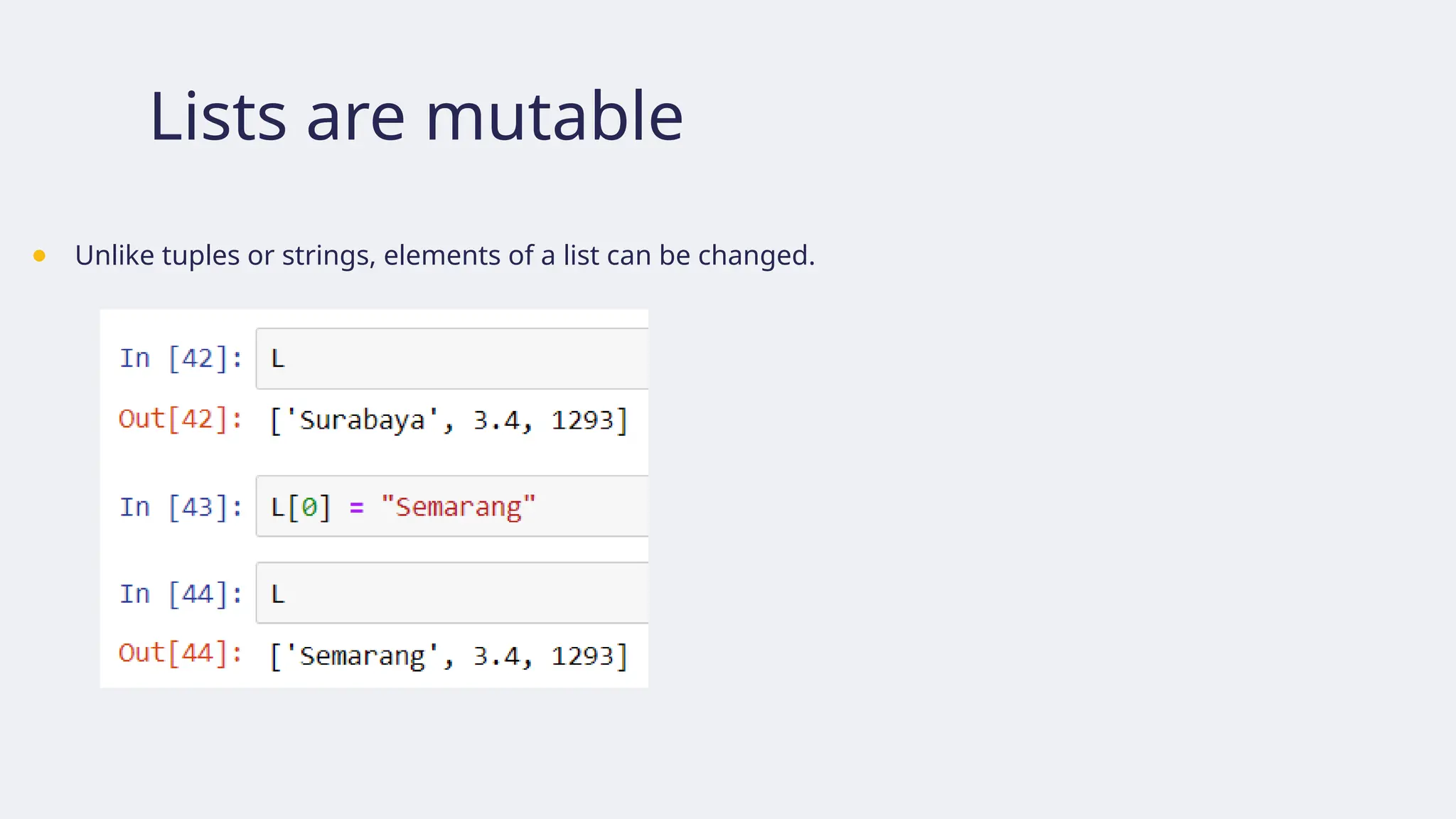
Lists are mutable
●Unlike tuples or strings, elements of a list can be changed.
103.
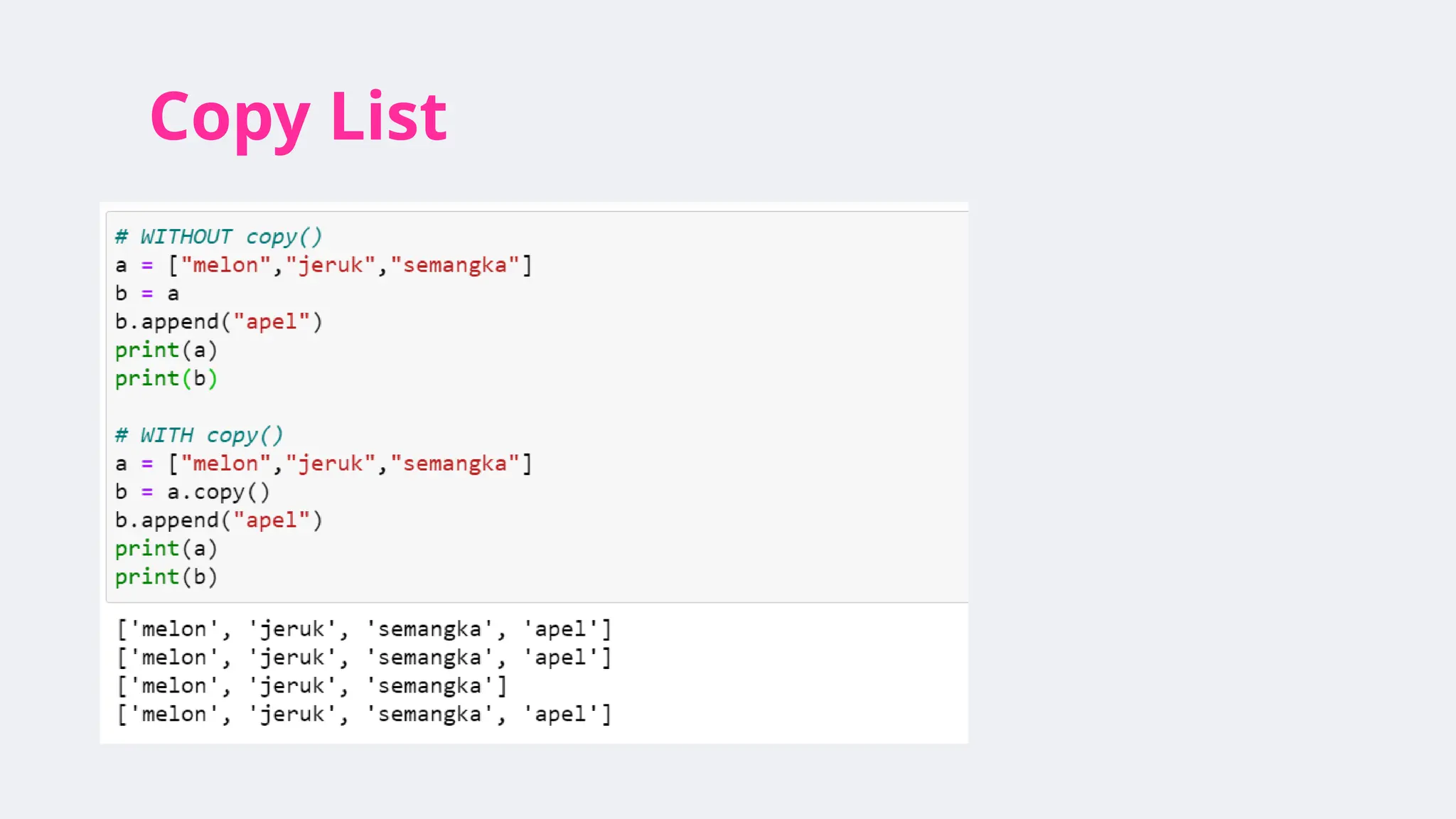
Lists are mutable
●If a list is referenced by two variables, changing its elements via one variable
will cause the changes to be visible from the other variable.
Suppose we have L and LL as follows: We change L[1], and the change appear in LL too
104.
List slicing
● Slicingworks like in tuples, but returns a new list (not sharing reference
with the old one).
Lst[3] is changed
Lst35 includes element at Lst[3]
But, Lst35 is NOT changed!
105.
List slicing
● Thusslicing can be used to copy a list
Lst_c is a copy of Lst
Lst[0] is changed
But Lst_c is NOT changed!
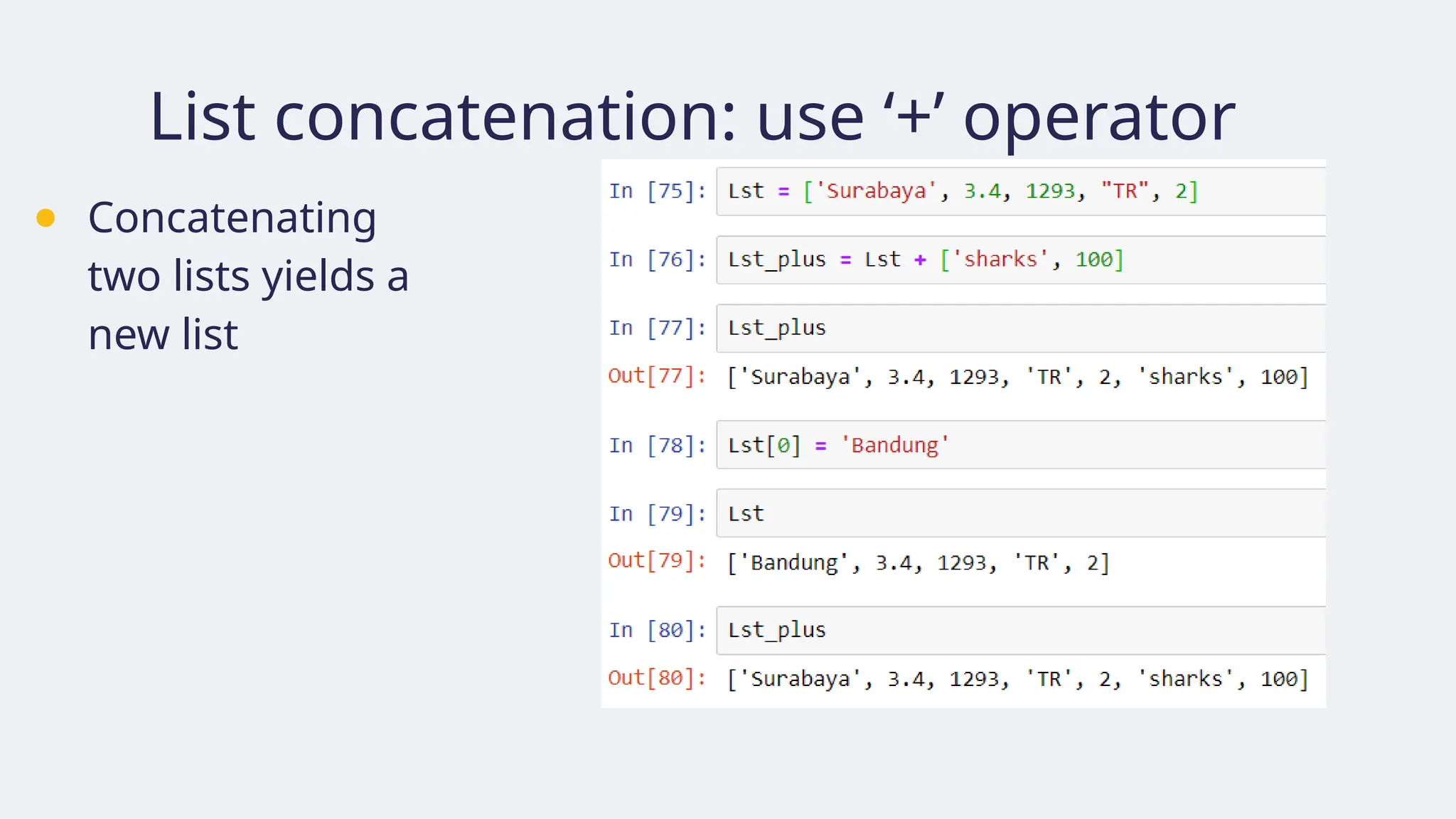
106.
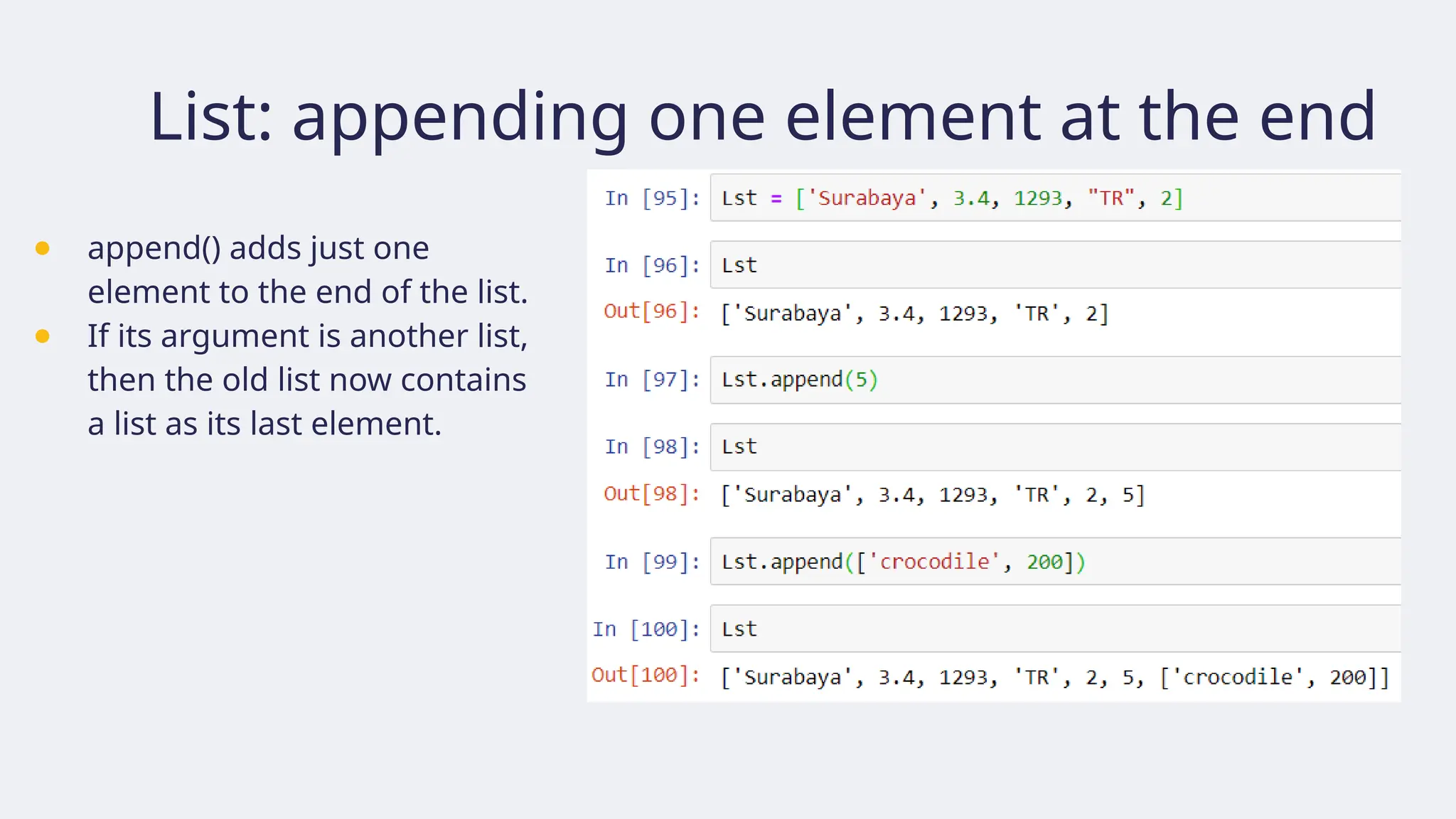
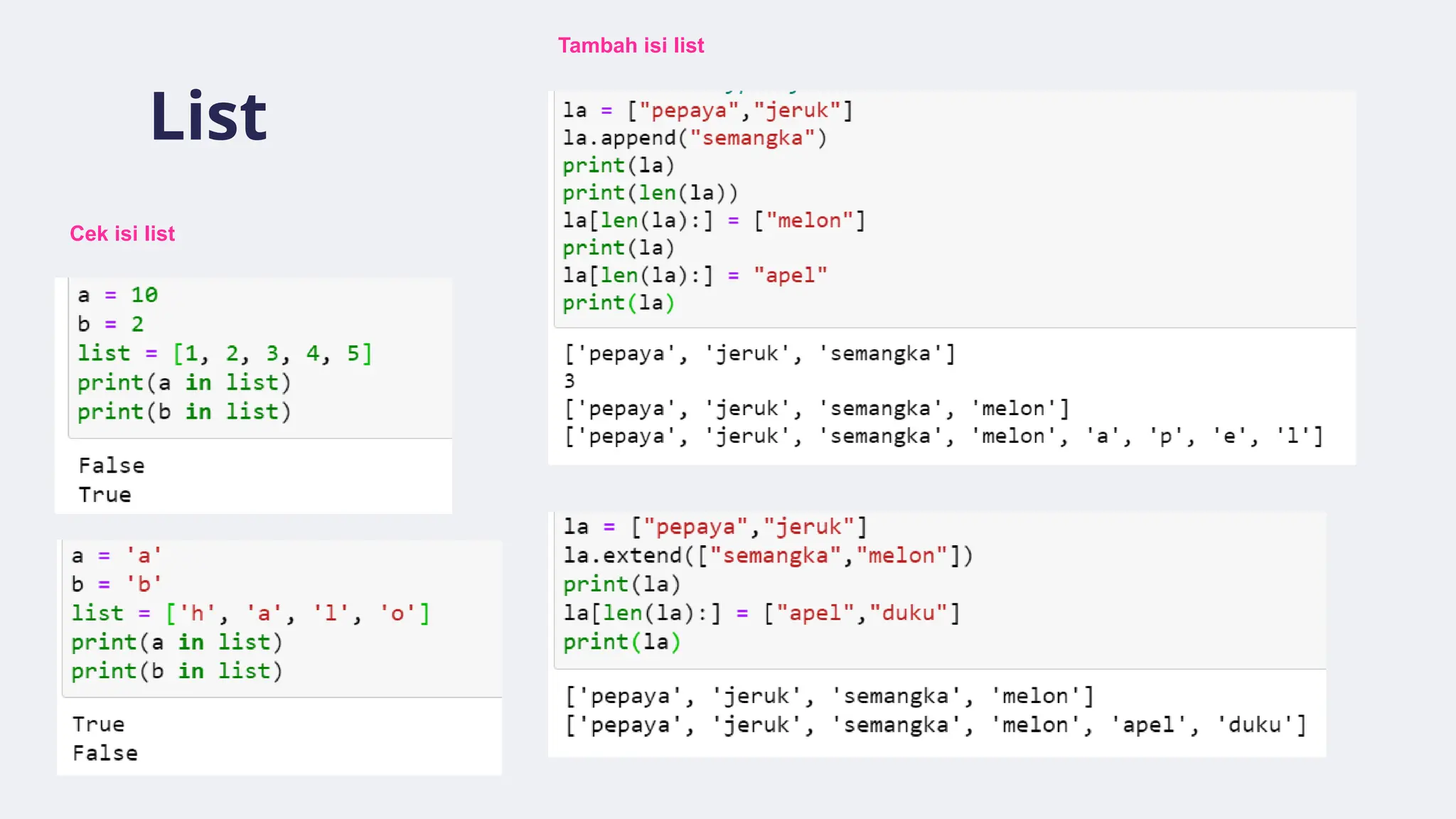
List: appending oneelement at the end
● append() adds just one
element to the end of the list.
● If its argument is another list,
then the old list now contains
a list as its last element.
107.
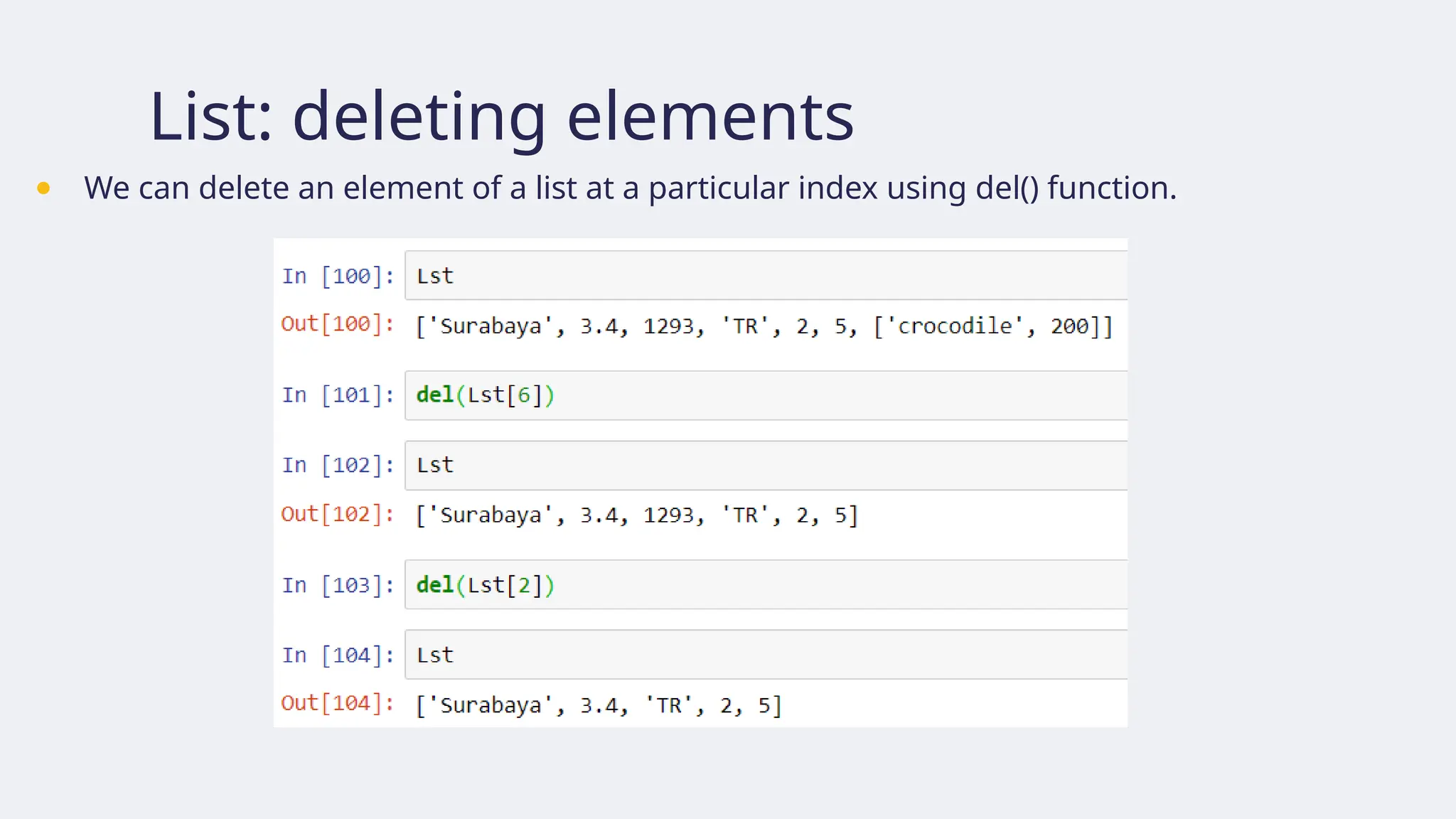
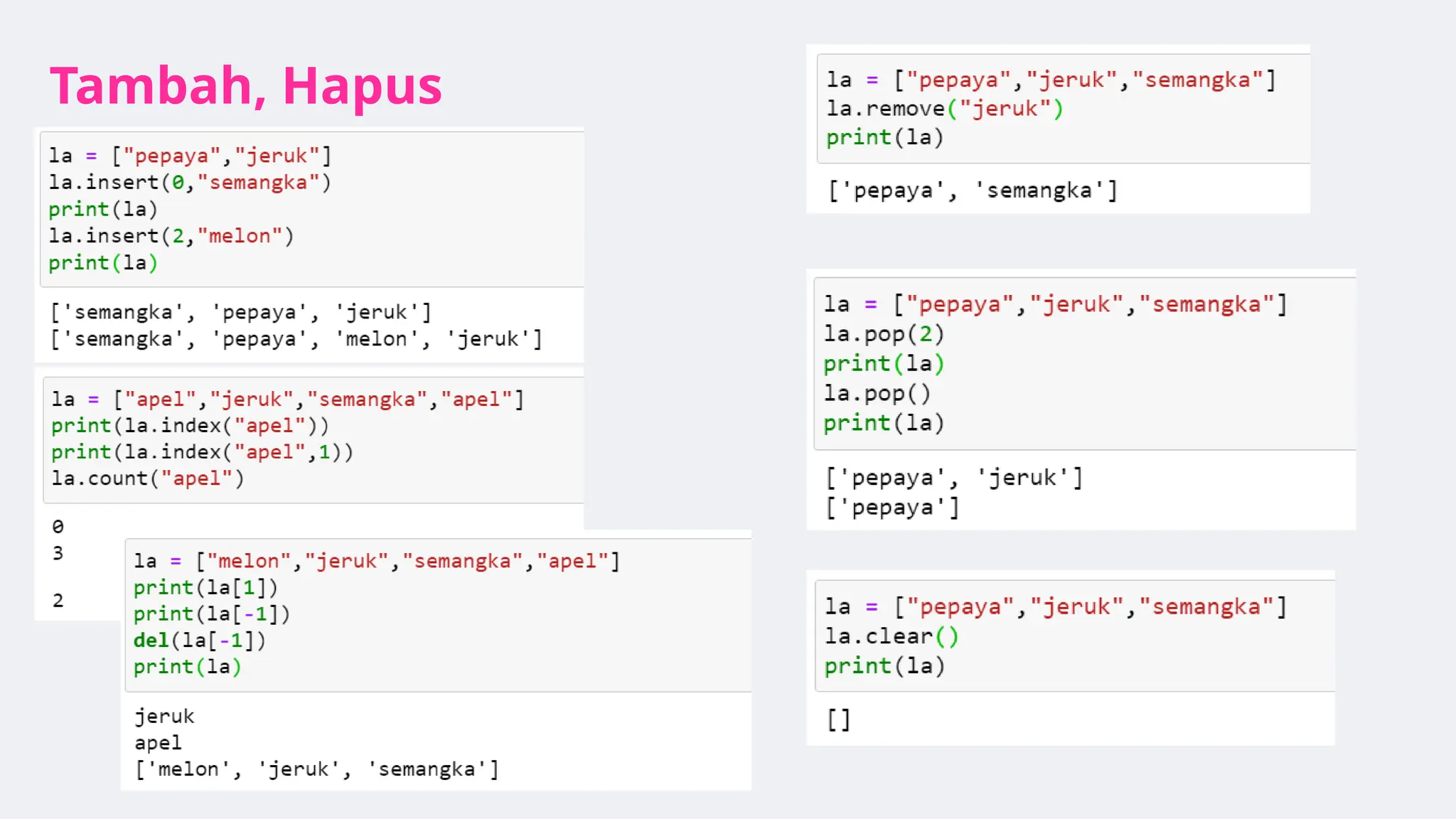
List: deleting elements
●We can delete an element of a list at a particular index using del() function.
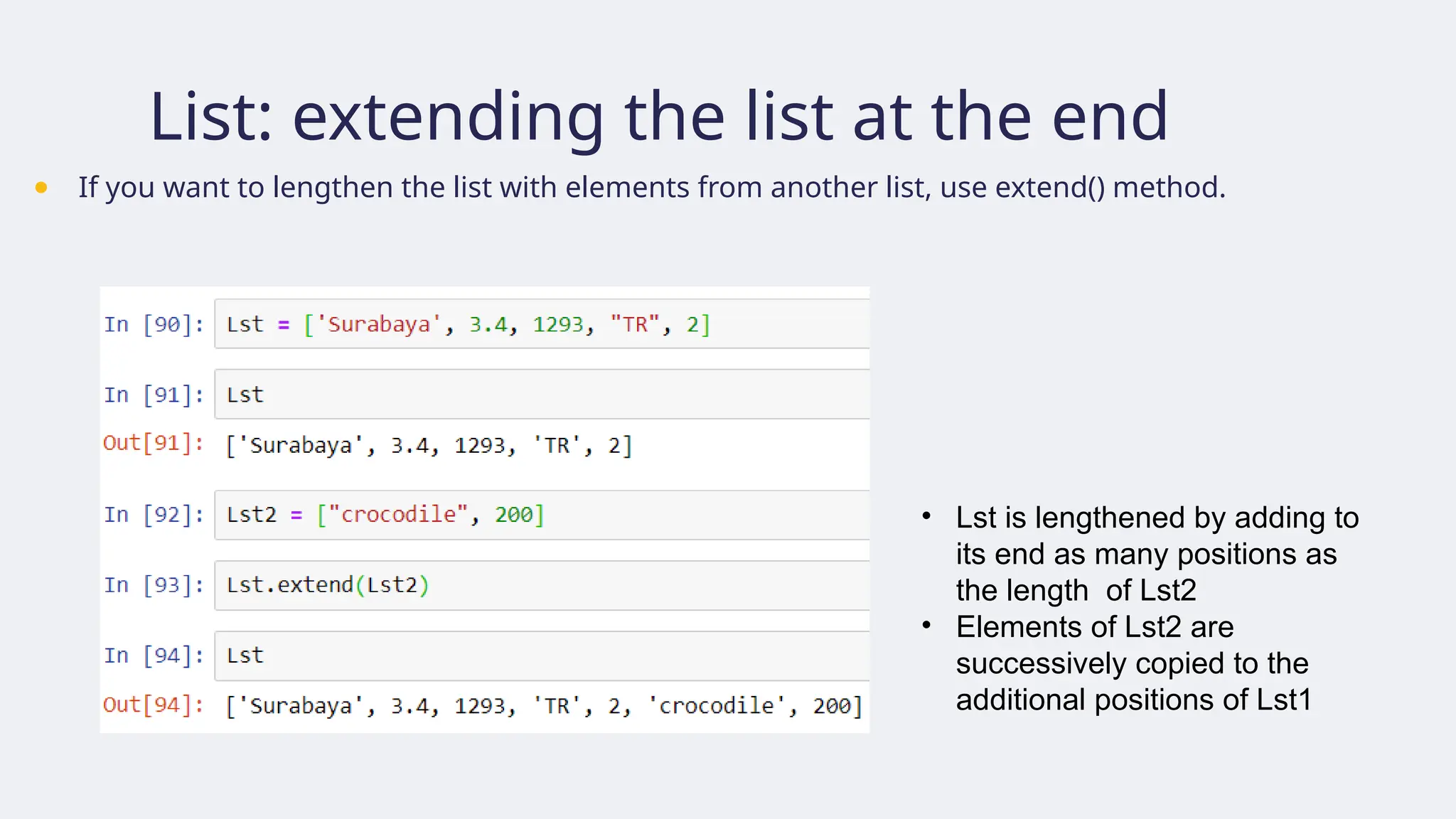
List: extending thelist at the end
● If you want to lengthen the list with elements from another list, use extend() method.
• Lst is lengthened by adding to
its end as many positions as
the length of Lst2
• Elements of Lst2 are
successively copied to the
additional positions of Lst1
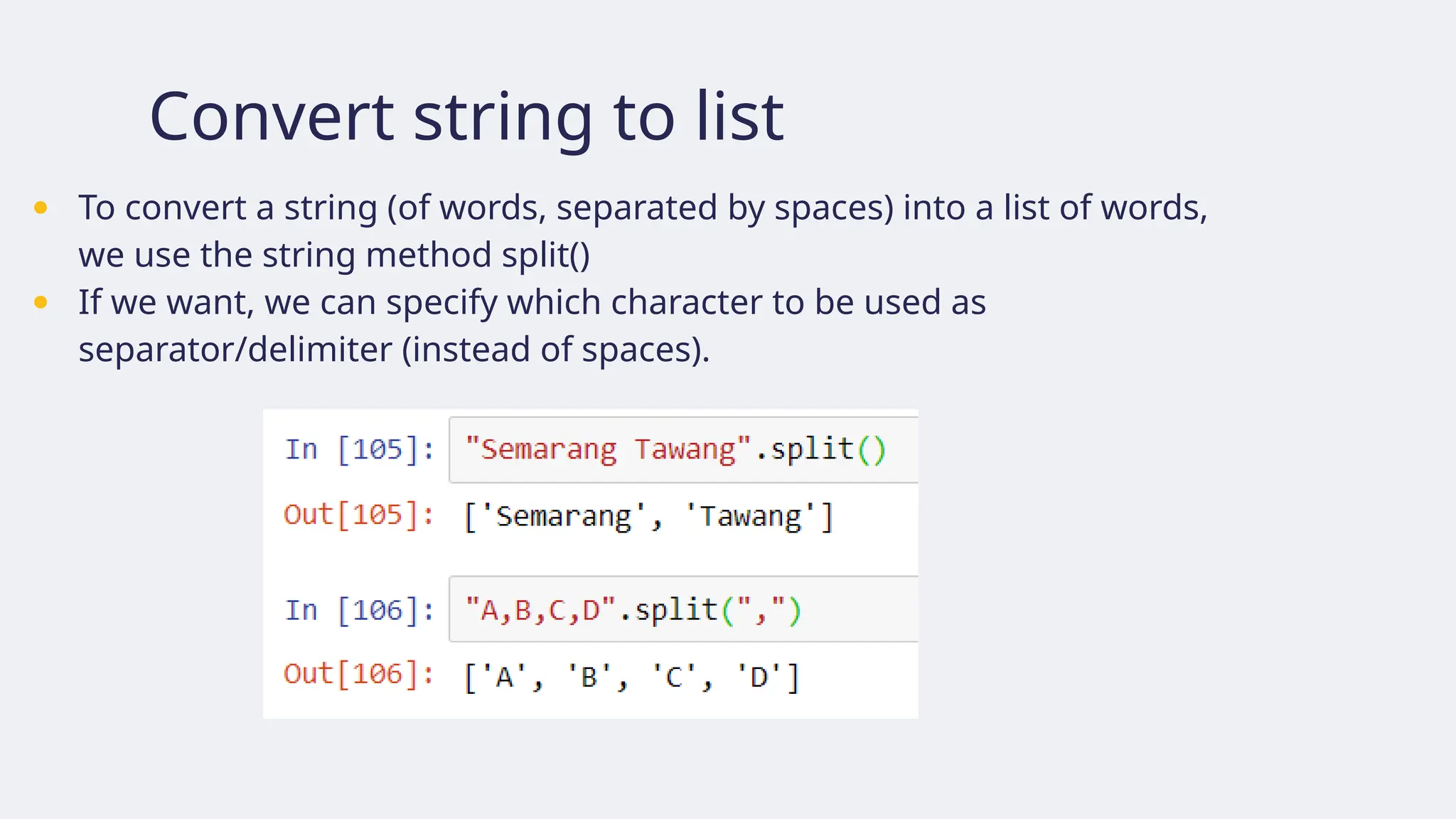
Convert string tolist
● To convert a string (of words, separated by spaces) into a list of words,
we use the string method split()
● If we want, we can specify which character to be used as
separator/delimiter (instead of spaces).
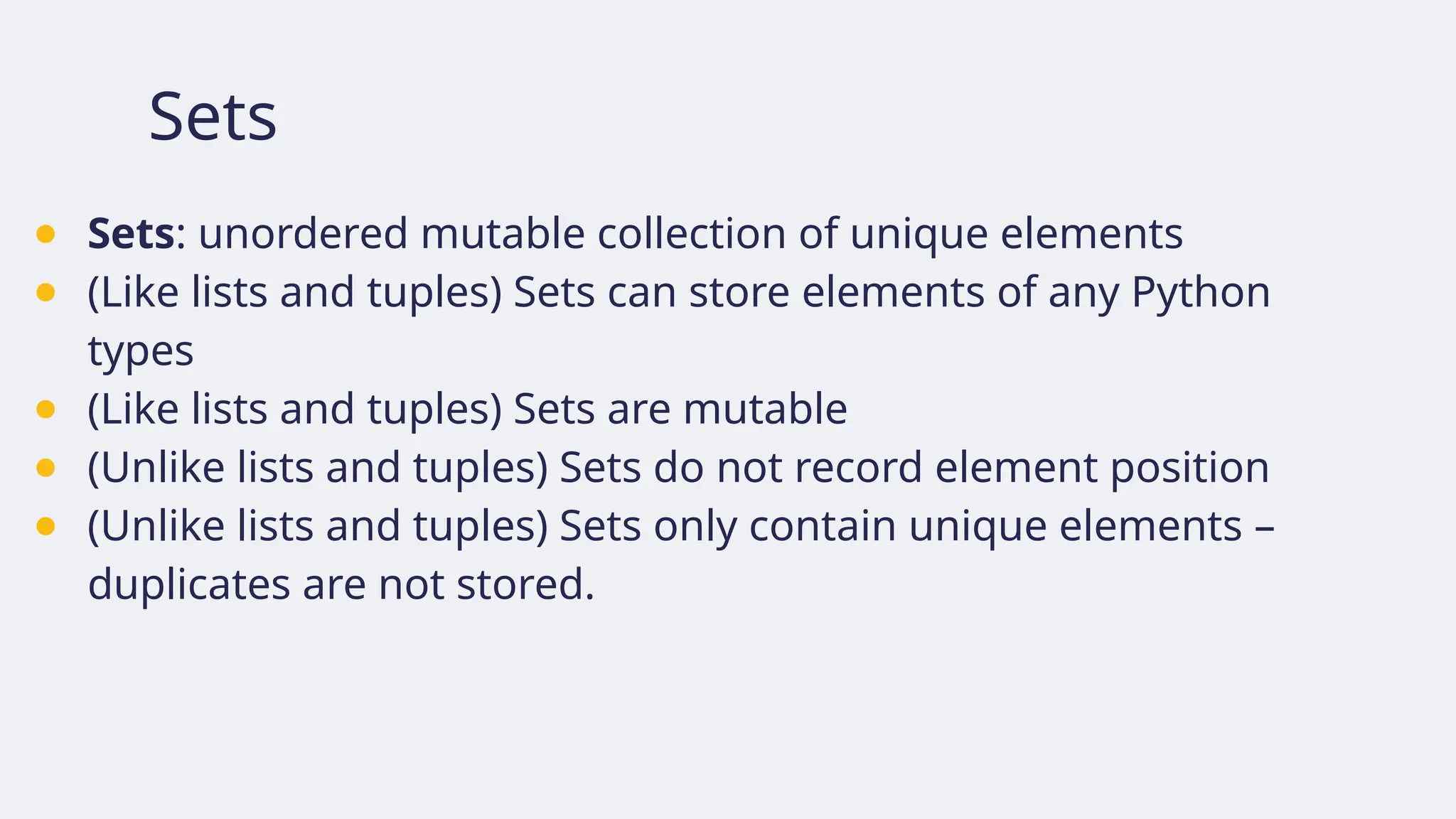
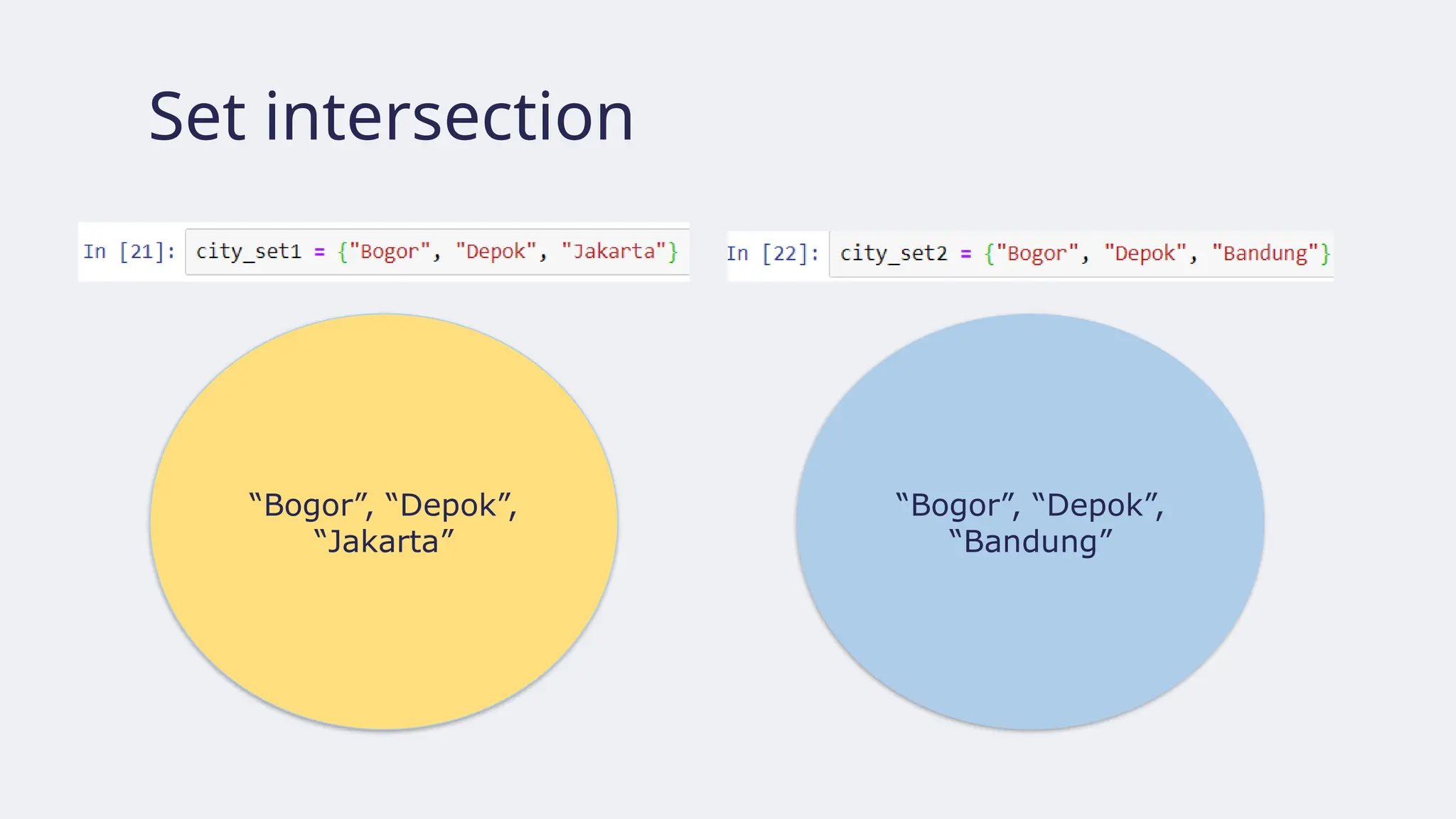
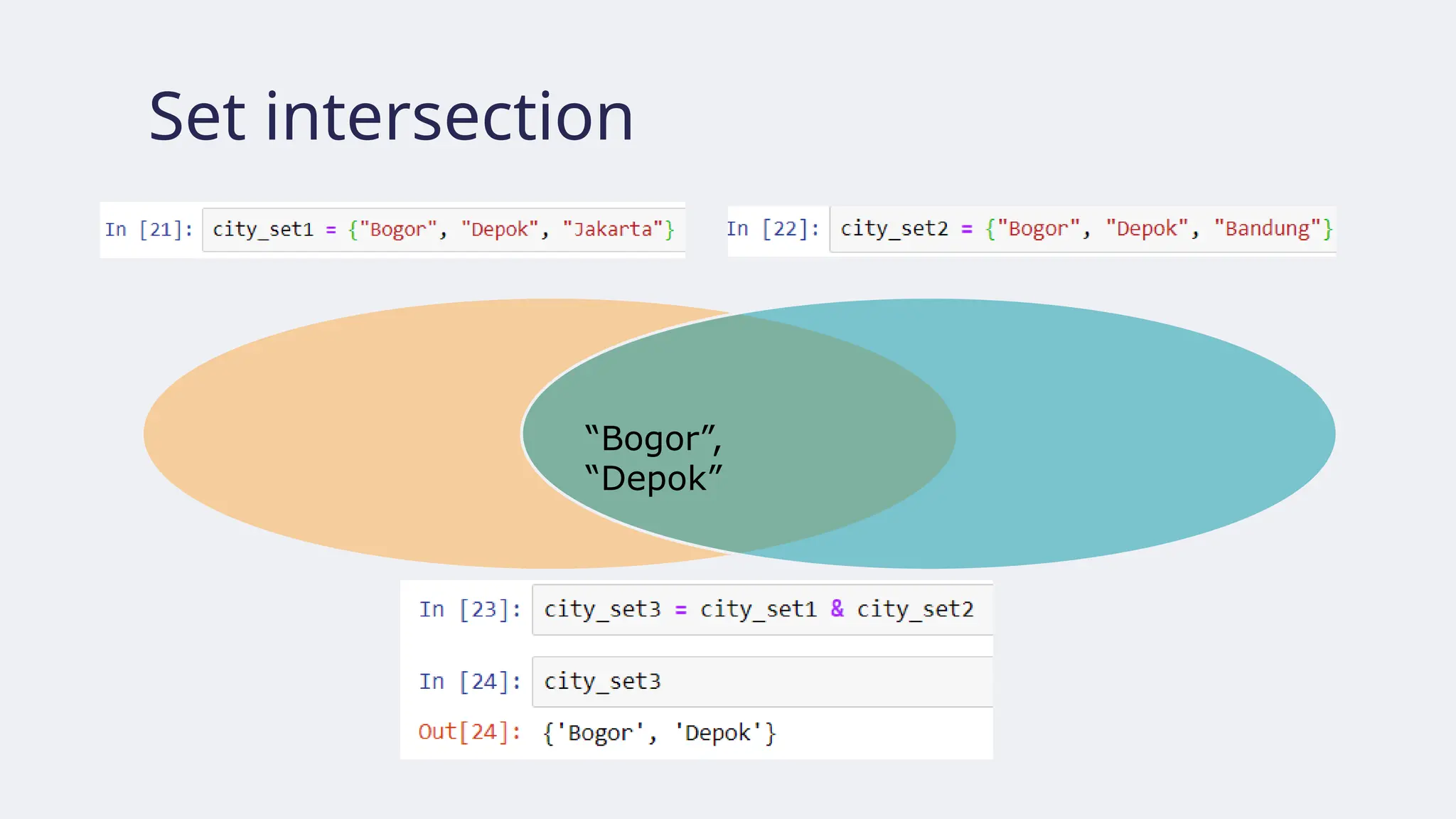
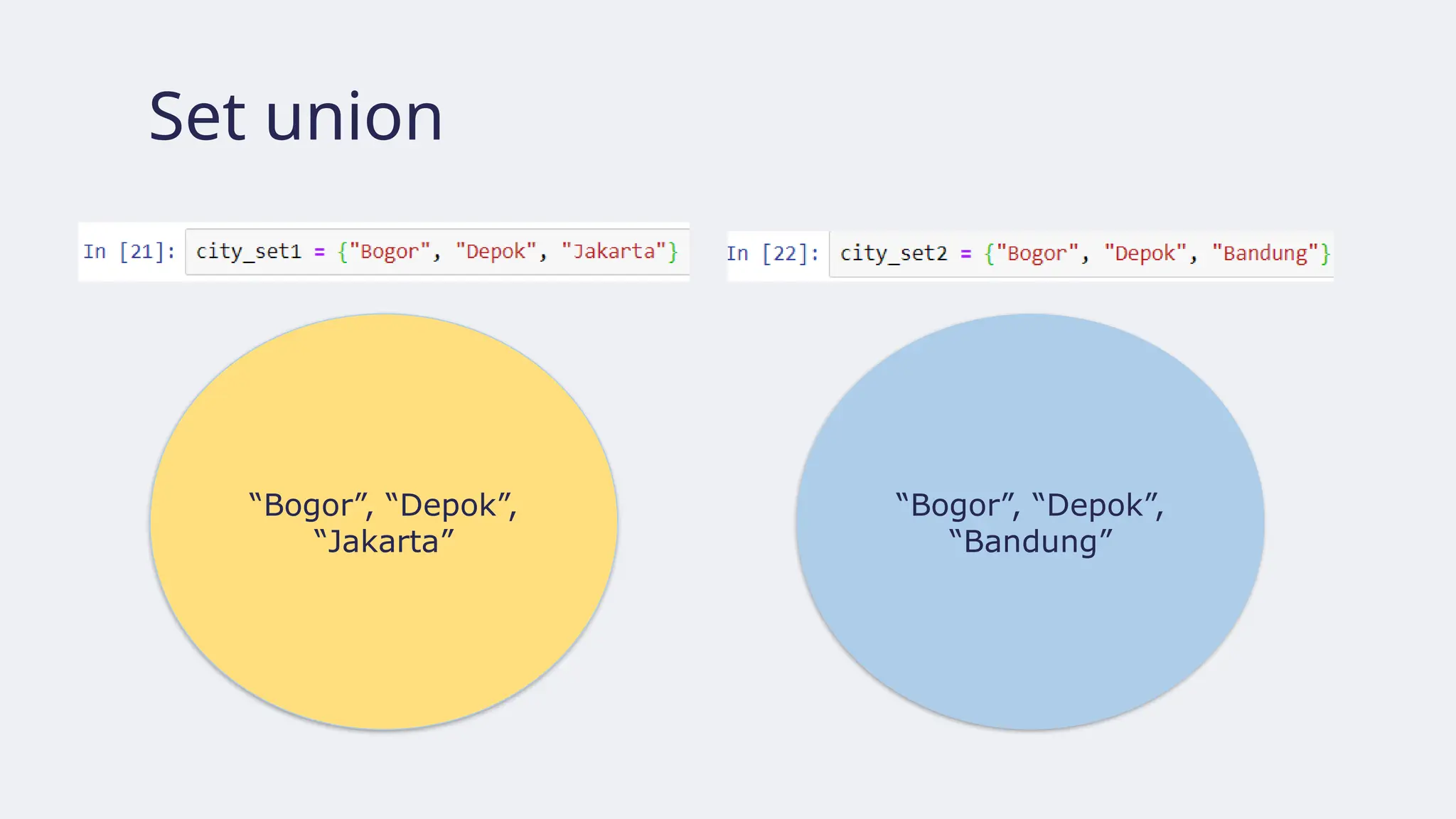
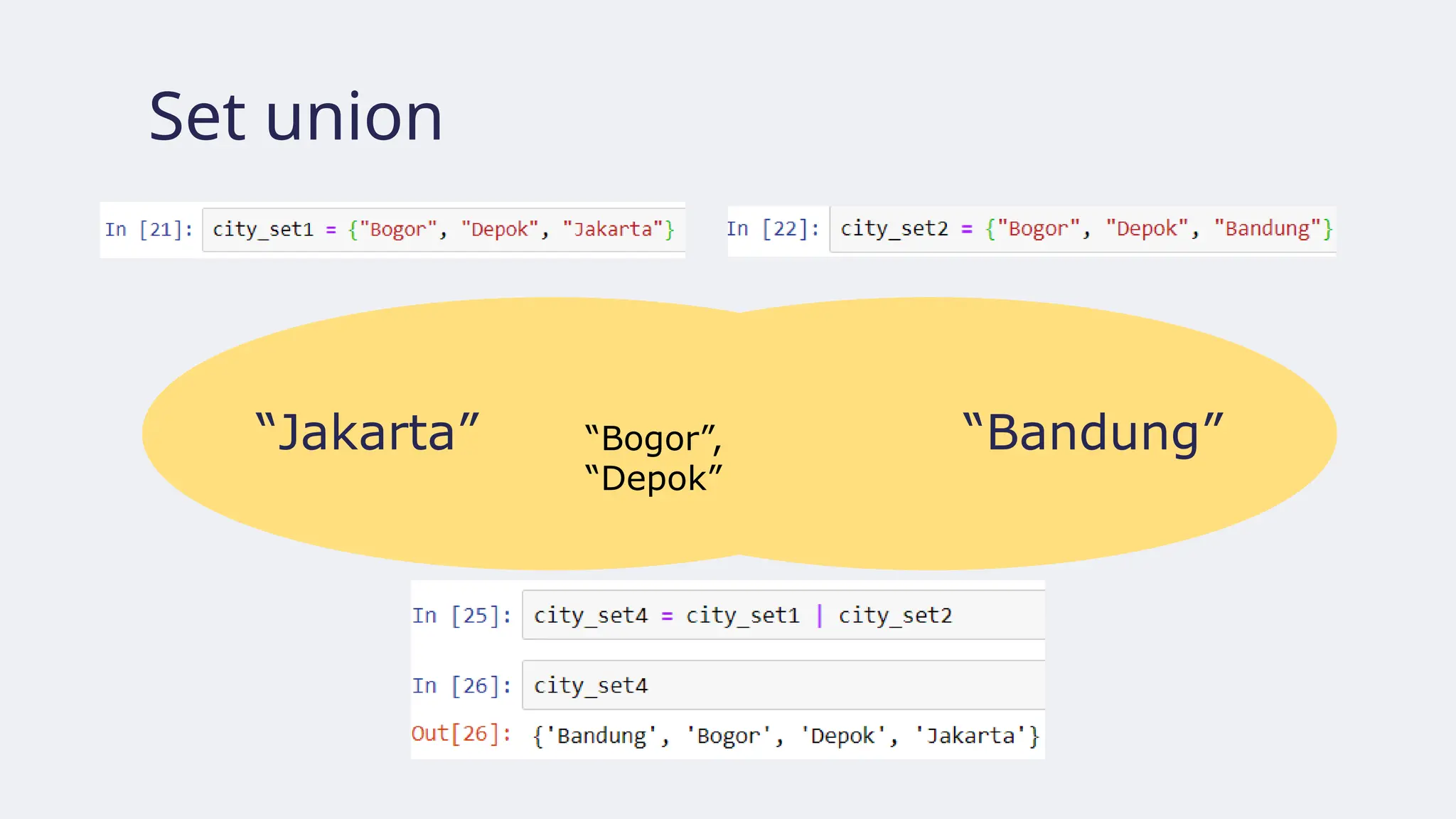
Sets
● Sets: unorderedmutable collection of unique elements
● (Like lists and tuples) Sets can store elements of any Python
types
● (Like lists and tuples) Sets are mutable
● (Unlike lists and tuples) Sets do not record element position
● (Unlike lists and tuples) Sets only contain unique elements –
duplicates are not stored.
119.
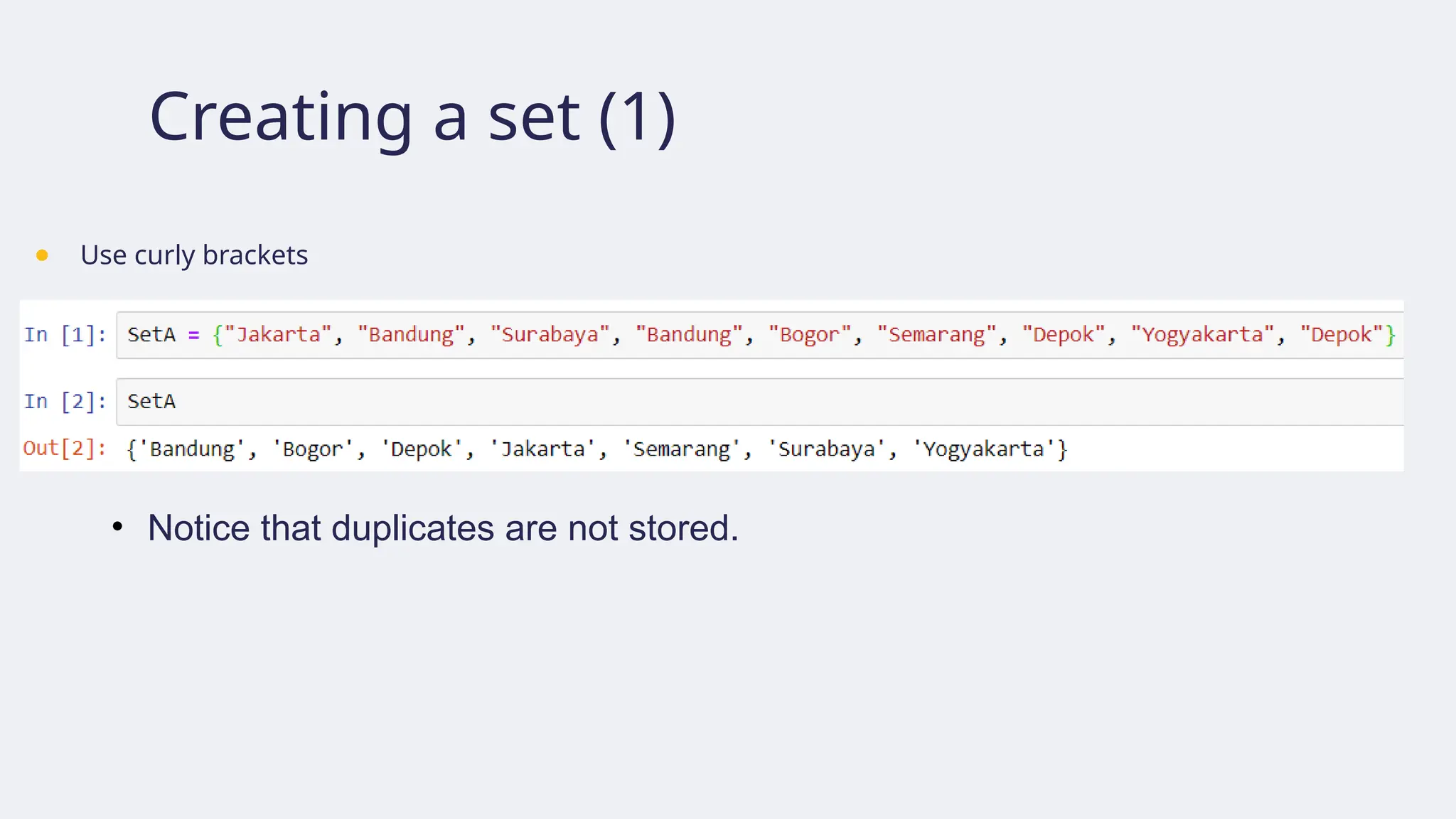
Creating a set(1)
● Use curly brackets
• Notice that duplicates are not stored.
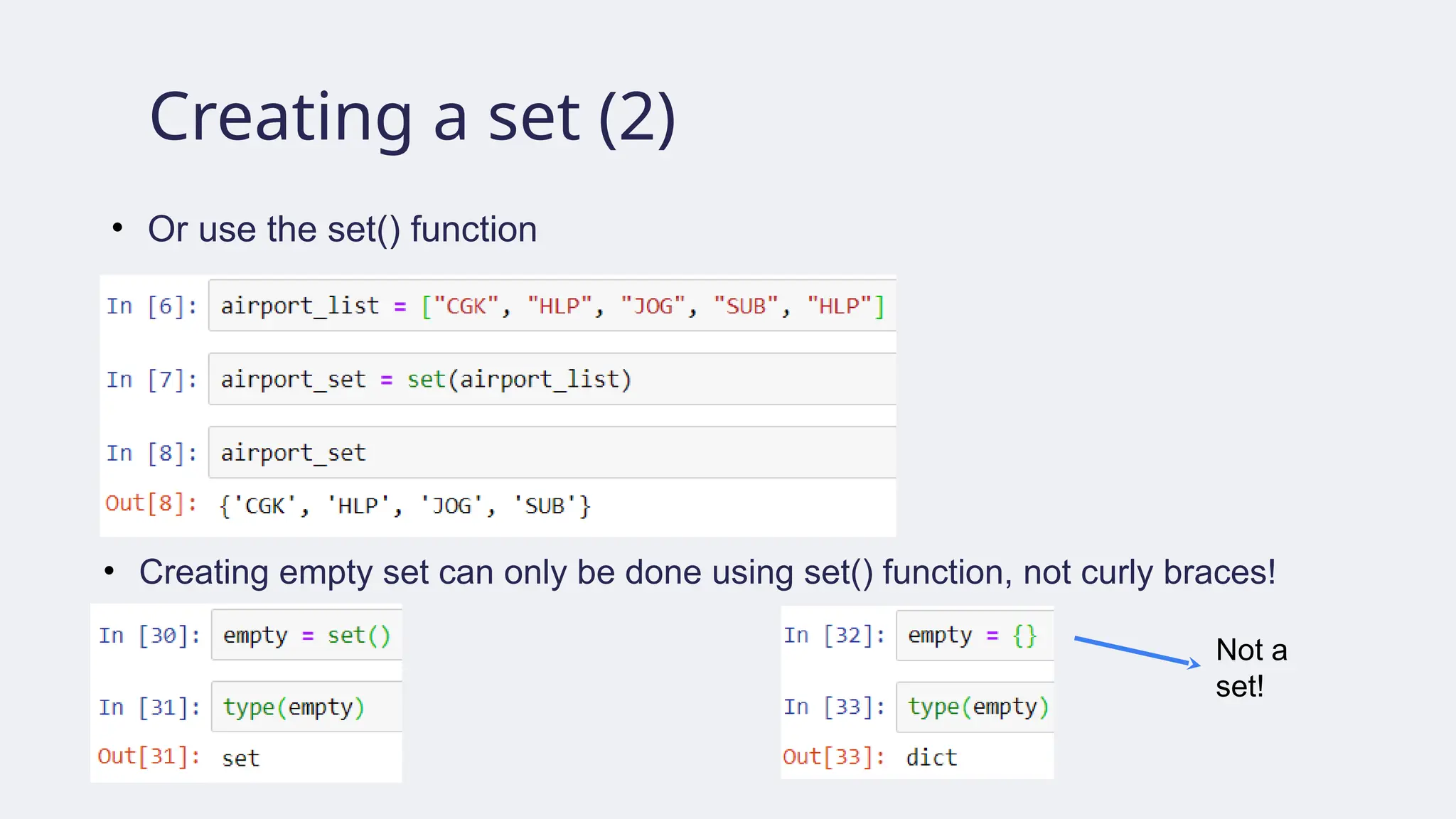
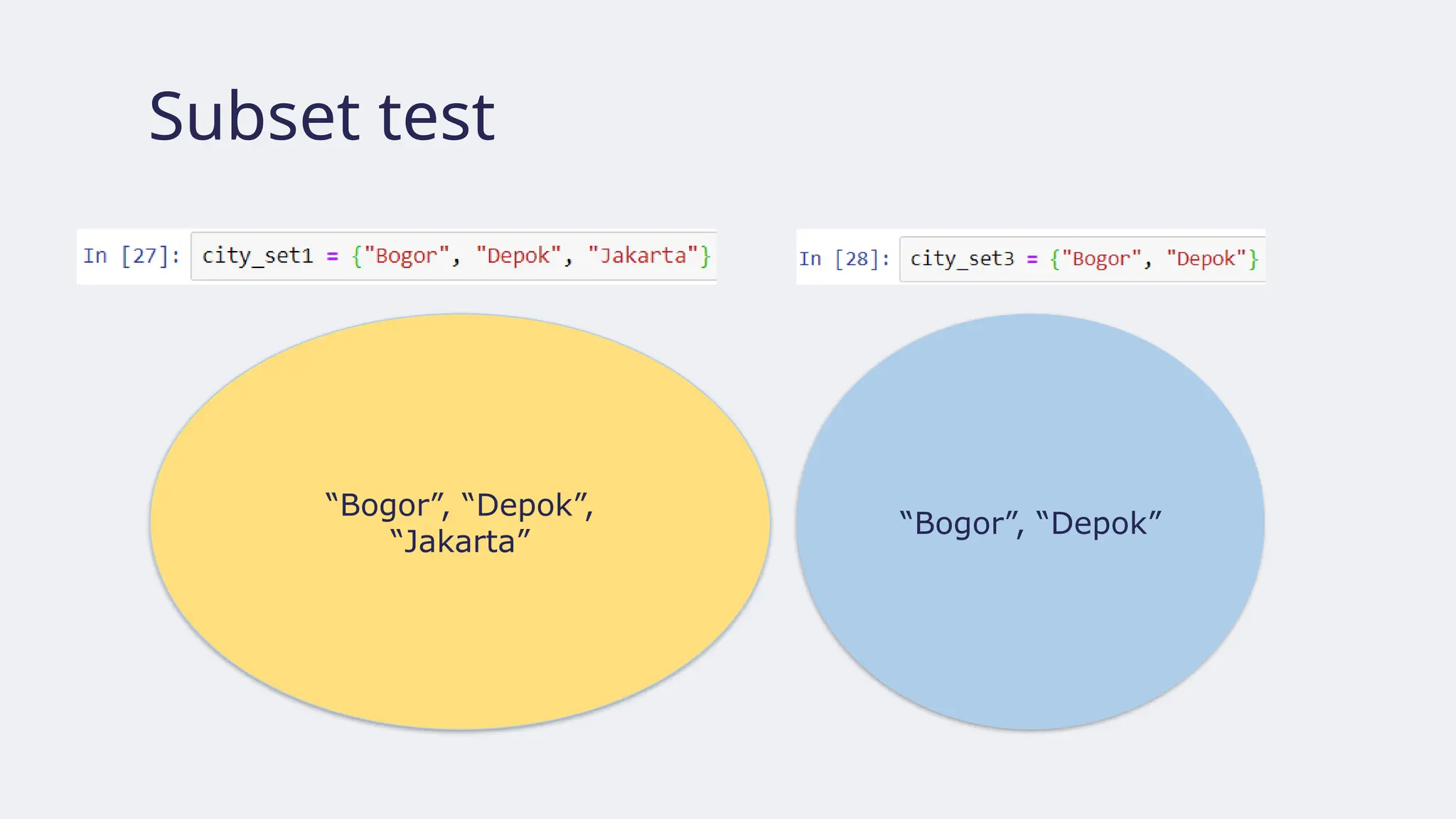
120.
Creating a set(2)
• Or use the set() function
• Creating empty set can only be done using set() function, not curly braces!
Not a
set!
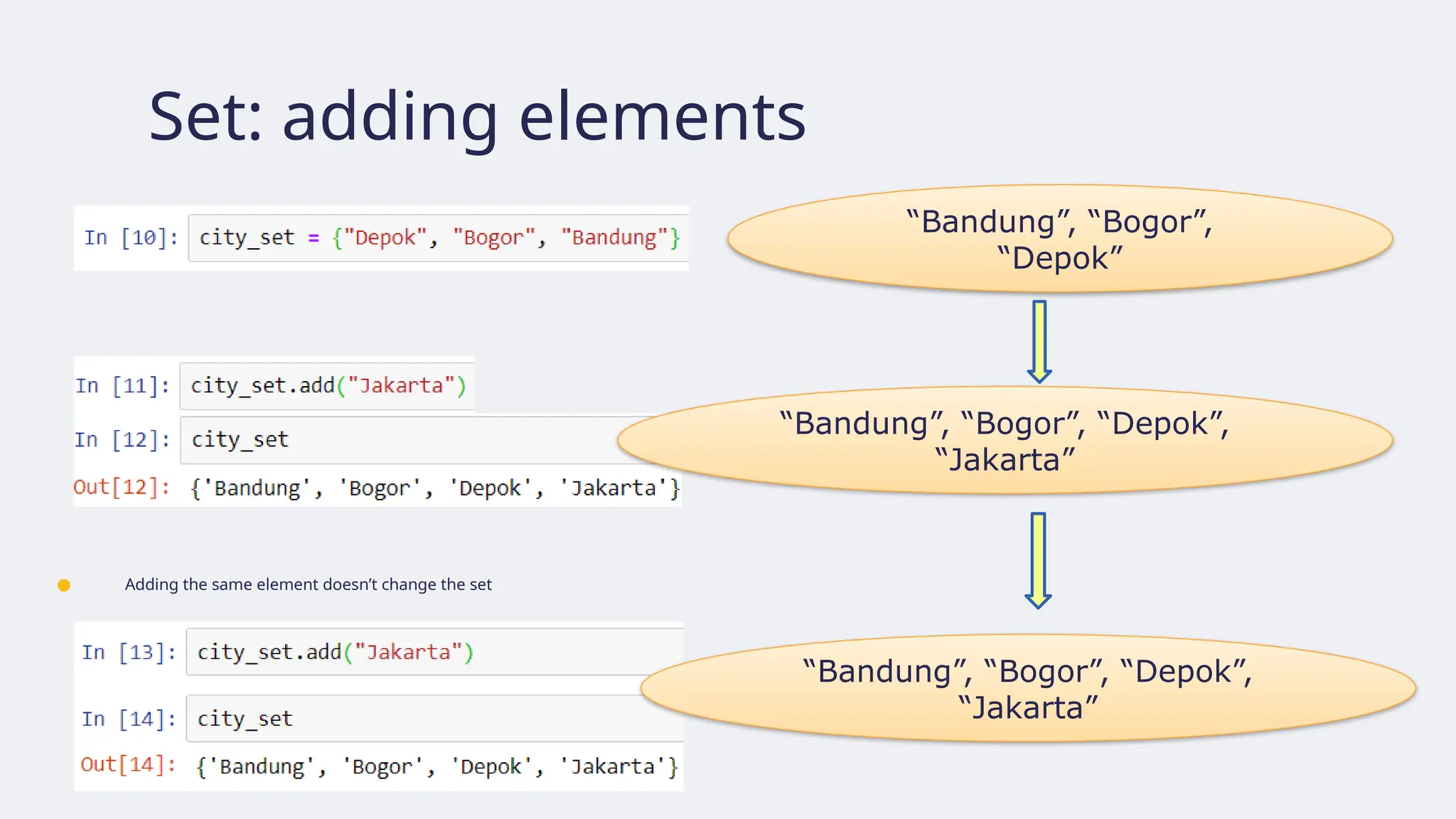
121.
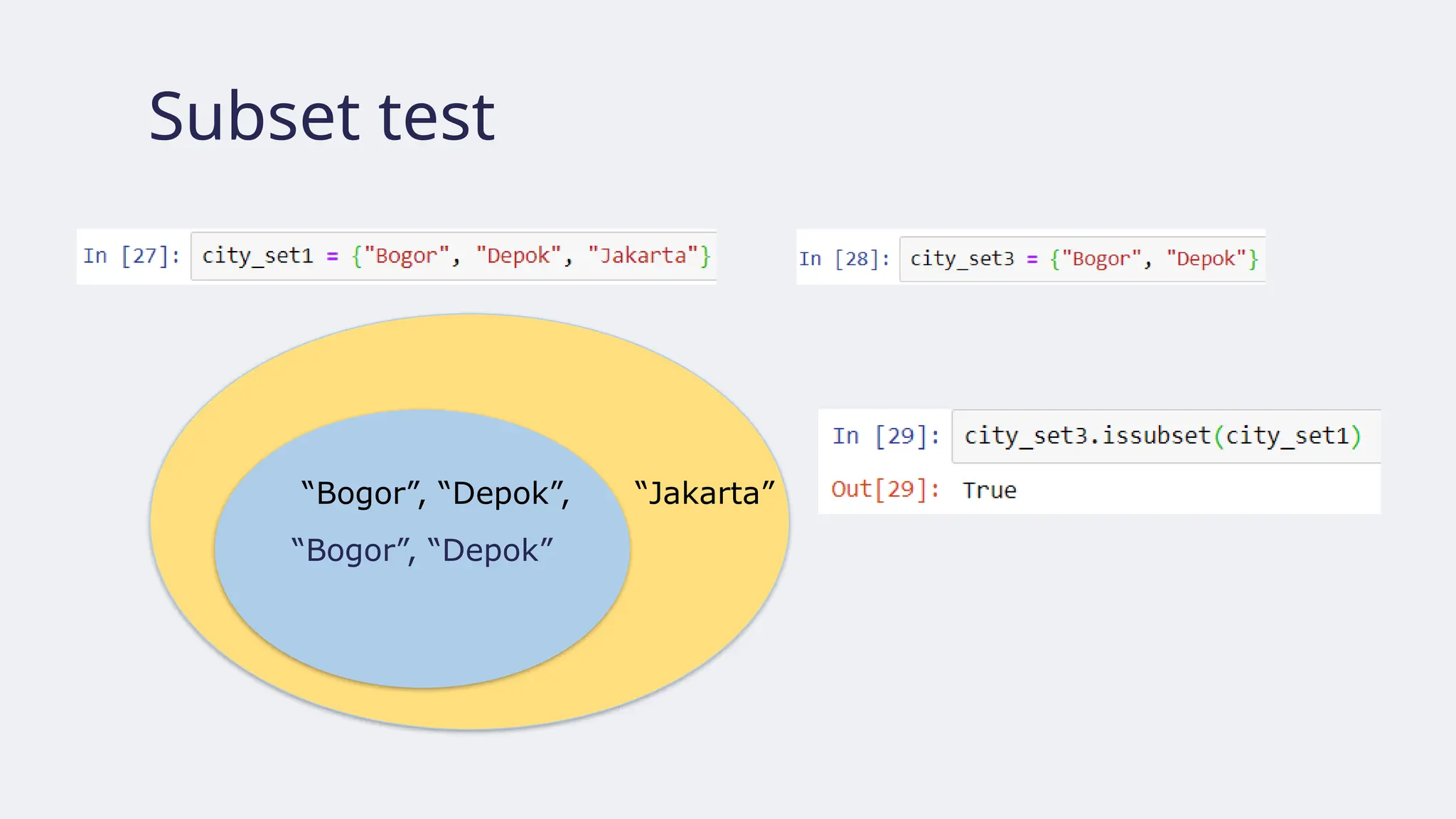
Set: adding elements
●Adding the same element doesn’t change the set
“Bandung”, “Bogor”,
“Depok”
“Bandung”, “Bogor”, “Depok”,
“Jakarta”
“Bandung”, “Bogor”, “Depok”,
“Jakarta”
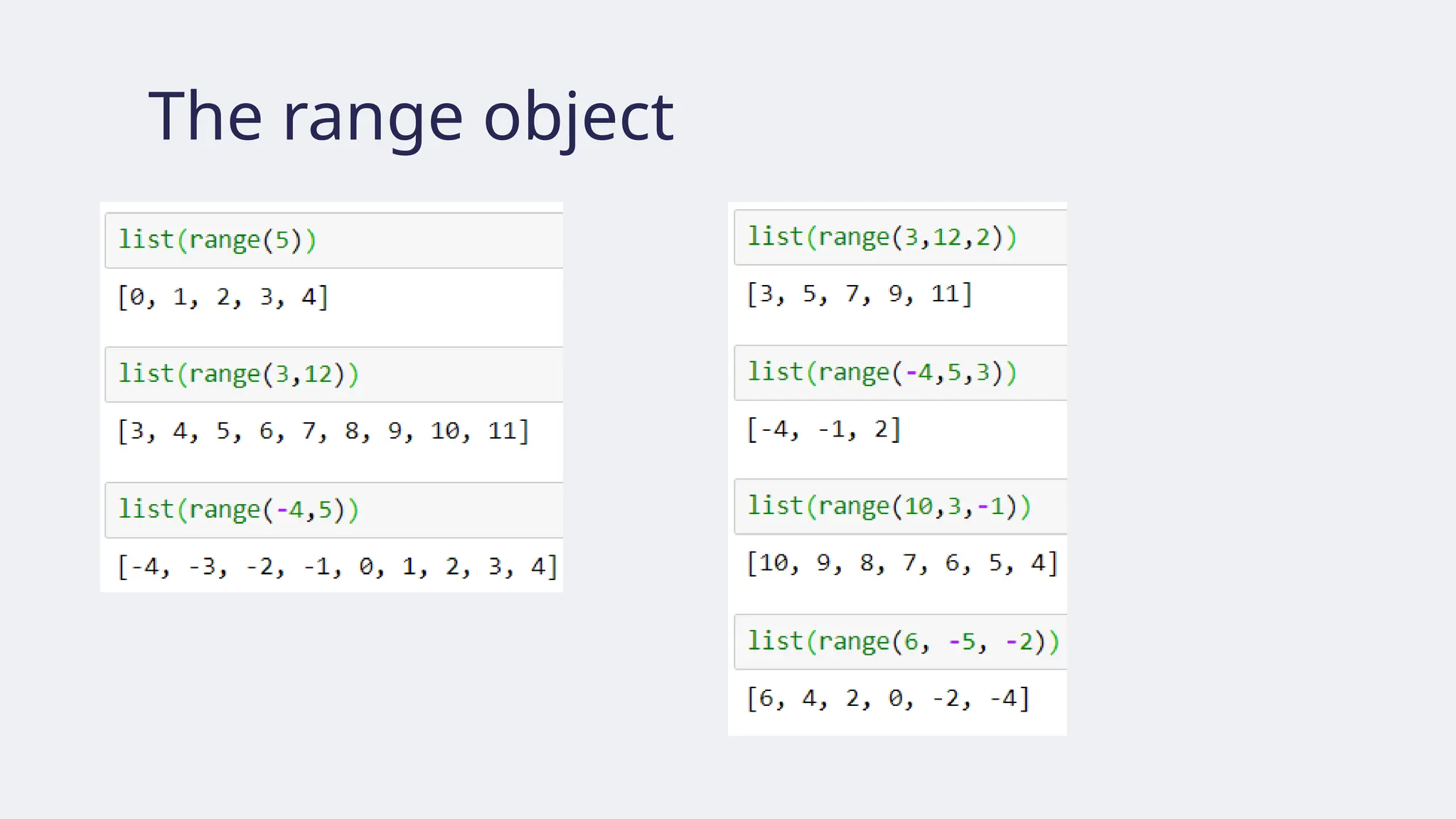
The range objectconstructor
1. range(stop)
• stop must be a positive integer, otherwise the range object is empty
• generates integers [0, 1, …, stop-1] length =
🡪 stop.
2. range(start, stop)
• start and stop must be integers
• start < stop must hold, otherwise the range object is empty
• generates integers [start, start + 1, …, stop] length =
🡪 stop – start
3. range(start, stop, step)
• start and stop must be integers and step must be nonzero integer
• if step > 0, then start < stop must hold, otherwise the range object is empty
• if step < 0, then start > stop must hold, otherwise the range object is empty
• generates integers [start, start + step, start + 2*step, …, start + k*step]
where k is the largest integer not exceeding (|stop – start|)/step.
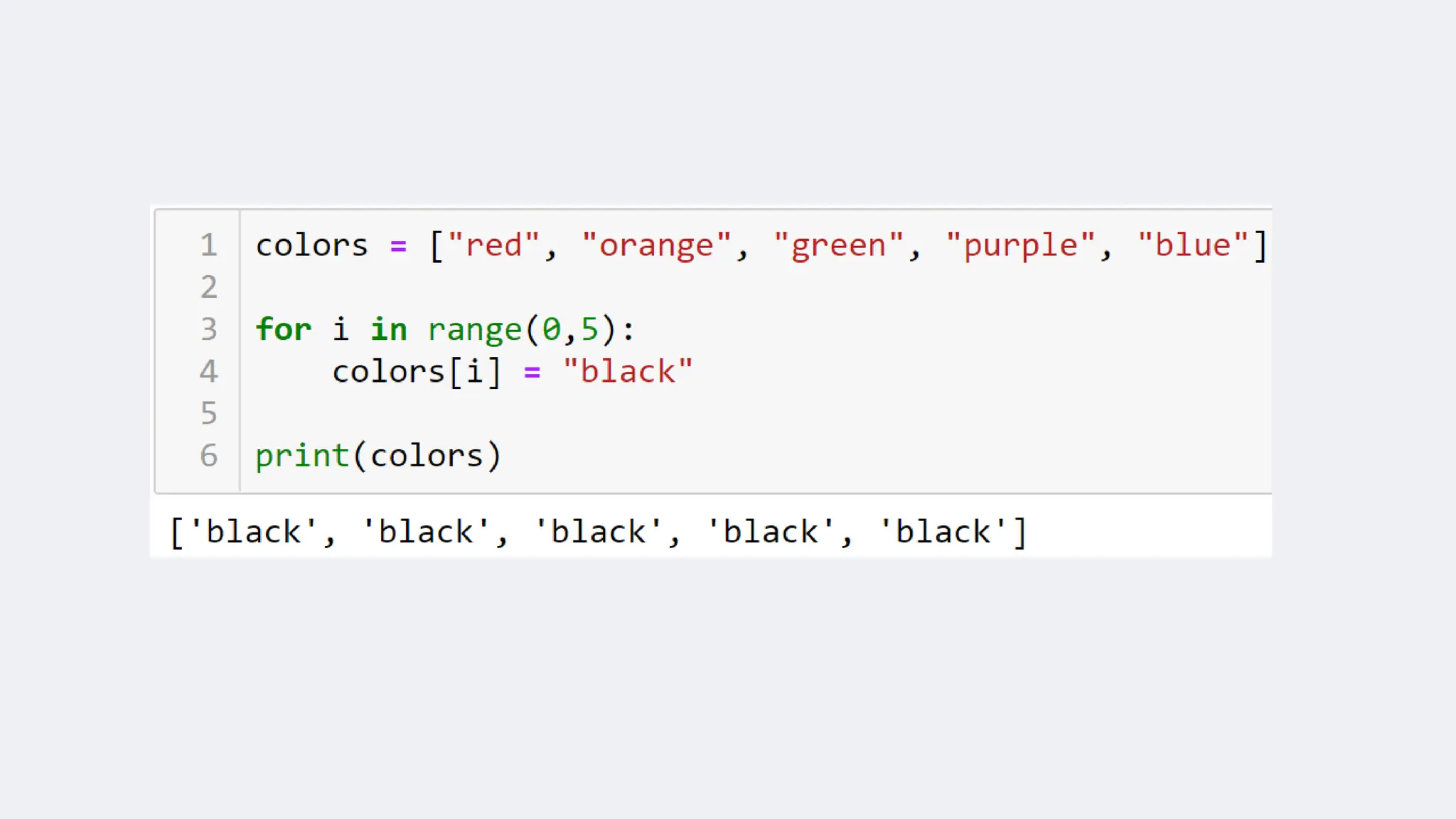
Loops: for statements
●Suppose we are given a list of strings of color names, e.g.,
[“red”, “orange”, “green”, “purple”, “blue”]
● We wish to replace each color name with “black”, resulting in
[“black”, “black”, “black”, “black”, “black”]
● How do we do that?
134.
colors = [“red”,“orange”, “green”, “purple”, “blue”]
0 1 2 3 4
for colors 0 in colors, colors 0 =
black
for colors 1 in colors, colors 1 =
black
for colors 2 in colors, colors 2 =
black
for colors 3 in colors, colors 3 =
black
for colors 4 in colors, colors 4 =
black
colors = [“black”, “orange”, “green”, “purple”, “blue”]
colors = [“black”, “black”, “green”, “purple”, “blue”]
colors = [“black”, “black”, “black”, “purple”, “blue”]
colors = [“black”, “black”, “black”, “black”, “blue”]
colors = [“black”, “black”, “black”, “black”, “black”]
• running index from 0 to 4
• each index value is used
to perform color name
change
• range(0,5) returns the
sequence [0, 1, 2, 3, 4]
136.
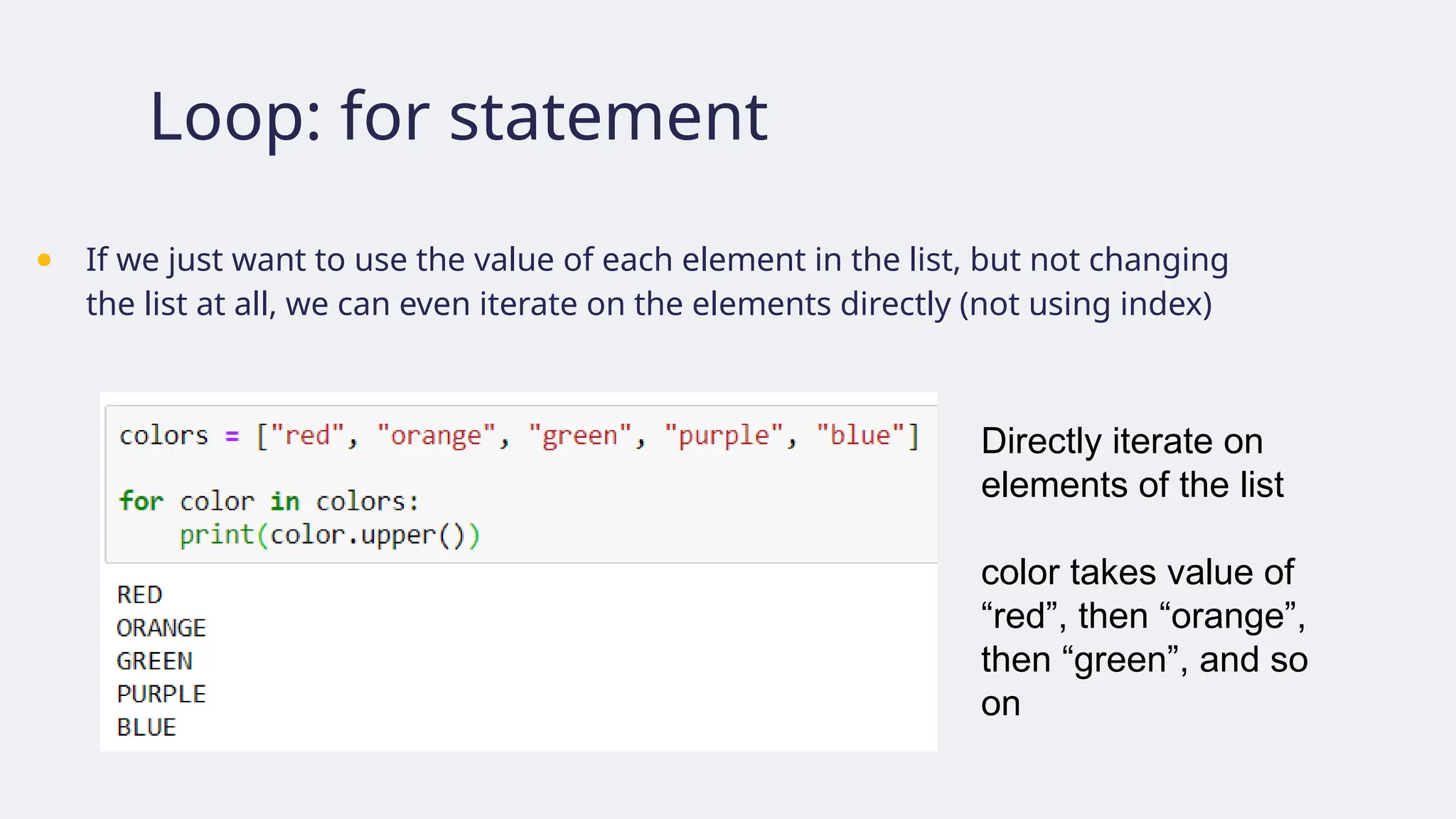
Loop: for statement
●If we just want to use the value of each element in the list, but not changing
the list at all, we can even iterate on the elements directly (not using index)
Directly iterate on
elements of the list
color takes value of
“red”, then “orange”,
then “green”, and so
on
Loop: for statement
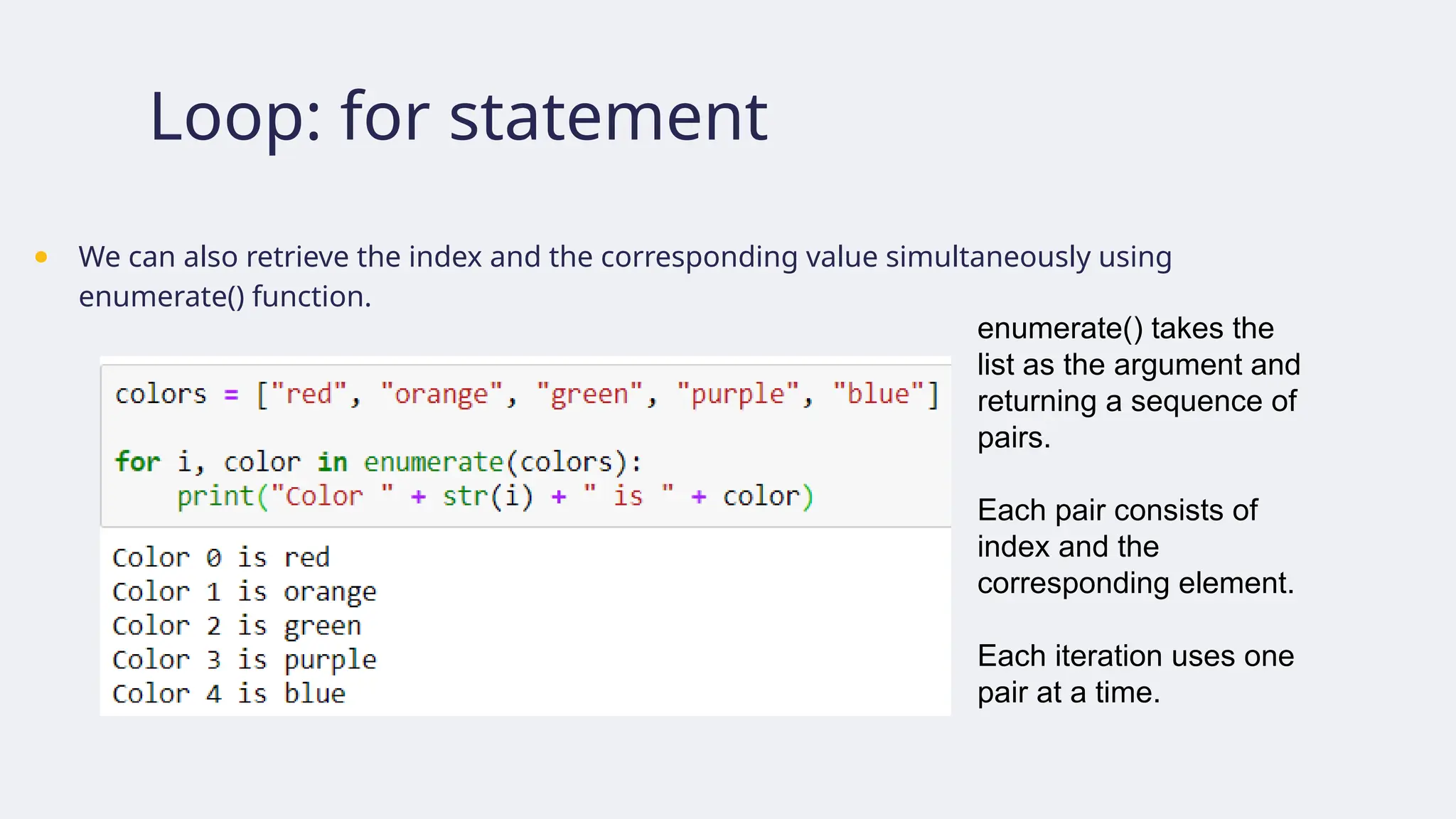
●We can also retrieve the index and the corresponding value simultaneously using
enumerate() function.
enumerate() takes the
list as the argument and
returning a sequence of
pairs.
Each pair consists of
index and the
corresponding element.
Each iteration uses one
pair at a time.
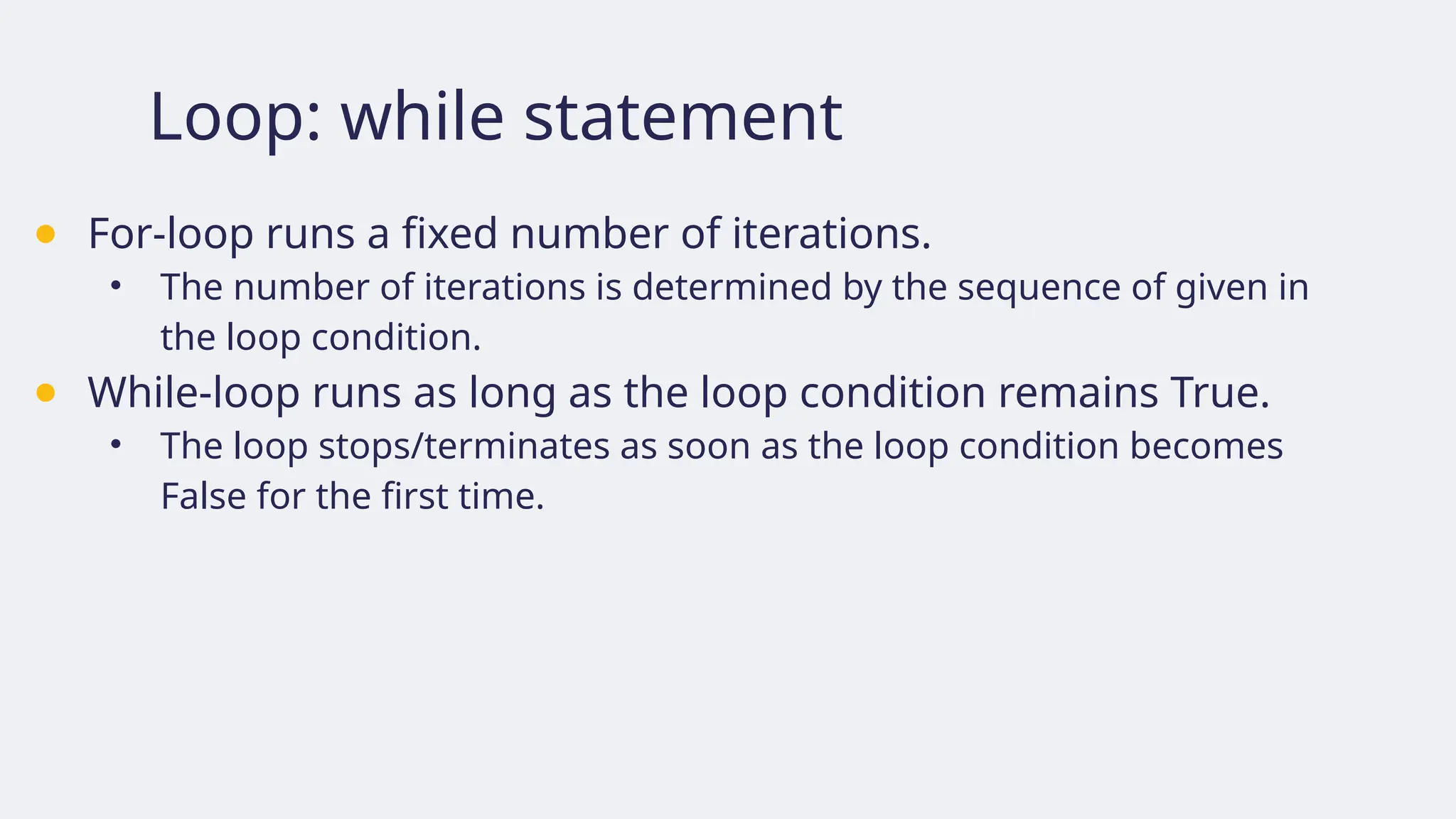
Loop: while statement
●For-loop runs a fixed number of iterations.
• The number of iterations is determined by the sequence of given in
the loop condition.
● While-loop runs as long as the loop condition remains True.
• The loop stops/terminates as soon as the loop condition becomes
False for the first time.
Loop: while statement
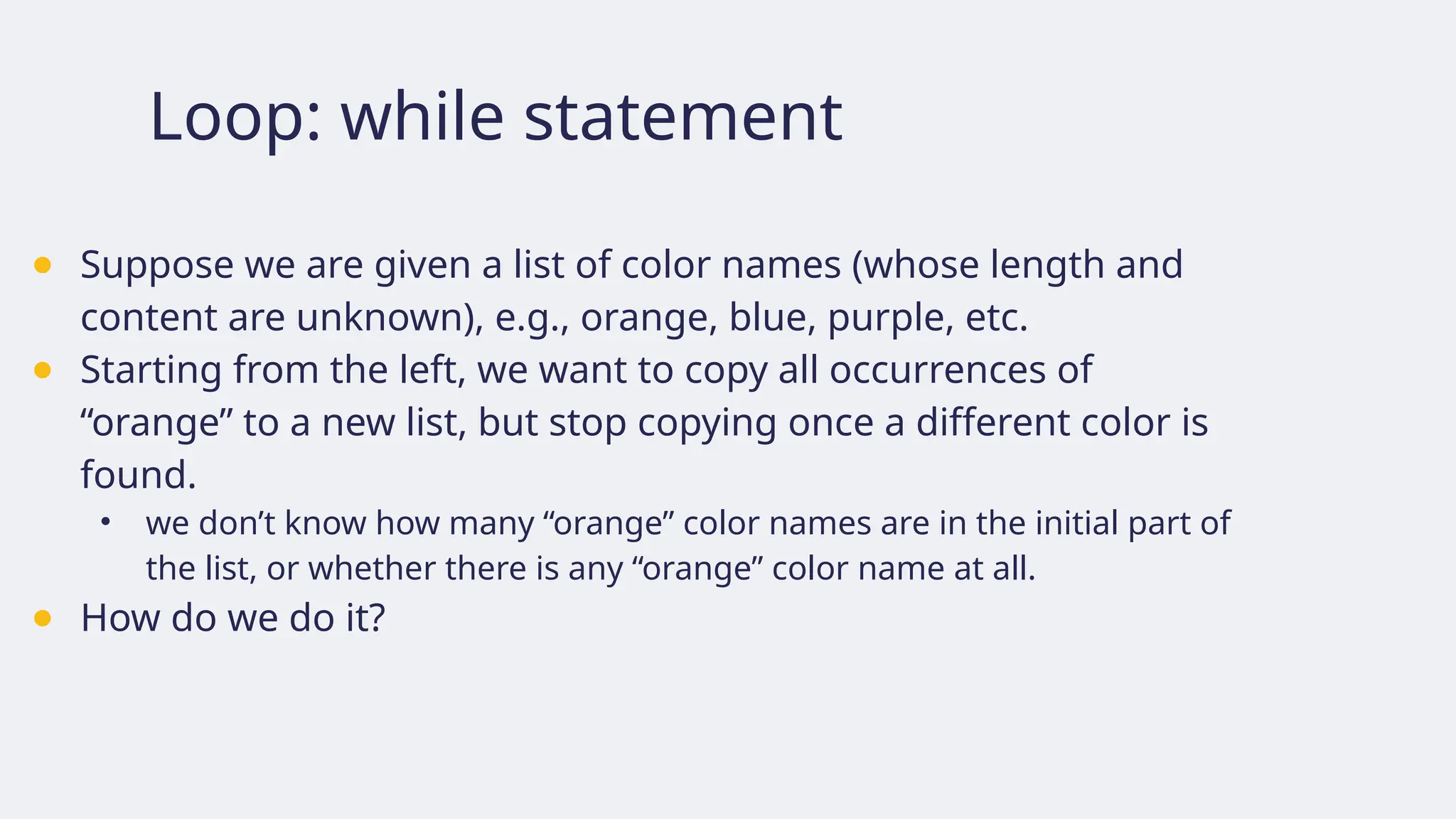
●Suppose we are given a list of color names (whose length and
content are unknown), e.g., orange, blue, purple, etc.
● Starting from the left, we want to copy all occurrences of
“orange” to a new list, but stop copying once a different color is
found.
• we don’t know how many “orange” color names are in the initial part of
the list, or whether there is any “orange” color name at all.
● How do we do it?
144.
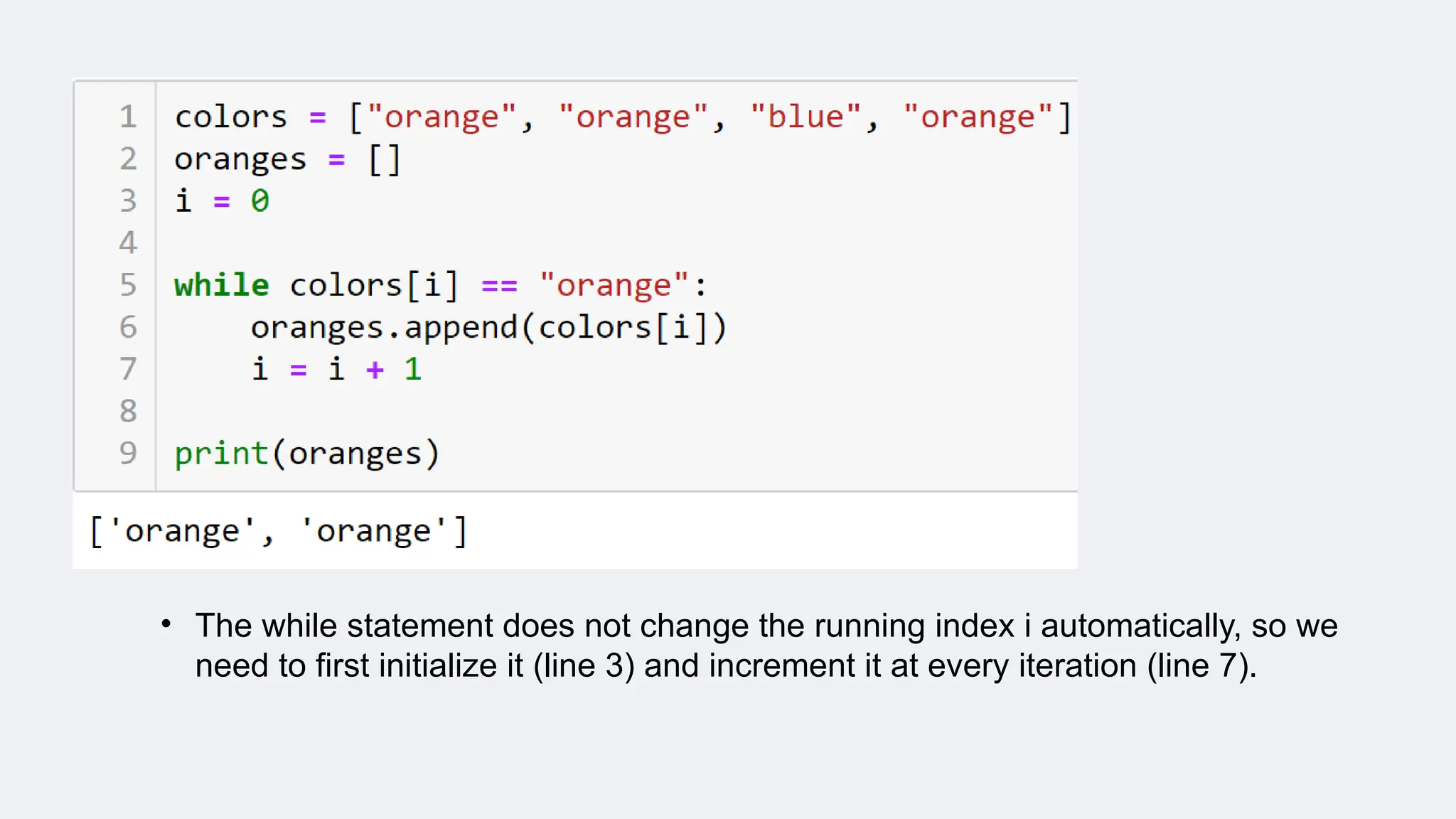
Suppose we copyfrom the list colors to oranges
• if colors is [“orange”, “orange”, “blue”, “orange”, “orange”, “orange”]
then oranges is [“orange”, “orange”]
• if colors is [“green”, “orange”, “orange”]
then oranges is []
We start from the left and check if the current color is orange.
If so, add it to the list oranges. Otherwise, stop copying.
145.
• The whilestatement does not change the running index i automatically, so we
need to first initialize it (line 3) and increment it at every iteration (line 7).
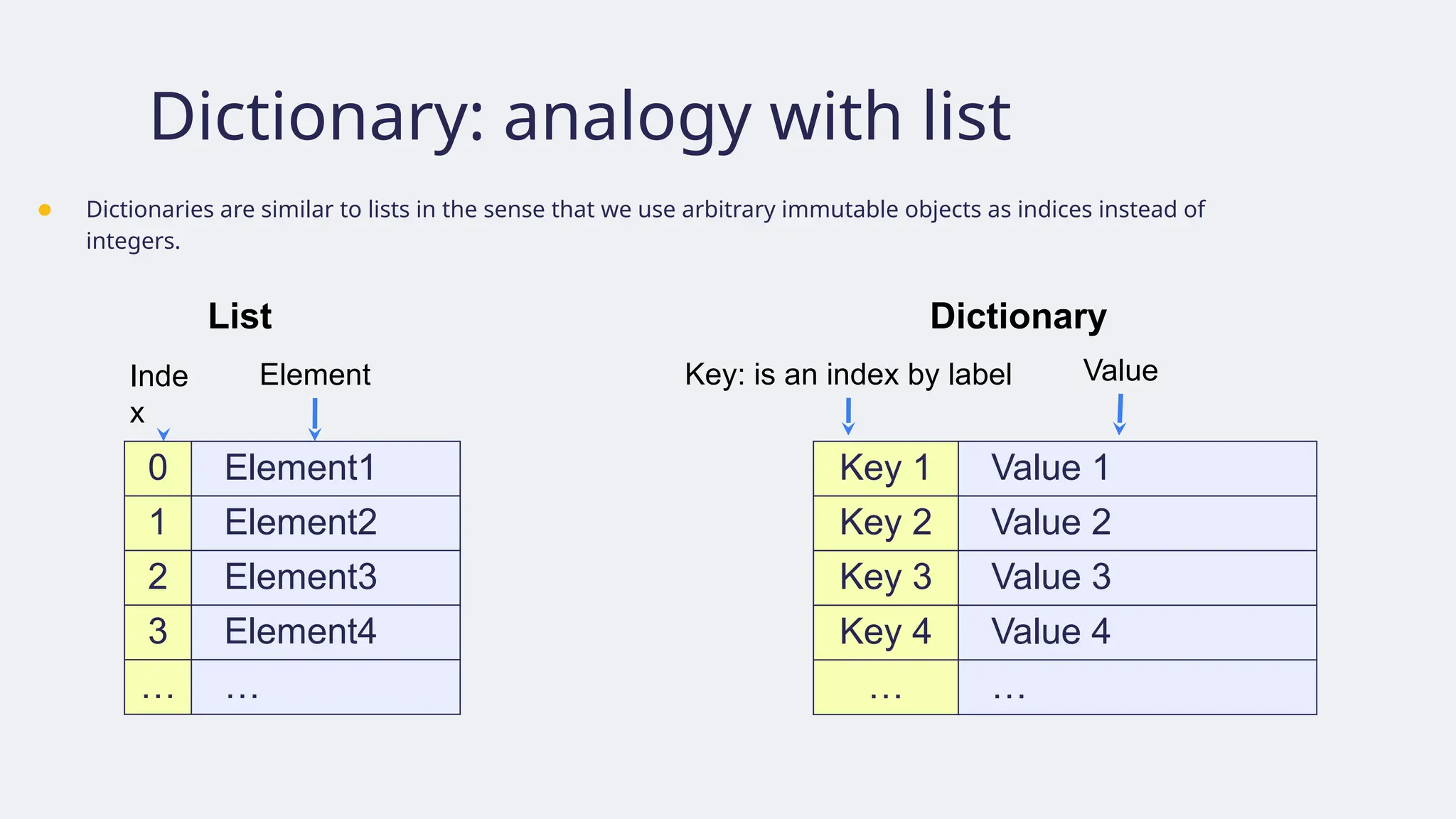
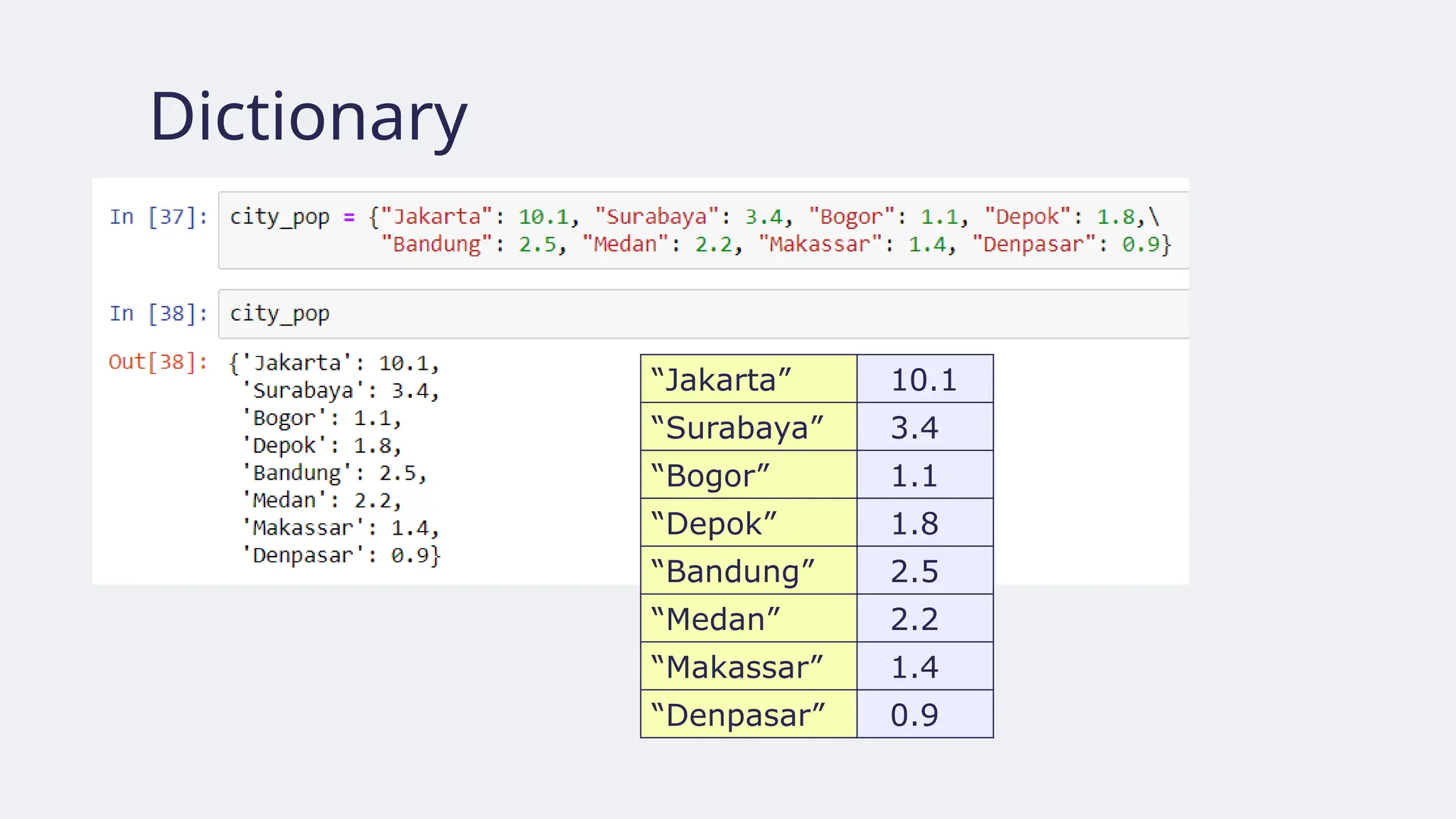
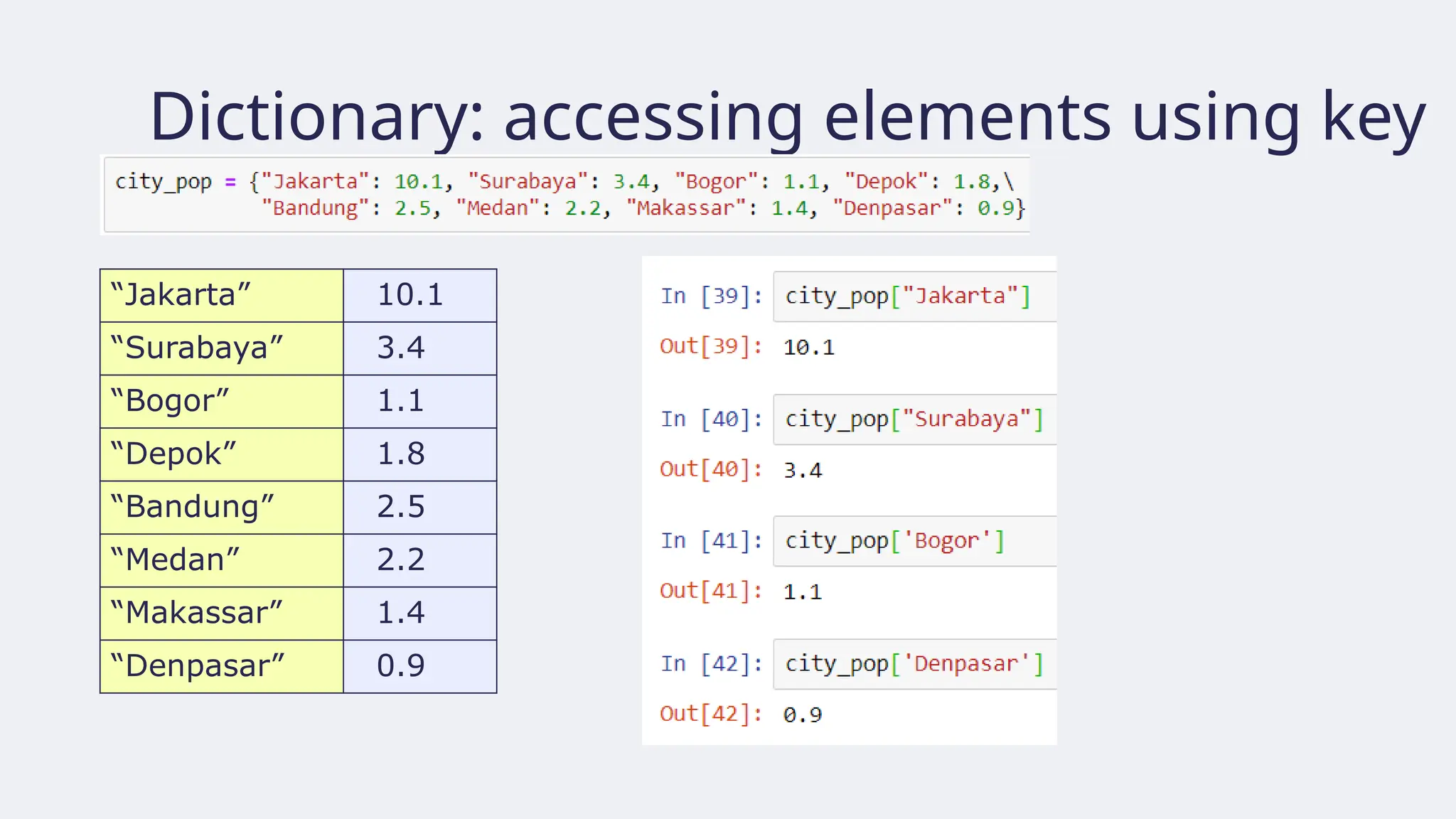
Dictionaries
● Dictionaries: acollection of pairs
• Each pair consists of a key followed by a value separated by a colon.
● A dictionary’s keys form a set:
• The keys are unique and immutable
• Position of keys in dictionary are not recorded
● Values may be immutable, mutable, and duplicates
● Denoted by a pair of curly brackets where each key-value pair
is separated by a comma from other key-value pairs.
149.
Dictionary: analogy withlist
● Dictionaries are similar to lists in the sense that we use arbitrary immutable objects as indices instead of
integers.
0 Element1
1 Element2
2 Element3
3 Element4
… …
Inde
x
Element
List
Key 1 Value 1
Key 2 Value 2
Key 3 Value 3
Key 4 Value 4
… …
Key: is an index by label Value
Dictionary
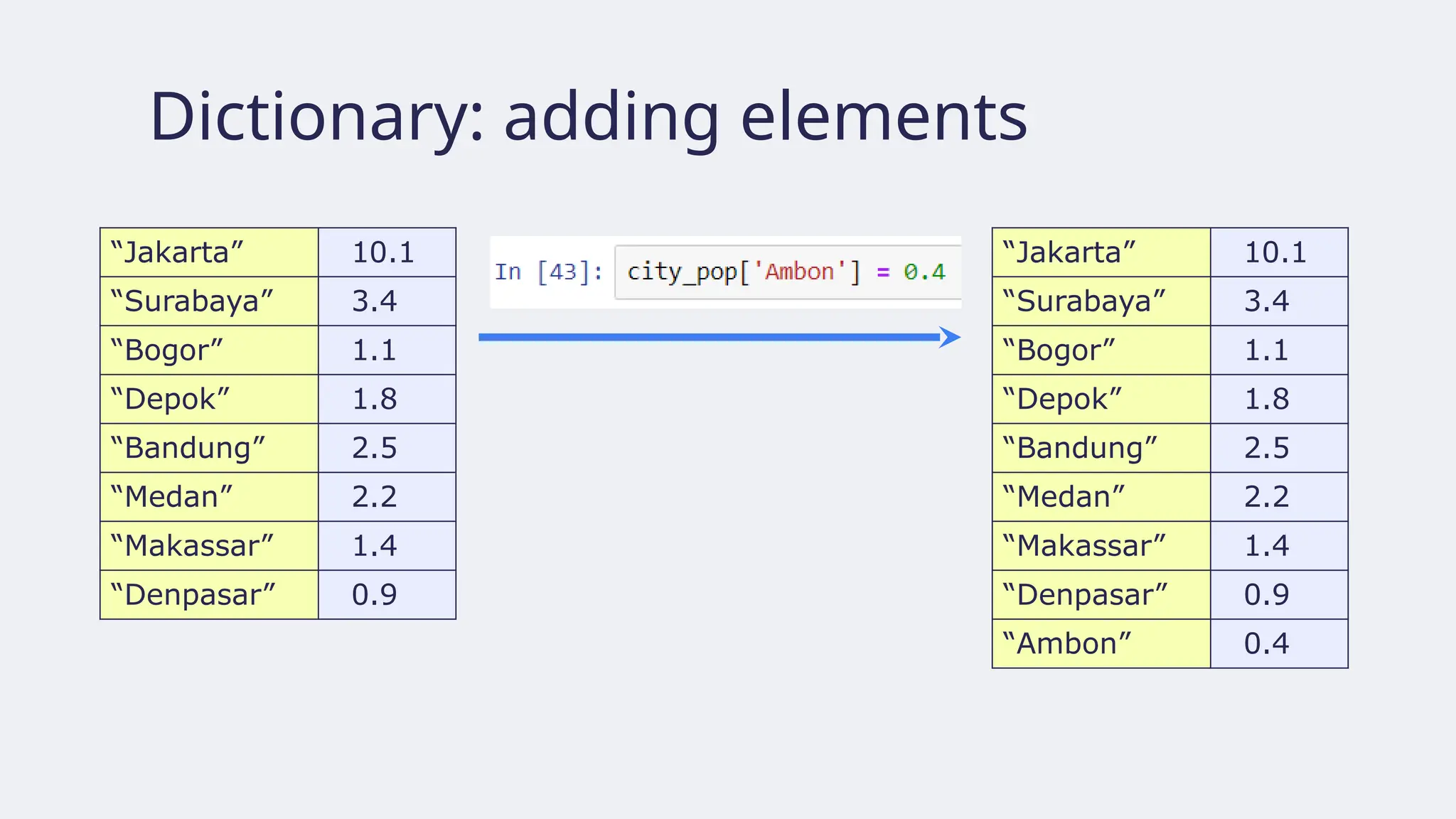
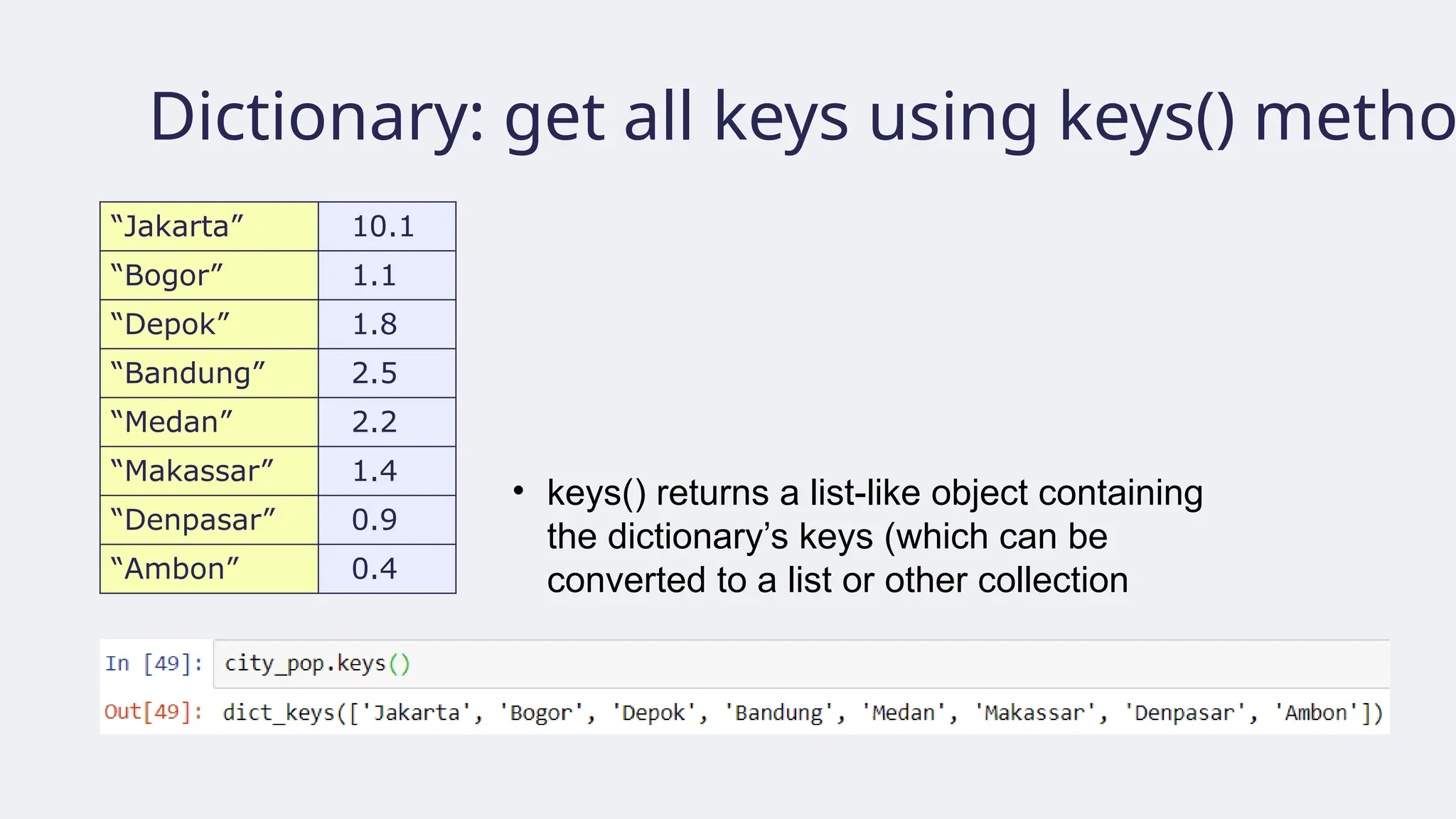
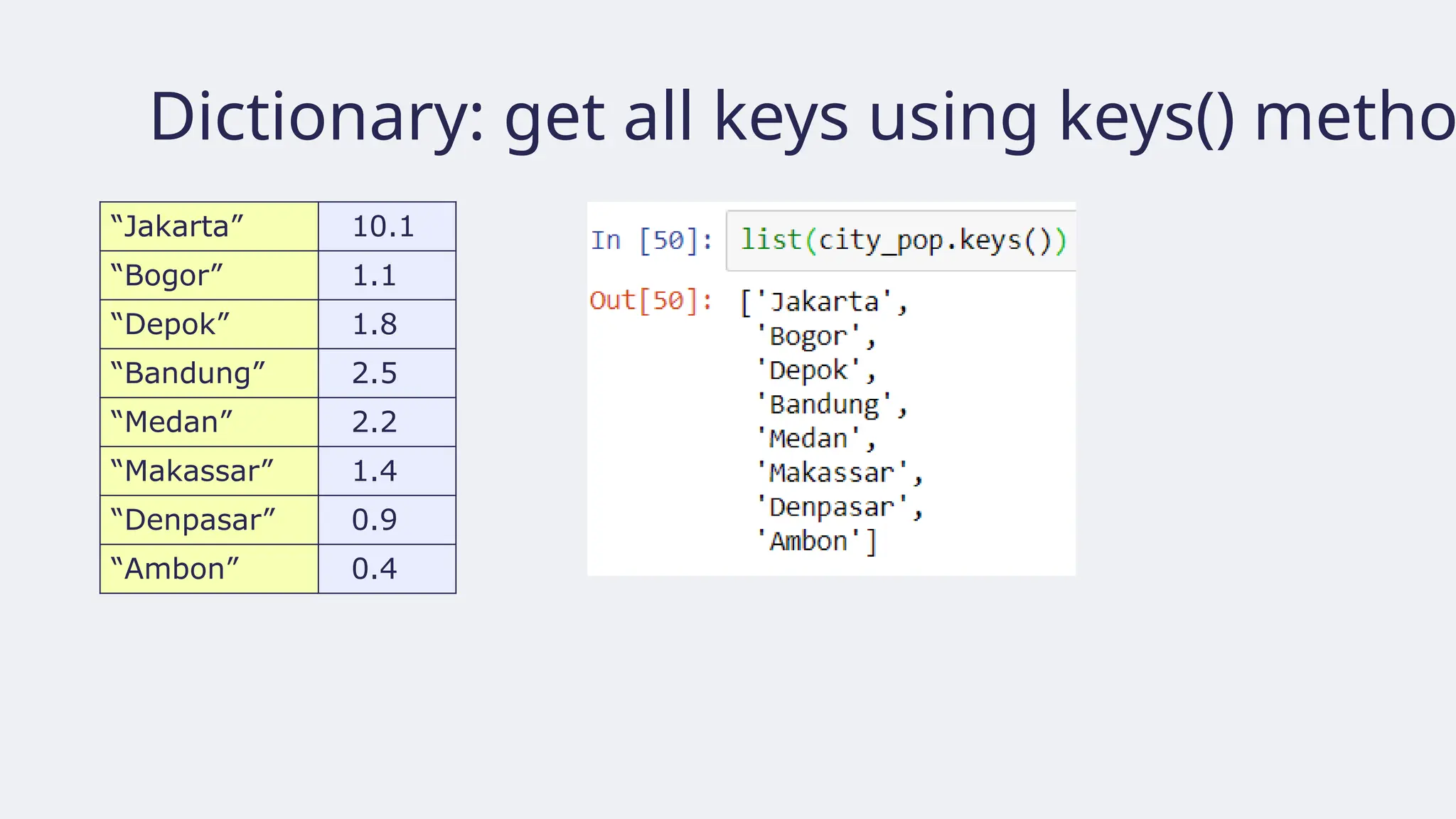
Dictionary: get allkeys using keys() metho
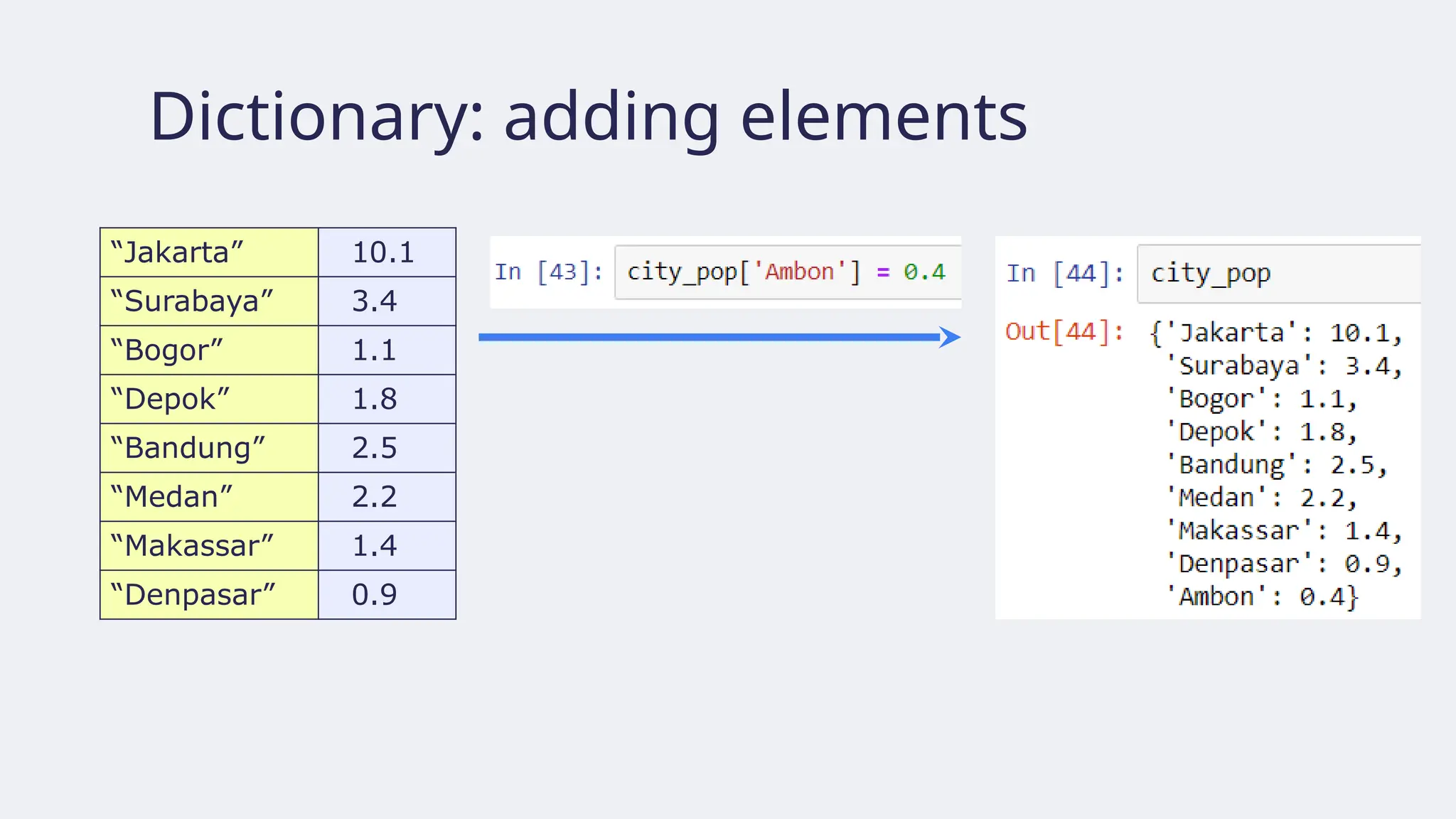
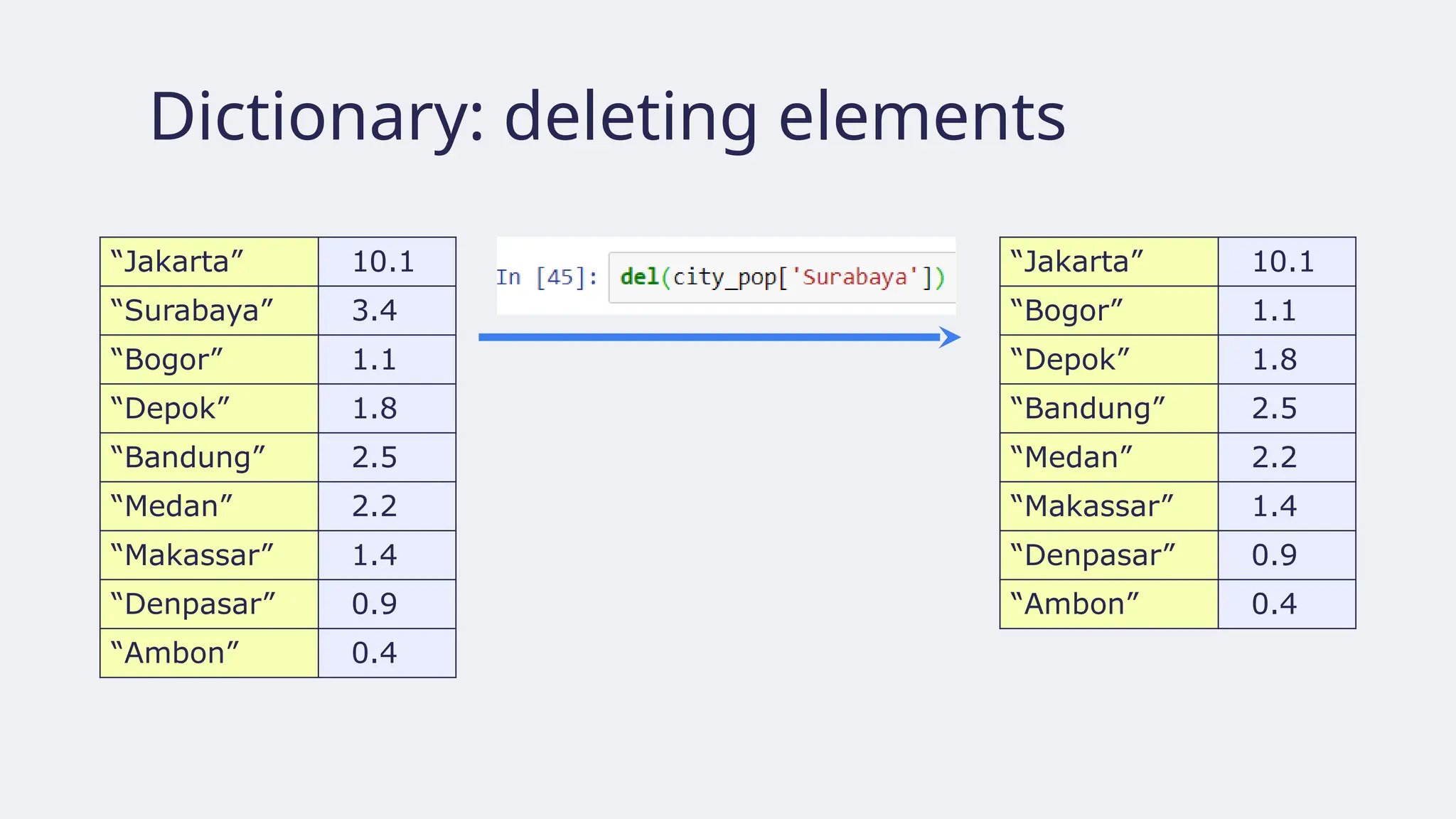
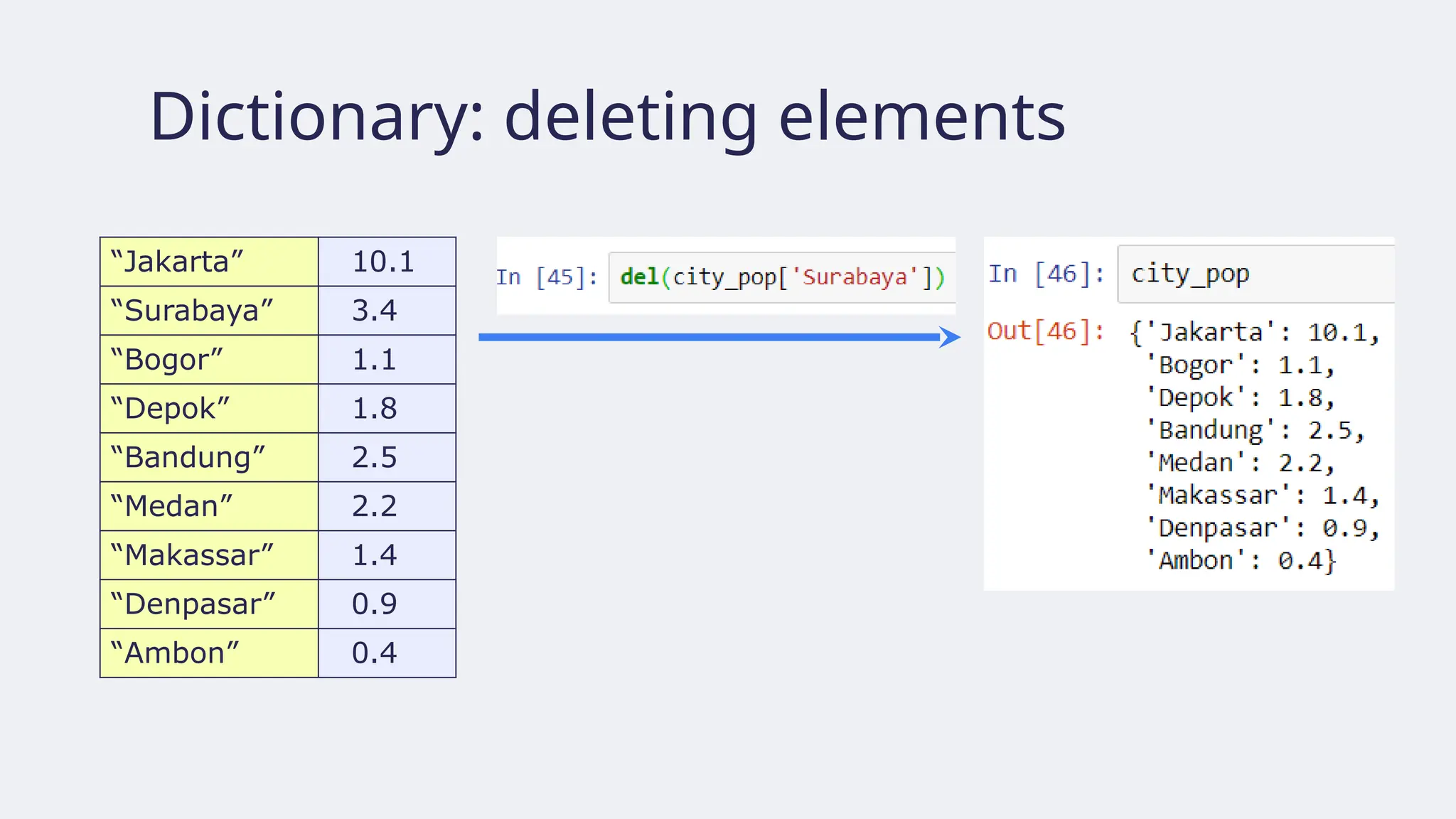
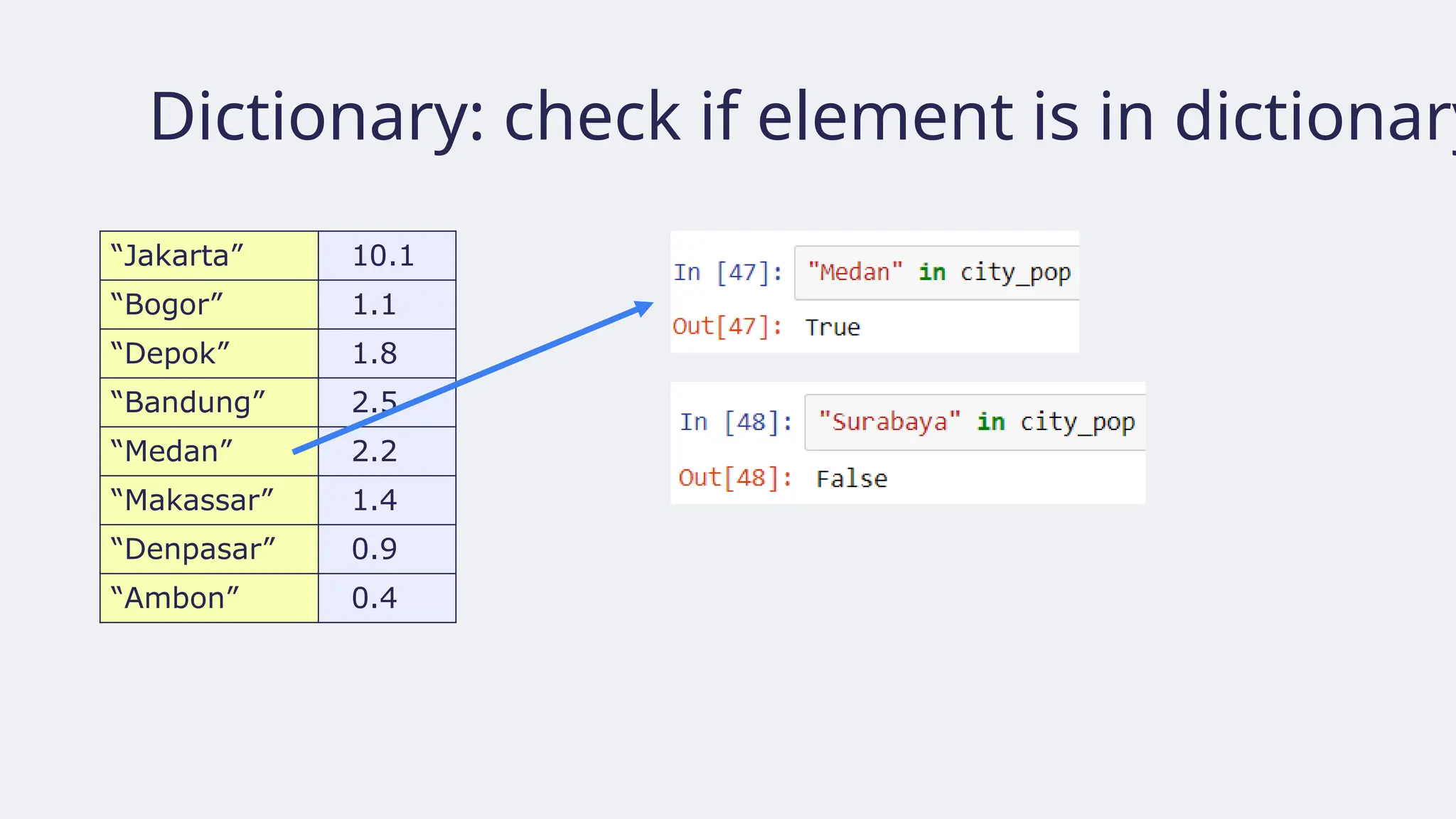
“Jakarta” 10.1
“Bogor” 1.1
“Depok” 1.8
“Bandung” 2.5
“Medan” 2.2
“Makassar” 1.4
“Denpasar” 0.9
“Ambon” 0.4
• keys() returns a list-like object containing
the dictionary’s keys (which can be
converted to a list or other collection
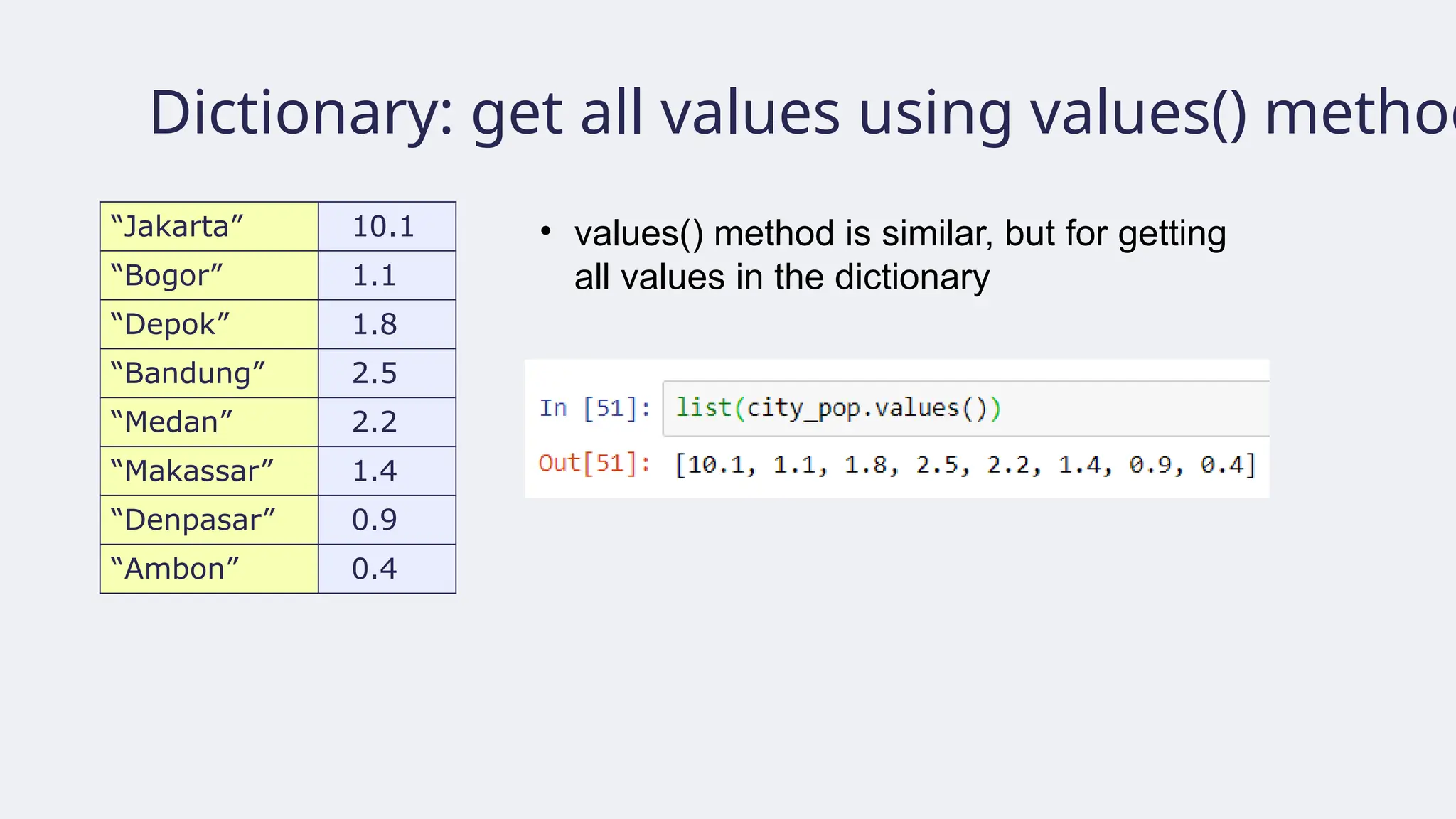
Dictionary: get allvalues using values() method
“Jakarta” 10.1
“Bogor” 1.1
“Depok” 1.8
“Bandung” 2.5
“Medan” 2.2
“Makassar” 1.4
“Denpasar” 0.9
“Ambon” 0.4
• values() method is similar, but for getting
all values in the dictionary
● Library dasaruntuk perhitungan saintifik
(scientific computing) dengan Python (
https://numpy.org/)
● Alternatif untuk Python List: Numpy Array
untuk n-dimensi
● Mudah digunakan dan bersifat open source
● Jika library belum terpasang, tuliskan
perintah instalasi:
pip install numpy
● Kemudian impor:
import numpy as np
In [6]: import numpy as np
In [7]: np_height = np.array(height)
In [8]: np_height
Out[8]: array([1.84, 1.79, 1.82, 1.9, 1.8])
In [9]: np_weight = np.array(weight)
In [10]: np_weight
Out[10]: array([66.5, 60.3, 64.7, 89.5, 69.8])
In [11]: bmi = np_weight / np_height ** 2
In [12]: bmi
Out[12]: array([19.64201323, 18.81963734,
19.53266514, 24.79224377, 21.54320988])
163.
● NumPy jugadapat digunakan untuk
membuat array berdimensi-n
In [13]: import numpy as np
In [14]: np_height = np.array([1.84, 1.79, 1.82,
1.9, 1.8])
In [15]: np_weight = np.array([66.5, 60.3, 64.7,
89.5, 69.8])
In [16]: type(np_height)
Out[16]: numpy.ndarray
In [16]: type(np_weight)
Out[16]: numpy.ndarray
ndarray = n-dimensional array
1 2 3 4 5
6 7 8 9 10
M =
164.
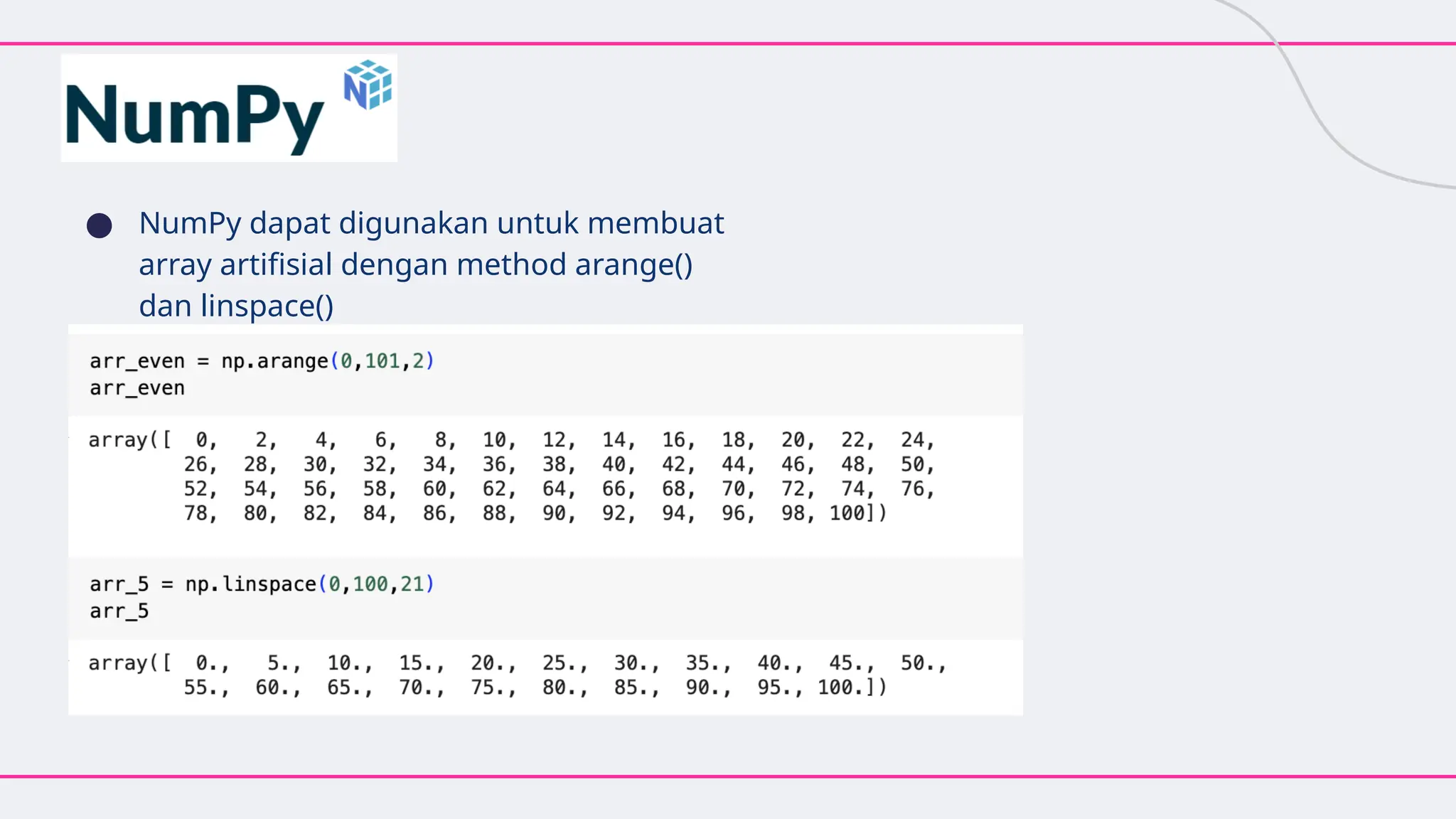
● NumPy dapatdigunakan untuk membuat
array artifisial dengan method arange()
dan linspace()
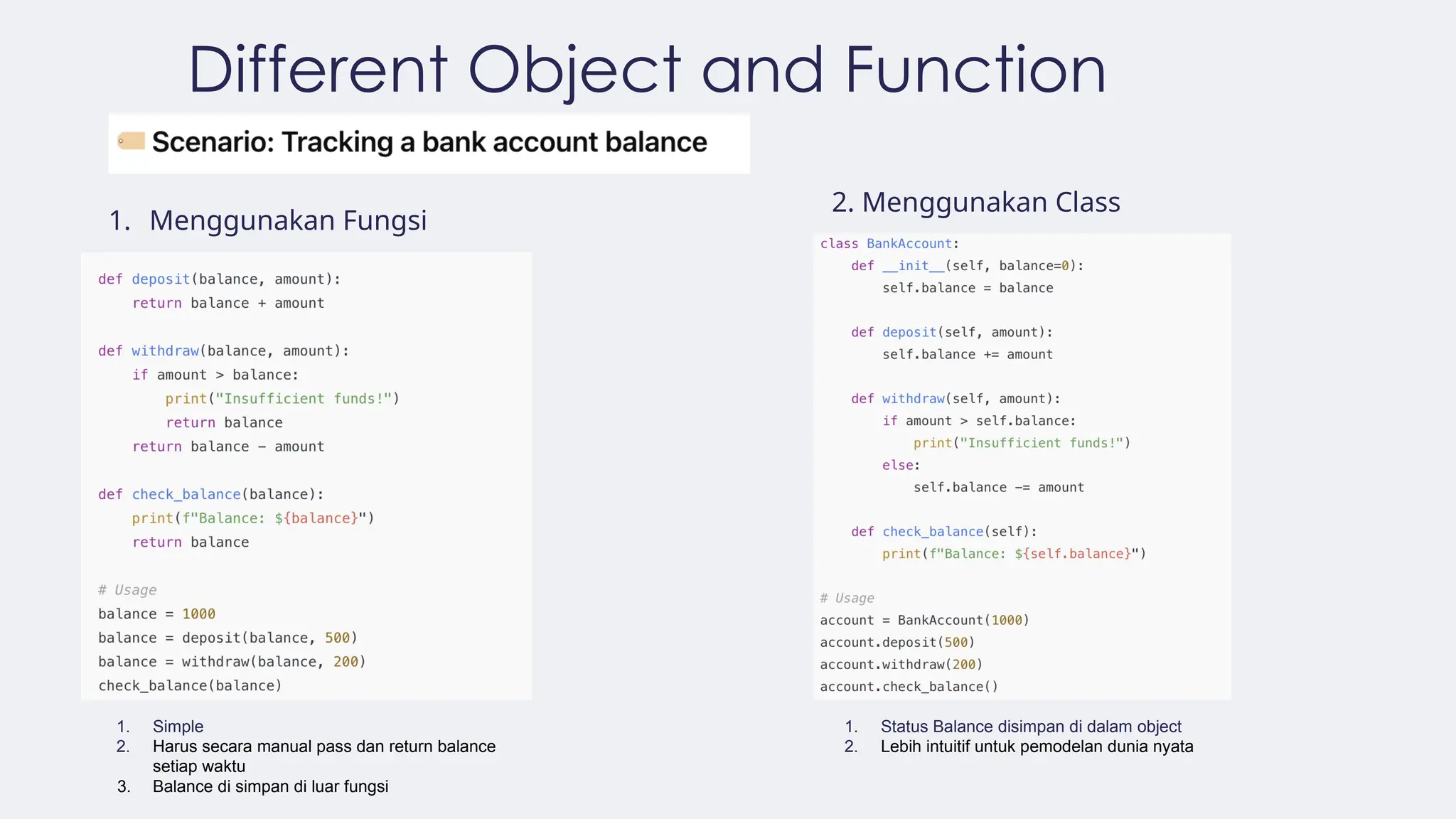
Different Object andFunction
1. Menggunakan Fungsi
2. Menggunakan Class
1. Simple
2. Harus secara manual pass dan return balance
setiap waktu
3. Balance di simpan di luar fungsi
1. Status Balance disimpan di dalam object
2. Lebih intuitif untuk pemodelan dunia nyata
168.
168
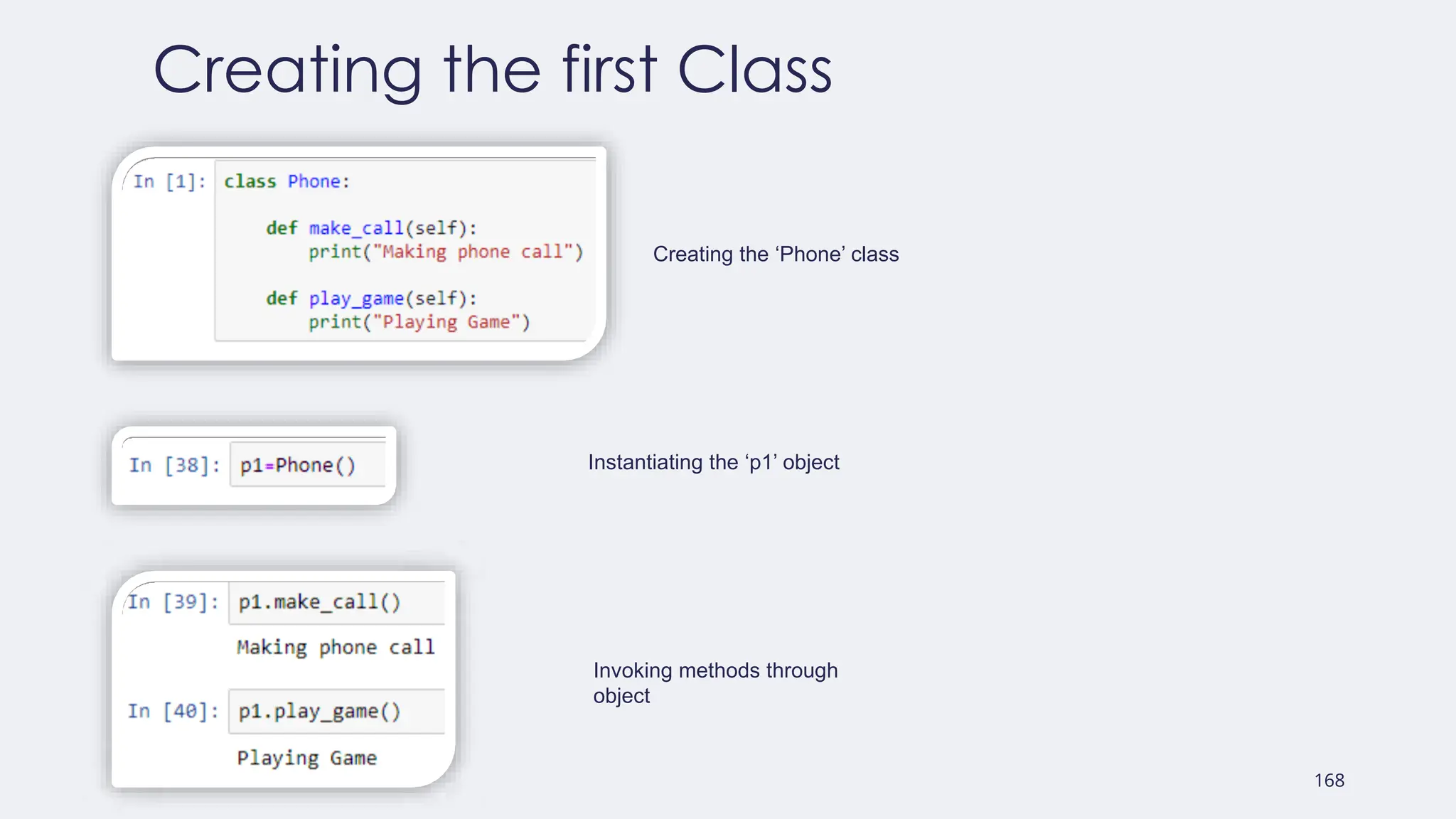
Creating the firstClass
Creating the ‘Phone’ class
Instantiating the ‘p1’ object
Invoking methods through
object
169.
169
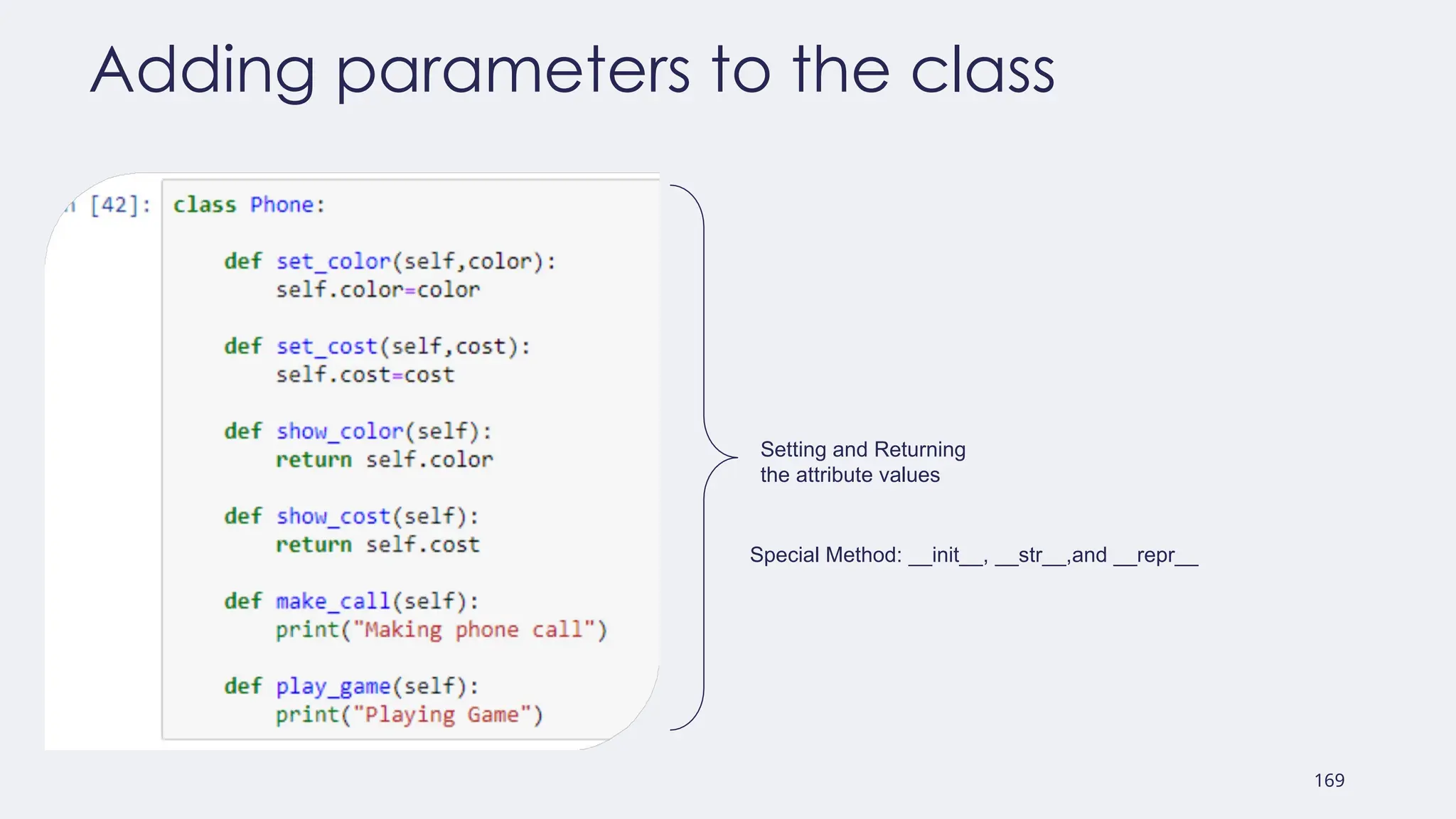
Adding parameters tothe class
Setting and Returning
the attribute values
Special Method: __init__, __str__,and __repr__
170.
170
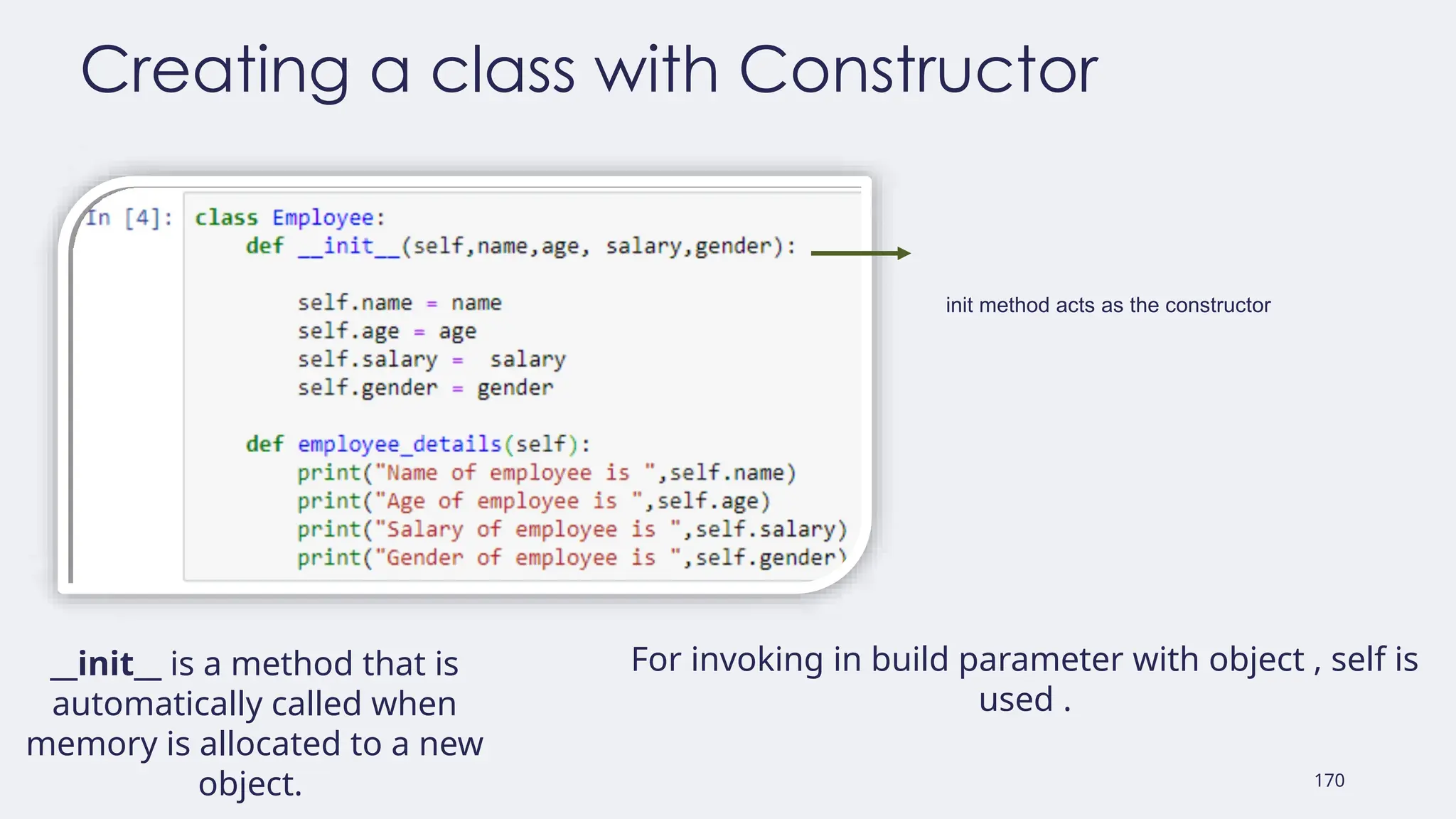
Creating a classwith Constructor
init method acts as the constructor
__init__ is a method that is
automatically called when
memory is allocated to a new
object.
For invoking in build parameter with object , self is
used .
171.
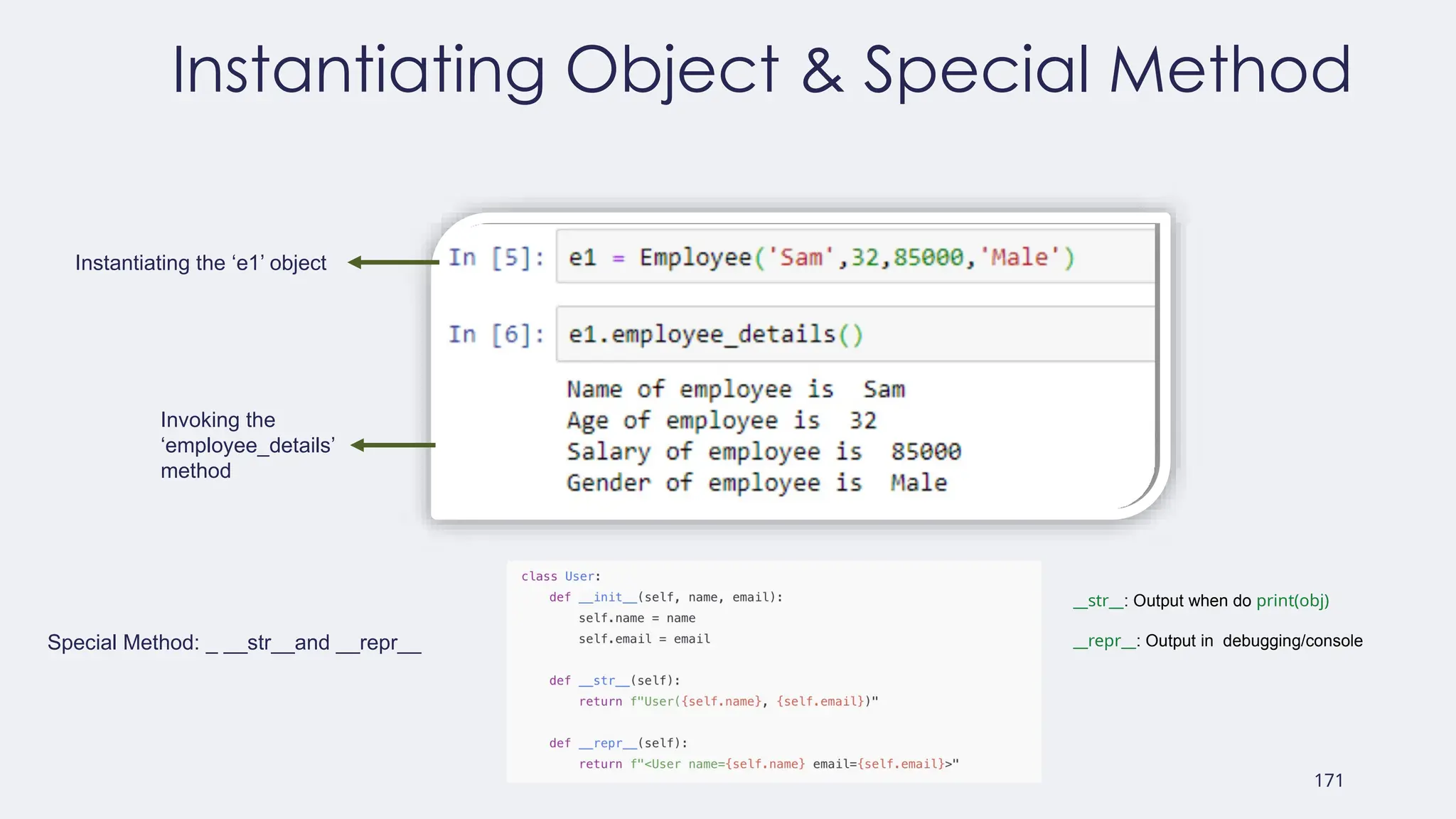
171
Instantiating Object &Special Method
Instantiating the ‘e1’ object
Invoking the
‘employee_details’
method
Special Method: _ __str__and __repr__
__str__: Output when do print(obj)
__repr__: Output in debugging/console
172.
172
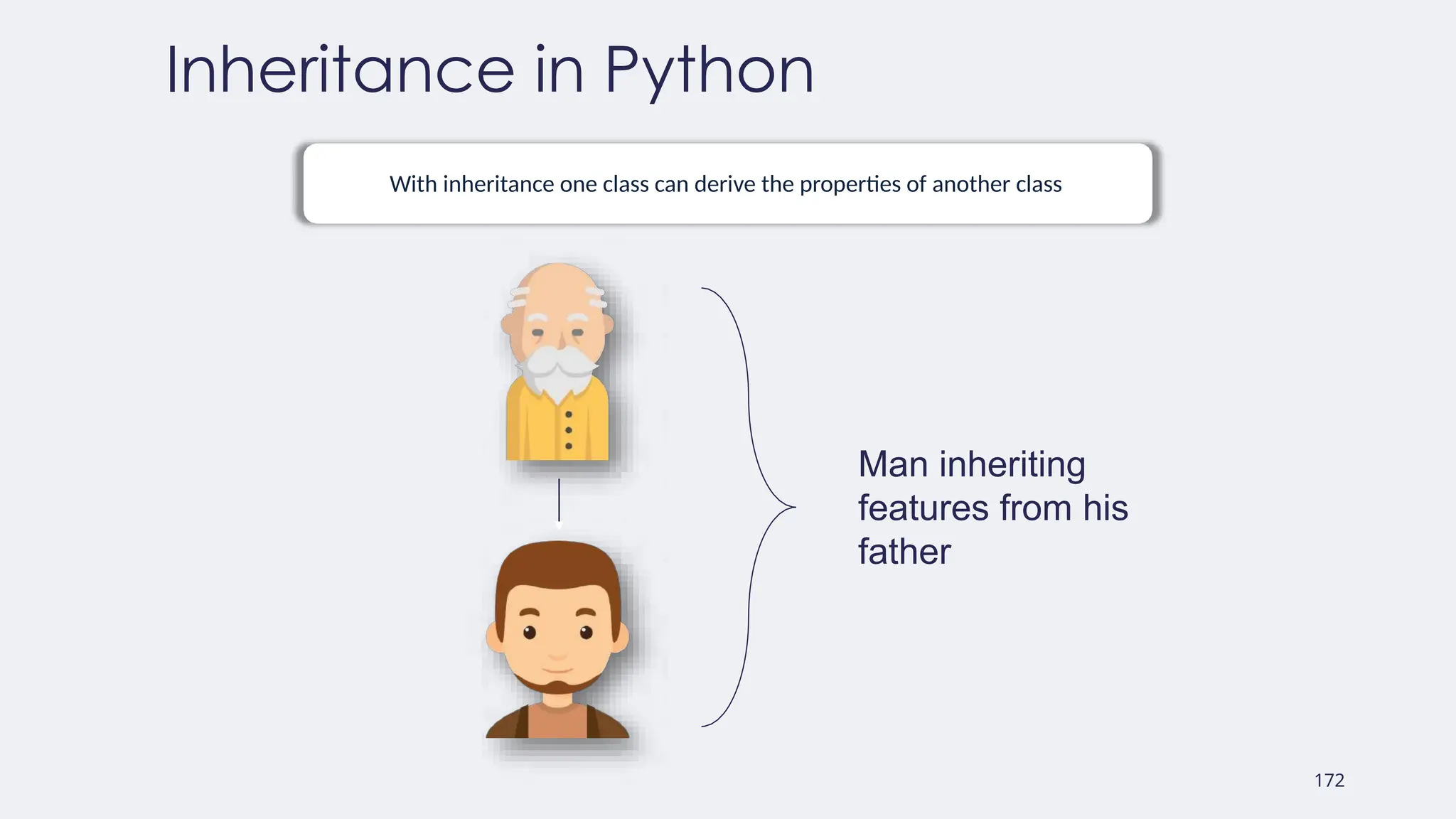
Inheritance in Python
Withinheritance one class can derive the properties of another class
Man inheriting
features from his
father
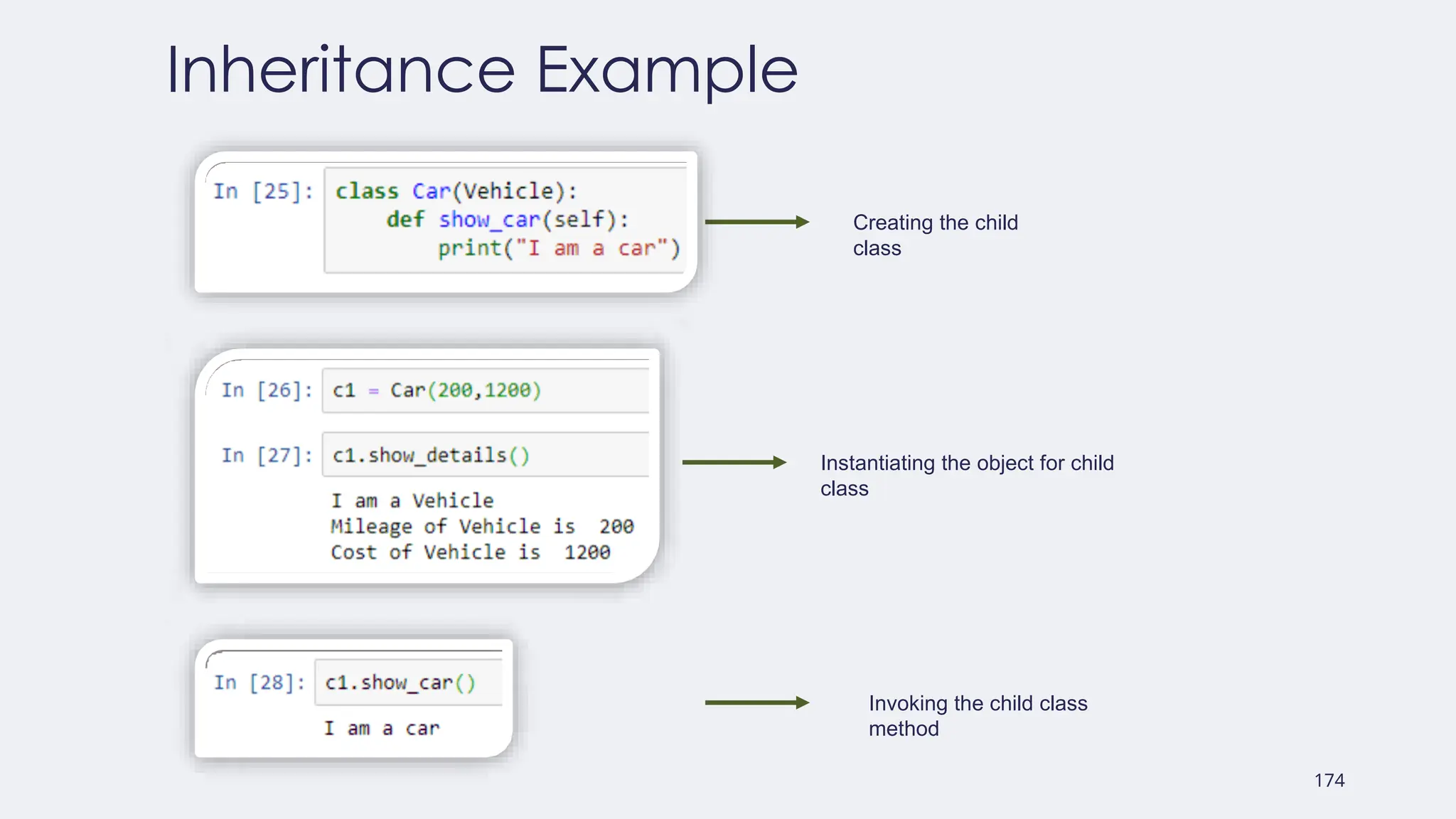
175
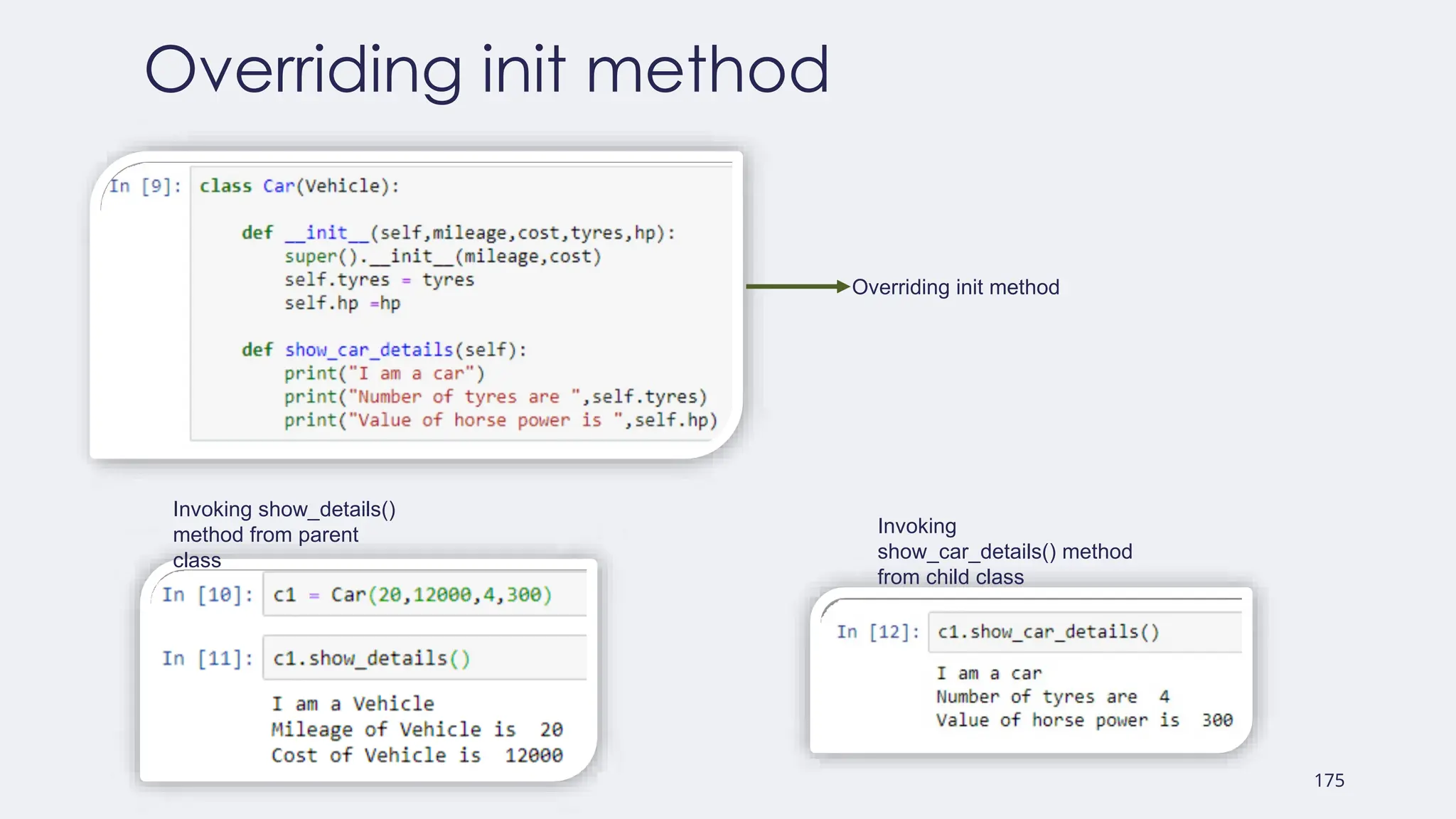
Overriding init method
Overridinginit method
Invoking show_details()
method from parent
class
Invoking
show_car_details() method
from child class
176.
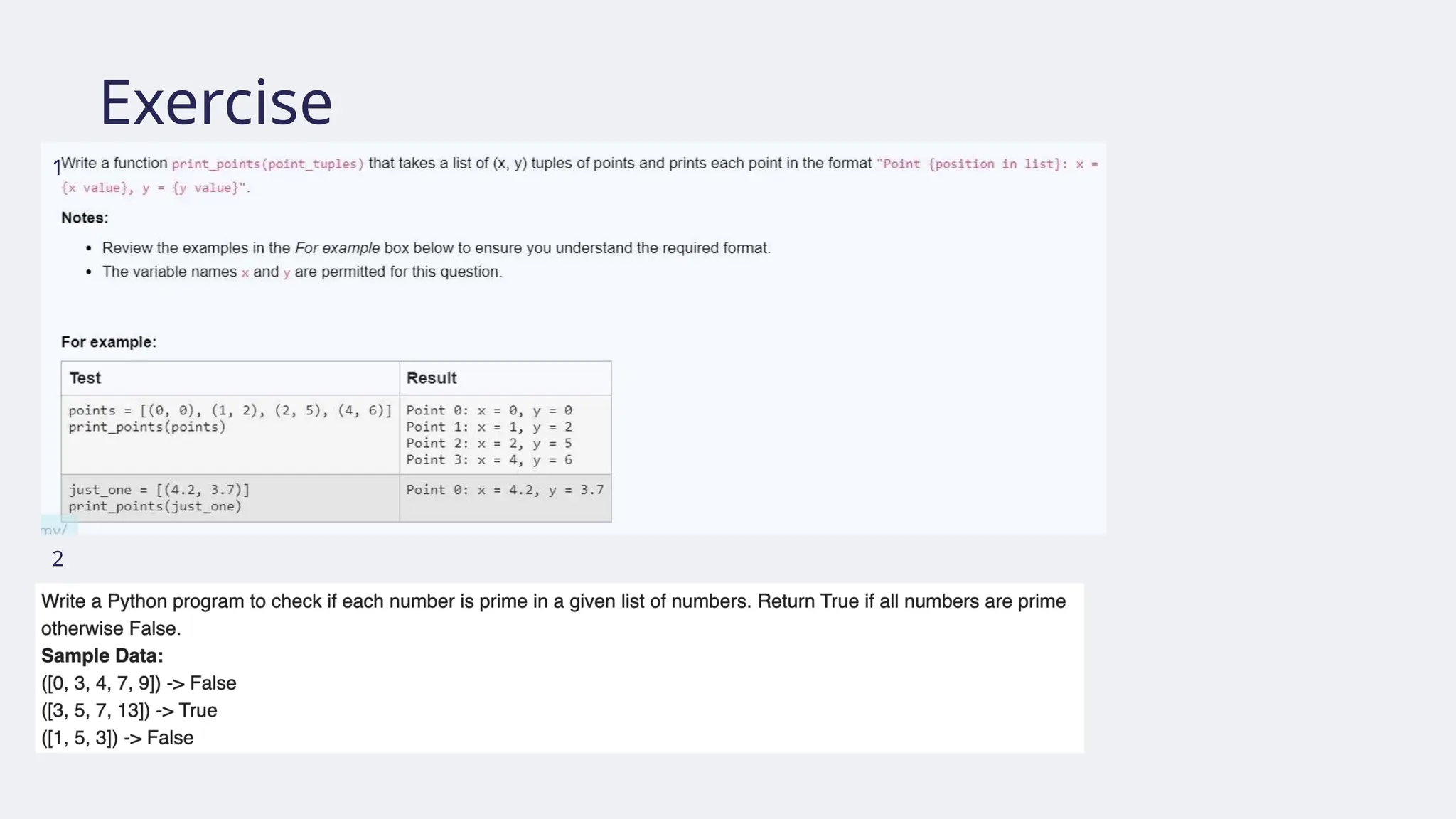
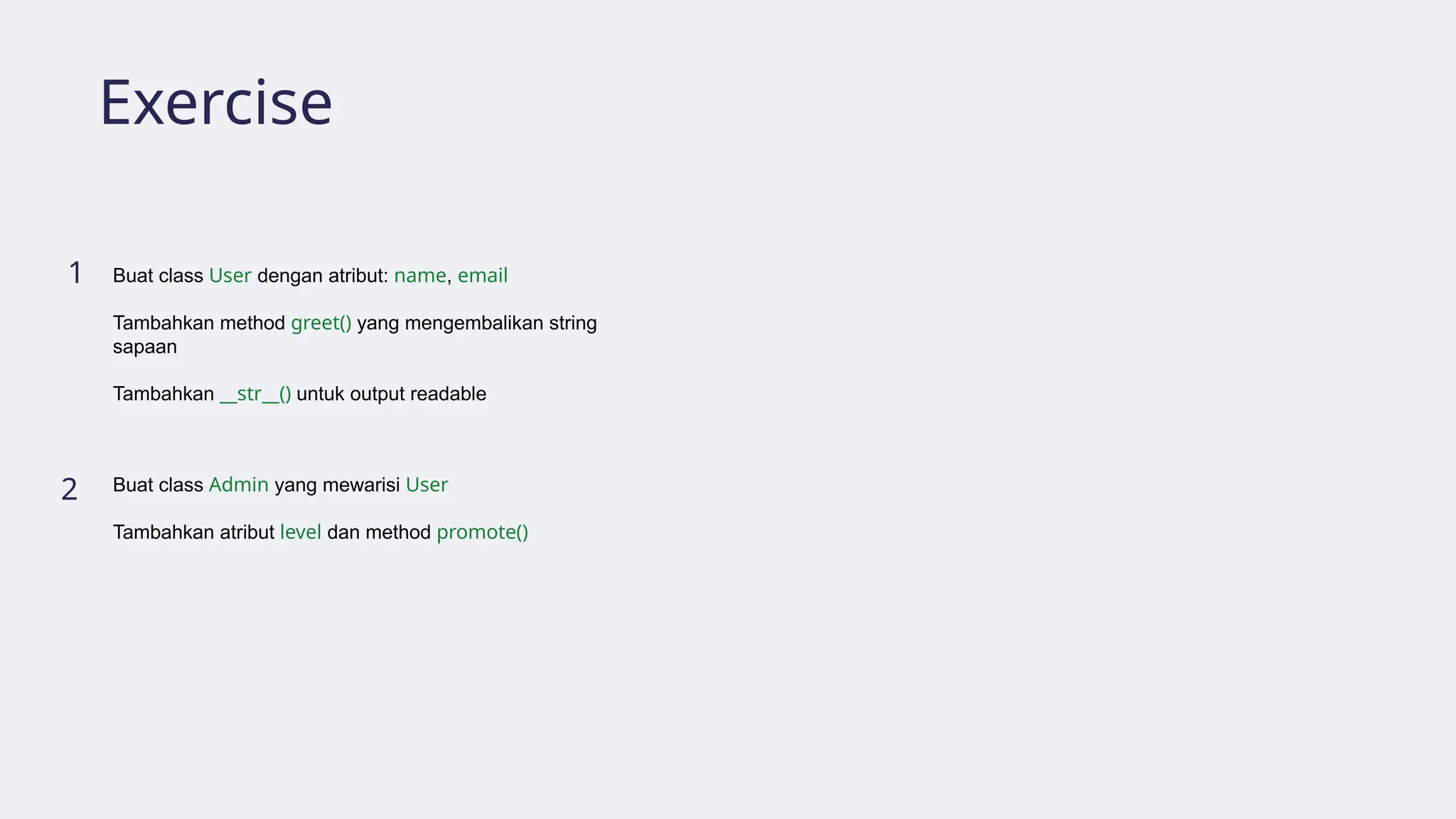
Exercise
1
2
Buat class Userdengan atribut: name, email
Tambahkan method greet() yang mengembalikan string
sapaan
Tambahkan __str__() untuk output readable
Buat class Admin yang mewarisi User
Tambahkan atribut level dan method promote()
#12 Dengan munculnya aplikasi web, generasi baru IDE untuk bahasa interaktif seperti Python telah dikembangkan. Dimulai di komunitas akademisi dan e-learning, IDE berbasis web dikembangkan dengan mempertimbangkan agar kode dan seluruh environment Anda dapat disimpan di server. Salah satu aplikasi pertama dari jenis WIDE ini dikembangkan oleh William Stein pada awal 2005 menggunakan Python 2.3 sebagai bagian dari perangkat lunak matematika SageMath. Di SageMath, server dapat diatur di pusat, seperti universitas atau sekolah, dan kemudian siswa dapat mengerjakan pekerjaan rumah mereka baik di kelas maupun di rumah. Selain itu, siswa dapat menjalankan semua langkah sebelumnya berulang kali, dan kemudian mengubah beberapa sel kode tertentu (segmen dokumen yang mungkin berisi kode sumber yang dapat dieksekusi) dan menjalankan operasi lagi. Instruktur juga dapat memiliki akses ke sesi siswa dan meninjau kemajuan atau hasil mereka.
#13 Saat ini, sesi semacam itu disebut notebook dan tidak hanya digunakan di ruang kelas tetapi juga digunakan untuk menunjukkan hasil dalam presentasi atau di dasbor bisnis. Penggunaan notebook adalah bagian dari pengembangan IPython. Sejak Desember 2011, IPython telah dirilis sebagai versi browser dari konsol interaktifnya, yang disebut notebook IPython, yang menunjukkan hasil eksekusi Python dengan sangat jelas dan ringkas melalui sel baris. Sel dapat berisi konten selain kode. Misalnya, sel markdown yang dapat ditambahkan pada sel untuk menjelaskan algoritma yang dibuat. Dimungkinkan juga untuk menyisipkan gambar plot Matplotlib untuk mengilustrasikan contoh atau bahkan halaman web. Belakangan ini, beberapa jurnal ilmiah mulai menerima notebook untuk menunjukkan hasil eksperimen, dilengkapi dengan kode dan sumber datanya. Dengan cara ini, eksperimen menjadi lengkap dan dapat direplikasi.
#14 Sejalan dengan perkembangan Python, Google adalah salah satu perusahaan yang sudah menerapkan bahasa Python melalui Google Colaboratory atau Google Interactive Notebook (disingkat Google Colab). Google Colab merupakan satu satu produk berbasis komputasi awan (cloud) yang dapat digunakan secara gratis. Google Colab dibuat khusus untuk programmer atau peneliti yang membutuhkan akses dengan spesifikasi tinggi. Google Colab memiliki coding environment Python dengan format yang mirip dengan Jupyter notebook.
Google Colab digunakan untuk berkolaborasi dengan pengguna lainnya karena berbagi coding secara daring. Kita bisa lebih mudah bereksperimen secara bersamaan dengan fitur yang fleksibel. Kita dapat dengan mudah menghubungkan Google Colab dengan Jupyter notebook di komputer kita (local runtime), menghubungkan dengan Google Drive, atau dengan Github.
Google Colab memungkinkan kita menggabungkan kode yang dapat dijalankan dan rich text (fitur markdown) dalam satu tugas, beserta gambar, HTML, LaTeX, dan lainnya. Saat kita membuat notebook Colab, notebook tersebut akan disimpan di akun Google Drive dan dapat dengan mudah membagikan notebook Colab untuk kolaborasi dalam proyek data science.


![Comparing strings
● Two strings (or generally, sequences) A and B are the same if their length is
the same and for each position i, A[i] is equal to B[i].](https://image.slidesharecdn.com/modulpython1-250813134752-4269cd4d/75/modul_python-1-pptx-for-professional-and-student-41-2048.jpg)
![String slicing
● You can get a substring by slicing.
• s[m:n] is a substring of s taken from character at index m until character at index n-1
• If n m, maka hasil slicing adalah string kosong
≤
S e m a r a n g T a w a n g
0 1 2 3 4 5 6 7 8 9 10 11 12 13 14
-15 -14 -13 -12 -11 -10 -9 -8 -7 -6 -5 -4 -3 -2 -1](https://image.slidesharecdn.com/modulpython1-250813134752-4269cd4d/75/modul_python-1-pptx-for-professional-and-student-75-2048.jpg)
![String striding
● s[m:n:p] operates like s[m:n], but starting from index m, we move p steps at
a time from left to right
S e m a r a n g T a w a n g
0 1 2 3 4 5 6 7 8 9 10 11 12 13 14
-15 -14 -13 -12 -11 -10 -9 -8 -7 -6 -5 -4 -3 -2 -1](https://image.slidesharecdn.com/modulpython1-250813134752-4269cd4d/75/modul_python-1-pptx-for-professional-and-student-76-2048.jpg)
![String slicing and striding default value
● Omitting m, n, or p in the expression s[m:n] and s[m:n:p] causes Python to use their default values: m = 0, n = len(s), p = 1
S e m a r a n g T a w a n g
0 1 2 3 4 5 6 7 8 9 10 11 12 13 14
-15 -14 -13 -12 -11 -10 -9 -8 -7 -6 -5 -4 -3 -2 -1](https://image.slidesharecdn.com/modulpython1-250813134752-4269cd4d/75/modul_python-1-pptx-for-professional-and-student-77-2048.jpg)
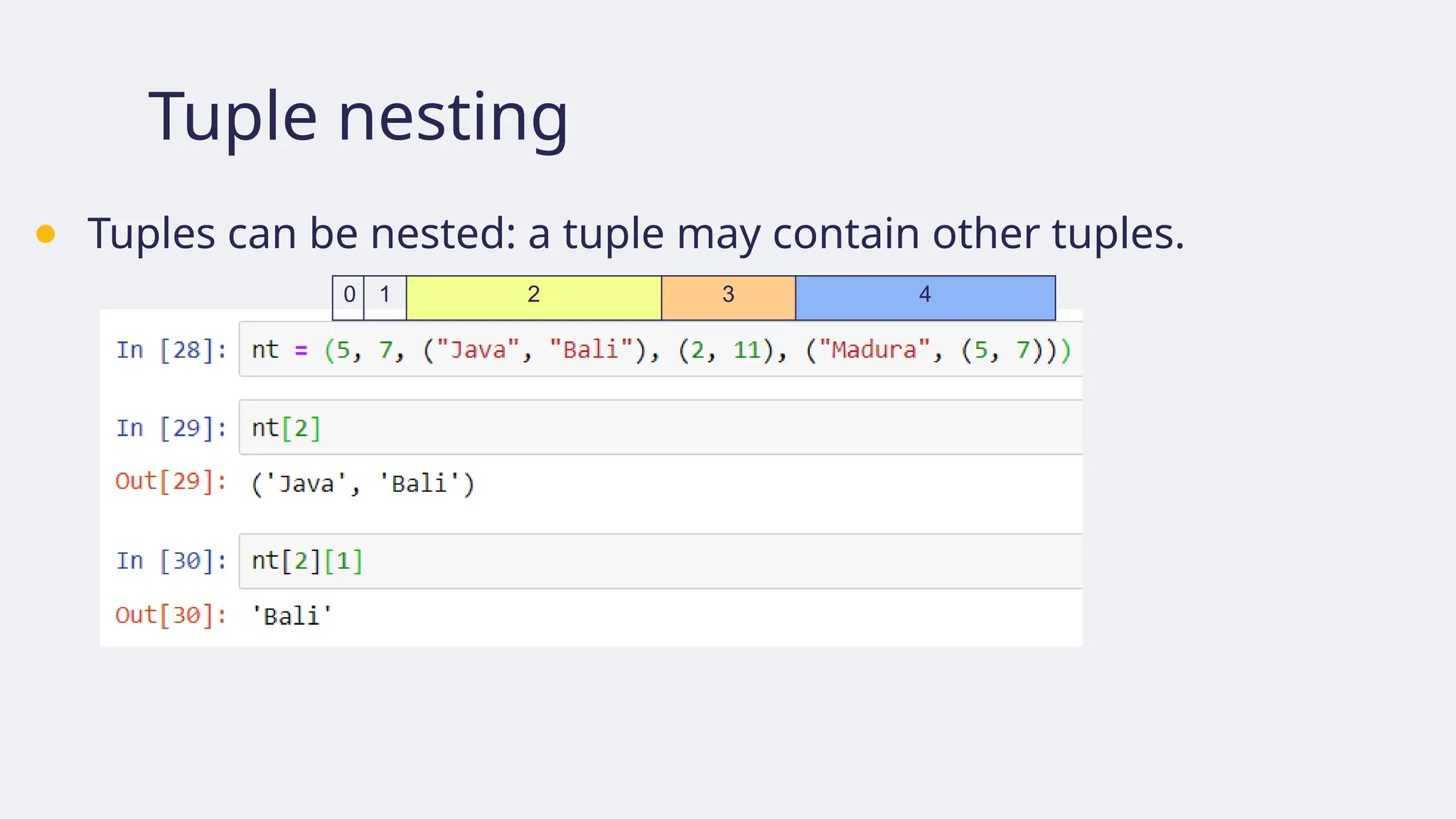
![nt = (5, 7, ('Java', 'Bali'), (2, 11), ('Madura', (5, 7)))
0 1 2 3 4
('Java', 'Bali')
'Java' 'Bali'
nt[2][0] nt[2][1]
nt[2]
(2, 11)
2 11
nt[3][0] nt[3][1]
nt[3]
(‘Madura’, (5,7))
‘Madura' (5,7)
nt[4][0] nt[4][1]
nt[4]
'B’
'a’ 5 7
nt[2][1][0]
nt[2][1][1] nt[4][1][0]
nt[4][1][1]](https://image.slidesharecdn.com/modulpython1-250813134752-4269cd4d/75/modul_python-1-pptx-for-professional-and-student-99-2048.jpg)
![Lists: Accessing elements
● Elements of lists can be accessed using index in the same way as tuples or strings.
L = ['Surabaya', 3.4, 1293]
0 1 2
-3 -2 -1](https://image.slidesharecdn.com/modulpython1-250813134752-4269cd4d/75/modul_python-1-pptx-for-professional-and-student-101-2048.jpg)
![Lists are mutable
● If a list is referenced by two variables, changing its elements via one variable
will cause the changes to be visible from the other variable.
Suppose we have L and LL as follows: We change L[1], and the change appear in LL too](https://image.slidesharecdn.com/modulpython1-250813134752-4269cd4d/75/modul_python-1-pptx-for-professional-and-student-103-2048.jpg)
![List slicing
● Slicing works like in tuples, but returns a new list (not sharing reference
with the old one).
Lst[3] is changed
Lst35 includes element at Lst[3]
But, Lst35 is NOT changed!](https://image.slidesharecdn.com/modulpython1-250813134752-4269cd4d/75/modul_python-1-pptx-for-professional-and-student-104-2048.jpg)
![List slicing
● Thus slicing can be used to copy a list
Lst_c is a copy of Lst
Lst[0] is changed
But Lst_c is NOT changed!](https://image.slidesharecdn.com/modulpython1-250813134752-4269cd4d/75/modul_python-1-pptx-for-professional-and-student-105-2048.jpg)
![The range object constructor
1. range(stop)
• stop must be a positive integer, otherwise the range object is empty
• generates integers [0, 1, …, stop-1] length =
🡪 stop.
2. range(start, stop)
• start and stop must be integers
• start < stop must hold, otherwise the range object is empty
• generates integers [start, start + 1, …, stop] length =
🡪 stop – start
3. range(start, stop, step)
• start and stop must be integers and step must be nonzero integer
• if step > 0, then start < stop must hold, otherwise the range object is empty
• if step < 0, then start > stop must hold, otherwise the range object is empty
• generates integers [start, start + step, start + 2*step, …, start + k*step]
where k is the largest integer not exceeding (|stop – start|)/step.](https://image.slidesharecdn.com/modulpython1-250813134752-4269cd4d/75/modul_python-1-pptx-for-professional-and-student-131-2048.jpg)
![Loops: for statements
● Suppose we are given a list of strings of color names, e.g.,
[“red”, “orange”, “green”, “purple”, “blue”]
● We wish to replace each color name with “black”, resulting in
[“black”, “black”, “black”, “black”, “black”]
● How do we do that?](https://image.slidesharecdn.com/modulpython1-250813134752-4269cd4d/75/modul_python-1-pptx-for-professional-and-student-133-2048.jpg)
![colors = [“red”, “orange”, “green”, “purple”, “blue”]
0 1 2 3 4
for colors 0 in colors, colors 0 =
black
for colors 1 in colors, colors 1 =
black
for colors 2 in colors, colors 2 =
black
for colors 3 in colors, colors 3 =
black
for colors 4 in colors, colors 4 =
black
colors = [“black”, “orange”, “green”, “purple”, “blue”]
colors = [“black”, “black”, “green”, “purple”, “blue”]
colors = [“black”, “black”, “black”, “purple”, “blue”]
colors = [“black”, “black”, “black”, “black”, “blue”]
colors = [“black”, “black”, “black”, “black”, “black”]
• running index from 0 to 4
• each index value is used
to perform color name
change
• range(0,5) returns the
sequence [0, 1, 2, 3, 4]](https://image.slidesharecdn.com/modulpython1-250813134752-4269cd4d/75/modul_python-1-pptx-for-professional-and-student-134-2048.jpg)
![Suppose we copy from the list colors to oranges
• if colors is [“orange”, “orange”, “blue”, “orange”, “orange”, “orange”]
then oranges is [“orange”, “orange”]
• if colors is [“green”, “orange”, “orange”]
then oranges is []
We start from the left and check if the current color is orange.
If so, add it to the list oranges. Otherwise, stop copying.](https://image.slidesharecdn.com/modulpython1-250813134752-4269cd4d/75/modul_python-1-pptx-for-professional-and-student-144-2048.jpg)

![● Library dasar untuk perhitungan saintifik
(scientific computing) dengan Python (
https://numpy.org/)
● Alternatif untuk Python List: Numpy Array
untuk n-dimensi
● Mudah digunakan dan bersifat open source
● Jika library belum terpasang, tuliskan
perintah instalasi:
pip install numpy
● Kemudian impor:
import numpy as np
In [6]: import numpy as np
In [7]: np_height = np.array(height)
In [8]: np_height
Out[8]: array([1.84, 1.79, 1.82, 1.9, 1.8])
In [9]: np_weight = np.array(weight)
In [10]: np_weight
Out[10]: array([66.5, 60.3, 64.7, 89.5, 69.8])
In [11]: bmi = np_weight / np_height ** 2
In [12]: bmi
Out[12]: array([19.64201323, 18.81963734,
19.53266514, 24.79224377, 21.54320988])](https://image.slidesharecdn.com/modulpython1-250813134752-4269cd4d/75/modul_python-1-pptx-for-professional-and-student-162-2048.jpg)
![● NumPy juga dapat digunakan untuk
membuat array berdimensi-n
In [13]: import numpy as np
In [14]: np_height = np.array([1.84, 1.79, 1.82,
1.9, 1.8])
In [15]: np_weight = np.array([66.5, 60.3, 64.7,
89.5, 69.8])
In [16]: type(np_height)
Out[16]: numpy.ndarray
In [16]: type(np_weight)
Out[16]: numpy.ndarray
ndarray = n-dimensional array
1 2 3 4 5
6 7 8 9 10
M =](https://image.slidesharecdn.com/modulpython1-250813134752-4269cd4d/75/modul_python-1-pptx-for-professional-and-student-163-2048.jpg)



![[DSC Europe 25] Vid Stimac - Policy Parsimony: Between Oversimplifying and Ov...](https://cdn.slidesharecdn.com/ss_thumbnails/eqlepagzqp2rhg3gbluh-dsc-stimac-251120-251205090438-059e7f54-thumbnail.jpg?width=640&height=640&fit=bounds)
![[DSC Europe 25] Boris Perkovic - Lost in performance.pptx](https://cdn.slidesharecdn.com/ss_thumbnails/uq5hrp7vsuahqkxzifux-1-251204082258-fd2ee09d-thumbnail.jpg?width=640&height=640&fit=bounds)

![[DSC Europe 25] Bogdan Daniel Maruneac - AI - It starts with you.pptx](https://cdn.slidesharecdn.com/ss_thumbnails/odov3snhrcqs9hx5ny2n-4-251205085715-f1daacfe-thumbnail.jpg?width=640&height=640&fit=bounds)

![[DSC Europe 25] Marija Vlajkovic & Andrea Radonjanin - Integration of AI tool...](https://cdn.slidesharecdn.com/ss_thumbnails/qf1jrglttoc3bm8s3aop-final-integration-of-ai-tools-251208151905-394f3a6a-thumbnail.jpg?width=640&height=640&fit=bounds)


![[DSC Europe 25] Max Talanov - Non digital NNs.pptx](https://cdn.slidesharecdn.com/ss_thumbnails/wif8tr3gtua74qvtopke-non-digital-nns-251205090438-26b0eea6-thumbnail.jpg?width=640&height=640&fit=bounds)

