Mobile Web Apps
  Development
         Ivano Malavolta
    ivano.malavolta@univaq.it
http://www.di.univaq.it/malavolta
Roadmap

• Anatomy of a mobile web app
• Classes of Mobile web apps
• PhoneGap
What is a Web App?

An application built with web technologies
  that is accessible via a mobile browser and
  not exclusively through an app store

The browser may be either the standard device
  browser or an embedded browser (Hybrid app)
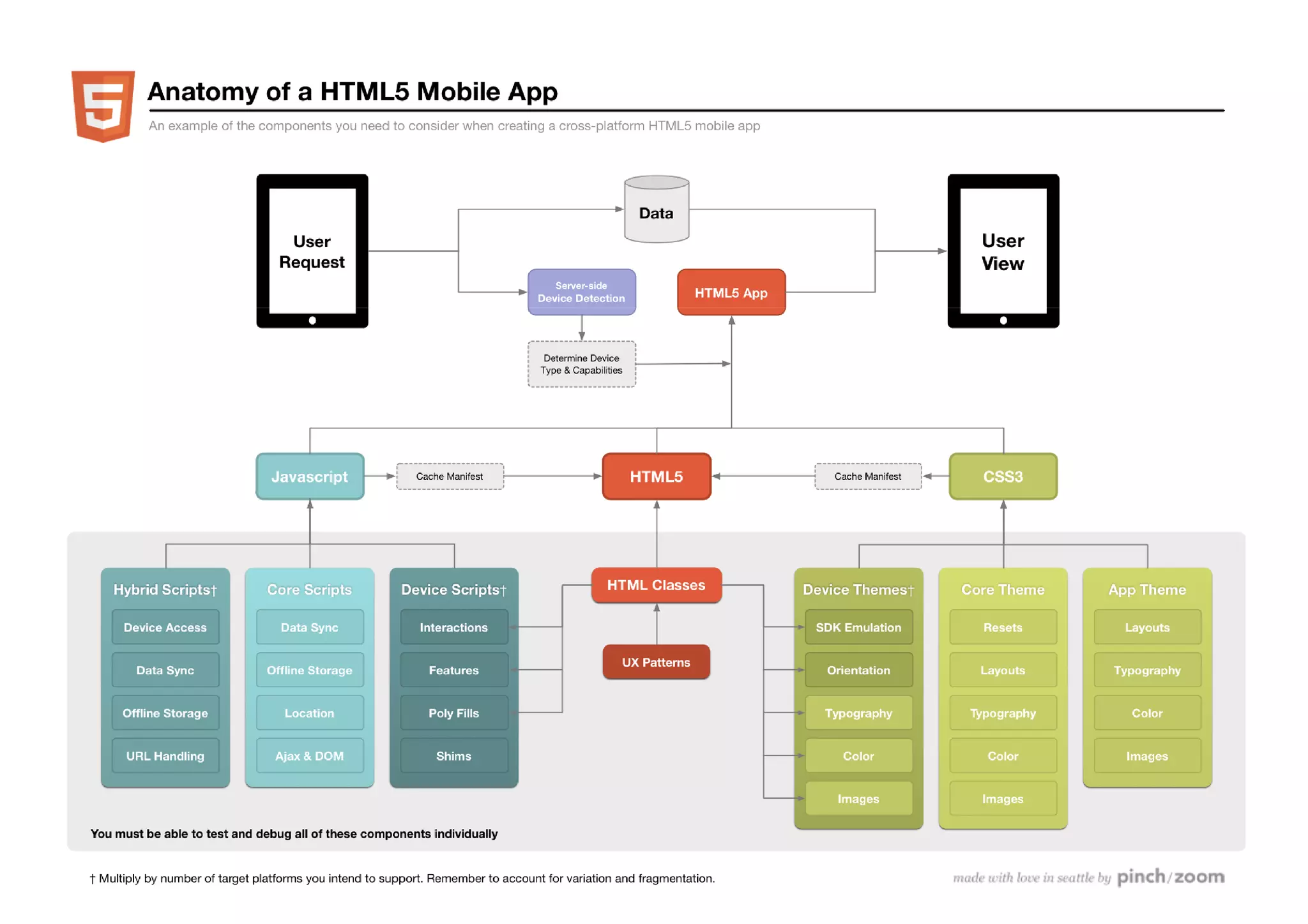
Anatomy of a Web App
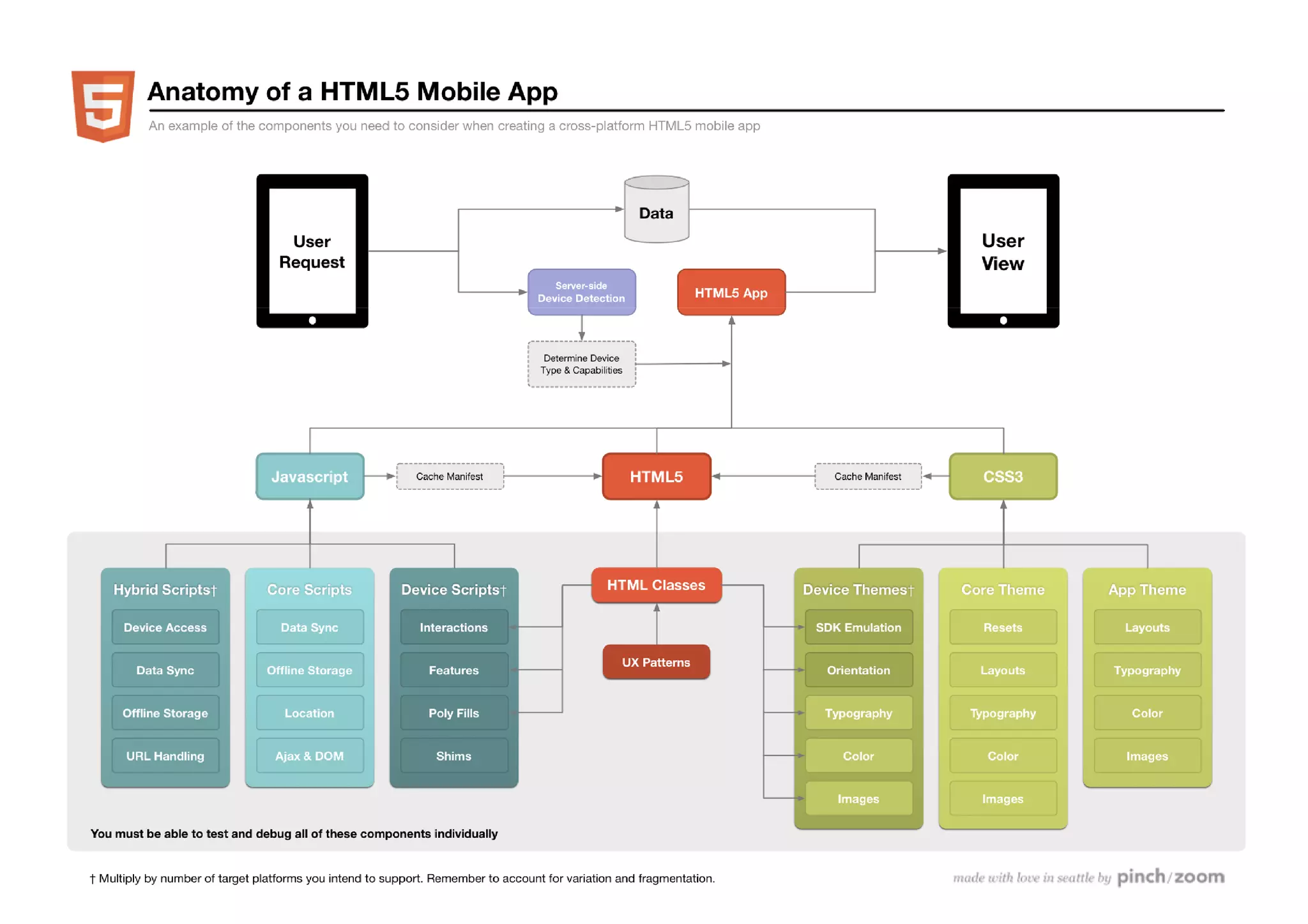
Anatomy of a mobile web app

This is why HTML5 Mobile Apps are hard
                                  hard!

In many cases you will need to create every
  part of this diagram

If you don’t create it, you still need to test and
  debug each piece
Setting up the Server


As usual, it all starts with an http request

Then you need:
• Data
• A device detection mechanism [optional]
• The app itself
Data

Usually mobile apps do not talk directly with
  the database
    do not even think about JDBC, drivers, etc!

  They pass through an application server and
  communicate via:
  – standard HTTP requests for HTML content (eg PHP)
  – REST-full services (XML, JSON, etc.)
  – SOAP
Data 2

• Data can be stored in any classical way:
  – Relational
  – Graph
  – Key-value
  – Document-based
                                                 www.parse.com
                                                 www.kinvey.com
  Latest trend: backend-as-a-service
  – Data storage, users management, security,
    big files storage, scalability, push notifications…
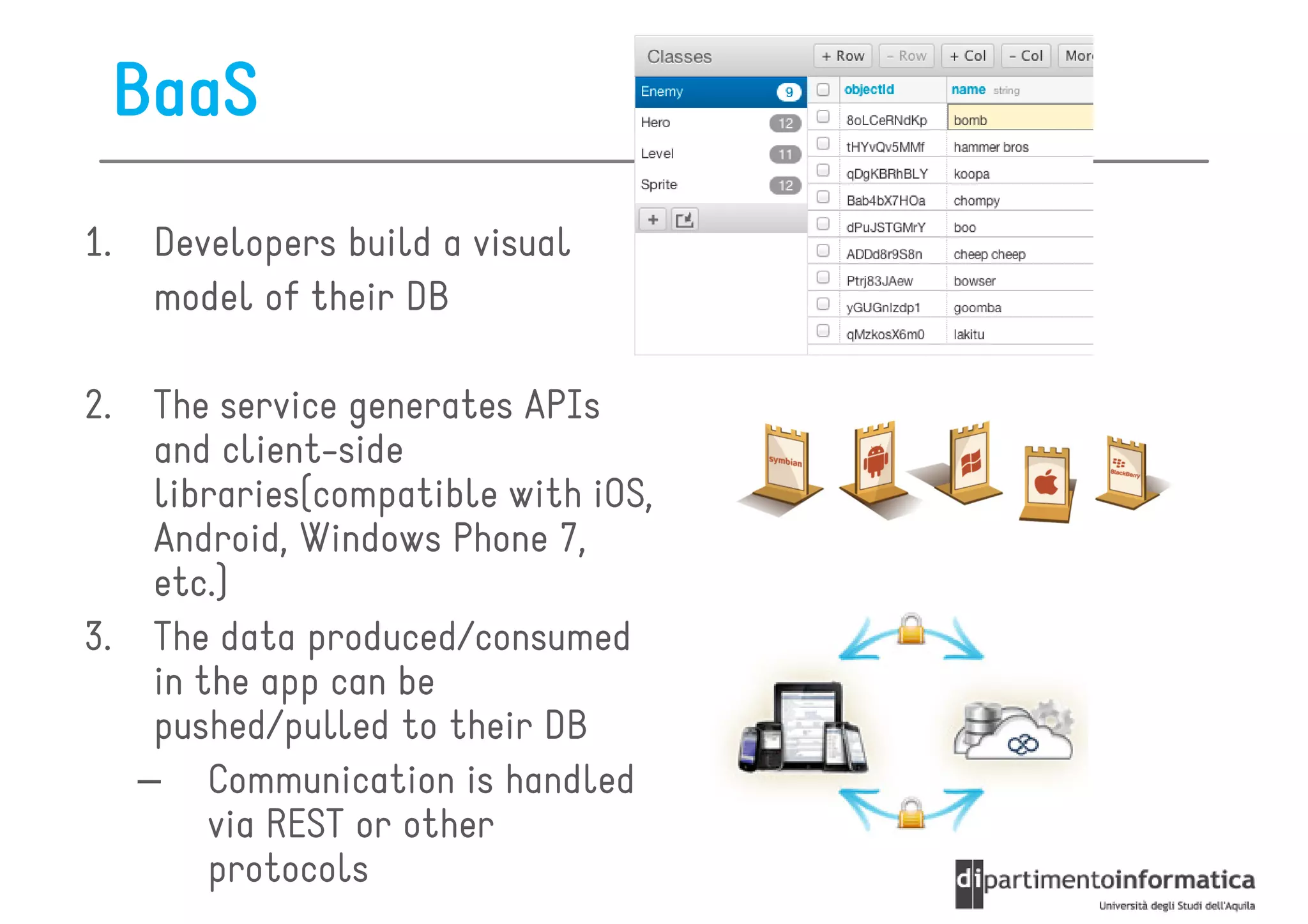
BaaS
1.    Developers build a visual
      model of their DB

2.  The service generates APIs
    and client-side
    libraries(compatible with iOS,
    Android, Windows Phone 7,
    etc.)
3. The data produced/consumed
    in the app can be
    pushed/pulled to their DB
   – Communication is handled
        via REST or other
        protocols
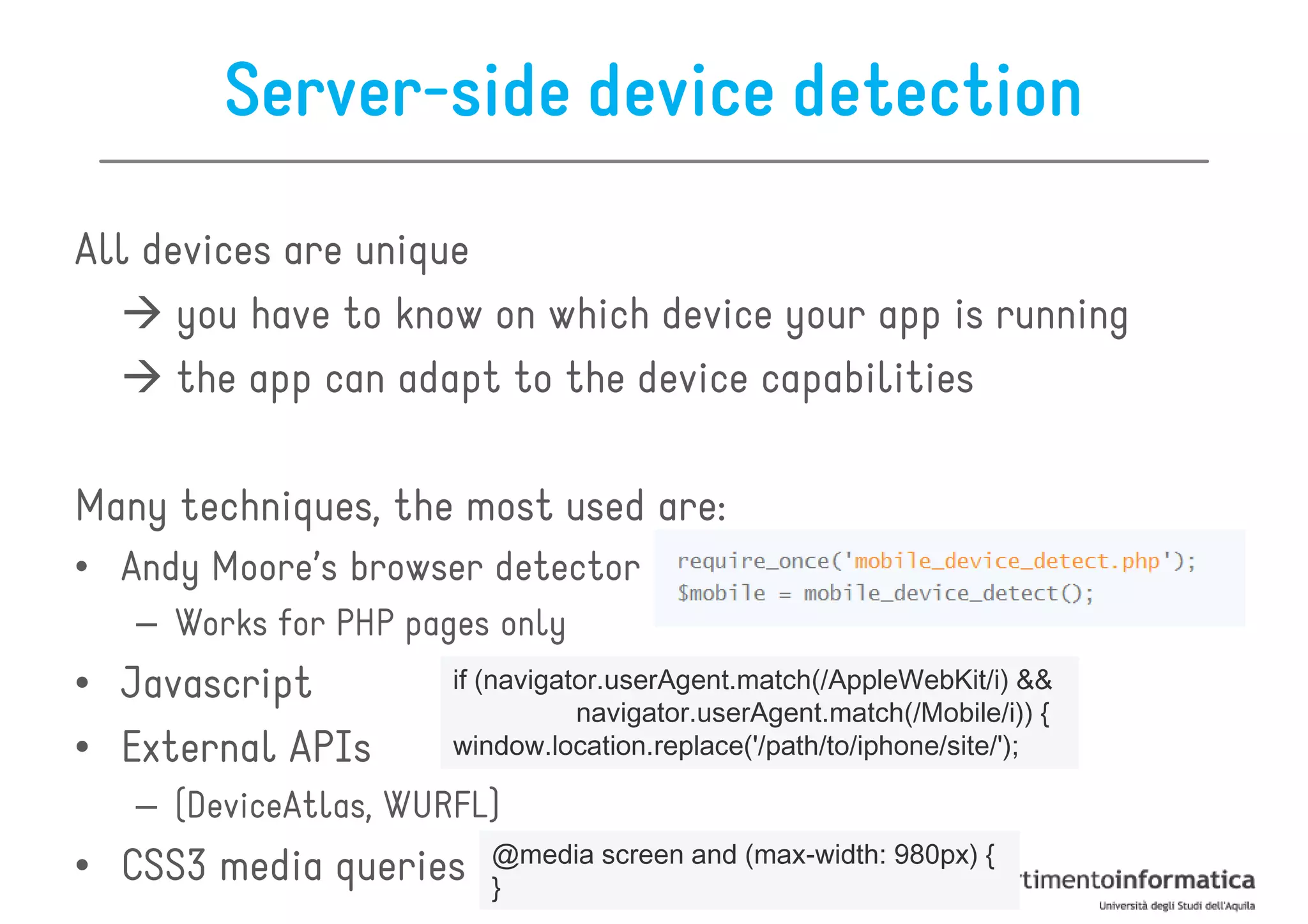
Server-side device detection
All devices are unique
      you have to know on which device your app is running
      the app can adapt to the device capabilities

Many techniques, the most used are:
• Andy Moore’s browser detector
   – Works for PHP pages only
• Javascript          if (navigator.userAgent.match(/AppleWebKit/i) &&
                                 navigator.userAgent.match(/Mobile/i)) {
• External APIs       window.location.replace('/path/to/iphone/site/');

   – (DeviceAtlas, WURFL)
                         @media screen and (max-width: 980px) {
• CSS3 media queries     }
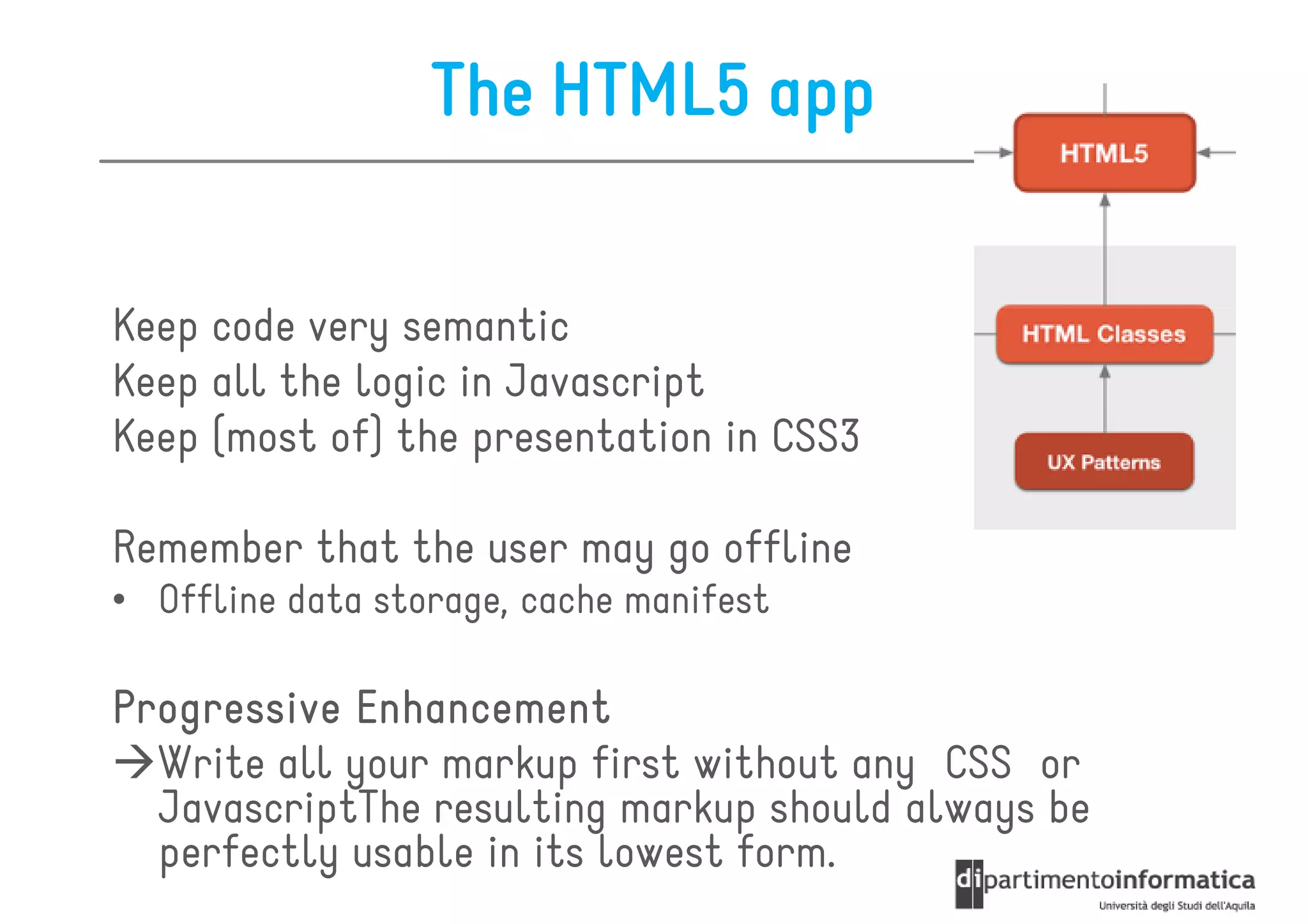
The HTML5 app

Keep code very semantic
Keep all the logic in Javascript
Keep (most of) the presentation in CSS3

Remember that the user may go offline
• Offline data storage, cache manifest

Progressive Enhancement
  Write all your markup first without any CSS or
  JavascriptThe resulting markup should always be
  perfectly usable in its lowest form.
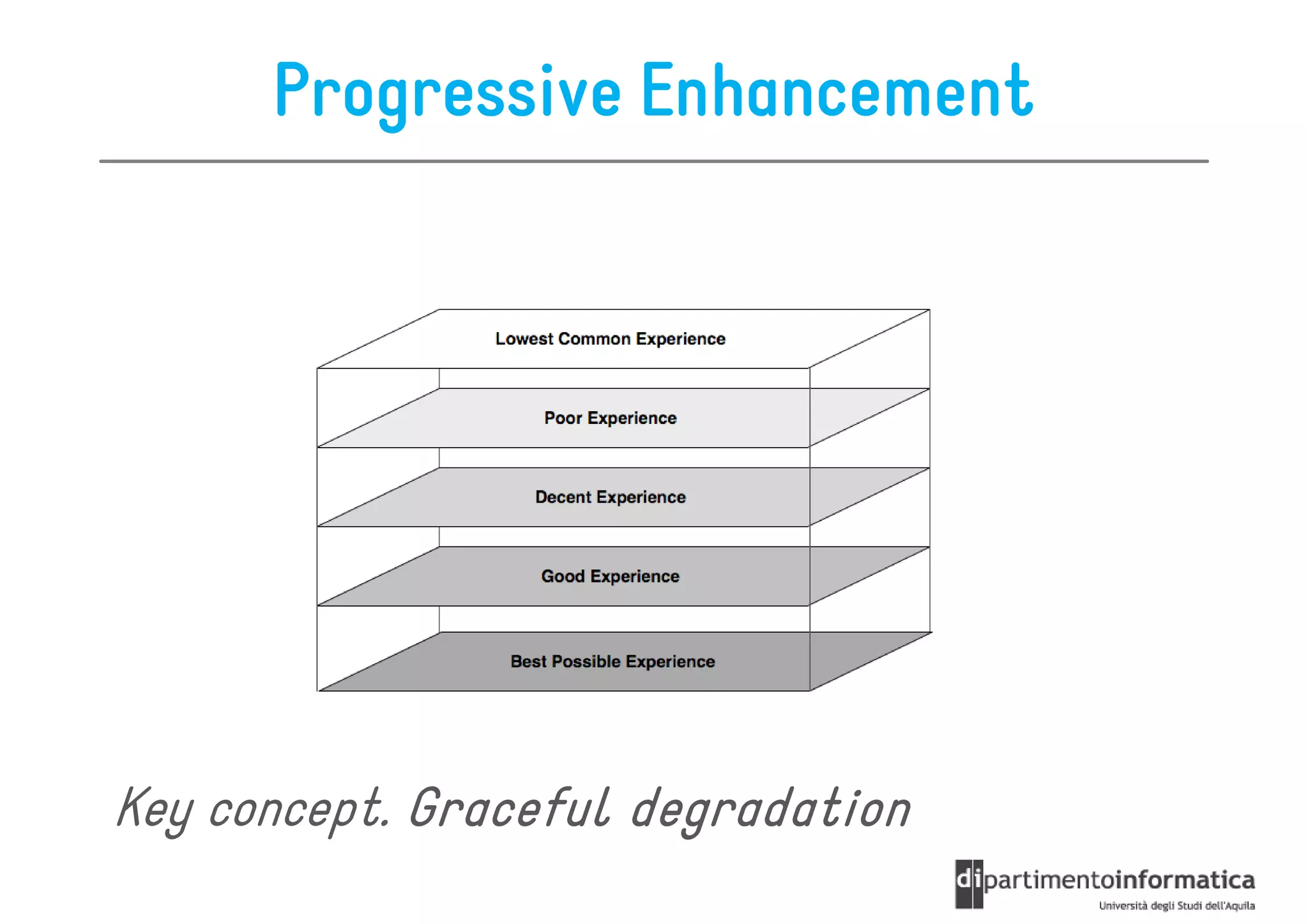
Progressive Enhancement


Key concept. Graceful degradation
Progressive Enhancement Techniques

• Always code your markup semantically
   – ensure that the page is always usable, even with no stylesheet
• Have a device plan
   – Know which device classes you intend to support before you
     start to code
• Have both your LCD and high-end device designs before
                         high-
  you begin to code
   – Try to visualize a way to create both versions from one code
     base.
• Test on different mobile devices from the beginning
   – your incremental work must display correctly in the intended
     devices
• If you plan to add a desktop layer, always create the
  mobile version first
Anatomy of a Web App
Cache Manifest
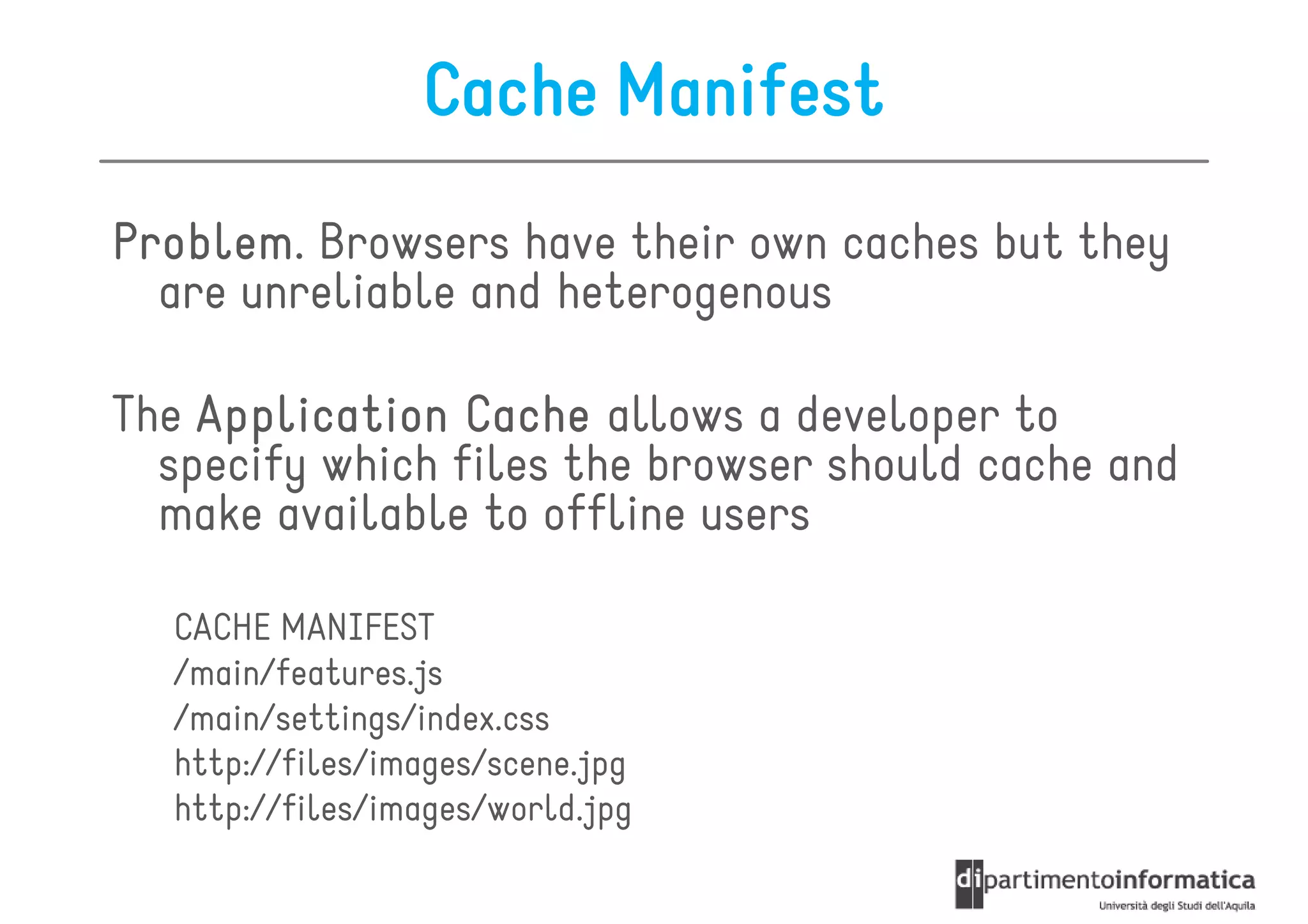
Problem.
Problem Browsers have their own caches but they
  are unreliable and heterogenous

The Application Cache allows a developer to
  specify which files the browser should cache and
  make available to offline users

  CACHE MANIFEST
  /main/features.js
  /main/settings/index.css
  http://files/images/scene.jpg
  http://files/images/world.jpg
Cache Manifest
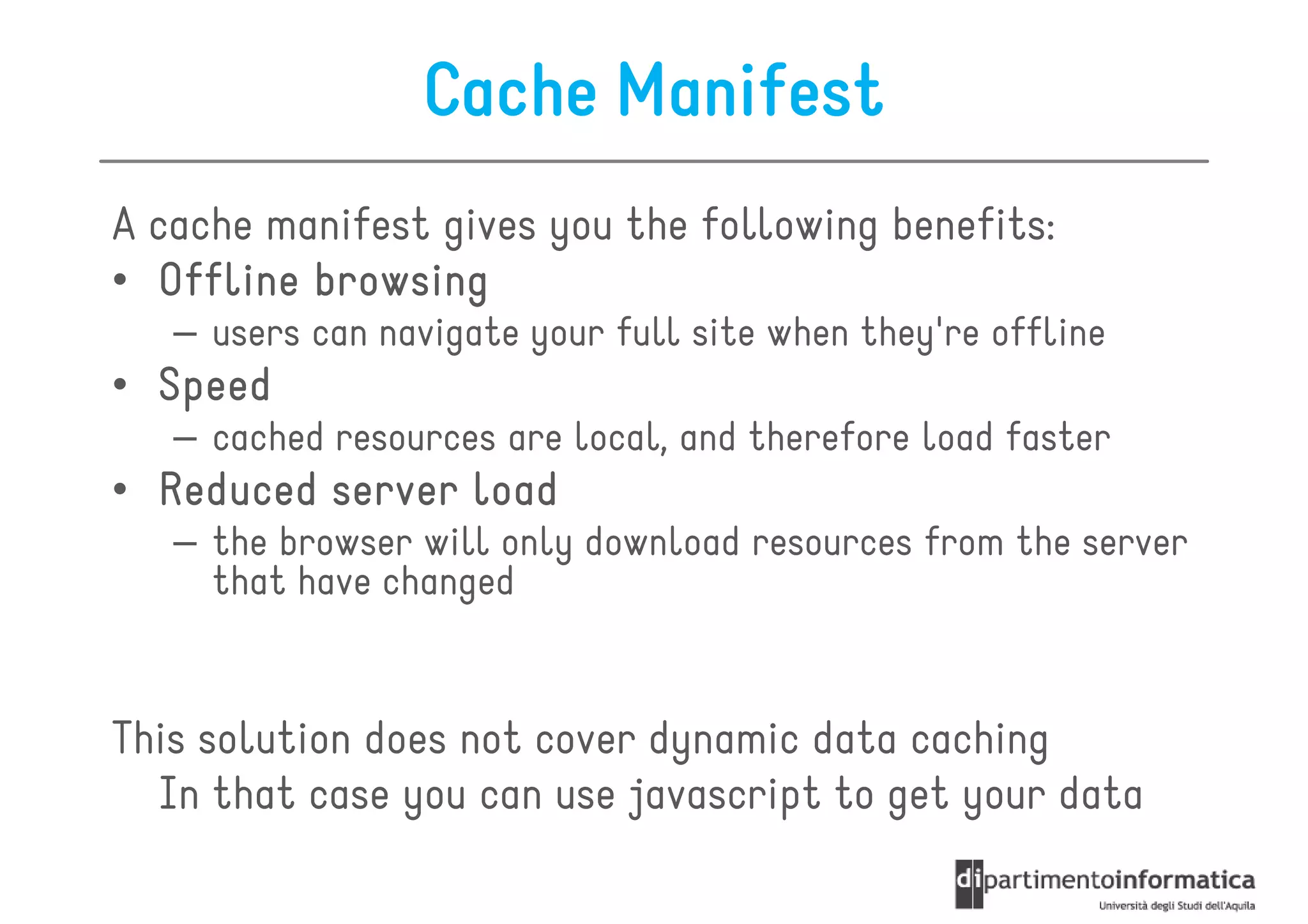
A cache manifest gives you the following benefits:
• Offline browsing
   – users can navigate your full site when they're offline
• Speed
   – cached resources are local, and therefore load faster
• Reduced server load
   – the browser will only download resources from the server
     that have changed


This solution does not cover dynamic data caching
  In that case you can use javascript to get your data
Javascript
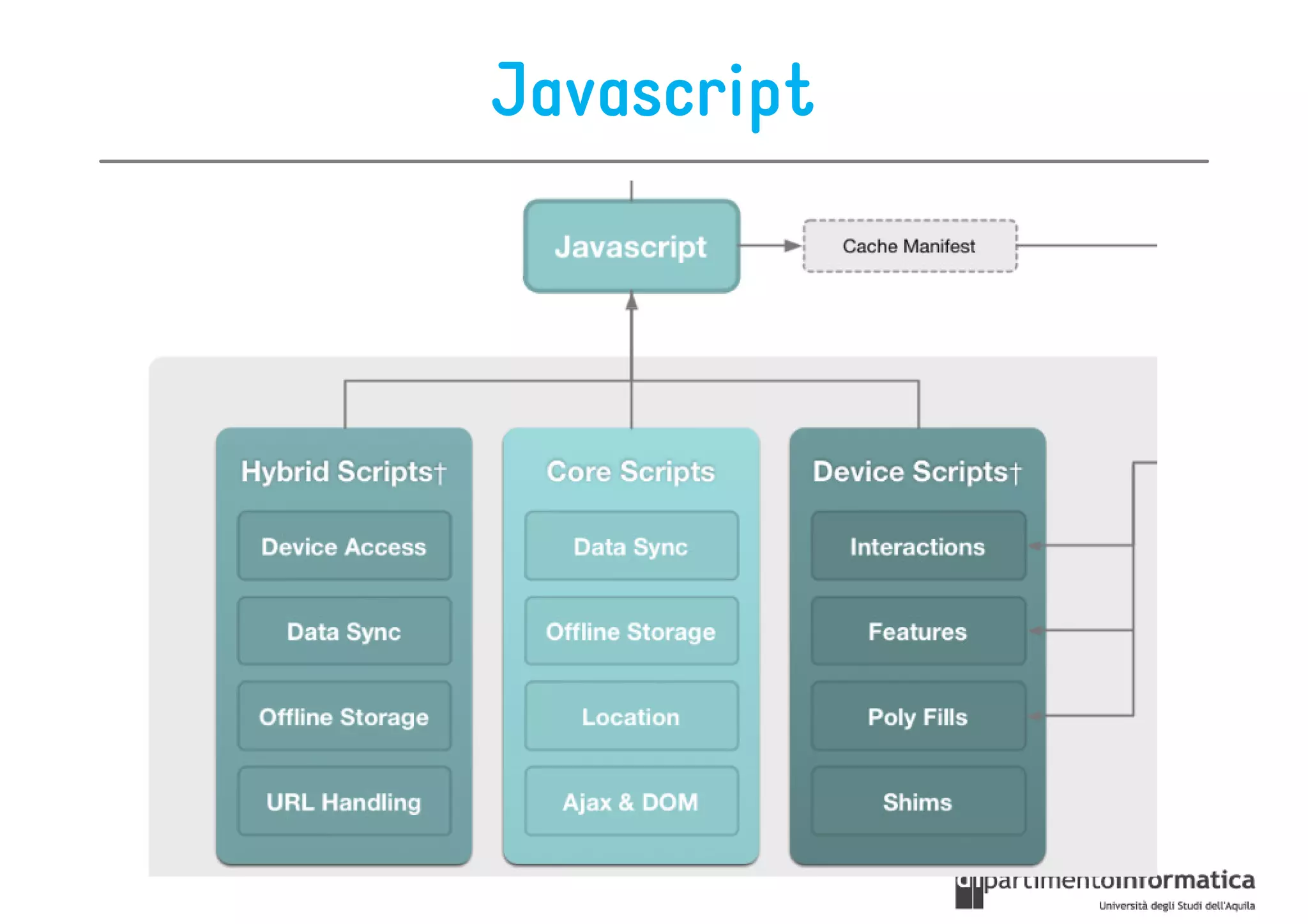
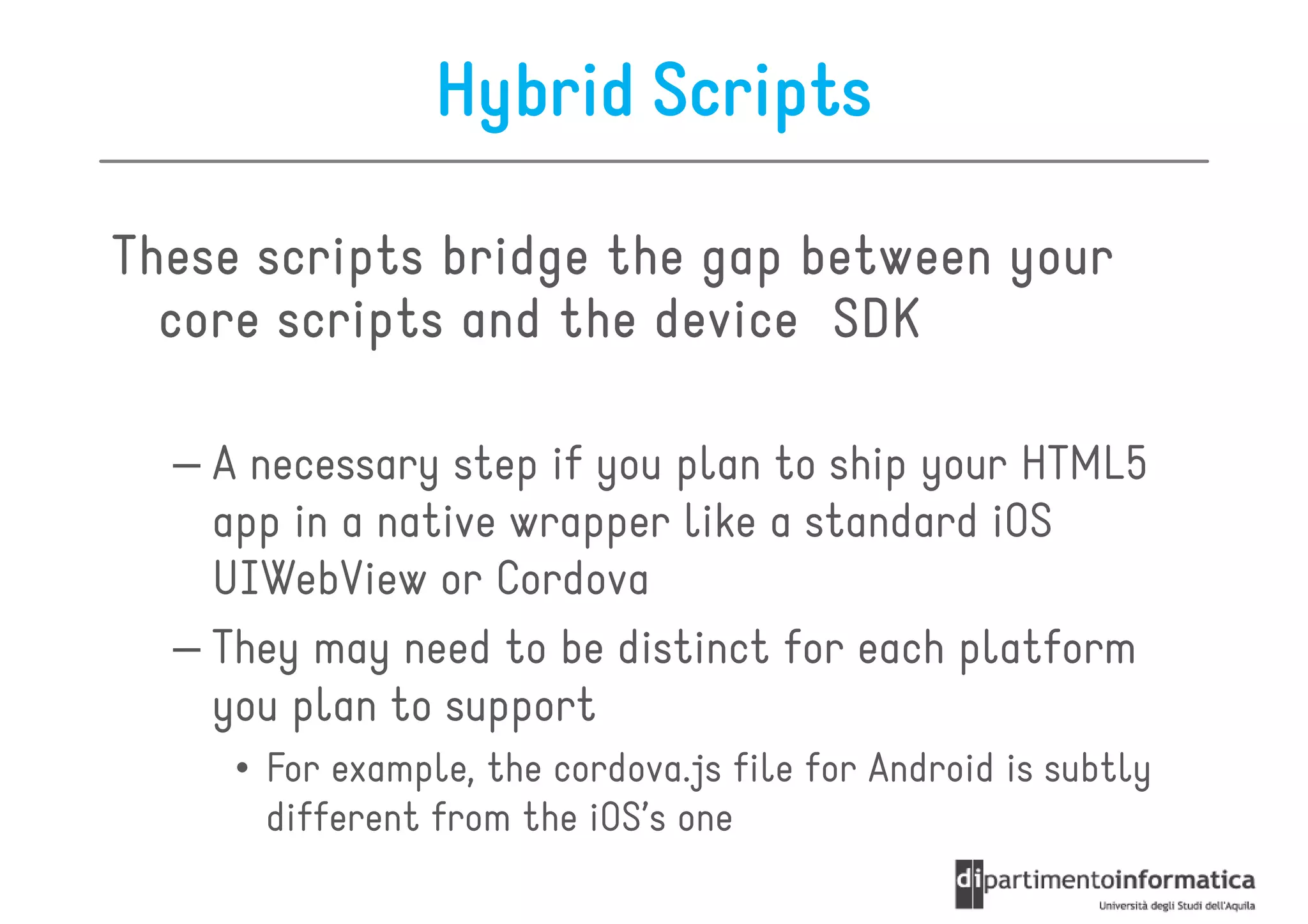
Hybrid Scripts

These scripts bridge the gap between your
  core scripts and the device SDK

  – A necessary step if you plan to ship your HTML5
    app in a native wrapper like a standard iOS
    UIWebView or Cordova
  – They may need to be distinct for each platform
    you plan to support
     • For example, the cordova.js file for Android is subtly
       different from the iOS’s one
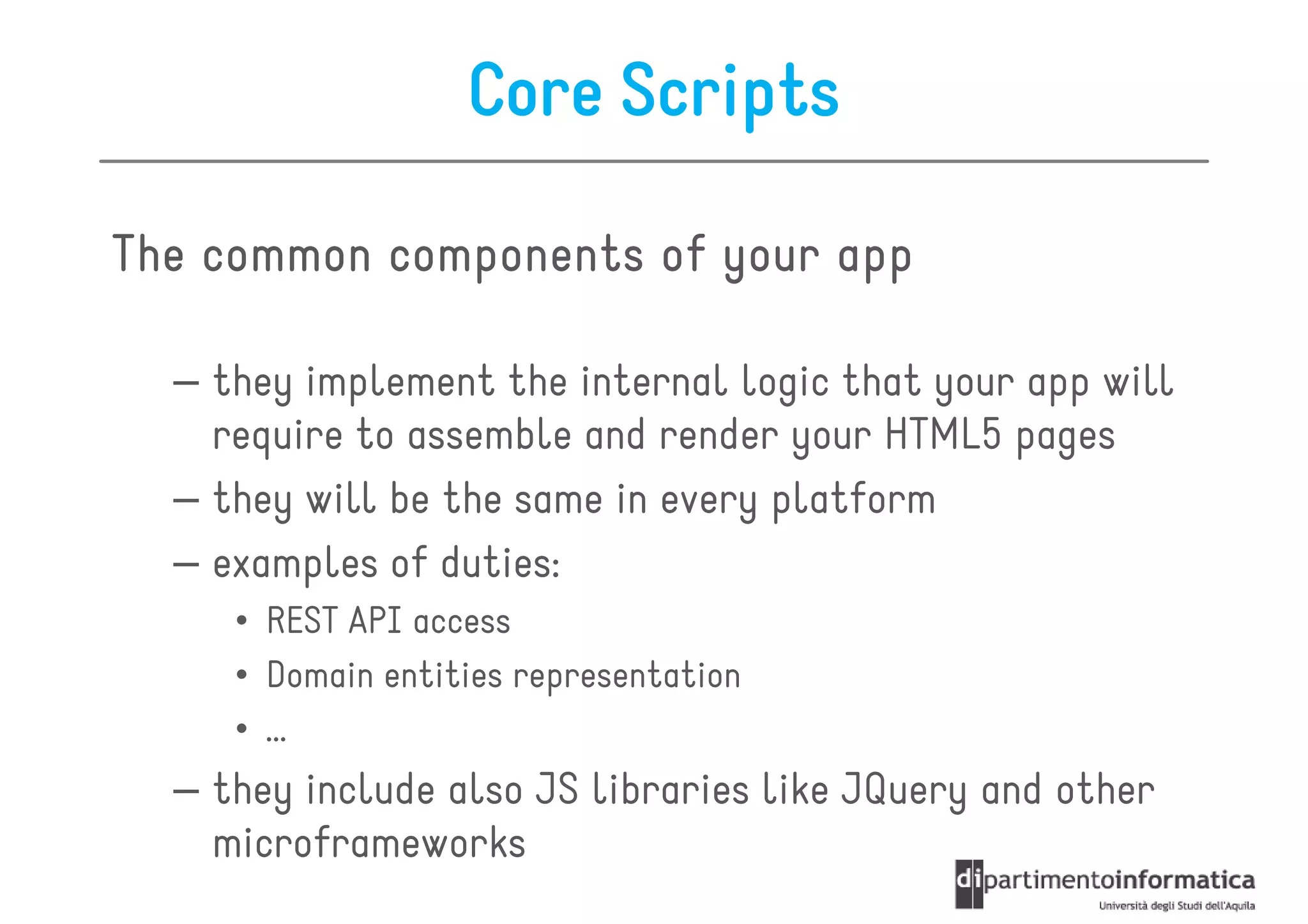
Core Scripts

The common components of your app

  – they implement the internal logic that your app will
    require to assemble and render your HTML5 pages
  – they will be the same in every platform
  – examples of duties:
     • REST API access
     • Domain entities representation
     • …
  – they include also JS libraries like JQuery and other
    microframeworks
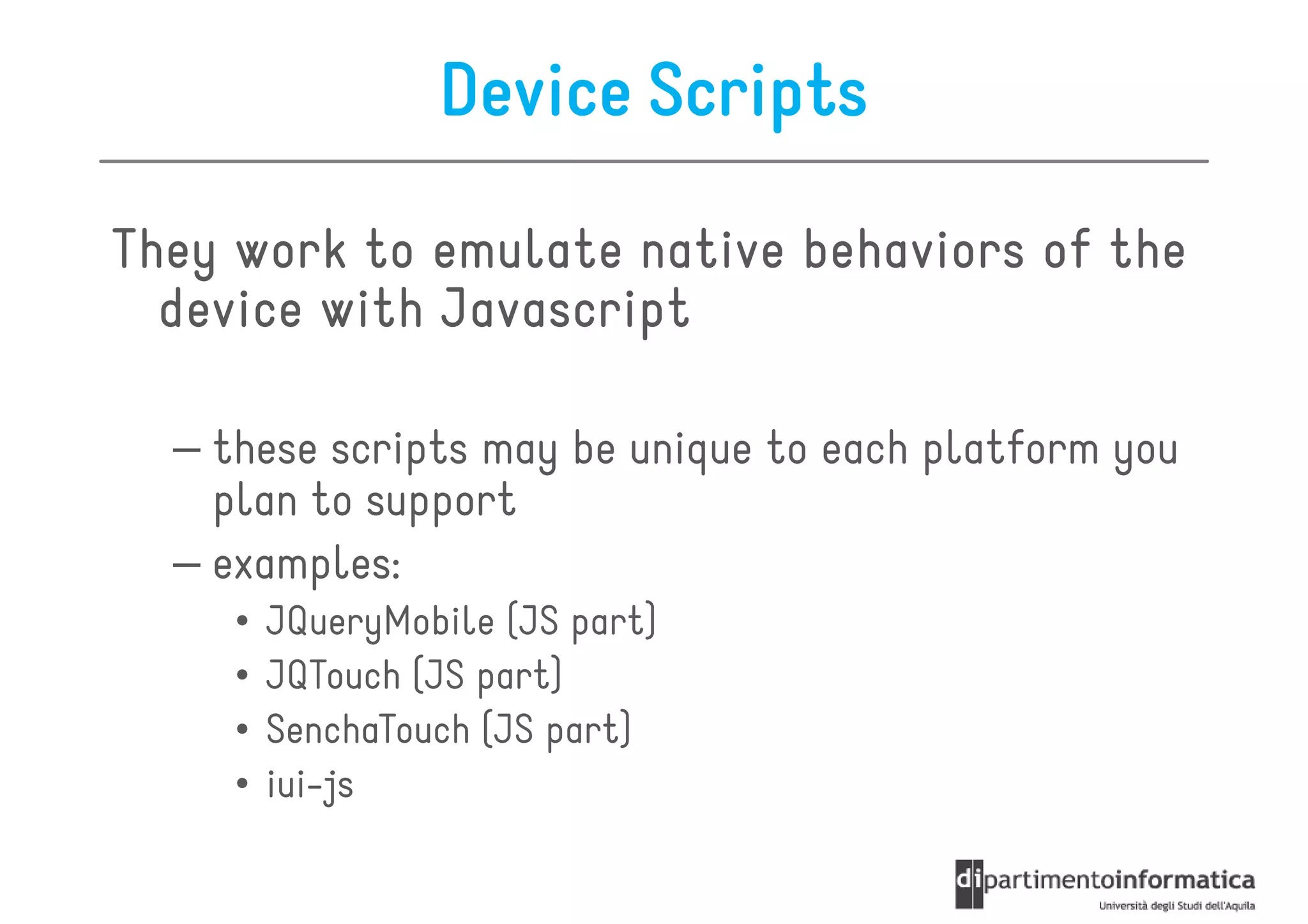
Device Scripts

They work to emulate native behaviors of the
  device with Javascript

  – these scripts may be unique to each platform you
    plan to support
  – examples:
     •   JQueryMobile (JS part)
     •   JQTouch (JS part)
     •   SenchaTouch (JS part)
     •   iui-js
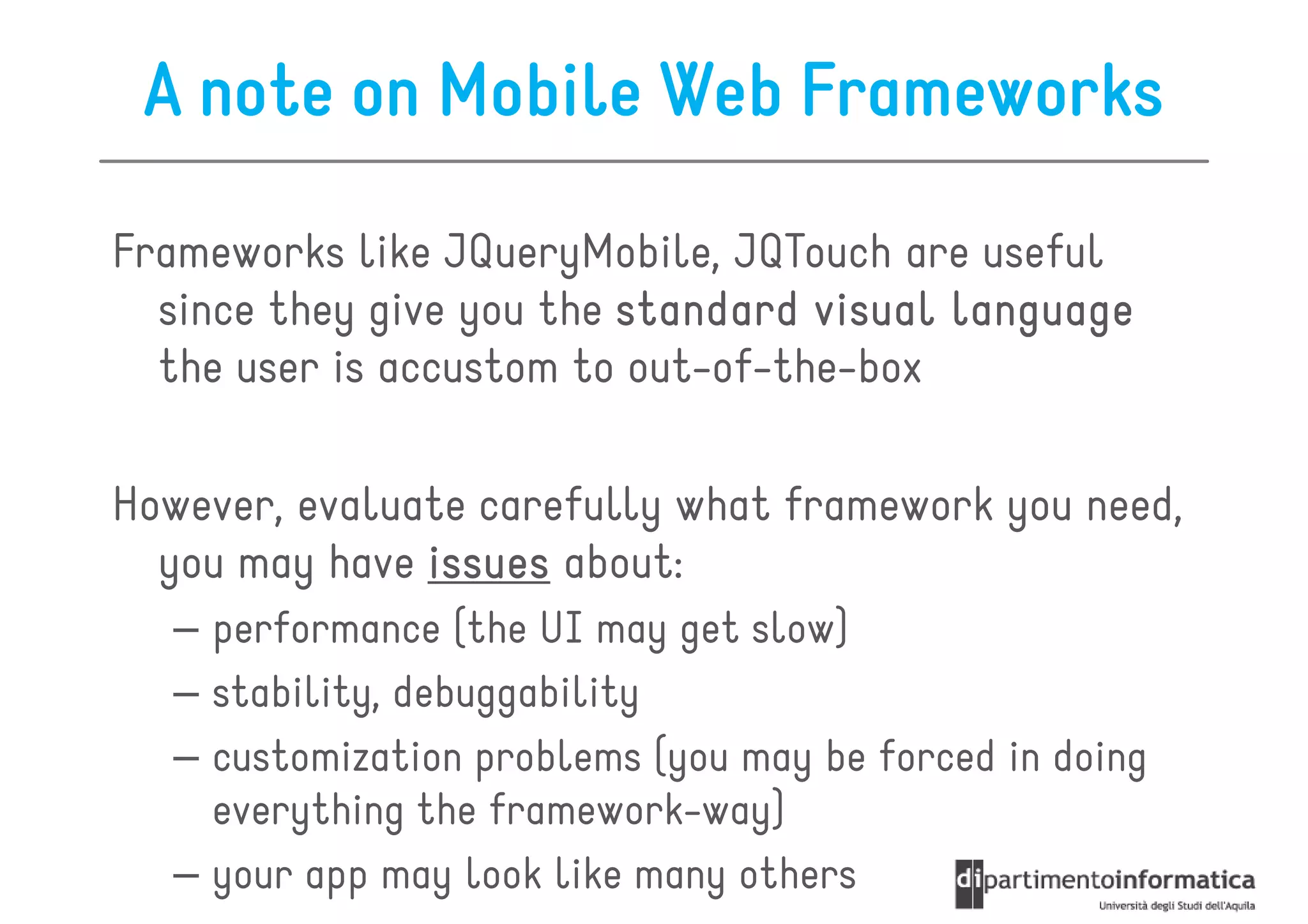
A note on Mobile Web Frameworks

Frameworks like JQueryMobile, JQTouch are useful
  since they give you the standard visual language
  the user is accustom to out-of-the-box

However, evaluate carefully what framework you need,
  you may have issues about:
   – performance (the UI may get slow)
   – stability, debuggability
   – customization problems (you may be forced in doing
     everything the framework-way)
   – your app may look like many others
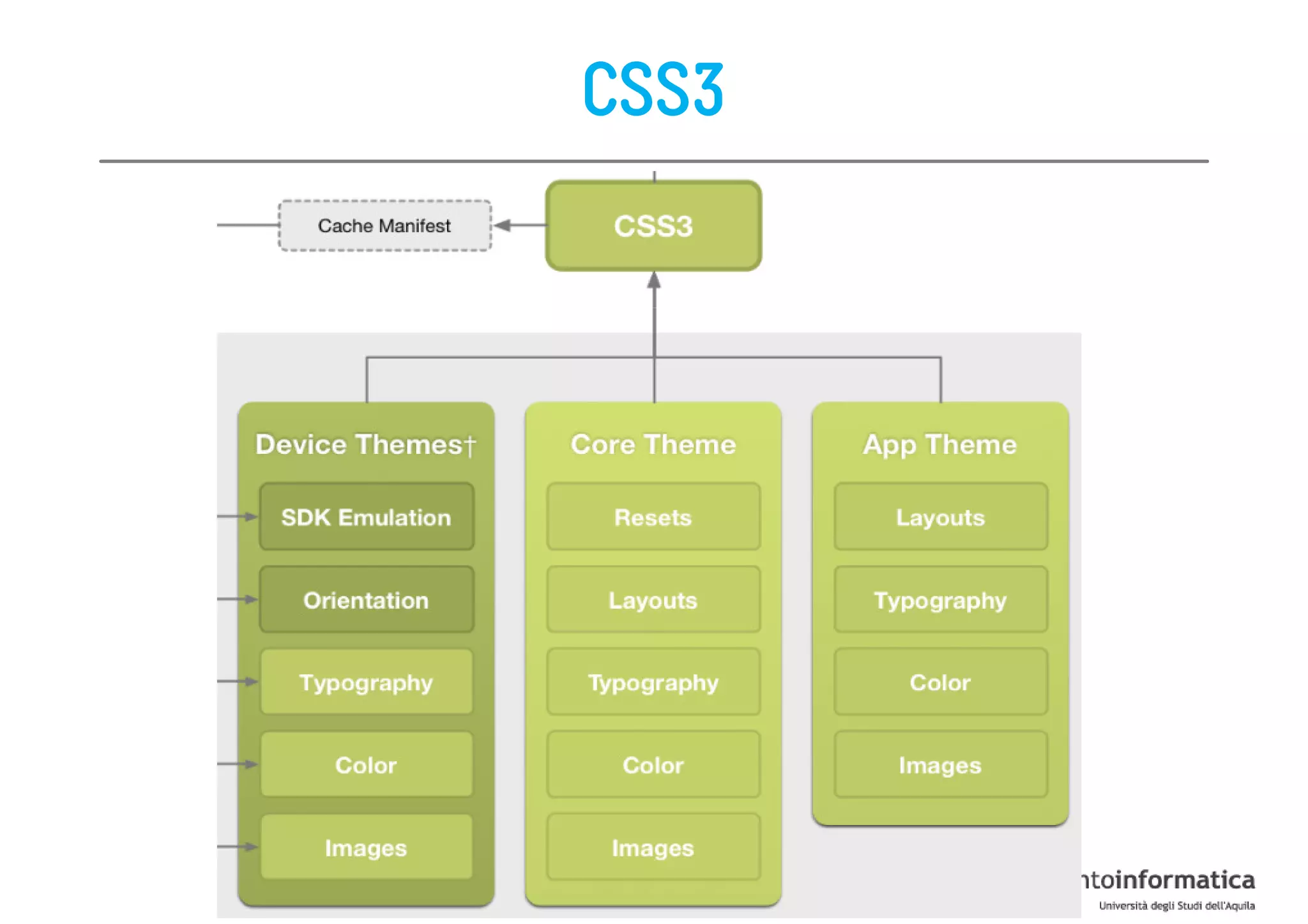
CSS3
Device Themes

The presentation elements that will be
  required to mimic the platform aesthetic

  – it may be unique to each platform you plan to
    support
  – examples:
     • Sencha Touch (CSS)
     • JQueryMobile (CSS)
     • …
Core Themes
The presentation elements you use
  independently from the app and platform

  – Keep presentation essentials as a unique stylesheet
    that will serve as your core theme
  – They are the elements that should always be the
    same regardless of what platform you use
  – Examples:
     •   Resets
     •   Toolbar colors
     •   Layouts
     •   Typography
     •   …
App Themes
The presentation elements that are specific to
  your app

  – Basically, they are similar to a core theme, but they
    are specific to an app
  – Examples:
     •   Logos
     •   Toolbar colors
     •   Layouts
     •   Typography
     •   …
Roadmap

• Anatomy of a mobile web app
• Classes of Mobile web apps
• PhoneGap
Classes of Mobile Web Apps
A mobile web app will always be limited to the
  capabilities of the browser and device
  available

This environment cannot be assured at the time of
  development

The following classes of development can help to
  prioritize design and development effort
Class 1

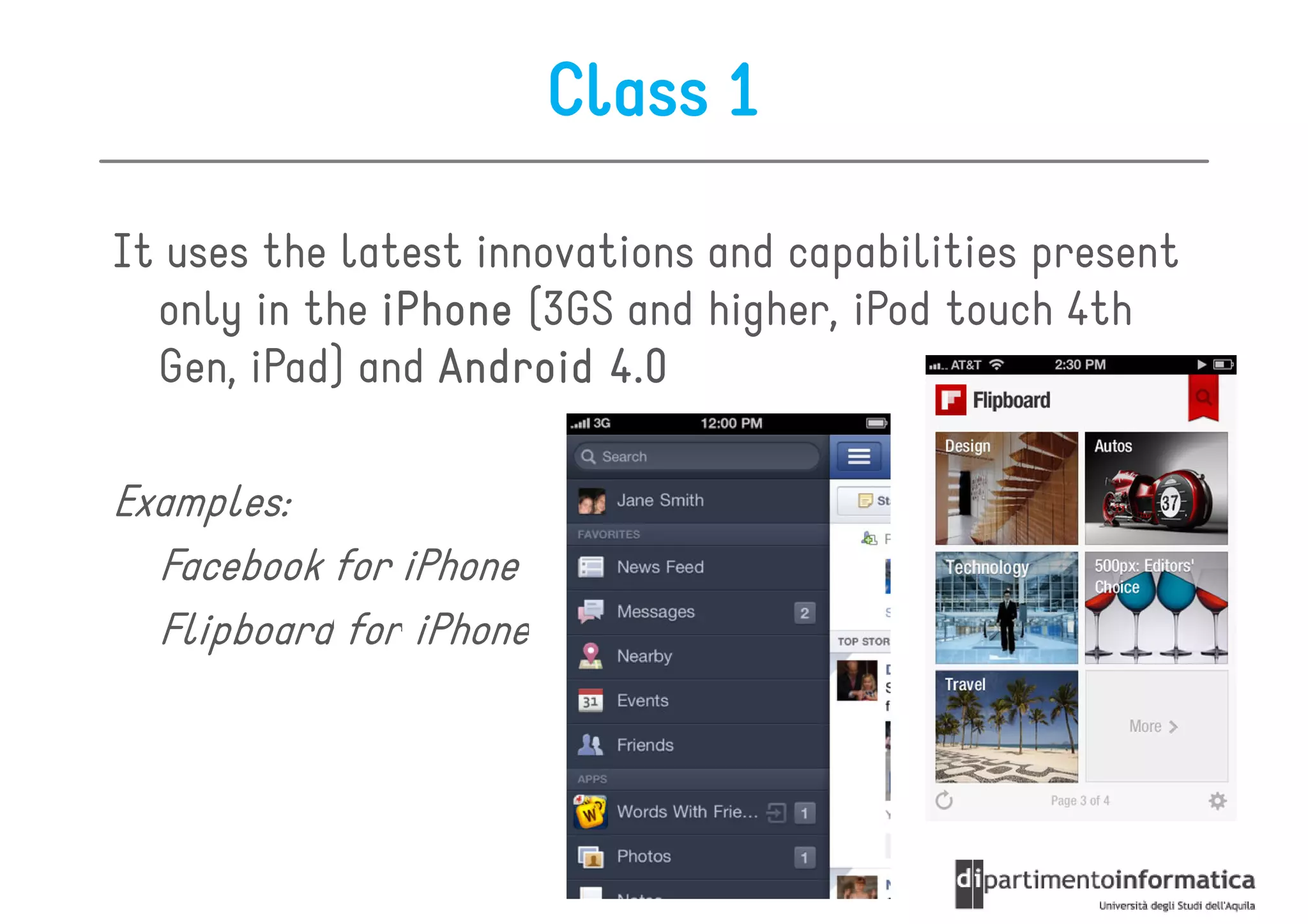
It uses the latest innovations and capabilities present
  only in the iPhone (3GS and higher, iPod touch 4th
  Gen, iPad) and Android 4.0

Examples:
  Facebook for iPhone
  Flipboard for iPhone
Class 1
Advantages
• Best possible mobile experience
• Complex user interfaces, animations is possible
• Limited access to device features is possible
• The user experience can be very close, and in some
  cases on par with native iPhone apps
• Fixed headers and footers are possible with Javascript

Disadvantages
• They do not have backward compatibility and do
  not support other platforms
• Complex Javascript is required for data integration
  and is difficult to debug
Class 2

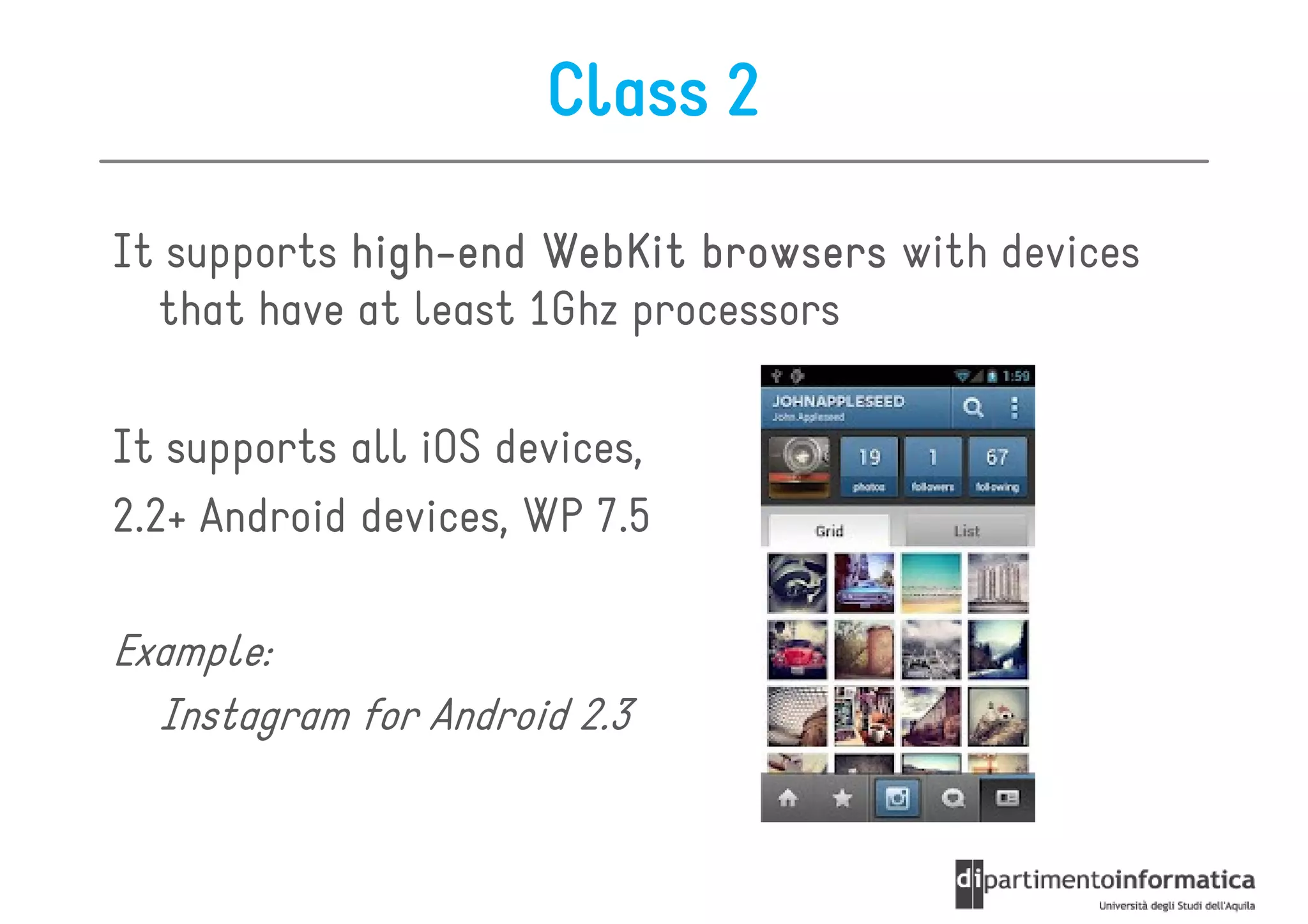
It supports high-end WebKit browsers with devices
            high-
  that have at least 1Ghz processors

It supports all iOS devices,
2.2+ Android devices, WP 7.5

Example:
  Instagram for Android 2.3
Class 2
Advantages
• Complex user interfaces are possible
• Support the majority of high-end smartphones on the
  marketplace
• Has limited backward compatibility

Disadvantages
• Use of animations are processor and battery intensive
   (Javascript-based animation needs to be used instead of
   CSS, or animations need to be omitted altogether)
• Cannot use fixed footers and headers
• Complex javascript can be required for data integration
   and is difficult to debug
Class 3

It has the highest degree of smartphone device
  compatibility,
  compatibility provides high quality user experience,
  as well as supporting higher and lower classes

It supports all iOS devices, all Android devices, WP
  BlackBerry Torch
Class 3
Advantages
• Supports the majority of devices, but not all
• Provides a quality user experience on more capable
  browsers, and degrades to lessor devices

Disadvantages
• Cannot support animations or screen transitions
• Cannot support fixed header or footer
• Limited javascript support
Class 4

It is designed with compatibility in mind, seeking to
  have the best possible user experience across the
  widest number of devices

 Any mobile web app looking to have the maximum
  cross platform support, should look no further
                   support
  than a Class 4 experience

It is more website than web app
Class 4

Advantages
• Support the largest number of handsets
• Is simple to design and develop
• Is simple to deploy

Disadvantages
• Requires significant Quality Assurance time
Universal App
It is an experience that is built for multiple device
  contexts,
  contexts but with a single source of content

Sometimes referred to as Responsive Web Design

Warning. In this case the user experience is driven
 by technological constraints, not user needs

Warning. This approach is something that has
 proven unsuccessful with most mobile platforms
 and applications
Universal App
Advantages
• Support mobile devices from a single code base
• Based in web standards
• Increases accessibility and Search Engine Optimization
  (SEO)
• Data integration is very simple

Disadvantages
• Must be designed for maximum device compatibility
  (Lower Common Denominator or LCD-based Design)
• Does not address the users context
• Most websites are not designed to be “universal” and
  need to be refactored from scratch
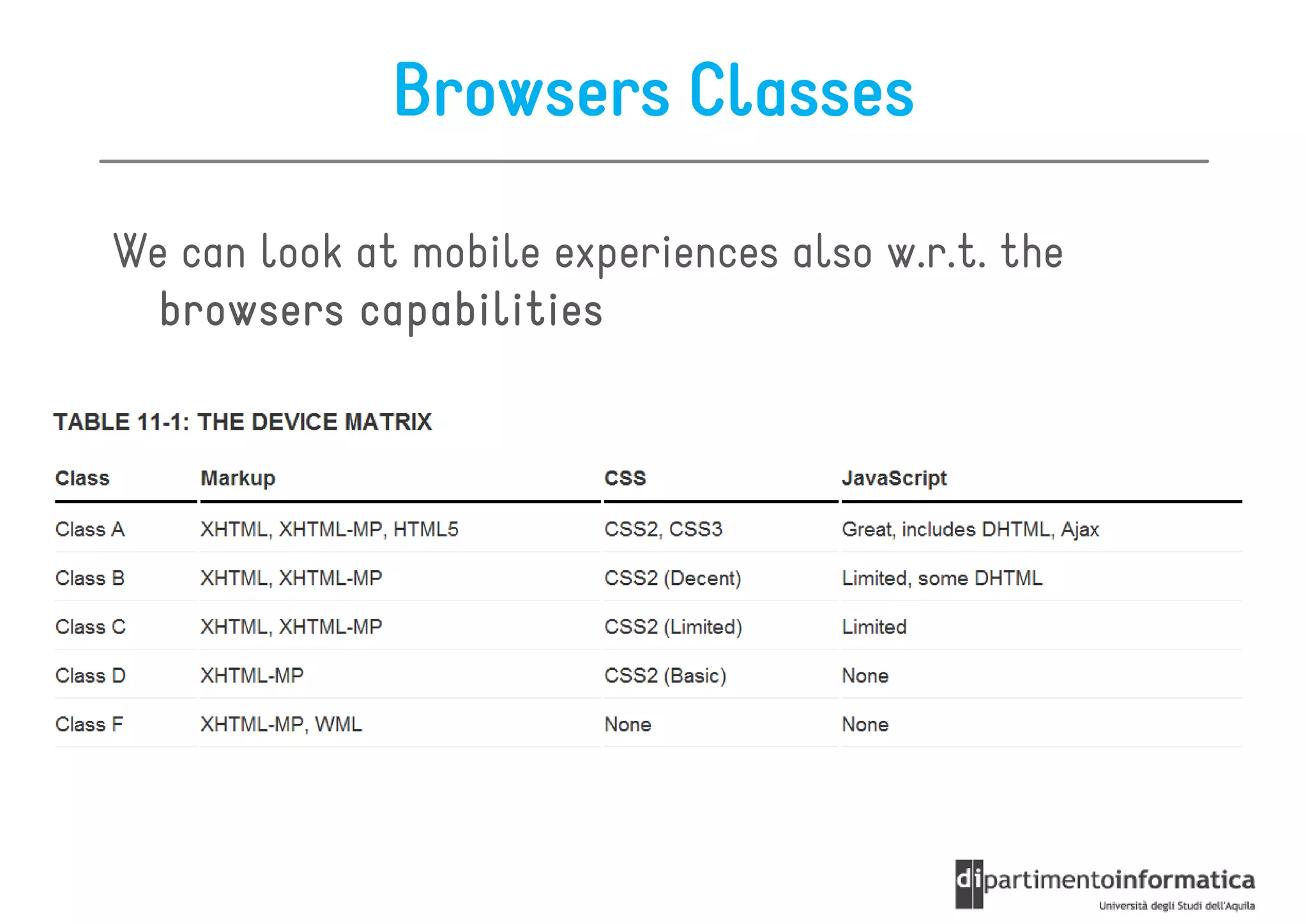
Browsers Classes

We can look at mobile experiences also w.r.t. the
  browsers capabilities
Roadmap

• Anatomy of a mobile web app
• Classes of Mobile web apps
• PhoneGap
PhoneGap

• Conceptual Overview
• Phonegap Development Guidelines
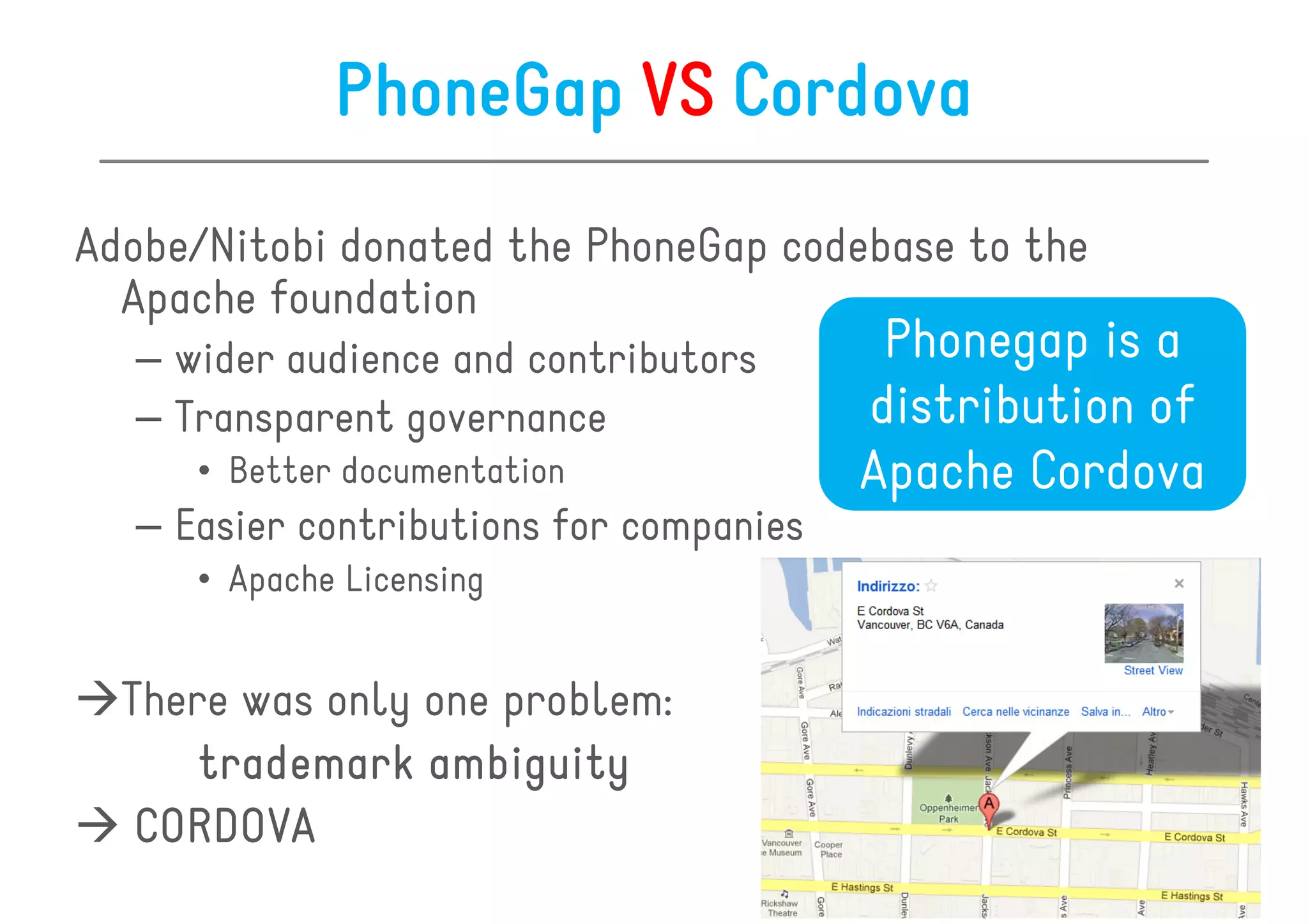
PhoneGap VS Cordova
Adobe/Nitobi donated the PhoneGap codebase to the
  Apache foundation
  – wider audience and contributors       Phonegap is a
  – Transparent governance               distribution of
     • Better documentation              Apache Cordova
  – Easier contributions for companies
     • Apache Licensing


  There was only one problem:
      trademark ambiguity
   CORDOVA
PhoneGap

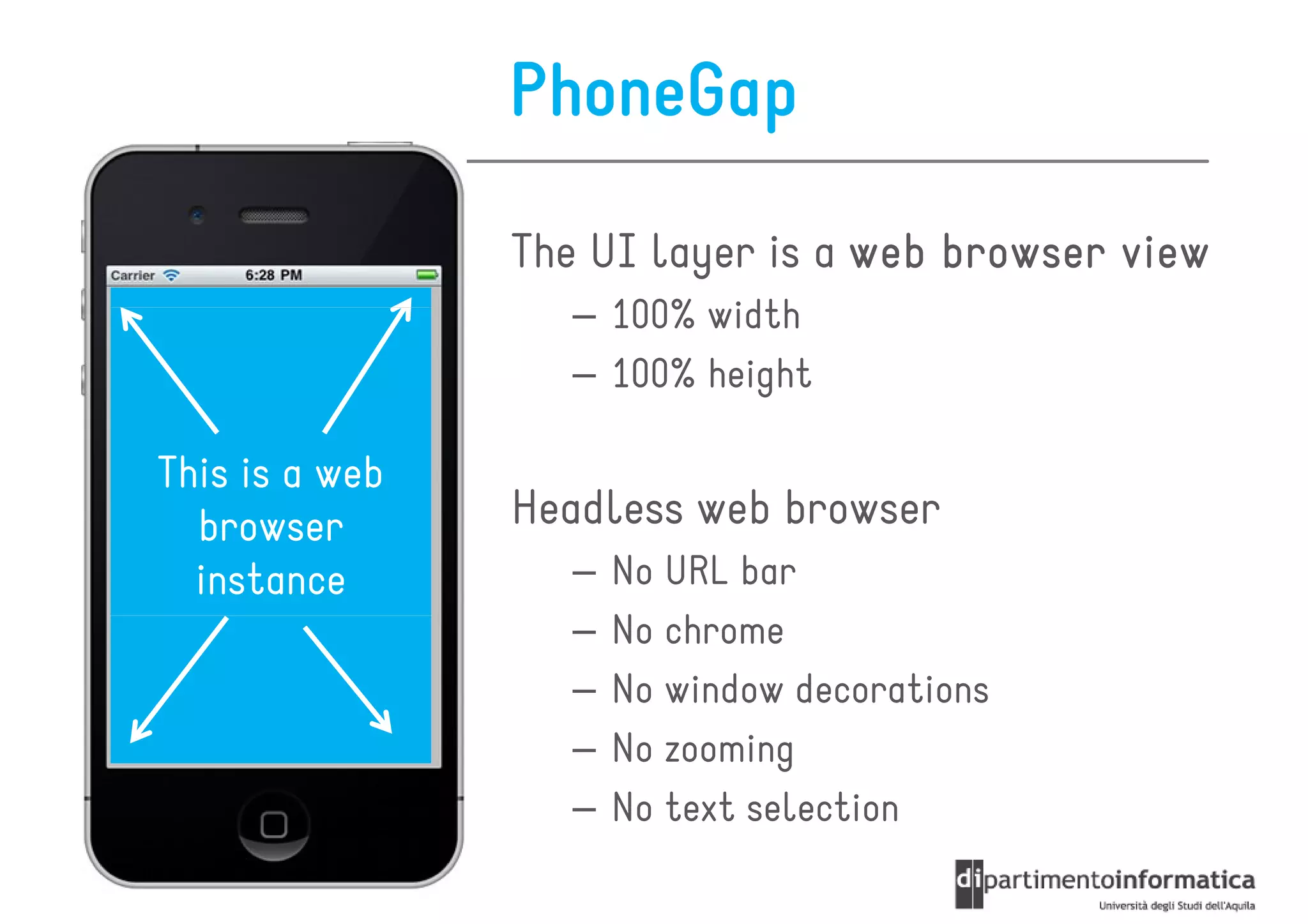
                The UI layer is a web browser view
                   – 100% width
                   – 100% height

This is a web
  browser       Headless web browser
  instance         –   No URL bar
                   –   No chrome
                   –   No window decorations
                   –   No zooming
                   –   No text selection
PhoneGap

You develop your app using
• HTML
• CSS
• Javascript


You use the same web view of the native OS
   – iOS = UIWebView
   – Android = android.webkit.WebView
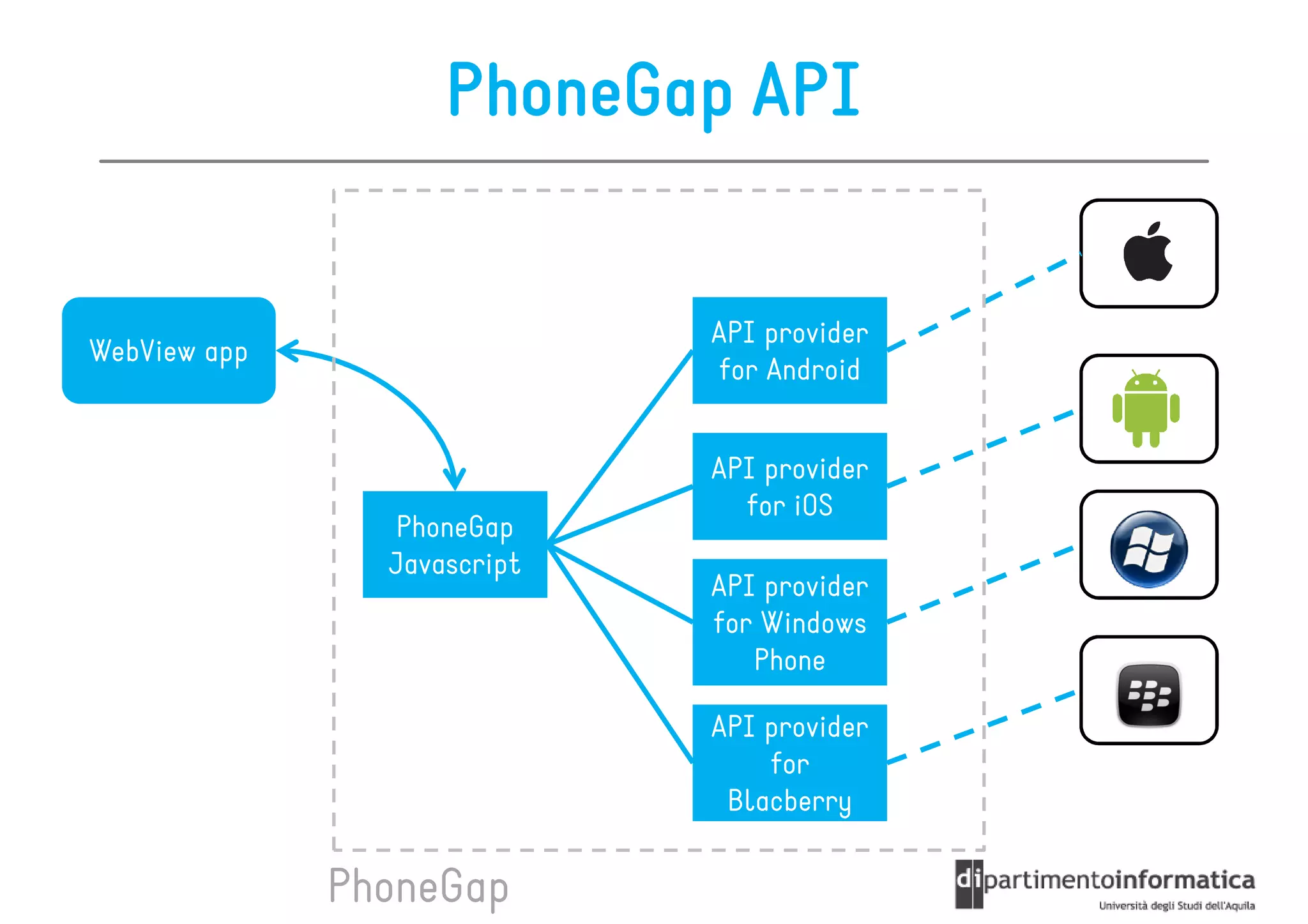
PhoneGap API
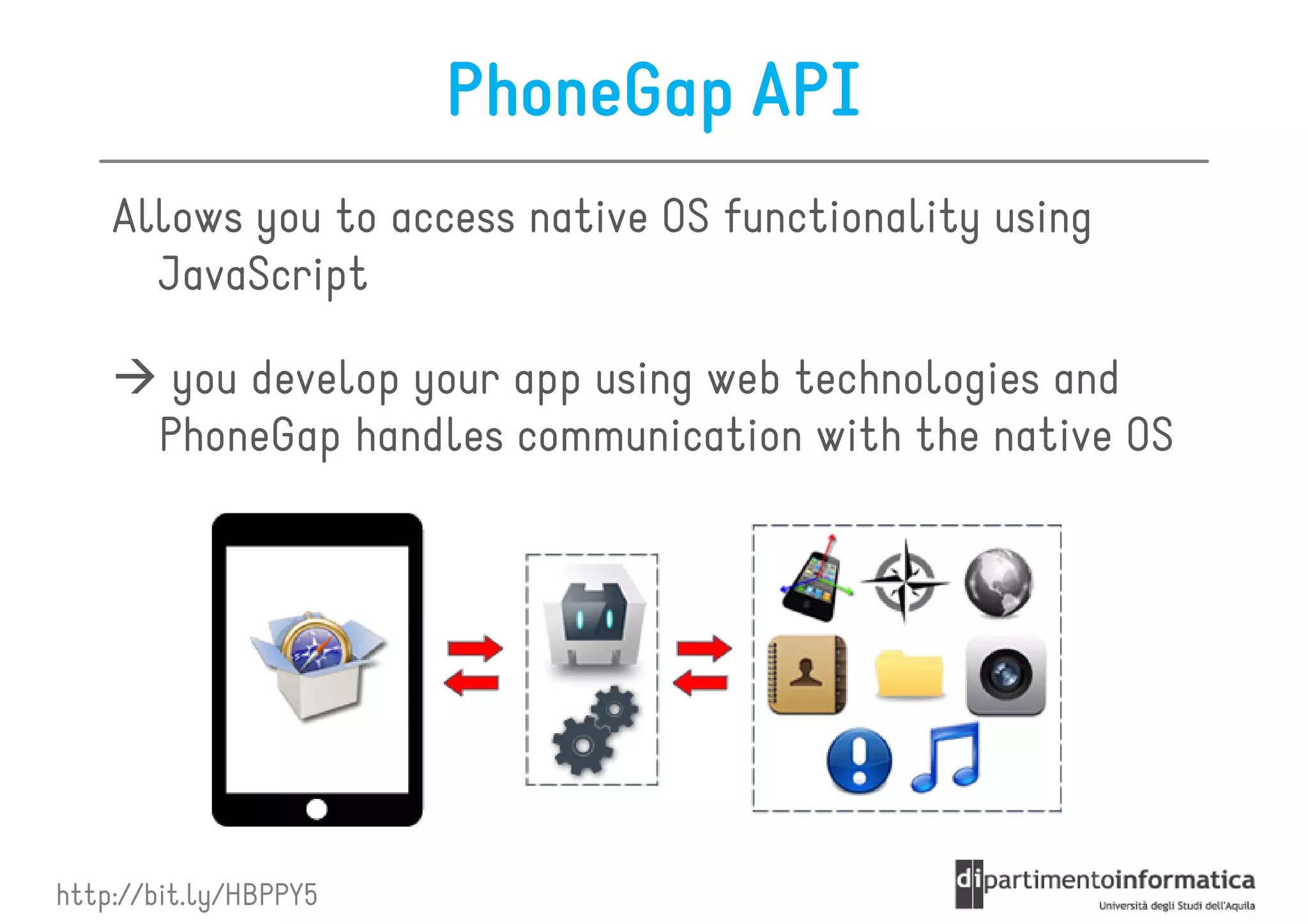
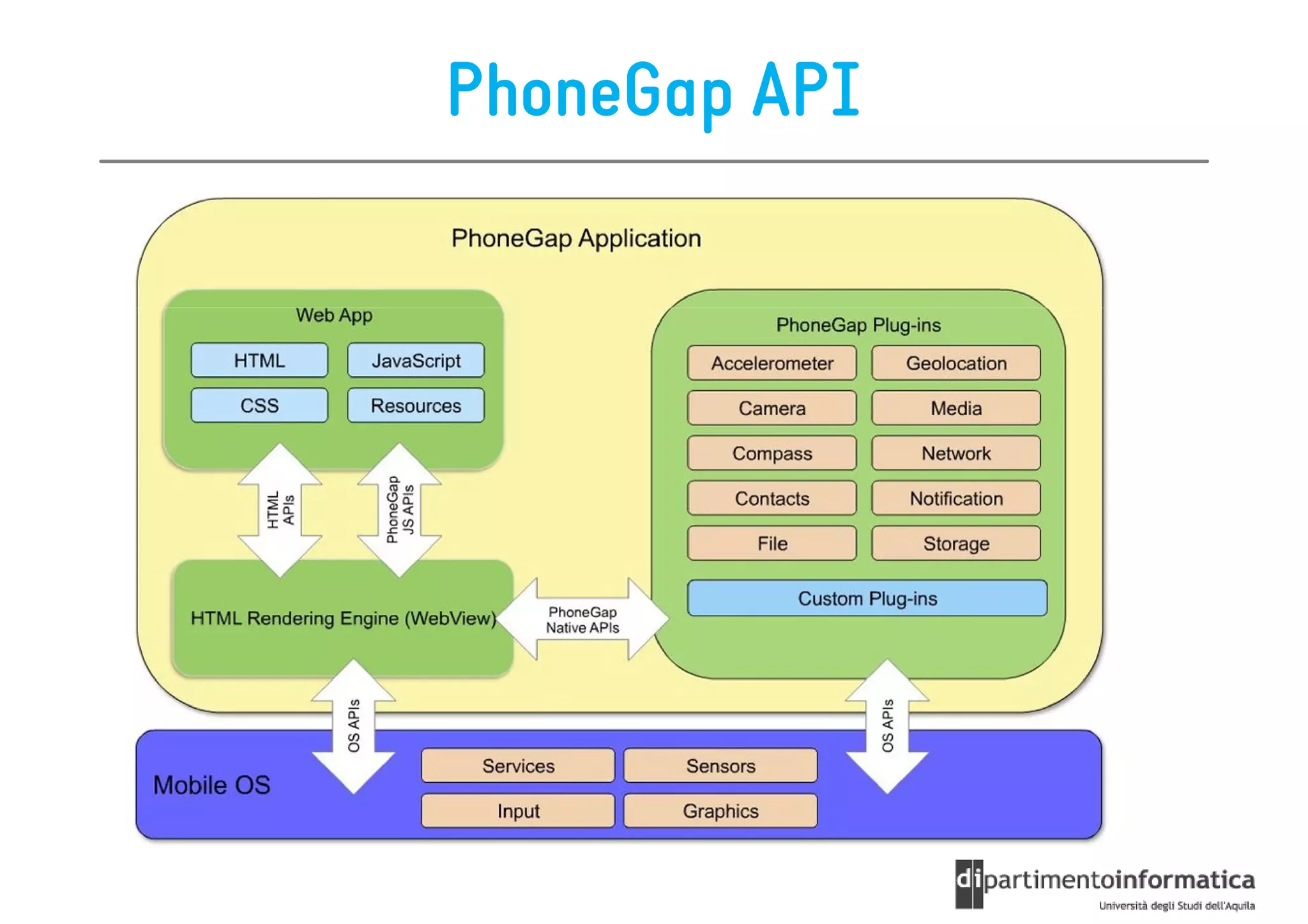
    Allows you to access native OS functionality using
      JavaScript

        you develop your app using web technologies and
       PhoneGap handles communication with the native OS


http://bit.ly/HBPPY5
PhoneGap API


                             API provider
WebView app
                             for Android


                             API provider
                               for iOS
                PhoneGap
                Javascript
                             API provider
                             for Windows
                                Phone

                             API provider
                                 for
                              Blacberry

              PhoneGap
PhoneGap API
PhoneGap API on iOS - general idea
1. the native web views have events/notifications whenever
   the url/address is changed
2. cordova.js parses messages into strings and puts them
   as the source URL inside a hidden IFrame element
3. This navigation action is intercepted on the native layer
   and converted to a native object, and the default
   navigation action is blocked
4. The string is parsed and a native code operation is
   performed
5. The native layer writes back to the web view layer by
   executing javascript strings
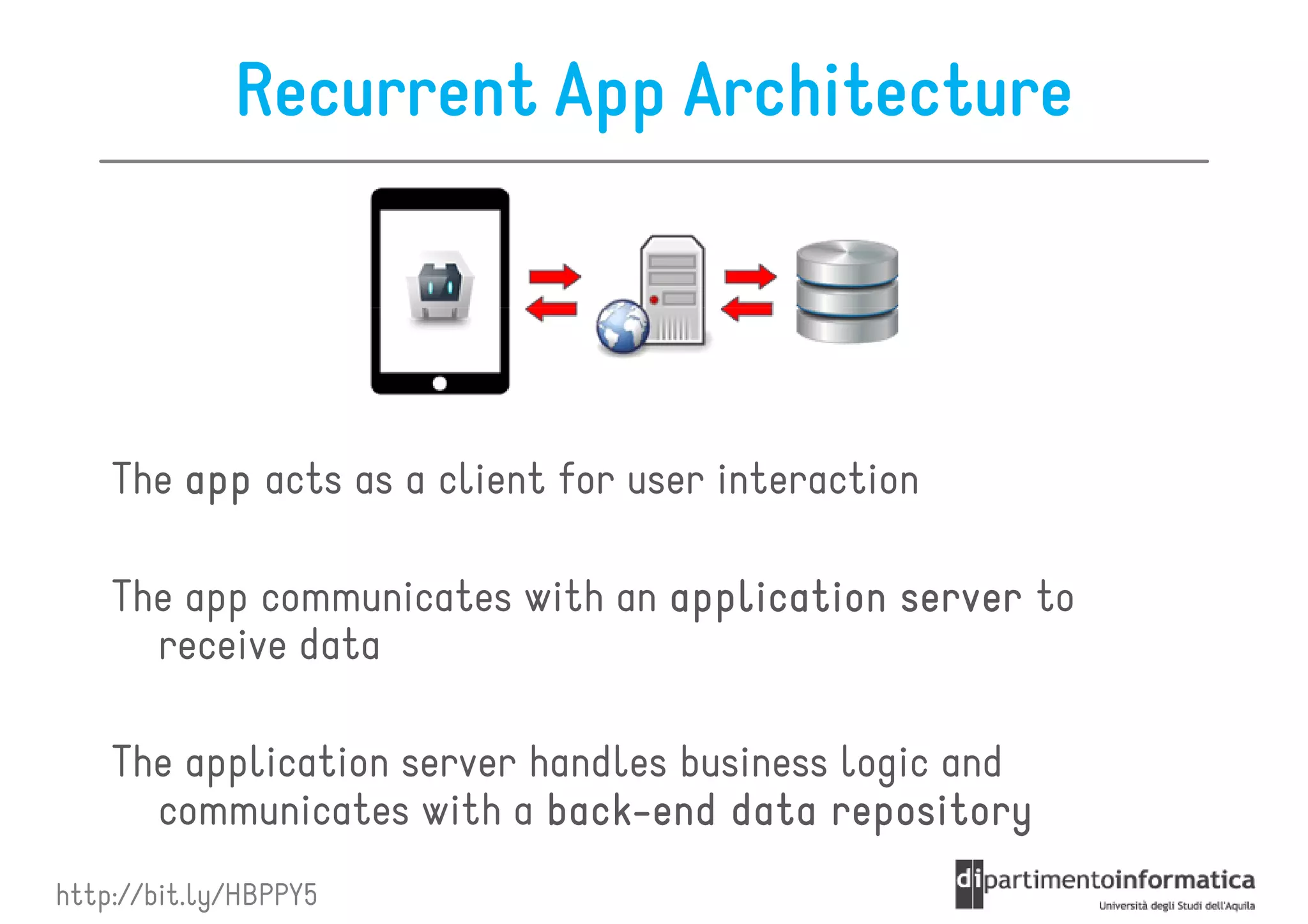
Recurrent App Architecture


    The app acts as a client for user interaction

    The app communicates with an application server to
      receive data

    The application server handles business logic and
      communicates with a back-end data repository
                            back-
http://bit.ly/HBPPY5
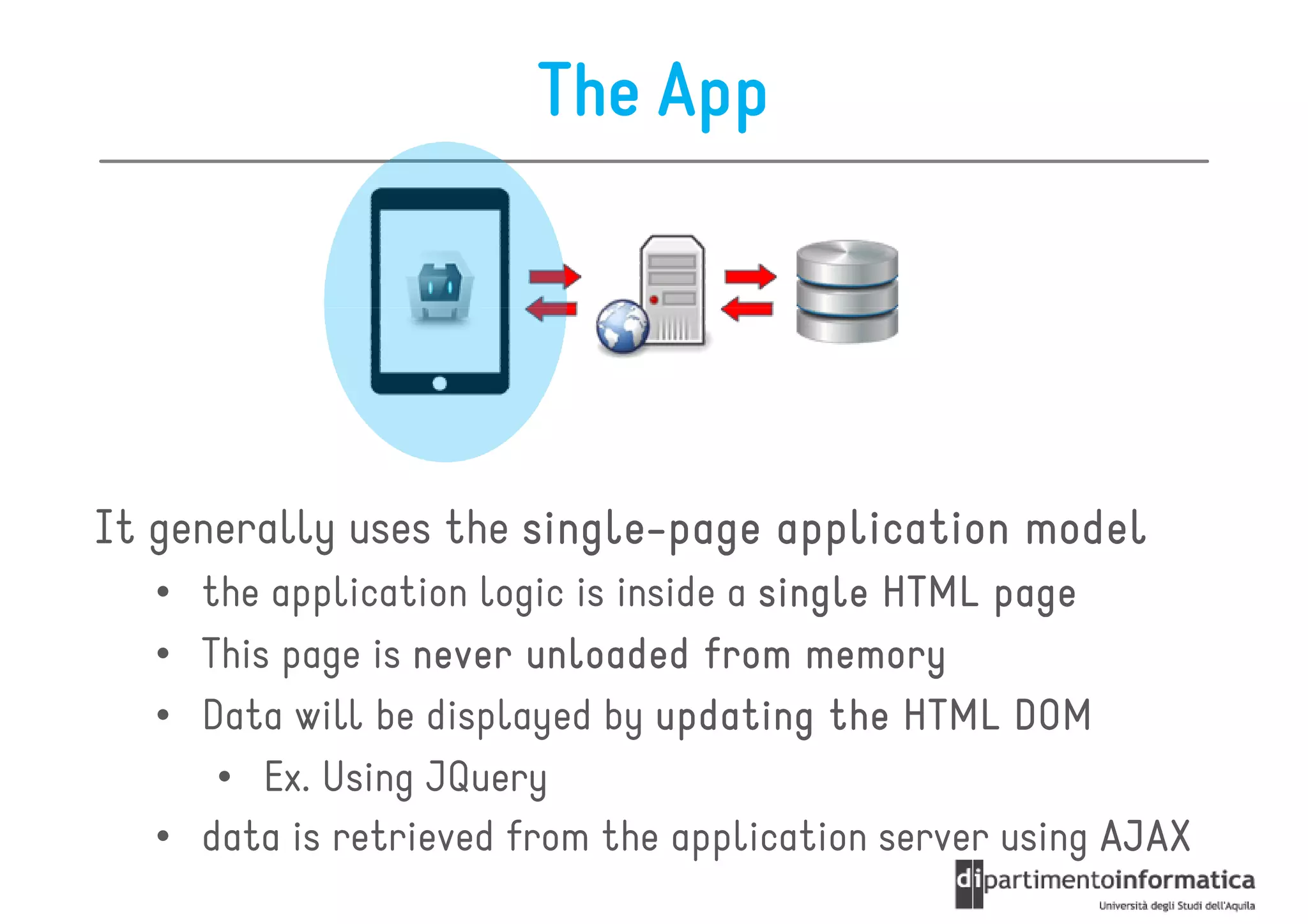
The App


It generally uses the single-page application model
                      single-
  • the application logic is inside a single HTML page
  • This page is never unloaded from memory
  • Data will be displayed by updating the HTML DOM
     • Ex. Using JQuery
  • data is retrieved from the application server using AJAX
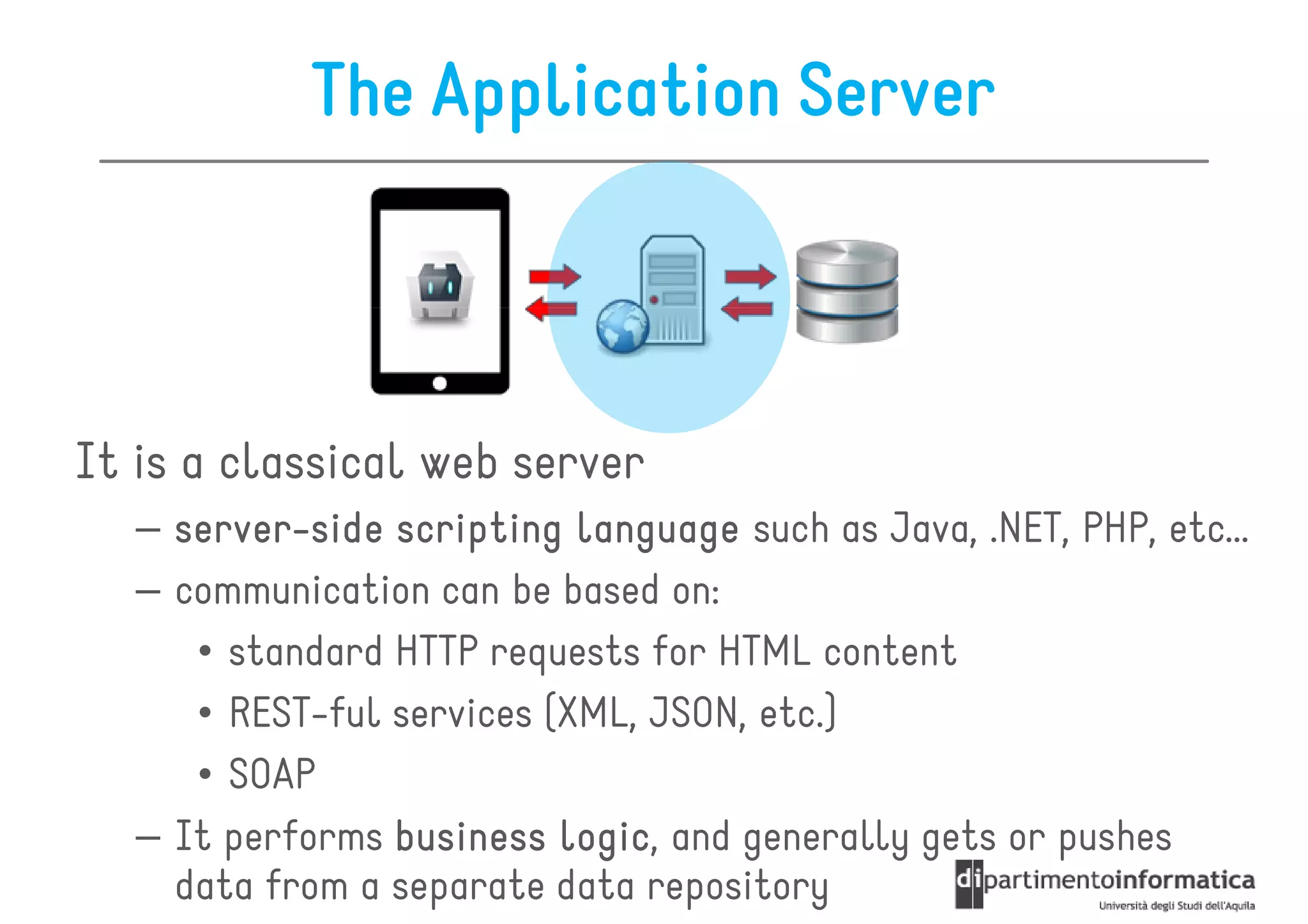
The Application Server


It is a classical web server
   – server-side scripting language such as Java, .NET, PHP, etc…
     server-
   – communication can be based on:
      • standard HTTP requests for HTML content
      • REST-ful services (XML, JSON, etc.)
      • SOAP
   – It performs business logic and generally gets or pushes
                           logic,
     data from a separate data repository
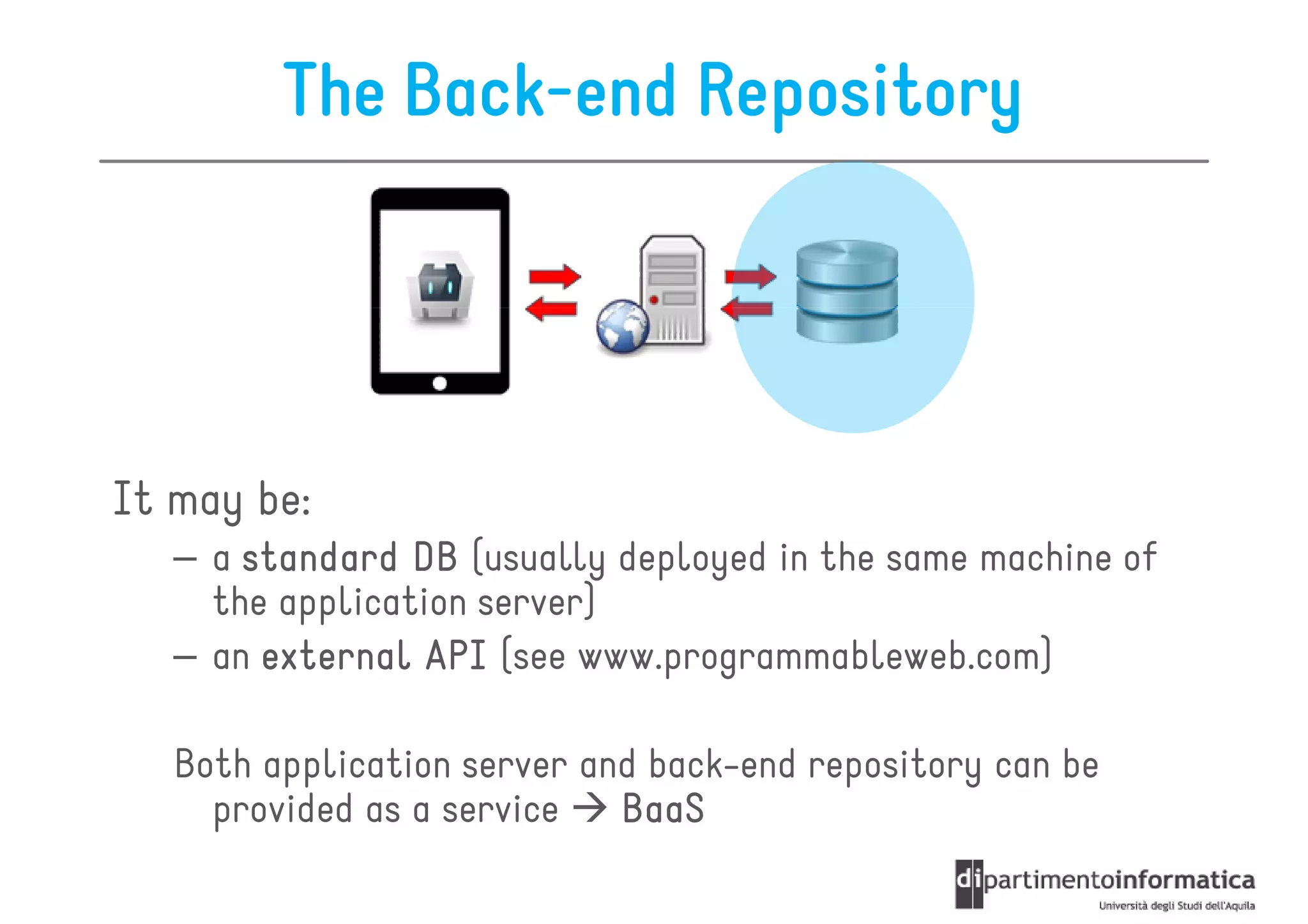
The Back-end Repository


It may be:
   – a standard DB (usually deployed in the same machine of
     the application server)
   – an external API (see www.programmableweb.com)

   Both application server and back-end repository can be
     provided as a service   BaaS
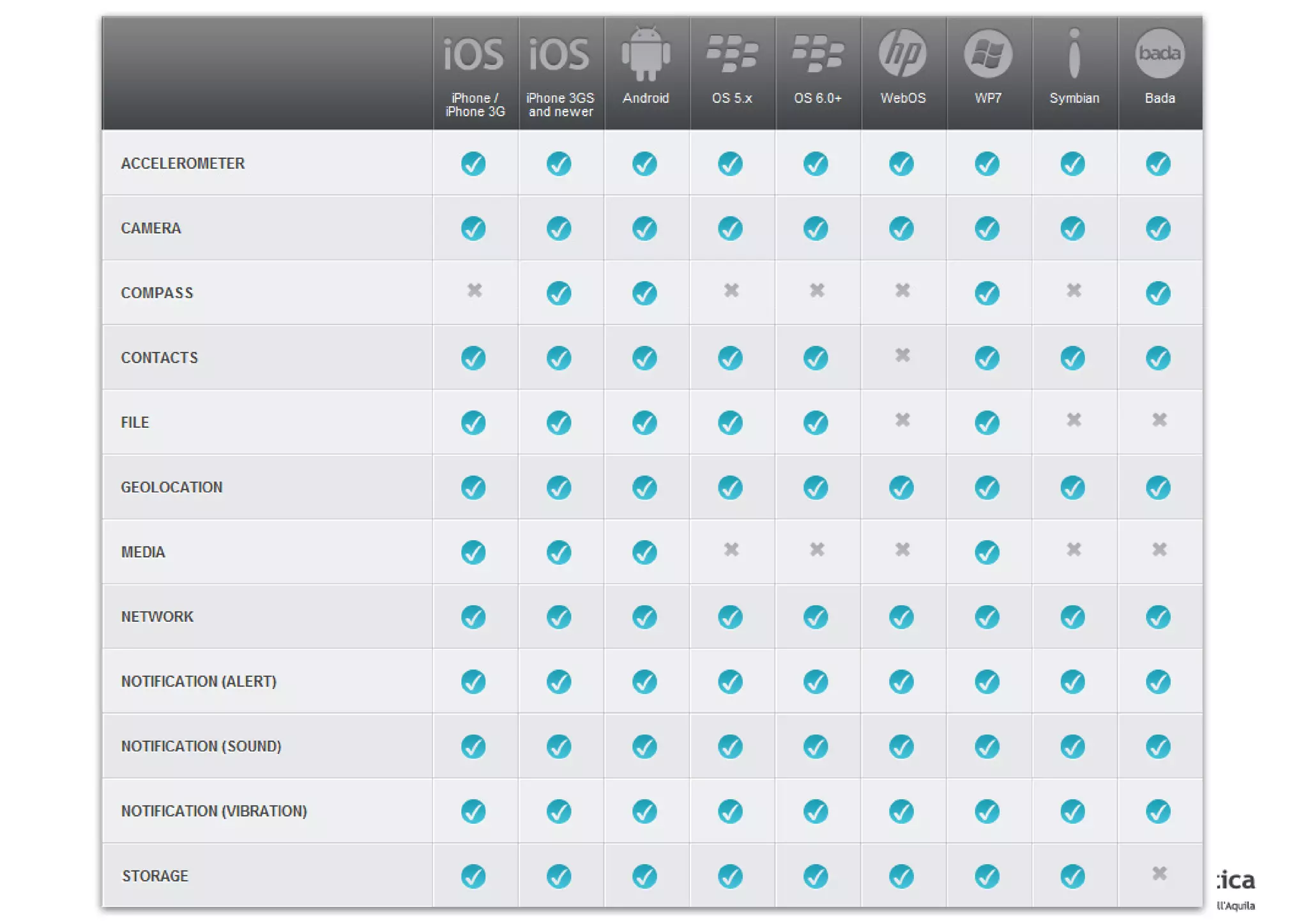
Features Coverage
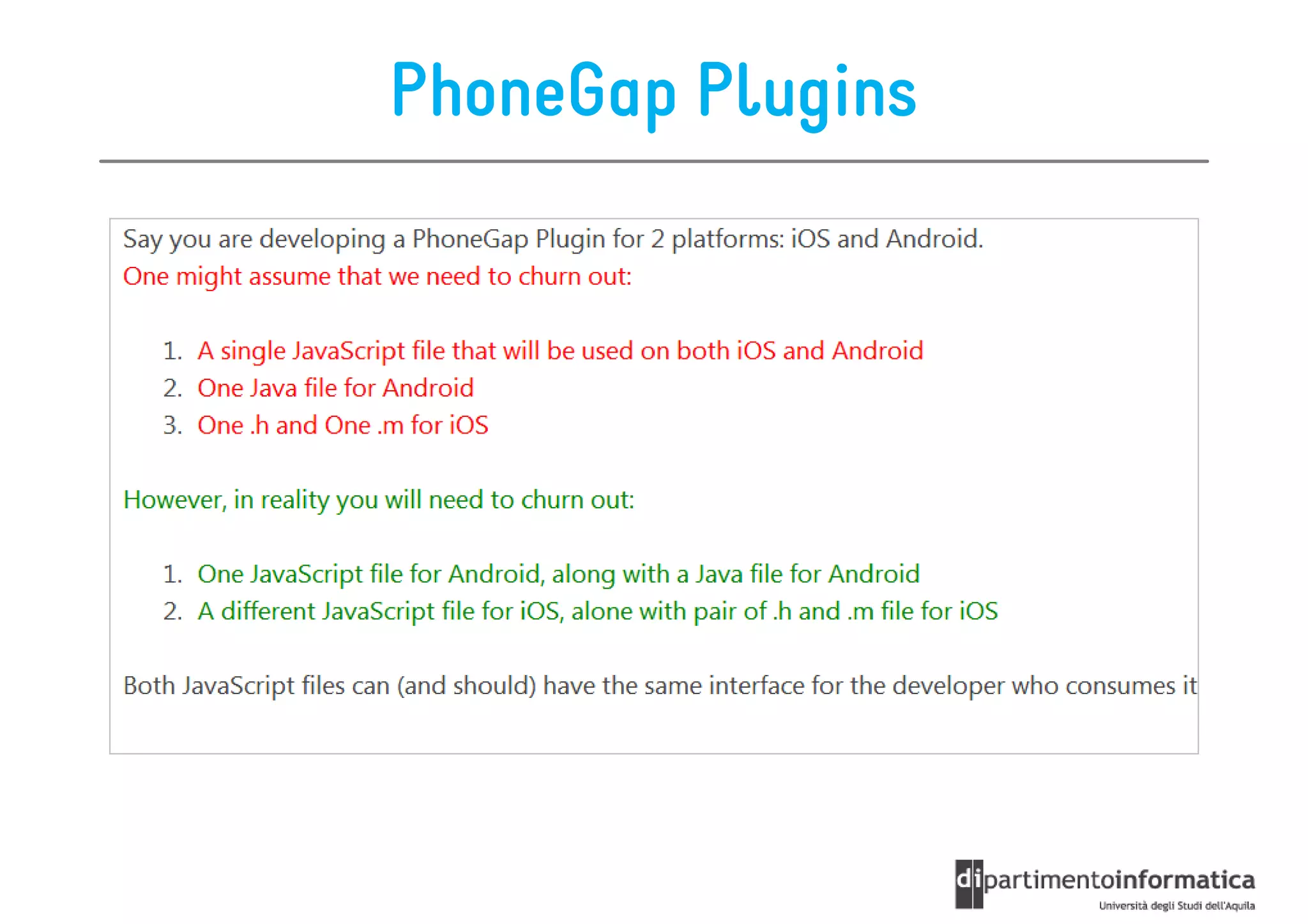
PhoneGap Plugins

 Sometimes PhoneGap is not enough as is for our purposes
 • Unsupported feature
 • heavyweight data processing is faster in native code
      – ex. images manipulation
 • background processing is better handled natively
      – ex. Files sync
 • complex business logic

      You need to develop a PhoneGap plugin
http://wiki.phonegap.com/w/page/36752779/PhoneGap%20Plugins
PhoneGap Plugins

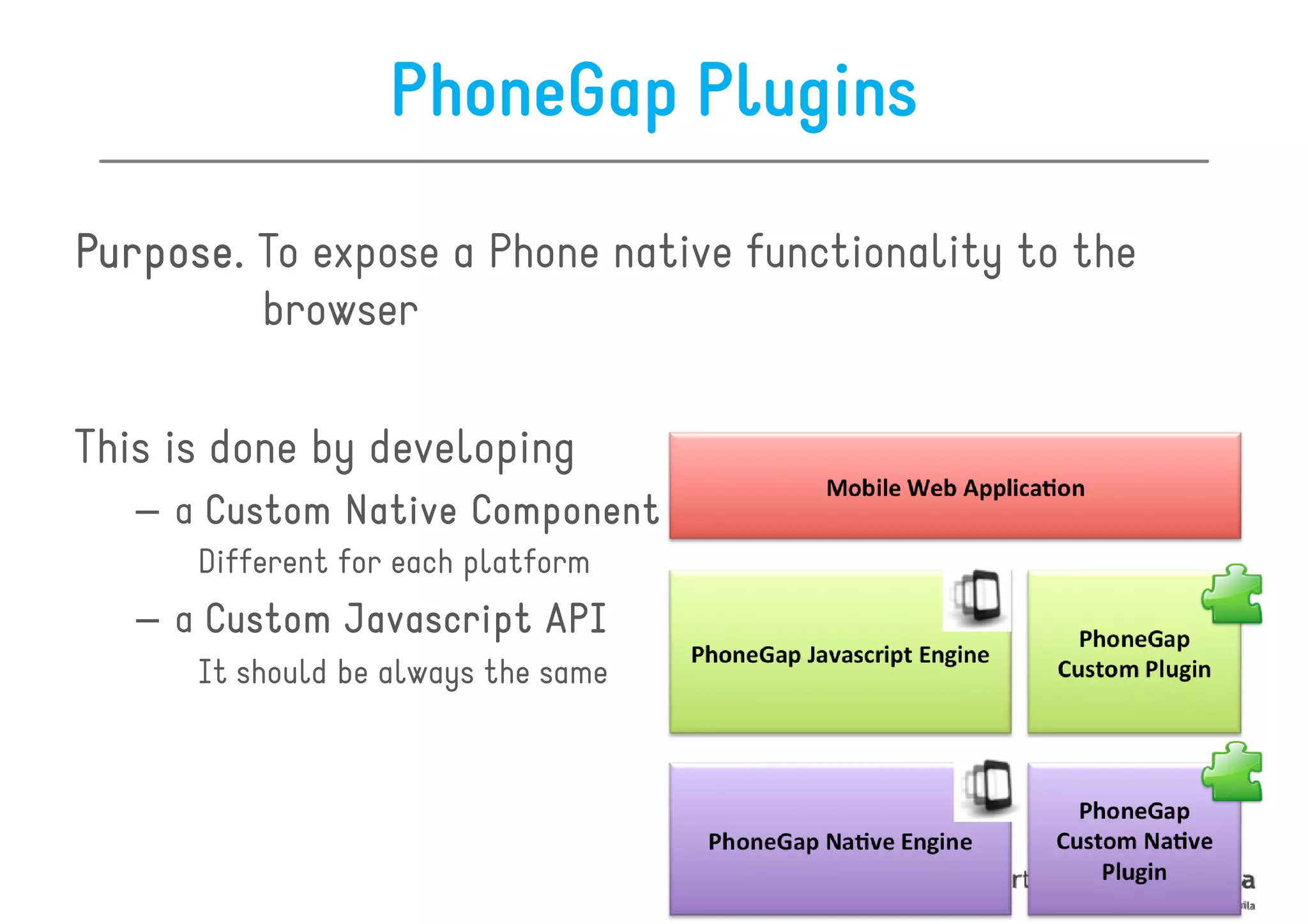
Purpose.
Purpose. To expose a Phone native functionality to the
         browser

This is done by developing
   – a Custom Native Component
      Different for each platform
   – a Custom Javascript API
      It should be always the same
PhoneGap Plugins
PhoneGap

• Conceptual Overview
• Phonegap Development Guidelines
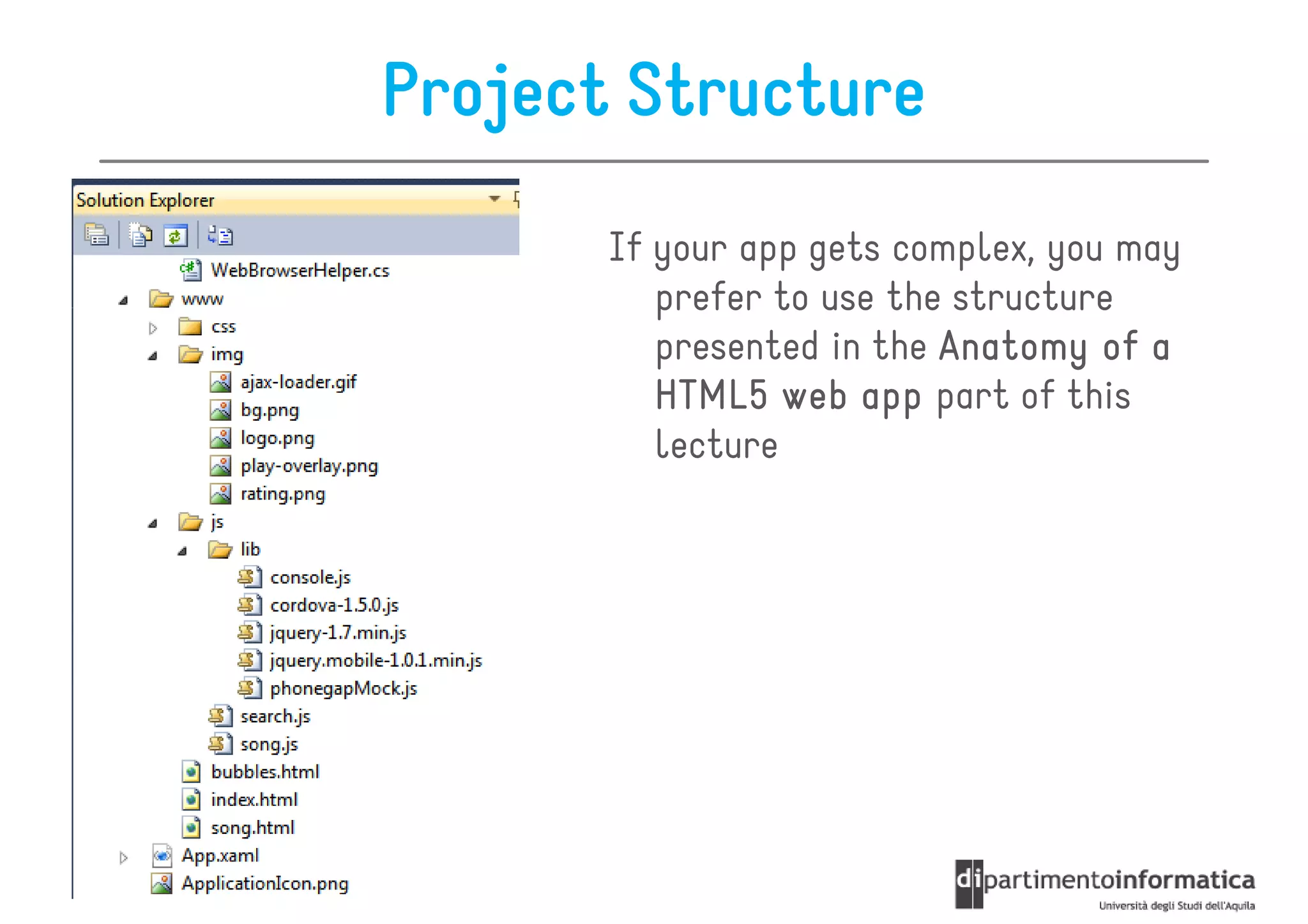
Project Structure
       If your app gets complex, you may
          prefer to use the structure
          presented in the Anatomy of a
          HTML5 web app part of this
          lecture
Page Structure

• Place all CSS stylesheets at the beginning
   – allows the page to render progressively
   – avoids flickering


• Place all JS scripts that do not affect page layout
  at the end
   – every script must be parsed before it can be used
   – they block parallel downloads
Images and Style

• First of all, avoid images when possible
   – you may use CSS gradiends, effects, etc.

• Try to avoid advanced CSS properties
   – for example, text-shadow and box-shadow, opacity

• Use touch events, instead of onClick
   – onClick may take up to 500ms to execute!
Text Management
• If the input is numeric, open up only the numeric keyboard
   – The same holds for email, websites, ecc.

   <input type="text" pattern="[0-9]*" value="numeric" />


• Disable user selection

   <style>
   *{
   -webkit-touch-callout: none;
   -webkit-user-select: none;
   }
   </style>
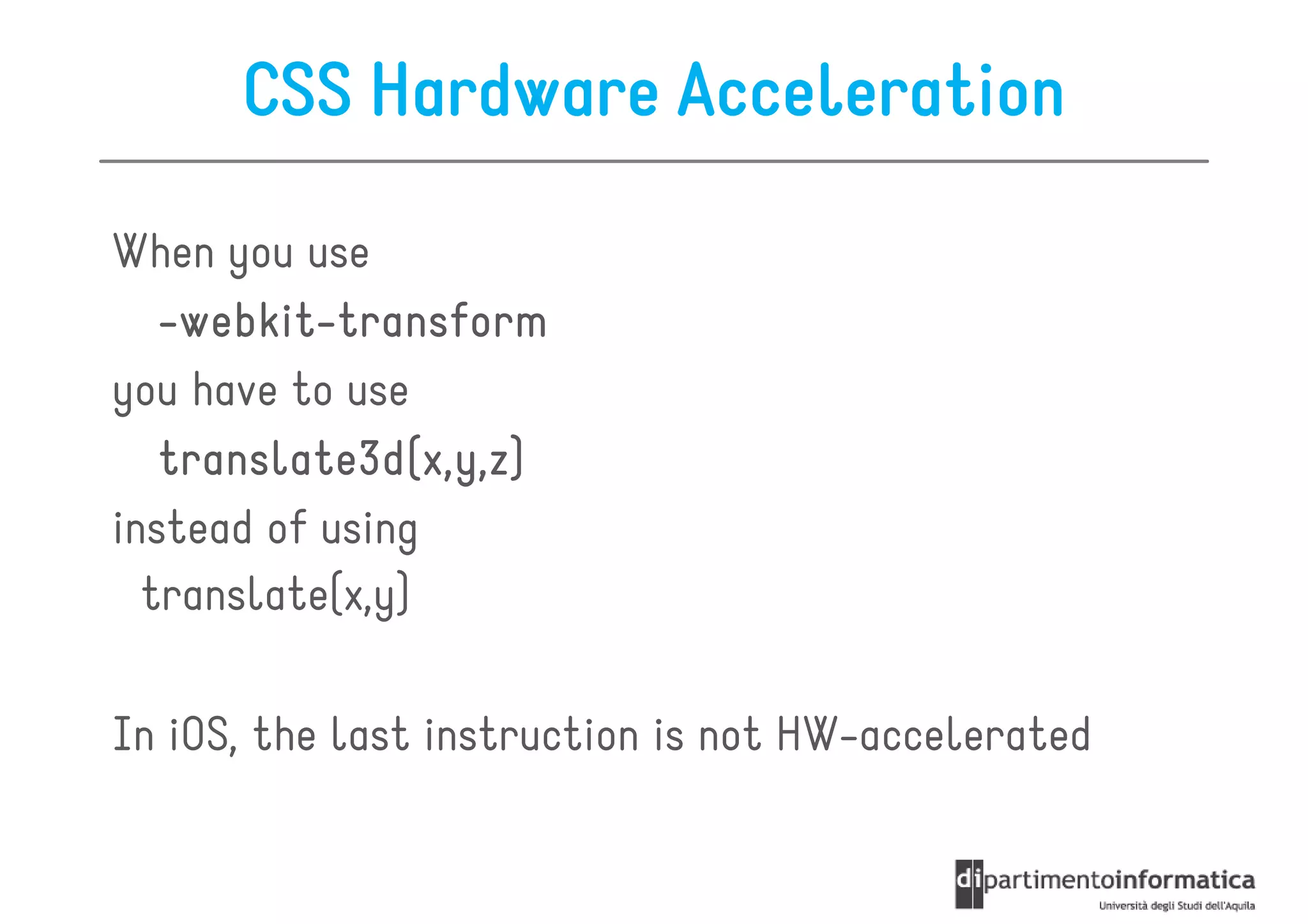
CSS Hardware Acceleration

When you use
    webkit-
   -webkit-transform
you have to use
   translate3d(x,y,z
   translate3d(x,y,z)
                 x,y,z)
instead of using
  translate(x,y)

In iOS, the last instruction is not HW-accelerated
Scrolling

I you want to scroll only a portion of your view, you
   should use this library

  http://cubiq.org/iscroll

Examples:
   – fixed header and footer, with scrollable content
   – scrollable sub-views with fixed description below
Frameworks
JQueryMobile, JQuery, Backbone, etc. are beautiful
  tools…

However they may impact the performance of your app

  Use a framework only when it is necessary
   – Don’t use JQuery only because of the $() syntax!

Solution
• build your own micro-framework
• cut out PhoneGap plugins you do not use
• use micro-frameworks (http://microjs.com)
References


http://www.tricedesigns.com/
http://pinchzoom.com/
http://hiediutley.com/


                               Chapters 11-12

Anatomy of an HTML 5 mobile web app

  • 1.
    Mobile Web Apps Development Ivano Malavolta ivano.malavolta@univaq.it http://www.di.univaq.it/malavolta
  • 2.
    Roadmap • Anatomy ofa mobile web app • Classes of Mobile web apps • PhoneGap
  • 3.
    What is aWeb App? An application built with web technologies that is accessible via a mobile browser and not exclusively through an app store The browser may be either the standard device browser or an embedded browser (Hybrid app)
  • 4.
    Anatomy of aWeb App
  • 5.
    Anatomy of amobile web app This is why HTML5 Mobile Apps are hard hard! In many cases you will need to create every part of this diagram If you don’t create it, you still need to test and debug each piece
  • 6.
    Setting up theServer As usual, it all starts with an http request Then you need: • Data • A device detection mechanism [optional] • The app itself
  • 7.
    Data Usually mobile appsdo not talk directly with the database do not even think about JDBC, drivers, etc! They pass through an application server and communicate via: – standard HTTP requests for HTML content (eg PHP) – REST-full services (XML, JSON, etc.) – SOAP
  • 8.
    Data 2 • Datacan be stored in any classical way: – Relational – Graph – Key-value – Document-based www.parse.com www.kinvey.com Latest trend: backend-as-a-service – Data storage, users management, security, big files storage, scalability, push notifications…
  • 9.
    BaaS 1. Developers build a visual model of their DB 2. The service generates APIs and client-side libraries(compatible with iOS, Android, Windows Phone 7, etc.) 3. The data produced/consumed in the app can be pushed/pulled to their DB – Communication is handled via REST or other protocols
  • 10.
    Server-side device detection Alldevices are unique you have to know on which device your app is running the app can adapt to the device capabilities Many techniques, the most used are: • Andy Moore’s browser detector – Works for PHP pages only • Javascript if (navigator.userAgent.match(/AppleWebKit/i) && navigator.userAgent.match(/Mobile/i)) { • External APIs window.location.replace('/path/to/iphone/site/'); – (DeviceAtlas, WURFL) @media screen and (max-width: 980px) { • CSS3 media queries }
  • 11.
    The HTML5 app Keepcode very semantic Keep all the logic in Javascript Keep (most of) the presentation in CSS3 Remember that the user may go offline • Offline data storage, cache manifest Progressive Enhancement Write all your markup first without any CSS or JavascriptThe resulting markup should always be perfectly usable in its lowest form.
  • 12.
  • 13.
    Progressive Enhancement Techniques •Always code your markup semantically – ensure that the page is always usable, even with no stylesheet • Have a device plan – Know which device classes you intend to support before you start to code • Have both your LCD and high-end device designs before high- you begin to code – Try to visualize a way to create both versions from one code base. • Test on different mobile devices from the beginning – your incremental work must display correctly in the intended devices • If you plan to add a desktop layer, always create the mobile version first
  • 14.
    Anatomy of aWeb App
  • 15.
    Cache Manifest Problem. Problem Browsershave their own caches but they are unreliable and heterogenous The Application Cache allows a developer to specify which files the browser should cache and make available to offline users CACHE MANIFEST /main/features.js /main/settings/index.css http://files/images/scene.jpg http://files/images/world.jpg
  • 16.
    Cache Manifest A cachemanifest gives you the following benefits: • Offline browsing – users can navigate your full site when they're offline • Speed – cached resources are local, and therefore load faster • Reduced server load – the browser will only download resources from the server that have changed This solution does not cover dynamic data caching In that case you can use javascript to get your data
  • 17.
  • 18.
    Hybrid Scripts These scriptsbridge the gap between your core scripts and the device SDK – A necessary step if you plan to ship your HTML5 app in a native wrapper like a standard iOS UIWebView or Cordova – They may need to be distinct for each platform you plan to support • For example, the cordova.js file for Android is subtly different from the iOS’s one
  • 19.
    Core Scripts The commoncomponents of your app – they implement the internal logic that your app will require to assemble and render your HTML5 pages – they will be the same in every platform – examples of duties: • REST API access • Domain entities representation • … – they include also JS libraries like JQuery and other microframeworks
  • 20.
    Device Scripts They workto emulate native behaviors of the device with Javascript – these scripts may be unique to each platform you plan to support – examples: • JQueryMobile (JS part) • JQTouch (JS part) • SenchaTouch (JS part) • iui-js
  • 21.
    A note onMobile Web Frameworks Frameworks like JQueryMobile, JQTouch are useful since they give you the standard visual language the user is accustom to out-of-the-box However, evaluate carefully what framework you need, you may have issues about: – performance (the UI may get slow) – stability, debuggability – customization problems (you may be forced in doing everything the framework-way) – your app may look like many others
  • 22.
  • 23.
    Device Themes The presentationelements that will be required to mimic the platform aesthetic – it may be unique to each platform you plan to support – examples: • Sencha Touch (CSS) • JQueryMobile (CSS) • …
  • 24.
    Core Themes The presentationelements you use independently from the app and platform – Keep presentation essentials as a unique stylesheet that will serve as your core theme – They are the elements that should always be the same regardless of what platform you use – Examples: • Resets • Toolbar colors • Layouts • Typography • …
  • 25.
    App Themes The presentationelements that are specific to your app – Basically, they are similar to a core theme, but they are specific to an app – Examples: • Logos • Toolbar colors • Layouts • Typography • …
  • 26.
    Roadmap • Anatomy ofa mobile web app • Classes of Mobile web apps • PhoneGap
  • 27.
    Classes of MobileWeb Apps A mobile web app will always be limited to the capabilities of the browser and device available This environment cannot be assured at the time of development The following classes of development can help to prioritize design and development effort
  • 28.
    Class 1 It usesthe latest innovations and capabilities present only in the iPhone (3GS and higher, iPod touch 4th Gen, iPad) and Android 4.0 Examples: Facebook for iPhone Flipboard for iPhone
  • 29.
    Class 1 Advantages • Bestpossible mobile experience • Complex user interfaces, animations is possible • Limited access to device features is possible • The user experience can be very close, and in some cases on par with native iPhone apps • Fixed headers and footers are possible with Javascript Disadvantages • They do not have backward compatibility and do not support other platforms • Complex Javascript is required for data integration and is difficult to debug
  • 30.
    Class 2 It supportshigh-end WebKit browsers with devices high- that have at least 1Ghz processors It supports all iOS devices, 2.2+ Android devices, WP 7.5 Example: Instagram for Android 2.3
  • 31.
    Class 2 Advantages • Complexuser interfaces are possible • Support the majority of high-end smartphones on the marketplace • Has limited backward compatibility Disadvantages • Use of animations are processor and battery intensive (Javascript-based animation needs to be used instead of CSS, or animations need to be omitted altogether) • Cannot use fixed footers and headers • Complex javascript can be required for data integration and is difficult to debug
  • 32.
    Class 3 It hasthe highest degree of smartphone device compatibility, compatibility provides high quality user experience, as well as supporting higher and lower classes It supports all iOS devices, all Android devices, WP BlackBerry Torch
  • 33.
    Class 3 Advantages • Supportsthe majority of devices, but not all • Provides a quality user experience on more capable browsers, and degrades to lessor devices Disadvantages • Cannot support animations or screen transitions • Cannot support fixed header or footer • Limited javascript support
  • 34.
    Class 4 It isdesigned with compatibility in mind, seeking to have the best possible user experience across the widest number of devices Any mobile web app looking to have the maximum cross platform support, should look no further support than a Class 4 experience It is more website than web app
  • 35.
    Class 4 Advantages • Supportthe largest number of handsets • Is simple to design and develop • Is simple to deploy Disadvantages • Requires significant Quality Assurance time
  • 36.
    Universal App It isan experience that is built for multiple device contexts, contexts but with a single source of content Sometimes referred to as Responsive Web Design Warning. In this case the user experience is driven by technological constraints, not user needs Warning. This approach is something that has proven unsuccessful with most mobile platforms and applications
  • 37.
    Universal App Advantages • Supportmobile devices from a single code base • Based in web standards • Increases accessibility and Search Engine Optimization (SEO) • Data integration is very simple Disadvantages • Must be designed for maximum device compatibility (Lower Common Denominator or LCD-based Design) • Does not address the users context • Most websites are not designed to be “universal” and need to be refactored from scratch
  • 38.
    Browsers Classes We canlook at mobile experiences also w.r.t. the browsers capabilities
  • 39.
    Roadmap • Anatomy ofa mobile web app • Classes of Mobile web apps • PhoneGap
  • 40.
    PhoneGap • Conceptual Overview •Phonegap Development Guidelines
  • 41.
    PhoneGap VS Cordova Adobe/Nitobidonated the PhoneGap codebase to the Apache foundation – wider audience and contributors Phonegap is a – Transparent governance distribution of • Better documentation Apache Cordova – Easier contributions for companies • Apache Licensing There was only one problem: trademark ambiguity CORDOVA
  • 42.
    PhoneGap The UI layer is a web browser view – 100% width – 100% height This is a web browser Headless web browser instance – No URL bar – No chrome – No window decorations – No zooming – No text selection
  • 43.
    PhoneGap You develop yourapp using • HTML • CSS • Javascript You use the same web view of the native OS – iOS = UIWebView – Android = android.webkit.WebView
  • 44.
    PhoneGap API Allows you to access native OS functionality using JavaScript you develop your app using web technologies and PhoneGap handles communication with the native OS http://bit.ly/HBPPY5
  • 45.
    PhoneGap API API provider WebView app for Android API provider for iOS PhoneGap Javascript API provider for Windows Phone API provider for Blacberry PhoneGap
  • 46.
  • 47.
    PhoneGap API oniOS - general idea 1. the native web views have events/notifications whenever the url/address is changed 2. cordova.js parses messages into strings and puts them as the source URL inside a hidden IFrame element 3. This navigation action is intercepted on the native layer and converted to a native object, and the default navigation action is blocked 4. The string is parsed and a native code operation is performed 5. The native layer writes back to the web view layer by executing javascript strings
  • 48.
    Recurrent App Architecture The app acts as a client for user interaction The app communicates with an application server to receive data The application server handles business logic and communicates with a back-end data repository back- http://bit.ly/HBPPY5
  • 49.
    The App It generallyuses the single-page application model single- • the application logic is inside a single HTML page • This page is never unloaded from memory • Data will be displayed by updating the HTML DOM • Ex. Using JQuery • data is retrieved from the application server using AJAX
  • 50.
    The Application Server Itis a classical web server – server-side scripting language such as Java, .NET, PHP, etc… server- – communication can be based on: • standard HTTP requests for HTML content • REST-ful services (XML, JSON, etc.) • SOAP – It performs business logic and generally gets or pushes logic, data from a separate data repository
  • 51.
    The Back-end Repository Itmay be: – a standard DB (usually deployed in the same machine of the application server) – an external API (see www.programmableweb.com) Both application server and back-end repository can be provided as a service BaaS
  • 52.
  • 53.
    PhoneGap Plugins SometimesPhoneGap is not enough as is for our purposes • Unsupported feature • heavyweight data processing is faster in native code – ex. images manipulation • background processing is better handled natively – ex. Files sync • complex business logic You need to develop a PhoneGap plugin http://wiki.phonegap.com/w/page/36752779/PhoneGap%20Plugins
  • 54.
    PhoneGap Plugins Purpose. Purpose. Toexpose a Phone native functionality to the browser This is done by developing – a Custom Native Component Different for each platform – a Custom Javascript API It should be always the same
  • 55.
  • 56.
    PhoneGap • Conceptual Overview •Phonegap Development Guidelines
  • 57.
    Project Structure If your app gets complex, you may prefer to use the structure presented in the Anatomy of a HTML5 web app part of this lecture
  • 58.
    Page Structure • Placeall CSS stylesheets at the beginning – allows the page to render progressively – avoids flickering • Place all JS scripts that do not affect page layout at the end – every script must be parsed before it can be used – they block parallel downloads
  • 59.
    Images and Style •First of all, avoid images when possible – you may use CSS gradiends, effects, etc. • Try to avoid advanced CSS properties – for example, text-shadow and box-shadow, opacity • Use touch events, instead of onClick – onClick may take up to 500ms to execute!
  • 60.
    Text Management • Ifthe input is numeric, open up only the numeric keyboard – The same holds for email, websites, ecc. <input type="text" pattern="[0-9]*" value="numeric" /> • Disable user selection <style> *{ -webkit-touch-callout: none; -webkit-user-select: none; } </style>
  • 61.
    CSS Hardware Acceleration Whenyou use webkit- -webkit-transform you have to use translate3d(x,y,z translate3d(x,y,z) x,y,z) instead of using translate(x,y) In iOS, the last instruction is not HW-accelerated
  • 62.
    Scrolling I you wantto scroll only a portion of your view, you should use this library http://cubiq.org/iscroll Examples: – fixed header and footer, with scrollable content – scrollable sub-views with fixed description below
  • 63.
    Frameworks JQueryMobile, JQuery, Backbone,etc. are beautiful tools… However they may impact the performance of your app Use a framework only when it is necessary – Don’t use JQuery only because of the $() syntax! Solution • build your own micro-framework • cut out PhoneGap plugins you do not use • use micro-frameworks (http://microjs.com)
  • 64.