HOW TO MIGRATE DATA
https://trujay.com/migrations/Act/
In today’s day and age, it is almost impossible to run a successful
business without CRM systems.
Why?
CRMs can store enormous amounts of information, meet clients’
needs, and support the work efforts of different departments.
In this presentation, we’ll explore the benefits and how-to’s of
hassle-free  migration with the help of Trujay.
Let’s dive in!
Try out your solution
Analyze and filter your records
Secure the information
Notify your employees
Pre-Data Migration Checklist
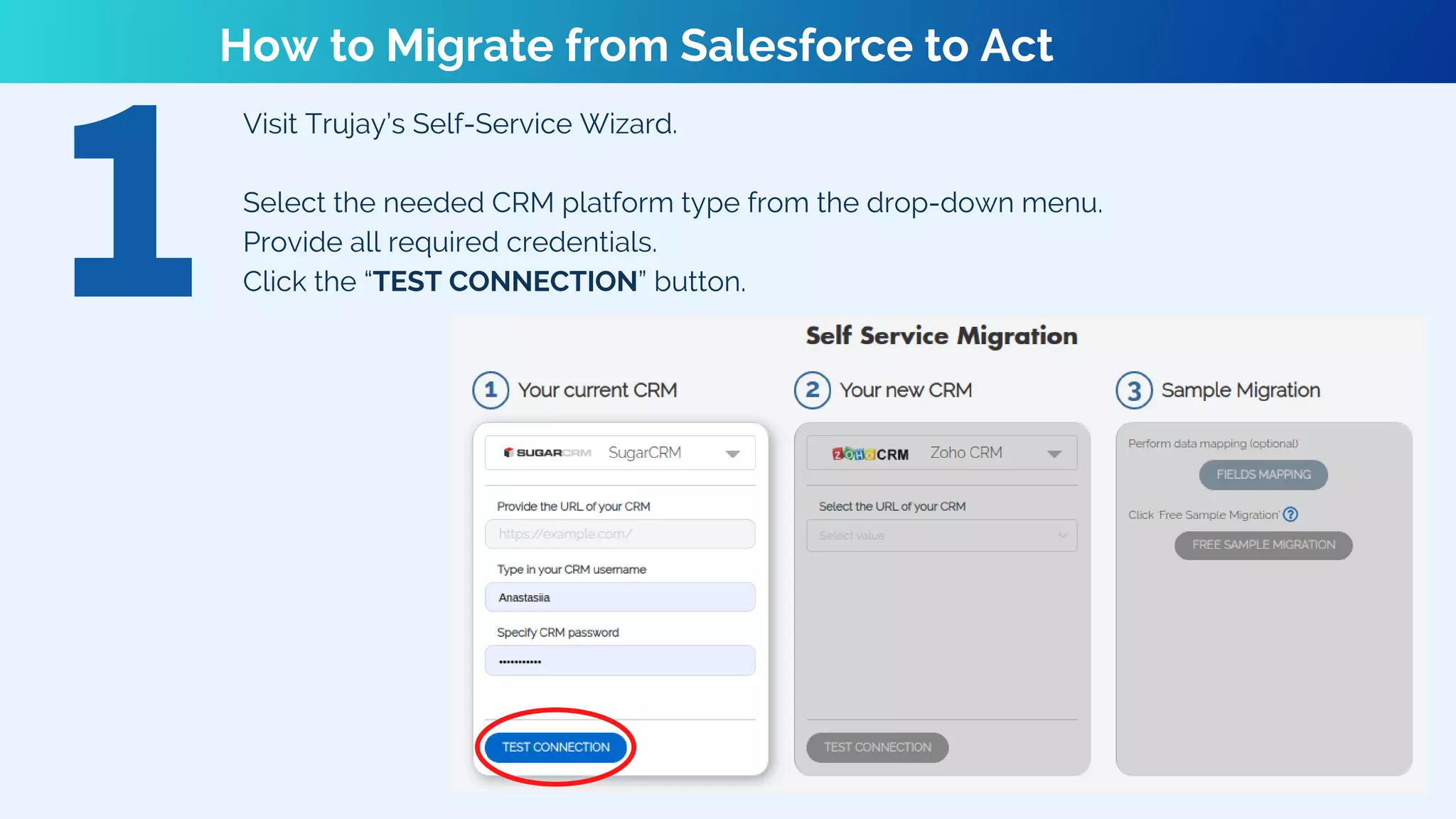
Visit Trujay’s Self-Service Wizard.
Select the needed CRM platform type from the drop-down menu.
Provide all required credentials.
Click the “TEST CONNECTION” button.
How to Migrate from Salesforce to Act
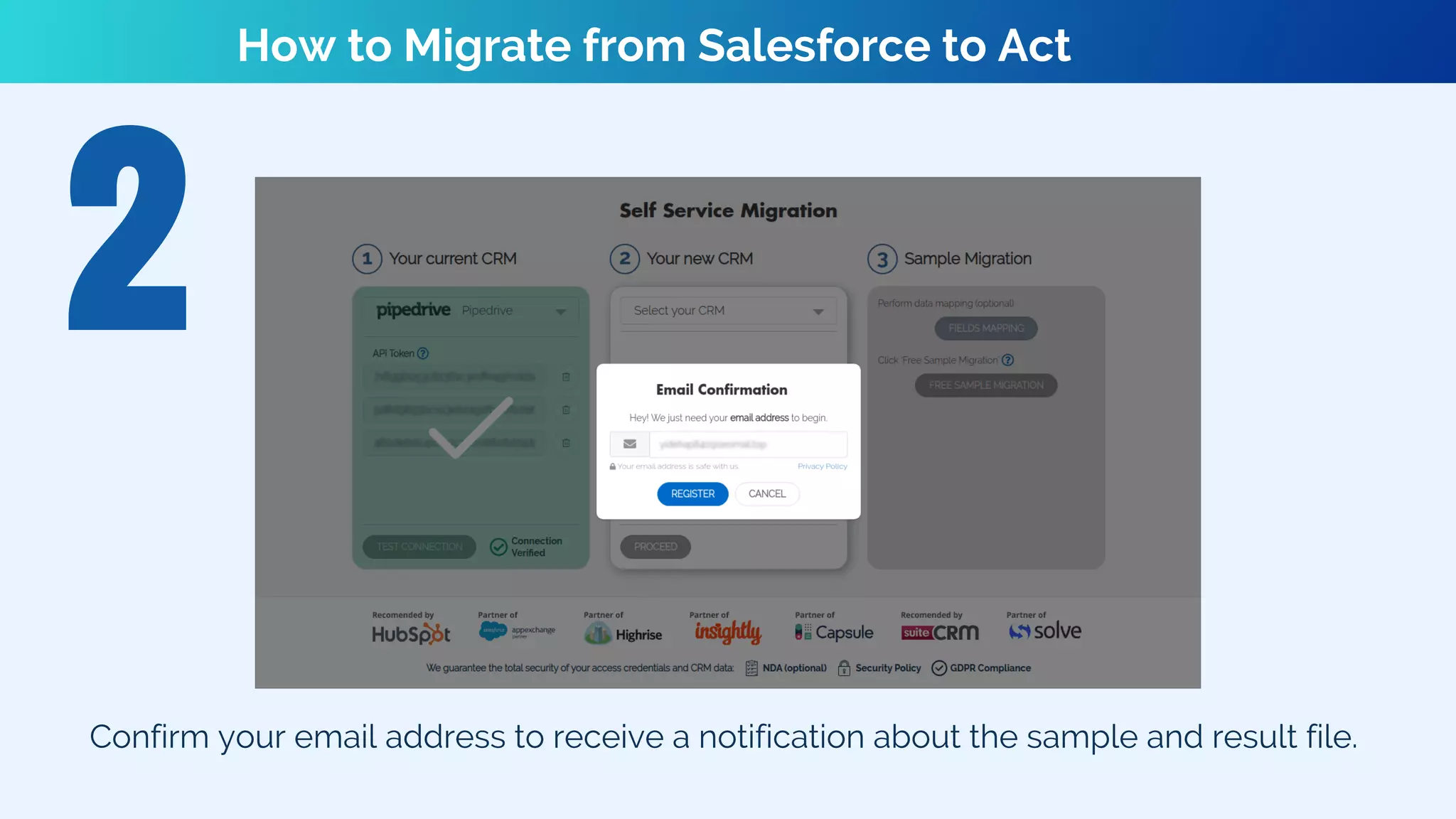
Confirm your email address to receive a notification about the sample and result file.
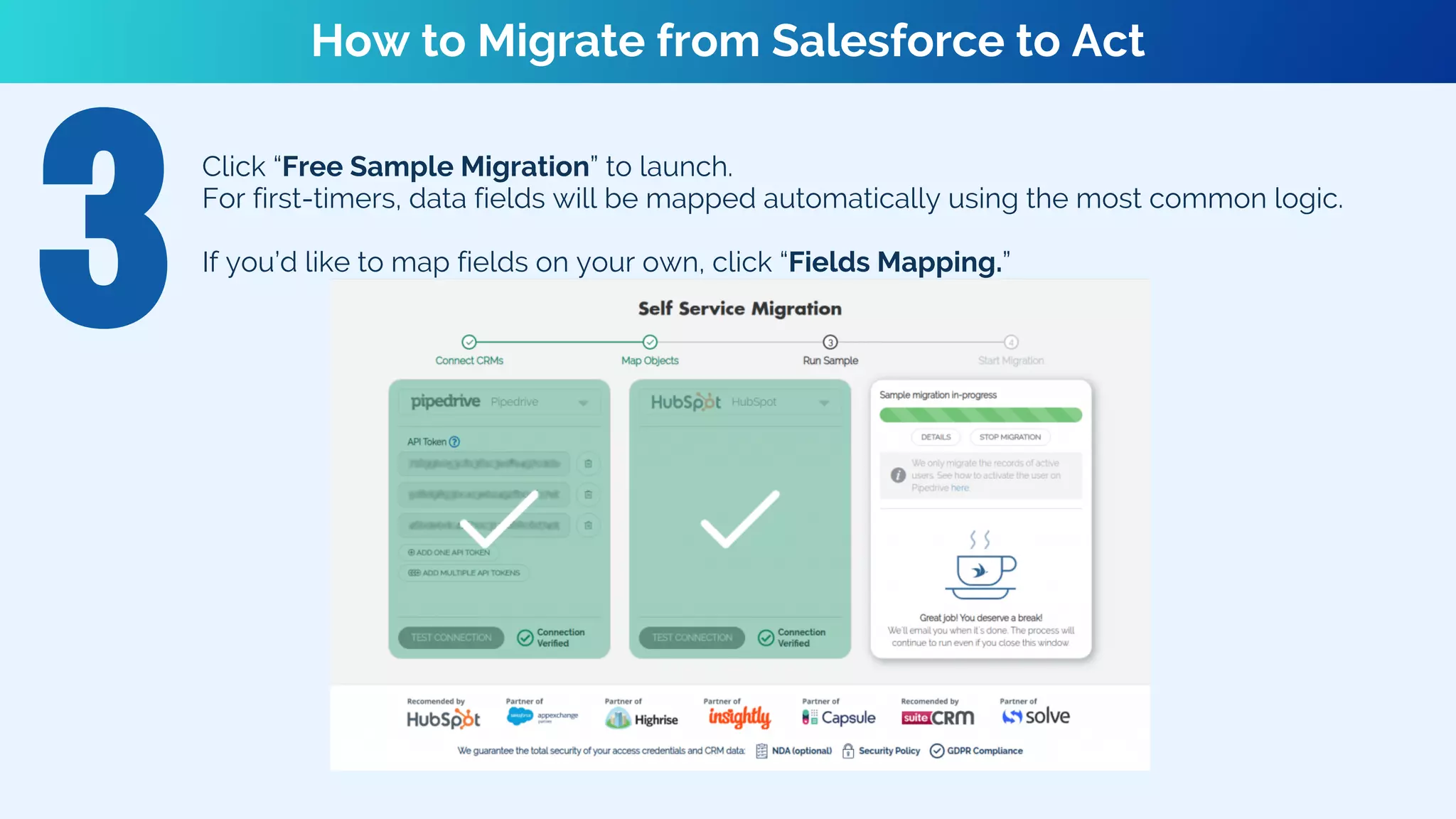
Click “Free Sample Migration” to launch.
For first-timers, data fields will be mapped automatically using the most common logic.
If you’d like to map fields on your own, click “Fields Mapping.”
How to Migrate from Salesforce to Act
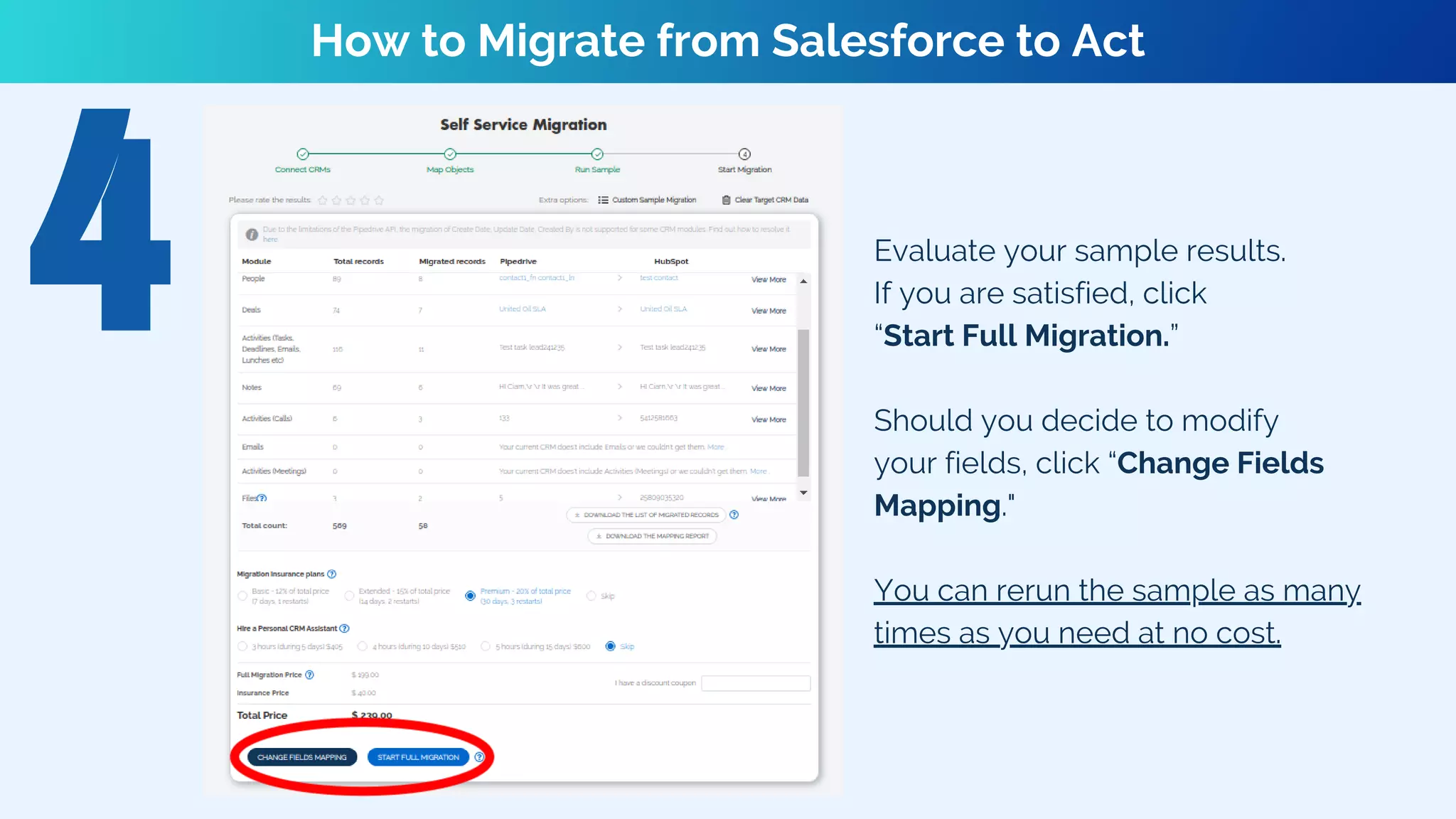
Evaluate your sample results.
If you are satisfied, click
“Start Full Migration.”
Should you decide to modify
your fields, click “Change Fields
Mapping."
You can rerun the sample as many
times as you need at no cost.
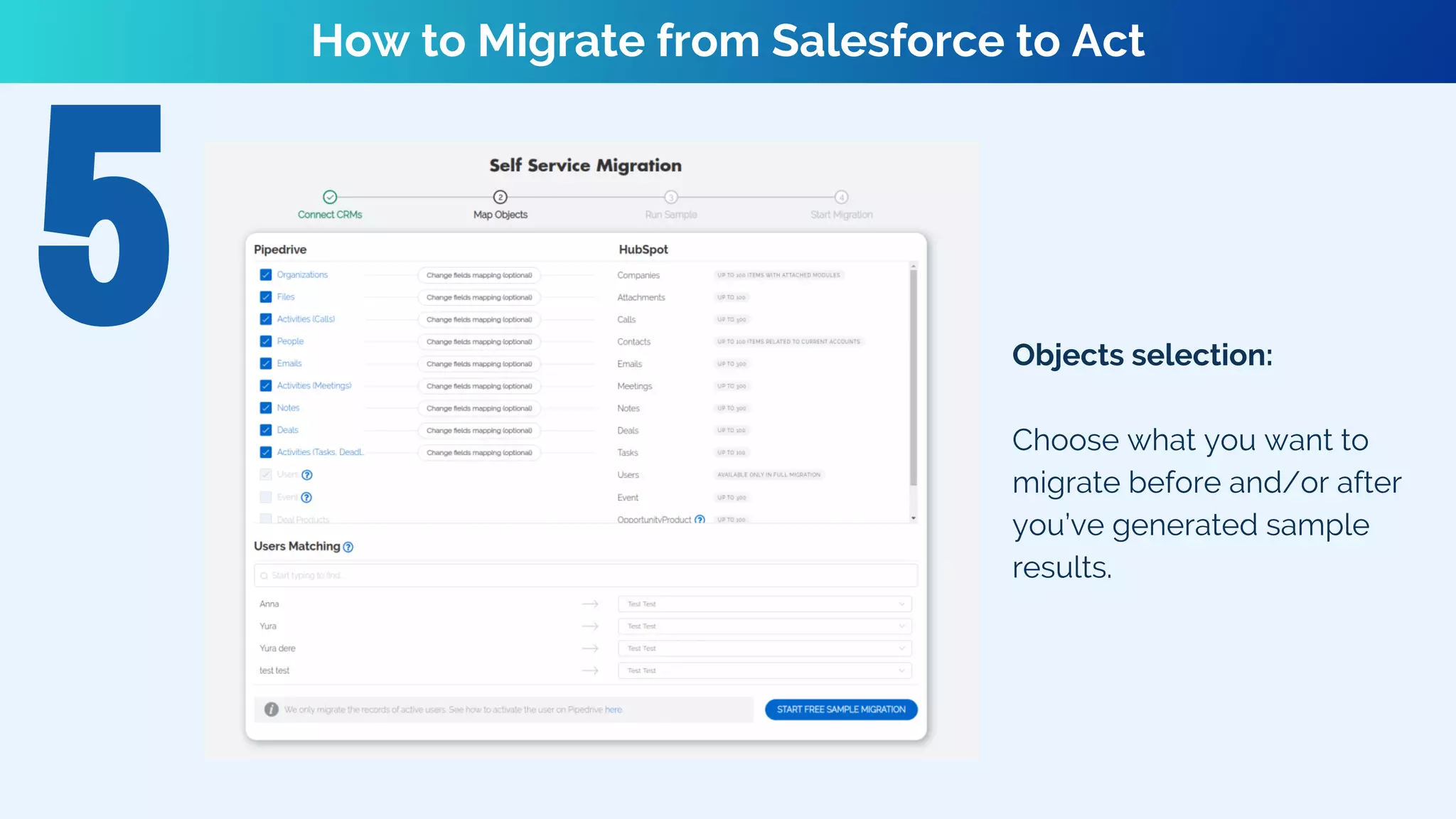
Objects selection:
Choose what you want to
migrate before and/or after
you’ve generated sample
results.
How to Migrate from Salesforce to Act
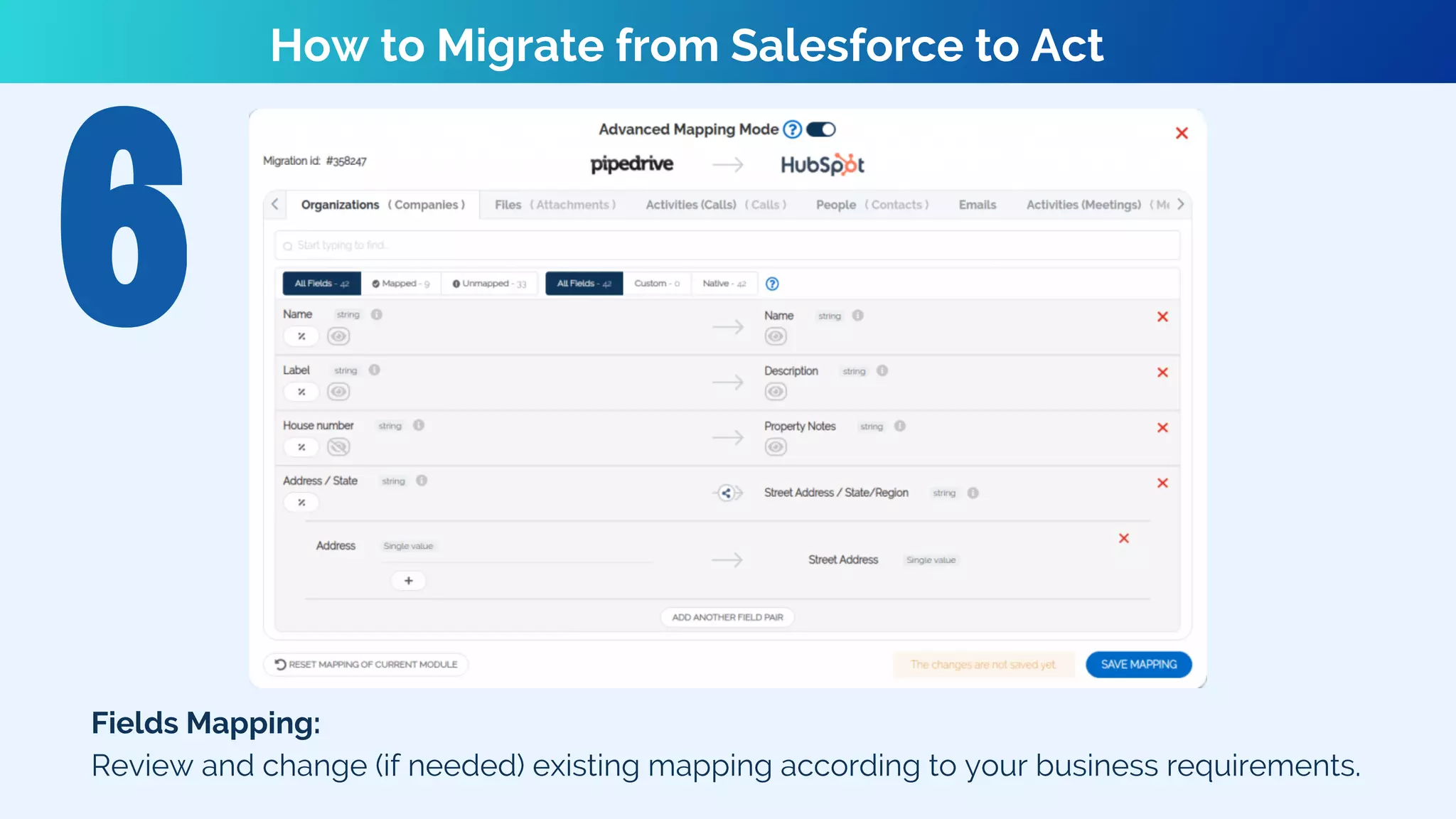
Fields Mapping:
Review and change (if needed) existing mapping according to your business requirements.
How to Migrate from Salesforce to Act
Records are in their correct place
Relations are properly restored
Filters are modified for reporting
Workflow rules are created and personalized
Post-Migration Checklist
Final Notes
Join hundreds of Trujay’s happy customers and
migrate from Pipedrive to HubSpot today! Start with
our free sample migration or our estimated price
tool.
If you still want to learn more information
regarding the process of data switch, please feel
free to contact our experts for useful insights!
Stay connected with us!
@TrujayCompany @TrujayCompany @TrujayCompany @TrujayCompany
WWW.TRUJAY.COM
MOVE YOUR CRM NOW- IT'S NEVER BEEN EASIER!
https://trujay.com/migrations/Act/

Migrate from Salesforce to Act

  • 1.
    HOW TO MIGRATEDATA https://trujay.com/migrations/Act/
  • 2.
    In today’s dayand age, it is almost impossible to run a successful business without CRM systems. Why? CRMs can store enormous amounts of information, meet clients’ needs, and support the work efforts of different departments. In this presentation, we’ll explore the benefits and how-to’s of hassle-free  migration with the help of Trujay. Let’s dive in!
  • 3.
    Try out yoursolution Analyze and filter your records Secure the information Notify your employees Pre-Data Migration Checklist
  • 4.
    Visit Trujay’s Self-Service Wizard. Selectthe needed CRM platform type from the drop-down menu. Provide all required credentials. Click the “TEST CONNECTION” button. How to Migrate from Salesforce to Act
  • 5.
    How to Migratefrom Salesforce to Act Confirm your email address to receive a notification about the sample and result file.
  • 6.
    Click “Free SampleMigration” to launch. For first-timers, data fields will be mapped automatically using the most common logic. If you’d like to map fields on your own, click “Fields Mapping.” How to Migrate from Salesforce to Act
  • 7.
    How to Migratefrom Salesforce to Act Evaluate your sample results. If you are satisfied, click “Start Full Migration.” Should you decide to modify your fields, click “Change Fields Mapping." You can rerun the sample as many times as you need at no cost.
  • 8.
    Objects selection: Choose whatyou want to migrate before and/or after you’ve generated sample results. How to Migrate from Salesforce to Act
  • 9.
    Fields Mapping: Review andchange (if needed) existing mapping according to your business requirements. How to Migrate from Salesforce to Act
  • 10.
    Records are intheir correct place Relations are properly restored Filters are modified for reporting Workflow rules are created and personalized Post-Migration Checklist
  • 11.
    Final Notes Join hundredsof Trujay’s happy customers and migrate from Pipedrive to HubSpot today! Start with our free sample migration or our estimated price tool. If you still want to learn more information regarding the process of data switch, please feel free to contact our experts for useful insights!
  • 12.
    Stay connected withus! @TrujayCompany @TrujayCompany @TrujayCompany @TrujayCompany WWW.TRUJAY.COM
  • 13.
    MOVE YOUR CRMNOW- IT'S NEVER BEEN EASIER! https://trujay.com/migrations/Act/