
Download to read offline

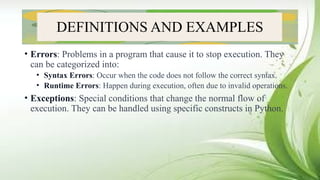
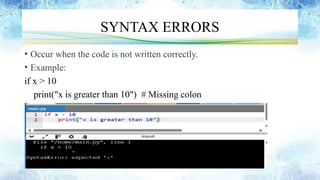
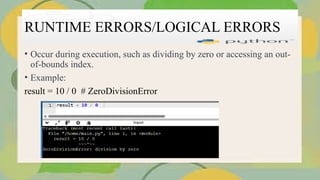
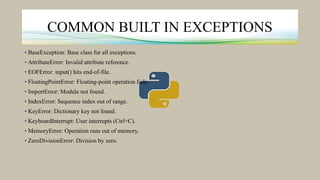
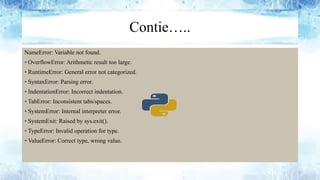
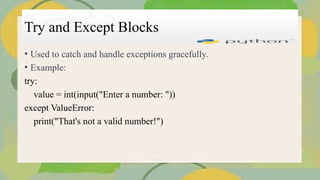
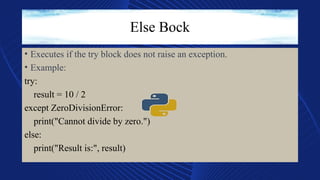
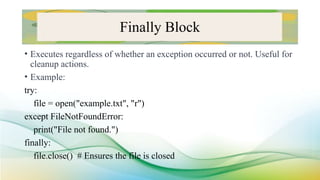
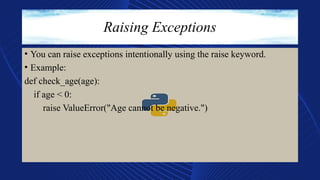
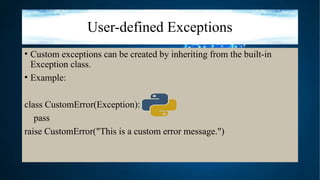
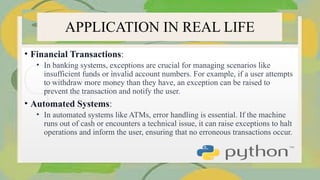
Understanding Errors and Exceptions in Python Errors and exceptions are fundamental concepts in Python programming that help developers manage unexpected situations and ensure robust application performance. This guide provides a comprehensive overview of errors and exceptions, their types, and best practices for handling them effectively. What Are Errors? Errors are issues that occur during the execution of a program, causing it to stop functioning correctly. They can be broadly categorized into two main types: Syntax Errors: These occur when the code violates the rules of the Python language. Syntax errors are detected at compile time, preventing the program from running. Example: python Run Copy code print("Hello, World!" # Missing closing parenthesis Runtime Errors: These occur during the execution of the program, often due to invalid operations or unexpected conditions. Runtime errors can lead to program crashes if not handled properly. Example: python Run Copy code result = 10 / 0 # ZeroDivisionError What Are Exceptions? Exceptions are a specific type of runtime error that disrupts the normal flow of a program. They provide a way to signal that an error has occurred and can be caught and handled gracefully. Python has a built-in mechanism for managing exceptions, allowing developers to write more resilient code. Common Built-in Exceptions ValueError: Raised when a function receives an argument of the right type but an inappropriate value. TypeError: Raised when an operation or function is applied to an object of an inappropriate type. IndexError: Raised when trying to access an index that is out of range in a list or tuple. KeyError: Raised when a dictionary key is not found. FileNotFoundError: Raised when trying to access a file that does not exist. Exception Handling in Python Python provides a robust mechanism for handling exceptions using try, except, else, and finally blocks: Try Block: Contains the code that may raise an exception. Except Block: Catches and handles the exception if it occurs. Else Block: Executes if the try block does not raise an exception. Finally Block: Executes regardless of whether an exception occurred, often used for cleanup actions. Example: python Run Copy code try: value = int(input("Enter a number: ")) except ValueError: print("That's not a valid number!") else: print("You entered:", value) finally: print("Execution complete.") Best Practices for Error and Exception Handling Be Specific: Catch specific exceptions rather than using a generic except clause to avoid masking other issues. Log Errors: Implement logging to capture error details for debugging and analysis. Use Custom Exceptions: Define custom exception classes for more meaningful error handling in complex applications. Graceful Degradation: Ensure that your application can continue to function or provide useful feedback even when errors occur.


![FL Studio Producer Edition Crack 24 + Latest Version [2025]](https://cdn.slidesharecdn.com/ss_thumbnails/errorsandexceptions-250421182350-30f33fcd-250521053959-84fd5ecb-thumbnail.jpg?width=640&height=640&fit=bounds)


![Lect 1 Number systems and base conversions. [Autosaved].pptx](https://cdn.slidesharecdn.com/ss_thumbnails/lect1numbersystemsandbaseconversions-260111134109-67c2d865-thumbnail.jpg?width=640&height=640&fit=bounds)


