What is MariaDB?
•- MariaDB is an open-source relational
database system
• - Fork of MySQL, created by original MySQL
developers
• - Maintains high compatibility with MySQL
3.
Why Use MariaDB?
•- Free and open-source
• - High performance and scalability
• - Strong security features
• - Broad community support
4.
MariaDB vs MySQL
•- MariaDB is a drop-in replacement for MySQL
• - Faster development and more frequent
updates
• - Additional storage engines in MariaDB
• - Open-source guarantee
5.
MariaDB Architecture
• -Follows client-server model
• - Consists of a database server and clients
• - Supports pluggable storage engines
6.
Common MariaDB Features
•- ACID compliance for transactions
• - Support for JSON and dynamic columns
• - Virtual columns and user-defined functions
• - Galera Cluster for high availability
7.
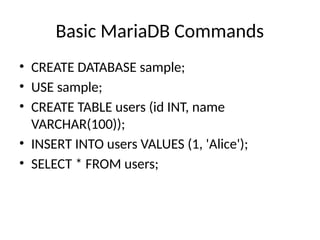
Basic MariaDB Commands
•CREATE DATABASE sample;
• USE sample;
• CREATE TABLE users (id INT, name
VARCHAR(100));
• INSERT INTO users VALUES (1, 'Alice');
• SELECT * FROM users;
Use Cases forMariaDB
• - Web applications and CMS (e.g., WordPress)
• - E-commerce platforms
• - Data warehousing
• - Enterprise applications
10.
Getting Started withMariaDB
• - Install MariaDB via package manager or
installer
• - Connect using terminal or GUI client
• - Start practicing with SQL queries
11.
Summary
• - MariaDBis a powerful, open-source
alternative to MySQL
• - Widely used in web and enterprise
applications
• - Easy to set up and administer



![[B14] A MySQL Replacement by Colin Charles](https://cdn.slidesharecdn.com/ss_thumbnails/b14mariadbcolin-140630004007-phpapp01-thumbnail.jpg?width=640&height=640&fit=bounds)


![제 23회 보아즈(BOAZ) 빅데이터 컨퍼런스 - [MBOAX] : ABSA를 활용한 소비자 반응 분석 기반 운영 효율화 대시보드 설계](https://cdn.slidesharecdn.com/ss_thumbnails/3-1boaz23rdconferencemboax-260203102709-9d519923-thumbnail.jpg?width=640&height=640&fit=bounds)


