M.SUJITHA,M.SC.,
N.S College, Theni.
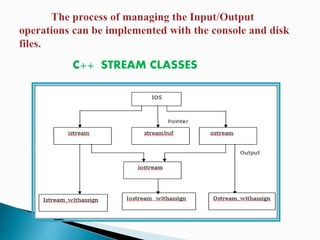
C++ STREAM CLASSES
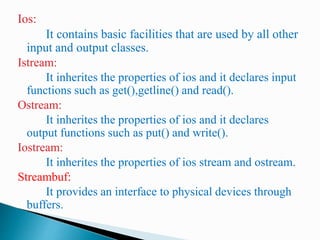
Ios:
It contains basic facilities that are used by all other
input and output classes.
Istream:
It inherites the properties of ios and it declares input
functions such as get(),getline() and read().
Ostream:
It inherites the properties of ios and it declares
output functions such as put() and write().
Iostream:
It inherites the properties of ios stream and ostream.
Streambuf:
It provides an interface to physical devices through
buffers.
The features that supports to format the console
I/O operations are:
◦ Ios class functions and flags
◦ Manipulators
◦ User-defined output functions
IOS CLASS FUNCTIONS AND FLAGS:
It consists of large number of member functions
that is used to format the output in number of ways.
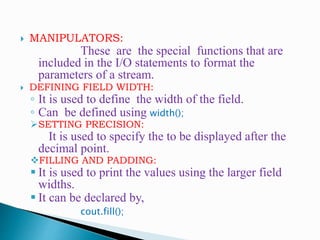
 MANIPULATORS:
These are the special functions that are
included in the I/O statements to format the
parameters of a stream.
 DEFINING FIELD WIDTH:
◦ It is used to define the width of the field.
◦ Can be defined using width();
SETTING PRECISION:
It is used to specify the to be displayed after the
decimal point.
FILLING AND PADDING:
 It is used to print the values using the larger field
widths.
 It can be declared by,
cout.fill();
#include <iostream>
using namespace std;
int main()
{
int item[4] ={ 10,8,12,15};
int cost[4]={75,100,60,99};
cout.width(5);
cout<<”Items”;
cout.width(8);
cout<<”Cost”;
cout.width(15);
cout<<”Total Value”<<”n”;
int sum=0;
for(int i=0;i<4 ;i++)
{
cout.width(5);
cout<<items[i];
cout.width(8);
cout<<cost[i];
int value = items[i] * cost[i];
cout.width(15);
cout<<value<<”n”;
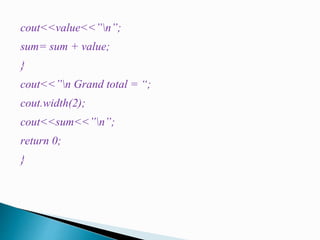
sum= sum + value;
}
cout<<”n Grand total = “;
cout.width(2);
cout<<sum<<”n”;
return 0;
}
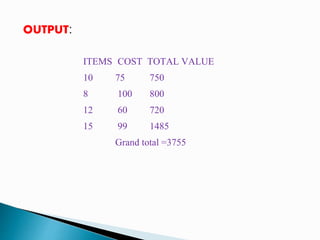
OUTPUT:
ITEMS COST TOTAL VALUE
10 75 750
8 100 800
12 60 720
15 99 1485
Grand total =3755
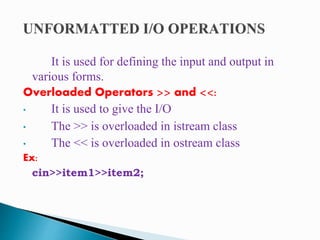
It is used for defining the input and output in
various forms.
Overloaded Operators >> and <<:
• It is used to give the I/O
• The >> is overloaded in istream class
• The << is overloaded in ostream class
Ex:
cin>>item1>>item2;
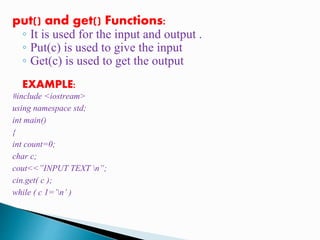
put() and get() Functions:
◦ It is used for the input and output .
◦ Put(c) is used to give the input
◦ Get(c) is used to get the output
EXAMPLE:
#include <iostream>
using namespace std;
int main()
{
int count=0;
char c;
cout<<”INPUT TEXT n”;
cin.get( c );
while ( c 1=’n’ )
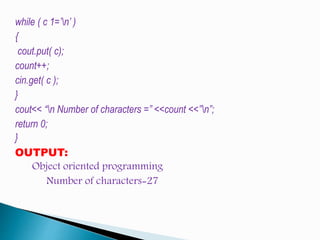
while ( c 1=’n’ )
{
cout.put( c);
count++;
cin.get( c );
}
cout<< “n Number of characters =” <<count <<”n”;
return 0;
}
OUTPUT:
Object oriented programming
Number of characters=27
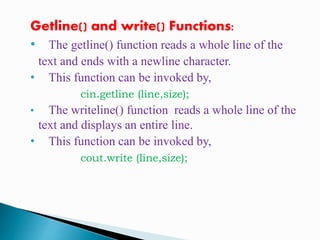
Getline() and write() Functions:
• The getline() function reads a whole line of the
text and ends with a newline character.
• This function can be invoked by,
cin.getline (line,size);
• The writeline() function reads a whole line of the
text and displays an entire line.
• This function can be invoked by,
cout.write (line,size);
EXAMPLE:
#include <iostream>
using namespace std;
int main()
{
int size=20;
char city[20];
cout<<”enter city name:n “;
cin>>city;
cout<<”city name:”<<city<<”nn”;
cout<<”enter city name again: n”;
cin.getline(city,size);
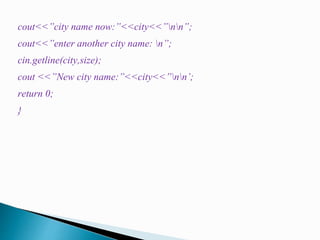
cout<<”city name now:”<<city<<”nn”;
cout<<”enter another city name: n”;
cin.getline(city,size);
cout <<”New city name:”<<city<<”nn’;
return 0;
}
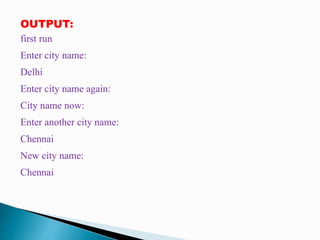
OUTPUT:
first run
Enter city name:
Delhi
Enter city name again:
City name now:
Enter another city name:
Chennai
New city name:
Chennai
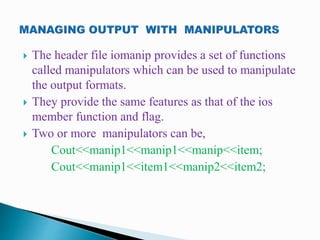
 The header file iomanip provides a set of functions
called manipulators which can be used to manipulate
the output formats.
 They provide the same features as that of the ios
member function and flag.
 Two or more manipulators can be,
Cout<<manip1<<manip1<<manip<<item;
Cout<<manip1<<item1<<manip2<<item2;
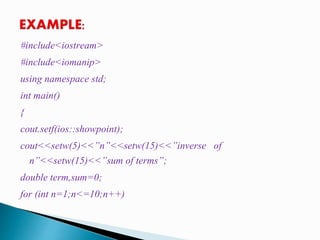
#include<iostream>
#include<iomanip>
using namespace std;
int main()
{
cout.setf(ios::showpoint);
cout<<setw(5)<<”n”<<setw(15)<<”inverse of
n”<<setw(15)<<”sum of terms”;
double term,sum=0;
for (int n=1;n<=10;n++)
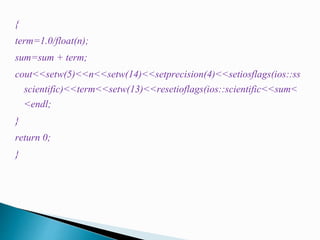
{
term=1.0/float(n);
sum=sum + term;
cout<<setw(5)<<n<<setw(14)<<setprecision(4)<<setiosflags(ios::ss
scientific)<<term<<setw(13)<<resetioflags(ios::scientific<<sum<
<endl;
}
return 0;
}
 The large amount of Data can be handled using some
devices such as floppy disk or hard disk to store those
datas.
 These datas are stored in these devices called FILES.
 The Programs can be designed to perform the read and
write operations on those files.
 Kinds of Data Communication:
◦ Data Transfer between the console unit and the
program.
◦ Data Transfer between the program and a Diskfile.
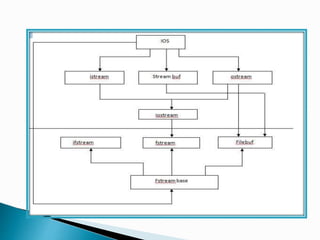
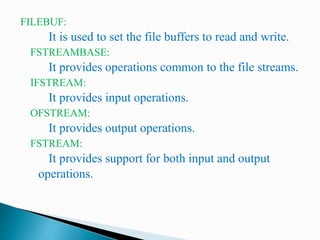
FILEBUF:
It is used to set the file buffers to read and write.
FSTREAMBASE:
It provides operations common to the file streams.
IFSTREAM:
It provides input operations.
OFSTREAM:
It provides output operations.
FSTREAM:
It provides support for both input and output
operations.
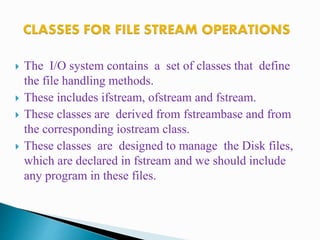
 The I/O system contains a set of classes that define
the file handling methods.
 These includes ifstream, ofstream and fstream.
 These classes are derived from fstreambase and from
the corresponding iostream class.
 These classes are designed to manage the Disk files,
which are declared in fstream and we should include
any program in these files.
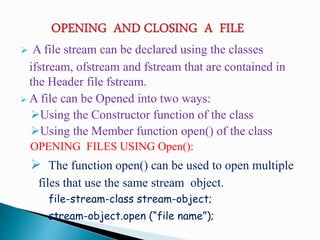
 A file stream can be declared using the classes
ifstream, ofstream and fstream that are contained in
the Header file fstream.
 A file can be Opened into two ways:
Using the Constructor function of the class
Using the Member function open() of the class
OPENING FILES USING Open():
 The function open() can be used to open multiple
files that use the same stream object.
file-stream-class stream-object;
stream-object.open (“file name”);
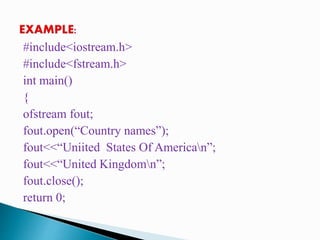
#include<iostream.h>
#include<fstream.h>
int main()
{
ofstream fout;
fout.open(“Country names”);
fout<<“Uniited States Of American”;
fout<<“United Kingdomn”;
fout.close();
return 0;
}
OUTPUT:
Country names
United States Of America
United Kingdom
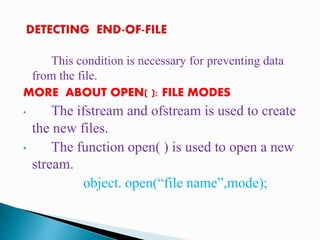
This condition is necessary for preventing data
from the file. This condition is
MORE ABOUT OPEN( ): FILE MODES
• The ifstream and ofstream is used to create
the new files.
• The function open( ) is used to open a new
stream.
object. open(“file name”,mode);
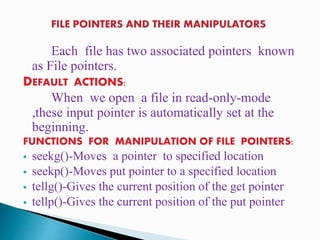
Each file has two associated pointers known
as File pointers.
DEFAULT ACTIONS:
When we open a file in read-only-mode
,these input pointer is automatically set at the
beginning.
FUNCTIONS FOR MANIPULATION OF FILE POINTERS:
 seekg()-Moves a pointer to specified location
 seekp()-Moves put pointer to a specified location
 tellg()-Gives the current position of the get pointer
 tellp()-Gives the current position of the put pointer
It supports a number of member function for
performing the input/output operations on files.
Put() and get() Functions:
◦ It is used to handle single character at a time.
◦ The function put() writes a single character to the
associated stream.
◦ The function get() reads a single character to the
associated stream.
Write() and read() Functions:
It is used to read and write the blocks in the binary
data.
 It is used to maintain the routine task in the data file.
 The updation can be done in:
◦ Displaying the contents of a file
◦ Modifying an existing item
◦ Adding a new file
◦ Deleting an existing file
 The reading and writing files may not be true
always.
◦ A file which we are attempting to open for reading
does not exist.
◦ The file name used for a new file may already exist.
◦ We may use an invalid file name.
◦ There may not be any space in the disk for storing
more data.
◦ We may attempt to perform an operation when the
file is not opened for that purpose.
 This feature facilities the supply of arguments to the
main() function.
 These arguments are supplied at the time of invoking
the program.
◦ C> exam data results
◦ Exam is the name of the file containing the program
to be executed ,data and results are the filenames
passed to the program as command-line arguments.
THANKYOU!!!

Managing console i/o operation,working with files

  • 1.
  • 2.
  • 3.
    Ios: It contains basicfacilities that are used by all other input and output classes. Istream: It inherites the properties of ios and it declares input functions such as get(),getline() and read(). Ostream: It inherites the properties of ios and it declares output functions such as put() and write(). Iostream: It inherites the properties of ios stream and ostream. Streambuf: It provides an interface to physical devices through buffers.
  • 4.
    The features thatsupports to format the console I/O operations are: ◦ Ios class functions and flags ◦ Manipulators ◦ User-defined output functions IOS CLASS FUNCTIONS AND FLAGS: It consists of large number of member functions that is used to format the output in number of ways.
  • 5.
     MANIPULATORS: These arethe special functions that are included in the I/O statements to format the parameters of a stream.  DEFINING FIELD WIDTH: ◦ It is used to define the width of the field. ◦ Can be defined using width(); SETTING PRECISION: It is used to specify the to be displayed after the decimal point. FILLING AND PADDING:  It is used to print the values using the larger field widths.  It can be declared by, cout.fill();
  • 6.
    #include <iostream> using namespacestd; int main() { int item[4] ={ 10,8,12,15}; int cost[4]={75,100,60,99}; cout.width(5); cout<<”Items”; cout.width(8); cout<<”Cost”;
  • 7.
    cout.width(15); cout<<”Total Value”<<”n”; int sum=0; for(inti=0;i<4 ;i++) { cout.width(5); cout<<items[i]; cout.width(8); cout<<cost[i]; int value = items[i] * cost[i]; cout.width(15);
  • 8.
    cout<<value<<”n”; sum= sum +value; } cout<<”n Grand total = “; cout.width(2); cout<<sum<<”n”; return 0; }
  • 9.
    OUTPUT: ITEMS COST TOTALVALUE 10 75 750 8 100 800 12 60 720 15 99 1485 Grand total =3755
  • 10.
    It is usedfor defining the input and output in various forms. Overloaded Operators >> and <<: • It is used to give the I/O • The >> is overloaded in istream class • The << is overloaded in ostream class Ex: cin>>item1>>item2;
  • 11.
    put() and get()Functions: ◦ It is used for the input and output . ◦ Put(c) is used to give the input ◦ Get(c) is used to get the output EXAMPLE: #include <iostream> using namespace std; int main() { int count=0; char c; cout<<”INPUT TEXT n”; cin.get( c ); while ( c 1=’n’ )
  • 12.
    while ( c1=’n’ ) { cout.put( c); count++; cin.get( c ); } cout<< “n Number of characters =” <<count <<”n”; return 0; } OUTPUT: Object oriented programming Number of characters=27
  • 13.
    Getline() and write()Functions: • The getline() function reads a whole line of the text and ends with a newline character. • This function can be invoked by, cin.getline (line,size); • The writeline() function reads a whole line of the text and displays an entire line. • This function can be invoked by, cout.write (line,size);
  • 14.
    EXAMPLE: #include <iostream> using namespacestd; int main() { int size=20; char city[20]; cout<<”enter city name:n “; cin>>city; cout<<”city name:”<<city<<”nn”; cout<<”enter city name again: n”; cin.getline(city,size);
  • 15.
    cout<<”city name now:”<<city<<”nn”; cout<<”enteranother city name: n”; cin.getline(city,size); cout <<”New city name:”<<city<<”nn’; return 0; }
  • 16.
    OUTPUT: first run Enter cityname: Delhi Enter city name again: City name now: Enter another city name: Chennai New city name: Chennai
  • 17.
     The headerfile iomanip provides a set of functions called manipulators which can be used to manipulate the output formats.  They provide the same features as that of the ios member function and flag.  Two or more manipulators can be, Cout<<manip1<<manip1<<manip<<item; Cout<<manip1<<item1<<manip2<<item2;
  • 18.
    #include<iostream> #include<iomanip> using namespace std; intmain() { cout.setf(ios::showpoint); cout<<setw(5)<<”n”<<setw(15)<<”inverse of n”<<setw(15)<<”sum of terms”; double term,sum=0; for (int n=1;n<=10;n++)
  • 19.
  • 20.
     The largeamount of Data can be handled using some devices such as floppy disk or hard disk to store those datas.  These datas are stored in these devices called FILES.  The Programs can be designed to perform the read and write operations on those files.  Kinds of Data Communication: ◦ Data Transfer between the console unit and the program. ◦ Data Transfer between the program and a Diskfile.
  • 22.
    FILEBUF: It is usedto set the file buffers to read and write. FSTREAMBASE: It provides operations common to the file streams. IFSTREAM: It provides input operations. OFSTREAM: It provides output operations. FSTREAM: It provides support for both input and output operations.
  • 23.
     The I/Osystem contains a set of classes that define the file handling methods.  These includes ifstream, ofstream and fstream.  These classes are derived from fstreambase and from the corresponding iostream class.  These classes are designed to manage the Disk files, which are declared in fstream and we should include any program in these files.
  • 24.
     A filestream can be declared using the classes ifstream, ofstream and fstream that are contained in the Header file fstream.  A file can be Opened into two ways: Using the Constructor function of the class Using the Member function open() of the class OPENING FILES USING Open():  The function open() can be used to open multiple files that use the same stream object. file-stream-class stream-object; stream-object.open (“file name”);
  • 25.
    #include<iostream.h> #include<fstream.h> int main() { ofstream fout; fout.open(“Countrynames”); fout<<“Uniited States Of American”; fout<<“United Kingdomn”; fout.close(); return 0;
  • 26.
    } OUTPUT: Country names United StatesOf America United Kingdom
  • 27.
    This condition isnecessary for preventing data from the file. This condition is MORE ABOUT OPEN( ): FILE MODES • The ifstream and ofstream is used to create the new files. • The function open( ) is used to open a new stream. object. open(“file name”,mode);
  • 28.
    Each file hastwo associated pointers known as File pointers. DEFAULT ACTIONS: When we open a file in read-only-mode ,these input pointer is automatically set at the beginning. FUNCTIONS FOR MANIPULATION OF FILE POINTERS:  seekg()-Moves a pointer to specified location  seekp()-Moves put pointer to a specified location  tellg()-Gives the current position of the get pointer  tellp()-Gives the current position of the put pointer
  • 29.
    It supports anumber of member function for performing the input/output operations on files. Put() and get() Functions: ◦ It is used to handle single character at a time. ◦ The function put() writes a single character to the associated stream. ◦ The function get() reads a single character to the associated stream. Write() and read() Functions: It is used to read and write the blocks in the binary data.
  • 30.
     It isused to maintain the routine task in the data file.  The updation can be done in: ◦ Displaying the contents of a file ◦ Modifying an existing item ◦ Adding a new file ◦ Deleting an existing file
  • 31.
     The readingand writing files may not be true always. ◦ A file which we are attempting to open for reading does not exist. ◦ The file name used for a new file may already exist. ◦ We may use an invalid file name. ◦ There may not be any space in the disk for storing more data. ◦ We may attempt to perform an operation when the file is not opened for that purpose.
  • 32.
     This featurefacilities the supply of arguments to the main() function.  These arguments are supplied at the time of invoking the program. ◦ C> exam data results ◦ Exam is the name of the file containing the program to be executed ,data and results are the filenames passed to the program as command-line arguments.
  • 33.