Makefiles for
Automating
Image Processing
Shweta Sadawarte
CEO Nelkinda Software Craft Pvt Ltd
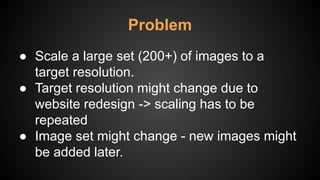
Problem
● Scale a large set (200+) of images to a
target resolution.
● Target resolution might change due to
website redesign -> scaling has to be
repeated
● Image set might change - new images might
be added later.
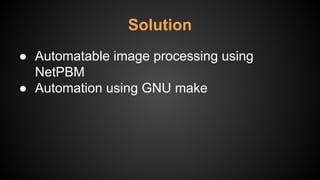
Solution
● Automatable image processing using
NetPBM
● Automation using GNU make
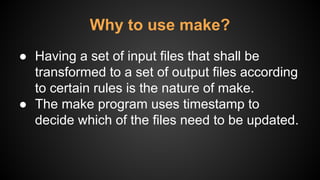
Why to use make?
● Having a set of input files that shall be
transformed to a set of output files according
to certain rules is the nature of make.
● The make program uses timestamp to
decide which of the files need to be updated.
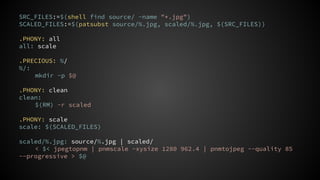
SRC_FILES:=$(shell find source/ -name "*.jpg")
SCALED_FILES:=$(patsubst source/%.jpg, scaled/%.jpg, $(SRC_FILES))
.PHONY: all
all: scale
.PRECIOUS: %/
%/:
mkdir -p $@
.PHONY: clean
clean:
$(RM) -r scaled
.PHONY: scale
scale: $(SCALED_FILES)
scaled/%.jpg: source/%.jpg | scaled/
< $< jpegtopnm | pnmscale -xysize 1280 962.4 | pnmtojpeg --quality 85
--progressive > $@
● https://www.facebook.com/creazione4u/

Makefiles for automating image processing

  • 1.
    Makefiles for Automating Image Processing ShwetaSadawarte CEO Nelkinda Software Craft Pvt Ltd
  • 2.
    Problem ● Scale alarge set (200+) of images to a target resolution. ● Target resolution might change due to website redesign -> scaling has to be repeated ● Image set might change - new images might be added later.
  • 3.
    Solution ● Automatable imageprocessing using NetPBM ● Automation using GNU make
  • 4.
    Why to usemake? ● Having a set of input files that shall be transformed to a set of output files according to certain rules is the nature of make. ● The make program uses timestamp to decide which of the files need to be updated.
  • 5.
    SRC_FILES:=$(shell find source/-name "*.jpg") SCALED_FILES:=$(patsubst source/%.jpg, scaled/%.jpg, $(SRC_FILES)) .PHONY: all all: scale .PRECIOUS: %/ %/: mkdir -p $@ .PHONY: clean clean: $(RM) -r scaled .PHONY: scale scale: $(SCALED_FILES) scaled/%.jpg: source/%.jpg | scaled/ < $< jpegtopnm | pnmscale -xysize 1280 962.4 | pnmtojpeg --quality 85 --progressive > $@
  • 6.