Figure 63 load the family into project
Building elements (casement window)
Figure 64 Open new window family template
Figure 65 release lock parameters for width and height. set both as instance parameters
Figure 66 create reference planes for window frame
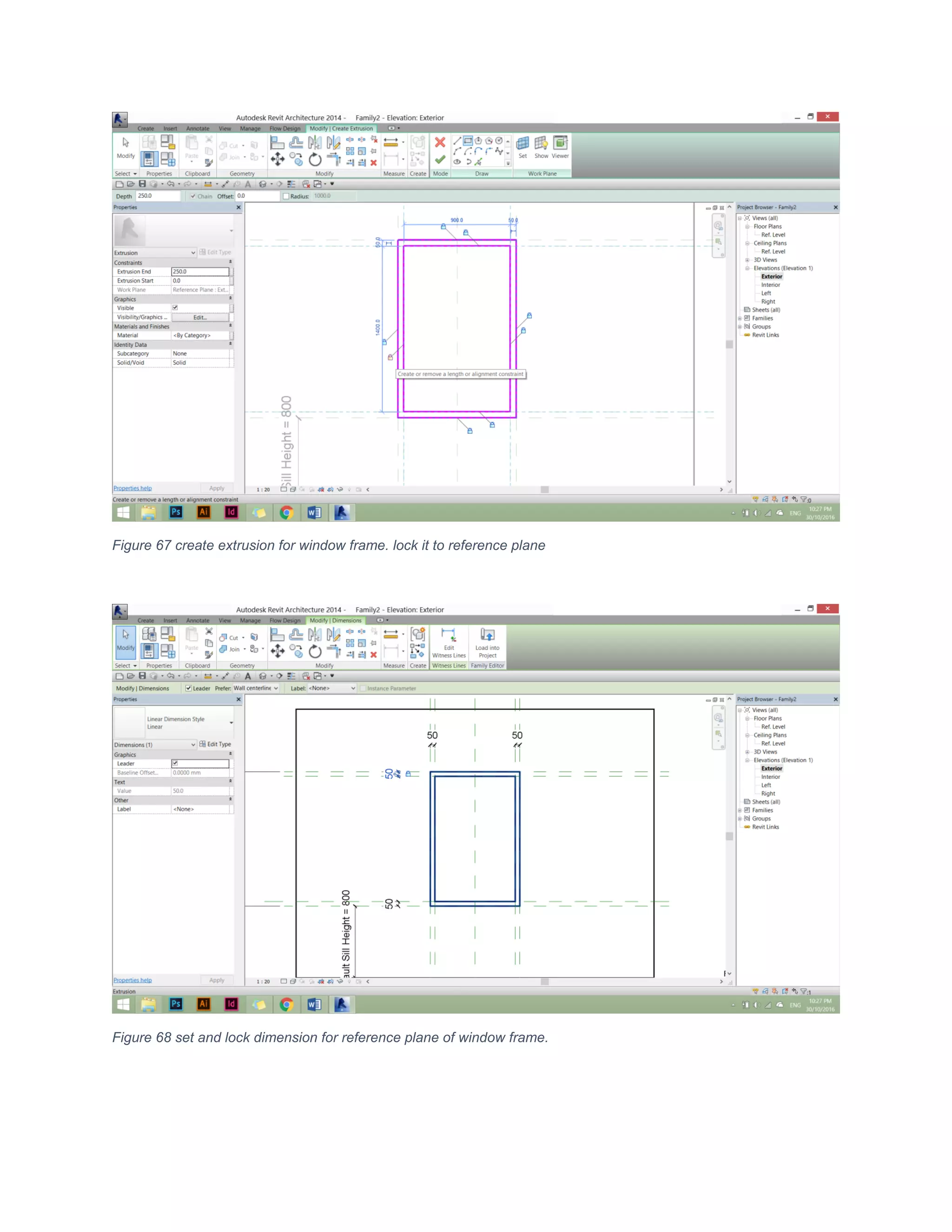
Figure 67 create extrusion for window frame. lock it to reference plane
Figure 68 set and lock dimension for reference plane of window frame.
Figure 69 create parameters for window opening
Figure 70 create reference plane for window frame opening
Figure 71 create extrusion for window frame. lock it to reference plane
Figure 72 set and lock dimension for window frame opening
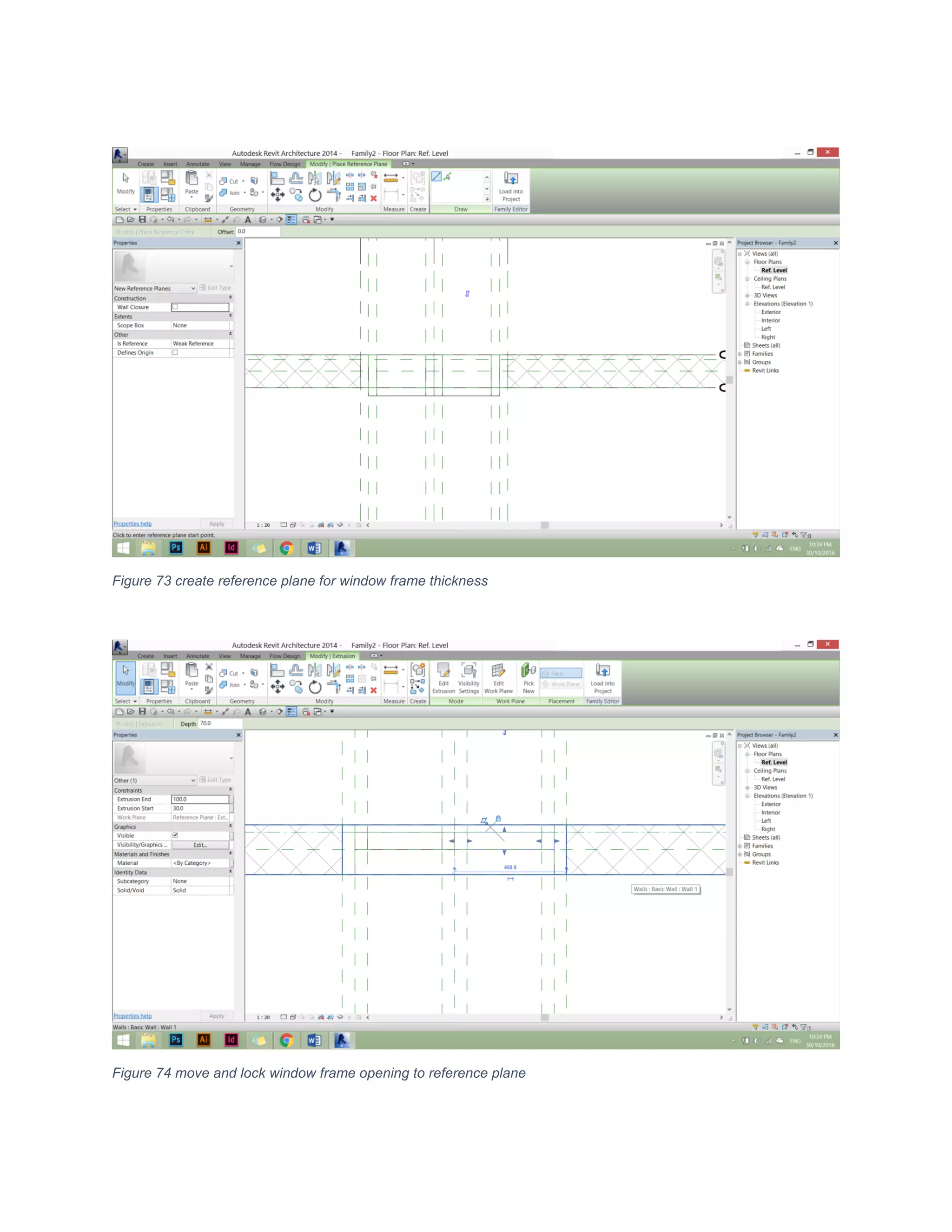
Figure 73 create reference plane for window frame thickness
Figure 74 move and lock window frame opening to reference plane
Figure 75 create and lock glass extrusion to reference plane
Figure 76 create reference plane for glass thickness
Figure 77 move and lock glass thickness to reference plane
Figure 78 create and lock dimension to reference plane
Figure 79 create material for glass
Figure 80 create material for window frame using instance parameters

Louvered windows family

  • 1.
    Figure 63 loadthe family into project Building elements (casement window) Figure 64 Open new window family template
  • 2.
    Figure 65 releaselock parameters for width and height. set both as instance parameters Figure 66 create reference planes for window frame
  • 3.
    Figure 67 createextrusion for window frame. lock it to reference plane Figure 68 set and lock dimension for reference plane of window frame.
  • 4.
    Figure 69 createparameters for window opening Figure 70 create reference plane for window frame opening
  • 5.
    Figure 71 createextrusion for window frame. lock it to reference plane Figure 72 set and lock dimension for window frame opening
  • 6.
    Figure 73 createreference plane for window frame thickness Figure 74 move and lock window frame opening to reference plane
  • 7.
    Figure 75 createand lock glass extrusion to reference plane Figure 76 create reference plane for glass thickness
  • 8.
    Figure 77 moveand lock glass thickness to reference plane Figure 78 create and lock dimension to reference plane
  • 9.
    Figure 79 creatematerial for glass Figure 80 create material for window frame using instance parameters