Here is where your presentation begins
Lohri Festivity
Contents of this template
Here’s what you’ll find in this Slidesgo template:
● A slide structure based on a multi-purpose presentation, which you can easily adapt to your needs. For more info on
how to edit the template, please visit Slidesgo School or read our FAQs.
● An assortment of illustrations that are suitable for use in the presentation can be found in the alternative resources
slide.
● A thanks slide, which you must keep so that proper credits for our design are given.
● A resources slide, where you’ll find links to all the elements used in the template.
● Instructions for use.
● Final slides with:
● The fonts and colors used in the template.
● A selection of illustrations. You can also customize and animate them as you wish with the online editor.
Visit Stories by Freepik to find more.
● More infographic resources, whose size and color can be edited.
● Sets of customizable icons of the following themes: general, business, avatar, creative process, education,
help & support, medical, nature, performing arts, SEO & marketing, and teamwork.
You can delete this slide when you’re done editing the presentation.
01
02
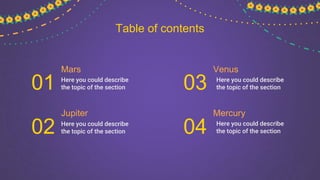
Mars
Here you could describe
the topic of the section
Jupiter
Here you could describe
the topic of the section
Table of contents
Venus
Here you could describe
the topic of the section
Mercury
Here you could describe
the topic of the section
03
04
Title of your section
You could enter a subtitle here
if you need it
01
“This is a quote, words full of wisdom that
someone important said and can make the
reader get inspired.”
—Someone
Famous
Whoa!
This could be the part of the presentation
where you can introduce yourself, write your
email...
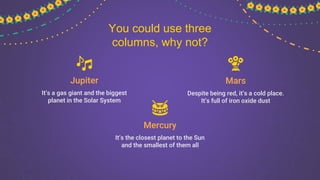
Mercury
It’s the closest planet to the Sun
and the smallest of them all
Mars
Despite being red, it’s a cold place.
It’s full of iron oxide dust
Jupiter
It’s a gas giant and the biggest
planet in the Solar System
You could use three
columns, why not?
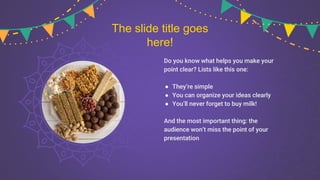
Do you know what helps you make your
point clear? Lists like this one:
● They’re simple
● You can organize your ideas clearly
● You’ll never forget to buy milk!
And the most important thing: the
audience won’t miss the point of your
presentation
The slide title goes
here!
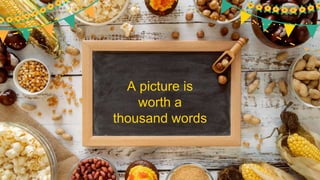
A picture is
worth a
thousand words
A picture always
reinforces the
concept
Images reveal large amounts
of data, so remember: use an
image instead of a long text
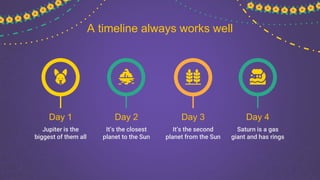
A timeline always works well
Day 1
Jupiter is the
biggest of them all
Day 2
It’s the closest
planet to the Sun
Day 3
It’s the second
planet from the Sun
Day 4
Saturn is a gas
giant and has rings
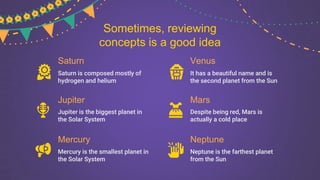
Saturn
Saturn is composed mostly of
hydrogen and helium
Jupiter
Jupiter is the biggest planet in
the Solar System
Mercury
Mercury is the smallest planet in
the Solar System
Venus
It has a beautiful name and is
the second planet from the Sun
Mars
Despite being red, Mars is
actually a cold place
Neptune
Neptune is the farthest planet
from the Sun
Sometimes, reviewing
concepts is a good idea
Mercury is the closest planet
to the Sun and the smallest
one in the Solar System
Mercury
Venus has a beautiful name
and is the second planet from
the Sun. It’s terribly hot
Venus
Maybe you need to
divide the content
This text seems to be
important...
Mercury is the closest planet to the Sun and the smallest one
in the Solar System—it’s only a bit larger than the Moon. The
planet’s name has nothing to do with the liquid metal
Awesome
Words
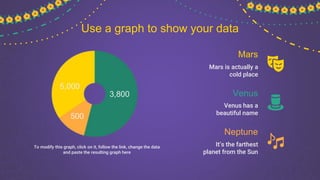
Use a graph to show your data
To modify this graph, click on it, follow the link, change the data
and paste the resulting graph here
Mars
Mars is actually a
cold place
Venus
Venus has a
beautiful name
Neptune
It’s the farthest
planet from the Sun
5,000
3,800
500
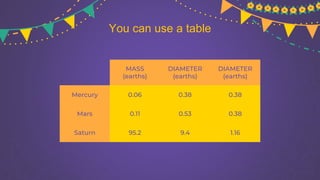
You can use a table
MASS
(earths)
DIAMETER
(earths)
DIAMETER
(earths)
Mercury 0.06 0.38 0.38
Mars 0.11 0.53 0.38
Saturn 95.2 9.4 1.16
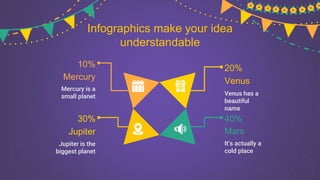
Infographics make your idea
understandable
Mercury
Mercury is a
small planet Venus has a
beautiful
name
Venus
Jupiter
Jupiter is the
biggest planet
Mars
It’s actually a
cold place
10% 20%
30% 40%
You can replace the image on
the screen with your own
John Doe
You can replace the image on
the screen with your own
Sarah Doe
Our Team
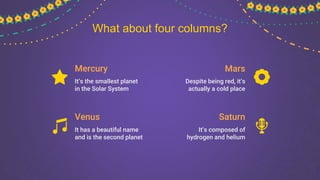
Mercury
It’s the smallest planet
in the Solar System
Mars
Despite being red, it’s
actually a cold place
Venus
It has a beautiful name
and is the second planet
Saturn
It’s composed of
hydrogen and helium
What about four columns?
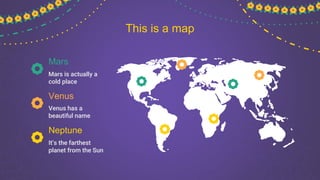
This is a map
Mars
Mars is actually a
cold place
Venus
Venus has a
beautiful name
Neptune
It’s the farthest
planet from the Sun
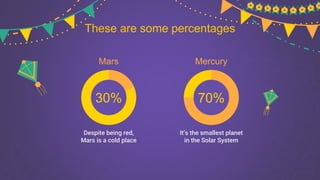
These are some percentages
30%
Mars
Despite being red,
Mars is a cold place
70%
Mercury
It’s the smallest planet
in the Solar System
Saturn
It’s composed of
hydrogen and helium
Venus
It has a beautiful name
and is the second planet
Mercur
y
It’s the closest planet to
the Sun and the smallest
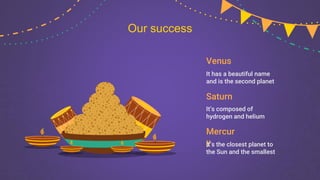
Our success
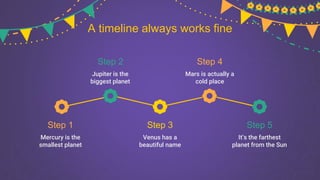
A timeline always works fine
Step 1
Mercury is the
smallest planet
Step 2
Jupiter is the
biggest planet
Step 4
Mars is actually a
cold place
Step 5
It’s the farthest
planet from the Sun
Step 3
Venus has a
beautiful name
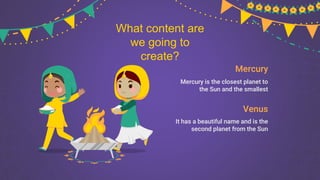
Mercury
Mercury is the closest planet to
the Sun and the smallest
Venus
It has a beautiful name and is the
second planet from the Sun
What content are
we going to
create?
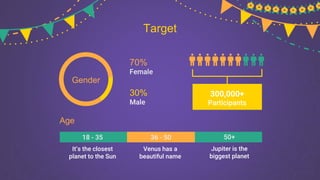
Target
Gender
Female
70%
Male
30%
Participants
300,000+
Age
18 - 35 36 - 50 50+
It’s the closest
planet to the Sun
Venus has a
beautiful name
Jupiter is the
biggest planet
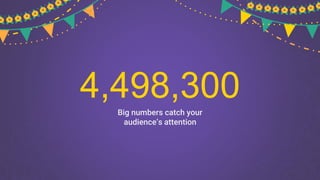
4,498,300
Big numbers catch your
audience’s attention
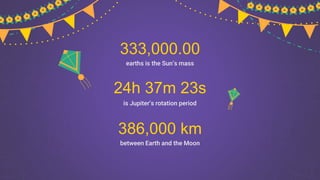
is Jupiter’s rotation period
between Earth and the Moon
386,000 km
earths is the Sun’s mass
333,000.00
24h 37m 23s
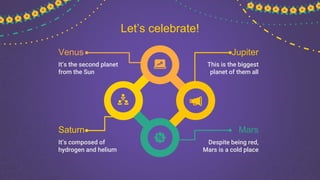
Let’s celebrate!
Venus
It’s the second planet
from the Sun
Mars
Despite being red,
Mars is a cold place
Jupiter
This is the biggest
planet of them all
Saturn
It’s composed of
hydrogen and helium
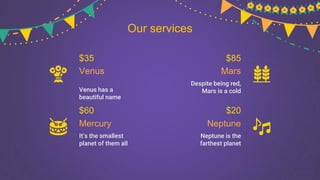
Our services
Despite being red,
Mars is a cold
Venus has a
beautiful name
Mars
Venus
Mercury Neptune
$35
$60
$85
$20
Neptune is the
farthest planet
It’s the smallest
planet of them all
Our partners
Here you could
talk a bit about
this person
Here you could
talk a bit about
this person
Helen James
Here you could
talk a bit about
this person
Eliza McKane
Here you could
talk a bit about
this person
Jenna Doe
Clever Doe
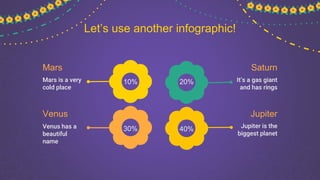
Let’s use another infographic!
Mars
Mars is a very
cold place
Jupiter
Jupiter is the
biggest planet
Saturn
It’s a gas giant
and has rings
Venus
Venus has a
beautiful
name
10%
30%
20%
40%
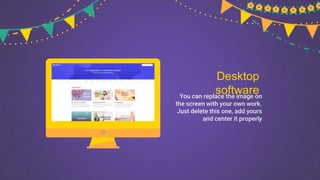
Desktop
software
You can replace the image on
the screen with your own work.
Just delete this one, add yours
and center it properly
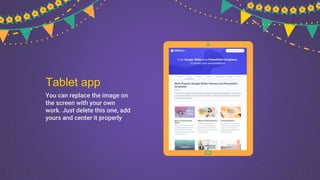
Tablet app
You can replace the image on
the screen with your own
work. Just delete this one, add
yours and center it properly
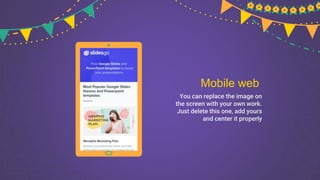
Mobile web
You can replace the image on
the screen with your own work.
Just delete this one, add yours
and center it properly
CREDITS: This presentation template was created by
Slidesgo, including icons by Flaticon, infographics &
images by Freepik
Thanks!
Do you have any questions?
youremail@freepik.com
+91 620 421 838
yourcompany.com
Please keep this slide for attribution
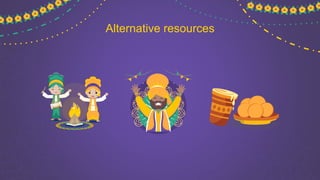
Alternative resources
Resources
Did you like the resources on this template? Get them for free at our other websites.
Vectors
● People celebrating lohri festival concept
● People celebrating Diwali
● Realistic lohri with bonfire
● Flat design lohri
● Flat design lohri banners template
● Flat design lohri festival
Photos
● High angle bonfire in forest
● Flat lay of delicious lohri day food
● Top view of happy lohri day concept
Instructions for use (free users)
In order to use this template, you must credit Slidesgo by keeping the Thanks slide.
You are allowed to:
● Modify this template.
● Use it for both personal and commercial purposes.
You are not allowed to:
● Sublicense, sell or rent any of Slidesgo Content (or a modified version of Slidesgo Content).
● Distribute this Slidesgo Template (or a modified version of this Slidesgo Template) or include it in a database or in
any other product or service that offers downloadable images, icons or presentations that may be subject to
distribution or resale.
● Use any of the elements that are part of this Slidesgo Template in an isolated and separated way from this
Template.
● Delete the “Thanks” or “Credits” slide.
● Register any of the elements that are part of this template as a trademark or logo, or register it as a work in an
intellectual property registry or similar.
For more information about editing slides, please read our FAQs or visit Slidesgo School:
https://slidesgo.com/faqs and https://slidesgo.com/slidesgo-school
Instructions for use (premium users)
In order to use this template, you must be a Premium user on Slidesgo.
You are allowed to:
● Modify this template.
● Use it for both personal and commercial purposes.
● Hide or delete the “Thanks” slide and the mention to Slidesgo in the credits.
● Share this template in an editable format with people who are not part of your team.
You are not allowed to:
● Sublicense, sell or rent this Slidesgo Template (or a modified version of this Slidesgo Template).
● Distribute this Slidesgo Template (or a modified version of this Slidesgo Template) or include it in a database or in
any other product or service that offers downloadable images, icons or presentations that may be subject to
distribution or resale.
● Use any of the elements that are part of this Slidesgo Template in an isolated and separated way from this
Template.
● Register any of the elements that are part of this template as a trademark or logo, or register it as a work in an
intellectual property registry or similar.
For more information about editing slides, please read our FAQs or visit Slidesgo School:
https://slidesgo.com/faqs and https://slidesgo.com/slidesgo-school
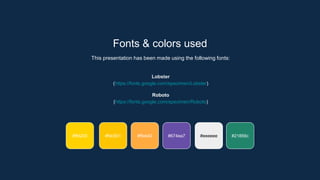
Fonts & colors used
This presentation has been made using the following fonts:
Lobster
(https://fonts.google.com/specimen/Lobster)
Roboto
(https://fonts.google.com/specimen/Roboto)
#21856c
#ffab40
#fdc501
#ffd200 #674ea7 #eeeeee
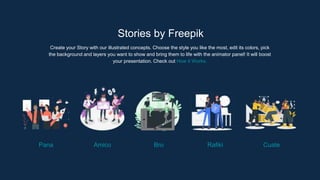
Stories by Freepik
Create your Story with our illustrated concepts. Choose the style you like the most, edit its colors, pick
the background and layers you want to show and bring them to life with the animator panel! It will boost
your presentation. Check out How it Works.
Pana Amico Bro Rafiki Cuate
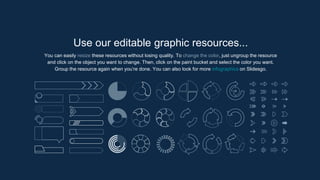
You can easily resize these resources without losing quality. To change the color, just ungroup the resource
and click on the object you want to change. Then, click on the paint bucket and select the color you want.
Group the resource again when you’re done. You can also look for more infographics on Slidesgo.
Use our editable graphic resources...
JANUARY FEBRUARY MARCH APRIL MAY JUNE
PHASE 1
PHASE 2
Task 1
Task 2
Task 1
Task 2
JANUARY FEBRUARY MARCH APRIL
PHASE 1
Task 1
Task 2
...and our sets of editable icons
You can resize these icons without losing quality.
You can change the stroke and fill color; just select the icon and click on the paint bucket/pen.
In Google Slides, you can also use Flaticon’s extension, allowing you to customize and add even more icons.
Educational Icons Medical Icons
Business Icons Teamwork Icons
Help & Support Icons Avatar Icons
Creative Process Icons Performing Arts Icons
Nature Icons
SEO & Marketing Icons
Lohri Festivity Powerpoint Presentation.

Lohri Festivity Powerpoint Presentation.

  • 1.
    Here is whereyour presentation begins Lohri Festivity
  • 2.
    Contents of thistemplate Here’s what you’ll find in this Slidesgo template: ● A slide structure based on a multi-purpose presentation, which you can easily adapt to your needs. For more info on how to edit the template, please visit Slidesgo School or read our FAQs. ● An assortment of illustrations that are suitable for use in the presentation can be found in the alternative resources slide. ● A thanks slide, which you must keep so that proper credits for our design are given. ● A resources slide, where you’ll find links to all the elements used in the template. ● Instructions for use. ● Final slides with: ● The fonts and colors used in the template. ● A selection of illustrations. You can also customize and animate them as you wish with the online editor. Visit Stories by Freepik to find more. ● More infographic resources, whose size and color can be edited. ● Sets of customizable icons of the following themes: general, business, avatar, creative process, education, help & support, medical, nature, performing arts, SEO & marketing, and teamwork. You can delete this slide when you’re done editing the presentation.
  • 3.
    01 02 Mars Here you coulddescribe the topic of the section Jupiter Here you could describe the topic of the section Table of contents Venus Here you could describe the topic of the section Mercury Here you could describe the topic of the section 03 04
  • 4.
    Title of yoursection You could enter a subtitle here if you need it 01
  • 5.
    “This is aquote, words full of wisdom that someone important said and can make the reader get inspired.” —Someone Famous
  • 6.
    Whoa! This could bethe part of the presentation where you can introduce yourself, write your email...
  • 7.
    Mercury It’s the closestplanet to the Sun and the smallest of them all Mars Despite being red, it’s a cold place. It’s full of iron oxide dust Jupiter It’s a gas giant and the biggest planet in the Solar System You could use three columns, why not?
  • 8.
    Do you knowwhat helps you make your point clear? Lists like this one: ● They’re simple ● You can organize your ideas clearly ● You’ll never forget to buy milk! And the most important thing: the audience won’t miss the point of your presentation The slide title goes here!
  • 9.
    A picture is wortha thousand words
  • 10.
    A picture always reinforcesthe concept Images reveal large amounts of data, so remember: use an image instead of a long text
  • 11.
    A timeline alwaysworks well Day 1 Jupiter is the biggest of them all Day 2 It’s the closest planet to the Sun Day 3 It’s the second planet from the Sun Day 4 Saturn is a gas giant and has rings
  • 12.
    Saturn Saturn is composedmostly of hydrogen and helium Jupiter Jupiter is the biggest planet in the Solar System Mercury Mercury is the smallest planet in the Solar System Venus It has a beautiful name and is the second planet from the Sun Mars Despite being red, Mars is actually a cold place Neptune Neptune is the farthest planet from the Sun Sometimes, reviewing concepts is a good idea
  • 13.
    Mercury is theclosest planet to the Sun and the smallest one in the Solar System Mercury Venus has a beautiful name and is the second planet from the Sun. It’s terribly hot Venus Maybe you need to divide the content
  • 14.
    This text seemsto be important... Mercury is the closest planet to the Sun and the smallest one in the Solar System—it’s only a bit larger than the Moon. The planet’s name has nothing to do with the liquid metal
  • 15.
  • 16.
    Use a graphto show your data To modify this graph, click on it, follow the link, change the data and paste the resulting graph here Mars Mars is actually a cold place Venus Venus has a beautiful name Neptune It’s the farthest planet from the Sun 5,000 3,800 500
  • 17.
    You can usea table MASS (earths) DIAMETER (earths) DIAMETER (earths) Mercury 0.06 0.38 0.38 Mars 0.11 0.53 0.38 Saturn 95.2 9.4 1.16
  • 18.
    Infographics make youridea understandable Mercury Mercury is a small planet Venus has a beautiful name Venus Jupiter Jupiter is the biggest planet Mars It’s actually a cold place 10% 20% 30% 40%
  • 19.
    You can replacethe image on the screen with your own John Doe You can replace the image on the screen with your own Sarah Doe Our Team
  • 20.
    Mercury It’s the smallestplanet in the Solar System Mars Despite being red, it’s actually a cold place Venus It has a beautiful name and is the second planet Saturn It’s composed of hydrogen and helium What about four columns?
  • 21.
    This is amap Mars Mars is actually a cold place Venus Venus has a beautiful name Neptune It’s the farthest planet from the Sun
  • 22.
    These are somepercentages 30% Mars Despite being red, Mars is a cold place 70% Mercury It’s the smallest planet in the Solar System
  • 23.
    Saturn It’s composed of hydrogenand helium Venus It has a beautiful name and is the second planet Mercur y It’s the closest planet to the Sun and the smallest Our success
  • 24.
    A timeline alwaysworks fine Step 1 Mercury is the smallest planet Step 2 Jupiter is the biggest planet Step 4 Mars is actually a cold place Step 5 It’s the farthest planet from the Sun Step 3 Venus has a beautiful name
  • 25.
    Mercury Mercury is theclosest planet to the Sun and the smallest Venus It has a beautiful name and is the second planet from the Sun What content are we going to create?
  • 26.
    Target Gender Female 70% Male 30% Participants 300,000+ Age 18 - 3536 - 50 50+ It’s the closest planet to the Sun Venus has a beautiful name Jupiter is the biggest planet
  • 27.
    4,498,300 Big numbers catchyour audience’s attention
  • 28.
    is Jupiter’s rotationperiod between Earth and the Moon 386,000 km earths is the Sun’s mass 333,000.00 24h 37m 23s
  • 29.
    Let’s celebrate! Venus It’s thesecond planet from the Sun Mars Despite being red, Mars is a cold place Jupiter This is the biggest planet of them all Saturn It’s composed of hydrogen and helium
  • 30.
    Our services Despite beingred, Mars is a cold Venus has a beautiful name Mars Venus Mercury Neptune $35 $60 $85 $20 Neptune is the farthest planet It’s the smallest planet of them all
  • 31.
    Our partners Here youcould talk a bit about this person Here you could talk a bit about this person Helen James Here you could talk a bit about this person Eliza McKane Here you could talk a bit about this person Jenna Doe Clever Doe
  • 32.
    Let’s use anotherinfographic! Mars Mars is a very cold place Jupiter Jupiter is the biggest planet Saturn It’s a gas giant and has rings Venus Venus has a beautiful name 10% 30% 20% 40%
  • 33.
    Desktop software You can replacethe image on the screen with your own work. Just delete this one, add yours and center it properly
  • 34.
    Tablet app You canreplace the image on the screen with your own work. Just delete this one, add yours and center it properly
  • 35.
    Mobile web You canreplace the image on the screen with your own work. Just delete this one, add yours and center it properly
  • 36.
    CREDITS: This presentationtemplate was created by Slidesgo, including icons by Flaticon, infographics & images by Freepik Thanks! Do you have any questions? youremail@freepik.com +91 620 421 838 yourcompany.com Please keep this slide for attribution
  • 37.
  • 38.
    Resources Did you likethe resources on this template? Get them for free at our other websites. Vectors ● People celebrating lohri festival concept ● People celebrating Diwali ● Realistic lohri with bonfire ● Flat design lohri ● Flat design lohri banners template ● Flat design lohri festival Photos ● High angle bonfire in forest ● Flat lay of delicious lohri day food ● Top view of happy lohri day concept ● Top view of happy lohri day concept
  • 39.
    Instructions for use(free users) In order to use this template, you must credit Slidesgo by keeping the Thanks slide. You are allowed to: ● Modify this template. ● Use it for both personal and commercial purposes. You are not allowed to: ● Sublicense, sell or rent any of Slidesgo Content (or a modified version of Slidesgo Content). ● Distribute this Slidesgo Template (or a modified version of this Slidesgo Template) or include it in a database or in any other product or service that offers downloadable images, icons or presentations that may be subject to distribution or resale. ● Use any of the elements that are part of this Slidesgo Template in an isolated and separated way from this Template. ● Delete the “Thanks” or “Credits” slide. ● Register any of the elements that are part of this template as a trademark or logo, or register it as a work in an intellectual property registry or similar. For more information about editing slides, please read our FAQs or visit Slidesgo School: https://slidesgo.com/faqs and https://slidesgo.com/slidesgo-school
  • 40.
    Instructions for use(premium users) In order to use this template, you must be a Premium user on Slidesgo. You are allowed to: ● Modify this template. ● Use it for both personal and commercial purposes. ● Hide or delete the “Thanks” slide and the mention to Slidesgo in the credits. ● Share this template in an editable format with people who are not part of your team. You are not allowed to: ● Sublicense, sell or rent this Slidesgo Template (or a modified version of this Slidesgo Template). ● Distribute this Slidesgo Template (or a modified version of this Slidesgo Template) or include it in a database or in any other product or service that offers downloadable images, icons or presentations that may be subject to distribution or resale. ● Use any of the elements that are part of this Slidesgo Template in an isolated and separated way from this Template. ● Register any of the elements that are part of this template as a trademark or logo, or register it as a work in an intellectual property registry or similar. For more information about editing slides, please read our FAQs or visit Slidesgo School: https://slidesgo.com/faqs and https://slidesgo.com/slidesgo-school
  • 41.
    Fonts & colorsused This presentation has been made using the following fonts: Lobster (https://fonts.google.com/specimen/Lobster) Roboto (https://fonts.google.com/specimen/Roboto) #21856c #ffab40 #fdc501 #ffd200 #674ea7 #eeeeee
  • 42.
    Stories by Freepik Createyour Story with our illustrated concepts. Choose the style you like the most, edit its colors, pick the background and layers you want to show and bring them to life with the animator panel! It will boost your presentation. Check out How it Works. Pana Amico Bro Rafiki Cuate
  • 43.
    You can easilyresize these resources without losing quality. To change the color, just ungroup the resource and click on the object you want to change. Then, click on the paint bucket and select the color you want. Group the resource again when you’re done. You can also look for more infographics on Slidesgo. Use our editable graphic resources...
  • 46.
    JANUARY FEBRUARY MARCHAPRIL MAY JUNE PHASE 1 PHASE 2 Task 1 Task 2 Task 1 Task 2 JANUARY FEBRUARY MARCH APRIL PHASE 1 Task 1 Task 2
  • 49.
    ...and our setsof editable icons You can resize these icons without losing quality. You can change the stroke and fill color; just select the icon and click on the paint bucket/pen. In Google Slides, you can also use Flaticon’s extension, allowing you to customize and add even more icons.
  • 50.
  • 51.
  • 52.
    Help & SupportIcons Avatar Icons
  • 53.
    Creative Process IconsPerforming Arts Icons
  • 54.
  • 55.