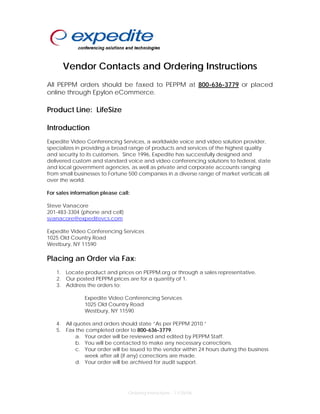
Vendor Contacts and Ordering Instructions
All PEPPM orders should be faxed to PEPPM at 800-636-3779 or placed
online through Epylon eCommerce.

Product Line: LifeSize

Introduction
Expedite Video Conferencing Services, a worldwide voice and video solution provider,
specializes in providing a broad range of products and services of the highest quality
and security to its customers. Since 1996, Expedite has successfully designed and
delivered custom and standard voice and video conferencing solutions to federal, state
and local government agencies, as well as private and corporate accounts ranging
from small businesses to Fortune 500 companies in a diverse range of market verticals all
over the world.

For sales information please call:

Steve Vanacore
201-483-3304 (phone and cell)
svanacore@expeditevcs.com

Expedite Video Conferencing Services
1025 Old Country Road
Westbury, NY 11590

Placing an Order via Fax:
   1. Locate product and prices on PEPPM.org or through a sales representative.
   2. Our posted PEPPM prices are for a quantity of 1.
   3. Address the orders to:

               Expedite Video Conferencing Services
               1025 Old Country Road
               Westbury, NY 11590

   4. All quotes and orders should state “As per PEPPM 2010.”
   5. Fax the completed order to 800-636-3779.
           a. Your order will be reviewed and edited by PEPPM Staff.
           b. You will be contacted to make any necessary corrections.
           c. Your order will be issued to the vendor within 24 hours during the business
              week after all (if any) corrections are made.
           d. Your order will be archived for audit support.


                                 Ordering Instructions – 11/28/06
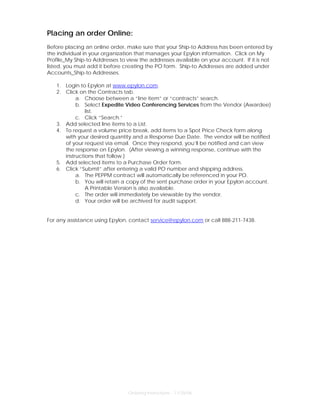
Placing an order Online:
Before placing an online order, make sure that your Ship-to Address has been entered by
the individual in your organization that manages your Epylon information. Click on My
Profile_My Ship-to Addresses to view the addresses available on your account. If it is not
listed, you must add it before creating the PO form. Ship-to Addresses are added under
Accounts_Ship-to Addresses.

   1. Login to Epylon at www.epylon.com.
   2. Click on the Contracts tab.
           a. Choose between a “line item” or “contracts” search.
           b. Select Expedite Video Conferencing Services from the Vendor (Awardee)
               list.
           c. Click “Search.”
   3. Add selected line items to a List.
   4. To request a volume price break, add items to a Spot Price Check form along
      with your desired quantity and a Response Due Date. The vendor will be notified
      of your request via email. Once they respond, you’ll be notified and can view
      the response on Epylon. (After viewing a winning response, continue with the
      instructions that follow.)
   5. Add selected items to a Purchase Order form.
   6. Click “Submit” after entering a valid PO number and shipping address.
           a. The PEPPM contract will automatically be referenced in your PO.
           b. You will retain a copy of the sent purchase order in your Epylon account.
               A Printable Version is also available.
           c. The order will immediately be viewable by the vendor.
           d. Your order will be archived for audit support.


For any assistance using Epylon, contact service@epylon.com or call 888-211-7438.


                                Ordering Instructions – 11/28/06

LifeSize Ordering Instructions

  • 1.
    Vendor Contacts andOrdering Instructions All PEPPM orders should be faxed to PEPPM at 800-636-3779 or placed online through Epylon eCommerce. Product Line: LifeSize Introduction Expedite Video Conferencing Services, a worldwide voice and video solution provider, specializes in providing a broad range of products and services of the highest quality and security to its customers. Since 1996, Expedite has successfully designed and delivered custom and standard voice and video conferencing solutions to federal, state and local government agencies, as well as private and corporate accounts ranging from small businesses to Fortune 500 companies in a diverse range of market verticals all over the world. For sales information please call: Steve Vanacore 201-483-3304 (phone and cell) svanacore@expeditevcs.com Expedite Video Conferencing Services 1025 Old Country Road Westbury, NY 11590 Placing an Order via Fax: 1. Locate product and prices on PEPPM.org or through a sales representative. 2. Our posted PEPPM prices are for a quantity of 1. 3. Address the orders to: Expedite Video Conferencing Services 1025 Old Country Road Westbury, NY 11590 4. All quotes and orders should state “As per PEPPM 2010.” 5. Fax the completed order to 800-636-3779. a. Your order will be reviewed and edited by PEPPM Staff. b. You will be contacted to make any necessary corrections. c. Your order will be issued to the vendor within 24 hours during the business week after all (if any) corrections are made. d. Your order will be archived for audit support. Ordering Instructions – 11/28/06
  • 2.
    Placing an orderOnline: Before placing an online order, make sure that your Ship-to Address has been entered by the individual in your organization that manages your Epylon information. Click on My Profile_My Ship-to Addresses to view the addresses available on your account. If it is not listed, you must add it before creating the PO form. Ship-to Addresses are added under Accounts_Ship-to Addresses. 1. Login to Epylon at www.epylon.com. 2. Click on the Contracts tab. a. Choose between a “line item” or “contracts” search. b. Select Expedite Video Conferencing Services from the Vendor (Awardee) list. c. Click “Search.” 3. Add selected line items to a List. 4. To request a volume price break, add items to a Spot Price Check form along with your desired quantity and a Response Due Date. The vendor will be notified of your request via email. Once they respond, you’ll be notified and can view the response on Epylon. (After viewing a winning response, continue with the instructions that follow.) 5. Add selected items to a Purchase Order form. 6. Click “Submit” after entering a valid PO number and shipping address. a. The PEPPM contract will automatically be referenced in your PO. b. You will retain a copy of the sent purchase order in your Epylon account. A Printable Version is also available. c. The order will immediately be viewable by the vendor. d. Your order will be archived for audit support. For any assistance using Epylon, contact service@epylon.com or call 888-211-7438. Ordering Instructions – 11/28/06