INSERT RECORDS IN A
DATABASE
2
Form Handling
PHP - A Simple HTML Form
3
Example
<html>
<body>
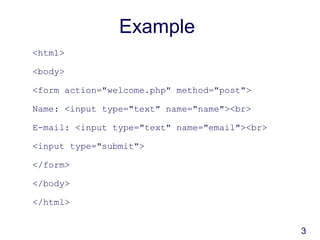
<form action="welcome.php" method="post">
Name: <input type="text" name="name"><br>
E-mail: <input type="text" name="email"><br>
<input type="submit">
</form>
</body>
</html>
4
Running the Example
<html>
<body>
Welcome <?php echo $_POST["name"]; ?><br>
Your email address is: <?php echo
$_POST["email"]; ?>
</body>
</html>
5
GET vs. POST
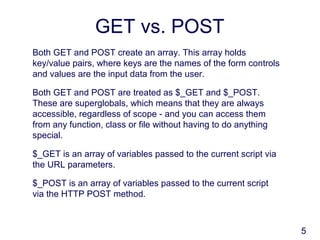
Both GET and POST create an array. This array holds
key/value pairs, where keys are the names of the form controls
and values are the input data from the user.
Both GET and POST are treated as $_GET and $_POST.
These are superglobals, which means that they are always
accessible, regardless of scope - and you can access them
from any function, class or file without having to do anything
special.
$_GET is an array of variables passed to the current script via
the URL parameters.
$_POST is an array of variables passed to the current script
via the HTTP POST method.
6
When to use GET?
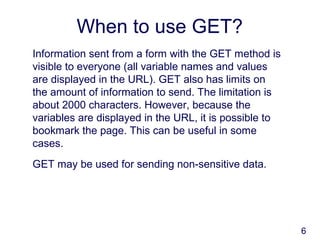
Information sent from a form with the GET method is
visible to everyone (all variable names and values
are displayed in the URL). GET also has limits on
the amount of information to send. The limitation is
about 2000 characters. However, because the
variables are displayed in the URL, it is possible to
bookmark the page. This can be useful in some
cases.
GET may be used for sending non-sensitive data.
7
When to use POST?
Information sent from a form with the POST method
is invisible to others (all names/values are
embedded within the body of the HTTP request) and
has no limits on the amount of information to send.
Moreover POST supports advanced functionality
such as support for multi-part binary input while
uploading files to server.
However, because the variables are not displayed in
the URL, it is not possible to bookmark the page.
8
Getting the form data in the
PHP script
Let’s look at some PHP code to process this form.
<?php
//Check whether the form has been submitted
if(array_key_exists('send', $_POST))
{
$varMovie = $_POST['formMovie'];
$varName = $_POST['formName'];
$varGender = $_POST['formGender'];
$errorMessage = "";
// - - - snip - - -
}
?>
9
Saving the form data to a
MySQL database
There are 3 steps to interacting with
the database in this form:
Connect to the database
Construct a SQL command string
Execute the SQL command string
Practical
10

Lecture7 form processing by okello erick

  • 1.
  • 2.
    2 Form Handling PHP -A Simple HTML Form
  • 3.
    3 Example <html> <body> <form action="welcome.php" method="post"> Name:<input type="text" name="name"><br> E-mail: <input type="text" name="email"><br> <input type="submit"> </form> </body> </html>
  • 4.
    4 Running the Example <html> <body> Welcome<?php echo $_POST["name"]; ?><br> Your email address is: <?php echo $_POST["email"]; ?> </body> </html>
  • 5.
    5 GET vs. POST BothGET and POST create an array. This array holds key/value pairs, where keys are the names of the form controls and values are the input data from the user. Both GET and POST are treated as $_GET and $_POST. These are superglobals, which means that they are always accessible, regardless of scope - and you can access them from any function, class or file without having to do anything special. $_GET is an array of variables passed to the current script via the URL parameters. $_POST is an array of variables passed to the current script via the HTTP POST method.
  • 6.
    6 When to useGET? Information sent from a form with the GET method is visible to everyone (all variable names and values are displayed in the URL). GET also has limits on the amount of information to send. The limitation is about 2000 characters. However, because the variables are displayed in the URL, it is possible to bookmark the page. This can be useful in some cases. GET may be used for sending non-sensitive data.
  • 7.
    7 When to usePOST? Information sent from a form with the POST method is invisible to others (all names/values are embedded within the body of the HTTP request) and has no limits on the amount of information to send. Moreover POST supports advanced functionality such as support for multi-part binary input while uploading files to server. However, because the variables are not displayed in the URL, it is not possible to bookmark the page.
  • 8.
    8 Getting the formdata in the PHP script Let’s look at some PHP code to process this form. <?php //Check whether the form has been submitted if(array_key_exists('send', $_POST)) { $varMovie = $_POST['formMovie']; $varName = $_POST['formName']; $varGender = $_POST['formGender']; $errorMessage = ""; // - - - snip - - - } ?>
  • 9.
    9 Saving the formdata to a MySQL database There are 3 steps to interacting with the database in this form: Connect to the database Construct a SQL command string Execute the SQL command string
  • 10.