WPS - yourstory so far
– xhtml x2
– css
– javascript
– dom, dynamic html
– java applets
– cgi/perl
– php x2
– web usability x2
– xml x2
• Seems incredible
complicated, already
• But still not everything
(by far not!)
• How to possibly get it
all under one hood?
• What did you like?
3.
Course of thislecture
• What is web programming?
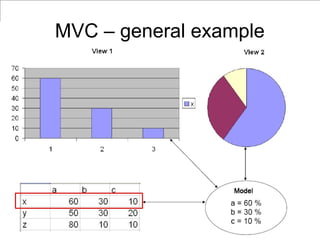
• What is model-view-controller?
• Introducing TurboGears
4.
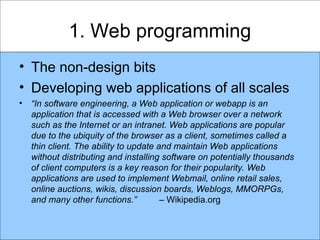
1. Web programming
•The non-design bits
• Developing web applications of all scales
• “In software engineering, a Web application or webapp is an
application that is accessed with a Web browser over a network
such as the Internet or an intranet. Web applications are popular
due to the ubiquity of the browser as a client, sometimes called a
thin client. The ability to update and maintain Web applications
without distributing and installing software on potentially thousands
of client computers is a key reason for their popularity. Web
applications are used to implement Webmail, online retail sales,
online auctions, wikis, discussion boards, Weblogs, MMORPGs,
and many other functions.” – Wikipedia.org
5.
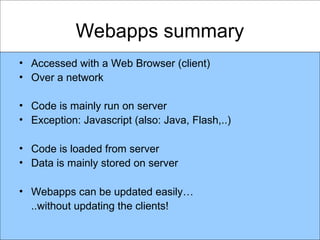
Webapps summary
• Accessedwith a Web Browser (client)
• Over a network
• Code is mainly run on server
• Exception: Javascript (also: Java, Flash,..)
• Code is loaded from server
• Data is mainly stored on server
• Webapps can be updated easily…
..without updating the clients!
6.
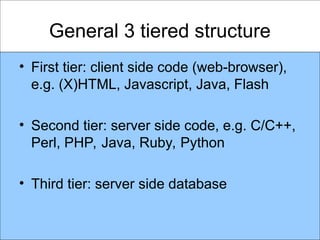
General 3 tieredstructure
• First tier: client side code (web-browser),
e.g. (X)HTML, Javascript, Java, Flash
• Second tier: server side code, e.g. C/C++,
Perl, PHP, Java, Ruby, Python
• Third tier: server side database
7.
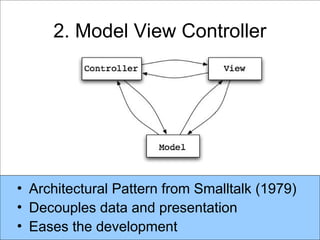
• Architectural Patternfrom Smalltalk (1979)
• Decouples data and presentation
• Eases the development
2. Model View Controller
8.
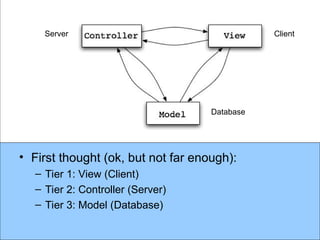
• First thought(ok, but not far enough):
– Tier 1: View (Client)
– Tier 2: Controller (Server)
– Tier 3: Model (Database)
Database
Client
Server
9.
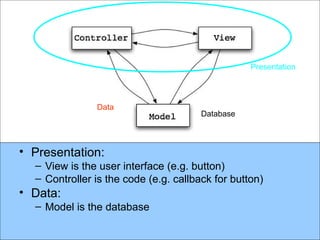
• Presentation:
– Viewis the user interface (e.g. button)
– Controller is the code (e.g. callback for button)
• Data:
– Model is the database
Database
Presentation
Data
10.
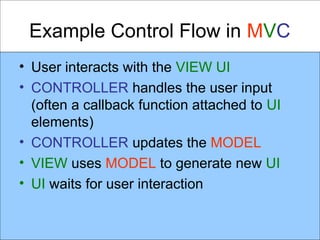
Example Control Flowin MVC
• User interacts with the VIEW UI
• CONTROLLER handles the user input
(often a callback function attached to UI
elements)
• CONTROLLER updates the MODEL
• VIEW uses MODEL to generate new UI
• UI waits for user interaction
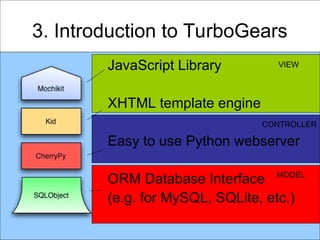
3. Introduction toTurboGears
JavaScript Library
XHTML template engine
Easy to use Python webserver
ORM Database Interface
(e.g. for MySQL, SQLite, etc.)
VIEW
CONTROLLER
MODEL
13.
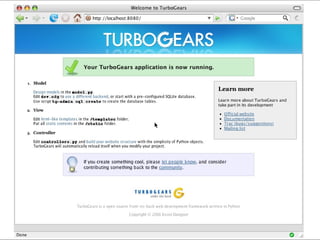
> tg-admin quickstartNewDemo
Enter package name [newdemo]:
Do you need Identity
(usernames/passwords) in this project?
[no]
[lots of output]
> cd NewDemo
> ./start-newdemo.py
3. Introduction to TurboGears
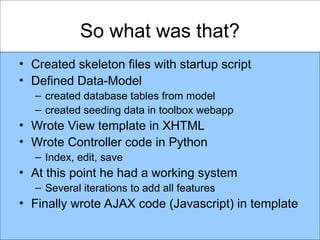
So what wasthat?
• Created skeleton files with startup script
• Defined Data-Model
– created database tables from model
– created seeding data in toolbox webapp
• Wrote View template in XHTML
• Wrote Controller code in Python
– Index, edit, save
• At this point he had a working system
– Several iterations to add all features
• Finally wrote AJAX code (Javascript) in template
17.
Benefits
• Local development
–No need to upload to server
• Quick turn around times
– No need to compile
– As CherryPy watches the file-system and
reloads when sources are changed
• Database query and update was easy
– No need to hand-write SQL
– But could be done, if necessary
18.
Summary
• Web applications
–Client, Server, Database
– Easy to maintain, harder to write
• Model – View – Controller
– Eases web application development
• TurboGears
– MVC WebApp Framework written in Python
– www.turbogears.org
19.
Thanks for yourattention
• Next lecture: 1 PM today
• More on TurboGears (example project)
– Movie Collection tool
• Questions / Comments:
– Now
– or email: LXO@CS.NOTT.AC.UK
Editor's Notes
#13 TurboGears gives you the “tg-admin quickstart” command to get you going right away. The project created by that command embodies what we know about the best practices when using TurboGears. It comes with a ready-to-run script that will start up a web server so that you can begin right away. There’s nothing quite like the feeling of getting off to a running start. David Heinemeier Hansson really put the spotlight on this with Ruby on Rails, and I think all of the web frameworks are benefitting from the idea.
![> tg-admin quickstart NewDemo
Enter package name [newdemo]:
Do you need Identity
(usernames/passwords) in this project?
[no]
[lots of output]
> cd NewDemo
> ./start-newdemo.py
3. Introduction to TurboGears](https://image.slidesharecdn.com/lecture19turbogears1-250910124624-5e2a17c2/85/lecture19-mvc-explained-in-simple-terms-1-13-320.jpg)