Pointers and dynamicobjects/ Slide 2
Topics
Pointers
Memory addresses
Declaration
Dereferencing a pointer
Pointers to pointer
3.
Pointers and dynamicobjects/ Slide 3
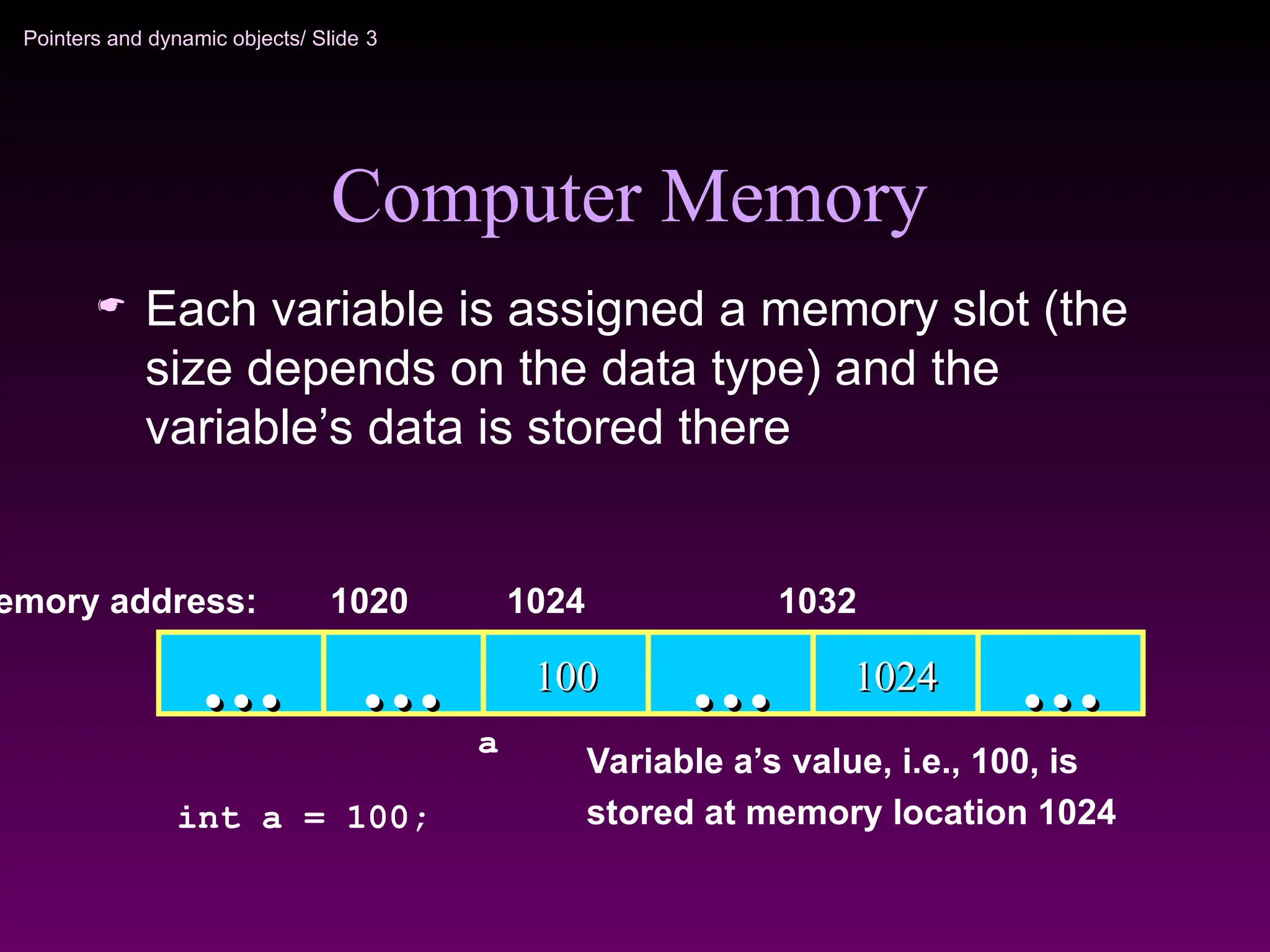
Computer Memory
Each variable is assigned a memory slot (the
size depends on the data type) and the
variable’s data is stored there
Variable a’s value, i.e., 100, is
stored at memory location 1024
100
100
…
… …
… 1024
1024 …
…
emory address: 1024 1032
int a = 100;
…
…
1020
a
4.
Pointers and dynamicobjects/ Slide 4
Pointers
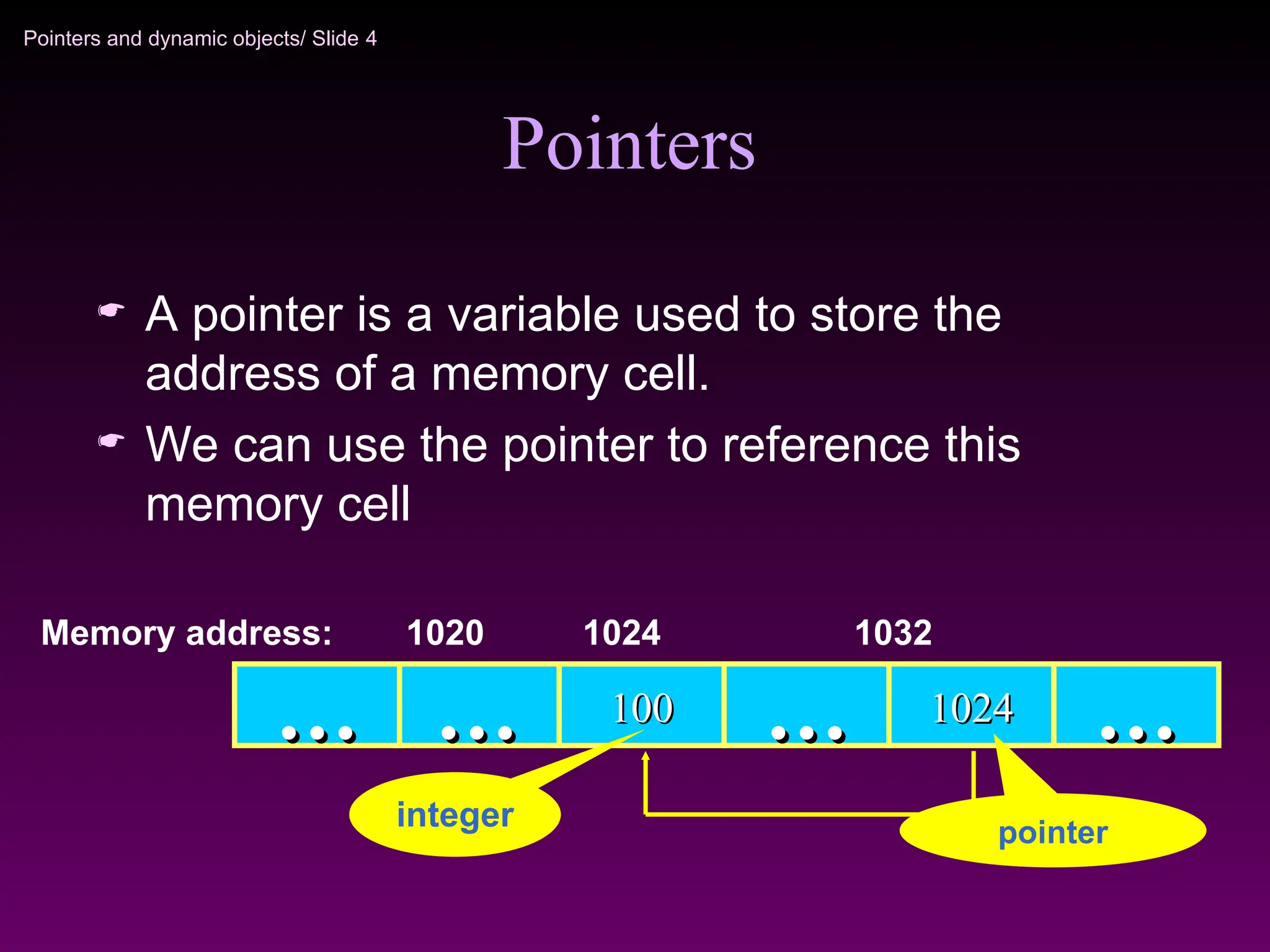
A pointer is a variable used to store the
address of a memory cell.
We can use the pointer to reference this
memory cell
100
100
…
… …
… 1024
1024 …
…
Memory address: 1024 1032
…
…
1020
integer pointer
5.
Pointers and dynamicobjects/ Slide 5
Pointer Types
Pointer
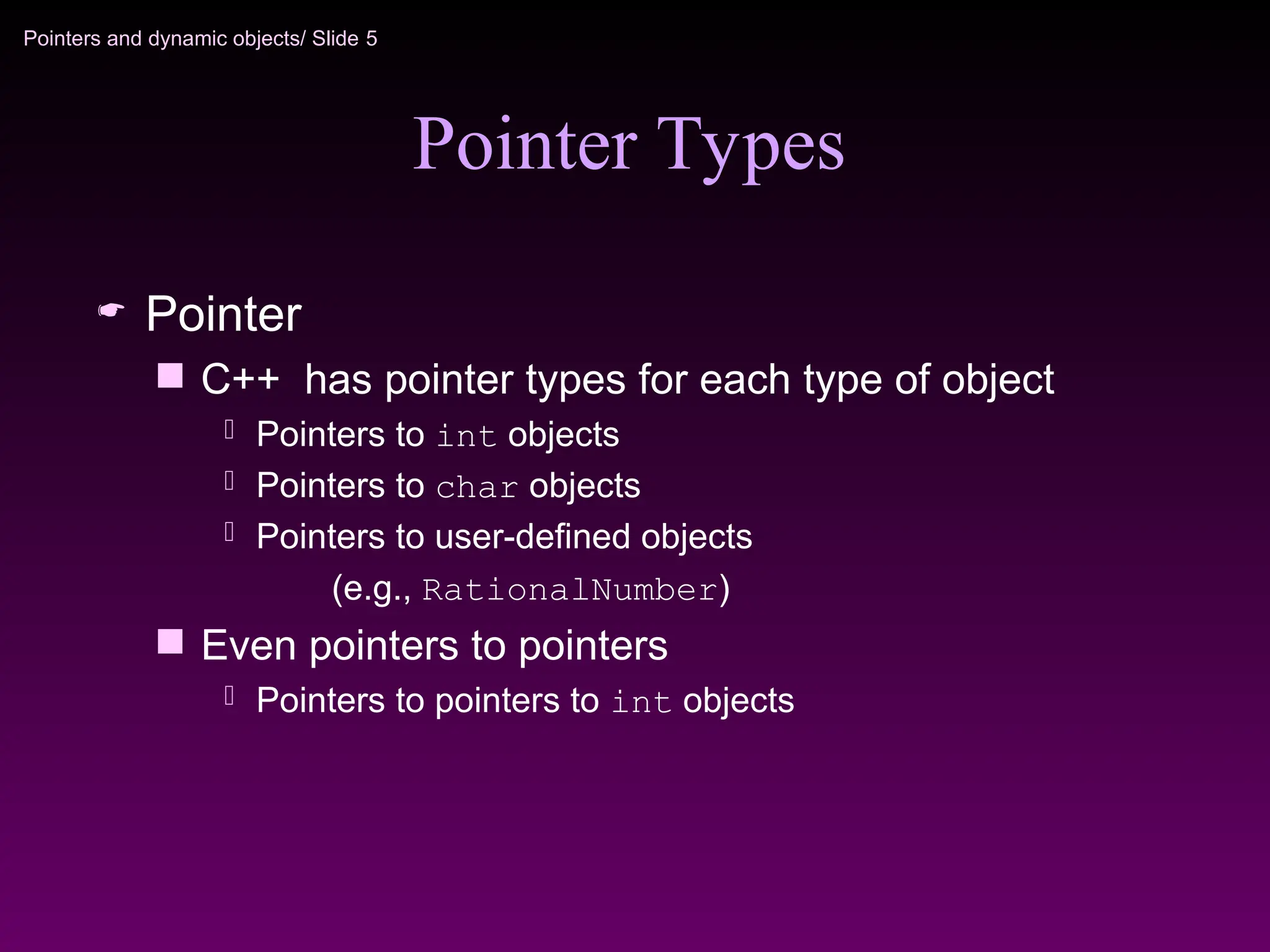
C++ has pointer types for each type of object
Pointers to int objects
Pointers to char objects
Pointers to user-defined objects
(e.g., RationalNumber)
Even pointers to pointers
Pointers to pointers to int objects
6.
Pointers and dynamicobjects/ Slide 6
Pointer Variable
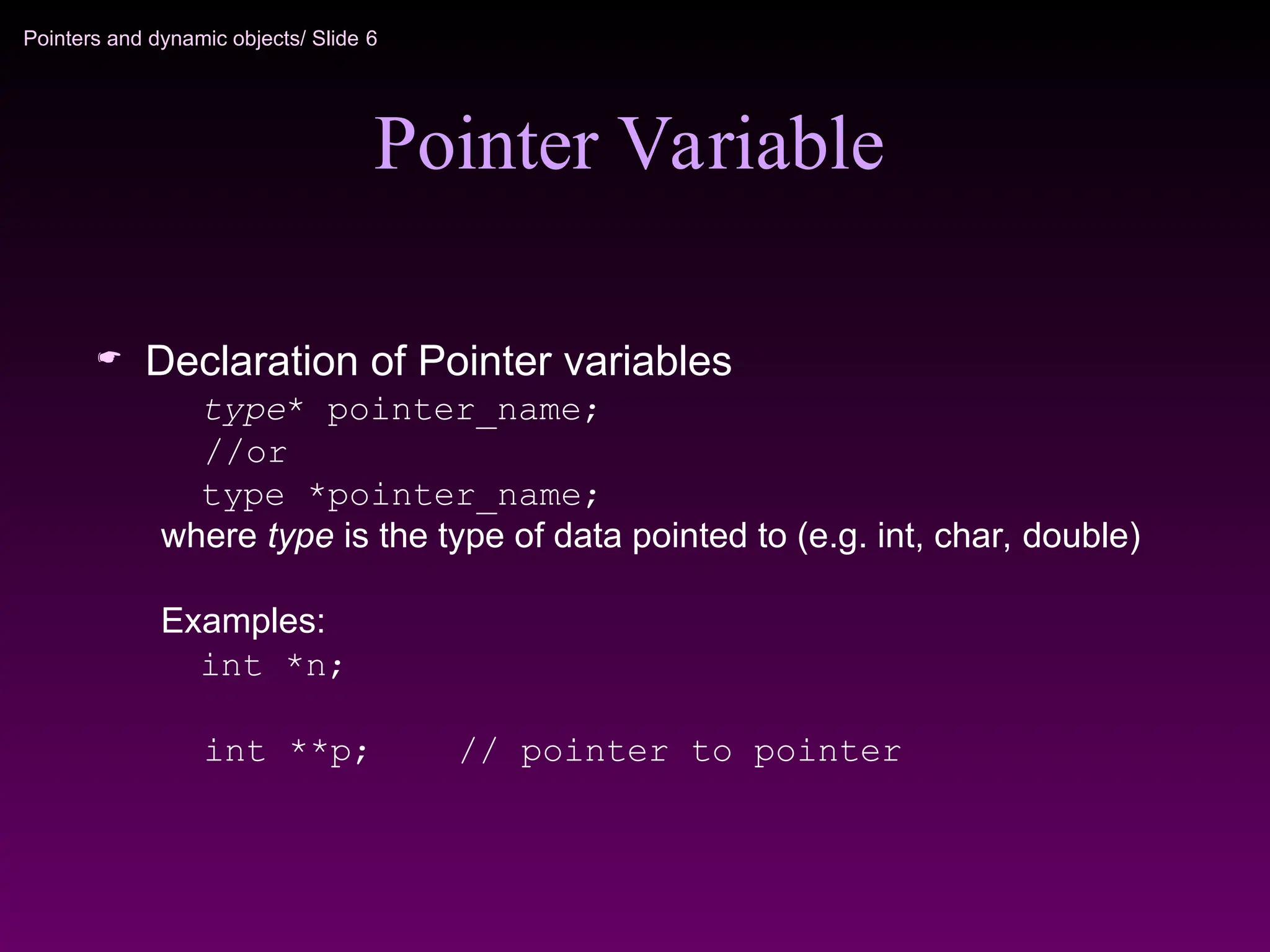
Declaration of Pointer variables
type* pointer_name;
//or
type *pointer_name;
where type is the type of data pointed to (e.g. int, char, double)
Examples:
int *n;
int **p; // pointer to pointer
7.
Pointers and dynamicobjects/ Slide 7
Address Operator &
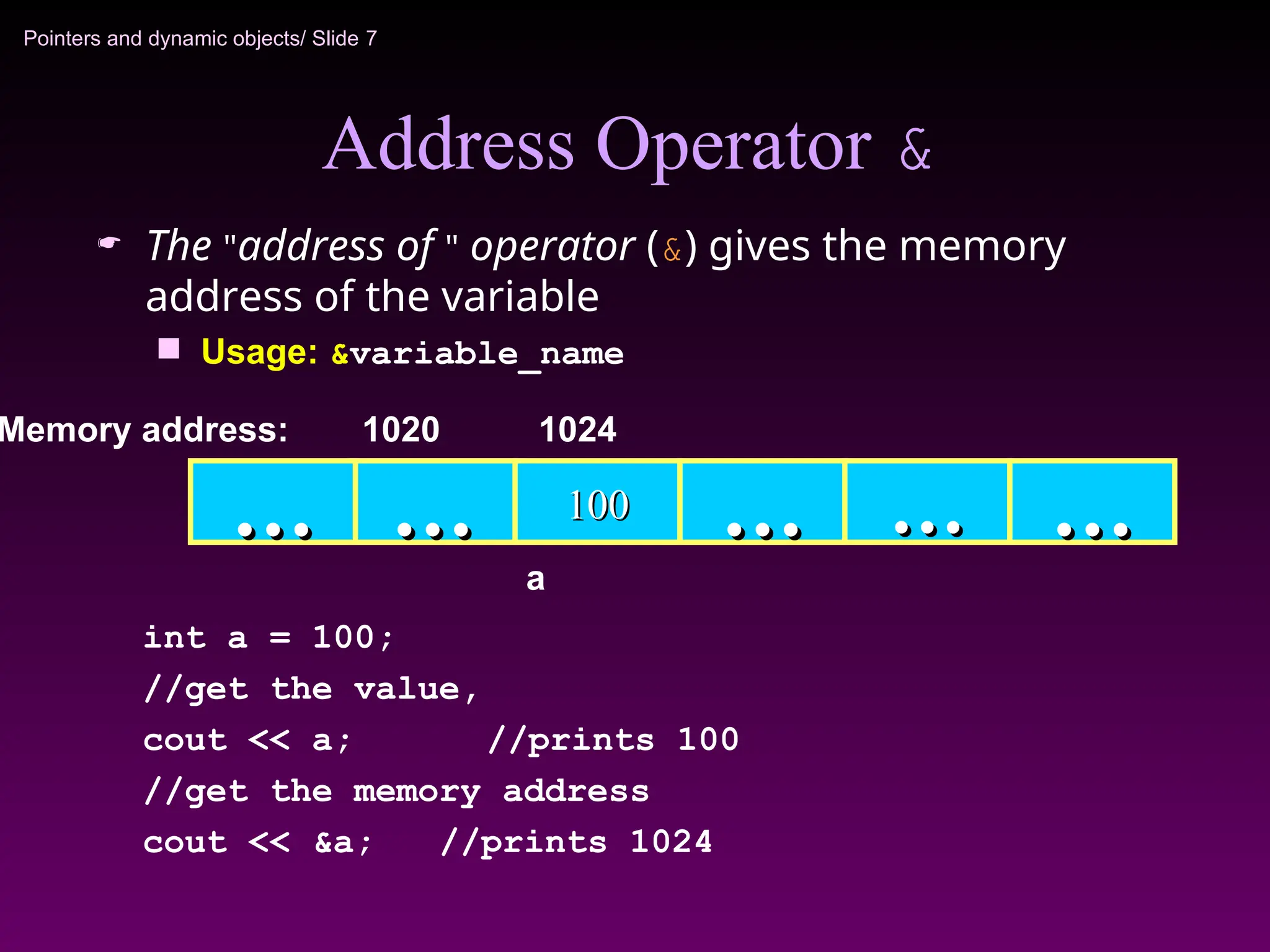
The "address of " operator (&) gives the memory
address of the variable
Usage: &variable_name
100
100
…
… …
… …
… …
…
Memory address: 1024
int a = 100;
//get the value,
cout << a; //prints 100
//get the memory address
cout << &a; //prints 1024
…
…
1020
a
8.
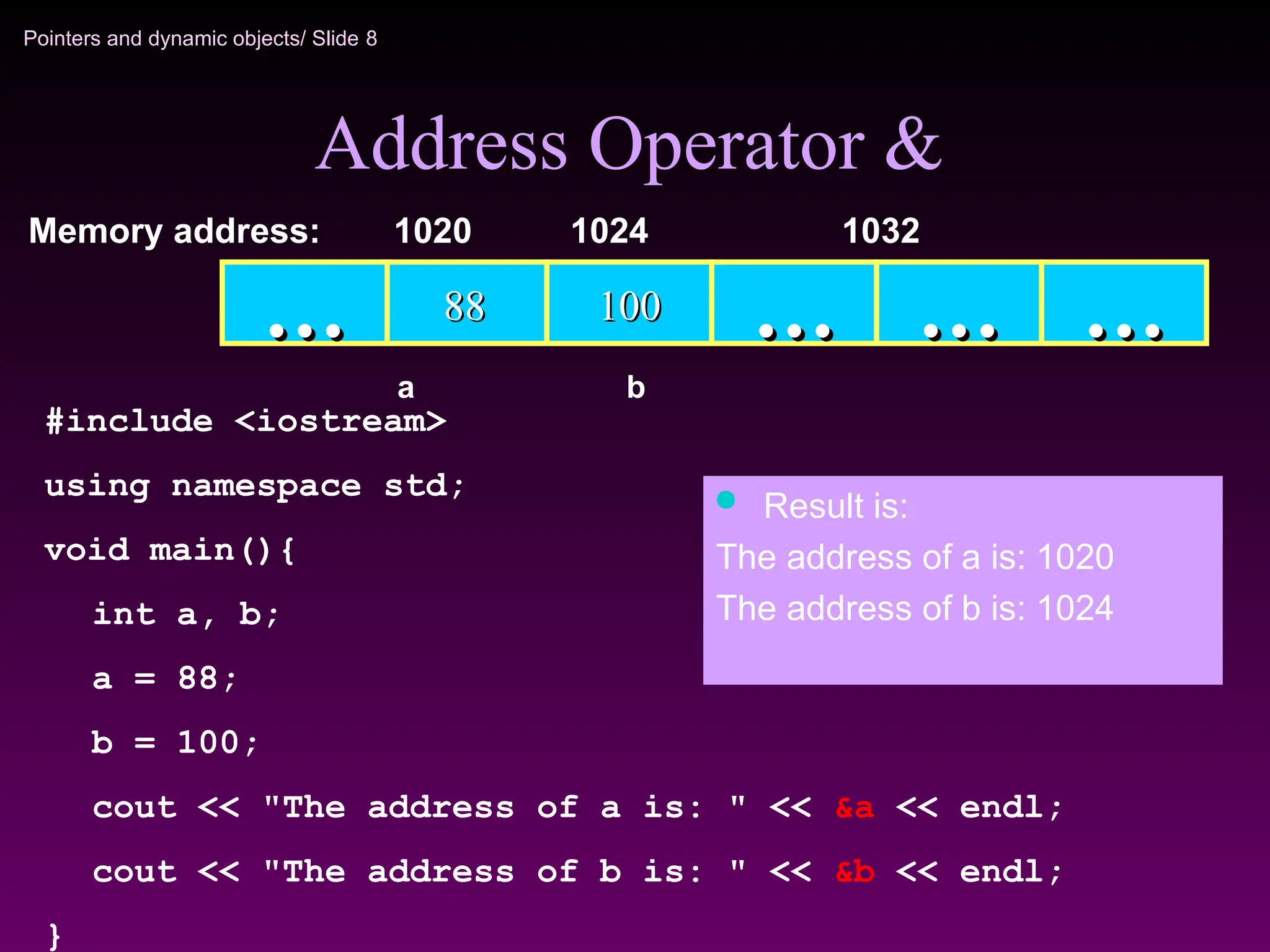
Pointers and dynamicobjects/ Slide 8
Address Operator &
100
100
88
88 …
… …
… …
…
Memory address: 1024 1032
a
…
…
1020
b
#include <iostream>
using namespace std;
void main(){
int a, b;
a = 88;
b = 100;
cout << "The address of a is: " << &a << endl;
cout << "The address of b is: " << &b << endl;
}
Result is:
The address of a is: 1020
The address of b is: 1024
9.
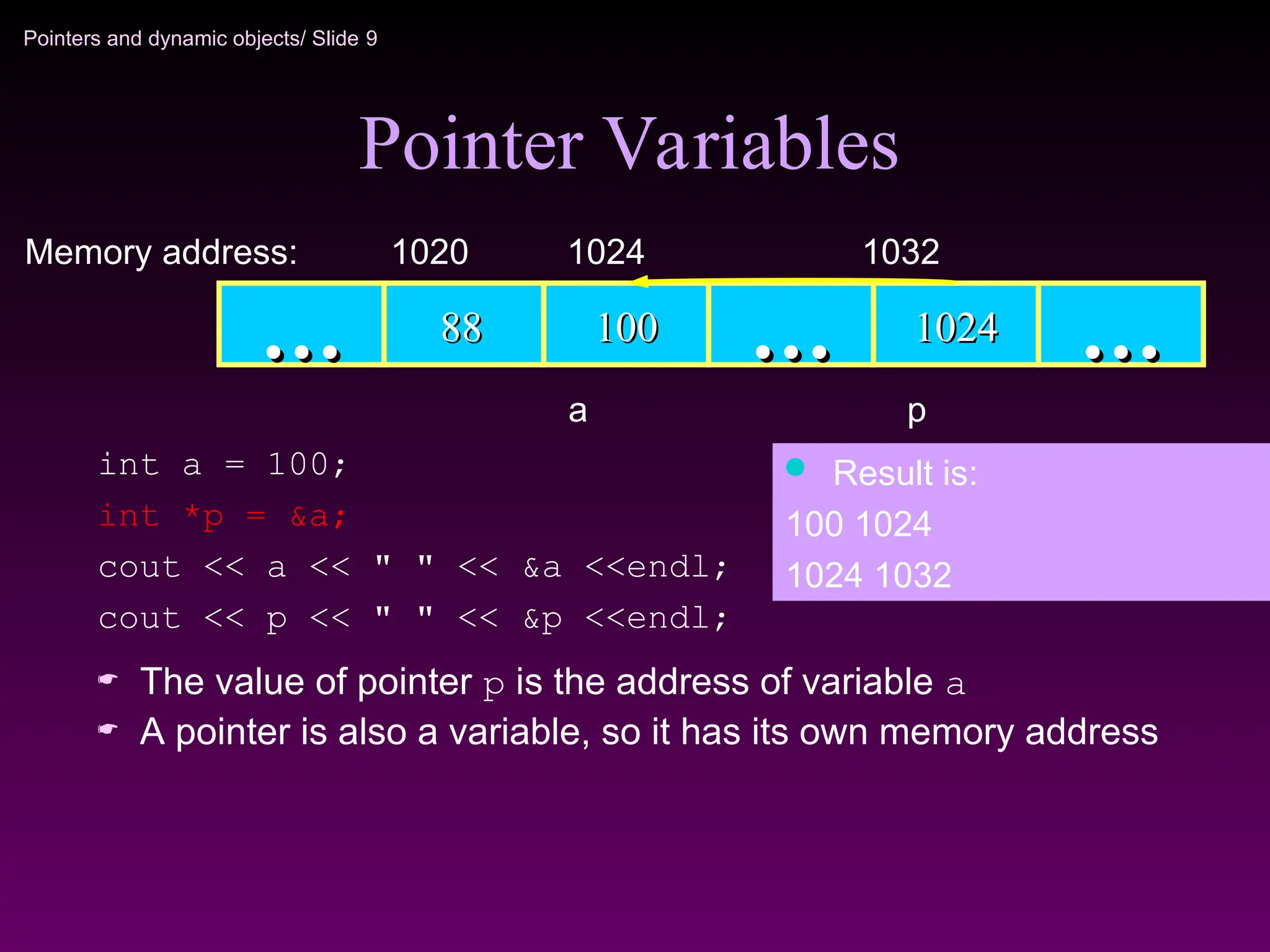
Pointers and dynamicobjects/ Slide 9
The value of pointer p is the address of variable a
A pointer is also a variable, so it has its own memory address
Pointer Variables
100
100
88
88 …
… 1024
1024 …
…
Memory address: 1024 1032
…
…
1020
a p
int a = 100;
int *p = &a;
cout << a << " " << &a <<endl;
cout << p << " " << &p <<endl;
Result is:
100 1024
1024 1032
10.
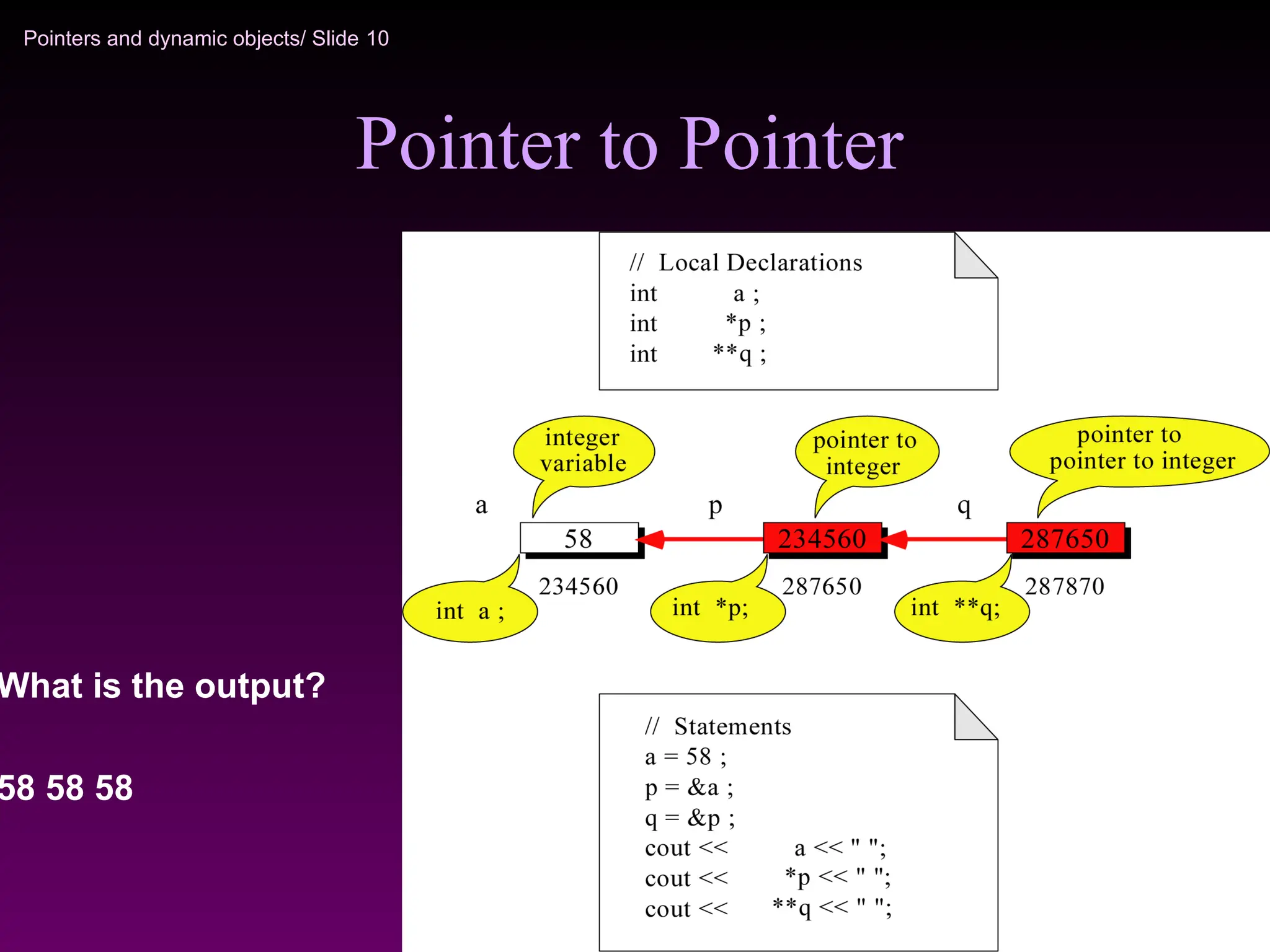
Pointers and dynamicobjects/ Slide 10
Pointer to Pointer
What is the output?
58 58 58
11.
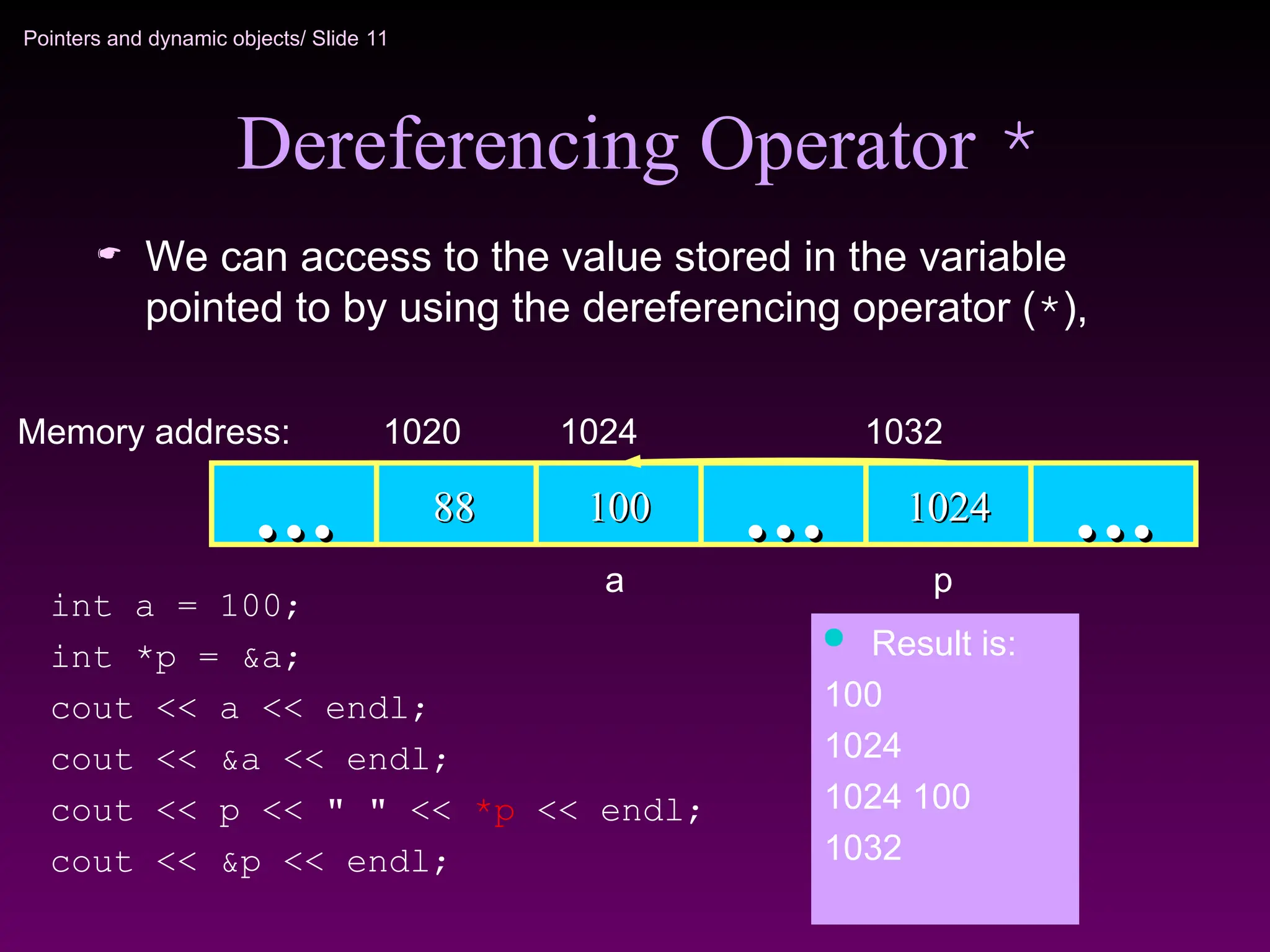
Pointers and dynamicobjects/ Slide 11
Dereferencing Operator *
We can access to the value stored in the variable
pointed to by using the dereferencing operator (*),
100
100
88
88 …
… 1024
1024 …
…
Memory address: 1024 1032
…
…
1020
int a = 100;
int *p = &a;
cout << a << endl;
cout << &a << endl;
cout << p << " " << *p << endl;
cout << &p << endl;
Result is:
100
1024
1024 100
1032
a p
12.
Pointers and dynamicobjects/ Slide 12
Reference Variables
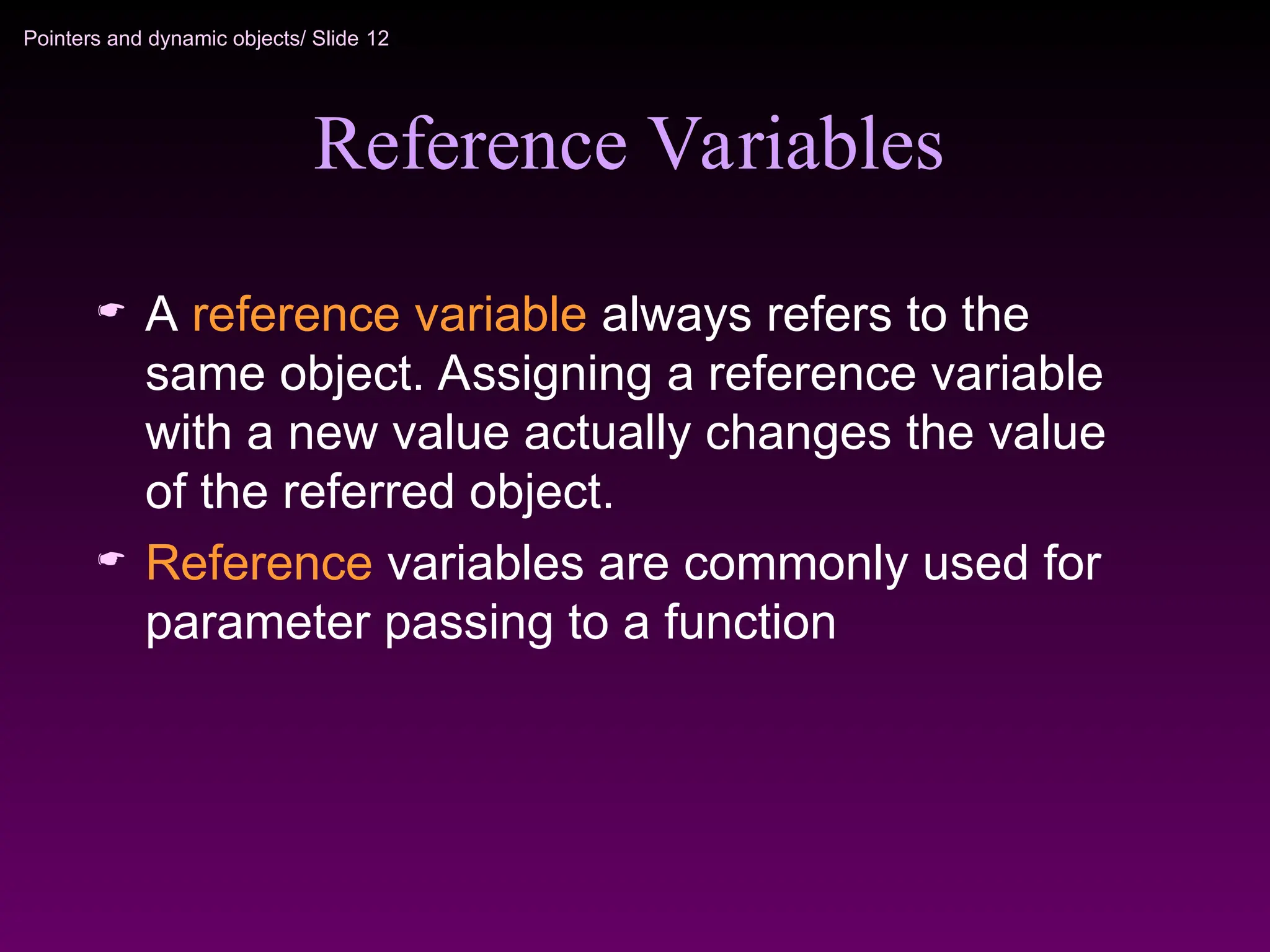
A reference variable always refers to the
same object. Assigning a reference variable
with a new value actually changes the value
of the referred object.
Reference variables are commonly used for
parameter passing to a function
13.
Pointers and dynamicobjects/ Slide 13
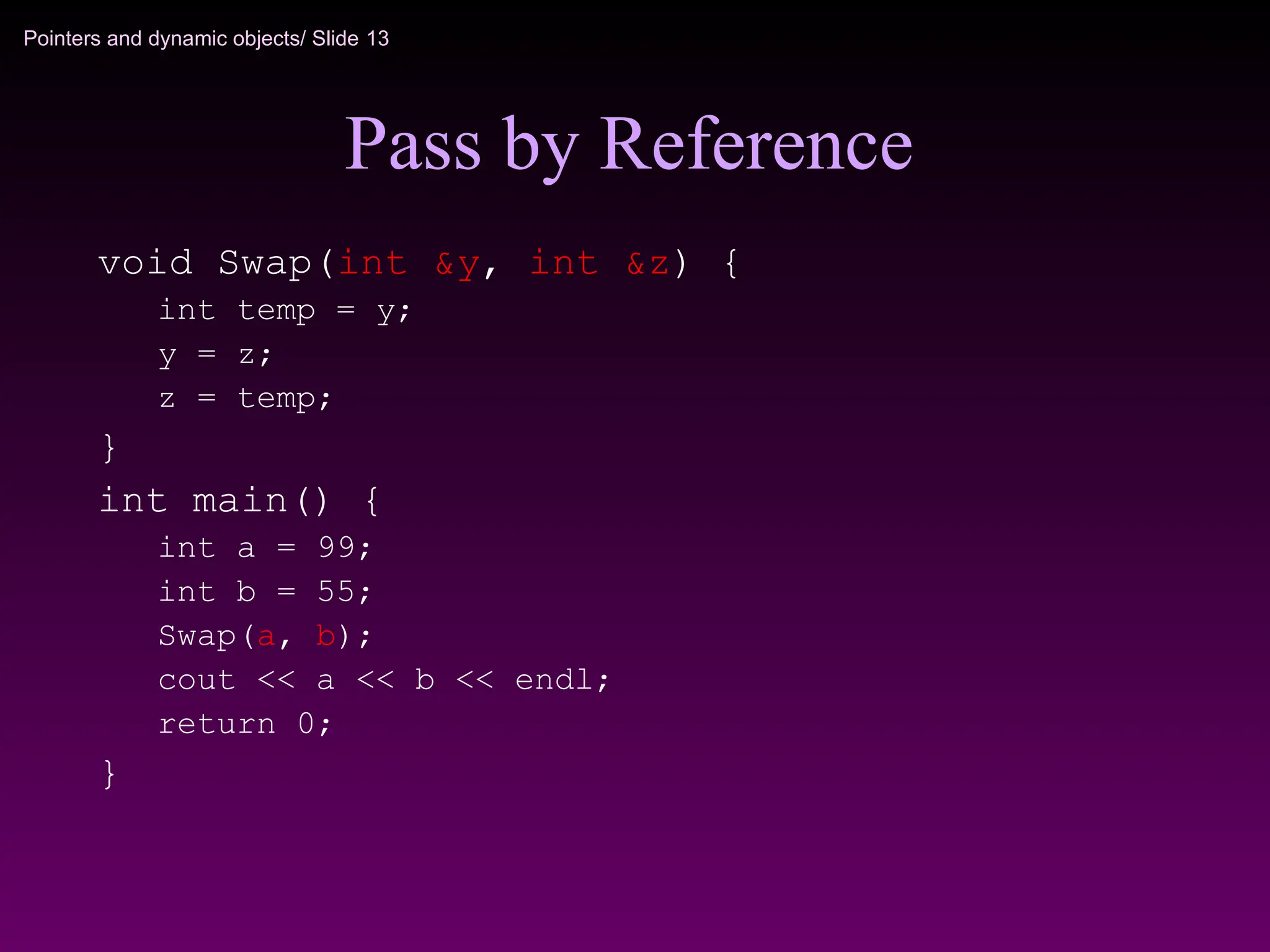
Pass by Reference
void Swap(int &y, int &z) {
int temp = y;
y = z;
z = temp;
}
int main() {
int a = 99;
int b = 55;
Swap(a, b);
cout << a << b << endl;
return 0;
}
14.
Pointers and dynamicobjects/ Slide 14
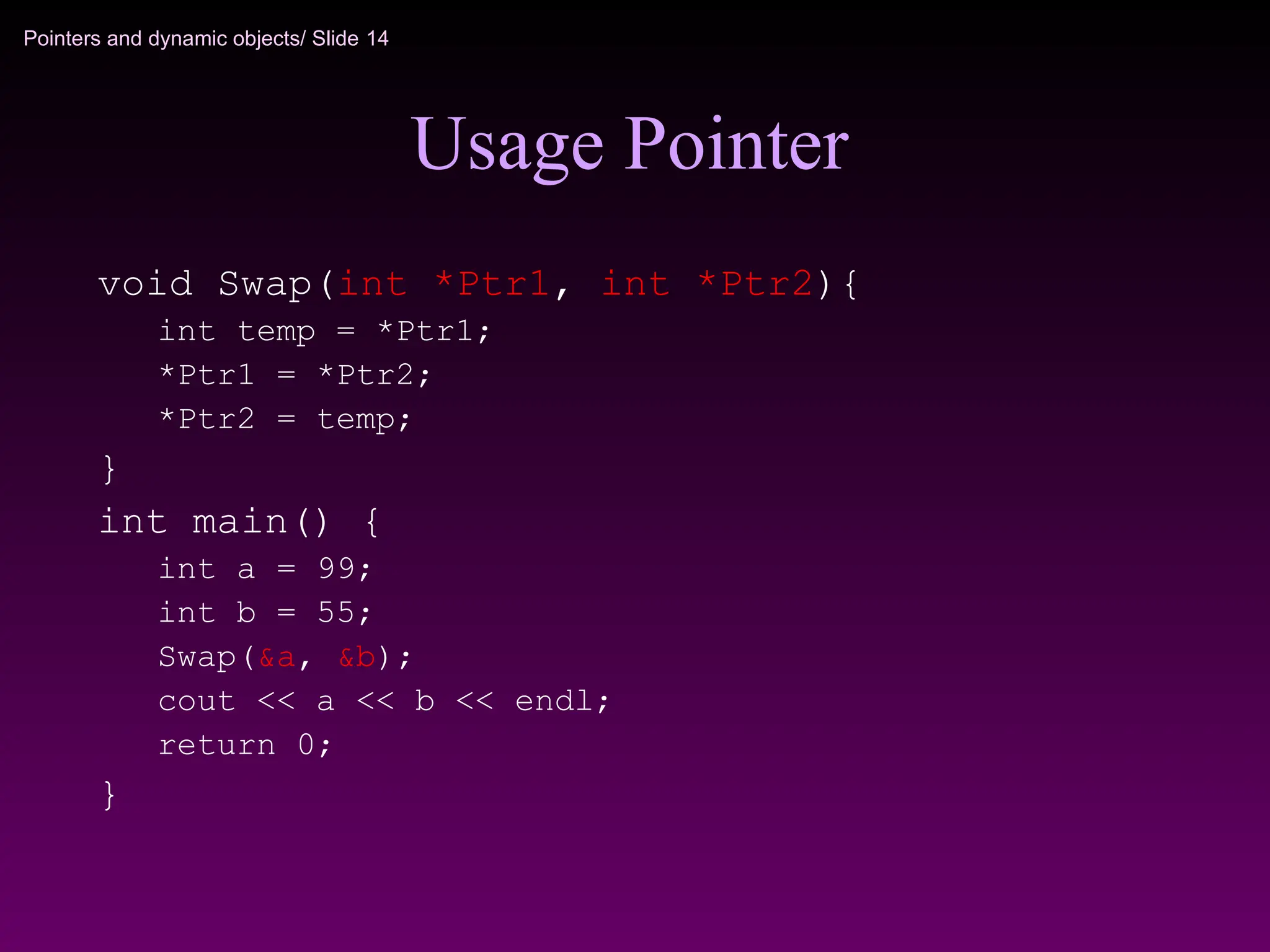
Usage Pointer
void Swap(int *Ptr1, int *Ptr2){
int temp = *Ptr1;
*Ptr1 = *Ptr2;
*Ptr2 = temp;
}
int main() {
int a = 99;
int b = 55;
Swap(&a, &b);
cout << a << b << endl;
return 0;
}
15.
Pointers and dynamicobjects/ Slide 15
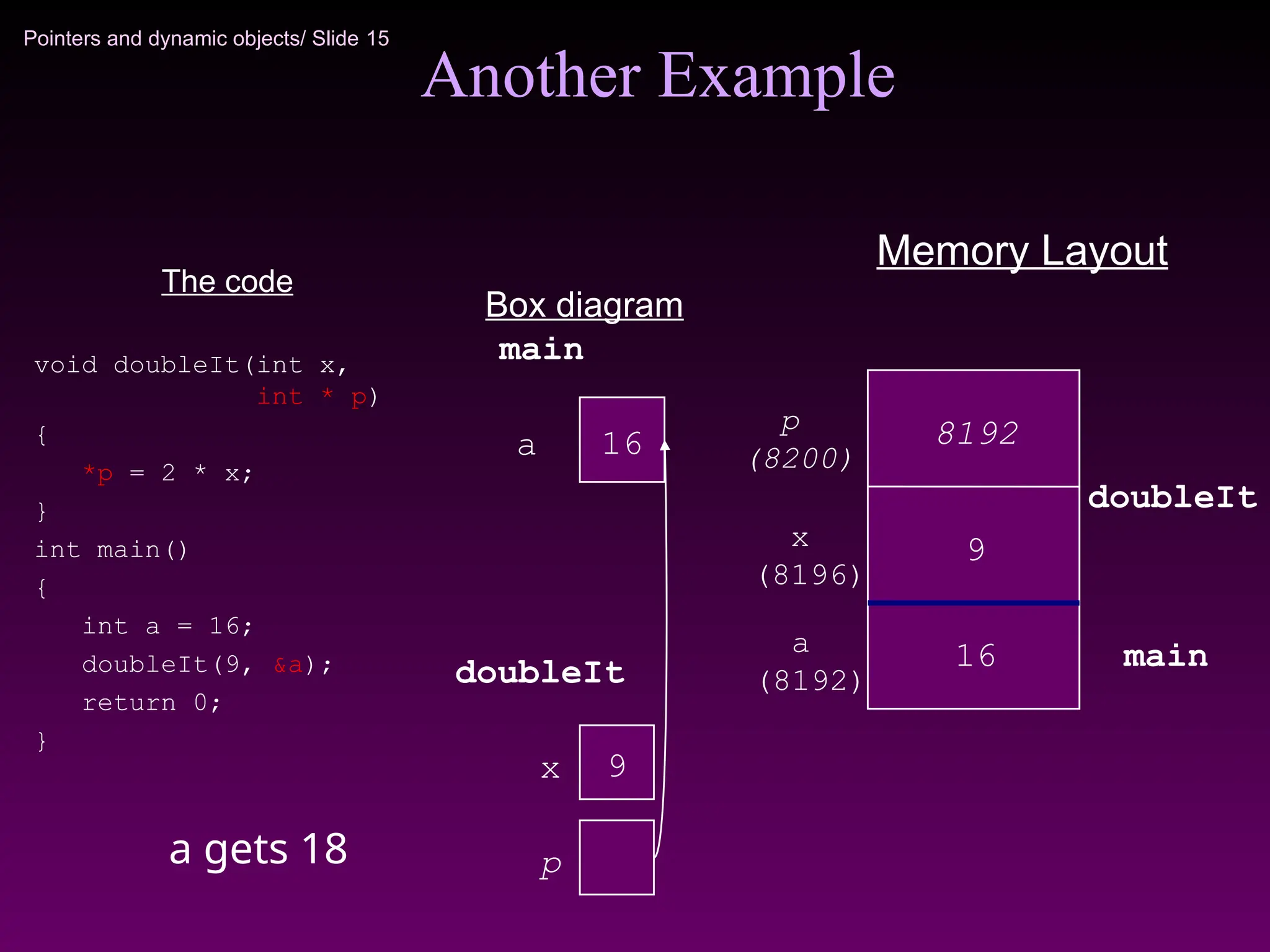
Another Example
The code
void doubleIt(int x,
int * p)
{
*p = 2 * x;
}
int main()
{
int a = 16;
doubleIt(9, &a);
return 0;
}
Box diagram
Memory Layout
9
x
p
(8200)
x
(8196)
16
a
main
doubleIt
p
a
(8192)
16
9
8192
main
doubleIt
a gets 18
16.
Pointers and dynamicobjects/ Slide 16
Pointers and Arrays
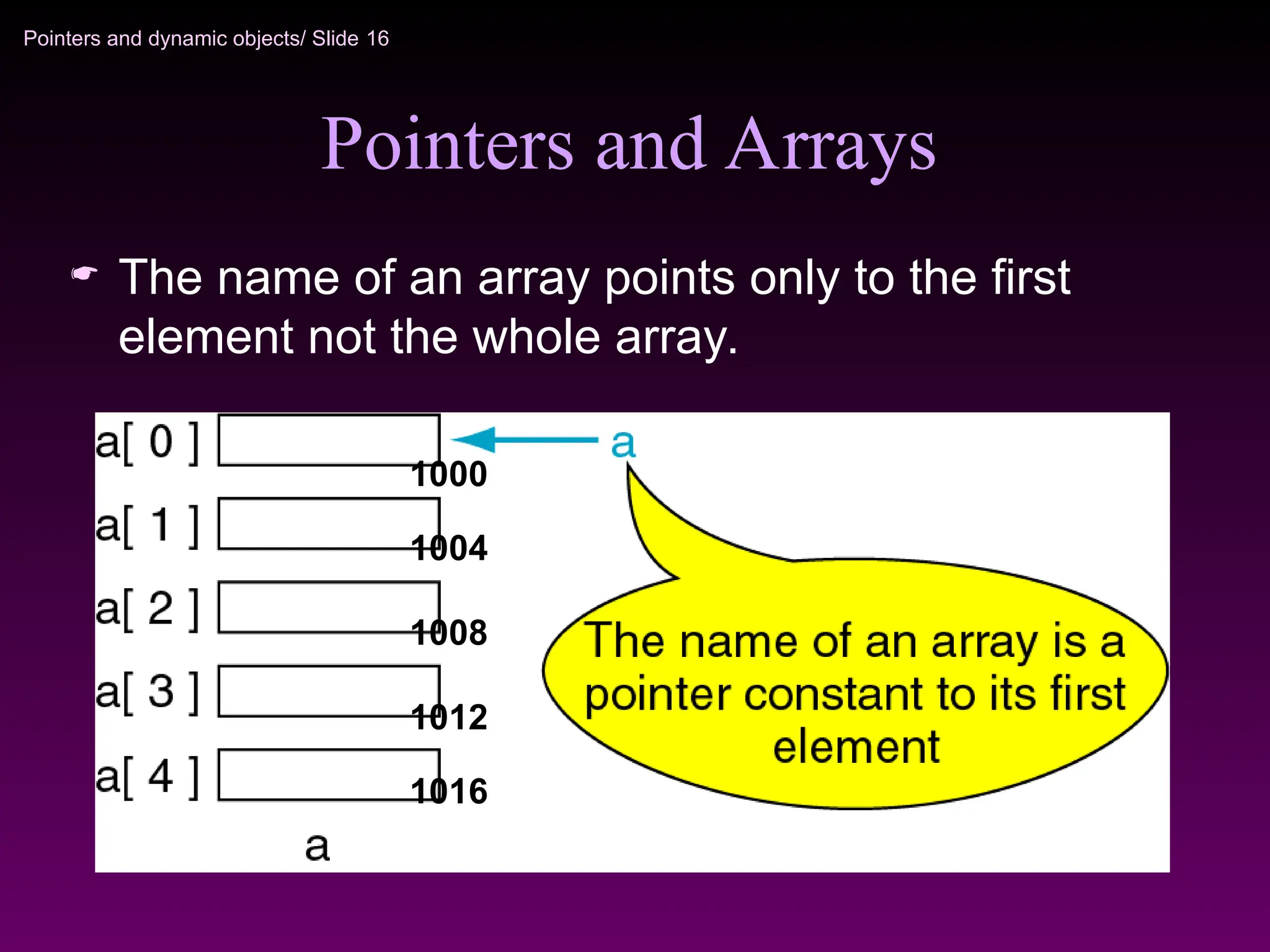
The name of an array points only to the first
element not the whole array.
1000
1012
1016
1004
1008
17.
Pointers and dynamicobjects/ Slide 17
Array Name is a pointer constant
#include <iostream>
using namespace std;
void main (){
int a[5];
cout << "Address of a[0]: " << &a[0] << endl
<< "Name as pointer: " << a << endl;
}
Result:
Address of a[0]: 0x0065FDE4
Name as pointer: 0x0065FDE4
18.
Pointers and dynamicobjects/ Slide 18
Dereferencing An Array Name
#include <iostream>
using namespace std;
void main(){
int a[5] = {2,4,6,8,22};
cout << *a << " "
<< a[0];
} //main
2
4
8
6
22
a[4]
a[0]
a[2]
a[1]
a[3]
a
a
This element is
called a[0] or *a
19.
Pointers and dynamicobjects/ Slide 19
Array Names as Pointers
To access an array, any pointer to the first element
can be used instead of the name of the array.
We could replace *p by *a
2 2
#include <iostream>
using namespace std;
void main(){
int a[5] = {2,4,6,8,22};
int *p = a;
cout << a[0] << " "
<< *p;
}
2
4
8
6
22
a[4]
a[0]
a[2]
a[1]
a[3]
a p
a
20.
Pointers and dynamicobjects/ Slide 20
Multiple Array Pointers
Both a and p are pointers to the same array.
2 2
4 4
#include <iostream>
using namespace std;
void main(){
int a[5] = {2,4,6,8,22};
int *p = &a[1];
cout << a[0] << " "
<< p[-1];
cout << a[1] << " "
<< p[0];
}
2
4
8
6
22
a[4]
a[0]
a[2]
a[1]
a[3]
p
p[0]
a[0]
21.
Pointers and dynamicobjects/ Slide 21
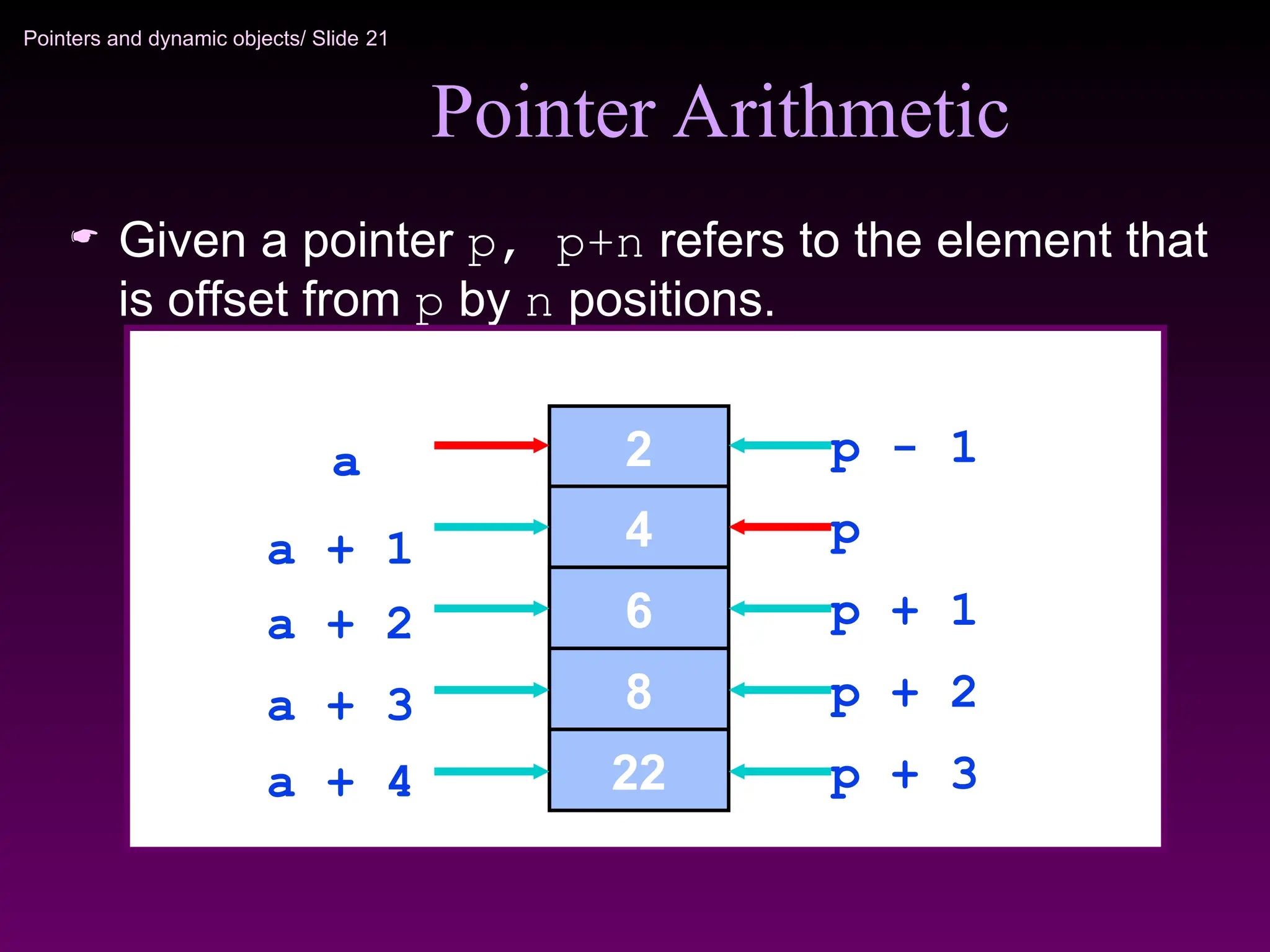
Pointer Arithmetic
Given a pointer p, p+n refers to the element that
is offset from p by n positions.
2
4
8
6
22
a
a + 2
a + 4
a + 3
a + 1 p
p + 2
p + 3
p - 1
p + 1
22.
Pointers and dynamicobjects/ Slide 22
*(a+n) is identical to a[n]
Dereferencing Array Pointers
2
4
8
6
22
a
a + 2
a + 4
a + 3
a + 1
a[3] or *(a + 3)
a[2] or *(a + 2)
a[1] or *(a + 1)
a[0] or *(a + 0)
a[4] or *(a + 4)
Note: flexible pointer syntax

![Pointers and dynamic objects/ Slide 17
Array Name is a pointer constant
#include <iostream>
using namespace std;
void main (){
int a[5];
cout << "Address of a[0]: " << &a[0] << endl
<< "Name as pointer: " << a << endl;
}
Result:
Address of a[0]: 0x0065FDE4
Name as pointer: 0x0065FDE4](https://image.slidesharecdn.com/lect7-8pointers-250511002917-3452e2b3/75/Lect-7-8-Pointers-pptffffffdfgfffddddg-17-2048.jpg)
![Pointers and dynamic objects/ Slide 18
Dereferencing An Array Name
#include <iostream>
using namespace std;
void main(){
int a[5] = {2,4,6,8,22};
cout << *a << " "
<< a[0];
} //main
2
4
8
6
22
a[4]
a[0]
a[2]
a[1]
a[3]
a
a
This element is
called a[0] or *a](https://image.slidesharecdn.com/lect7-8pointers-250511002917-3452e2b3/75/Lect-7-8-Pointers-pptffffffdfgfffddddg-18-2048.jpg)
![Pointers and dynamic objects/ Slide 19
Array Names as Pointers
To access an array, any pointer to the first element
can be used instead of the name of the array.
We could replace *p by *a
2 2
#include <iostream>
using namespace std;
void main(){
int a[5] = {2,4,6,8,22};
int *p = a;
cout << a[0] << " "
<< *p;
}
2
4
8
6
22
a[4]
a[0]
a[2]
a[1]
a[3]
a p
a](https://image.slidesharecdn.com/lect7-8pointers-250511002917-3452e2b3/75/Lect-7-8-Pointers-pptffffffdfgfffddddg-19-2048.jpg)
![Pointers and dynamic objects/ Slide 20
Multiple Array Pointers
Both a and p are pointers to the same array.
2 2
4 4
#include <iostream>
using namespace std;
void main(){
int a[5] = {2,4,6,8,22};
int *p = &a[1];
cout << a[0] << " "
<< p[-1];
cout << a[1] << " "
<< p[0];
}
2
4
8
6
22
a[4]
a[0]
a[2]
a[1]
a[3]
p
p[0]
a[0]](https://image.slidesharecdn.com/lect7-8pointers-250511002917-3452e2b3/75/Lect-7-8-Pointers-pptffffffdfgfffddddg-20-2048.jpg)
![Pointers and dynamic objects/ Slide 22
*(a+n) is identical to a[n]
Dereferencing Array Pointers
2
4
8
6
22
a
a + 2
a + 4
a + 3
a + 1
a[3] or *(a + 3)
a[2] or *(a + 2)
a[1] or *(a + 1)
a[0] or *(a + 0)
a[4] or *(a + 4)
Note: flexible pointer syntax](https://image.slidesharecdn.com/lect7-8pointers-250511002917-3452e2b3/75/Lect-7-8-Pointers-pptffffffdfgfffddddg-22-2048.jpg)